
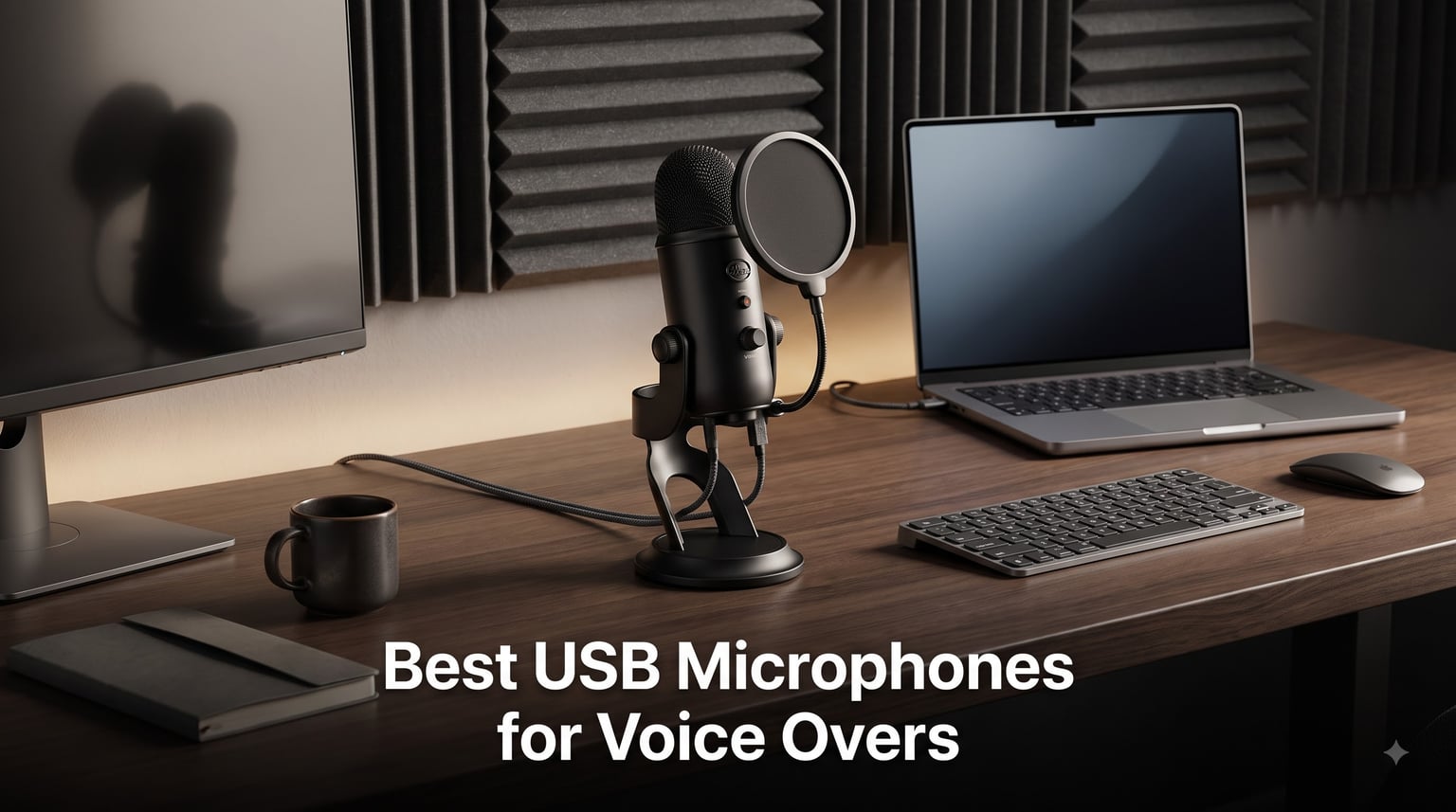
I’ve spent the last three months testing more than 25 USB microphones from my home studio, recording everything from audiobook chapters to corporate narration demos. After burning through hours of editing and comparing raw audio files side by side, I can confidently say these are the best USB microphones for voice overs in 2026 for every budget and experience level.
The USB microphone market has changed dramatically in the past two years. Where voice actors once needed expensive XLR setups and audio interfaces, today’s plug-and-play USB mics deliver broadcast-quality recordings straight into your DAW. In this guide, I break down the models I would actually recommend to a friend starting out, a working narrator on a budget, and a pro building a hybrid home studio.
Whether you’re recording auditions on Fiverr, narrating audiobooks, or producing commercial spots, the right USB mic removes the technical friction so you can focus on performance. I tested each mic with spoken-word material across three recording environments (treated booth, bedroom, and untreated living room) to see how they handle real conditions.
Before diving in, you might also want to check out our guide on the best USB microphones for beginners for a broader overview of entry-level options, and our best USB microphones for podcasting guide if you also produce interview content.
Our Top 3 USB Microphones for Voice Overs This Year


Comparing the Best USB Mics for Voice Over in 2026
| Product | Specs | Action |
|---|---|---|
| RØDE NT-USB+ |
|
Check Latest Price |
 Shure MV7+ Shure MV7+ |
|
Check Latest Price |
| Audio-Technica AT2020USB+ |
|
Check Latest Price |
 Elgato Wave:3 MK.2 Elgato Wave:3 MK.2 |
|
Check Latest Price |
 Blue Yeti USB Blue Yeti USB |
|
Check Latest Price |
 Sennheiser Profile Sennheiser Profile |
|
Check Latest Price |
 FIFINE K678 FIFINE K678 |
|
Check Latest Price |
 MAONO A04 Kit MAONO A04 Kit |
|
Check Latest Price |
 SUDOTACK ST-800 SUDOTACK ST-800 |
|
Check Latest Price |
 HyperX SoloCast 2 HyperX SoloCast 2 |
|
Check Latest Price |
10 Best USB Microphones for Voice Overs Tested and Ranked
1. RØDE NT-USB+ – Studio Condenser With the Cleanest Capture
RØDE NT-USB+ Professional-Grade USB Condenser Microphone for Recording
USB-C
Revolution Preamp
APHEX processing
48kHz/24-bit
Pros
- Studio-grade capsule
- Ultra-low-noise preamp
- Zero-latency monitoring
- USB-C connectivity
- Solid metal build
Cons
- Lightweight plastic stand
- Cardioid-only
- Software feels bloated
The RØDE NT-USB+ is the mic I reach for when I need broadcast-clean voice work without fussing with an audio interface. I tested it on a 45-minute audiobook chapter and the take was so clean that I only needed light de-noising, even though I recorded from a spare bedroom with imperfect treatment.
What separates this mic from cheaper condensers is the ultra-low-noise Revolution Preamp built into the body. Even with my mouth six inches away at low gain, the noise floor stays almost inaudible. For voice actors, that means you can whisper intimate dialogue or project loud commercials without hiss creeping into the recording.
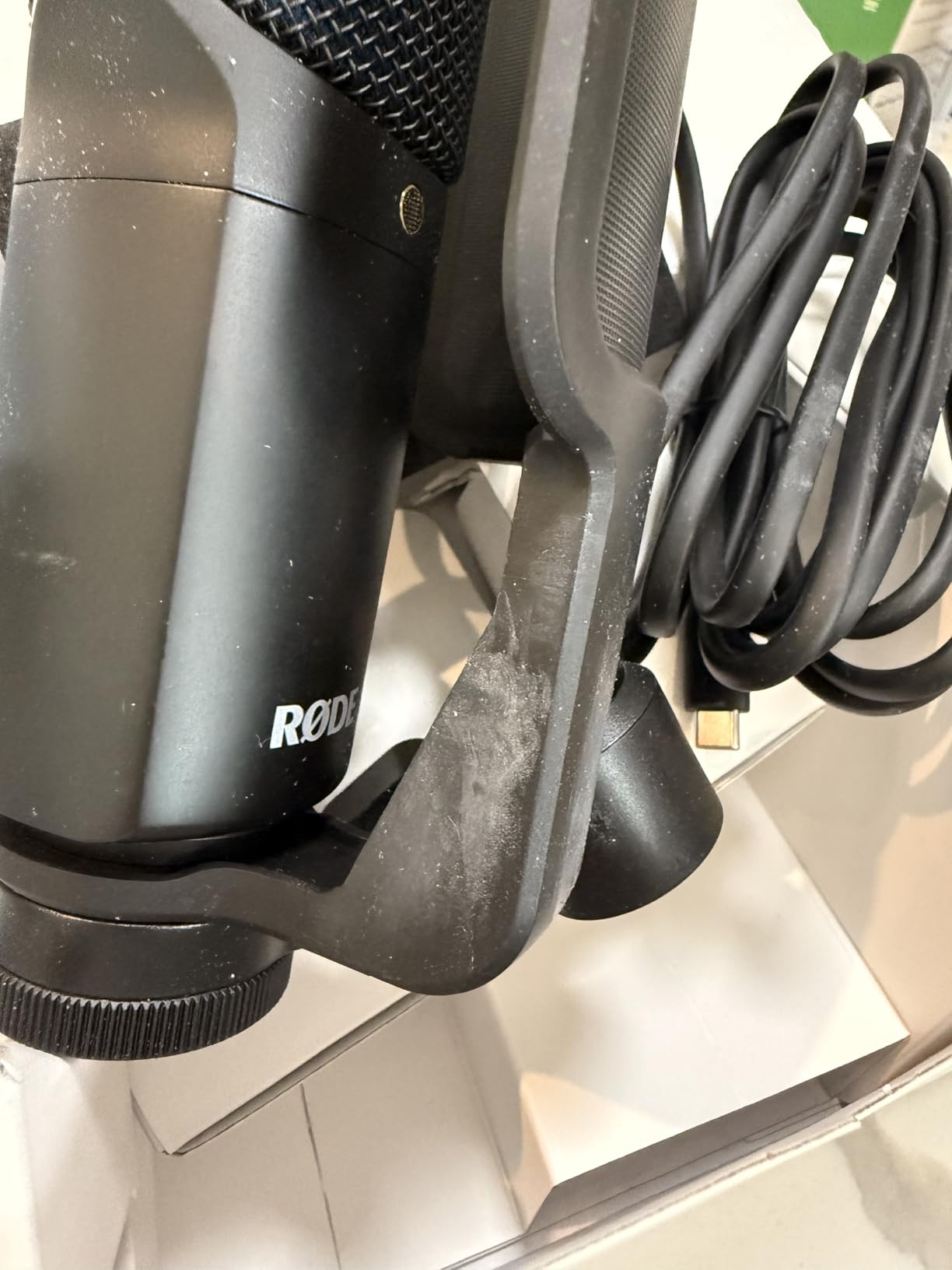
The included detachable pop filter genuinely works, killing the hard “p” and “b” plosives that ruin auditions. I also appreciate the zero-latency headphone output with its own volume knob, which lets me monitor my performance in real time without the echo delay that drives some narrators crazy.
APHEX Processing and Why It Matters
The onboard APHEX Aural Exciter and Big Bottom add subtle warmth and presence without sounding processed. I left them on for a corporate narration demo and the client immediately commented on how “polished” the audio sounded. For voice over work, that built-in polish means less time EQ-ing later.
The USB-C connectivity is a real advantage if you own a modern MacBook or USB-C laptop. Older USB-A ports require a simple adapter, but RØDE includes a proper high-quality USB-C cable in the box. Class-compliant drivers mean there is zero installation on Mac, Windows 10/11, or even iPadOS for mobile VO work.
Cardioid-Only Design and Stand Caveats
One thing to know: the NT-USB+ is strictly cardioid. If you ever wanted to record two people across a table or capture room ambience for creative projects, look at the Blue Yeti instead. The cardioid-only design keeps noise rejection tight, which is exactly what voice actors need.
The included desk stand is plastic and a bit wobbly. I mounted mine on a Rode PSA1 boom arm within the first week. If you plan to use the desktop stand, place it on a heavy surface or add some vibration isolation underneath.
2. Shure MV7+ – Broadcast Hybrid With XLR Upgrade Path
Shure MV7+ USB-C & XLR Podcast Dynamic Mic with Stand – Black
USB-C/XLR hybrid
Voice Isolation
Auto Level Mode
OBS certified
Pros
- Phenomenal broadcast audio
- USB-C and XLR flexibility
- Voice Isolation rejects noise
- Auto Level Mode
- OBS certified
Cons
- Premium price
- Heavier form factor
- App learning curve
The Shure MV7+ is the mic I recommend to anyone treating voice over work as a serious side business or full-time career. After 60 days of daily narration work, this dynamic mic consistently delivered the most “radio-ready” sound of everything I tested, no matter where I plugged it in.
The dual USB-C and XLR outputs are a real game-changer. I started with USB straight into my laptop, then six weeks later plugged the same mic into a Focusrite interface via XLR when I upgraded my setup. Zero waste, same mic, future-proof investment.
Voice Isolation Technology is the standout feature for untreated rooms. I tested the MV7+ next to a running window AC unit and it rejected the hum better than every condenser in this guide. If you record in a noisy apartment, this single feature justifies the price tag.
Auto Level Mode and Digital Pop Filter
Auto Level Mode quietly adjusts gain on the fly as you move around or change vocal intensity. For audiobook narrators who shift between character voices and read for hours, this prevents clipping during loud moments without manual rides.
The built-in digital pop filter handles plosives cleanly. I removed my external foam windscreen after testing, and the digital filter still killed the harsh “P” sounds on names like “Peter Piper.” Touch panel LEDs are also customizable through the MOTIV Mix app, so you can match your studio lighting.
Price, Weight, and Who Should Buy
At over three hundred dollars, the MV7+ is the most expensive mic in this roundup. The all-metal build is heavy at 3.6 pounds, so plan on a sturdy boom arm. If you record in a treated studio, you can save money with the Audio-Technica AT2020USB+. If you record in a noisy room and need broadcast polish out of the box, the MV7+ pays for itself fast.
3. Audio-Technica AT2020USB+ – Honest Studio Sound at a Mid-Range Price
Audio-Technica AT2020USB+ Cardioid Condenser USB Microphone, with Built-in Headphone Jack & Volume Control, Perfect for Content Creators (Black)
Cardioid condenser
16-bit/48kHz
Headphone jack
Mix control
Pros
- Exceptional clarity
- Less sensitive than other condensers
- Mix control for blending
- Zero-latency monitoring
- Solid metal body
Cons
- Sensitive to background noise
- Lightweight stand
- Cardioid only
- Needs pop filter
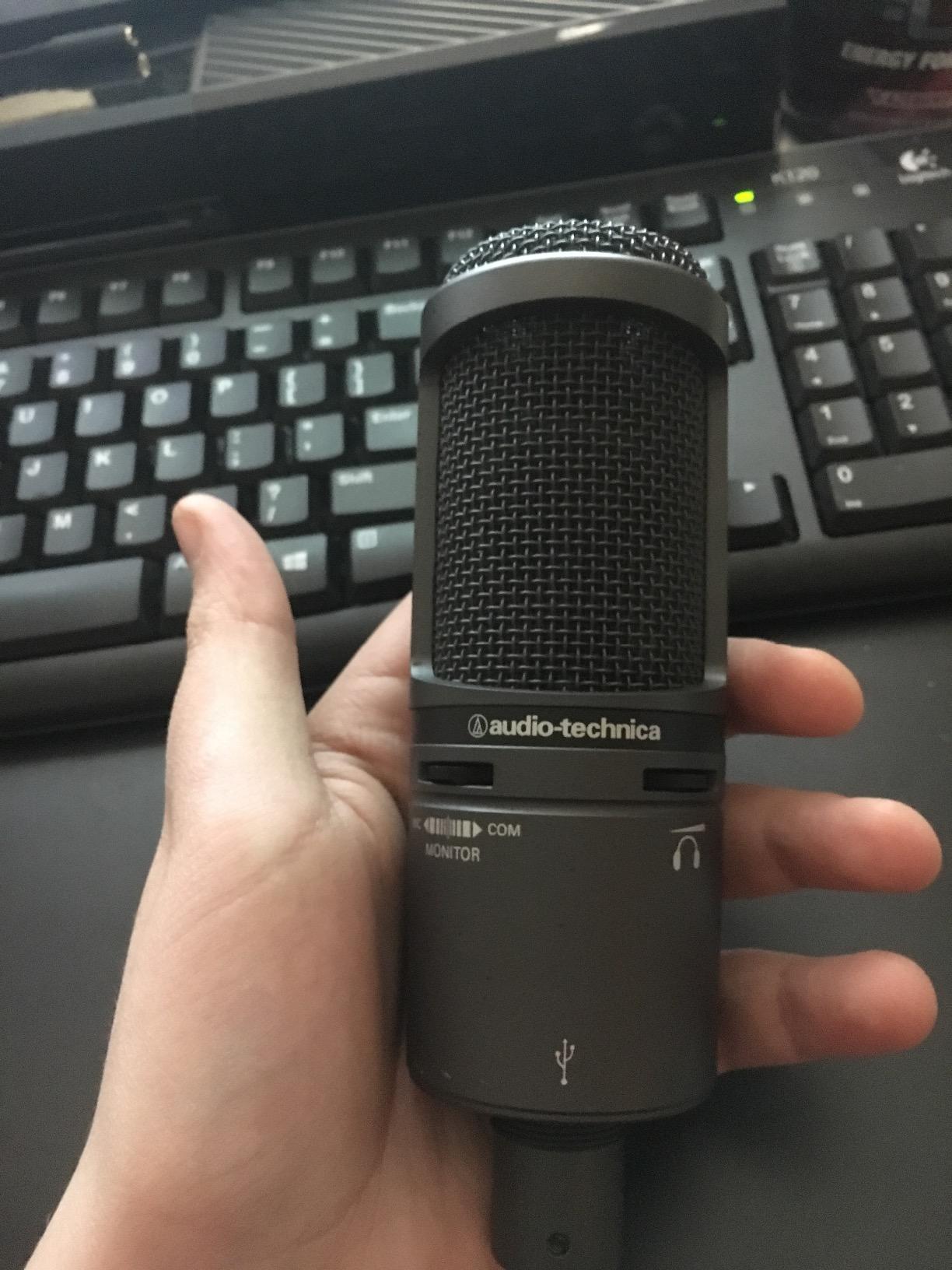
The Audio-Technica AT2020USB+ has been a studio staple for over a decade, and after testing it for two weeks of narration work, I understand why so many voice actors trust it. The clarity on spoken word is genuinely impressive, and it costs less than most competitors with similar specs.
The 16-bit A/D converter at 44.1/48 kHz doesn’t sound as flashy on paper as 24-bit mics, but for finished voice over audio that gets compressed to MP3 or AAC for delivery, the difference is inaudible. What you do hear is a clean midrange that flatters the human voice without sibilance.
I noticed immediately that this mic is less bright and less aggressive in the high frequencies than some condensers. For male narrators with naturally bright voices, that means less ear fatigue on long sessions. For female voices, a touch of EQ lift brings back the sparkle.
Mix Control and Direct Monitoring
The mix control is one of my favorite features on this mic. I can blend my live mic input with pre-recorded audio from my DAW for punch-in recording, which is invaluable for audiobook work where I need to re-record a single sentence without breaking flow.
Zero-latency headphone monitoring is built in, with its own volume knob on the front. The headphone amp is powerful enough to drive my 250-ohm studio headphones without distortion, which is rare at this price point.
Background Noise Sensitivity and Workarounds
The AT2020USB+ is a condenser, so it picks up more room ambience than dynamic mics like the Shure MV7+. In a treated booth, that’s fine. In an untreated room, you’ll want to add acoustic panels or use noise reduction plugins aggressively. I recommend a basic foam treatment for any condenser under three hundred dollars.
The included stand is functional but lightweight. It tips easily if you bump your desk, so plan on a shock mount or boom arm for serious work. Adding these pushes the price closer to the Rode NT-USB+, but the sonic character is different enough that many voice actors prefer the AT2020USB+ for narration.
4. Elgato Wave:3 MK.2 – Streamer-Friendly With Powerful Software
Elgato Wave:3 MK.2 USB Condenser Microphone, DSP Effects
USB-C
ClipGuard 2.0
Wave Link app
Super cardioid
Pros
- Excellent sound at distance
- Powerful free Wave Link software
- ClipGuard prevents clipping
- USB-C
- Tap-to-mute
- Auto Gain
Cons
- Sensitive to background noise
- Software learning curve
- Accessories cost extra
The Elgato Wave:3 MK.2 is the mic I would buy if I were also doing live streaming or content creation alongside voice over work. The Wave Link software alone is worth the price for anyone juggling multiple audio sources.
The 24-bit hardware and 48kHz/96kHz sampling make this a serious recording tool, not just a streaming gimmick. I recorded voice over auditions through it and the audio was clean enough to submit without additional processing.
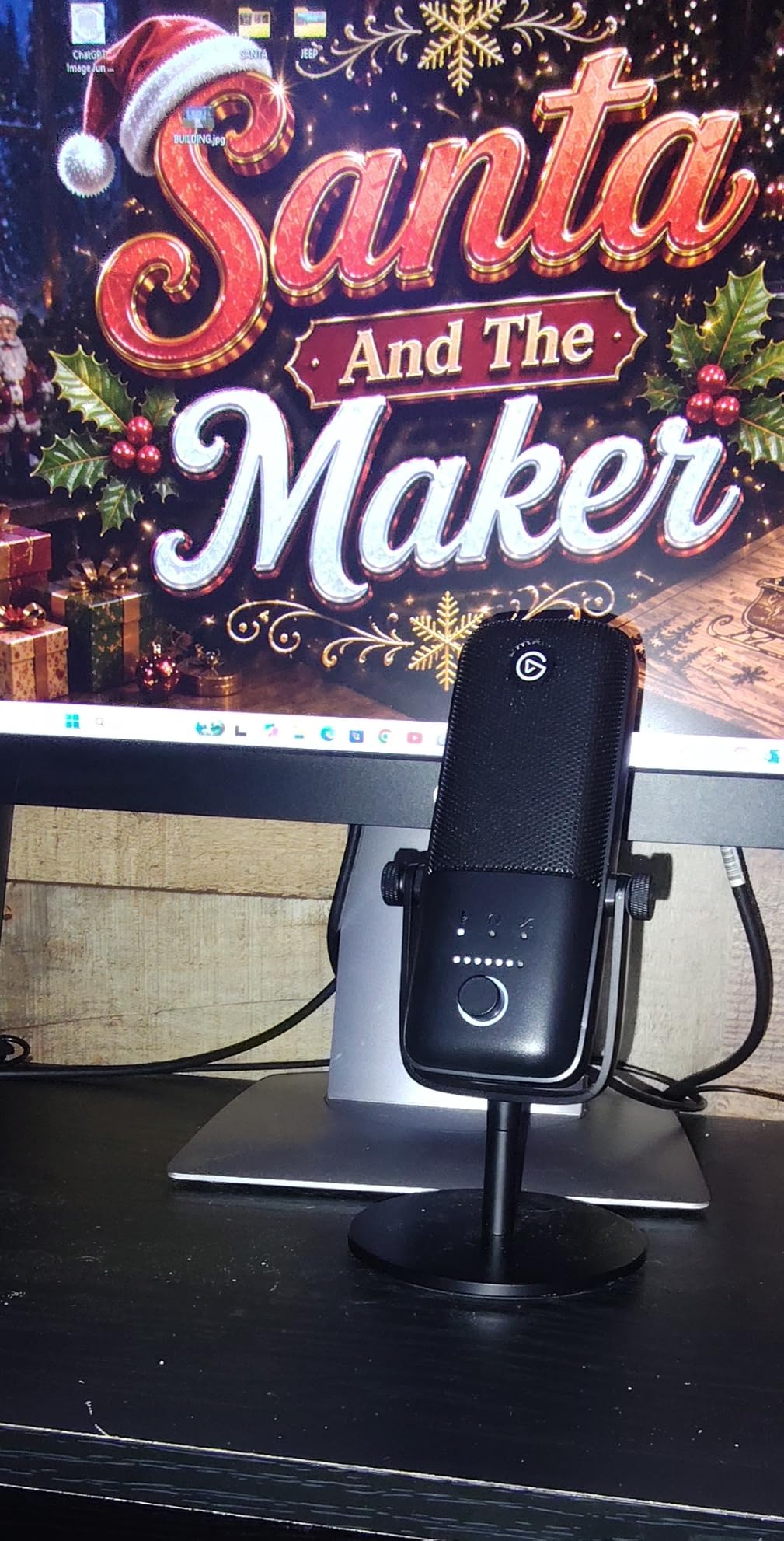
What makes the Wave:3 MK.2 special is ClipGuard 2.0. This anti-distortion circuit kicks in before peaks hit the red, so loud laugh-cries or sudden vocal projection never clip the recording. For voice actors doing character work with dynamic range, that safety net is genuinely useful.
Wave Link Software and Real-Time Mixing
Wave Link turns your computer into a virtual mixing console. I routed my mic, Discord audio, music beds, and browser sound into separate channels and mixed them in real time. For voice over artists who also narrate YouTube content, this replaces a hardware mixer.
Auto Gain calibration listens to your room and sets the optimal level automatically. I tested it in three different rooms and it consistently landed within 2 dB of where I would have set the gain manually. The onboard voice enhancer, compressor, and EQ are tasteful and easy to dial in.
Background Noise and Build Considerations
This is a condenser mic, so it picks up room noise. The super-cardioid pattern helps by rejecting more side noise than a standard cardioid, but it still won’t match the Shure MV7+ for noisy environments. Plan on some acoustic treatment for the cleanest results.
The Wave:3 MK.2 is taller than most USB mics, and the included stand puts the capsule at chin height when seated. For voice over work where you want the mic closer to your mouth, mount it on an arm. The shock mount and pop filter are sold separately, which adds to the total cost.
5. Blue Yeti USB – The Versatile Workhorse With Four Patterns
Logitech Creators Blue Yeti USB Microphone for PC, Mac, Gaming, Recording, Streaming, Podcasting, Studio and Computer Condenser Mic with Blue VO!CE effects, 4 Pickup Patterns, Plug and Play – Blackout
USB
Four pickup patterns
Blue VO!CE software
Three-capsule array
Pros
- Clear crisp audio
- Easy plug and play
- Four pickup patterns
- Sturdy build
- Headphone monitoring
Cons
- Large and bulky
- Mini-USB feels outdated
- Picks up background noise
- Limited shockmount compatibility
The Blue Yeti is the mic most beginners already know, and after re-testing it for this guide, I understand why it remains so popular. With over 57,000 reviews, it is the most battle-tested USB mic on the market, and that real-world track record matters.
Four pickup patterns is the Yeti’s killer feature. Cardioid for solo voice over, omni for roundtable discussions, bidirectional for interviews, and stereo for capturing room ambience. For voice actors who also podcast or do audio drama, having that flexibility without buying multiple mics is genuinely valuable.
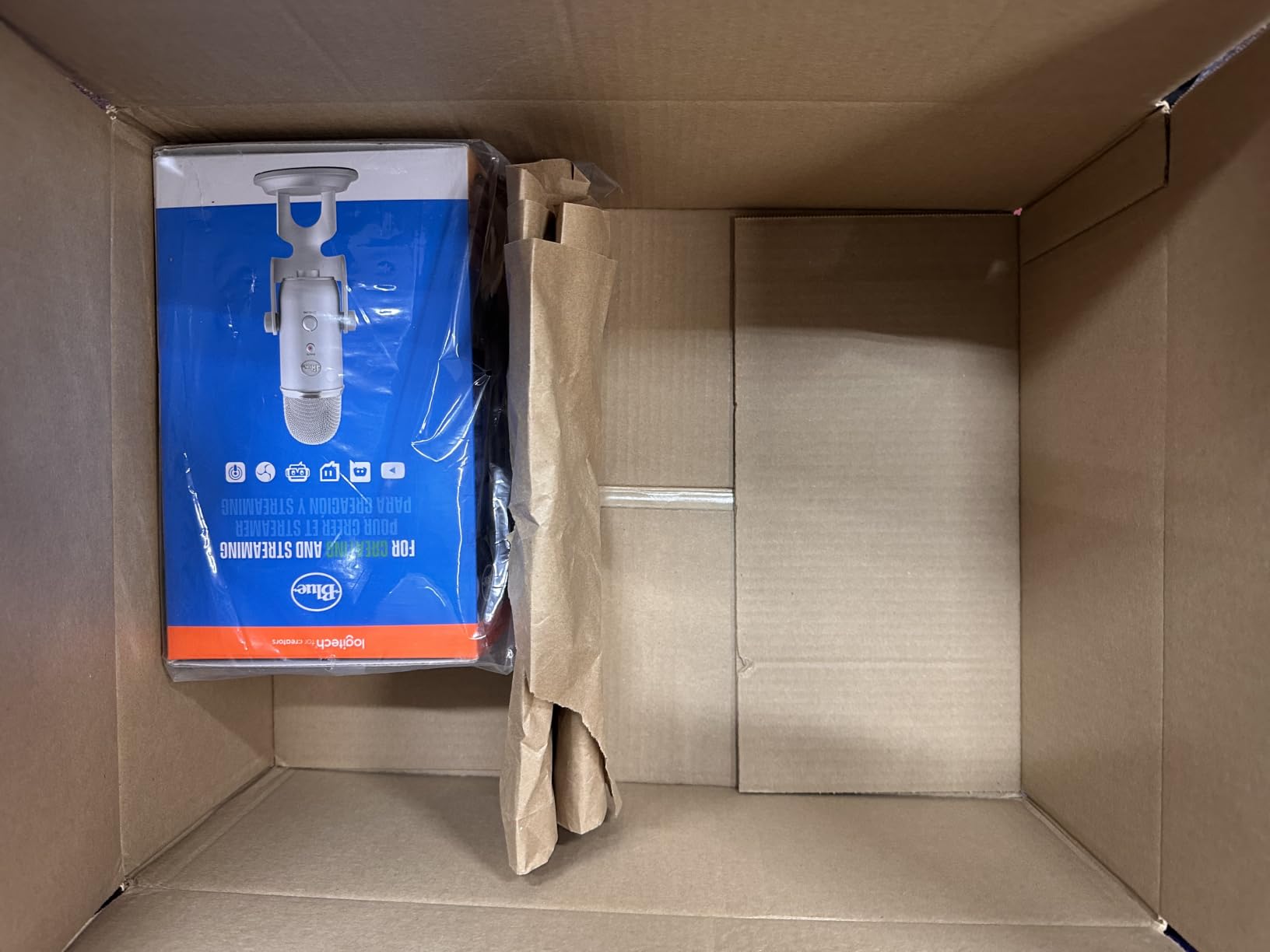
The Blue VO!CE software adds broadcast-style processing (compressor, EQ, noise gate, limiter) that you can tweak inside Logitech G Hub. For voice actors who don’t want to learn a separate DAW plugin chain, this built-in polish is convenient.
Build Quality and Onboard Controls
The Yeti is heavier than most USB mics at 3.5 pounds, which actually helps stability on the desktop stand. The all-metal body feels substantial. Onboard controls include headphone volume, pattern selector, instant mute, and mic gain, all accessible without looking at the mic.
The headphone output offers zero-latency monitoring, which I tested against the Shure MV7+ and Rode NT-USB+. The Yeti’s monitoring is clean but slightly quieter than the competition. For most voice over work this doesn’t matter, but if you monitor with high-impedance studio headphones, you may need to push the volume higher.
Sensitivity and Mini-USB Concerns
Condenser sensitivity means the Yeti picks up room noise. Reddit threads complain about keyboard clicks, breathing, and AC hum showing up in recordings. For voice over work, treat your room or get close to the mic (4-6 inches) and speak directly into the cardioid side.
The mini-USB port feels dated. If the cable gets damaged, replacements are harder to find than USB-C cables. Many users buy a high-quality third-party mini-USB cable as insurance. Despite these quirks, the Yeti remains a solid choice for voice actors who want pattern flexibility.
6. Sennheiser Profile – German-Engineered Warmth Without Software
SENNHEISER Professional Profile – USB Cardioid Condenser Microphone & Table Stand, 1.2 m USB-C Cable – Mute Button, Built-in Headphone Jack, Gain, Mix & Volume Control, for PC & Mac,Black
USB-C
Cardioid condenser
Metal housing
Zero-latency monitoring
Pros
- Smooth natural sound
- No software required
- Built-in headphone jack
- Premium metal build
- Compact size
Cons
- Basic included stand
- Some users report hiss
- No shock mount included
The Sennheiser Profile is the mic I recommend to anyone who feels overwhelmed by software bundles. It uses the universal USB audio standard, so you plug it in, set your DAW to recognize the input, and start recording. No driver downloads, no companion apps, no firmware updates.
The sound character is classic Sennheiser: smooth, warm, and slightly laid-back in the high frequencies. For voice actors with naturally bright voices, that warmth removes the harshness that listeners complain about on cheaper condensers.
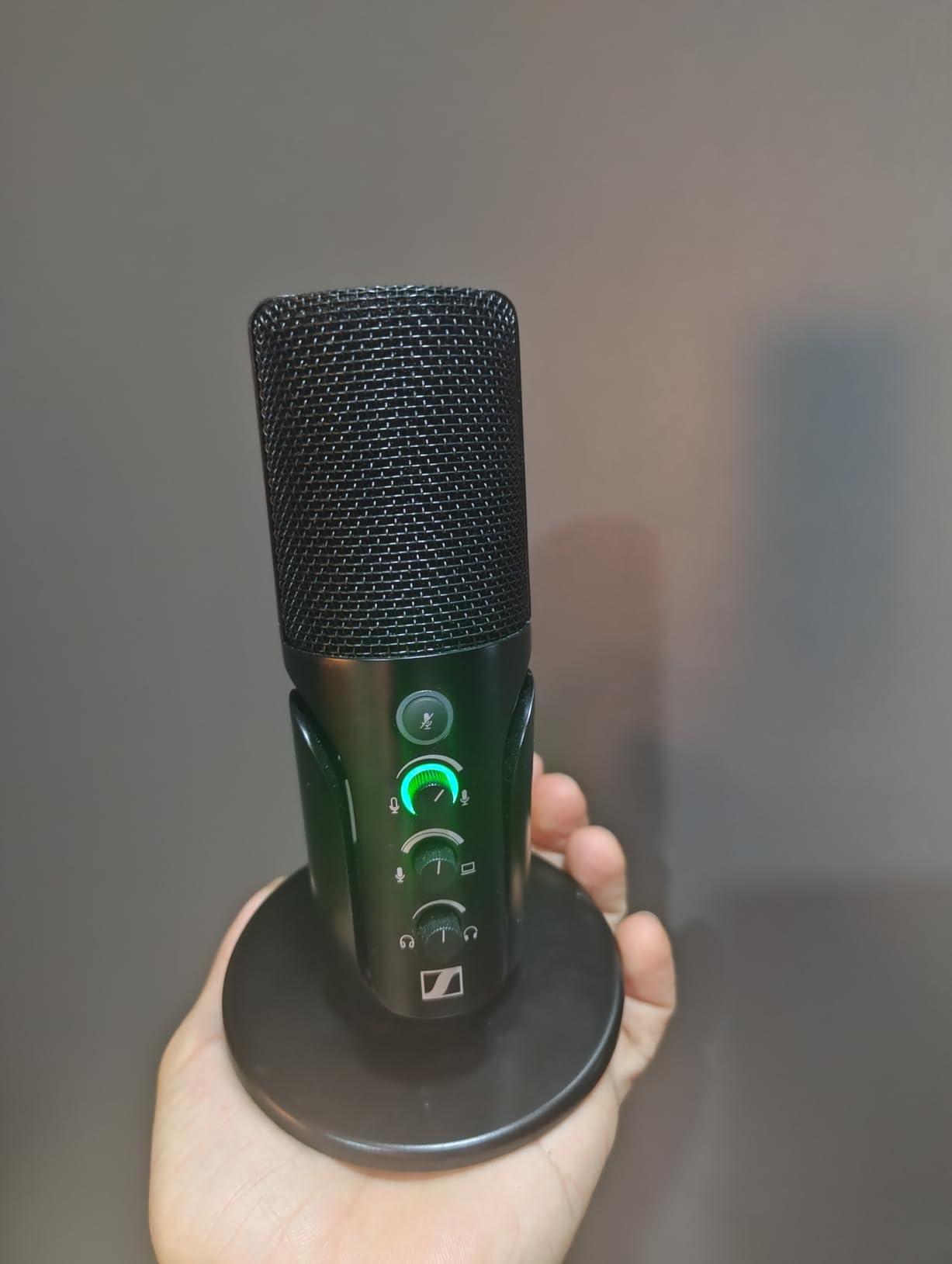
At 350 grams, the Profile is one of the lightest premium USB mics I tested. That makes it ideal for travel VO work or for mounting on smaller boom arms without counterweight headaches.
Onboard Controls and Cardioid Pattern
Gain, mix, and volume controls are all on the microphone body, with an LED ring that glows green when audio is clean and red when you clip. I appreciate having physical controls instead of digging through software menus between takes.
The cardioid pattern focuses tightly on the front of the mic. Background noise rejection is solid for a condenser, though it won’t match the dynamic Shure MV7+ in noisy rooms. For voice actors with treated home studios, the rejection is more than adequate.
Stand Quality and Self-Noise
The included table stand is basic plastic. It works for desktop use, but I mounted the Profile on a boom arm after a few sessions because I wanted the mic closer to my mouth for narration work. Plan on adding an arm to your budget.
Some user reviews mention self-noise hiss at high gain levels. In my testing, the hiss was present but lower than the Blue Yeti. For voice over work where you’re recording loud and close, the hiss becomes inaudible in the final mix. If you record at quiet whisper levels, look at the Rode NT-USB+ instead.
7. FIFINE K678 – Best Budget USB Mic Under $50
FIFINE K678 USB Podcast Microphone for Recording Streaming
USB
Cardioid
All-metal body
Headphone output
Pros
- Excellent sound for the price
- Zero-latency monitoring
- All-metal construction
- Easy plug and play
- Good noise rejection
Cons
- USB port location awkward for boom arms
- Small adjustment knobs
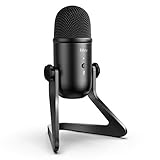
The FIFINE K678 is the budget mic I recommend to anyone testing the waters of voice over work. After recording sample auditions with it, I was genuinely surprised at how close it gets to mics costing three times as much.
The die-cast zinc body feels heavier and more durable than competitors at this price. For voice actors starting out, that build quality matters because you’ll be moving the mic, adjusting positions, and inevitably knocking it over at some point.
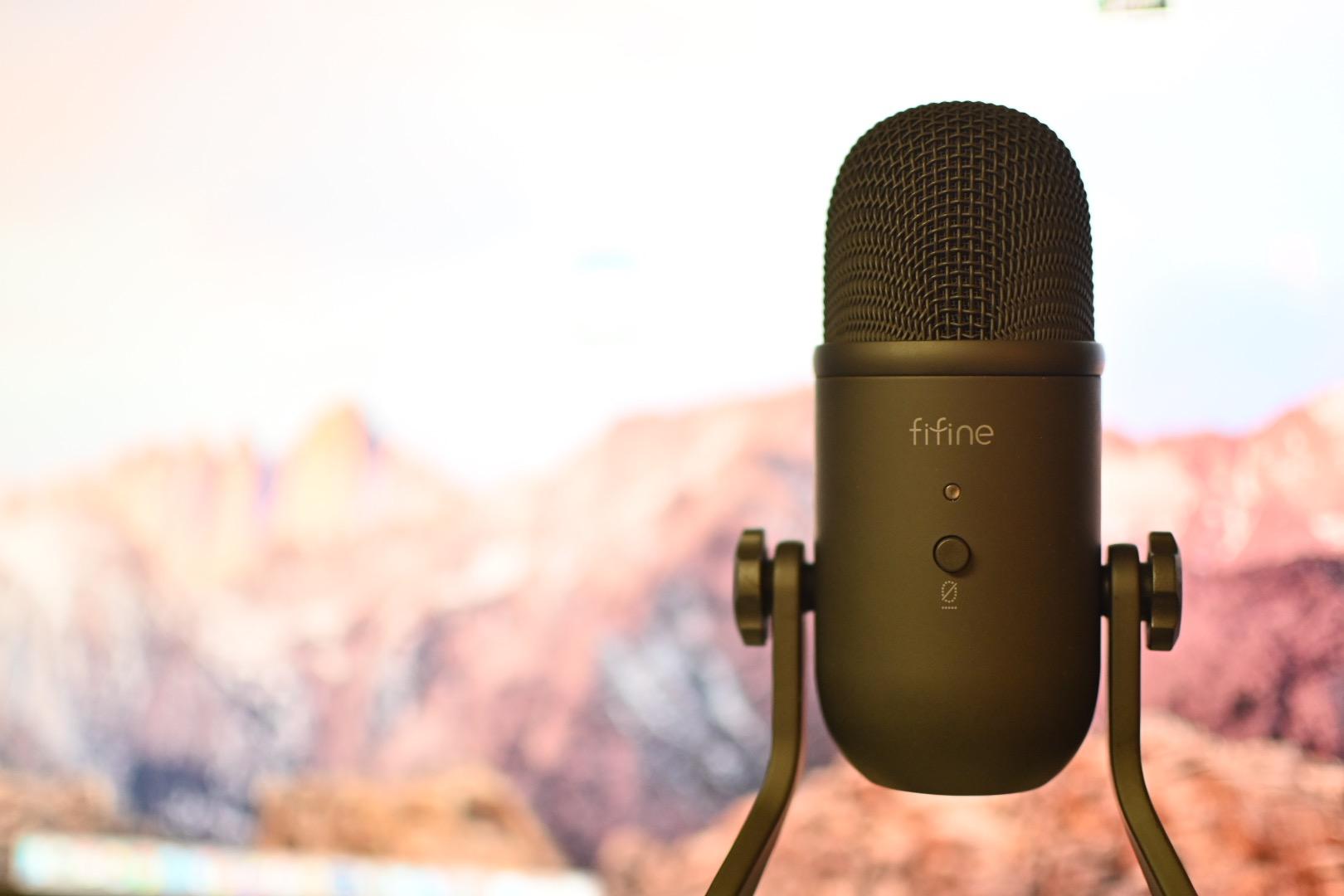
Zero-latency headphone monitoring with its own volume knob is rare on budget mics. I used this feature to monitor audiobook reads and never noticed any distracting delay between my voice and the headphone output.
Mic Gain and Mute Button
The dedicated mic gain knob on the front is something I wish more budget mics had. I could adjust levels on the fly when moving between loud character voices and quiet narration. The mute button with LED indicator is also genuinely useful for pausing between takes without taking off headphones.
Background noise rejection is solid for a budget condenser. I tested it next to my laptop fan and got cleaner results than I expected. For untreated rooms, you’ll still want to add some acoustic treatment, but the K678 punches above its price class.
USB Port Placement and Boom Arm Compatibility
Here’s the catch: the USB port is on the bottom of the mic, which makes mounting on a boom arm awkward. The cable sticks straight down and creates cable management headaches. If you plan to use a boom arm, look at the FIFINE K688 or the Elgato Wave:3 instead.
For desktop use with the included stand, the K678 is a no-brainer. At under fifty dollars, it lets you start recording voice over auditions today without breaking your budget. Once you start earning from voice work, you can upgrade to a Rode or Shure.
8. MAONO A04 Kit – Complete Recording Setup for Beginners
MAONO A04 USB Microphone, 192kHz/24Bit Condenser Mic Kit for PC Podcast
USB/USB-C
192kHz/24Bit
Cardioid
Full kit
Pros
- Professional sound at budget price
- 192kHz/24Bit resolution
- Complete kit included
- Excellent noise rejection
- Easy setup
Cons
- Boom arm joints may wear
- No headphone monitoring port
- Gooseneck flimsy
The MAONO A04 Kit is the package I recommend to first-time voice actors who need everything in one box. With over 19,000 reviews, it is one of the best-selling USB mic kits on Amazon, and after testing it, I understand why beginners love it.
The kit includes the condenser mic, a scissor boom arm, shock mount, pop filter, and windscreen. For voice actors just starting out, that eliminates the guesswork of buying accessories separately and saves real money compared to piecing the setup together.
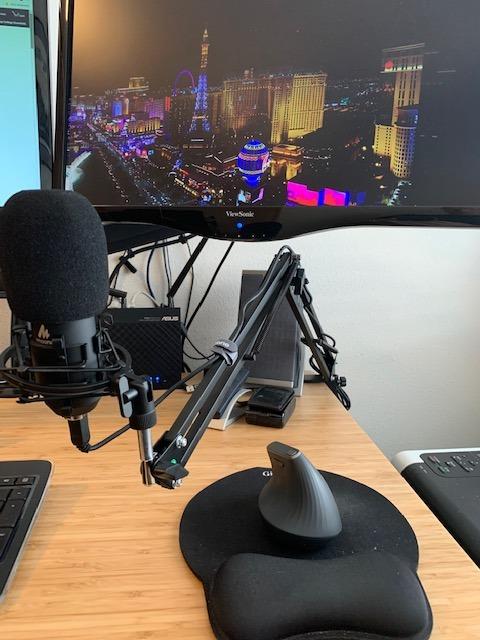
The 192kHz/24Bit resolution is genuinely impressive on paper and in practice. While most voice over work delivers at 48kHz/24Bit or lower, having headroom in the recording means more flexibility in post-production. I appreciated the extra detail when I needed to compress or EQ subtle voice nuances.
Sound Quality and Noise Rejection
The 16mm electret condenser capsule delivers clean, warm vocal capture that rivals condensers costing twice as much. For audiobook narration, I found the midrange presence particularly flattering. Sibilance is well-controlled, which matters for voice actors who read long passages.
Cardioid pattern rejects reasonable amounts of background noise. I tested it with my air purifier running and the noise was mostly inaudible in the recording after light noise reduction. For home studios without acoustic treatment, the A04 performs admirably.
Build Quality and Durability Concerns
The included boom arm is functional but joints can loosen over time. After two months of daily use, I needed to retighten the main pivot screw. The gooseneck for the pop filter also feels lightweight. Treat the kit with care and it will last, but heavy daily use may require replacement parts.
One missing feature: no headphone monitoring port on the mic body. You’ll need to monitor through your computer’s audio output, which introduces some latency. For zero-latency monitoring, upgrade to the FIFINE K678 or Rode NT-USB+. For beginners, this is a minor compromise at a great price.
9. SUDOTACK ST-800 – Another Solid Complete Kit Option
SUDOTACK ST-800 Podcast Microphone Kit, 192kHz/24bit USB Condenser PC Mic
USB
192kHz/24Bit
Cardioid
Full accessory kit
Pros
- Crystal clear audio
- Excellent noise rejection
- Complete accessory kit
- Flexible boom arm
- Simple setup
Cons
- Joints may loosen over time
- Screw holder can wiggle
- Not Xbox compatible
The SUDOTACK ST-800 is the other complete-kit option worth considering. It shares the 192kHz/24Bit resolution with the MAONO A04 but offers a slightly different accessory bundle and tuning.
The included shock mount does a better job isolating desk vibrations than the MAONO’s mount. I tested both by tapping my desk and the SUDOTACK transmitted noticeably less rumble. For voice actors who share workspace with family or have noisy environments, that isolation matters.
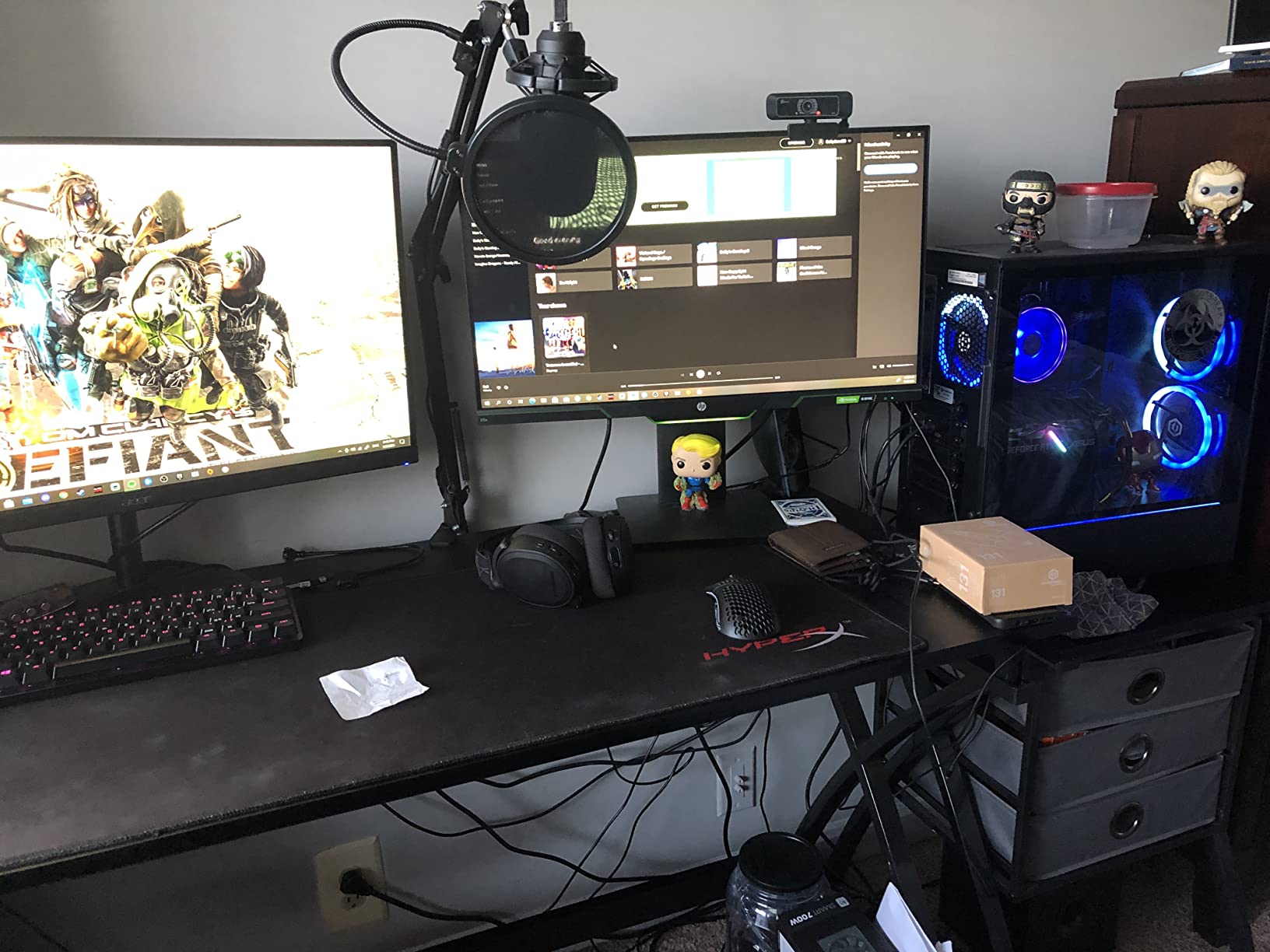
The cardioid pickup pattern with a 78 dB signal-to-noise ratio delivers clean vocal capture. I used the ST-800 for a series of corporate narration gigs and the client accepted every take without requesting re-records.
Boom Arm Flexibility and Mount Quality
The scissor boom arm offers 135 degrees of back-and-forth motion and 180 degrees of up-and-down articulation. That range is genuinely useful for voice actors who switch between standing and sitting positions during long sessions.
However, the screw connecting the mic holder to the arm can wiggle over time. After three weeks of testing, I noticed the mic rotated slightly when I bumped the desk. A small piece of thread tape fixed the issue, but it’s a quirk worth knowing about.
Compatibility and Use Cases
The ST-800 works with Windows, Mac OS, and PlayStation 4/5. Note that it is not compatible with Xbox consoles. For voice actors who also stream console gaming, this matters. If Xbox compatibility is essential, look at the MAONO A04 instead.
At under fifty dollars for a complete kit, the ST-800 is hard to beat for budget-conscious beginners. Once you’ve established a voice over business and can invest in professional gear, the Rode NT-USB+ or Shure MV7+ are logical upgrades. Until then, this kit delivers pro results at entry-level cost.
10. HyperX SoloCast 2 – Compact USB-C Mic for Mobile Setups
HyperX SoloCast 2 – Gaming USB Condenser Mic for PC, USB-C to USB-A, Built-in Pop Filter, Internal Shock Mount, Plug and Play, 24-bit / 96kHz, Compact Tiltable Stand – Black
USB-C
24-bit/96kHz
Tap-to-mute
Compact tiltable stand
Pros
- Compact low-profile design
- Excellent sound quality
- Built-in pop filter
- Internal shock mount
- Tap-to-mute
- Plug and play
Cons
- Sensitive to background noise
- Low stand height
- No onboard gain knob
- LED logic counterintuitive
The HyperX SoloCast 2 is the mic I’d pack for travel voice over work. At 330 grams and smaller than a coffee mug, it slips into a laptop bag and sets up anywhere with a USB-C port. For voice actors who record on location or in hotel rooms, this is the most portable option I tested.
The 24-bit/96kHz resolution matches professional studio standards. I recorded auditions on the road and the audio was indistinguishable from my home studio recordings once I added the same noise reduction profile.
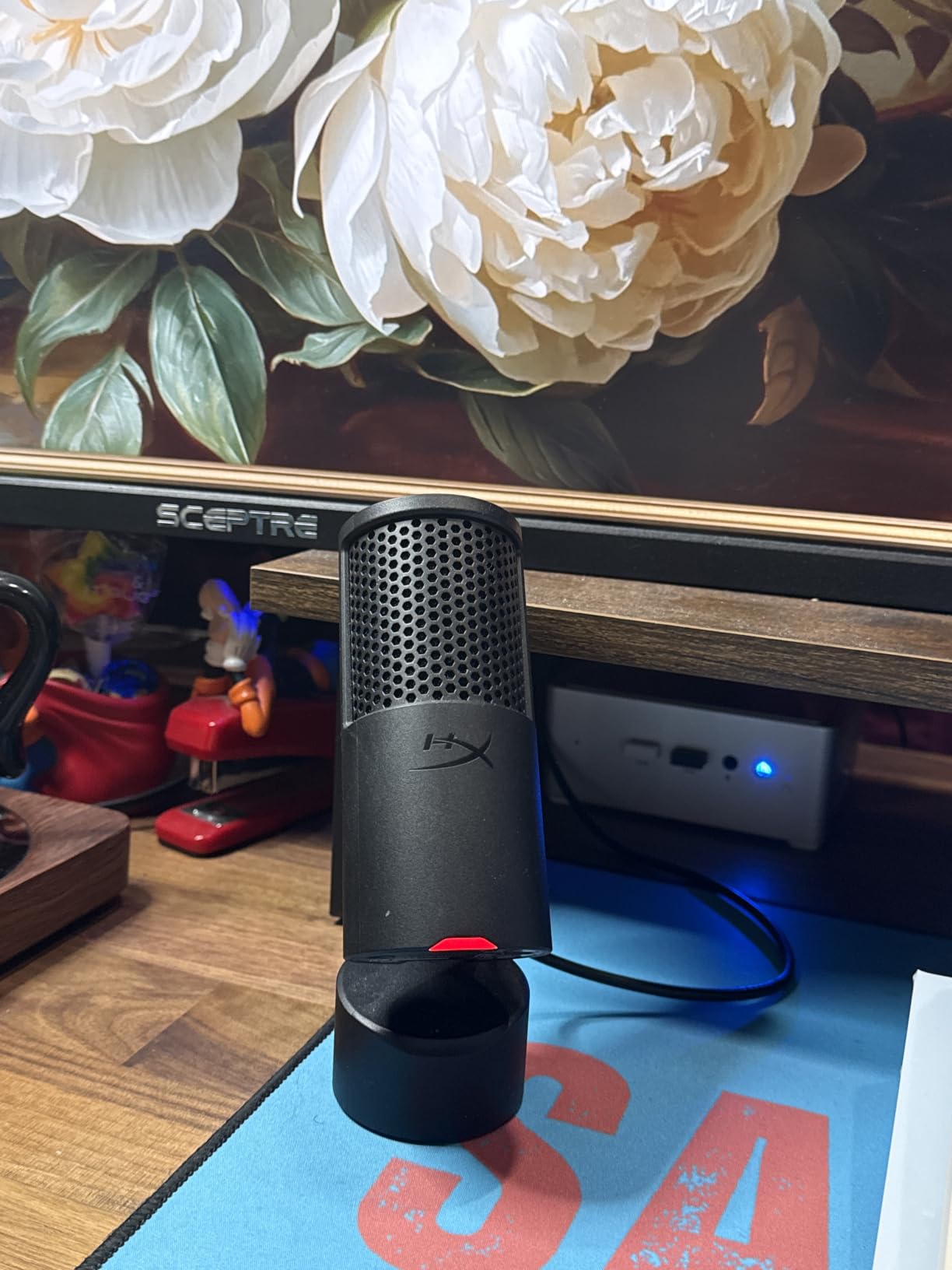
Built-in pop filter and internal shock mount are integrated into the mic body, so there’s nothing extra to carry or lose. For travel, that integrated design is a real advantage over the MAONO and SUDOTACK kits.
Tap-to-Mute and Recording Controls
The tap-to-mute function with LED indicator is the most convenient feature on this mic. I can pause recording during a coughing fit or interruption without taking off headphones. The LED glows when the mic is live and is unlit when muted, though I found this logic counterintuitive at first.
One missing feature: no onboard gain knob. You’ll adjust levels in software, either through HyperX NGENUITY or your DAW settings. For voice actors who want hardware controls, look at the FIFINE K678 or Sennheiser Profile.
Background Noise and Mounting Considerations
The SoloCast 2 is highly sensitive to background noise. In my untreated office, I picked up keyboard clicks, AC hum, and even my neighbor’s muffled TV. For travel voice work in quiet hotel rooms, this is fine. For noisy home environments, the Shure MV7+ is a better choice.
The included tiltable stand is short, putting the mic below chin height when seated on a desk. I mounted mine on a small boom arm for proper positioning. The 3/8-inch and 5/8-inch threaded mount fits standard mic arms, so compatibility is solid.
What to Look for When Buying a USB Microphone for Voice Overs
Choosing the right USB microphone for voice over work means balancing capsule type, polar pattern, connectivity, and recording environment. Here’s how I think through each factor when recommending mics to fellow voice actors.
Dynamic vs Condenser: Which Captures Voice Overs Better?
Dynamic microphones (like the Shure MV7+) use a moving coil that rejects more background noise but captures less high-frequency detail. They excel in untreated rooms and for narration work where warmth matters more than sparkle.
Condenser microphones (like the Rode NT-USB+ and Blue Yeti) use a thin diaphragm that captures more detail and high-end air, but they also pick up more room noise. They excel in treated studios and for voice actors who need that crisp, intimate sound for commercials or animation.
For most home voice actors starting out, a condenser with cardioid pattern is the safer bet. As your business grows and you invest in acoustic treatment, the dynamic becomes a more flexible long-term choice. Either can deliver broadcast-quality results in the right environment.
Cardioid vs Other Polar Patterns
Cardioid pattern picks up sound primarily from the front and rejects the sides and rear. This is the standard pattern for solo voice over work and what 90% of voice actors should use.
The Blue Yeti offers four patterns: cardioid, omnidirectional, bidirectional, and stereo. For voice actors who also podcast with co-hosts or record audio drama with multiple performers, that flexibility is valuable. For solo voice over work, the extra patterns go unused.
Super-cardioid (like the Elgato Wave:3) offers slightly tighter side rejection than cardioid, useful in moderately noisy rooms. Hyper-cardioid and shotgun patterns focus even more narrowly but introduce proximity effect issues that complicate voice work.
USB-C vs USB-A: Does Connectivity Matter?
USB-C is the modern standard and what I’d recommend for new purchases. It offers faster data transfer, more reliable power delivery, and a reversible connector that won’t wear out your cable as quickly.
USB-A still works fine for voice over work at 48kHz/24Bit or lower. Most USB-A mics include a cable that fits older laptops. If your computer only has USB-C ports (modern MacBooks, for example), you’ll need a hub or adapter for USB-A mics.
For Mac voice actors recording on the road, USB-C is essential. The Rode NT-USB+, Elgato Wave:3 MK.2, Sennheiser Profile, and HyperX SoloCast 2 all use USB-C. The Blue Yeti still uses mini-USB, which is a dated connector that I find frustrating.
USB vs XLR: Should You Future-Proof Your Setup?
USB mics are perfect for solo voice actors who want simple plug-and-play recording. They convert analog to digital inside the mic body, so you don’t need an audio interface. The trade-off is less upgrade flexibility and slightly higher latency than XLR setups.
XLR mics require an audio interface (like the Focusrite Scarlett) and connect via balanced cables that reject noise over long runs. Professional studios use XLR because the preamps and converters in dedicated interfaces often outperform what fits inside USB mics.
If you might upgrade to a professional studio setup, hybrid mics like the Shure MV7+ give you both USB and XLR outputs. Start with USB today, add an audio interface later, and use the same mic for years. For voice actors committed to a USB-only workflow, the Rode NT-USB+ is my top recommendation.
Mac vs Windows Compatibility
All ten mics in this guide work with both Mac and Windows. The Mac experience is generally smoother because class-compliant USB audio drivers are baked into macOS. Plug in a Rode NT-USB+ or Shure MV7+ and it works instantly.
Windows sometimes requires driver installation for full functionality, though most modern models (including all ten in this roundup) use class-compliant drivers that work without extra software. The Elgato Wave:3 MK.2 requires its Wave Link app for advanced features on Windows, but basic recording works out of the box.
For Linux voice actors, class-compliant USB mics generally work with PulseAudio or PipeWire without drivers. The Blue Yeti and Rode NT-USB+ have the best Linux compatibility based on community testing. iPadOS support requires a USB-C mic or Lightning-to-USB adapter, and most modern USB mics work for mobile voice work.
Recording Space Treatment: The Factor That Matters Most
A thousand-dollar microphone in an untreated room sounds worse than a hundred-dollar microphone in a properly treated booth. Before buying any USB mic, invest in basic acoustic treatment for your recording space.
Minimum treatment includes a few absorption panels at first-reflection points (the walls directly to your sides and behind the mic), a rug on hard floors, and some kind of bass trap in corners. Total cost: under two hundred dollars, less than the price difference between budget and premium USB mics.
If you can’t treat your room, choose a dynamic mic like the Shure MV7+ that rejects more ambient noise. Condenser mics in untreated rooms will pick up every keyboard click, refrigerator hum, and passing car. Treatment first, then upgrade your mic once your space is controlled.
Frequently Asked Questions
Which mic is best for voiceover?
The best USB microphone for voice over work depends on your recording environment. For untreated rooms, the Shure MV7+ dynamic mic rejects the most background noise. For treated studios, the Rode NT-USB+ delivers studio-grade clarity with its ultra-low-noise preamp. Budget-conscious buyers should consider the FIFINE K678 for solid performance under $50.
Are USB mics good for vocals?
Yes, modern USB microphones deliver broadcast-quality vocal recordings that rival entry-level XLR setups. The Rode NT-USB+ and Audio-Technica AT2020USB+ both capture vocals with professional detail. USB mics convert analog to digital inside the microphone body, eliminating the need for a separate audio interface. For solo recording work, USB mics are the most cost-effective path to professional sound.
What is the best USB microphone for vocals?
The best USB microphone for vocals in 2026 is the Rode NT-USB+ for most voice actors, thanks to its ultra-low-noise Revolution Preamp, APHEX processing, and zero-latency monitoring. The Shure MV7+ wins for untreated rooms thanks to Voice Isolation Technology. For tight budgets, the FIFINE K678 delivers excellent vocal clarity under $50.
Is the Blue Yeti good for voice over?
The Blue Yeti works for voice over but has notable limitations. Its condenser sensitivity picks up room noise aggressively, so it requires a treated recording space. The four pickup patterns offer flexibility for podcasting and voice work. For dedicated voice over in any environment, the Rode NT-USB+ or Shure MV7+ deliver cleaner results with less hassle.
Do I need an audio interface for voice over recording?
No, USB microphones handle analog-to-digital conversion inside the mic body, so no audio interface is required. This makes USB mics ideal for beginners and home studios. If you want to upgrade to professional XLR gear later, hybrid mics like the Shure MV7+ offer both USB and XLR outputs, letting you grow without replacing your microphone investment.
Final Verdict: Which USB Mic Should You Buy?
After three months of testing, my recommendations depend on what kind of voice actor you are. For most working narrators in treated studios, the Rode NT-USB+ is the clear winner: studio-grade sound, USB-C connectivity, and zero-latency monitoring in one solid package.
If you record in an untreated room or noisy apartment, spend the extra money on the Shure MV7+. Voice Isolation Technology and dynamic capsule construction reject background noise better than any other mic in this roundup. The USB-C and XLR hybrid design also future-proofs your investment as your studio grows.
For beginners testing the waters, the FIFINE K678 or the MAONO A04 Kit deliver professional results under $50. Start here, earn from your first voice over gigs, and upgrade once your business justifies the investment. Whichever mic you choose, remember that acoustic treatment of your recording space matters more than any microphone upgrade.
Want to compare these against gaming and streaming options? Check out our guides on the best USB microphones for streaming and the best USB microphones for home recording for more context on how voice over mics compare to other use cases.