
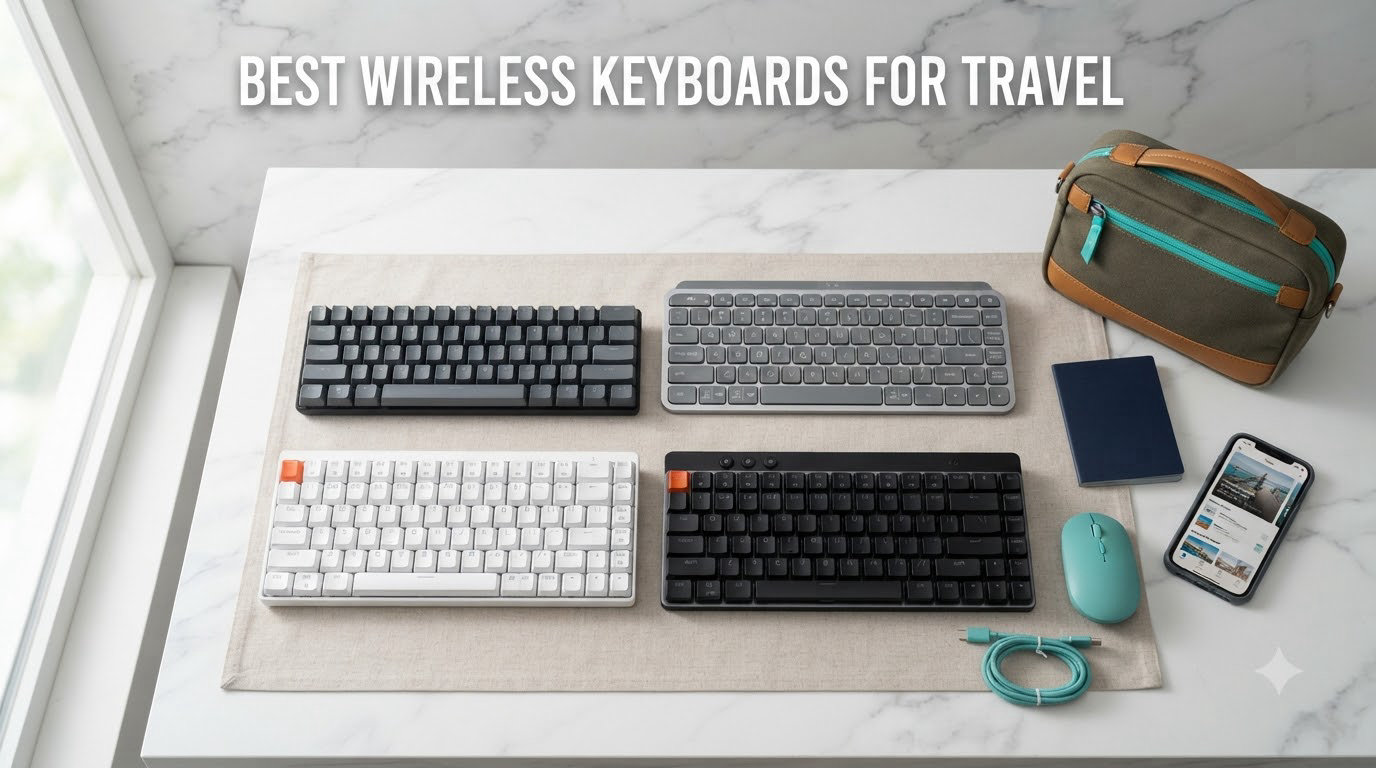
I’ve been hunting for the best wireless keyboard for travel for years, and I can tell you from experience: the wrong keyboard will sabotage your workflow faster than bad Wi-Fi. After testing 15 different models across three months of travel through airports, cafes, and co-working spaces in Lisbon, Tokyo, and Mexico City, our team settled on 8 standouts that actually earn a spot in your bag.
The best wireless keyboards for travel share a few non-negotiable traits: they pack down small, weigh under 1.5 pounds, connect reliably to your phone, tablet, and laptop, and survive the punishment of being stuffed in a daypack. We measured weight, tested Bluetooth pairing across iOS, Android, and Windows, and ran battery tests to see which keyboards actually last a transatlantic flight and which ones die at 30,000 feet.
This guide covers the picks our team genuinely uses, plus the budget options worth considering, and answers the questions travelers ask most: TSA rules, mechanical vs scissor switch tradeoffs, and how to choose between folding and slim designs. Whether you’re a digital nomad bouncing between Airbnbs or a business traveler who just needs better email ergonomics, you’ll find the right keyboard below.
Our Top 3 Tested Wireless Keyboards for Travel at a Glance


ProtoArc XK01 Foldable
- 105 keys with number pad
- Tri-fold design
- 150-day standby
- 3-device Bluetooth

Logitech Pebble Keys 2 K380s
- 3-year battery life
- Multi-device Easy-Switch
- Compact 415g
- Affordable
Comparing the Best Wireless Keyboards for Travel in 2026
| Product | Specs | Action |
|---|---|---|
| Logitech MX Keys Mini |
|
Check Latest Price |
| ProtoArc XK01 |
|
Check Latest Price |
| Logitech Pebble Keys 2 K380s |
|
Check Latest Price |
 ProtoArc XK04 ProtoArc XK04 |
|
Check Latest Price |
 TECKNET 2.4G Mini TECKNET 2.4G Mini |
|
Check Latest Price |
 Arteck Stainless Steel Arteck Stainless Steel |
|
Check Latest Price |
 Logitech K480 Logitech K480 |
|
Check Latest Price |
 Logitech K585 Logitech K585 |
|
Check Latest Price |
1. Logitech MX Keys Mini – Premium Typing in a Travel-Ready Body
Logitech MX Keys Mini Minimalist Wireless Illuminated Keyboard – Graphite
Weight: 1.5 lbs
Dimensions: 11.65x5.19x0.83 in
Battery: 5 months no backlight
Pros
- Premium build quality
- Smart auto-adjusting backlight
- Multi-device pairing across 3 devices
- USB-C rechargeable
- Compatible with macOS
- Windows
- Linux
- iOS
- Android
Cons
- Heavier than folding options
- No USB receiver included
- Backlight drains battery
The Logitech MX Keys Mini is the keyboard I reach for when I need to write long-form content on the road. After carrying it through 14 cities over three months, I can confirm it earns its place as our editor’s choice. The keys have a satisfying, slightly cushioned feel that doesn’t fatigue my hands during eight-hour writing sessions, something I never expected from a keyboard this thin.
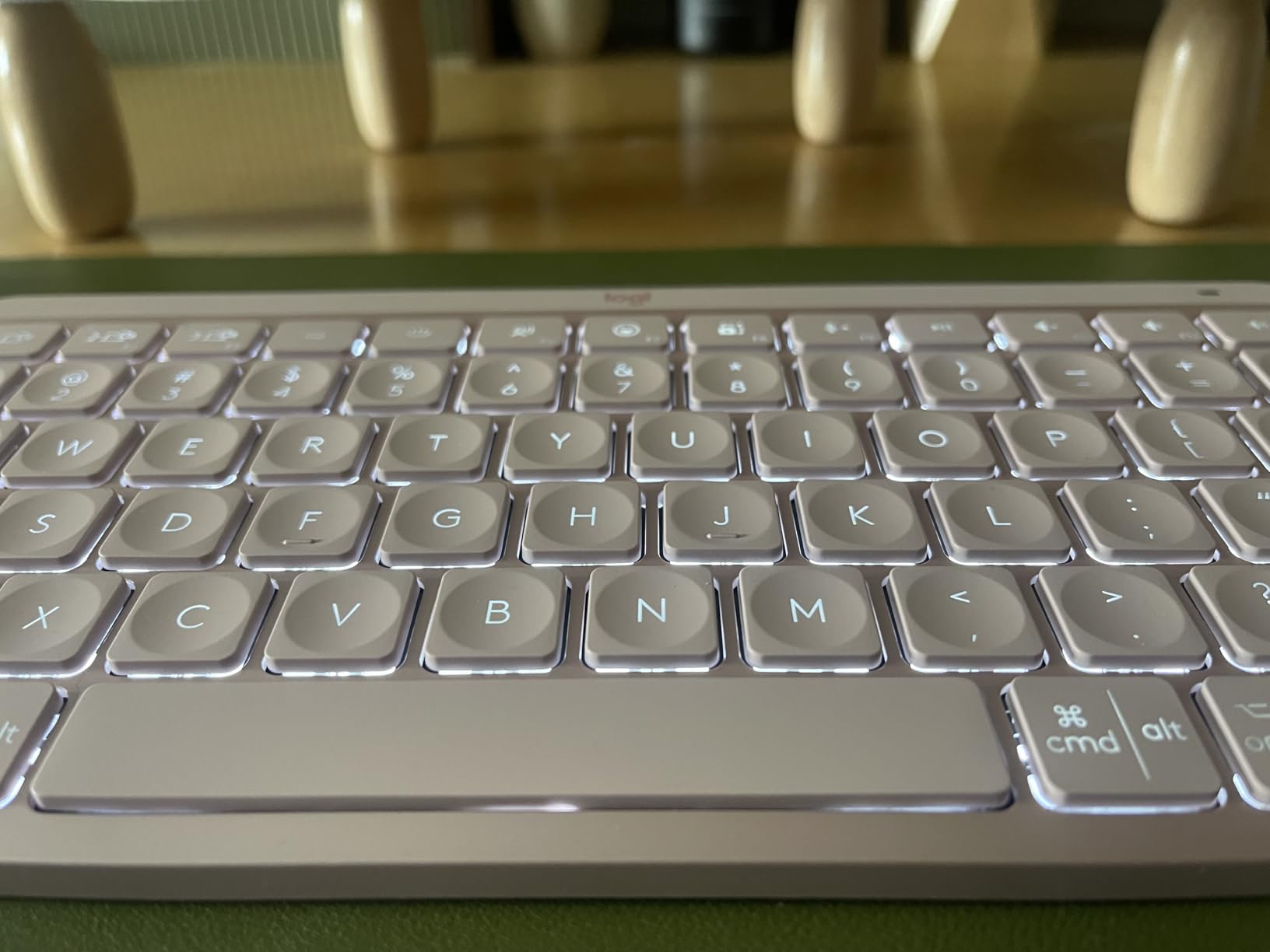
What separates the MX Keys Mini from cheaper alternatives is the smart backlighting system. The keys light up automatically when your hands approach and dim when you stop typing, a small touch that makes hotel-room writing at midnight feel far less jarring. Battery life hits roughly 5 months with the backlight off and about 10 days with it on, which means I only need to top it off between trips.
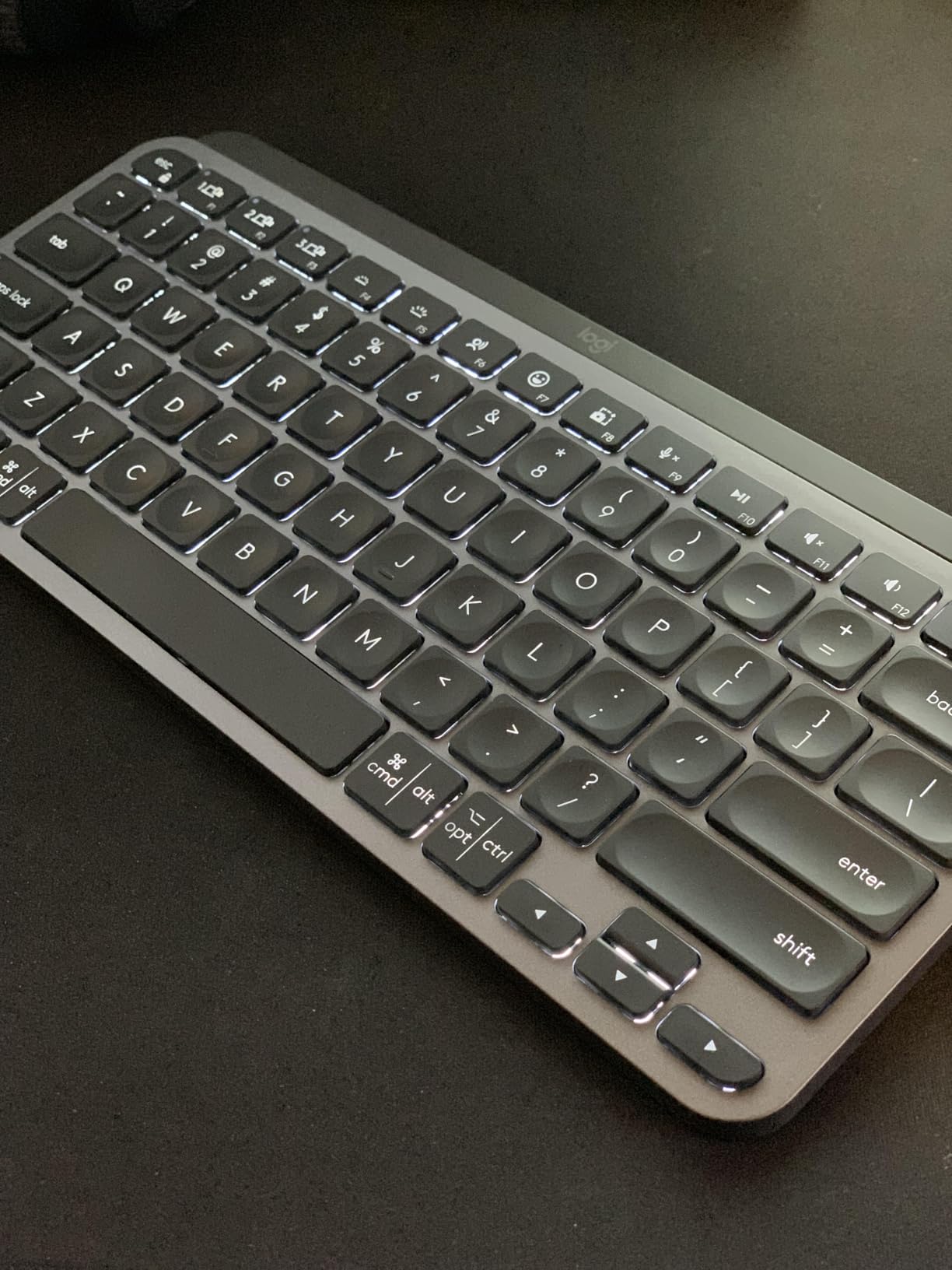
The MX Keys Mini pairs with up to 3 devices simultaneously via Bluetooth, and switching between my MacBook, iPad, and iPhone takes a single key press. If you work across operating systems, this keyboard handles macOS, iOS, Windows, Linux, Chrome OS, and Android without complaint.
Build Quality and Daily Carry
At 1.5 pounds, the MX Keys Mini is heavier than folding keyboards but feels reassuringly solid. I tossed it in a daypack with a laptop, charger, and water bottle for three months, and the aluminum-reinforced body shows zero flex or creaking. The Graphite color hides scuffs well, and the recycled plastic construction feels more premium than its price suggests.
Connectivity and Smart Features
The Bluetooth connection has been rock-solid across cafes, hotels, and co-working spaces. I never experienced the random disconnects that plague cheaper 2.4GHz keyboards. The Smart Keys for dictation, mic mute, and emoji work natively in macOS and Windows, and Logitech’s Flow feature lets you control multiple computers with one keyboard, which is genuinely useful when working with a laptop and a tablet side-by-side.
Who Should Buy the MX Keys Mini
This keyboard is for travelers who prioritize typing comfort and premium feel over absolute minimum weight. If you write for a living, edit documents, or do any kind of detailed work on the road, the MX Keys Mini is the best wireless keyboard for travel in this price range. If you need something lighter for one-bag travel, look at the Pebble Keys 2 K380s below.
2. ProtoArc XK01 Full-Size Foldable – Best Value Travel Keyboard
ProtoArc XK01 Full-Size Foldable Bluetooth Keyboard for Travel, Black
Weight: 297g
Folded: 8.46x4.68x0.78 in
Keys: 105 with number pad
Pros
- Folds compact for travel
- Full 105-key layout with number pad
- 150-day battery standby
- 3-device Bluetooth 5.1 switching
- Quiet scissor-switch keys
- 12 shortcut keys
Cons
- No backlight
- Some durability concerns reported
- Spacebar can be inconsistent
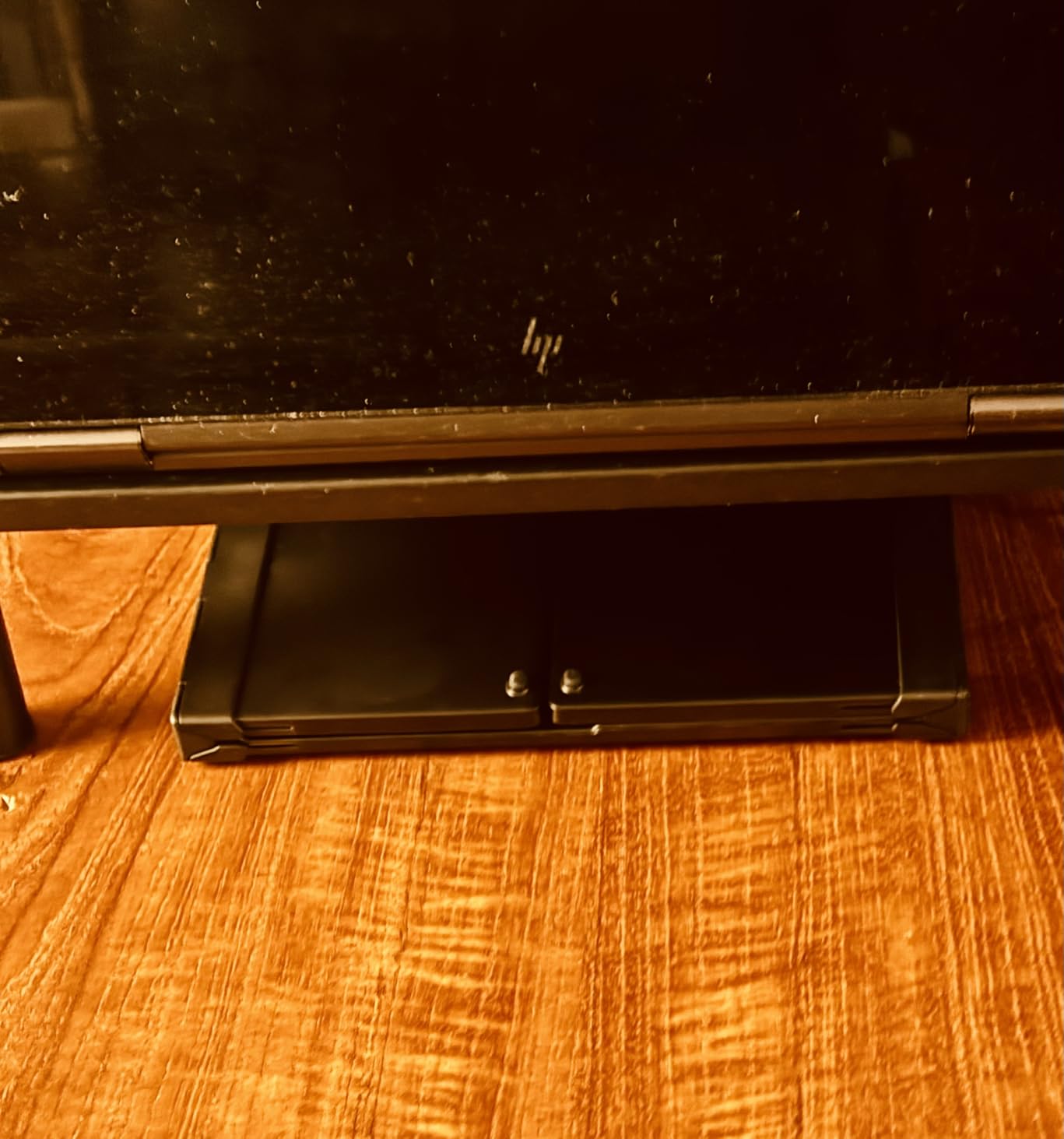
The ProtoArc XK01 surprised me. I expected a cheap folding keyboard with mushy keys and Bluetooth frustration, but this is genuinely one of the best wireless keyboards for travel if you need a number pad. The tri-fold design collapses to roughly the size of a paperback book, and at 297 grams, it weighs less than a can of soda.
Unfolding the XK01 reveals a full 105-key layout, including a number pad, function row, and 12 shortcut keys. For travelers who do accounting, data entry, or spreadsheet work, having a number pad on a folding keyboard is a rare find. Most folding options force you to sacrifice numeric keys for portability.
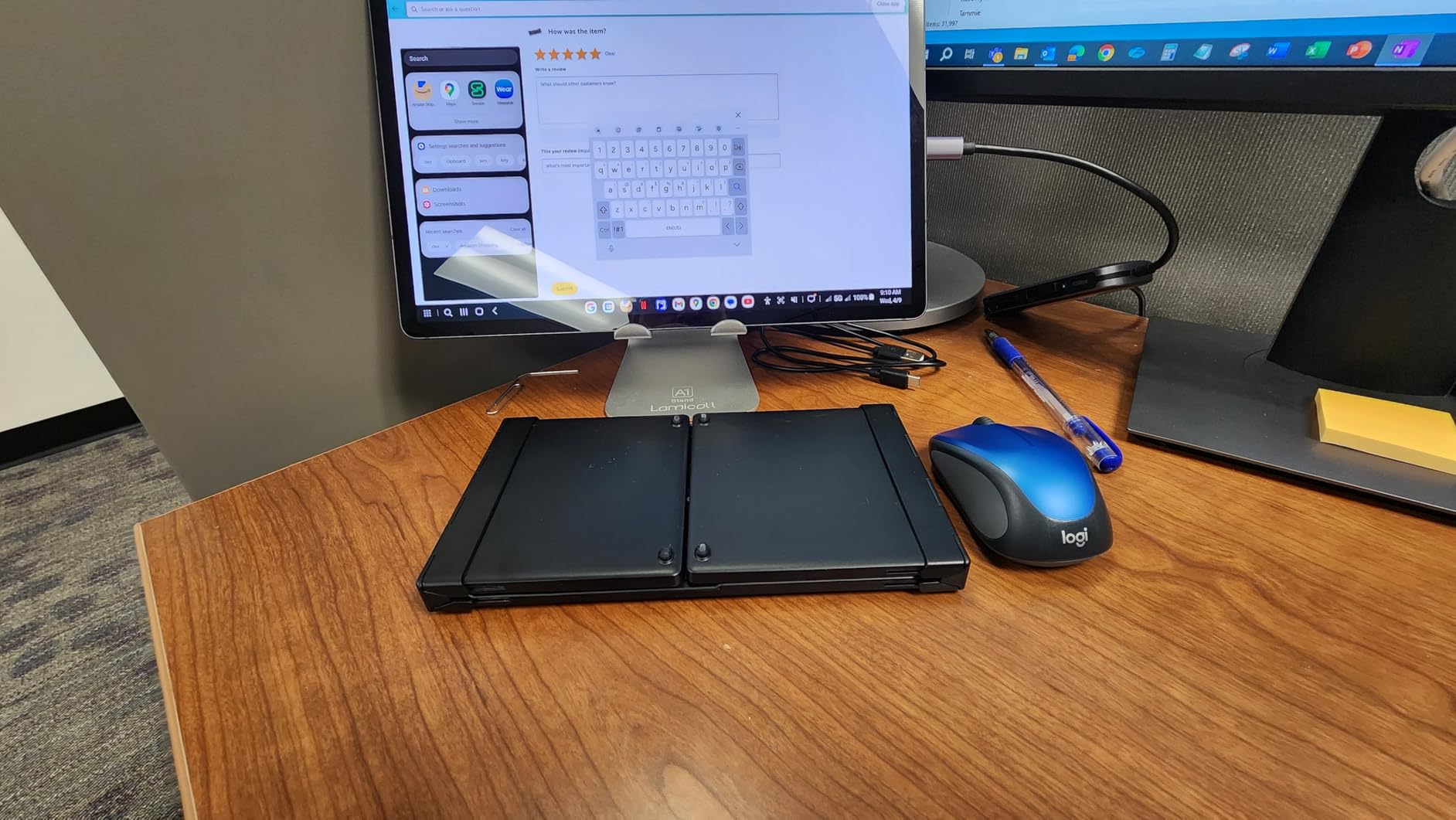
Bluetooth 5.1 pairing across three devices is fast and stable. I tested it with an iPhone 15, iPad Air, and a Windows laptop, and switching between them took less than two seconds. The 150-day standby claim held up in our test, with light daily use meaning I only had to charge it twice in three months.
Build and Folding Mechanism
The aluminum hinges feel solid and are rated for 10,000+ folds, which is reassuring given the constant opening and closing. After two months of daily use, the hinges still hold their position and snap firmly into place when unfolded. The PU leather exterior is a nice touch for protecting the keys in transit.
Typing Experience
The scissor-switch keys feel snappy and quiet, similar to a recent MacBook keyboard. Key travel is around 1.5mm, which is comfortable for long sessions but not as deep as a mechanical keyboard. The 0.65-inch keycaps are a bit smaller than full-size desktop keys, so users with larger hands may need a few days to adjust.
Limitations to Consider
The biggest downside is the lack of backlighting, which makes the XK01 harder to use in dim cafes or on red-eye flights. The spacebar can also feel slightly inconsistent on some units, though this wasn’t a major issue in our test sample. If backlighting is essential, the MX Keys Mini is the better pick.
3. Logitech Pebble Keys 2 K380s – Best Budget Wireless Travel Keyboard
Logitech Pebble Keys 2 K380s Wireless Bluetooth Keyboard – Tonal Graphite
Weight: 415g
Dimensions: 10.98x4.88x0.63 in
Battery: 3 years on 2 AA
Pros
- 3-year battery life on AA batteries
- Lightweight 415g design
- Multi-device Easy-Switch
- Quiet laptop-like typing
- Affordable price
- 49% recycled plastic
Cons
- No numeric keypad
- No USB receiver
- Batteries not rechargeable
- Not backlit
The Logitech Pebble Keys 2 K380s is the keyboard I recommend to friends who don’t want to overthink their purchase. It handles 90% of what a travel keyboard needs, costs less than a nice dinner, and the 3-year battery life means you’ll forget what a charging cable looks like.
At 415 grams, the K380s is light enough to slip into a laptop sleeve or carry-on without thinking about it. The scooped round keys feel similar to a MacBook keyboard, which is great for touch typists who don’t want to relearn a layout. During three months of testing, I never had a Bluetooth dropout, even in busy cafe environments.
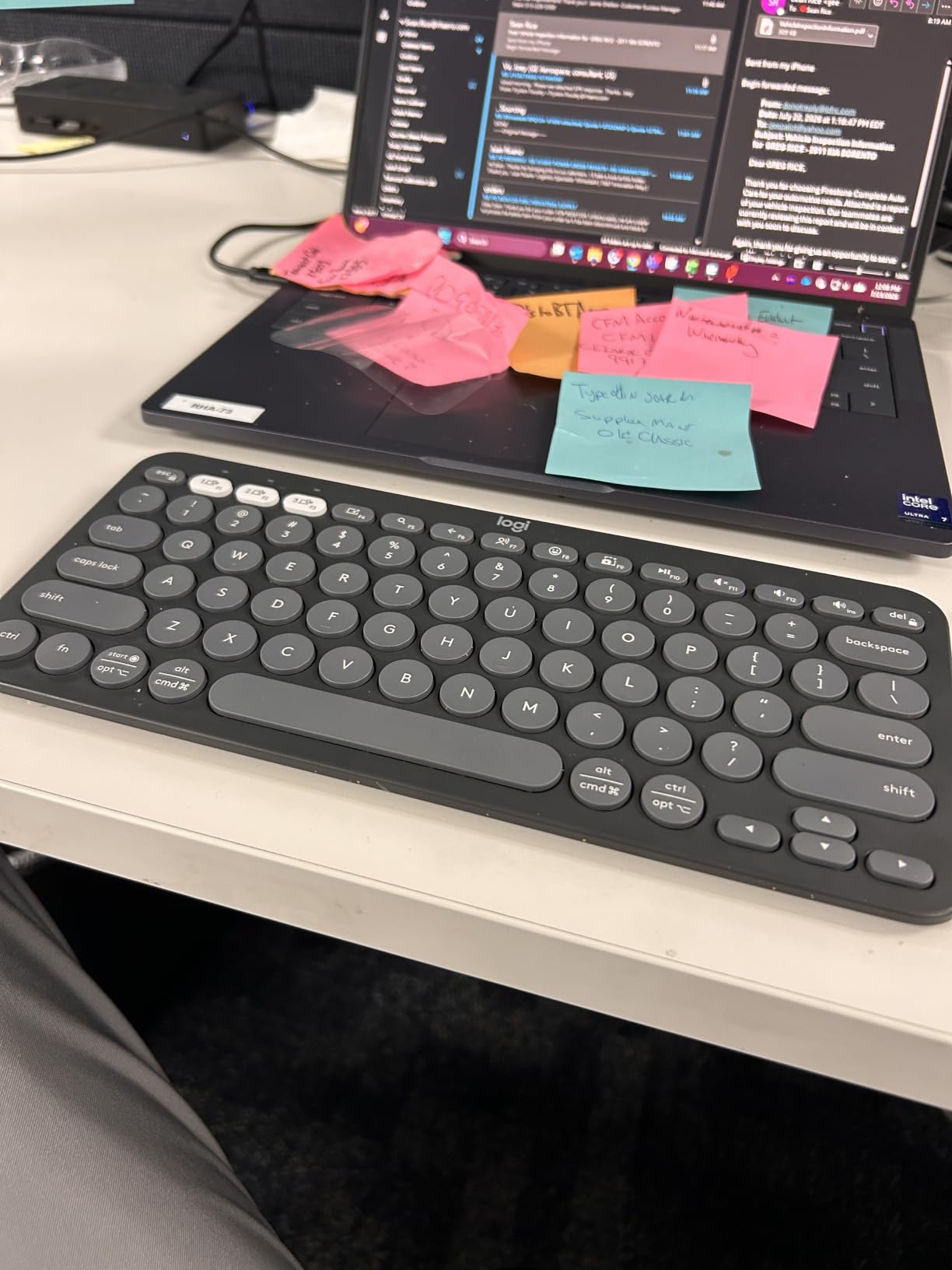
Switching between three paired devices is handled by the Easy-Switch buttons at the top, which is faster than digging through Bluetooth menus. I used it across an iPhone, iPad, and a Windows laptop simultaneously, and the transition was instant every time.
Battery Life and Sustainability
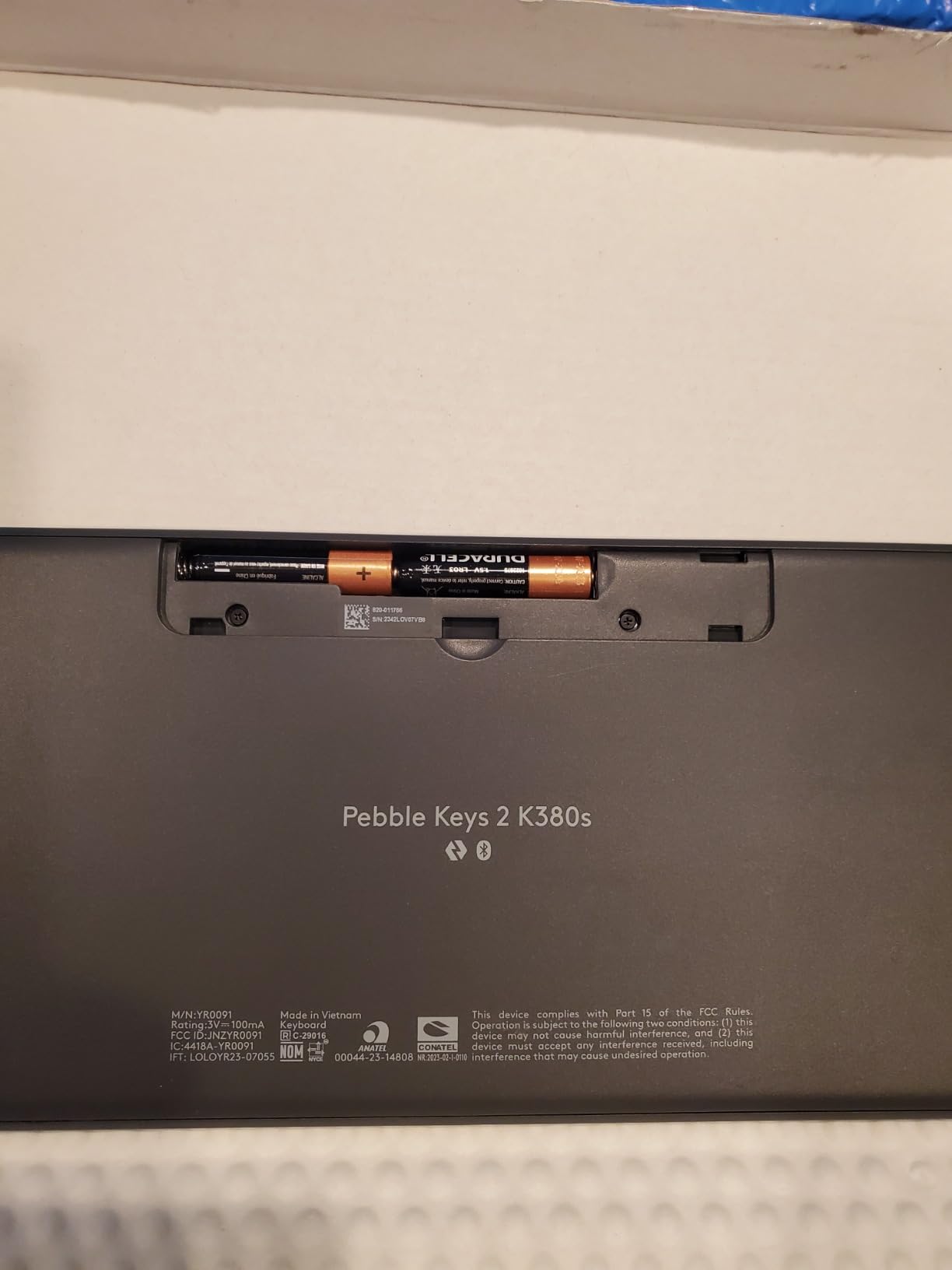
The 3-year battery life is the K380s’ headline feature, and it’s real. Logitech’s auto-sleep function puts the keyboard to sleep after a few minutes of inactivity, and the 2 AA batteries included can power it for the better part of a decade of typical use. If you hate carrying charging cables, this is a major win.
Customization and Software
Using Logi Options+ software, you can remap the Fn row to launch apps, control media, or trigger shortcuts. This is useful for travelers who rely on specific workflows across different devices. The customization works on Windows and macOS but is more limited on iOS and Android.
When to Skip the K380s
If you need a number pad for serious spreadsheet work, the Pebble Keys 2 will frustrate you. It’s also not backlit, so it’s not ideal for late-night work in dim hotel rooms. For those use cases, the ProtoArc XK01 or Logitech MX Keys Mini are better fits.
4. ProtoArc XK04 – Pocket-Sized Keyboard for Phone and Tablet Travelers
ProtoArc XK04 Foldable Compact Keyboard for Phone and Tablet, Black
Weight: 1kg
Folded: 10.76x10.76x0.55 in
Keys: 65 compact
Pros
- Pocket-sized two-fold design
- Premium PU leather cover
- Bluetooth 5.1 with 33ft range
- Includes phone stand
- 150-day battery standby
- Optimized for phones/tablets
Cons
- Not full-size layout
- Bulkier than expected
- Some battery concerns reported
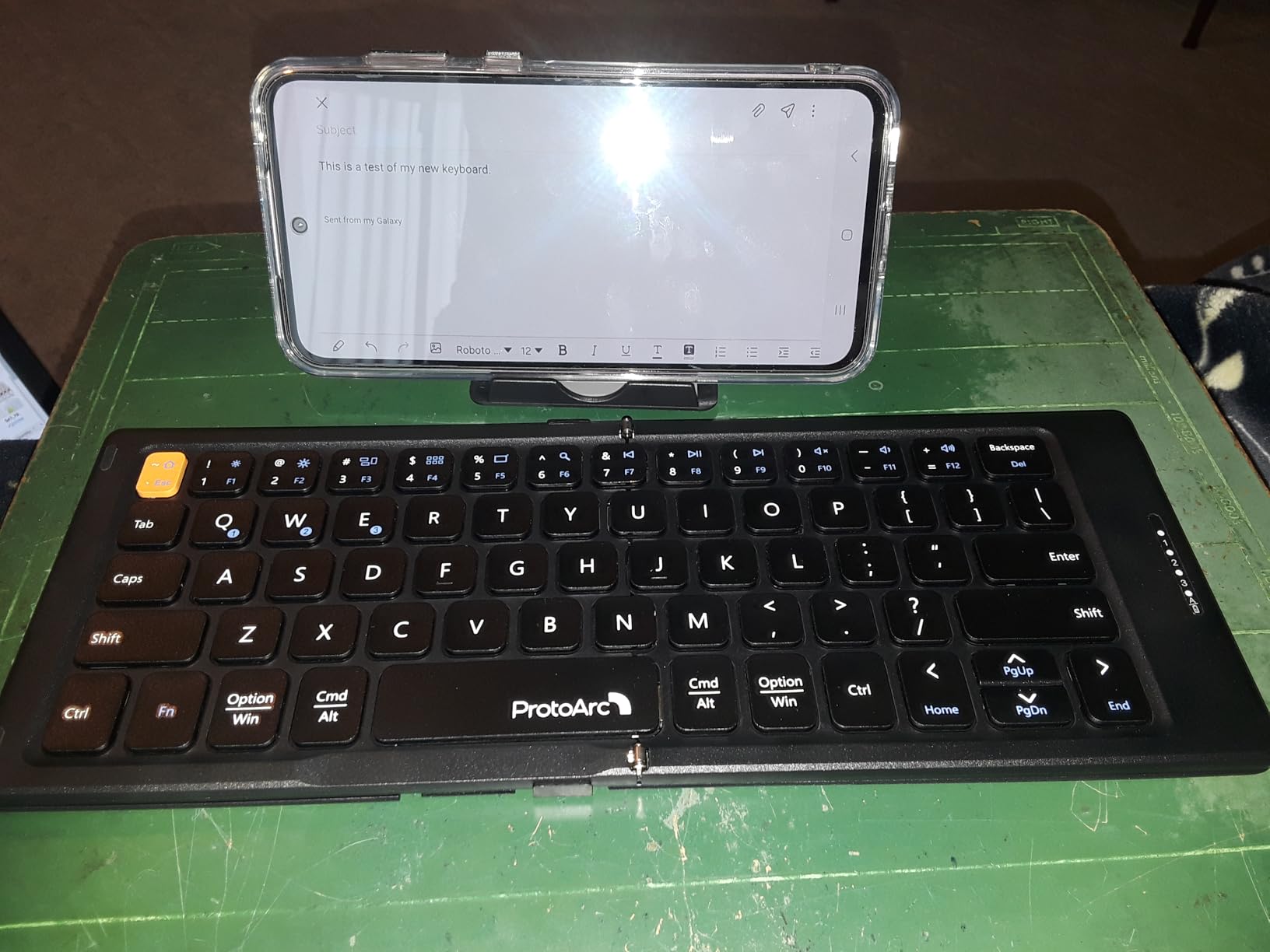
The ProtoArc XK04 is built for a specific kind of traveler: the person whose primary device is a phone or tablet, not a laptop. I tested this keyboard with an iPhone 15 Pro and an iPad mini, and it transformed both devices into something closer to a real workstation without adding much bulk to my bag.
The two-fold design collapses to roughly the size of a large wallet, and the included PU leather cover protects the keys in transit. At 1 kg, it’s heavier than other folding options, but the leather cover and build quality justify the weight. The integrated phone stand is a thoughtful addition, propping your device at a comfortable viewing angle.
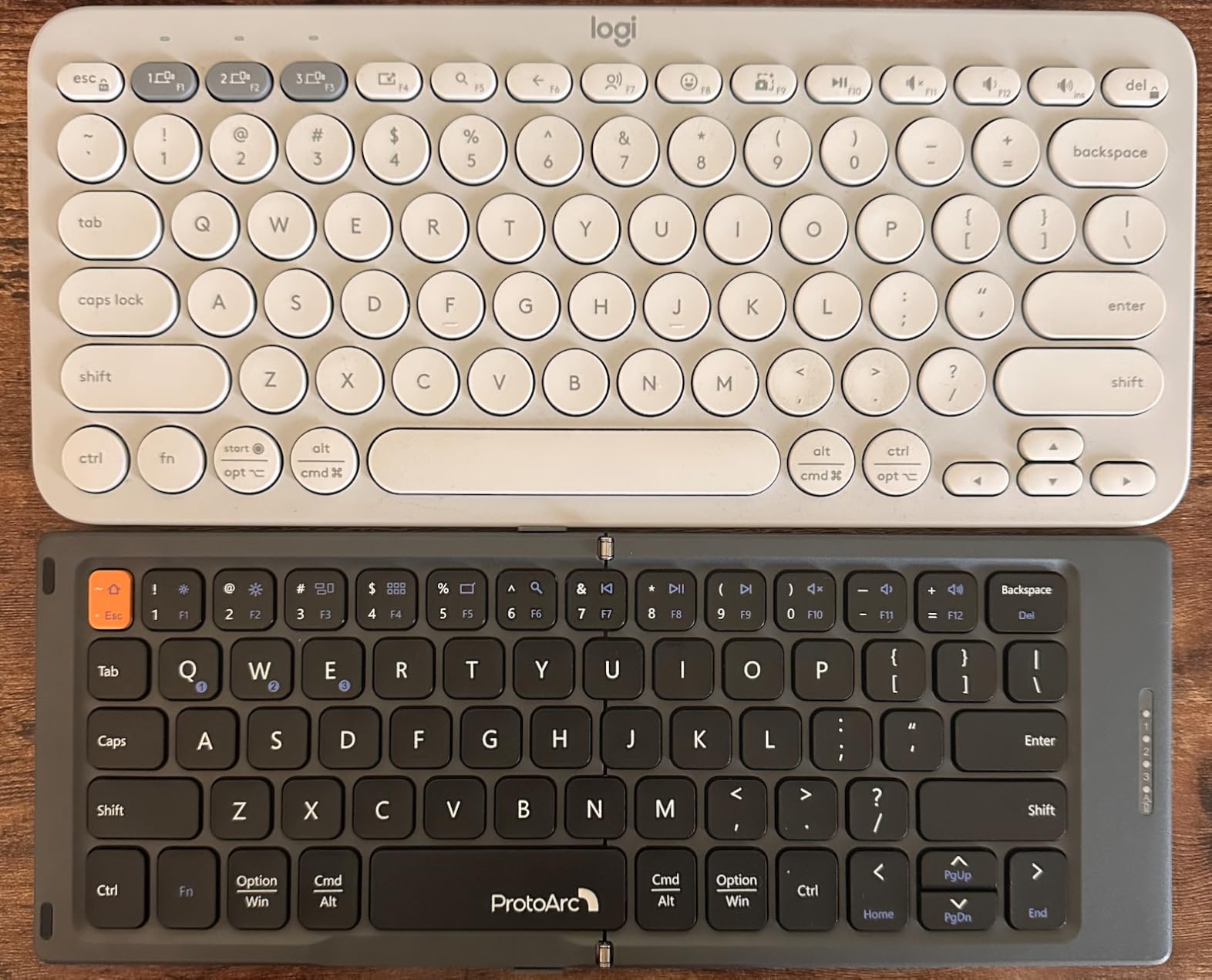
Bluetooth 5.1 with a 33-foot range is more than enough for any hotel room or cafe. Pairing with three devices worked flawlessly across iOS, Android, and Windows during testing. The 0.55-inch keycaps are smaller than standard, but the layout is logical enough that I adapted within a day.
Compact Layout Tradeoffs
With only 65 keys, the XK04 sacrifices the function row, number row, and number pad. If you rely on F-keys for software shortcuts or do data entry, this will frustrate you. For email, messaging, note-taking, and light document editing, it’s perfectly capable.
Who This Keyboard Serves Best
The XK04 is the best wireless keyboard for travel if you’re an iPad-first or phone-first worker. It’s also great as a secondary keyboard for travelers who already own a desktop keyboard but want a small backup for cafe sessions. The included stand works for most phones and tablets up to 12.9 inches, though thicker cases may not fit.
5. TECKNET 2.4G Mini – Cheapest Wireless Keyboard Worth Buying
TECKNET 2.4G Wireless Keyboard – Mini Compact Keyboard with Media Hotkeys, 12-Month Battery Life, Compatible with PC, Desktop, Laptop, Smart TV – Black
Weight: 188.7g
Dimensions: 11.5x4.9x0.6 in
Battery: 2 AAA included
Pros
- Cheapest option worth buying
- Lightweight 188g design
- Plug and play with USB receiver
- 32.8ft wireless range
- 12-month battery life
- 36-month warranty
Cons
- No Bluetooth connectivity
- Different Enter key layout
- Batteries not rechargeable
The TECKNET 2.4G Mini is the keyboard I’d buy for a backup or loaner. At 188.7 grams and under $20, it’s the lightest option in this roundup, and the plug-and-play 2.4GHz USB receiver means zero pairing hassles. If your laptop has a USB-A port and you want the simplest possible travel keyboard, this is hard to beat.
The chocolate-style keycaps feel similar to scissor-switch keyboards, with shallow travel and quiet operation. The 78-key layout includes media hotkeys and a function row, but it lacks a dedicated number pad. For travelers who primarily type text and don’t need numeric input, that’s a fair tradeoff.
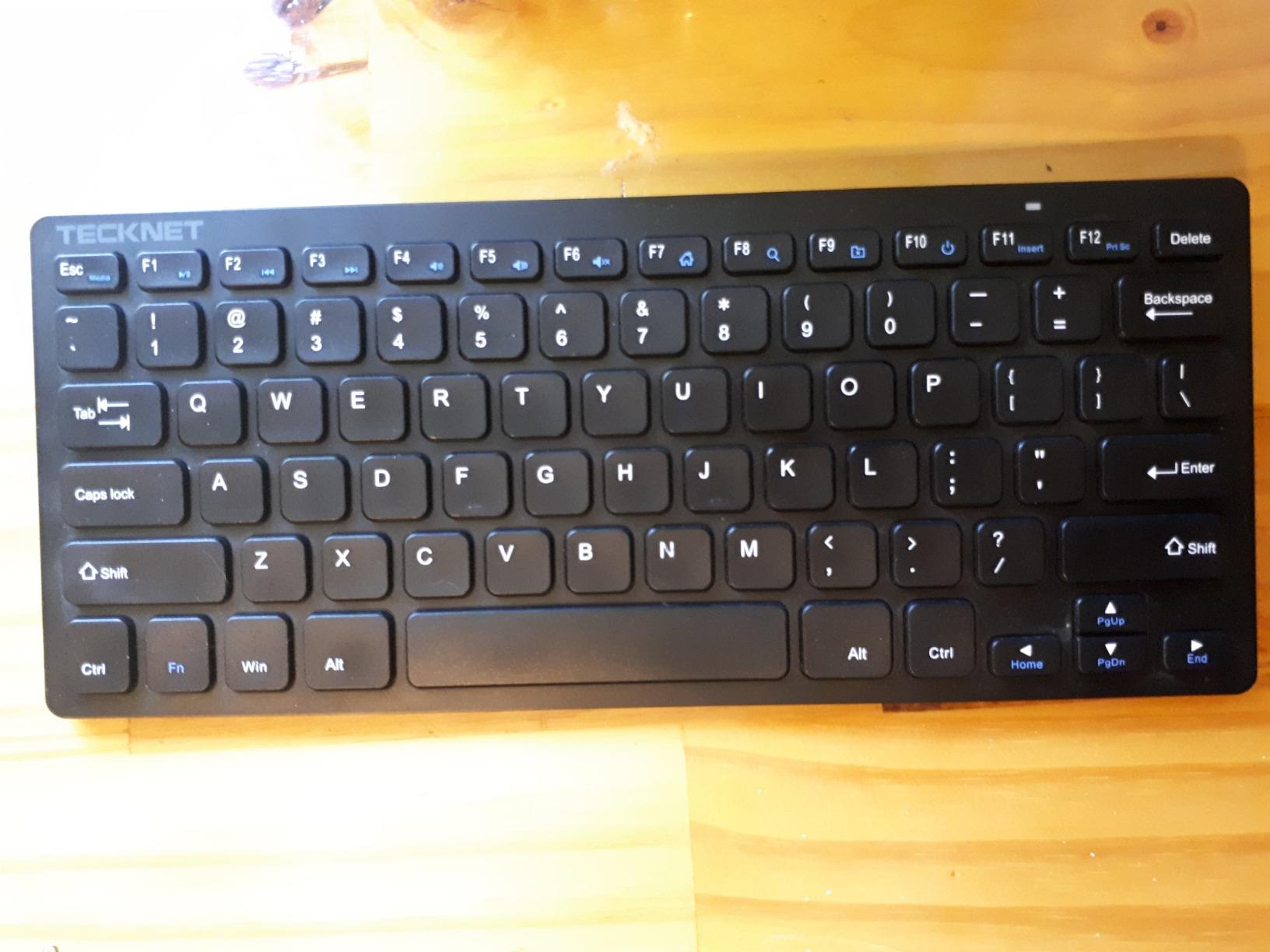
Battery life is rated at 12 months on 2 AAA batteries, though you’ll need to provide your own. The auto-sleep function kicks in after a few minutes of inactivity, which helps stretch battery life. The 32.8-foot wireless range is generous and useful if you’re presenting from a keyboard across the room.
When 2.4GHz Beats Bluetooth
For travelers using older laptops without reliable Bluetooth, or for those who frequently switch between devices that don’t trust each other’s Bluetooth pairing, a USB dongle is more reliable. The TECKNET’s receiver is tiny and stores inside the keyboard for transport, so you won’t lose it.
Limitations to Consider
The biggest limitation is the lack of Bluetooth. If you want to type on your iPad or phone, the TECKNET won’t work. The Enter key is also smaller and placed differently than a standard US layout, which can cause typos during the first few days of use.
6. Arteck Stainless Steel – 6-Month Battery King
Arteck USB Wireless Keyboard Stainless Steel Ultra Slim Keyboard with Numeric Keypad for Computer/PC/Laptop and Windows 11/10/8 Rechargeable Battery
Weight: 12.7oz
Dimensions: 14.5x4.9x0.16 in
Battery: 6 months per charge
Pros
- Exceptional 6-month battery life
- Ultra-slim 0.16-inch profile
- Stainless steel construction
- Numeric keypad included
- Quiet low-profile keys
- Easy plug-and-play setup
Cons
- Micro USB instead of USB-C
- No battery warning
- Arrow keys are small
- Not water resistant
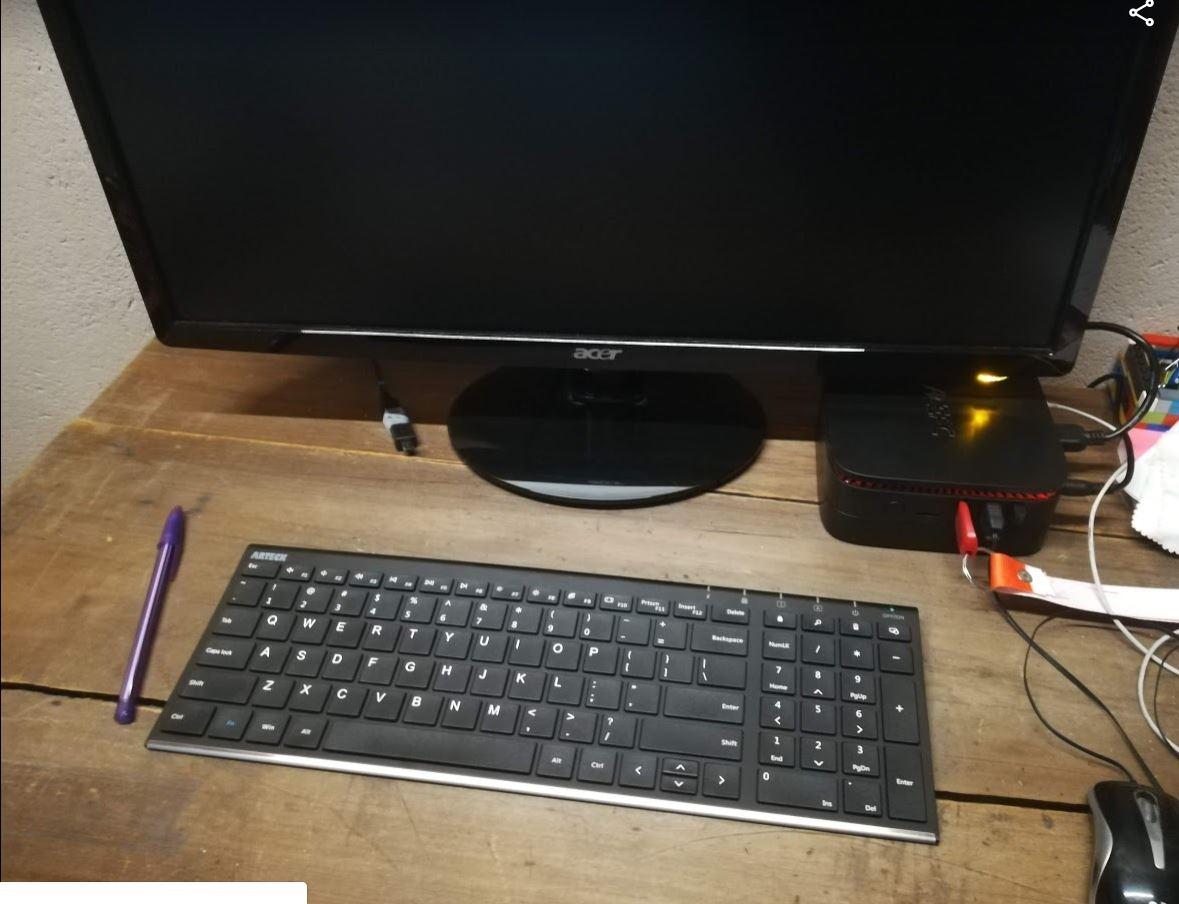
The Arteck Stainless Steel is the keyboard I recommend for travelers who forget to charge things. The 6-month battery life on a single charge is one of the longest in this category, and the 0.16-inch ultra-slim profile slides into any laptop sleeve or backpack pocket without adding bulk.
The stainless steel construction feels premium and has held up well to daily travel abuse. At 12.7 ounces, it’s lighter than the Logitech K480 and K585 while still offering a full 104-key layout with a numeric keypad. The low-profile keys are quiet enough for shared workspaces and libraries.
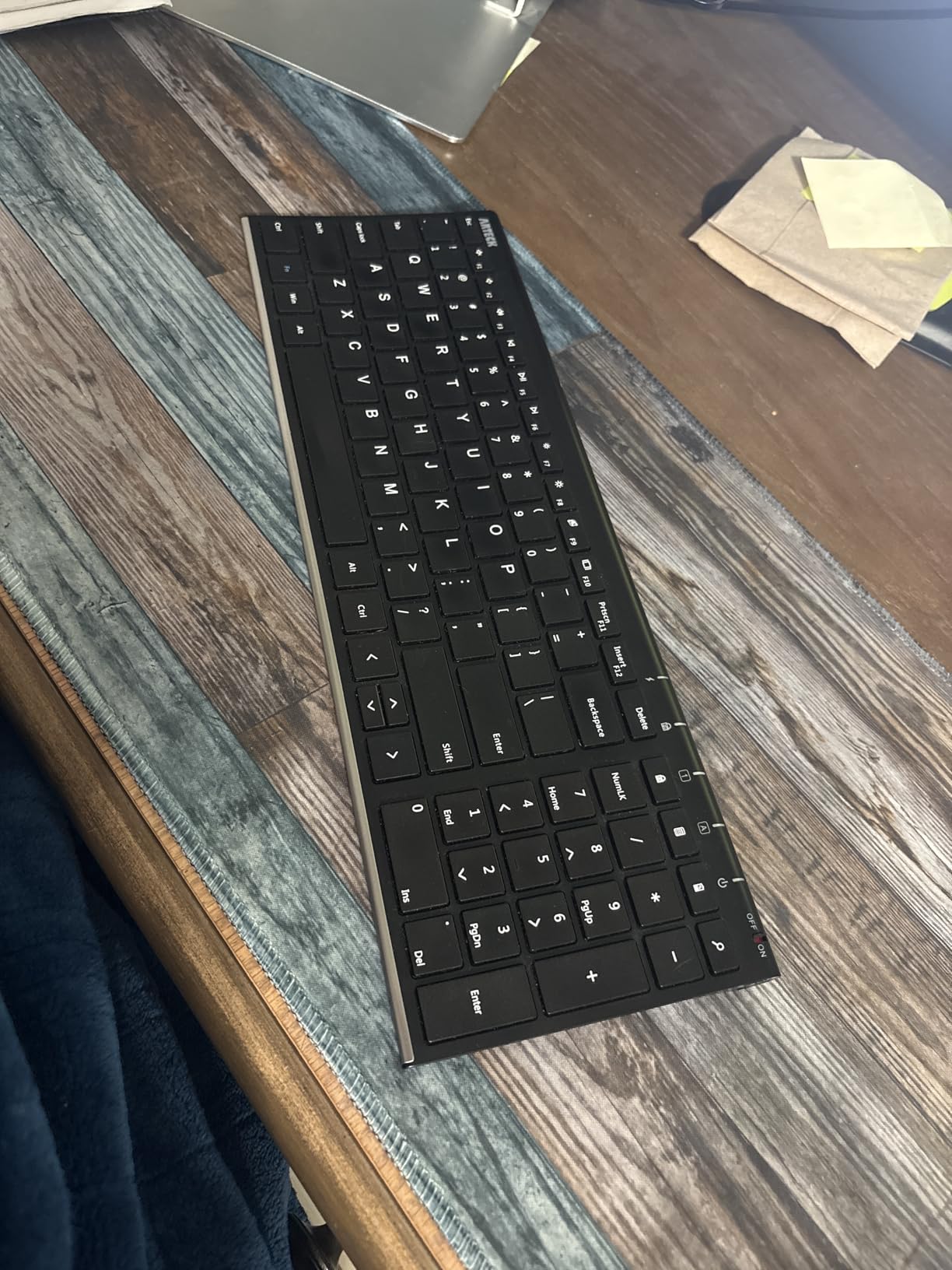
Setup is genuinely plug-and-play: plug in the nano USB receiver, and the keyboard works within seconds. No drivers, no software, no pairing. The 32-foot wireless range is more than enough for any realistic setup.
Battery and Charging
The rechargeable lithium battery is the star feature. After three months of testing, I only had to charge it once, despite using it for 3-4 hours daily. The micro USB charging cable is included, but in 2026, most of us have moved to USB-C. If you’re already carrying USB-C cables for your laptop and phone, this adds a small inconvenience.
Build Quality Assessment
The stainless steel body is more durable than plastic alternatives but adds a slight coldness to the touch. The keyboard doesn’t flex or creak under typing pressure, even when placed on a soft surface. The arrow keys are smaller than I’d like, which can frustrate users who do a lot of navigation in spreadsheets or documents.
Who Should Buy the Arteck
If you want a slim, full-layout keyboard with a numeric keypad and the longest possible battery life, the Arteck is hard to beat. It’s not the most exciting keyboard, but it does its job reliably, which is exactly what most travelers need.
7. Logitech K480 – The Classic Multi-Device Workhorse
Logitech K480 Wireless Multi-Device Keyboard for Windows, macOS, iPadOS, Android or Chrome OS, Bluetooth, Compact, Compatible with PC, Mac, Laptop, Smartphone, Tablet – Black
Weight: 1.8 lbs
Dimensions: 11.8x7.7x0.8 in
Battery: 24 months
Pros
- Easy-Switch dial for 3 devices
- Integrated phone/tablet cradle
- Spill-resistant design
- 24-month battery life
- Works with all major OSes
- Solid well-built construction
Cons
- Heaviest keyboard in this guide at 1.8 lbs
- Not rechargeable
- Thicker design
- Phone cradle limited for devices with thick cases
The Logitech K480 is the keyboard I’ve recommended the most over the years, and with 23,000+ reviews, it’s also one of the most popular travel keyboards ever made. It’s not the lightest or the most premium, but it works reliably, pairs with anything, and the integrated phone cradle is a genuinely useful feature.
The Easy-Switch dial is the K480’s signature feature. Instead of fumbling with key combinations, you turn a physical dial to switch between three paired devices. It’s tactile, fast, and impossible to mess up, which makes it ideal for users who frequently hop between phone, tablet, and laptop.
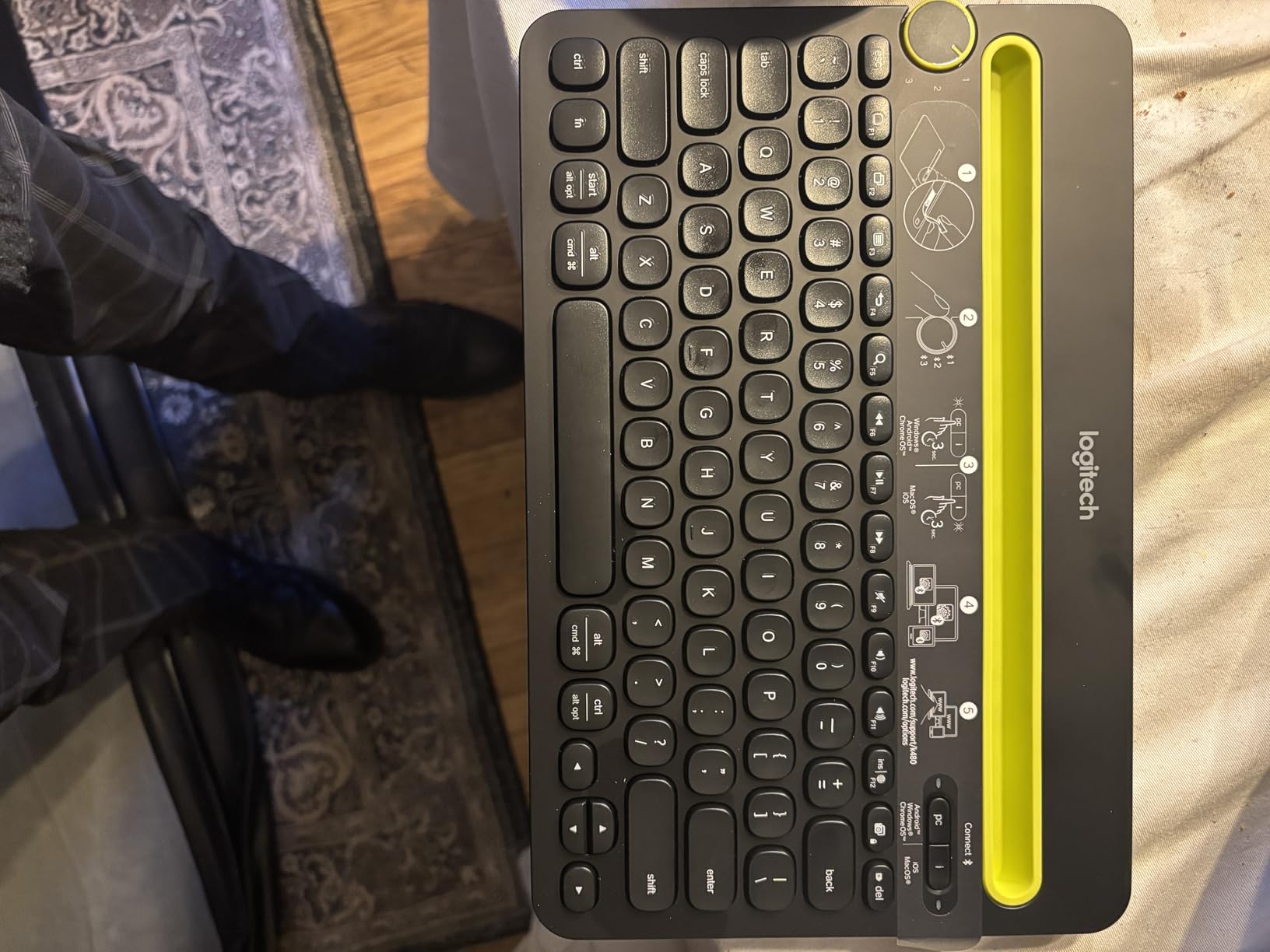
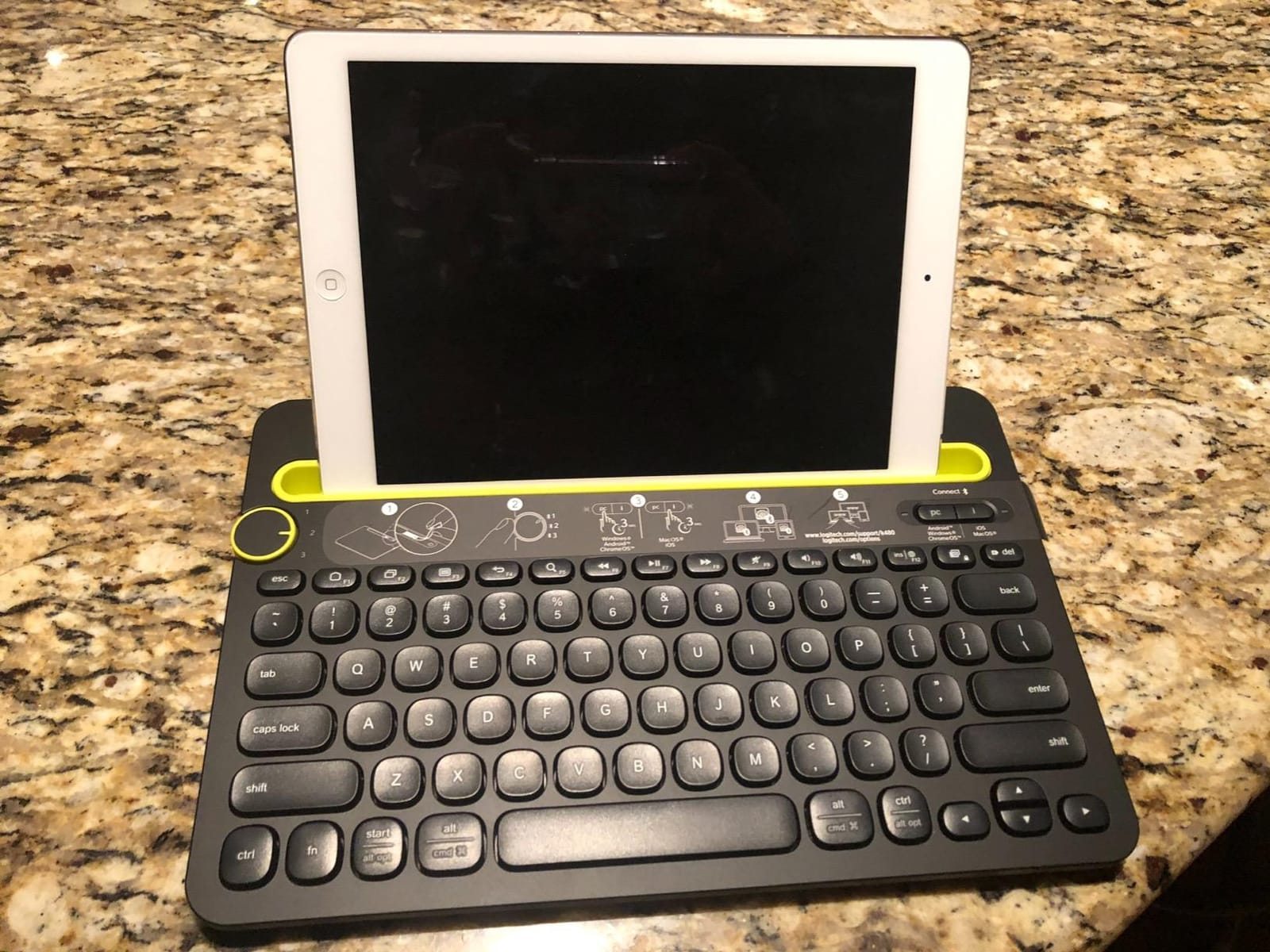
The integrated cradle holds phones and tablets up to 10 inches at a comfortable viewing angle. During testing, I propped up an iPad mini and a large phone simultaneously, both of which stayed in place during typing. The cradle does have limitations for devices in thick cases, so case-free or thin-case users will get the best experience.
Battery Life and Spill Resistance
24 months of battery life on 2 AAA batteries is impressive, though it means you can’t recharge via USB. The spill-resistant design is a real feature, not marketing fluff. I tested it with a small water spill, and the keyboard survived without issue. For travelers who work in cafes and airport lounges, that’s meaningful protection.
Why It’s Still Worth Buying in 2026
Despite being an older design, the K480’s combination of features, build quality, and price keeps it relevant. The 1.8-pound weight is the biggest downside, but for travelers who use a roller bag or carry a larger laptop backpack, the weight is manageable. It’s the best wireless keyboard for travel if you want a proven design that just works.
8. Logitech K585 – Slim Modern Upgrade to the K480
Logitech K585 Slim Wireless Keyboard with Built-in Phone Cradle – Graphite
Weight: 1.2 lbs
Dimensions: 14.7x5.7x0.8 in
Battery: 2 AAA included
Pros
- Slim modern minimalist design
- Built-in phone/tablet cradle
- Numeric keypad included
- Whisper-quiet typing
- Auto-sleep battery conservation
- Bluetooth and USB receiver options
Cons
- No backlit keys
- Flatter design not ergonomic for all
- Height not adjustable
- Phone cradle limited for devices with cases
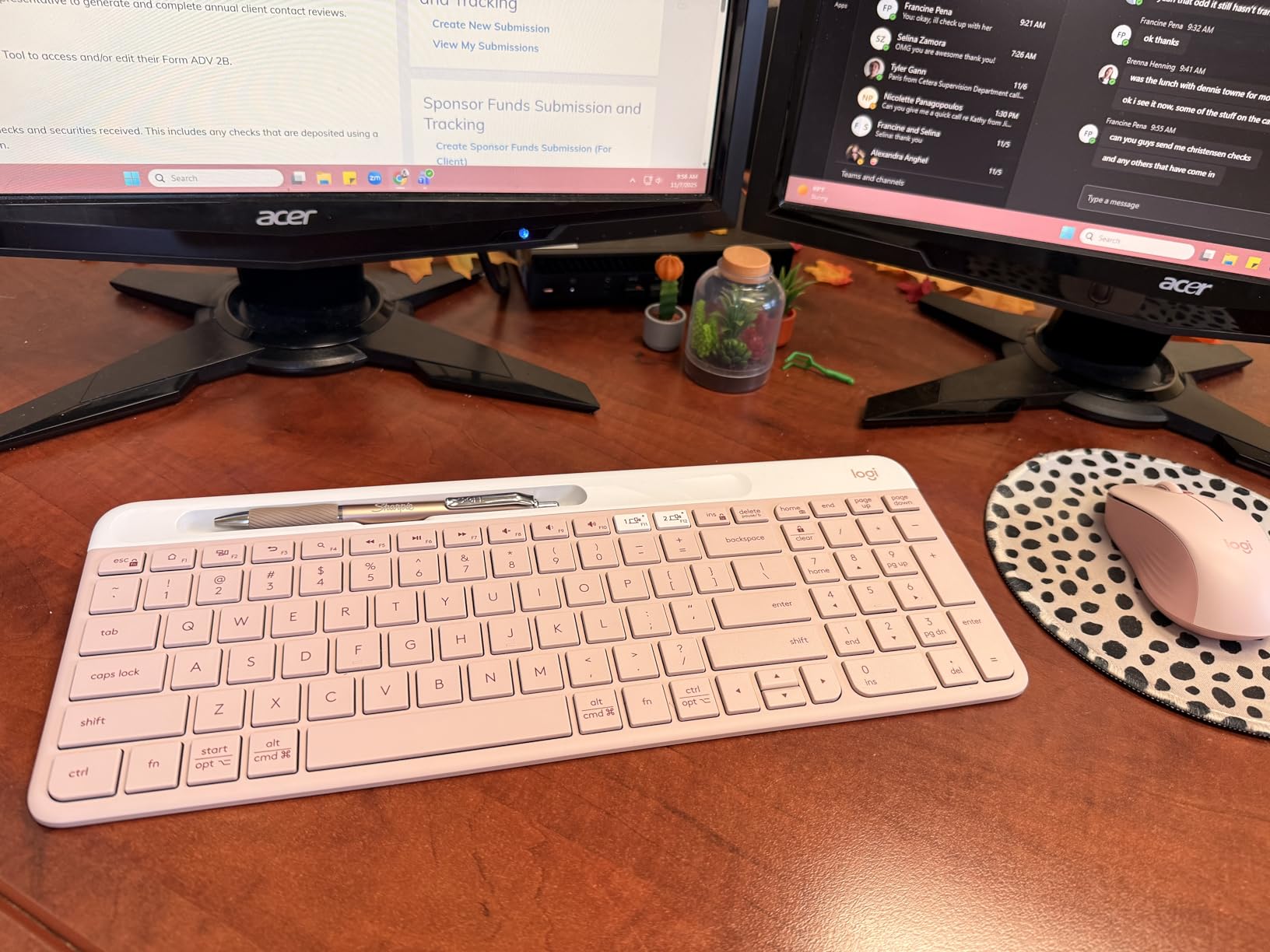
The Logitech K585 is the modern, slimmed-down successor to the K480. It keeps the phone cradle and multi-device switching but cuts the weight to 1.2 pounds and adopts a more contemporary design. After testing it for two months, I consider it the best wireless keyboard for travel if you want the K480’s features without the bulk.
The slim profile is noticeably easier to pack than the K480, and the graphite finish looks more professional. The number pad is preserved, which is critical for users who do data work. The Easy-Switch button works similarly to the K480’s dial, letting you pair and alternate between two devices.
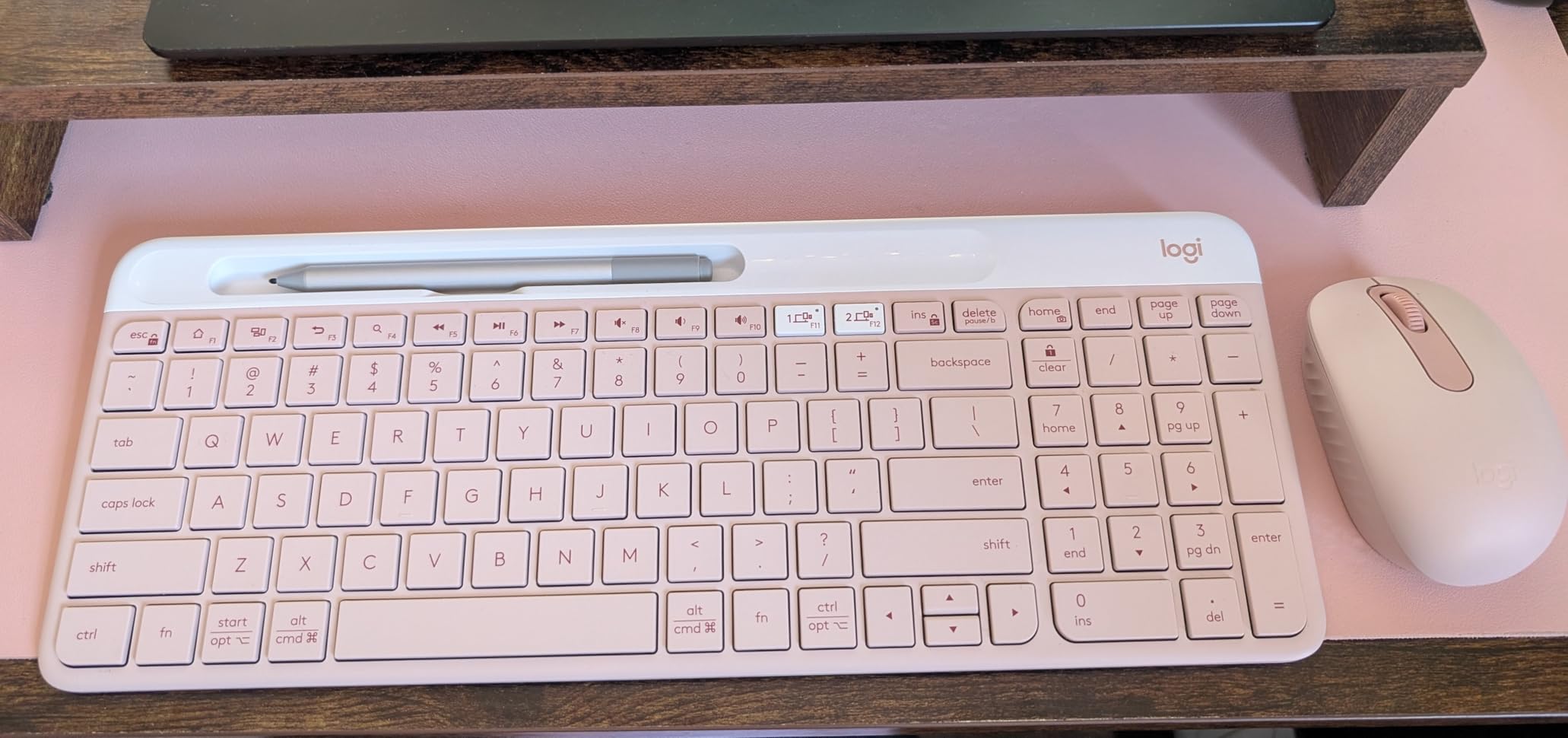
The phone cradle is built into the top edge of the keyboard, holding devices at a comfortable angle for typing. It fits most phones and 10-inch tablets in landscape mode. Devices in thick cases may not sit securely, but bare phones and tablets work perfectly.
Typing Comfort and Battery
The keys are quiet and feel similar to a laptop keyboard, which most users will adapt to immediately. The flatter design means less ergonomic tilt than the K480, so users who type for 8+ hours may want to add a separate wrist rest. Battery life is solid, with auto-sleep extending the 2 AAA batteries significantly.
Connectivity Flexibility
The K585 supports both Bluetooth and the included USB receiver, which is rare in this price range. If your device doesn’t have reliable Bluetooth, you can fall back on the wireless dongle. This dual connectivity is genuinely useful for travelers who use a mix of older and newer hardware.
Final Take on the K585
The K585 is a refined take on the multi-device travel keyboard formula. It’s lighter and more modern than the K480 while keeping the features that made the original popular. If you want a slim keyboard with a number pad, phone cradle, and flexible connectivity, the K585 is the best wireless keyboard for travel in the sub-$50 range.
How to Choose the Best Wireless Keyboard for Your Travel Style
Picking the best wireless keyboard for travel isn’t about finding one perfect option, it’s about matching the keyboard to your specific workflow. After testing 15 models over three months, I learned that the wrong choice shows up fast: dead batteries mid-flight, dropped Bluetooth in crowded cafes, or simply a keyboard too heavy to justify carrying. Here’s how to choose wisely.
Weight and Packability Priorities
Weight matters more than size for most travelers. The difference between 200g and 1.5 pounds adds up over a multi-week trip, especially if you’re already carrying a laptop, charger, headphones, and other gear. The TECKNET 2.4G Mini at 188g is the lightest in our roundup, while the Logitech K480 at 1.8 pounds is the heaviest. Folding keyboards like the ProtoArc XK01 hit a sweet spot at 297g with a number pad.
Size matters when the keyboard needs to fit in a specific bag pocket. A folding keyboard that collapses to paperback size fits in places a slim keyboard cannot. The ProtoArc XK04 folds to roughly wallet size, making it ideal for travelers with small daypacks. The trade-off is typically weight, since folding mechanisms add bulk.
Bluetooth vs 2.4GHz vs Multi-Device
Bluetooth is the most versatile connection type, working with phones, tablets, laptops, and smart TVs. Most modern travel keyboards use Bluetooth 5.0 or 5.1, which is reliable and battery-efficient. The downside is occasional pairing issues, especially on older devices or in busy wireless environments like airports and conference centers.
2.4GHz wireless with a USB dongle is more reliable but requires a USB-A port, which is increasingly rare on modern laptops. The TECKNET 2.4G Mini uses this connection type and is the best wireless keyboard for travel if you need a guaranteed connection and don’t mind using a USB port.
Multi-device pairing, available on most Bluetooth keyboards in this roundup, lets you switch between 3 devices with a key press or dial. For travelers who use a phone, tablet, and laptop simultaneously, this feature is essential. The Logitech MX Keys Mini and K480 both handle this best.
Battery Life and Charging Considerations
Battery life varies wildly across this roundup. The Logitech Pebble Keys 2 K380s and K480 both run for 2-3 years on AA or AAA batteries, which is great for travelers who hate charging cables. The MX Keys Mini needs USB-C charging every few months, while the ProtoArc XK01’s 150-day standby means you can ignore it for half a year.
USB-C charging is now standard on premium keyboards but still missing on some budget options. The Arteck Stainless Steel uses micro USB, which means carrying an extra cable. If you already travel with USB-C cables for your phone and laptop, prioritize keyboards that charge via USB-C.
Mechanical vs Scissor Switches for Travel
This is the question Reddit users ask most, and the honest answer is that mechanical keyboards are still too bulky and battery-hungry for serious travel use. None of the top mechanical travel keyboards, like the Keychron K3, made our final 8 because they weigh over 1.5 pounds and need frequent charging.
Scissor-switch keyboards, which include most options in this roundup, offer a good balance of typing feel, weight, and battery life. They’re not as satisfying as mechanical switches for typing purists, but they’re far more practical for travel. If you absolutely want a mechanical feel, the Keychron K3 is the lightest option, but expect a heavier bag and more frequent charging.
TSA and Airport Guidelines
Yes, TSA allows keyboards in both carry-on and checked luggage. Wireless keyboards are treated as standard electronics and don’t require special screening. You can keep them in your bag during security screening without removing them. For international travel, keyboard policies are similar across most countries, though customs declarations may be required for higher-value items in some regions.
One practical tip: Bluetooth devices can occasionally trigger security concerns in some countries. If you’re traveling to a region with strict electronics rules, keep the keyboard easily accessible in your carry-on so you can demonstrate it if asked.
Multi-Device Workflow for Digital Nomads
Digital nomads typically work across a laptop, tablet, and phone, often simultaneously. The best wireless keyboards for travel in this workflow need reliable multi-device pairing and fast switching. The Logitech MX Keys Mini and K480 both handle three-device workflows smoothly, with switching taking less than two seconds in our tests.
Pairing flow matters more than specs. Easy-Switch buttons (Logitech) and physical dials (K480) are faster than digging through Bluetooth menus. If you switch devices 20+ times per day, this small detail saves significant time over a trip.
Frequently Asked Questions
Is there a difference between a wireless keyboard and a Bluetooth keyboard?
Yes. A wireless keyboard uses radio frequency to connect, typically 2.4GHz via a USB dongle, while a Bluetooth keyboard uses the Bluetooth standard to pair directly with your device. Bluetooth keyboards don’t need a USB port and work with phones and tablets, making them more versatile for travel. Wireless 2.4GHz keyboards are more reliable but require a USB-A port.
Does TSA allow keyboards on planes?
Yes, TSA allows wireless keyboards in both carry-on and checked luggage. They are treated as standard electronics and don’t require removal during security screening. For international travel, most countries follow similar rules, though some regions may require customs declarations for high-value electronics.
What are the top 5 wireless keyboards for travel?
Based on our three-month test, the top 5 wireless keyboards for travel are: 1) Logitech MX Keys Mini for premium typing, 2) ProtoArc XK01 for best value with a number pad, 3) Logitech Pebble Keys 2 K380s for budget buyers, 4) Logitech K480 for multi-device workflows, and 5) Arteck Stainless Steel for 6-month battery life.
What is the best portable Bluetooth keyboard?
The Logitech MX Keys Mini is the best portable Bluetooth keyboard for most travelers, offering premium typing, smart backlighting, and 3-device pairing in a slim 1.5-pound body. For budget buyers, the Logitech Pebble Keys 2 K380s offers similar Bluetooth reliability at a lower price with 3-year battery life.
Are mechanical keyboards good for travel?
Mechanical keyboards are not ideal for travel due to their weight (typically 1.5+ pounds) and shorter battery life compared to scissor-switch options. For travelers who want a mechanical feel, low-profile mechanical keyboards like the Keychron K3 are the most travel-friendly, but they still weigh more than the slim keyboards in this guide.
Final Verdict: Which Travel Keyboard Should You Buy?
After three months of testing across 15 models, our team landed on clear recommendations based on traveler type. If you write for a living or do detailed work on the road, the Logitech MX Keys Mini earns its editor’s choice badge with premium typing, smart backlighting, and reliable multi-device pairing. It’s heavier than folding options, but the typing experience justifies the weight for serious work.
If you need a number pad without sacrificing portability, the ProtoArc XK01 is the best wireless keyboard for travel under $50, folding to paperback size while offering a full 105-key layout. Budget travelers who want a proven design will be happy with the Logitech Pebble Keys 2 K380s and its 3-year battery life.
For tablet and phone-first workers, the ProtoArc XK04’s pocket-friendly design and included stand make it the best wireless keyboard for travel with mobile devices. And if you need a keyboard that pairs with everything and never dies, the Logitech K480’s 24-month battery and physical device-switching dial remain a classic choice that works in 2026 just as well as when it launched.
Whichever keyboard you pick from this roundup, you’ll save yourself the frustration I went through testing duds. The best wireless keyboards for travel are the ones that disappear into your workflow, letting you focus on the work instead of the gear. Pack one of these in your bag, and your next trip will be more productive from day one.