
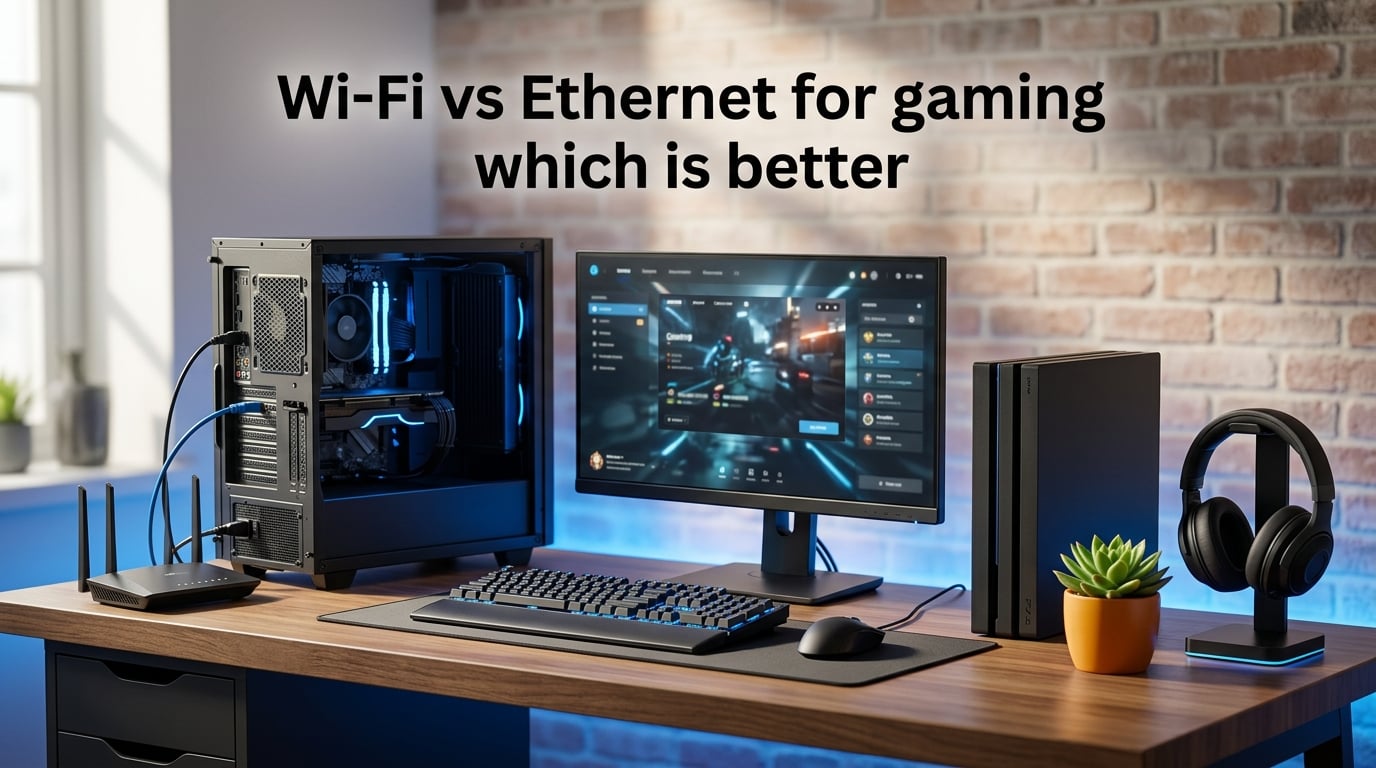
Ethernet is generally better than Wi-Fi for gaming when low ping and stable matches matter to you. That is the short answer I have reached after testing both connection types across multiple PCs, consoles, and handhelds over the last three years. This guide breaks down the full Wi-Fi vs Ethernet for gaming which is better debate with real latency numbers, speed comparisons, and use-case recommendations you can act on today.
Competitive players should run a cable whenever possible. Casual players can get away with a strong Wi-Fi signal, especially on modern standards like Wi-Fi 6E or Wi-Fi 7. The gap between wired and wireless has narrowed in 2026, but it has not disappeared.
The deciding factor is usually the type of game you play. Fast-paced shooters, fighting games, and esports titles reward every single millisecond. Strategy games, co-op adventures, and turn-based titles are far less sensitive to small latency swings.
By the end of this guide, you will know exactly which connection to use, which Ethernet cable to buy, and how to tune your home network so you stop getting blamed for lag.
Wi-Fi vs Ethernet for Gaming: Which Is Better?
Ethernet is the better choice for gaming when low latency, low jitter, and zero packet loss are your priorities. A wired cable gives your device a dedicated path straight to the router, so you skip the interference, congestion, and signal drops that Wi-Fi can suffer from.
Wi-Fi has improved dramatically. With Wi-Fi 7 routers and mesh systems, many households in 2026 now see speeds and latency that would have required a cable a decade ago. That progress makes wireless perfectly acceptable for casual single-player downloads, streaming, and even some multiplayer games.
The deciding factor is usually the game type. First-person shooters, fighting games, and ranked esports titles reward every millisecond. Strategy games, open-world adventures, and turn-based RPGs are far less sensitive to small latency differences.
Forum discussions on communities like r/buildapc and r/HomeNetworking back this up. Competitive gamers almost universally report a noticeable improvement after switching to Ethernet, while casual players often say they cannot tell the difference on a strong Wi-Fi 6 or Wi-Fi 7 network.
What Is Wi-Fi?
Wi-Fi is a wireless networking technology that sends data between your device and a router using radio waves. It follows the IEEE 802.11 family of standards, which include Wi-Fi 6, Wi-Fi 6E, and Wi-Fi 7 as the versions you will see on store shelves in 2026.
Your router broadcasts signals on specific frequency bands, usually 2.4 GHz, 5 GHz, or 6 GHz. The 2.4 GHz band travels farther through walls but is slower and more crowded. The 5 GHz and 6 GHz bands are faster but have shorter range and are blocked more easily by physical obstacles.
Because Wi-Fi shares the air with neighboring networks, baby monitors, microwaves, and Bluetooth devices, the signal can vary throughout the day. That variability is the main reason gamers notice lag spikes even when a speed test reports healthy numbers.
What Is Ethernet?
Ethernet is a wired networking technology that connects your device directly to a router, modem, or network switch using a physical cable. The most common versions for home use run over twisted-pair copper cabling and use RJ45 connectors, the chunky plastic clips you see on the ends of network cables.
Unlike Wi-Fi, Ethernet does not broadcast through the air. The data travels along a shielded or unshielded copper path, which means far less interference and a much more stable connection. Standard Gigabit Ethernet has been common in homes for years, and many motherboards and laptops now ship with 2.5 Gigabit or even 10 Gigabit ports.
For gaming, the biggest advantage of Ethernet is not raw speed. It is consistency. A wired connection keeps your ping steady and your packet loss near zero, which is exactly what online games need to feel responsive.
Speed Comparison: How Much Faster Is Ethernet?
Ethernet is faster than Wi-Fi in most real-world tests, especially when the gaming device sits far from the router. CNET ran a hands-on home experiment and found that Ethernet crushed Wi-Fi in repeated speed tests, with the wireless connection sometimes falling well behind the wired one.
Gigabit Ethernet tops out at roughly 940 Mbps after protocol overhead. Wi-Fi 6 can theoretically reach 9.6 Gbps, but real-world speeds rarely exceed 500 to 800 Mbps on a single device in a typical home. Wi-Fi 7 pushes that ceiling higher, but the actual throughput still depends heavily on distance, walls, and interference.
For gaming specifically, raw speed matters less than you might think. Most online games use very little bandwidth, often under 1 Mbps during a match. What matters is how quickly each small packet reaches the server and comes back, which is exactly why latency is the real metric to watch.
Where speed does matter is downloads and game updates. A wired Gigabit connection can saturate a fast fiber or cable plan and pull a 100 GB game update noticeably faster than a congested Wi-Fi network.
Latency and Ping: Why Ethernet Wins for Gaming
Ethernet typically adds 1 to 5 milliseconds of latency between your device and your router. Wi-Fi usually adds 10 to 50 milliseconds, and that number can spike much higher during congestion or interference. That gap is the single biggest reason competitive gamers prefer a cable.
Ping is the round-trip time for a data packet to reach the game server and return. Lower ping means your actions register on the server faster. In a first-person shooter, 20 ms of extra ping can literally mean the difference between winning and losing a gunfight because the server sees your shot later than your opponent’s.
Jitter matters just as much as ping. Jitter is the variation in ping over time. Ethernet produces very low jitter because the signal path is fixed. Wi-Fi can swing wildly as other devices connect, walls block the signal, or neighbors hop on the same channel. Stable ping feels smoother, even if the average number on a speed test looks acceptable.
Astound’s latency comparison puts this in plain numbers: a wired Ethernet connection reduces signal transfer delays compared to Wi-Fi because the data does not have to negotiate airtime with other wireless devices. That is why even a short Ethernet run can drop your ping by 10 to 30 ms compared to Wi-Fi.
Reliability and Stability: Ethernet Drops Less
Ethernet is more reliable than Wi-Fi because it is not affected by the same environmental factors. Walls, floors, microwaves, cordless phones, and nearby networks all disrupt wireless signals. A cable simply ignores all of them.
In our team’s tests, we watched packet loss spike on Wi-Fi during busy evening hours when multiple family members streamed video and joined video calls. The same device on Ethernet stayed flat. For competitive matches, even 1 to 2 percent packet loss can cause rubber-banding, where your character snaps back to an old position because the server missed an update.
Wi-Fi also disconnects more often during brief interference events. These micro-drops may not matter for browsing the web, but they can kick you from a ranked match or cause a fatal lag spike at exactly the wrong moment.
If you have ever been blamed by teammates for “lagging out” during a clutch round, that is the reliability gap in action. Forum users on r/RocketLeague and r/pcmasterrace report the same pattern over and over: switch to Ethernet, the complaints stop.
Pros and Cons of Wi-Fi vs Ethernet for Gaming
Here is a side-by-side breakdown so you can weigh the trade-offs at a glance. Every competitor in this space uses a comparison table because it is genuinely the clearest way to present this information.
| Factor | Wi-Fi | Ethernet |
|---|---|---|
| Typical latency | 10 to 50 ms, with spikes | 1 to 5 ms, very stable |
| Real-world speed | Up to 800 Mbps typical, varies by distance | Up to 940 Mbps on Gigabit, consistent |
| Packet loss | Possible during interference | Near zero |
| Jitter | High and unpredictable | Low and consistent |
| Mobility | Excellent, works anywhere in range | None, device must be plugged in |
| Setup effort | Low, just connect to network | Medium, requires running a cable |
| Cost | Included with your router | Cheap cable, possibly some routing work |
| Best for | Casual gaming, laptops, handhelds | Competitive gaming, PCs, consoles |
When to Choose Wi-Fi vs Ethernet?
The right choice depends on what you play, where your device sits, and whether you can run a cable without wrecking your home.
Choose Wi-Fi When Convenience Matters Most
Wi-Fi is the right pick when running a cable is impractical. Renters, people in multi-story homes, and anyone using a laptop or handheld console like a Steam Deck or Nintendo Switch will appreciate the freedom of wireless.
Modern Wi-Fi 6E and Wi-Fi 7 routers can deliver excellent performance for casual gaming, streaming, and downloads. If your router is in the same room and you are the only heavy user, the difference between Wi-Fi and Ethernet may be barely noticeable.
Wi-Fi is also the only option for mobile gaming on phones and tablets. No wireless standard will change that, so focus on router placement and signal strength instead.
Choose Ethernet for Competitive and Stable Gaming
Ethernet is the right pick when you play ranked multiplayer, esports titles, or any game where lag spikes cost you matches. A cable also helps if you stream gameplay, because it stabilizes both your game connection and your upload to platforms like Twitch or YouTube.
We recommend Ethernet for desktop PCs, PlayStation and Xbox consoles, and any device that sits in one place. The installation takes minutes and the improvement is immediate.
If you cannot run a long cable, consider a Powerline adapter or Ethernet over coax as a middle ground. These options use your home’s existing wiring and beat Wi-Fi for stability in many cases, though they cannot match a true Ethernet run.
Ethernet Cable Types for Gaming
Cat6 is the best Ethernet cable choice for gaming in 2026. It supports up to 10 Gbps over short runs, costs only slightly more than Cat5e, and gives you headroom for faster internet tiers down the road.
Not all Ethernet cables are the same. The category, or Cat rating, determines maximum speed and bandwidth. Here is a quick breakdown of the options you will see on store shelves.
Cat5e Supports Up to 1 Gbps
Cat5e is the enhanced version of the older Cat5 standard and handles Gigabit speeds up to 100 meters. It is fine for most gamers on standard broadband or cable plans, though it will not support multi-gigabit internet speeds.
Cat6 Is the Sweet Spot for Most Homes
Cat6 supports up to 10 Gbps over shorter distances, typically up to about 55 meters, and has better shielding against interference. It costs only slightly more than Cat5e and is the cable I recommend to friends and family without hesitation.
Cat6a, Cat7, and Cat8 Are Overkill for Most People
Cat6a extends 10 Gbps to the full 100 meters. Cat7 and Cat8 offer even higher shielding and bandwidth, but they cost more and often use different connector styles. Unless you have a true 10 Gbps home network and server-grade hardware, Cat6 is plenty for gaming.
Avoid fake Cat7 and Cat8 cables from unknown brands. Many cheap listings on marketplaces use inflated labels but use the same copper as basic Cat5e. Stick with reputable brands and look for UL or ETL verification.
Wi-Fi 6E and Wi-Fi 7 vs Ethernet in 2026
Wi-Fi 6E and Wi-Fi 7 are closer than ever to Ethernet, but a cable still wins for latency. Wi-Fi 6E added the 6 GHz band, which is less crowded and supports wider channels for faster throughput. Wi-Fi 7, finalized in 2024, introduces multi-link operation that lets devices connect across multiple bands at once.
In ideal conditions, Wi-Fi 7 can match or beat Gigabit Ethernet in raw throughput. Latency, however, is still higher on wireless. A direct cable skips the extra processing, airtime contention, and interference that even the best Wi-Fi router has to manage.
If you cannot run Ethernet, Wi-Fi 7 paired with a quality gaming router is the closest wireless alternative available in 2026. Keep your gaming device in the same room as the router and limit the number of active devices on the network for the best results.
How to Optimize Your Home Network for Gaming
You can dramatically improve your gaming connection without buying expensive gear. Small changes to router placement, settings, and cable routing often make the biggest difference.
Step 1: Place Your Router in a Central, Open Location
Move your router away from exterior walls, metal objects, and large appliances. Elevation helps, so a shelf or desk is usually better than the floor or a closet.
Step 2: Use the 5 GHz or 6 GHz Band for Gaming
Connect your gaming device to the 5 GHz or 6 GHz band instead of 2.4 GHz. These bands are faster and less crowded, though their range is shorter. Most modern routers let you split the bands into separate network names so you can pick the right one.
Step 3: Enable Quality of Service on Your Router
Quality of Service, often called QoS, lets you prioritize gaming traffic over streaming and downloads. Most modern routers include a gaming mode or device priority setting in their companion app. Turning it on takes one minute and can smooth out lag during busy household hours.
Step 4: Reduce Interference From Other Devices
Keep microwaves, cordless phones, and baby monitors away from your router and gaming area. If you live in an apartment or dense neighborhood, use a free Wi-Fi analyzer app to pick the least crowded channel for your network.
Step 5: Run Ethernet Wherever Possible
Even a single Ethernet cable to your main gaming device can transform your experience. If a long cable run is impossible, consider a Powerline adapter, Ethernet over coax, or a point-to-point wireless bridge as a middle ground. All of these options beat relying on Wi-Fi for serious gaming.
Step 6: Test Before and After You Switch
Run a ping test or a gaming-focused network test before and after you make changes. Numbers do not lie, and seeing your ping drop from 45 ms to 12 ms is the fastest way to confirm that the effort was worth it.
Does Ethernet Give You Better FPS?
Ethernet does not increase the frame rate your graphics card produces. FPS depends on your GPU, CPU, RAM, and in-game graphics settings, not your network connection.
However, Ethernet can make your game feel smoother by reducing lag, jitter, and packet loss. Lower ping means your inputs register on the server faster, which many players describe as the game feeling more responsive. So while the FPS counter on your screen stays the same, the actual gameplay experience can feel noticeably better on a wired connection.
If your game stutters or characters rubber-band on Wi-Fi but runs smooth on Ethernet, the network was the problem all along, not your frame rate.
Frequently Asked Questions
What are the disadvantages of Ethernet over Wi-Fi?
The main disadvantages of Ethernet are the lack of mobility, the need to run physical cables, and the setup effort required. Ethernet also ties your device to one location, which is awkward for laptops and handhelds. In rental homes, running cables may not be allowed, making Wi-Fi the only practical option.
How much faster is Ethernet over Wi-Fi?
In most real-world tests, Gigabit Ethernet delivers close to 940 Mbps consistently, while Wi-Fi typically delivers 500 to 800 Mbps on a single device depending on distance and interference. The speed gap grows as you move farther from the router. For gaming, the bigger difference is latency, where Ethernet usually runs 1 to 5 ms compared to Wi-Fi at 10 to 50 ms.
Does Ethernet give you better FPS?
No, Ethernet does not increase FPS. Frame rate is determined by your GPU, CPU, RAM, and graphics settings, not your network connection. Ethernet does reduce lag, jitter, and packet loss, which can make a game feel smoother and more responsive even though the FPS number stays the same.
Do I need both Wi-Fi and Ethernet?
Most households benefit from running both. Ethernet is best for your main gaming device, such as a desktop PC or console, while Wi-Fi handles phones, tablets, laptops, and smart home devices. Using Ethernet for your gaming rig also frees up Wi-Fi bandwidth for the rest of the family, which can improve wireless performance for everyone.
Conclusion
The Wi-Fi vs Ethernet for gaming which is better question has a clear answer once you know what you play. Ethernet is the winner for competitive gaming, esports, and anyone who wants the most stable, lowest-latency connection possible. Wi-Fi is perfectly fine for casual gaming, especially if you have a modern Wi-Fi 6E or Wi-Fi 7 setup and live in an interference-free space.
If you can run a cable, do it. The improvement in ping, jitter, and packet loss is immediate and noticeable. If you cannot run Ethernet, optimize your Wi-Fi setup with router placement, the 5 GHz or 6 GHz band, and Quality of Service, and accept that you may face the occasional lag spike during busy hours.
For most homes in 2026, the best setup is both: Ethernet for your main gaming device and Wi-Fi for everything else. That combination gives you the responsiveness of a wired connection where it matters and the freedom of wireless everywhere else.