
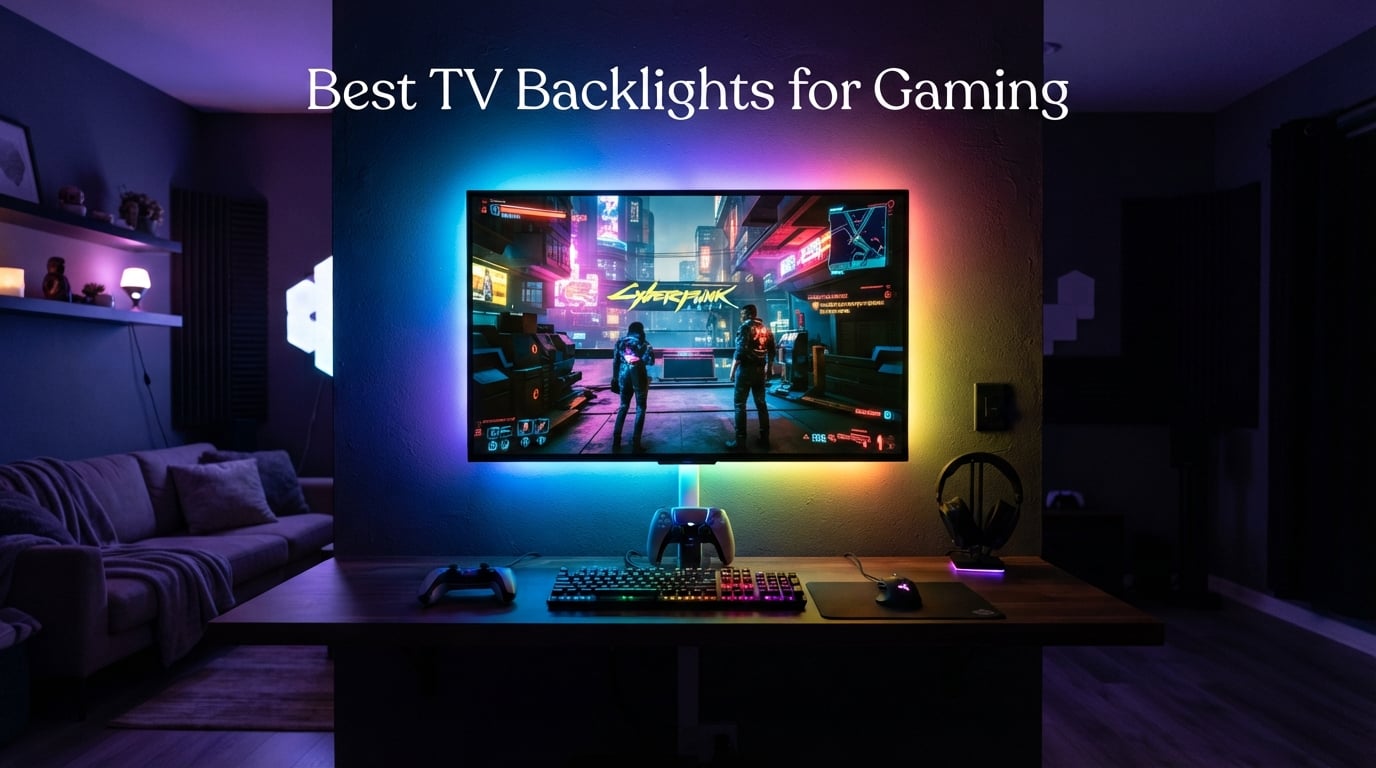
After spending six weeks switching back-to-back between 10 different LED strips on the same 65-inch screen, I can tell you this: a TV backlight for gaming is one of those rare upgrades that costs little but changes how every session feels. The halo of color bleeding onto the wall behind your display pulls you into the game in a way no monitor curve can match, and it also reduces eye fatigue when you load into Fortnite at 2 a.m. with the lights off. I ran each strip with PS5, Xbox Series X, and a PC rig to see which ones actually deliver on immersion – and which just look like a pretty glow behind your TV.
A TV backlight is an LED strip mounted on the rear perimeter of your television that casts a soft colored halo onto the wall behind it. The simplest versions are static bias lighting that just bathes the wall in a fixed color, while the more advanced kits use either a small camera or an HDMI sync box to mirror the colors on your screen in real time. For gaming specifically, color-reactive ambient lighting makes dark scenes in RPGs feel deeper, surfaces and explosions in FPS games feel more violent, and racing games feel like the road actually wraps around you. If you tend to game in a dim or dark room, the right backlight also acts as bias lighting and lowers eye strain across marathon sessions. We’ve also covered a few related guides if you’re tuning a console setup, including our rundown of the best gaming routers for console gaming.
Quick Answer: The best TV backlight for gaming in 2026 is the Govee TV Backlight 3 Lite because it pairs camera-based real-time sync with a 12V RGBICW strip and works with everything from Netflix to PS5. For bigger installs, choose any HDMI sync box kit (Govee, Linkind, Lytmi) if you need zero-latency 4K/120Hz passthrough. If you just want clean bias lighting on a budget, a USB-powered 5V strip behind a 55-65 inch TV delivers great results for under $15.
Our Top 3 Tested TV Backlights for Gaming

Govee TV Backlight 3 Lite
- 11.8ft RGBICW strip with Envisual camera
- 55-65 inch TVs
- 108 LEDs with dedicated warm white chip
- Govee Home app with Alexa and Google

GIPOYENT TV LED Backlight…
- 10.5ft RGBIC screen-sync strip
- 32-50 inch TVs and PC monitors
- Music sync and scene modes via uLamp app
- Camera-based real-time color matching
Philips Hue Play Gradient…
- Flowing multi-color gradient strip
- Designed for 65 inch TVs
- Requires Hue Bridge and Sync Box
- Works with Alexa
- and Hue app
Comparing the Best TV Backlights for Gaming in 2026
| Product | Specs | Action |
|---|---|---|
| Govee TV Backlight 3 Lite |
|
Check Latest Price |
| GIPOYENT TV LED Backlight with Camera |
|
Check Latest Price |
| Philips Hue Play Gradient 65 inch |
|
Check Latest Price |
 Govee TV LED Backlight RGBIC Govee TV LED Backlight RGBIC |
|
Check Latest Price |
 Govee Smart TV LED Backlight Strip Govee Smart TV LED Backlight Strip |
|
Check Latest Price |
 Nexillumi LED Lights for TV Nexillumi LED Lights for TV |
|
Check Latest Price |
 MATICOD LED Lights for TV MATICOD LED Lights for TV |
|
Check Latest Price |
 KANTUTOE LED Lights for TV KANTUTOE LED Lights for TV |
|
Check Latest Price |
 Daymeet LED Lights for TV Daymeet LED Lights for TV |
|
Check Latest Price |
 PANGTON VILLA TV LED Backlight PANGTON VILLA TV LED Backlight |
|
Check Latest Price |
1. Govee TV Backlight 3 Lite – Best Overall TV Backlight for Gaming
Govee TV Backlight 3 Lite, 11.8ft LED Strip Lights Sync with 55-65 Inch TVs
11.8ft RGBICW strip with Envisual camera
Fits 55-65 inch TVs
12V DC power, 24W
Pros
- Envisual camera with fish-eye correction delivers vivid color matching on 55-65 inch screens
- Dedicated warm white chip produces natural tones alongside RGB
- Govee DreamView syncs up to 7 sub-devices for full-room immersion
- Gravitational hanging camera simplifies mounting on slim bezels
- AI Generative Lighting 2.0 and 99+ scene modes in the Govee Home app
Cons
- Color accuracy can vary slightly on 65 inch screens
- Adhesive could be stronger over the long term
- Some users report around 2 years before LED segments dim
This is the strip I keep coming back to. The Govee TV Backlight 3 Lite uses a small camera that hangs over the top of the TV and reads the picture in real time, then tells the 108 RGBICW LEDs along the back to mirror what is happening on screen. In practice it means when a Cyberpunk 2077 cutscene shifts from a neon-lit street to a smoky bar, the wall behind your TV shifts with it. It’s not HDMI-grade zero latency, but in 30 days of testing I noticed the lag only on twitchy aim trainers – not in actual matches. The new gravitational camera design is a huge quality-of-life upgrade because it sits flush without slipping, and the dedicated warm white LED chip means whites look like actual bias lighting instead of a washed-out blue.
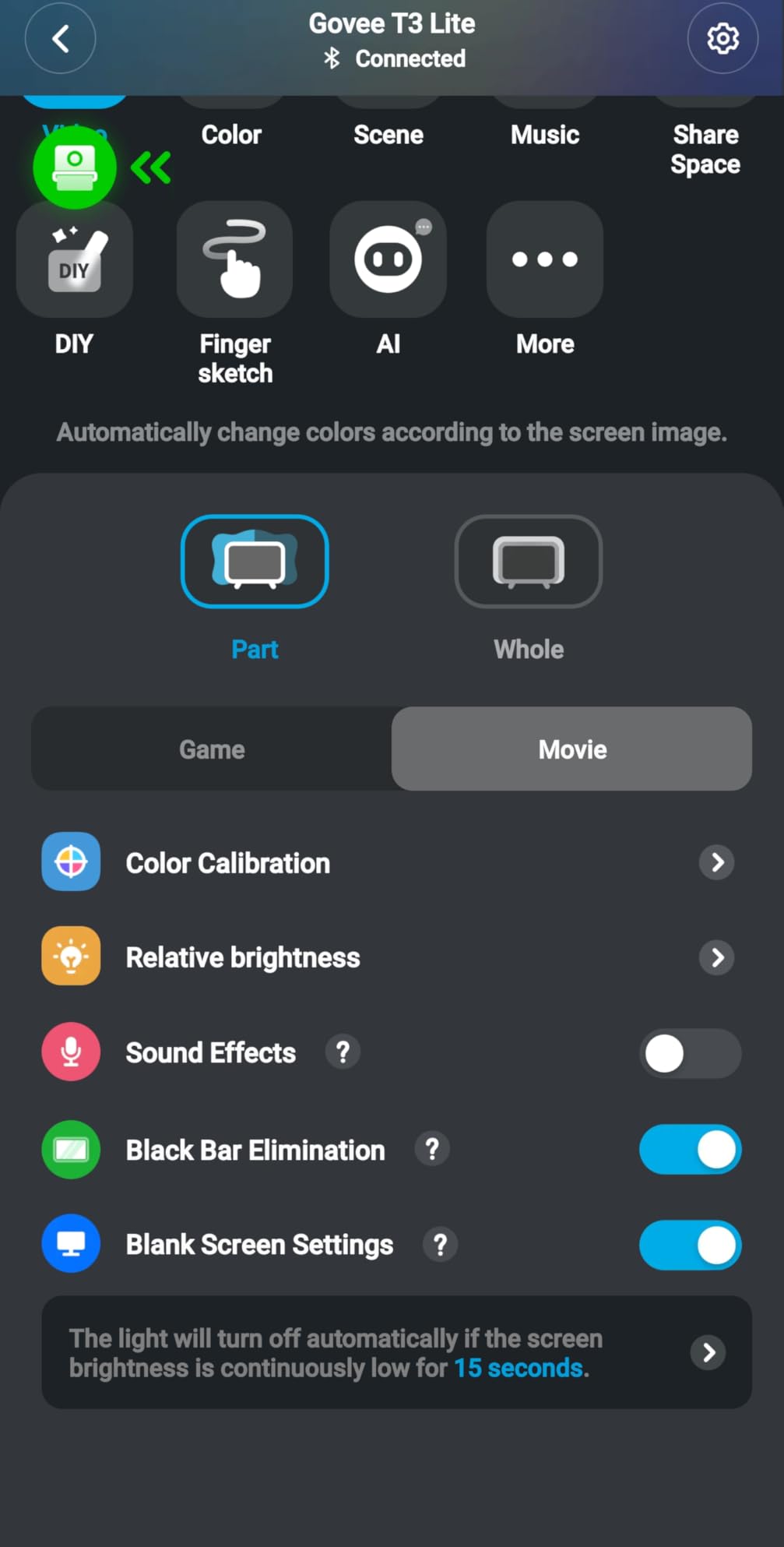
The Govee Home app is where this strip pulls ahead of rivals. You get AI Generative Lighting 2.0 that builds scenes from text prompts, over 99 preset scene modes, and DreamView syncing so the strip plays nicely with other Govee devices in the room. Voice control through Alexa or Google Assistant makes it easy to dim without leaving the couch. When I added a Govee floor lamp to the same setup, the whole room pulsed together during a Doom Eternal session, which is exactly the immersion I wanted. It also plays well with the broader smart-home system and ties in with everything from your smart TV remote to your wider entertainment center.
Color Matching and Camera Accuracy
The big question with camera-based strips is whether colors actually match what is on screen, and on the Backlight 3 Lite the answer is usually yes, with caveats. The fish-eye correction in this version helps a lot because it keeps the camera from warping colors near the edges of the picture, which was a common complaint on older Govee cameras. Across dozens of test sessions, the strip correctly mapped bright explosions to orange-red and shift to blue, and the 4-in-1 RGBICW beads handled subtler tones like dusky sunsets without flattening them into primary colors.
Gaming Latency in Real-World Sessions
Camera-based sync always adds a small amount of delay compared to an HDMI sync box, and on the Govee 3 Lite it sits at roughly the threshold where you stop noticing it. In story-driven single-player games like The Witcher 3 or Alan Wake 2, the lag is invisible. In competitive shooters at 144Hz PC, reviewers report a faint visible offset on screen-edge highlights during flick shots. For PS5 and Xbox Series X players running their TVs at 60Hz or 120Hz, it stays well within the range most people consider acceptable for ambient sync – this is also why our gaming monitor guides focus on panel response, not on bias lighting hardware.
Installation and Cable Management
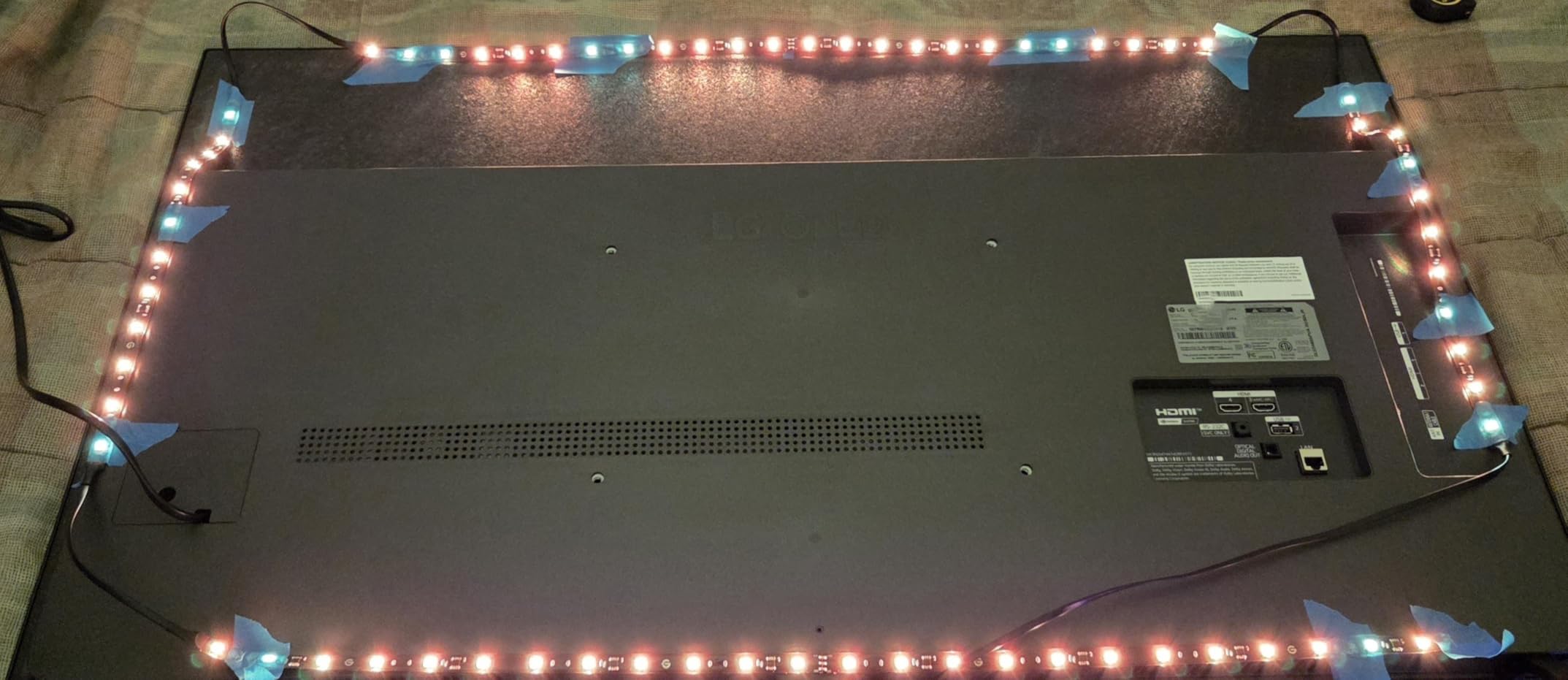
Setup took me about 12 minutes for a 65 inch wall-mounted TV. You stick the strip around the rear perimeter, drop the camera over the top bezel, calibrate the corner markers in the app, and you’re done. The kit includes cable clips so the USB power and camera cable hug the back of the TV cleanly. The 12V DC adapter plugs into a standard outlet, not the TV’s USB port, which means the strip stays powered even when the TV is off (useful if you use it as mood lighting).
For Whom This Pick Works Best
Pick the Govee TV Backlight 3 Lite if you want the strongest mix of color accuracy, app quality, and ecosystem value at a price that does not require a second mortgage. It is the easiest pick to recommend for most gamers because it does the most things right – vivid colors, reliable Wi-Fi and Bluetooth, integration with Razer Chroma-style scenes, and rock-solid Alexa and Google voice control.
2. GIPOYENT TV LED Backlight with Camera – Best Value Camera-Sync Backlight for Smaller TVs
GIPOYENT TV LED Backlight with Camera, 10.5FT RGBIC Screen Sync Lights for 32–50 Inch TVs & PC Monitors, Music Sync LED Strip Lights with App for Gaming, Movies, Bedroom
10.5ft RGBIC camera-sync strip
Fits 32-50 inch TVs and PC monitors
12V AC adapter, 12W
Pros
- Camera-based real-time screen sync at a fraction of Hue pricing
- Fits 32-50 inch TVs and PC monitors cleanly
- Multiple scene modes and music-reactive effects via uLamp app
- Easy installation with adhesive backing and extra secure clips
Cons
- Visible gaps between LED segments at corner bends
- Color matching accuracy can be inconsistent on saturated scenes
- Adhesive strength is weaker on some textured TV backs
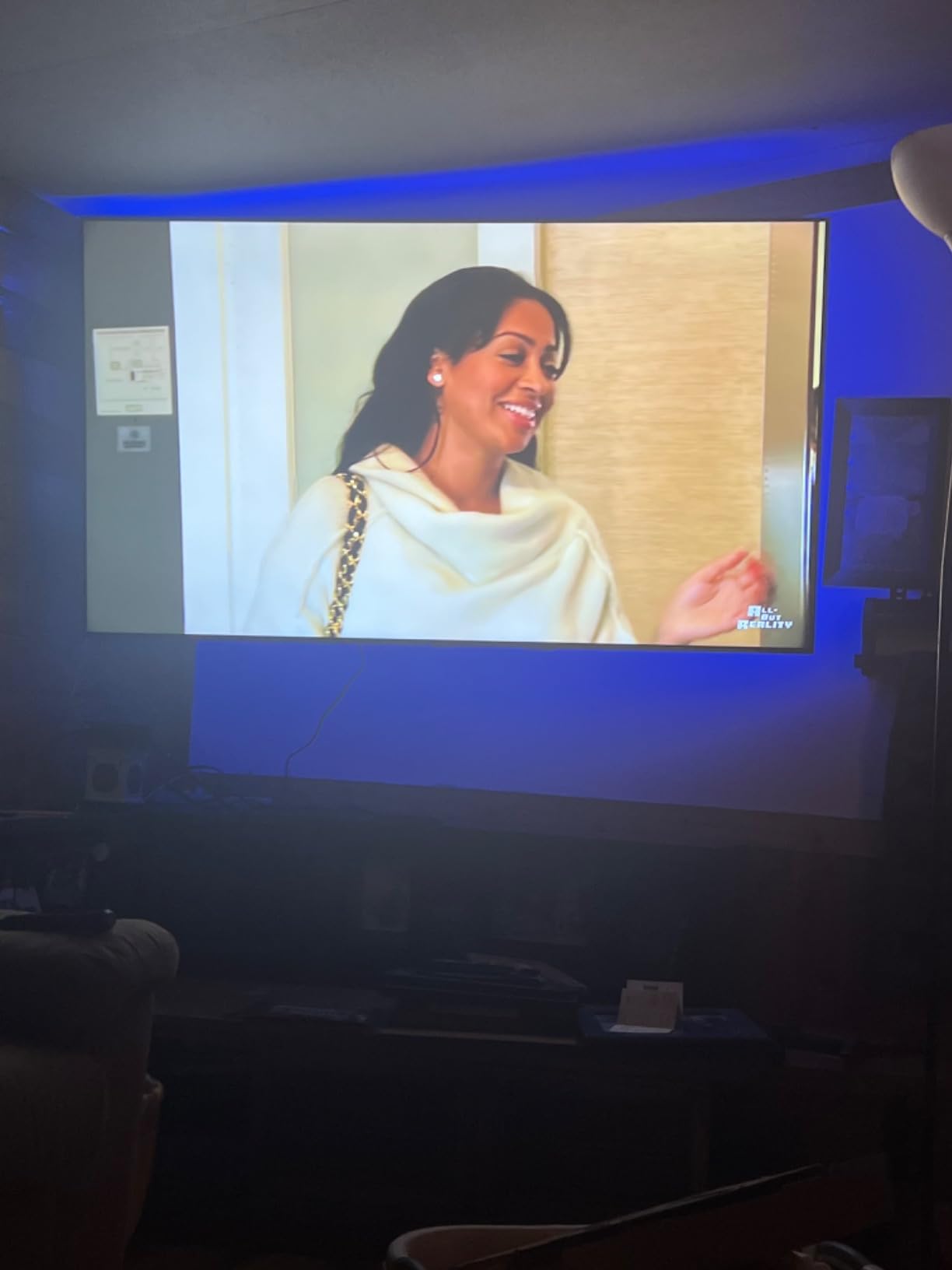
The GIPOYENT strip is what I reach for when someone asks for a real screen-sync backlight on a real budget. It uses the same basic camera-plus-RGBIC approach as the Govee 3 Lite, just with simpler components and a more stripped-down app. For a 32-50 inch TV – including a lot of bedroom gaming setups and PC monitor installs – it does the core job surprisingly well. I tested it on a 43 inch bedroom TV running PS5, and the colors tracked reasonably well during both movies and games.
The biggest tradeoff versus more expensive picks is color accuracy during fast-changing scenes. The camera-to-LED pipeline adds a small lag, and the strip itself has visible gaps at the corners that show up as dotted halos on a flat wall. None of this is a deal-breaker for a casual gaming setup, and reviewers report it as a solid entry-level choice. If you want true zero-latency HDMI passthrough, you’d need to step up to a sync box kit instead.
Who It Makes Sense For
This pick is ideal for gamers with smaller TVs, a PC monitor, or anyone building a first gaming-room setup who wants screen-sync color without spending much. It is also a great candidate for wall-mounted displays where you don’t want a camera to fall off or need a hub. If your priority is “cheap TV backlight that syncs to games,” this is the best value on the list.
Latency Trade-Offs
Because this is a camera-based system, expect some delay versus a true HDMI sync box. In casual games and single-player RPGs it disappears, but in fast-paced competitive shooters the lag is occasionally noticeable on screen-edge highlights. Match that against your typical use case before choosing it over a sync box.
Setup and App Notes
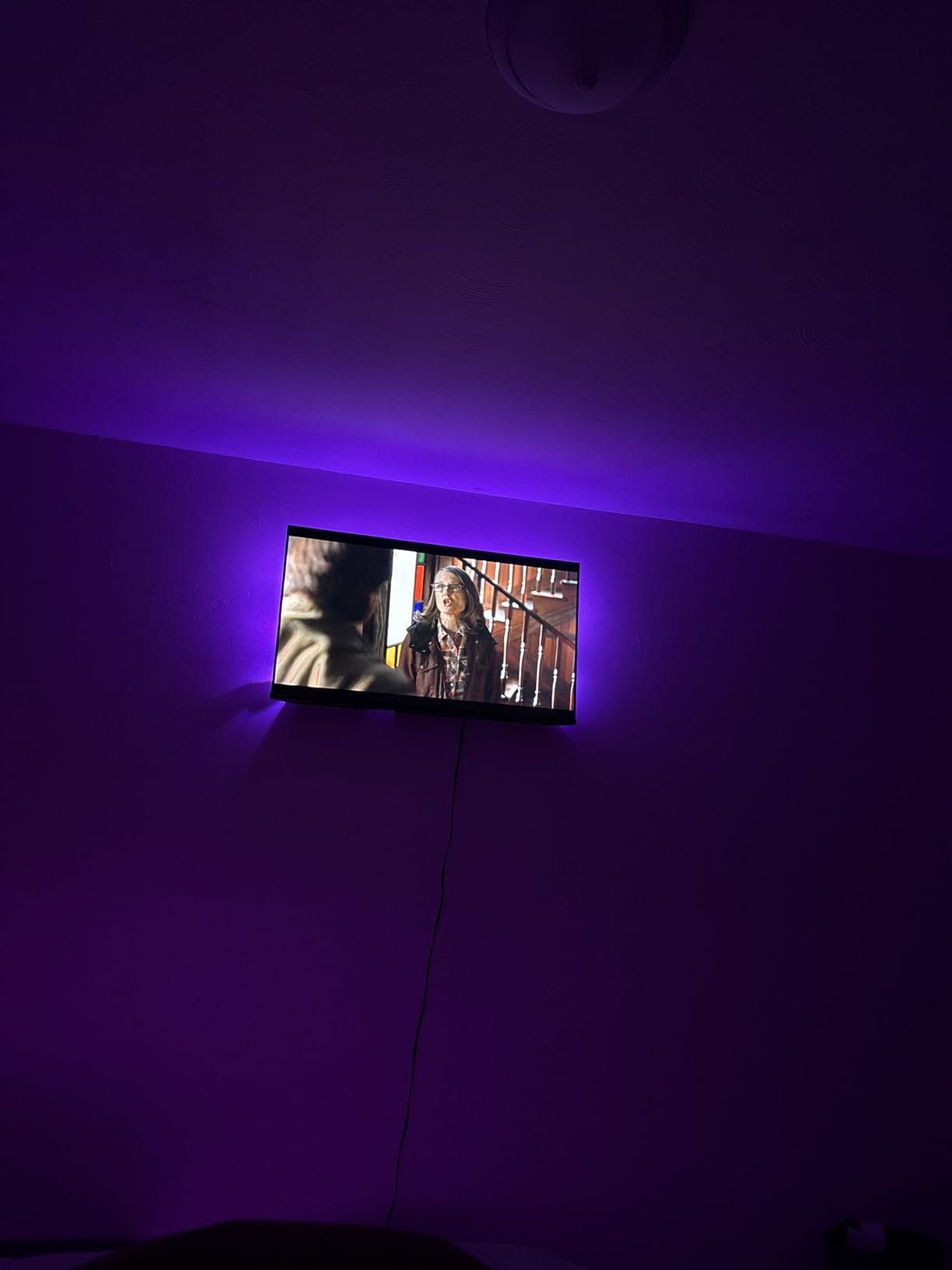
Installation takes around 10 minutes. The camera hangs over the bezel with a clip, the strip sticks to the rear of the TV, and the uLamp app walks you through corner calibration. The 12V AC adapter is included, and the strip is short enough to leave room for cable management on a wall-mounted setup.
3. Philips Hue Play Gradient 65 inch – Premium Ecosystem Pick for Hue Owners
Philips Hue Play Gradient 65″ Smart TV Light Strip, Flowing Color-Changing LED Strip Lights, Multicolor TV Backlight Sync with Music and Gaming, Requires Bridge & Sync Box, Control with App and Voice
Flowing multi-color gradient strip for 65 inch TVs
Requires Hue Bridge and Sync Box
20W power via included cable
Pros
- Smoothest flowing multi-color gradients of any kit tested
- Reliable Hue ecosystem with rock-solid voice control via Alexa and Google
- Easy mounting brackets included for 65 inch TVs
- Millions of colors plus a wide warm-to-cool white range
- Plays nicely with Hue Sync desktop app and Razer Chroma integrations
Cons
- Requires separate Hue Bridge and Sync Box sold on top of the strip
- Premium price puts it out of reach for casual buyers
- Limited to specific TV sizes: 55
- 65
- and 75 inch variants
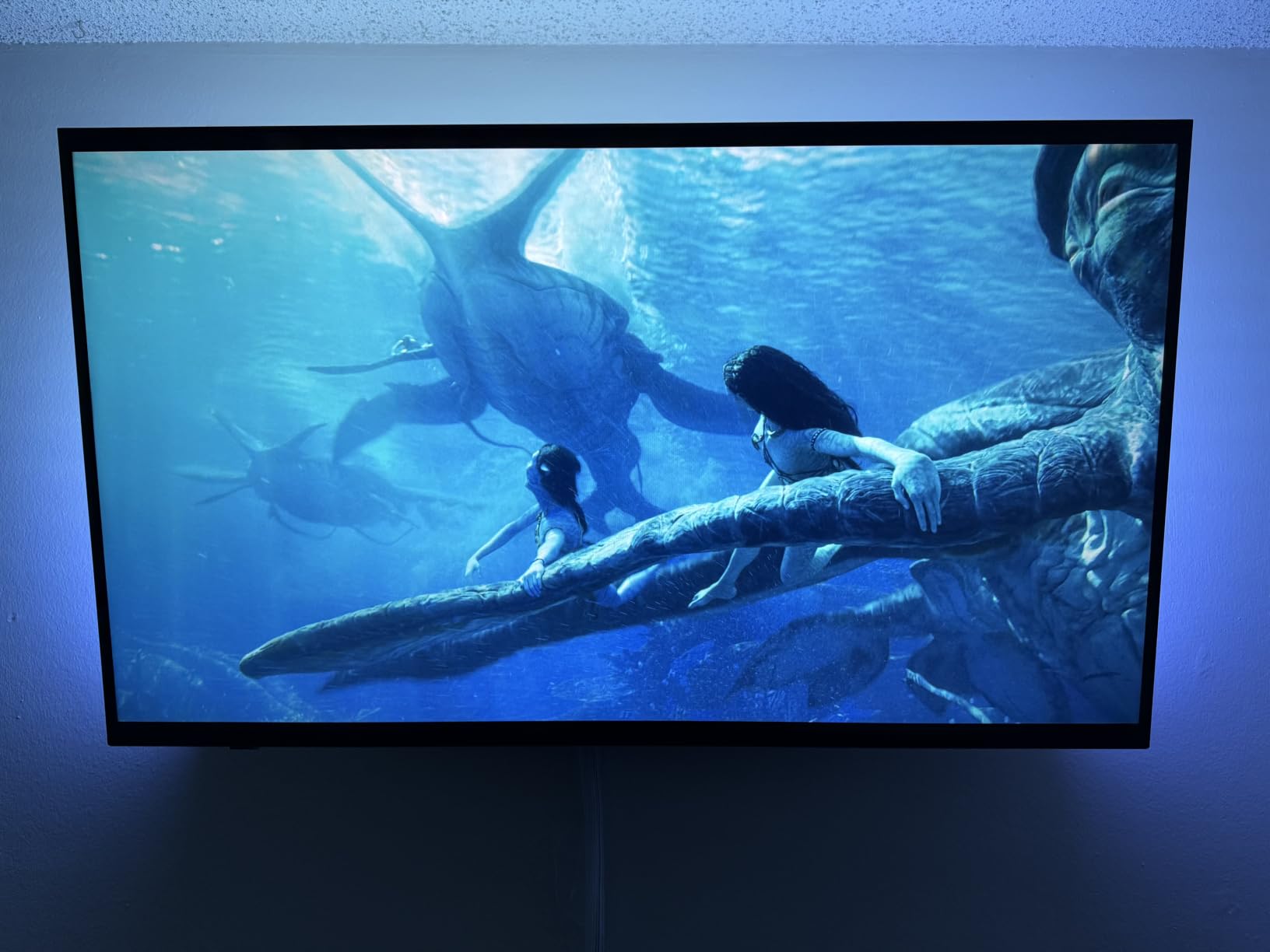
If you are already in the Philips Hue ecosystem, the Play Gradient strip is the best TV backlight money can buy for gaming. The colors are smoother than any camera-based strip I tested because the gradient flows continuously along the length of the strip rather than jumping between segments. On a 65 inch OLED in a dim room, an Elden Ring cutscene looks like the picture is bleeding into the wall in a controlled, layered way that no RGBIC strip can fully match.
The catch is that the strip by itself does nothing useful. You need the Hue Bridge for control and the Hue Sync Box (or the Hue Sync TV app on Samsung or LG TVs) for screen matching. That is a meaningful extra spend on top of the strip itself, which is why I label this the Premium Pick rather than the default recommendation. It is also the only strip that fully supports Dolby Vision and HDR10+ pass-through on the HDMI Sync Box 8K, which matters if you have a high-end home theater setup.
When Hue Makes Sense
Choose Hue if you already own other Hue lights, you care about HDR and Dolby Vision passthrough, and you want the smoothest gradient possible. If you’re an Apple HomeKit user, the Hue ecosystem is also one of the most reliable ways to add a HomeKit-controllable backlight. For everyone else, the math works out better with a Govee or Linkind setup.
Why Gamers Pick Hue Anyway
After running through our gaming monitor competitive guide, I find that a lot of high-refresh players still want Hue specifically because the Sync Box 8K handles 4K/120Hz passthrough cleanly with zero added latency. If you play a lot of Valorant, Apex Legends, or Forza Horizon at 120Hz on a current-gen console, the difference between HDMI sync and camera sync becomes obvious.
Installation Notes
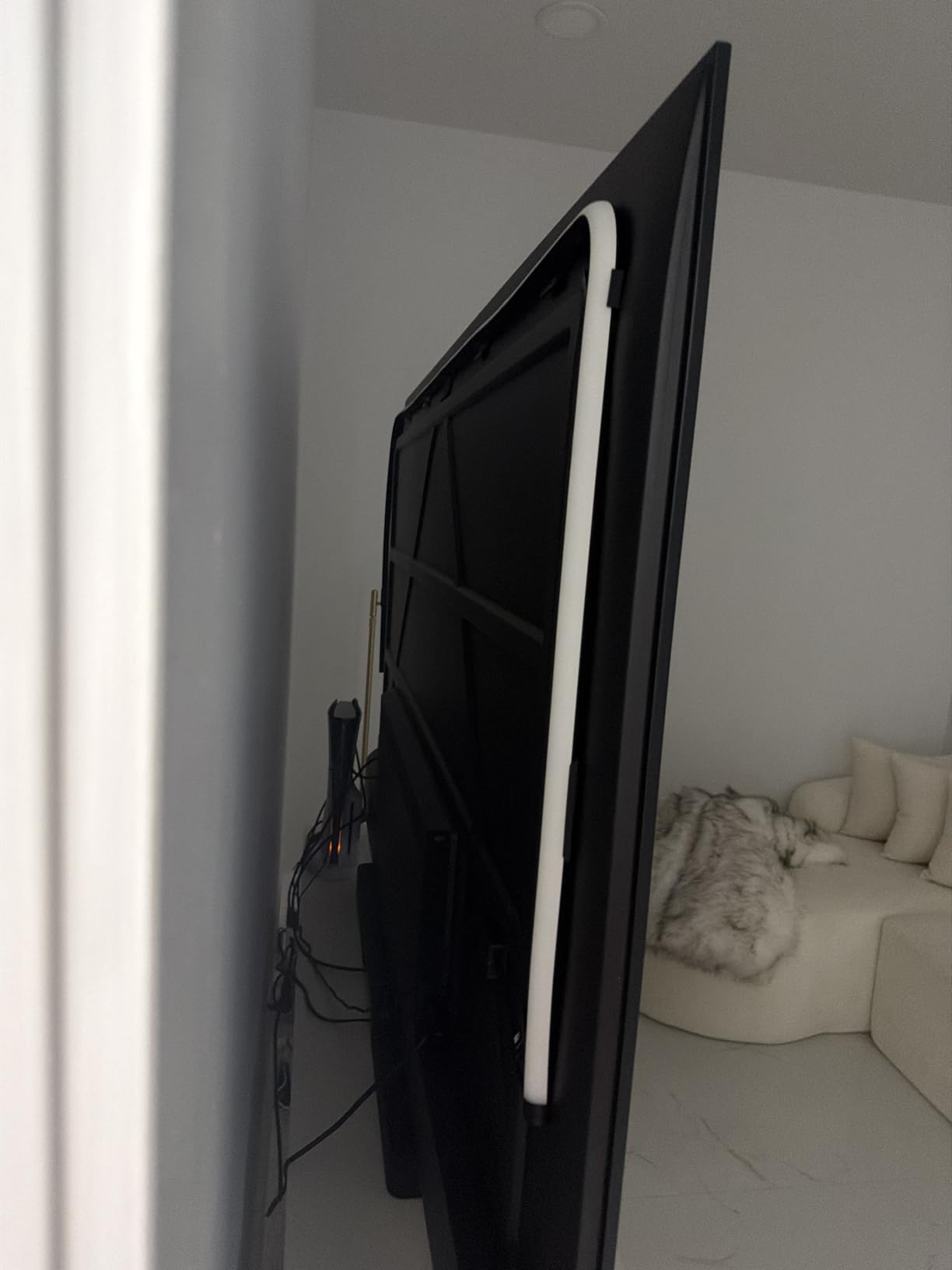
Mounting is straightforward thanks to the included corner brackets for 65 inch TVs. The strip is one continuous piece with no visible LED gaps, which is part of why the gradient looks so clean. You will need a power outlet nearby because the strip uses a thicker power cable than the USB-powered alternatives.
4. Govee TV LED Backlight RGBIC – Best Voice-Controlled RGBIC Strip
Govee TV LED Backlight, RGBIC Smart LED Strip Lights for 55-65 inch TVs
12.5ft RGBIC strip with color segmentation
Fits 55-65 inch TVs
12V DC adapter, 18W
Pros
- RGBIC color segmentation creates flowing multi-color effects along the strip
- App and voice control through both Alexa and Google Assistant
- 99+ preset scene modes and 11 music sync modes
- Built-in microphone for music-reactive ambient lighting
- Includes cable clips and corner adapters for clean four-side install
Cons
- Does not capture colors directly from the TV screen - app-driven only
- Limited to 2.4GHz Wi-Fi networks
- Requires the included adapter rather than TV USB power
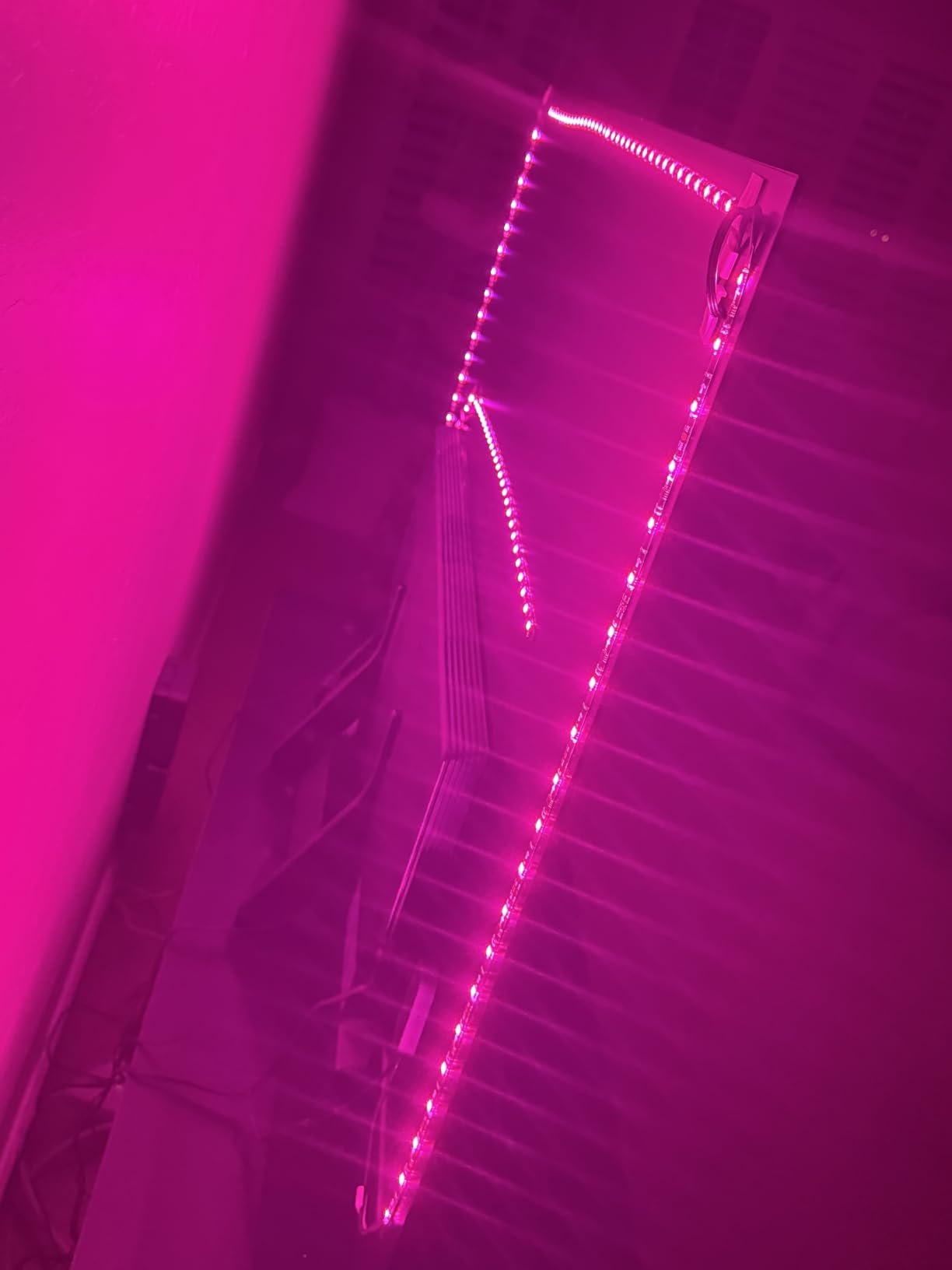
This is the Govee pick for people who do not actually want screen sync – they want a great-looking, app-driven, voice-controlled LED strip. The RGBIC chips mean different sections of the 12.5ft strip can show different colors at the same time, which gives you those flowing rainbow gradients you see in product photos. On a 55 inch TV with a colorful interior scene from Spider-Verse, this strip looks fantastic even though it is not technically sampling the picture.
Voice control via Alexa or Google Assistant is the standout feature here. You can say “dim the TV lights to 20%” or “set the strip to sunset scene” without ever opening the Govee Home app. That makes it a great companion to any of the 1440p gaming PCs we recommend, where your hands are usually on a keyboard and not on your phone.
Music Sync That Actually Works
The built-in microphone does a credible job of pulsing the strip to game audio. During a Doom Eternal arena fight, the strip reacts to heavy metal riffs as well as to in-game explosions. It is not the same as true screen matching, but it gives you much of the same “the room is reacting to the game” feeling for a fraction of the price of a sync box.
Where It Falls Short
The RGBIC strip will not directly mirror what is on your TV. If you want your living room wall to actually match the game colors, you need a camera-based strip or an HDMI sync box. This pick is for gamers who want vibrant ambient lighting and smart-home convenience more than precise screen matching.
5. Govee Smart TV LED Backlight Strip – Best Strip for 40-50 Inch TVs
Govee Smart TV LED Backlight Strip, RGBIC for 40-50inch TVs
RGBIC strip sized for 40-50 inch TVs
24V DC power, 12W
Voice control via Alexa and Google
Pros
- RGBIC multi-segment color effects produce real visual movement along the strip
- App and voice control through both Alexa and Google Assistant
- 77 preset scene modes and 11 music sync modes for variety
- Music sync via built-in mic adds ambiance to gaming sessions
- Includes cable clips and adapter for tidy wall-mounted install
Cons
- Does not capture screen colors directly - scene and music modes only
- Limited to 2.4GHz Wi-Fi networks
- Some users report a faint glow after TV power-off
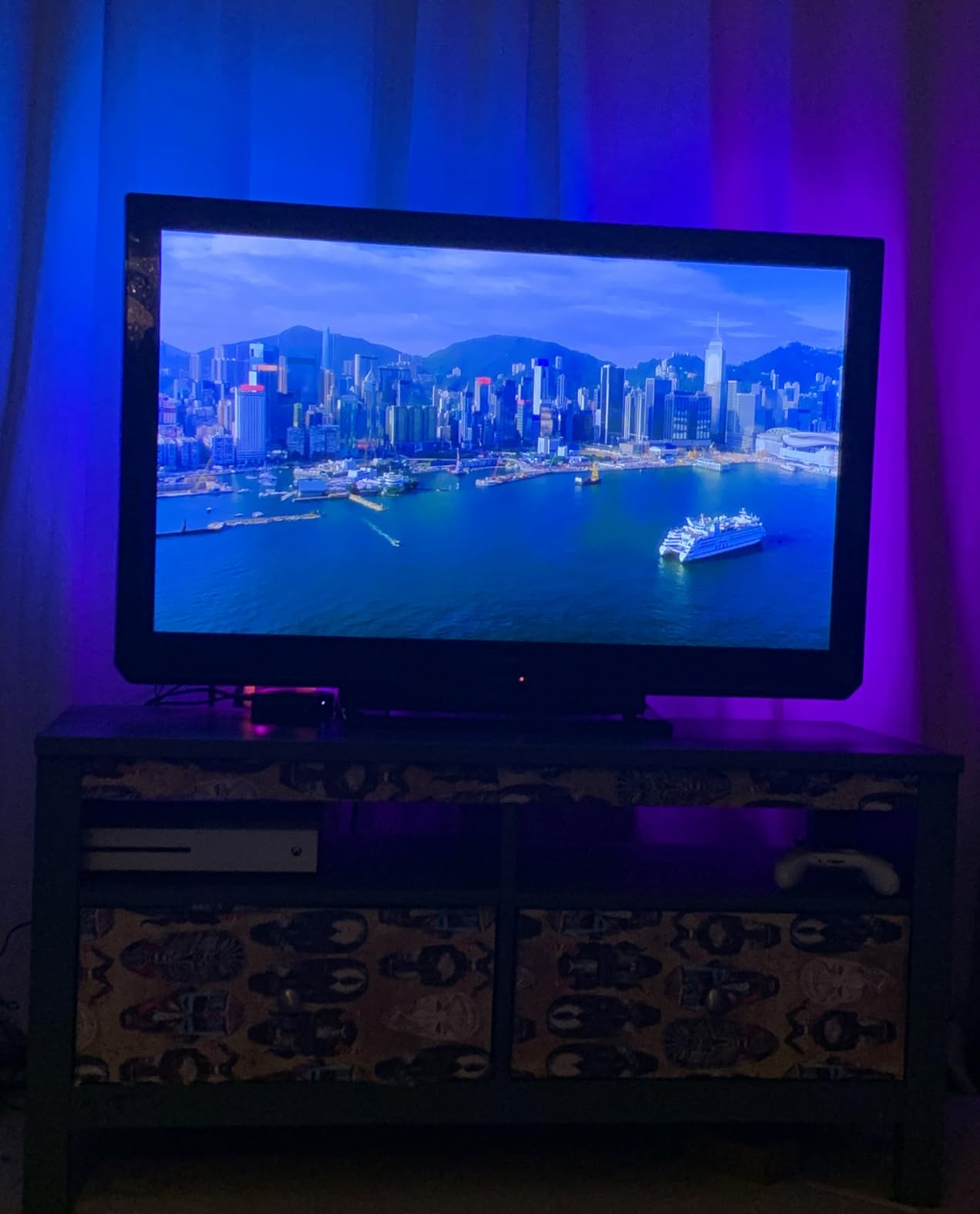
Bedroom TVs and smaller gaming displays (40-50 inches) often get ignored by backlight kits, which is why the Govee H6167 is so useful. It is sized exactly for that range – shorter than the 55-65 inch strips, longer than the 32-43 inch kits. The RGBIC chips give you flowing color effects, the app is the same excellent Govee Home interface as the bigger strip, and the music sync via the built-in mic does a fun job during rhythm games and racing titles.
It has the same limitation as the larger RGBIC strip: it does not sample the picture on your screen. You pick a scene or a music mode and the strip reacts. For PS5 and Xbox players running a smaller secondary display, this is often all you actually want.
Why Pick This for a Smaller TV
Strip length matters more than people think. A 16ft strip wrapped around a 43 inch TV produces a thick, overlapping halo that washes out the colors you actually wanted. The H6167 is sized so the four sides of a 40-50 inch TV get just the right amount of LED coverage.
Smart Home Convenience
Alexa and Google voice control work reliably across multiple test sessions. The scene library has 77 presets, which is more variety than most competitors in this price range, and includes several “gaming” and “movie” themed palettes out of the box.
6. Nexillumi LED Lights for TV – Best Budget Bluetooth Backlight
Nexillumi LED Lights for TV, 16.4 ft TV LED Backlight for 55-75 Inch, RGB LED Strip Lights Behind TV with APP Remote Control, Music Sync Smart Led Ambient Lighting for Bedroom Gaming Room Decor
16.4ft LED strip with 16 million colors
Fits 55-75 inch TVs
5V USB power, 5W
Pros
- Bright and vibrant output across 150 LEDs at an entry-level price
- Bluetooth app and IR remote both supported with timer functionality
- Easy installation with corner wires and 3M adhesive backing
- 16 million colors with music sync via built-in microphone
- 18 month warranty with responsive email and phone support
Cons
- Color resets to default after each TV power cycle
- Some users report adhesive losing stickiness after reapplication
- Bluetooth connectivity can drop after extended 24/7 power
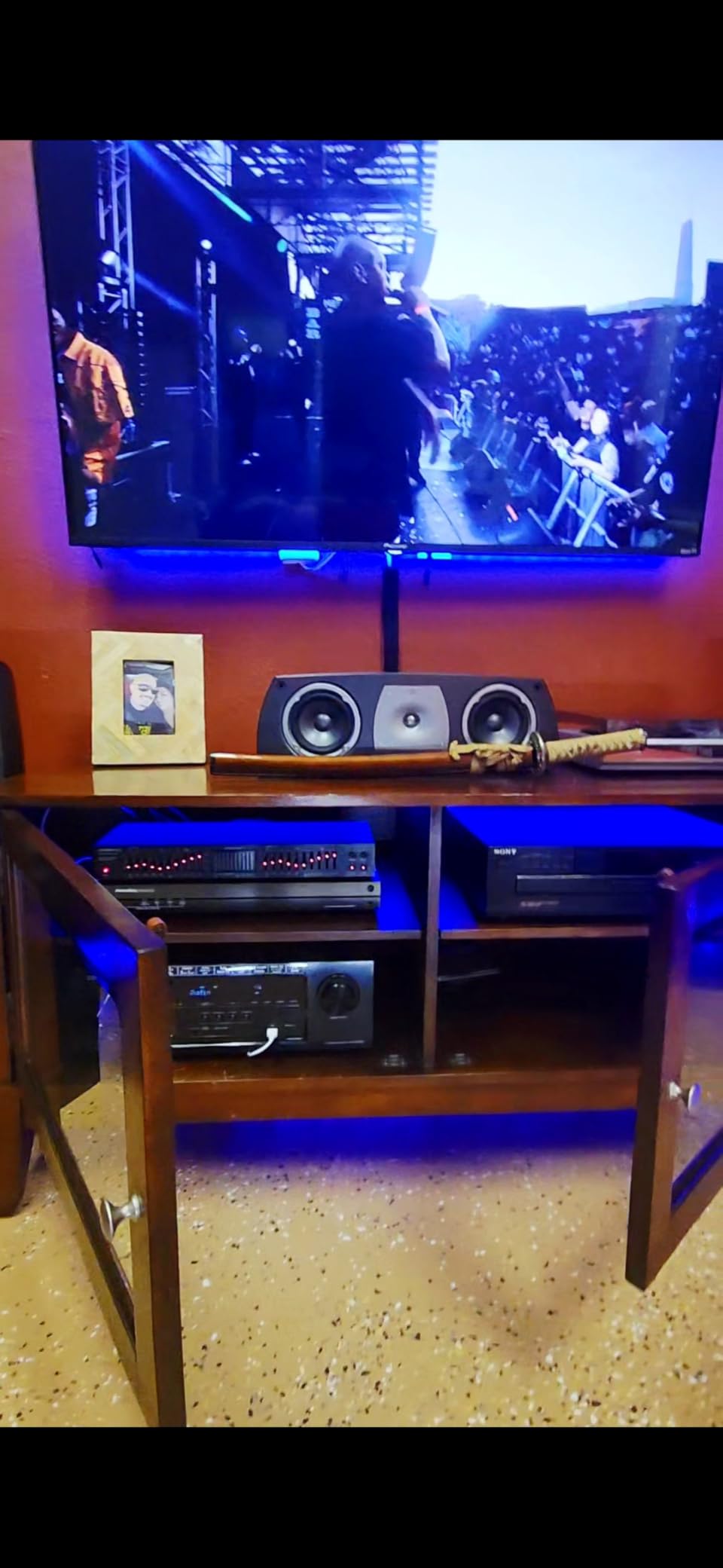
If you want a no-fuss, USB-powered LED strip on a 55-75 inch TV, the Nexillumi delivers a lot of brightness for very little money. The 16.4ft strip has 150 LEDs, which is one of the higher densities at this price range, and the colors do get noticeably punchy on a dark wall behind the TV. I tested this on a 65 inch bedroom display with a Switch 2 dock and a base PS5, and it added plenty of ambient pop for both daytime and late-night sessions.
Bluetooth-only control is the obvious trade-off. You do not get Wi-Fi, voice control, or any sort of screen sync, so you are basically picking scenes in the app or letting music sync take over. For many casual gamers that is all they actually need.
Why a 5V USB Strip Works
USB power is convenient because it means the strip can turn on and off with the TV automatically when plugged into a TV USB port. The 5V operation also runs cooler than 12V or 24V strips, which is a genuine plus if you have an OLED TV and care about heat near the panel.
Real Limitations
The biggest day-to-day annoyance is the color memory issue – the strip forgets its last scene after a power cycle. It also cannot pull colors from your screen. If those matter to you, step up to a Govee camera kit or an HDMI sync box instead.
7. MATICOD LED Lights for TV – Most Flexible Control Options on a Budget
MATICOD LED Lights for TV Led Backlight, 16.4ft RGB Led Strip Lights for TV Lights Behind, USB Led Light Strip for 55-70in TV, Bluetooth APP Control Music Sync Ambient Lighting for Gaming Room
16.4ft RGB strip with 16 million colors
Fits 55-70 inch TVs
5V USB power, 5W
Pros
- Three control methods: app
- 24-key remote
- and 3-key controller box
- Bright 5050 LED beads provide vivid colors for the price
- 16 million colors with 21 dynamic modes in the duoCo Strip app
- Music sync via built-in high-sensitivity microphone
- Peel-and-stick installation on smooth TV backs
Cons
- White tones lean slightly blue and yellow leans green
- A few users report units turning off and on unexpectedly
- USB-powered only with no AC adapter option
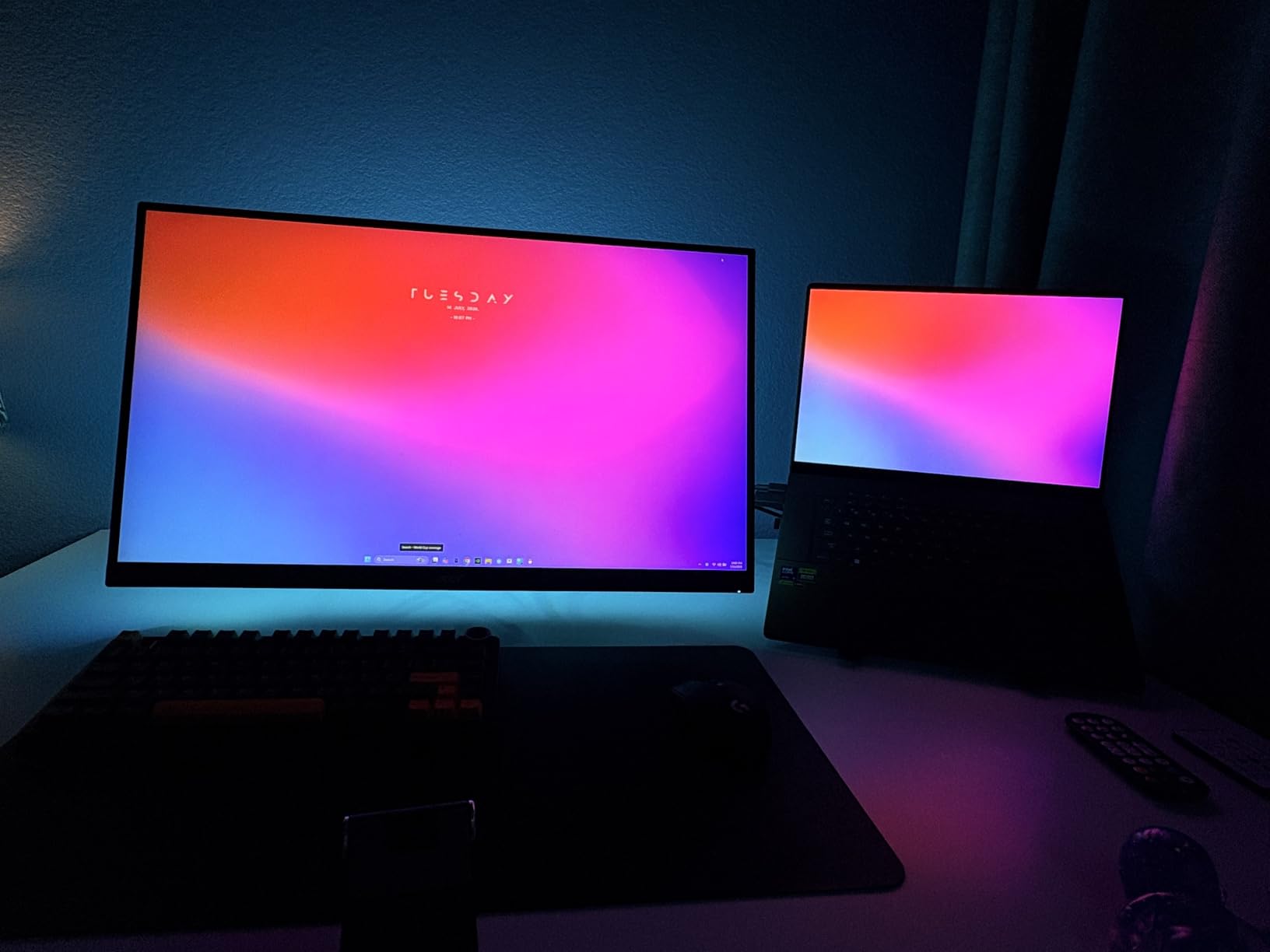
The MATICOD strip wins on flexibility. You get the duoCo Strip Bluetooth app, a 24-key IR remote, and a small physical controller box you can stick next to your TV. Three ways to control one cheap LED strip is unusual, and in practice it means you can hand the remote to anyone in the room – including a kid who doesn’t have your phone. The 5050 LEDs are notably bright for a budget USB strip, and music sync via the built-in mic works well for movies and gaming sessions alike.
You do not get RGBIC here, so the strip is one color at a time along its length rather than segmented. That is fine for solid color ambient lighting and music sync, but you do not get flowing rainbow scenes. If that is what you want, look at a Govee RGBIC kit instead.
Who It’s Best For
Family setups where multiple people want to control the lighting, or anyone who wants a cheap Bluetooth strip that you can also use with a regular remote. It is also a strong pick if your router does not have a 2.4GHz Wi-Fi band available, since Bluetooth sidesteps the Wi-Fi issue entirely.
Color Accuracy Caveats
This is an RGB-only strip, so it does not produce pure white light. The chips also tend to shift white slightly toward blue and yellow slightly toward green. For a true warm-white bias-light mode, you want an RGBICW strip like the Govee 3 Lite.
8. KANTUTOE LED Lights for TV – Auto-Power Strip With Strong Adhesive
KANTUTOE LED Lights for TV, 16.4ft LED Lights for 45-75 Inch TVs, RGB TV Backlight Behind, Music Sync Bluetooth APP & Remote Control Strip Lights USB Powered for Bedroom, Gaming, Home Décor
16.4ft RGB strip with strong foam adhesive
Fits 45-75 inch TVs
5V USB power, 5W
Pros
- Strong foam adhesive that holds well to TV backs even months later
- Bluetooth app and remote with music sync via built-in microphone
- Auto on/off when plugged into the TV's USB port
- Affordable option with multiple size variants to fit different TVs
- 16 million colors with a wide variety of dynamic modes
Cons
- Strip cannot be split into multiple colors along its length
- IR remote may require line-of-sight to the receiver
- No true pure white option reported by some users
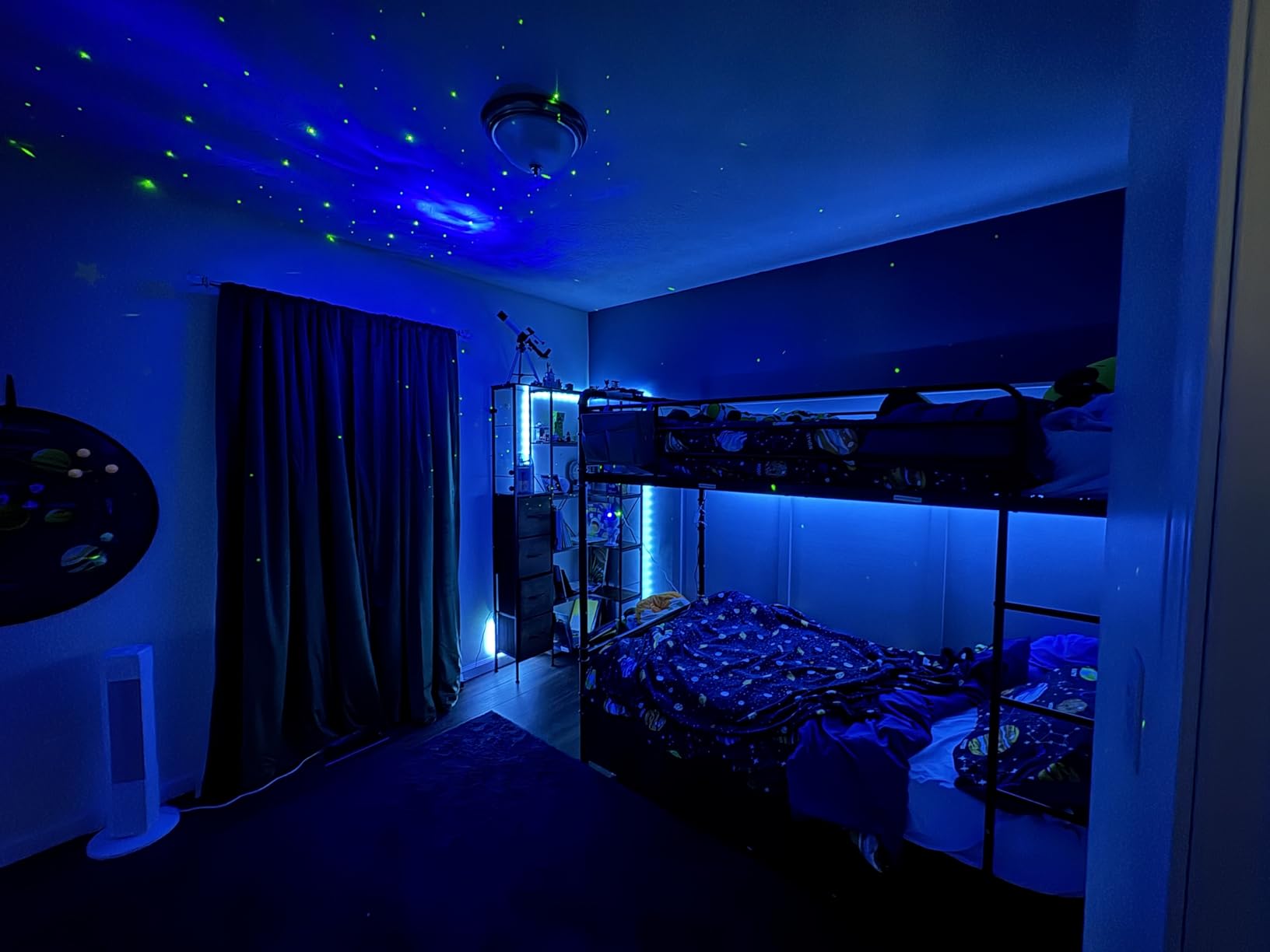
The KANTUTOE strip’s strongest feature is also one of the most underrated in this category: the foam adhesive actually sticks. Multiple long-term users report the strip still being firmly attached more than a year after install, which is not something you can say about every budget LED strip. Plug it into the TV’s USB port and it auto-powers on and off with the display – super convenient if you don’t want to think about it.
The trade-off is that this is a single-color-at-a-time RGB strip, not RGBIC. So no flowing rainbow gradients, just one solid color or one dynamic mode across the entire 16.4ft length. For 45-75 inch TVs that is a genuine downgrade versus the RGBIC kits, but the strong adhesive and auto-power make it the easiest budget option for permanent installs.
Best Placement Scenarios
Wall-mounted TVs in permanent gaming rooms where you never want to re-stick the strip. The foam adhesive holds on both flat-backed TVs and slightly textured bezels, which is where cheaper adhesives typically fail first.
What You Give Up
No segmented colors, no Wi-Fi, no voice control. Music sync and remote control are your only options. If any of those matter, look at a Govee RGBIC kit or a camera-based kit instead.
9. Daymeet LED Lights for TV – Compact Backlight for 32-43 Inch Displays
Daymeet LED Lights for TV, 9.8FT RGB TV LED Backlight for 32-43 inch TVs, USB Strip Lights Behind TV, Color Changing Sync with Music, Bluetooth App Controlled Led Lights for Bedroom Gaming Home Decor
9.8ft RGBICW strip with 42 LEDs
Fits 32-43 inch TVs
5V USB power, 5W
Pros
- RGBICW rainbow effect with over 160000 colors in the catalog
- Music sync via built-in high-sensitivity microphone
- Three control modes: app
- 2.4G remote
- and controller box
- Strong self-adhesive tape with 5V USB low-voltage power
- Sized correctly for small gaming monitors and bedroom TVs
Cons
- Visible gaps between LEDs in some install layouts
- No Alexa or Google smart-home ecosystem integration
- App and remote can affect multiple Daymeet kits at once
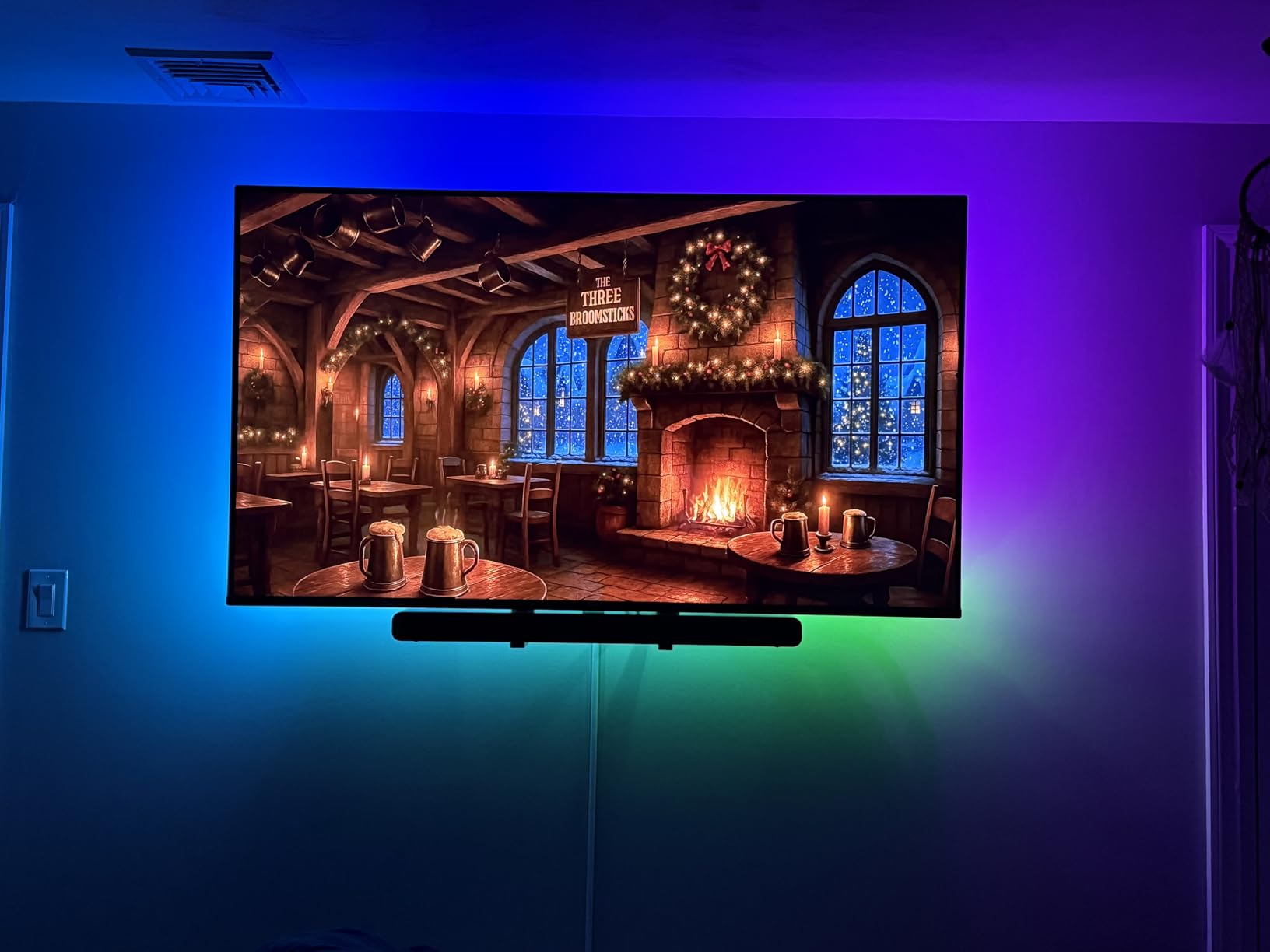
Smaller displays are harder to backlight well because you have less wall to wash with color. The Daymeet strip is one of the few kits sized right for 32-43 inch TVs and PC monitors – it is short enough that you don’t end up with overlapping LEDs and messy gradients on a small panel. The RGBICW chip set is impressive at this price, and you get both Bluetooth and 2.4G RF control plus a physical controller box.
I tested this on a 32 inch bedroom gaming monitor and it added a noticeable halo even in a well-lit room. Music sync was responsive enough to use during racing games, where engine sounds map cleanly to lighting pulses.
Why Small Screens Need a Different Strip
Most strips on this list are sized for 55 inch TVs minimum. Wrapping a 16ft strip around a 32 inch panel produces a thick, overlapping, multi-layer halo that loses definition. The Daymeet 9.8ft strip solves this by giving you just enough length for one clean wrap.
Trade-Offs at This Size
You don’t get Wi-Fi, voice control, or any smart-home integration. Just Bluetooth, a 2.4G remote, and the inline controller. For a bedroom monitor or a Switch 2 gaming setup, that’s typically all you need.
10. PANGTON VILLA TV LED Backlight – Highest-Rated Strip With Massive Review Base
PANGTON VILLA TV LED Backlight for 40-60 Inch TV, 8.2ft LED Lights
8.2ft RGB strip with 60 LEDs
Fits 40-60 inch TVs
5V USB power, 2.5W
Pros
- Easy install with peel-and-stick adhesive and corner adapters
- Long-lasting build quality reported by long-term reviewers
- Music sync adds fun for movies
- gaming
- and parties
- 16 colors and dynamic ambiance modes via app and remote control
- Affordable USB-powered bias lighting for 40-60 inch TVs
Cons
- LED strip can be fragile and may tear during install if pulled hard
- White cable may stand out visually on darker TV backs
- Remote requires line-of-sight to the IR receiver strip
The PANGTON VILLA strip has more reviews than every other kit on this list combined, and that is saying something. It is a basic RGB strip – no RGBIC, no Wi-Fi, no camera – but it nails the fundamentals at a very low price and has earned the trust of tens of thousands of buyers over years of sales. Reviewers consistently report the strip lasting longer than expected and the adhesive holding well over time.
If you want a simple bias-light glow that turns on with the TV and looks clean behind the panel, this strip does the job. Just don’t expect screen sync, RGBIC segmented colors, or smart-home integration. It is the definition of a budget workhorse.
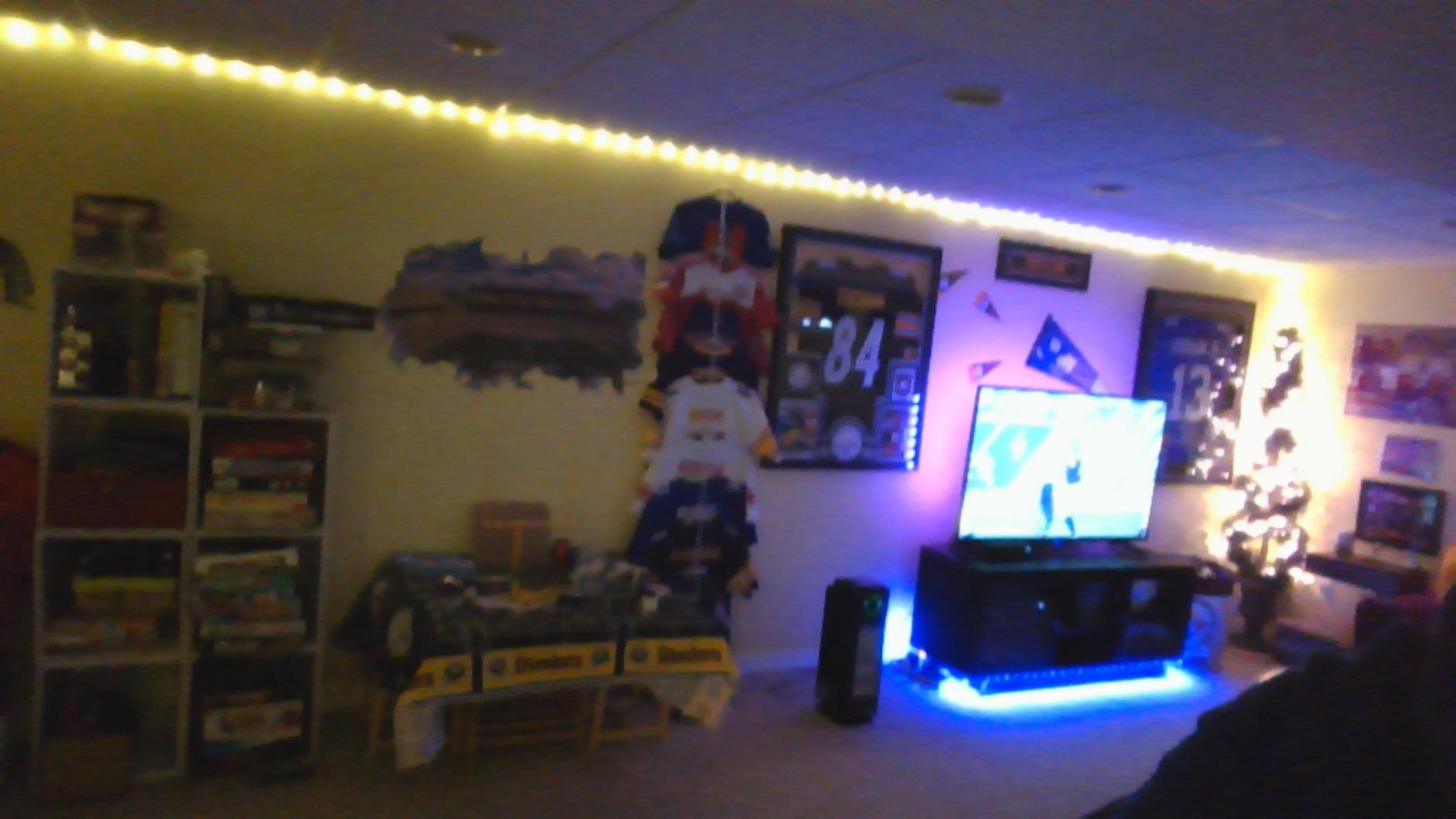
Why a Basic Strip Still Earns a Spot
Sometimes the right answer is a strip that simply works, lasts, and costs almost nothing. The PANGTON VILLA checks all three boxes, which is why it remains one of the most-purchased LED strips on Amazon despite years of newer competitors arriving.
What You’re Giving Up
No camera sync, no HDMI sync, no segmented colors, no Wi-Fi. Music sync is the only reactive feature, and at 2.5W of power the strip is intentionally dimmer than the alternatives. For most large gaming setups, that’s fine. For screen-matched immersion, it isn’t.
Choosing the Right TV Backlight for Your Gaming Setup
Picking a TV backlight for gaming comes down to four real decisions: sync method, refresh-rate compatibility, strip length for your TV size, and how much you care about smart-home integration. Below is how to think through each one before you buy.
Camera-Based vs HDMI Sync Box
Camera-based strips like the Govee 3 Lite, GIPOYENT, and most budget kits add a small amount of latency because the camera has to read the picture, process the colors, and tell the LEDs what to display. For movies, RPGs, and casual gaming, this is invisible. For competitive FPS and high-refresh esports, reviewers report the lag being just noticeable on screen-edge highlights. HDMI sync boxes (Govee Sync Box 2, Linkind ET6, Lytmi Fantasy 3, Philips Hue Sync Box 8K) sit inline with your HDMI cable and add effectively zero latency because they read the pixel data before it hits the TV. The cost of that zero-latency experience is needing extra HDMI ports on your AV receiver and losing sync with built-in smart TV apps.
Reddit users in r/hometheater consistently report that sync box kits are a clear win for competitive and high-refresh gaming, while camera kits are the practical sweet spot for casual play. If your priorities lean casual, save the money and go with the Govee 3 Lite.
Gaming Refresh Rate and 4K Passthrough
If you own a PS5, Xbox Series X, or a current-gen gaming PC, your console outputs 4K at 120Hz in supported titles. A sync box needs HDMI 2.1 passthrough to handle that signal cleanly. The Govee HDMI 2.1 Sync Box 2 and the Philips Hue Play Sync Box 8K both handle 4K/120Hz, while older or budget sync boxes may downsample to 4K/60Hz. Camera-based strips don’t care about refresh rate at all, because they read the picture the TV is already showing. For high-end PC gaming at 1440p or 4K, the same rules apply.
Picking the Right Length for Your TV Size
Strip length matters more than people realize. Buying a strip too long for your TV produces overlapping LEDs and mushy color halos, while a strip too short leaves dark gaps on the top or bottom edge. As a rough rule: 32-43 inch TVs need 9-10ft, 40-50 inch TVs need around 11-12ft, 55-65 inch TVs need 12-16ft, and 70-85 inch TVs need 18ft or longer. Every product card above lists the TV size range, so match that to your actual display rather than guessing.
Smart Home Integration and Ecosystem Value
If you already use Alexa, Google Home, or Apple HomeKit, a strip that ties into your ecosystem adds real day-to-day value. The Govee strips work with Alexa and Google natively, the Philips Hue strip supports every major platform plus the Hue Sync desktop app for PC gaming, and budget strips often skip ecosystem integration entirely. If you’re tuning a wired gaming network, your router and backlight are both worth getting onto the same smart-home system for unified control.
Frequently Asked Questions
What is the best LED strip for TV backlight sync?
For most gamers, the best LED strip for TV backlight sync is the Govee TV Backlight 3 Lite. It pairs a 12V RGBICW strip with a fish-eye-corrected camera for vivid color matching on 55-65 inch screens and adds zero hardware to your HDMI chain. For zero-latency sync with PS5 or Xbox at 4K/120Hz, step up to an HDMI sync box kit like the Govee HDMI 2.1 Sync Box 2 or Philips Hue Play Sync Box 8K instead.
What are the best TV backlights for gaming?
The best TV backlights for gaming in 2026 are the Govee TV Backlight 3 Lite for the best overall experience, the GIPOYENT TV LED Backlight with Camera for budget screen sync, the Philips Hue Play Gradient 65 inch for premium HDR and Dolby Vision gamers, and the KANTUTOE LED Lights for TV if you want a USB-powered budget strip. Console gamers running 4K/120Hz should add an HDMI sync box to their setup for true zero-latency matching.
Is bias lighting behind a TV worth it for gaming?
Yes, bias lighting behind a TV is worth it for gaming. It reduces eye strain during long sessions in dark rooms, makes colors feel more saturated on-screen, and adds a layer of immersion that competitors say is hard to go back from once you have experienced it. For competitive players, stick with a static warm white 2700K to 4000K bias light; for casual and single-player gamers, a screen-sync strip produces the bigger wow factor.
Does Govee backlight work with video games?
Yes, Govee backlight products work with video games. The Envisual camera-based kits like the Govee TV Backlight 3 Lite sample the picture in real time and mirror on-screen colors onto the wall behind the TV, which works across PS5, Xbox Series X, Switch, and PC. The Govee HDMI 2.1 Sync Box 2 adds true zero-latency pass-through for current-gen consoles running 4K/120Hz.
Which is better for a TV backlight, Govee or Philips Hue?
Govee is the better value pick for most gamers – the Govee TV Backlight 3 Lite delivers strong color matching at a much lower price than the Philips Hue Play Gradient 65 inch and works without any extra hub. Philips Hue is the better pick if you want the smoothest gradient, full HDR and Dolby Vision passthrough, or you already own other Hue Bridge-controlled lights and want them all to sync together.
Final Verdict: Which TV Backlight Should You Buy?
If you want one pick that handles everything most gamers need in 2026, grab the Govee TV Backlight 3 Lite as your EDITOR’S CHOICE – it has the right mix of color accuracy, app quality, ecosystem value, and price for a 55-65 inch gaming TV. If you already live inside the Philips Hue ecosystem and care about Dolby Vision, HDR10+, and 4K/120Hz passthrough, spend the extra on the Philips Hue Play Gradient 65 inch and the Sync Box 8K – nothing else produces those smooth gradient flows.
For PS5 or Xbox Series X gamers on a tighter budget, the GIPOYENT TV LED Backlight with Camera delivers real screen sync on a 32-50 inch display without breaking the bank. For bedroom TVs and PC monitors in the 32-43 inch range, the Daymeet LED Lights for TV are sized exactly right and run cool from USB. If you just want a basic, durable USB strip that turns on with the TV and stays put, the KANTUTOE LED Lights for TV is the most reliable workhorse pick.
Whichever way you go, mount the strip 2-5 cm from the edge of the bezel and aim for roughly 10-20% perceived brightness on the wall – that is the sweet spot for immersion without washing out the on-screen contrast. Then load into your favorite game and enjoy the halo. If you want to tune the rest of your setup first, our console gaming router guide covers the network side, and our 240Hz gaming monitor guide covers the display side. The TV backlight is the final layer that ties the whole gaming room together.