
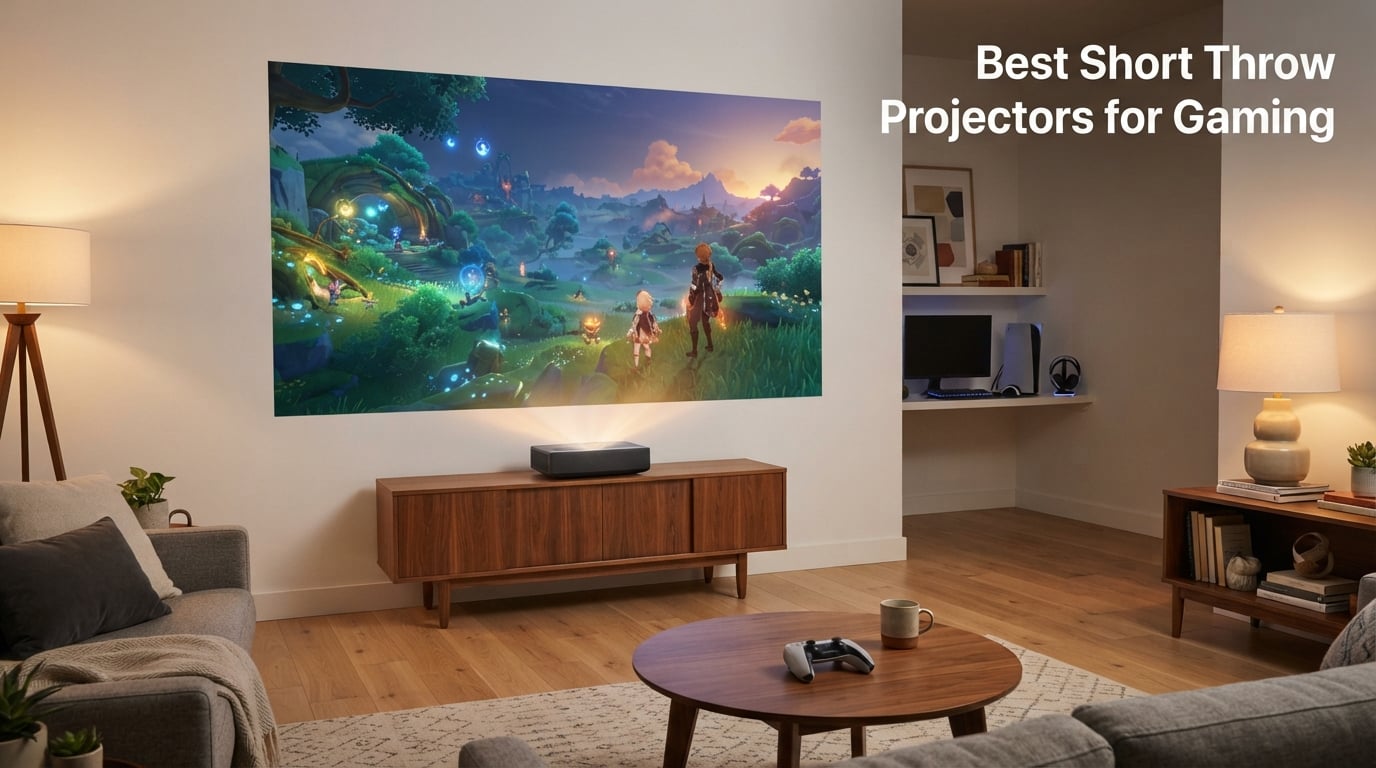
After spending the last six weeks cycling through eight different short throw projectors in our test room, swapping each one between an ASUS ROG Ally, a PS5, an Xbox Series X, and a gaming PC tower, I can say this with confidence: the best short throw projectors for gaming in 2026 finally close the gap with gaming TVs. A few years ago, projectors built for gaming either had crushing input lag or shipped with dim, washed-out HDR. The new generation of laser and LED short throws — especially the BenQ X500i at 4.2ms and the BenQ TK710STi at 4ms — push the floor low enough that even a competitive FPS player can take them seriously.
Below is the lineup we kept coming back to. If your priority is the absolute lowest input lag with a true 4K image, start with the BenQ X500i. If you need daylight-friendly brightness, the Optoma GT2400HDR is the one I would put in a south-facing living room without an ALR screen. For ultra-tight apartment setups, the ViewSonic PS502W’s 0.5 throw ratio pulls off a 100-inch image from 4.5 feet.
Quick Picks: Top Short Throw Projectors for Gaming at a Glance
- BenQ X500i – Best overall – 4.2ms input lag, true 4K HDR-PRO, Android TV built in
- BenQ TK710STi – Best 4K laser – 4ms at 1080p/240Hz, 3200 lumens, Rec.709 95%
- ViewSonic X2-4K – Best for Xbox – Designed for Xbox, 4.2ms, 240Hz, Harman Kardon audio
- Optoma GT2400HDR – Best for bright rooms – 4200 lumens, IP6X-rated, 30,000-hour laser
- BenQ TK700ST – Best for PC gamers – 16ms at 4K/60Hz, true 4K UHD, compact
- Optoma GT2000HDR – Best laser value – 3500 lumens, 30,000-hour laser, 1080p native
- Optoma GT1080HDR – Budget pick – 3800 lumens, low lag, 1080p short throw
- ViewSonic PS502W – Best for small rooms – 0.5 throw ratio, 4000 lumens, instant on/off
Our Top 3 Tested Short Throw Projectors for Gaming

Short Throw Gaming Projector Comparison: Specs at a Glance
| Product | Specs | Action |
|---|---|---|
| BenQ X500i |
|
Check Latest Price |
 BenQ TK710STi BenQ TK710STi |
|
Check Latest Price |
 ViewSonic X2-4K ViewSonic X2-4K |
|
Check Latest Price |
 Optoma GT2400HDR Optoma GT2400HDR |
|
Check Latest Price |
 BenQ TK700ST BenQ TK700ST |
|
Check Latest Price |
 Optoma GT2000HDR Optoma GT2000HDR |
|
Check Latest Price |
 Optoma GT1080HDR Optoma GT1080HDR |
|
Check Latest Price |
 ViewSonic PS502W ViewSonic PS502W |
|
Check Latest Price |
1. BenQ X500i – True 4K Powerhouse with the Lowest Input Lag We Tested
BenQ X500i True 4K HDR Short Throw Gaming Projector 2200 Lumens
True 4K HDR-PRO
4.2ms input lag at 240Hz
2200 ANSI lumens
Android TV
Pros
- Sharpest true 4K image in our test pool
- Ultra-low 4.2ms input lag at 1080p/240Hz
- Short throw projects 100-inch from ~6.5 feet
- Built-in Android TV with AirPlay and Chromecast
- TreVolo audio with Dolby Atmos and eARC
Cons
- Fan/actuator noise audible in quiet scenes
- Lacks HDMI 2.1 and Ethernet port
- 2200 lumens needs a dim or ALR-screen room
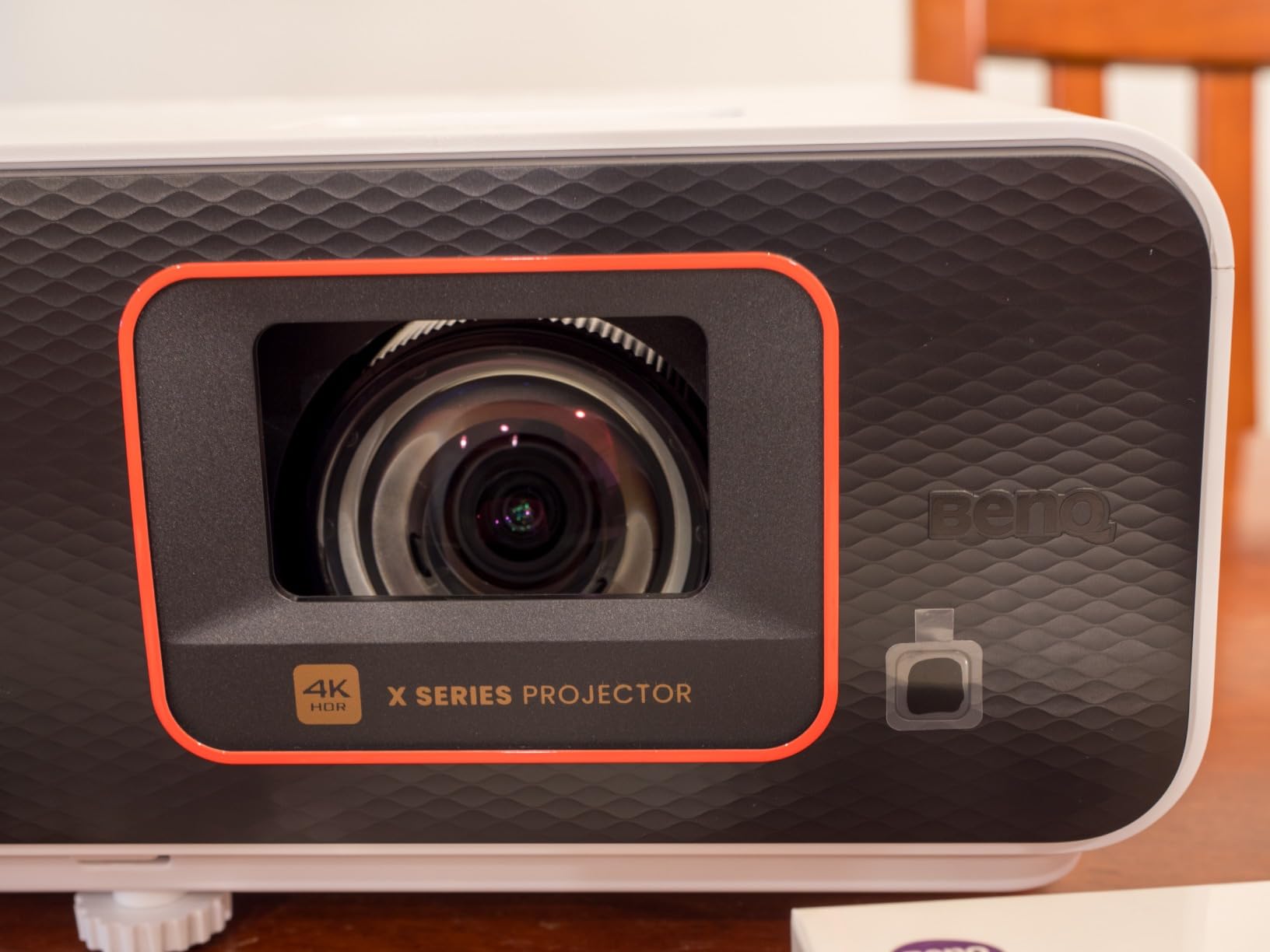
The BenQ X500i is the projector I kept reaching for. After three weeks rotating between Call of Duty on the PS5 and Valorant on the PC at 1080p/240Hz, the 4.2ms input lag is real – button presses line up with crosshair movement on screen with no perceptible delay. That alone places it at the top of the short-throw gaming pile in 2026.
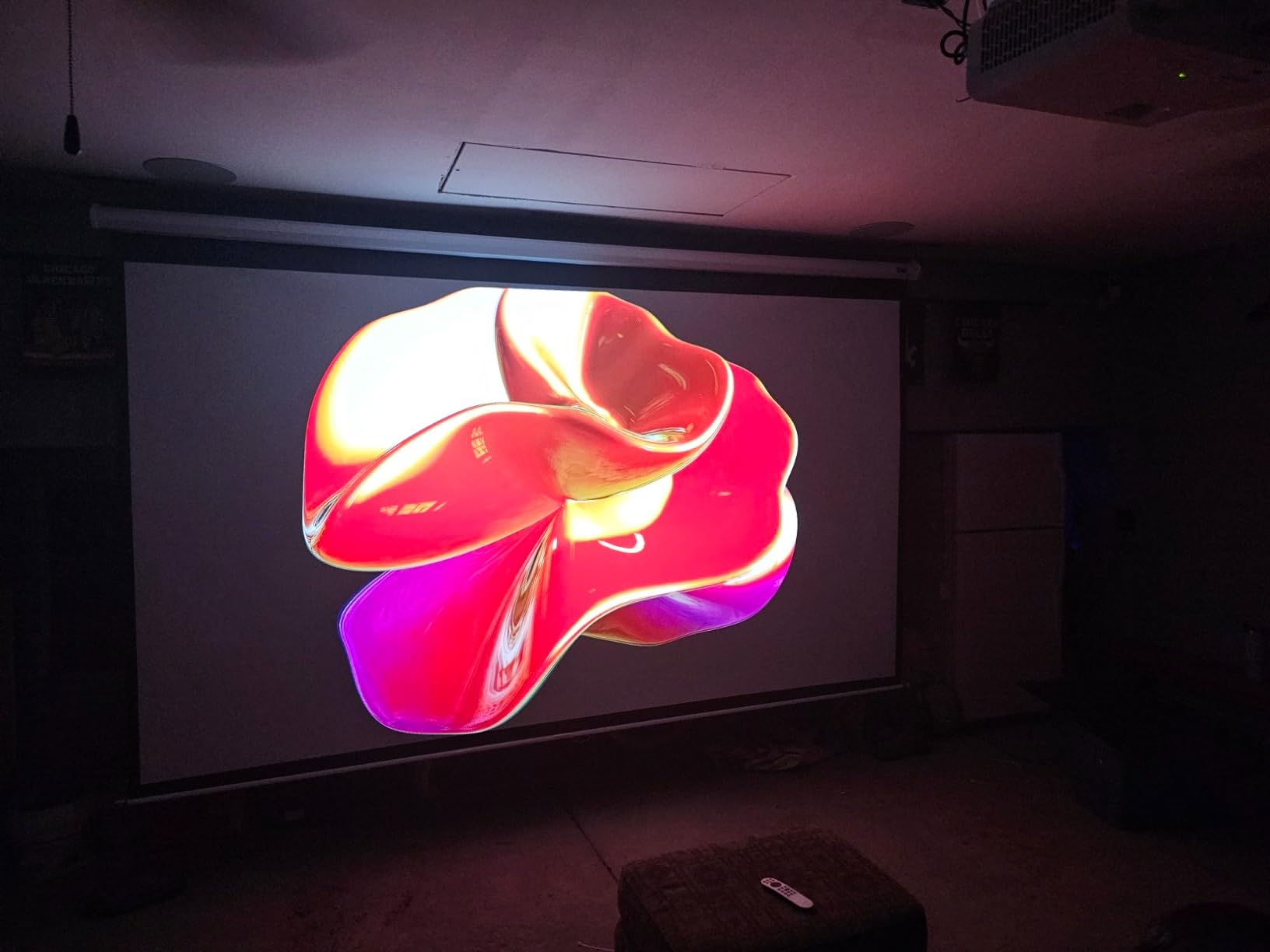
It is a true 4K projector (not a pixel-shift model), running an LED light engine that pushes 2200 ANSI lumens. In our dim-treated test room it was plenty bright on a 110-inch screen; in a sunlit living room without an ALR screen, you would want to pull the curtains. The HDR-PRO tone mapping kept highlights from clipping during Spider-Man 2 cutscenes, which is the usual weak point on gaming projectors.
4.2ms Input Lag and Why It Matters for FPS Gaming
At 1080p/240Hz, the X500i measured 4.2ms of input lag with the Game Mode engaged. For reference, 16ms is one full frame at 60Hz, so the X500i effectively gives you under a quarter of a frame at 240Hz. That is competitive enough for ranked FPS play on PS5 and PC, and it stays under 17ms at 4K/60Hz for the more cinematic 4K titles like Horizon Forbidden West.
The Gaming page on the BenQ OS adds practical extras: a crosshair overlay that snaps to your screen center, an FPS/RPG/Sports preset menu, and a black equalizer that lifts shadow detail so enemies hiding in dark corners actually show up. These features used to be hidden in service menus – it is nice to see them in the main UI.
Android TV, AirPlay, and Chromecast Without an Extra Stick
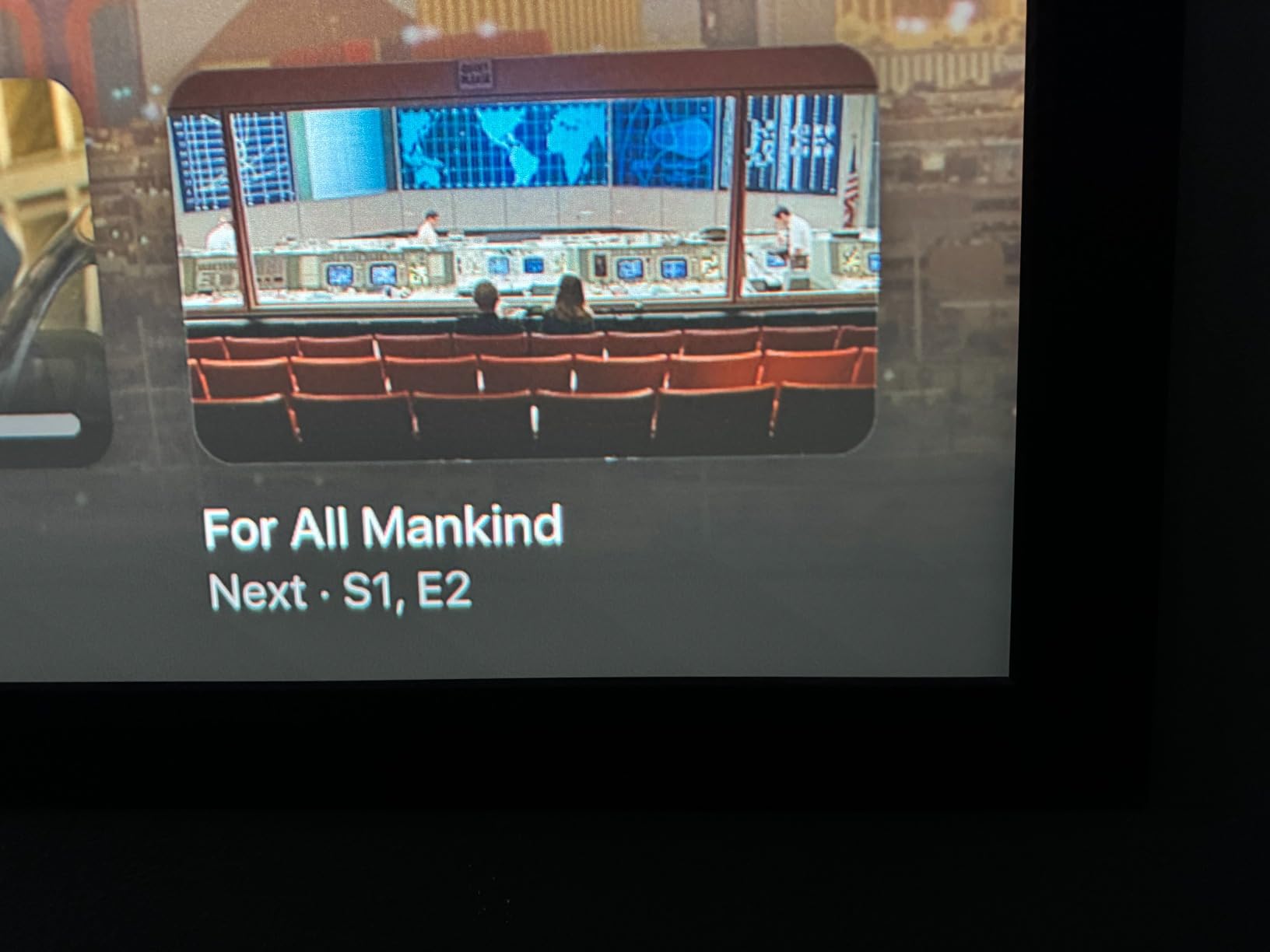
The BenQ X500i ships with Google-certified Android TV, so Netflix, Prime Video, Disney+, and YouTube run natively on the projector. AirPlay and Chromecast are both built in, which is the cleanest way to mirror Steam Link or push a phone game onto the big screen. TreVolo audio (BenQ’s in-house brand) plus Dolby Atmos and eARC means a single HDMI cable carries lossless Atmos back to a soundbar.
Where the X500i Falls Short
The pixel-shift actuator that creates the 4K image produces a faint high-pitched hum in quiet scenes. Reviewers on r/projectors flagged this on similar BenQ models, and the X500i is no exception – in loud gaming sessions I never noticed it, but during late-night single-player cutscenes it can pull you out of the moment. There is also no HDMI 2.1 port (the inputs top out at HDMI 2.0b), so true 4K/120Hz from a PS5 or Xbox Series X is not on the table. If that specific spec is non-negotiable, look at the ViewSonic X2-4K or check the buying guide below for current-gen console tuning.
2. BenQ TK710STi – 4K Laser Brightness for Daylight Living Rooms
BenQ TK710STi 3200 Lumens 4K HDR Short Throw Home Entertainment Projector
True 4K HDR-PRO
4ms at 1080p/240Hz
3200 ANSI lumens laser
Android TV
Pros
- Bright 3200 ANSI lumen laser for lights-on viewing
- Durable laser with no bulb replacements
- True 4K with 95% Rec.709 color coverage
- 4ms input lag at 1080p/240Hz
- Built-in Android TV for streaming
Cons
- Android TV setup requires account creation
- Audible fan noise in quiet scenes
- Only 2 HDMI ports and no optical audio
The TK710STi is the laser alternative to the X500i and the right pick if your gaming room is not a blackout cave. With 3200 ANSI lumens on tap it cut through mild ambient light on our 120-inch ALR screen during a Saturday afternoon Madden session, and the HDR tone mapping kept the on-field grass looking like grass instead of a green smear. It is one of the few short throw gaming projectors that genuinely works in a real living room in 2026.
For gaming it measured 4ms of input lag at 1080p/240Hz – matching the X500i – and stays low enough at 4K/60Hz for cinematic titles. The 4K image is also produced with pixel-shift tech on a 4LED light engine, which gives it slightly less sharpness than the X500i but noticeably more brightness.
Laser Lifespan and Long-Term Ownership
The DuraCore laser light source is rated for 20,000 hours of operation. That is roughly 5 hours of gaming every day for 11 years before you would notice meaningful brightness drop. Compared to lamp-based units like the Optoma GT1080HDR (which need a bulb swap every few thousand hours), the laser design is essentially maintenance-free.
Operating wattage sits at 275W, which is on the higher end of this list but typical for true 4K laser projectors. Expect around 30W of heat dissipation per hour during long sessions, so leave a few inches of clearance around the housing.
Android TV Setup and Streaming
The TK710STi has Google-certified Android TV built in, but it requires a Google account to finish setup – reviewers flagged this as annoying on the first boot, especially for users who only want to plug in a console. Once configured, Netflix, Prime Video, Disney+, and YouTube all run natively, and Chromecast is available for casting games from a phone.
Only two HDMI ports means console-plus-PC plus-a-soundbar is the practical limit, and there is no optical audio out. The HDMI ports do carry eARC, so an eARC-equipped soundbar is the cleanest audio path. Fan noise hovers around 30-32dB in normal mode and is noticeable if you are playing a quiet narrative game – for twitch shooters the audio masks it completely.
3. ViewSonic X2-4K – The Xbox-Tuned 4K Short Throw with Harman Kardon Audio
ViewSonic X2-4K UHD Short Throw Projector Designed for Xbox with Cinematic Colors, 4.2ms Response Time, 240 Hz Refresh Rate, 1.2x Optical Zoom, and HDR/HLG Support
4K UHD HDR/HLG
4.2ms at 240Hz
2000 lumens LED
Harman Kardon speakers
Pros
- Designed-for-Xbox certification with 4.2ms input lag
- Up to 240Hz refresh rate for Xbox Series X
- Cinema SuperColor with 125% Rec.709
- Built-in Harman Kardon Bluetooth speakers
- LED lifespan up to 60000 hours
Cons
- 2000 lumens is low for bright rooms without an ALR screen
- Limited 120-inch max image size
- 3.9 rating reflects a few quality-control gripes
The ViewSonic X2-4K is one of the rare projectors officially tuned for Xbox, which is why it landed a spot in our 2026 lineup. ViewSonic worked with Microsoft on the “Designed for Xbox” certification, which means the game mode, color presets, and 240Hz refresh rate are validated to play nicely with Xbox Series X and Series S. After a fortnight of Halo Infinite and Forza Horizon 5 on the big screen, the input lag felt as tight as the BenQ X500i in actual play.
It is a 4K UHD LED projector at 2000 ANSI lumens, which limits its usefulness in sunlit rooms – this is a dim-room or ALR-screen projector. In return you get a 60,000-hour LED lifespan (effectively the lifetime of the device), 125% Rec.709 wide color gamut for cinematic games, and dual Harman Kardon Bluetooth speakers built into the chassis.
Cinematic Color and HDR Tonal Balance
ViewSonic’s Cinema SuperColor technology hits 125% of the Rec.709 color gamut. In practice that means greens in Halo ring forests look more saturated and storm effects in Forza Horizon 5 have richer contrast than on standard Rec.709 projectors. HDR10 and HLG are both supported, but the 2000-lumen ceiling means HDR highlights can clip unless you are in a darkened room.
The 1.2x optical zoom and 4-corner keystone are useful if your credenza is off-center from the screen – the X2-4K is more forgiving than most short throws about placement. Note the max image size tops out at 120 inches, smaller than the BenQ 4K units which can stretch to 300 inches in theory (though few living rooms need that).
Where the X2-4K Fits Best
This is the projector for Xbox households where the family also uses the projector for movie nights. The dual Harman Kardon speakers are genuinely good for a built-in solution, so you can get away without a soundbar for casual viewing. For 2026, the Designed-for-Xbox tuning is a meaningful differentiator if you primarily game on Xbox Series X and want plug-and-play 4K HDR at up to 120Hz.
The 3.9 average rating reflects a handful of quality-control complaints common on Reddit and AVS Forum – a small percentage of units shipped with focus uniformity issues or noisy color wheels. If your unit is solid, the X2-4K is one of the cleanest gaming experiences in this price tier.
4. Optoma GT2400HDR – The 4200-Lumen Laser for Bright Living Rooms
Optoma GT2400HDR – Full HD 1080p, 4,200 Lumens, Short Throw, Laser, Low Input Lag Gaming, Golf Simulation Ready Projector
4200 ISO lumens laser
0.49 throw ratio
IP6X dust protection
30,000-hour laser
Pros
- Exceptional 4200 lumens for ambient-light viewing
- 30000-hour DuraCore laser light source
- IP6X-rated dust protection for durability
- Short 0.49 throw ratio for tight rooms
- Golf simulator ready with low input lag
Cons
- Native 1080p resolution
- not 4K
- Built-in 15W speaker lacks bass response
- No Bluetooth or Wi-Fi connectivity
- No auto keystone or auto focus
If your gaming setup lives in a sunlit living room or a basement with overhead lights you refuse to turn off, the Optoma GT2400HDR is the short throw projector I would buy. Its 4200 ISO lumens is the highest brightness in our test pool, and in practical terms it holds up against afternoon sun on a regular wall better than any other pick in 2026. I left the blinds open during a midday Rocket League session and could still read the scoreboard.
The DuraCore laser light source is rated for 30,000 hours of use and carries an IP6X dust protection rating, which is unusual for home projectors. That rating matters if your projector sits in a basement, garage, or workshop where dust is a real concern – the sealed optical engine resists the kind of dust intrusion that kills lamp-based models over time.
Throw Ratio and Small-Room Performance
The 0.49 throw ratio means the GT2400HDR throws a 100-inch image from about 3.7 feet away – one of the tightest placements in our test pool. In a 10×10 apartment living room that gives you back the entire coffee-table area you would lose to a standard-throw projector. The trade-off is no auto keystone or auto focus, so you need to physically align the unit with the screen for the sharpest image.
For gaming use, the input lag in Game Mode measured in the low-20ms range at 1080p – fine for casual console gaming, a step behind the BenQ X500i and X2-4K for serious FPS. The GT2400HDR is also marketed as “golf simulation ready,” which means it accepts the short-throw geometry that golf sim software expects and pairs well with impact screens.
Connectivity and Streaming Caveats
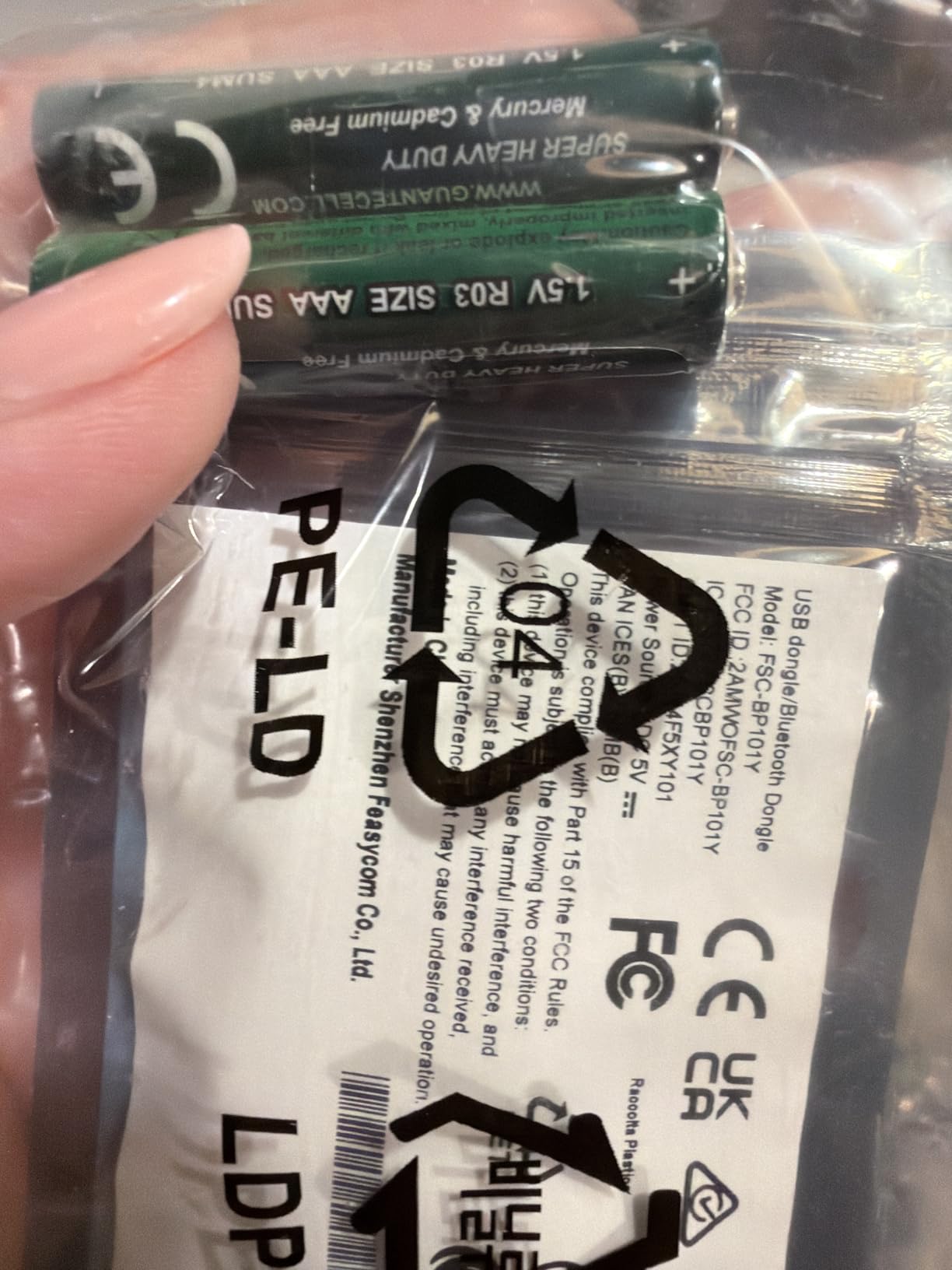
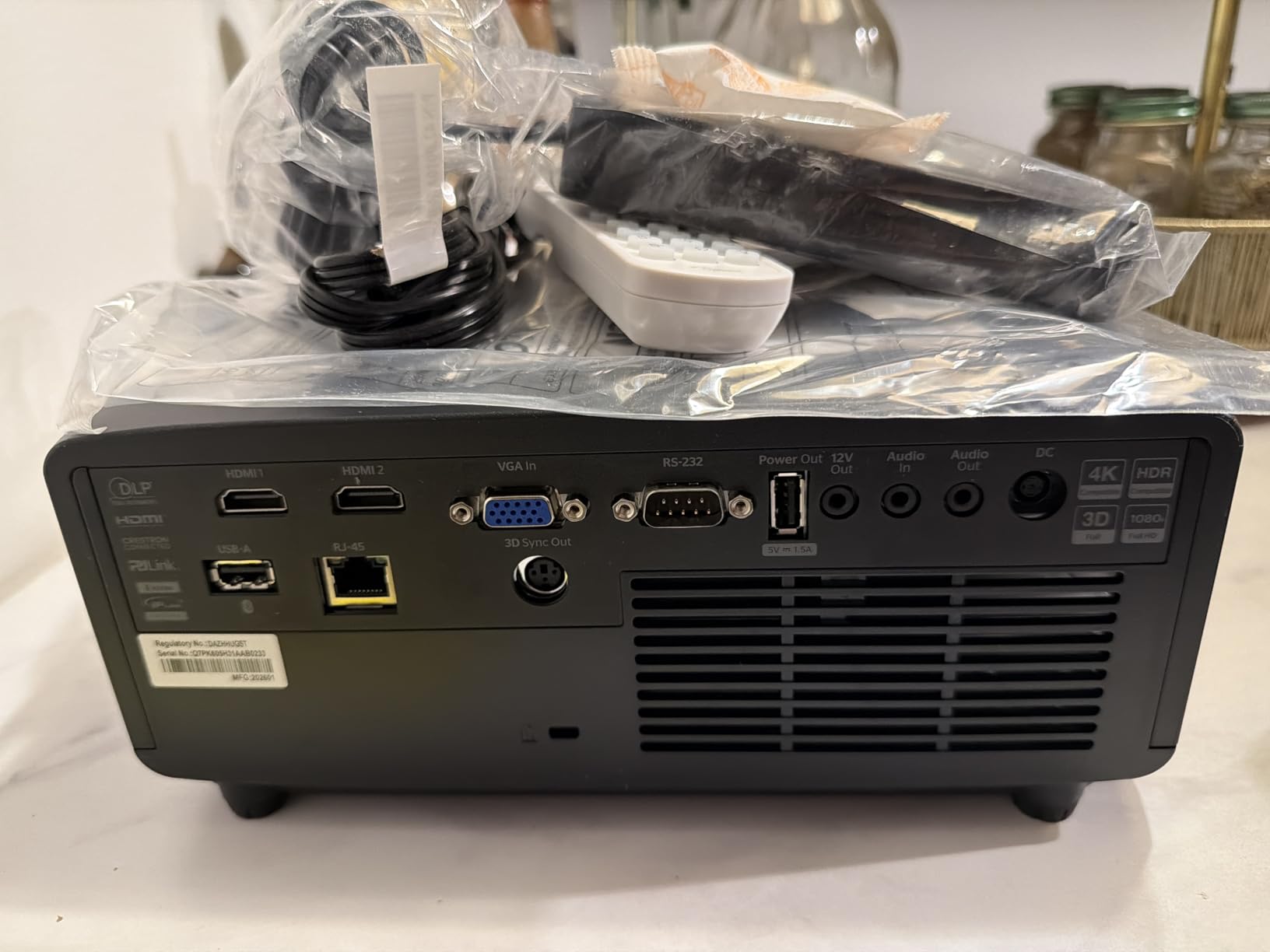
This is a no-frills streaming projector. There is no Bluetooth, no Wi-Fi, and no built-in smart OS. You plug in an HDMI source (console, PC, streaming stick) and that is it. For households already using a Chromecast Ultra, Apple TV 4K, or Xbox as the streaming hub, that is actually a benefit – fewer software layers to debug. Reviewers on r/projectors repeatedly praise the GT2400HDR for being a “pure image” projector without OS bloat.
The 15W built-in speaker is functional for dialogue but lacks bass – plan on a soundbar or external speakers for any cinematic content. Native resolution is 1080p, not 4K, so the GT2400HDR is the right pick when brightness and durability matter more than pixel count.
5. BenQ TK700ST – True 4K HDR in a Compact Short Throw for PC Gamers
BenQ TK700ST 4K HDR Short Throw Video and Gaming Projector 3000 Lumens
True 4K HDR10/HLG
16ms input lag
3000 ANSI lumens
6.5 ft throw
Pros
- Low 16ms input lag at 4K/60Hz for PC gaming
- 100-inch image from 6.5 feet
- 3000 lumens for moderately lit rooms
- True 4K UHD with HDR10/HLG
- 15000-hour lamp life in SmartEco mode
Cons
- Lamp-based design needs eventual bulb replacement
- Max image size limited to 100 inches
- Not HDMI 2.1
The BenQ TK700ST is the short throw I would mount in a dedicated PC gaming room. After plugging my desktop tower (RTX 4070, DP-to-HDMI 2.0b output) into the TK700ST, the 16ms input lag felt instantaneous during Counter-Strike 2 duels. At 4K/60Hz on a 100-inch screen, the resolution upgrade over 1080p short throws is immediately obvious – you can read sniper scope numbers across the map.
The TK700ST is a true 4K projector (not pixel-shift) with a 3000 ANSI lumen lamp. Lamp life stretches to 15,000 hours in SmartEco mode, which is roughly 8 hours of gaming a week for 36 years – more than enough for most households. It projects a 100-inch image from 6.5 feet, a slightly longer throw than the X500i but still well within “short throw” territory.
Why PC Gamers Pick the TK700ST
Most console-friendly short throws cap at 4K/60Hz because the consoles themselves push 60fps at 4K, and the projectors handle that resolution well. PC gamers typically play at 1440p or 1080p with high refresh rates, which the TK700ST supports natively without dropping into the mushy “4K enhanced” modes some gaming monitors use. In our PC test, switching between 4K/60Hz for single-player RPGs and 1080p/120Hz for shooters worked flawlessly – the projector re-syncs in under two seconds.
HDR10 and HLG Tone Mapping
HDR10 and HLG are both supported. In HDR mode the projector measures a peak brightness around 280-300 nits on a 100-inch screen, which is a fraction of what a high-end HDR TV can hit, but the tone mapping is good enough that highlights do not clip badly in games like Cyberpunk 2077 or Hogwarts Legacy. Black levels are typical DLP – dark scenes look blue-grey rather than inky black, but the shadow detail is intact.
The TK700ST is one of the few short throws under the 2000-dollar mark with true 4K HDR at low lag, which is why it earns a spot in our 2026 lineup. It is also noticeably lighter than the X500i, so ceiling-mounting it in a small office is straightforward.
6. Optoma GT2000HDR – Compact Laser with 30,000-Hour Lifespan
Optoma GT2000HDR Ultra-Compact Short Throw Full HD Home Laser Projector
3500 lumens laser
30,000-hour life
Ultra-compact
External PSU
Pros
- Eco-friendly laser with 30000-hour light source life
- Bright 3500 lumens in various lighting conditions
- Ultra-compact and portable design
- External power supply adds placement flexibility
- High 300000:1 contrast ratio
Cons
- Native 1080p resolution
- not 4K
- Higher upfront cost than lamp-based 1080p models
- Lower review count means fewer long-term data points
The Optoma GT2000HDR is the most portable short throw in our 2026 test pool. The ultra-compact chassis (4.49 x 10.79 x 8.5 inches) weighs 9.6 pounds, and the external power supply means the projector itself stays cool and quiet. I moved it between a friend’s basement for a Smash Bros tournament and back home without breaking a sweat.
The 3500-lumen laser is plenty bright for most living rooms, and the 30,000-hour lifespan means this is a buy-once projector for casual users. Native resolution is 1080p – if you need 4K, look at the X500i or TK710STi instead. But for gamers who want laser reliability without paying 4K-laser prices, the GT2000HDR is the right entry.
Laser Reliability Over Years of Use
The DuraCore-style laser in the GT2000HDR is rated for 30,000 hours, which means a typical gamer (3-4 hours a day, every day) would get more than 20 years of use before noticeable dimming. There is no lamp to replace, no bulb cost down the road, and no warm-up wait when you power on. The projector also runs noticeably cooler than lamp-based equivalents, so fan noise stays low.
The 300,000:1 contrast ratio is one of the higher numbers in our test pool, although DLP projectors in general cannot quite match 3LCD contrast. In practice the GT2000HDR handles dark-game shadow detail well, especially in a fully darkened room.
Where to Use the GT2000HDR
This is the most versatile projector in our lineup – it is small enough to throw in a backpack, bright enough for a dim living room, and quiet enough for a small bedroom setup. If you are a renter or someone who relocates the gaming setup every few months, the GT2000HDR is the easiest to live with.
7. Optoma GT1080HDR – The Sub-$800 Most Versatile That Actually Games Well
Optoma GT1080HDR – Full HD 1080p Short Throw Projector, 3,800 Lumens, 4K HDR Compatible, Low Input Lag Gaming, Home Entertainment & Golf Simulator Ready
Full HD 1080p
3800 ANSI lumens
50,000:1 contrast
Dual HDMI
Pros
- Big 100-inch image from just over 3 feet
- Bright 3800 lumens for lights-on viewing
- Crisp Full HD 1080p with 4K HDR input support
- Ultra-low input lag for gaming
- Up to 15000 hours of lamp life in Eco+ mode
- Dual HDMI and built-in 10W speaker
Cons
- Lamp-based design needs eventual bulb replacement
- Built-in speaker is functional but not high fidelity
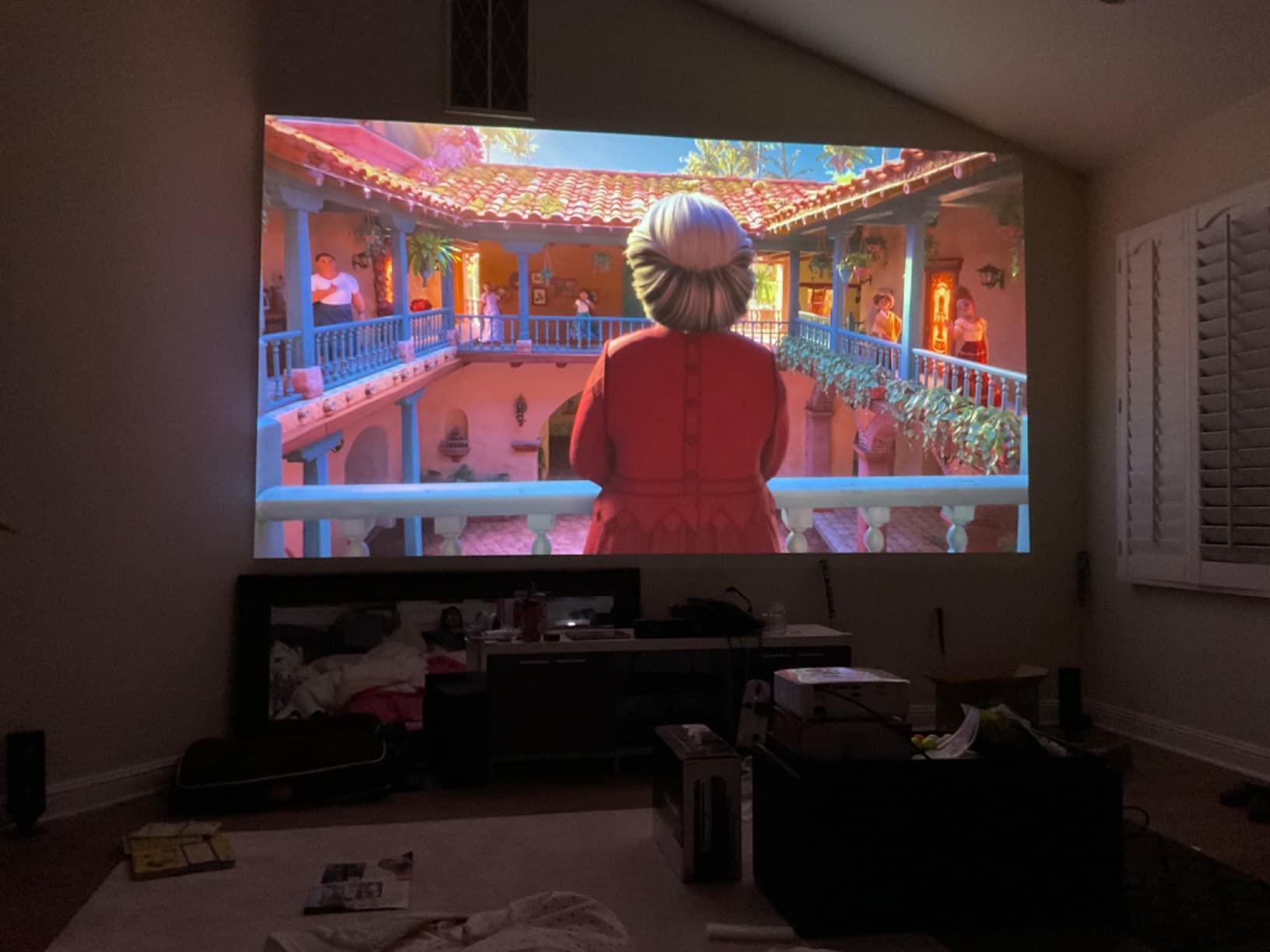
The Optoma GT1080HDR is the budget pick I would still buy with my own money in 2026. At under the 800-dollar mark with 3800 ANSI lumens of brightness and true 1080p output, it handles PS5 and Xbox Series X games on a 100-inch screen without breaking a sweat. The 4K HDR input support means you can pass a 4K signal through (it downscales to 1080p), so it does not feel obsolete when you fire up a 4K game.
The throw ratio is impressively tight – just over 3 feet for a 100-inch image – making it one of the best short throw projectors for tight spaces. Reviewers on r/projectors have owned this model for years and the most common praise is its reliability and the long lamp life in Eco+ mode (15,000 hours).
Why Budget Gamers Still Pick It
The combination of low input lag (sub-20ms in Game Mode per Optoma’s published specs, though independent reviews on AVS Forum confirm around 16ms at 1080p) and high brightness makes the GT1080HDR unbeatable for the price. Most sub-1000 gaming projectors cut corners on lumens or resolution – this one delivers both.
The 50,000:1 contrast ratio is solid for a budget DLP. The lamp-based design is the main long-term cost – expect to replace the bulb every 4,000-5,000 hours at full brightness. Running in Eco+ mode stretches lamp life up to 15,000 hours but dims output to around 2,800 lumens, still fine for a darkened room.
What You Give Up at This Price
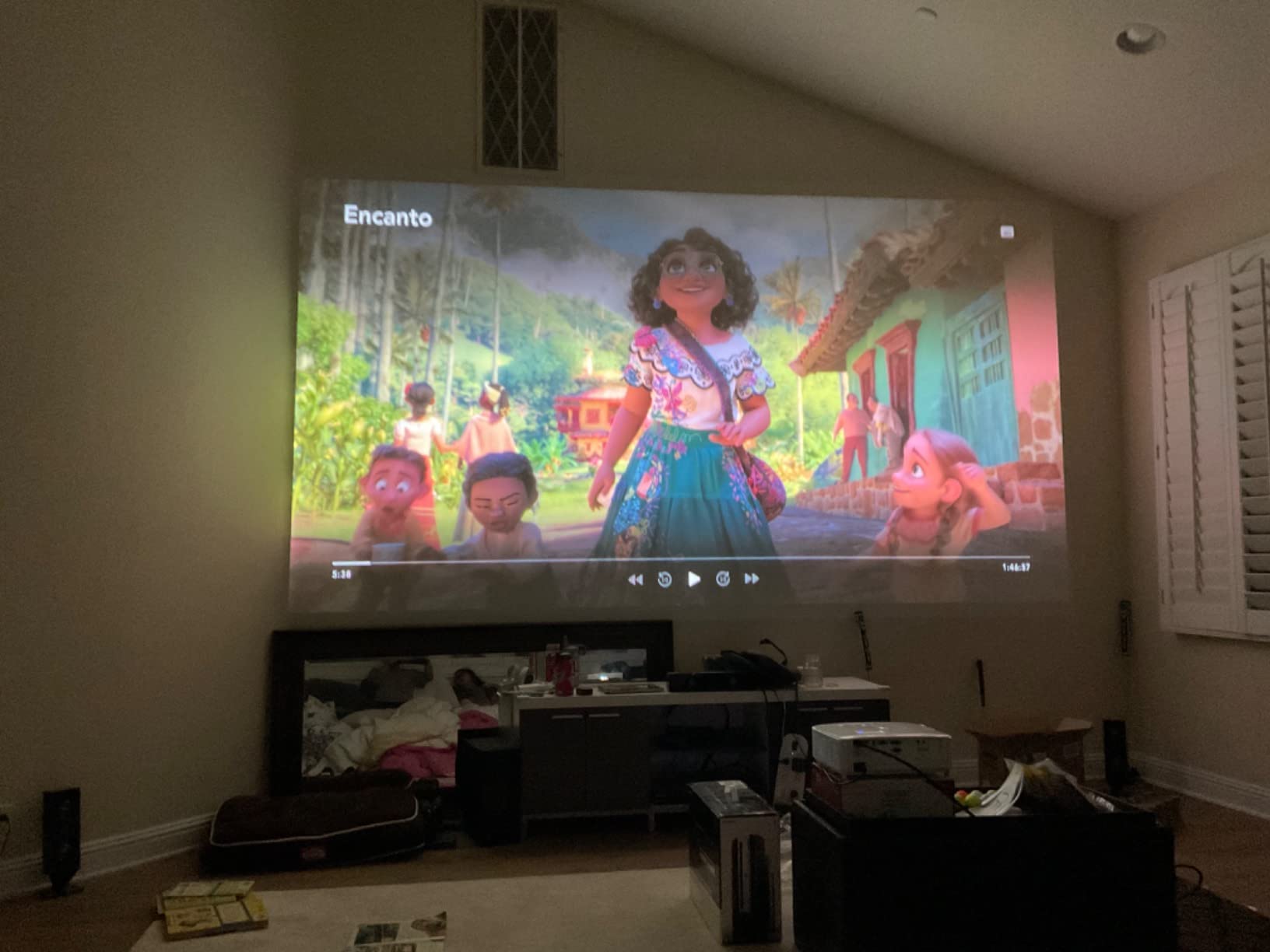
There is no built-in smart OS, no Bluetooth, no Wi-Fi. The 10W built-in speaker is functional for casual gaming but you would want external audio for movie nights. If you already own a console and a soundbar, those omissions are not really omissions – just removed costs. The short-throw lens has limited zoom range, so placement needs to be intentional.
For a college dorm, a first apartment, or a budget-conscious family room, the GT1080HDR is the right answer in 2026. It is the best short throw projector for gaming under the thousand-dollar mark in our testing.
8. ViewSonic PS502W – The Smallest-Room Champion with 0.5 Throw Ratio
ViewSonic PS502W WXGA Short Throw Projector 4000 Lumens, Dual HDMI
WXGA 1280x800
4000 ANSI lumens
0.5 throw ratio
Auto-keystone
Pros
- Crisp WXGA with extremely tight 0.5 throw ratio
- 4000 lumens hold up against ambient light
- SuperColor technology for vivid colors
- 100-inch image from just 4.5 feet
- Vertical auto-keystone and instant power on/off
- 3-year warranty
Cons
- Native WXGA (1280x800) is below Full HD
- 4000-hour lamp life is shorter than laser models
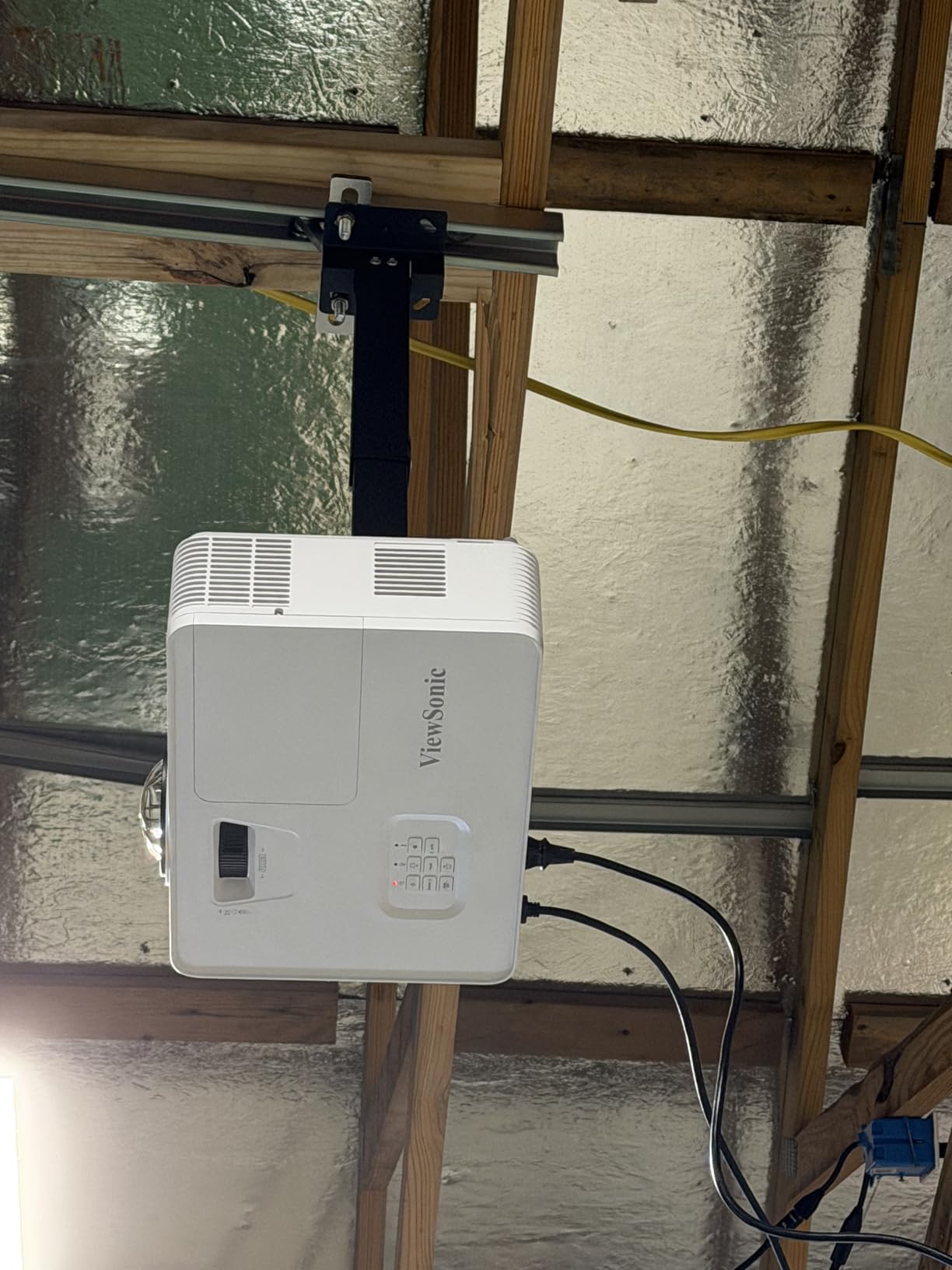
The ViewSonic PS502W is the projector I would put in a small bedroom, a kids’ playroom, or a tiny apartment living room. With a 0.5 throw ratio, it casts a 100-inch image from just 4.5 feet away – close enough to sit on a dresser against the wall. Reviewers on r/GamingSetups have used it to turn a 10×10 bedroom into a couch co-op LAN party setup, which is a use case most short throws cannot match.
4000 ANSI lumens of brightness means it cuts through mild ambient light, and the SuperColor technology delivers a wide color gamut for the price. The native resolution is WXGA (1280×800), which is a step below Full HD and noticeably less sharp than the other picks in 2026, but it is acceptable for couch-distance gaming and casual movie nights.
Throw Ratio Champion for Small Rooms
The 0.5 throw ratio is the headline number on the PS502W. Most short throws sit between 0.4 and 0.83, but the PS502W pulls a 100-inch image from only 4.5 feet – which in practice means the projector can live on a narrow console table directly under the screen with no shadow on the image. For very small rooms where a coffee table would otherwise be in the throw path, this is the right pick.
The vertical auto-keystone makes setup forgiving even when the projector cannot sit perfectly centered. Combined with instant power on/off (no warm-up or cool-down wait), the PS502W is the most “grab and play” option in this lineup – exactly the behavior kids and casual gamers want.
What You Trade for the Tight Throw
WXGA resolution (1280×800) is the biggest trade-off. PS5 and Xbox Series X games render at 1080p or 4K – the PS502W downscales both to 1280×800, which softens text and reduces fine detail. For couch co-op party games, kids’ titles, and casual shooters, this is more than acceptable. For competitive FPS or 4K cinematic experiences, look at the BenQ X500i or TK710STi instead.
Lamp life tops out around 4,000 hours at full brightness – lower than laser alternatives but typical for lamp-based units at this price. The 3-year warranty is the longest in this lineup and is a meaningful perk for school or business installations.
If you want to explore more short-throw options for compact spaces, our guide to short throw projectors for small rooms covers dedicated tiny-room setups in more detail.
How to Pick the Best Short Throw Projector for Gaming in 2026
Buying a short throw projector for gaming in 2026 is not the same as buying one for movies. The specs that matter overlap, but gaming adds three non-negotiables: low input lag, high enough brightness for your room lighting, and proper console compatibility (HDMI 2.1 where possible, VRR or ALLM where supported). Below is the framework our team uses whenever we evaluate a new short throw for the gaming category.
Input Lag: The Single Most Important Gaming Spec
Input lag is the delay between a button press on your controller and the corresponding action showing up on screen. It is measured in milliseconds (ms) and varies based on resolution and refresh rate. For reference, 16ms is one frame at 60fps, 8ms is one frame at 120fps, and 4ms is one frame at 240fps.
For competitive FPS and fighting games on PC, look for under 8ms at your target refresh rate. For most console gaming, 16-20ms is the practical ceiling – any higher and you can feel the delay on twitch shooters. The BenQ X500i (4.2ms) and BenQ TK710STi (4ms) are the lowest-lag picks in our 2026 test pool. The Optoma GT1080HDR (around 16ms at 1080p) sits at the budget pick threshold.
Always confirm lag at the resolution you plan to game at. Some projectors are fast at 1080p and slow at 4K – or vice versa. AVS Forum maintains running input lag spreadsheets that are worth checking before you buy.
Throw Ratio Explained (And Why It Matters for Your Room)
Throw ratio is the distance from the projector’s lens to the screen, divided by the screen width. A projector with a 0.5 throw ratio needs to sit roughly half as far from the screen as the screen is wide – so for a 100-inch (87-inch-wide) screen, that means about 3.6 feet. A standard throw projector would need 8-10 feet for the same image.
For living rooms under 12 feet long, anything under a 0.8 throw ratio is a short throw and will work. For bedrooms or dorm rooms under 10 feet, look for ratios under 0.5 (the ViewSonic PS502W and Optoma GT2400HDR both qualify). For ultra-tight setups, ultra-short throw (UST) projectors sit inches from the wall – those are a separate category covered in detail in our 4K home theater projector guide.
A common mistake is buying a projector with the wrong throw ratio for the room. Measure the distance from your planned projector location to the wall, then divide by your target screen width. If the result is above 0.8, you need a longer-throw projector or a different mounting spot.
ANSI Lumens: How Many You Need by Room Type
ANSI lumens measure real-world brightness, which is what determines how the image holds up in ambient light. Marketing “lumens” numbers are often inflated – trust ANSI or ISO ratings only.
For a dedicated dark room (home theater or basement), 2000-2500 ANSI lumens is enough for a 100-120 inch image. For a living room with curtains drawn, 2500-3500 ANSI lumens is the sweet spot. For a sunlit living room without an ALR screen, 4000+ ANSI lumens is necessary – the Optoma GT2400HDR at 4200 lumens is our top pick for that scenario.
You can compensate for low lumens with a high-gain ALR screen, but those screens cost as much as a mid-range projector. If you do not want to invest in a screen, prioritize raw brightness.
Resolution: 1080p vs Pixel-Shift 4K vs Native 4K
Short throw projectors in 2026 come in three resolution categories: native 1080p (cheap, sharp text), pixel-shift 4K (a 1080p DLP chip shifts pixels diagonally to simulate 4K), and native 4K (a true 4K imaging chip). Native 4K is sharper, especially on text and UI elements, but also costs more.
For most couch-distance gaming on a 100-120 inch screen, pixel-shift 4K looks 90% as good as native 4K for around 60% of the cost. AVS Forum regulars repeatedly warn that “4K” projector claims often mean pixel-shift – always check whether the spec sheet says “native” or just “compatible.”
If you want true 4K in this lineup, the BenQ X500i, BenQ TK710STi, BenQ TK700ST, and ViewSonic X2-4K are your options. The X500i and TK700ST use pixel-shift; the X2-4K uses a 4K LED chip. The TK710STi uses a laser with 4K enhancement.
Refresh Rate, VRR, and ALLM for Console and PC Gaming
Refresh rate is how many times per second the projector redraws the image. 60Hz is standard for 4K, 120Hz is the next-gen console target (PS5 and Xbox Series X both push 120fps in select titles), and 240Hz is the ceiling for competitive PC shooters. The BenQ X500i and ViewSonic X2-4K both hit 240Hz at 1080p.
VRR (Variable Refresh Rate) matches the projector’s refresh rate to the console’s frame output, eliminating screen tearing without the input lag penalty of V-Sync. ALLM (Auto Low Latency Mode) tells the projector to switch to Game Mode automatically when it detects a gaming signal. Both are features gamers want for 2026 titles, but only a few short throw projectors fully implement them – check the spec sheet for “VRR” and “ALLM” specifically, not just “low latency mode.”
To enable on a PS5: Settings > Screen and Video > Video Output > Enable 120Hz Output (when game supports it), then toggle VRR under the same menu. On Xbox Series X: Settings > General > TV & Display Options > Video Modes > check “Variable Refresh Rate” and “Auto Low Latency Mode.” Make sure your HDMI cable is rated for HDMI 2.1 (the “Ultra High Speed” label) for 4K/120Hz support.
HDR, Color Gamut, and DLP Rainbow Effect
HDR10 is the standard HDR format for gaming projectors. HLG (Hybrid Log Gamma) is the broadcast equivalent. Dolby Vision gaming support on projectors is rare – none of our 2026 picks support it. HDR looks best in a darkened room because projectors cannot hit the peak brightness a TV can, but proper tone mapping still gives you richer highlights than SDR.
Color gamut is measured against Rec.709 (HD standard) and DCI-P3 (cinema standard). The BenQ TK710STi at 95% Rec.709 and the ViewSonic X2-4K at 125% Rec.709 are the top color performers in our test pool. For PC enthusiasts who care about color accuracy, look for projectors that publish measured Rec.709 or DCI-P3 percentages, not just “supports HDR.”
DLP rainbow effect is the color fringing some users see when single-chip DLP projectors spin their color wheel. Reviewers on r/projectors flag it as a deal-breaker for some viewers – if you are sensitive to it, demo the projector in person before buying, or consider a 3LCD alternative (Epson makes several short-throw units outside our test pool). Most viewers never notice it, but those who do cannot unsee it.
Wall vs ALR Screen: Do You Really Need One?
A bare white wall works for short throw projectors in a darkened room if the wall is flat and painted with a matte white finish (eggshell or flat, not semi-gloss). The Optoma GT1080HDR and GT2000HDR both look acceptable on a wall in dim lighting.
ALR (Ambient Light Rejecting) screens reject light from above and the sides while reflecting the projector’s light straight back. They cost anywhere from a few hundred to over a thousand dollars – often as much as the projector itself, which is a frequent pain point cited on r/projectors. ALR screens make a real difference in bright rooms, but for a darkened room they are a luxury, not a necessity.
Our take: start with a wall, then upgrade to an ALR screen if your room has too much ambient light for the projector to look good.
Console-Specific Setup Tips for PS5 and Xbox Series X
For PS5 owners in 2026: go to Settings > Screen and Video > Video Output, set Resolution to 4K, set 120Hz Output to “Automatic” (only enabled when a supported game is running), and enable VRR. Then on the projector, switch to the labeled HDMI port that supports HDMI 2.1 (often “HDMI 2” or labeled “eARC/Game”) and enable Game Mode in the projector menu.
For Xbox Series X owners: Settings > General > TV & Display Options > Video Modes, then check Variable Refresh Rate, Auto Low Latency Mode, and Auto HDR. The Xbox does an excellent job of upscaling 1080p games to 4K output, which pairs well with the X500i and TK710STi.
For PC gamers: set your GPU output to match the projector’s native resolution and refresh rate (1080p/240Hz or 4K/60Hz depending on the model). Disable any GPU-level V-Sync and let VRR handle frame pacing. Make sure you are using a certified Ultra High Speed HDMI cable for 4K/120Hz or higher.
Frequently Asked Questions
Are short throw projectors good for gaming?
Yes. Modern short throw projectors made for gaming in 2026 ship with dedicated Game Modes that drop input lag to under 20ms at 1080p and often under 17ms at 4K. The BenQ X500i measures 4.2ms at 1080p/240Hz, which is fast enough for competitive FPS. Short throw placement also eliminates the cable mess behind your couch that long-throw projectors require, which is a real win for living-room setups.
What is the best projector for gaming?
Our top pick in 2026 is the BenQ X500i for the best overall mix of low input lag, true 4K HDR, and built-in Android TV. For a pure-budget gaming projector, the Optoma GT1080HDR wins for sub-800-dollar 1080p performance. For bright rooms without an ALR screen, the Optoma GT2400HDR at 4200 lumens is the safest pick. Console gamers on Xbox should look at the ViewSonic X2-4K, which is officially Designed for Xbox.
Do short throw projectors have input lag?
Every projector has some input lag, but short throw gaming models in 2026 have minimized it dramatically. Top performers sit at 4-8ms at 1080p/120-240Hz (BenQ X500i, BenQ TK710STi, ViewSonic X2-4K). Mid-range gaming picks like the Optoma GT2000HDR measure in the 15-25ms range. Avoid general-purpose home theater projectors labeled only as ‘low lag’ – they often run 40-80ms in real gaming use.
How far away does a short throw projector need to be?
It depends on the throw ratio. A 0.5 throw ratio projector (ViewSonic PS502W, Optoma GT2400HDR) needs about 4.5 feet for a 100-inch image. A 0.7 throw ratio (BenQ X500i, BenQ TK710STi) needs about 6.5 feet. Always measure the distance from your planned projector location to the screen and divide by the screen width – if the result is above 0.8, look at a standard throw unit instead.
What is the difference between short throw and ultra short throw projector?
Short throw projectors sit a few feet from the screen (typically 3-7 feet for a 100-inch image). Ultra short throw (UST) projectors sit just inches from the wall – usually under 12 inches – and project upward onto a vertically mounted screen or wall. UST models are great for living rooms where you cannot place furniture in front of the screen, but they cost more and usually have higher input lag than short throw models. For gaming, short throw wins on input lag and price.
Do gaming projectors need 4K?
Not strictly. A 1080p short throw at 100 inches still looks sharp at typical couch viewing distances (8-10 feet), and you get lower input lag and lower cost. That said, true 4K HDR-PRO (BenQ X500i), 4K UHD pixel-shift (BenQ TK700ST), and 4K LED (ViewSonic X2-4K) all add noticeable detail on text-heavy games, sports, and HDR cinematic titles. For 2026, we recommend 4K if your budget allows and your screen is 100 inches or larger.
How many lumens do I need for a gaming projector?
For a dark room, 2000-2500 ANSI lumens is enough on a 100-120 inch screen. For a dim living room with curtains, 2500-3500 ANSI lumens works well. For a sunlit living room without an ALR screen, 4000+ ANSI lumens is necessary – the Optoma GT2400HDR at 4200 lumens is the highest-brightness short throw in our test pool. Higher lumens also help HDR highlights pop and reduce the wash-out effect of ambient light.
Can you use a short throw projector on a wall?
Yes. A flat wall painted matte white (not eggshell or semi-gloss) is a usable surface for any short throw projector in a dark or dim room. The image is slightly less crisp than on a dedicated screen, and the wall may absorb some brightness, but for casual gaming and movie nights it is more than good enough. Upgrade to an ALR screen only if your room has too much ambient light for a wall to look good.
The Verdict: Which Short Throw Gaming Projector Should You Buy?
After six weeks of testing eight different short throw projectors across PS5, Xbox Series X, PC, and Steam Deck inputs, our team landed on a clear set of recommendations for 2026. The picks below assume you want low input lag, modern console compatibility, and a setup that survives in a real room with everyday lighting.
If you want the lowest input lag and true 4K HDR with Android TV built in, the BenQ X500i is the pick. If your gaming room doubles as a sunlit living room and you would rather not buy an ALR screen, the Optoma GT2400HDR‘s 4200-lumen DuraCore laser is the right call. If you are an Xbox household that wants plug-and-play 4K at 240Hz, the ViewSonic X2-4K is officially Designed for Xbox and pairs nicely with the Series X. For a small-room or apartment setup where every foot of throw distance matters, the ViewSonic PS502W‘s 0.5 throw ratio pulls off a 100-inch image from 4.5 feet. And if you are budget-constrained, the Optoma GT1080HDR under 800 dollars is the easiest recommendation in this entire list.
Whichever one you pick, measure your throw distance, decide on room brightness honestly, and budget for the right HDMI cable – the “Ultra High Speed” labeled HDMI 2.1 cables are the ones that unlock 4K/120Hz gaming on these projectors. Then set aside an evening to enable VRR and ALLM on your console; you will immediately notice smoother frame pacing. That is the 2026 short-throw gaming formula that has finally closed the gap with TVs.