
Short answer: the Epson EcoTank ET-2800 is the best inkjet printer for most students in 2026. Its refillable ink tanks, 100-sheet tray, Wi-Fi and flatbed scanner cover everything a coursework year throws at you, and its 10,000-plus reviews give you the peace of mind that it will still print after a long summer break.
Students who push out heavy volumes of lecture notes and reading lists every week, the HP OfficeJet Pro 9135 is the quickest and the only one here with two paper trays and a single-pass two-sided document feeder. It is also the heaviest on this list, at 26.1 pounds, so it belongs on a desk in a shared apartment rather than a dorm shelf.
Here is the problem with this entire category. Students are, structurally, the worst-case owner for an inkjet printer. We print in short bursts, then go four months without printing anything at all, and then print 400 pages in a single weekend before finals. That pattern is exactly the one that clogs print heads and wastes ink sitting in a tank. The most-upvoted advice on r/printers for new college students is blunt about it: do not buy an inkjet, buy a laser instead.
That advice is correct for a lot of people, and this roundup only covers inkjets, so we are going to name the threshold instead of dodging it. If you expect to print fewer than roughly 20 pages a month, a mono laser printer or your campus print credits will serve you better, and we explain the cost math in the section on campus printing below. If you need color, print every week, or just want a printer that sits on your desk under your laptop, an inkjet is the right call, and the ten below are the ones worth your attention in 2026.
For the broader picture across every printer type, we also have guides to the best home printers for students and the best all-in-one printers for students, but this page stays laser-free and focused purely on inkjets.
Editors’ note: this roundup was reviewed and updated in September 2026. Every rating and review count below was pulled from the manufacturer listing at the time of writing, and specifications come from the manufacturer product sheets rather than our own measurements. We do not publish lab timing data we have not collected.
Our Top 3 Inkjet Picks for Students in 2026

Epson EcoTank ET-2800
- Refillable ink tanks
- Flatbed scanner and copier
- Wi-Fi and mobile app
- 10 ppm black

Canon MegaTank G3270
- MegaTank ink bottles
- Borderless photo printing
- Dual-band Wi-Fi
- 11 ppm black

Epson EcoTank ET-2400
- Refillable EcoFit tanks
- Lightest body at 8.6 lbs
- Flatbed scanner
- LED indicators
Those three cover the widest spread of student situations on this list. The ET-2800 is the default answer, the MegaTank G3270 is the one to buy if color and photo work matters to your major, and the ET-2400 is the tank printer you can actually carry up three flights of stairs and set on a narrow dorm shelf.
Comparing the Best Inkjet Printers for Students in 2026
| Product | Specs | Action |
|---|---|---|
| Epson EcoTank ET-2800 |
|
Check Latest Price |
| Canon MegaTank G3270 |
|
Check Latest Price |
 Brother Work Smart 1360 Brother Work Smart 1360 |
|
Check Latest Price |
| Epson EcoTank ET-2400 |
|
Check Latest Price |
 Canon PIXMA TS3720 Canon PIXMA TS3720 |
|
Check Latest Price |
 Canon PIXMA TS4320 Canon PIXMA TS4320 |
|
Check Latest Price |
 Brother Work Smart 1410 Brother Work Smart 1410 |
|
Check Latest Price |
 HP Envy 6155 HP Envy 6155 |
|
Check Latest Price |
 HP Smart Tank 5003 HP Smart Tank 5003 |
|
Check Latest Price |
 HP OfficeJet Pro 9135 HP OfficeJet Pro 9135 |
|
Check Latest Price |
Two things stand out when you read that table across. First, the top of the list skews toward refillable tank systems because ink cost, not printer cost, is what decides whether a student keeps or resents a printer. Second, the models with automatic duplex printing sit mostly in the middle, which is where a good dorm compromise lands if you print double-sided essays but do not need fax or a two-tray setup.
1. Epson EcoTank ET-2800 – The Best Overall Inkjet for Students
Epson EcoTank ET-2800 Wireless Color All-in-One Supertank Printer – Black
Refillable EcoTank ink system
5760 x 1440 dpi
10 ppm black and 5 ppm color
100-sheet paper tray
Pros
- Refillable ink tanks with up to two years of ink in the box
- Compact 11.4 lb body fits a dorm desk
- Flatbed scanner and copier built in
- 4.1 star rating across 10005 reviews
Cons
- No automatic duplex printing
- App and Wi-Fi connection issues reported by some users
- Print head cleaning cycles can be needed after long gaps
The EcoTank ET-2800 is the printer we would hand to a student with no further information. It prints, scans and copies, connects over USB or Wi-Fi, and refills with EcoFit ink bottles rather than sealed cartridges. The manufacturer rates a single ink set at up to 4,500 black pages or 7,500 color pages, and the box is specified to include up to two years of ink. For a student printing maybe 1,500 pages a year, that is a refill schedule measured in semesters, not weeks.
It runs at 10 pages per minute in black and 5 in color, holds 100 sheets in a single tray, and prints at up to 5760 x 1440 dpi. That is more resolution than a text document needs and enough for decent photo output on glossy media. The largest paper it handles is 8.5 x 14 inches, so legal-size paper works when a professor hands it out.
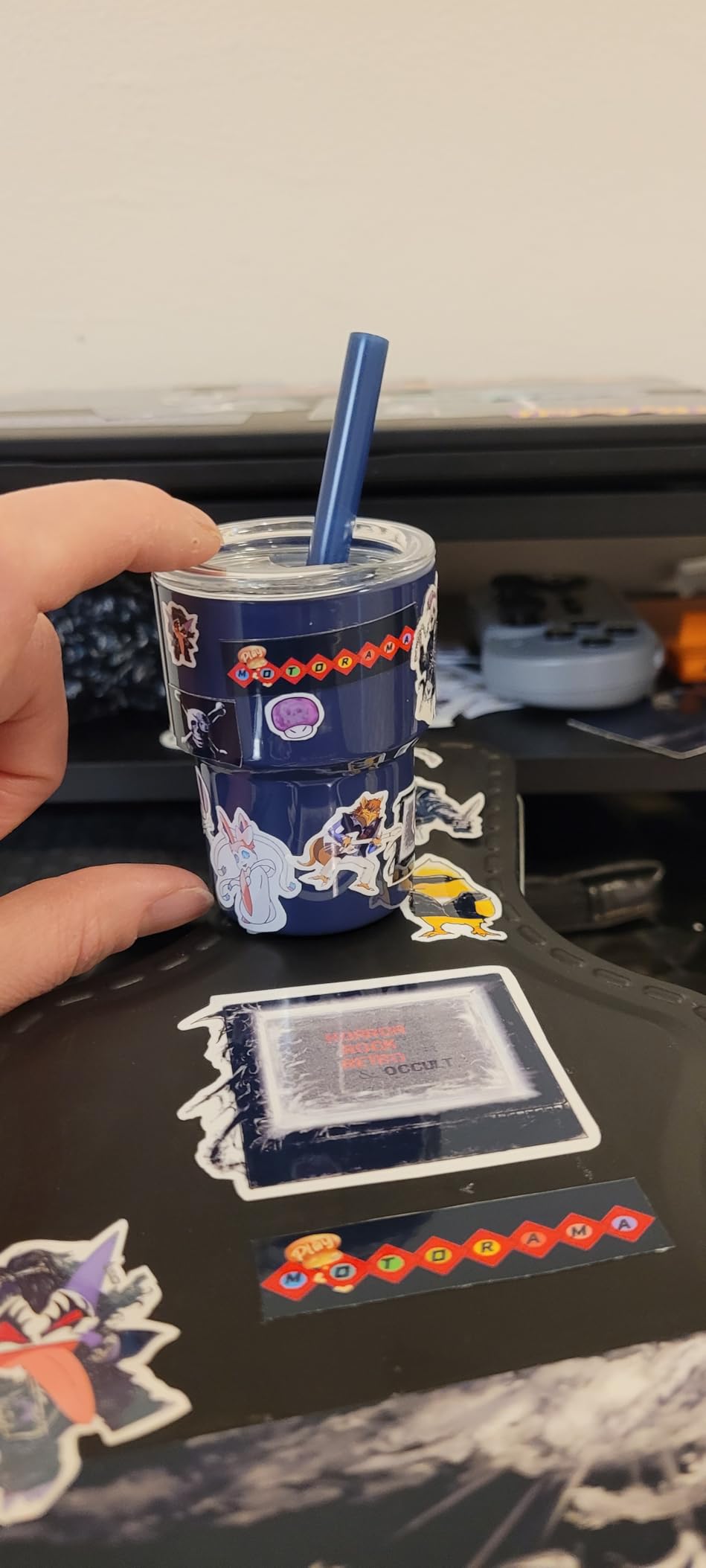
Two limitations decide whether this is your printer. There is no automatic duplex, so double-sided printing means flipping the stack by hand, and reviewers report the app dropping off Wi-Fi occasionally, which is annoying in a building with a crowded network. The 10005 reviews at a 4.1 star average is the deepest owner base of any printer on this list, and reviewers repeatedly describe the ink bottles as lasting for years at student volumes.
Ink Running Costs and Refilling
The refill process is the whole point. You tip each bottle, plug it into the matching tank, and the printer primes itself. There is no cartridge to shake, no chip to match, and no subscription to sign up for. That matters more than the spec sheet suggests, because a student who is printing 300 pages a month is buying a printer to escape per-cartridge math, not to win a resolution contest.
Reviewers also flag waste ink pad servicing as something to be aware of further down the line, since replacements and counter resets can be awkward to arrange. Across four or five years of student ownership that is a real but manageable cost, and it applies broadly to inkjets rather than being unique to this model.
Who Should Skip It
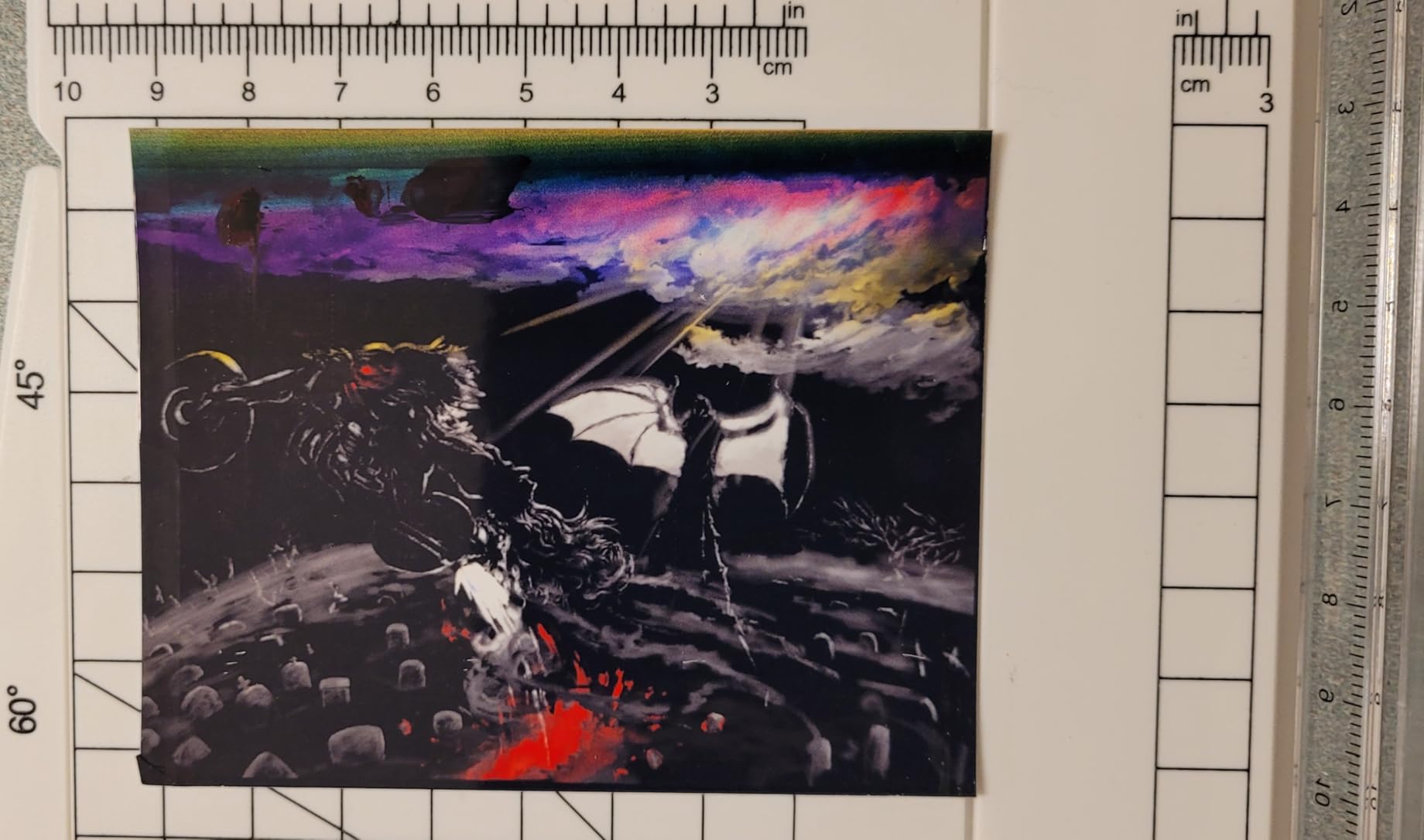
Skip the ET-2800 if you print multi-page double-sided documents most days of the week, because there is no automatic duplex and the manual flip adds up over a semester. Skip it too if you are a graphic design major who needs borderless printing beyond 4 x 6 inches, since the borderless capability here is limited to that small size.
Our general advice for the wider category sits on our guide to the best all-in-one printers for students, and this model is the same idea at a much lower ink cost. If your coursework includes photography or studio work, the Canon G3270 below handles borderless output properly.
2. Canon MegaTank G3270 – Best Inkjet for Color and Borderless Photos
Canon MegaTank G3270 All-in-One Wireless Color Printer
Canon MegaTank GI-21 refillable bottles
Borderless photo printing
11 ppm black and 6 ppm color
1.35 inch LCD
Pros
- Refillable GI-21 ink bottles with up to two years of ink
- True borderless photo printing
- Quickest speeds among the tank models at 11 ppm
- Energy Star and EPEAT qualified
Cons
- Wi-Fi connection reported as unreliable
- Color accuracy described as inconsistent for photos
- No automatic duplex printing
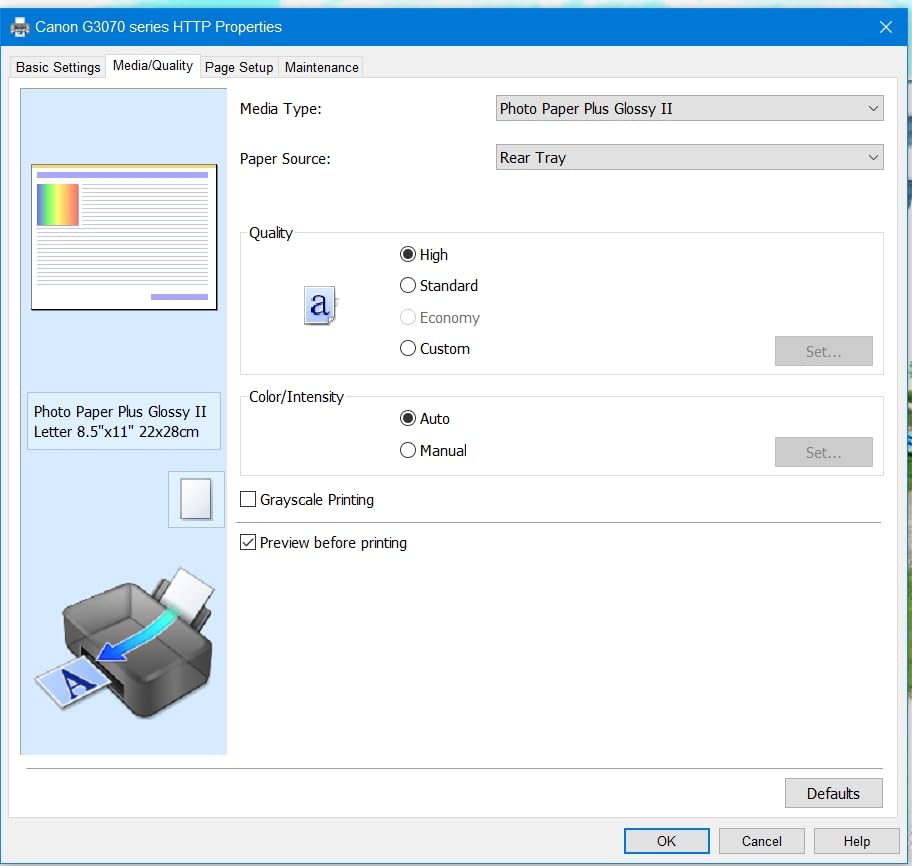
Where the ET-2800 is a generalist, the MegaTank G3270 is the one for students who care how things look. It prints borderless, which the ET-2800 does not do beyond 4 x 6 inches, and it handles card stock, glossy photo paper, envelopes and plain paper across a wide range of sizes.
Canon rates a single GI-21 ink set at up to 6,000 black pages or 7,770 color pages, which puts it at the top of the tank models in this roundup for black page yield. Canon also states five years of spare part availability, a genuine plus for a printer you might keep past graduation.
Speed sits a notch above the Epson at 11 pages per minute in black and 6 in color, with a 100-sheet tray and a 1.35 inch square LCD for basic navigation. Media support extends to 8.5 x 14 inches, and the machine draws only 16 watts in operation, which is a genuine plus for a printer you might keep past graduation.
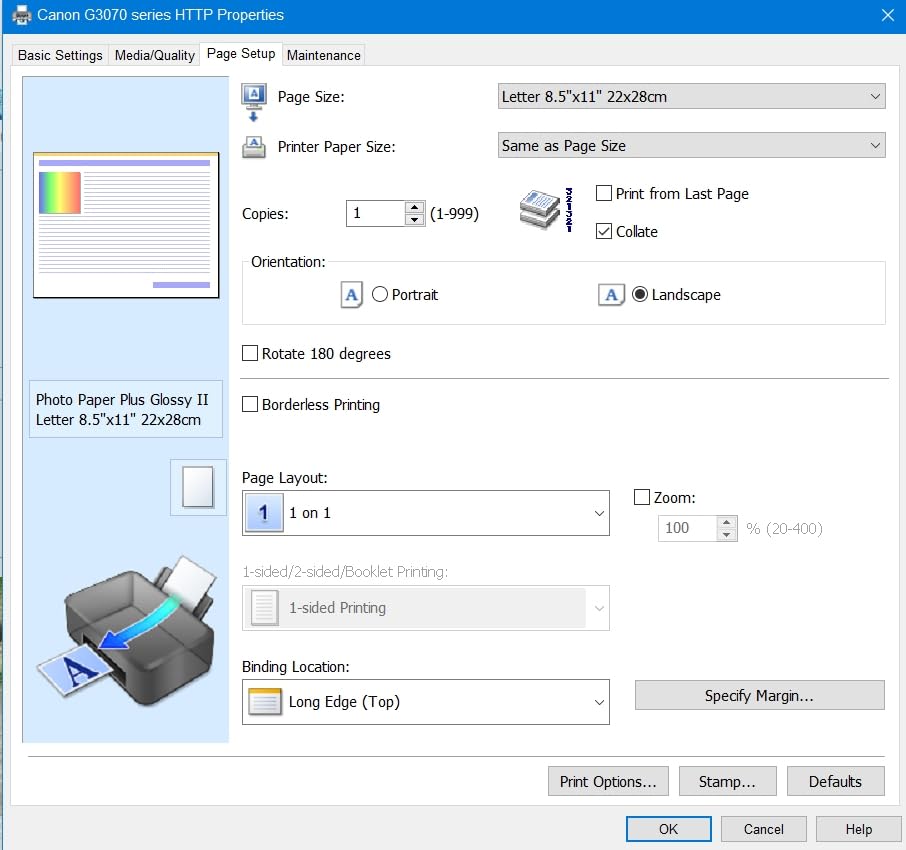
The recurring complaint from owners is connectivity. Reviewers describe the Wi-Fi dropping offline with some regularity, and there is no Ethernet port, so a USB cable is your only fallback. Reviewers also call the flatbed scanner quality mediocre compared to a dedicated scanner, which is worth knowing if you plan to digitize a lot of handwritten notes.
Color Quality for Design and Marketing Work
This is the printer to consider if you are a graphic design, marketing or communications major whose assignments are judged partly on how they look. Borderless output means you can print photos to the edge of glossy paper without cropping, and the 4800 x 1200 dpi maximum color resolution is more than enough for coursework and portfolio prints.
Be aware that reviewers report color accuracy as inconsistent, with some noting blacks that print grayish and colors that look washed out. If your program requires calibrated output, this is a printer to test on a known-good file before committing to a final print run. If you shoot your own reference material, our picks for the best DSLR cameras for photography students pair naturally with it.
Who Should Skip It
Skip the G3270 if your dorm Wi-Fi is unreliable, because the recurring disconnect complaints will cost you more time than the print job did. Also skip it if you only ever print black-and-white text, since the color capability adds nothing to that workload and there are cheaper single-purpose options.
Owners consistently recommend printing at least weekly with this model to keep the print head clear, which fits a student who prints every week and not one who prints twice a semester.
3. Brother Work Smart 1360 – Best Inkjet with Duplex and an ADF
Brother Work Smart 1360 Wireless Color Inkjet All-in-One Print, Scan, Copy
Automatic two-sided printing
20-sheet automatic document feeder
16 ppm black and 9 ppm color
150-sheet paper tray
Pros
- Automatic duplex printing on both sides
- 20-sheet ADF for multi-page scanning
- Fast speeds at 16 ppm black and 9 ppm color
- 150-sheet tray holds a full semester of handouts
Cons
- Cartridge-based ink with higher running costs
- Starter cartridges have limited yield
- Some Wi-Fi connectivity issues reported
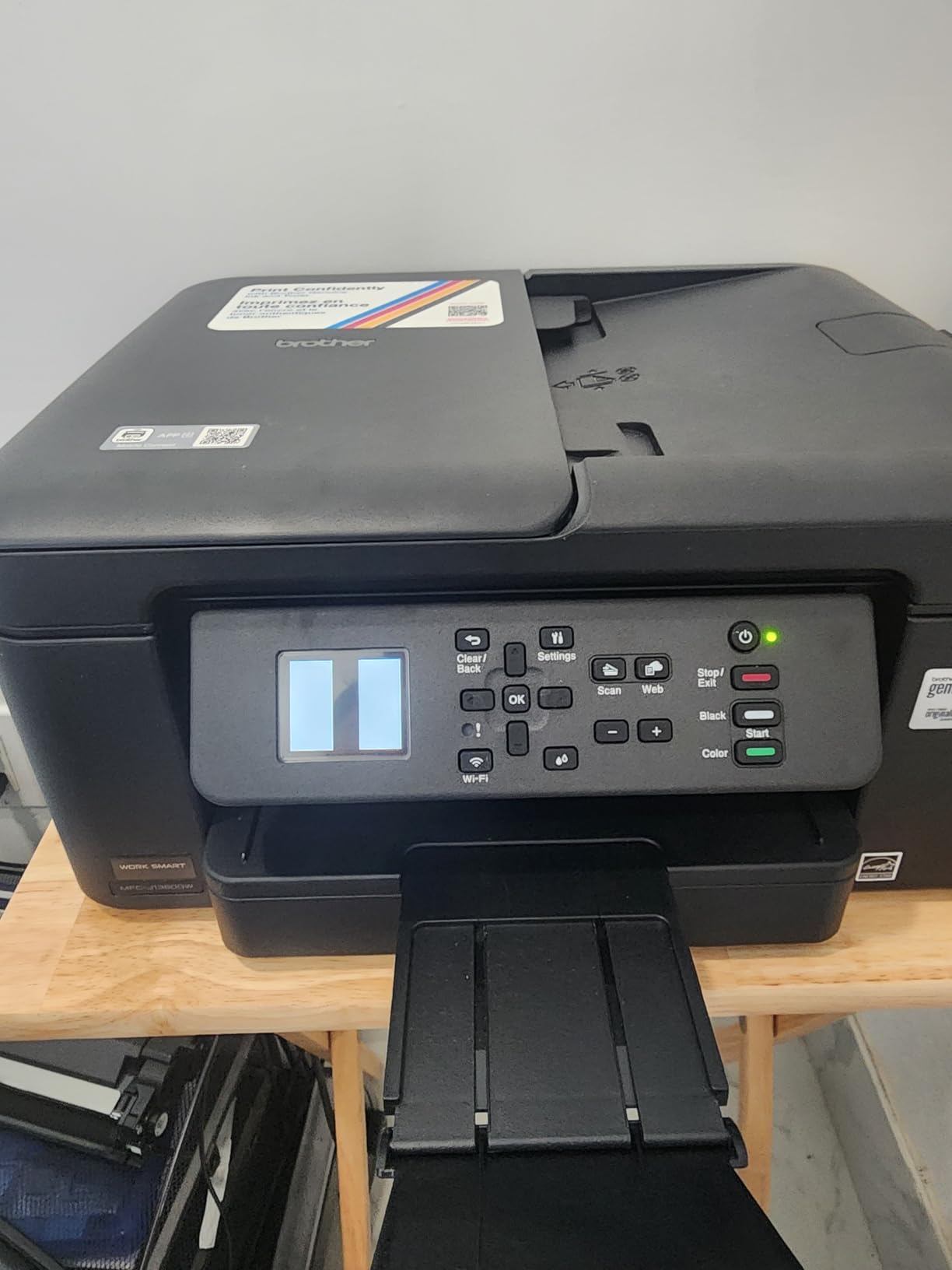
This is the first pick on the list that prints both sides of a page without your help, and for a student turning in 15-page double-sided essays that is worth more than any resolution figure. The 20-sheet automatic document feeder also scans and copies a full set of handwritten notes in one go, which no flatbed-only model in this roundup can do.
It is also among the quickest printers here, at 16 pages per minute in black and 9 in color, and its 150-sheet tray is the largest of the models here that a student could reasonably carry up stairs. The 1.8 inch color display and cloud connections to Google Drive, Dropbox, OneDrive and Box make it a natural fit if you scan a note and email it straight from the machine.
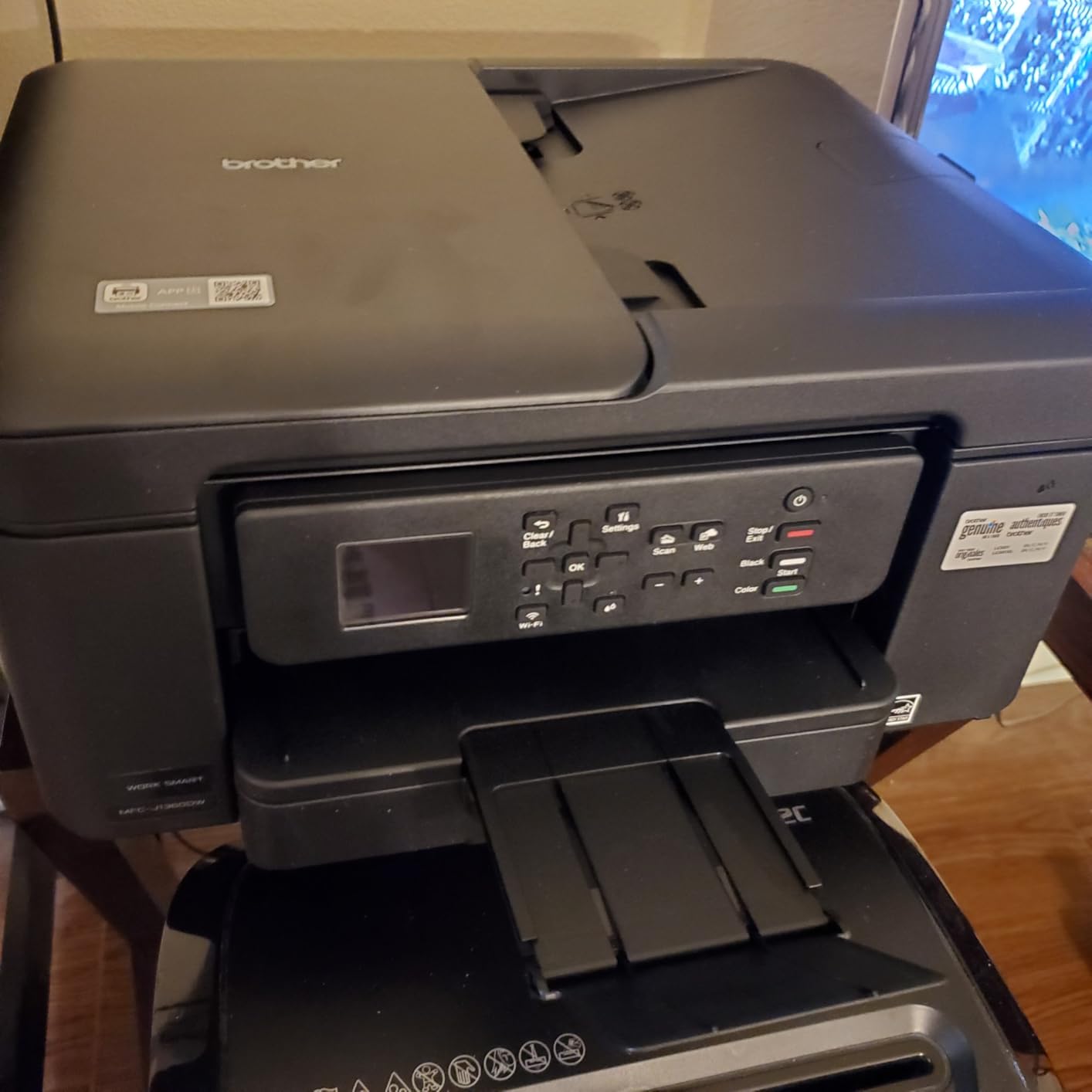
The trade-off is the ink system. This is a cartridge printer, and cartridge ink is where the running-cost math goes wrong for a student. The starter cartridges included in the box are small, and owners note the replacement cartridges cost more than a comparable tank printer’s ink set. Its 3.9 star average across 2550 reviews is the lowest in this roundup, and the complaints cluster around ink cost rather than hardware.
Duplex, ADF and What They Actually Save You
Automatic duplex printing is the single most useful feature for a student who prints essays, and it also halves paper use, which matters in a dorm with a small bin. The document feeder is single-sided, so a 20-page double-sided scan is two passes rather than one, but that is still dramatically faster than lifting the flatbed lid twenty times.
Brother includes Page Gauge ink monitoring, which shows remaining ink levels on the display before you commit to a large print job. It is a small feature that prevents the classic mid-essay cartridge failure, and it is one of the practical reasons we rate this model so highly for coursework despite the cartridge system.
Who Should Skip It
Skip the 1360 if you print more than a few hundred pages a semester, because cartridge costs compound quickly at student volumes and an EcoTank or MegaTank model will be cheaper over a degree. At 16.8 pounds it is the second-heaviest printer here, so it is a desk machine, not a carry-on.
Choose it anyway if duplex printing and feeder-based scanning are the two features you care about more than ink cost, because no other printer at this tier combines both.
4. Epson EcoTank ET-2400 – The Lightest Refillable Tank Inkjet Here
Epson EcoTank ET-2400 Wireless Color All-in-One Supertank Printer
Refillable EcoFit T522 ink bottles
8.6 pound body weight
5760 x 1440 dpi
LED indicators, no screen
Pros
- Lightest refillable tank printer at 8.6 pounds
- Up to two years of ink included in the box
- Energy Star certified
- Easy bottle refilling process
Cons
- No automatic duplex printing
- No display screen beyond LED indicators
- Output tray holds only 30 sheets
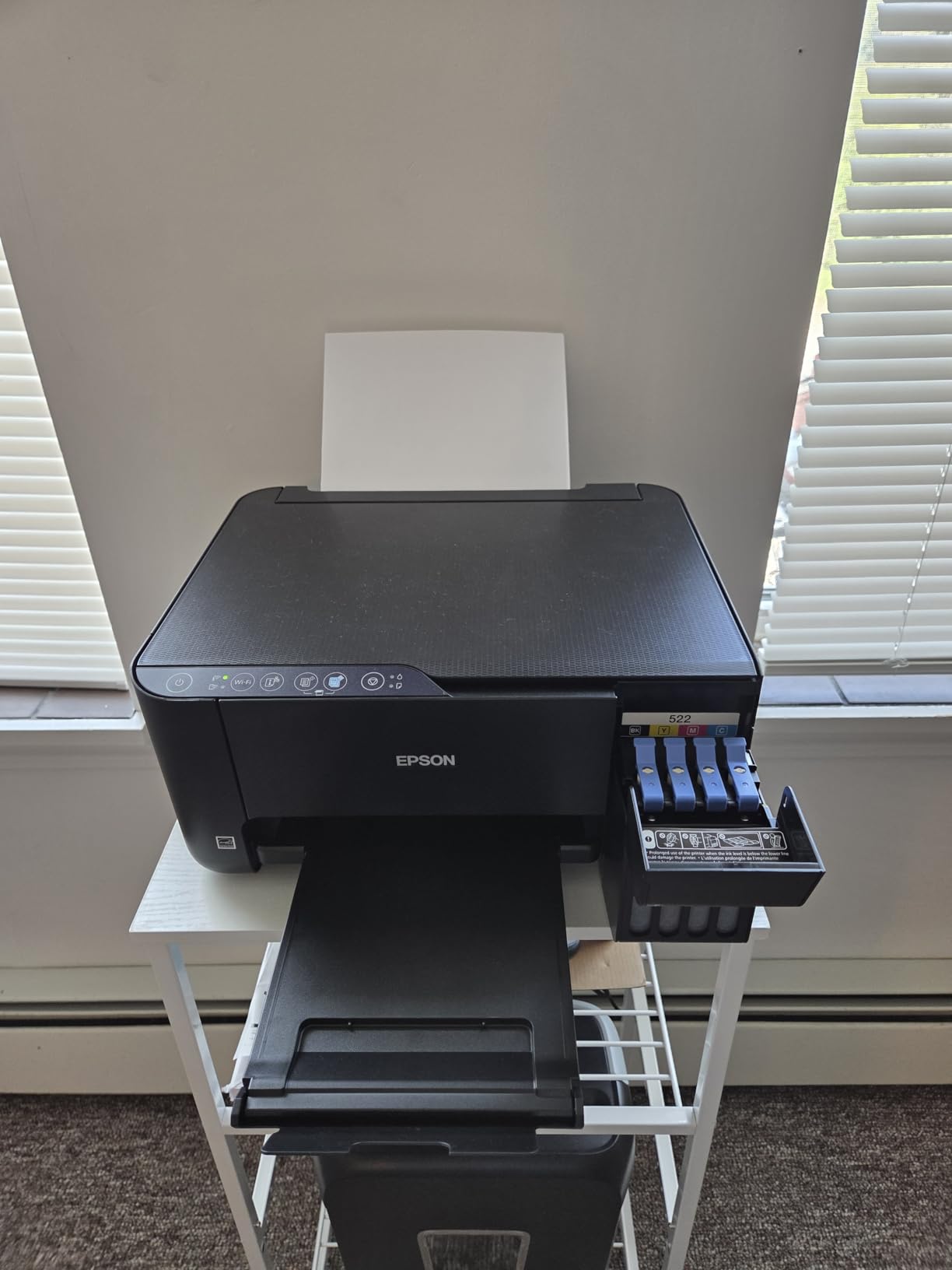
At 8.6 pounds it is the lightest refillable tank inkjet in this roundup, 2.8 pounds lighter than the ET-2800 and more than 8 pounds lighter than either Brother model. For a student carrying a printer down three flights of stairs at the start of an academic year, that difference is the whole buying decision.
Underneath, the ink economics are the same as the ET-2800. Epson rates a T522 EcoFit ink set at up to 4,500 black pages or 7,200 color pages, with up to two years of ink in the box, and printing runs at 10 pages per minute in black and 5 in color at up to 5760 x 1440 dpi. The 100-sheet input tray and flatbed scanner handle standard coursework without ceremony.

Owners like it specifically for student work, and several reviewers describe printing nursing school study guides and assignment packets on it. The 4.0 star average across 4659 reviews sits mid-pack, and the complaints are practical rather than fatal: manual duplex, no screen, and a 30-sheet output tray that means you refill it mid-document if you print a long batch.
Setup Quirks Worth Knowing Before You Buy
Two setup details catch people out. There is no display screen at all, just LED indicators, so there is no on-printer menu for anything, including Wi-Fi setup, which happens through the app. Reviewers also report that dual-band routers can cause connection problems, with the workaround being to temporarily disable the 5 GHz band during setup. Budget 20 minutes and a phone for the first afternoon.
Because there is no borderless printing, this is a documents-and-notes printer rather than a photo printer, and it prints plain paper only per the manufacturer media list. If you need glossy output, look at the Canon models instead.
Who Should Skip It
Skip the ET-2400 if you print double-sided documents regularly, since duplex is manual here, and skip it if you dislike app-only setup with no physical controls. Print head clogs are reported when the printer sits unused for long stretches, so this model rewards the student who prints every week rather than the one who prints in a single finals-week rush.
For a wider look at dorm-friendly setups, our best home printers for students guide covers the laser options we deliberately leave out of this page.
5. Canon PIXMA TS3720 – Best Budget Inkjet for Light Printing
Canon PIXMA TS3720 Wireless All-in-One Printer for Basic Home Printing, White
Two-cartridge hybrid ink system
7.7 ppm black and 4 ppm color
60-sheet paper tray
1.5 inch segment LCD
Pros
- Lowest entry cost of the picks on this list
- Works with Chromebook out of the box
- Dual-band Wi-Fi for stable connections
- Borderless photo printing up to 5x7
Cons
- Starter cartridges run out very quickly
- Single-sided printing only
- Only 60 sheets of paper capacity
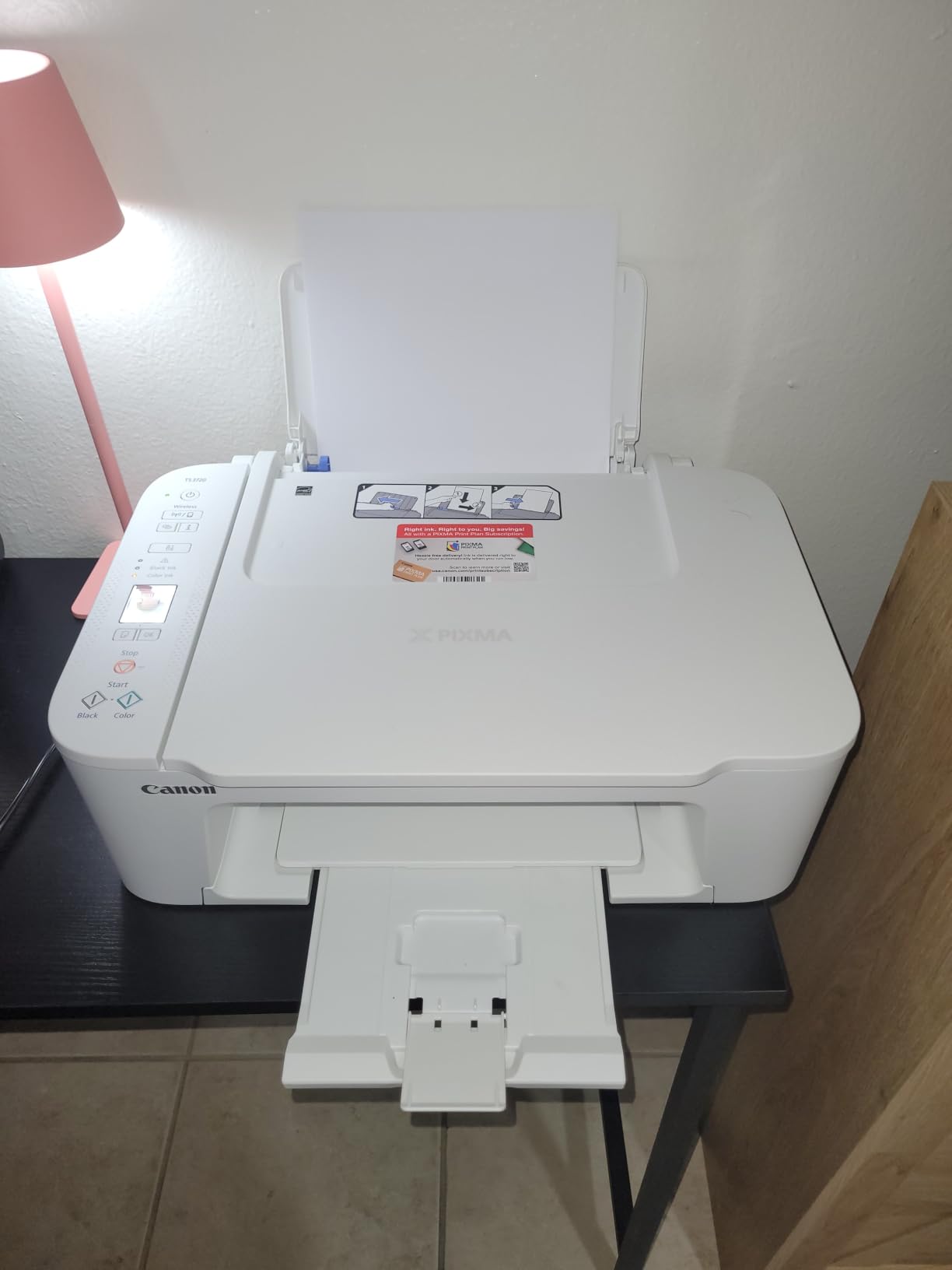
At the bottom of the price range, the PIXMA TS3720 does the least and costs the least, and for a student who prints a handful of pages a month that is a fair trade. It weighs 8.7 pounds and measures 17.2 inches deep by 12.9 inches wide by 5.8 inches tall, one of the smallest footprints in this roundup and easy to clear off a dorm desk when you need the space for a laptop.
It prints at 7.7 pages per minute in black and 4 in color, up to 4800 x 1200 dpi, into a 60-sheet tray. Media handling is genuinely flexible for a budget model: envelopes, labels, banners, photo paper, and borderless output up to 5 x 7 inches. It also supports AirPrint, Mopria and the Canon PRINT app, and reviewers specifically confirm it works with Chromebooks.
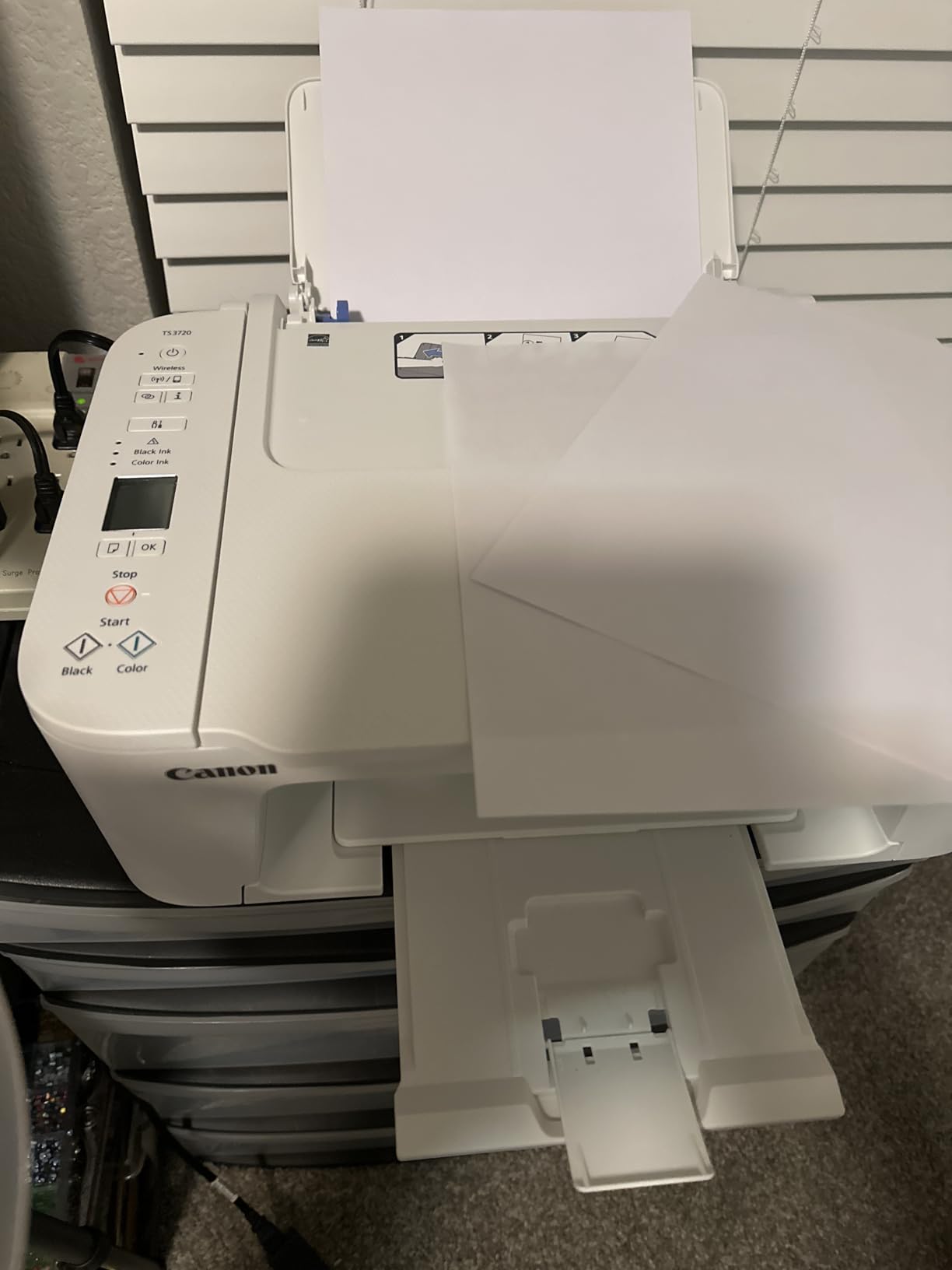
The ink system is where budget models always compromise, and here it is a two-cartridge hybrid setup, one black and one tri-color. That means you replace the tri-color cartridge when any single color runs out, and the starter cartridges included are tiny, with owners reporting them largely exhausted after a handful of pages. A cartridge-based ink system is the wrong shape for a student who prints regularly, and this model is only right when printing is genuinely occasional.
When a Low Purchase Cost Actually Wins
There is a real case for this printer, and it is arithmetic rather than sentiment. If you print fewer than 100 pages across an entire year, cartridge ink costs almost nothing in absolute terms and the low purchase cost is most of the equation. Students who print a few pages of lecture notes before an exam and nothing else fall into this group.
Two other details to plan around. No USB cable is included in the box, so bring your own if you want a wired fallback, and reviewers note the plastic build feels cheap in hand, along with Canon support and driver downloads being a process of their own. Quiet operation is a genuine plus in a shared dorm room, and several reviewers name it as a reason they kept the printer.
Who Should Skip It
Skip the TS3720 if you print more than about 20 pages a month, if you ever need two-sided printing, or if you mind replacing a tri-color cartridge because the magenta ran out. If any of those apply, step up one model on this list rather than saving money on ink you will immediately have to buy.
That leaves cartridge pricing as the thing to weigh, which the ink system section below covers in detail.
6. Canon PIXMA TS4320 – Best Compact Inkjet With Two-Sided Printing
Canon PIXMA TS4320 – Wireless Color Inkjet Printer with Print, Copy, Scan
Automatic two-sided printing
14 ppm black and 9 ppm color
1.44 inch OLED display
3-year manufacturer warranty
Pros
- Automatic duplex in a compact body
- 14 ppm black speed with 100-sheet tray
- Three-year manufacturer warranty
- Compact 14 inch wide footprint
Cons
- Letter size only with no legal support
- Flatbed scanner with no document feeder
- Tank-style cartridges rather than refillable bottles
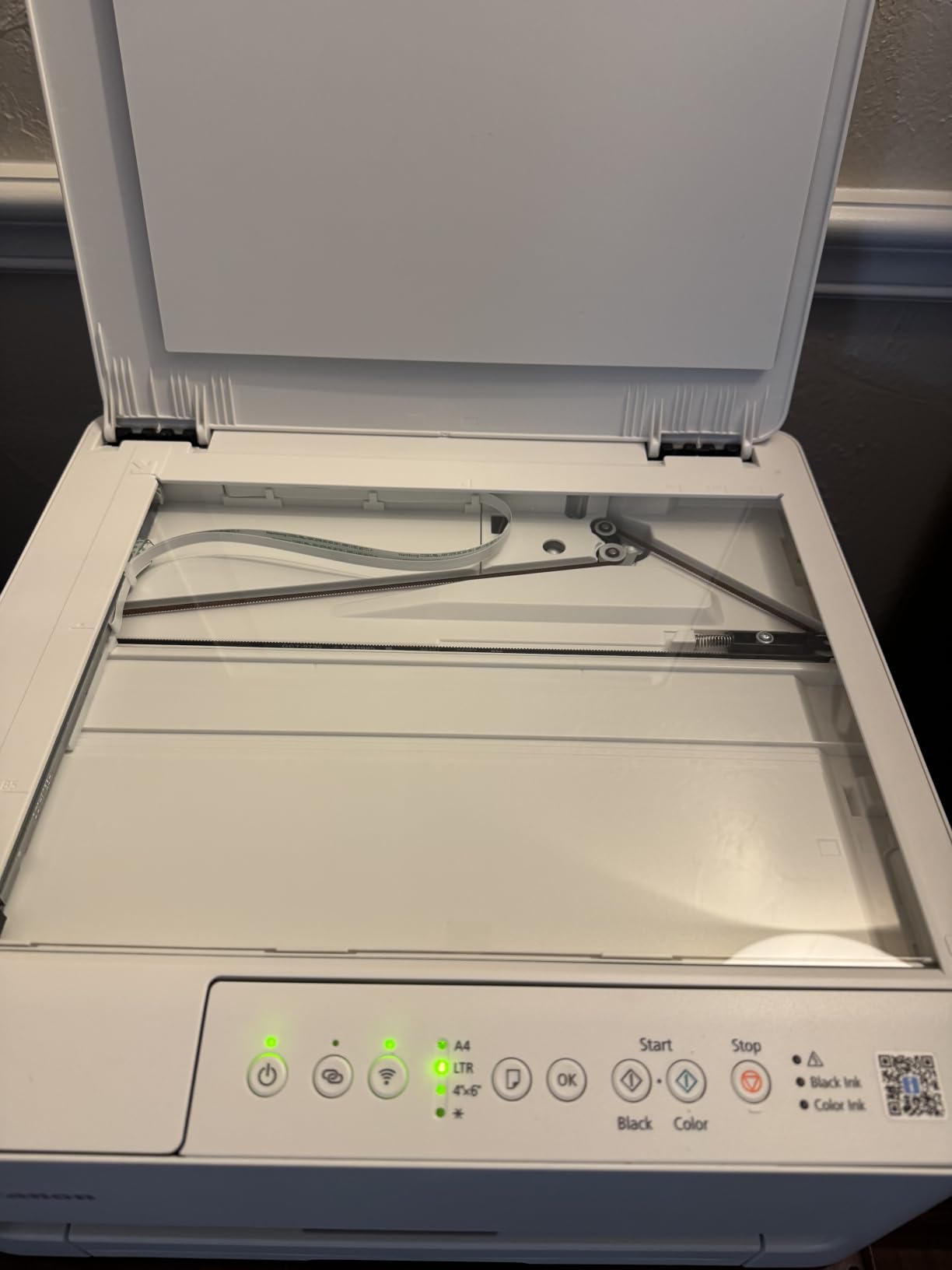
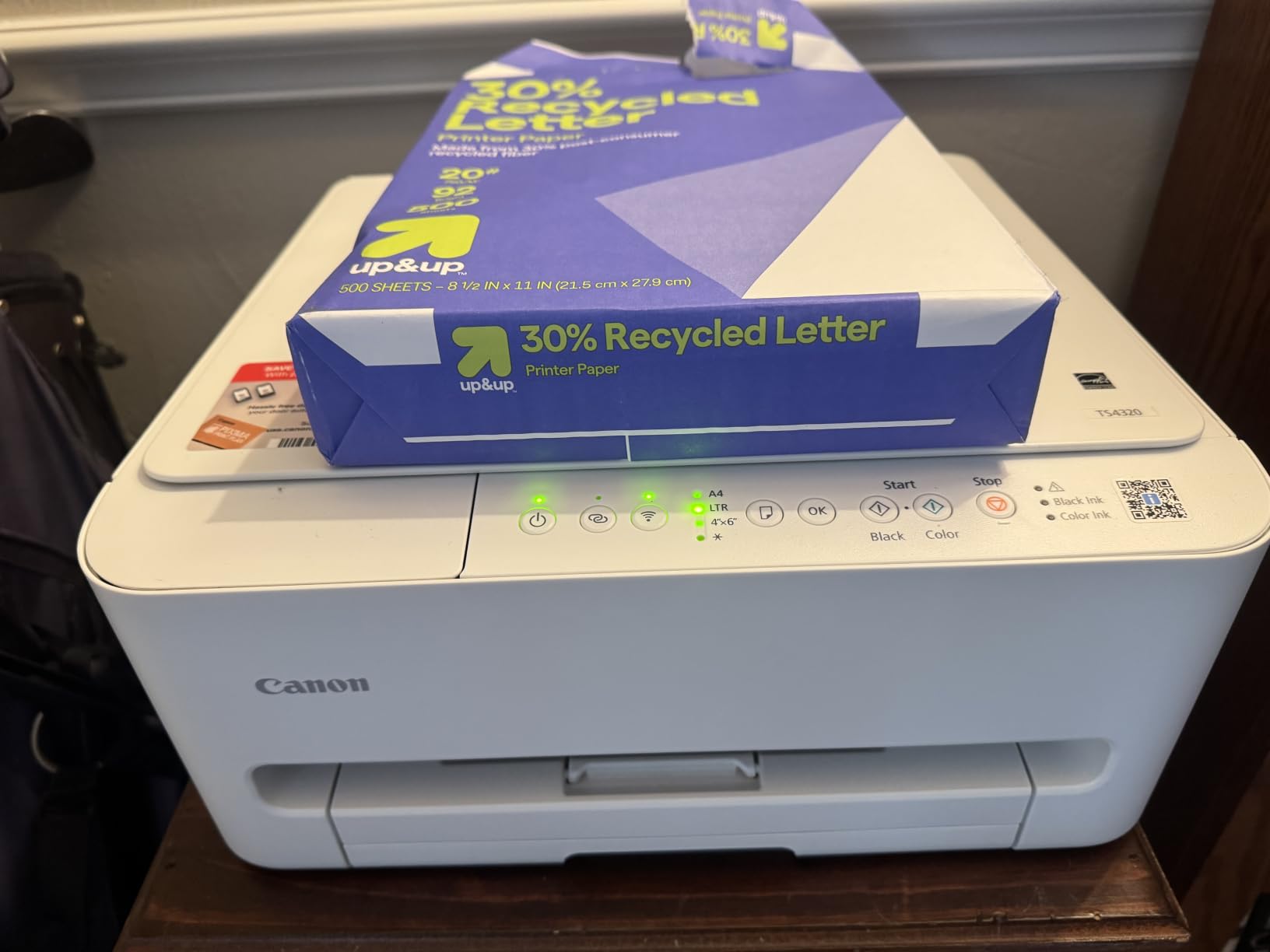
The TS4320 solves a specific problem well: how to get automatic duplex printing without a printer that dominates a dorm desk. It measures 14.8 inches deep by 14 inches wide and 6.7 inches tall, prints at 14 pages per minute in black and 9 in color, and holds 100 sheets in a single tray. For a student printing a stack of formatted essays double-sided, that combination is the whole pitch.
It also carries a 1.44 inch OLED display, which is unusual at this size and price, plus a three-year manufacturer warranty, the longest coverage in this roundup. Energy Star and EPEAT Silver certifications come with it, and mobile printing through AirPrint, Mopria and the Canon PRINT app is supported alongside dual-band Wi-Fi and USB.
Two limits define who should pass. Maximum media size is Letter only, so a professor who hands out legal-size paper is out of luck, and there is no document feeder, so scanning a pile of notes means 15 separate flatbed passes. Both are acceptable for most coursework and both are annoying for a specific student, so check your program requirements first.
Tank-Style Ink Without True Refill Bottles
The ink system is worth understanding carefully, because Canon’s marketing language and the hardware disagree. It uses PG-295 black and CL-286 tri-color cartridges, which are tank-style reservoirs rather than pour-in bottles, so you get lower ink cost than a conventional cartridge printer without getting the cheapest possible cost per page. Owners generally report running costs closer to the middle of the range rather than the bottom.
Borderless printing is supported, which is more than the two Epson models here can do, and the 4.0 star average across 2320 reviews is solid.
Who Should Skip It
Skip the TS4320 if you scan multi-page documents regularly, since there is no document feeder, and skip it if legal-size media ever appears in your coursework. If your priority is the lowest ink cost possible rather than duplex printing, one of the refillable tank models is the better investment.
It is the most compact printer here that still prints both sides from a full paper tray, which is why it earns a place on this list despite the resolution ceiling of 1200 x 1200 dpi.
7. Brother Work Smart 1410 – Best Inkjet With a Touchscreen and Fax
Brother Work Smart 1410 Wireless Color Inkjet All-in-One Printer with 2.7” Touchscreen and Automatic Duplex Printing | Includes Refresh Subscription Trial(1) (MFC-J1410DW)
2.7 inch color touchscreen
Automatic duplex plus 20-sheet ADF
Fax capability
16 ppm black and 9 ppm color
Pros
- Large 2.7 inch color touchscreen for standalone control
- Automatic duplex and a 20-sheet document feeder
- Fax capability for clinical and administrative paperwork
- Same 150-sheet tray and speeds as the 1360
Cons
- Cartridge-based ink with higher running costs
- Only 271 reviews as a newer model
- Single-sided document feeder only
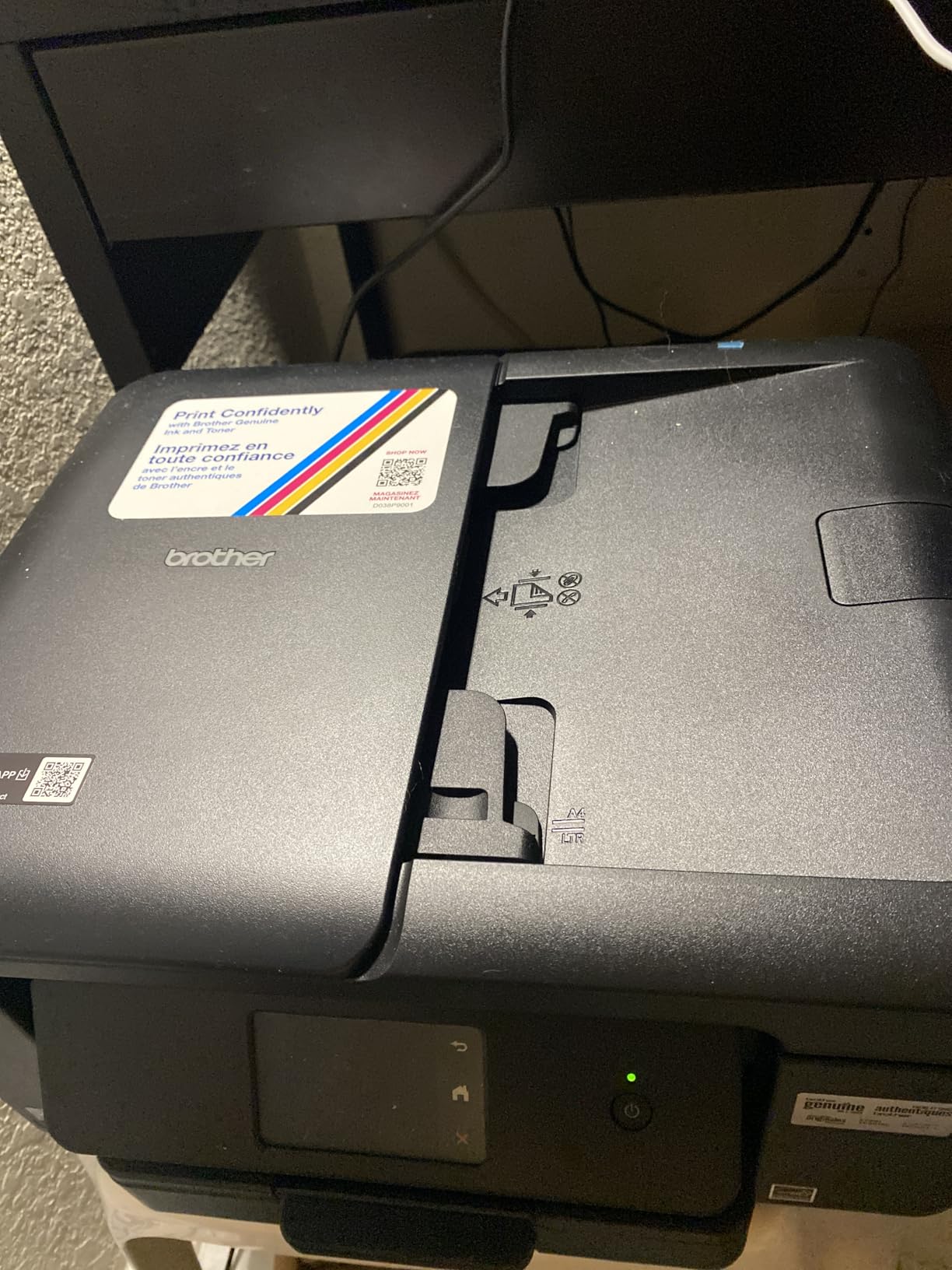
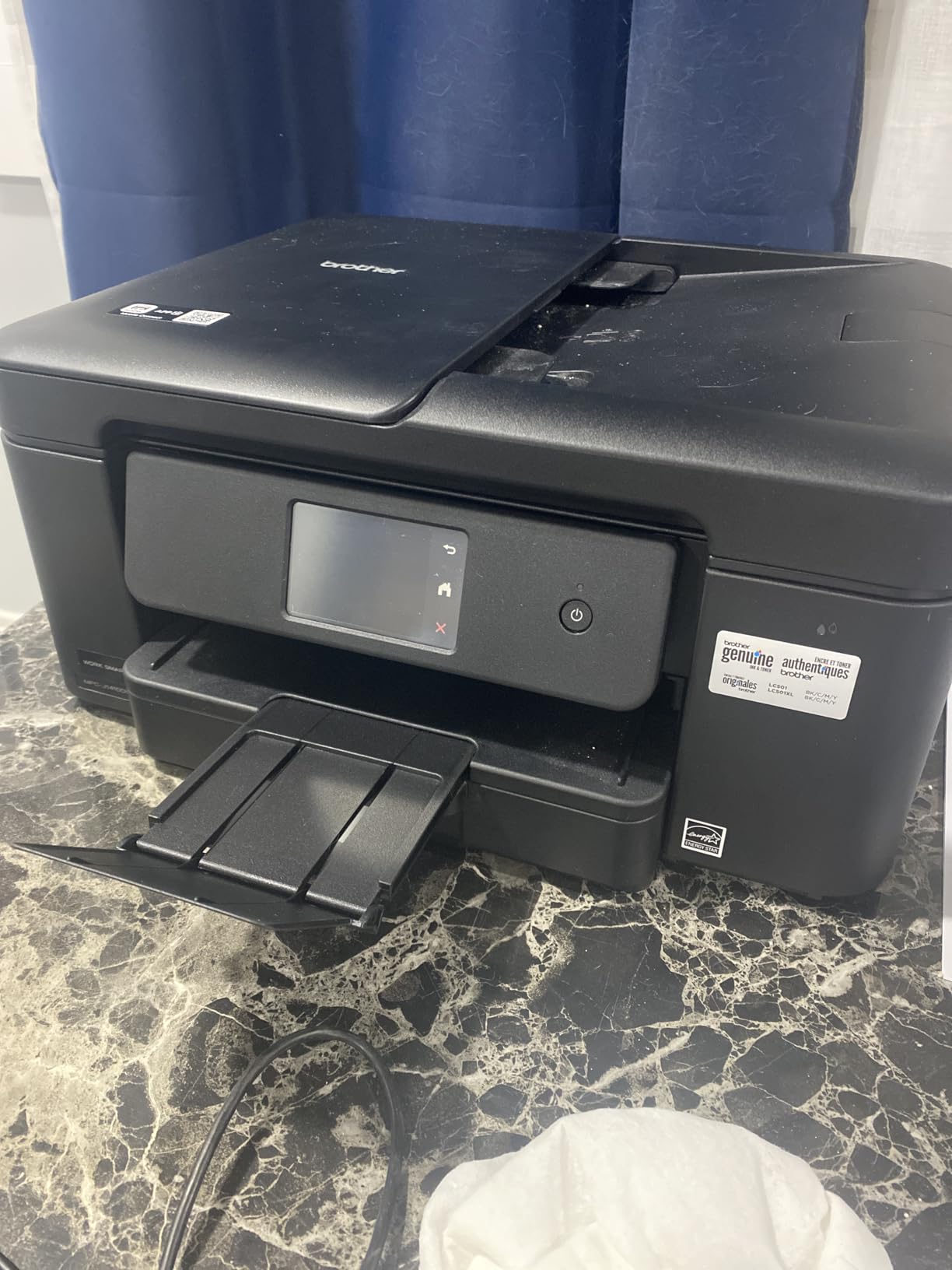
The Work Smart 1410 is the 1360 with a larger screen and a fax function, and for a specific student that is exactly the upgrade worth making. A 2.7 inch color touchscreen lets you change settings, preview scans and check ink without opening an app on your phone, which matters in a dorm where your phone is often the only computer you have to hand.
Everything else matches its sibling: automatic duplex printing, a 20-sheet single-sided document feeder, 150 sheets of paper, and 16 pages per minute in black and 9 in color. Cloud connections to Google Drive, Dropbox, OneDrive and Box, plus Brother Mobile Connect, cover the usual workflows. Paper handling goes to 8.5 x 14 inches.
Why would a student need a fax? Nursing and allied health programs still assign fax-style documentation tasks, administrative internships and scholarship applications sometimes request it, and a shared apartment printer that can send a page beats borrowing one. It is a genuinely rare feature in an inkjet at this size.
The catch is review volume. This model has 271 reviews at a 3.9 star average, a much thinner owner base than the long-established models here, so you have less long-term evidence to lean on. The ink is still cartridge-based, the same LC501 family as the 1360, and a Refresh subscription trial is included, which we would decline rather than enroll in.
Subscription Ink and the Cost Trap
That trial is worth a paragraph of its own because subscription ink programs are a common student regret. On a low-volume printer, plans priced per page can end up costing more than buying standard cartridges on your own schedule, and enrollment decisions made in the first week are hard to revisit later. A student who prints 40 pages a month has far better options than a subscription.
Two other specs to weigh: the document feeder is single-sided, so double-sided scanning takes two passes, and there is no Ethernet port, so the wired fallback is a USB cable.
Who Should Skip It
Skip the 1410 if fax is not on your program requirements list, since the 1360 gives you the same print and scan hardware for less, and skip it if you print enough each month that cartridge ink cost becomes the dominant expense. Anyone buying a Brother inkjet and considering the subscription should compare it against tank pricing first.
If your desk is mostly a laptop, pair decisions matter more than printer decisions, and our picks for the best gaming laptops for college students cover the space next to the printer.
8. HP Envy 6155 – Best Inkjet for Printing From the HP App
HP Envy 6155 Wireless All-in-One Color Inkjet Printer, Print, Scan, Copy, Duplex Printing Best-for-Home, 3 Month Trial of Instant Ink Included, AI-Capable (C2WR7A) Portobello
Automatic duplex printing
2.4 inch color touchscreen
P3 true-to-screen color
100-sheet tray
Pros
- Automatic duplex with a 2.4 inch touchscreen
- Sharp screen-to-print color with P3 technology
- Dual-band Wi-Fi with automatic connection recovery
- Made with at least 60 percent recycled plastic
Cons
- Cartridges locked to HP chips which blocks third-party ink
- Instant Ink subscription required after the trial
- Setup cartridges yield roughly 120 pages
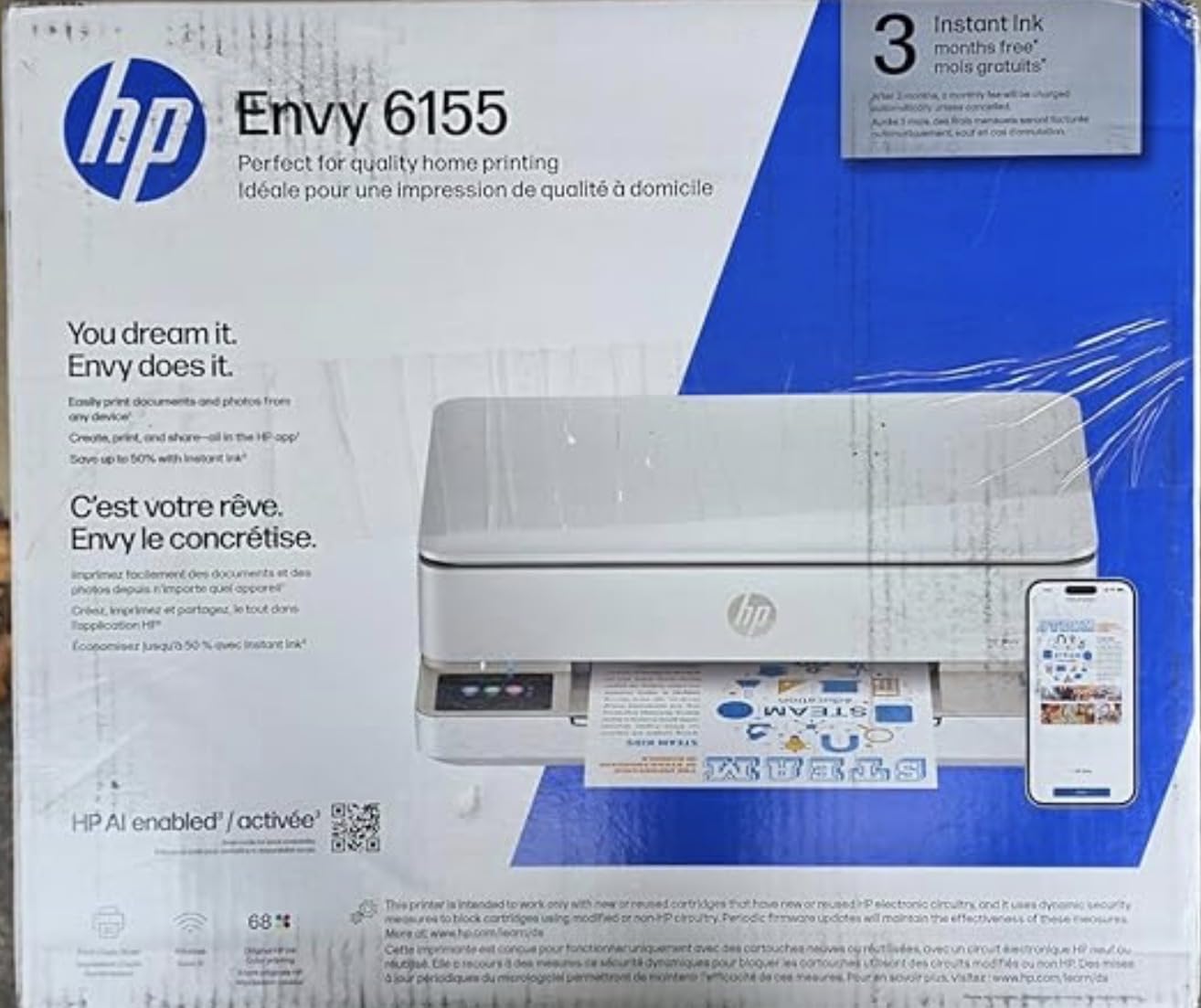
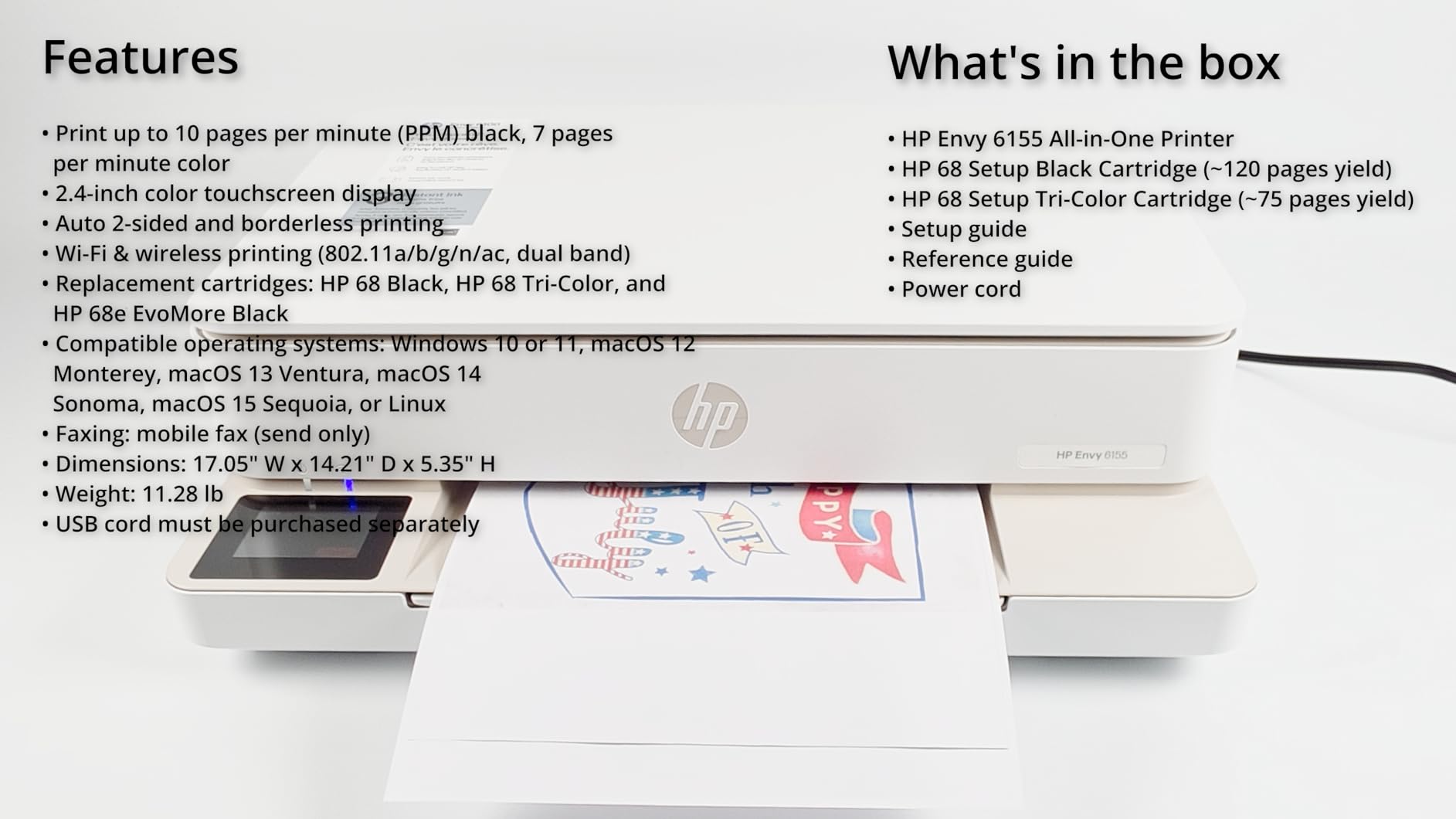
The Envy 6155 carries the highest star rating of any inkjet in this roundup at 4.2, across 351 reviews, and the reason is mostly the combination of automatic duplex and a real touchscreen at a mid-range price. Printing at 10 pages per minute in black and 7 in color into a 100-sheet tray, it handles a normal student workload without being slow about it.
HP’s software is the draw for students who already live in the HP app. Scan and copy from a phone, print from anywhere through HP Smart, and use the print formatting tool that trims extra white space and stray content before output. True-to-screen P3 color also makes photo output track what you see on a display more closely.
The cartridge lock is the real constraint. Reviewers consistently note the cartridges require HP chips, which blocks third-party ink, and firmware updates maintain that block. That removes the cheapest lever students have for cutting ink costs, and combined with a subscription trial that ends after three months, the running cost on this model gives you the least flexibility of the list.
Setup Cartridges and What You Actually Get
Expect the bundled cartridges to run dry quickly. The setup cartridges are rated at roughly 120 black pages and 75 color pages, so your first ink purchase arrives sooner than the box implies. A student who buys this printer and prints 300 pages a month will be buying ink within six weeks, which is a poor reason to choose it over a tank model.
Connectivity is dual-band Wi-Fi with automatic connection recovery, which reviewers single out as reliable, and there is USB as a wired fallback but no Ethernet port. Media is Letter size, with borderless photo printing and support for labels, envelopes and transparencies.
Who Should Skip It
Skip the Envy 6155 if ink cost matters at all, because chip-locked cartridges remove the third-party option and the bundled cartridges are small. Skip it if you already own a Mac or iPhone and prefer AirPrint, since the HP app is the reason to be here rather than a general one.
Pick it if you print light, care about screen-to-print color matching, and want a touchscreen for scanning without a phone. Otherwise the tank models on this list cost less to run over a degree.
9. HP Smart Tank 5003 – Most Ink in the Box of Any Pick Here
HP Smart Tank 5003 Wireless All-in-One Ink Tank Printer, Scanner, Copier with up to 3 Years of Ink Included, Best-for-Home, Cartridge-Free Refillable, AI-Capable (9B2D3A)
Cartridge-free ink tank refills
Up to 3 years or 6000 pages included
Legal size media support
10 ppm black and 5 ppm color
Pros
- Up to three years or 6000 pages of ink in the box
- Mess-free plug-and-drain refill bottles
- Supports AirPrint
- Mopria
- HP ePrint and Print Anywhere
- Legal size media support
Cons
- Manual duplex only
- Flatbed scanner with no document feeder
- Slow first page at 21 seconds
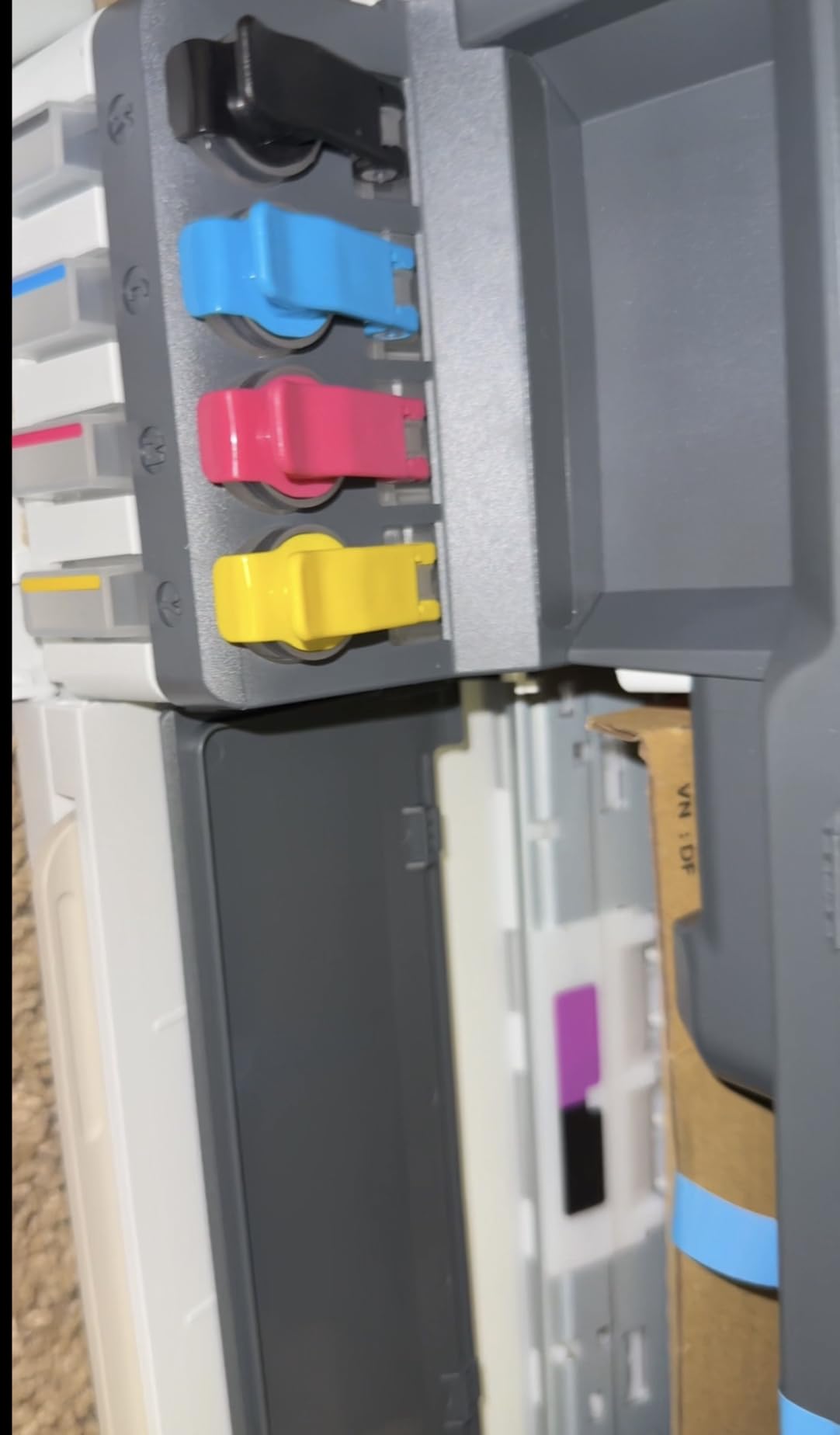
On raw included ink, the Smart Tank 5003 puts more in the box than any other pick on this list. HP states up to three years or 6,000 pages of ink in the box, which is more than the two Epson models, and refills use HP 32XL black and HP 31 color bottles that plug straight into the tanks and drain. There is no cartridge to shake and no chip to match, and there is no subscription attached to the tank refills.
It handles Letter and Legal media up to 8.5 x 14 inches, prints at 10 pages per minute in black and 5 in color up to 4800 x 1200 optimized dpi, and holds 100 sheets. Connectivity covers AirPrint, Mopria, HP ePrint, Print Anywhere and the HP Smart app alongside USB, which is the widest set of wireless print options among the tank models here.
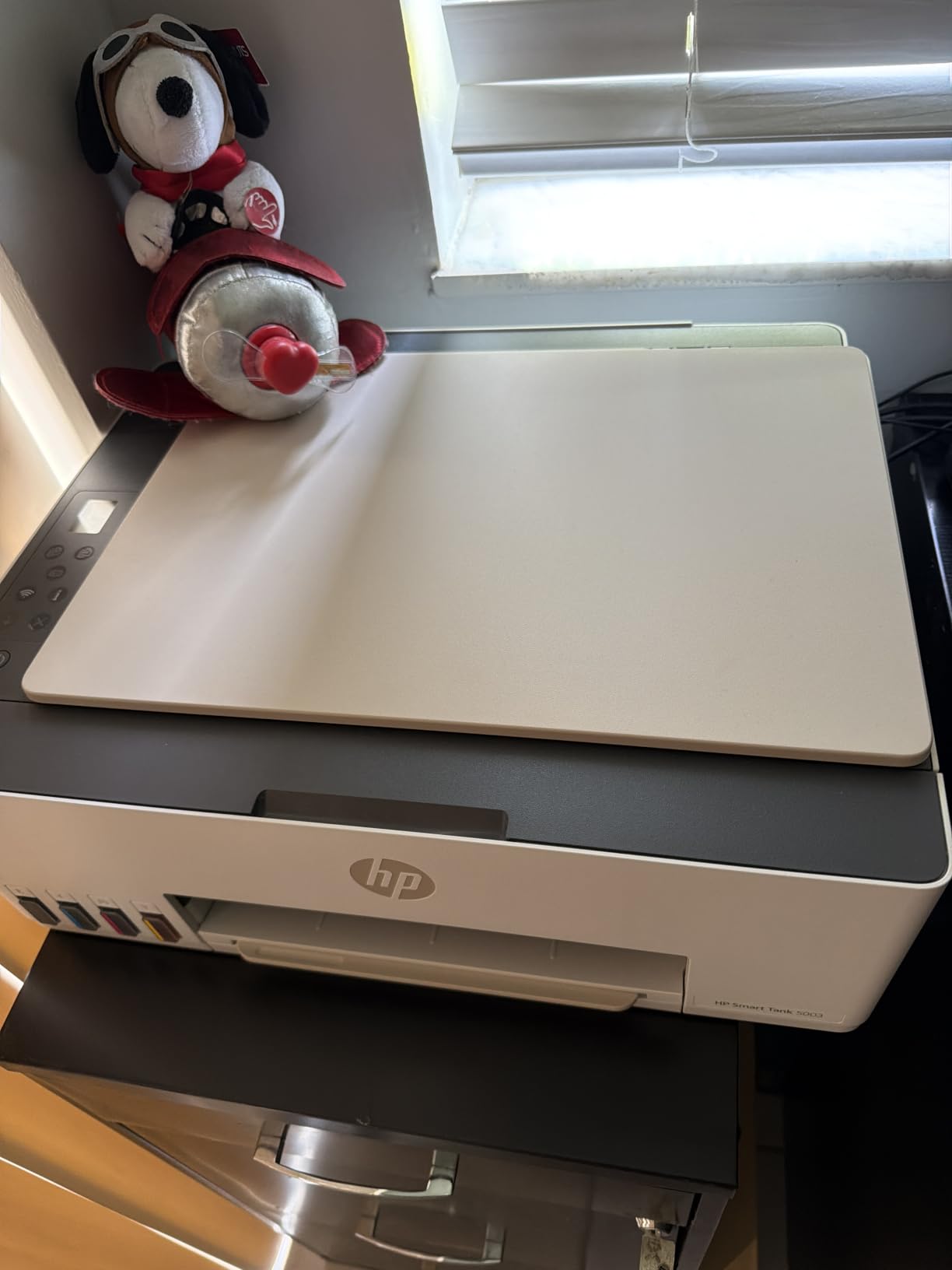
The body is compact for a tank printer at 14.23 inches deep by 17.11 inches wide and 6.19 inches tall, weighing 11.1 pounds, and the warranty runs one year or 30,000 pages. The empty tank design is what makes it look like a normal inkjet rather than a box with tubes sticking out of it.
Where This Model Falls Short
Three limits, and they are real. Duplex is manual, supported through the driver rather than the hardware, so double-sided printing means flipping pages yourself. There is no document feeder, only a flatbed scanner, so multi-page scanning is slow. And the first page takes 21 seconds, which you feel when you are printing one handout at a time between classes.
Review volume is also modest at 226 reviews and a 4.1 star average, so you have less long-term evidence than the established models. The included ink, though, is the single biggest cushion on this list, and for a student printing a moderate amount who wants to avoid an ink purchase for a year or more, that is a real advantage.
Who Should Skip It
Skip the Smart Tank 5003 if you need automatic duplex, need a document feeder for scanned notes, or print one page at a time and notice the 21-second first page. It also makes most sense if you keep the printer for a degree rather than a single semester.
Among the tank models here it has the broadest wireless support, which matters if you bounce between a dorm, an apartment and the library.
10. HP OfficeJet Pro 9135 – Best Inkjet for Shared Apartment Printing
HP OfficeJet Pro 9135 Wireless All-in-One Color Inkjet Printer, Print, Scan, Copy, Fax, ADF, Duplex Print/scan, Best-for-Office, 3 Month Trial of Instant Ink Included, AI-Capable (C2WM0A)
25 ppm black and 20 ppm color
Two 250-sheet paper trays
Single-pass two-sided document feeder
4.3 inch color touchscreen
Pros
- Fast print speeds at 25 ppm black and 20 ppm color
- Two 250-sheet trays totaling 500 sheets
- Single-pass two-sided document feeder for scanning
- Ethernet port for a stable wired connection
Cons
- Heaviest printer here at 26.1 pounds
- Cartridges locked to HP chips
- Color accuracy issues reported
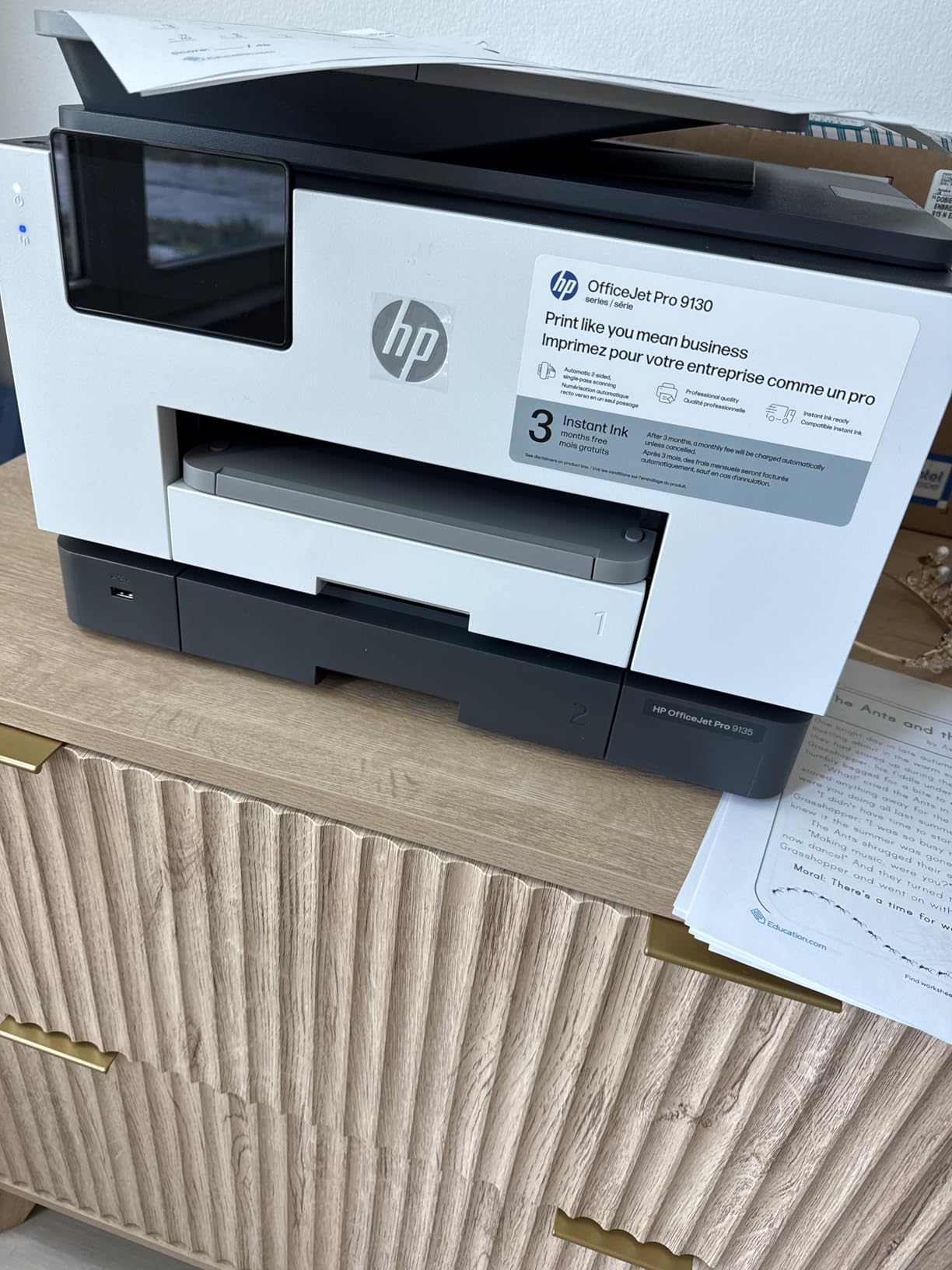
When a printer is shared, the deciding factors stop being ink cost and start being paper capacity, speed and whether anyone can get a job off the machine. The OfficeJet Pro 9135 answers all three: two 250-sheet trays for 500 sheets total, 25 pages per minute in black and 20 in color, and a single-pass two-sided document feeder that scans a stack of double-sided pages in one go.
It combines a fax function with a 4.3 inch touchscreen, automatic duplex printing and duplex scanning, and an Ethernet port for a connection that does not depend on dorm Wi-Fi. Print and scan are handled by a slide-off glass top, and the Wolf Pro security suite is aimed at shared environments.
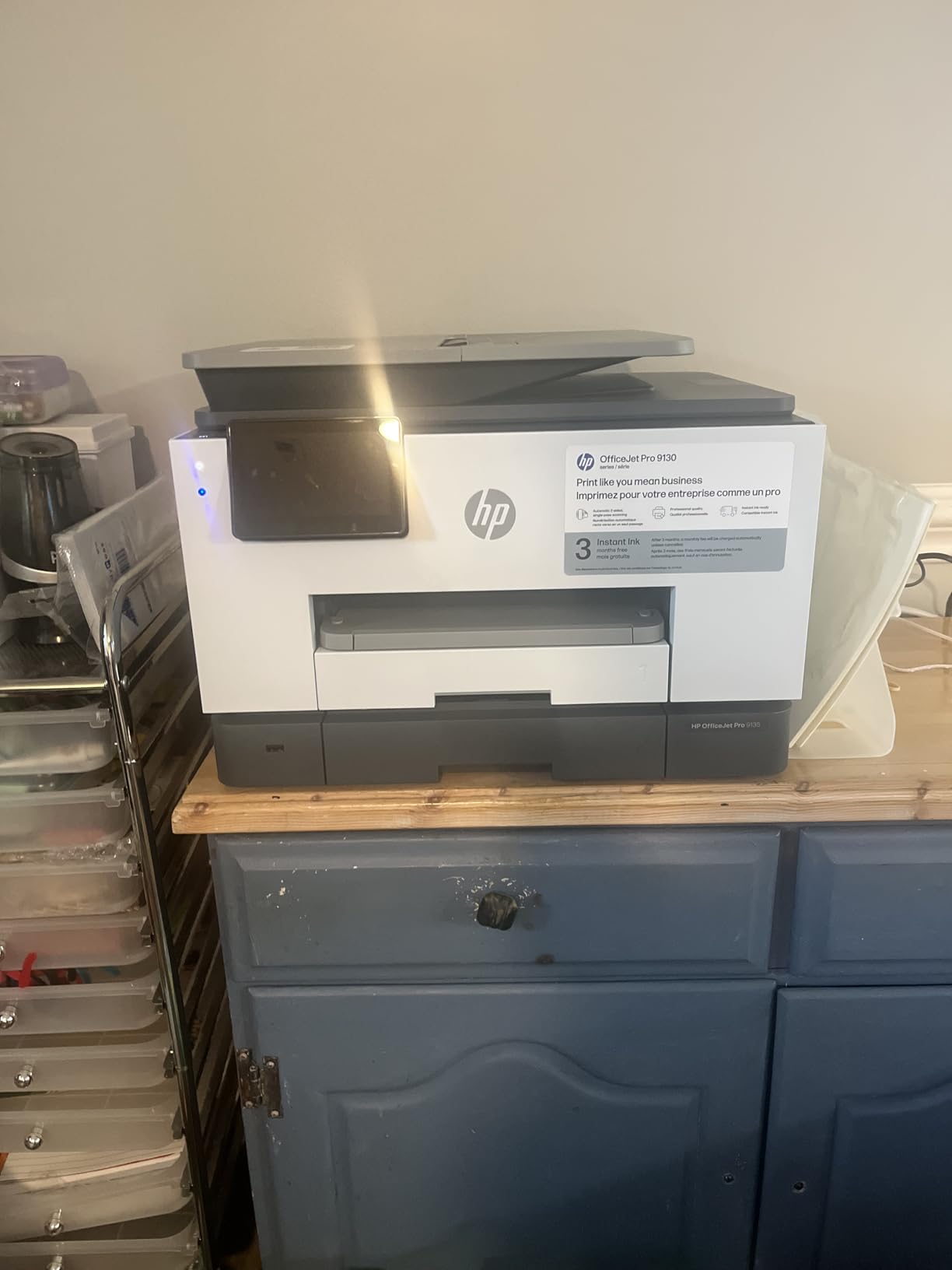
It is also the heaviest unit in this roundup at 26.1 pounds, and at 15.6 by 17.2 by 12.53 inches it needs a dedicated shelf rather than a dorm desk. Reviewers commonly describe it as over-specced for typical student needs, and we would agree for anyone living alone. For four people splitting a lease, the capacity argument starts to make sense.
Shared-Printer Realities to Plan For
If you go this route, the chip-locked HP 936 cartridges matter more than anywhere else, because every person in the apartment shares the same running cost. Firmware updates maintain the block on third-party cartridges, so budget for genuine HP ink and resist the subscription unless your volume genuinely supports a per-page plan.
There are reported color matching issues, with teal printing as bright blue, so anyone producing color design work should test before a deadline. A few owners also report setup difficulties and Wi-Fi drops even when the printer is hardwired, which is odd given the Ethernet port, so confirm the wired connection works before you rely on it.
Who Should Skip It
Skip the 9135 if you live alone in a dorm, if you move every year, or if cartridge running cost is your primary concern. It is a small office machine that happens to print in color, and the capacity advantages only pay off when several people are putting work through it.
For a solo student in a shared apartment, the 9135’s speed and trays are nice and its size and ink economics are not. A tank model is the more sensible ownership story.
Should You Even Buy a Printer? Campus Print Credits vs Home Ink
Before choosing a model, check your campus rate. Students report their schools charging around 19 cents per page for black-and-white and 31 cents for color, and libraries, print rooms and copy centers charge on a similar scale. At those numbers, printing 100 black-and-white pages across a full year costs about 19 dollars in print credits, which buys no printer at all.
That is the honest framing: campus printing is expensive per page but requires no capital, no ink, no moving risk, and no clogs. A home printer reverses the trade. It costs a purchase price plus ink, and it is dramatically cheaper per page once you are printing regularly. Students who expect heavy volume are the ones who come out ahead at home.
The break-even point depends on the printer. A cartridge model with a low purchase price can cost 20 to 40 cents a page in ink once you count replacement cartridges, which puts it near campus rates or above. A refillable tank model lands in the range of a couple of cents a page at student volumes, which flips the answer toward owning one if you print a few hundred pages a year.
Our rule of thumb: if you expect to print under about 20 pages a month, campus credits and a mono laser beat any inkjet. Above roughly 100 pages a month, a refillable tank model pays for itself over a degree. Between those numbers, count how often you need color, because that is what forces the inkjet decision rather than the volume.
Inkjet or Laser: Which One a Student Actually Needs
Laser wins on text, speed and durability. Inkjets win on color, photo quality, purchase price and the ability to print without a warm-up delay on a single page. A mono laser never dries out, moves in a suitcase without leaking, and prints crisp small text for less per page, which is exactly why the r/printers consensus leans that way for students.
The consensus is not wrong for light printers. It becomes wrong when color is required. Charts, diagrams, presentation slides, highlighted notes and anything from a design or marketing program are the reason most students end up with an inkjet, and no mono laser covers them. This roundup is inkjet-only for that reason, and our best home printers for students guide covers the laser side properly.
A practical way to decide: count your pages and check for color need. Under 20 pages a month and no color, choose laser and save yourself the maintenance. Over 100 pages a month or any regular color, an inkjet with a refillable tank is the better tool, and the two Epson models plus the Canon G3270 are where that decision lands.
Cartridge or Ink Tank: Where the Real Cost Difference Sits
Cartridge printers charge you repeatedly, and the cartridges included in the box are small so that the first refill arrives early. A tank printer ships with a large amount of ink, and the refill bottles cost a fraction of what a cartridge does for the same page count. Over a degree, that gap is the difference between a printer you stop using and one you keep.
The page yield figures from the manufacturers make the case. The Epson ET-2800 is rated up to 4,500 black pages or 7,500 color pages per ink set, the ET-2400 up to 4,500 black or 7,200 color, the Canon MegaTank G3270 up to 6,000 black or 7,770 color, and the HP Smart Tank 5003 includes up to 6,000 pages in the box. The cartridge models here, by contrast, start you at roughly 120 black and 75 color pages depending on the model.
Two things cut the other way. Tank printers have fixed tanks that are awkward to transport, which matters if you move every year, and ink sitting in tubes or tanks unused for months is exactly the dry-out risk that drives the top complaint about inkjets. Cartridges are portable and can sit sealed. If you move every year and print rarely, that portability argument is worth more than the ink savings.
Third-party ink is the other side of the coin. Buyers on aquarium and electronics forums report meaningful savings on tank printers with third-party bottles, while one commenter notes that ink in the tubing is wasted on a new EcoTank regardless. Against that, HP models here lock cartridges to HP chips and firmware updates maintain the block, so third-party ink is not an option on those machines.
Six Specs That Matter in a Student Inkjet
Duplex printing. Automatic two-sided printing is the feature that saves the most time on essay-heavy workloads. Four picks here have it: the Brother 1360 and 1410, the Canon TS4320, and the HP Envy 6155. The tank models mostly do not, so if you turn in double-sided work regularly, weigh a cartridge printer’s running cost against the time the manual flip costs you.
Document feeder. An ADF scans and copies a stack without the flatbed lid. Only the two Brother models here have one, both 20 sheets and single-sided. A nursing or law student scanning handwritten note packets will feel that feature every week, and everyone else will rarely touch it.
Connectivity. Wi-Fi is standard across this list. Dual-band support, which the Canon MegaTank G3270, TS3720, TS4320, the HP Envy 6155 and the Smart Tank 5003 all include, matters in dorm buildings with crowded 2.4 GHz networks. AirPrint and Mopria support means your Mac, iPhone or Chromebook needs no driver at all, which is a bigger deal than the spec sheet implies.
Paper capacity and size. The spread is 60 sheets on the TS3720 to 500 across two trays on the OfficeJet Pro 9135, with 100 to 150 covering most single students. Media size matters separately: several models here are Letter only, so legal-size handouts are a problem on the TS4320 and the Envy 6155, while the ET-2800, MegaTank G3270 and both Brother models handle 8.5 x 14 inches.
Print speed and footprint. Speed ranges from 7.7 to 25 pages per minute in black. Real coursework printing is not throughput-bound, so treat speed as a tiebreaker. Footprint is the one students underestimate: measure your dorm desk against the 22.8 inch wide Epson footprint or the 17.11 inch wide HP Smart Tank before you commit, and check your dorm’s noise rules if you share a room.
Warranty and support. The Canon TS4320 carries three years, the tank Epson models and the Brother models carry one year, and the HP Smart Tank 5003 runs one year or 30,000 pages. Over a four-year degree, the longer warranty is worth something, and Canon’s stated five-year spare part availability on the MegaTank G3270 is unusually reassuring if you keep it after graduation.
Dorm desks and printer placements are worth pairing with the rest of your setup, and if your coursework involves floor plans or technical drawings, our best laptops for architecture students picks make more sense to match than a heavier all-in-one printer does.
Keeping an Inkjet Alive Over Summer and Winter Break
Long gaps between prints are the failure mode that generates the most regret, and the fix is unglamorous: run the printer. Print one color test page and one black-only page every two to four weeks through the break. That keeps ink moving through the print head and costs you almost nothing in ink.
Before you leave, print a nozzle check on every color and make sure none of the test bands are missing or streaked. If they are, run two or three cleaning cycles before you pack it, not after you unpack it in September. The Epson ET-2400 and ET-2800 in particular are reported to need multiple cleaning cycles after long idle periods, and doing that maintenance at home is far less painful than doing it in a dorm.
For moving, keep the printer upright and do not transport it with the ink tanks full if you can avoid it. Tank printers are the models most likely to leak in transit, which is the practical reason the r/printers advice to buy a used laser for a student who moves every year is sound. Cover the scanner glass with a sheet of paper before lifting it, and pack the original carton if you still have it.
Finally, decline the ink subscription trials that come with several models here. On a low-volume printer those plans cost more than standard cartridges, and enrolling in the first week is the point at which students end up paying for pages they never printed.
Printing From a MacBook, iPhone, or Chromebook Without a Disc
First, connect the printer to your dorm Wi-Fi during setup using the manufacturer’s app rather than a USB cable, unless your network is the kind that needs a wired handshake. The app handles the join, and you can then move the printer wherever it sits.
On a Mac or iPhone, open the print dialogue from any app and look for the printer by name in the AirPrint menu. You do not need to install anything, because AirPrint is built into the operating system. If it does not appear, confirm the printer and the computer are on the same network band, since dual-band routers sometimes split them.
On a Chromebook, the same approach works because Mopria print service is built in, and the Canon PIXMA TS3720 is confirmed by owners to work with Chromebooks out of the box. If a printer is missing from the list, reconnecting it once from its own settings usually resolves it.
For direct printing without any network, several models here support Wi-Fi Direct or a direct wireless option, which lets you print from a phone with no router at all. The models that support AirPrint and Mopria are the Canon MegaTank G3270, the two Canon PIXMA models, the HP Envy 6155 and the HP Smart Tank 5003.
Frequently Asked Questions
What is the best inkjet printer for students?
The Epson EcoTank ET-2800 is the best inkjet for most students because its refillable ink tanks cover several years of coursework without cartridge purchases, and it includes print, scan, copy, Wi-Fi and a 100-sheet tray in one compact body at 11.4 pounds. Students who need fax and two paper trays should look at the HP OfficeJet Pro 9135 instead.
Should I buy a printer for college at all?
Compare your campus rate first. At roughly 19 cents per page black-and-white and 31 cents color, printing about 100 pages a year costs around 19 dollars in print credits and buys no printer. A refillable tank inkjet drops to a couple of cents per page, so owning one wins above roughly 100 pages a month. Under 20 pages a month, campus credits are cheaper.
Is inkjet or laser better for students?
Laser is better for black-and-only text, faster per page, and never dries out in storage, which suits students who print under 20 pages a month. Inkjet wins whenever color is needed for charts, slides, highlighted notes or design work, and for students who print weekly. The deciding variables are monthly page volume and whether you need color.
Do inkjet printers dry out if not used?
Yes, and that is the most common student complaint about inkjets. Print heads can clog after a few months of sitting unused, and tank printers can dry ink inside their tubes. Running one color and one black test page every two to four weeks through summer and winter break prevents it. If you never print during a break, a laser printer avoids the problem entirely.
Are EcoTank and Smart Tank printers better than cartridge printers?
They are cheaper per page, not cheaper up front. Tank models ship with a large amount of ink and refill from bottles, rated at up to 4,500 to 6,000 black pages per set, while cartridge models start with roughly 120 black pages and charge more per refill. Cartridges win only if you print very little or need to move the printer frequently without leaking.
Can I print from my iPhone or MacBook without installing anything?
Yes, on the models that support AirPrint or Mopria, which includes the Canon MegaTank G3270, both Canon PIXMA models on this list, the HP Envy 6155 and the HP Smart Tank 5003. Your Mac, iPhone, iPad or Chromebook finds the printer on the same Wi-Fi network automatically. Setup in the manufacturer app is the only step you actually need to do.
Which inkjet printer on this list is cheapest to run?
The refillable tank models run cheapest per page. The Canon MegaTank G3270 leads the tank group with up to 6,000 black or 7,770 color pages per ink set, the Epson ET-2800 and ET-2400 are close behind, and the HP Smart Tank 5003 includes up to 6,000 pages in the box. The cartridge models, including both Brother units and the HP Envy 6155, cost the most per page.
How long should a student printer last?
Plan on four to six years, which is roughly a degree plus a job search. The Canon PIXMA TS4320 carries a three-year manufacturer warranty, the Epson EcoTank and Brother models carry one year, and the HP Smart Tank 5003 runs one year or 30,000 pages. Replacing a printer instead of repairing it is usually sensible once a unit needs a cleaning cycle every few prints.
The Inkjet Verdict for Students in 2026
Two variables decide your printer, and nothing else matters as much: how many pages you print each month, and whether you need color. Under roughly 20 pages a month with no color, do not buy an inkjet at all, use campus credits or get a mono laser instead. Over 100 pages a month, a refillable tank model is the cheapest ownership story by a wide margin, and among those the Epson EcoTank ET-2800 is the pick we would make.
Adjust from there based on workload. Print double-sided essays often and the Brother Work Smart 1360 earns its place. Print photos and borderless work and the Canon MegaTank G3270 does it better than anything else here. Carry a printer up stairs every year and the Epson EcoTank ET-2400, at 8.6 pounds, is the one. Share a printer with three roommates and the HP OfficeJet Pro 9135 handles the paper volume, at the cost of 26.1 pounds and cartridge ink.
Whatever you choose, run it once every few weeks during breaks and decline the subscription ink trial. Those two habits solve most of the problems students have with inkjets, and they are free.