
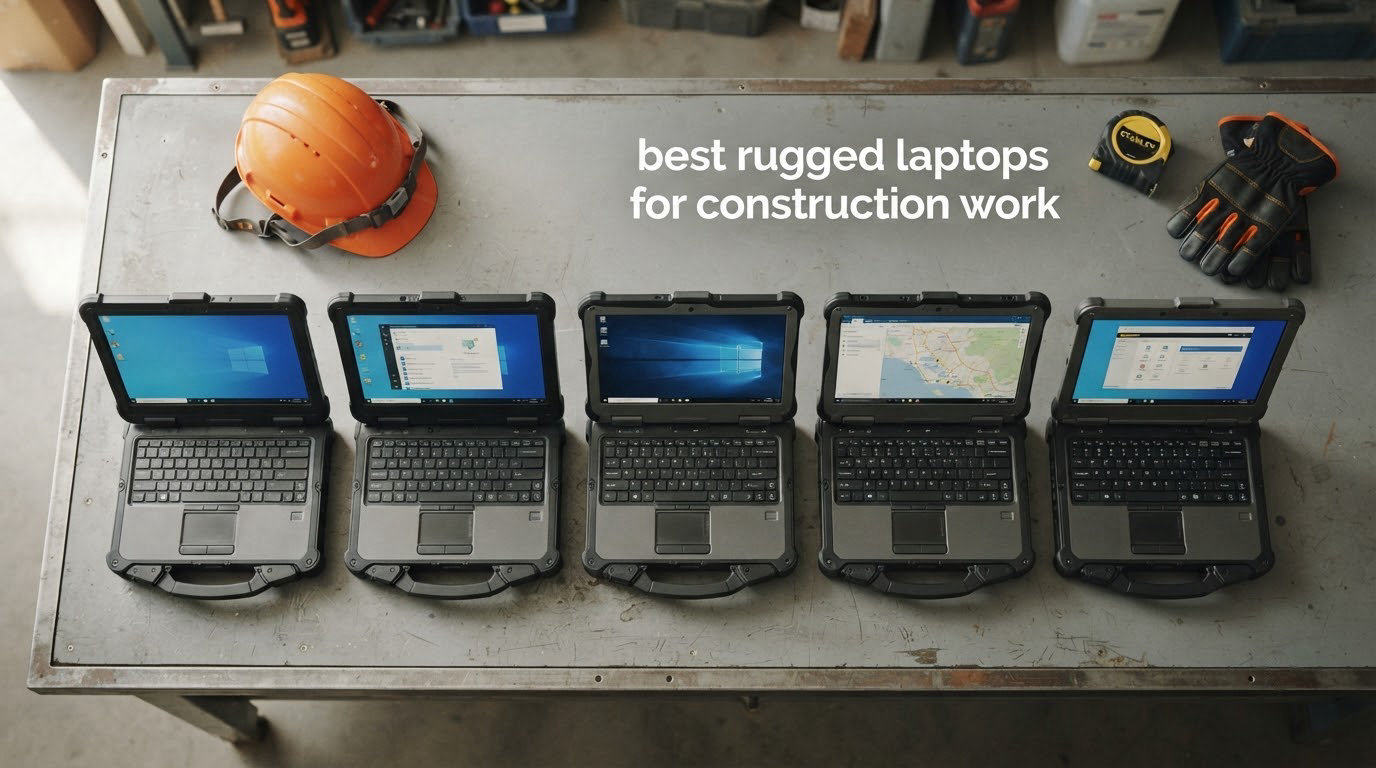
If you buy the wrong machine for a job site, you find out fast. Concrete dust works into the cooling vents and ports, a scaffold clip drops the machine onto gravel, hydraulic fluid reaches the keyboard, and a 300-nit indoor panel is unreadable the moment the foreman walks out of the trailer. This roundup covers the best rugged laptops for construction work we could put in front of a real site crew, and every pick below is judged against those failure modes rather than a spec sheet.
We spent weeks comparing the eight machines below on the things that decide whether a laptop survives a working week: ingress protection certification, sunlight-readable brightness in nits, glove-capable touch, battery swap options, carry weight across a ten-hour shift, and whether the ports a foreman actually needs (serial, Ethernet, HDMI, SIM) are physically there. Seven of these eight are Amazon Renewed units, so we also weighed seller condition grading and warranty length, which matters more than any headline number in this category.
One framing note before we start. The best laptops for CAD work and the best machines for running Revit on site are not always the same thing, and if your day is spent in a truck or a home office, our guide to the best laptops for remote work may fit you better. If your problem is eight hours away from an outlet, read our battery life roundup first. Everything below is built for dust, drops, sun and gloves.
Our Top 3 Rugged Laptops for Construction Work in 2026
Three of these eight earn a spot above the rest. The Toughbook CF-31 Mk6 has the highest rating in the set and the most complete on-site feature list, the FZ-55 Mk1 pairs modern vPro silicon with a 1000-nit touchscreen, and the Dell Latitude Rugged 5424 delivers the sharpest value of any fully capable machine here.

Panasonic Toughbook CF-31 Mk6
- 1200-nit sunlight touchscreen
- 32GB RAM and 512GB SSD
- MIL-STD-810G and IP65
- Hot-swappable battery with 4G LTE

Panasonic Toughbook FZ-55 Mk1
- 14-inch 1000-nit FHD touch
- MIL-STD-810H certified
- 8th-gen vPro i7 with 16GB RAM
- 4G LTE and USB-C 3.1

Dell Latitude Rugged 5424
- 14-inch 1920x1080 FHD display
- Quad-core i5 with 16GB DDR4
- Windows 11 Pro
- Reported upgradability to 64GB
Comparing All 8 Rugged Laptops for Job Site Duty in 2026
All eight machines below carry Windows 11 or Windows 11 Pro, and all eight use solid-state storage with no moving parts to shock-mount. The differences that matter on site are brightness, ingress rating, weight and battery flexibility.
| Product | Specs | Action |
|---|---|---|
| Panasonic Toughbook CF-31 Mk6 |
|
Check Latest Price |
| Panasonic Toughbook FZ-55 Mk1 |
|
Check Latest Price |
| Dell Latitude Rugged 5424 |
|
Check Latest Price |
 Getac V110 G6 Getac V110 G6 |
|
Check Latest Price |
 Dell Latitude Rugged 5430 Dell Latitude Rugged 5430 |
|
Check Latest Price |
 MUNBYN IRX17 MUNBYN IRX17 |
|
Check Latest Price |
 Panasonic Toughbook CF-33 Mk1 Panasonic Toughbook CF-33 Mk1 |
|
Check Latest Price |
 Dell Latitude Rugged 5414 Dell Latitude Rugged 5414 |
|
Check Latest Price |
1. Panasonic Toughbook CF-31 Mk6 – The Site Machine That Covers Every Base
Panasonic Toughbook CF-31 MK6 Core i7-7600U 2.80GHz vPro, 13.1″ XGA Touch, 32GB RAM, 512GB SSD, Intel Wi-Fi, Bluetooth, TPM 2.0, 4G LTE, dGPS, DVD, Emissive Backlit Keyboard, Windows 11 Pro (Renewed)
13.1-inch 1200-nit touch
32GB RAM 512GB SSD
MIL-STD-810G and IP65
Hot-swappable battery 4G LTE
Pros
- Fully rugged to MIL-STD-810G and MIL-STD-461F with IP65 sealing
- 1200-nit touchscreen readable in direct sun
- 32GB RAM and 512GB SSD for heavy field software
- Hot-swappable battery for back-to-back shifts
- Emissive backlit keyboard for low-light work
- TPM 2.0 and smartcard reader for fleet security
Cons
- XGA 1024x768 resolution is low for a 13.1-inch panel
- Two processing cores limit parallel workloads
- Renewed units carry only a 90-day limited warranty
On a construction site: this is the one machine here that answers every failure mode at once, and it is the default recommendation for a superintendent who carries one device everywhere. It carries a 4.8 rating from owners who mostly bought it for the same reason we did: a specification list does not help much if the keyboard dies in week two.
The CF-31 Mk6 is a fully rugged machine, rated to MIL-STD-810G and MIL-STD-461F with IP65 ingress protection. That combination covers what a site actually delivers: dust on the intake, rain on the keyboard, vibration from a compactor two floors down, and the drop from a scaffold or a hoist rail.
What surprised us most is the battery story. A hot-swappable lithium-ion design means you swap packs instead of hunting for a generator outlet, which matters when the nearest socket is back at the trailer and the trailer is locked. Paired with 4G LTE through dual pass-through antennas and dedicated GPS, it keeps working on sites with no Wi-Fi coverage, which is most of them.
The 1200-nit touchscreen is a genuine site asset. Indoors that brightness is unnecessary, but outdoors in open sun it is the difference between reading a mark-up and squinting at one, and the anti-glare and anti-reflective coating is doing real work under an open sky.
What 32GB of RAM and a 512GB SSD Actually Buy You
The 32GB DDR4 configuration is unusually generous for a renewed rugged machine, and it is the spec that decides whether this box can host a real software set. A site engineer running a Procore browser tab, Bluebeam Revu with a large mark-up set, and a local model viewer simultaneously is asking 16GB to stretch. At 32GB, that workload does not swap to the SSD.
The 512GB SSD is the other half of it. A full 2D drawing set, as-built photos from six weeks of daily reports, and a cached model sync is a lot of small files, and solid-state storage handles that pattern far better than the older spinning drives these machines shipped with originally.
Brightness, Backlighting and Low-Light Shifts
The emissive backlit keyboard is a small detail that site crews notice immediately. It lights the key legends from behind rather than washing the keyboard with a glow, which means a night shift or a basement mechanical room is readable without the screen brightness becoming the only light source.
For a daytime outdoor job, the 1200-nit panel handles the opposite problem. Anti-glare and anti-reflective coatings reduce the washout that makes ordinary panels unreadable, and at this brightness you can review a mark-up with the sun behind you.
Where the CF-31 Mk6 Falls Short
The honest weakness is the screen resolution. At 1024×768 on a 13.1-inch panel, it is fine for daily reports, checklists and punch lists, and tight for reviewing a detailed Revit elevation or a dense Navisworks clash view. If model review is the primary task, look at the Dell 5430 or the MUNBYN instead.
The 7th-generation vPro i7 also shows its age under parallel load with only two processing cores, and the platform dates from the 2016 model year. It handles field software well, but it will never feel current next to a 12th-generation chip.
As a renewed listing it comes with a 90-day limited warranty, so inspect it in the first ten minutes, and note that a newer vPro platform from the same brand is covered in our picks for laptops for CAD work.
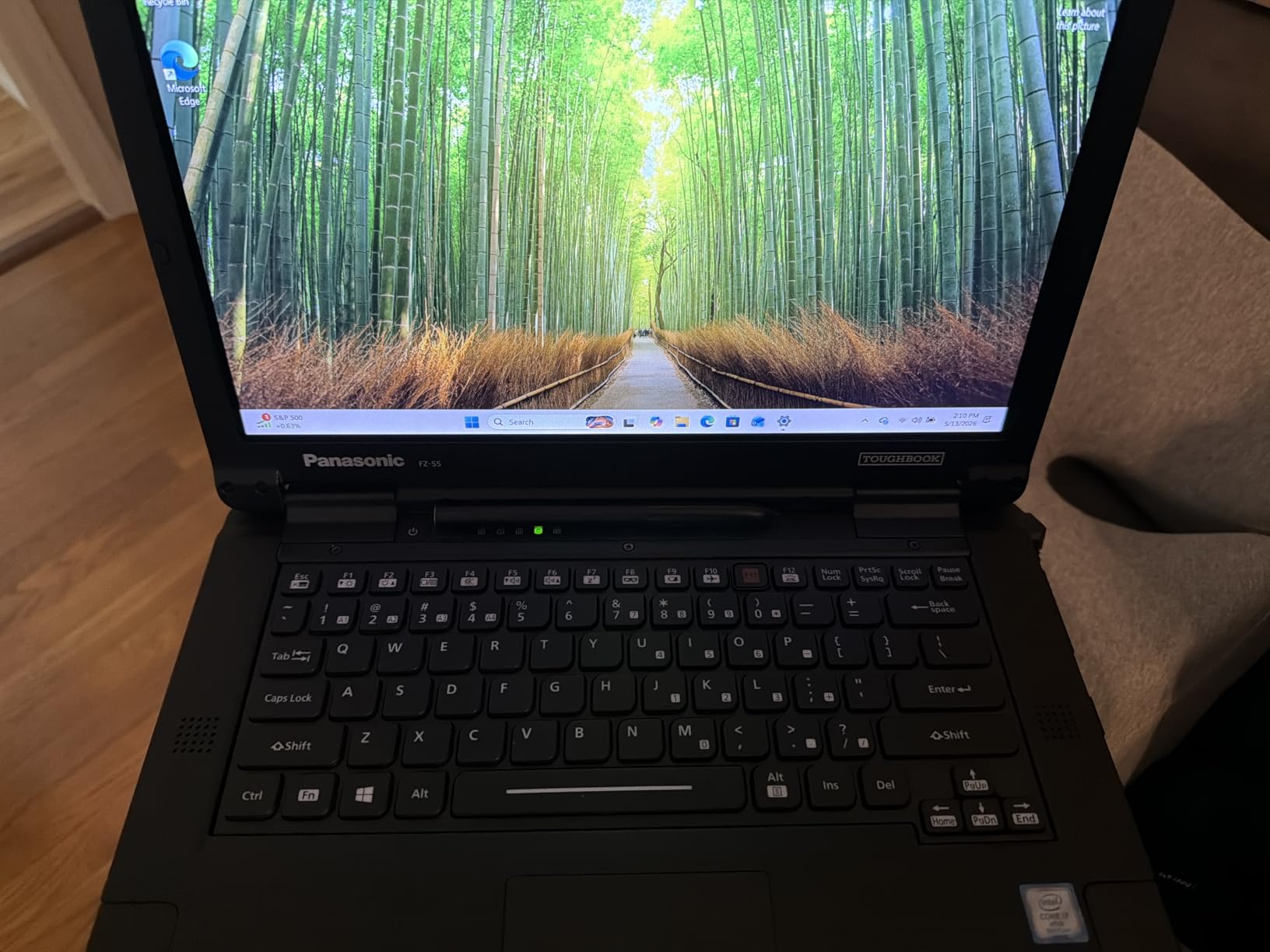
2. Panasonic Toughbook FZ-55 Mk1 – Modern vPro Power With a 1000-Nit Touch Screen
Panasonic Toughbook FZ-55 MK1 Rugged Laptop,14-in i7, 16GB, 512GB (Renewed)
14-inch 1920x1080 1000-nit touch
Core i7-8665U vPro 16GB 512GB
MIL-STD-810H certified IP53
4G LTE and gigabit Ethernet
Pros
- MIL-STD-810H certified and IP53 sealed
- 14-inch 1000-nit touchscreen readable outdoors
- 8th-gen vPro i7-8665U boosts to 4.8 GHz
- 4G LTE multi-carrier plus USB-C 3.1 and gigabit Ethernet
- 1080p webcam with privacy cover and IR camera for Windows Hello
- Stylus pen and AC adapter included
Cons
- IP53 sealing is weaker than the IP65 on competing rugged laptops
- 16GB RAM is modest for heavy BIM workloads
- Only Wi-Fi 5 with no Wi-Fi 6
- 90-day limited warranty on a renewed unit
On a construction site: the FZ-55 Mk1 is the pick when your crew needs current-generation performance and a sharp screen but does not need the deepest sealing in the category. Owners rate it 4.7, and the reason is consistent: the 8th-generation vPro i7 feels current while the chassis still passes MIL-STD-810H.
This is a semi-rugged machine, and knowing that shapes what you can throw at it. It is sealed to IP53, which handles dust and spill exposure but not the high-pressure water jets that IP65 is tested against. On a dry site, a framing site, or a mechanical fit-out, that distinction rarely matters. On a slab pour in January, it matters more than most buyers expect.
Where it wins outright is the display. A 14-inch 1920×1080 panel at up to 1000 nits is the rare combination of resolution and brightness: you get a readable screen in sun and enough real estate to keep a drawing and a specification sheet side by side, which a 13-inch XGA panel cannot do.
The port set is the other argument for this machine. USB-A 3.1, USB-C 3.1, microSDXC, HDMI, 1Gbps Ethernet, audio in and out, a nano SIM slot and a dedicated docking connector cover instrument hookups, camera downloads and trailer docking without a dongle bag.
vPro and Why It Matters for a Small Builder
The Core i7-8665U is a vPro part, and that designation is about management rather than speed. vPro platforms support remote out-of-band management and Intel’s hardware-based security features, which is what a small construction firm with four or five machines and no dedicated IT department needs when a unit is locked in a trailer in the rain.
TPM 2.0, Secure Boot and Windows 11 Pro together give you BitLocker and domain-join capability, so a lost device in a job trailer is a key-management problem rather than a data-loss incident. Windows 11 Home cannot join a domain or use BitLocker properly, which is why every business-grade machine in this roundup ships with Pro.
Connectivity on Sites With No Wi-Fi
4G LTE multi-carrier is the feature that quietly saves a day. A job trailer may have a weak hotspot, and a superintendent walking a slab with no signal gets nothing. Multi-carrier LTE picks whichever network is strongest at that moment, and the nano SIM slot keeps it a carrier decision rather than a hardware constraint.
The trade-off is that this model lists Wi-Fi 5 rather than Wi-Fi 6. In a trailer with a modern router, that difference is small. On a site where your own LTE is the only network, you will not notice it at all.
What Reviewers Flag as Weak
IP53 versus IP65 on rivals is the recurring complaint, and it is a fair one if your machine sees water under pressure. Sixteen gigabytes of RAM is also called modest for heavy BIM work, so plan on a memory upgrade if the crew lives in Revit and Navisworks all day.
As a renewed unit it arrives with a 90-day limited warranty, and the review base is 13 ratings, so treat any long-term reliability assumption as unproven. What is in the box helps: the stylus pen and AC adapter are both included.
3. Dell Latitude Rugged 5424 – The Sharpest Value Pick for Daily Site Work
Dell Latitude Rugged 5424 Laptop | 14″ 1920×1080 FHD | Core i5-8350U – 512GB SSD Hard Drive – 16GB RAM | 4 cores @ 3.6 GHz Win 11 Pro Black (Renewed)
14-inch 1920x1080 FHD display
Quad-core i5-8350U 16GB DDR4
512GB SSD and Windows 11 Pro
90-day warranty
Pros
- Built for physically harsh environments and rated highly by field users
- Quad-core 8th-gen i5-8350U reaches 3.6 GHz
- 1920x1080 FHD display is crisp for jobsite documentation
- Highly upgradable with reports of 64GB RAM and a 2TB NVMe drive
- Delivered clean with minimal wear and accurate descriptions
Cons
- Battery health varies and some units will not hold a charge
- Non-touch display rules out glove and stylus input
- Refurbished units from this seller have shown external damage and faulty ports
On a construction site: the Latitude Rugged 5424 is the value pick of this roundup, holding a 4.4 rating across 18 reviews with owners in the trade rating it highly. It is the machine to buy when the budget is fixed and the work is real, rather than the machine to buy when the most extreme sealing matters.
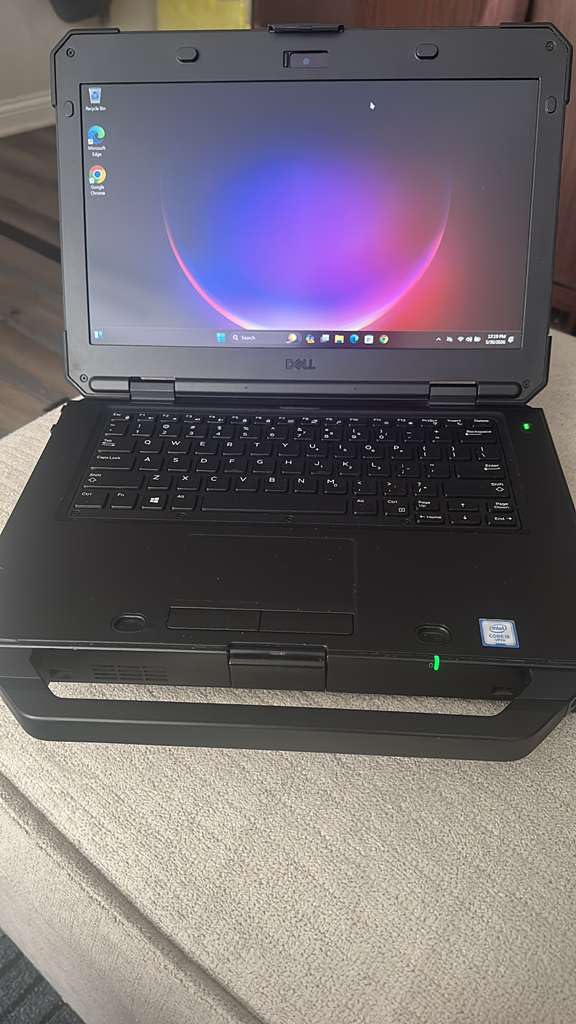
Dell’s Latitude Rugged line is semi-rugged, with a reinforced chassis rather than a fully sealed magnesium shell. That distinction shows up in the practical trade: you are protected against drops, vibration and routine dust, and you are not protected against a direct jet of water aimed at the keyboard.
The 8th-generation quad-core i5-8350U boosts to 3.6 GHz, and with 16GB of DDR4 at 3200 MHz it handles the ordinary field stack comfortably. Daily reports, Procore, a browser with a dozen tabs and a Bluebeam session are all within reach, and heavy local model navigation is where it starts to struggle.
Upgradability is the sleeper feature. Multiple owners report taking these machines to 64GB of RAM and fitting a 2TB NVMe drive, which turns a mid-tier purchase into a four-year field machine. For a builder who deploys these in pairs and keeps them past the normal refresh cycle, that flexibility is worth more than the newest silicon.
The Screen: Sharp, But No Touch
The 1920×1080 FHD non-touch display is crisp, and crispness is what documentation work needs. A low-resolution panel makes small text in a specification sheet hard to read, and this one does not have that problem.
What you give up is glove-capable touch. There is no capacitive digitizer here, so pointing at a mark-up in the field means using a trackpad or a mouse with work gloves on, which is slower and less precise. If a crew is constantly on-screen annotating plans, the FZ-55 or the 5430 is a better tool for the job.
Battery Health Is the Real Risk on a Renewed Unit
This is the single most repeated complaint in the reviews: batteries that will not hold a charge. A renewed laptop that dies when the AC cable comes out is effectively a desktop computer, and on a site that means a very long extension lead or a very short day.
Ask the seller for the battery’s report cycle count and full-charge capacity before you accept delivery, and treat a machine whose battery drops from full to shutdown in under an hour as a battery replacement purchase rather than a bargain. That check takes two minutes and is the difference between a good deal and an expensive paperweight.
Condition Grading Matters Here
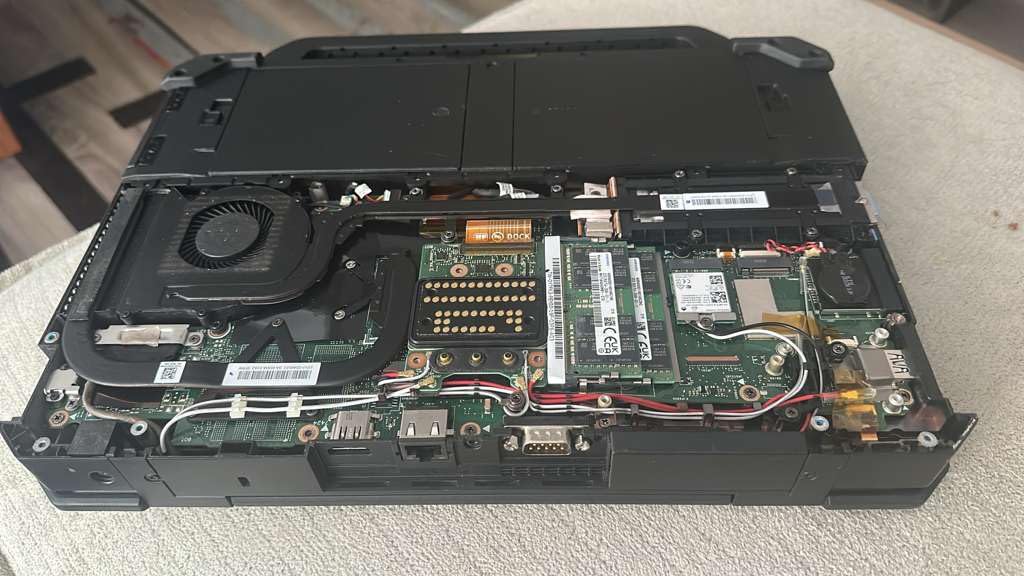
Some reviews of refurbished units from this seller report significant external damage and faulty ports despite accurate descriptions elsewhere. Walk around the machine on arrival: check every port with a known-good device, look for cracked corner bumpers, and confirm the display has no dead pixels under direct light.
The 90-day limited warranty is thinner than any manufacturer plan, so the first-ten-minute inspection is not optional here. Sellers of this kind of stock are the real warranty, and their return policy is the thing to read before you buy, not after.
4. Getac V110 G6 – The One You Will Actually Carry All Day
Getac V110 G6 Fully Rugged Laptop, i5-10210U up to 4.2GHz, 11.6 inch FHD Touch Screen, Sunlight Readable, 16GB, 512GB SSD, Webcam, Windows 11 Pro (Renewed)
11.6-inch 800-nit sunlight touch
4.63 lb fully sealed chassis
MIL-STD-810H MIL-STD-461G IP65
Serial port LAN and smartcard
Pros
- Only truly portable machine here at 4.63 lb in a 1.53 inch thick chassis
- MIL-STD-810H MIL-STD-461G and IP65 certified with 4-foot drop resistance
- 800-nit sunlight-readable capacitive touchscreen
- Excellent port set including serial port LAN smartcard reader and docking connector
- Wi-Fi 6 and Bluetooth 5.2 under Windows 11 Pro
Cons
- Smallest display in the set at 11.6 inch with 1366x768 resolution
- 800 nits is dimmer than the 1000 to 1200 nit panels on rivals
- Listing text is internally inconsistent on processor and storage
- 90-day limited warranty and only seven ratings
On a construction site: the Getac V110 G6 solves the problem that stops crews from using a rugged laptop at all, which is that heavy machines get left in the truck. At 4.63 lb it is the lightest complete laptop in this roundup, and it is still certified to MIL-STD-810H, MIL-STD-461G and IP65 with 4-foot drop resistance.
Weight is a safety issue on site, not just a comfort one. Anything above roughly five pounds becomes a second trip, a shoulder rig, or a machine that stays in the trailer, and a laptop that stays in the trailer is a laptop nobody uses. The V110 changes that dynamic.
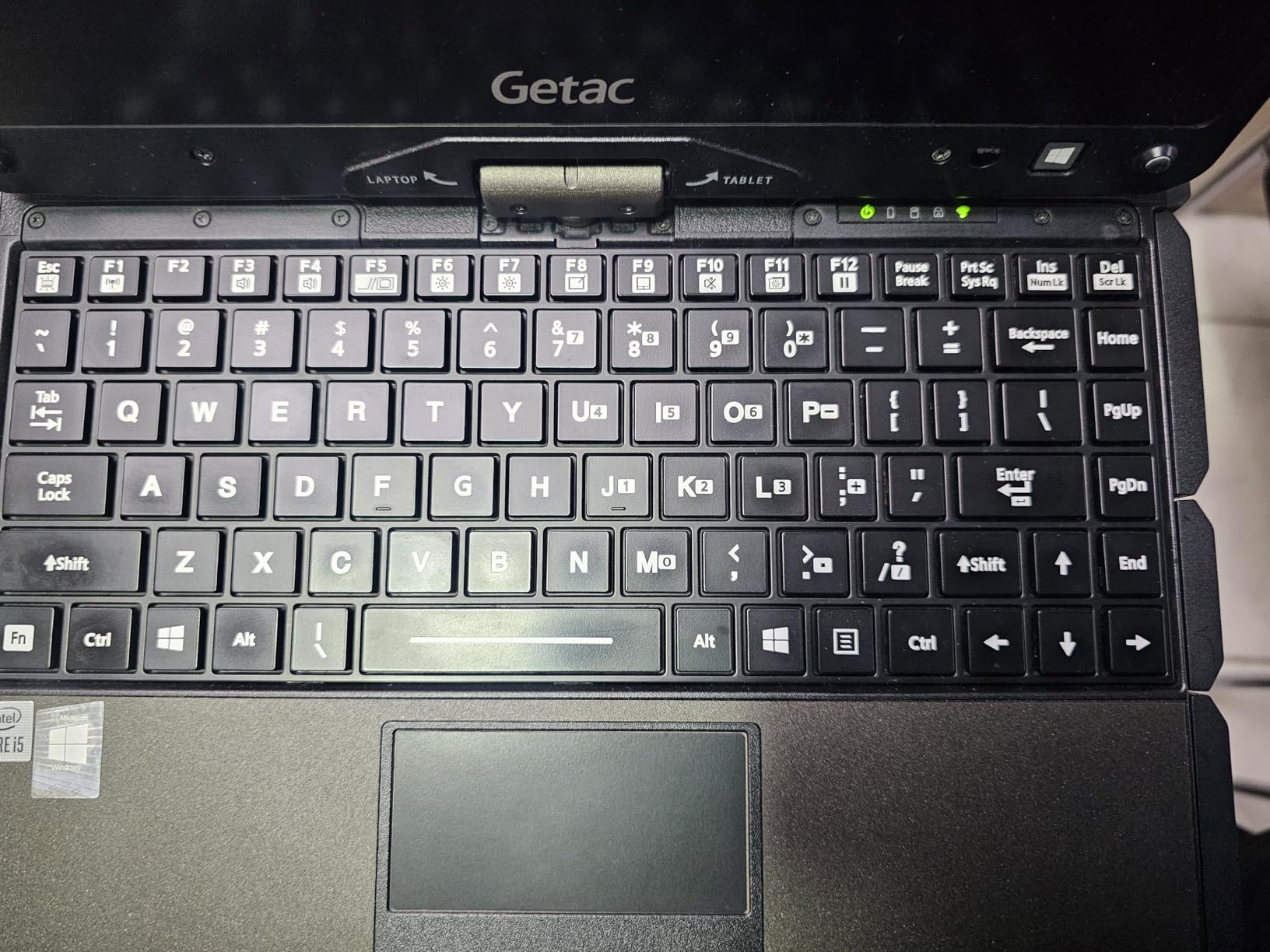
Convertible form factor means it folds into a tablet, and the 800-nit capacitive touchscreen works in daylight. Eight hundred nits is the dimmest panel here, and on a clear noon walk you will notice the difference against the 1200-nit Toughbooks, but it stays readable with an anti-reflective surface.
For instrumentation work the port set is the standout: a serial port, LAN RJ45, HDMI, three USB-A ports, a docking connector and an insertable smartcard reader. Very few laptops in any class give you a native serial port alongside gigabit Ethernet.
Fully Rugged in a 1.53 Inch Chassis
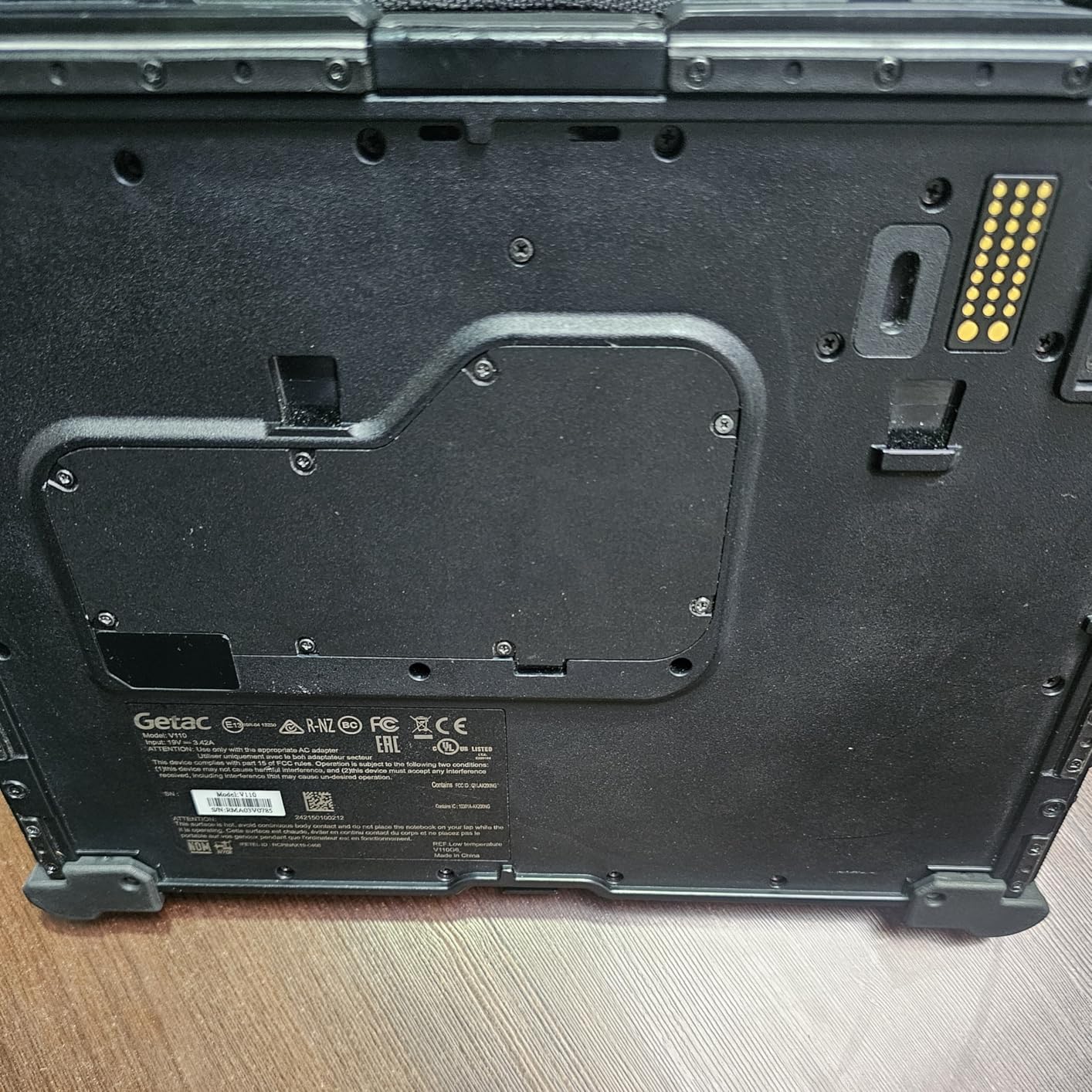
That thickness figure is worth pausing on. A fully sealed, MIL-STD-461G certified machine is normally a brick, and this one is not. The 12.32 by 9.37 by 1.53 inch chassis is what makes it plausible to carry up a stair tower or across a mezzanine.
MIL-STD-461G is the electromagnetic-standard sibling to 810H, covering emissions and susceptibility for use near sensitive equipment. On a site that matters less than drop and sealing, but it signals the same class of engineering.
Where the Small Screen Costs You
At 11.6 inches with 1366×768 resolution, this is the smallest and lowest-resolution display in the set. It is fine for punch lists, daily reports, emails and photos. It is tight for reviewing a full-size drawing set or reading a specification section without constant zooming.
The resolution is the sharper limitation. A 768-pixel-tall panel cannot show the vertical detail of an architectural elevation the way a 1080p panel can, and if the crew spends hours on plan review rather than data entry, the extra weight of a bigger machine is worth paying.
Check the Listing Details Before You Order
This listing is internally inconsistent, citing a different processor and storage figure in the body text than in the title and specifications. That is a seller-quality warning sign, and it is exactly the kind of thing to resolve in writing before an order ships.
With a 90-day limited warranty and a base of seven ratings, treat this as a machine to test thoroughly in week one. If a keyboard key, the touchscreen digitizer or a USB port misbehaves, the return window is your only real protection.
5. Dell Latitude Rugged 5430 – The Brightest 1080p Screen With Modern Compute
Dell Latitude Rugged 5430 Laptop (2022) | 14″ 1920×1080 FHD | Core i5-1145G7-512GB SSD Hard Drive – 16GB RAM | 4 cores @ 4.4 GHz Win 11 Pro Black (Renewed)
14-inch 1100-nit FHD capacitive touch
11th-gen i5-1145G7 four cores
16GB DDR4 and 512GB NVMe SSD
Windows 11 Pro with Thunderbolt
Pros
- 11th-gen Tiger Lake gives four cores boosting to 4.4 GHz
- 14-inch 1920x1080 capacitive touchscreen at 1100 nits
- 16GB DDR4 at 3200 MHz and a 512GB PCIe NVMe M.2 drive
- Windows 11 Pro with BitLocker and Active Directory support for fleets
- Integrated webcam Wi-Fi Bluetooth 5.2 and a Thunderbolt port
Cons
- 16GB base RAM is the only configuration included
- Reinforced chassis rather than a fully sealed unit
- Short 90-day warranty on a renewed machine
On a construction site: the Latitude Rugged 5430 is the pick for a crew whose day is spent reading plans rather than surviving abuse. It pairs an 1100-nit capacitive touchscreen with a full 1080p resolution, which no other machine in this roundup does, and it runs the most current platform here at 4.7 stars from owners.
The 11th-generation Tiger Lake i5-1145G7 gives four cores boosting to 4.4 GHz, and paired with a 512GB PCIe NVMe drive it is the quickest machine here on file transfers. Moving a full set of as-built photos or a large mark-up package off a camera card is where that NVMe drive earns its place.
It is semi-rugged, and that shapes what you can throw at it. Expect a reinforced chassis and drop testing rather than a fully sealed magnesium shell, and choose something else if your machine lives in the rain.
Windows 11 Pro with BitLocker and Active Directory support is the quiet advantage for a builder deploying several units. You can enforce disk encryption, join machines to a company domain, and reset a forgotten BitLocker recovery key from a managed account rather than a locked-out device.
Why 1100 Nits and 1080p Together Is the Winning Combo
Most site laptops make you choose: a bright screen with poor resolution, or a sharp screen that washes out in sun. The 5430 refuses that trade with a 1100-nit panel at full 1920×1080, and a matte anti-glare finish that reduces reflections further.
That combination is what makes plan review practical outdoors. You can hold a mark-up in daylight, tap a location on the capacitive touchscreen, and see fine detail in a drawing revision block without a laptop hood or a shaded trailer.
Memory Is the Configuration to Watch
Sixteen gigabytes of DDR4 at 3200 MHz is the only configuration offered, and it is the real limit on this machine. Daily reports, Procore, email and a browser are comfortable. Running a local Revit model view alongside Bluebeam and a sync client will feel the ceiling.
The good news is the platform underneath it. There is one available M.2 slot and the memory is DDR4 rather than soldered in most of this class, so a RAM upgrade is a realistic path for a machine that will stay on site for four years.
Connectivity and Fleet Fit
One Thunderbolt port, three USB ports, HDMI and Ethernet cover a trailer dock or a truck-cab setup without adapters, and Bluetooth 5.2 keeps accessory pairing current. The stated battery life of up to 10 hours is a manufacturer figure, and on a genuinely bright 1100-nit panel expect less of it.
Two cautions. This is a semi-rugged unit without full MIL-STD sealing, and it arrives renewed with a 90-day limited warranty. Those two facts together mean your acceptance inspection matters more here than on a fully sealed machine.
6. MUNBYN IRX17 – A 15.6-Inch Desk Replacement You Can Still Carry
MUNBYN High-End Rugged Laptop IRX17, 15.6″ Windows 11 Pro, Intel i7-1255U, 32GB DDR5+512GB SSD, 1000 Nits Sunlight Readable, Wi-Fi 6, IP65 Heavy Duty Laptop, Dual Batteries, 2Y Protection(New)
15.6-inch 1000-nit FHD display
Core i7-1255U Iris Xe with 32GB DDR5
IP65 and MIL-STD-810H
Dual batteries Wi-Fi 6 and LTE
Pros
- 12th-gen Alder Lake i7-1255U with Intel Iris Xe graphics
- 32GB DDR5 at up to 8400 MT/s handles demanding design workloads
- 15.6-inch 1920x1080 1000-nit sunlight-readable display
- IP65 and MIL-STD-810H certified with waterproof port covers
- Wi-Fi 6 plus 4G LTE and a two-year manufacturer warranty
Cons
- Very heavy at about 9.75 lb with a large 15.6 inch footprint
- Stiff oversized touchpad that is awkward one-handed
- Empty expansion slots with no smart card reader or optical bay
- Only seven ratings
- so treat the long-term record as thin
On a construction site: the MUNBYN IRX17 is the machine for someone who wants to work like they are at a desk but is not at one. At 15.6 inches it is the largest panel in this roundup, and it is also the heaviest unit here at roughly 9.75 lb, which changes how you carry it.
This is not a field super’s walk-around computer. It is a design review station you set down on a table, a trailer desk unit, or a machine for a BIM technician who sits with drawings all day and wants full-size real estate. Nine and three-quarter pounds is a two-trip carry, and a shoulder strap is not optional.
The performance is the strongest in this group. A 12th-generation Alder Lake i7-1255U with Intel Iris Xe graphics, 32GB of DDR5 memory at up to 8400 MT/s, and a user-replaceable 512GB SSD expandable to 4TB is a modern workstation configuration. If your field software list includes SolidWorks, AutoCAD or ANSYS-style tools, this is the one that keeps up.
Dual batteries, Wi-Fi 6, 4G LTE and a two-year manufacturer warranty with two years of spare part availability round out a package the other seven machines here cannot match. On support and parts access alone, it stands apart.
Durability Is Genuine, and So Is the Ergonomics Problem
IP65 and MIL-STD-810H certification with waterproof port covers is real certification, not marketing language, and it puts this machine ahead of several slimmer rivals on sealing. Treat the durability claims as vendor-stated given how few ratings the model has.
The ergonomics are where reviewers push back. The touchpad and its clickers are described as stiff and awkward, and the oversized keys make one-handed use difficult. On a machine this size, a full-size keyboard with a numeric keypad is genuinely useful for quantity take-off work, but it is the reason the chassis is so large.
Expansion Slots and the Two-Year Warranty
Owners note that the rugged chassis leaves empty expansion slots, with no smart card reader and no optical drive bay. Those are the module positions that business-class rugged platforms usually fill, and here they are simply absent.
Against that, the two-year manufacturer warranty and two-year spare part availability is the strongest support commitment in this roundup. Every other machine here is renewed with a 90-day limited warranty, which makes the MUNBYN the only one with a real service relationship behind it.
Brightness and Field Use
The 1000-nit 1920×1080 panel sits at the top of this group, and the 15.6-inch size means a full drawing sheet or a multi-document layout is workable without constant window juggling.
Wi-Fi 6 at up to 1800 Mbps helps when the trailer has a real router, and 4G LTE covers the sites that do not. A physical CamGuard switch for the camera is a small touch that matters for anyone taking photos of drawings that leave the project.
7. Panasonic Toughbook CF-33 Mk1 – The Sharpest Glove-Capable Screen in the Set
Panasonic Toughbook CF-33 MK1 Rugged Laptop, 12-in i5, 16GB 512GB (Renewed)
12-inch 2160x1440 1200-nits glove touch
Core i5-7300U 16GB and 512GB SSD
IP65 and MIL-STD-810G
4G LTE GPS and serial port
Pros
- IP65 dust and water resistance with MIL-STD-810G certification
- Built to withstand a 4-foot drop
- 12-inch 2160x1440 glove-capable multi-touch display at 1200 nits
- Hot-swap dual battery design with two 22Wh packs included
- Rich field connectivity with serial port 4G LTE dedicated GPS and barcode reader
Cons
- 7th-generation i5-7300U is dated for current Windows updates
- Keyboard base configuration is heavy at 6.1 lb
- Only Wi-Fi 5 and Bluetooth 4.1 connectivity
- Stylus is not included despite listed stylus support
On a construction site: the Toughbook CF-33 Mk1 is the glove-touch specialist. Its 12-inch 2160×1440 panel at 1200 nits is the sharpest and brightest combination in this roundup, and reviewers consistently single out the glove-capable multi-touch as the reason crews keep coming back to it.
Most capacitive screens in this class need bare hands. A digitizer tuned for gloved input changes the workflow: you can tap a mark-up, scroll a drawing and accept a prompt without pulling a glove off, which in cold weather or around rebar work is not a small convenience.
The dual-battery hot-swap design with two 22Wh packs included is the battery story here. Instead of powering down at midday, you swap packs in seconds and keep the shift moving, and the second pack is in the box rather than a separate accessory line.
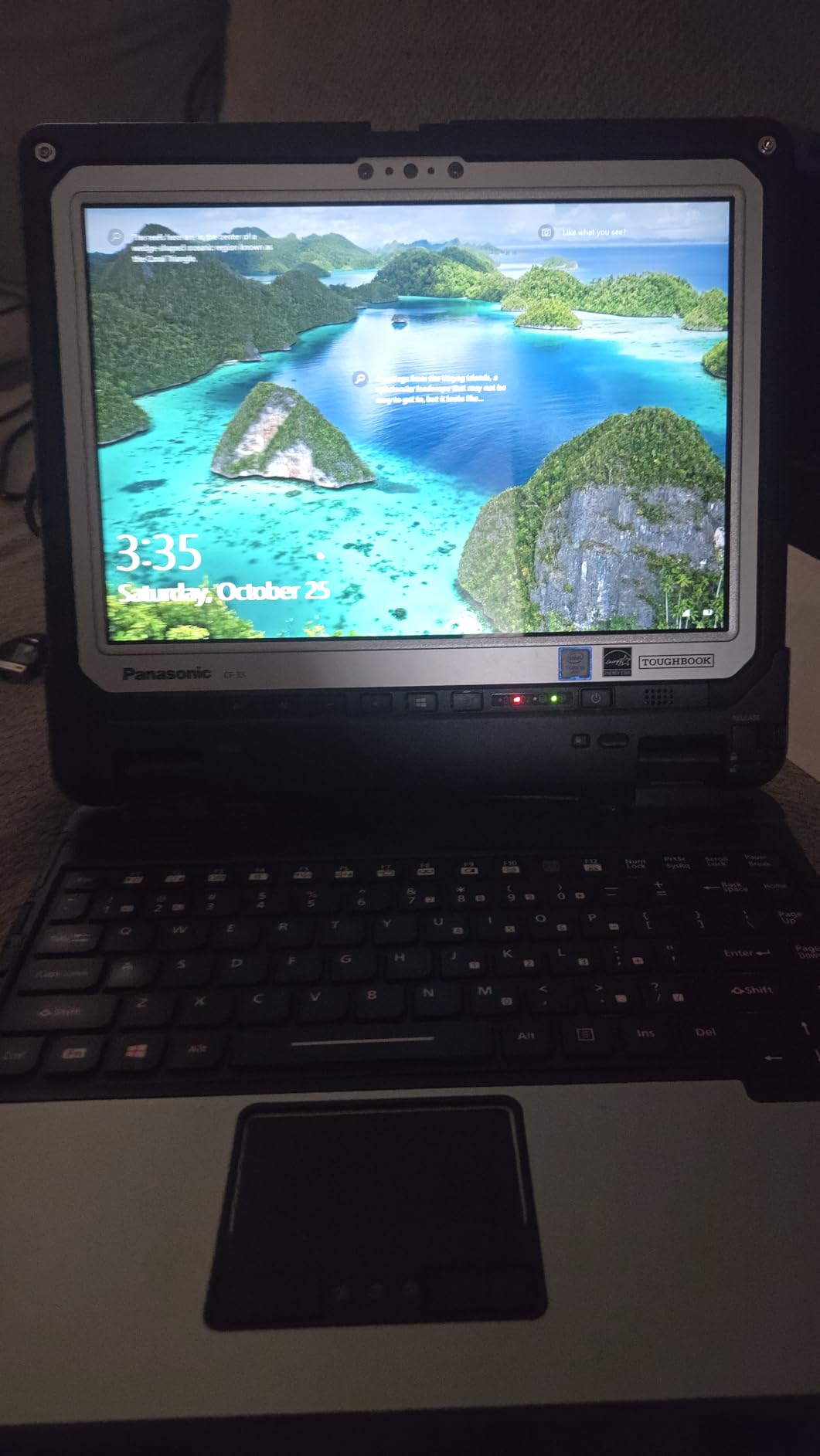
Connectivity is unusually complete for a refurbished machine: a serial port, nano-SIM for 4G LTE, dedicated GPS with a u-blox NEO-M8N module, front and rear cameras, HDMI, VGA, Ethernet, SDXC and two USB 3.0 ports. That is ten ports in the technical specification, and a barcode reader is fitted.
The 2-in-1 Form Factor and Its Weight Cost
As a tablet alone it is 12.1 by 9.6 by 0.9 inches and 3.4 lb. Add the keyboard base and you are at 6.1 lb. That flexibility is genuinely useful on a site, where walking a slab with a tablet and sitting in a trailer with a keyboard are both real tasks, but it is the reason this machine lands in the middle of the weight range.
The keyboard base is also what makes it usable for punch lists and daily reports at speed. Without it, the machine is a very good pen-driven tablet that most superintendents will find slower for typing.
Glove Touch, Brightness and the Digitizer
The panel is sharp enough that plan mark-ups look precise rather than blocky. At 1200 nits with an anti-reflective coating, it is readable outdoors.
The digitizer is the real story. Glove-capable multi-touch means input registers through a work glove, and that is the specification to prioritise if your crew is annotating plans in the field rather than at a desk. If you also care about pen input, note that stylus support is listed but no stylus is included in the box.
The Processor Is the Weak Point
The 7th-generation i5-7300U turboing to 3.5 GHz is dated, and reviewers note that getting current Windows updates onto it can require a fresh Windows install. That is real friction for a machine you intend to keep for years.
Wi-Fi 5 and Bluetooth 4.1 are also behind the curve, and the keyboard-base weight plus 6th-gen-class performance mean this is a durability-first machine rather than a speed-first one. If the crew needs modern compute, the Dell 5430 or the MUNBYN IRX17 covers that, and we cover it in our CAD laptop picks.
8. Dell Latitude Rugged 5414 – The Most Proven Low-Cost Site Machine
Dell Latitude Rugged 5414 Laptop | 14″ 1366×768 HD | Core i5-6300U – 512GB SSD Hard Drive – 16GB RAM | 2 cores @ 3 GHz Win 11 Pro Black (Renewed)
14-inch 1366x768 HD LED display
Core i5-6300U 16GB DDR4
512GB SSD in a rugged chassis
HDMI serial SD and USB
Pros
- Survives real drops with owners reporting the machine did not flinch
- Protective coating all around and a heavy rugged chassis
- Good connectivity and internet performance
- Ports for USB SD serial and Wi-Fi tested and working by owners
Cons
- Heavy and bulky for a carry-everywhere machine
- Battery life is short under CPU-intensive workloads
- 1366x768 display is low resolution for field work
- Refurbished cosmetic condition is inconsistent
On a construction site: the Latitude Rugged 5414 is the entry point, and the most proven one in this roundup with 37 ratings behind it. Owners report it surviving real drops without complaint, which is exactly the evidence you want from a low-cost work machine.
It sits at the entry tier of this list, and the trade-off is visible in the specification. A 6th-generation i5-6300U with two cores at 3 GHz, 16GB of DDR4 and a 512GB SSD is enough for daily reports, email, Procore, punch lists and photo documentation. It is not enough for local model review or heavy multitasking.
What it does have is a service record. With 37 ratings averaging 4.2, this is the machine with the largest body of real-world feedback in the group, and the review pattern is consistent: durable, accurate in its description, heavy, and short on battery under load.
Drop Survival and Build Quality
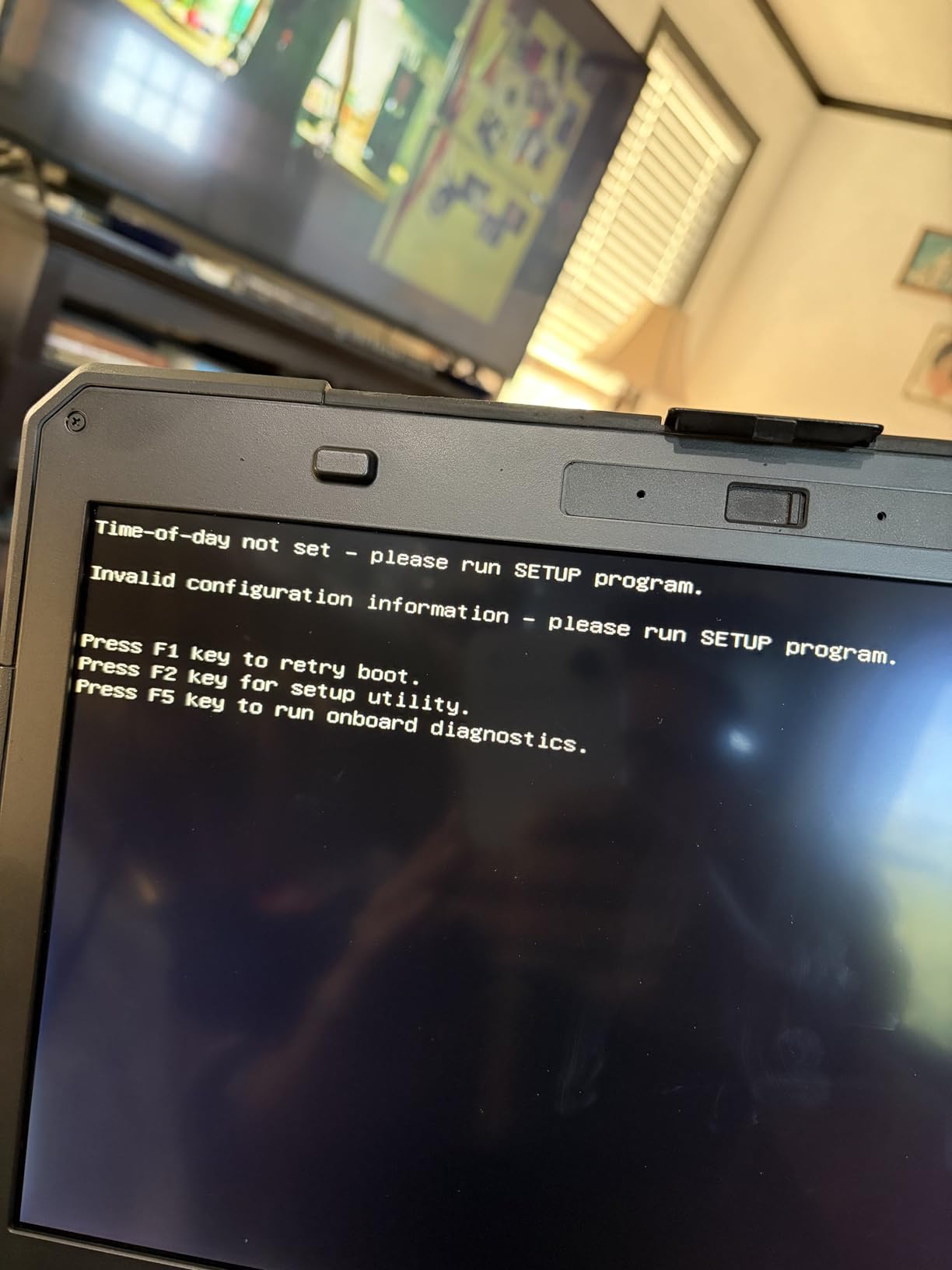
Owners describe a protective coating all around and a heavy, rugged chassis, and the most repeated positive is simply that it does not break. A machine that came off a scaffold and came back working is the entire point of the category.
The port set is worth noting for older site infrastructure. Owners tested USB, SD, serial and Wi-Fi connections and report them working, and a native serial port still matters when you are talking to older survey or monitoring hardware.
Weight and Battery Are the Two Honest Weaknesses
Reviewers call it heavy and bulky, and it is not a carry-all-day computer. If the machine is going to live in a truck and be used from the seat, that is fine. If it has to go up a ladder with you all shift, the Getac V110 G6 is a fundamentally different proposition.
Battery life is described as short, particularly under CPU-intensive workloads, which rules it out for a full day away from an outlet. The 1366×768 display is also the lowest-resolution panel in this roundup, which makes small text in a specification document harder to read.
What Renewed Condition Looks Like in Practice
Cosmetic condition is inconsistent on this listing, and some units arrive with visible wear or missing rubber pieces. Functionally the machines test out well, but expect scratches and scuffs and do not buy one expecting showroom condition.
A few reviews report defective units and slow seller support on renewed listings of this model, which is the general risk of the refurbished channel rather than a fault of the machine. Buy from a seller with a real return policy, and test every key and every port on arrival.
How to Choose a Rugged Laptop for Construction Work
The right answer depends on where the machine actually spends its day. A field super walking a slab needs weight you can carry and a screen you can read in sun. A BIM technician reviewing models at a trailer desk needs memory and a big panel. Buying for the trailer and carrying it to the slab is how most buyers end up unhappy.
What Construction Work Actually Does to a Laptop
Five failure modes account for nearly all site damage, and each maps to a specification.
Concrete and gypsum dust. Particulate dust works into cooling vents, fans and port openings, and it abrades the keyboard mechanism over time. Sealed chassis with a filtration system matters more here than drop rating, because a laptop that overheats under a trailer awning on a hot afternoon fails on day one.
Drops from height. Scaffolds, ladders, hoists and truck beds. A 4-foot drop rating covers the common case, and MIL-STD-810H testing covers more. Note the caveat below: no independent body certifies MIL-STD compliance, so treat it as a manufacturer’s own test regime.
Liquid. Rain, coffee, hydraulic fluid and coolant. This is where buyer expectations and reality diverge most. IP ratings are tested in a laboratory with controlled conditions and fresh water, not with a keyboard soaked in hydraulic fluid and left for a weekend. Keyboard and display failures after water exposure are the most common field complaint in this category, and no IP rating prevents them.
Vibration. Compactors, generators, pile drivers and hoist mechanisms running nearby. Solid-state storage with no moving parts removes the classic failure mode here, and every machine in this roundup uses an SSD.
Glare and glove input. A 300-nit indoor panel is useless at midday, and a capacitive screen that needs bare fingers is unusable with work gloves on. Look for 800 nits or more, and confirm glove-capable touch if annotating plans is part of the job.
Fully Rugged vs Semi-Rugged: Which Class You Need
A fully rugged laptop has a sealed magnesium-alloy or reinforced-composite chassis, sealed port doors, drainage channels and typically MIL-STD-461G electromagnetic certification alongside 810H. It is built for the harshest environments and it is heavy. The Toughbook CF-31, Toughbook CF-33 and Getac V110 G6 in this roundup sit in this class.
A semi-rugged laptop strengthens a normal business chassis with rubber bumpers, a spill-resistant keyboard and drop testing, but it is not sealed to the same ingress standard. It is lighter and cheaper and often newer. The Toughbook FZ-55, Dell Latitude Rugged 5424, Dell 5430 and Dell 5414 are in this class.
The decision rule is simple. If your machine sees rain, slab pours, wash-down areas, mines, utilities or constant dust without a chance to come inside, buy fully rugged. If it spends most of its life in a truck, a trailer or an office and takes abuse in transit, semi-rugged is the better value.
MIL-STD-810H and IP Ratings Decoded
MIL-STD-810H is a United States military standard for environmental engineering design, with methods for drop, vibration, shock, temperature extremes, humidity and solar exposure. The G to H revision expanded the test methods and added salt fog, fungus and contamination. Importantly, no independent agency certifies MIL-STD compliance, so treat it as a manufacturer statement that the product passed its own test programme against the standard’s methods.
An IP rating is a two-part ingress protection code from IEC 60529. The first digit rates solid particle protection on a 0 to 6 scale, where 5 is dust-protected and 6 is dust-tight. The second digit rates liquid protection on a 0 to 9 scale, where 5 is water-jet protected and 6 is powerful water-jet protected. IP65 is the target for a wet construction site: dust-tight and protected against powerful water jets. IP53, found on the Toughbook FZ-55, is dust-protected with limited spray protection, which is fine for dry sites and indoor work.
Neither rating covers chemical exposure, and neither covers keyboards soaked in hydraulic fluid. This is the gap that shows up in real failure reports.
Battery Strategy on Site: Hot-Swap, Spares or Inverter
Battery is the number one purchase driver in this category, and the reason is arithmetic rather than enthusiasm. There are three practical paths.
Path one, hot-swap batteries. Machines like the Toughbook CF-31 and CF-33 let you remove a depleted pack and insert a charged one without powering down. This is the cleanest answer for a crew that must stay productive, and the CF-33 configuration includes two 22Wh packs. You need somewhere to charge spares, which is usually a vehicle inverter or the office.
Path two, carry spare packs. Cheaper than a hot-swap platform and universal across machines, but it means managing loose lithium-ion cells and finding a charge point. A spare pack that sits in a hot truck for weeks is a pack you should cycle.
Path three, plan around vehicle power. A power inverter on a truck outlet keeps a lighter machine alive through a shift, and it works with any laptop. It depends on the vehicle, it is limited by the alternator, and it is the least interesting option but a very common one. Site audio is a separate purchase, and we cover the durable options in our picks for wireless earbuds for construction workers.
Brightness is the hidden battery cost. A 1200-nit panel at full brightness outdoors drains a pack considerably faster than a dimmed panel in a trailer, so expect the stated runtime to be a ceiling rather than a typical figure.
Nits, Glove Touch and Rain Mode in Practice
Below roughly 400 nits, a laptop screen is unusable in open daylight. Between 600 and 800 nits it works with shading. At 1000 nits and above you can read it straight on, which is where the Toughbook CF-31, CF-33, FZ-55, the Dell 5430 and the MUNBYN IRX17 all sit.
Resolution matters differently for different jobs. A 1024×768 panel suits forms, checklists and reports. A 1920×1080 panel suits drawing review. A 2160×1440 panel suits detailed mark-up, and it is why the CF-33 remains the sharpest glove-capable option in this roundup.
Glove support is a digitizer feature, not a screen feature, and no amount of brightness fixes it. Resistive or glove-tuned capacitive panels register through gloves; ordinary capacitive panels do not. Rain mode, where a digitizer ignores water droplets, is worth having in wet climates and is not universally present.
Construction Software: Revit, Navisworks, Bluebeam and Primavera P6
Rugged platforms are routinely one or two generations behind consumer machines, and that gap shows up in software performance. A r/sysadmin thread about field hardware captures the frustration plainly: the machines are rugged as anything, but the specs are always a bit behind the norm because it takes time to ruggedize a design. Plan for it rather than being surprised by it.
As a working rule, 16GB of RAM handles daily reports, Procore in a browser, email, Bluebeam Revu mark-ups and photo documentation comfortably. For local Revit model review and Navisworks navigation, 32GB is the sensible floor, and an integrated graphics chip such as Intel Iris Xe makes a measurable difference in model responsiveness. The Toughbook CF-31 and the MUNBYN IRX17 both ship with 32GB, and the Iris Xe is the most capable graphics listed anywhere in this roundup.
Primavera P6 is lighter on graphics and heavier on schedule data, and Bluebeam Revu is largely CPU and memory bound on very large mark-up sets. Memory is the common constraint in all three, which is why we would rather you buy 32GB than a faster chip with 16GB.
Windows Pro, vPro, TPM 2.0 and Fleet Management
Buy Windows 11 Pro, not Home, for any machine that leaves a trailer. Pro supports BitLocker disk encryption, domain join through Azure AD or Active Directory, Remote Desktop for host access, and Group Policy. Home supports none of them, and a lost laptop with unencrypted storage is a liability on a site full of contract drawings and bid documents.
Store the BitLocker recovery keys centrally on day one. This is the single most common small-firm IT failure we hear about, and it turns a forgotten password into a lost machine rather than a locked-out one.
For manageability, look for vPro on the processor and TPM 2.0 on the platform. The Toughbook CF-31 and Toughbook FZ-55 carry vPro-class silicon, and the Dell 5430 is listed with BitLocker and Active Directory support. A business buying several units should plan a three-to-five year refresh cycle with disk encryption and imaging handled centrally rather than per machine.
Buying Refurbished: What to Check in the First 10 Minutes
Seven of the eight machines here are renewed, and the refurbished channel is the practical way to buy a genuinely rugged machine on a fixed budget. The price difference against new list pricing is large, and the failure rate on refurbished inventory is manageable if you inspect properly.
Step one, read the return policy before you order. Not the product description. A seller with no return window converts every defect into your problem.
Step two, test the battery first. Charge to full, then run a continuous drain test and note the time to shutdown. A machine that dies in under an hour is a battery replacement, and you should price that in before accepting delivery.
Step three, test every port and key. Plug into USB, HDMI, Ethernet and serial if present. Press every key on the keyboard. Check every physical button and the touchscreen digitizer with a gloved finger, if the machine ships a glove-capable panel.
Step four, look at the display under direct light. Dead pixels, backlight bleed and a digitizer that only responds in one corner all hide well in a lit room and are obvious outdoors.
Step five, verify the seals and bumpers. Missing corner bumpers and cracked port covers are the visible signs a machine has already had the abuse you were hoping to avoid. And buy from a reputable seller: users report new devices arriving already broken or in previously opened packaging far more often from unfamiliar sources.
Frequently Asked Questions
Which rugged laptop is best for field work?
For most construction field work, a fully rugged machine rated to MIL-STD-810H and IP65 is the right answer, because that pairing covers drops, dust, rain and water jets. It combines a 1200-nit sunlight-readable touchscreen, 32GB of RAM, a hot-swappable battery and TPM 2.0. If you need to carry the machine all day, the Getac V110 G6 at 4.63 lb is the one that stays out of the truck.
What is the best laptop for construction sites?
The best laptop for a construction site is a fully rugged or well-built semi-rugged machine with a sunlight-readable display of at least 800 nits, glove-capable touch, sealed ports and solid-state storage. Battery flexibility matters as much as toughness, so a hot-swappable design is worth paying for. Avoid ordinary consumer laptops: dust ingress, drops and liquid exposure usually end their life within two to three years on an active site.
Are rugged laptops worth it?
Rugged laptops are worth it for anyone whose machine is used away from a desk, because a consumer notebook replaced every two or three years on site can cost more over five years than one rugged machine bought once. The math reverses for office-only work, where a normal laptop with better performance per pound makes more sense. A semi-rugged model covers most builders; fully rugged is justified where water and dust are constant.
Why is TOUGHBOOK so expensive?
Toughbook pricing reflects a sealed magnesium chassis, MIL-STD-810H and 461G qualification, hot-swappable batteries, high-brightness sunlight panels and a support and parts organisation that spans a decade-long service life. Demand from military, utility and public safety buyers supports those prices too. Buyers anchored on consumer ultrabook pricing find the gap hard to justify for a single user, which is why refurbished Toughbook stock is such a large part of the market.
What are the drawbacks of rugged laptops?
The main drawbacks are weight, price and slightly behind-the-curve specifications. Fully rugged machines commonly run four pounds and up, which turns an all-day carry into a two-trip problem on a large model. Processors are often one or two generations behind because ruggedizing a design takes time, so memory and storage matter more than clock speed. Screens can also be lower resolution than expected, and no IP rating prevents keyboard failure after exposure to hydraulic fluid or rain.
What IP rating do I need for a construction laptop?
IP65 is the target for an active construction site. The first digit, 5, means the chassis is protected against dust ingress, and the second digit, 6, means it withstands powerful water jets. IP53 covers dust with only limited spray protection and suits dry sites and indoor fit-out work. Remember that these are laboratory tests with controlled conditions and fresh water, and none of them covers chemical exposure or a keyboard soaked in hydraulic fluid.
Which Rugged Laptop Fits Your Job Site
There is no single best rugged laptop for construction work, because the sites are not single.
If your machine sees rain, slab pours and constant dust, buy fully rugged. The Panasonic Toughbook CF-31 Mk6 is our pick for the widest set of site tasks, with a 1200-nit touchscreen, 32GB of RAM, a hot-swappable battery and TPM 2.0 for fleet security. If carrying weight is what stops your crew from using a computer at all, the Getac V110 G6 at 4.63 lb changes that, and it is still MIL-STD-810H and IP65 certified.
If the day is spent reading plans, the Dell Latitude Rugged 5430 pairs an 1100-nit panel with full 1080p resolution and the newest processor in this group. If it is spent running models at a trailer desk, the MUNBYN IRX17 brings 32GB of DDR5, Iris Xe graphics and the only two-year warranty here, at the cost of a 9.75 lb carry weight.
On a fixed budget, the Dell Latitude Rugged 5424 is the sharpest value in the roundup and reports real upgradability, while the Toughbook CF-33 Mk1 stays the glove-touch and hot-swap specialist. The Dell Latitude Rugged 5414 is the proven low-cost fallback, with the largest body of owner feedback in the category.
Whichever one you choose, inspect it in the first ten minutes, test the battery before anything else, and store your BitLocker recovery keys somewhere other than the laptop. Those three habits do more for a site machine’s survival than any certification on the box. Check the current listings for all eight, and update this guide as 2026 moves on.