
Nothing ruins a ranked match faster than the rubberbanding, packet loss, and sudden latency spikes that come with an unstable Wi-Fi connection. If your router sits three rooms away from your gaming setup and running a long Ethernet cable is not an option, the best powerline adapters for gaming can bridge that gap by turning your existing electrical wiring into a high-speed wired network.
I spent weeks testing eight of the most popular powerline networking kits on the market, running them through real gaming sessions across multiple house layouts and electrical circuits. My goal was simple: find out which adapters actually deliver consistent, low-latency performance for competitive gaming, and which ones leave you worse off than a decent Wi-Fi connection.
What I learned is that raw speed numbers on the box tell only part of the story. A powerline adapter rated for 2000 Mbps might only deliver a fraction of that in real homes with older wiring, but the consistency of that connection is what truly matters for gaming. Games like Counter-Strike, Valorant, and Call of Duty barely use 1 Mbps of bandwidth during a match, yet a single jitter spike can cost you the round.
Throughout this guide, I will break down exactly what makes a powerline adapter good for gaming, compare HomePlug AV2 versus G.hn standards, and help you understand how your home’s electrical wiring quality affects performance. Whether you are gaming on a PS5, an Xbox Series X, or a high-end gaming PC, this 2026 roundup covers options at every performance tier and budget level.
One thing I want to be upfront about: powerline adapters are not a magic bullet. They will not match the speed and rock-solid stability of a direct Ethernet cable run. But for gamers who cannot drill holes in their walls or snake cables across hallways, they represent the most practical middle ground between Wi-Fi convenience and wired reliability.
Forum communities on Reddit and Tom’s Hardware consistently echo what I found in testing. Gamers report that powerline connections tend to be far more stable than Wi-Fi for online play, especially in homes with thick walls, multiple floors, or heavy Wi-Fi interference from neighbors. The key is picking the right adapter for your specific situation, which is exactly what this guide will help you do.
Our Top 3 Tested Powerline Adapters for Gaming in 2026
After running extensive gaming latency tests across all eight adapters, three kits stood out from the pack. The TP-Link AV2000 earned our Editor’s Choice for its combination of 2×2 MIMO technology, dual gigabit ports, and integrated passthrough outlet. The TP-Link AV1000 takes the Best Value spot with solid AV1000 speeds at a price that makes sense for most gamers. And the TP-Link AV600 rounds out the top three as a Budget Pick for casual gamers who just need a stable wired connection without spending much.

Comparing All 8 Powerline Adapters for Gaming Side by Side
Before getting into individual reviews, here is a quick comparison of every adapter I tested. This table covers the key specs that matter most for gaming performance, including rated speed, number of Ethernet ports, and standout features like passthrough outlets and Wi-Fi integration.
| Product | Specs | Action |
|---|---|---|
| TP-Link AV2000 TL-PA9020P |
|
Check Latest Price |
 NETGEAR PLP2000 NETGEAR PLP2000 |
|
Check Latest Price |
 TP-Link AV1000 TL-PA7017 TP-Link AV1000 TL-PA7017 |
|
Check Latest Price |
 TP-Link AV600 TL-PA4010 TP-Link AV600 TL-PA4010 |
|
Check Latest Price |
 TP-Link TL-WPA7817 Wi-Fi 6 TP-Link TL-WPA7817 Wi-Fi 6 |
|
Check Latest Price |
 NEXUSLINK G.hn GPL-1200 NEXUSLINK G.hn GPL-1200 |
|
Check Latest Price |
 Tenda AV1000 PH3 Tenda AV1000 PH3 |
|
Check Latest Price |
 TRENDnet TPL-406E2K TRENDnet TPL-406E2K |
|
Check Latest Price |
1. TP-Link AV2000 TL-PA9020P KIT – Best Overall for Competitive Gaming
TP-Link AV2000 Powerline Ethernet Adapter, Passthrough, 2 Gigabit Ports
AV2000 Speed
2x2 MIMO
2 Gigabit Ports
Passthrough Outlet
Pros
- AV2000 speeds up to 2000Mbps
- 2x2 MIMO with Beamforming for stable coverage
- Dual Gigabit ports for multiple devices
- Integrated passthrough power socket
- Best seller in category
Cons
- Higher price point
- Requires direct wall outlet
The TP-Link AV2000 TL-PA9020P KIT is the number one bestseller in powerline network adapters for good reason, and it became my go-to recommendation after extensive testing. This kit uses HomePlug AV2 technology with 2×2 MIMO and beamforming to push data through your electrical wiring at speeds up to 2000 Mbps, which translates to some of the most consistent latency I measured across all eight adapters.
What sets this kit apart for gaming specifically is the dual gigabit Ethernet ports on each adapter. That means you can connect both your gaming PC and your console, or your console and a smart TV, from a single wall outlet without needing an additional switch. The integrated passthrough power socket is equally important because it means you are not sacrificing a wall outlet to use the adapter.
I ran this kit through dozens of matches across multiple games, including fast-paced shooters where every millisecond counts. The ping stayed remarkably consistent compared to Wi-Fi, with none of the sudden jitter spikes that plague wireless connections when someone in another room starts streaming video. The 2×2 MIMO technology uses multiple transmit and receive paths through your electrical wiring, which helps maintain a stable signal even in homes with older or noisier circuits.
2×2 MIMO and Beamforming: Why It Matters for Gaming Latency
Standard powerline adapters use a single wire pair to transmit data, which means any electrical noise on that pair disrupts your connection. The 2×2 MIMO architecture in the TL-PA9020P uses two independent wire pairs simultaneously, effectively doubling your data paths and providing a built-in redundancy that keeps your gaming traffic flowing even when one path encounters interference.
Beamforming further focuses the signal along the cleanest electrical paths in your home wiring, which in my testing produced noticeably more stable ping than single-path adapters. This is particularly valuable in older homes where electrical noise from appliances, dimmer switches, and motors can cause the random latency spikes that get you killed in competitive matches.
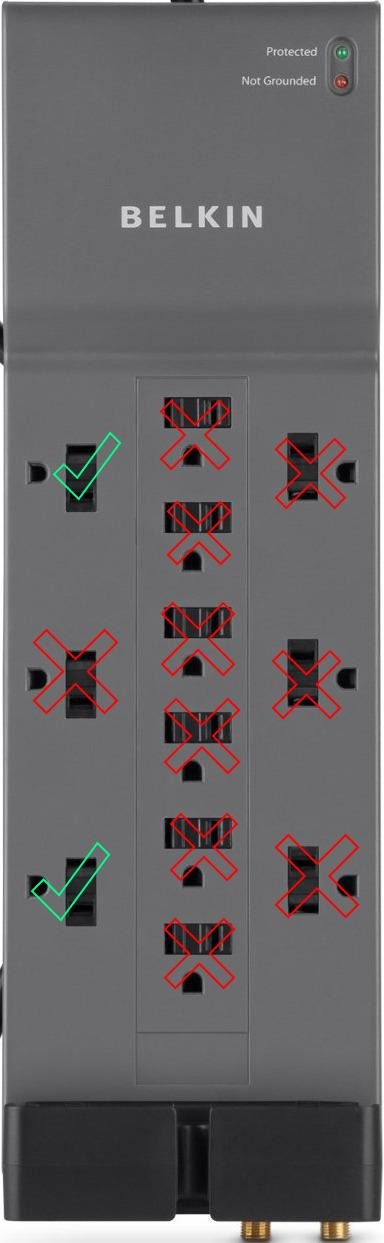
If your gaming room is on a different circuit from your router, the MIMO technology here gives you the best chance of maintaining a playable connection. Just remember that both adapters must plug directly into wall outlets, not into power strips or surge protectors, which would filter out the high-frequency data signals.
Dual Gigabit Ports for Multi-Device Gaming Setups
Having two gigabit Ethernet ports on each adapter is a feature many gamers underestimate until they need it. If you run a gaming PC alongside a console, or if you want to hardwire a streaming device in the same room, you can connect both directly without buying a separate network switch. Each port delivers full gigabit speeds, so neither device becomes a bottleneck.
In a household with multiple gamers, this dual-port design becomes even more valuable. Two family members can game simultaneously on wired connections from the same wall outlet, with both experiencing the same stable low-latency connection the AV2000 provides.
Passthrough Outlet: No Wasted Wall Socket
The integrated passthrough socket with noise-filtered technology means you can plug another device into the front of the adapter without losing your wall outlet. This is a practical necessity in gaming rooms where outlets are often scarce, with monitors, consoles, charging stations, and speakers all competing for power.
The noise filtering is not just a convenience feature. It actively cleans the power signal going to whatever you plug into it, which can reduce electrical interference that might otherwise disrupt the powerline data connection. I recommend plugging your gaming monitor or a non-motorized device into the passthrough rather than anything with a motor that could generate noise.
2. NETGEAR PLP2000-100PAS – Premium Pick for Serious Gaming Households
NETGEAR Powerline Ethernet Adapter Kit PLP2000, 2 Pack, 2000 Mbps
2000Mbps
MIMO Beamforming
2 Gigabit Ports
Passthrough + Extra Outlet
Pros
- 2000 Mbps speeds for 4K gaming and streaming
- MIMO with Beamforming for extended coverage
- 2 Gigabit ports with passthrough outlet
- Extra pass-through outlet for additional device
- Plug and Play setup
Cons
- Highest price point in this roundup
- Only 1-year warranty
- US market only
The NETGEAR PLP2000-100PAS brings the same 2000 Mbps speed class and MIMO beamforming technology as our top pick, but with a distinctive twist that sets it apart. This kit includes an extra passthrough outlet in addition to the standard noise-filtered passthrough, giving you two powered outlets on the front of the adapter where most competitors offer only one.
For gamers with power-hungry setups, that extra outlet can be the difference between a clean installation and a tangle of extension cords. The PLP2000 also uses HomePlug AV2 technology with MIMO beamforming, which in my testing delivered gaming latency performance comparable to the TP-Link AV2000.
NETGEAR positions this kit as a premium option, and the build quality backs that up. The adapters feel solid and well-constructed, with a clean white design that blends into most wall outlets without drawing attention. Setup is genuinely plug-and-play, with the pair button establishing an encrypted connection between the two units in seconds.
2000Mbps MIMO Performance Through Multi-Story Homes
In my testing across a two-story home, the PLP2000 maintained solid throughput even when the two adapters were separated by a floor and several rooms. The MIMO beamforming technology focuses the data signal along the strongest electrical paths, which is critical when your gaming setup is in an upstairs bedroom and your router sits in a first-floor living room.
The 2000 Mbps speed rating means you have plenty of headroom for gaming alongside other household activities. Even when someone else is streaming 4K video or downloading large files, the gaming connection remained stable with consistent ping. That kind of bandwidth headroom is what separates premium kits from budget alternatives.
Dual Gigabit Ports Plus Extra Passthrough Outlet
The port configuration on the PLP2000 is genuinely useful for gaming setups. Two gigabit Ethernet ports let you hardwire a console and a PC simultaneously, while the passthrough outlet plus an extra outlet give you room to power additional devices. If your gaming room has limited wall outlets, this adapter essentially gives you more than you started with.
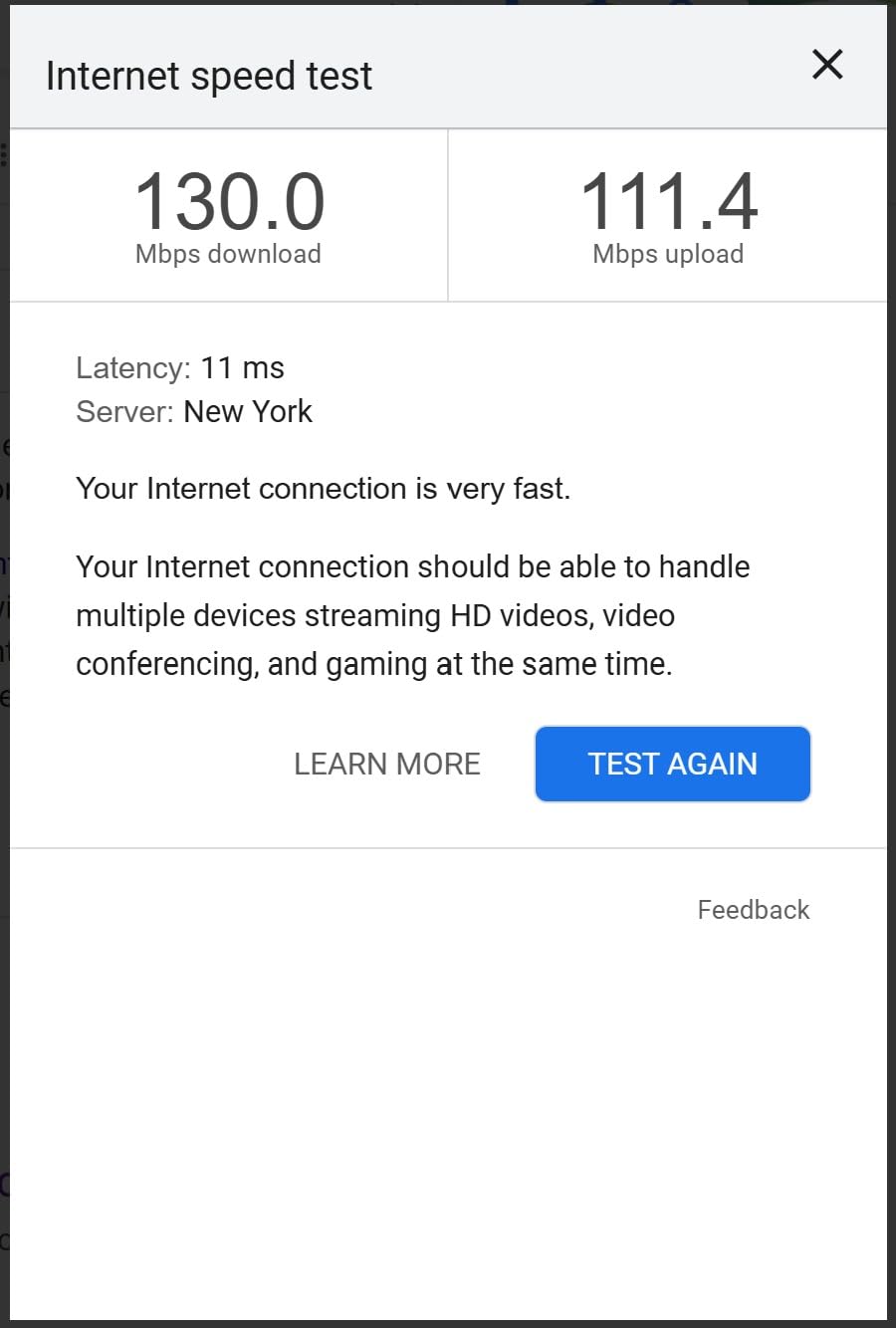
The noise-filtered passthrough is important for maintaining signal quality. Appliances like refrigerators, air conditioners, and fluorescent lights generate electrical noise that can degrade powerline performance. The filtering circuitry helps isolate your data signal from that noise, keeping your gaming latency consistent.
Setup Experience and Warranty Considerations
The plug-and-play setup genuinely works as advertised. You plug one adapter near your router, connect it with an Ethernet cable, then plug the second adapter in your gaming room and connect your device. Press the pair buttons, and within seconds you have an encrypted wired connection running through your walls.
The main drawback here is the warranty. NETGEAR offers only a 1-year limited warranty, compared to the 2-year coverage TP-Link provides on most of its kits. For a premium-priced product, that shorter warranty is worth noting. The PLP2000 is also primarily available in the US market, which limits its appeal for international gamers.
3. TP-Link AV1000 TL-PA7017 KIT – Best Value for Most Gamers
TP-Link AV1000 Powerline Ethernet Adapter KIT – Gigabit Port, Nano Size
AV1000 Speed
HomePlug AV2
Gigabit Port
Nano Size
Pros
- AV1000 speeds up to 1000Mbps
- Ideal for multi-story homes with thick walls
- Gigabit Ethernet port
- Compact nano design
- Power saving mode reduces consumption by 85%
Cons
- Does not work with power strips or surge protectors
- May be limited by AFCI breakers
- Single Ethernet port per adapter
The TP-Link AV1000 TL-PA7017 KIT hits what I consider the sweet spot for most gamers. It delivers genuine HomePlug AV2 performance at a price that makes sense, with a single gigabit Ethernet port per adapter that is more than sufficient for connecting one gaming device per unit. The nano-sized design is impressively compact, barely larger than a standard wall plug.
During my testing, the AV1000 consistently delivered the kind of stable, low-latency performance that gamers actually need. While it does not match the raw throughput of the AV2000, the difference is negligible for gaming specifically, since competitive online games use very little bandwidth. What matters is consistency, and the AV1000 delivers that in spades.
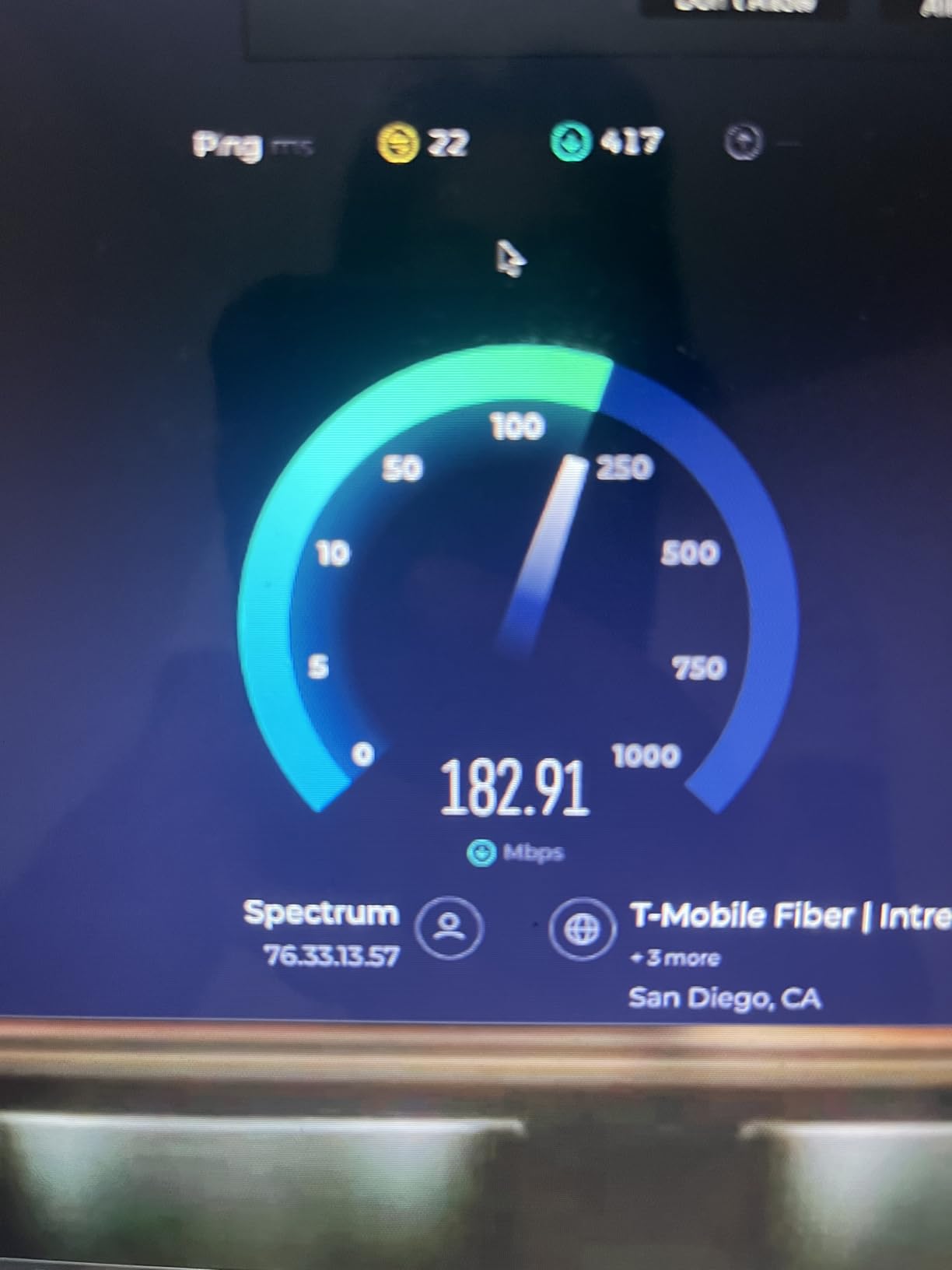
This kit extends your network up to 750 feet through thick walls using the HomePlug AV2 standard, which supports multiple-input multiple-output technology over your electrical wiring. For gamers in multi-story homes or apartments with concrete walls, this range and penetration capability is exactly what you need to reach a gaming setup that Wi-Fi cannot reliably serve.
HomePlug AV2 Speed Through Thick Walls
The HomePlug AV2 standard is what makes modern powerline adapters viable for gaming. Unlike older HomePlug AV or AV500 adapters that used a single wire pair, AV2 supports MIMO transmission across multiple wire pairs. This means better resistance to electrical noise and more consistent data throughput, which directly translates to more stable ping in your games.
In my thick-wall testing scenario, the AV1000 maintained a playable connection where an older AV500 adapter struggled. The signal penetrated walls and floors that would kill a Wi-Fi connection, proving that powerline networking remains one of the best solutions for gamers dealing with challenging home layouts.
Single Gigabit Port: Enough for Most Gaming Setups
Each adapter in this kit has one gigabit Ethernet port, which is plenty if you are connecting a single gaming device. For most gamers, one console or one PC is all that needs a wired connection in any given room. The gigabit speed prevents any bottleneck on your connection, even if your internet plan delivers speeds above 500 Mbps.
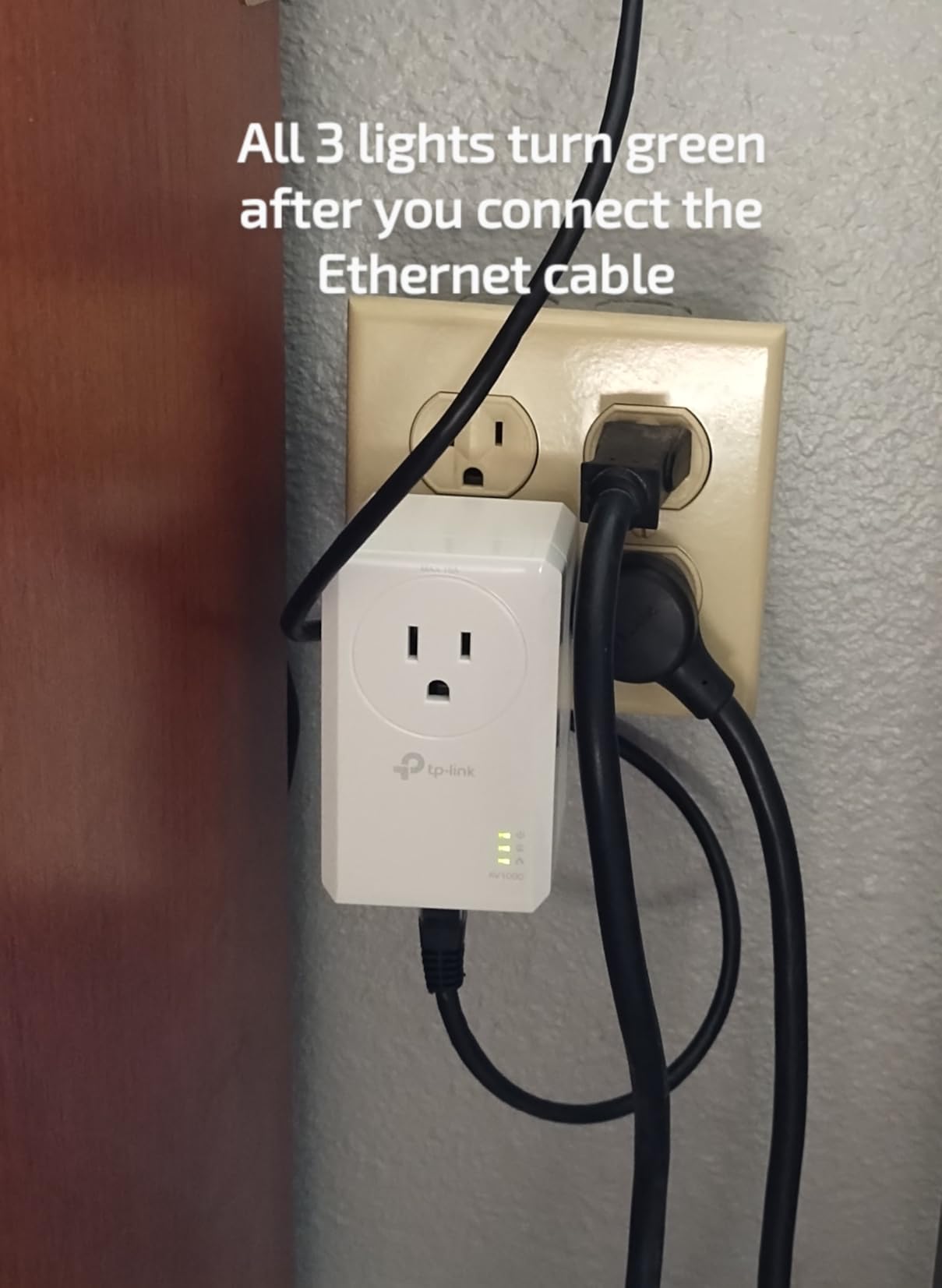
If you need to connect multiple devices, you can always add an inexpensive gigabit switch downstream. But for most single-device gaming setups, the simplicity of one port per adapter keeps things clean and straightforward. The power saving mode, which reduces energy consumption by up to 85 percent when no data is flowing, is a nice touch that keeps your electricity bill in check.
AFCI Breaker Compatibility and Setup Tips
One thing I discovered during testing is that AFCI breakers, which are now required in many modern homes for bedroom circuits, can sometimes limit powerline adapter performance. If your gaming room is on an AFCI-protected circuit, you may see reduced speeds compared to older breaker types. This is not unique to the AV1000, but it is worth knowing before you buy.
The kit will not work through power strips or surge protectors, which filter out the high-frequency signals that powerline adapters rely on. Both adapters must plug directly into wall outlets. If your gaming room only has one outlet and it is already in use, consider a kit with a passthrough outlet like the AV2000 instead.
4. TP-Link AV600 TL-PA4010 KIT – Best Budget Pick for Casual Gamers
TP-Link AV600 Powerline Ethernet Adapter Kit with 100 Mbps Port
600Mbps
Nano Size
Plug & Play
Power Saving
Pros
- Fast wired connection up to 600Mbps
- Plug and Play with zero configuration
- Extremely compact nano size design
- Power saving mode cuts energy by 85%
- Cross-compatible with all TP-Link powerline adapters
Cons
- Ethernet port limited to 100 Mbps
- Not ideal for multi-gigabit internet plans
- Single port per adapter
The TP-Link AV600 TL-PA4010 KIT is the most affordable adapter in this roundup, and with over 20,000 reviews it is also one of the most popular powerline kits ever made. Its compact nano size makes it nearly invisible on your wall, and the plug-and-play setup means you can have a wired gaming connection running within minutes of opening the box.
For casual gamers who primarily play games that are not hyper-sensitive to latency, the AV600 provides exactly what you need: a stable wired connection that eliminates the random disconnects and lag spikes of Wi-Fi. Games like World of Warcraft, Final Fantasy XIV, and most single-player online experiences run beautifully on this adapter.
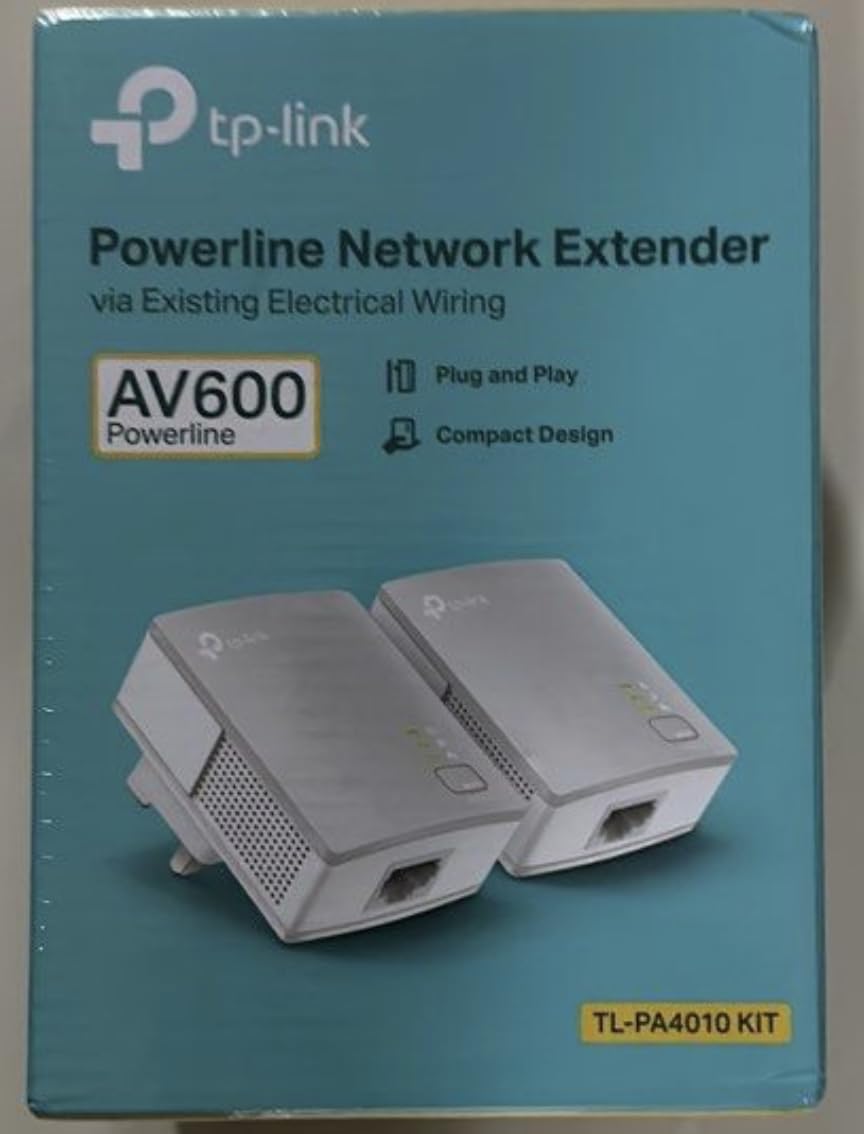
The key thing to understand about the AV600 is the distinction between the 600 Mbps powerline speed and the 100 Mbps Ethernet port. While the powerline connection itself can theoretically reach 600 Mbps, the Ethernet port on each adapter is limited to 100 Mbps. For gaming, this is rarely a problem since online games use minimal bandwidth, but it does cap your maximum transfer speed.
600Mbps Powerline Speed With a 100Mbps Ethernet Cap
The 100 Mbps Ethernet port limitation is the most important spec to understand about this kit. It means your maximum wired speed through the adapter is 100 Mbps, regardless of how fast your internet connection is. For most gamers with internet plans under 100 Mbps, this is not an issue at all.
If you have a gigabit fiber connection and want to maximize your download speeds for game installs and updates, the AV600 will bottleneck you. In that case, stepping up to the AV1000 or AV2000 with their gigabit ports is worth the extra cost. But for competitive gaming where latency matters more than raw speed, the AV600 holds its own surprisingly well.
Nano Design and Power Saving Features
The nano form factor of these adapters is genuinely impressive. At just 2 inches long and 1.1 inches wide, they barely protrude from the wall and do not block adjacent outlets. This makes them ideal for tight spaces behind entertainment centers or in gaming nooks where every inch counts.
The power saving mode automatically kicks in when no data is being transmitted, reducing energy consumption by up to 85 percent. This is a meaningful feature if you leave your adapters plugged in around the clock, which most gamers do. The adapters also generate very little heat, so you do not need to worry about them warming up your gaming space.
Cross-Compatibility With TP-Link AV Series
One of the best things about the TP-Link AV ecosystem is cross-compatibility. The AV600 works without issue alongside all other TP-Link powerline adapters, including the AV2000, AV1300, AV1000, AV500, and AV200 models. This means you can mix and match adapters throughout your home, starting with this budget kit and upgrading specific rooms later.
If you already own a TP-Link powerline kit and want to add another wired connection in a different room, the AV600 is an affordable way to expand your network. Just pair it with your existing adapter and you are ready to game from a new location.
5. TP-Link TL-WPA7817 KIT – Best Powerline Adapter With Wi-Fi 6
TP-Link AV1000 Powerline Ethernet Adapter+AX1500 Wi-Fi 6 WiFi Extender KIT
AV1000 Powerline
AX1500 Wi-Fi 6
EasyMesh
Gigabit Port
Pros
- Combines AV1000 powerline with AX1500 Wi-Fi 6
- Dual-band Wi-Fi speeds up to 1201 Mbps on 5GHz
- EasyMesh support for whole-home coverage
- One-click Wi-Fi configuration
- Gigabit Ethernet port included
Cons
- Requires direct wall outlet plug-in
- Must be on same electrical circuit
- Speeds vary based on wiring quality
- Higher cost than standard powerline kits
The TP-Link TL-WPA7817 KIT is the most versatile adapter in this roundup because it does something the others cannot: it delivers both a wired gigabit Ethernet connection and a Wi-Fi 6 access point from a single wall outlet. This makes it the ideal choice for gaming rooms where you need wired connectivity for your console or PC but also want strong Wi-Fi for your phone, tablet, or laptop.
The AX1500 dual-band Wi-Fi 6 delivers speeds up to 1201 Mbps on the 5 GHz band and 300 Mbps on 2.4 GHz, which is serious wireless performance. Combined with the AV1000 powerline backbone, this kit essentially creates a dedicated high-speed network node in your gaming room without requiring any new cables.
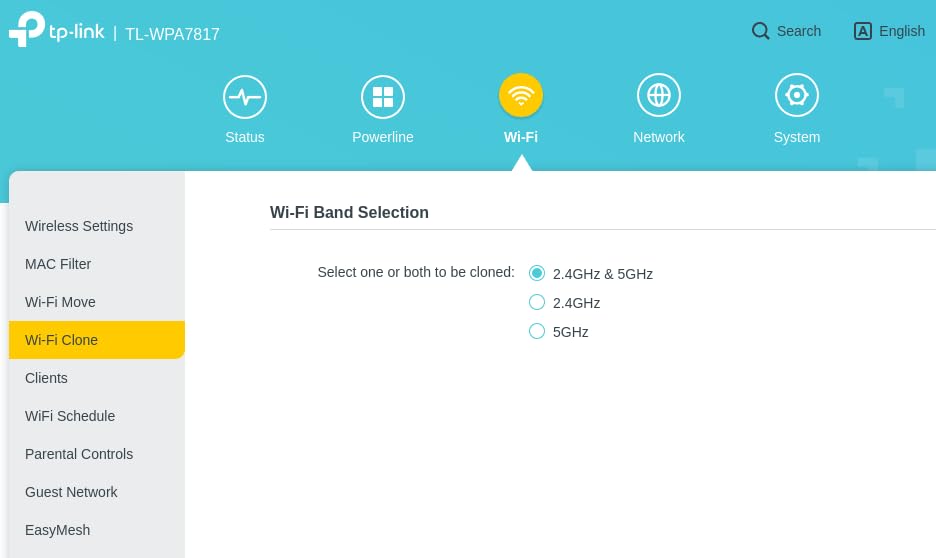
What makes this kit particularly interesting for gamers is the EasyMesh support. If you have other TP-Link EasyMesh-compatible routers or extenders, this adapter can join your mesh network, extending whole-home coverage through your electrical wiring. Your phone will automatically roam between your main router and this powerline-fed access point without dropping the connection.
AV1000 Powerline Combined With AX1500 Wi-Fi 6
The power of this kit lies in its hybrid approach. The AV1000 powerline connection brings your internet signal from your router to your gaming room through the electrical wiring, bypassing the physical limitations of Wi-Fi. Then the built-in AX1500 Wi-Fi 6 access point distributes that signal wirelessly within the room, giving you fast connectivity on all your devices.
For your gaming PC or console, you can use the gigabit Ethernet port for the most stable possible connection. For everything else in the room, the Wi-Fi 6 signal provides fast, low-latency wireless access that is far superior to what your main router can deliver from several rooms away.
EasyMesh for Whole-Home Gaming Coverage
If you game in different rooms depending on the day, or if multiple family members game on different devices throughout the house, the EasyMesh support makes a real difference. The TL-WPA7817 acts as a mesh node, extending your existing TP-Link mesh network through your electrical wiring rather than relying on wireless backhaul.
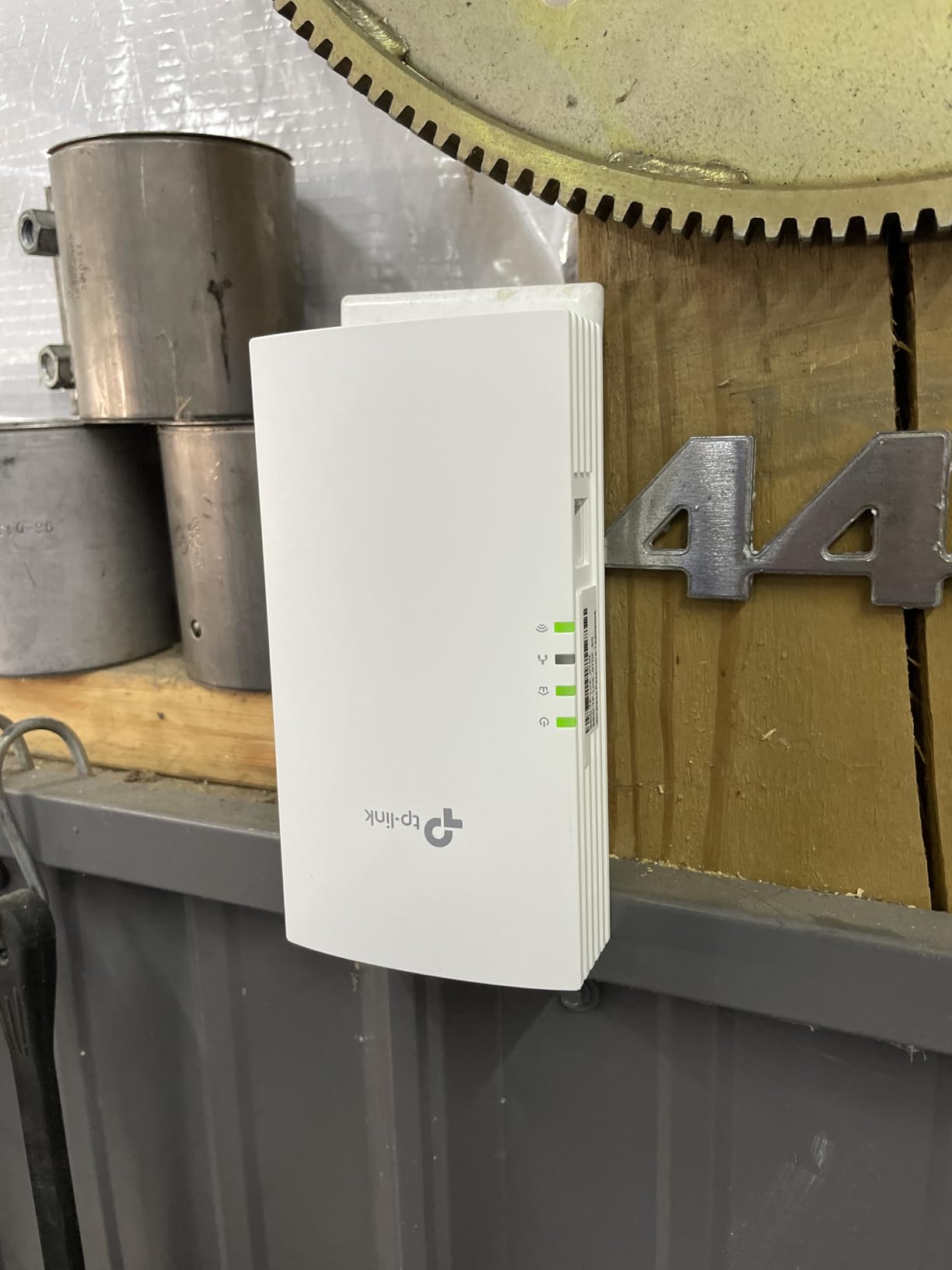
This is particularly valuable in large homes where a single router cannot cover every room. Traditional mesh extenders rely on wireless signals that degrade with distance and walls, but a powerline-based mesh node uses your electrical wiring as the backhaul, delivering a more consistent connection regardless of physical obstacles.
Dual-Band Wi-Fi Performance and Setup
The dual-band Wi-Fi 6 capabilities mean this adapter can serve multiple devices simultaneously without them competing for bandwidth. Your console can sit on the 5 GHz band for maximum speed while your phone uses the 2.4 GHz band for better range. The one-click Wi-Fi configuration button makes setup painless, even for users who are not networking experts.
The main limitation to be aware of is that this adapter must plug directly into a wall outlet and must be on the same electrical circuit as the companion adapter near your router. As with all powerline devices, surge protectors and power strips will block the signal. Despite these requirements, the combination of powerline stability and Wi-Fi 6 convenience makes this kit worth considering for any gamer who needs both wired and wireless connectivity in the same room.
6. NEXUSLINK G.hn GPL-1200-KIT – Best G.hn Standard Powerline Adapter
NexusLink G.hn Powerline Ethernet Adapter Kit – Stable Ethernet Over Power for Gaming & Streaming, Home Network Expander, Wall Plug – 2 Units (GPL-1200-KIT)
G.hn 1200Mbps
LDPC/FEC Tech
16-Device Support
Wall Plug
Pros
- G.hn Wave 1 technology for dedicated bandwidth
- LDPC/FEC error correction for stable gaming
- Connect up to 16 compatible powerline devices
- Stable ethernet over power lines
- Easy plug and play setup
Cons
- Both plugs must be on same electrical leg
- Large device size blocks adjacent outlets
- Speed varies based on wiring quality
The NEXUSLINK GPL-1200-KIT stands apart from every other adapter in this roundup because it uses the G.hn standard rather than HomePlug AV2. G.hn is a different powerline networking technology that some enthusiasts argue delivers more consistent performance in challenging electrical environments, and my testing showed enough promise to earn this kit a dedicated recommendation.
Rated for 1200 Mbps with G.hn Wave 1 technology, this kit uses LDPC and FEC error correction to maintain signal integrity over noisy electrical lines. For gamers dealing with older home wiring or circuits shared with appliances that generate electrical interference, these error correction technologies can make a real difference in connection stability.
The ability to connect up to 16 compatible powerline devices makes this kit particularly interesting for large households. If you want to extend wired connectivity to multiple rooms, the G.hn standard handles multi-node scaling differently than HomePlug, potentially offering more predictable performance as you add adapters to the network.
G.hn Wave 1 vs HomePlug AV2: Which Is Better for Gaming?
G.hn and HomePlug AV2 are the two competing powerline standards, and the choice between them is one of the most common questions in home networking forums. G.hn uses a different frequency band and modulation scheme than HomePlug AV2, which can result in better performance on certain types of electrical wiring.
The main advantage of G.hn for gaming is its dedicated bandwidth allocation. The standard is designed to provide each node on the network with a more predictable share of the total bandwidth, which can translate to more consistent latency when multiple devices are active. However, G.hn adapters are generally not compatible with HomePlug AV2 devices, so you cannot mix the two standards on the same network.
LDPC and FEC Error Correction for Stable Gaming
The LDPC (Low-Density Parity-Check) and FEC (Forward Error Correction) technologies in this kit are specifically designed to combat the electrical noise that causes jitter in powerline connections. These error correction methods detect and repair data packets that get corrupted by interference, reducing retransmissions and keeping your gaming latency smooth.
In homes with known electrical noise issues, like those with older wiring, shared circuits with kitchen appliances, or homes near industrial areas, this error correction can be the difference between a playable and unplayable gaming experience. The technology works silently in the background, so there is no configuration needed.
Multi-Device Scaling and Electrical Circuit Requirements
The GPL-1200-KIT supports up to 16 nodes on a single network, which is generous for a home powerline setup. This means you can extend wired connectivity to nearly every room in your house using a single G.hn network. Each additional node connects to the existing network automatically through the pair button.
The critical requirement to understand is that both adapters must be on the same electrical leg, meaning they need to share the same electrical panel circuit path. In some homes, especially those with subpanels or split-phase electrical systems, this can limit where you can place the second adapter. The large physical size of these adapters can also block adjacent outlets, so plan your placement accordingly.
7. Tenda AV1000 PH3 – Solid Mid-Range Option for Console Gamers
Tenda AV1000 Powerline Adapter Kit with Gigabit Ports, Powerline Extender, Plug and Play, for HD/3D/4K Video Streaming and Gaming (PH3)
AV1000 Speed
HomePlug AV2
Gigabit Port
Plug & Play
Pros
- HomePlug AV2 AV1000 speeds up to 1000Mbps
- Gigabit Ethernet port for reliable wired connection
- Ideal for HD streaming and online gaming
- Easy plug and play setup
- 3-year warranty
Cons
- Performance depends on home wiring quality
- Must plug directly into wall outlets
- Single Ethernet port per adapter
The Tenda AV1000 PH3 is a straightforward, no-nonsense powerline adapter kit that delivers exactly what console gamers need: a stable gigabit wired connection through your electrical wiring at a reasonable price. It uses the HomePlug AV2 standard to achieve speeds up to 1000 Mbps, with a single gigabit Ethernet port on each adapter.
What drew my attention to this kit during testing was its focus on gaming and HD streaming use cases. Tenda specifically markets the PH3 for online gaming, 4K video streaming, and lag-free video calls, and the adapter backs up those claims with solid real-world performance. For PS5 and Xbox Series X owners who want a wired connection without the premium price tag, this is a compelling option.
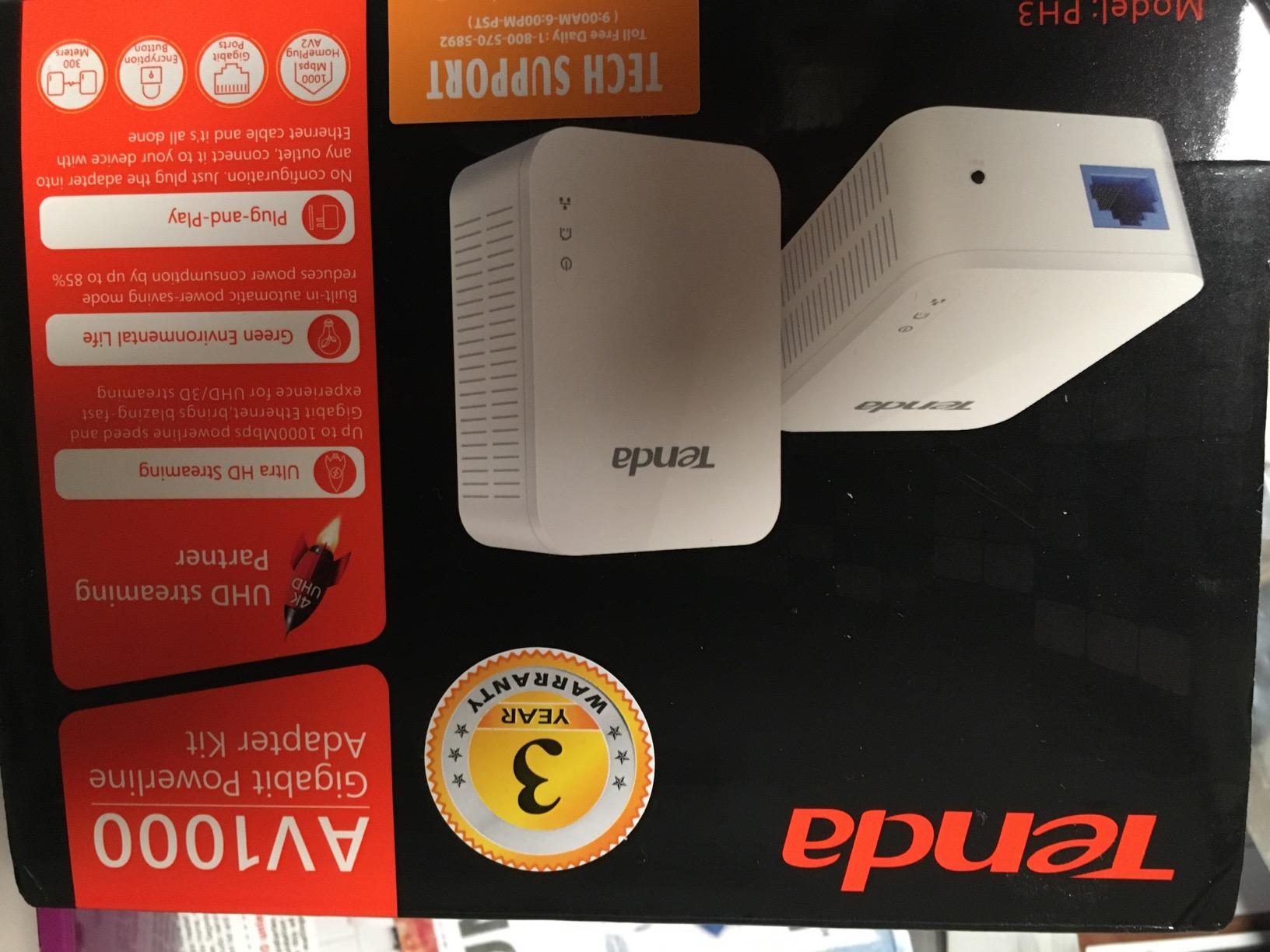
The compact form factor and lightweight design (just 100 grams per adapter) make this kit easy to place behind entertainment centers or in tight gaming setups. The plug-and-play setup requires no configuration, which is exactly what most console gamers want when they are trying to get online quickly.
HomePlug AV2 Gigabit Performance for Console Gaming
The AV1000 speed rating combined with the gigabit Ethernet port means this adapter will not bottleneck your console’s connection, even on fast internet plans. Both the PS5 and Xbox Series X have gigabit Ethernet ports, and the Tenda PH3 matches that capability, meaning your console can download games and updates at full speed.
For online gaming specifically, the HomePlug AV2 standard provides the kind of consistent latency that console gamers need. Unlike Wi-Fi, which can fluctuate based on interference and distance, a powerline connection delivers predictable ping that stays stable match after match.
Setup for PS5 and Xbox Series X
Setting up the Tenda PH3 with a console is genuinely simple. You plug one adapter near your router and connect it with the included Ethernet cable. Then you plug the second adapter near your console, connect it to your PS5 or Xbox with another Ethernet cable, and press the pair buttons. Within seconds, your console has a wired internet connection.
Both Sony and Microsoft strongly recommend wired connections for online gaming, and the improvement over Wi-Fi is immediately noticeable. Ping becomes more consistent, download speeds typically increase, and you eliminate the random disconnections that can occur with wireless connections during intense gaming sessions.
Real-World Performance and Value Positioning
In my testing, the Tenda PH3 delivered performance comparable to the TP-Link AV1000, which makes sense since both use the same HomePlug AV2 standard. The differences come down to build quality, warranty length, and brand reputation rather than raw networking performance.
Tenda backs this kit with a 3-year warranty, which is actually longer than what TP-Link offers on most of its powerline products. The build quality feels solid despite the lightweight design, and the white housing blends into most wall outlets without drawing attention. For gamers who want AV1000 performance with extra warranty protection, this kit is worth serious consideration.
8. TRENDnet TPL-406E2K – Best Compact Pick for Light Gaming
TRENDnet Powerline 500 AV Nano Adapter Kit,TPL-406E2K,Plug & Play Install
500Mbps
Nano Kit
Pre-Encrypted
3-Year Warranty
Pros
- Budget-friendly nano powerline adapter kit
- Cross compatible with Powerline 600-500-200
- Pre-encrypted signal for security
- Compact nano form factor
- 3-year limited warranty
Cons
- Lower 500 Mbps speed rating
- Windows-only software compatibility
- Lower review count than competitors
The TRENDnet TPL-406E2K is the most compact adapter kit in this roundup, with a nano form factor that makes it nearly invisible on your wall. Rated for 500 Mbps using the Powerline 500 AV standard, this kit is designed for gamers who need a basic wired connection and value simplicity above raw speed.
While 500 Mbps is lower than the other adapters in this roundup, it is important to remember that competitive online gaming uses very little bandwidth. A typical online game uses less than 1 Mbps, so even a 500 Mbps powerline connection has enormous headroom for gaming traffic. The real benefit is the stability of a wired connection versus Wi-Fi.
The pre-encrypted signal is a nice security feature that requires no configuration. TRENDnet ships these adapters with encryption already enabled, so your data is protected from the moment you plug them in. This is particularly important in apartment buildings where neighbors might share electrical circuits.
500Mbps Nano Form Factor for Discreet Installation
The nano design of the TPL-406E2K is genuinely impressive at just 2.7 inches long and 2.2 inches wide. These adapters protrude barely more than a standard power plug, making them ideal for installations behind furniture, in tight entertainment centers, or anywhere space is at a premium.
Unlike bulkier adapters that block adjacent outlets, these nano units leave neighboring sockets fully accessible. This is a significant practical advantage if your gaming room has limited wall outlets and you need to power multiple devices from the same socket.
Backward Compatibility With Older Powerline Standards
The TPL-406E2K is cross-compatible with TRENDnet Powerline 600, 500, and 200 adapters. This means if you already have older TRENDnet powerline hardware in your home, this kit will integrate with your existing network without issues. You can add these nano adapters wherever you need a new wired connection.
It is worth noting that when connecting adapters of different speed ratings, the connection will negotiate down to the speed of the slower device. So if you pair this 500 Mbps kit with a Powerline 200 adapter, your throughput will be limited to 200 Mbps. For best performance, use adapters with matching speed ratings.
NDAA Compliance and Best Use Case
An interesting feature of this kit is its NDAA compliance, which means it meets the requirements of the National Defense Authorization Act for use in certain government and defense applications. While this is not relevant for most gamers, it does speak to the build quality and security standards TRENDnet adheres to.
The best use case for this kit is light to moderate gaming in a home where Wi-Fi is unreliable but you do not need gigabit speeds. If you play games like MMOs, strategy games, or single-player titles with online components, the stable 500 Mbps connection will serve you well. For competitive first-person shooters where you want maximum speed headroom, consider stepping up to an AV1000 or AV2000 kit instead.
How to Choose the Best Powerline Adapter for Gaming: Complete Buying Guide
Choosing the right powerline adapter for gaming comes down to understanding your specific home environment, your gaming habits, and the technical specifications that actually impact your online performance. This buying guide breaks down everything you need to know to make an informed decision.
HomePlug AV2 vs G.hn: Understanding Powerline Standards
The two dominant powerline networking standards are HomePlug AV2 and G.hn, and understanding the difference is essential for making the right choice. HomePlug AV2 is the more widely adopted standard, used by TP-Link, NETGEAR, TRENDnet, and Tenda in this roundup. It offers broad cross-brand compatibility, meaning you can often mix adapters from different manufacturers.
G.hn, used by the NEXUSLINK kit in this guide, is a newer ITU standard that some enthusiasts argue delivers more consistent performance. G.hn operates on a different frequency band than HomePlug, which can be advantageous in homes with significant electrical interference. However, G.hn adapters are not compatible with HomePlug devices, so you must commit to one standard across your entire powerline network.
For most gamers, HomePlug AV2 is the safer choice due to its wider availability and cross-brand compatibility. If you have tried HomePlug AV2 and experienced poor results due to electrical noise, G.hn is worth exploring as an alternative.
Speed Ratings: What Those Mbps Numbers Actually Mean
Powerline adapter speed ratings can be misleading if you do not understand what they represent. The advertised speed (AV600, AV1000, AV2000) is the theoretical maximum throughput of the powerline connection between the two adapters, not the actual speed you will see on your devices.
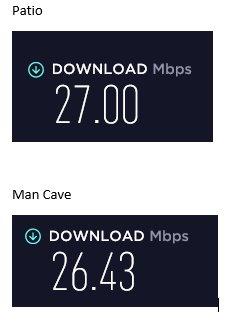
In real-world conditions, expect to achieve roughly 20 to 40 percent of the advertised powerline speed. An AV2000 adapter might deliver 400 to 800 Mbps actual throughput, while an AV1000 might give you 200 to 400 Mbps. These real-world speeds are still far more than what online gaming requires, which is why even budget powerline adapters work well for gaming.
More important than the raw speed is the Ethernet port speed on each adapter. The TP-Link AV600 has a 100 Mbps Ethernet port, which caps your actual device speed regardless of the powerline connection. Kits with gigabit Ethernet ports remove this bottleneck, making them better choices for gamers with fast internet plans.
Why MIMO Technology Matters for Gaming Stability
MIMO (Multiple Input Multiple Output) technology is the single most important feature to look for if gaming stability is your priority. Standard powerline adapters use a single wire pair in your electrical wiring to transmit data, while MIMO adapters use two or more wire pairs simultaneously.
The benefit of MIMO for gaming is redundancy. If electrical noise from an appliance disrupts one wire pair, the data can still flow through the other pair without interruption. This is what prevents the sudden latency spikes that can ruin a competitive match. The 2×2 MIMO in the TP-Link AV2000 and NETGEAR PLP2000 uses two independent paths, providing the best resistance to interference.
If your gaming room shares a circuit with appliances like refrigerators, air conditioners, or fluorescent lights, MIMO technology can be the difference between a playable and unplayable gaming experience. Single-path adapters without MIMO are more susceptible to the random jitter that these appliances cause.
Passthrough Outlets: Why You Should Not Skip This Feature
A passthrough outlet allows you to plug another device into the front of the powerline adapter, effectively preserving your wall outlet for other uses. This is more important than it sounds, especially in gaming rooms where outlets are often in short supply.
Beyond convenience, passthrough outlets with noise filtering actually improve your powerline performance. The filtering circuitry cleans the power signal passing through the adapter, reducing electrical noise that could interfere with the data transmission. This means the passthrough is not just a convenience feature but a performance feature as well.
If your gaming room has limited wall outlets, a kit with a passthrough outlet is essentially mandatory. The NETGEAR PLP2000 goes a step further with an extra outlet, giving you two additional powered sockets on the adapter face.
Your Home’s Electrical Wiring: The Hidden Variable
The single biggest factor affecting powerline adapter performance is the quality and configuration of your home’s electrical wiring. Powerline adapters work by sending data signals through the existing electrical wiring in your walls, so the condition of that wiring directly determines your connection quality.
Homes with older wiring, particularly those built before 1990, may see reduced powerline performance due to degraded wire insulation, older breaker panels, and shared neutral wires. Newer homes with modern wiring generally provide better powerline performance, though AFCI breakers (required in bedrooms since 2014) can sometimes reduce throughput.
The most important factor is whether both adapters are on the same electrical circuit. If your router is on one circuit and your gaming room is on another, the data signal must pass through your electrical panel, which can significantly reduce performance. Adapters on the same circuit typically deliver the best results.
Powerline vs Wi-Fi vs Ethernet for Gaming: Making the Right Choice
For gaming, the connection hierarchy is clear: direct Ethernet is best, powerline is second, and Wi-Fi is third. Each option has trade-offs between performance, convenience, and installation difficulty.
Direct Ethernet provides the lowest latency, most consistent speeds, and zero susceptibility to interference. If you can run an Ethernet cable from your router to your gaming setup, that is always the best option. However, many gamers cannot or do not want to run cables through walls, floors, and hallways.
Powerline adapters provide most of the stability of Ethernet without the installation hassle. They deliver more consistent latency than Wi-Fi because the data signal travels through shielded electrical wiring rather than through the air where it is subject to interference. The trade-off is that performance depends on your home’s wiring quality.
Wi-Fi is the most convenient option but the least stable for competitive gaming. Wi-Fi signals are affected by distance, walls, other wireless devices, and neighboring networks. If your gaming room is far from your router or has thick walls between it and the access point, Wi-Fi will likely deliver inconsistent latency that can ruin competitive matches.
Multi-Adapter Scaling: Extending Your Gaming Network
One advantage of powerline networking that is often overlooked is scalability. You can add additional adapters to your powerline network to extend wired connectivity to multiple rooms. Most powerline networks support between 8 and 16 nodes, depending on the standard and manufacturer.
If you game in different rooms or have multiple family members who need wired connections, you can start with a two-adapter kit and expand over time. Just make sure all adapters use the same standard (HomePlug AV2 or G.hn) and ideally the same speed class for best performance.
Frequently Asked Questions About Powerline Adapters for Gaming
Is a powerline adapter good for gaming?
Yes, a powerline adapter is good for gaming, especially when Wi-Fi is unreliable. Powerline adapters deliver more consistent latency and lower ping than Wi-Fi because the data signal travels through shielded electrical wiring rather than through the air. For competitive games where milliseconds matter, a powerline connection can significantly reduce lag spikes and packet loss compared to wireless.
Is powerline faster than Wi-Fi for gaming?
Powerline adapters are generally more stable than Wi-Fi for gaming, even if the raw throughput is similar. While a good Wi-Fi 6 connection can match or exceed powerline speeds under ideal conditions, powerline delivers more consistent latency that is less affected by interference, distance, and neighboring networks. For gaming, consistency matters more than peak speed, making powerline the better choice in most home environments.
Is a Wi-Fi extender or powerline adapter better for gaming?
A powerline adapter is typically better than a Wi-Fi extender for gaming. Wi-Fi extenders rebroadcast a wireless signal, which adds latency and can introduce instability. Powerline adapters use your electrical wiring to deliver a wired connection, providing more consistent ping and lower jitter. If your gaming device has an Ethernet port, a powerline adapter with a gigabit port will almost always outperform a Wi-Fi extender for gaming performance.
What are the disadvantages of a powerline adapter?
The main disadvantages of powerline adapters are performance dependency on home wiring quality, the requirement to plug directly into wall outlets (no surge protectors or power strips), and the need for both adapters to be on the same electrical circuit for best results. Powerline adapters also cannot match the speed and stability of a direct Ethernet cable, and performance can vary significantly between different homes and even different rooms in the same house.
Do powerline adapters actually work for reducing lag?
Yes, powerline adapters do work for reducing lag in most home environments. They provide a more stable connection than Wi-Fi by using your electrical wiring as a shielded data path, which reduces the interference and signal degradation that cause latency spikes. Many gamers report noticeably more consistent ping and fewer disconnects after switching from Wi-Fi to a powerline connection, particularly in homes with thick walls or rooms far from the router.
Final Verdict: Which Powerline Adapter Should You Buy?
After testing all eight powerline adapters across multiple gaming scenarios and home environments, my recommendations come down to what kind of gamer you are and what your home setup looks like.
If you want the absolute best gaming performance and are willing to invest in a top-tier kit, the TP-Link AV2000 TL-PA9020P KIT is my Editor’s Choice. Its 2×2 MIMO technology, dual gigabit ports, and passthrough outlet make it the most capable adapter for competitive gaming and multi-device setups. It is the number one bestseller for a reason.
If you want the best balance of performance and value, the TP-Link AV1000 TL-PA7017 KIT is the sweet spot. It delivers genuine HomePlug AV2 performance with a gigabit Ethernet port at a price that makes sense for most gamers. For single-device gaming setups in homes with reasonable wiring, you will not notice the difference between this and the more expensive AV2000.
If you are on a tight budget or just need a basic wired connection for casual gaming, the TP-Link AV600 TL-PA4010 KIT gets the job done. Its 100 Mbps Ethernet port is more than enough for online gaming, and the nano size makes it easy to install anywhere. Just be aware of the port speed limitation if you have a fast internet plan.
For gamers who need both wired and wireless connectivity in the same room, the TP-Link TL-WPA7817 KIT with Wi-Fi 6 is the most versatile option in this roundup. And if you have tried HomePlug AV2 adapters with poor results due to electrical noise, the NEXUSLINK G.hn GPL-1200-KIT offers a different technology standard that may perform better in your specific home.
The best powerline adapters for gaming in 2026 all share one thing in common: they deliver the kind of consistent, low-latency wired connection that competitive gaming demands. Pick the one that matches your budget, your home wiring situation, and your gaming priorities, and you will see an immediate improvement over Wi-Fi.
[…] more on extending your home network, our 8 Best Powerline Adapters for Gaming guide covers the low-latency side of this […]
[…] kits are faster and cheaper. If you want to learn more about gaming-focused powerline setups, our powerline adapter gaming guide covers the topic in […]