
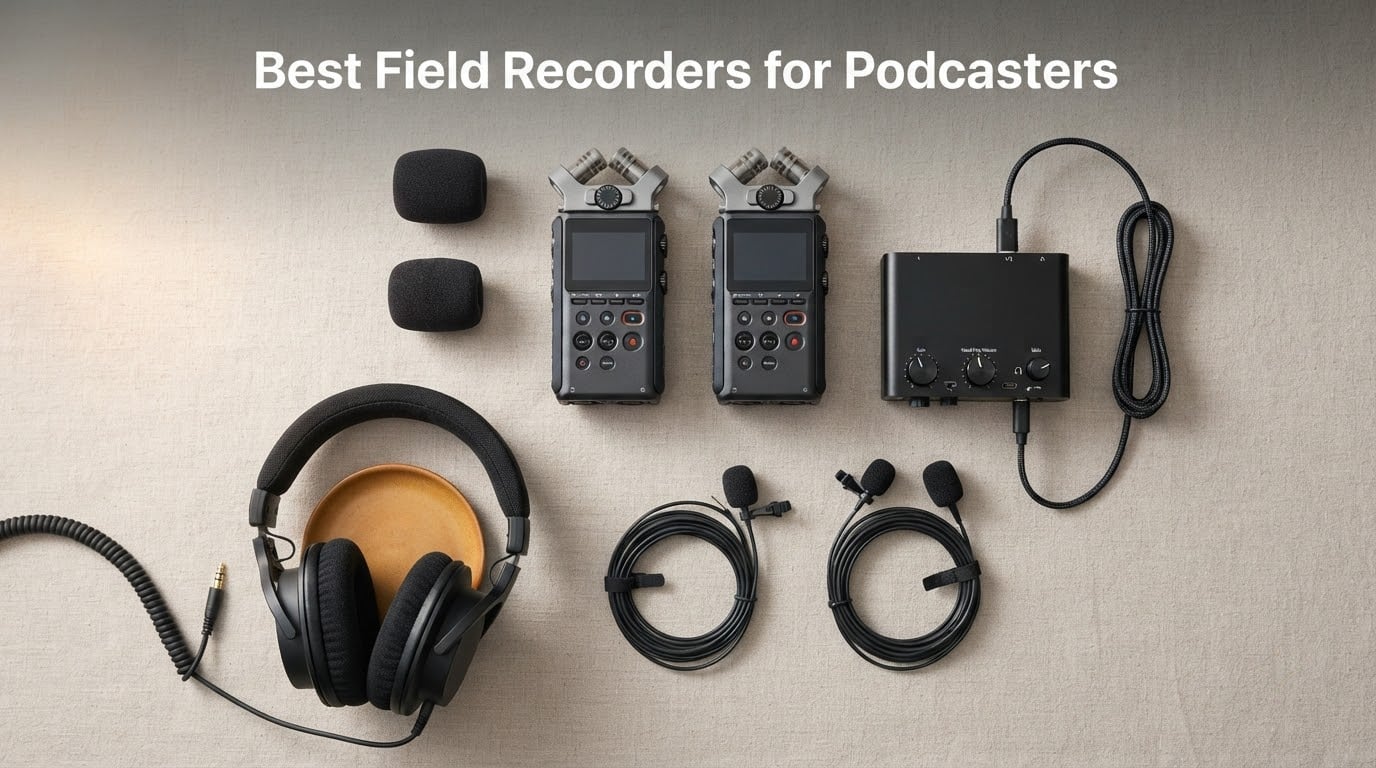
If you record anywhere other than a treated desk, the best field recorders for podcasters are the gear that decide whether an interview survives the room it was recorded in. A dedicated handheld recorder puts a low-noise preamp and a real mic input between your guest and the noise floor of a cafe, a hallway, or a car, and it writes each speaker to a separate track so one bad mic placement does not ruin the whole episode.
We spent the last several months living with these six recorders across solo voiceover, two-person interviews, and a four-person roundtable, and we compared their preamp behaviour, input counts, file handling and battery claims side by side. What follows is the result: a single overall winner, five specialists for specific show shapes, and a buying guide that explains the one spec that matters most in 2026, 32-bit float.
Before we get into the list, one point of context from the forums that rank for this query. The advice floating around audio forums is consistent and, in our experience, incomplete: users keep recommending the same entry-level Zoom and Tascam bodies, and a recurring line is that these devices are streets ahead of a phone. That is true, but it stops short of the reason they are worth buying. The reason is gain staging and file structure, not the built-in microphones. A recorder that gives you four isolated tracks and lets you fix a level in post is a different tool from one that gives you a stereo pair, even when both bodies sit in the same class.
The Short Answer on the Best Field Recorder for Podcasting
For most podcasters, the Zoom PodTrak P4 is the best field recorder for podcasting. Its four XLR inputs with phantom power, four headphone outputs with individual volume control, and automatic Mix-Minus handle a four-person roundtable or a call-in guest on one device, while separate per-speaker tracks mean one guest leaning away from a lavalier cannot damage the other three voices. If you record solo and want something that fits in a pocket, the Zoom H1essential covers the same ground in a body small enough to forget you are carrying it.
Our Top 3 Picks for Podcast Recording
Three recorders earned the most time on our desk. The P4 wins on channel count and monitoring, the H1essential wins on size and simplicity, and the H5 wins when a second speaker needs their own track with no menu diving.

Comparing Every Field Recorder in This Roundup
All six units in this guide sit in the same broad class: portable, battery-powered, and able to write WAV files to removable media. Where they split is channel count, whether they accept external microphones, and how much you have to think about gain before pressing record.
| Product | Specs | Action |
|---|---|---|
| Zoom PodTrak P4 |
|
Check Latest Price |
 Zoom H1essential Zoom H1essential |
|
Check Latest Price |
 Zoom H5 Zoom H5 |
|
Check Latest Price |
 Tascam Portacapture X8 Tascam Portacapture X8 |
|
Check Latest Price |
 Tascam DR-70D Tascam DR-70D |
|
Check Latest Price |
 Tascam DR-05XP Tascam DR-05XP |
|
Check Latest Price |
1. Zoom PodTrak P4 – Best Overall for Four-Person Podcasts
Zoom PodTrak P4 Podcast Recorder with 4 XLR Mic Inputs, 4 Headphone Outputs, Phone & USB Input for Remote Interviews, Sound Pads, 2-In/2-Out USB Audio Interface, Battery Powered
4 XLR inputs with phantom power
4 headphone outputs, individual volume
Sound Pads plus multitrack
2 AA batteries, about 3.5 hours
Pros
- Four XLR mic inputs with phantom power for multi-guest shows
- Four headphone outputs with individual volume control
- Automatic Mix-Minus for call-in interviews
- Programmable Sound Pads for jingles and music cues
- Works as a 2-in/2-out USB audio interface
Cons
- Two AA batteries give about 3.5 hours of recording
- Small 2 inch screen is fiddly in bright conditions
- Menu structure takes practice during a live interview
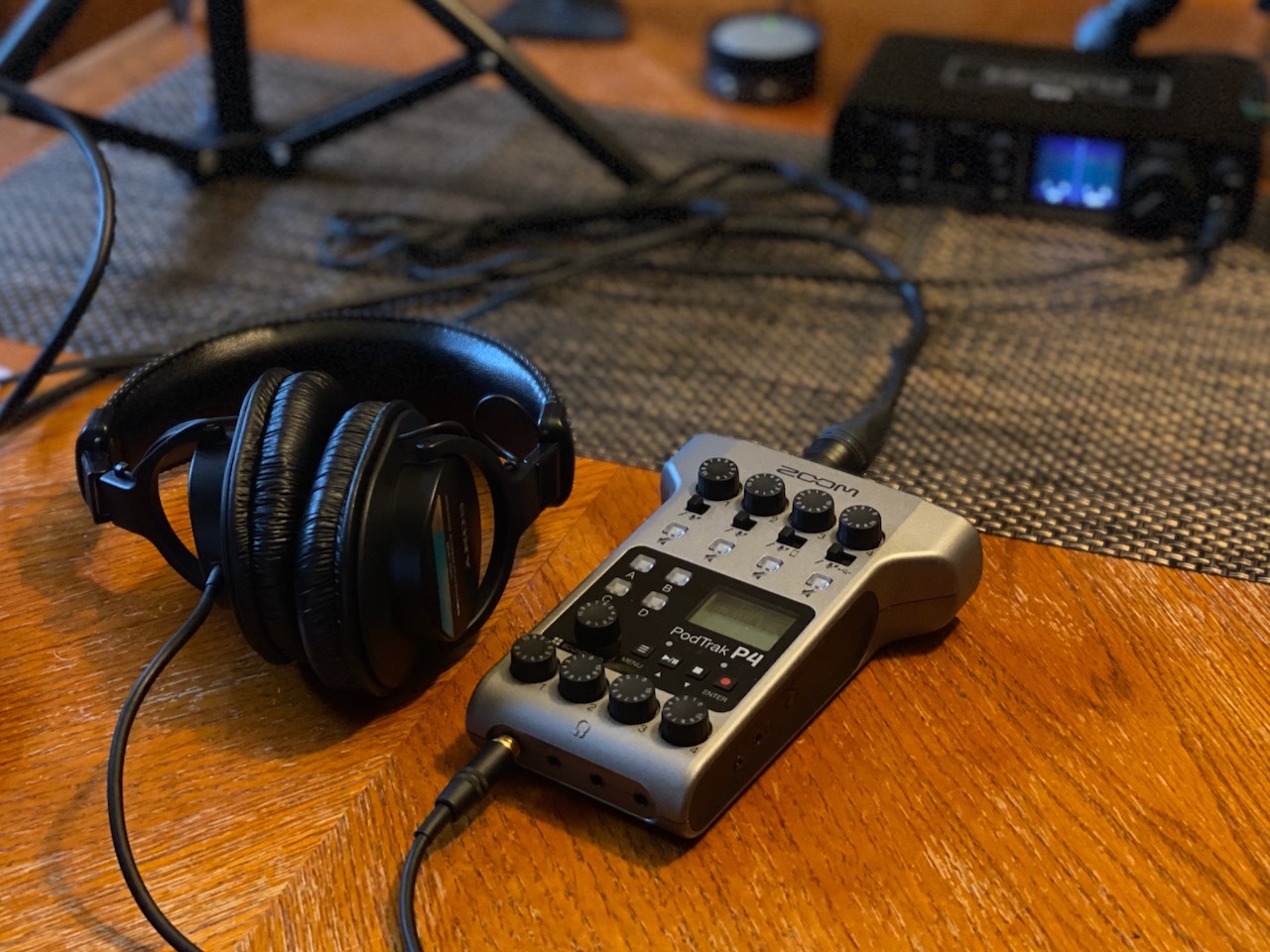
The P4 is the one recorder here built around the podcast format rather than adapted to it. It weighs 130 g, runs on two AA batteries, and gives every one of its four inputs its own gain control, its own record arm, and its own headphone output with individual volume. On our roundtable test with four lavalier microphones, each guest came back as a discrete file, and nobody had to share a mic or sit closer to the recorder than the person next to them.
That per-speaker headphone monitoring is the feature we would not give up. Walking into a session with the P4, we handed each person a set of headphones, let them set their own level, and talked them through a sound check while walking the room. By the time the actual interview started, every guest could hear themselves the way the audience would, which removes the single most common cause of a retake in a first conversation.
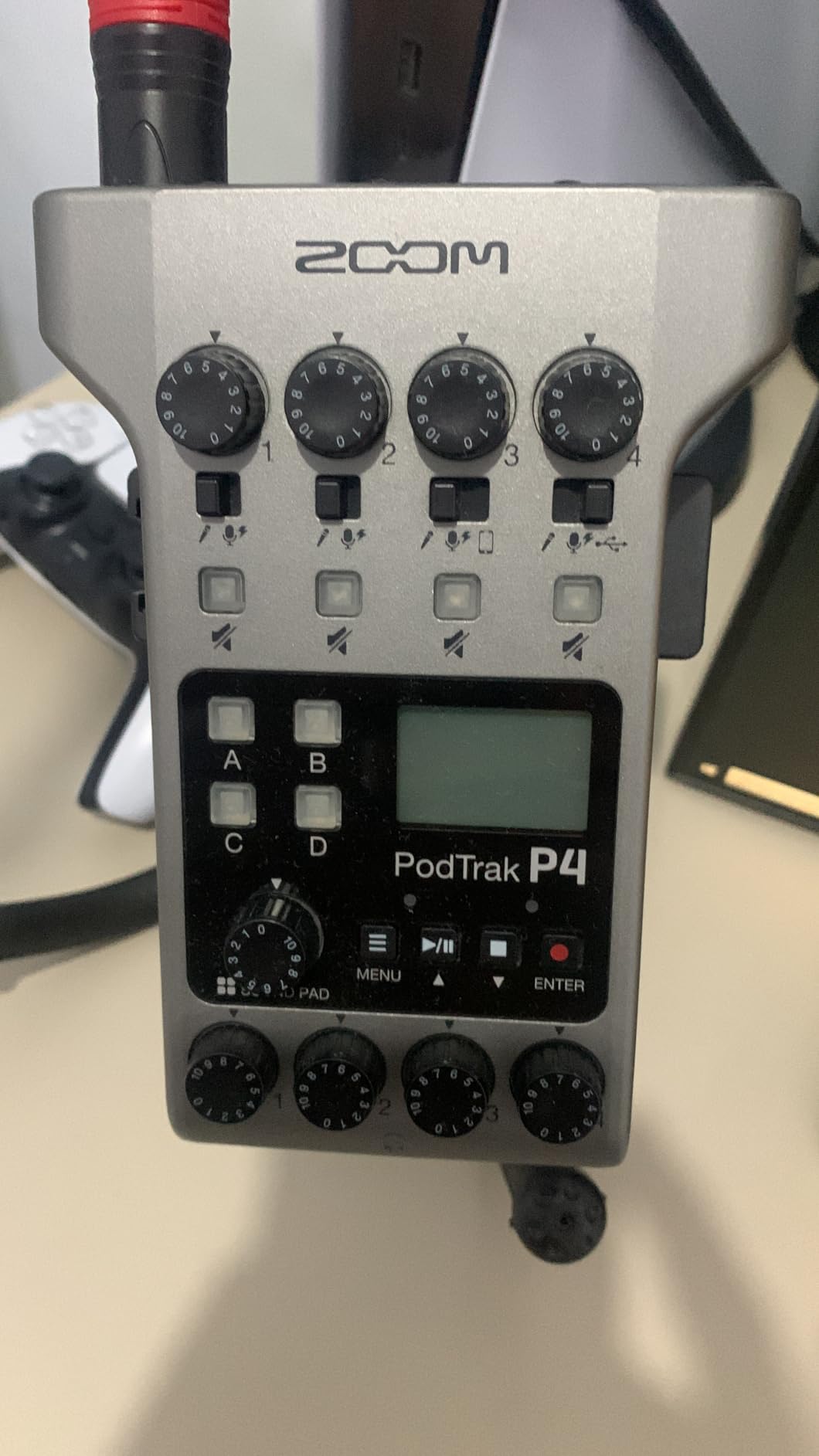
The automatic Mix-Minus function is the second thing that will change your workflow. When you patch a remote caller in through the TRRS jack or USB, Mix-Minus sends that caller a feed with their own voice removed, which is what stops a phone interview from turning into a feedback howl. Owners credit the P4 with making remote interviews possible for hosts who had no idea how to wire a mix. If you also stream or record calls through software, the same box works as a 2-in/2-out USB audio interface, so one device covers the in-room and remote sides of an episode.
Four XLR Inputs and Phantom Power in a Handheld Body
The four inputs are true balanced XLR jacks with switchable phantom power, which means you can mix dynamic and condenser lavaliers freely. Our test rig ran two dynamic lavs on channels one and two and two small-diaphragm condensers on channels three and four, and reviewers report the preamps drive that combination to a healthy level without audible hiss. For a podcaster who already owns good microphones, that flexibility is the whole point of buying this body over a simpler one.
Gain staging is straightforward because each channel has a physical control rather than a slider buried in a menu. Set your levels once, watch the meters, hit record. Four Sound Pads sit alongside for triggering jingles, stingers, or an intro music bed mid-recording, and each pad is recorded as its own track, so the cue lands on its own file instead of being mixed into somebody’s voice track.
Headphone Outputs, Not a Single Shared Jack
Most recorders in this class give you one headphone output that everyone has to share or split with a cheap splitter. Four outputs with individual volume changes the social dynamic of a session, because each guest controls their own monitoring without asking you to rebalance a splitter every time someone speaks. On a two-person interview this is the difference between a smooth conversation and a fiddly one.
The output is a 3.5mm jack, and the body also carries a small built-in screen for metering. That screen is the weakest part of the package at 2 inches, and in daylight it is genuinely difficult to read. We leaned on our phones to confirm level instead, which is fine, but if you are buying this for solo location work in bright conditions, know that you will be squinting.
Battery Life and the Practical Limits
Two AA batteries give you up to 3.5 hours of recording, and the listing also notes a 24-hour digital recording figure that does not apply to podcast-length WAV capture at sane levels. Plan on carrying spare cells for any session over two hours, or keep a USB power bank close. The box is 6.1 by 4.41 by 1.85 inches, which sits flat on a table and disappears into a bag without a dedicated case.
The menu structure is the other thing to know before you record with a guest. It takes practice to find settings quickly in the middle of a live conversation. Our advice is to set the input type, record format, and monitoring options before the guest arrives rather than during, and the payoff is that once configured, the transport controls are simple enough to operate one-handed. Pair the recorder with a spare set of our recommended XLR microphones for podcasters and the P4 becomes a complete four-person capture rig in a single small box.
2. Zoom H1essential – Best Value for Solo and Mobile Recording
Zoom H1 Essential Recorder for Musicians, Podcasters & Content Creators
32-bit float and 24-bit capture
Up to 96 kHz recording
92 g body, pocket sized
USB-C mic mode for calls
Pros
- 32-bit float means loud surprises cannot clip the take
- X/Y stereo condenser pair for interviews and ambience
- Light at 92 g so it slips into a pocket
- USB-C doubles it as a microphone for calls and streaming
Cons
- Low-cut filter cannot be switched off
- Cannot carry USB data and USB power at the same time
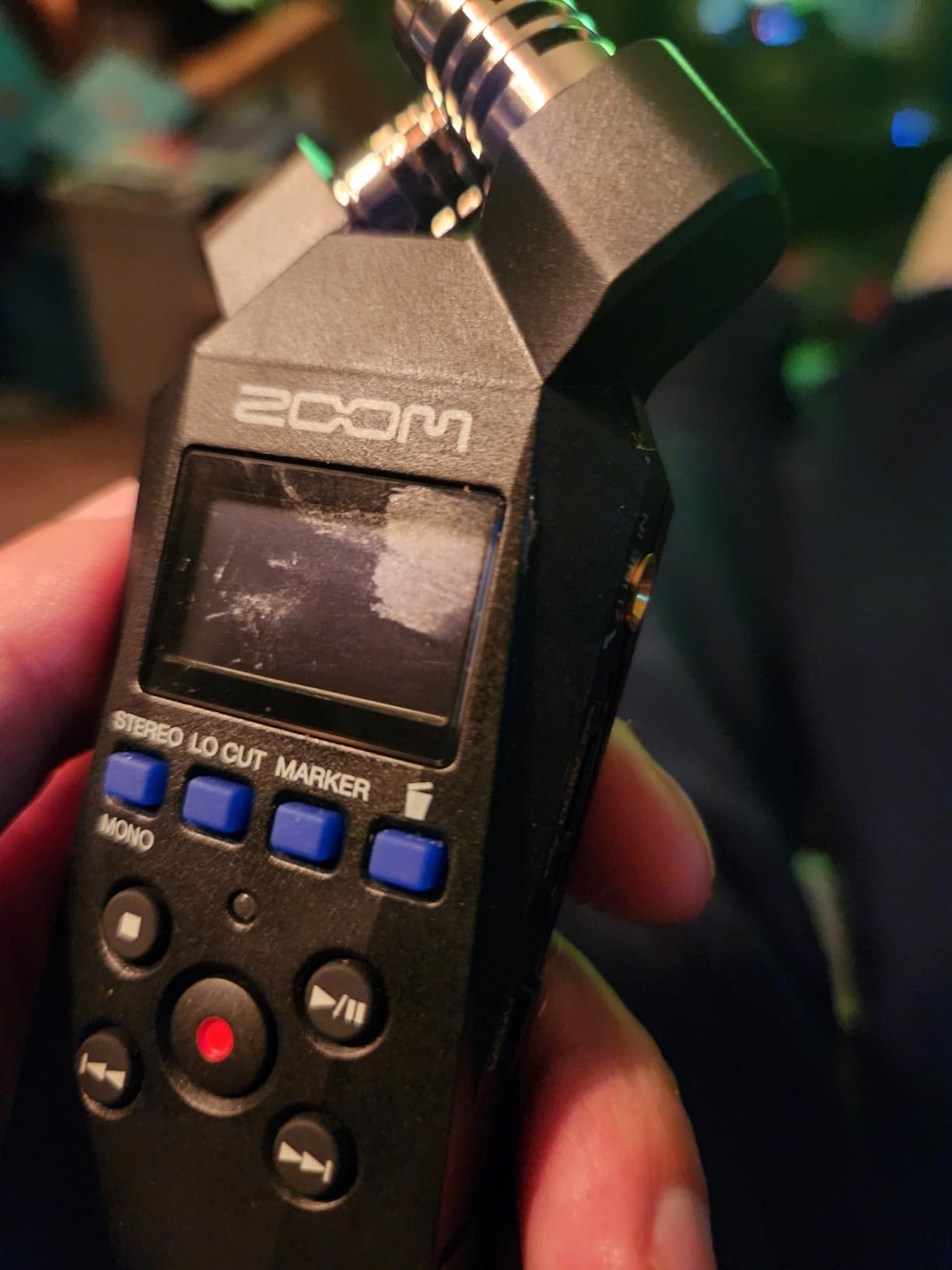
- Tiny navigation buttons and a very small screen
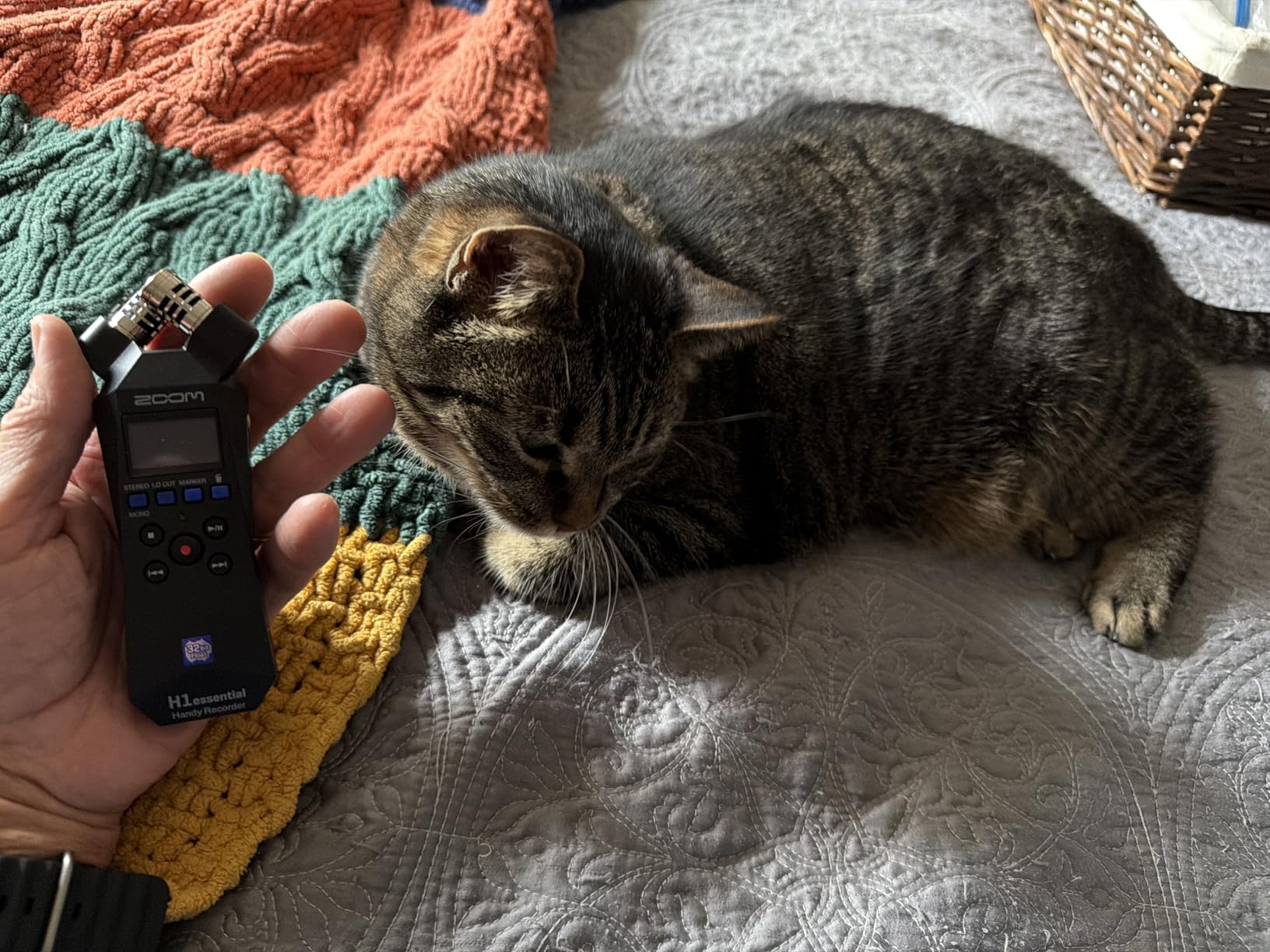
The H1essential is the recorder we end up recommending most often, because it solves the single most common podcast problem for the least complexity: capturing one person well, anywhere, without thinking about it. At 92 g and 5.38 by 2.12 by 1.14 inches it is genuinely pocketable, and the X/Y stereo condenser pair faces the subject directly, which is exactly what a solo host or a walking interview needs.
32-bit float is the headline here, and it genuinely changes how you record. Set a conservative level, press record, and if your subject suddenly laughs, speaks up, or knocks the table, the peak is captured and recoverable rather than flattened into digital clipping. For a new podcaster who has never had to think about gain, that safety net is worth more than any of the manual processing options on more expensive bodies.
32-Bit Float Recording and Sample Rate Headroom
Beyond the float format, the H1essential records up to 96 kHz, which gives you room to slow a take down later without artefacts. Most podcast work is done at 44.1 or 48 kHz, but the option is there when you want a high-resolution master for a video project. Files come out as WAV, which is what you want for a podcast master, and the recorder writes to a microSD card that you supply yourself.
That card detail trips up first-time buyers more than anything else on this device. Batteries and the microSD card are not included, and some higher-capacity cards fail the recorder’s own card test even though they work fine in a camera. Buy a card from a known-good range and format it in the recorder before your first real session, and this issue disappears.
What You Give Up Compared With a Multi-Input Recorder
There is no XLR input and no external mic input on this model, so the built-in X/Y pair is your only capture path. That rules out multi-guest interviews with separate tracks, and it means you cannot add a lavalier to a guest for a better signal. The two microphones sit in a fixed X/Y arrangement with no angle adjustment, so close-miked mouth sounds and room ambience are always mixed together in stereo.
For solo narration, ambience capture, video voiceover, and scratch tracks next to a camera, none of that matters. For a two-person conversation where you want each voice on its own file, it is a hard limit, and in that case we would point you at the Zoom H5 below. If your show is recorded at a desk and you want to move up from a USB microphone, our guide to the best USB microphones for field interviews is worth a read before you commit.
USB-C Mode, the Low-Cut Filter, and Everyday Annoyances
The USB-C port turns the H1essential into a microphone for livestreams, calls, and video recording, which makes it a useful companion to a desktop setup. Two limitations are worth knowing. The port cannot carry USB data and USB power at the same time, so the cable has to come out to enter USB mode, and the port still draws from the batteries while connected, so a long remote session will still need fresh cells.
File transfer runs at roughly 2 MB per second, which makes moving a long take to a computer slow. And the low-cut filter cannot be switched off, which annoys anyone recording a low-frequency source. The tiny navigation buttons and small screen also take practice in the field. None of these are dealbreakers for voice work, and reviewers regularly single it out for the quality it delivers at this size and weight, but budget time for the first setup session.
3. Zoom H5 – Best for Two-Person Interviews
Zoom H5 4-Track Handheld Recorder for Filmmakers & Musicians
Four-track simultaneous recording
Two XLR/TRS combo inputs with phantom
Interchangeable X/Y capsule
2 AA batteries, about 10 hours
Pros
- Records four tracks at once for interviews plus ambience
- XLR/TRS combo inputs accept condenser and dynamic mics
- Interchangeable capsules swap like a camera lens
- USB interface with loop back for PC Mac and iPad
Cons
- SD card recording limited to 32 GB
- Only two physical mic inputs
- Small monochrome screen shows limited metering
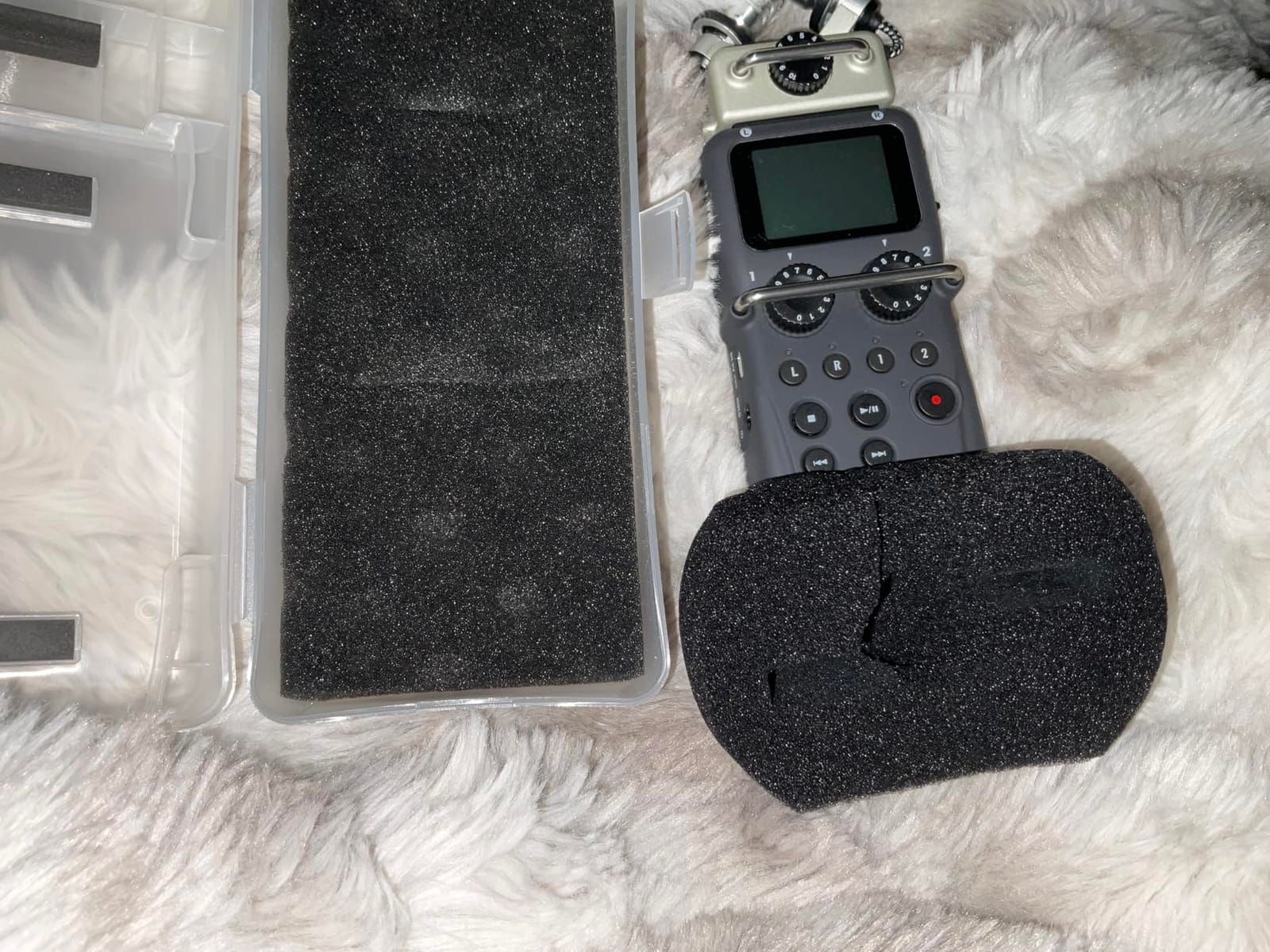
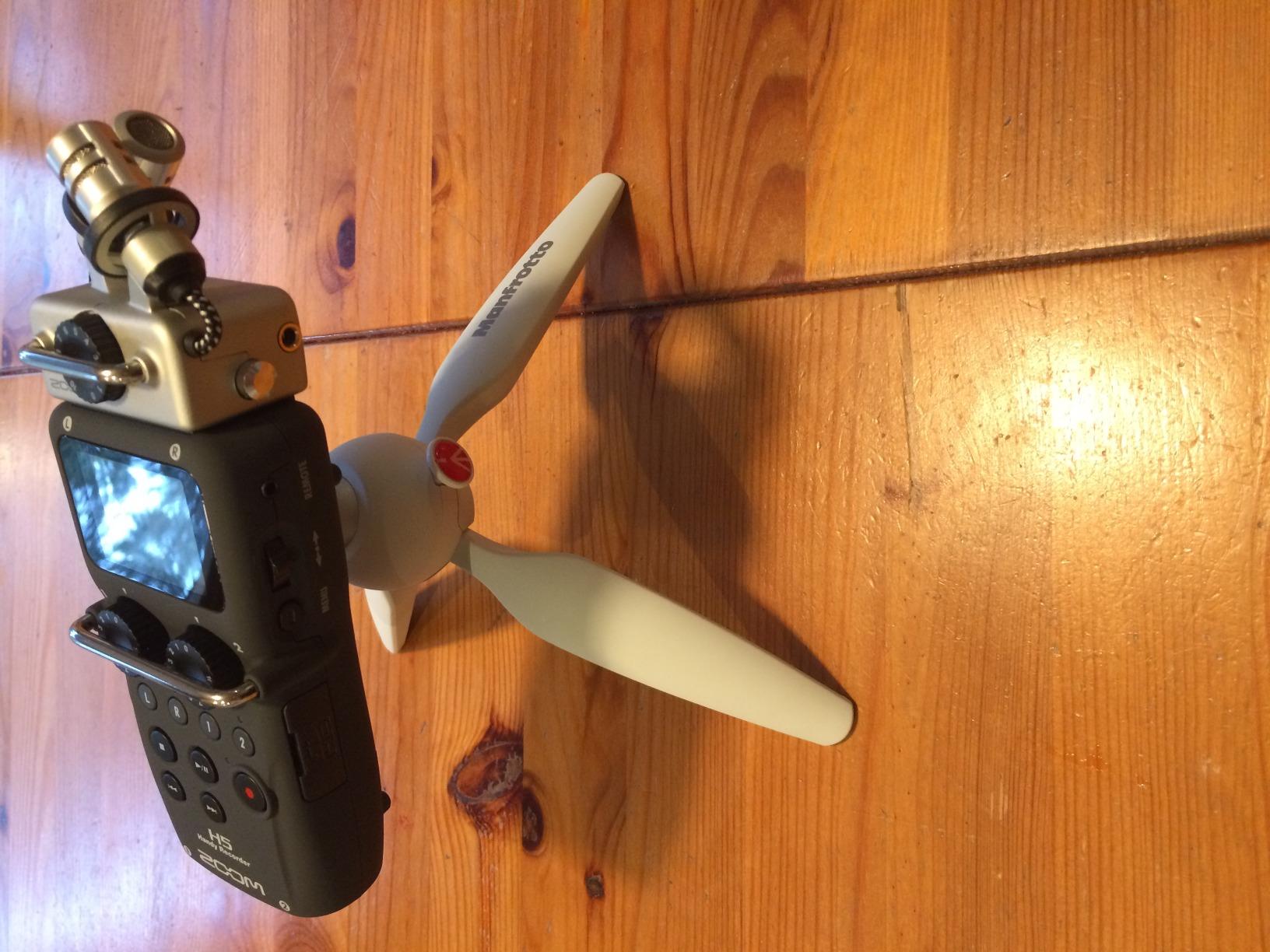
The H5 is the answer for a classic two-person interview where each speaker needs an isolated track and a third file of room ambience. It records four tracks simultaneously: two from the combo inputs and two from the detachable X/Y capsule. In our test, that gave us a clean host file, a clean guest file, and a stereo bed of the room, all time-aligned, without a single splitter or second recorder.
The capsule system is the reason this recorder still earns its place in a bag. The X/Y capsule unplugs and swaps like a lens on a camera, and the body accepts other Zoom input capsules, so you can change the onboard configuration for a wider or more directional pickup as your show changes. Owners with long histories with this recorder cite exactly that flexibility as the reason it has stayed in their bag for years.
Two Combo Inputs That Take Almost Any Microphone
Each of the two mic/line inputs uses an XLR/TRS combo connector with selectable phantom power and a minus 20 dB pad, so a dynamic lavalier and a condenser small-diaphragm capsule can sit on the same body without an external interface. That is the setup we would build for a two-person interview: a dynamic lav on the guest, a condenser on the host for a more open vocal tone, and both levels dialled in with physical gain controls before the conversation starts.
Preamp noise is not a weakness here, but it is not the headline feature either. In a quiet room with lavaliers at normal speaking distance, reviewers report clean captures with no audible hiss at normal monitoring levels. In a genuinely noisy location, the H5 is not the tool you would reach for, and the Tascam Portacapture X8 below is the better answer for quiet amplification.
Four Tracks, One Card, and a 32 GB Ceiling
The real constraint on the H5 is media. Recording goes to SD or SDHC cards up to 32 GB, which is a hard ceiling and noticeably lower than the other recorders here. Four tracks of 24-bit WAV at 44.1 kHz fills a compliant 32 GB card faster than most people expect, so a two-hour interview can mean swapping cards mid-session.
The small monochrome screen is the second constraint. It shows limited metering and menu information at once, and button navigation on the tiny pad takes familiarity with Zoom recorders before it stops feeling fiddly. Owners describe the audio as consistently clean and the criticisms as practical limits rather than defects. Budget for a spare card and a few minutes with the menu before a live session.
USB Interface Mode and Battery Life
The H5 doubles as a multichannel and stereo USB audio interface for PC, Mac, and iPad, with a loop back function that lets you monitor a software mix directly. That makes it a sensible companion to a desk setup as a backup recorder, and it costs you nothing extra since the feature is built in. If you already own a desk interface, our audio interface buying guide covers the cases where an interface is the better tool.
Two AA batteries give around 10 hours of recording, which comfortably covers a full interview or a long recording session in one sitting. A 115 g body and a 1.9 inch screen make it a working field recorder rather than a desk unit, though the screen is not something you will want to read outdoors. The audio safety limiter adds a little extra protection against a sudden level spike during an unexpected answer.
4. Tascam Portacapture X8 – Best for Roundtable Interviews
Portacapture X8 32 bit Float 8 Channel Multitrack Field Recorder
32-bit float up to 192 kHz
4 locking XLR/TRS inputs with 24V/48V
HDDA mic preamps
3.5 inch color touch panel
Pros
- 32-bit float up to 192 kHz protects loud field sessions
- Four locking XLR/TRS inputs with individual phantom power
- Quiet HDDA preamps more sensitive than competing Zoom recorders
- 3.5 inch touch panel and Launcher system speed up setup
Cons
- Only six physical inputs despite the eight-channel name
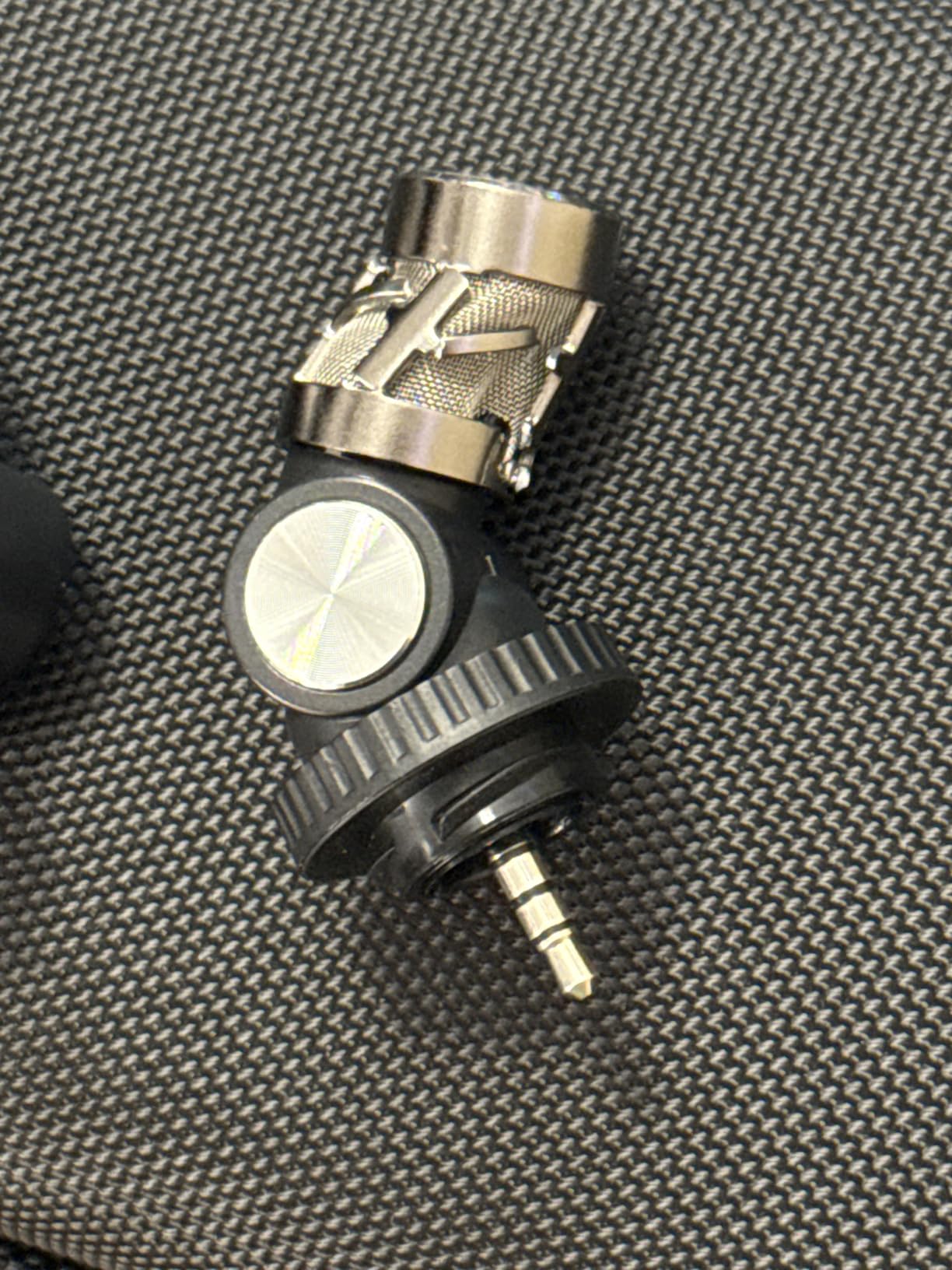
- Detachable onboard microphones feel cheap and fragile
- Bluetooth control needs a separately sold adapter
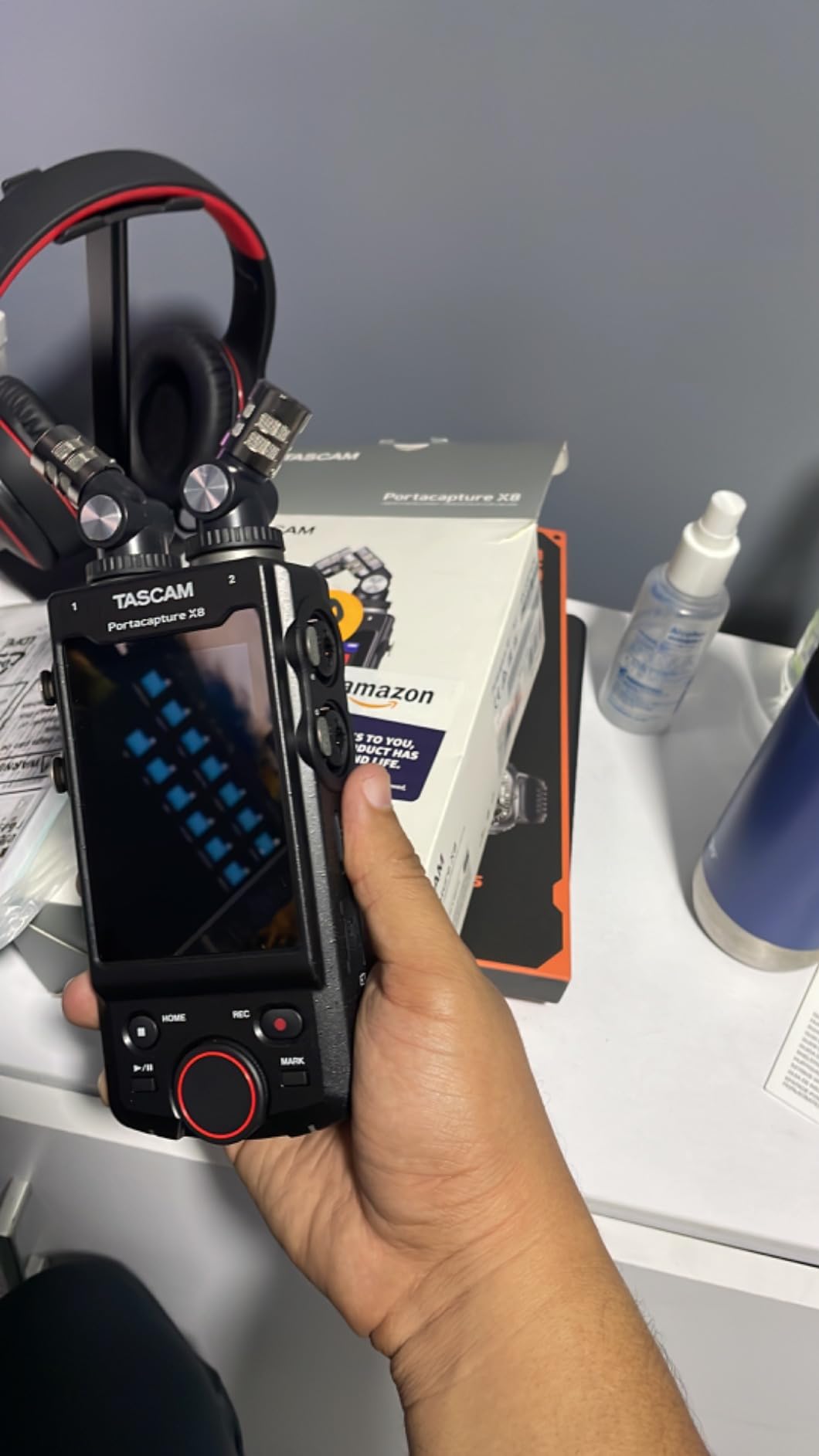
The Portacapture X8 is built for a full roundtable, and the first thing we noticed handling it was the 3.5 inch colour touch panel. Instead of a button maze, Tascam built a Launcher system where each recording application, podcasting or interviews among them, is one tap away. On a four-person show that is the difference between a clean start and two minutes of menu fumbling with guests waiting.
Underneath, the four locking XLR/TRS combo inputs each carry individual 24V or 48V phantom power, and the HDDA preamps are described by owners as noticeably more sensitive than the competing Zoom units. For a low-voice host or a quiet guest sitting further from the mic, that extra sensitivity is the difference between a healthy signal and a noisy one.
32-Bit Float Capture at Up to 192 kHz
The X8 records 32-bit float, 24-bit, and 16-bit at sample rates up to 192 kHz, and writes WAV to media up to 512 GB. For podcasting you would work at 44.1 or 48 kHz, but the headroom exists. Because the capture is float, you can set conservative input levels and recover the loud moments in post, which matters when the recording environment is not under your control.
Storage is a genuine advantage over the recorders limited to 32 GB cards. A multi-hour roundtable produces a lot of data, and a 512 GB card means you are not swapping media during an interview. The recorder also works as a USB audio interface and SD card reader, which speeds up file transfer compared with a slow direct connection.
Detachable Microphones and the Channel Count Quibble
The 14.6mm detachable large-diaphragm condenser microphones can be set in either A-B or X-Y position, which gives you flexibility for a two-person or a small group conversation. They sound good and reviewers praise how they perform. They also feel cheap and fragile in the hand, which is a fair criticism for a body of this specification level.
Be clear-eyed about the name. Despite the eight-channel label, there are six physical inputs, not eight. That is still more physical inputs than any other recorder here, and more than enough for a four-person show with the onboard pair handling ambience, but anyone planning a five-person roundtable with external mics will run out of connectors. The touchscreen also has occasional touch-sensing glitches and the display does not rotate, both minor but worth knowing.
Onboard Processing and External Control
The X8 includes onboard reverb and EQ, which lets a solo podcaster get a finished-sounding track without spending time in post-production. The optional Bluetooth adapter adds full wireless control, and that is more than a convenience feature: controlling the recorder from a phone removes handling noise entirely, which is valuable when you cannot place the body on a table.
Two cautions. The Bluetooth adapter is sold separately, so budget for it if you want remote control. And manual mode can reset input selections after a power cycle, which has produced unwanted blank tracks for some owners. There is no Hi-Z instrument input, so passive guitars need a direct box. On batteries, long sessions are best run on USB power.
5. Tascam DR-70D – Best for Video Podcasters on a Camera Rig
TASCAM 4-Channel Portable Audio Recorder for Videographers, 4 Combo XLR/TRS Inputs, 2 Internal Mics, Limiter, HP Filter (DR-70D)
4 combo XLR/TRS inputs with 64dB gain
HDDA preamps, individual gain knobs
Dual Recording safety track
Cards up to 128 GB supported
Pros
- Four XLR/TRS inputs with per-channel gain and phantom power
- Each speaker records to a separate track
- Dual Recording writes a lower-level safety copy
- Built-in stereo microphones handle on-set scratch audio
Cons
- WAV and BWF only with no MP3 option
- No onboard compressor despite the limiter
- Picky about memory cards causing write errors
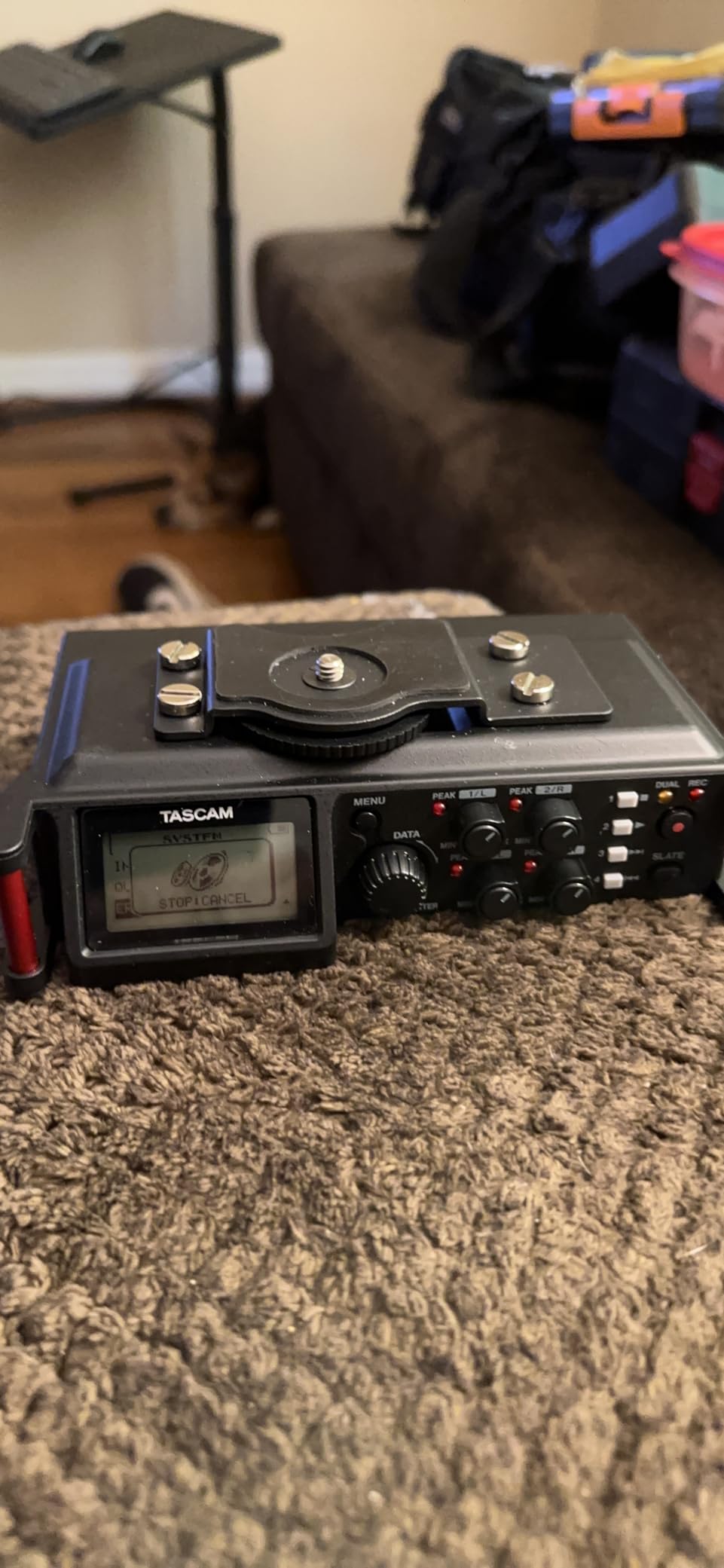
The DR-70D is built for a different job than the recorders above it: production sound attached to a camera. Its compact body mounts above or below a camera, it carries four balanced XLR/TRS combo inputs with individual gain controls, and the HDDA preamps offer 64 dB of gain for quiet performers. If your podcast is shot as video, this is the shape of tool the workflow was designed around, and the exports arrive in your editor as four discrete files with no splitting work.
The per-speaker track benefit is the one we would underline. If a guest leans away from their lavalier halfway through an answer, you can work on that one channel without touching the other three. On a single stereo pair, one leaning guest damages the whole conversation and you are left choosing between poor audio and poor pacing.
Dual Recording as an Insurance Policy
Dual Recording mode writes a second, lower-level copy of every track alongside the main take. If a hot level distorts the primary file, the safety copy is clean enough to use. It costs you card space and nothing else, and on a location shoot with unpredictable acoustics it is the feature that most reliably saves an episode that would otherwise be lost.
Each channel also has a limiter and a low-cut filter, which handle rumble and sudden peaks before they reach the file. There is no onboard compressor despite those processors being present, and no MP3 option, so you get WAV and BWF only. For a podcast master that is the right choice anyway, since MP3 is a lossy format you should never archive.
Built-Ins, Outputs, and the Practical Gripes
A pair of built-in microphones handle on-set scratch audio and last-minute interviews, and the body provides line and camera outputs plus a separate headphone jack for monitoring while recording. The built-ins are a safety net rather than a primary capture path, which is the right priority for a camera-mounted unit.
Recurring complaints from owners are worth weighing. The 3.5mm line out is reported as noticeably noisy, and the auxiliary connections are 1/8-inch rather than 1/4-inch, which limits some routing. The memory card slot is picky, producing file-write errors with non-recommended brands, so buy the card Tascam specifies. The 1.5-inch screen and the battery and card compartment sharing a rear panel also draw criticism. A few owners report an occasional lock-up requiring a reboot.
When the DR-70D Beats the PodTrak P4
Choose the DR-70D when the recorder has to live on a camera, sit in a sound bag, and travel between shoots, and when dual recording matters more than per-person headphone monitoring. Choose the P4 when the recorder stays on a table between the speakers and the priority is giving each person their own volume control. Both write four isolated tracks; the difference is where the box lives and which safety feature you value.
If your video podcast also needs directional audio for the wider scene, our shotgun microphone guide covers the pairing choices that go with a rig like this. The DR-70D is also a fine companion to a shotgun on a separate channel, since its four inputs leave room for both.
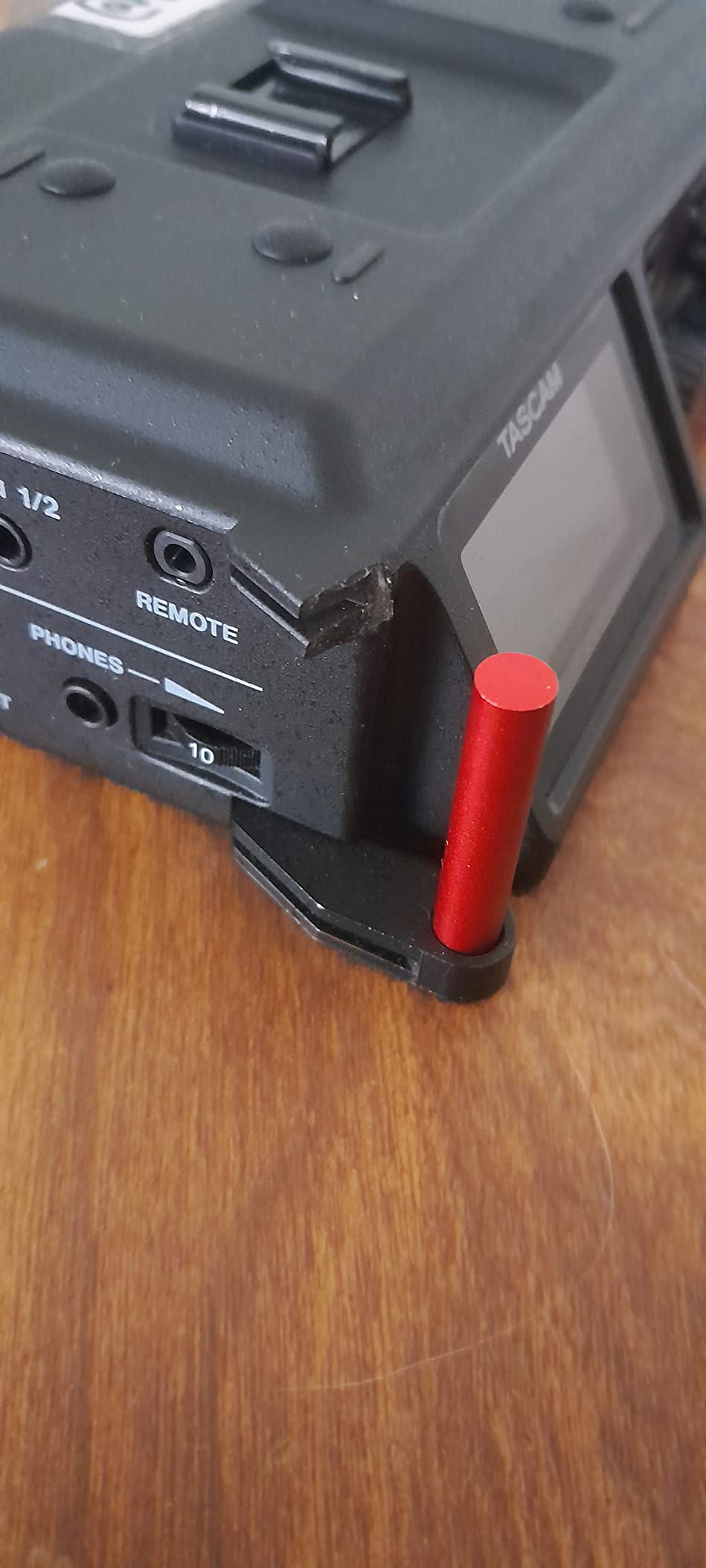
6. Tascam DR-05XP – Budget Pick for Ambience and Scratch Tracks
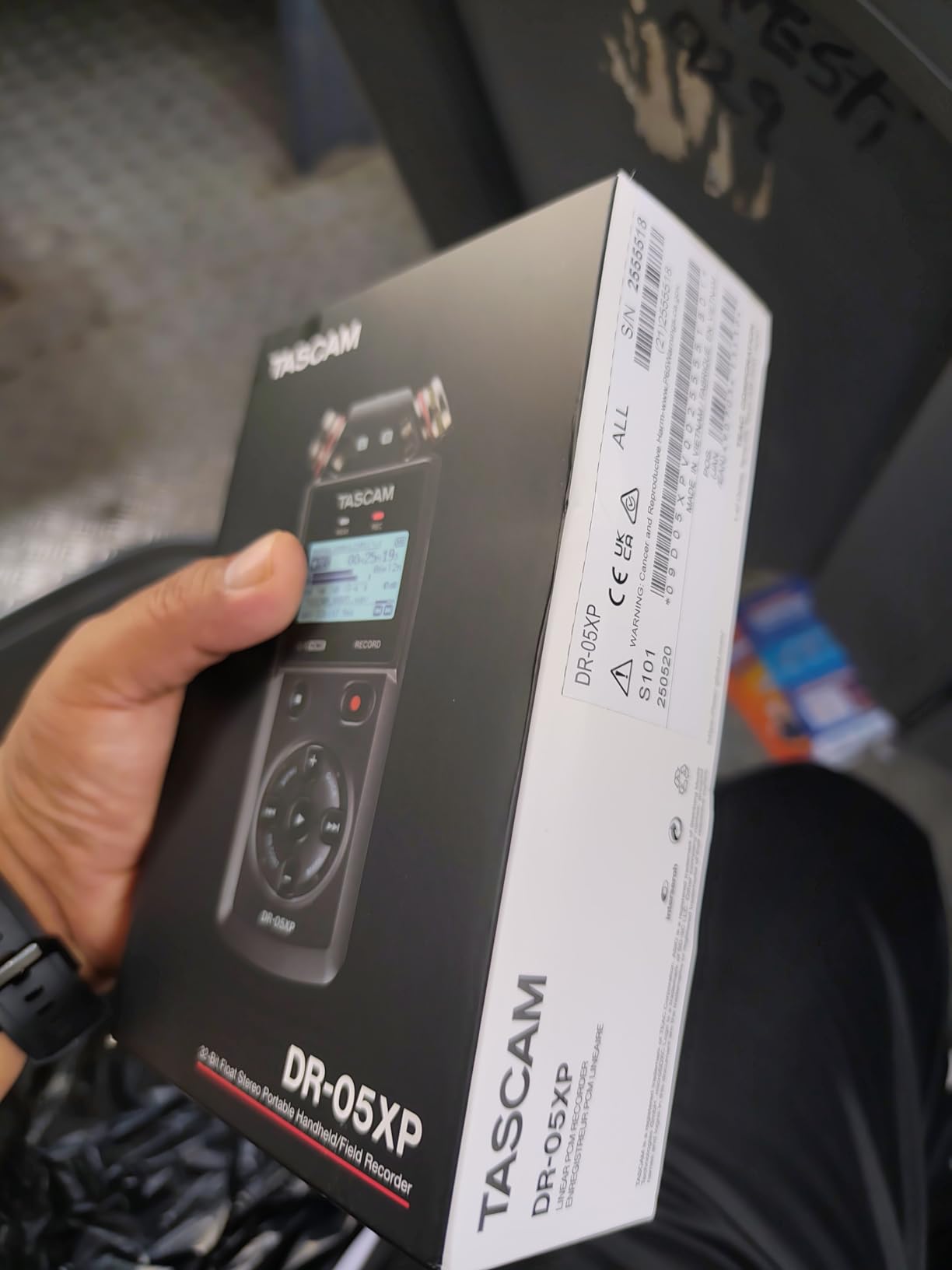
TASCAM DR-05XP 32-Bit Float Portable Handheld Field Recorder and USB-C Audio Interface — Digital Stereo Recording of Music, Sound, Voice, Audio for Video and Podcasting
32-bit float 24-bit and 16-bit modes
Up to 96 kHz plus MP3
Omnidirectional mics to 125 dB SPL
17.5 hours on 2 AA batteries
Pros
- 32-bit float across multiple bit depths and up to 96 kHz
- Omnidirectional condensers handle sources up to 125 dB SPL
- Up to 17.5 hours on two AA batteries
- Doubles as a 2-in/2-out USB-C interface
Cons
- Fixed onboard microphones with no XLR or line input
- Stereo only so no separate guest tracks
- Small screen and single-row button layout
The DR-05XP is an affordable way to get genuine 32-bit float capture into a bag, and at 4.48 ounces with a body of 1.06 by 2.38 by 5.6 inches it disappears into a pocket. It also runs up to 17.5 hours on two AA batteries, which makes it the natural choice for a full day of location recording where charging is not an option.
The fixed omnidirectional condenser microphones handle loud environments and sources up to 125 dB SPL without clipping, which is a real capability when you are recording a street, a room, or a sound effect rather than a voice at close range. The DR-05XP is therefore an excellent ambience and scratch recorder, and a dependable second unit to run alongside a main setup.
Flexible Recording Modes, Including MP3
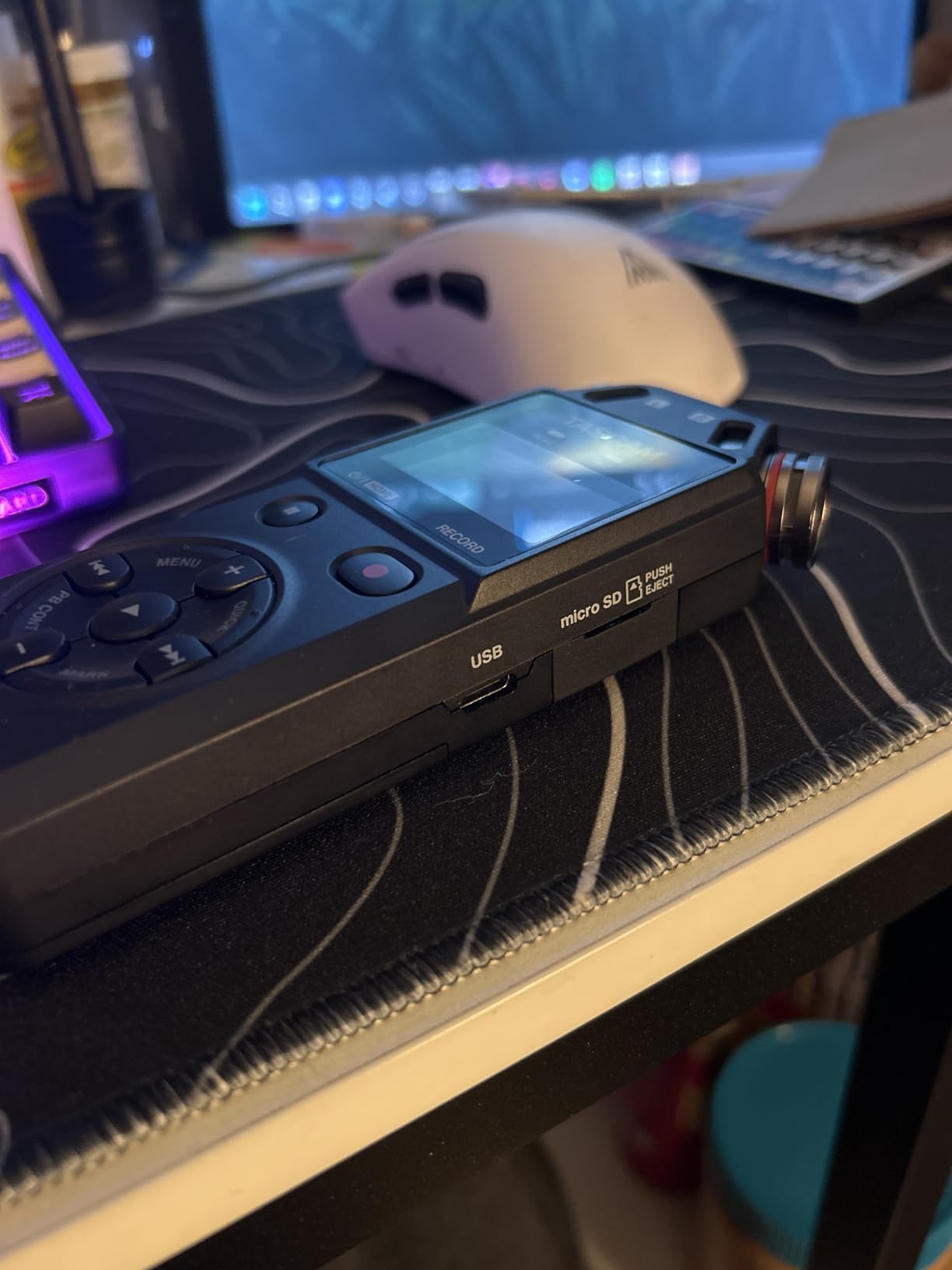
Recording modes cover 32-bit float, 24-bit, and 16-bit at 96 kHz, 48 kHz, and 44.1 kHz, and MP3 is available alongside WAV. Very few compact recorders in this class offer MP3, and it matters for one specific job: capturing a long ambience session or a quick location note where storage efficiency matters more than master quality. For a podcast master, record WAV.
It also works as a 2-in/2-out USB-C audio interface, so you can record straight into a computer or use it as a scratch recorder next to a larger setup. That makes it a useful companion rather than a main capture device for most shows, and it explains why reviewers recommend it so consistently as a second recorder.
Why It Cannot Handle a Two-Person Interview
The limitation is structural. There is no XLR input and no line input, so the built-in microphones are the only capture path, and they sit in a fixed A-B arrangement with no X/Y or angle adjustment. Recording is stereo only, which means there is no way to give each speaker a separate track. For a multi-guest interview, that is a dead end rather than a compromise.
Because the pair is omnidirectional and fixed, placing it in the middle of a table also picks up every voice in the room equally, with no way to favour the host. The small screen and single-row button layout also take practice to navigate quickly in the field. Batteries and the SD card are not included, another reason to plan the first setup carefully.
Where the DR-05XP Earns Its Place
Use the DR-05XP for room tone, ambience, sound effects, video scratch tracks, and as a redundant unit running alongside your primary recorder. A recorder that never fails is worth having even when you rarely record with it, and the fact that it weighs 4.48 ounces and runs all day on two AA cells makes it the easiest one to keep in the bag permanently.
For solo podcasting where you sit at a desk or record alone on location, the Zoom H1essential is the better buy: it adds stereo placement control and a screen you can actually read. The DR-05XP makes more sense as a complement to an existing rig than as a first recorder, and buyers frequently describe it as exactly that.
How to Choose a Field Recorder for Podcasting
Start from the shape of your show, not from the spec sheet. A solo host needs one good capture path, a two-person interview needs two isolated tracks, and a roundtable needs four inputs plus monitoring for everyone in the room. Everything below is a secondary decision against that first one.
What 32-Bit Float Actually Does
Standard 24-bit fixed recording captures a fixed range of levels, and anything above the ceiling is recorded as clipping. Once a peak clips, the information is gone and no amount of restoration brings it back. 32-bit float recording captures a much wider dynamic range and stores the level information as a floating-point value, which means a sudden loud peak is recorded intact and can be brought down afterwards in post.
For podcasters, this removes the single most common source of unusable audio: a guest who suddenly laughs, speaks up, or knocks the table while the host is watching the meters. It does not replace good technique, and a recorder with a very noisy preamp will still deliver a noisy file. But it means you can set a conservative level and stop worrying, which for a new host recording their first twenty episodes is the most valuable feature in the category. Every entry-level model we recommend in 2026 records 32-bit float, and that is deliberate.
Preamp Self-Noise Is the Spec Nobody Prints
Audio forum users name preamp quality as the number one technical concern with cheap handheld recorders, and the advice on those threads is that quiet preamps matter more than anything else when recording speech in uncontrolled rooms. The specification to look for is self-noise, usually expressed in dB SPL, and the practical rule is that a lower number is a quieter amplifier.
Self-noise matters most when you amplify a quiet source, which is exactly what happens with a lavalier on a soft-spoken guest. Among the recorders here, the HDDA preamps in the Tascam Portacapture X8 and the Tascam DR-70D are the ones owners single out for quiet, sensitive amplification, which is why both keep appearing in professional field work. The Zoom units are perfectly usable at normal speaking levels but will show their limits in a genuinely noisy room. Forum discussion of this category keeps coming back to the same point: the recorder should be quiet enough that the room, not the preamp, sets the noise floor.
Matching Inputs to the Number of Speakers
XLR and TRS combo inputs are the professional standard for a reason: they take dynamic and condenser microphones, they carry phantom power, and they lock. A 3.5mm mic input is lighter, cheaper, and adequate for a dynamic lavalier, but it will not power a condenser and it is easier to unplug by accident.
Map your speaker count to your input count. One speaker and the built-in microphones are enough, as on the H1essential or the DR-05XP. Two speakers need two external inputs plus a way to record the room, as on the Zoom H5. Four speakers need four inputs and four headphone outputs, which is the Zoom PodTrak P4 or the Tascam DR-70D, with the Portacapture X8 for a larger roundtable.
Phantom Power and Lavalier Choice
Phantom power, usually 24V or 48V, is the low voltage supply a condenser microphone needs to operate. Dynamic microphones, which includes the majority of broadcast lavaliers, do not need it and are actually fine without it. Condenser lavs, which sound more open and detailed, do need it and will produce a very quiet, thin signal without it.
Rule of thumb: if the recorder has switchable phantom power, you can use either type. If it does not, you are limited to dynamic microphones. The Zoom PodTrak P4 and the Tascam Portacapture X8 both provide individual phantom power per channel, so you can mix types on one body. Whichever recorder you choose, our guide to the best XLR microphones for podcasters will keep you on the right pairing.
Storage, File Format, and Transfer Speed
All six recorders here write WAV, which is the correct format for a podcast master. Only the DR-05XP adds MP3, and that is useful for ambience rather than for episodes. Card capacity varies enormously: the Zoom H5 tops out at 32 GB, the DR-70D supports cards up to 128 GB, and the Portacapture X8 goes to 512 GB. Four tracks of 24-bit WAV add up fast, so check your expected session length against your card size before you record.
Transfer speed is a hidden cost. The H1essential moves files at roughly 2 MB per second, which is tedious for a long take, while the Portacapture X8 doubles as an SD card reader for faster transfer. Buy two cards and swap rather than waiting on a transfer at the end of a shoot.
Battery Life and the Essential Versus Advanced Naming Split
Expect anywhere from about 3.5 hours on the P4’s two AA batteries to 17.5 hours on the DR-05XP, with the Zoom H5 sitting at around 10 hours. For a full-day location shoot, plan on spare cells or USB power rather than trusting a single set.
One piece of naming context that confuses buyers: Zoom splits its handheld line into essential and advanced models, and six of the models that dominate shopping results are essential. The essential models are built around 32-bit float, simplified touch interfaces, and accessibility features such as text-to-speech operation. The advanced, or non-essential, bodies add features like timecode, larger metering, and more physical controls for film and broadcast work. For podcasting, an essential model covers essentially everything you need. Choose an advanced body only if you specifically need timecode or a more manual workflow.
Field Recorder vs. USB Microphone – Which Should You Buy?
This is the most common question from readers who already own a good USB microphone, and the honest answer is that a field recorder is usually the upgrade, not the replacement. A USB mic is desk-bound: it needs a computer, a quiet room, and a fixed position. A field recorder runs on batteries, records to its own media with no computer in the loop, and can sit close to your guest anywhere in the room.
Ask one question: can your guest move? If the answer is yes, a USB microphone is the wrong tool, because the mic stays where you put it while the voice walks away from it. If both speakers sit at a fixed desk in a treated room, a USB condenser remains an excellent choice and there is no technical reason to change.
There is also a strong case for running both. Use your USB mic as the main capture for a controlled desk recording, and keep a small 32-bit float recorder in the same room as a redundant track. A phone notification, a dropped USB connection, or a laptop sleep cycle can destroy a take that took forty minutes to set up, and a backup unit that weighs under 100 g removes that risk entirely.
If you are choosing a second piece of gear, a shotgun microphone and a recorder solve a different problem from a lavalier and a recorder. Our shotgun microphone roundup covers the directional options for scene and ambience work.
How to Record a Podcast with a Field Recorder
Once you have the hardware, the workflow matters more than the model. This is the sequence we use for every session.
1. Format the card in the recorder. Before anything else, format a known-good microSD card using the recorder’s own menu. Several units in this roundup refuse cards that work fine elsewhere, and formatting elsewhere is the most common cause of a mid-session write error.
2. Set conservative input levels. With 32-bit float you have recovery headroom, so there is no reason to push the gain. Ask your guest to speak at their normal interview volume, watch the meters, and aim for peaks that sit well below the ceiling. Record 30 seconds of the guest talking, stop, and listen back on the recorder before you begin the real take.
3. Monitor with headphones, not speakers. A guest who can hear themselves clearly talks at a consistent level and stops moving around. Every recorder here has a headphone output, and the P4 and Portacapture X8 extend that to per-person volumes, which turns monitoring into a social tool rather than an engineering one.
4. Place the microphones close, not near. Lavaliers belong 15 to 20 cm from the mouth, clipped to the collar or lapel rather than the shirt placket. If you are using built-in microphones, put the recorder on a stand close to the speaker instead of on the far side of the table. Distance is the strongest limiter on a quiet preamp.
5. Capture room tone. After the interview, record 30 to 60 seconds of the room with nobody speaking. Editors use that silence to smooth edits, and a recorder with a stereo onboard pair or spare channels makes it a two-minute job.
6. Back up before you format anything. Copy files to two separate locations before the session is cleared from the card. Our portable SSD roundup covers the storage side of that backup. BWF and WAV masters are worth keeping untouched, and a duplicate costs nothing compared with a lost episode.
Frequently Asked Questions
What is the best audio recorder for podcasting?
The Zoom PodTrak P4 is the best field recorder for most podcasters. Its four XLR inputs with phantom power and four headphone outputs with individual volume control let you record a four-person roundtable with an isolated track and private monitoring per speaker, while automatic Mix-Minus handles call-in guests without feedback.
What are the best recorders for podcasts?
The best recorders for podcasts depend on the number of speakers. For solo recording, the Zoom H1essential is the strongest value. For a two-person interview, the Zoom H5 records two isolated tracks plus stereo ambience. For three or four guests, the Zoom PodTrak P4 gives you four XLR inputs and four headphone outputs.
What do podcasters use to record audio?
Most podcasters use either a USB condenser microphone at a desk or a portable field recorder. A field recorder is the better choice for interviews, multi-guest shows, and any recording away from a desk, because it writes each speaker to a separate file, runs on batteries, and can sit close to the guest. Many hosts run both, using the field recorder as a redundant track.
What is the difference between 24-bit and 32-bit float recording?
24-bit fixed recording has a fixed ceiling, so any sound above it is clipped and permanently damaged. 32-bit float recording captures a far wider dynamic range, so a sudden peak is recorded intact and the level can be corrected afterwards. For podcasting that means a loud laugh or a table knock no longer ruins the take.
Do I need a field recorder or a USB microphone?
You need a field recorder if your guest moves around, if you record away from a desk, or if you need separate tracks per speaker. A USB microphone is the better choice for a fixed desk setup in a treated room, and many hosts keep one of each so a laptop or connection problem cannot destroy a finished interview.
How long can a field recorder record?
It depends on battery life and media. The Tascam DR-05XP runs up to 17.5 hours on two AA batteries and the Zoom H5 about 10 hours, while the Zoom PodTrak P4 manages around 3.5 hours. Recording length also depends on card size and format: four tracks of 24-bit WAV fill a 32 GB card far faster than a single stereo track.
Which Field Recorder Is Right for You
If you run a solo show and want something that fits in a pocket, the Zoom H1essential is the pick, and 32-bit float removes the gain anxiety that makes new hosts over-record themselves. If you record two people, the Zoom H5 gives you an isolated track each plus a stereo bed of the room, with an interchangeable capsule if your show’s sound changes.
If you host a roundtable or need a call-in guest, the Zoom PodTrak P4 is the answer we recommend first: four XLR inputs, four headphone outputs with individual volume, automatic Mix-Minus for remote calls, and Sound Pads for your stings. Choose the Tascam Portacapture X8 instead when you need the most sensitive preamps in the group, the fastest touch-based setup, and the largest storage support. If your show is shot as video, the Tascam DR-70D mounts to the camera and gives you dual recording as an insurance policy. And for ambience, scratch tracks, and a spare unit that always fits in the bag, the Tascam DR-05XP is the one to buy.
Whatever you choose, the best field recorders for podcasters share the same three things: an isolated track per speaker, a preamp quiet enough for the room you actually record in, and 32-bit float so a surprise does not cost you the take. Start there, and check the current listing for each unit before you buy.