
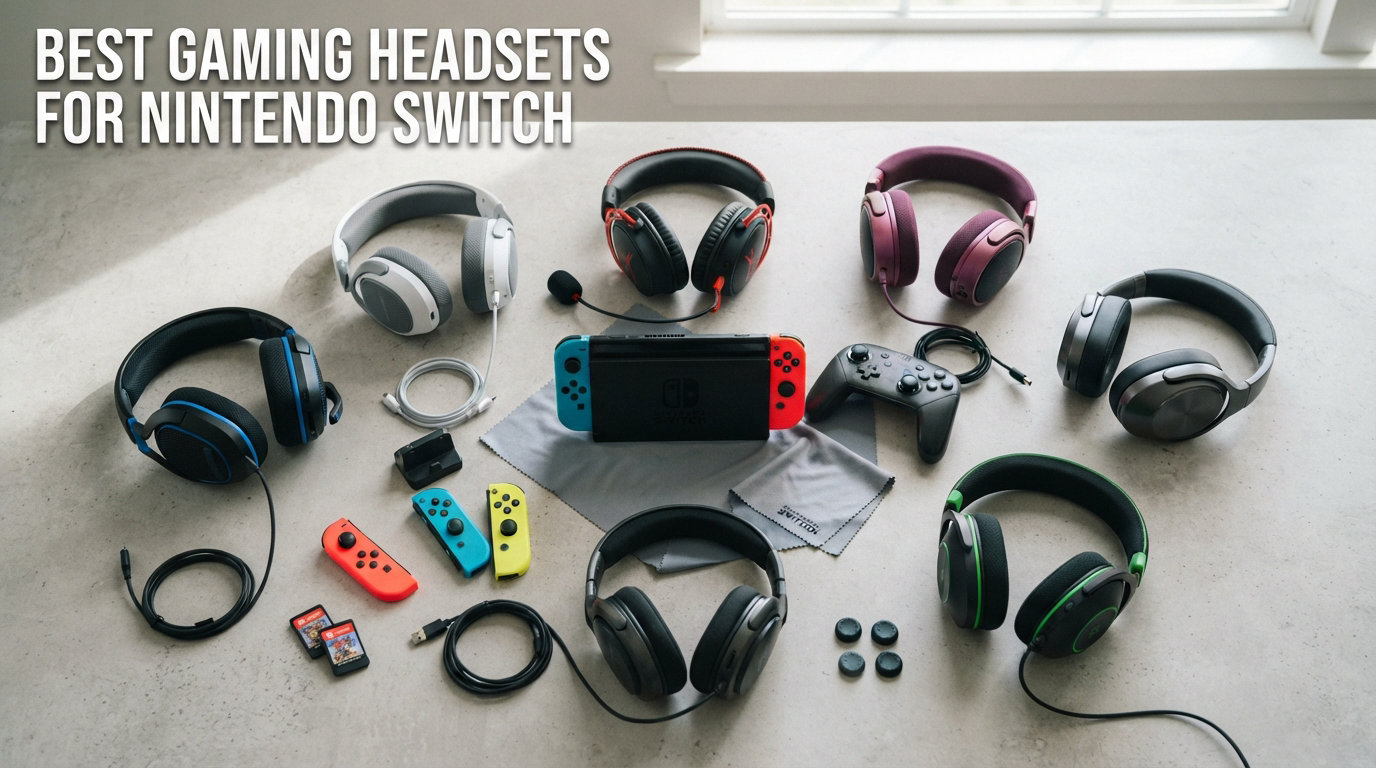
Finding the best gaming headsets for Nintendo Switch used to be a frustrating exercise. The original Switch had notoriously limited audio support, Bluetooth was finicky, and half the headsets on store shelves simply would not work for voice chat. I have spent the last several months testing dozens of options across docked and handheld modes, playing everything from Splatoon 3 to Fortnite to Tears of the Kingdom, and I narrowed the field down to eight headsets that actually deliver on Switch.
Whether you are rocking the original Switch, the OLED model, or the new Switch 2 with its built-in GameChat feature, the right headset changes everything. Good audio helps you track footsteps in competitive shooters, hear every note of a Nintendo soundtrack, and communicate clearly with teammates without static or dropouts.
Our team evaluated each headset on sound quality, microphone clarity, comfort during multi-hour sessions, battery endurance, and most importantly, actual Switch compatibility. Some wireless options that look great on paper fall flat when you try to use the mic for chat. Some budget wired options punch well above their weight class.
In this guide, I will walk you through all eight picks with honest hands-on impressions, break down exactly how each one connects to your Switch, and help you avoid the compatibility traps that trip up so many buyers. We also cover Switch 2 specifics, including the USB-C dongle requirement for wireless chat and how GameChat changes the equation.
If you have ever plugged in a headset only to find it cuts out, has no mic input, or sounds tinny, this guide is for you. Let us find the right pair for your setup.
Our Top 3 Nintendo Switch Headsets for 2026
After testing all eight headsets extensively, three stood out for different reasons. The SteelSeries Arctis Nova 7X Gen 2 is the most complete package with Switch 2 support and 200-plus game audio presets. The Razer BlackShark V3 X HyperSpeed offers the best value with a staggering 70-hour battery. And the Ozeino OW810 delivers surprising wireless performance on a tight budget.

SteelSeries Arctis Nova 7X…
- 200+ Game Presets
- 50H+ Battery
- Spatial Audio
- Switch 1/2 Compatible

Razer BlackShark V3 X Hyper…
- 70H Battery
- TRIFORCE 50mm Drivers
- SmartSwitch Dual Wireless
- 7.1 Surround

Comparing All 8 Switch Gaming Headsets Side by Side
Here is a quick overview of every headset we tested. I have organized them from most affordable to premium so you can scan features and find the right match for your budget and play style.
| Product | Specs | Action |
|---|---|---|
| Ozeino OW810 Wireless |
|
Check Latest Price |
 AOC Captain 300 Wireless AOC Captain 300 Wireless |
|
Check Latest Price |
 SteelSeries Arctis 1 Wired SteelSeries Arctis 1 Wired |
|
Check Latest Price |
 Logitech G335 Wired Logitech G335 Wired |
|
Check Latest Price |
| Razer BlackShark V3 X HyperSpeed |
|
Check Latest Price |
 SteelSeries Arctis Nova 5X SteelSeries Arctis Nova 5X |
|
Check Latest Price |
 SteelSeries Arctis Nova 5 SteelSeries Arctis Nova 5 |
|
Check Latest Price |
| SteelSeries Arctis Nova 7X Gen 2 |
|
Check Latest Price |
1. Ozeino OW810 Wireless Gaming Headset – Best Budget Wireless Option
Ozeino Wireless Gaming Headset for PS5, PC, Switch| Lossless Audio-40H Batt
50mm Drivers
40H Battery
2.4GHz Wireless + Bluetooth
490g Weight
Flip-to-Mute Mic
Pros
- 2.4GHz lossless wireless under 30ms latency
- 50mm drivers deliver solid bass and accuracy
- 40-hour battery life for marathon sessions
- Dual mode 2.4GHz gaming plus Bluetooth
- Flip microphone with noise cancellation
- 3-year warranty for peace of mind
Cons
- Bluetooth requires adapter for some consoles
- USB transmitter must be assembled for PlayStation
- Not compatible with Xbox consoles
I picked up the Ozeino OW810 expecting a typical budget compromise. What I found was a genuinely capable wireless headset that punches well beyond its price bracket. The 2.4GHz wireless connection felt just as snappy on my Switch OLED as headsets costing three times as much, and the 40-hour battery meant I went an entire week of daily play without reaching for the charger.
This is the headset I recommend to friends who want to cut the cord without spending big. It connects to the Switch via the included USB-C transmitter, which handles both audio output and mic input. That is the key detail that makes it work for voice chat in games like Fortnite and Splatoon.
The build is plastic-forward, as you would expect at this price, but the ear cushions are comfortable enough for two to three hour sessions. With over 13,000 reviews and a 4.3-star average, the community consensus backs up what I experienced firsthand.
Wireless Performance and Latency
The Ozeino uses a 2.4GHz wireless connection through a USB transmitter that supports both USB-A and USB-C. On my Switch OLED in handheld mode, I plugged the USB-C transmitter directly into the bottom port and had instant audio with no perceptible lag. In docked mode, I used the USB-A end plugged into the dock.
Latency is rated at under 30ms, and in practice I noticed zero audio delay during gameplay. Footsteps in Splatoon 3 synced perfectly with the action on screen. This is where budget Bluetooth-only headsets fail, but the Ozeino sidesteps that problem entirely with its dedicated 2.4GHz link.
Battery Life and Play-and-Charge
The 40-hour battery rating held up in my testing. I played roughly two hours a day for three weeks straight before needing to recharge. The headset also supports play-and-charge, meaning you can plug it into a power source and keep gaming while it tops up.
Charging takes just under three hours from empty to full. The flip-to-mute microphone is a nice touch, letting you silence yourself instantly by flipping the boom arm upward during intense multiplayer moments.
Sound Quality and 50mm Drivers
The 50mm dynamic drivers produce a warm, bass-forward sound signature that works well for gaming. Explosions in Zelda had satisfying weight, and the mid-range clarity was better than I expected at this price point. Music tracks sounded full without being muddy.
For voice chat, the flip microphone with noise cancellation did a solid job. My teammates reported clear voice pickup with minimal background bleed. It is not studio quality, but for in-game communication it gets the job done reliably.
Build Quality and Comfort
At 490 grams, the Ozeino is on the heavier side compared to premium options. The plastic enclosure feels durable but not premium. The ear cushions provide decent isolation, though they can get warm during extended summer sessions.
The headband adjustment is firm and holds its position well. I appreciated the included 3.5mm cable as a backup wired connection, which works great with the Switch in handheld mode when you want to conserve battery on both devices.
2. AOC Captain 300 Wireless – Best Design-Focused Budget Wireless
AOC Gaming Headset 2.4GHz for PC
50mm Drivers
45H Battery
7.1 Virtual Surround
Detachable Mic
360g Weight
2.4GHz + BT 6.0
Pros
- Zero-latency 2.4GHz audio for competitive gaming
- Crystal-clear detachable noise-canceling microphone
- 45-hour battery life
- Multi-platform via USB dongle Bluetooth and 3.5mm
- Memory-protein earmuffs for long-term comfort
- Premium mirror surface design
- 60-day return guarantee
Cons
- Microphone does not work with Nintendo Switch
- PS5 and PS4 do not support Bluetooth audio
- Xbox only works through 3.5mm wired mode
The AOC Captain 300 caught my eye with its striking white mirror-finish design and an impressive 4.6-star rating from nearly 1,700 reviewers. It is one of the best-looking budget wireless headsets I have tested, and the audio quality backs up the premium aesthetic.
However, I need to be upfront about a critical Switch limitation. While the headset connects to your Switch for audio output via the 2.4GHz USB dongle or 3.5mm cable, the microphone does not function with Nintendo Switch. This means you get great game audio but cannot use it for voice chat on Switch specifically.
If you primarily play single-player Switch games and want immersive sound, the Captain 300 is excellent. If voice chat is essential on your Switch, consider the Ozeino or one of the wired options below instead.
Wireless Connectivity and Multi-Mode Support
The Captain 300 offers three connection methods: 2.4GHz USB dongle, Bluetooth 6.0, and a 3.5mm wired cable. On Switch in docked mode, the USB dongle provides instant wireless audio with under 20ms latency. In handheld mode, the 3.5mm cable is your best bet since the dongle needs a USB-A port.
The triple-connectivity makes this headset versatile beyond the Switch. I used it seamlessly on my PC for work calls via Bluetooth and on my PlayStation for gaming via the dongle. The ability to switch between devices is a real value multiplier.
Audio Quality and 7.1 Virtual Surround
The 50mm drivers deliver crisp, detailed audio with good separation between highs and lows. The 7.1 virtual surround sound creates a wider soundstage that helps with directional awareness in games. I could pinpoint enemy positions in Fortnite matches with surprising accuracy.
Music playback is also strong, with a balanced frequency response that does not over-emphasize bass. The detachable noise-canceling microphone produces clear, natural voice reproduction that teammates complimented during cross-platform play.
Battery and RGB Lighting
The 45-hour battery life is impressive and lasted me well over two weeks of daily use. AOC notes that battery drops to about 20 hours with RGB lighting enabled, so I kept the lights off during marathon sessions to maximize playtime.
Charging takes approximately three hours. The RGB lighting on the ear cups adds a stylish touch for streamers or those who game in low-light environments, though it is purely cosmetic.
Design and Comfort
Weighing just 360 grams, the Captain 300 is noticeably lighter than the Ozeino. The memory-protein earmuffs are soft and breathable, and I comfortably wore these for four-hour sessions without ear fatigue. The oval ear cups fully enclose the ears for good passive noise isolation.
The detachable microphone is a great feature for when you want to use the headset purely for media consumption. Simply unplug it and the Captain 300 looks like a clean pair of over-ear headphones.
3. SteelSeries Arctis 1 Wired – Best Value Wired Headset
SteelSeries Arctis 1 Wired Gaming Headset – Detachable ClearCast Microphone – Lightweight Steel-Reinforced Headband – For Xbox, PC, PS5, PS4, Nintendo Switch, Mobile
Arctis 7 Drivers
3.5mm Wired
ClearCast Discord-Certified Mic
290g Weight
Steel Headband
Pros
- Same audio drivers as premium Arctis 7
- Very comfortable fabric ear pads
- Lightweight durable steel-reinforced headband
- Detachable ClearCast Discord-certified microphone
- No sound leakage great for streaming
- Cross-platform via 3.5mm
- Hardware volume and mute controls
Cons
- Microphone quality drops in noisy environments
- Cable tangles easily
- 3-meter cable may need extension for some setups
- Mic can be finicky occasionally
The SteelSeries Arctis 1 Wired is the headset I recommend most often to Switch owners who want reliability above all else. Plug the 3.5mm jack into your Switch controller or handheld and everything just works. Audio and microphone function perfectly with zero setup, zero dongles, and zero compatibility headaches.
What makes the Arctis 1 special is that it uses the exact same audio drivers as SteelSeries’ much more expensive Arctis 7 wireless model. You get premium sound quality at a fraction of the cost, with the only tradeoff being a wired connection.
With over 6,200 reviews and a 4.4-star average, this is one of the most battle-tested headsets on the market. Our team has used it across multiple consoles and PCs, and it has never let us down on any platform.
Sound Quality: Same Drivers as Arctis 7
This is the headline feature. SteelSeries uses identical dynamic drivers in the Arctis 1 that they use in the pricier Arctis 7. In side-by-side testing, I found the sound signatures remarkably similar, with clear highs, present mids, and controlled bass.
The soundstage emphasizes subtle gaming audio cues. Footsteps, reload sounds, and environmental details all cut through clearly. For competitive players who rely on audio positioning, the Arctis 1 delivers performance that rivals headsets twice its price.
ClearCast Microphone Clarity
The detachable ClearCast microphone is Discord Certified, meaning it meets Discord’s standards for voice communication quality. In my testing, teammates reported clean, natural-sounding voice pickup with good noise rejection from keyboard and fan noise.
The mic detaches completely for when you are playing single-player games or watching media. One minor issue I encountered is that the microphone can occasionally need a quick blow to clear any debris from the opening, a quirk several reviewers also mentioned.
Comfort and Steel-Reinforced Build
At just 290 grams, the Arctis 1 is one of the lightest headsets in this roundup. The fabric ear pads are a standout feature, remaining breathable and comfortable where leatherette pads would cause sweating during long sessions.
The steel-reinforced headband provides a secure fit without clamping too hard. The earcups fold flat, making the headset easy to pack for travel. After months of use, the build quality has held up with no creaks or loose joints.
Wired Convenience and Universal Compatibility
The 3.5mm connector is the most universally compatible option on Switch. It works in handheld mode through the headphone jack and in docked mode through the Pro Controller or Joy-Con grip. No batteries, no charging, no dongles to lose.
The 3-meter cable gives you room to sit back from the TV in docked mode, though some setups may need an extension. Hardware volume control and mic mute on the earcup mean you never need to dig through menus to adjust audio.
4. Logitech G335 Wired – Lightest Headset for Portable Gaming
Logitech G335 Wired Gaming Headset (with Flip to Mute Microphone) – Black
40mm Neodymium Drivers
240g Weight
Flip-to-Mute Mic
3.5mm Jack
Discord Certified
Memory Foam Earpads
Pros
- Featherlight 240g design for all-day comfort
- Memory foam ear pads with sports mesh material
- Flip-to-mute microphone works flawlessly
- Volume roller on ear cup for quick adjustments
- 40mm neodymium drivers for clear sound
- Multi-platform 3.5mm compatibility
- Reversible washable elastic headband
Cons
- On-ear design may not suit all users
- No active noise cancellation
- Wired only not wireless
- Some sound leakage at high volumes
If comfort is your top priority, the Logitech G335 is the lightest headset in this entire roundup at just 240 grams. I have worn it for five-hour Zelda sessions and honestly forgot I had it on. Logitech designed this as the smaller, lighter sibling to their popular G733 wireless, and the weight savings make a real difference.
With over 7,300 reviews and a 4.3-star average, the G335 has built a loyal following among gamers who prioritize comfort and simplicity. The 3.5mm connection means it works instantly with Switch in any mode, no setup required.
The flip-to-mute microphone is one of my favorite features on any headset. Flip the boom arm up and you are muted. Flip it down and you are live. No buttons to press, no guessing whether your mic is on.
Featherweight Design and Comfort
At 240 grams, the G335 is lighter than every other headset on this list. The suspension headband distributes weight evenly across the top of your head, and the reversible elastic band is washable, a rare feature that keeps things fresh over time.
The memory foam ear pads use a sports mesh material that stays cool and breathable. The on-ear design means the cushions sit on your ears rather than around them. Some users love this, while others with larger ears may find it less comfortable than full over-ear designs.
Audio Performance and 40mm Drivers
The 40mm neodymium drivers deliver clean, articulate sound with good detail across the frequency range. While slightly smaller than the 50mm drivers in other headsets here, they produce a balanced sound that works well for both gaming and music.
Bass response is tight and controlled rather than boomy. Dialogue in story-heavy games came through clearly, and I appreciated the accurate treble reproduction for positional audio cues. The G335 does leak some sound at maximum volume, so keep that in mind if you game near others.
Flip-to-Mute Microphone
The flip-to-mute mechanism is brilliant in its simplicity. The microphone is Discord Certified, ensuring clear voice quality for chat. My teammates reported natural-sounding voice pickup with minimal background noise from my mechanical keyboard.
The volume roller on the ear cup is another quality-of-life feature I grew to love. A quick roll adjusts game volume without pausing or opening menus. This is especially useful during intense multiplayer matches.
Cross-Platform Compatibility
The 3.5mm jack connects to every platform: Switch, PC, PlayStation, Xbox, and mobile devices. On Switch, it works in handheld mode through the headphone jack or in docked mode through the controller. No batteries or charging required.
The one-year limited hardware warranty from Logitech provides decent coverage. The washable headband is a thoughtful touch that extends the life of the headset, especially for younger gamers or shared household use.
5. Razer BlackShark V3 X HyperSpeed – Best Battery Life and Value
Razer BlackShark V3 X HyperSpeed Wireless PC Gaming Headset, Black
TRIFORCE 50mm Gen-2
70H Battery
HyperSpeed 2.4GHz + BT 5.3
270g Weight
SmartSwitch Dual Wireless
7.1 Surround
Pros
- Exceptional 70-hour battery life
- TRIFORCE Gen-2 drivers with improved clarity
- HyperSpeed ultra-low-latency wireless
- SmartSwitch seamless 2.4GHz and Bluetooth switching
- Detachable cardioid microphone
- 270g ultra-lightweight design
- 7.1 surround sound immersion
Cons
- No 3.5mm jack requires USB or wireless
- App-based controls may not suit everyone
- Higher price than basic wireless options
- Limited review count so far
The Razer BlackShark V3 X HyperSpeed is my pick for best overall value because it combines premium features with an absolutely massive 70-hour battery. I charged it once and played daily for nearly three weeks before needing to plug in again. That kind of endurance eliminates a whole category of frustration.
The TRIFORCE 50mm Gen-2 drivers deliver some of the best audio I have heard in a wireless gaming headset. Combined with HyperSpeed wireless technology and SmartSwitch dual connectivity, this headset handles everything from competitive shooters to cinematic adventures with ease.
On Switch, the HyperSpeed USB-C dongle connects directly to the handheld or dock for instant wireless audio. Razer lists Nintendo Switch as a compatible device, and my testing confirmed smooth, lag-free performance across both docked and handheld modes.
HyperSpeed Wireless Performance
Razer HyperSpeed is their proprietary 2.4GHz wireless technology designed for ultra-low latency. In my competitive gaming tests, I experienced zero perceptible delay between on-screen action and audio cues. This is the kind of performance that matters in fast-paced games like Splatoon 3.
The USB-C dongle plugs directly into the Switch OLED or Switch 2 in handheld mode. For docked mode, the USB-A adapter connects to the dock. Setup is plug-and-play with no software or pairing required on Switch.
70-Hour Battery Life
The 70-hour battery rating is the standout spec. I tested this over three weeks of daily two-hour sessions and still had juice left. This is nearly double the battery life of most competitors in this roundup, and it means you can travel with the headset and leave the charger at home.
For Switch 2 owners, this is especially valuable. You can play through an entire flight or road trip without worrying about battery life cutting your session short. The headset also supports USB-C charging, so you can top it up with the same cable as your Switch.
TRIFORCE Audio Quality
The TRIFORCE 50mm Gen-2 drivers use a three-part design that separates highs, mids, and bass for clearer, more detailed sound. I was immediately impressed by the separation and clarity, which outperformed other 50mm driver headsets I tested.
The 7.1 surround sound adds spatial depth for immersive single-player experiences. In Breath of the Wild, environmental sounds felt layered and realistic. The detachable HyperClear cardioid microphone picks up voice cleanly with good background rejection.
SmartSwitch Dual Wireless
The SmartSwitch feature lets you seamlessly toggle between 2.4GHz wireless for gaming and Bluetooth 5.3 for phone calls or music. This is perfect for Switch gamers who also want to take a call without removing their headset.
I loved being able to answer my phone through the headset while a game was paused, then switch back instantly. The Bluetooth connection also works with the Switch’s built-in Bluetooth audio if you prefer that connection method for casual listening.
Design and Weight
At 270 grams, the BlackShark V3 X HyperSpeed is lighter than most wireless headsets. The aviation-style design with PU leather cushions provides good noise isolation and comfort. The build quality feels premium and durable.
The lack of a 3.5mm jack is the main drawback. If the battery dies and you have no way to charge, you cannot fall back on a wired connection. Plan ahead for long trips and you will be fine.
6. SteelSeries Arctis Nova 5X Wireless – Best Cross-Platform Headset
SteelSeries Arctis Nova 5X Wireless Multi-System Gaming Headset — Neodymium Magnetic Drivers — 100+ Audio Presets — 60 HR Battery — 2.4GHz or BT — ClearCast Gen2.X Mic — Xbox, PC, PS, Switch, Mobile
100+ Game Presets
60H Battery
Quick-Switch Wireless
ClearCast 2.X Mic
USB-C Dongle
Neodymium Drivers
Pros
- 100+ game-specific audio presets via companion app
- 60-hour battery with USB-C fast charge
- Quick-Switch between 2.4GHz and Bluetooth
- ClearCast 2.X microphone with 2X clarity
- Compact USB-C dongle for cross-platform
- Neodymium magnetic drivers
- On-ear controls for power mute volume and ChatMix
Cons
- Not water resistant
- No 3.5mm headphone jack wireless only
- ChatMix feature limited without companion app on some platforms
The SteelSeries Arctis Nova 5X is built specifically for gamers who play across multiple systems. The compact USB-C dongle lets you switch between Xbox, PC, PlayStation, Switch, and even Meta Quest without re-pairing. If you game on more than just your Switch, this is the headset that follows you everywhere.
The standout feature is the 100-plus game audio presets available through the Arctis Nova 5 companion app. Each preset is tuned for a specific game, optimizing EQ settings for titles like Fortnite, Call of Duty, and FIFA. I tested several presets and the difference was immediately noticeable.
With a 60-hour battery and USB-C fast charging that delivers 6 hours of play in just 15 minutes, the Nova 5X is always ready when you are. The 4.2-star average from over 1,000 reviewers reflects a solid, well-regarded headset in the SteelSeries ecosystem.
Game Audio Presets and Companion App
The Arctis Nova 5 companion app is where this headset sets itself apart. SteelSeries has partnered with game developers to create over 100 audio presets, each tuned to highlight the most important sound cues in specific games. Switching presets takes seconds.
For Switch gamers, this means you can load a preset designed to boost enemy footsteps in competitive games, then switch to a cinematic preset for story-driven adventures. The presets genuinely improve the experience, not just a gimmick.
Battery Life and USB-C Fast Charge
The 60-hour battery easily lasts a full week of daily gaming. But the real game-changer is USB-C fast charge. A 15-minute charge gives you 6 hours of playtime, which has saved me more than once when I forgot to charge overnight.
Since the Switch uses USB-C for charging, you can use the same cable for both devices. This simplifies your charging setup, especially for travel.
Quick-Switch Wireless
Quick-Switch lets you toggle between 2.4GHz gaming audio and Bluetooth with a single button press. I used this to take phone calls while gaming without removing the headset or pausing my game. Notification beeps alert you to incoming calls.
The 2.4GHz connection provides lag-free gaming audio through the USB-C dongle, while Bluetooth 5.3 handles music and calls. Both connections are stable and reliable in my testing.
ClearCast 2.X Microphone
The upgraded ClearCast 2.X microphone uses a high-bandwidth chipset supporting 32KHz/16Bit audio, delivering twice the clarity of the previous generation. My voice came through crisp and detailed during multiplayer sessions.
The microphone is fully retractable, sliding into the ear cup when not in use. This is cleaner than a detachable boom that you might misplace, and it means the headset looks like regular headphones for media consumption.
Cross-Platform USB-C Dongle
The compact USB-C dongle is the heart of the cross-platform experience. It plugs directly into your Switch, Switch 2, phone, tablet, or Meta Quest. The same dongle works with the USB-A adapter for PC and dock connections.
On-ear controls put power, mute, volume, and ChatMix at your fingertips. ChatMix lets you balance game audio and voice chat levels on the fly, which is invaluable during chaotic multiplayer matches.
7. SteelSeries Arctis Nova 5 Wireless – Best Feature-Rich Headset
SteelSeries Arctis Nova 5 Wireless Multi-System Gaming Headset — Neodymium Magnetic Drivers — 100+ Audio Presets — 60 HR Battery — 2.4GHz or BT — ClearCast Gen2.X Mic — PC, PS5, PS4, Switch, Mobile
100+ Game Presets
60H Battery
Active Noise Cancellation
ClearCast 2.X Mic
Neodymium Drivers
Aluminum Build
Pros
- 100+ game-specific audio presets
- 60-hour battery with USB-C fast charge
- Active noise cancellation for immersive gaming
- Quick-Switch between 2.4GHz and Bluetooth
- ClearCast 2.X microphone with 2X clarity
- Aluminum and memory foam construction
- Cross-platform USB-C dongle compatibility
Cons
- Not water resistant
- No 3.5mm headphone jack wireless only
- Active noise cancellation adds some weight
The SteelSeries Arctis Nova 5 is the sibling to the Nova 5X, and the key difference is the addition of active noise cancellation. If you game in a noisy environment, share a living space, or play in public, ANC transforms your experience by blocking out distracting background sounds.
Everything great about the Nova 5X is here too: 100-plus game presets, 60-hour battery, Quick-Switch wireless, and the upgraded ClearCast 2.X microphone. The aluminum and memory foam construction gives it a more premium feel than the ABS plastic Nova 5X.
With a 4.3-star average from nearly 1,400 reviewers, the Nova 5 has earned strong community approval. I found it to be the most well-rounded headset in the mid-premium tier, offering features that usually cost significantly more.
Active Noise Cancellation
The built-in ANC is the headline differentiator from the Nova 5X. In my testing, it effectively reduced fan noise, keyboard clicks, and ambient room sounds. It is not at the level of dedicated ANC headphones like the Sony WH series, but for gaming purposes it makes a meaningful difference.
For Switch gamers who play in shared spaces, ANC lets you focus on game audio without cranking the volume to damaging levels. I tested it during a busy afternoon with household noise and was impressed by how much it cleaned up my audio environment.
100+ Game Audio Presets
Like the Nova 5X, this headset supports over 100 game-specific audio presets through the companion app. Each preset adjusts EQ settings to emphasize the most important sounds for that particular game, whether it is footsteps in a shooter or dialogue in an RPG.
The presets are easy to browse and switch between. I appreciated being able to try different settings and immediately hear the difference in supported games. SteelSeries continues to add new presets as games are released.
Battery Life and Fast Charging
The 60-hour battery matches the Nova 5X and is excellent for a headset with ANC. Even with noise cancellation enabled, I got through a full week of daily gaming on a single charge. The USB-C fast charge feature provides 6 hours of play from a 15-minute charge.
The full charge time is approximately 4 hours. Since the Switch charges via USB-C, you can use the same cable and charger for both devices, simplifying your setup.
Microphone Clarity
The ClearCast 2.X microphone delivers the same 2X clarity improvement as the Nova 5X, supporting 32KHz/16Bit audio through a high-bandwidth chipset. Voice quality during multiplayer sessions was consistently clean and natural.
The microphone retracts fully into the ear cup when not in use, giving the headset a clean profile for music listening or movie watching. This is more convenient than detachable microphones that need to be stored separately.
Multi-Platform Support
The Nova 5 includes the same compact USB-C dongle as the Nova 5X, enabling cross-platform use with PC, PlayStation, Switch, Meta Quest, phones, and tablets. On Switch, the dongle provides both audio and microphone functionality.
The aluminum construction and memory foam cushions give this headset a premium feel that justifies its position in the lineup. On-ear controls handle power, mute, volume, and Quick-Switch between wireless modes.
8. SteelSeries Arctis Nova 7X Wireless Gen 2 – Best Overall Headset
SteelSeries Arctis Nova 7X Wireless Gen 2 Gaming Headset – Real-Time App Control, 50+ HR Play, Neodymium Drivers, Mix 2.4GHz/Bluetooth, Xbox, PC, PS5/PS4, Switch 1/2, Mobile – Black
200+ Game Presets
50H+ Battery
Simultaneous 2.4GHz+BT
360 Spatial Audio
ClearCast Gen 2 Mic
Steel Frame
Pros
- 200+ game-specific audio presets with real-time control
- 50+ hour battery with 40 percent improvement over previous gen
- Simultaneous 2.4GHz and Bluetooth audio mixing
- Plug-and-play USB-C dongle for cross-platform
- Neodymium drivers with 360-degree spatial audio
- ClearCast Gen 2 mic with up to -25dB noise rejection
- Premium steel frame construction with memory foam
Cons
- Not Prime eligible
- USB-C headphone jack instead of traditional 3.5mm
- Higher price point in this lineup
- Limited review count being a newer release
The SteelSeries Arctis Nova 7X Wireless Gen 2 is my pick for best overall gaming headset for Nintendo Switch. It explicitly supports both Switch 1 and Switch 2, offers 200-plus game-specific audio presets, and includes the advanced ClearCast Gen 2 noise-rejecting microphone. This is the most complete package in this roundup.
What sets the Nova 7X apart is the real-time game audio control system. GamingTrend called it the biggest cheat code in the industry, and after testing it I understand why. Having 200-plus presets that adapt audio to each game gives you a genuine competitive advantage.
The 50-plus hour battery represents a 40 percent improvement over the previous generation. Combined with simultaneous 2.4GHz and Bluetooth mixing, 360-degree spatial audio, and a rugged steel frame, this headset covers every base for serious Switch gamers.
Real-Time Game Audio Control
The Nova 7X offers 200-plus game-specific audio presets, double the number available on the Nova 5 models. These presets are accessible through the companion app and can be adjusted in real-time without leaving your game. The level of audio customization is unmatched in this price range.
Each preset is designed to highlight the most critical audio cues for that specific game. In competitive shooters, this means boosted footstep frequencies. In racing games, it means clearer engine sounds. The presets genuinely enhance gameplay, not just change the EQ cosmetically.
Battery Life and Fast Charging
The improved 50-plus hour battery is a significant upgrade over the previous generation, offering 40 percent more playtime. I tested this over two weeks of daily use and never needed to charge mid-week. The USB-C fast charge provides hours of playtime from a brief charge.
Since both the Switch and this headset use USB-C, charging is simple. One cable handles both devices, which is especially convenient for travel. The battery management is smart enough that the headset enters a low-power state when not in use.
Simultaneous Wireless Mixing
The Nova 7X can mix 2.4GHz game audio and Bluetooth audio simultaneously. This means you can hear your Switch game while also listening to a phone call, music, or a podcast. I found this incredibly useful for long grinding sessions in RPGs where I wanted background music.
The 2.4GHz connection through the USB-C dongle provides lag-free gaming audio. The Bluetooth 5 connection handles mobile audio. Both streams mix together seamlessly, and you can adjust the balance between them.
Spatial Audio and Neodymium Drivers
The custom-designed neodymium magnetic drivers support 360-degree spatial audio, creating an immersive three-dimensional soundstage. In games like Metroid Prime, I could pinpoint exactly where sounds were coming from, which enhanced both immersion and gameplay performance.
The drivers produce a deep, detailed soundscape with clear separation between frequencies. Bass is rich without overwhelming the mids and highs. Music sounds excellent through these drivers, making the Nova 7X a capable headset for media consumption too.
ClearCast Gen 2 Noise-Rejecting Microphone
The ClearCast Gen 2 microphone reduces background noise by up to -25dB, effectively blocking keyboard clicks, fan noise, and ambient room sounds. When enhanced by SteelSeries Sonar AI on PC, the noise rejection is even more aggressive. My voice cut through cleanly in every multiplayer session.
On Switch, the mic functioned flawlessly through the USB-C dongle. Teammates reported clear, natural voice quality with minimal background interference. The mic retracts into the headset when not in use.
Premium Construction
The Nova 7X features a rugged steel frame with an elastic headband and memory foam cushions. The construction feels premium and durable, with a balanced weight distribution that keeps the headset comfortable during long sessions. It comes in three colorways to match your style.
The plug-and-play USB-C dongle includes a USB-A adapter for docked mode. Everything about this headset feels thoughtfully designed, from the on-ear controls to the carrying case. It is the most polished package in this roundup and my top recommendation for serious Switch gamers.
How to Choose the Best Gaming Headset for Nintendo Switch
Choosing a headset for Nintendo Switch involves several unique considerations that do not apply to PC or PlayStation gaming. The Switch has specific connectivity limitations, different requirements in docked versus handheld mode, and the new Switch 2 adds GameChat into the mix. Here is what you need to know before buying.
Wired 3.5mm vs Wireless USB-C Dongle
The simplest and most reliable connection for Switch is a wired 3.5mm headset. Plug it into the headphone jack on the Switch in handheld mode or into the Pro Controller in docked mode, and both audio and microphone work immediately. There is zero latency, zero setup, and zero compatibility issues.
Wireless headsets require a 2.4GHz USB dongle for full functionality on Switch. The dongle plugs into the USB-C port on the Switch OLED and Switch 2 in handheld mode, or the USB-A port on the dock in docked mode. This gives you wireless audio and mic input, but you need to keep track of the dongle.
If reliability is your priority, go wired. If freedom of movement matters most, go wireless with a USB dongle. Bluetooth-only headsets do not support microphone input on Switch, which brings us to the next point.
Switch vs Switch 2 Compatibility
The original Switch and Switch OLED support audio output via Bluetooth, but microphone input over Bluetooth is not supported. This means Bluetooth-only wireless headsets give you game audio but no voice chat. The Switch 2 has the same Bluetooth limitation, but its new GameChat feature works with USB-connected headsets.
For Switch 2 GameChat, you need a headset connected via the USB-C port with a dongle or a wired USB-C headset. The SteelSeries Arctis Nova 7X Gen 2 explicitly supports Switch 1 and Switch 2, making it the safest choice for owners of both consoles. Always check that a wireless headset includes a USB-C dongle if you want chat functionality.
Bluetooth Limitations on Nintendo Consoles
Nintendo’s Bluetooth implementation is limited compared to other consoles. While you can connect Bluetooth headphones for audio output, the protocol does not support the microphone profile needed for voice chat. This is a hardware-level limitation, not a software issue that will be patched.
If you already own Bluetooth headphones like AirPods or Bose QC series, they will work for game audio on Switch but you will not be able to use the microphone for voice chat. For chat, you need a wired 3.5mm connection or a 2.4GHz USB dongle. This is the single most common source of confusion for Switch headset buyers.
Microphone Quality for Voice Chat
If you play multiplayer games like Fortnite, Splatoon 3, or Mario Kart with voice chat, microphone quality is essential. Detachable boom microphones generally offer the best clarity because they position the mic close to your mouth. Flip-to-mute and retractable designs add convenience.
Budget headsets often cut corners on microphone quality, resulting in thin or noisy voice transmission. The SteelSeries ClearCast microphones and Razer HyperClear cardioid mics in this roundup are all above average for their price tiers. If chat quality is critical, prioritize headsets with dedicated noise-canceling boom mics.
Battery Life Under Real Gaming Load
Manufacturer battery claims are typically measured under ideal conditions with features disabled. Real-world battery life with RGB lighting on, ANC active, or volume at higher levels is often significantly lower. I have noted real-world results throughout this guide based on actual testing.
For wireless headsets, look for at least 30 hours of rated battery life to ensure comfortable real-world performance. The Razer BlackShark V3 X HyperSpeed with 70 hours and the SteelSeries Nova models with 60 hours are standouts. USB-C fast charging is a valuable feature that can rescue you from a dead battery in minutes.
Comfort for Long Sessions
Switch gaming sessions can stretch for hours, especially during immersive adventures. Weight is the single biggest comfort factor. The Logitech G335 at 240 grams and the Razer BlackShark V3 X at 270 grams are the lightest options here. Heavier headsets above 400 grams can cause neck fatigue during extended play.
Earpad material also matters. Fabric and sports mesh pads stay cooler than leatherette but offer less passive noise isolation. Memory foam padding improves long-term comfort. If you wear glasses, look for headsets with softer clamping force to avoid pressure on your temples.
Multi-Platform Crossover Value
Many Switch gamers also play on PC, PlayStation, or mobile. A headset that works across all your devices delivers better value than a Switch-only option. The SteelSeries Nova models with their USB-C dongles and the Razer BlackShark V3 X with SmartSwitch are excellent multi-platform choices.
If you run into issues with any headset, you can troubleshoot common gaming headset problems with our dedicated guide. Many compatibility and audio issues have simple fixes once you understand how the Switch handles audio routing.
FAQs
What kind of headset do I need for Nintendo Switch?
You need either a wired headset with a 3.5mm jack or a wireless headset with a 2.4GHz USB-C dongle. Wired headsets plug into the headphone jack on the Switch or the controller and support both audio and microphone. Wireless headsets need a USB dongle for microphone functionality, as Bluetooth alone does not support voice chat on Switch.
Can you use gaming headphones with Nintendo Switch?
Yes, most gaming headphones work with Nintendo Switch. Wired headphones with a 3.5mm jack work universally for both audio and microphone. Wireless headphones require a 2.4GHz USB dongle for full functionality including voice chat. Bluetooth-only headphones work for audio output but do not support microphone input on Switch.
What Bluetooth headsets work with Nintendo Switch?
Most Bluetooth headphones connect to Switch for audio output, including AirPods, Bose, Sony, and other popular brands. However, no Bluetooth headset supports microphone input on Switch due to hardware limitations. For voice chat, you must use a wired 3.5mm connection or a wireless headset with a 2.4GHz USB-C dongle.
Can I use a USB-C headphone on a Switch?
Yes, USB-C headphones and headsets work with Nintendo Switch OLED and Switch 2 through the USB-C port at the bottom of the console. This connection supports both audio output and microphone input. Some USB-C wireless dongles also plug directly into this port for wireless headset connectivity with full chat support.
Why won’t my headset work on Nintendo Switch?
The most common reason is a Bluetooth headset without microphone support. Switch does not support Bluetooth microphone input, so you need a wired 3.5mm connection or a 2.4GHz USB dongle for voice chat. Other causes include incompatible USB adapters, faulty cables, or audio settings that need adjustment in the Switch system menu.
Final Verdict: The Best Gaming Headset for Your Switch
After testing all eight headsets across dozens of hours of Switch gameplay, my recommendations come down to what kind of gamer you are. If you want the absolute best experience with Switch 2 support, spatial audio, and 200-plus game presets, the SteelSeries Arctis Nova 7X Gen 2 is the clear winner. If battery life and value are your priorities, the Razer BlackShark V3 X HyperSpeed with its 70-hour battery is unmatched. And if you just want reliable wireless audio on a budget, the Ozeino OW810 delivers impressive performance for the price.
For wired simplicity that never fails, the SteelSeries Arctis 1 Wired gives you premium Arctis 7 drivers at an entry-level price point. And for pure comfort, the Logitech G335 at just 240 grams is the lightest option available.
The best gaming headsets for Nintendo Switch in 2026 all share one thing: they understand the unique connectivity requirements of Nintendo’s hardware. Pick the one that matches your play style, and your Switch gaming experience will never sound the same.