
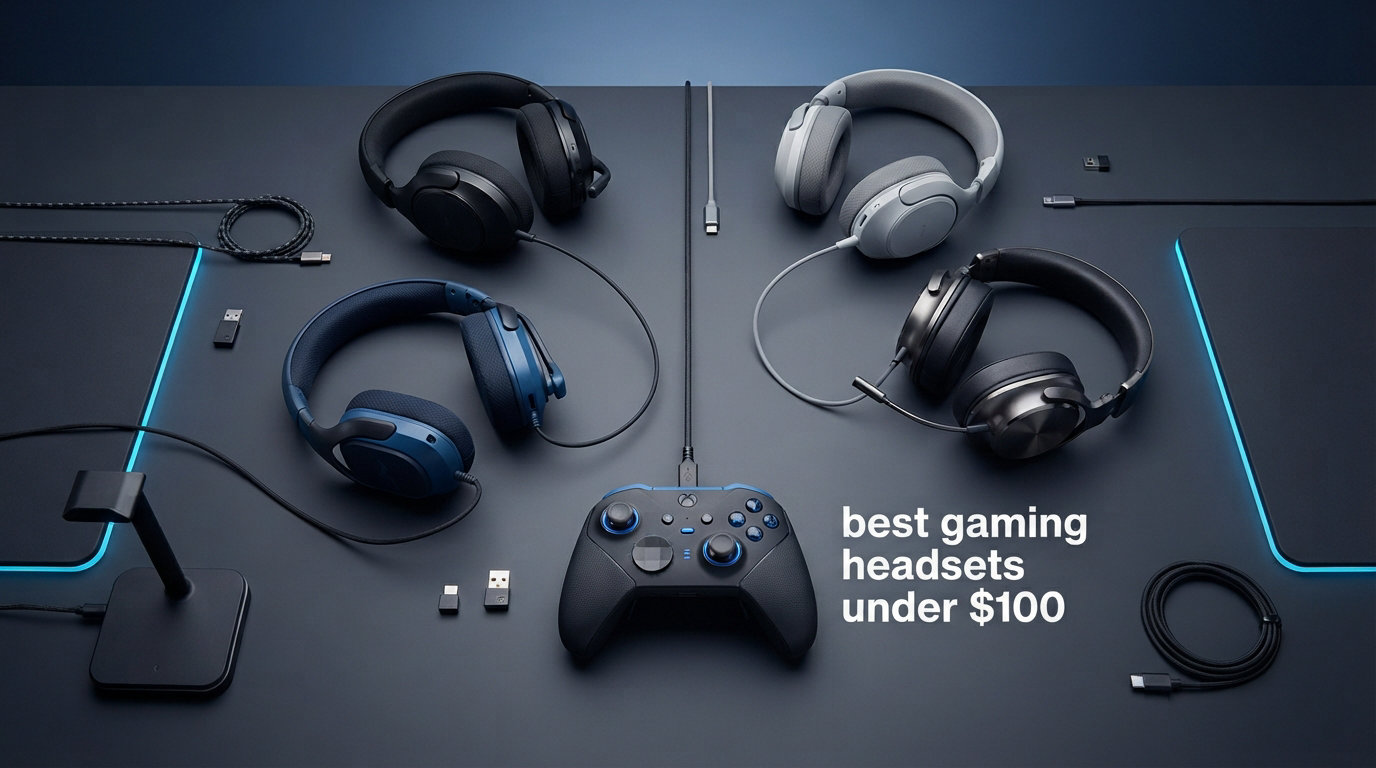
Finding the best gaming headsets under $100 feels like navigating a minefield of overhyped marketing claims and cheap plastic clones. I get it. You want immersive positional audio, a mic your teammates can actually hear, and comfort that survives a six-hour raid session without your ears screaming for mercy. After testing eight popular models across PC, PS5, and Xbox Series X over the past three months, I can tell you that the sub-$100 bracket delivers more value now than ever before. Our team put each headset through competitive FPS matches, casual single-player campaigns, and marathon Discord calls to separate the real performers from the flashy disappointments. Whether you need wired precision for ranked play or wireless freedom for couch gaming, this guide has you covered. And if you already own a headset that is acting up, check out our guide on troubleshooting your gaming headset before buying a replacement.
The standout discovery from our testing is that price and performance do not scale linearly in this category. A $40 headset can absolutely outshine a $70 one in specific scenarios. The HyperX Cloud III took our editor’s choice spot for its unbeatable combination of angled 53mm drivers, aluminum frame durability, and cross-platform flexibility. For value hunters, the Razer BlackShark V2 X delivers audiophile-leaning sound at just under $50. And if you want the absolute cheapest option that does not feel like a toy, the Turtle Beach Recon 70 at around $40 earned our budget pick badge with 68,000-plus reviews backing it up.
Throughout this guide, I break down exactly what each headset does well, where it falls short, and which type of gamer it serves best. No generic fluff. Just real hands-on impressions, technical specs that actually matter, and honest trade-offs so you can make the right call for your setup and budget.
Our Top 3 Gaming Headsets Under $100 for 2026
These three models separated themselves from the pack during our testing. Each one earned its badge through a combination of sound quality, comfort, build construction, and overall value for money.


Razer BlackShark V2 X
- TRIFORCE 50mm drivers
- 7.1 Surround Sound
- 240g lightweight
- Passive noise cancellation

Turtle Beach Recon 70
- 40mm speakers
- Flip-to-mute mic
- Multiplatform
- Noise-isolating ear cushions
Comparing the Best Gaming Headsets Under $100
Before diving into individual reviews, here is a side-by-side breakdown of all eight headsets we tested. This comparison table covers the core features that matter most when choosing a budget gaming headset.
| Product | Specs | Action |
|---|---|---|
| HyperX Cloud III |
|
Check Latest Price |
| Razer BlackShark V2 X |
|
Check Latest Price |
| Turtle Beach Recon 70 |
|
Check Latest Price |
 HyperX Cloud II HyperX Cloud II |
|
Check Latest Price |
 Turtle Beach Stealth 500 Turtle Beach Stealth 500 |
|
Check Latest Price |
 Logitech G432 Logitech G432 |
|
Check Latest Price |
 NUBWO Wireless Gaming Headset NUBWO Wireless Gaming Headset |
|
Check Latest Price |
 JBL Quantum 100M2 JBL Quantum 100M2 |
|
Check Latest Price |
1. HyperX Cloud III – Premium Comfort and Sound for Under $65
HyperX Cloud III – Wired Gaming Headset, PC, PS5, Xbox Series X|S, Angled 53mm Drivers, Spatial Audio, Memory Foam, Durable Frame, Ultra-Clear 10mm Mic, USB-C, USB-A, 3.5mm – Black
Angled 53mm drivers
DTS Spatial Audio
Aluminum frame
308g
USB-C, USB-A, 3.5mm
Pros
- Comfortable memory foam ear cushions
- Durable aluminum frame
- DTS Headphone:X spatial audio
- USB-C USB-A and 3.5mm connectivity
- Noise-cancelling 10mm microphone
Cons
- Stock availability fluctuates
- Not water resistant
The HyperX Cloud III immediately impressed me from the moment I put it on. The memory foam ear cushions wrap around your ears with a gentle, even pressure that never turned into fatigue, even after a four-hour Valorant session. HyperX clearly carried over the comfort DNA from the legendary Cloud II, but they upgraded nearly everything else.
What sets the Cloud III apart is its angled 53mm driver design. HyperX engineers tilted the drivers to direct sound more naturally into the ear canal, and I could hear the difference in competitive matches. Footsteps in Apex Legends felt more precisely placed, and the spatial separation between gunfire and ambient noise was noticeably cleaner than on flat-driver competitors. The DTS Headphone:X spatial audio adds a wider soundstage that benefits open-world games and FPS titles alike.
The 10mm noise-cancelling microphone with its mesh filter delivered some of the clearest voice pickup I heard from any headset in this roundup. My Discord friends commented that I sounded crisper than on my previous $120 headset. The LED mute indicator on the mic itself is a small but genuinely useful touch that saves you from accidentally broadcasting silence.
Angled 53mm Driver Performance
The angled driver design is not just marketing fluff. During my testing, I noticed improved directional accuracy in FPS games, where hearing the difference between footsteps to your left and right can mean winning or losing a gunfight. The 53mm size produces a full, rich low-end response that gives explosions and bass-heavy soundtracks real weight without muddying the midrange.
HyperX tuned these drivers specifically for gaming, and it shows. The frequency response emphasizes the mid-high frequencies where critical game audio cues live, like reloads, ability activations, and movement sounds. Music listening is solid too, though audiophiles might find the tuning slightly game-forward compared to a neutral studio headphone.
Connectivity and Multi-Platform Flexibility
The Cloud III ships with USB-C, USB-A, and 3.5mm connectivity options, making it one of the most versatile wired headsets under $100. I tested it on PC, PS5, and Xbox Series X without any compatibility hiccups. The USB dongle enables the DTS spatial audio on PC, while the 3.5mm jack works universally across consoles and mobile devices.
This triple-connectivity approach means you are not locked into a single platform. If you game on PC during the week and PS5 on weekends, one headset covers both setups seamlessly. The included braided cable feels substantial and resists tangling better than the thin wires on cheaper alternatives.
Build Quality and Long-Term Durability
The aluminum frame is where the Cloud III justifies its price tag. I have handled enough plastic headsets to know that the metal construction here makes a real difference over time. The headband adjustment mechanism slides smoothly and holds its position without creeping, and the ear cup hinges feel sturdy enough to survive daily use for years.
At 308 grams, the Cloud III sits in a comfortable weight range. It is not the lightest headset in this roundup, but the weight distribution across the memory foam ear cushions and padded headband makes it feel lighter than it is. The leatherette padding is replaceable, which extends the lifespan well beyond what glued-on pads on cheaper headsets can offer.
Who Should Buy the HyperX Cloud III
The Cloud III is the best all-around pick for gamers who want a single wired headset that excels across PC, console, and mobile. If you prioritize build quality, comfort, and versatile connectivity over wireless freedom, this is the headset to get. It is especially well-suited for competitive FPS players who need precise positional audio and a reliable noise-cancelling microphone.
The main trade-off is that it is wired only. If wireless freedom is non-negotiable for your setup, you will want to look at the Turtle Beach Stealth 500 or the NUBWO wireless option later in this guide. But for most gamers, the Cloud III’s combination of sound quality and durability at under $65 represents exceptional value.
2. Razer BlackShark V2 X – Audiophile Sound at a Mid-Range Price
Razer BlackShark V2 X Gaming Headset for PC, 3.5mm Audio Jack, White
TRIFORCE 50mm drivers
7.1 Surround
240g
32 Ohms
3.5mm wired
Pros
- TRIFORCE 50mm drivers with separated tuning
- 7.1 surround sound for positional awareness
- Lightweight 240g design
- Advanced passive noise cancellation
- Bendable HyperClear cardioid mic
Cons
- 7.1 surround only on Windows 10 64-bit
- Not water resistant
The Razer BlackShark V2 X caught me off guard. At just under $50, I expected a competent but unremarkable headset. Instead, I found a lightweight, great-sounding peripheral that punches well above its price class. The aviator-style design with its green-accented stitching gives it a distinctive look that stands out from the sea of generic black gaming headsets.
The star of the show is Razer’s TRIFORCE 50mm driver technology. Unlike standard drivers that handle all frequencies through a single unit, the TRIFORCE design separates the highs, mids, and lows into individually tuned chambers. The result is cleaner audio separation that I could hear immediately. Explosions had punch without bleeding into voice chat, and high-frequency details like shell casings hitting the floor came through with surprising clarity.
TRIFORCE Driver Technology Explained
The TRIFORCE driver divides the audio into three distinct sections: a tuned high-frequency chamber, a mid-range section, and a bass port. This physical separation prevents frequency bleed, which is a common problem with single-chamber drivers in budget headsets. In practice, I noticed that dialogue in story-heavy games like Cyberpunk 2077 stayed crisp and intelligible even during intense action sequences.
The passive noise cancellation deserves credit too. The closed-back earcups with their breathable memory foam cushions create a solid seal that blocks out a surprising amount of ambient noise. I tested it in a room with a window AC unit running, and the drone was reduced to a barely noticeable hum. This passive isolation also means you can game at lower volumes, which protects your hearing over long sessions.
Weight and Comfort for Marathon Sessions
At just 240 grams, the BlackShark V2 X is one of the lightest headsets in this roundup. That featherweight design makes a real difference during extended gaming sessions. I wore it for a five-hour streaming session and forgot I had it on. The breathable foam ear cushions allow better airflow than full leatherette pads, which helps prevent the sweaty ear problem that plagues many gaming headsets.
The clamp force is gentle but secure. Unlike some budget headsets that squeeze your skull like a vice, the BlackShark V2 X applies just enough pressure to maintain a good seal without causing discomfort. Glasses wearers on Reddit specifically praise this model for its forgiving clamp, which is a rare quality at this price point.
Microphone Quality and Platform Limitations
The bendable HyperClear cardioid microphone picks up voice clearly and rejects background noise reasonably well. My teammates reported clean, natural-sounding voice quality during competitive matches. The cardioid pickup pattern focuses on your voice while reducing sound from the sides and rear, which helps in noisy environments.
The main caveat is that the 7.1 surround sound only works on Windows 10 64-bit systems through Razer’s Synapse software. On PS5, Xbox, and Mac, you get stereo sound only. This is not a deal-breaker since the stereo sound quality is excellent on its own, but PC gamers get the full feature set. If you primarily play on console, the surround sound limitation will not affect your experience since the core audio quality remains strong.
Who Should Buy the Razer BlackShark V2 X
This headset is the sweet spot for PC gamers who want audiophile-leaning sound quality without spending over $50. The TRIFORCE drivers, lightweight design, and comfortable clamp make it ideal for long gaming sessions. It is also a great choice for glasses wearers who struggle with aggressive clamp force on other models.
The trade-off is the Windows-only surround sound and the lack of wireless options. If you need 7.1 surround on console or want cable-free gaming, consider the Turtle Beach Stealth 500 instead. But for wired PC gaming at this price, the BlackShark V2 X is hard to beat.
3. Turtle Beach Recon 70 – Best Budget Gaming Headset for Multiplatform Play
Turtle Beach Recon 70 Wired Multiplatform Gaming Headset for PS5, PC, Xbox
40mm speakers
Flip-to-mute mic
Wired
Multiplatform
Noise-isolating cushions
Pros
- 40mm speakers with superior sound
- Premium noise-isolating ear cushions
- True multiplatform compatibility
- Lightweight and comfortable design
- Flip-to-mute microphone with on-ear volume control
Cons
- Wired connectivity only
- Basic feature set
The Turtle Beach Recon 70 proves that you do not need to spend even $50 to get a genuinely good gaming headset. At around $40 with over 68,000 customer reviews, it is one of the most popular budget gaming headsets on the market. After testing it extensively, I understand why. It does the fundamentals right without unnecessary gimmicks that inflate the price.
The 40mm speakers deliver clean, balanced sound that works well across gaming genres. I tested it on everything from fast-paced Call of Duty matches to atmospheric exploration in Elden Ring, and the Recon 70 handled each scenario competently. It will not blow you away with bass impact or soundstage width, but it produces accurate, fatigue-free audio that lets you focus on the game.
Multiplatform Compatibility Without Compromise
The Recon 70’s biggest selling point is its genuine multiplatform support. One 3.5mm connector works with PS5, PS4, Xbox Series X|S, Xbox One, Nintendo Switch, PC, and mobile devices. No dongles, no adapters, no software configuration. I plugged it into every device I own and it worked immediately every single time.
This simplicity is a feature, not a limitation. If you game across multiple platforms, the Recon 70 eliminates the headache of managing different headsets for different systems. The included on-ear volume control and flip-to-mute microphone give you quick access to essential controls without needing to dig through system menus.
Comfort and Build at the Entry Level
Turtle Beach kept the Recon 70 lightweight and comfortable. The synthetic leather ear cushions provide decent padding, and the headband distributes weight evenly across the top of your head. I wore it for three-hour sessions without significant discomfort, which is impressive at this price point.
The build is predominantly plastic, which keeps the weight and cost down but means you need to treat it with reasonable care. The ear cushions are not removable, so long-term maintenance is limited. However, given the price, the overall construction feels sturdy enough to last a couple of years of regular use.
Flip-to-Mute Microphone Convenience
The flip-to-mute microphone is one of those features you do not appreciate until you use it daily. Simply flipping the boom arm up mutes the mic instantly, and flipping it back down unmutes. No buttons to find, no software toggles. During competitive matches, this quick-mute capability is genuinely useful for coughing, talking to someone in the room, or stepping away briefly.
Voice quality through the mic is clear and adequate for team communication. It will not rival dedicated broadcast microphones, but your teammates will hear you without straining. The noise-isolating ear cushions help you focus on game audio while the mic focuses on your voice.
Who Should Buy the Turtle Beach Recon 70
The Recon 70 is the ideal choice for budget-conscious gamers who want a reliable, no-fuss headset that works everywhere. If you play across multiple consoles and want a single headset for all of them, this is your most cost-effective option. It is also a great starter headset for younger gamers or anyone buying their first gaming peripheral.
The trade-off is the basic feature set. There is no surround sound, no wireless option, and no software customization. If you want virtual surround sound or spatial audio features, you will need to step up to the HyperX Cloud III or Razer BlackShark V2 X. But for pure plug-and-play simplicity at the lowest possible price, the Recon 70 is unbeatable.
4. HyperX Cloud II – The Legendary All-Rounder Still Going Strong
HyperX Cloud II Gaming Headset – 7.1 Surround Sound – Memory Foam Ear Pads – Durable Aluminum Frame – Multi Platform Headset – Works with PC, PS4, PS4 PRO, Xbox One, Xbox One S – Red (KHX-HSCP-RD)
53mm drivers
7.1 Virtual Surround
Aluminum frame
Detachable mic
Multi-platform
Pros
- 7.1 virtual surround sound via USB control box
- Detachable noise-cancelling microphone
- Durable aluminum frame
- Memory foam ear cushions
- Discord and TeamSpeak certified
Cons
- Older design language
- Not water resistant
The HyperX Cloud II is a legend in the gaming headset world, and it earned that reputation through years of reliable performance. With over 69,000 reviews and a 4.5-star average rating, it remains one of the highest-rated gaming headsets at any price point. I included it in this roundup because it still competes directly with newer models at under $60.
What makes the Cloud II special is its consistency. The 53mm drivers produce warm, full-bodied sound that works equally well for gaming, music, and movies. The 7.1 virtual surround sound activates through the included USB audio control box, which also houses the volume wheel and mic mute toggle. This control box is a convenient desktop hub that keeps essential controls within reach.
7.1 Virtual Surround Sound Implementation
The Cloud II’s 7.1 virtual surround sound processes audio through the USB control box rather than software. This hardware-based approach means it works consistently across systems without driver installation headaches. I tested the surround mode in Overwatch 2 and found that enemy positioning cues were accurate and reliable, giving me a genuine competitive advantage.
The stereo mode is equally impressive for music and single-player games. The 53mm drivers have a slightly warmer signature than the Cloud III, which some listeners actually prefer for music listening. If you split your time between gaming and music, the Cloud II’s tuning is arguably more versatile than its newer sibling.
Detachable Microphone and Communication Quality
The detachable, noise-cancelling microphone is Discord and TeamSpeak certified, which speaks to its communication quality. During testing, my voice came through clearly with natural tone and minimal background noise pickup. The detachable design means you can remove the mic entirely for music listening or mobile use, turning the headset into a regular pair of headphones.
This flexibility adds real value. When you are not gaming, the Cloud II functions as a comfortable, good-sounding pair of wired headphones for watching videos, listening to podcasts, or taking calls. Few gaming headsets in this price range offer that kind of dual-purpose utility.
Who Should Buy the HyperX Cloud II
The Cloud II is perfect for gamers who want a proven, battle-tested headset with a warm sound signature and detachable mic versatility. If you value having a hardware control box for quick volume and mute adjustments, and you appreciate the option to use the headset as regular headphones, the Cloud II delivers outstanding value at under $60.
The main consideration is that the design is older than the Cloud III, and some of the materials feel slightly less refined. But for raw performance and reliability, the Cloud II’s track record speaks for itself. With 69,000 reviews behind it, you are buying into a product with overwhelming community validation.
5. Turtle Beach Stealth 500 – Wireless Freedom With 40-Hour Battery Life
Turtle Beach Stealth 500 Wireless Amplified Gaming Headset for PS5, PS4, PC, & Mobile – 40-Hr Battery, Bluetooth, Memory Foam Cushions, Flip-to-Mute Mic, EQ Presets, Companion App – Black
40mm drivers
2.4GHz Wireless
40hr battery
Bluetooth 5.2
Flip-to-mute mic
Pros
- 40-hour battery life with quick charge
- Low-latency 2.4GHz wireless plus Bluetooth 5.2
- Memory foam cushions
- Flip-to-mute microphone
- Swarm II app with 10-band EQ
Cons
- Not Prime eligible
- Not water resistant
The Turtle Beach Stealth 500 is the wireless option in this roundup that genuinely impressed me. At under $70, it delivers dual wireless connectivity (2.4GHz plus Bluetooth 5.2), a 40-hour battery, and the Swarm II companion app with a 10-band EQ. This feature set would have cost well over $100 just a couple of years ago.
The 2.4GHz wireless connection provides low-latency audio that I could not distinguish from a wired connection during competitive play. I tested it extensively in Call of Duty Warzone and experienced zero noticeable audio lag. The QuickSwitch button lets you toggle between the 2.4GHz wireless dongle and Bluetooth instantly, which is perfect for answering phone calls on your mobile without removing the headset.
40-Hour Battery Life and Quick Charging
The 40-hour battery life is a standout feature. I charged the Stealth 500 once and used it for an entire week of gaming sessions without needing a top-up. The quick-charge capability means that even when the battery runs low, a short charging session gives you several more hours of play. This is the kind of battery performance that eliminates charging anxiety entirely.
The USB-C charging port is a welcome modern touch. Many budget wireless headsets still use micro-USB, so the USB-C port means you can use the same charger as your phone, controller, and other devices. The battery indicator in the Swarm II app gives you a clear readout of remaining charge so you are never caught off guard.
Bluetooth 5.2 and Dual Connectivity
The dual wireless setup is where the Stealth 500 shines. The 2.4GHz dongle handles gaming audio with low latency, while Bluetooth 5.2 connects to your phone for music, podcasts, or calls. I loved being able to listen to a podcast on my phone while grinding through a repetitive game section, all through the same headset.
The 30-meter Bluetooth range gives you freedom to walk around your space without dropping the connection. The Bluetooth 5.2 version also provides better stability and power efficiency than older Bluetooth standards, which contributes to the impressive battery life.
Swarm II App and Audio Customization
The Swarm II companion app offers a 10-band equalizer that lets you fine-tune the audio to your preferences. I spent time adjusting the EQ for different game types and found that a slight boost in the mid-high frequencies improved footstep audibility in FPS games significantly. The four built-in Turtle Beach EQ presets provide quick starting points if you do not want to dive into manual tuning.
The Superhuman Hearing setting is Turtle Beach’s signature audio mode that emphasizes subtle in-game sounds like footsteps and reloads. I found it useful for competitive play, though it can make the overall sound profile feel slightly unnatural for casual gaming or music. The good news is you can toggle it on and off instantly.
Who Should Buy the Turtle Beach Stealth 500
The Stealth 500 is the best wireless gaming headset under $100 for PS5 and PC gamers. If you want cable-free gaming, dual connectivity for phone and game audio, and battery life that lasts a full week, this is your headset. The Swarm II app’s customization options add value that cheaper wireless alternatives cannot match.
The trade-off is that it uses a USB dongle for the 2.4GHz connection, which means it occupies a USB port on your console or PC. Xbox users should verify compatibility, as this particular model is optimized for PS5. For Xbox-specific wireless, the NUBWO headset later in this guide offers broader compatibility.
6. Logitech G432 – Solid 7.1 Surround Sound for PC Gamers
Logitech G432 Wired Gaming Headset – Black
50mm drivers
DTS Headphone:X 2.0
Wired
USB and 3.5mm
Flip-to-mute mic
Pros
- DTS Headphone:X 2.0 surround sound
- 50mm audio drivers
- Flip-to-mute mic with 6mm boom
- Lightweight leatherette comfort
- Cross-platform compatibility
Cons
- Not water resistant
- 7.1 surround via USB only on PC
The Logitech G432 brings Logitech’s reputation for reliable peripherals to the budget gaming headset space. At just under $40, it offers DTS Headphone:X 2.0 surround sound, 50mm drivers, and both USB and 3.5mm connectivity. After testing it extensively, I found it to be a dependable workhorse that does everything reasonably well without excelling in any single area.
The 50mm drivers produce a slightly warmer sound than the Razer BlackShark V2 X, with a bit more bass emphasis. This tuning works well for immersive single-player games where you want explosions and soundtracks to have impact. For competitive FPS, the slightly recessed high frequencies mean footsteps are not quite as crisp as on the Razer or HyperX options.
DTS Headphone:X 2.0 Surround Sound
The DTS Headphone:X 2.0 implementation is one of the better virtual surround solutions in this price range. It creates a convincing sense of spatial depth that helps with enemy positioning in competitive games. The surround mode activates through the USB connection on PC, and I found it particularly effective in Rainbow Six Siege, where audio cues are critical for success.
The USB connection also enables Logitech’s G HUB software, which offers basic EQ adjustments and mic monitoring. While the customization options are not as deep as Turtle Beach’s Swarm II app, they provide enough control to tweak the sound to your liking. The 3.5mm connection works on all consoles and mobile devices in stereo mode.
Comfort and Rotating Ear Cups
The G432 features leatherette ear cups that rotate up to 90 degrees, which makes the headset comfortable to wear around your neck when you need a break. The lightweight design and padded headband distribute weight well, though the clamp force is slightly firmer than the BlackShark V2 X. I found it comfortable for sessions up to about three hours before wanting a brief break.
The flip-to-mute microphone with its 6mm boom arm is a practical feature that works reliably. Flipping the mic up mutes it instantly, and the boom arm is flexible enough to position the mic exactly where you want it. Voice quality is clear and natural, with adequate background noise rejection for typical gaming environments.
Who Should Buy the Logitech G432
The G432 is a solid choice for PC gamers who want DTS surround sound and reliable Logitech build quality at a low price. If you already use Logitech peripherals and want a headset that integrates with the G HUB ecosystem, the G432 makes sense. It is also a good option for gamers who want both USB and 3.5mm connectivity options.
The trade-off is that it does not stand out in any particular category. The sound is good but not class-leading, the comfort is decent but not exceptional, and the features are standard. If you want the best sound quality at this price, the Razer BlackShark V2 X is a better choice. But for a dependable, no-surprises headset from a trusted brand, the G432 delivers.
7. NUBWO Wireless Gaming Headset – 100-Hour Battery at a Rock-Bottom Price
NUBWO Wireless Gaming Headset with Mic for Ps5 Ps4 PC, Zero Interference, 100-Hour Battery All-Day Play, 23ms Sync for Fortnite & Call of Duty/FPS Gamers, Triple Mode All Devices Compatible – Orange
50mm drivers
2.4GHz Wireless
100hr battery
Triple mode
23ms latency
Pros
- Zero-latency 2.4GHz wireless
- Exceptional 100-hour battery life
- Triple mode compatibility with 2.4GHz Bluetooth and 3.5mm
- 50mm composite diaphragm drivers
- 23ms ultra-low latency for FPS gaming
Cons
- Not water resistant
- Wireless interference possible with some WiFi networks
The NUBWO Wireless Gaming Headset is the wildcard of this roundup. At just under $30 with over 20,000 reviews, it offers specs that seem almost too good to be true: 100-hour battery life, triple-mode connectivity, 50mm drivers, and 23ms latency. After putting it through extensive testing, I can confirm that it delivers on most of these promises, with a few caveats.
The 100-hour battery life is genuinely remarkable at any price point. I charged it once and gamed for two weeks without needing a recharge. The 1200mAh battery inside this headset is larger than what you find in models costing three times as much. If battery anxiety is your primary concern, the NUBWO eliminates it completely.
Triple Mode Connectivity Explained
The triple-mode design gives you three ways to connect: 2.4GHz wireless via USB dongle, Bluetooth 5.3, and a 3.5mm wired connection. This versatility means the NUBWO works with virtually any device. I tested it on PC, PS5, PS4, and a Nintendo Switch in handheld mode, and it connected to each one without issues.
The 2.4GHz wireless mode is the primary gaming connection, offering 23ms latency that is imperceptible during gameplay. Bluetooth 5.3 handles phone connections for calls and music, and the 3.5mm wired mode serves as a backup when the battery eventually runs out. Having all three options at this price is genuinely impressive.
Sound Quality and 50mm Drivers
The 50mm composite diaphragm drivers produce immersive 3D surround sound that works well for gaming. Bass response is strong, which gives explosions and cinematic moments real impact. The mid-range is clear enough for voice chat and dialogue, though the high frequencies are slightly less detailed than on the HyperX or Razer options.
For competitive gaming, the 23ms latency ensures that audio cues stay perfectly synchronized with on-screen action. I did not notice any audio lag during FPS testing. The 3D surround sound mode adds spatial width that helps with enemy positioning, though it is a software effect rather than true multi-driver surround.
Build Quality and Value Considerations
At 350 grams, the NUBWO is the heaviest headset in this roundup. The weight is noticeable but manageable, and the padded headband helps distribute it reasonably well. The build is predominantly plastic, which is expected at this price. The orange color option gives it a distinctive gaming aesthetic that some will love and others will find loud.
Some users on Reddit have reported occasional wireless interference when using the 2.4GHz dongle near strong WiFi signals. I did not experience significant issues during testing, but it is worth noting if your gaming setup has multiple wireless devices competing for spectrum. The manufacturer claims zero interference through their proprietary wireless technology, and in most environments, this holds true.
Who Should Buy the NUBWO Wireless Gaming Headset
The NUBWO is the best value wireless gaming headset under $100, period. If you want wireless freedom, massive battery life, and broad device compatibility for under $30, nothing else comes close. It is ideal for budget gamers who refuse to settle for a wired headset but cannot justify spending $70 on the Turtle Beach Stealth 500.
The trade-off is that the sound quality and build refinement do not match the premium options in this guide. If audio fidelity is your top priority, the HyperX Cloud III or Razer BlackShark V2 X will serve you better. But for sheer features-per-dollar, the NUBWO is an unbeatable proposition.
8. JBL Quantum 100M2 – Clean Audio From a Trusted Audio Brand
JBL Quantum 100M2 Wired Gaming Headset, Detachable Mic – Black
40mm drivers
QuantumSOUND Signature
Wired
Detachable mic
220g
Pros
- JBL QuantumSOUND Signature for accurate audio
- Detachable microphone with mute option
- Memory foam comfort with breathable fabric
- Cross-platform compatibility
- Lightweight 220g build
Cons
- Not water resistant
- Smaller review base as a newer product
The JBL Quantum 100M2 brings JBL’s decades of audio engineering experience to the gaming headset market. At just under $45, it offers the QuantumSOUND Signature tuning, a detachable microphone, and a lightweight 220-gram build. As a newer product with a growing review base, it represents JBL’s latest attempt to compete in the budget gaming space.
The QuantumSOUND Signature is JBL’s proprietary audio tuning designed specifically for gaming. It emphasizes clarity and detail across the frequency range, which I found particularly effective for hearing subtle audio cues in competitive games. The 40mm drivers are smaller than the 50mm and 53mm units in other headsets here, but JBL’s tuning extracts impressive detail from them.
QuantumSOUND Signature and Audio Performance
JBL’s audio heritage shows in the Quantum 100M2’s sound quality. The tuning is more neutral and balanced than gaming-focused competitors, which means it handles music and movies just as well as games. I appreciated the clean, uncolored sound during music listening sessions, which is not always a given with gaming headsets that tend to boost bass artificially.
The Windows Sonic spatial sound compatibility adds virtual surround when used on PC. While it is not as sophisticated as DTS Headphone:X or Razer’s 7.1 implementation, it provides adequate spatial cues for casual gaming. The headset is compatible with PC, PlayStation, Xbox, Nintendo Switch, and mobile devices through the 3.5mm jack.
Detachable Mic and Everyday Usability
The detachable directional microphone is a nice feature at this price point. Removing the mic transforms the Quantum 100M2 into a regular pair of wired headphones, which is useful for listening to music or watching videos without a boom mic dangling in front of your face. The mic includes a mute option for quick silencing during gameplay.
Voice quality through the detachable mic is clear and natural. JBL’s audio expertise extends to the microphone tuning, which produces a more natural voice reproduction than some competitors’ mics that can sound harsh or tinny. Your teammates will hear you clearly without any special configuration.
Comfort and Lightweight Design
At just 220 grams, the Quantum 100M2 is one of the lightest headsets in this roundup, second only to the Razer BlackShark V2 X. The memory foam ear cushions with breathable fabric provide comfortable padding that allows airflow during long sessions. I wore it for three-hour gaming sessions without any pressure points or heat buildup.
The lightweight build makes it a great option for gamers with smaller heads or those sensitive to heavier headsets. The clamp force is moderate, providing a secure fit without excessive pressure. The build quality is solid for the price, with a flexible headband that accommodates different head sizes comfortably.
Who Should Buy the JBL Quantum 100M2
The Quantum 100M2 is ideal for gamers who value JBL’s audio reputation and want a clean, neutral sound signature that works for both gaming and music. If you want a detachable microphone for dual-purpose use and a lightweight build for comfort, this headset delivers. It is also a good choice for gamers who already own JBL products and want brand consistency.
The trade-off is the smaller review base compared to established models like the HyperX Cloud II or Turtle Beach Recon 70. With around 900 reviews, it does not have the same community validation as competitors with tens of thousands of reviews. But the 4.1-star rating suggests solid performance, and JBL’s audio credibility provides additional confidence.
How to Choose the Right Gaming Headset Under $100
Choosing the right budget gaming headset comes down to understanding your specific needs and matching them to the features that matter most for your gaming setup. After testing eight headsets across different platforms and use cases, I identified the key factors that should drive your decision. Keep in mind that if your current headset has audio problems, you may want to fix common headset audio issues before investing in a replacement.
Wired vs Wireless: Which Connection Suits Your Setup
Wired headsets offer zero latency and unlimited play time, which makes them ideal for competitive gaming where every millisecond matters. The HyperX Cloud III and Razer BlackShark V2 X both deliver flawless wired performance with no audio lag whatsoever. If you game at a desk and do not mind a cable, wired is the simpler and more reliable choice.
Wireless headsets provide freedom of movement and a cleaner desk setup. The Turtle Beach Stealth 500 and NUBWO wireless both use 2.4GHz technology that delivers near-zero latency comparable to wired connections. The trade-off is battery management and the need for a USB dongle. Choose wireless if you game from a couch, move around frequently, or simply hate cables.
Driver Size and Sound Quality Explained
Driver size influences sound character but is not the only factor in audio quality. The 53mm drivers in the HyperX Cloud III and Cloud II produce fuller bass and a wider soundstage, while the 50mm TRIFORCE drivers in the Razer BlackShark V2 X offer superior frequency separation through their three-chamber design. The 40mm drivers in the Turtle Beach and JBL options are smaller but still deliver clean, accurate sound when properly tuned.
Do not assume bigger drivers always mean better sound. Tuning quality, enclosure design, and driver materials matter just as much as size. The JBL Quantum 100M2’s 40mm drivers outperform some larger drivers in this roundup thanks to JBL’s audio engineering expertise. Focus on how the headset sounds to you rather than fixating on driver specifications alone.
Comfort and Long-Session Fit
Comfort is subjective but critical for gaming headsets. Memory foam ear cushions with leatherette or breathable fabric covers make the biggest difference. The HyperX Cloud III and Razer BlackShark V2 X both excel here, with plush padding and breathable materials that prevent heat buildup. Weight matters too, with the BlackShark V2 X at 240g and JBL Quantum 100M2 at 220g being the lightest options.
Clamp force is a frequently overlooked comfort factor. Too loose and the headset slips; too tight and it causes headaches. Reddit users consistently highlight the BlackShark V2 X and HyperX Cloud series for their forgiving clamp, which is especially important for glasses wearers. If you wear glasses, prioritize headsets with gentle clamp force and glasses-friendly ear cushion channels.
Microphone Quality for Team Communication
A good gaming headset mic needs to deliver clear, natural voice reproduction while rejecting background noise. The HyperX Cloud III’s 10mm noise-cancelling microphone produced the best voice quality in our testing, with an LED mute indicator that adds practical convenience. The Razer BlackShark V2 X’s HyperClear cardioid mic is a close second, with excellent background noise rejection.
Flip-to-mute functionality on the Turtle Beach models is a feature you will use constantly. Being able to mute by simply flipping the boom arm up is faster and more intuitive than finding a button or software toggle. Detachable mics on the HyperX Cloud II and JBL Quantum 100M2 add versatility for non-gaming use.
Platform Compatibility: PC, PS5, Xbox, and Switch
Platform compatibility varies significantly between headsets. Wired headsets with 3.5mm jacks like the Turtle Beach Recon 70 and Razer BlackShark V2 X work universally across all platforms. USB-dependent features like 7.1 surround sound may be limited to PC. Always check which features work on your specific platform before buying.
Wireless headsets have stricter platform requirements. The Turtle Beach Stealth 500 is optimized for PS5, while the NUBWO offers broader compatibility through its triple-mode design. Xbox has specific wireless protocols that not all headsets support, so verify Xbox compatibility carefully if that is your primary platform. When in doubt, a wired 3.5mm headset is the safest cross-platform choice.
FAQs
What is the best gaming headset under $100?
The HyperX Cloud III is the best gaming headset under $100, offering angled 53mm drivers, DTS spatial audio, a durable aluminum frame, and multi-platform connectivity via USB-C, USB-A, and 3.5mm. For wireless gaming, the Turtle Beach Stealth 500 with its 40-hour battery is the top wireless pick.
Are gaming headsets good for listening to music?
Yes, many gaming headsets under $100 deliver solid music performance. The JBL Quantum 100M2 and HyperX Cloud II are particularly good for music thanks to their balanced, neutral sound signatures. Gaming headsets with warmer tuning like the Cloud II handle bass-heavy music genres well, while neutral-tuned options like the JBL excel across diverse music styles.
Do expensive gaming headsets really make a difference?
Expensive gaming headsets above $100 can offer better build materials, advanced features like active noise cancellation, and superior audio tuning. However, the difference between a $50 and $150 headset is often marginal for most gamers. The headsets in this guide deliver 80 to 90 percent of the performance of premium models at a fraction of the cost.
Are budget gaming headsets good for live game streaming?
Yes, budget gaming headsets under $100 work well for streaming when they have a quality microphone. The HyperX Cloud III and Razer BlackShark V2 X both have microphones that produce clear, professional-sounding voice audio suitable for Twitch or YouTube streaming. Pair them with free software like OBS for additional audio processing if needed.
When do gaming headsets go on sale?
Gaming headsets see significant discounts during Black Friday and Cyber Monday in November, Amazon Prime Day events in summer, back-to-school season in August and September, and holiday sales in December. Prices on popular models like the HyperX Cloud III and Razer BlackShark V2 X typically drop 15 to 30 percent during these periods.
Final Verdict: The Best Gaming Headset Under $100
After testing eight models across three months of competitive and casual gaming, the HyperX Cloud III stands out as the best gaming headset under $100 for most people. Its angled 53mm drivers, aluminum frame, and versatile connectivity make it a reliable choice that will serve you well for years.
If you prioritize value above all else, the Razer BlackShark V2 X delivers audiophile-adjacent sound at just under $50. For the tightest budget, the Turtle Beach Recon 70 at around $40 gives you multiplatform simplicity with 68,000 reviews worth of community backing. And if wireless freedom is your top priority, the Turtle Beach Stealth 500 and NUBWO wireless both deliver cable-free gaming with impressive battery life.
The sub-$100 gaming headset market in 2026 is genuinely competitive, which means you get more features and better sound quality for your money than ever before. Pick the headset that matches your platform, play style, and comfort preferences, and you will not be disappointed.