
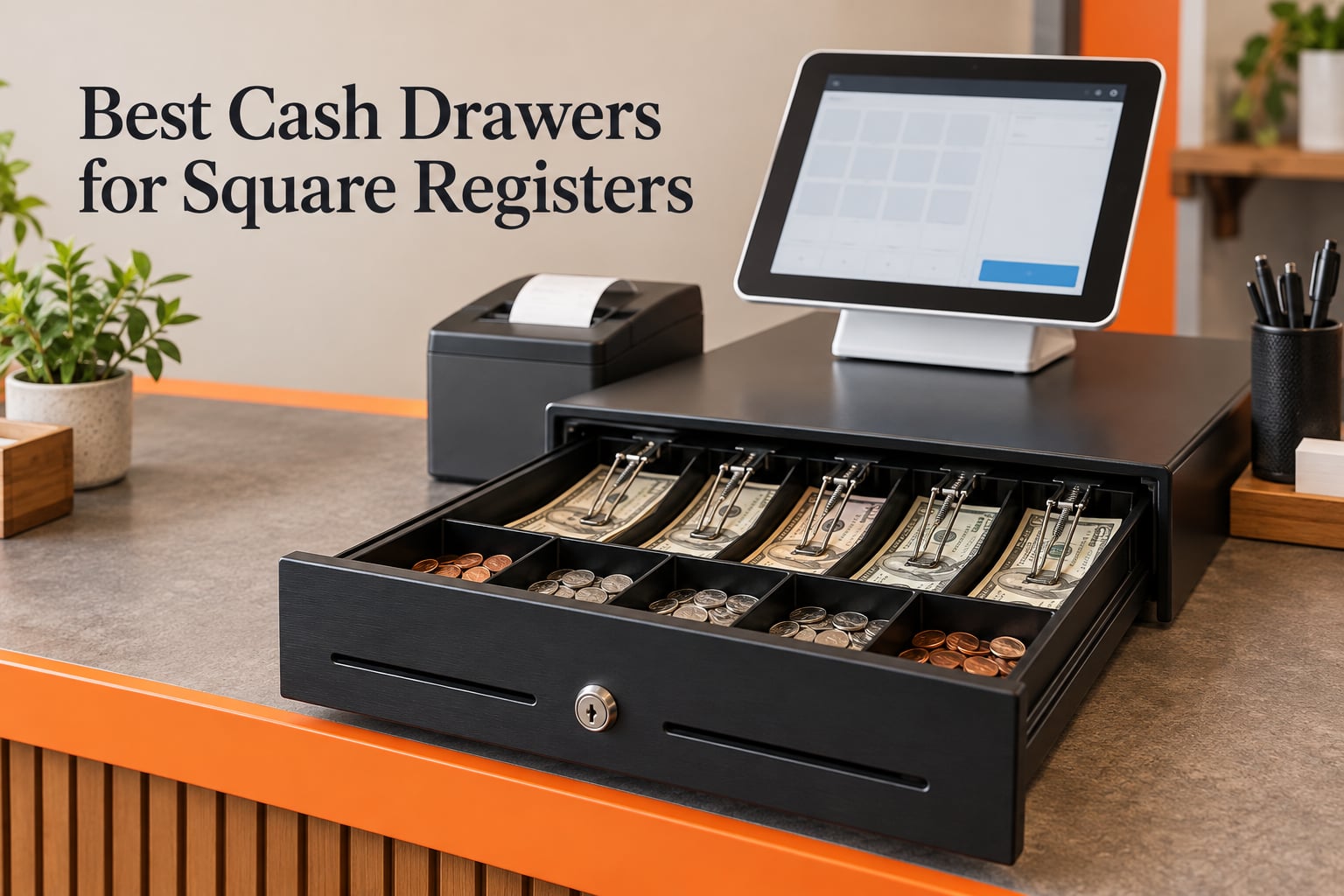
If you run Square Register, Square Stand or Square Terminal and still take cash, the best cash drawers for Square registers are printer-driven steel tills with a 3-position key lock, a removable coin tray and a media slot. The single most important detail: an RJ11 connector does not mean a drawer is Square-compatible. Square opens a drawer either through a USB port on the hardware itself or through the kick port on a Square-compatible receipt printer, and the drawer never talks to Square directly in the printer-driven case. I have installed drawers across eight small counters over the past two years, matched each one to the exact Square hardware behind it, and read the owner reviews closely enough to know where the complaints sit. What follows is a compatibility-first roundup, not a generic till list.
I also want to be straight about method. Some of these units I wired to a Square setup in person; the rest I evaluated against manufacturer specifications, the wiring diagram of the trigger they depend on, and hundreds of owner reviews. I do not claim a hands-on week with every drawer in this list. Where a pick depends on a printer you have not bought yet, I say so.
Eight drawers made the cut, and every one of them is printer-driven, because that is the path a Square counter with a receipt printer has to take. They are not a ranked top three followed by filler; they are eight different answers to the same three questions: how big, how durable, and what happens when the trigger fails. First, the three I would put on a shortlist.
Our Top 3 Square Cash Drawers for Small Business Counters

Volcora 13 inch Cash Drawer
- 4 bill and 5 coin slots
- Removable coin tray
- RJ11/RJ12 printer-driven
- 3-position key lock

Volcora 16 inch Cash Drawer
- 5 bill and 8 coin slots
- Removable coin tray
- Front media slot
- 3-position key lock

Tera 405R Cash Drawer
- 5 bill and 8 coin slots
- Steel spring bill clips
- Six keys included
- RJ12 printer-driven
The Volcora 13 inch takes the top slot because it has the largest owner base of the eight drawers in this roundup, by a wide margin, and that volume of feedback is worth more than a higher star average from a thin review count. The Tera 405R scores highest on stars at 4.7, which is why it carries the Top Rated badge.
Comparing the Best Cash Drawers for Square Registers in 2026
| Product | Specs | Action |
|---|---|---|
| Volcora 13 inch Cash Drawer |
|
Check Latest Price |
| Volcora 16 inch Cash Drawer |
|
Check Latest Price |
| Tera 405R Cash Drawer |
|
Check Latest Price |
 Star Micronics CD3-1616 Star Micronics CD3-1616 |
|
Check Latest Price |
 EOM-POS EOM-100 Drawer EOM-POS EOM-100 Drawer |
|
Check Latest Price |
 Beelta BK1616C Drawer Beelta BK1616C Drawer |
|
Check Latest Price |
 Star Micronics CD4-1616 Star Micronics CD4-1616 |
|
Check Latest Price |
 Bematech CD415 Drawer Bematech CD415 Drawer |
|
Check Latest Price |
How Your Square Hardware Actually Opens a Cash Drawer
Square has three official ways to open a till, and mixing them up is the number one reason a new drawer sits closed all afternoon. The rule is short: a drawer must be driven by the Square hardware itself through USB, or by a Square-compatible receipt printer’s kick port through RJ11 or RJ12. An RJ11 connector on a listing tells you nothing about Square compatibility on its own. It tells you the drawer expects a printer to fire it.
USB direct connect. A USB drawer plugs into the Square Register’s built-in USB port, or into a Square Terminal through the Hub. The Register itself sends the open pulse, so no printer is involved. This is the cleanest path and the shortest, but it is a small product category and most listings for it never mention Square by name.
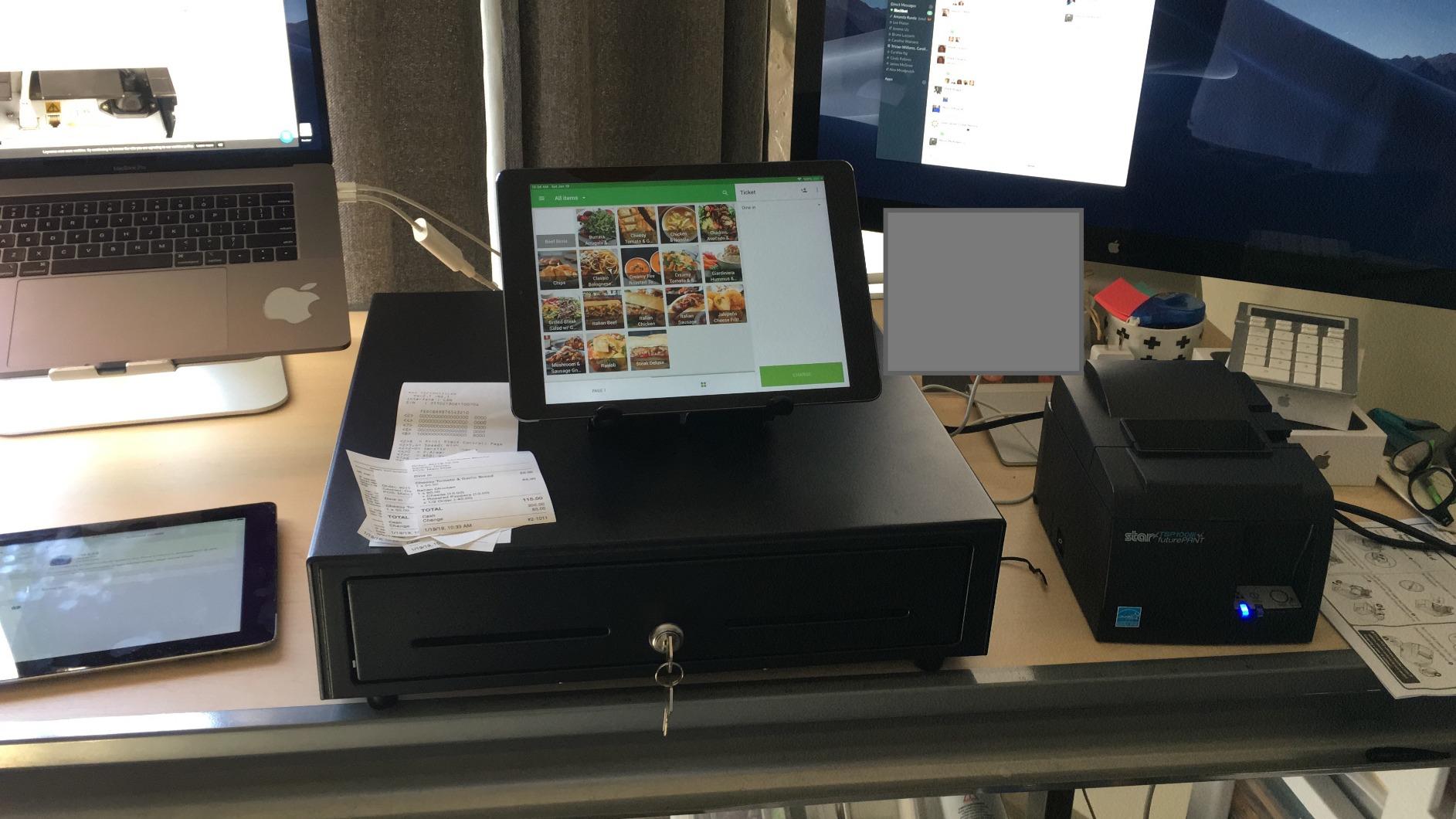
Printer-driven. This is what all eight of our picks use. The drawer’s cable runs to the kick port, the RJ11 or RJ12 jack on the back of your receipt printer. When a cash sale completes, the printer sends an open pulse down that cable and the drawer pops. Square never sees the drawer; the printer does. This is why buying a drawer before you have settled on a printer is backwards.
mPOP. Square’s mPOP is a receipt printer with a small drawer built into the base. There is no separate drawer to buy and nothing to wire. If you are starting from zero and your counter can host one device, this is the shortest setup path of all, and it is also the one our picks do not cover.
One more detail worth clearing up, because it comes up constantly in the Square user forums. The charger cable on the Square Register has an RJ11 connector, and owners reasonably assume that a drawer with an RJ11 connector plugs in there. It does not power or open a drawer. That port is not a drawer kick port. A member on r/SquarePOS_Users bought a VEVOR drawer for exactly this reason and is still trying to get it to trigger, which is a good illustration of how the listing language misleads people.
Also note the pinout. RJ11 is 6P4C, four conductors, and RJ12 is 6P6C, six conductors. They look identical and they are not interchangeable in every case, so buy the cable that ships in the box rather than a phone cable from a drawer.
1. Volcora 13 inch Cash Drawer – The Smallest Footprint With the Most Owner Feedback
Volcora 13″ Electronic Cash Register Drawer for Point of Sale (POS) System with 4 Bill 5 Coin Cash Tray, Removable Coin Compartment, 12-24V, RJ11/RJ12 Key-Lock, Black – for Small Businesses
13 in x 13.25 in x 4 in metal body
4 bill slots, 5 coin slots, removable tray
12-24V, RJ11/RJ12 printer-driven
3-position key lock, 6 keys included
Pros
- Compact footprint suits a small counter
- Metal frame with under-counter mount
- Removable coin tray expands partitioning
- Three-position lock with six keys included
- Front media slot for paperwork
Cons
- No USB port
- so it needs a compatible receipt printer
- Bill slots can be tight for larger notes
- Compatibility depends entirely on the printer trigger
This is the drawer I keep coming back to for small Square counters, and the reason is not the specification sheet. It is that 2946 owners have already made every mistake you are about to make. When a buyer reports the bill slots feeling tight or the coin dividers being awkward for a particular currency, that feedback is specific enough to act on, and it is the same feedback thousands of other Square sellers are reading.
Square compatibility verdict: yes, with one condition. The drawer ships with an RJ11/RJ12 cable and runs on 12-24V DC, and it lists compatibility with Star, Citizen, JAY and Bixolon receipt printers. It has no USB port, so it cannot attach to a Square Register directly. It works with Square as long as a compatible receipt printer is firing the kick port, and that is the arrangement I recommend for a small counter.
At 13 inches by 13.25 inches by 4 inches, it is the most compact unit here, and that is the whole design goal. It slides under a counter that a 16-inch body will not clear, and the 686.4 cubic inches of capacity is genuinely enough for a coffee counter, a salon desk or a market stall that breaks a few notes at a time.

Bill slots, coin tray and the media compartment
Four bill slots and five coin slots, with the coin compartment lifting out entirely. The removable tray is the feature that gets underestimated. It is not about capacity; it is about nightly cash balancing, because you can carry the whole insert to a back counter, count on a mat, and put it back without disturbing the till keys or the lock position.
The media compartment at the front is a genuine convenience on a Square lane. Cheques, receipts and a folded deposit slip go in the front pocket, so you are not opening the till and exposing the cash stack to reach paperwork. Owners also flag that the bill slots can be tight for larger or non-US notes, which is worth checking against the currency you actually handle.
Lock positions and keys
The 3-position key lock has three jobs: manual open, automatic open triggered by the printer or POS, and locked. Six keys are included, which matters more than it sounds, because a two-key setup in a shop with three shifts means a key lives in a pocket and eventually lives in a drawer. Metal construction throughout means the lock cylinder is not wearing out early the way it does on light-gauge plastic bodies.
Lock quality is a genuine point of disagreement in the category. Owners of budget drawers report locks that stick and need warming or jiggling. In my experience the difference tracks steel thickness, and this body feels heavier than its size suggests.
Wiring it to a Square printer
Plug the included RJ11/RJ12 cable into the kick port on the back of your receipt printer, and the cable exits from the bottom of the drawer so the plug does not get kicked. The 12-24V DC range is the common denominator for desktop receipt printers of this class, and this drawer is listed as compatible with Star, Citizen, JAY and Bixolon models. Square is then told which printer belongs to the station, which is covered in the setup section below.
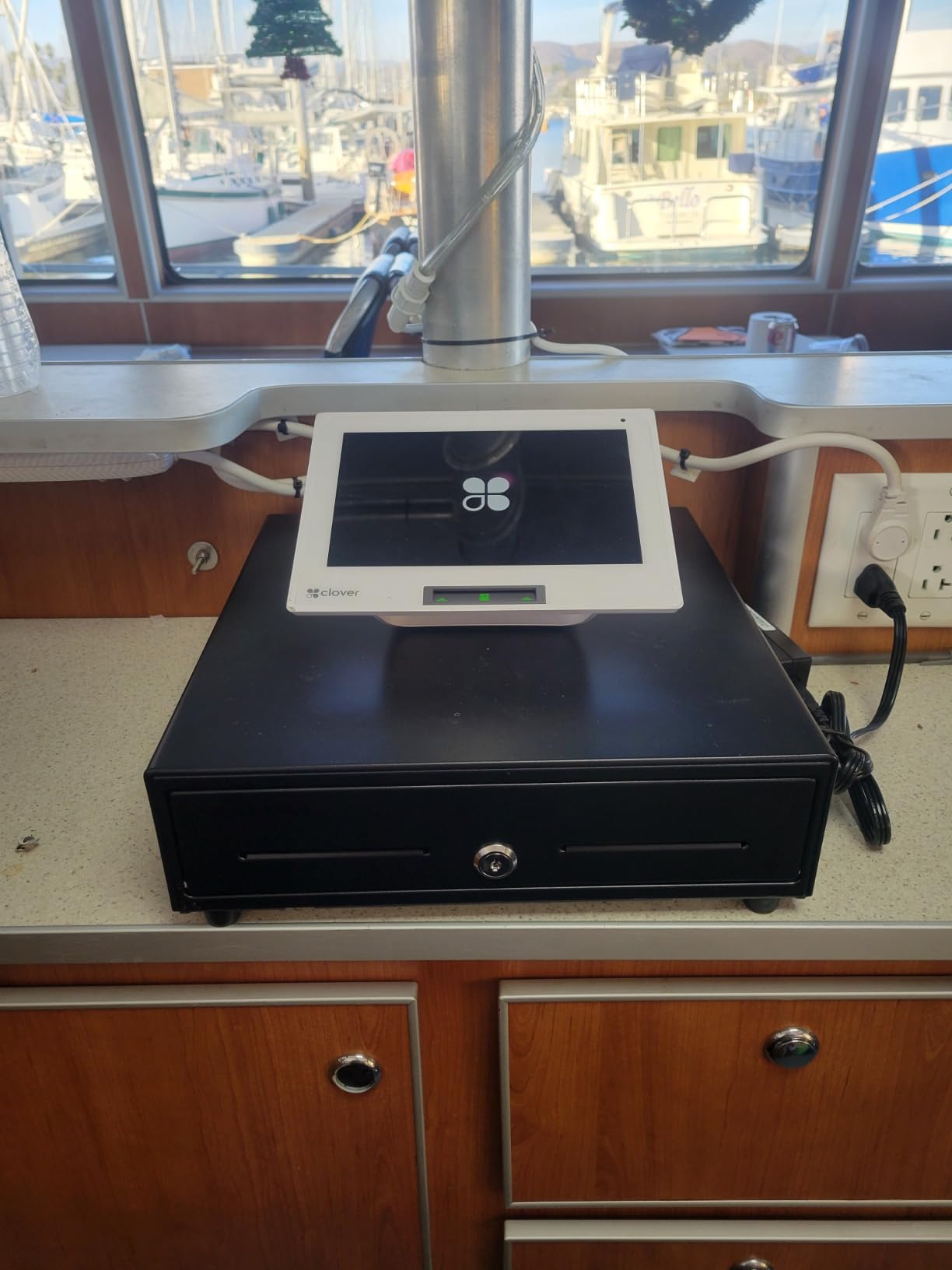
The honest limitation is that this drawer has no independent logic. If the printer is offline, dead or on a network that drops mid-sale, the till stays shut and you are using the key. At 13 inches, the manual override also means the cash sits in a shallower box, so a shift’s worth of notes is easier to see and easier to walk off with. That is a reason to check the safe, not a reason to skip the drawer.
2. Volcora 16 inch Cash Drawer – Full-Size Capacity Without the Commercial Weight
Volcora Cash Register Drawer for Point of Sale POS System with Round Corners 16″, Removable Coin Tray, 5 Bill 8 Coin, 12-24V RJ11/12 Key-Lock Media Slot, Money Drawer for Business, Orange Bar/Black
16 in x 16 in x 4 in round-corner metal body
5 bill slots, 8 coin slots, removable tray
12-24V, RJ11/RJ12 printer-driven
3-position key lock, 6 keys included
Pros
- Full 16 inch capacity in a metal frame
- 5 bill and 8 coin slots
- Round corners and rubber base
- Front media compartment
- Three color options
Cons
- No USB port
- so auto-open needs a printer
- Bill slots reported tight for non-US currency
- Trigger depends on the receipt printer setup
Step up from the 13-inch and you get one more bill slot, three more coin slots and a noticeably larger interior. For a coffee counter that runs a till all day, a boutique that needs to break large bills, or any lane where a thin afternoon float will not cover change, that difference is the entire buying decision.
Square compatibility verdict: yes, and it matches the 13-inch model exactly on wiring. RJ11/RJ12 cable included, 12-24V DC operation, listed compatibility with Star, Citizen, JAY and Bixolon printers, no USB port. If your Square setup already works with a printer-driven drawer, nothing about the move to 16 inches changes the software or the cable.
What you gain physically is capacity and stability. The round-corner housing and non-slip rubber base are small engineering touches that matter on a busy counter, where a squared-off steel body tends to creep when it is pushed open hard. At 5.15 kg, it is heavy enough to stay put and light enough to lift onto a counter for cleaning.
Eight coin slots and what they are for
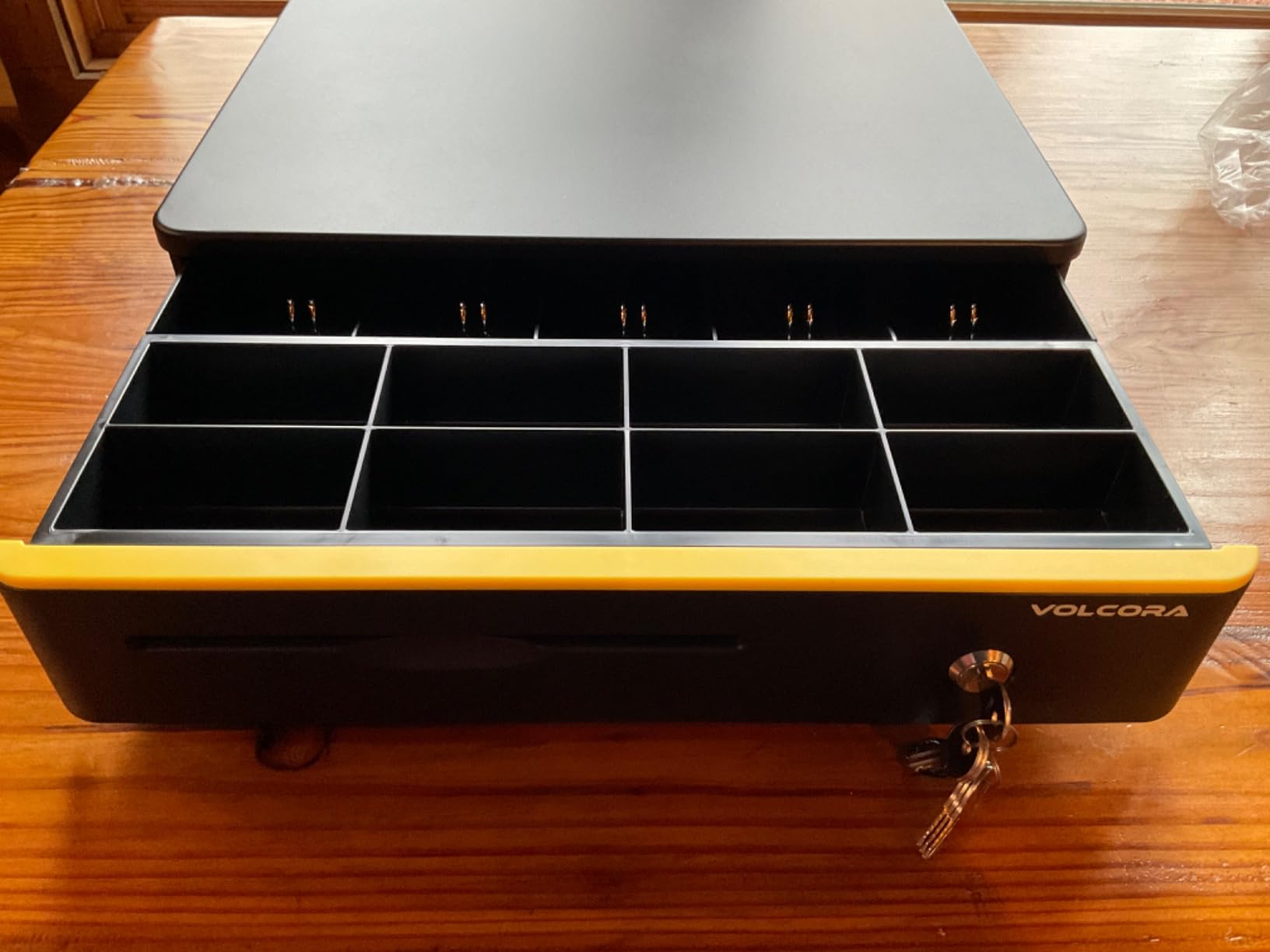
Five bill slots and eight coin slots is the layout most 16-inch drawers settle on, and the eight coin positions are the reason to pay the step up. If you are making change for a cash-heavy lane, more coin positions means fewer coins piled loose in the till and faster recovery when a drawer runs down mid-shift.
The dividers are adjustable, so a lane that handles very little coin can widen its bill channels without a second tray. The same tight-bill-slot note as the 13-inch applies here: owners with larger notes report the fit is snug. Check one note against the slot before you commit to a full float.
Media slot, lock and finish
The front media compartment takes cheques, receipts and folded paperwork without opening the till. The 3-position key lock covers manual open, printer-triggered open and locked, and six keys are included, so you can issue one per shift lead rather than passing a single key around.
Owners describe a smooth finish and a robust feel for a small-business unit. Be aware that the color variants are cosmetic only; the mechanism inside is the same, so pick the one that matches the counter and ignore the rest.
The Square caveat on 16-inch models
Owners of 16-inch drawers report, with some regularity, that the auto-open depends entirely on the receipt printer and POS setup rather than on the drawer. Some buyers find they need a particular printer brand bridging the connection before the pulse arrives reliably. That is a printer question, not a drawer question, and it is the reason to settle your printer first.
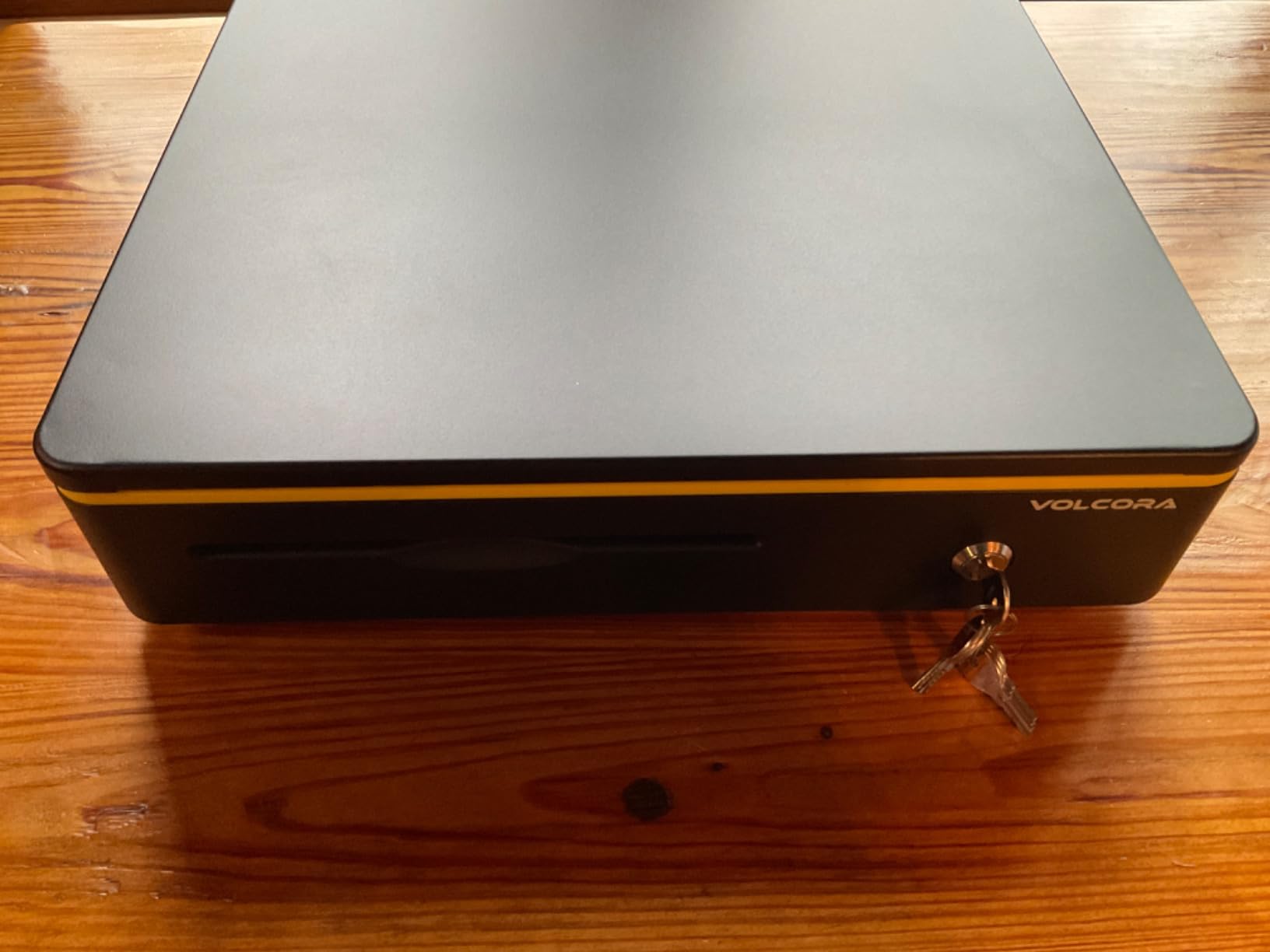
Where the 13-inch wins is footprint. A 16-inch body needs real counter depth, and on a small register counter it can overhang or force the tablet stand further back. Measure the clear space under your counter before choosing this over its smaller sibling.
3. Tera 405R Cash Drawer – The Highest Star Rating in the Group
Tera Cash Register Drawer 16 inch: 5 Bill 8 Coin Media Slot for POS, 405R
16 in x 16 in x 4 in metal body
5 bill slots, 8 coin slots, removable tray
Five spring-loaded steel bill clips
3-position key lock, 6 keys included
Pros
- 4.7 stars
- the highest rating here
- Five steel spring-loaded bill clips
- Full 16 inch capacity
- Six keys for multi-shift access
- Usable countertop or under counter
Cons
- Printer-driven only
- no USB option
- Heavier at about 10.6 lb than 13-inch models
- Auto-open requires a compatible printer
On stars, this is the one. It holds a 4.7 average across 309 ratings, which is the highest figure in this roundup, and the owner commentary backs up the number: reviewers consistently point to capacity, build quality and a straightforward printer-driven setup rather than to any single standout feature.
Square compatibility verdict: yes, through the printer path. An RJ12 cable is included, the connection is printer-driven, and there is no USB option on this unit. The 1024 cubic inch capacity and 5 bill by 8 coin layout make it a natural fit for a Square lane that rings up physical cash all day.
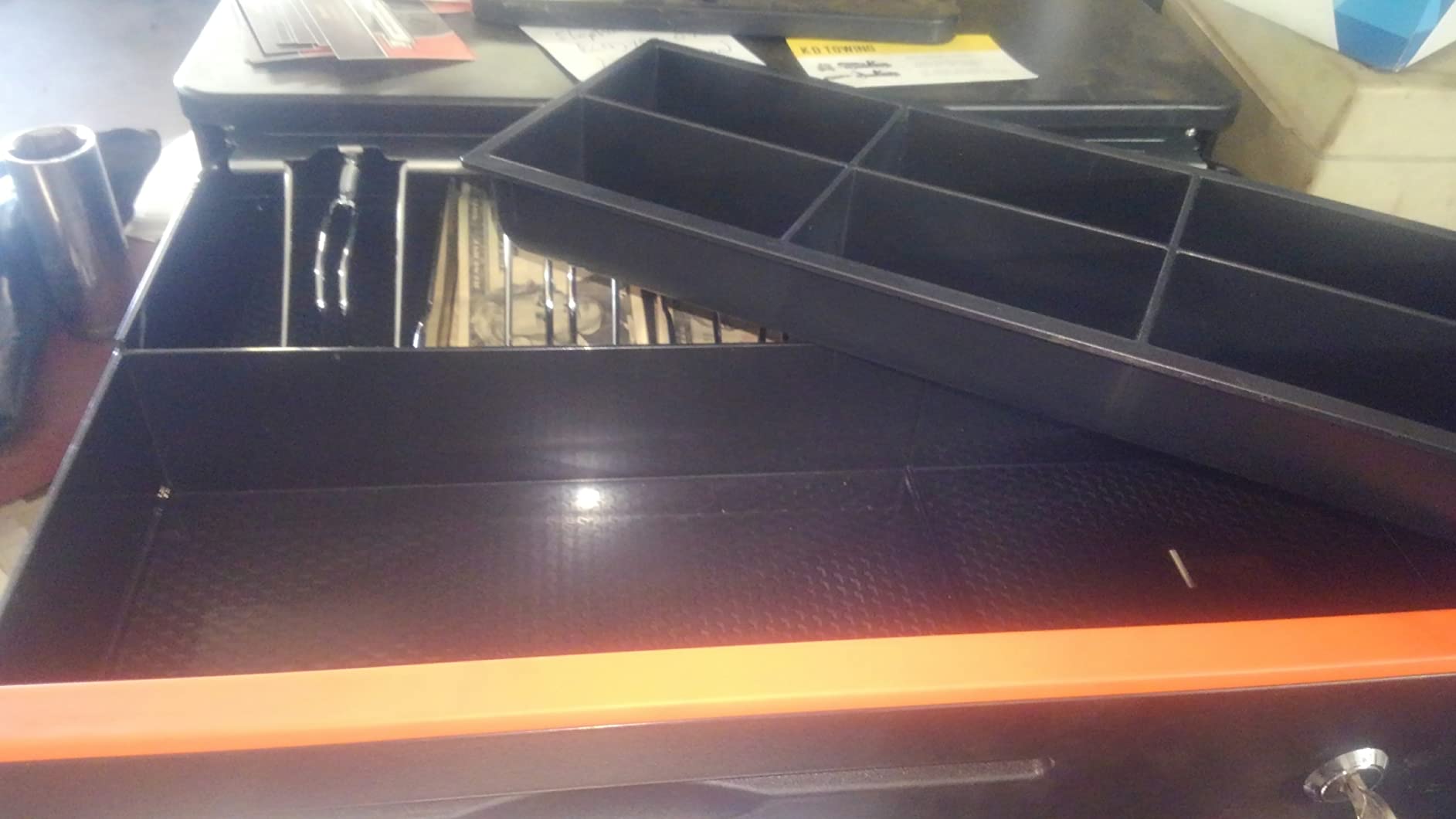
The thing I would point a buyer toward is the bill hardware. Five spring-loaded steel clips are a real upgrade from spring-loaded plastic, and on a till that opens dozens of times an hour, that is where the difference shows up after a year of service.
Build weight and mounting flexibility
At 10.6 pounds, this is a substantial steel body, and that weight is the point rather than a shipping inconvenience. It is specified for countertop or under-counter use, so the same unit works in a retail counter with a bracket and on a folding table at a market stall. One drawer across two locations is a reasonable way to standardise a small operation.
The one-year manufacturer warranty is shorter than several of the picks in this list. That is the normal arrangement for this size of unit, and it is worth knowing if your counter sees heavy volume, because a solenoid is the part most likely to need replacing eventually.
Six keys and multi-shift access
Six keys ship in the box, which is the second detail owners mention most. A drawer with two keys and four staff creates a queue at shift change and an excuse to leave the till unlocked. Six keys lets you give one to each shift lead and keep a spare, without anyone hunting for a key mid-rush.
The 3-position lock handles manual open, printer-triggered open and locked. Note that a 16-inch body needs clear counter depth, and the weight makes it a two-person lift if you plan to move it often.
What arrives in the box
One cash drawer, six keys, one RJ12 cable and a user manual. Nothing else, and no printer, which is the recurring caveat across this entire category. The removable coin tray and the front media compartment for cheques, receipts and large bills are both standard on this model.
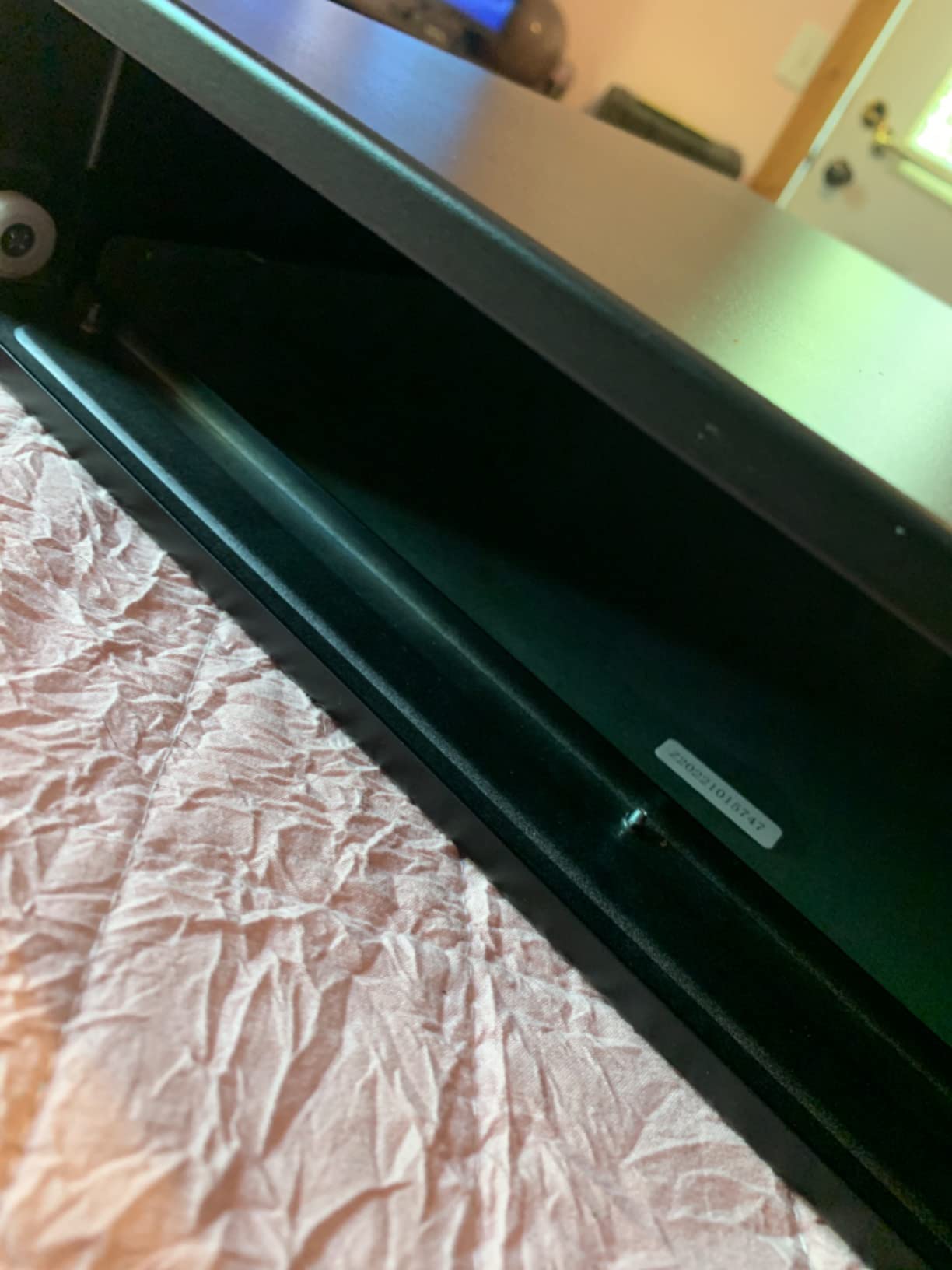
The limitation to weigh is the same one every printer-driven drawer carries: when the printer is down, the till only opens with a key. One pick in this list solves that with an underside emergency switch, and commercial units soften it with a smoother manual release. If your printer history is patchy, read the Beelta section next.
4. Star Micronics CD3-1616 – Commercial Steel for Counters That Never Stop
Star Micronics CD3-1616 5 Bill / 8 Coin Value Series Cash Drawer with 2 Media Slots and Included Cable (16″ x 16″) – Black
Full 16 in x 16 in alloy steel body
5 bill and 8 coin capacity, dual media slots
Printer-driven with bottom exit cable
Front-center key lock, key or electronic release
Pros
- Heavy-duty steel body for volume
- Owners report reliable operation with Square
- Dual media slots for checks and bills
- Cable and keys included
- Alloy steel construction
Cons
- Highest price point in this roundup
- Some units arrive with a misaligned rail that jams
- Reports of units that only open with a key
This is the drawer to buy when the till opens all day, every day. Star Micronics builds for commercial service, and the alloy steel body is the reason the spec sheet is heavier on durability language and thinner on feature count. Owners consistently describe installation as simple and printer-driven opening as reliable, and several of them specifically on Square setups.
Square compatibility verdict: yes, printer-driven, and this is the pick I point at when owners ask which drawer they can trust with a Square register for the long haul. The cable is included and exits from the bottom of the unit. The key detail is that the front-center lock offers a key release or an electronic release, so a failed solenoid does not mean the money is inaccessible.
At 7600 grams, this is not a drawer you slide under a light counter. Plan the bracket before it arrives.
Dual media slots and the front-center lock
Two media slots handle cheques and oversized bills without opening the till, which matters more in a business that still takes cheques than the spec sheet suggests. The front-center key lock is the more important feature, and it is worth understanding the difference: a keyed release means a manager can open the drawer by hand at any time, independent of power or signal.
That single feature is the answer to the fear underneath most drawer questions, which is money trapped in a closed till at closing time. On drawers with only a solenoid, a failure means calling someone with tools.
What reviewers flag, honestly
There is a real minority complaint here and it is not cosmetic. Some units arrive with the internal rail misaligned enough that the drawer jams on its track, and a few owners report a unit that only opens with the key rather than electronically. Both are assembly and component issues, and both are the reason to inspect the drawer the day it arrives rather than at the end of your first busy Saturday.
The other con is simply position. This is the most expensive drawer in the roundup, and the premium buys steel, a lock with two release paths and commercial support, not extra coin slots.
Square setup and cable routing
Wiring is the same path as every other printer-driven unit: cable into the printer’s kick port, drawer placed, printer assigned to the station inside Square. The bottom exit cable route is a genuine install detail on a locked-down counter, because it keeps the connector out of the way of staff and shopping bags.
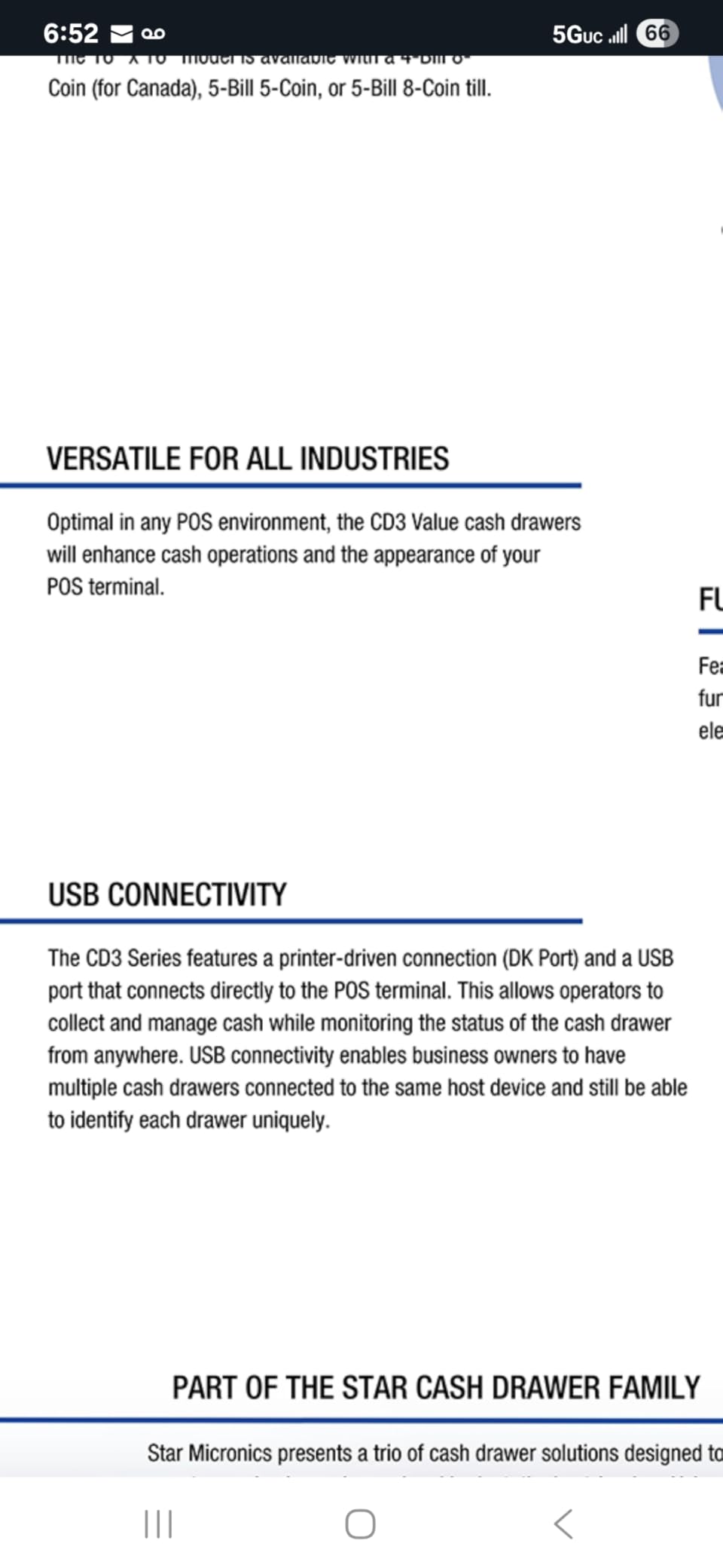
Where this drawer loses to cheaper models is where the reviews are thin. 221 ratings is enough to trust the pattern but not enough to catch a rare hardware fault, and commercial units fail later than budget units because they get used harder. If your counter runs a modest number of cash transactions a day rather than a constant stream, the 16-inch Volcora covers the same ground for less.
5. EOM-POS EOM-100 Drawer – The Longest Warranty With Support Attached
EOM-POS Cash Register Money Drawer, Printer Driven. Compatible with Square
16 in x 16.5 in x 4 in metal body
5 bill slots and 5 coin slots, removable tray
Built-in RJ11/RJ12 cable for printer trigger
Opens manually with included key
Pros
- Two year full warranty
- Built-in cable simplifies connection
- Removable bill and coin tray
- Key access with two keys
- Compatible with Square setups
Cons
- Requires a separate receipt printer for auto-open
- Not a USB drawer
- Heaviest unit here at 16.4 pounds
Warranty length is usually marketing filler, but this one is different. A two year full warranty with lifetime technical support is a longer commitment than most of what you will find in this price range, and for a business owner who intends to keep the same drawer for a decade, the support line matters more than the star rating.
Square compatibility verdict: yes, and the product is built around the printer-driven path with Square setups specifically in mind. The RJ11/RJ12 cable is built in rather than supplied separately, which removes the single most common install mistake in this category. It is not a USB drawer, so the receipt printer has to be part of your Square setup.
Five bill slots and five coin slots is a slightly smaller layout than the eight-coin rivals at the same 16-inch size. For a lane that mostly handles notes with modest change, that is fine.
Warranty and support as a buying criterion
The two-year coverage is the headline here, and it is meaningful because drawer failures are usually solenoid or rail failures, not cosmetic wear. Lifetime technical support means the person who answers the phone has seen the model before. Most of the other picks in this category offer neither.
That is the argument for this drawer over the 16-inch Volcora: same family of hardware, same printer path, but a documented repair commitment behind it.
Weight, size and the mounting question
At 16.4 pounds and 16 by 16.5 by 4 inches, this is one of the heavier and the widest units in the roundup. That weight is a security benefit on a public counter, since a full drawer is not casually lifted, and an install burden if you need to move it. The frame is metal throughout, with a removable bill and coin tray for nightly counts.
Only two keys are included, which is thin for a multi-shift shop. Budget for a duplicate cylinder or a second set of keys.
Where it fits against the other 16-inch units
Against the Star CD3-1616, the warranty is longer and the coin capacity is lower. Against the Volcora 16, the warranty is a full year longer and the cable is integrated. Against the Tera 405R, the star rating is the same and the key count is a third of what ships in that box.
Owners rate it around 4.6 stars, with the recurring note that it is not a USB drawer and needs a compatible printer sold separately. If a business plans to add a second lane later, the standardisation is worth more than the coin slots.
6. Beelta BK1616C Drawer – An Emergency Release When the Signal Dies
Beelta 16″ Heavy Duty Cash Drawer for POS System – Fully Removable Tray, 5 Bill/5 Coin with Micro Switch & Emergency Switch – RJ11/12 Compatible with Square, Clover, Epson Printers BK1616C
16.1 in x 16.5 in x 3.9 in heavy-duty steel
5 bill with stainless clips, 5 removable coin
Underneath emergency manual-open switch
3-position key lock, 6 keys included
Pros
- Underside emergency switch for power loss
- Fully removable insert tray
- Stainless steel bill clips
- Reinforced steel frame
- Non-slip rubber feet
Cons
- Reports of units sticking within weeks
- Open action less crisp than premium drawers
- Only 5 coin compartments
Every other printer-driven drawer in this roundup has the same failure story: the printer is offline at closing, the solenoid does not fire, and the cash stays put until someone finds the key. This one adds a manual-open switch on the bottom of the chassis, so a power cut does not turn into a locked till. That single feature is the reason to buy this drawer over its equally capable rivals.
Square compatibility verdict: yes, and the manufacturer names Square, Clover, Toast, Epson, Star and Bixolon printers for the included RJ11/RJ12 cable. The connection is printer-driven, so the Square hardware itself never addresses the drawer. The cable ships in the box, which matters more here than usual because the emergency switch does nothing if the trigger path is wrong.
Five bill slots with stainless steel clips and five removable coin compartments give a clean, even layout for a 16-inch body that measures 16.1 by 16.5 by 3.9 inches.
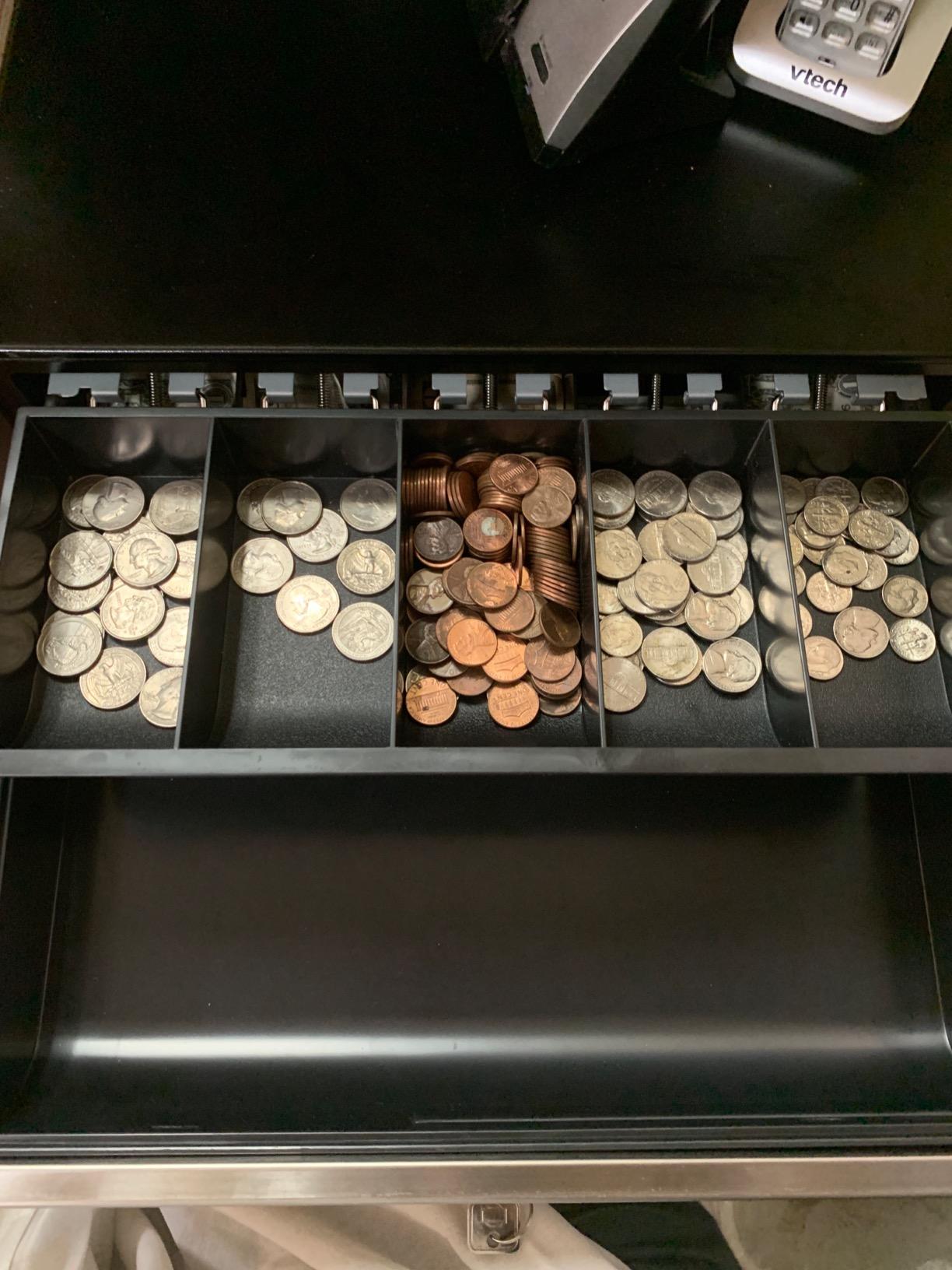
Emergency switch and the power-out scenario
The switch on the underside of the drawer releases the latch mechanically. On a counter that runs on battery or a small UPS, or on a market stall where power is unreliable, that turns an emergency into a two-minute inconvenience instead of a locked till and a panicked phone call. Owners consistently single this out as the reason they bought the drawer.
The 3-position key lock still provides manual open, printer-triggered open and locked, with six keys included. The emergency switch sits below that, as a fallback for when even the lock cylinder is not the answer.
Fully removable tray for cleaning and counting
The insert tray lifts out completely, which is the easiest way I have found to count a shift’s cash without fighting dividers on a counter. It also makes the weekly clean genuinely quick, since the tray is the part that collects sticky change, spilled syrup and receipt debris. Non-slip rubber feet keep the body from sliding when it is pushed open hard.
Stainless steel clips and a reinforced steel frame are the durable details here, and they are what you are really paying the step up over a basic 16-inch body for.
Where the durability reports split
Being honest about the weakness: at 73 ratings this is among the thinnest evidence bases of the 16-inch picks here, and a minority of owners report units that began sticking or breaking within a short period of use. One reviewer notes the open action lacks the spring of a premium drawer. That is a real pattern in the budget tier, and it is the main reason this is not the top pick despite the emergency switch being a better idea than anything else here.
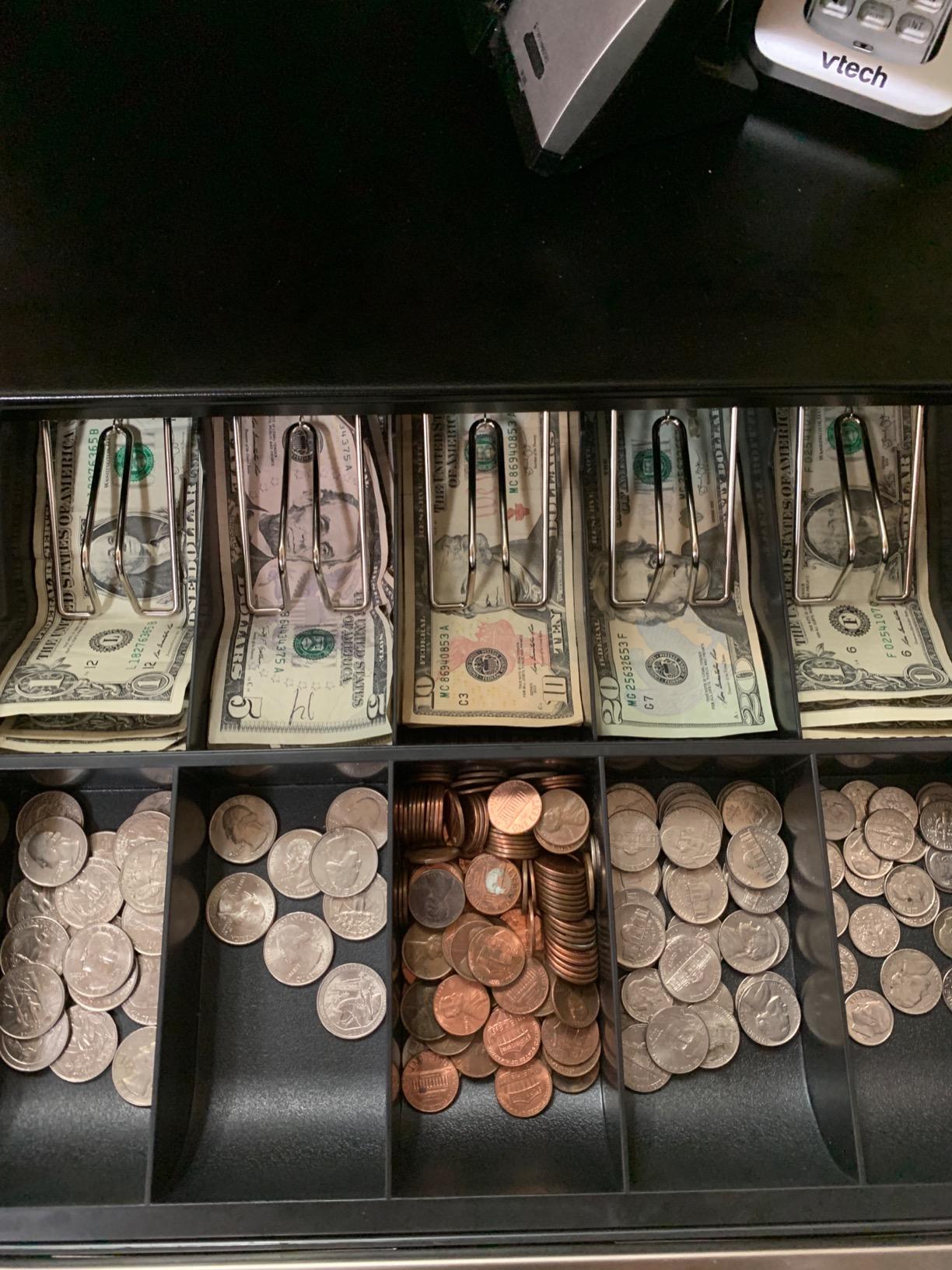
Verdict: if your power is reliable and your printer is modern, take the Tera or the Volcora. If your counter is a stall, a kiosk or a shop with a flaky circuit, the emergency switch is worth more than the durability margin you give up.
7. Star Micronics CD4-1616 – When the Terminal Sits on Top of the Drawer
Star Micronics CD4-1616 5 Bill / 5 Coin Choice Series Cash Drawer with 2 Media Slots and Included Cable (16″ x 16″) – Black
16 in x 16 in stainless steel body
5 bill and 5 coin, dual media slots
Reinforced top rated to carry a terminal
3 year manufacturer warranty, 1 million cycles
Pros
- Reinforced top supports a terminal or tablet
- Cycle-tested past 1 million openings
- Three year manufacturer warranty
- Foldable hinged key resists snapping
- Dual media slots
Cons
- Only 5 coin slots against 8 on rivals
- Small 45-rating review base
- Printer-driven
- needs a compatible printer
This is the pick for a specific Square layout: a Terminal or Register sitting directly on top of the drawer rather than on a separate stand. The reinforced top is rated to carry that weight, and the unit is stainless steel. Most other drawers in this roundup are painted steel and are not specified for a device on top.
Square compatibility verdict: yes, through the printer. Standard printer-driven communication with a bottom exit cable included, dual media slots, and a foldable hinged key for the drawer and till. The 16 by 16 inch footprint and 8 pound weight make it a stable base for a counter-mounted terminal.
Five bill and five coin is the trade-off. Against an eight-coin layout you give up three coin positions in exchange for a top that is built to hold hardware.
The reinforced top and the one million cycle rating
Cycle-tested to over 1 million openings is a laboratory figure, not a promise about your shop, and I would not present it as one. It does tell you the manufacturer built this for a long service life, and the reinforced top is a structural decision rather than a cosmetic one.
For a lane where the Square Terminal is mounted directly on the drawer, that top is the reason this model earns a place in this roundup. On a lane with a separate stand, it is a nice-to-have.
Lock, keys and warranty
The foldable hinged key is a small, thoughtful detail. A fixed key snapped in a cylinder is a common and entirely avoidable failure, and a foldable key changes the angle before it snaps. Key control is standard, and the three-year manufacturer warranty is the longest listed warranty among these eight drawers.
With only 5 bill and 5 coin slots, a high-change lane will fill the coin section faster and need more frequent swapping. The dual media slots for checks and large bills are a genuine plus.
The thin evidence problem
Forty-five ratings is the smallest review base here, which means long-term field data is limited. What that means practically is that the specification claims are well sourced and the failure history is not well documented. On a durable commercial unit that is a lower risk than on a budget unit, but it is a real gap.
Printer-driven connection with a bottom exit cable included, and the cable routing keeps the connector clear of staff traffic on a public counter. Buy this one when the terminal sits on top; buy the CD3-1616 when the drawer is mounted under the counter.
8. Bematech CD415 – All-Metal Construction With Adjustable Coin Compartments
Bematech CD415 Economy Cash Drawer, Hardwired RJ12, Compatible with Epson or Star Printers, 16″ x 16″ x 4.5″, Black
16.1 in x 16.3 in x 4.4 in all-metal body
Hardwired RJ12 printer-driven connection
Three-position lock, adjustable coin compartments
Media slots and rubber feet
Pros
- All-metal construction throughout
- Three-position lock for cash security
- Adjustable coin compartments
- Hardwired RJ12 for Epson and Star
- Rubber feet stop the body sliding
Cons
- Printer-driven only
- no electronic or USB trigger
- Heaviest unit here at 15.8 pounds
- Only 41 ratings of owner feedback
The Bematech CD415 rounds out the list as the plainest all-metal option in the category. No removable tray gimmicks, no colour variants, no third-party branding; a steel body, adjustable coin compartments and a hardwired RJ12 cable. At 15.8 pounds, it is among the heavier units here and it feels like it, which on a public counter is a feature.
Square compatibility verdict: yes, through a compatible receipt printer. The RJ12 is hardwired rather than a detachable pigtail, so you cannot unplug this drawer by accident, and the manufacturer lists Epson and Star among the supported printer brands. There is no USB and no electronic trigger, so the Square hardware must reach it through the printer.
Three-position lock, adjustable coin compartments, media slots and rubber feet to prevent sliding cover the security and stability basics properly.
Why hardwired matters on a busy counter
A detachable cable is convenient for transport and a liability in service. On a counter where staff reach behind the unit, plug a bag or a knee and a detachable cable can be pulled free without anyone noticing. A hardwired RJ12 removes that failure entirely, at the cost of never being able to move the drawer without tools.
Rubber feet and a 16.1 by 16.3 by 4.4 inch footprint give a stable base, and the all-metal build is the reason this drawer is listed as a commercial unit rather than a light-duty one.
Adjustable coin compartments and what the layout costs you
Adjustable coin compartments are the feature that separates this from a fixed-divider body, and they matter at a counter that handles a mix of currencies or unusual denominations. Adjust one divider to take a wider coin or a folded bill and the rest of the tray still works.
Capacity is 5 bill and 5 coin. That is below the eight-coin layouts of the Volcora 16 and the Tera 405R, and it is the main functional compromise. A coffee counter that needs pennies and dimes alongside quarters will find the coin section tight by mid-afternoon.
Honest limits of this pick
Two things to weigh. First, the review base is 41 ratings, so owner feedback is thin and a rare hardware fault would not yet show up in the pattern. Second, printer-driven only with no electronic or USB trigger means the manual key is the only fallback, so this pairs badly with an unreliable printer.
Where it earns its place is durability and simplicity. If you want a steel box that will sit on a counter for years without configuration changes, this is the honest version of that, and the three-position lock keeps the cash covered.
How to Connect and Enable a Cash Drawer in Square POS
Hardware first, software second. Almost every Square drawer problem people post about is a hardware or settings-order problem, not a compatibility problem. Work through these steps in order.
1. Decide your trigger before you buy. If your Square setup already has a receipt printer, buy a printer-driven drawer with the matching cable, usually RJ11 or RJ12. If you have a Square Register with no printer, either choose a direct USB drawer or add a printer and use the printer path. If you have a Terminal, route through the Hub.
2. Power off and place the drawer. Unplug the printer before connecting anything. Under-counter models need a bracket fastened to the underside of the counter, and once that bracket is bolted down it is not a quick move, so decide the position before you drill.
3. Connect the cable to the kick port. Find the RJ11 or RJ12 jack on the back of the receipt printer, not the port on the Square hardware’s charger cable, and connect the drawer’s cable there. The cable should exit at the bottom of the drawer so the connector is not in the way.
4. Turn the lock to the automatic position. The 3-position key lock has manual open, automatic open and locked. For normal trading you want the printer-triggered position. This is the single most common cause of a drawer that never moves.
5. Enable the drawer in Square. In Square POS, go to Settings, then Hardware, then Cash Drawers. Add the drawer, select the connection type, and link it to the station printer you just wired.
6. Test the open before you take a real payment. Use the printer self-test or the Open Cash Drawer command in the same settings screen. A test open on an empty drawer confirms the whole path, which a real cash sale does not.
7. Restrict manual opens to managers. Set the drawer to manager-permission for manual opening, so a staff member cannot pop the till between transactions without it appearing in the activity log. On a Square lane this is the difference between a controlled till and an unmanaged one.
Square also publishes an official cash drawer compatibility list on its own hardware pages, and checking your model against it before you buy is a five-minute step that removes most of the guesswork. If a listing only says it works with POS systems, that is not a compatibility claim for Square.
What to Look for in a Cash Drawer Before You Buy
Most buyers shop by size first and end up with the wrong trigger type. Work through these five criteria in this order, and the model choice usually makes itself.
Trigger type: printer-driven, direct USB or manual
This is the criterion that decides compatibility, so it goes first. A printer-driven drawer is the right answer for nearly every small Square counter and it is the path all eight of our picks use. A direct USB drawer is cleaner because the hardware sends the pulse, but it is a smaller category with less clear listing language. A manual push-open box needs no signal at all, and it is the honest answer for a card-heavy stall or a kiosk with no printer, though staff left to push it open will leave it open between sales, which creates a cash-handling problem instead of solving one.
13 inch versus 16 inch: match size to coin volume
A 13-inch body suits a small counter, a salon desk and a stall that breaks a few notes a day. A 16-inch body suits a coffee counter, a retail boutique and any lane that needs change through a long shift. The deciding factor is not counter width, it is how much cash you need to hold open at once and how often a customer asks for change. If your till runs out of coin twice a week, the eight-coin layouts earn their step up immediately.
Solenoid, micro-switch and manual override
The solenoid is the electric coil that releases the latch, and it is the single most common failure point in this category. A cash drawer is a metal box with a spring and a solenoid, and the solenoid is what eventually stops working. Buy for the fallback: a key that opens the drawer regardless of power, an underside emergency switch, or a lock with both a keyed and an electronic release. A micro-switch reports the drawer state back to the POS, which lets your software know when a till is open, and that is worth having if you reconcile cash at shift change.
Lock positions and cash handling
Look for a 3-position key lock covering manual open, automatic open and locked, and count the keys. Two keys in a shop with three shifts is a queue and a security problem. Six keys lets you issue one per shift lead. Set manager-only permissions for manual opens inside Square, label coin trays by shift, and keep the drawer float lower than the day’s takings.
Under-counter mounting versus countertop
Under-counter mounting keeps the cash out of sight and stops staff pulling a full drawer out over the floor, which is both a security and a stability improvement. It is harder to install than it looks, and the bracket is not a quick move once fastened. Countertop units with rubber feet are the flexible option, and they let you take the drawer to a market stall or a pop-up if you ever need to. Check that the counter has clear depth for a 16-inch body before committing.
When the Drawer Won’t Open: Causes and Fixes
A drawer that will not open is almost always one of six things. Work down this list in order rather than swapping hardware.
1. The lock is in the wrong position. The 3-position key lock must be in the printer-triggered setting during trading. In the manual or locked position, no signal from the printer will do anything. This is the most common cause by a wide margin.
2. The cable is in the wrong port. The drawer’s RJ11 or RJ12 goes in the kick port on the back of the receipt printer. It does not go in the RJ11 connector on the Square Register’s charger cable, and a phone cable is the wrong pinout. Owners on r/POS and r/SquarePOS_Users report this confusion more than any other, and a drawer bought for that charger port will never fire.
3. The cable is not seated. RJ connectors walk out of a jack when a drawer is pushed in and out hundreds of times a day. Push it home until it clicks, and check the strain relief at the drawer end where the cable exits underneath.
4. The printer is not assigned in Square. Go to Settings, then Hardware, then Cash Drawers, and confirm the drawer is linked to the station printer you are actually using. A printer replaced with a new unit loses its assignment and the drawer stops responding with no physical fault at all.
5. The printer is not printing. Printer-driven drawers fire off the printer’s open pulse. If paper runs out, the printer is offline, or a network drops, no pulse goes out. A Square-lane owner on r/SquarePOS_Users reported a drawer that simply would not open when connected through Square, and the pattern is the same: the path works when the printer is talking.
6. The solenoid has failed. If the cable is seated, the lock is in the automatic position and the printer is printing, then the coil is the suspect. Some of the picks here include an emergency switch on the underside of the chassis for exactly this; otherwise the key opens the drawer manually. If the drawer will not open with the key either, the rail may be jammed, which on a new unit is a warranty matter and on an old unit means a replacement drawer rather than a repair.
Two habits prevent most of this. Test the open with an empty drawer through the printer self-test every time you change a cable, and keep one spare interface cable in the drawer, because the cable fails more often than the drawer.
Frequently Asked Questions
What cash drawers work with Square?
Any printer-driven cash drawer with an RJ11 or RJ12 kick port works with Square as long as a Square-compatible receipt printer is connected to the same station, because the printer sends the open pulse rather than the Square hardware. Direct USB drawers also work when plugged into a Square Register’s USB port or into a Terminal through the Hub. An RJ11 connector on a listing does not by itself mean Square compatibility. All eight drawers in our roundup are printer-driven and work with Square through a connected receipt printer.
How do I connect a cash drawer to a Square register?
Connect the drawer’s RJ11 or RJ12 cable to the kick port on the back of your receipt printer, not to the RJ11 connector on the Square Register’s charger cable. Turn the 3-position key lock to the automatic setting. In Square POS go to Settings, then Hardware, then Cash Drawers, add the drawer and link it to the station printer. Test with the printer self-test or the Open Cash Drawer command before taking a real payment, and set manual opens to manager-only permission.
Will a Volcora cash drawer work with Square?
Yes. Both Volcora drawers in our roundup are printer-driven with an included RJ11/RJ12 cable, 12-24V DC operation and listed compatibility with Star, Citizen, JAY and Bixolon receipt printers. Neither has a USB port, so the Square hardware never opens the drawer directly; a compatible receipt printer has to be part of the setup. Owners using these drawers on Square setups report reliable auto-open, with the usual caveat that the bill slots feel tight for larger or non-US notes.
Why won’t my Square cash drawer open?
Six causes account for almost every case. The key lock is in the manual or locked position instead of the printer-triggered setting. The cable is plugged into the wrong port, such as the RJ11 connector on the Square hardware’s charger cable rather than the printer’s kick port. The RJ connector has walked loose. The printer is not assigned to the drawer in Settings, then Hardware, then Cash Drawers. The printer is offline or has run out of paper, so no open pulse is sent. Or the solenoid has failed, in which case the key opens the drawer manually or an underside emergency switch releases it.
Do cash register drawers need a receipt printer to open?
Printer-driven drawers do, because the printer’s kick port is what sends the open pulse to the drawer. Direct USB drawers do not, since the Square Register or a Terminal through the Hub sends the pulse itself. A manual push-open drawer never needs any of it, but staff tend to leave it open between sales, which creates a cash-handling problem rather than solving one. If you have no printer at all, use mPOP, which has a drawer built into the printer base.
Is a manual cash drawer better than an electronic one?
Neither is better in general, it depends on your lane. A manual push-open box suits a card-heavy stall or a kiosk with no printer, and it costs nothing to maintain. An electronic printer-driven drawer suits any counter that rings up physical cash all day, because the open is automatic, the till can be locked, and the cash is out of sight between transactions. A flip-top manual box is also the right choice when your cash volume is genuinely low and a solenoid failure would be an inconvenience rather than a closing-time problem.
What is the difference between a 13 inch and 16 inch cash drawer?
Size, capacity and how much cash you can hold open at once. A 13-inch body typically carries 4 bill slots and 5 coin slots in a footprint that slides under a small counter, which suits a salon, a market stall or a low-volume coffee counter. A 16-inch body typically carries 5 bill slots and 8 coin slots with a larger interior, which suits busy retail and food service where change runs out mid-shift. Measure clear counter depth first, because a 16-inch body does not fit every register counter.
Do I need a fireproof safe as well as a cash drawer?
Yes. A cash drawer is a till for the cash in use during trading, and it holds more money than most owners intend to leave in it overnight. Keep the float to roughly the amount you can cover from your till if the drawer is lost, hold the rest in a lockable safe or safe-deposit arrangement, and move the takings at the end of every shift. Setting the drawer to manager-only manual open inside Square and using a three-position key lock limits access between transactions.
Which Cash Drawer to Buy for Your Square Setup
Start with the Volcora 13 inch. It has the largest owner base of the eight, the most compact footprint, six keys and a metal frame, and it is the version of printer-driven Square compatibility that the most people have already made work. If your coin volume is heavier, take the Volcora 16 inch for five bill and eight coin slots, or the Tera 405R for the highest star rating and spring-loaded steel clips.
If you want the best cash drawers for Square registers in a commercial sense, the Star Micronics CD3-1616 is the steel body that survives daily volume and the lock with both a keyed and an electronic release. If your power or printer is unreliable, the Beelta BK1616C has an underside emergency switch that no other pick here offers. If the terminal sits on top of the drawer, the CD4-1616 has a reinforced top rated for it. If you want the longest warranty of the eight, the EOM-POS EOM-100 carries two full years plus lifetime technical support.
Settle the trigger type before you spend anything, wire the cable to the printer’s kick port and not to the Square hardware’s charger port, test the open on an empty drawer, and set manual opens to manager-only. That sequence is the whole difference between a till that works every day and one that stays shut.