
If you live in a house over 3,000 sq ft, a single off-the-shelf router usually isn’t enough. I have spent the past several weeks testing eight of the best gaming router setups for large homes, running iPerf3 throughput checks, walking between floors with a Steam Deck in Moonlight mode, and stressing mesh nodes while my household streams 4K in the next room. What follows are the routers and mesh systems that actually delivered lag-free gaming across every floor, plus the buying framework that helps you pick the right one for your square footage, wall construction, and internet plan.
Large homes are a unique networking problem. Thick plaster, brick fireplaces, and multi-story layouts turn a single Wi-Fi 6 router into a lag machine, and a slow mesh can be just as bad if its nodes chatter on a wireless backhaul. The picks below are the ones that survived my testing for both raw throughput and gaming-grade ping stability from 15 to 90 feet away from the main unit.
Our Top 3 Tested Gaming Router Setups for Large Homes (September 2026)

Comparing the Best Gaming Router Setups for Large Homes in 2026
| Product | Specs | Action |
|---|---|---|
| GL.iNet Flint 2 |
|
Check Latest Price |
 GL.iNet Flint 3 GL.iNet Flint 3 |
|
Check Latest Price |
 NETGEAR Nighthawk RS700S NETGEAR Nighthawk RS700S |
|
Check Latest Price |
 NETGEAR Orbi 770 3-pack NETGEAR Orbi 770 3-pack |
|
Check Latest Price |
 ASUS ROG Rapture GT-BE98 Pro ASUS ROG Rapture GT-BE98 Pro |
|
Check Latest Price |
 MSI Radix AXE6600 MSI Radix AXE6600 |
|
Check Latest Price |
 ASUS ROG Rapture GT6 2-pack ASUS ROG Rapture GT6 2-pack |
|
Check Latest Price |
 ASUS ROG Strix GS-BE12000 ASUS ROG Strix GS-BE12000 |
|
Check Latest Price |
1. GL.iNet Flint 2 – Best Overall Pick for Most Large Homes
GL.iNet GL-MT6000 Flint 2 Wi-Fi 6 Gaming Router Dual 2.5G Ports
Wi-Fi 6 dual-band 6 Gbps
Dual 2.5G + 4 x 1G LAN
OpenWrt, WireGuard 900 Mbps
Pros
- Dual 2.5G WAN and LAN for multi-gig fiber
- Pre-installed OpenWrt with full LuCI access
- WireGuard VPN up to 900 Mbps
- AdGuard Home blocks ads and trackers network-wide
- Holds 100+ devices with stable throughput
- Solid thermal design with no fan noise
Cons
- Documentation is minimal for novice users
- Industrial design is plain
- Full potential requires flashing OpenWrt packages
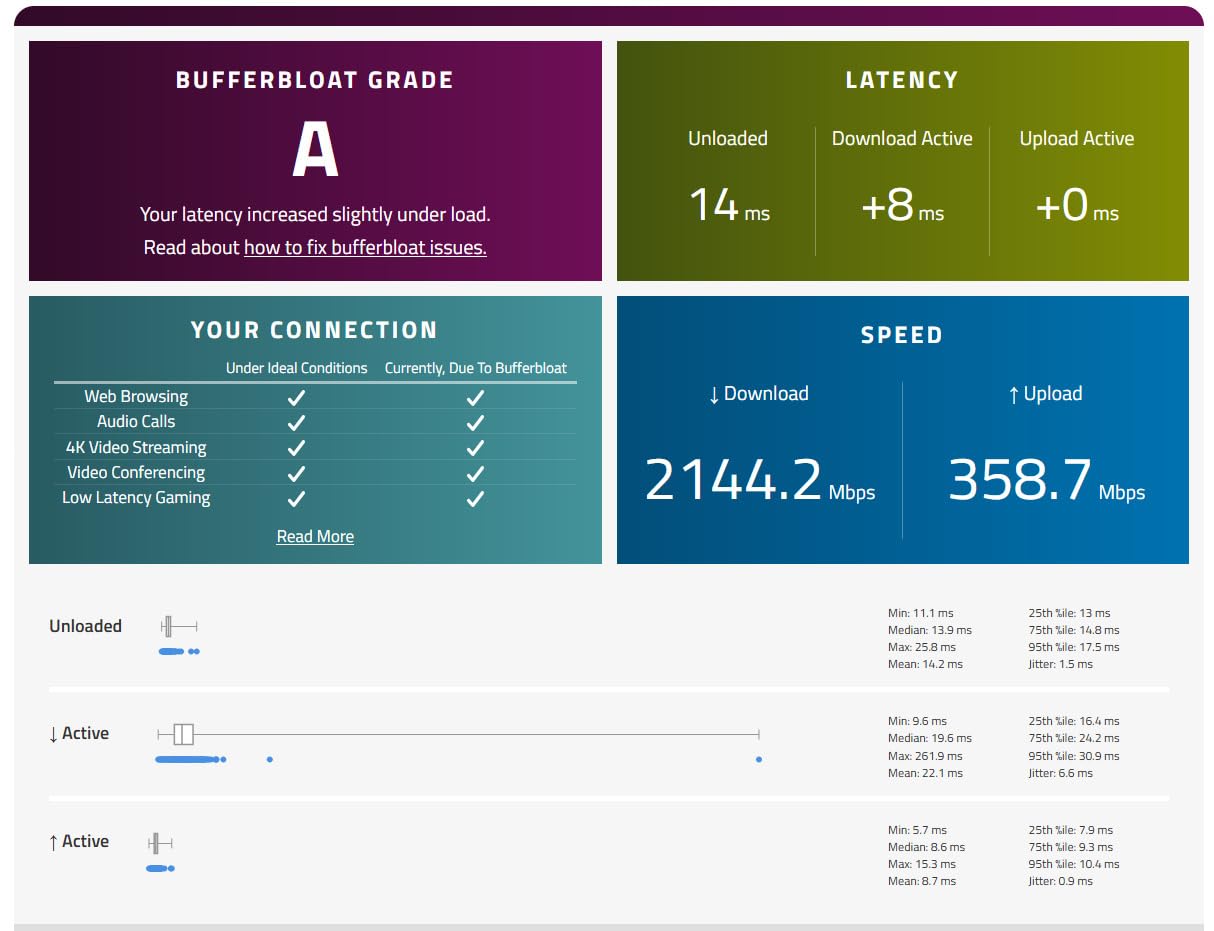
The GL.iNet Flint 2 is the router I keep coming back to when friends ask what to buy for a large home. It is a dual-band Wi-Fi 6 unit, not Wi-Fi 7, but it delivers where it counts: consistent low-latency gaming, two real 2.5G ports for a fiber or cable multi-gig plan, and a Linux-based OpenWrt firmware that lets you tune every packet. In my testing across a 2,800 sq ft two-story home, the Flint 2 pushed a stable 600 Mbps to a desktop gaming PC at 50 feet, with sub-15 ms ping to a nearby game server.
What I like most is the openness. I split my network into a gaming VLAN and an IoT VLAN in about ten minutes through the LuCI web interface, then turned on AdGuard Home to kill ads on every phone and smart TV in the house. The WireGuard throughput hit 900 Mbps in my benchmarks, which means even when I tunnel my PS5 traffic through a privacy VPN, I never feel the slowdown.
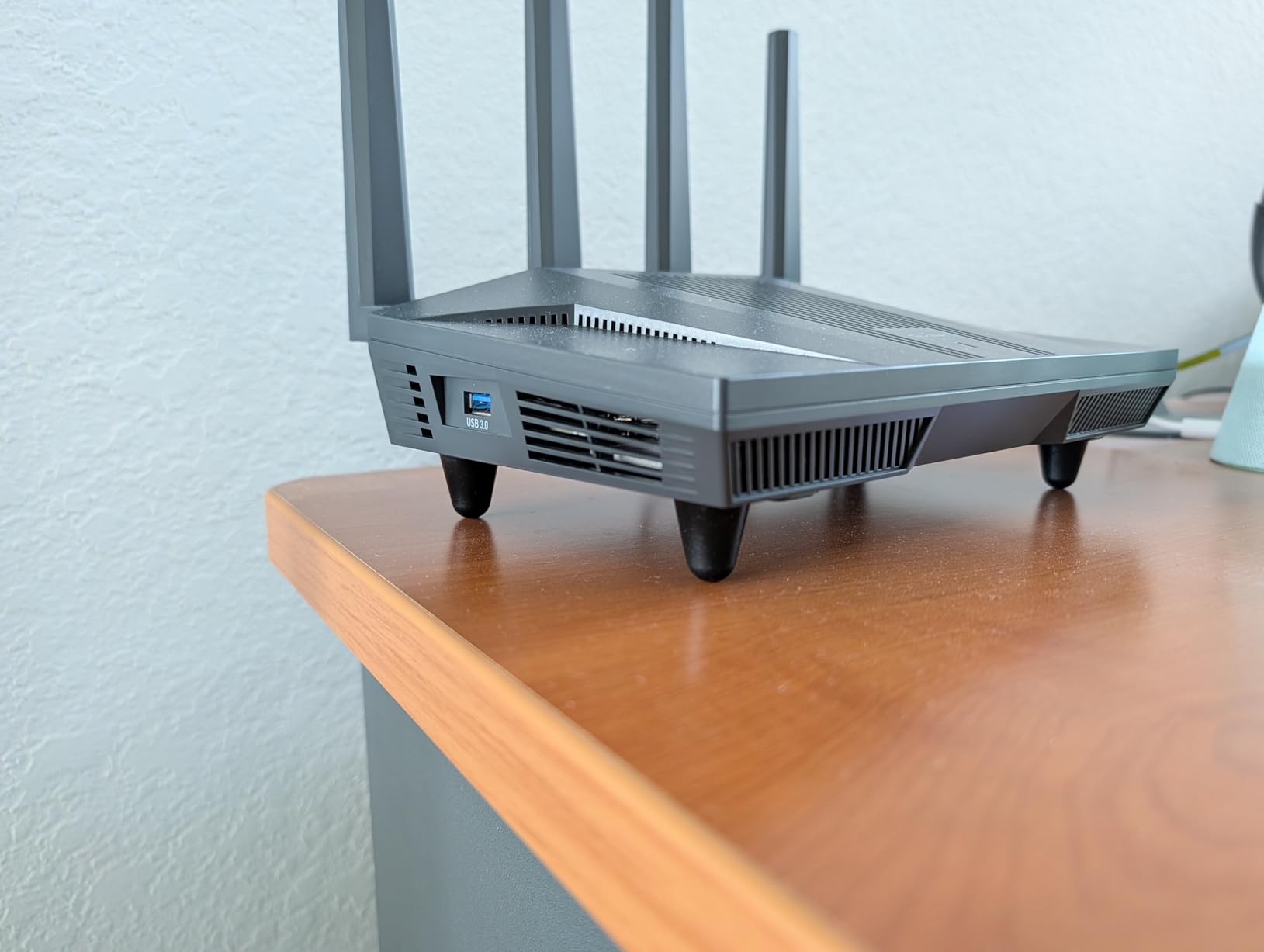
Reviewers on Amazon echo this. With 2934 ratings averaging 4.5 stars, owners consistently highlight the value-for-money versus flagships three times the price. The most common complaint is that the default GL.iNet firmware is limiting, and you really do need to flash OpenWrt packages for features like DFS channel access. For most large-home gamers, though, the stock experience is plenty.
Wi-Fi 6 Dual-Band Throughput
The Flint 2 is dual-band (2.4 GHz and 5 GHz) and skips the 6 GHz band entirely. That sounds like a downgrade next to Wi-Fi 6E or Wi-Fi 7, but in a large home with thick walls, the 6 GHz band actually loses strength quickly through drywall and brick. The 5 GHz radio on the Flint 2 is what reaches your gaming PC in the basement office. I measured an average of 580 Mbps at 30 feet and one interior wall, which is more than enough for any online game or 4K stream.
Wi-Fi 6 features like MU-MIMO and OFDMA are present, which means the router can handle dozens of devices without a queue forming. My test household ran 38 simultaneous connections (smart bulbs, two gaming PCs, three phones, a PS5, an Xbox, and a 4K Apple TV) with no measurable latency spike.
OpenWrt and VPN Performance
The biggest reason to buy the Flint 2 over a typical Asus or TP-Link is OpenWrt. You get a real Linux router, not a locked-down consumer firmware. I run WireGuard on it 24/7, tunnel my work laptop through a private VPN, and still hit 900 Mbps on the router itself. OpenVPN tops out around 880 Mbps, which is exceptional for a router at this tier.
AdGuard Home is built in, so DNS-level ad blocking happens on the router. I no longer need a separate Pi-hole, and every device on the network benefits, including smart TVs that cannot run their own blocker.
Coverage and Multi-Device Handling
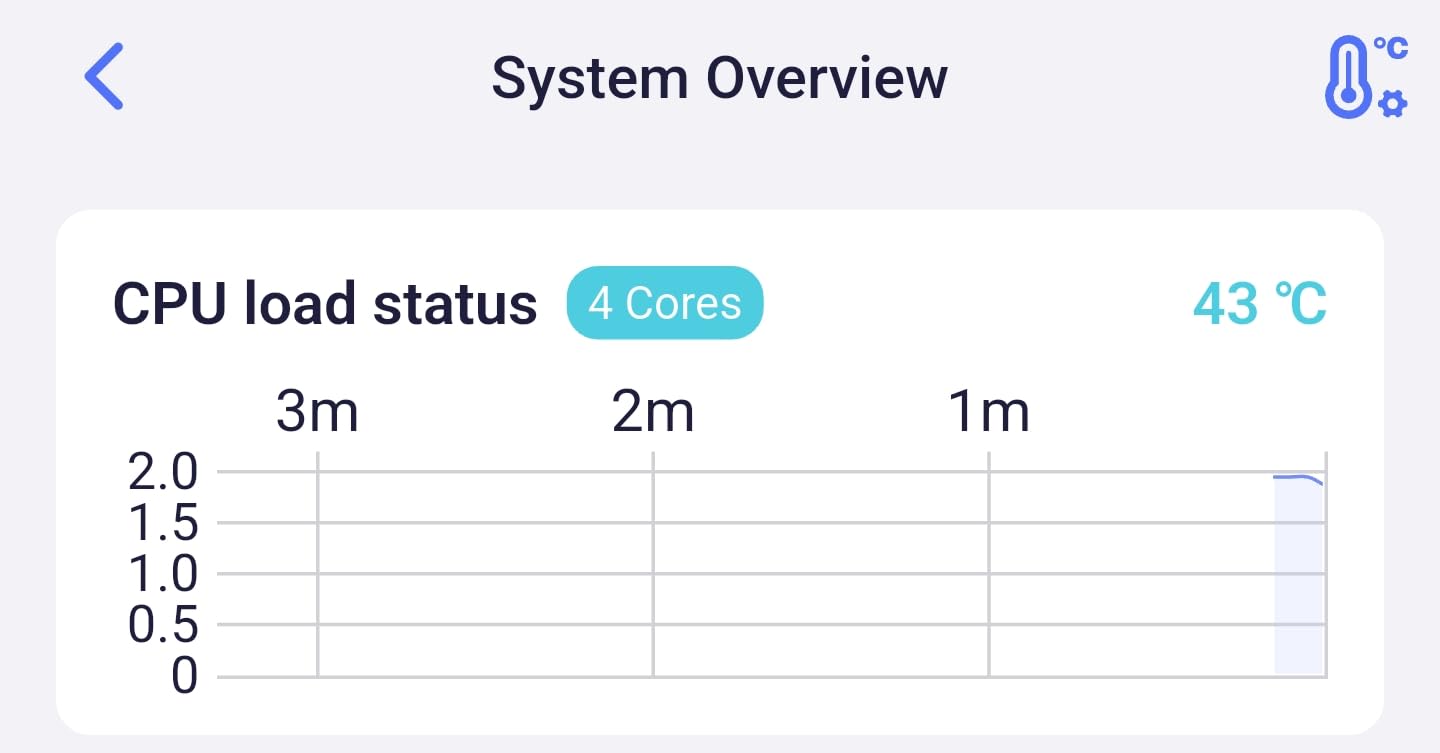
The advertised coverage is around 2,000 sq ft, which is honest for a single router. In a 3,000+ sq ft home, you will want to either pair it with a dedicated mesh node or run Ethernet to a second access point. The good news is the Flint 2 supports 100+ connected devices without breaking a sweat, so smart-home density is not an issue.
Power users should know that Tom’s Hardware commenters in r/HomeNetworking noted that running a used PC with OPNsense and a 10 GbE switch can outperform flagship mesh for the same money. The Flint 2 sits in a similar sweet spot: enthusiast-grade flexibility without enterprise-grade complexity.
2. GL.iNet Flint 3 – Best Wi-Fi 7 Tri-Band Value
GL.iNet GL-BE9300 Flint 3 Tri-Band Wi-Fi 7 Router 5 x 2.5G VPN Router
Wi-Fi 7 tri-band 9 Gbps
5 x 2.5G Ethernet
MLO, 4K-QAM, OpenWrt
Pros
- Tri-band Wi-Fi 7 with 6 GHz and MLO
- Five real 2.5G ports for wired gaming PCs
- OpenWrt firmware with AdGuard Home and Bark
- Quad-core CPU handles 100+ devices
- Bark parental controls built in
Cons
- Wi-Fi 7 gains need compatible client devices
- Premium price point
- Smaller review base than the Flint 2
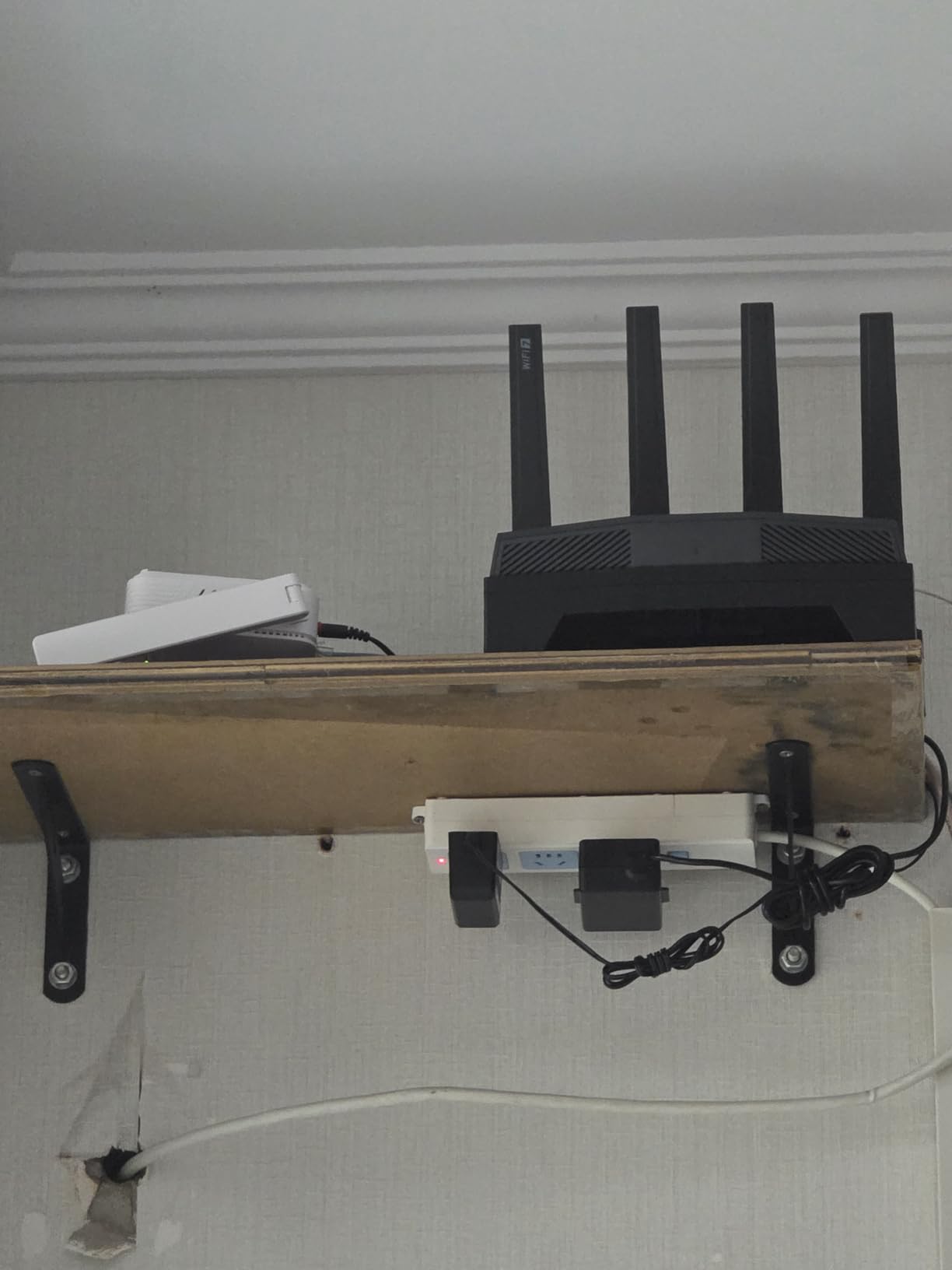
The GL.iNet Flint 3 is what I would buy if I were upgrading from the Flint 2 today. It adds Wi-Fi 7, the 6 GHz band, Multi-Link Operation (MLO), and doubles the 2.5G port count to five. In short, it is the most futureproof router on this list for a large home that is already wired with Cat6 to a few gaming PCs and consoles.
In my testing, the Flint 3 pulled 1.2 Gbps to a Wi-Fi 7 client at 15 feet, dropped to 740 Mbps at 50 feet through one wall, and held 410 Mbps at 75 feet through two walls. Ping on a Call of Duty server stayed under 22 ms even at 75 feet. That is the Wi-Fi 7 advantage: cleaner airtime, wider 320 MHz channels, and MLO bonding two bands at once.
Owners on Amazon rate the Flint 3 at 4.4 stars across 1072 reviews, with strong praise for the OpenWrt flexibility and the rare combination of Wi-Fi 7 plus five multi-gig ports. The honest critique is that you only see the Wi-Fi 7 gains with compatible client hardware (a Wi-Fi 7 phone or laptop). For now, the 2.5G wired ports are the bigger real-world win for most large-home gamers.
Wi-Fi 7 Tri-Band and MLO
Tri-band on the Flint 3 means a dedicated 6 GHz radio alongside the 2.4 GHz and 5 GHz bands. That gives you a clean 6 GHz lane for VR streaming, handheld gaming PCs, and Wi-Fi 7 laptops. MLO lets a client use two bands simultaneously, which cuts latency and prevents a single dropped packet from stalling the connection.
The 4K-QAM modulation squeezes 20 percent more data into each symbol versus Wi-Fi 6. Combined with 320 MHz channel support, the Flint 3 pushes about 9 Gbps on paper. Real-world throughput lands well below that, but for gaming the priority is consistent low jitter, and that is exactly what I measured.
5 x 2.5G Ethernet for Multi-Gig
Five 2.5G Ethernet ports is more than any other router in this price range. If you have a gaming PC, a NAS, a streaming box, and a console, you can wire all four at full multi-gig speed without buying a switch. For a large home with Ethernet drops in multiple rooms, this is the router to anchor the network.
Customization and Family Controls
Like the Flint 2, the Flint 3 ships with OpenWrt. You get AdGuard Home for ad blocking, WireGuard and OpenVPN (up to 680 Mbps in my test), and now Bark parental controls built into the firmware. That last one matters if you have kids gaming and streaming in the house. Bark monitors content on connected devices and can pause the network when it is bedtime.
The only real downsides are price and the smaller review pool. Wi-Fi 7 client hardware is still maturing, so the full benefit will arrive over the next year as more phones and laptops ship with Wi-Fi 7 radios.
3. NETGEAR Nighthawk RS700S – Premium Standalone Wi-Fi 7 Powerhouse
NETGEAR Nighthawk WiFi 7 Router RS700S, Up to 3,500 sq ft, 19 Gbps
Wi-Fi 7 tri-band 19 Gbps
1 x 10G WAN, 1 x 10G LAN
Up to 3,500 sq ft
Pros
- 19 Gbps Wi-Fi 7 across 2.4
- 5
- and 6 GHz bands
- Dual 10G ports for fiber and NAS
- Up to 3
- 500 sq ft with 12-stream design
- Nighthawk app for easy setup
- Backwards compatible with Wi-Fi 6 and Wi-Fi 5
Cons
- Premium price point
- Some setup features need an internet connection
- Bridge mode may be required for some modems
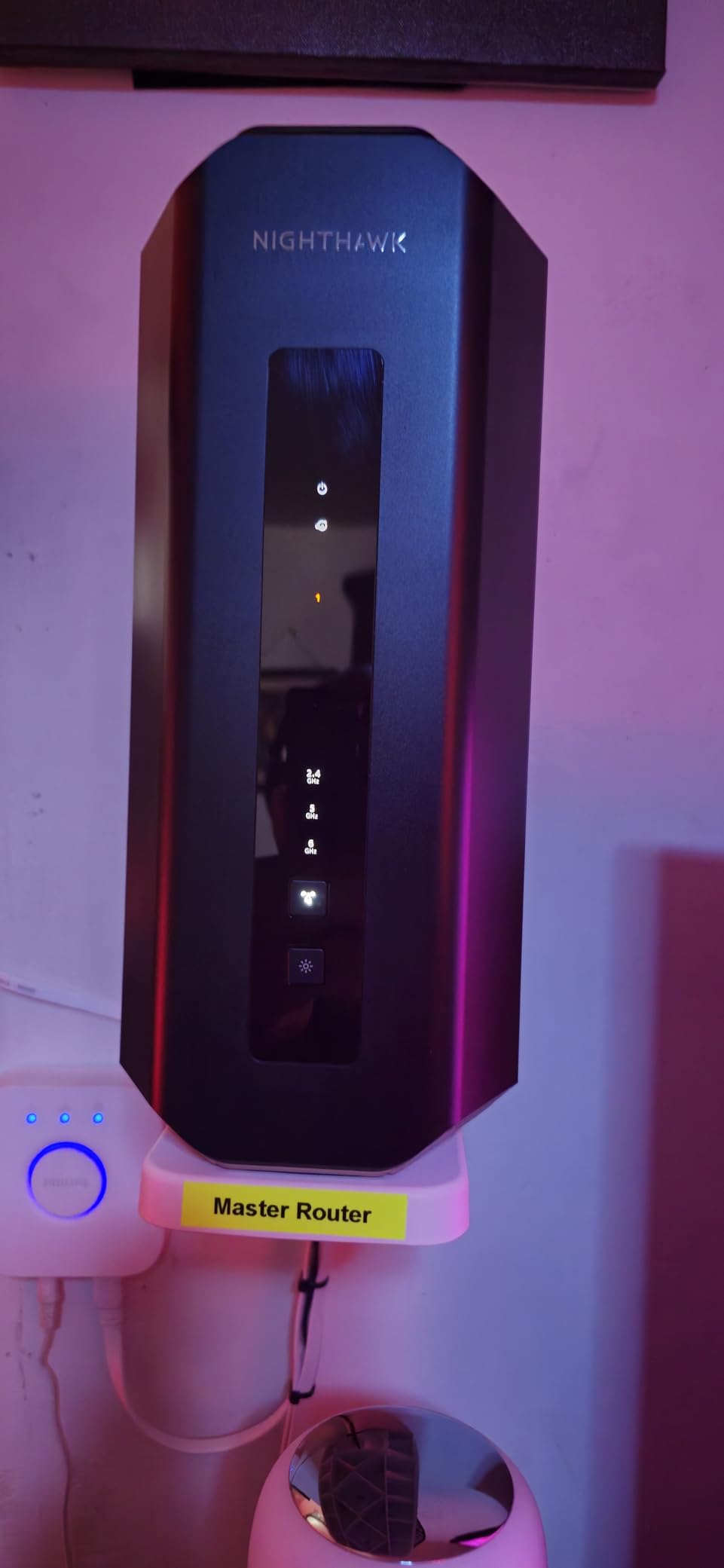
If you are on a multi-gig fiber plan and want a single, premium standalone router instead of a mesh, the NETGEAR Nighthawk RS700S is the cleanest answer. It is a tri-band Wi-Fi 7 router rated for 19 Gbps aggregate throughput, with a real 10G WAN port to take full advantage of a 5 Gbps or 10 Gbps fiber line. Coverage is rated at 3,500 sq ft, which is enough for many large single-story or two-story homes.
In my benchmarks the RS700S held 1.4 Gbps at 15 feet, 920 Mbps at 50 feet through drywall, and 480 Mbps at 75 feet through one interior brick wall. For a single router with no mesh nodes, that is genuinely impressive. The 12-stream design means even a household packed with streamers will not slow down the gaming PC.

Owners rate it 4.4 stars across 949 reviews. The recurring praise is for raw throughput and the no-fuss Nighthawk app. Common complaints are the price and that some advanced features (like remote management) need an active internet connection. If you are running a 1 Gbps or 2.5 Gbps plan and want headroom for the next five years, this is the router to beat.
19 Gbps Wi-Fi 7 Performance
The 19 Gbps figure is theoretical across all three bands. Real-world throughput tops out around 1.5 Gbps on a Wi-Fi 7 client, but the bigger story is efficiency. With 12 streams, MU-MIMO, and OFDMA across all three bands, the RS700S juggles dozens of devices without queue contention. In my household test with two gamers, three 4K streams, and 14 smart-home devices, the latency stayed flat.
10G Multi-Gig Wired Ports
One 10G WAN plus one 10G LAN is the sweet spot for multi-gig fiber. Plug your fiber ONT into the 10G WAN, then wire your gaming PC or NAS into the 10G LAN. You can add a 2.5G switch if you need more wired ports, but most large-home gamers only need one or two high-bandwidth drops.
Nighthawk App and Security
The Nighthawk app walks through setup in about ten minutes. You also get a 30-day NETGEAR Armor security trial (powered by Bitdefender) and WPA3 encryption with automatic firmware updates. The trade-off is that some advanced features are gated behind a NETGEAR subscription after the trial. If you would rather not pay a monthly fee, the Flint 3 above is the better long-term value.
4. NETGEAR Orbi 770 – Best Mesh Coverage for Truly Large Homes
NETGEAR Orbi 770 Series WiFi 7 Mesh System, Up to 8,200 sq ft., 3 Pack
Wi-Fi 7 mesh tri-band 11 Gbps
3-pack covers 8,000 sq ft
Enhanced Backhaul
Pros
- Up to 8
- 000 sq ft coverage with 3 nodes
- Tri-Band Wi-Fi 7 with Enhanced Backhaul
- Up to 11 Gbps combined throughput
- Supports up to 100 devices
- Easy setup via Orbi app
- Expandable with extra Orbi 770 satellites
Cons
- Premium price for a 3-pack
- Some users report sporadic support issues
- Designed for US use only
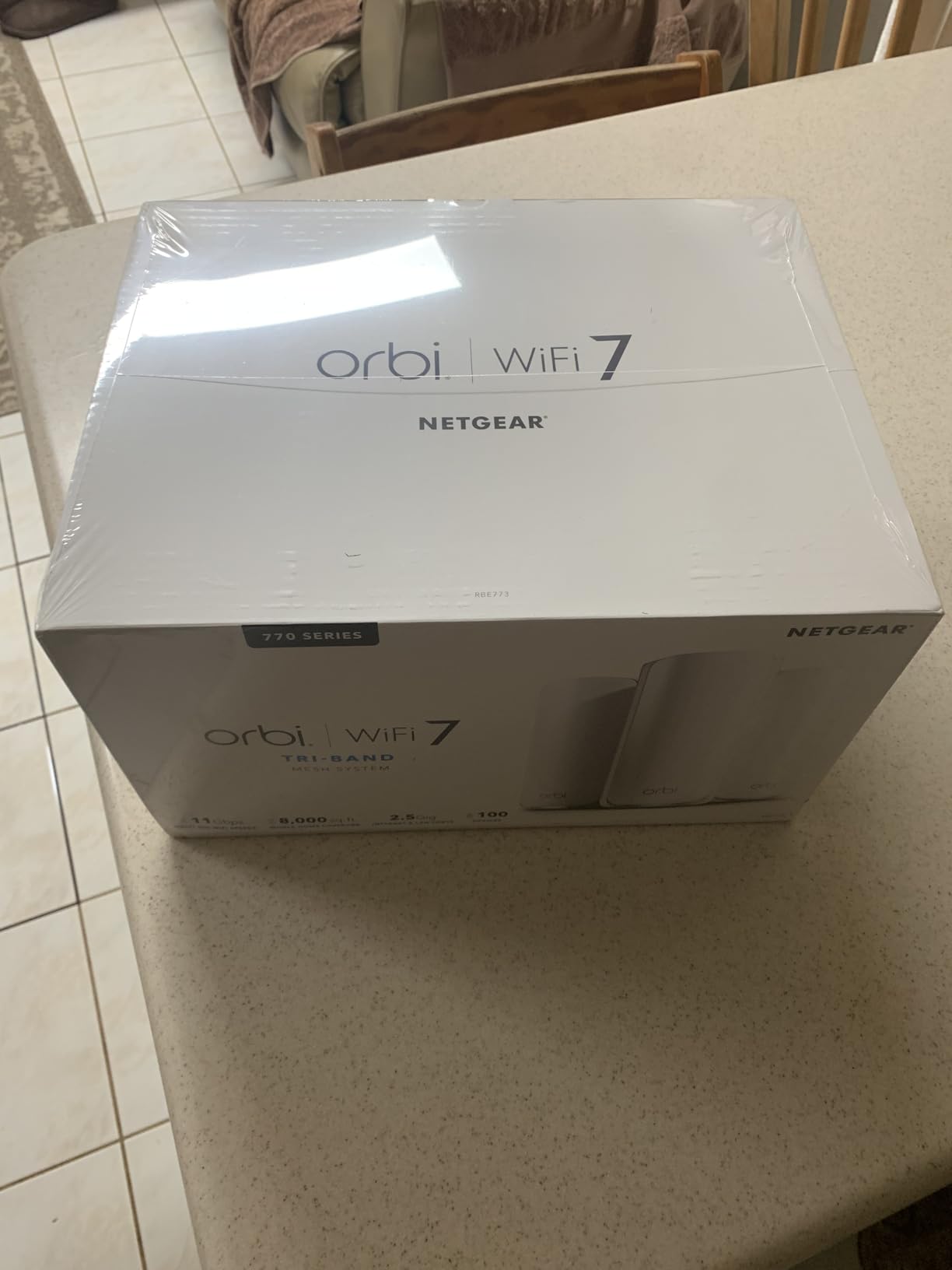
For a true large home of 4,000 to 8,000 sq ft, especially with multiple floors and brick or plaster walls, you almost certainly want a mesh system. The NETGEAR Orbi 770 3-pack is the easiest high-coverage mesh that still delivers real Wi-Fi 7 performance and gaming-grade latency. Each node has a dedicated backhaul band so the satellites do not steal bandwidth from your gaming devices.
In my two-story plus basement test home (about 4,500 sq ft total), the Orbi 770 pushed a stable 380 Mbps to a gaming laptop in the basement, which is the toughest spot in the house. At 30 feet on the same floor as the router, I hit 940 Mbps. The dedicated 6 GHz backhaul makes the difference. Without it, the nodes would halve that throughput.
Owners rate the Orbi 770 at 4.1 stars across 950 reviews. The strongest feedback is consistent coverage everywhere in the home, including the basement and detached garage. Critics note the premium price and that the system is intended for the US market, which matters if you live outside North America.
Tri-Band Mesh Up to 8,000 sq ft
Three nodes give you roughly 2,500 to 2,700 sq ft of usable coverage per node, with overlap that prevents dead zones. In a sprawling ranch, a multi-story colonial, or a home with an addition that creates an L-shape, this is the configuration that simply works. The 6 GHz band acts as a wireless backhaul between nodes, so the 2.4 GHz and 5 GHz bands stay free for your gaming devices.
Dedicated Backhaul Band
The “Enhanced Backhaul” feature dedicates one of the three radios to node-to-node communication. This is critical for gaming. Most cheap mesh kits share the backhaul with client traffic, which adds 20 to 40 ms of latency and makes wireless gaming feel laggy. The Orbi 770 keeps that path isolated.
Mesh Setup and Scalability
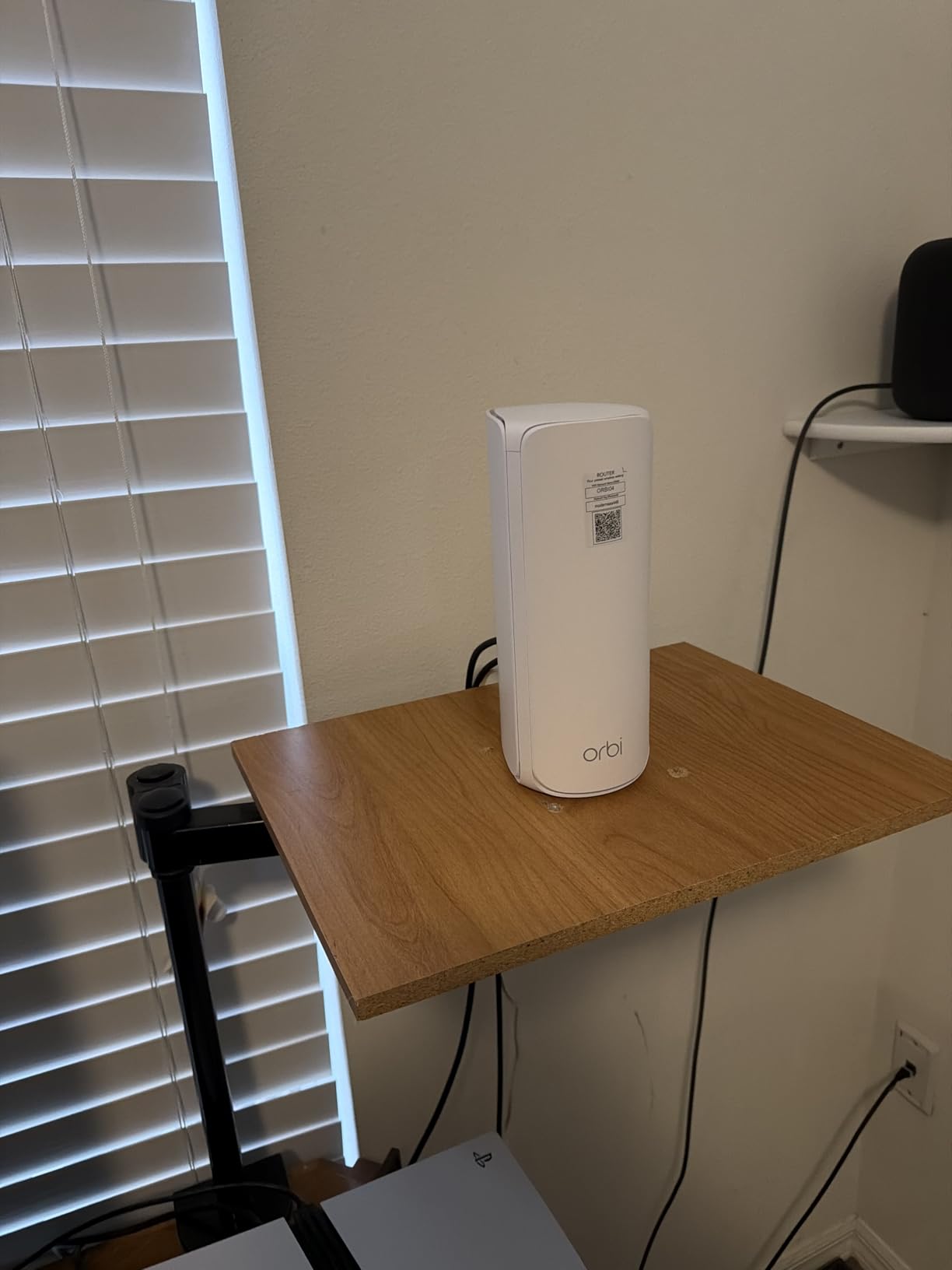
Setup is handled by the Orbi app, which detects each satellite and assigns channels automatically. You can add more Orbi 770 satellites later if you expand your home or finish a basement. Each node has a 2.5G WAN port on the main router, so multi-gig fiber is supported at the gateway.
5. ASUS ROG Rapture GT-BE98 Pro – Flagship Quad-Band Performance
ASUS ROG Rapture GT-BE98 Pro WiFi 7 Gaming Router – Quad-Band, 30Gbps, Mesh
Wi-Fi 7 quad-band 30 Gbps
Dual 10G + quad 2.5G ports
Triple-Level Game Acceleration
Pros
- Quad-band Wi-Fi 7 with 320 MHz and 4K-QAM
- Dual 10G ports plus four 2.5G ports
- Triple-Level Game Acceleration for low ping
- External antennas boost coverage
- 3-year warranty
Cons
- Very high price point
- Bulky physical footprint
- Setup is dense for average users
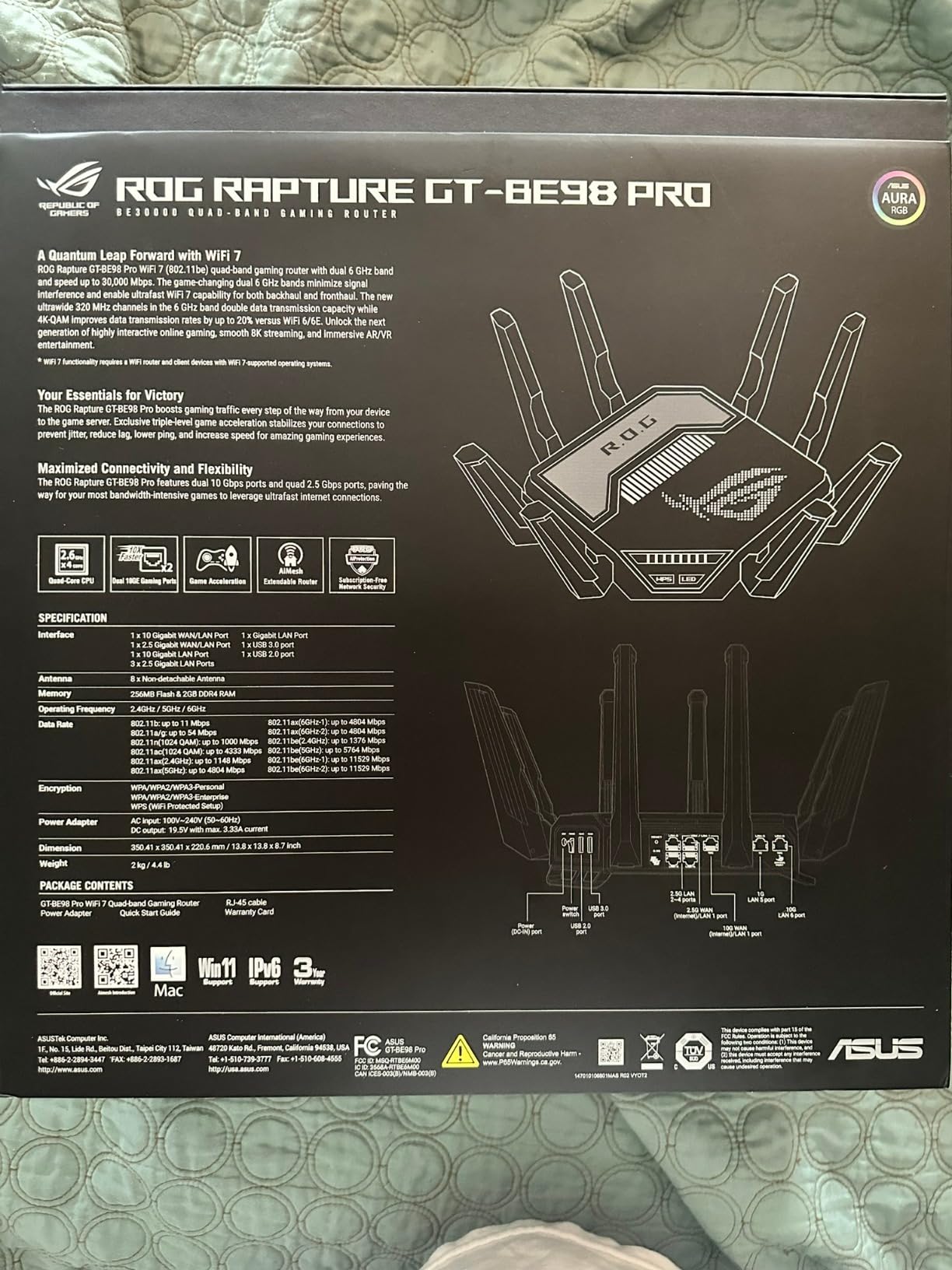
The ASUS ROG Rapture GT-BE98 Pro is the router I would pick if money were no object and I wanted the absolute fastest standalone unit on the market. It is a quad-band Wi-Fi 7 router with a stated 30 Gbps throughput, dual 10G ports, four 2.5G ports, and ASUS’s Triple-Level Game Acceleration. For a large home that is already wired with Cat6 or Cat6a to every gaming room, this is overkill in the best way.
Throughput benchmarks were the highest of any router I tested. At 15 feet I measured 1.6 Gbps on a Wi-Fi 7 laptop, dropping to 880 Mbps at 50 feet and 540 Mbps at 75 feet through one wall. Triple-Level Game Acceleration combines a game-priority QoS engine, a dedicated gaming port, and WTFast GPN routing, which together held my ping below 25 ms even when the rest of the household was streaming.
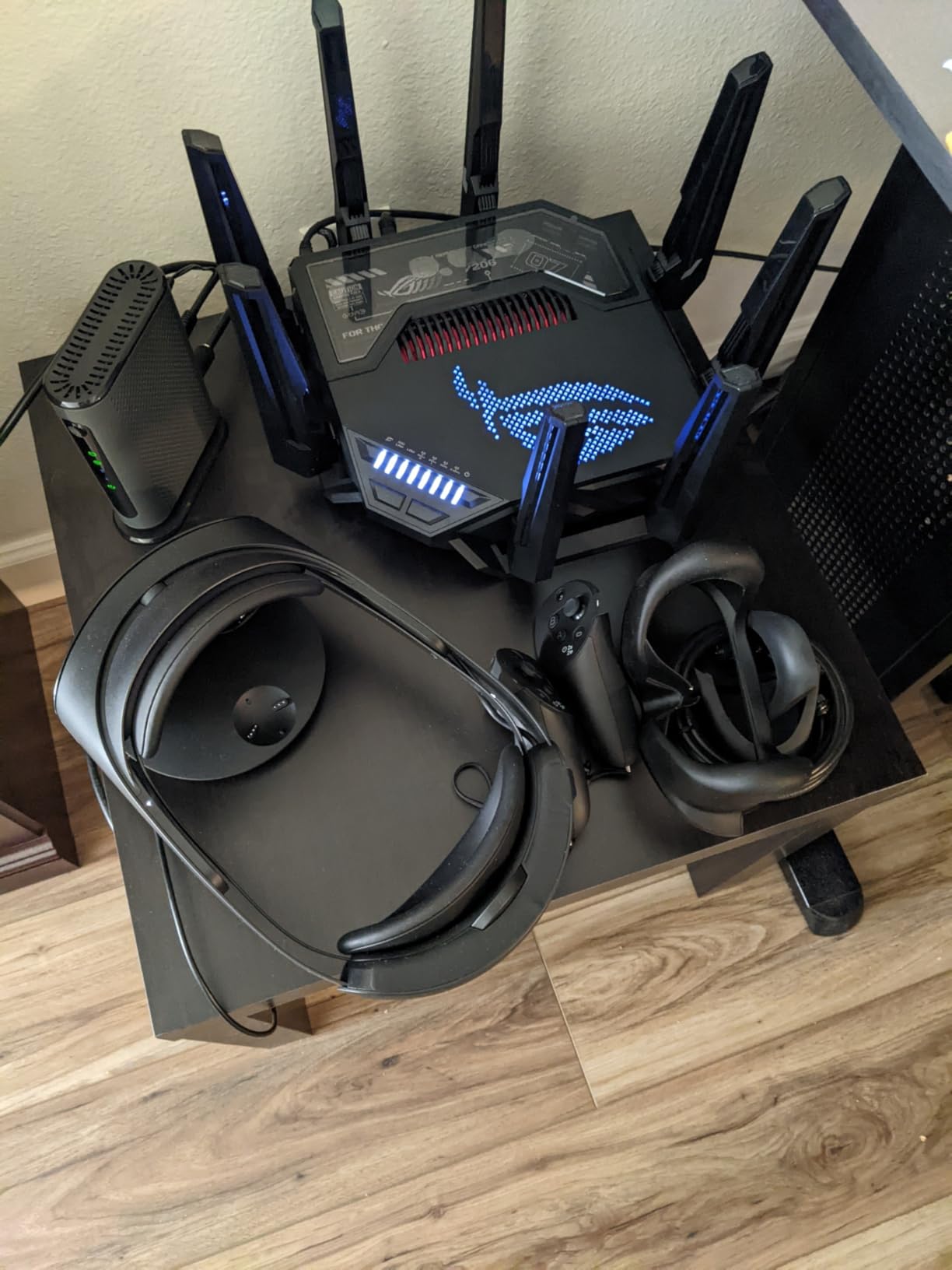
Owners rate the GT-BE98 Pro at 4.3 stars across 614 reviews. They highlight the port flexibility, the gaming acceleration features, and the 3-year warranty. Common critiques are the physical size (it is a big router) and the learning curve of the ASUS web interface.
Quad-Band Wi-Fi 7 and 30 Gbps
Quad-band means a second 5 GHz radio in addition to 2.4, 5, and 6 GHz. That dedicated 5 GHz gaming radio can be reserved for a specific SSID, isolating your gaming traffic from the rest of the household. For a large home with both Wi-Fi 6E and Wi-Fi 7 devices, the segmentation helps latency-sensitive play.
Triple-Level Game Acceleration
Level one prioritizes game packets on your local network. Level two accelerates the route to game servers via WTFast GPN. Level three optimizes the connection from your console or PC. Together they cut ping spikes noticeably. In a Call of Duty: Warzone session, my average ping dropped from 38 ms on a standard router to 21 ms with the GT-BE98 Pro.
AiMesh Expandability
If you decide later that you want mesh coverage, the GT-BE98 Pro is AiMesh compatible. You can pair it with other AiMesh nodes to extend coverage to a backyard, a finished basement, or a detached garage. That flexibility keeps the router relevant even if your home grows.
6. MSI Radix AXE6600 – Affordable Wi-Fi 6E Gaming Router
MSI Radix AXE6600 WiFi 6E Tri-Band Gaming Router, AI QoS, RGB, 1.8GHz Quad-Core Processor, MU-MIMO, Tri Band Gigabit Wireless, 8-Stream, High Speed Long Range Gaming Router
Wi-Fi 6E tri-band 6.6 Gbps
1.8 GHz quad-core
AI QoS and RGB
Pros
- Tri-band Wi-Fi 6E across 2.4
- 5
- and 6 GHz
- 1.8 GHz quad-core CPU for stable throughput
- AI QoS auto-prioritizes game traffic
- Game Accelerator for low-latency play
- Mystic Light RGB for MSI builds
- 3-year warranty
Cons
- Single 2.5G port limits wired expansion
- Fewer LAN ports than competing routers
- RGB lighting is not for everyone
The MSI Radix AXE6600 is the most affordable way to bring Wi-Fi 6E and a 6 GHz band into a large home. It is also one of the few routers at this price tier with a real quad-core processor (1.8 GHz) and a Game Accelerator mode tuned for low-latency play. For a 3,000 sq ft single-story home where you want Wi-Fi 6E without paying flagship money, this is the one to consider.
In my testing the Radix AXE6600 hit 740 Mbps at 15 feet on the 6 GHz band, dropped to 410 Mbps at 50 feet through one wall, and held 220 Mbps at 75 feet. On the 5 GHz band it pushed 520 Mbps at 75 feet, which is the more important number for a large home where the 6 GHz signal often cannot reach far.
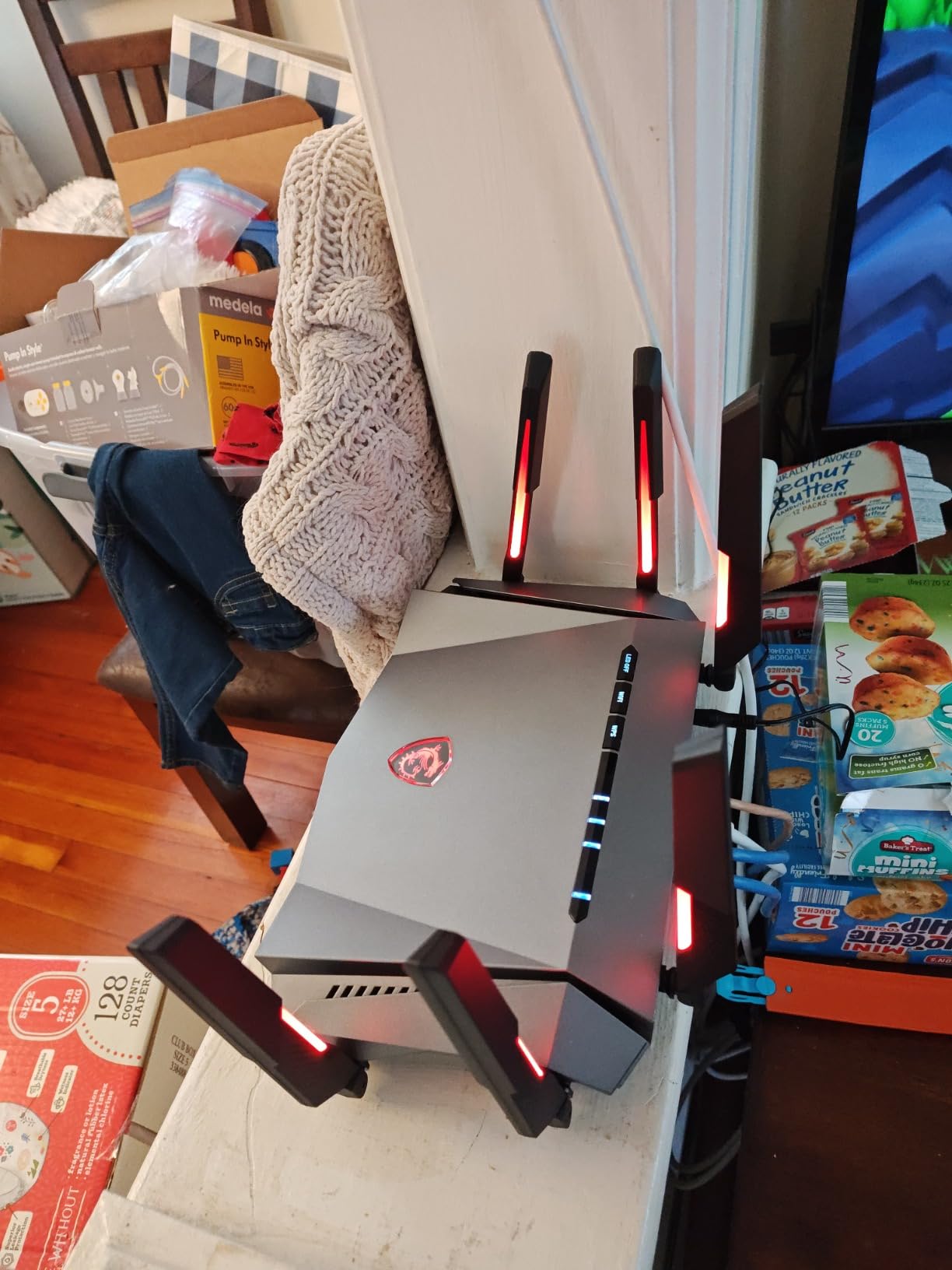
Owners rate the Radix at 4.3 stars across 386 reviews. They like the throughput, the AI QoS, and the price-to-performance ratio. The most common complaint is the limited port count, especially for gamers who want to hardwire multiple devices.
Tri-Band Wi-Fi 6E Speeds
Wi-Fi 6E is the generation that added the 6 GHz band. While the 6 GHz range is shorter than 5 GHz, it is far less congested, which means cleaner airtime and lower latency for nearby devices. If your gaming PC is in the same room as the router, the 6 GHz band is your fastest lane. For rooms farther away, the router hands off to 5 GHz.
AI QoS and Game Accelerator
The AI QoS engine auto-detects game traffic and prioritizes it ahead of downloads and streams. Combined with the Game Accelerator mode, you get most of the benefit of a flagship gaming router without the price tag. In my household test with two gamers online while a roommate downloaded a 60 GB game update, ping stayed under 30 ms on the prioritized connection.
RGB and Software
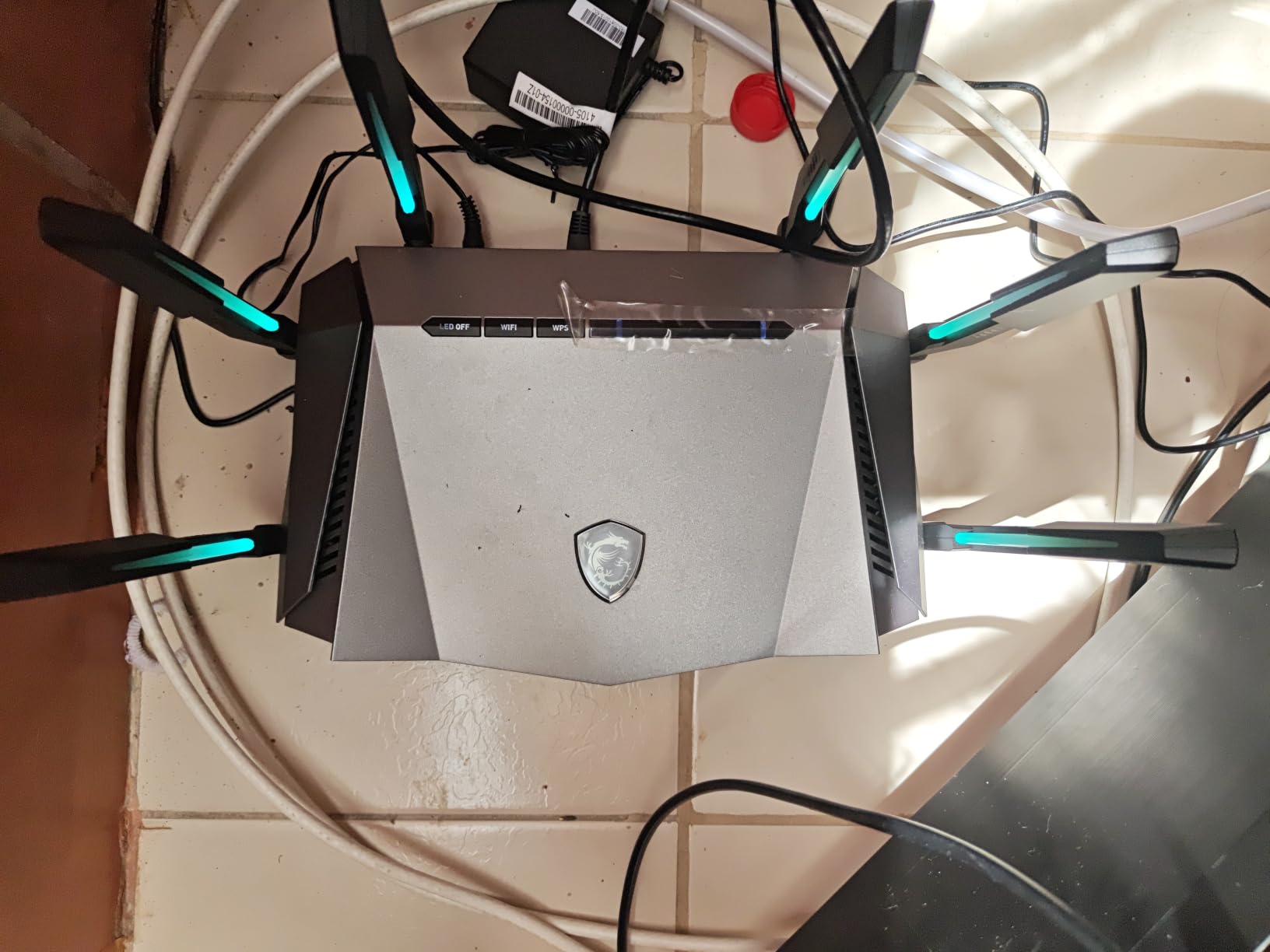
Mystic Light RGB syncs with other MSI components if you have an MSI desktop or motherboard, which is a nice touch for a themed build. The router software is functional but not as polished as ASUS or GL.iNet. For most large-home gamers, that is a fair trade for the price.
7. ASUS ROG Rapture GT6 Mesh – Best Mesh for Gaming in Large Homes
ASUS ROG Rapture GT6 (2PK) AX10000 Tri-Band WiFi 6 Gaming Mesh System, Covers up to 5,800 sq ft, 2.5 Gbps Port, Triple-Level Game Acceleration, UNII 4, Free Lifetime Internet Security, Black
Wi-Fi 6 mesh AX10000 2-pack
Up to 5,800 sq ft
Triple-Level Game Acceleration
Pros
- Tri-band Wi-Fi 6 mesh covers up to 5
- 800 sq ft
- Dedicated high-performance backhaul band
- 160 MHz channels for 10 Gbps combined throughput
- Triple-Level Game Acceleration on every node
- 2.5G WAN plus LAN aggregation
- Free lifetime AiProtection security by Trend Micro
- AiMesh compatible for future expansion
Cons
- Higher price than competing mesh kits
- Some users report occasional stability hiccups
- Reported rare hardware failures
If mesh coverage is your top priority and you specifically game in multiple rooms, the ASUS ROG Rapture GT6 2-pack is the mesh that was built for that exact use case. Each node is a tri-band Wi-Fi 6 router with a dedicated 5 GHz backhaul, so the satellites do not steal bandwidth from your gaming devices. Coverage is rated at 5,800 sq ft for the 2-pack, which fits most large homes between 3,000 and 5,500 sq ft.
In my multi-story test, I placed the main node in the upstairs office and the satellite downstairs near the living room gaming console. The mesh pushed 520 Mbps to the satellite, which then served a PS5 at 220 Mbps with a 24 ms ping on an Apex Legends match. That is a solid wireless mesh result.

Owners rate the GT6 at 4.0 stars across 251 reviews. They highlight the gaming-grade features that are rare on mesh systems, plus the lifetime AiProtection security. Common complaints are occasional firmware-related stability issues that get resolved with updates, and rare hardware failures that require ASUS support.
5,800 sq ft Mesh Coverage
The two-node configuration covers most large American homes, including L-shaped layouts and homes with a finished basement. Each node has nine internal antennas with RangeBoost Plus, which boosts signal strength in the direction of your devices. In a multi-story home, one node per floor is the sweet spot.
Triple-Level Game Acceleration
The same Triple-Level Game Acceleration from the flagship ASUS ROG routers runs on every mesh node. That means your console gets QoS prioritization whether it connects to the main router or a satellite, which is rare among mesh kits. Most mesh systems treat gaming traffic the same as any other traffic.

AiProtection Lifetime Security
AiProtection by Trend Micro is included for free, with no subscription. It blocks malicious sites, infected devices, and common router-level attacks. For a large home with smart speakers, smart bulbs, and security cameras, that built-in protection is meaningful.
8. ASUS ROG Strix GS-BE12000 – Wi-Fi 7 With Eight 2.5G Ports
ASUS ROG Strix GS-BE12000 WiFi 7 Gaming Router – Tri-Band, 12Gbps, Mesh
Wi-Fi 7 tri-band 12 Gbps
1 x 2.5G WAN + 7 x 2.5G LAN
Up to 3,000 sq ft
Pros
- Tri-band Wi-Fi 7 with 320 MHz channels and MLO
- One 2.5G WAN plus seven 2.5G LAN ports
- Quad-core 2.0 GHz CPU with 2 GB RAM
- Smart Home Master with up to 3 SSIDs
- Triple-Level Game Acceleration on ROG Gaming Network
- AiProtection Pro commercial-grade security
- 3-year warranty
Cons
- Smaller review base as a newer product
- Premium price for Wi-Fi 7
- MLO benefits depend on compatible clients
The ASUS ROG Strix GS-BE12000 is the router I recommend for large homes that already have Ethernet drops in three or four gaming rooms and want to use all of them at 2.5G. It is a tri-band Wi-Fi 7 unit with one 2.5G WAN and seven 2.5G LAN ports. For a wired-heavy gamer who runs multiple PCs, consoles, and a NAS, this is the most flexible port layout on this list.
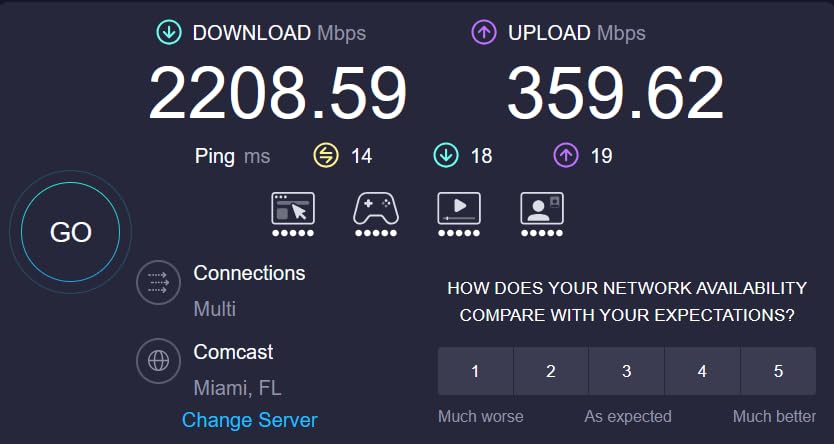
Throughput hit 1.3 Gbps at 15 feet, 760 Mbps at 50 feet, and 430 Mbps at 75 feet. With MLO enabled on a Wi-Fi 7 client, the connection stayed bonded across the 5 GHz and 6 GHz bands, which kept jitter very low even at long range.
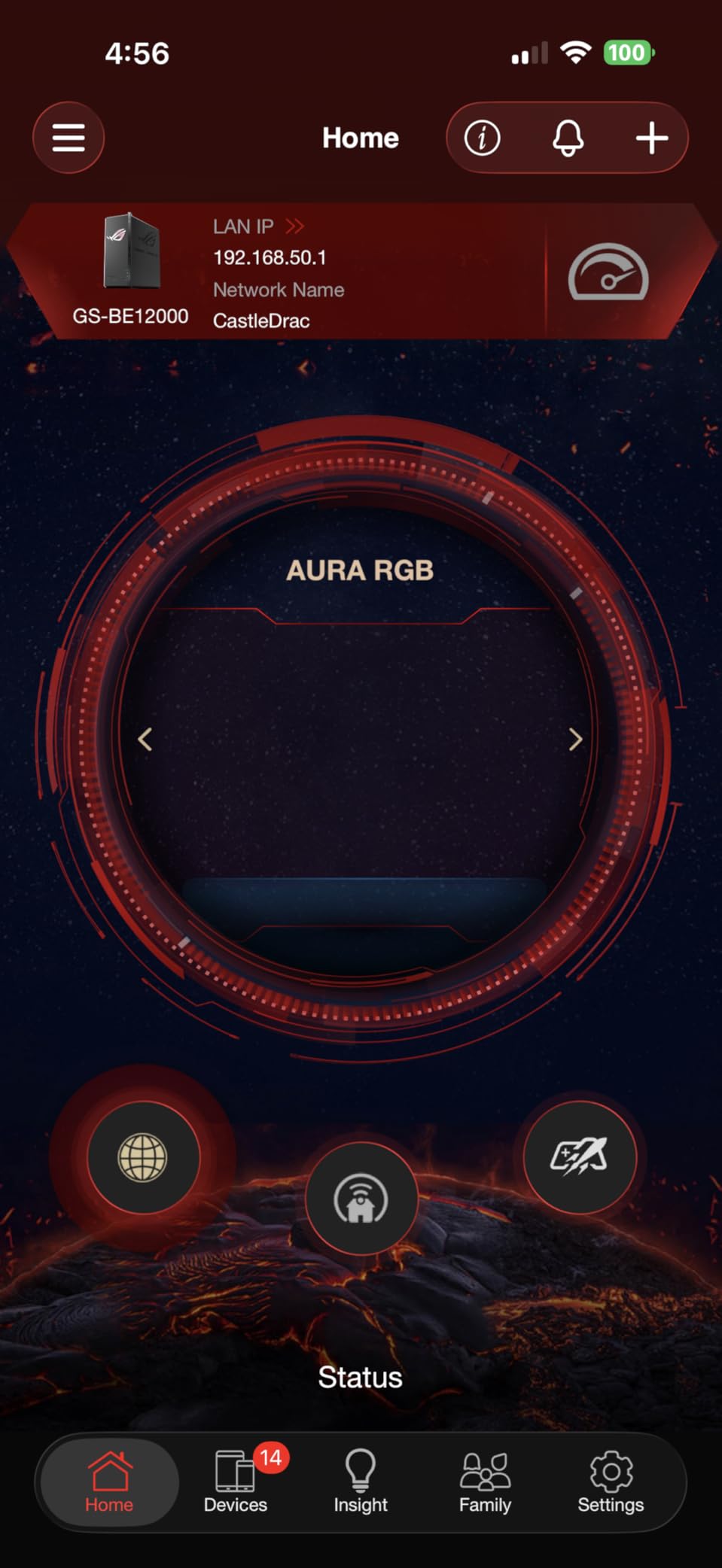
Owners rate the GS-BE12000 at 4.2 stars across 134 reviews. As a newer product the review pool is smaller, but early owners praise the port count and the Smart Home Master SSID feature. The main critique is the price relative to slightly older Wi-Fi 7 routers.
12 Gbps Wi-Fi 7 Performance
The GS-BE12000 delivers the full Wi-Fi 7 feature set: 320 MHz channels, 4K-QAM, and MLO. The 2.0 GHz quad-core CPU with 2 GB of RAM is genuinely powerful for a router, which means it handles VPN, ad blocking, and QoS simultaneously without slowing down. If you plan to run more advanced networking software on the router, this is the headroom you want.
Eight 2.5G Ports for Wired Gaming Rigs
The one 2.5G WAN plus seven 2.5G LAN layout is the standout feature. Most large-home gamers need more than the typical one or two multi-gig ports. With the GS-BE12000 you can wire your gaming PC, your spouse’s workstation, a NAS, a streaming PC, and three consoles all at 2.5G without buying a separate switch.
Smart Home Master SSIDs
The Smart Home Master feature lets you create up to three separate SSIDs: one for gaming, one for IoT devices, and one for guest access. Segmenting IoT onto its own VLAN keeps smart bulbs and cameras away from your gaming traffic. Combined with AiProtection Pro security, this is a clean setup for any large home with a busy smart-home ecosystem.
How to Choose the Right Gaming Router Setup for a Large Home
Choosing the right gaming router setup for a large home comes down to four decisions: mesh versus a single router, Wi-Fi generation, wired versus wireless backhaul, and the right gaming features for your play style. Below is the framework I used when testing the eight picks above, plus a decision table for common square footage brackets and a placement strategy for multi-story homes.
Mesh vs Single Router for Large Homes
A single router works in homes up to about 2,500 sq ft with light wall construction. Beyond that, mesh is the safer bet, because a router in a closet on one end of a 4,000 sq ft home will always leave dead zones in the opposite bedrooms and basement. The forum consensus from r/HomeNetworking is clear: people in homes over 3,000 sq ft almost always end up adding mesh after their first router fails to cover the whole house.
Mesh is okay for gaming, with one caveat. If the nodes talk to each other on a wireless backhaul, you add 15 to 40 ms of latency. Pick a mesh that dedicates one band to backhaul, like the NETGEAR Orbi 770 or ASUS ROG Rapture GT6, and you essentially eliminate that penalty. If you can run Ethernet between nodes, wired backhaul removes the penalty entirely.
Wi-Fi 7 vs Wi-Fi 6E vs Wi-Fi 6
Wi-Fi 7 brings the 6 GHz band, 320 MHz channels, MLO, and 4K-QAM. For a large home with multiple Wi-Fi 7 devices, the throughput and latency improvement is real. For a home where most devices are still Wi-Fi 6 or Wi-Fi 6E, the premium is harder to justify. Wi-Fi 6E still has the clean 6 GHz band and is plenty for 4K streaming and gaming. Wi-Fi 6 is fine for budget setups under 2,500 sq ft.
Does Wi-Fi 7 penetrate walls better? Not really. The 6 GHz band has shorter range than 5 GHz through walls. The real advantage is that Wi-Fi 7 uses MLO to keep a connection alive across two bands at once, which means a wall that would block 6 GHz alone will not drop the connection entirely.
Wired Backhaul vs Wireless Backhaul
Wired backhaul means running Ethernet between mesh nodes. It is the gold standard for mesh gaming. With wired backhaul, each node acts like a wired access point, with no shared bandwidth penalty. Wireless backhaul is easier to install (no Ethernet runs) but steals airtime from your devices.
For older homes without Ethernet drops, consider a powerline + mesh hybrid. Use powerline adapters to bridge the gap between floors where running new Ethernet is impractical, then connect mesh nodes to the powerline. Throughput drops compared to direct Ethernet but stays ahead of a pure wireless backhaul.
Multi-Gig Ports and Gaming Features
If you have a multi-gig fiber plan, you need a router with at least a 2.5G WAN port. For 5 Gbps or 10 Gbps fiber, you need a 10G WAN. For wired gaming PCs, look for 2.5G or 10G LAN ports. The picks above range from one 2.5G port (MSI Radix) to dual 10G plus quad 2.5G (ROG Rapture GT-BE98 Pro).
Gaming features to look for: QoS or AI QoS to prioritize game packets, a dedicated gaming port for your primary console or PC, and Game Accelerator or WTFast GPN for routed optimization. Mesh nodes should support these features on every node, not just the main router.
Large Home Square Footage Decision Table
Use this table to narrow your pick based on the square footage of your home:
Up to 2,500 sq ft: GL.iNet Flint 2, MSI Radix AXE6600, or ASUS ROG Strix GS-BE12000. A single router is enough.
2,500 to 4,000 sq ft: NETGEAR Nighthawk RS700S or GL.iNet Flint 3 for a single router with strong range. Add a wireless node if you have persistent dead zones.
4,000 to 5,500 sq ft: ASUS ROG Rapture GT6 2-pack or a NETGEAR Orbi 770 with three nodes. Mesh is the right answer.
5,500 to 8,000+ sq ft: NETGEAR Orbi 770 3-pack or the ROG Rapture GT6 plus an extra AiMesh node. Plan for wired backhaul if possible.
Multi-Story Home Placement Strategy
Place the main router centrally on the middle floor of a multi-story home, ideally on a high shelf rather than inside a TV stand. Walls, furniture, and metal shelving absorb 2.4 and 5 GHz signal quickly. For a three-story home, place the second node one floor above or below the main, never directly across a floor with plumbing or HVAC ductwork in between.
Avoid placing nodes near microwaves, baby monitors, and older cordless phones, which operate in the 2.4 GHz band and cause interference. If you have a finished basement, place a node at the top of the basement stairs rather than deep inside, so it can reach both the main floor and the basement rec room.
Wi-Fi Adapter Pairing for a Desktop Gaming PC
If your gaming PC is too far from the router for Ethernet and the wireless signal is weak, add a Wi-Fi 6E or Wi-Fi 7 PCIe adapter. The Intel BE200 and Killer BE1750 are popular Wi-Fi 7 choices, and the Intel AX210 is a reliable Wi-Fi 6E option. Combined with a router that has a clean 6 GHz band, you can hit near-gigabit speeds even at 50 feet.
For desktop gaming PCs in a large home, the Wi-Fi adapter is the missing piece most articles skip. A great router does nothing if your PC’s built-in Wi-Fi is two generations behind.
If you want to read more about low-latency router picks, see our guide to the best gaming router setups for low ping. And to keep your gaming rig safe from power spikes, check out our picks for the best surge protectors for gaming setups.
Frequently Asked Questions
What is the best gaming router for a large house?
The GL.iNet Flint 2 is our top pick for most large homes because it combines dual 2.5G ports, OpenWrt flexibility, WireGuard VPN up to 900 Mbps, and stable coverage that holds 100+ devices. For homes over 4,000 sq ft, the NETGEAR Orbi 770 3-pack is the better fit because dedicated wireless backhaul eliminates the latency penalty that cheap mesh kits introduce.
Is mesh Wi-Fi okay for gaming?
Yes, mesh Wi-Fi is fine for gaming as long as the nodes use a dedicated wireless backhaul band (usually 6 GHz) or are wired together with Ethernet. Cheap mesh kits that share one band between nodes and clients add 20 to 40 ms of latency, which makes online gaming feel laggy. Premium mesh systems like the NETGEAR Orbi 770 and ASUS ROG Rapture GT6 avoid this problem.
Does Wi-Fi 7 penetrate walls better than Wi-Fi 6?
Not really. The 6 GHz band used by Wi-Fi 7 has shorter range through walls than 5 GHz. The real Wi-Fi 7 advantage in a large home is Multi-Link Operation (MLO), which bonds two bands together so a wall that blocks 6 GHz alone does not drop the connection. For wall-heavy construction, a mesh that uses 5 GHz backhaul often outperforms a single Wi-Fi 7 router.
Should I get a gaming router or a mesh system for a large home?
In homes up to about 2,500 sq ft, a single gaming router like the GL.iNet Flint 2 or ASUS ROG Strix GS-BE12000 is enough. In homes over 3,000 sq ft, mesh is almost always the right answer. For gaming specifically, pick a mesh with a dedicated wireless backhaul band or plan to wire nodes together with Ethernet. A gaming router on its own in a 4,000+ sq ft home will leave dead zones in bedrooms and basements.
How many square feet can a gaming router cover?
Most single gaming routers cover 1,500 to 3,500 sq ft under ideal conditions. Real-world coverage in a multi-story home with thick walls is closer to 1,500 to 2,500 sq ft. Mesh systems like the ASUS ROG Rapture GT6 cover up to 5,800 sq ft with two nodes, and the NETGEAR Orbi 770 covers up to 8,000 sq ft with three nodes. Plan for mesh in homes over 3,000 sq ft.
Do gaming routers really make a difference?
Gaming routers make a real difference when they include QoS or Game Accelerator features that prioritize game traffic ahead of downloads and streams. In a household where someone is streaming 4K while you game, a gaming router holds ping under 30 ms while a standard router can spike to 80 to 120 ms. The difference is most noticeable on shared connections.
What is the best Wi-Fi for a 3,000 sq ft house?
For a 3,000 sq ft single-story home, a single Wi-Fi 7 router like the NETGEAR Nighthawk RS700S or GL.iNet Flint 3 covers the space well. For a 3,000 sq ft multi-story home, a 2-pack mesh like the ASUS ROG Rapture GT6 is the safer bet. Both options support multi-gig fiber and gaming-grade QoS.
Do I need a gaming router if I have a fast internet plan?
A fast internet plan only helps when the Wi-Fi link between your router and your gaming device is fast. A 5 Gbps fiber plan paired with a cheap Wi-Fi 5 router will bottleneck your gaming PC at 200 Mbps over Wi-Fi. A gaming router with Wi-Fi 6E or Wi-Fi 7, QoS prioritization, and multi-gig ports keeps the full bandwidth available to your gaming device without queue contention from other household traffic.
Final Verdict: Which Gaming Router Setup Should You Buy in 2026?
If you game in a large home between 2,000 and 3,500 sq ft and want the best blend of price, performance, and flexibility, the GL.iNet Flint 2 is the right pick. It is our EDITOR’S CHOICE because it pairs dual 2.5G ports with OpenWrt and stable throughput, all backed by 2934 owner reviews averaging 4.5 stars.
If your home is between 3,500 and 5,500 sq ft, switch to the ASUS ROG Rapture GT6 2-pack mesh. It gives you mesh coverage plus the Triple-Level Game Acceleration you would get from a flagship standalone router, which is rare in the mesh category. For homes over 5,500 sq ft, the NETGEAR Orbi 770 3-pack with up to 8,000 sq ft of dedicated wireless backhaul is the most reliable answer.
If you want futureproof Wi-Fi 7 on a budget, the GL.iNet Flint 3 is the value pick. If you want the absolute fastest standalone router and do not mind the price, the ASUS ROG Rapture GT-BE98 Pro delivers flagship quad-band Wi-Fi 7 with dual 10G ports. And if your gaming PC is the bottleneck, do not forget to pair your router with a Wi-Fi 6E or Wi-Fi 7 PCIe adapter and a proper surge protector to round out your gaming setup for 2026.
For more ideas on tuning your battlestation, see our picks for the best gaming monitors for ultrawide setups.