
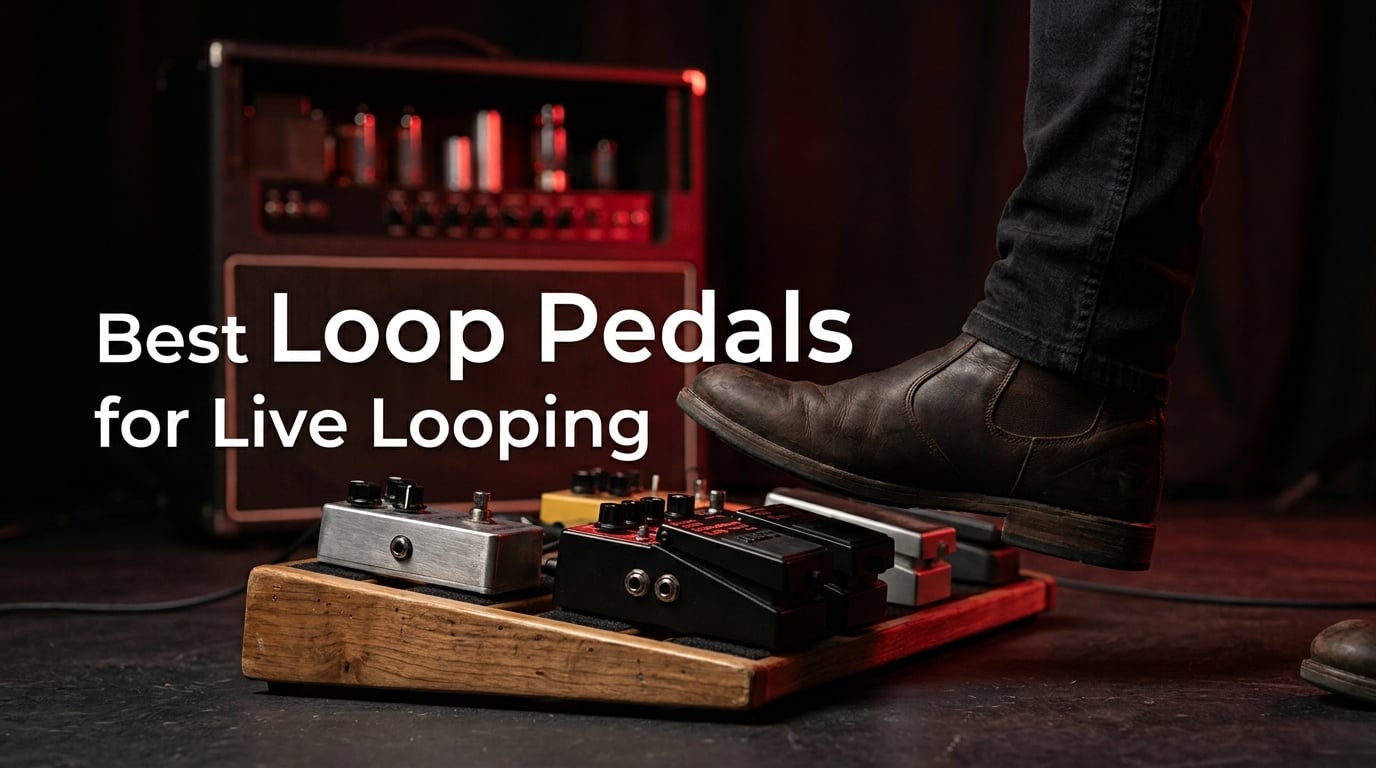
Live looping is one of the few genuinely hard stage crafts. A player walks on alone, plays four bars, and a pedal grows that phrase underneath them, then a bass line, then a pad, then a harmony. Ed Sheeran built an entire stadium career on it, and players like Suzanne Vega, Adrian Belew and Reggie Watts turned the same idea into full arrangements. Finding the right hardware is the difference between a set that builds or a set that collapses halfway through.
Our team spent weeks with these eight loopers in rehearsal rooms, at low-volume practice amps, and on a small stage where the monitor mix mattered more than the clean signal. We timed how long each unit takes to go from a cold pedalboard to a playing loop, counted the mistakes we made with our feet, and checked how each one behaved when the power got pulled mid-performance. What follows is the best loop pedals for live looping ranking, ordered by how much confidence we would put in them with an audience watching.
Before the list, the honest truth about this category. A looper pedal is not a practice accessory. The pedal you write songs with is rarely the pedal you can operate while a room full of people watches you, because the differences that matter live are footswitch size, whether there is a dedicated stop, and how clearly the state of the loop reads from a standing position. We weighted those three things far above onboard drum sounds and app connectivity.
One quick note for anyone monitoring their own rig: if you are still working out how you hear yourself onstage, our guide to in-ear monitors for live performances is worth a read before you build a looper signal chain, because a looper you cannot monitor is a looper you cannot trust.
What Is the Best Looper Pedal for Live Performances?
The BOSS RC-1 is the best looper pedal for live performances at the budget end, giving you 12 minutes of stereo recording, a 24-segment LED that shows record, overdub and play state from a standing position, and a single-knob workflow you can learn in an afternoon. If your set needs independent tracks for multiple instruments, step up to the BOSS RC-600 with six simultaneous stereo phrase tracks and 32-bit processing. For a quiet unamplified set, the Electro-Harmonix Nano Looper 360 wins on its silent momentary switch.
That answer is deliberately split three ways, because the honest truth is that live looping is not one job. A solo acoustic café set, a multi-instrument arrangement, and a busking act on a street corner have almost nothing in common, and the pedal that wins the first will lose the third. We say all of that in the buying guide below, but the short version is this: the RC-1 is the best first pedal and the most forgiving one under a busy foot, while the RC-600 is the only unit here that can hold a complete arrangement without a second piece of gear.
Our Top 3 Loop Pedals for Live Looping in 2026

BOSS RC-1 Loop Station
- 12 minutes stereo recording
- 24-segment LED loop indicator
- Stereo in and out
- Phrase retained after power off

LEKATO Looper Pedal
- 9 loops and 40 minutes total
- 48K/24bit uncompressed
- USB import and export
- Built-in tuner

TC Electronic Ditto Looper
- 5 minutes of loop time
- True bypass and analog dry-through
- Unlimited overdubs
- 2.72 ounce mini format
Those three cover the majority of what people actually need on a stage. The RC-1 is the one we would hand to a first-time live looper, the LEKATO is the one that surprises you with how much it does for the money, and the Ditto is the smallest, cleanest, most transparent option here.
All 8 Loop Pedals Compared Side by Side
| Product | Specs | Action |
|---|---|---|
| BOSS RC-1 Loop Station |
|
Check Latest Price |
| LEKATO Looper Pedal |
|
Check Latest Price |
| TC Electronic Ditto Looper |
|
Check Latest Price |
 Donner Circle Looper Donner Circle Looper |
|
Check Latest Price |
 Donner Triple Looper Donner Triple Looper |
|
Check Latest Price |
 MOOER Groove Looper MOOER Groove Looper |
|
Check Latest Price |
 Electro-Harmonix Nano Looper 360 Electro-Harmonix Nano Looper 360 |
|
Check Latest Price |
 BOSS RC-600 Loop Station BOSS RC-600 Loop Station |
|
Check Latest Price |
Two columns in that table decide most live purchases: how many independent loops the unit holds, and how much of the control surface you can reach with a shoe. Neither the loop time nor the drum sounds are the deciding factor, which is the opposite of how most roundups rank these.
1. BOSS RC-1 Loop Station – the Most Forgiving Pedal to Take on Stage
BOSS RC-1 Loop Station Pedal
12 minutes stereo recording
24-segment LED loop indicator
Stereo in and out
9V battery or adaptor
Pros
- Single-knob workflow that survives a busy stage
- 24-segment LED reads clearly from a standing position
- Recorded phrase stays in memory after power off
- Five-year BOSS warranty
Cons
- Only one loop at a time so parts must be cleared to restart
- No power supply in the box
- Loops can sound compressed against higher-end units
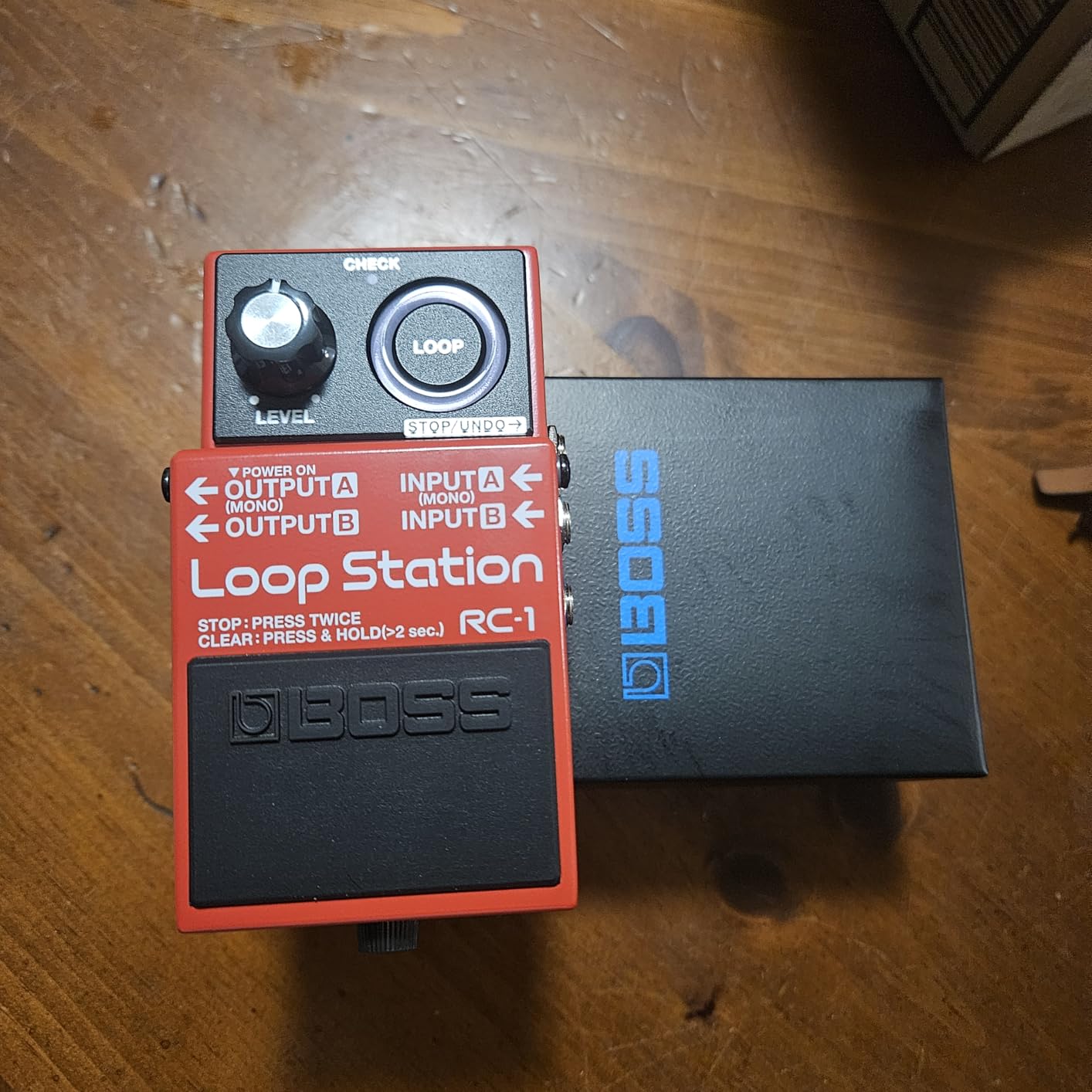
The RC-1 is the pedal we recommend to anyone stepping onto a stage for the first time with a looper underfoot. One footswitch, one knob, and a 24-segment LED that shows you exactly where you are in the loop cycle without reading anything. In our rehearsals it was the unit we stopped thinking about, which is the highest compliment a looper can earn.
Its design is genuinely old-school in the best way. You press once to start recording, press again to close the loop and begin overdubbing on top, and press a third time to stop. The LED changes state so visibly that you can run an entire song looking at the pedal rather than your audience. That matters more live than any feature list suggests.
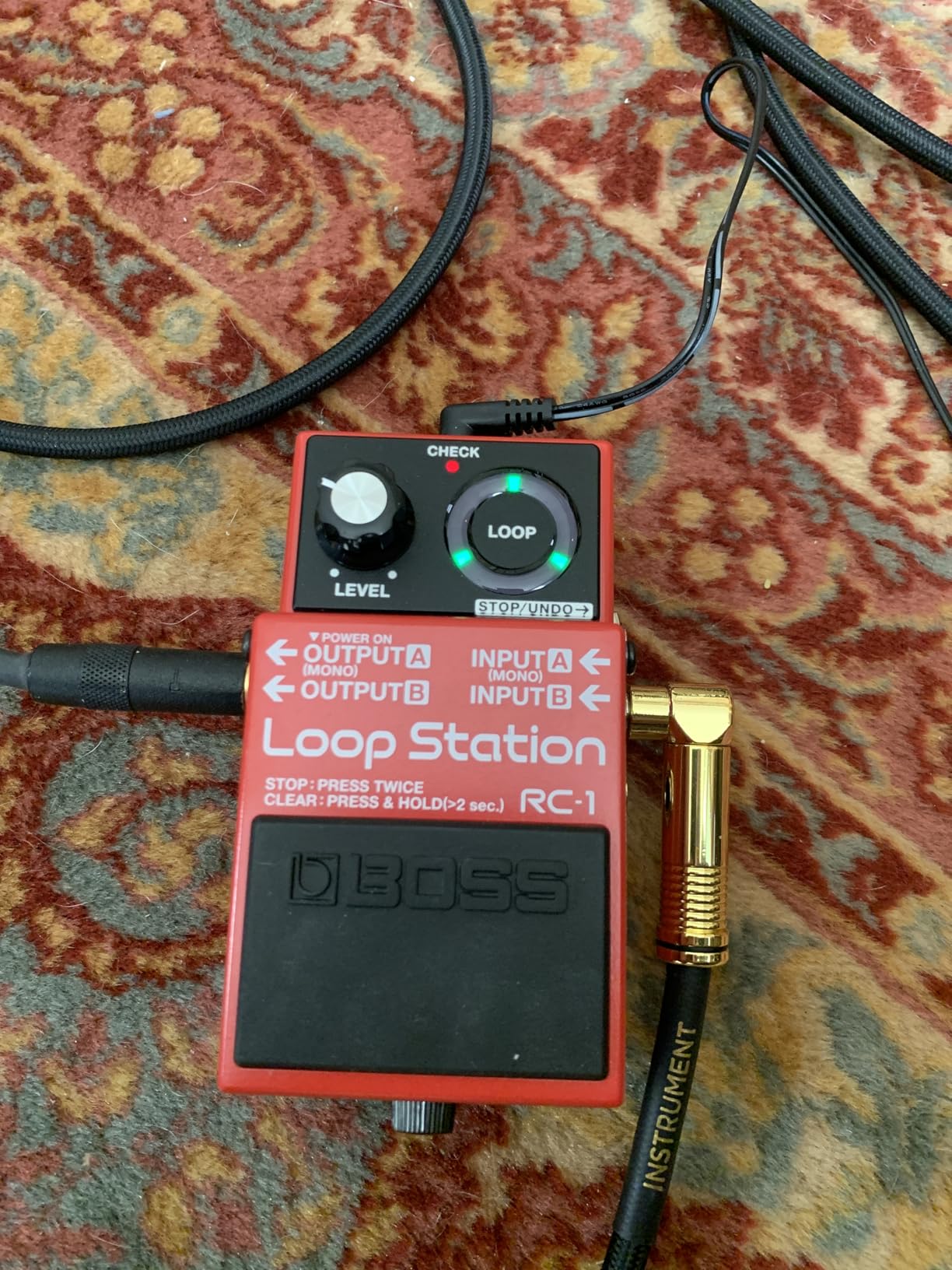
Twelve minutes of stereo recording time is far more than a typical song needs, and the recorded phrase survives the pedal being powered off, which saved us twice when a rehearsal ended mid-arrangement. The 440 g weight and the 5.08 by 2.32 by 2.87 inch footprint make it genuinely portable for a busker or a small stage.
Why the single-loop design is not a limitation here
Almost every complaint about the RC-1 online is that it holds one loop at a time, and for a songwriter building a full arrangement that is a real constraint. For a single guitar or bass, it is not. One loop with unlimited overdubs layered on top is exactly how most players build their first live arrangement, and doing it on one loop keeps your foot busy in a predictable pattern that is very hard to rush.
It also runs on a 9 volt alkaline battery for roughly 4.5 hours, which is the practical number to plan a busking day around. An AC adaptor from the PSA series works too, though it is sold separately, so budget for a supply if you play a long outdoor set.
Build quality and stage durability
BOSS backs the RC-1 with a five-year warranty, and the chassis feels like it will outlast the pedalboard it sits on. The footswitch is firm and well-spaced enough that we never mis-hit it while wearing socks, which is a genuine improvement over the tiny switches on some large floor units. The stomp action is quiet enough that it did not cut through a quiet acoustic passage on stage.
The one real complaint we can justify is loop quality. Compared against a 32-bit floor unit, a heavily overdubbed RC-1 loop can sound compressed, particularly once you stack six or seven layers. If your arrangement stays under five layers it holds together well.
Who should buy it, and who should skip it
Buy the RC-1 if this is your first pedal, if you play one instrument, or if you want a loop that will still be there after a power cut. Skip it if you need to loop a guitar, a bass and a vocal as three separate tracks you can mute independently, because there is no second track to give them to.
2. LEKATO Looper Pedal – Nine Loops and USB Transfer for the Least Money
LEKATO Looper Guitar Pedal Guitar Loop Pedal Tuner Pedal 9 Loops 40 Minutes Record Time Unlimited Overdubs for Electric Guitar Bass (Black)
9 loops and 40 minutes total
48K/24bit uncompressed
USB import and export
Built-in tuner
Pros
- Nine stored loops plus 40 minutes of total recording
- 48K/24bit uncompressed capture
- USB moves WAV files to and from a computer
- Metal enclosure in a very small footprint
Cons
- A single footswitch slows down fast live switching
- The built-in tuner sits in the signal chain and can affect accuracy
- Printed manual text is small and hard to read
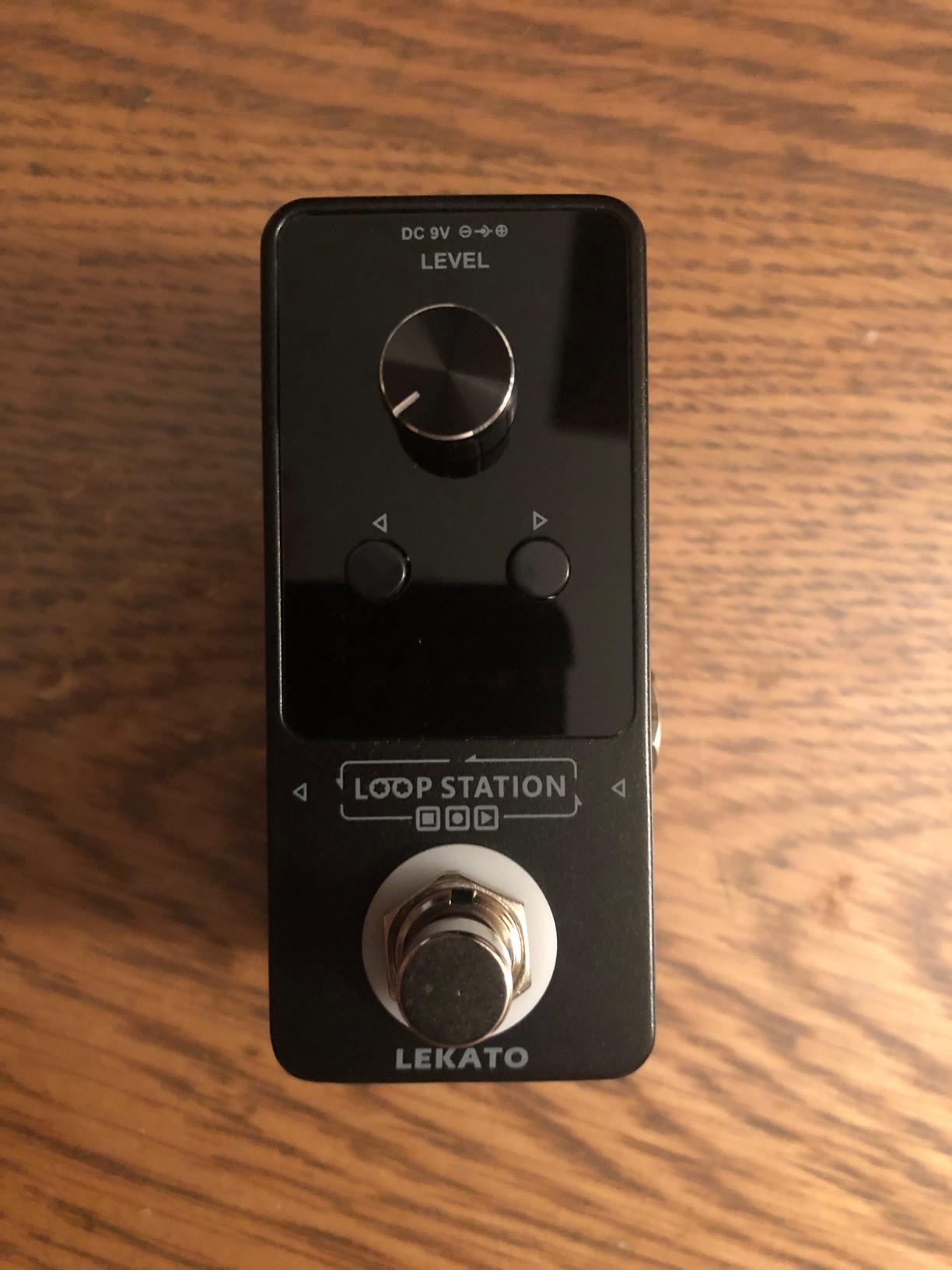
The LEKATO is the specification outlier in this list. Nine loops, 40 minutes of total recording, uncompressed 48K/24bit capture, USB file transfer and a built-in tuner, all in a 1.95 by 1.57 by 3.54 inch metal box weighing 0.31 kg. Nothing else here gives you stored loops and uncompressed audio at the same time.
For live looping, the nine stored loops are the headline feature. Storing loops turns a looper into a small backing band: you can load a rhythm or a melodic part before the set, then bring it in on the footswitch when you need it. Players who build arrangement templates will find more use for those nine slots than for another 20 minutes of headroom.
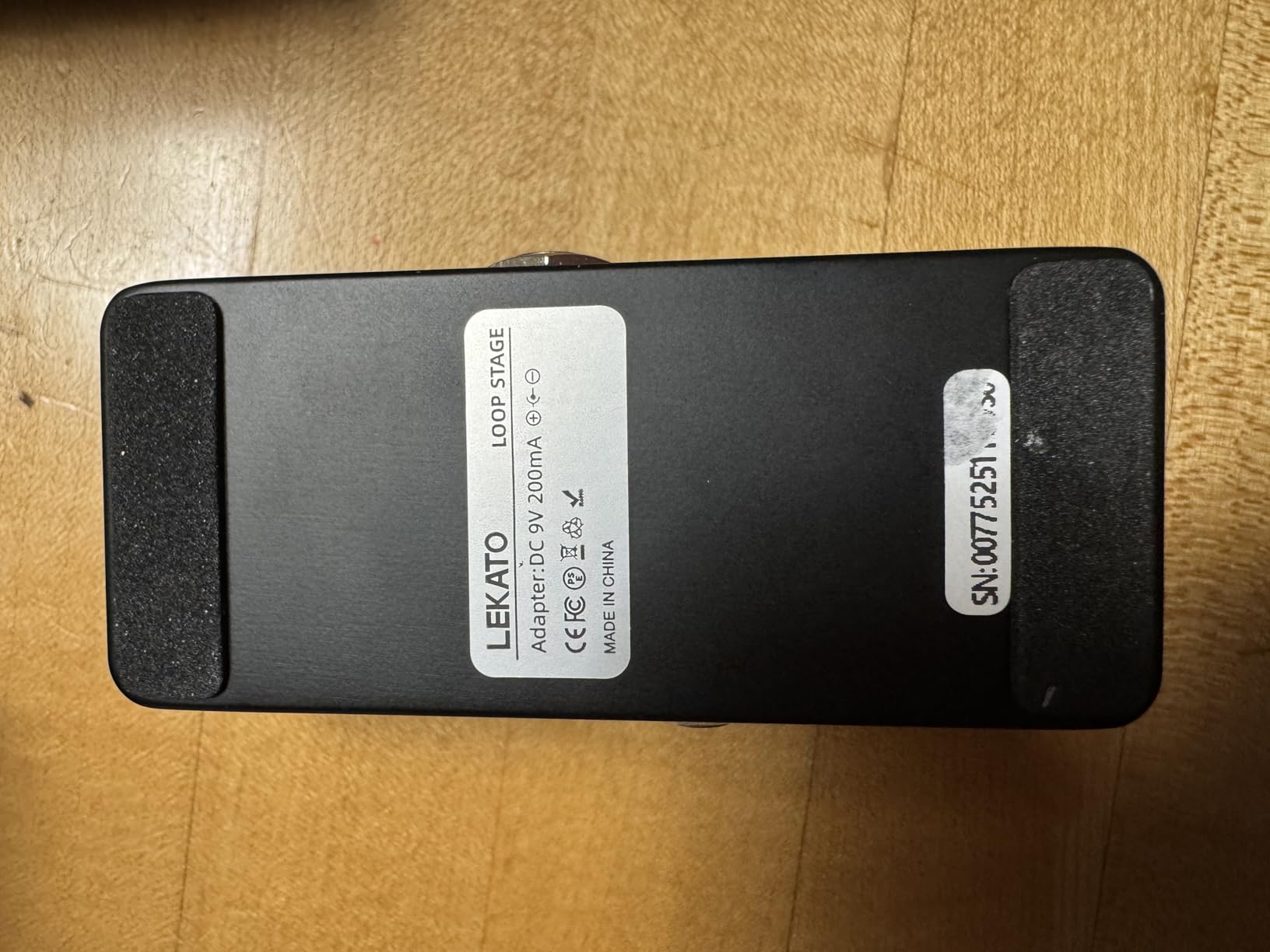
Unlimited overdubs with a single knob keep the operation simple, and the visual time indicator shows loop progress so you are not counting bars in your head. USB import and export of WAV files means you can write a loop in a DAW on your laptop, drop it on the pedal, and use it as a backing track without ever touching a computer onstage.
Uncompressed audio is the quiet advantage
Lossless uncompressed 48K/24bit recording is a genuine step up from compressed loop formats at this level. It means a loop can pass through several overdub passes and twelve saved slots before it degrades noticeably, which matters if you plan to reuse the same rhythm across an entire set.
The analog dry-through design means the signal passes through untouched when the pedal is not in a loop, so it behaves well in a signal chain. That is a real advantage for anyone stacking a looper behind drive pedals, because you are not introducing a buffered tone change every time you stomp.
Where the LEKATO falls short on stage
The single footswitch is the limitation to plan around. One switch means one loop plays at a time and every change takes a stomp plus a hold, so building a layered arrangement live on this pedal is slower than on a multi-track unit. Our advice is to treat it as a pedal that recalls pre-loaded loops rather than one that records complex arrangements on the spot.
The built-in tuner is a clever space saver in a crowded board, but it lives in the signal path, and users report accuracy dropping when other pedals sit ahead of it. Position it early in the chain if you plan to use it. The written manual is also genuinely hard to read, with tiny type, so budget an evening with the controls rather than expecting a manual-free setup.
Who should buy it, and who should skip it
Buy the LEKATO if you loop at home, busk with pre-loaded material, or want uncompressed audio and file transfer at the lowest outlay. Skip it if your set depends on building three or four tracks from nothing during the performance, because the one-switch workflow will not keep up with your foot.
3. TC Electronic Ditto Looper – Transparent Tone in the Smallest Footprint
TC Electronic DITTO LOOPER Highly Intuitive Looper Pedal with 5 Minutes of Looping Time, Analog-Dry-Through and True Bypass
5 minutes loop time
True bypass and analog dry-through
Unlimited overdubs with undo/redo
2.72 ounce mini enclosure
Pros
- True bypass leaves your dry signal completely untouched
- Analog dry-through keeps the pedal silent outside a loop
- One knob and one switch with nothing to mis-set
- 2.72 ounce mini format frees pedalboard space
Cons
- Only 5 minutes of loop time
- Recorded loops are lost when the power is removed
- Needs a 9V supply of 100mA or more which is sold separately
The Ditto is the pedal most people end up owning, and after weeks with it we understand why. There is genuinely nothing to learn. The single footswitch starts, closes and stops the loop, the single knob sets your loop level, and the sound that comes back is as clean as the sound that went in. It is the most transparent looper we tested.
True bypass combined with analog dry-through is the technical reason. When no loop is playing, the signal is routed through the pedal’s relay without passing through the A/D and D/A converters at all, so your amp sees the same input it would with an empty slot. That is what keeps it invisible in a chain full of drive and modulation.
Undo and redo gives you a safety net that most simple loopers skip, and on stage that matters more than it sounds. One extra layer you did not want is recoverable with a single press instead of wiping the whole arrangement and starting the song again.
Five minutes is usually enough, and sometimes not
Five minutes of loop time covers most standard song structures with room to spare, and a guitarist looping a single riff or a chord bed will never approach the limit. Vocalists, beatboxers and anyone layering ambient textures will find five minutes restrictive fast, because long-form pieces and drone work depend on very long loops rather than short phrases.
There is no loop storage and nothing is retained when the power is removed. For a live set this is a non-issue as long as power stays on. It matters more for the writer who expects to close the lid on a half-built arrangement and pick it up tomorrow, which is exactly the workflow the LEKATO and the Nano Looper 360 handle better.
Stage readiness of a 2.72 ounce pedal
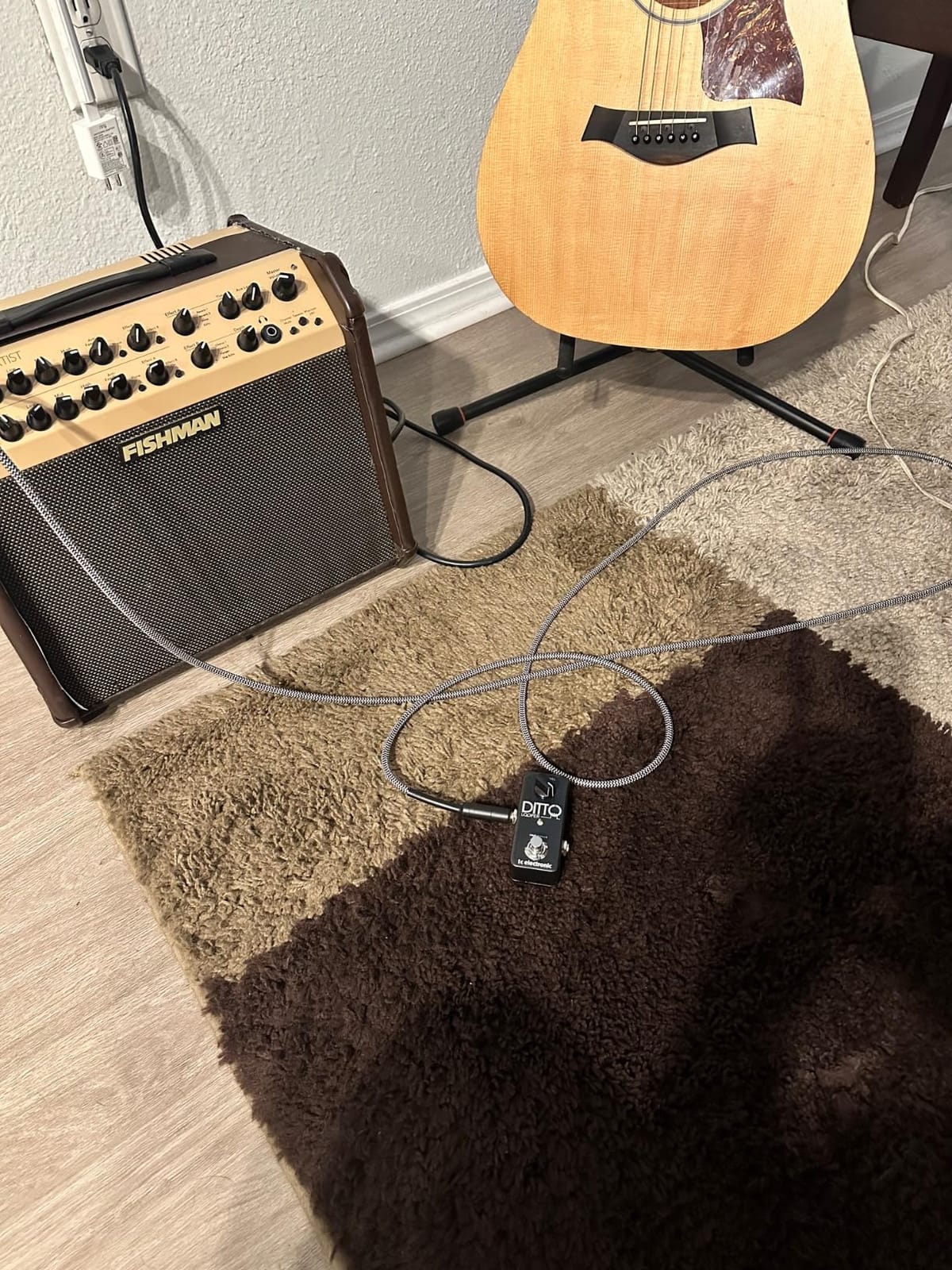
At 2.72 ounces and 4 by 3.9 by 2.5 inches, the Ditto is the smallest and lightest unit here, and that is a real virtue on a crowded board where stomp stability depends on available foot space. The switch is small but crisp, and its action is quiet enough not to announce your loop changes to the room.
Two practical notes. The power jack is a 9V barrel connector that needs 100mA or more and no supply is included, so bring your own. And because there is no screen, the LED is your only feedback, which is fine for a pedal this simple but leaves nothing to read if you are new to looping.
Who should buy it, and who should skip it
Buy the Ditto if you want one pedal, one switch and zero tone change. It is the safest first purchase for a guitarist who loops over an amp with a few pedals in front of it. Skip it if your set needs memory between songs, longer loops, or more than five minutes of running time.
4. Donner Circle Looper – a Full Drum Machine Built Into the Loop Pedal
Donner Circle Looper Pedal Drum Machine, 2 in 1 Drum Looper Stereo Guitar Loop Pedals, 40 Slots 160 mins Loop with 110 Drum Grooves, Tap Tempo, Fade Out
40 slots and 160 minutes total
110 drum grooves in 11 styles
44.1kHz/24-bit stereo
Bright progress screen
Pros
- 110 drum grooves give you a rhythm section without a band
- 40 memory slots holding up to 4 minutes each
- Bright screen shows mode
- progress and timing
- Auto-saves recordings when the power goes off
Cons
- No power switch so you unplug the unit to turn it off
- Stopping playback drops into overdub mode
- Slots can only be numbered and not named
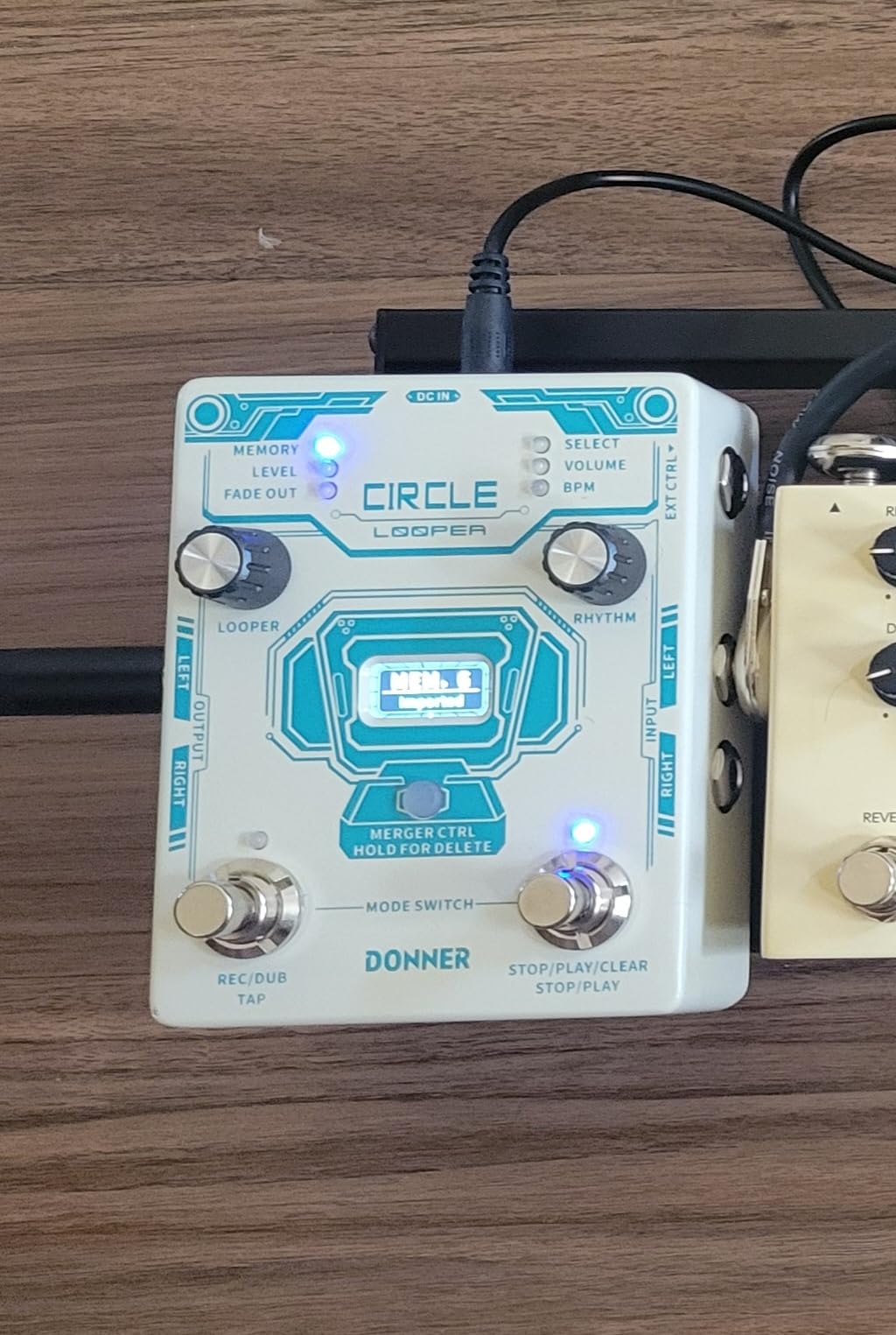
The Donner Circle Looper is the most ambitious box on this list relative to its size, and it is the only one that treats rhythm as a first-class part of the loop rather than a novelty. Two recording functions in one 2.72 by 4.65 by 5.2 inch unit: a stereo looper with 40 memory slots, and a drum machine with 110 grooves across 11 styles.
For a solo performer, that drum machine is the difference between looping and having a band. It gives you a kick and a backbeat to play against the moment the pedal is on, which is often the hardest part of playing alone. Experienced players still tend to prefer their own sampled grooves, but for a first busking rig or a songwriter building arrangements at home, the 110 grooves are genuinely usable.
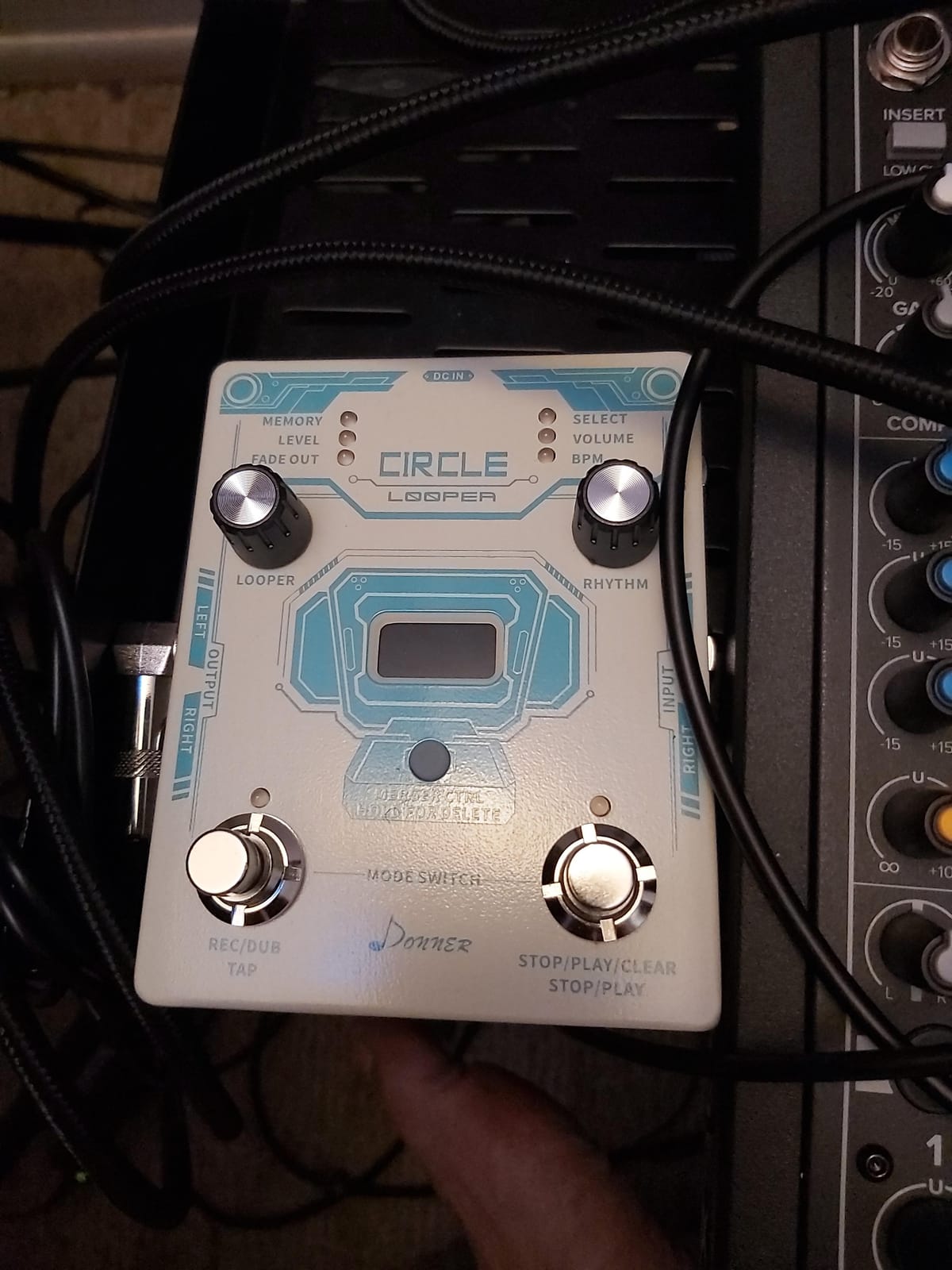
Recording runs at 44.1 kHz and 24-bit stereo, and 40 slots at up to 4 minutes each adds up to 160 minutes of storage. USB-B connectivity with editor software handles import and export, tap tempo and fade out are built in, and 10 metronome settings are available for practising against time.
The screen is the reason this pedal works live
The bright display shows loop mode, time progress and timing in one glance, and that visibility from a standing position is what separates this from simpler units. You can see how far through the phrase you are without counting, which is the difference between a confident performance and a distracted one.
Auto-save on power off is a genuinely useful safety feature for a live context, since it means an accidental unplug does not wipe the set you spent the afternoon building. Firmware updates are still being issued for the unit, so it is not an abandoned design.
Two behaviors to rehearse before you rely on them
There is no power on or off switch, so powering down means unplugging the barrel connector. On a pedalboard that is an extra step between sets, and it is worth rehearsing so you do not fumble it in front of people.
More important: stopping loop playback drops the unit into overdub mode by default. If your next action is not to record another layer, that switch press can capture room noise or a stray note into your loop. Learn the exact sequence, and consider an external footswitch, which this unit supports even though it is not included, to give yourself a cleaner stop.
Who should buy it, and who should skip it
Buy the Circle Looper if you are building a solo set without a drummer, want loop memory across a whole setlist, and value a screen you can read from six feet away. Skip it if silence matters in your performance, because the overdub-on-stop behavior and the need to unplug for power are real stage friction points.
5. Donner Triple Looper – Three Independent Loops on a Tight Budget
Donner Triple Looper Guitar Pedal, 3 Loops 90 mins Looping Time Loop Pedal with Screen Unlimited Overdubs Undo/Redo for Electric Guitar Bass, True Bypass
3 loop slots, 90 minutes total
Bright screen with progress ring
Unlimited overdubs and undo/redo
Auto-save on power off
Pros
- Three independent loop slots at 30 minutes each
- Auto-save keeps loops after the power is cut
- True bypass preserves tone when bypassed
- Power adapter included in the box
Cons
- Some units emit a digital chirp during recording
- Slight signal level loss against premium loopers
- Loops cannot be moved between the three slots
Three loops in one footswitch is an unusual shape, and it works better for live use than the spec sheet suggests. Each of the three slots holds up to 30 minutes, giving 90 minutes total, and you move between them with tap and hold on a single switch. That is not a full multi-track workstation, but it is a genuine upgrade from one loop if you layer a rhythm, a bass line and a melody.
At 175 g and 2.36 by 2.36 by 4.72 inches it is a medium stompbox, and the bright screen shows loop status, recording progress and timing. A segmented ring indicator around the switch gives you visual loop position, which is a nice touch on a unit this size. True bypass keeps your signal clean when the loop is off.
Unlimited overdubs with undo and redo, plus auto-save even when the pedal is powered off, are the two features that most improve day-to-day use. A power adapter is included, which is unusual at this level and saves you a trip to the accessory drawer.
Quality control is the thing to watch
There are recurring reports of a digital chirping or beeping noise during recording on some units. It is a manufacturing consistency issue rather than a design flaw, and it is the main reason we would not put this pedal at the front of a live rig without an afternoon of testing it first. Play with headphones, record a long loop, and listen back before you trust it in a set.
Users also report slight signal level loss compared with premium loopers. If you run a bright compressor or a high-gain amp, that level drop can eat headroom you were counting on. The bright screen and the three-slot layout both help usability, and a display is rare in this class.
Know what the three slots cannot do
Loops cannot be moved between the three slots, so there is no way to restructure an arrangement after the fact. Each slot is a fixed bucket, and if you record a part into the wrong one you either live with it or record it again. For a planned set that is manageable. For improvisational live arranging it is restrictive.
With three slots, a practical approach is to assign them in advance: one for the foundational groove or riff, one for bass or harmony, and one for texture. Write the order down on a setlist and follow it, and the single footswitch becomes a predictable three-position control rather than a source of stress.
Who should buy it, and who should skip it
Buy the Triple Looper if you want more than one loop and a visible screen without spending much. Skip it if a recording glitch would end your set, or if you need to record and edit audio in the same box, since it has no USB file transfer.
6. MOOER Groove Looper – Tempo Flexibility Without Touching Pitch
MOOER Groove Looper Pedal Drum Machine Stereo Guitar Loop Recorder Pedals
14 save slots, 140 minutes stereo
TIME STRETCH without pitch change
121 drum grooves
Justify sync function
Pros
- TIME STRETCH changes tempo without shifting pitch
- Justify keeps the drum groove locked to the loop
- 140 minutes of stereo recording across 14 slots
- Separate output routing for looper and drum machine
Cons
- Knob labels do not line up with the actual knob positions
- Tall enclosure puts the switch far away when seated
- No display so BPM reading depends on the software
The MOOER Groove Looper is built around one genuinely useful idea: separating tempo from pitch. Its TIME STRETCH function changes playback speed without shifting pitch, which means a loop recorded at one tempo can sit under a different one. For songwriting and arrangement work, that removes a limitation most loopers here do not address at all.
Storage is generous at 14 save slots and 140 minutes of stereo recording at 44.1 kHz and 24-bit. The drum side offers 121 grooves across 11 genres with 11 variations each, and a Justify function that keeps the drum groove and your loop locked together when their lengths do not match perfectly. Three recording modes cover count-in, automatic and normal operation.
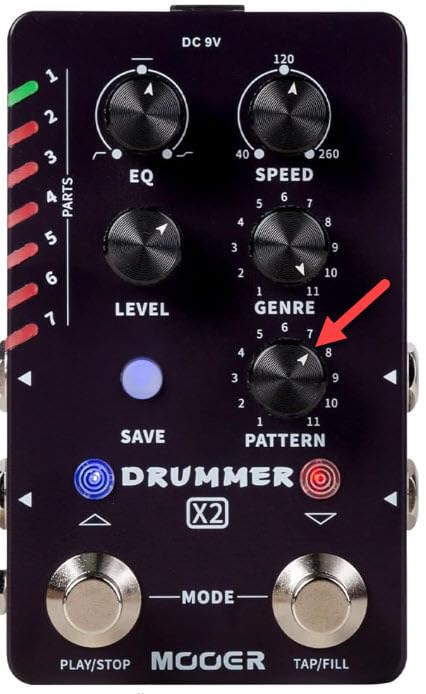
Separate output routing for the looper and the drum machine is a feature that matters live, because it lets the drums go to the monitor mix while the loop sits in the front of house mix. That is a real mixing decision most compact loopers force you to make with a splitter cable.
The interface is the weak point
Knob labels on the panel do not align with the actual knob positions, which sounds trivial until you try to change a setting quickly under stage light. There is also no display, so reading the BPM depends on connecting the editor software, and any change you make blind is a change you are guessing at.
The enclosure is 5.55 by 5 by 3.11 inches and taller than a typical stompbox. Sitting down at a keyboard or a small amp, that height pushes the footswitch further from your foot than you would like. Players who work seated may want to check this in a shop before committing.
Import, export and the editor software
Free editor software handles track management, firmware updates and file transfer, and the unit imports MP3, WAV, FLAC and APE while exporting WAV. That import range is broader than anything else on this list, so if you want to load pre-built backing parts rather than record everything live, this is the easiest box here to load from a computer.
There is also a 1/8 inch external control output, which is how you would attach a second footswitch to give yourself dedicated record and stop commands. With only one built-in switch, an external footswitch moves this unit closer to a workable live control surface.
Who should buy it, and who should skip it
Buy the MOOER if you write arrangements, want to import parts from a computer, or need a loop to flex around a tempo change. Skip it if you need to make quick edits on stage, because the absence of a display and the misaligned labels make blind panel work a gamble.
7. Electro-Harmonix Nano Looper 360 – the Quietest Switch for Unamplified Sets
Electro-Harmonix Nano Looper 360 Looper Pedal
6 minutes per loop, 11 storable
24-bit/44.1kHz uncompressed
Silent momentary footswitch
Power adapter included
Pros
- Silent momentary switch suits unamplified and busking sets
- 24-bit/44.1kHz uncompressed with no fidelity loss on overdubs
- Eleven storable loops give you a usable set list
- Power adapter is included in the box
Cons
- 6 minutes per loop is short for long arrangements
- Only 174 reviews so long-term feedback is thinner here
- Larger nano format than a mini pedal
The Nano Looper 360 is the one to look at if your set is quiet. Its momentary footswitch is silent, so starting and closing a loop does not produce the mechanical click that gives away a loop change in a room with no amplification. On an acoustic stage, in a busking spot, or during an ambient set, that single design choice is worth more than a longer feature list.
Audio quality is uncompressed 24-bit at a 44.1 kHz sample rate, and Electro-Harmonix states that overdubbing does not degrade fidelity. In practice our layered tests held up cleanly through six passes, which is at least as good as anything else at this level.
The eleven storable loops are what turn this into a set tool. Six minutes per loop across eleven slots gives you room to load a small backing band for a whole set and switch between arrangements. The layout separates record, overdub, undo-redo and erase onto clearly labelled controls, so a glance is enough to confirm what you are about to press.
Six minutes and how to work with it
Six minutes is longer than the Ditto’s five and shorter than most storage-focused units here. For songs, it is comfortable. For long-form ambient pieces or extended drone work, plan to split the piece into sections rather than trying to record one continuous phrase, because a loop that runs past the limit will cut you off mid-arrangement.
Eleven slots with six minutes each is a set list in miniature. Loading a rhythm into one slot and a harmonic part into another before the set lets you switch between arrangements on a single switch, which is exactly how players use loop memory to build a solo set.
Stage behavior and power
At 16 ounces and 6.25 by 3.2 by 5.65 inches, this is a nano pedal with a bigger footprint than a mini unit, so it takes real space on a small board. The upside is the silent momentary action and the physical layout, which puts the most-used functions closest to the switch.
A power adapter is included, which removes one common frustration. One honest note about research depth: this unit carries 174 reviews, fewer than the other seven here, so the long-term consistency picture is thinner than the specification sheet suggests. Test it thoroughly before a tour.
Who should buy it, and who should skip it
Buy the Nano Looper 360 if you play quietly, busk, or do ambient and vocal work where switch noise would give you away. Skip it if you need more than six minutes per loop or want file transfer to a computer, which this unit does not offer.
8. BOSS RC-600 Loop Station – Six Stereo Tracks and Nine Footswitches
BOSS RC-600 Floor-Based Loop Station for Looping Musicians
6 simultaneous stereo phrase tracks
32-bit AD/DA and floating point
9 assignable footswitches
8-channel USB interface
Pros
- Six simultaneous stereo phrase tracks for full arrangements
- 32-bit AD/DA with floating-point processing
- Nine freely assignable footswitches across 3 modes
- Doubles as an 8-channel USB audio interface
Cons
- 22.9 by 9.8 inch footprint and 8.2 pound weight demand dedicated space
- Programming depth makes simple loops slow to set up
- Draws 1100 milliamps so it needs a strong supply
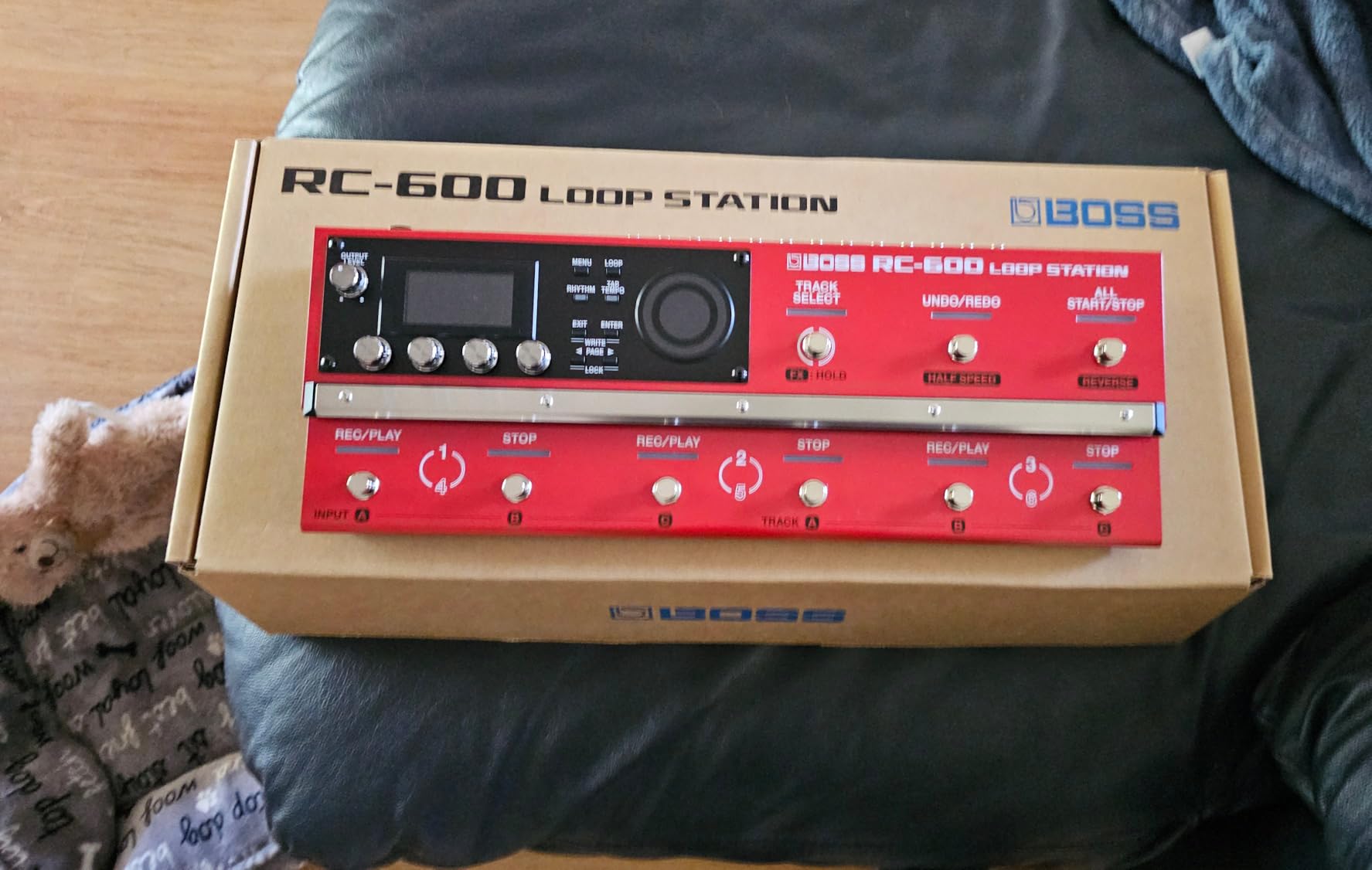
The RC-600 is the only unit here that can hold an entire arrangement rather than a loop. Six simultaneous stereo phrase tracks, each independently recordable, startable and stoppable, is the feature set that makes multi-instrument live looping possible on one box. If you loop guitar, bass, keys and voice as separate parts, this is the gear that makes it workable rather than a compromise.
Processing is 32-bit AD/DA with 32-bit floating-point conversion, which is why an arrangement with many layers holds up better than anything else here. The effects library is enormous, with 49 Input FX and 53 Track FX types and four of each able to run at once, so you can color a loop and the incoming part separately.
Real-time loop recording and editing means mistakes can be corrected on stage without stopping the set, and the nine freely assignable footswitches across three pedal modes can be mapped to whatever your arrangement actually needs. The unit also functions as an 8-channel USB audio interface, so the same box records a rehearsal straight into a computer.
Plan your board before you buy
At 22.88 by 9.81 by 4.88 inches and 8.2 pounds, this is a floor unit that needs its own space, not a stompbox that fits between two drives. On a crowded board it will be the reason you have to move things. It also draws 1100 milliamps, so bring a supply with real current headroom rather than a thin board power adapter.
The nine assignable switches are an asset and a trap. Mapped well, you get one switch per track and instant mute control. Mapped carelessly, you will hit the wrong one. Build your mapping offline in a rehearsal and write it on the setlist.
The learning curve is the real cost
Programmers get frustrated with the RC-600 for a consistent reason: the depth that makes it powerful also makes simple tasks slow. Getting a single loop running takes setup steps that a two-knob pedal does not have, and reviewers repeatedly note that the complexity can remove the fun from playing. If your live set is a handful of fixed arrangements, that is a fine trade. If you improvise, you may prefer less.
What you get for the trouble is control. Real-time editing, per-track effects, an eight-channel interface, and enough track capacity to record a full band arrangement from a single player. Nothing else in this list does that.
Who should buy it, and who should skip it
Buy the RC-600 if you perform multi-instrument arrangements, have a dedicated floor space, and will spend real time setting it up. Skip it if you play a 1.95 by 1.57 inch slot, or if you want to walk on and loop without a plan.
How to Choose a Loop Pedal for Live Looping
Seven questions decide which of these eight is right, and every one of them is about the performance rather than the feature count. Answer them in order, because later ones only matter once the earlier ones are settled.
1. Are you playing one instrument or several?
This is the fork that splits the entire category. One instrument, one loop and unlimited overdubs is a solved problem for the RC-1 or the Ditto. Several instruments, each needing an independent start and stop, is a different category of problem and it points at the RC-600.
2. Do you need stored loops between songs?
If you want to load material before the set rather than record everything live, count memory slots before minutes. The LEKATO gives you nine loops, the Nano Looper 360 gives you eleven, the Donner Circle Looper gives you 40 at 4 minutes each, and the MOOER gives you 14 at 10 minutes each. The Ditto and the RC-1 store nothing you can recall later.
3. How many footswitches can you actually hit?
One switch is fine if you only ever need one loop. It is limiting the moment you want two things at once. Two or more is better, and the RC-600 with nine is the extreme end. A dedicated stop footswitch, a separate switch whose only job is to halt playback immediately, is the single most requested feature in player forums and the one most often missing.
4. Can you see the pedal from a standing position?
An LED you can read from six feet away beats a small screen you must look down at mid-song. The RC-1’s 24-segment indicator and the Donner units’ bright displays both solve this. If you plan to watch the pedal rather than your audience, buy the more visible one.
5. How long do your loops need to be?
Count your longest arrangement, not your average song. Five minutes suits most songs and frustrates ambient work. Thirty minutes per slot, as on the Donner Triple Looper, or 160 minutes of total storage, as on the Circle Looper, covers long pieces and full sets.
6. Is your sound quiet enough to expose switch noise?
Acoustic stages, busking and ambient sets reward a silent momentary footswitch, which is the Electro-Harmonix Nano Looper 360’s defining feature. Amplified electric sets can ignore this entirely. Know which room you are playing before you pick.
7. Will it run on battery, and can you sync it?
For busking, mains power is a hard requirement and the RC-1’s roughly 4.5 hours on a 9 volt alkaline battery is the number to plan around. For players already running a drum machine or a DAW, MIDI clock compatibility is the dealbreaker, and of the units here the RC-600 is the one built to integrate with the rest of a rig.
One last piece of advice from the forums. Players overwhelmingly want a looper they can run without a manual and without menu diving, and that preference is a better predictor of satisfaction than any specification. If you cannot operate the unit in under five minutes with nobody helping you, keep looking.
Where the Looper Belongs in Your Signal Chain
Placement changes how a loop sounds more than most players expect, and it is the question that comes up most in the forums we studied. The rule is simple: a loop should enter your chain before the gain stages, so the recorded material is clean when it returns.
The wrong move is placing the looper late in the chain, after drive and distortion. Your recorded loop is then re-amplified and re-distorted on every playback, which is why loops recorded that way go muddy fast. The first overdub sounds acceptable and the fourth sounds like a wall.
The right order, in sequence, is this. Start with the looper, then modulation and delay, then drive, then your amp. That way every loop you record and every layer you add arrives at the distortion stage with the same clean character, and overdubs sit on the same footing as the original.
With a tube amp that has an effects loop, there is a second option worth knowing. Placing the looper in the effects loop sends it through the preamp, and the preamp will add its own distortion to material that has already been shaped, which many players find too colored. Placing it before the amp avoids that entirely.
Where you can genuinely improve things is monitoring. Looping live means playing against a loop you may not fully hear, so a reliable monitor mix matters more here than in most setups. If you are recording a looped set as well, our tripod guide for live streaming is a sensible companion piece for keeping the camera still while both hands are busy, and if you are filming on a phone our phone tripod picks cover the lighter mounts and clamps that survive a moving performer.
The tone suck problem
A sudden drop in level or a change in high-end when a loop starts is usually unbuffered signal loss rather than a fault in the pedal. Long cable runs without a buffer, or a bypass mode that does not match the rest of your chain, produce exactly this effect. True bypass units like the Ditto and the Donner Triple Looper avoid it, which is a practical reason to favor them in a long chain.
Feedback
Feedback is almost always caused by the loop being louder than the monitor mix can handle, not by the pedal. Pull your loop level back, raise the monitor volume, and the howl disappears. If feedback appears only when a loop starts, your loop level is set too high for the room you are standing in.
Fix the Five Loop Problems That Ruin a Set
Every one of these comes from something we hit ourselves or from recurring player reports, and every one has a fix you can apply at a rehearsal rather than on stage.
Why won’t my loop pedal work? In most cases it is not broken. Check the input and output cables first, because a jack pushed in only halfway still passes signal in some setups and fails silently in others. Then confirm the loop level knob is above zero and that the footswitch has actually latched. Finally, check the power supply current. Several units here need 300 milliamps or more, and an underpowered adapter is the single most common cause of a looper that behaves erratically or will not record at all.
Gap or click at the loop point. A loop that does not butt up cleanly against itself almost always comes from switching latency, where the pedal needs a few milliseconds to circle back to record. Record a little extra silence at the end of your first loop so the seam lands in a gap rather than on your downbeat. On units with auto-start or count-in modes, use them instead of chasing the seam by hand.
Loops that sound muddy. Three causes, in order of likelihood: too many overdubs layered without rebalancing, the looper placed after your drive pedals, and unbuffered signal loss. Fix the chain first, since it changes the sound of every layer, then thin out the arrangement. A loop that reads clearly with four layers often sounds better than the same idea with seven.
Mechanical clicking on quiet stages. This is switch noise, and it is fixed by hardware rather than settings. If your set is quiet enough for the click to be audible, use a pedal with a silent momentary footswitch, or bypass by pulling the cable for the quietest passages instead of stomping.
Tempo drift and loops falling out of sync. If a loop wanders against a drum machine, sync the looper to MIDI clock rather than trying to match them by ear. Without that, a player chasing a moving beat mid-song is fighting the pedal instead of performing.
One safety habit worth building in. Know exactly how to clear a loop on your pedal before you go on, and rehearse it. The undo and redo functions on the Ditto, the Donner Triple Looper, the LEKATO and the Nano Looper 360 turn a bad overdub into a one-press recovery instead of a song restart.
Frequently Asked Questions
What is the best looping pedal for live performances?
The BOSS RC-1 is the best looping pedal for live performances for most players, with 12 minutes of stereo recording, a 24-segment LED that reads from a standing position, and a single-knob workflow. Players building multi-instrument arrangements should use the BOSS RC-600 with six simultaneous stereo phrase tracks, and quiet acoustic or busking sets suit the Electro-Harmonix Nano Looper 360.
What is the best multi-track looper pedal?
The BOSS RC-600 is the best multi-track looper pedal, offering six simultaneous stereo phrase tracks with 32-bit AD/DA processing and nine freely assignable footswitches across three pedal modes. If you want independent tracks in a smaller box with more memory rather than more real-time control, the Donner Circle Looper stores 40 slots of up to 4 minutes each.
What does Ed Sheeran use for looping?
Ed Sheeran is the most searched name in looping, and he is closely associated with Sheeran Loopers, a compact pedal line built for the rig he carries on tour. For players comparing pedal options, the practical takeaway is that his setup prioritizes a small footprint, battery power and a fast single-switch workflow, which is the same use case as the BOSS RC-1.
Why won’t my loop pedal work?
Check the cables first, then confirm the loop level is above zero and the footswitch has latched. The most common real cause is an underpowered supply, since most loopers here need 300 milliamps or more. A unit that powers on but will not record, cuts out mid-loop or behaves erratically is almost always current-starved rather than faulty.
Why is my amp giving so much feedback?
Feedback when a looper is in the chain almost always means the loop level is set too high for the room. Pull the loop level down and raise the monitor volume instead. If feedback only appears when a loop starts, confirm the looper sits before your gain stages, because placement after drive pushes too much level into the amp.
Where should I place a looper in my signal chain?
Place the looper first, before modulation, delay and drive, so every recorded layer arrives at the gain stages clean and overdubs sit on the same footing as the original. Putting a looper after distortion re-shapes material that has already been shaped, which is the usual reason loops turn to mud after a few passes.
Do I need a looper with an SD card or USB port?
Only if you want to move loops between a pedal and a computer. USB import and export appears on the LEKATO, the Donner Circle Looper and the MOOER Groove Looper, and the BOSS RC-600 works as an 8-channel USB audio interface. If you record everything live, file transfer adds nothing to the performance.
Should I get a one-button or a multi-button looper?
One button is right if you loop a single instrument and just need record, close and stop. Add buttons when you want to run two parts at once, bring a loop in from memory, or stop playback instantly without a press-and-hold. If your set involves any real-time arrangement, a dedicated stop control is the feature players ask for most.
The Verdict: Which Loop Pedal Should You Play Tonight
If you only buy one, take the BOSS RC-1. It has the highest rating and by far the largest body of user feedback in this group, its 12 minutes of stereo recording covers any standard song, and its 24-segment LED plus single-knob control are the most forgiving combination we tested with a busy foot and a full room.
Match your pick to the job instead. Loop a single guitar or bass and want the smallest footprint with the cleanest bypass, choose the TC Electronic Ditto Looper. Play quietly, busk, or work on ambient and vocal textures, and the Electro-Harmonix Nano Looper 360 wins on its silent momentary switch and 11 stored loops. Want stored material, uncompressed 48K/24bit audio and USB transfer for the least outlay, the LEKATO is hard to argue with.
For rhythm plus arrangement, the Donner Circle Looper pairs 110 drum grooves with 40 memory slots and 160 minutes of storage, and the Donner Triple Looper gives you three independent loops on a tight budget. Need a loop to flex around a tempo change without touching pitch, the MOOER Groove Looper’s TIME STRETCH is the only feature like it here. And if you layer four instruments as separate parts in front of an audience, nothing short of the BOSS RC-600 with six stereo tracks and nine assignable footswitches will do the job.
Whatever you choose, set up the signal chain with the looper first, test it at the volume you will actually play, and rehearse the stop. That preparation does more for a live looping set than any feature on the list. These are the best loop pedals for live looping in 2026, and any of the eight will reward a player who has practiced the switch sequence as carefully as the music.