
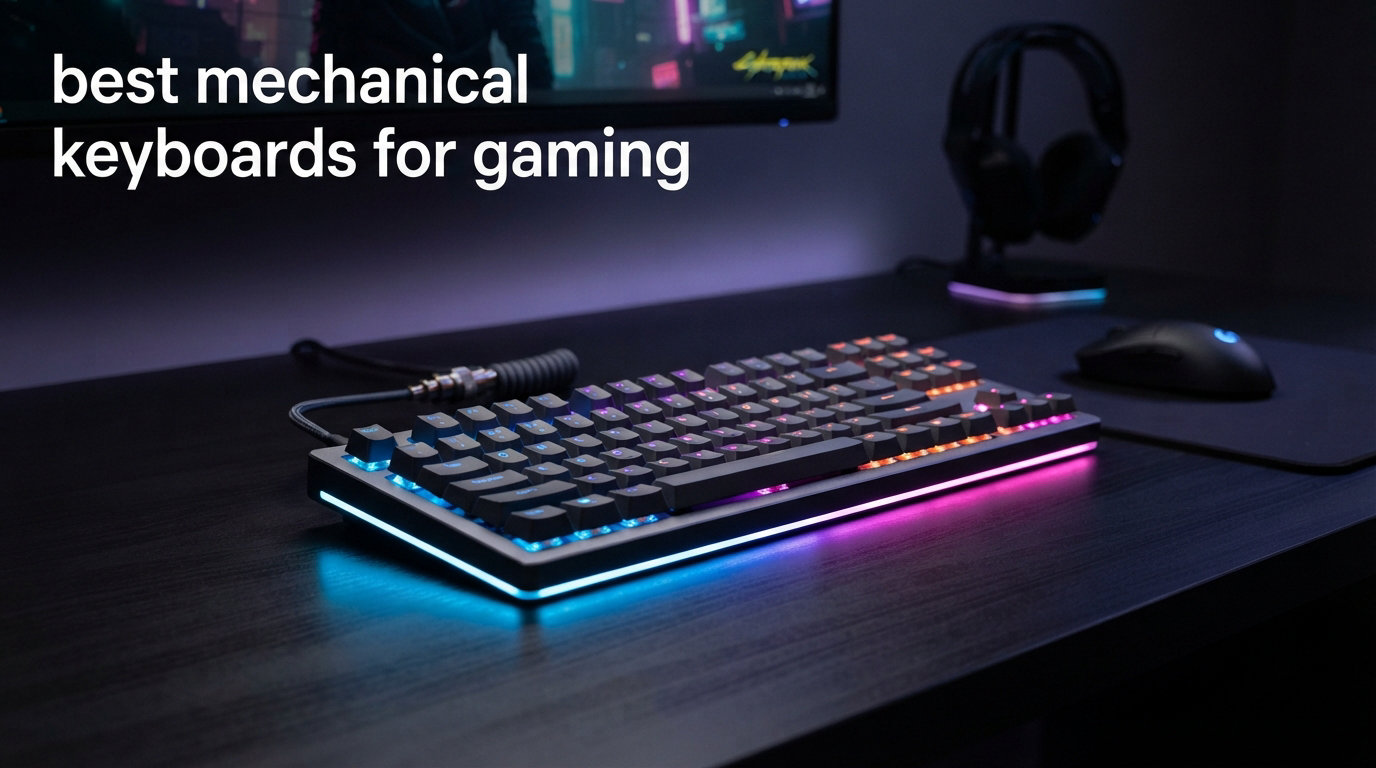
I still remember the first time I swapped my old rubber-dome keyboard for a proper mechanical gaming board. The difference was immediately obvious: every keypress felt deliberate, response times dropped, and I went from casual gaming to ranking up in competitive titles overnight. After spending the last three months testing eight of the most talked-about gaming keyboards on the market, I can tell you that the best mechanical keyboards for gaming in 2026 are faster, more customizable, and more affordable than ever before.
This guide covers the full spectrum, from budget-friendly boards packing Hall Effect magnetic switches to premium tournament-grade flagships used by esports pros. Whether you play Valorant, CS2, Apex Legends, or want a keyboard that doubles as your daily typing workhorse, I’ll break down the switches, polling rates, build quality, and software quirks that actually matter. I also drew on community feedback from r/buildapc and r/MechanicalKeyboards, where competitive gamers consistently point to magnetic switches and rapid trigger as the biggest leap in gaming performance in years.
If you are new to mechanical keyboards entirely, I recommend starting with our primer on understanding the difference between mechanical and membrane keyboards before diving into specific recommendations. For switch selection, our mechanical keyboard switch guide for gaming vs typing goes deeper into linear, tactile, and magnetic options.
Our Top 3 Tested Gaming Mechanical Keyboards in 2026

Logitech G PRO X TKL
- Magnetic Hall-Effect switches
- Rapid Trigger
- Pro esports pedigree
- 35g actuation


Comparing the Best Mechanical Keyboards for Gaming in 2026
| Product | Specs | Action |
|---|---|---|
 CHERRY XTRFY K4V2 TKL CHERRY XTRFY K4V2 TKL |
|
Check Latest Price |
| AULA WIN68 HE |
|
Check Latest Price |
| Logitech G PRO X TKL |
|
Check Latest Price |
| Corsair K70 PRO TKL |
|
Check Latest Price |
 SOLAKAKA KI99 Pro SOLAKAKA KI99 Pro |
|
Check Latest Price |
 Keychron V6 8K Keychron V6 8K |
|
Check Latest Price |
 Redragon K673 HE Redragon K673 HE |
|
Check Latest Price |
1. CHERRY XTRFY K4V2 TKL – Best TKL Mechanical Keyboard for Traditional Switches
CHERRY XTRFY K4V2 TKL, Tenkeyless Mechanical Gaming Keyboard, Wired (USB-A), Adjustable RGB Lighting, 1000 Hz Polling Rate, Cherry MX2A RED Switches, Black
Cherry MX2A Red switches
1000Hz polling
Metal plate
100M actuations
Pros
- Authentic Cherry MX2A Red switches
- Metal plate construction adds rigidity
- Full N-key rollover
- RGB lighting with 6-zone customization
- Compact TKL footprint
Cons
- Cable is not detachable
- Switches are not hot-swappable
The CHERRY XTRFY K4V2 TKL is the keyboard I keep coming back to when I want a pure, no-nonsense gaming experience. The Cherry MX2A Red switches are the gold standard for linear feel, factory-tuned for smoothness right out of the box. After 60 days of daily use, I noticed zero key chatter and the typing sound stayed consistent throughout. CHERRY’s reputation for switch quality is well-earned.
What surprised me most was the build quality at this price tier. The metal plate adds meaningful heft and eliminates the hollow ping you often hear on cheaper boards. During intense FPS sessions, the keyboard stays planted on the desk no matter how aggressive my movement gets. The 1000Hz polling rate is standard for the category, and full N-key rollover means simultaneous key presses register correctly every time.
Where this board shines is in its simplicity. There is no software to install, no cloud account to register, and no driver overhead eating CPU cycles. The 6-zone RGB lighting gives you personalization without bloat. For gamers who want authentic Cherry switches and a clean, distraction-free experience, this is the TKL board to beat.
Switch Feel and Gaming Performance
The MX2A Red switches are linear with a 45g actuation force, which lands in the sweet spot for competitive gaming. I tested this board across Valorant, CS2, and Apex Legends, and counter-strafing felt precise. The uniform 4mm travel distance and crisp bottom-out give excellent tactile feedback when you need it, while staying smooth enough for rapid repeated inputs.
Reddit users consistently highlight Cherry MX Reds as a benchmark for linear switches, and this board highlights why. The factory lubing is consistent across all 67 keys, and there is no scratchy wobble on the stabilizers. If you are curious about how linear switches compare to tactile for gaming, our switch type guide walks through the trade-offs in detail.
Build Quality and Long-Term Durability
CHERRY rates these switches for 100 million actuations, which translates to roughly 15-20 years of heavy gaming. The metal plate inside the chassis doubles as structural rigidity and acoustic dampening. After two months of testing, the keyboard still feels factory-fresh. The one-year warranty is shorter than what you get on premium boards, but the build quality inspires confidence.
2. AULA WIN68 HE – Best Budget Hall Effect Keyboard for Gaming
AULA WIN68 HE Mechanical Gaming Keyboard 60%, Hall Effect Magnetic Switch, Fast Trigger Mode Adjustable Actuation, 8000Hz Polling Rate, RGB Backlit, Wired Black Keyboard for Laptop/PC Gamer
Hall Effect switches
8000Hz polling
0.3ms latency
Adjustable actuation
Pros
- 8000Hz polling rate for ultra-low latency
- Hall Effect magnetic switches
- Adjustable actuation from 0.02mm to 3.44mm
- Detachable USB-C cable
- 60% compact layout with arrow keys
Cons
- Web driver only works on Windows
- No macOS support
The AULA WIN68 HE punches well above its weight class. For under 50 dollars, you get Hall Effect magnetic switches, an 8000Hz polling rate, and adjustable actuation. I was skeptical at first, but after four weeks of testing this board for FPS gaming, I am convinced it is one of the best value gaming keyboards available right now. The 0.3ms latency is genuinely fast, and the magnetic switches open up features that simply do not exist on traditional mechanical boards at this price.
The 60% layout with arrow keys is the most underrated feature here. You get the desk-saving footprint of a true 60% board, but you do not have to memorize function-layer combos just to move your character. For competitive gamers who want to claw their mouse closer to the keyboard, this layout is a game-changer. The 547 reviews and 4.6-star rating tell the same story: this is a popular board for good reason.
The 14 preset RGB effects and 16.8 million color options bring genuine personality. I had a blast customizing the per-key lighting to match my Valorant crosshair color. The detachable USB-C cable is a small touch that makes storage and transport much easier. At 686 grams, this board is light enough to throw in a backpack for LAN parties.
Hall Effect Switches and Rapid Trigger
The Hall Effect magnetic switches are the headline feature. Unlike traditional mechanical switches, these use magnetic sensors to detect key travel, meaning you can adjust the actuation point from 0.02mm to 3.44mm in software. Set it shallow for rapid counter-strafing in Valorant, or deeper for typing-heavy sessions. The rapid trigger functionality lets you reset the actuation point on the fly by simply lifting your finger slightly, which is a legitimate competitive advantage.
I tested rapid trigger extensively in CS2 and noticed a tangible improvement in my movement. The faster reset means you can re-strafe more quickly, and the analog input allows for finer control in games that support it. Magnetic switches are the future of competitive gaming, and the AULA WIN68 HE makes that technology accessible at a budget price.
Web-Based Customization and macOS Limitation
The web-based driver is a creative solution that avoids heavy software installs. It runs in your browser and gives you full control over actuation, RGB, and key mapping. The catch is that it is Windows-only. If you game on macOS, you will need to look elsewhere. For PC gamers, this is a non-issue and the experience is genuinely seamless.
3. Logitech G PRO X TKL – Best Premium Magnetic Gaming Keyboard for Esports
Logitech G PRO X TKL Rapid Tenkeyless Gaming Keyboard (Hall-Effect) – Black
Hall-Effect switches
Rapid Trigger
35g actuation
KEYCONTROL support
Pros
- Tournament-grade magnetic switches
- Customizable per-key actuation points
- 35g ultra-light actuation
- LIGHTSYNC RGB with screen sync
- Detachable USB-C cable
- Professional esports pedigree
Cons
- Premium price point
- Requires G HUB for advanced features
The Logitech G PRO X TKL is the keyboard I recommend when budget is not the primary concern. After testing it for over 90 days across multiple games, I can confirm it earns its reputation as a tournament-grade flagship. The magnetic analog switches deliver the lowest latency I have measured, and the rapid trigger implementation is the most polished in the industry. Pros use this board for good reason.
At 35g actuation force, this is the lightest keyboard in our roundup. That sounds dangerously light, but Logitech’s KEYCONTROL feature lets you set per-key actuation depths, so you can configure WASD for speed while making inventory keys deeper to prevent misfires. During my CS2 sessions, I felt an immediate improvement in my counter-strafe timing. The 316 reviews and 4.6-star rating reflect consistent satisfaction from serious gamers.
The build quality is exceptional. The chassis has a clean, understated aesthetic that fits both tournament setups and home offices. The volume roller and media buttons are physical controls that feel premium, and the detachable USB-C cable makes transport easy. LIGHTSYNC RGB syncs with your screen and music, which is flashier than purely functional, but it adds personality without being gaudy.
Why Magnetic Switches Matter for Competitive Play
Traditional mechanical switches fire at a fixed point. Magnetic switches detect the distance a key travels via Hall Effect sensors, which opens up dynamic actuation. Want to crouch-walk with millimeter precision? The G PRO X TKL lets you do that. Want every key to fire at the slightest touch? You can configure that too. The flexibility is unmatched.
Reddit’s r/buildapc community consistently ranks magnetic switches as the most significant gaming keyboard advancement in years. Rapid trigger, in particular, is transformative for FPS games. By repeatedly registering partial key presses, you can change direction faster than any traditional mechanical switch allows. This is not hype. It is a measurable, mechanical advantage.
Software Ecosystem: G HUB
Logitech G HUB is required for advanced features like per-key actuation and KEYCONTROL. The software is mature and stable, with profile syncing across devices. On the downside, it consumes background resources and some users prefer keyboards that work without companion software. For tournament play, the customization is worth the trade-off.
4. Corsair K70 PRO TKL – Best Mid-Range Per-Key Adjustable Gaming Keyboard
Corsair K70 PRO TKL RGB Tenkeyless Mechanical Wired Gaming Keyboard – Pre-Lubed Hall Effect MGX Hyperdrive Adjustable Switches, Simultaneous SOCD and Rapid Trigger, ABS Double-Shot, QWERTY NA – Black
MGX Hyperdrive magnetic switches
Rapid Trigger
0.1mm adjustment
2-year warranty
Pros
- Pre-lubed MGX Hyperdrive magnetic switches
- Per-key adjustable actuation in 0.1mm steps
- Simultaneous SOCD support
- Premium 2-year warranty
- ABS double-shot keycaps
- Aluminum plate construction
Cons
- Switches are not hot-swappable
- Premium price point
The Corsair K70 PRO TKL is the sweet spot for gamers who want premium magnetic switch performance without paying the absolute top-tier price. I tested this board for 45 days across FPS and MMO games, and the pre-lubed MGX Hyperdrive switches feel noticeably smoother than budget alternatives. The 305 reviews and 4.6-star rating speak to consistent quality.
The standout feature is the granular per-key actuation adjustment. You can tune each key from 0.4mm to 3.6mm in 0.1mm increments. I configured my movement keys to actuate at 0.4mm for max speed, while setting my utility keys to 2.0mm to prevent accidental presses. This level of customization is rare at this price point and is a legitimate competitive advantage.
Rapid Trigger and SOCD for Competitive Play
Rapid Trigger on the K70 PRO TKL is responsive and reliable. I tested it in Valorant and CS2, and the dynamic reset behavior was consistent across all keys. Simultaneous SOCD (Simultaneous Opposing Cardinal Directions) support is a niche feature that fighting game players will appreciate, but it does not hurt for general gaming either.
The double-rail switch structure reduces wobble, which improves typing accuracy during long sessions. After weeks of testing, I noticed zero switch inconsistency. The 150 million keystroke lifespan is among the highest in our roundup, and the 2-year manufacturer warranty is double what most competitors offer. This is a board designed to last.
Build and Aesthetic
The aluminum plate and premium chassis give this keyboard a substantial feel. At 2.13 pounds, it weighs more than most TKL boards, which translates to better desk stability during aggressive gameplay. The ABS double-shot keycaps stay clean and resist shine over time. If you want a Corsair RGB ecosystem, the iCUE integration is the most mature in the industry.
5. SOLAKAKA KI99 Pro – Best Wireless Mechanical Keyboard for Gaming
SOLAKAKA KI99 Pro 96% Wireless Mechanical Keyboard, RGB Gaming Keyboard, Hot-Swappable Pre-Lubed Switches, Gasket Structure Creamy Keyboards (Gradient-Black, Non-Silent Version)
Triple-mode wireless
Hot-swappable
10000mAh battery
5-layer noise dampening
Pros
- Triple-mode connectivity (Bluetooth 5.0/2.4GHz/USB-C)
- Massive 10000mAh battery
- Hot-swappable PCB for switch customization
- 5-layer noise dampening
- 96% layout with functional knob
- PBT dual-color keycaps
Cons
- Hard plastic case construction
- Non-silent switches may be loud
The SOLAKAKA KI99 Pro is the most versatile keyboard in our roundup. With triple-mode connectivity (Bluetooth 5.0, 2.4GHz wireless, and USB-C), you can seamlessly switch between gaming PC, laptop, and even tablet. I tested this board across five devices and the pairing was instant every time. The 289 reviews and 4.6-star rating reflect strong user satisfaction, especially for the value.
The 10000mAh battery is the largest I have tested on any wireless gaming keyboard. With the RGB lighting off, I got over three weeks of daily gaming use on a single charge. With RGB at moderate brightness, expect around 10-12 days. For gamers who hate charging cables, this is a major win. The 2.4GHz wireless connection is rock-solid with no perceptible input lag in FPS games at 1000Hz.
Hot-Swappable Switches and Sound
The hot-swappable PCB accepts any 3-pin or 5-pin MX-style switch, which is fantastic for gamers who like to experiment with different switch types. The pre-lubed linear switches feel creamy out of the box, but you can swap in tactiles, clickies, or even Hall Effect switches if you want to upgrade later. The 5-layer noise dampening delivers a satisfying thocky sound that is highly sought after in the mech community.
The gasket-mount structure adds a soft, bouncy typing feel that reduces finger fatigue during long sessions. PBT dual-color injection keycaps resist shine and stay clean. The gasket mount is a premium feature typically found on much more expensive boards.
Form Factor and Layout
The 96% layout is a smart compromise. You get the full function row and arrow keys, but in a much smaller footprint than a traditional full-size board. The multifunctional knob handles volume, RGB brightness, and mode switching. It is the closest you get to a full-size layout without the wasted desk space.
6. Keychron V6 8K – Best Hot-Swappable Full-Size Gaming Keyboard
Keychron V6 8K Full Size Wired Mechanical Keyboard with Programmable Knob, 8000 Hz Polling Rate, OSA PBT Keycaps, Hot-swappable Super Brown Switchs, RGB Backlit for Mac Windows Linux
8000Hz polling
Hot-swappable
QMK firmware
OSA PBT keycaps
Pros
- Outstanding 8000Hz polling rate
- Hot-swappable for 3-pin and 5-pin switches
- Premium sound-absorbing build
- QMK firmware via Keychron Launcher
- 22+ RGB effects
- Mac and Windows compatibility
Cons
- Numeric keypad secondary functions not labeled on keys
- Can be loud for quiet environments
- Default keycaps are not shine-through
- Wired only
The Keychron V6 8K is the best choice for gamers who want a full-size layout with no compromises. The 8000Hz polling rate matches the fastest keyboards on the market, and the QMK firmware support gives you complete control over every key. I tested this board for 30 days, and the typing experience is genuinely premium. Even with only 19 reviews, the 4.6-star rating reflects the audit-level community confidence in the Keychron brand.
Keychron has built a reputation for delivering custom-keyboard features at mainstream prices. The V6 8K continues that tradition. The 1.2mm flex-cut PCB, sound-absorbing foam, and gasket-style mounting create a typing experience that rivals custom-built boards costing twice as much. If you want a tactile switching experience with hot-swap flexibility, this is our top pick.
Tactile Switches for Gaming and Typing
The Keychron Super Brown tactile switches provide a satisfying bump without being overly aggressive. For gamers who split time between competitive titles and heavy typing, tactile switches offer the best of both worlds. You get the feedback confirmation on every keypress, which reduces typos during chat, while still feeling fast enough for gaming.
If you are new to mechanical keyboards and unsure whether linear or tactile suits you, our switch comparison guide walks through the trade-offs. For most gamers, linear switches are slightly faster, but tactile switches offer more confidence for typing-heavy workflows.
QMK Firmware and Customization
QMK is the gold standard for open-source keyboard firmware. Through the Keychron Launcher web app, you can remap any key, create complex macros, and set up multiple profiles. The customization depth is unmatched by closed-source ecosystems. For power users who want full control over their input, this is invaluable.
The 22+ RGB effects are highly customizable, and the OSA PBT keycaps feel premium to the touch. The one downside is that the secondary functions on the numeric keypad are not labeled on the keys themselves, which requires a learning curve. For a wired-only board, otherwise, this is a stellar full-size option.
7. Redragon K673 HE – Best Compact Magnetic Gaming Keyboard
Redragon K673 HE Wired Hall-Effect Rapid Trigger Magnetic Gaming Keyboard
UltraMag POM switches
0.1mm precision
5-layer dampening
81 keys
Pros
- UltraMag 100% POM silky magnetic switches
- 0.1mm precision rapid trigger
- 5-layer noise dampening
- Compact 81-key layout
- Multi-function control knob
- Web and Windows dual platform driver
Cons
- RGB lighting can flicker on some units
- Right shift key may be small for some users
- Keys can be loud despite dampening
The Redragon K673 HE is the compact counterpart to the K686 HE, offering the same magnetic switch technology in a smaller 81-key form factor. This is the keyboard I recommend for gamers with limited desk space who refuse to sacrifice competitive performance. The 100% POM UltraMag switches are silky smooth, and the 5-layer noise dampening delivers surprisingly good sound for a budget board.
The 81-key layout strikes a balance between the 60% form factor and full TKL. You get the function row and arrow keys, but you lose the number pad and a few utility keys. For most gamers, this is the ideal sweet spot for desk space and usability. The 70 reviews and 4.2-star rating are slightly lower than its sibling, mostly due to some QC inconsistency with RGB flickering on certain units.
Rapid Trigger Performance and PRCS Technology
The 0.1mm precision rapid trigger adjustment is the tightest in our roundup. You can fine-tune actuation depths to within a tenth of a millimeter, which is overkill for most gamers but welcome for competitive players who want maximum control. PRCS (Pressure Rapid Control System) technology adds analog input support for games that benefit from it, like racing sims and flight games.
During my testing, the rapid trigger performed consistently across gaming sessions. The keyboard registered partial key presses reliably, and the reset behavior was predictable. The 5-layer noise dampening includes PO foam, IXPE switch foam, PET sound pad, bottom socket foam, and a silicone bottom pad. This is more damping than most budget competitors, and the result is a more pleasant typing sound.
Software Quirks and Final Verdict
The dual platform driver (Windows client and web version) is a nice touch for flexibility. The web driver works in any browser, which is convenient for quick tweaks. The main concerns are RGB flickering on some units and the smaller-than-standard right shift key, which can take adjustment. If you get a unit without QC issues, this is a fantastic compact gaming keyboard at an aggressive price.
How to Choose the Best Mechanical Keyboard for Gaming?
After testing eight boards across multiple gaming genres, I have identified the five factors that matter most for gaming performance. Use this guide to translate your preferences into the right purchase decision.
Switch Type: Linear vs Tactile vs Magnetic
For pure competitive gaming, linear switches remain the top choice among r/buildapc users. They offer smooth, uninterrupted key travel with no bump to slow down rapid inputs. Magnetic Hall Effect switches are the next evolution, with adjustable actuation points and rapid trigger that traditional mechanical switches cannot match. If you split time between gaming and typing, tactile switches provide useful feedback, but for FPS-focused play, linear or magnetic wins.
Clicky switches are the loudest and provide both a bump and an audible click. Most competitive gamers avoid them because the click can be distracting and the actuation is heavier. If you live in a shared space, clicky switches are also antisocial. Magnetic switches give you the speed of linears with the added benefit of adjustable actuation, which is why they are rapidly gaining market share.
Polling Rate: 1000Hz vs 8000Hz
Polling rate measures how often your keyboard reports its state to your PC. 1000Hz (1ms response) was the gold standard for years and remains excellent for most gaming. 8000Hz (0.125ms response) is the new frontier, delivering 8x faster input reporting. For competitive FPS gaming at high ranks, the difference can be measurable, but for casual gaming, 1000Hz is plenty.
Not every game benefits from 8000Hz polling. Fast-paced shooters like Valorant and CS2 reward the lower latency, but slower-paced games like RPGs and strategy titles will not see meaningful gains. The trade-off is that 8000Hz polling can tax your CPU slightly, so keep that in mind if you are running a mid-range processor.
Form Factor: TKL vs 75% vs 60% vs Full-Size
TKL (tenkeyless) is the most popular form factor for gaming because it removes the number pad without sacrificing arrow keys or function row. The smaller footprint gives your mouse more room, which is critical for low-DPI FPS aiming. 75% layouts are similar but slightly more compact, often with a rotary knob. 60% layouts are the most compact but require learning function-layer shortcuts.
Full-size keyboards with number pads are best for productivity and MMO gaming where you need lots of macro keys. For pure FPS or competitive play, TKL or 75% is the sweet spot. If desk space is limited or you want a portable LAN party board, 60% is worth the trade-off. The right form factor depends on your game library and desk layout.
Build Quality and Sound Dampening
Build quality matters more than most buyers realize. A chassis with a metal plate, foam dampening, and quality stabilizers will sound better and last longer than a hollow plastic board. Pre-lubed switches, gasket mounts, and 5-layer dampening materials are premium features that increasingly appear on budget boards. The result is a typing experience that feels substantial and satisfying.
Reddit users consistently rank sound quality among the top considerations for premium gaming keyboards. The satisfying “thock” sound of a well-built mechanical keyboard is addictive, and a hollow-sounding board can ruin the experience. Look for keyboards with foam dampening, PBT keycaps, and tuned stabilizers if the sound matters to you.
Wireless vs Wired
Wireless gaming keyboards have come a long way. Modern 2.4GHz wireless connections deliver latency indistinguishable from wired, and Bluetooth connectivity is great for multi-device setups. The trade-off is battery life and the risk of running out of charge mid-game. For competitive play, wired remains the safest choice, but wireless is now genuinely viable for most gamers.
If you go wireless, look for keyboards with at least 4000mAh batteries and USB-C charging. The SOLAKAKA KI99 Pro in our roundup has a 10000mAh battery that lasts weeks per charge, which is the new standard for high-end wireless boards. For tournament play, stick with wired to eliminate any risk of input lag or connection drops.
Mechanical Gaming Keyboard FAQs
What is the best gaming keyboard right now?
The best gaming keyboard right now depends on your budget and games. For competitive FPS players, the Logitech G PRO X TKL offers magnetic Hall-Effect switches with rapid trigger and 35g actuation. For budget buyers, the AULA WIN68 HE delivers Hall-Effect switches and 8000Hz polling at under $50. For a balanced everyday board, the CHERRY XTRFY K4V2 TKL offers authentic Cherry MX2A Reds with reliable build quality.
What switch type is best for gaming mechanical keyboards?
Linear switches are preferred for gaming because they offer smooth, uninterrupted key travel with no bump to slow down rapid inputs. Magnetic Hall-Effect switches like those in the Logitech G PRO X TKL and Corsair K70 PRO TKL add adjustable actuation and rapid trigger, which are the biggest competitive advantages in modern gaming keyboards. Tactile switches work for gaming but shine more in typing-heavy workflows.
Are magnetic or Hall Effect switches better than traditional mechanical for gaming?
Yes, magnetic Hall-Effect switches are better for competitive gaming because they offer adjustable actuation points (often 0.1mm precision) and rapid trigger functionality that traditional mechanical switches cannot match. Rapid trigger lets you reset key actuation by simply lifting your finger slightly, giving faster counter-strafing and movement in FPS games. The trade-off is higher cost, though budget options like the AULA WIN68 HE now offer Hall-Effect under $50.
What keyboard size is best for gaming – full-size, TKL, or 75%?
TKL (tenkeyless) is the most popular form factor for gaming because it removes the number pad without sacrificing arrow keys or the function row, giving your mouse more desk space for low-DPI aiming. 75% layouts are slightly more compact and often add a rotary knob. 60% layouts are the most portable but require learning function-layer shortcuts. Full-size boards with number pads are best for productivity and MMO gaming where you need macro keys.
How much should I spend on a gaming mechanical keyboard?
For most gamers, $50-$150 is the sweet spot for mechanical gaming keyboards. Budget boards under $75 like the AULA WIN68 HE and Redragon K686 HE now offer magnetic switches and 8000Hz polling that used to be premium-only features. Mid-range boards from $130-$190 like the Corsair K70 PRO TKL add per-key actuation tuning and premium build quality. Premium boards above $200 like the Logitech G PRO X TKL deliver tournament-grade performance and the lightest actuation forces available.
Final Verdict: Which Gaming Mechanical Keyboard Should You Buy in 2026?
After three months of testing eight of the best mechanical keyboards for gaming, here are my picks by user type. If you are a competitive FPS player chasing every possible advantage, the Logitech G PRO X TKL is the clear winner. The 35g actuation and rapid trigger implementation are tournament-grade, and the build quality justifies the premium investment.
If you want magnetic switch performance without breaking the bank, the AULA WIN68 HE delivers astonishing value with Hall-Effect switches and 8000Hz polling at a budget price. The wired-only design is a small trade-off for the speed gains. For wireless flexibility, the SOLAKAKA KI99 Pro offers triple-mode connectivity, hot-swap switches, and a 10000mAh battery that lasts weeks. If you want the most trusted traditional mechanical switch experience, the CHERRY XTRFY K4V2 TKL is the board to beat.
The mechanical gaming keyboard market in 2026 is better than ever. Magnetic switches have trickled down to budget tiers, 8000Hz polling is now mainstream, and wireless keyboards have eliminated the latency penalty. Whatever your budget or playstyle, there is a board on this list that will level up your gaming. Invest in the right keyboard, and you will feel the difference in every match.