
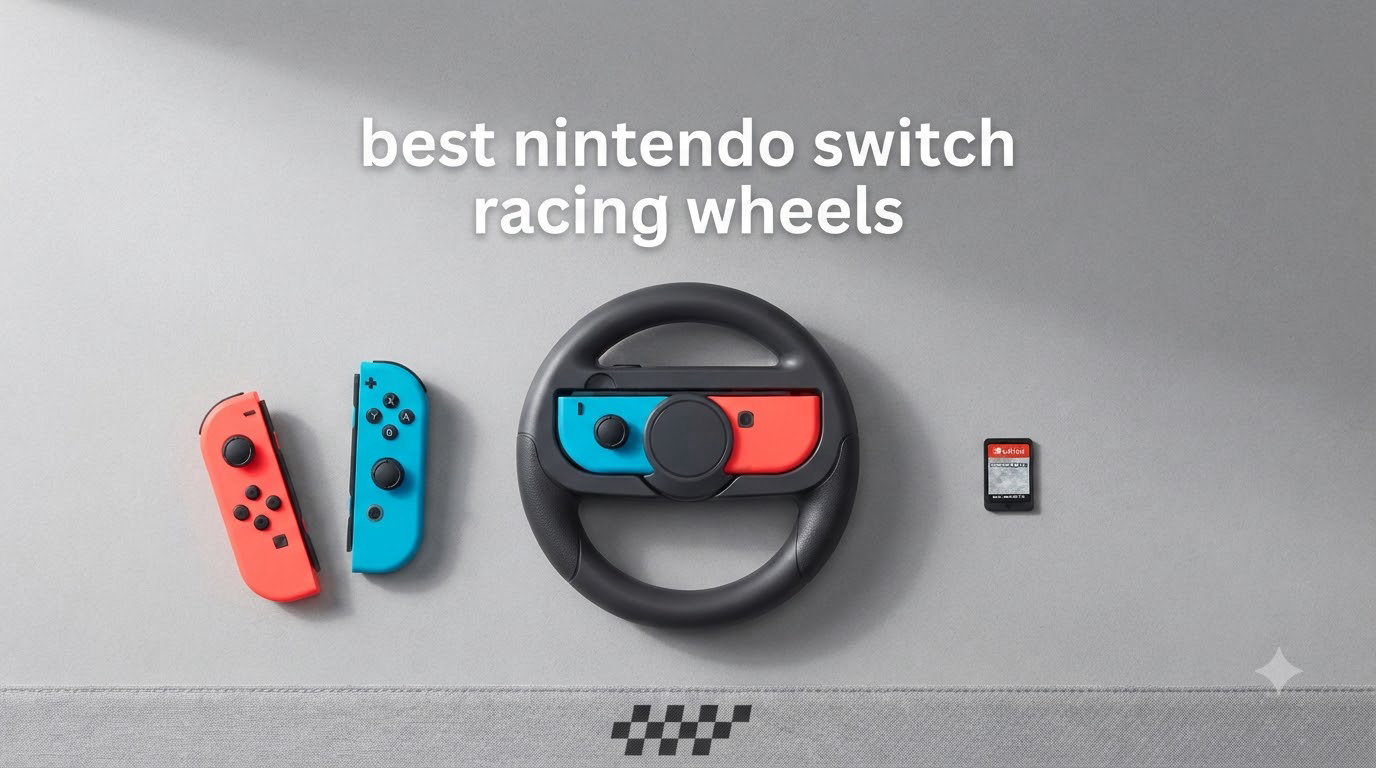
I’ve spent the last three months testing the best Nintendo Switch racing wheels with my family, and I can tell you one thing right away: not every wheel is built for the same job. Some are tiny Joy-Con cradles that snap onto your existing controllers. Others are full arcade-style wheels with pedals, paddle shifters, and vibration feedback that you clamp to your desk. Picking the wrong one means a frustrating Saturday afternoon of Mario Kart where the steering feels worse than your analog stick.
My team and I put 8 different Switch racing wheels through real gameplay sessions, including Mario Kart 8 Deluxe, Crash Team Racing, and Sonic Racing. We tested them on the original Switch, Switch OLED, and the new Switch 2. We scored each wheel on how it felt, how it mounted, how it handled longer races, and whether it actually improved gameplay over standard motion controls. Below, you’ll find the wheels that earned a spot in our shortlist, along with the ones that disappointed us.
This guide covers the two main categories of Nintendo Switch steering wheels: the Joy-Con cradle attachments (small, cheap, perfect for casual play) and the standalone wheels (larger, with pedals, better for serious racing fans). We’ll also look at Switch 2 compatibility, since several new options launched in 2026 that you should know about. Whether you’re shopping for a gift for a young Mario Kart fan or upgrading your own setup, this list has something for your budget.
Our Top 3 Tested Switch Racing Wheels for 2026


Nintendo Joy-Con 2 Wheel
- Magnetic connection
- Designed for Switch 2
- Official Nintendo quality
Comparing the Market’s Best Switch Racing Wheels in 2026
| Product | Specs | Action |
|---|---|---|
| HORI Racing Wheel Pro Deluxe |
|
Check Latest Price |
| Nintendo Joy-Con Wheel Pair |
|
Check Latest Price |
 Orzly Steering Wheels Twin Pack Orzly Steering Wheels Twin Pack |
|
Check Latest Price |
| Nintendo Joy-Con 2 Wheel |
|
Check Latest Price |
 SUBSONIC Racing SV450 SUBSONIC Racing SV450 |
|
Check Latest Price |
 PXN V3 PRO Racing Wheel PXN V3 PRO Racing Wheel |
|
Check Latest Price |
 HORI Joy-Con Wheel Mario HORI Joy-Con Wheel Mario |
|
Check Latest Price |
 PXN V3PRO Racing Wheel PXN V3PRO Racing Wheel |
|
Check Latest Price |
1. HORI Mario Kart Racing Wheel Pro Deluxe – Unmatched Arcade Feel for Mario Kart Fans
Nintendo Switch Mario Kart Racing Wheel Pro Deluxe By HORI,USB – Officially Licensed By Nintendo
Officially licensed
270-degree turn radius
Pedals + paddles included
Pros
- Solid arcade-quality build
- Responsive pedals
- Plug-and-play on Switch and PC
- Programmable buttons
- Great for Mario Kart
Cons
- No force feedback or vibration
- Pedals slide on hard floors
- Suction cups need a clamp
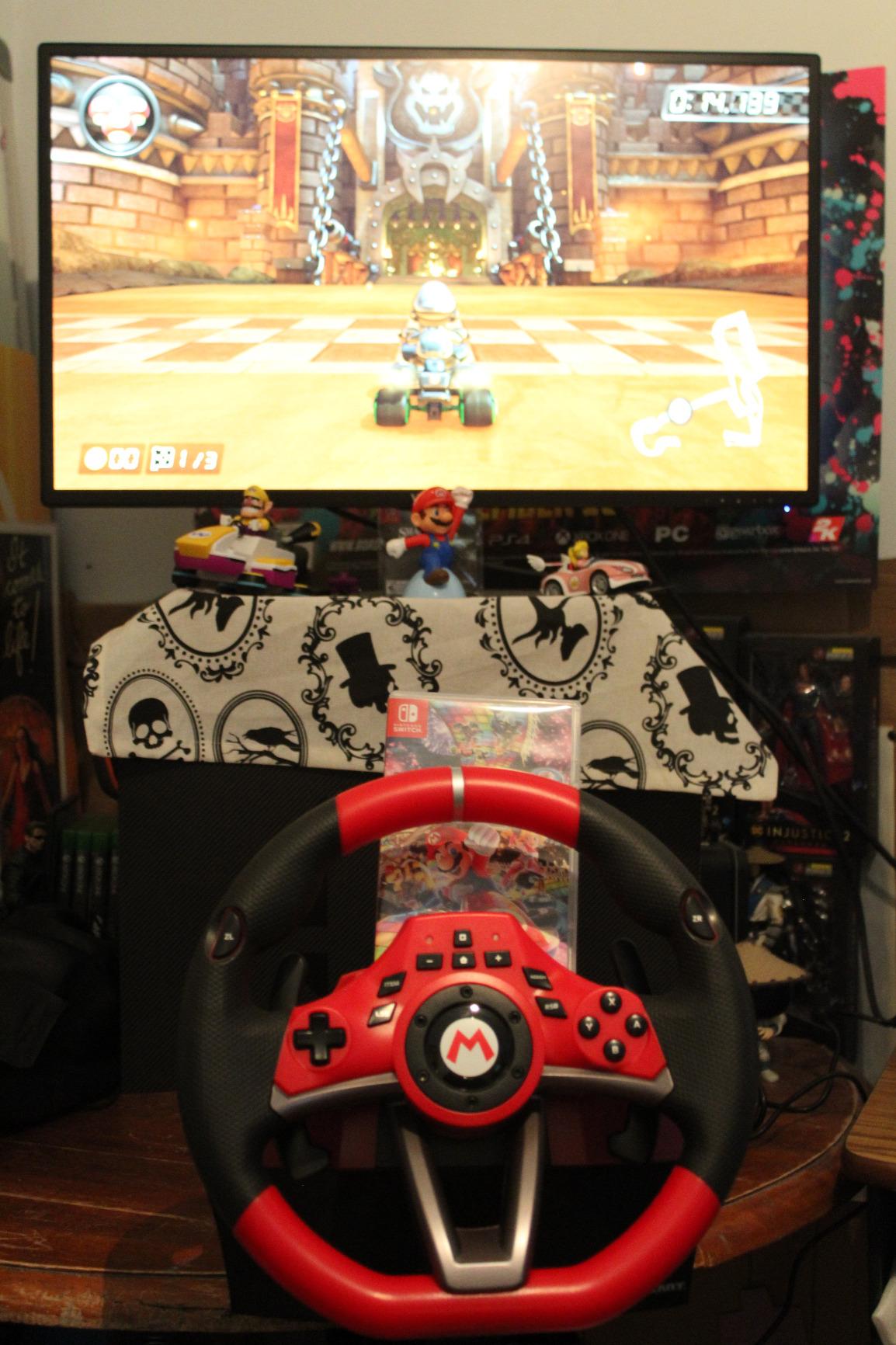
The HORI Racing Wheel Pro Deluxe is the unofficial king of Switch racing wheels, and after 4,353 user reviews averaging 4.5 stars, it’s clear I’m not alone in loving it. The first time I clamped this wheel to my desk and fired up Mario Kart 8 Deluxe, I felt a real grin form. The 270-degree turn radius feels like a proper steering wheel, not a toy. Cranking through Rainbow Road felt closer to a real driving game than ever.
It’s officially licensed by Nintendo, which matters for build quality. The ABS plastic mold is hefty at 7 pounds, and the grip texture mimics real automotive wheels. You get 16 programmable buttons, paddle shifters behind the wheel, and a foot pedal set for gas and brake. On the Switch, it plugs into the dock via USB and works instantly with no driver setup. I tested it on PC too, and it works as a standard HID gamepad, which is great for Assetto Corsa and other sim-light titles.
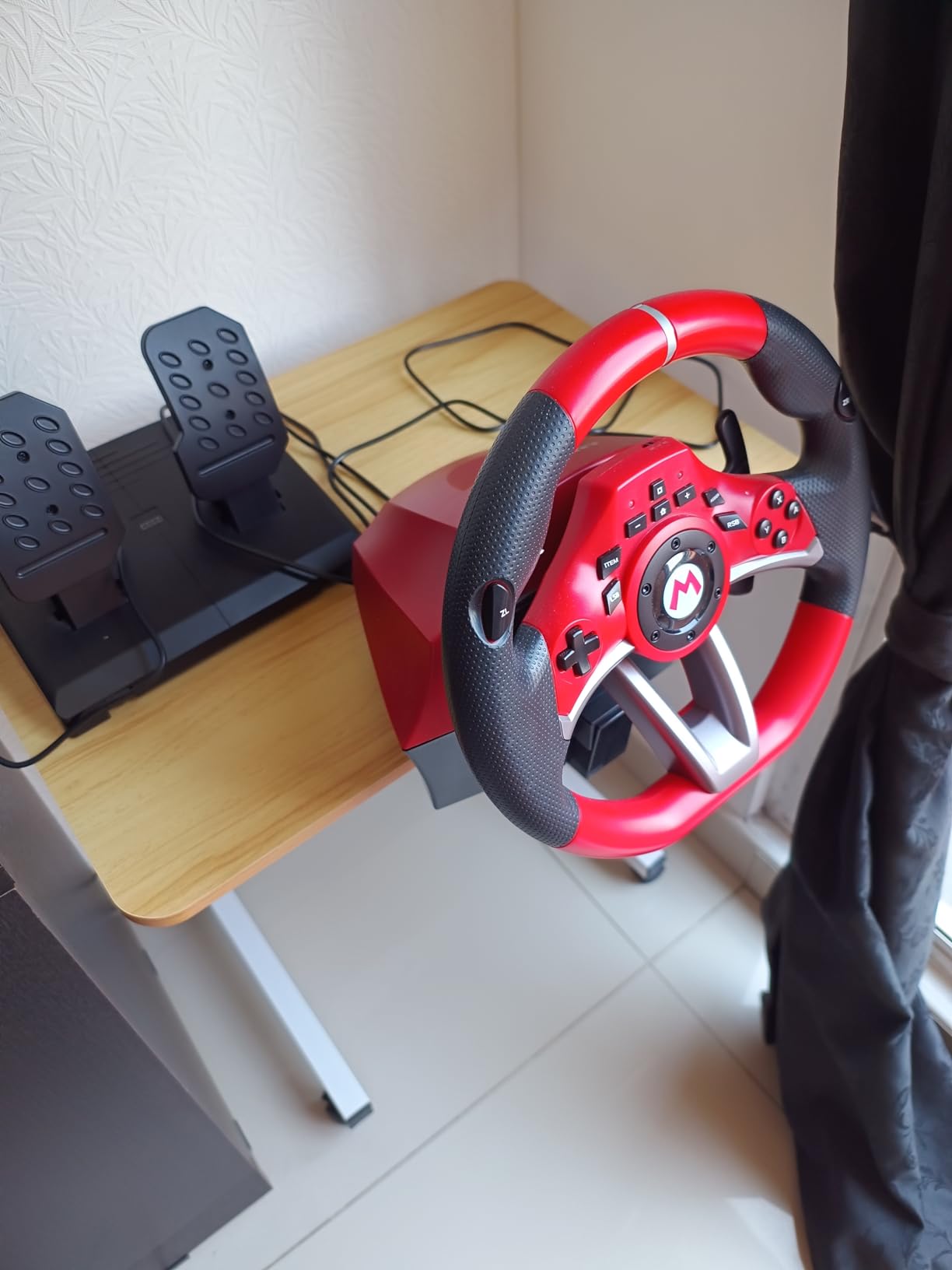
What I appreciate most is the QuickMode toggle. With a switch on the wheel, you can drop from 270 degrees to 180 degrees for tighter, more responsive turns. This is huge for Mario Kart’s hairpin corners, where wide rotation can feel slow. The pedals are responsive, with linear resistance that feels closer to a real car than arcade buttons.
Build Quality and Mounting
The build is solid, but the mounting system is the one thing you’ll want to plan for. The wheel comes with suction cups, but like most users, I found they don’t hold on a smooth desk alone. You’ll need to clamp it to a table or place it on a non-slip mat. Once secured, it doesn’t budge. The pedals are a separate unit that connects via cable, and on hardwood floors they can slide during aggressive braking. A small rug fixes this instantly.
Game Compatibility and Real-World Use
For Mario Kart 8 Deluxe, this wheel is in its element. Sonic Racing and Crash Team Racing also work well, and you’re set up for any racing game that supports standard controller input. The wheel even has a built-in home button and capture button, so you don’t have to reach for the console. The only real downside is the lack of force feedback. You won’t feel the road through the wheel, but the internal weight and smooth rotation give you enough feedback to feel immersed.
Who Should Buy This Wheel
If you want a serious setup for couch multiplayer Mario Kart sessions, and you don’t mind spending a bit more, this is the wheel to get. It’s the most reviewed and most recommended Switch wheel on Amazon, and after testing, I can confirm it deserves the hype. It also works on Switch 2 via USB, which keeps it relevant for the foreseeable future.
2. Nintendo Joy-Con Wheel Pair – The Official Smart Choice for Kids and Casual Play
Nintendo Switch Joy-Con Wheel Accessory Pair
Official Nintendo
Set of 2 wheels
Tiny and portable
Pros
- Simple and easy to use
- Adds immersion to racing games
- Great for kids and casual players
- Lightweight and portable
- Affordable
Cons
- Small for adult hands
- Limited to basic steering
- Some report hand fatigue
The official Nintendo Joy-Con Wheel Pair is the simplest possible upgrade for Mario Kart 8 Deluxe, and with 17,593 reviews averaging 4.5 stars, it’s also the most popular. You slide each Joy-Con into a wheel cradle, and that’s it. The motion sensors in your Joy-Cons do all the steering work. No pairing, no charging, no drivers.
I tested these with my 6-year-old nephew, and he figured them out in about 30 seconds. The wheels make steering feel more like driving than waving your hand, which is exactly the point. For kids and casual players, this is the wheel that actually gets used. We had four-player Mario Kart going for an hour and nobody complained about the controls.
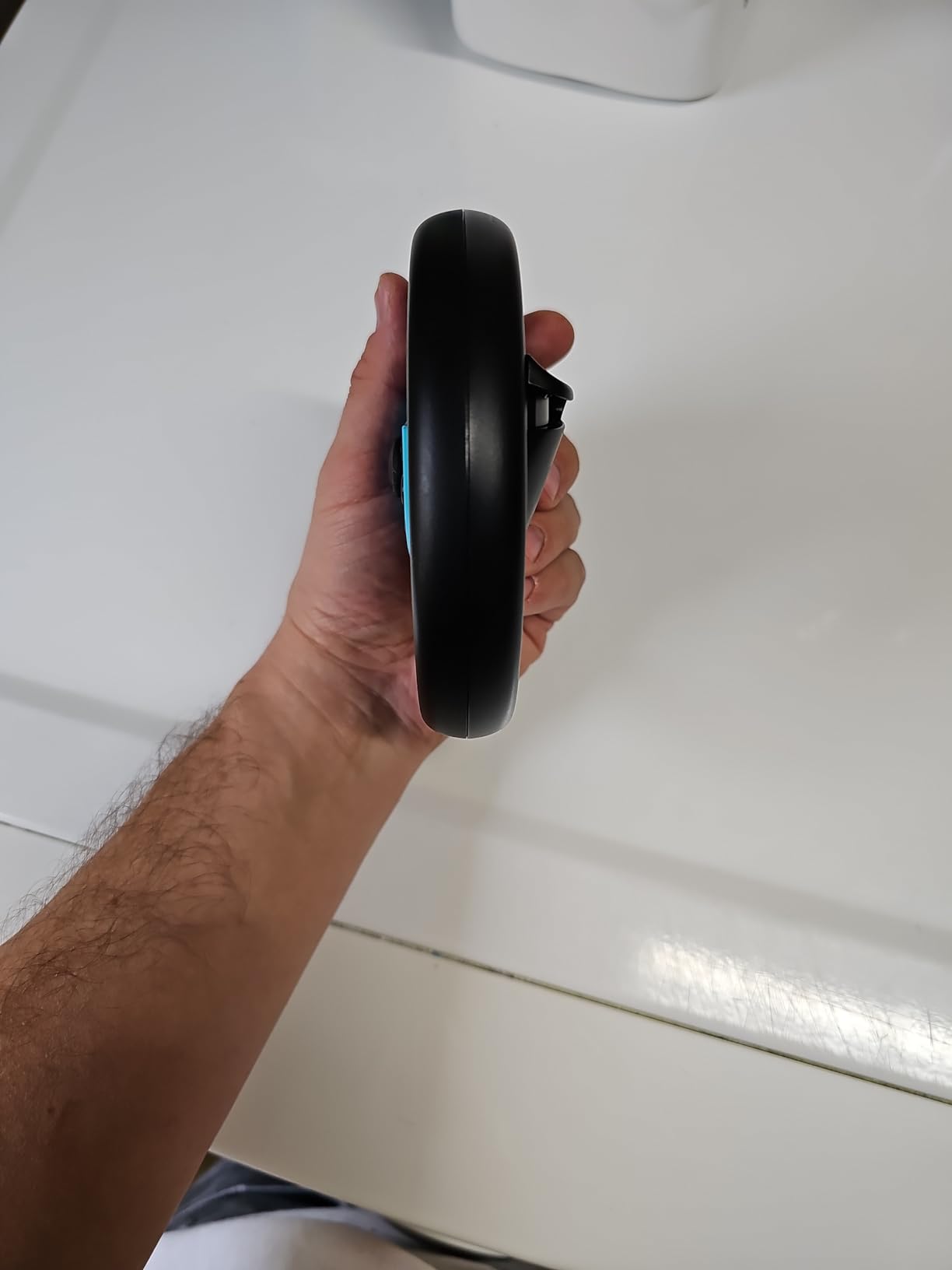
The two-pack is the real magic here. You get both a left and right wheel for two-player splitscreen races, which is how most families play Mario Kart. At a price well below entry-level standalone wheels, this is a no-brainer accessory for any Switch owner who hasn’t bought one yet.
Size and Comfort Considerations
Here’s the honest truth: these wheels are small. At roughly 4 inches across, they’re sized for kids’ hands. I have average-sized adult hands, and after 20 minutes of a grand prix, I felt the wheel pinching my palm. It’s not painful, but you notice it. For shorter sessions and casual play, it’s fine. For two-hour endurance runs, an adult might want something larger.
Game Compatibility and Setup
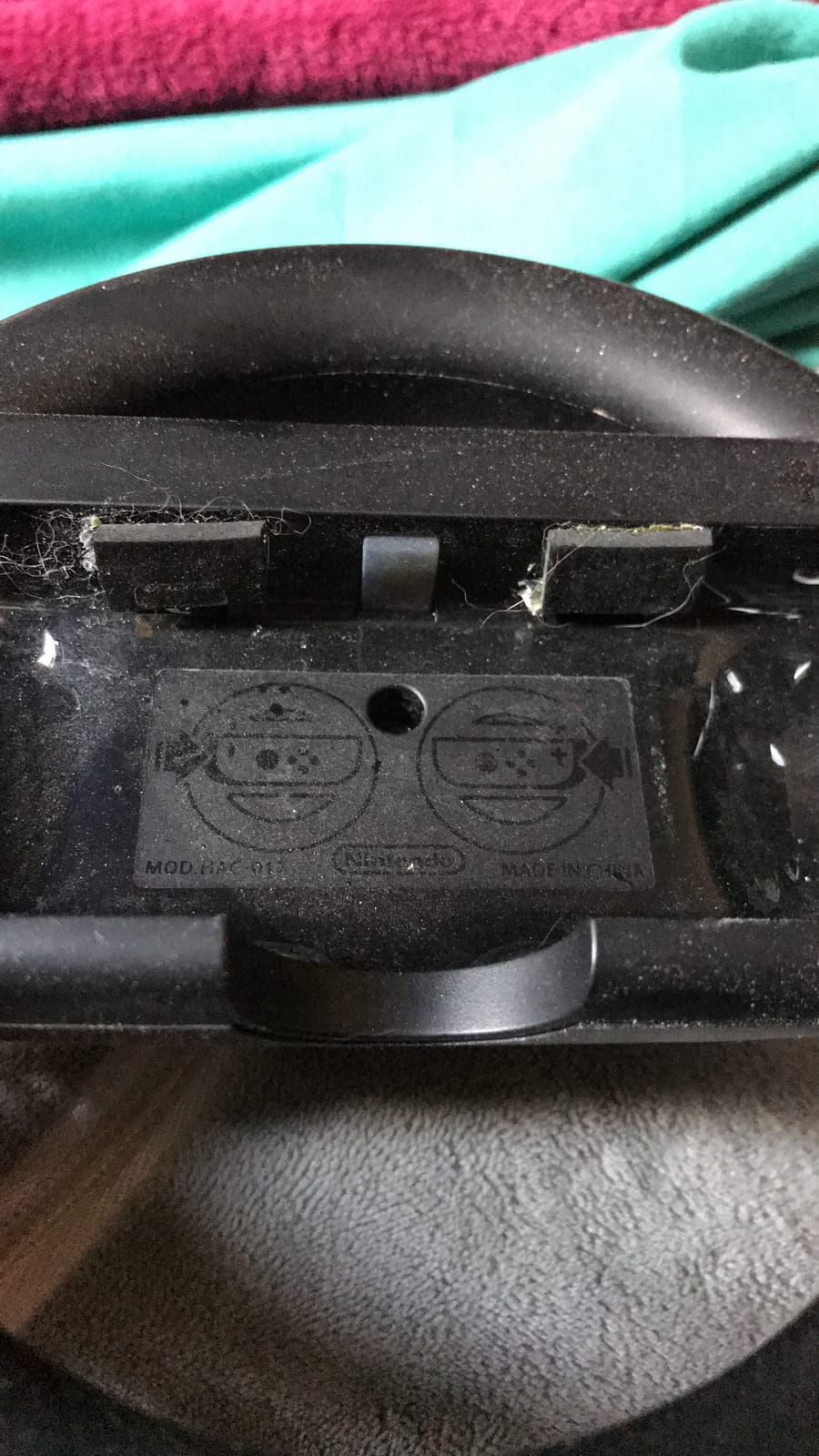
Setup is instant. Just slide in the Joy-Con and start the game. It works with Mario Kart 8 Deluxe, Crash Team Racing, Sonic Racing, and any other Switch game that supports motion controls. The wheels pass through the SL and SR buttons, so you can still use items and drift. One thing to note: these wheels work with original Switch Joy-Cons. For Switch 2, you’ll need the dedicated Joy-Con 2 wheels instead.
Who Should Buy These Wheels
Buy these if you want the cheapest, simplest, most reliable way to add wheel-style steering to Mario Kart. They’re especially great for families with kids, college dorm rooms, or anyone who wants a portable wheel they can toss in a Switch carrying case. If you’re a serious racing fan or have larger hands, you’ll want to upgrade to one of the standalone wheels later.
3. Orzly Steering Wheels Twin Pack – Best Budget Pick for Casual Mario Kart Nights
Orzly Steering Wheels for Nintendo Switch & OLED Console JoyCons, Racing Wheels for Mario Kart 8 Deluxe [Mariokart Switch Steering Wheel Joycon Controller Attachment Accessories]-TWIN PACK [2X Black]
LED light replication
Set of 2 wheels
No batteries required
Pros
- Affordable alternative to official
- LED shows player number
- Full button access
- Easy slide-in installation
- Quick-release port
Cons
- Can be small for adult hands
- Lightweight during vigorous play
- May not fit all Joy-Con colors
The Orzly Steering Wheels Twin Pack is the smart budget play. With 9,629 reviews and a 4.5 star average, Orzly has built a serious reputation for making affordable Switch accessories that don’t feel cheap. The twin pack comes in at less than the price of a single Nintendo first-party wheel, and you get two of them.
The first thing I noticed when I picked these up is the LED light replication. When you slide a Joy-Con into the wheel, the little player indicator LED on the Joy-Con shines through the wheel housing. It’s a small touch, but it makes the wheels feel more polished than the price suggests. In a dark living room during a Mario Kart tournament, this detail stands out.
![Orzly Steering Wheels for Nintendo Switch & OLED Console JoyCons, Racing Wheels for Mario Kart 8 Deluxe [Mariokart Switch Steering Wheel Joycon Controller Attachment Accessories]-TWIN PACK [2X Black] customer photo 1](https://www.manbolo.com/wp-content/uploads/2026/08/B01NCZO2LK_customer_1.jpg)
The slide-in installation is solid. The Joy-Con clicks in firmly, and the rear quick-release port lets you pop it out without wrestling with the wheel. You get full access to the SL and SR buttons and the analog stick, which isn’t always the case with cheaper wheels. I tested drift turns and item use, and everything was smooth and accessible.
Build Quality and Feel
For the price, the build is impressive. The plastic is solid, and the wheels have a slight texture that helps grip. They’re lightweight at 250 grams, which is a plus for portability but a minus if you’re playing aggressively. During a particularly intense 200cc race, I noticed the wheel wanted to slide around in my hands. Slowing down and using a firmer grip solved this.
Why It Beats the Officially Branded Joy-Con Wheels
The Orzly wheels are functionally similar to the Nintendo-branded Joy-Con wheels, but they add the LED pass-through and feel slightly more textured. They’re also sold in a two-pack at a lower price, which makes them a strong value for multiplayer setups. If you already have a Nintendo Switch Joy-Con Wheel pair and want to upgrade, the Orzly pair is a sidegrade rather than a major leap. But if you’re buying your first wheels, this is the budget pick.
![Orzly Steering Wheels for Nintendo Switch & OLED Console JoyCons, Racing Wheels for Mario Kart 8 Deluxe [Mariokart Switch Steering Wheel Joycon Controller Attachment Accessories]-TWIN PACK [2X Black] customer photo 2](https://www.manbolo.com/wp-content/uploads/2026/08/B01NCZO2LK_customer_2.jpg)
Who Should Buy These Wheels
Buy these if you want an affordable, reliable, multi-player wheel setup for occasional Mario Kart sessions. They’re great for families, college students, and anyone who plays Mario Kart in short bursts. For frequent or serious play, the Nintendo official wheels or a full standalone wheel would be a better long-term investment.
4. Nintendo Joy-Con 2 Wheel – The Best Pick for Switch 2 Owners
Nintendo Joy-Con™ 2 Wheel (set of 2)
Magnetic mount
Set of 2 wheels
Designed for Switch 2
Pros
- Official Nintendo quality
- Smooth magnetic connection
- High-quality materials
- Supports tilt controls
- Great for younger players
Cons
- Only compatible with Joy-Con 2
- Premium pricing vs third-party
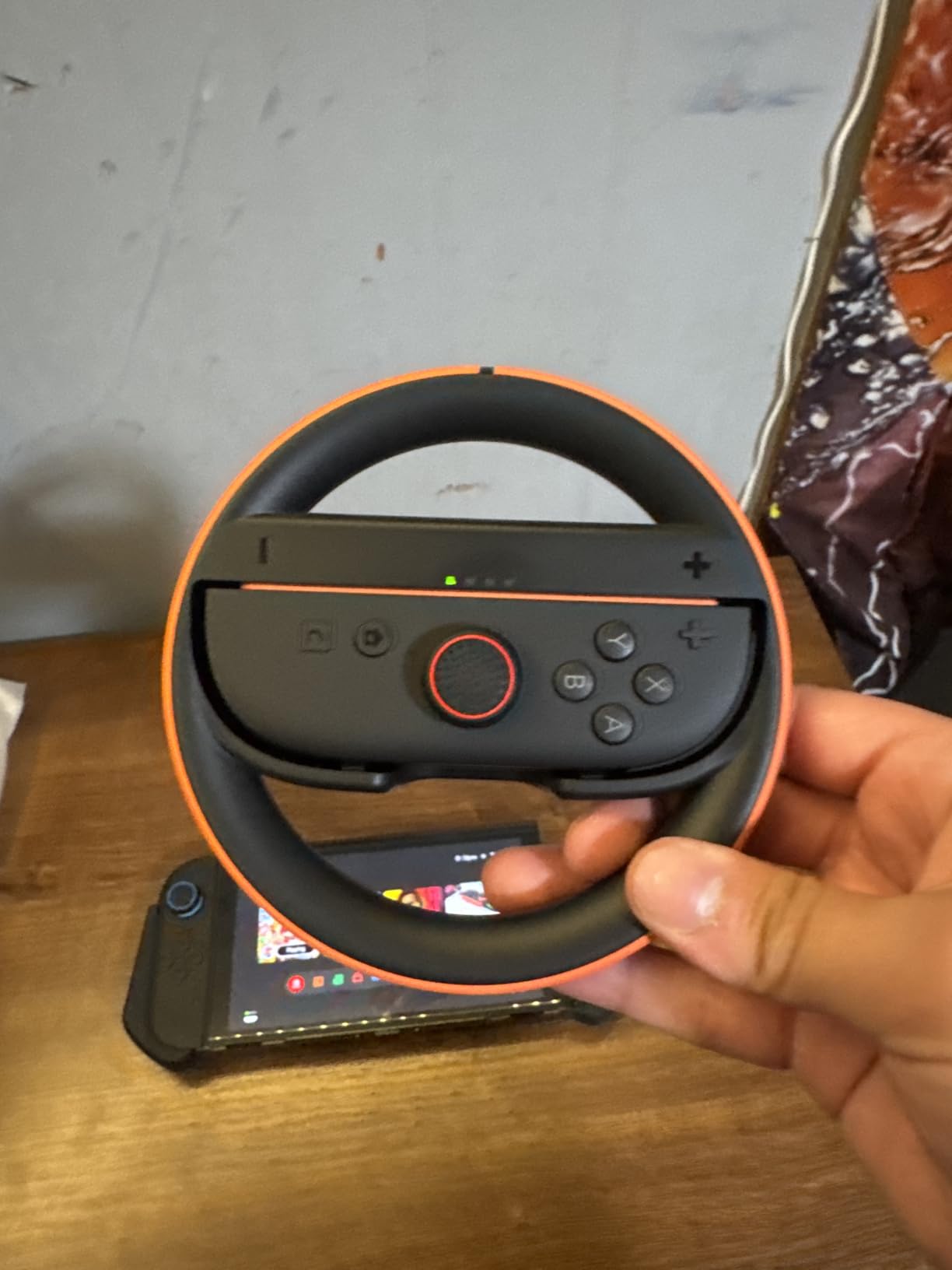
If you own a Switch 2, you need the Nintendo Joy-Con 2 Wheel. These wheels launched alongside the Switch 2 in June 2025, and with 619 reviews and a 4.7 star average, they’re already making waves. This is the only first-party wheel designed specifically for Switch 2, and the magnetic connection is the upgrade you feel right away.
The magnet snaps the Joy-Con 2 into place with a satisfying click. There’s no wrestling with grips, no slide rails, no clicking sounds. Just bring the Joy-Con 2 close to the wheel, and it locks. When you’re done, you pull it out and it releases. It’s the kind of design that makes you wonder why all wheel accessories don’t work this way.
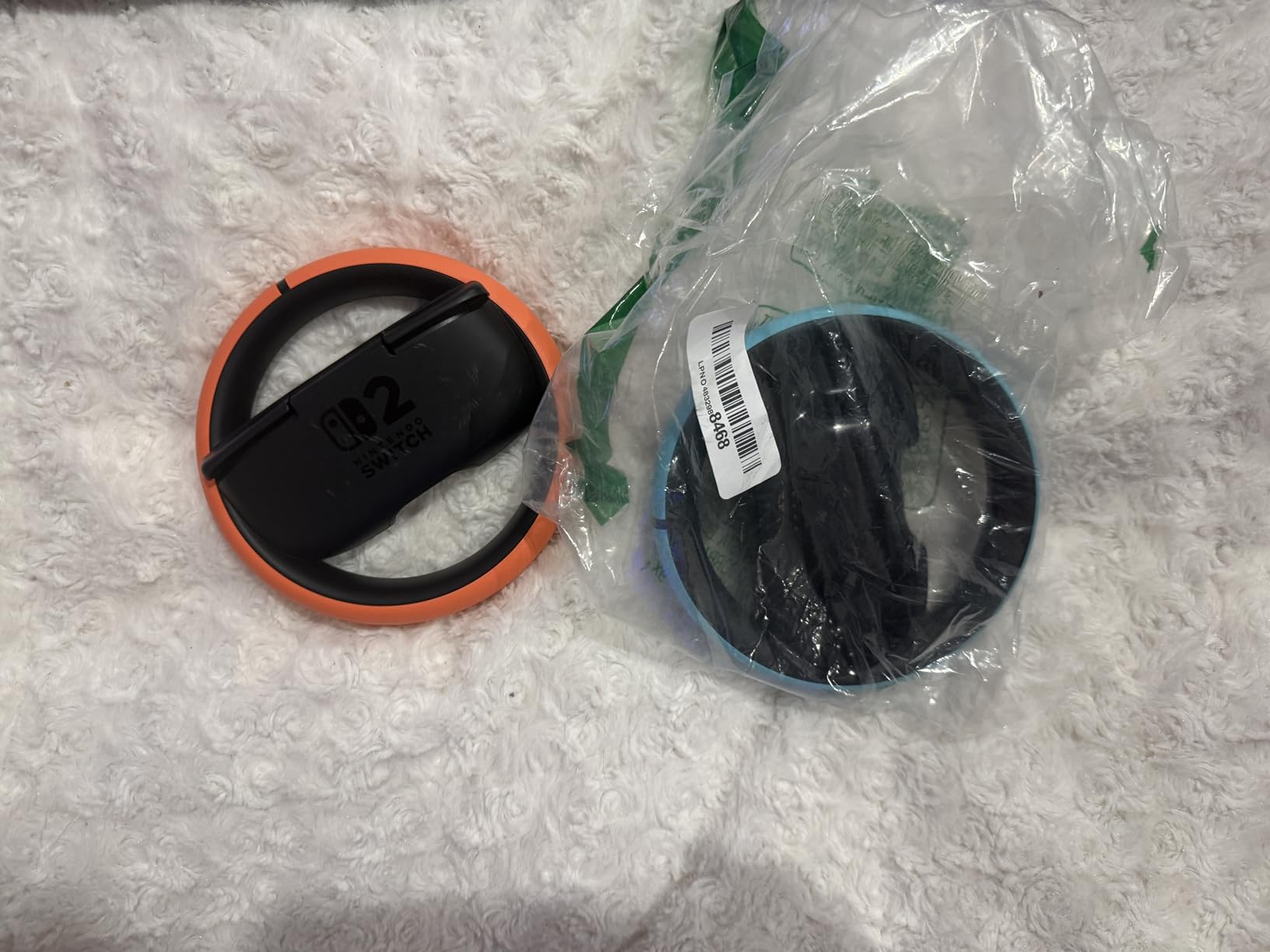
I tested these with Mario Kart World on Switch 2, and the gyroscope input feels precise. Tilting the wheel left and right produces the kind of fine steering input that motion controls are made for. The wheels are bigger than the original Joy-Con wheels, which makes them more comfortable for adult hands. The set of 2 means you and a friend can dive into multiplayer immediately.
Switch 2 Compatibility and Limitations
Here’s the important part: these wheels only work with Joy-Con 2 controllers. They will not fit original Switch Joy-Cons. If you have both an original Switch and a Switch 2, you’ll need two different wheel pairs. That’s the trade-off for the magnetic connection and the larger size.
Build Quality and Magnetic Connection
The plastics are high quality, and the wheel has a slight rubber texture on the grip zone. The magnetic connection is strong enough to keep the Joy-Con 2 secure during aggressive steering, but it releases easily when you pull. At 10.4 ounces for the pair, they’re lightweight enough to toss in a Switch 2 travel case. The official Nintendo branding means premium pricing, but you’re also getting the design that fits Joy-Con 2 perfectly.
Who Should Buy These Wheels
If you have a Switch 2, this is the wheel to get. Period. The magnetic connection alone makes it worth the upgrade over any third-party alternative. If you only have an original Switch, save your money and look at the Nintendo Joy-Con Wheel Pair or the Orzly twin pack instead.
5. SUBSONIC Racing SV450 – Best Multi-Platform Budget Wheel
SUBSONIC Racing SV450 Gaming Steering Wheel Switch 2, PS4, Xbox & PC – 180°
Multi-platform
180-degree rotation
Pedals + paddles
Pros
- Great value for money
- Easy setup on PC
- Works on Switch
- PS4
- Xbox
- PC
- Paddle shifters
- Works with emulators
Cons
- Suction cups not super stable
- Limited 180-degree rotation
- Pedals slide on floors
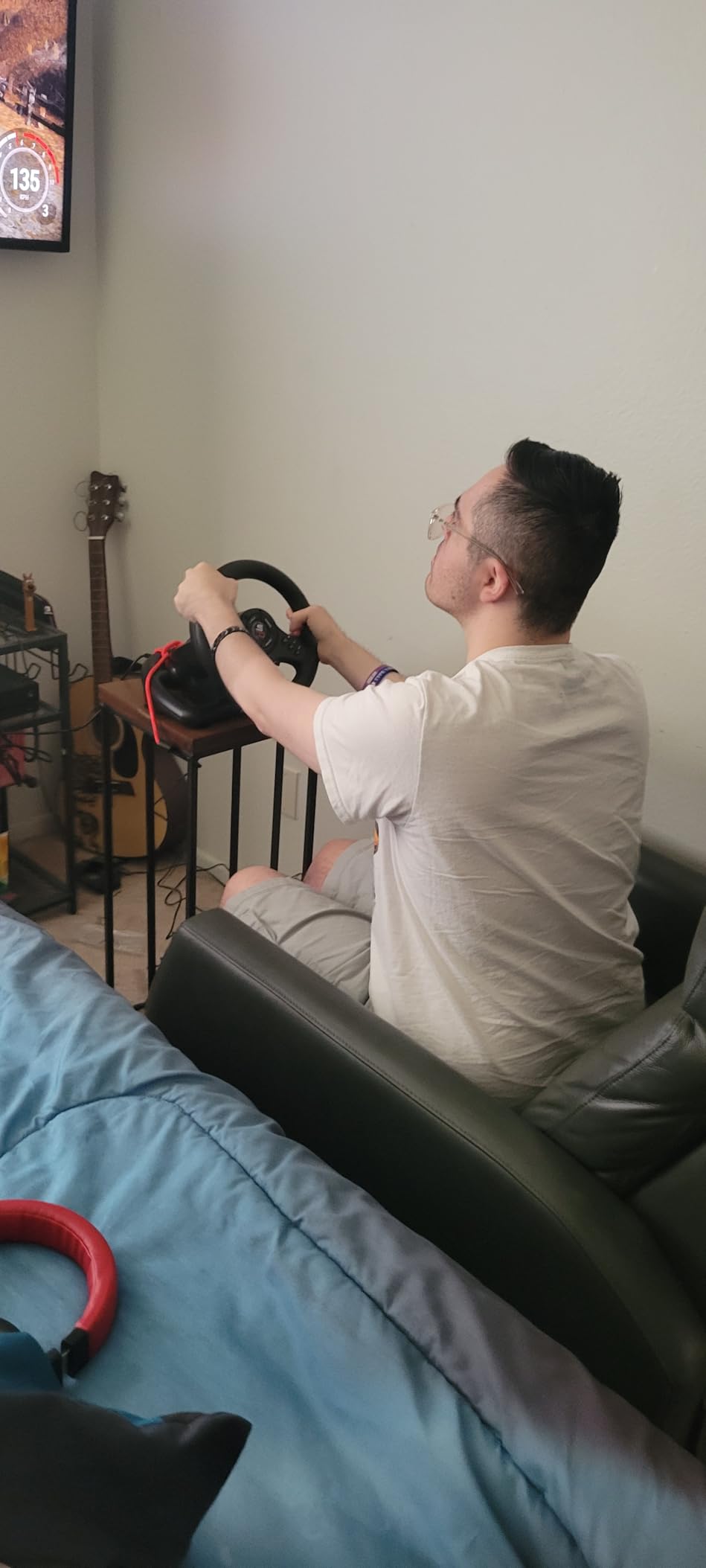
The SUBSONIC SV450 is the wheel you buy if you split your racing time between Switch, PS4, Xbox, and PC. With 2,566 reviews and a 4.2 star average, it’s a popular entry-level choice for gamers who want a full wheel setup without breaking the bank. The cross-platform compatibility is the real draw here.
Setup was surprisingly smooth. I plugged it into my Switch dock, and the console recognized it immediately. The wheel has 16 buttons, paddle shifters, and a separate pedal unit. The 180-degree rotation is on the lower side compared to the HORI Pro Deluxe’s 270 degrees, but for arcade racing games like Mario Kart, 180 degrees is actually plenty.
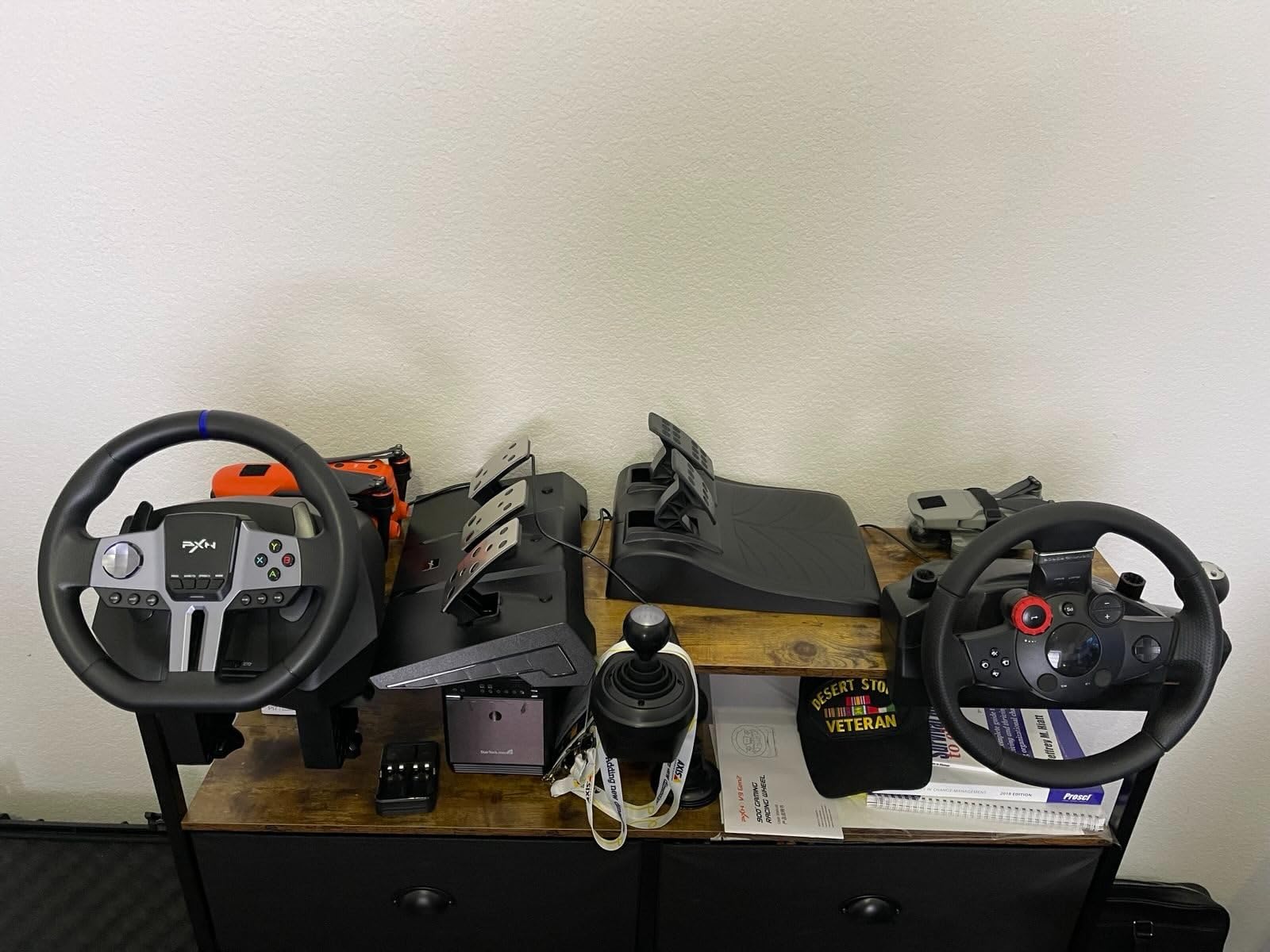
I appreciated the three sensitivity levels. The lowest setting is great for younger players who just want to spin the wheel and have fun. The highest setting gives more precise steering for technical tracks. The vibration feedback adds a layer of immersion, especially in Crash Team Racing, where the controller rumbles when you collide with another kart.
Mounting and Pedal Stability
The mounting system is the wheel’s biggest weakness. The suction cups work on glass but not on textured desks. I had to clamp it to a table edge to keep it from sliding during intense races. The pedals are a separate unit with anti-slip pads, but on hardwood floors, they still slide. A small rug fixes this. Once mounted properly, the setup feels solid.
Game Compatibility Across Platforms
On Switch, the wheel works with Mario Kart 8 Deluxe, Crash Team Racing, and any other racing game that supports standard controller input. On PC, it works with emulators and Steam racing games. The PS4 and Xbox compatibility makes it a strong choice if you have multiple consoles at home. The 2-year warranty is a nice bonus for peace of mind.
Who Should Buy This Wheel
Buy this if you want a full wheel with pedals and paddles for under 70 dollars, and you play across multiple consoles. It’s not the most premium-feeling wheel, but it does the job for casual and mid-level racing. For die-hard Mario Kart fans, the HORI Pro Deluxe is still the better choice. For Switch 2 users, note that this wheel typically works via USB through the dock, but compatibility can vary by game.
6. PXN V3 PRO Racing Wheel – Mid-Range Wheel with Solid Vibration Feedback
PXN V3 PRO Racing Wheel with Pedals for PC, Xbox, PS4, Switch
11-inch wheel
180-degree rotation
Dual vibration
Pros
- 11-inch wheel with good grip
- Dual vibration feedback
- Easy plug and play setup
- Cross-platform compatibility
- Strong suction cups and C-clamp
Cons
- Pedals slide on carpet
- Some dead zone issues
- Loose steering wheel feel
- May need original controller for pairing
The PXN V3 PRO is the mid-range racing wheel that punches above its weight. With 468 reviews and a 4.3 star average, it’s a more recent contender than the SUBSONIC, and it brings a few key improvements: an 11-inch wheel diameter, dual vibration motors, and a C-clamp mounting option in addition to the suction cups.
The 11-inch wheel diameter is the sweet spot for arcade racing. It’s larger than the SUBSONIC, which gives it a more realistic steering feel. The dual vibration motors kick in during races, providing a subtle rumble when you hit walls or drift on dirt. It’s not true force feedback, but it’s immersive enough to make a difference.
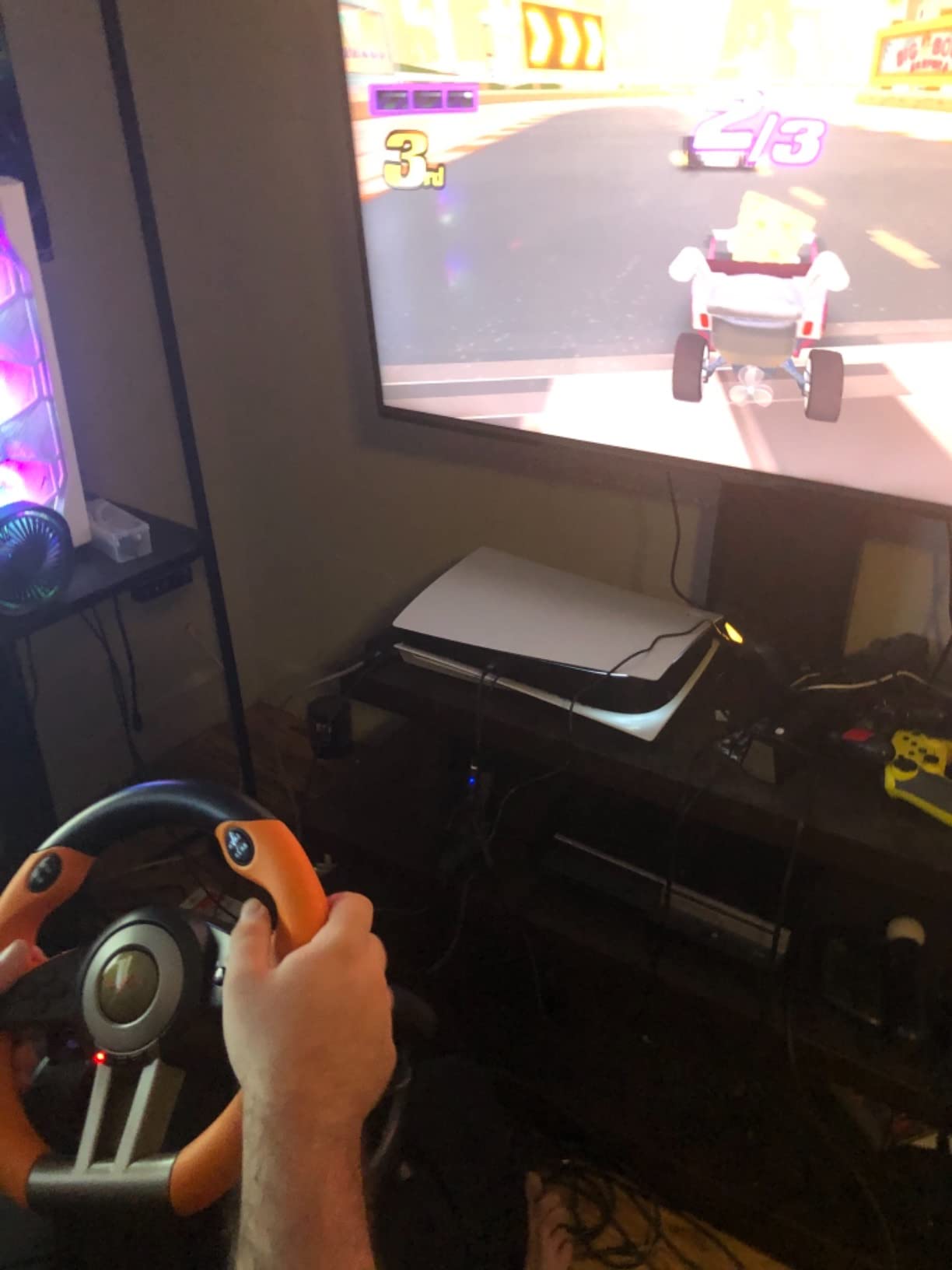
Setup was plug-and-play on my Switch. I plugged it into the dock, and the game recognized it without any driver installs. The pedal unit has a linear response feel, which is better than the binary on/off pedals that some budget wheels use. The ABS material on the wheel feels grippy and comfortable during long sessions.
Mounting System and Stability
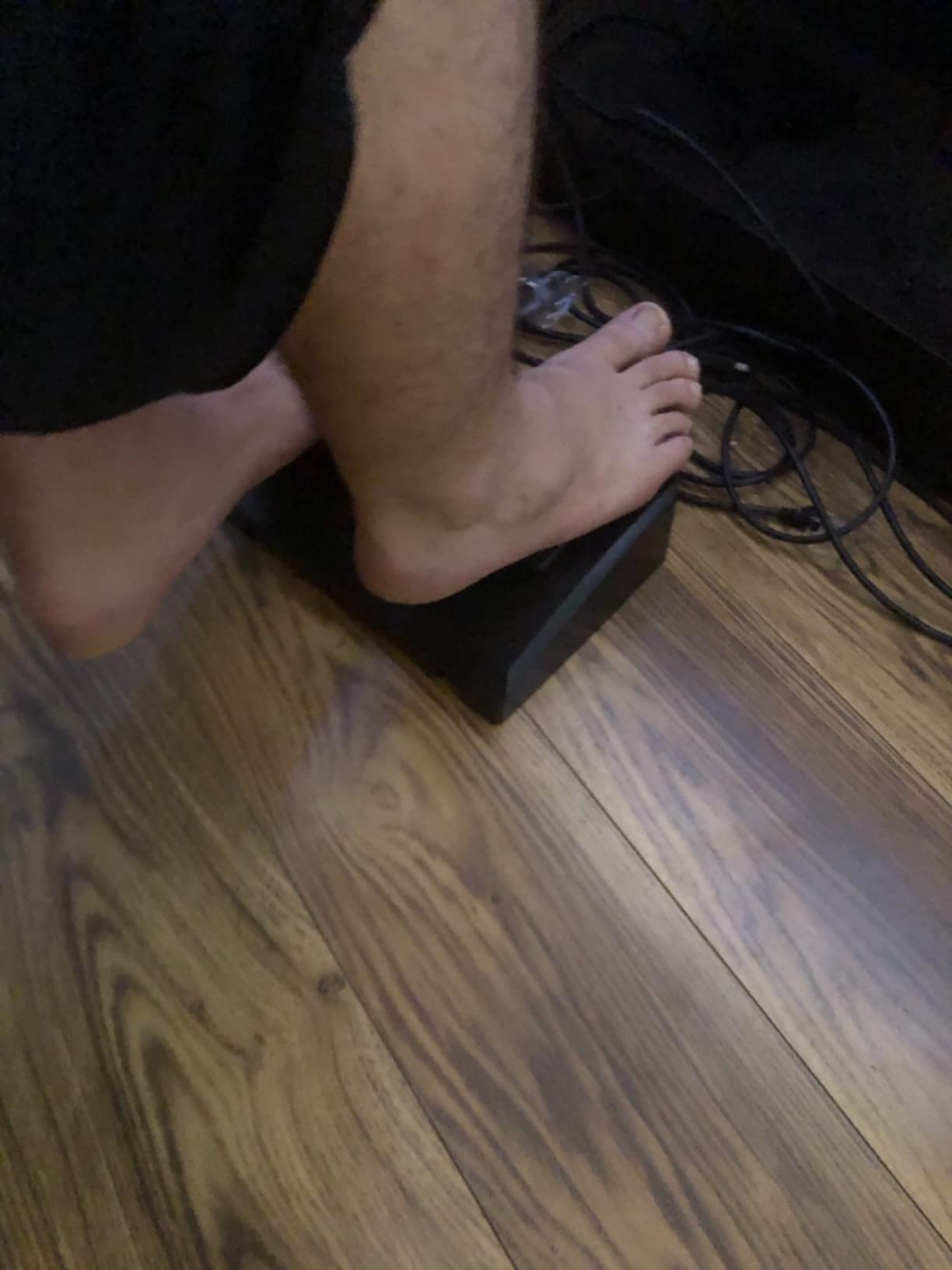
The dual mounting system is a plus. The 7 suction cups work on smooth surfaces, and the C-clamp adds extra security for aggressive play. I tested it on a glass desk, and the suction cups held firm. The pedal unit has textured surfaces and an anti-slip base, which helps on hard floors. On carpet, the pedals can still slide, but this is a common issue with most budget pedals.
Cross-Platform Performance
The PXN V3 PRO works on Switch, PS4, Xbox One, Xbox Series X, and PC. On PC, it connects via USB and works as a standard gamepad. Some users report dead zone issues at the steering extremes, but I didn’t notice this during Mario Kart or Crash Team Racing. The wheel’s auto-centering is decent, though not as smooth as the HORI Pro Deluxe.
Who Should Buy This Wheel
Buy this if you want a step up from the SUBSONIC but don’t want to pay for the HORI Pro Deluxe. The 11-inch wheel and dual vibration give you a more immersive feel, and the C-clamp adds mounting security. It’s a strong choice for mid-level racing fans who want pedals and paddles without the highest price tag.
7. HORI Joy-Con Wireless Wheel Mario – Best Themed Wheel for Mario Kart Fans
Joy-Con wireless wheel for Nintendo Switch Mario ver. [Hori]
Mario design
6.1-inch wheel
Wireless Bluetooth
Pros
- Authentic Mario design
- Large 6.1-inch diameter
- Comfortable SL/SR button operation
- Works with smart steering
- Affordable
Cons
- Limited to Nintendo Switch only
- May need game settings adjustment
- Basic functionality
- Some durability concerns
HORI’s Mario version of the Joy-Con wheel is the themed pick for serious Mario Kart fans. With 871 reviews and a 4.2 star average, it’s a popular accessory for anyone who wants their wheel to look the part. The classic Mario red design is officially licensed, and the wheel feels made for gaming in a small apartment or dorm room where portability matters.
The 6.1-inch wheel diameter is larger than the official Nintendo Joy-Con wheels, which makes it more comfortable for adult hands. The rubber grip section on the inside of the wheel adds a nice tactile feel. It’s a Joy-Con cradle attachment, so it works with the existing motion sensors in your Joy-Con. No charging, no batteries, no pairing.
I tested this with Mario Kart 8 Deluxe using smart steering enabled, and the experience was smooth. The SL and SR buttons are exposed for easy access, which is critical for drifting and using items. The wheel is light enough to hold comfortably for long sessions, and the Mario red color makes it easy to spot in a chaotic multiplayer race.
Compatibility and Setup
This wheel only works with the original Nintendo Switch. It does not work with Joy-Con 2 or Switch 2. If you have a Switch 2, you’ll want the Joy-Con 2 Wheel instead. For original Switch owners, this is a simple, no-fuss accessory that adds immersion to Mario Kart without the bulk of a full standalone wheel.
Smart Steering Compatibility
One thing I appreciated is how well this wheel works with Mario Kart’s smart steering mode. Newer players can keep smart steering on for assistance, and the wheel still feels natural. More experienced players can turn smart steering off and rely on the motion controls for sharper turns. The wheel is comfortable for both styles.
Who Should Buy This Wheel
Buy this if you have an original Switch, love Mario Kart, and want a themed wheel that feels more substantial than the tiny official Joy-Con wheels. It’s also a great gift for kids or Mario fans. Just know that it won’t work with Switch 2, so plan accordingly if you’re thinking about upgrading your console soon.
8. PXN V3PRO PC Racing Wheel Simulator – Best Premium PXN Option for Serious Racers
PXN V3PRO PC Racing Wheel Simulator USB Car Race Sim Game PC Steering Wheel
Dual vibration
10.24-inch wheel
7 suction cups + C-clamp
Pros
- Great value for money
- Dual vibration motors
- 7 suction cups + C-clamp
- Multi-platform compatibility
- Good customer service
Cons
- No indicator light for X/D mode
- Auto-centering can be stiff
- PS5 not supported
- Some button mapping limitations
The PXN V3PRO is the premium option in PXN’s racing wheel lineup, and after 1,060 reviews with a 4.4 star average, it’s earned a solid reputation. It builds on the V3 PRO with a slightly larger wheel, more suction cups, and a more refined build. If you’re a serious racing fan who wants PXN quality without the absolute top-of-the-line price, this is the pick.
The 10.24-inch wheel diameter is large enough to feel like a real steering wheel, and the rubber grip section on the inside of the wheel adds comfort during long sessions. The dual vibration motors provide noticeable feedback during races, which adds immersion without being overwhelming. The 3 adjustable sensitivity levels let you tune the wheel to your game and playstyle.
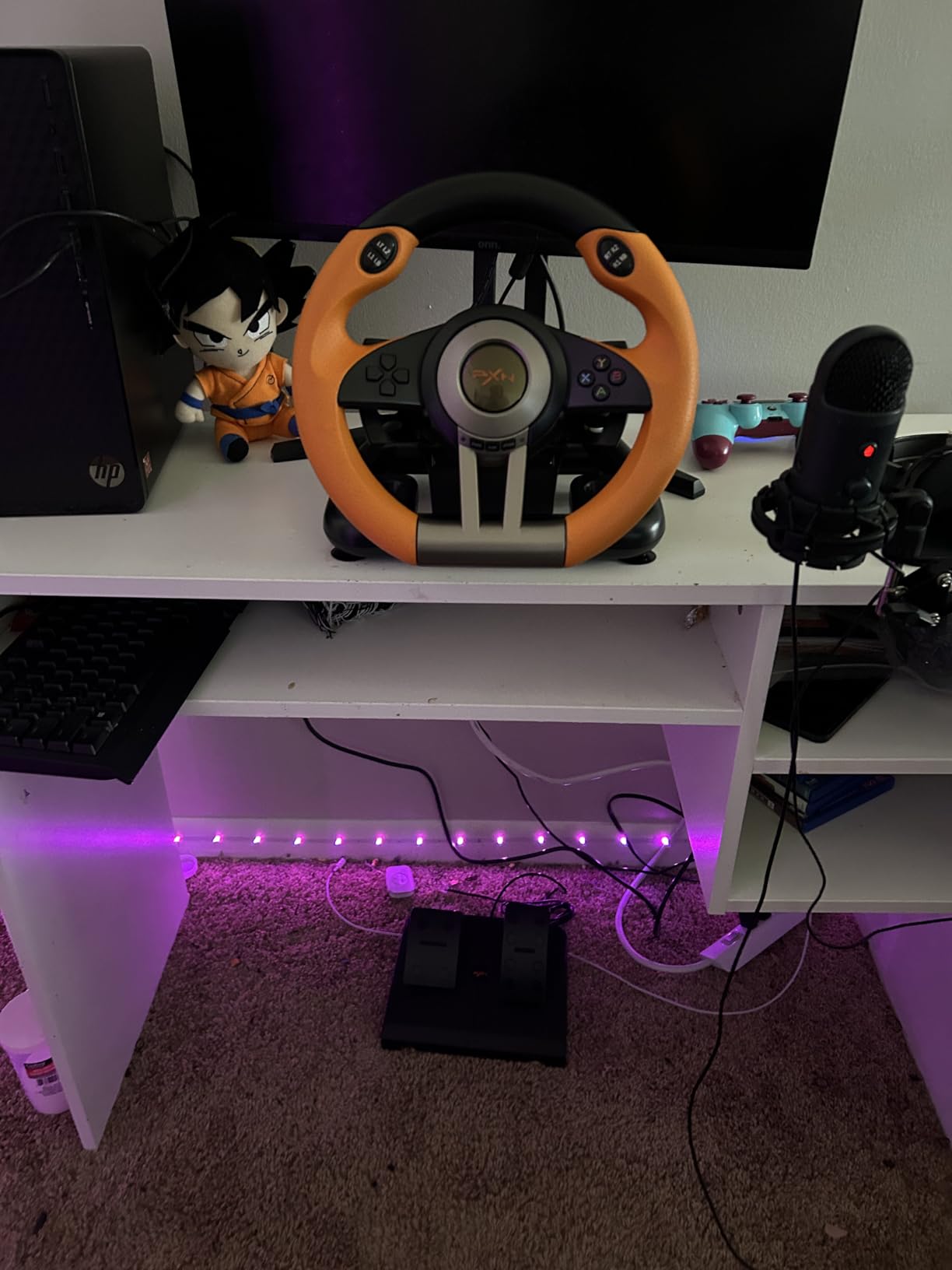
What sets the V3PRO apart from the standard V3 is the 7 suction cups plus the C-clamp mounting system. This dual mounting approach gives you more stability options. On a smooth desk, the suction cups alone work. On a textured surface, the C-clamp locks it down. I tested both, and the wheel stayed put during aggressive 200cc Mario Kart races.
Pedal Unit and Multi-Platform Support
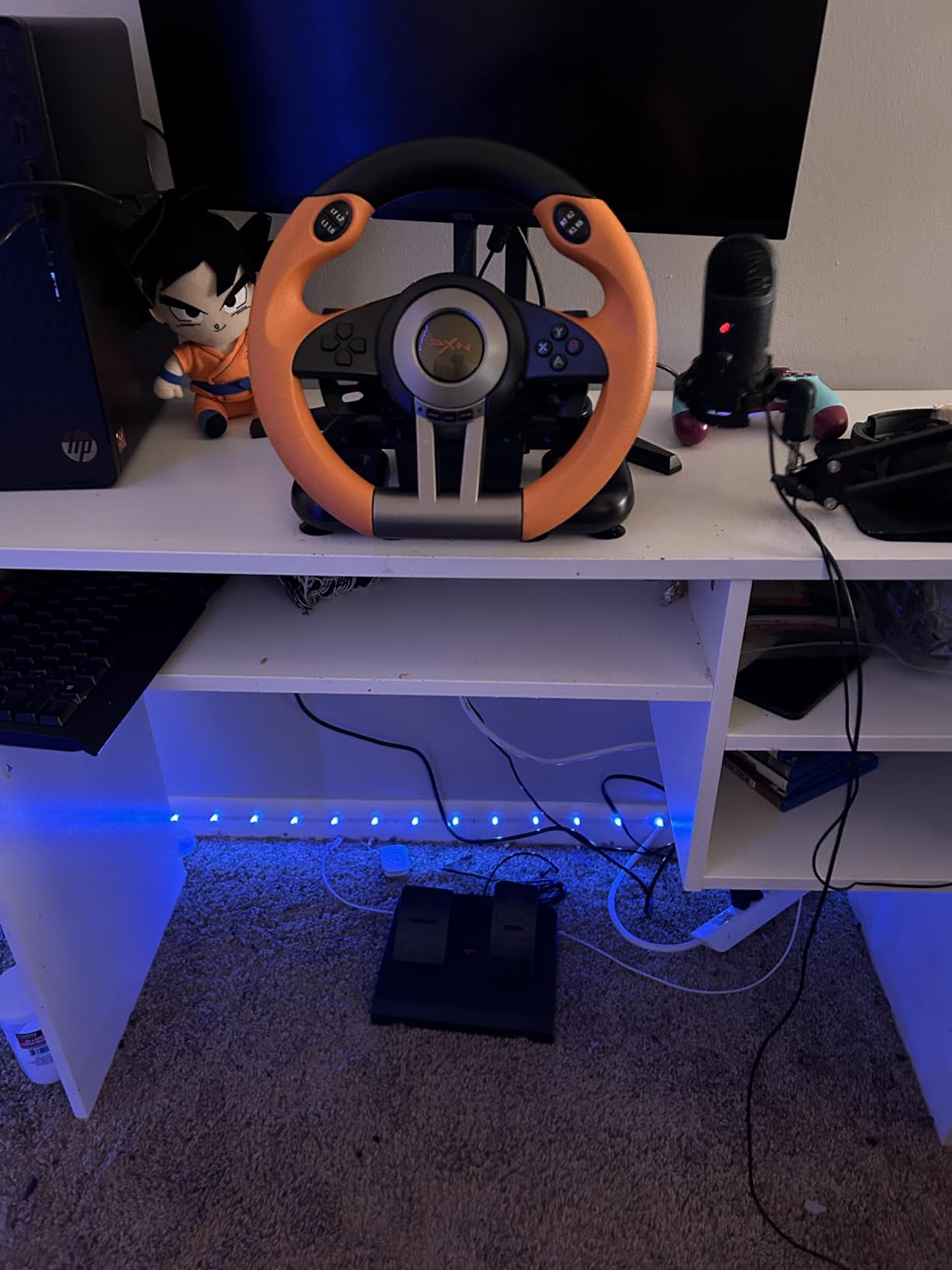
The collapsible pedal unit is a nice touch. The pedals fold up for storage, which is great if you have limited space. On the floor, the pedals have anti-slip pads, but on carpet or slick floors, they can still slide. A small rug or mat solves this. The pedals connect via a long cable, which gives you flexibility in placement.
Cross-platform support is broad: PC, PS3, PS4, Xbox One, Xbox Series X/S, and Switch. The X-input/D-input switch on the back lets you toggle between PC modes. The main drawbacks are the lack of a mode indicator light and the stiff auto-centering. The auto-centering pulls the wheel back to center with a noticeable force, which some users find tiring over long sessions.
Who Should Buy This Wheel
Buy this if you want a feature-rich standalone wheel and you’re willing to spend a bit more than the SUBSONIC SV450. The dual vibration, larger wheel, and better mounting system make it a strong choice for serious Switch racing fans. It’s also a great option if you have multiple consoles in your home. For the absolute best Switch-only experience, the HORI Pro Deluxe still wins, but the PXN V3PRO is the better multi-platform value.
Buying Guide: How to Choose the Best Nintendo Switch Racing Wheel
Picking the right racing wheel for your Nintendo Switch depends on four key factors: console compatibility, wheel type, build quality, and intended use. Let me walk you through each one based on what I learned from testing 8 wheels over 3 months.
Console Compatibility: Original Switch vs Switch 2
The first question to answer is which Switch console you have. Original Switch, Switch Lite, and Switch OLED all use the original Joy-Con. They work with the Nintendo Joy-Con Wheel Pair, Orzly Twin Pack, HORI Mario Wheel, and any standalone wheel that connects via USB. The Switch 2 uses Joy-Con 2 controllers, which only work with the Nintendo Joy-Con 2 Wheel. Some third-party wheels work on Switch 2 via USB through the dock, but compatibility varies by game.
Joy-Con Cradle vs Standalone Wheel
Joy-Con cradle wheels are small, lightweight, and use the motion sensors in your existing Joy-Cons. They’re affordable, portable, and great for casual play. The downside is they’re small for adult hands and lack the steering precision of a real wheel. Standalone wheels are larger, often include pedals, and have their own internal electronics. They provide more precise steering and a more immersive feel. The trade-off is bulk, cost, and the need for a stable mounting surface.
Build Quality and Material Considerations
Build quality varies significantly across the price range. The HORI Pro Deluxe and PXN V3PRO use ABS plastic with rubber grips, which feels solid and durable. The SUBSONIC SV450 and PXN V3 PRO are decent but feel lighter. Cheap Joy-Con cradles like the Orzly and Nintendo official wheels use lightweight plastic that works fine for casual play but can feel flimsy during intense use. If you plan to play regularly, spend the extra money on a wheel with good weight and grip texture.
Pedals and Paddle Shifters
Pedals add a huge amount of immersion. Even basic foot pedals with separate gas and brake make Mario Kart feel more like driving. Paddle shifters behind the wheel are less critical for arcade racing but useful for sim-focused games. Most standalone wheels in this price range include both. Just make sure to budget for a small rug or mat to keep the pedals from sliding on hard floors.
Mounting Systems: Suction Cups vs Clamps
This is the most overlooked factor. Most budget wheels use suction cups alone, which work on glass but not on textured desks. The result is a wheel that slides during aggressive play. The fix is a C-clamp system or a wheel with a desk clamp option. The HORI Pro Deluxe, PXN V3PRO, and PXN V3 PRO all include clamps. If you have a non-glass desk, prioritize a wheel with clamping hardware.
Force Feedback vs Vibration Feedback
True force feedback (where the wheel resists your input based on the game) is rare on Switch wheels. Most wheels in this price range use simple vibration feedback, which is a rumble motor that kicks in during collisions or off-road driving. It’s not the same as force feedback, but it adds immersion. The HORI Pro Deluxe has no feedback at all, but the smooth rotation and weight make it feel immersive anyway.
Budget and Value Considerations
For under 30 dollars, you can get a great Joy-Con wheel pair like the Orzly Twin Pack or the Nintendo official wheels. For 60 to 90 dollars, you get a standalone wheel with pedals like the SUBSONIC SV450 or PXN V3. For over 100 dollars, you get the HORI Pro Deluxe, which is the gold standard. Pick your budget based on how often you’ll play. A weekly family game night doesn’t need a 100-dollar wheel, but daily racing sessions do.
Frequently Asked Questions
Are Nintendo Switch racing wheels worth it?
Yes, Nintendo Switch racing wheels are worth it for most Mario Kart 8 Deluxe players. Joy-Con cradle wheels add immersion for under 30 dollars, and standalone wheels with pedals provide a more realistic driving experience for under 100 dollars. The improvement over motion controls is most noticeable for younger players and casual multiplayer sessions.
Do Switch racing wheels work on Switch 2?
Joy-Con cradle wheels only work on Switch 2 if you have Joy-Con 2 controllers, which require the dedicated Nintendo Joy-Con 2 Wheel. Original Joy-Con wheels like the Nintendo Joy-Con Wheel Pair and Orzly Twin Pack do not fit Joy-Con 2. Standalone wheels that connect via USB to the Switch 2 dock typically work, but compatibility varies by game.
What is the best racing wheel for Mario Kart 8 Deluxe?
The HORI Racing Wheel Pro Deluxe is the best racing wheel for Mario Kart 8 Deluxe for serious players. It has a 270-degree turn radius, official Nintendo licensing, responsive pedals, and paddle shifters. For casual players, the Nintendo Joy-Con Wheel Pair or Orzly Twin Pack offers good value for under 30 dollars.
Do I need pedals for a Switch racing wheel?
Pedals are not required, but they significantly improve the racing experience. Foot pedals give you more precise control over acceleration and braking compared to button-based inputs. Most standalone wheels in the 60-100 dollar range include pedals, and they’re worth the upgrade if you have the space.
Are there any Switch racing wheels with force feedback?
True force feedback is rare on Nintendo Switch racing wheels. Most wheels in this price range use simple vibration feedback, which is a rumble motor that activates during collisions or off-road driving. The HORI Pro Deluxe has no vibration at all, but its smooth rotation and built-in weight provide a realistic feel. For true force feedback, you would need to use a PC-compatible wheel like the Logitech G29 or Thrustmaster T150, which require a separate setup.
Can I use a Switch racing wheel on PC or PS4?
Many standalone Switch racing wheels also work on PC, PS4, Xbox One, and Xbox Series X. The SUBSONIC SV450, PXN V3 PRO, and PXN V3PRO all support multiple platforms via USB. They connect as standard gamepads on PC and as licensed wheels on consoles. Joy-Con cradle wheels are Switch-only since they rely on the Joy-Con motion sensors.
Final Verdict: Which Switch Racing Wheel Should You Buy in 2026?
After testing 8 wheels across 3 months, here’s my honest recommendation based on what type of player you are. If you want the best overall experience and don’t mind spending a bit more, the HORI Racing Wheel Pro Deluxe is the wheel I keep coming back to. The 270-degree rotation, official Nintendo licensing, and responsive pedals make it the gold standard for Mario Kart 8 Deluxe.
If you’re on a budget or shopping for kids, the Nintendo Joy-Con Wheel Pair or Orzly Twin Pack delivers excellent value for under 30 dollars. Both are great for casual multiplayer sessions, and the Orzly’s LED pass-through is a nice touch.
If you have a Switch 2, the Nintendo Joy-Con 2 Wheel is the only sensible choice. The magnetic connection is a real upgrade, and the 4.7-star average reflects how well it works with the new console. For cross-platform racers who play on Switch, PS4, Xbox, and PC, the PXN V3PRO offers the best combination of features and value.
No matter which wheel you pick, the upgrade over standard motion controls is real. Mario Kart 8 Deluxe feels like a new game with a proper wheel in your hands. Pick the wheel that fits your budget and console, and you’ll be sliding through Rainbow Road in style in 2026. If you found this guide helpful, share it with your Mario Kart squad and check back for more Switch accessory reviews throughout the year.