
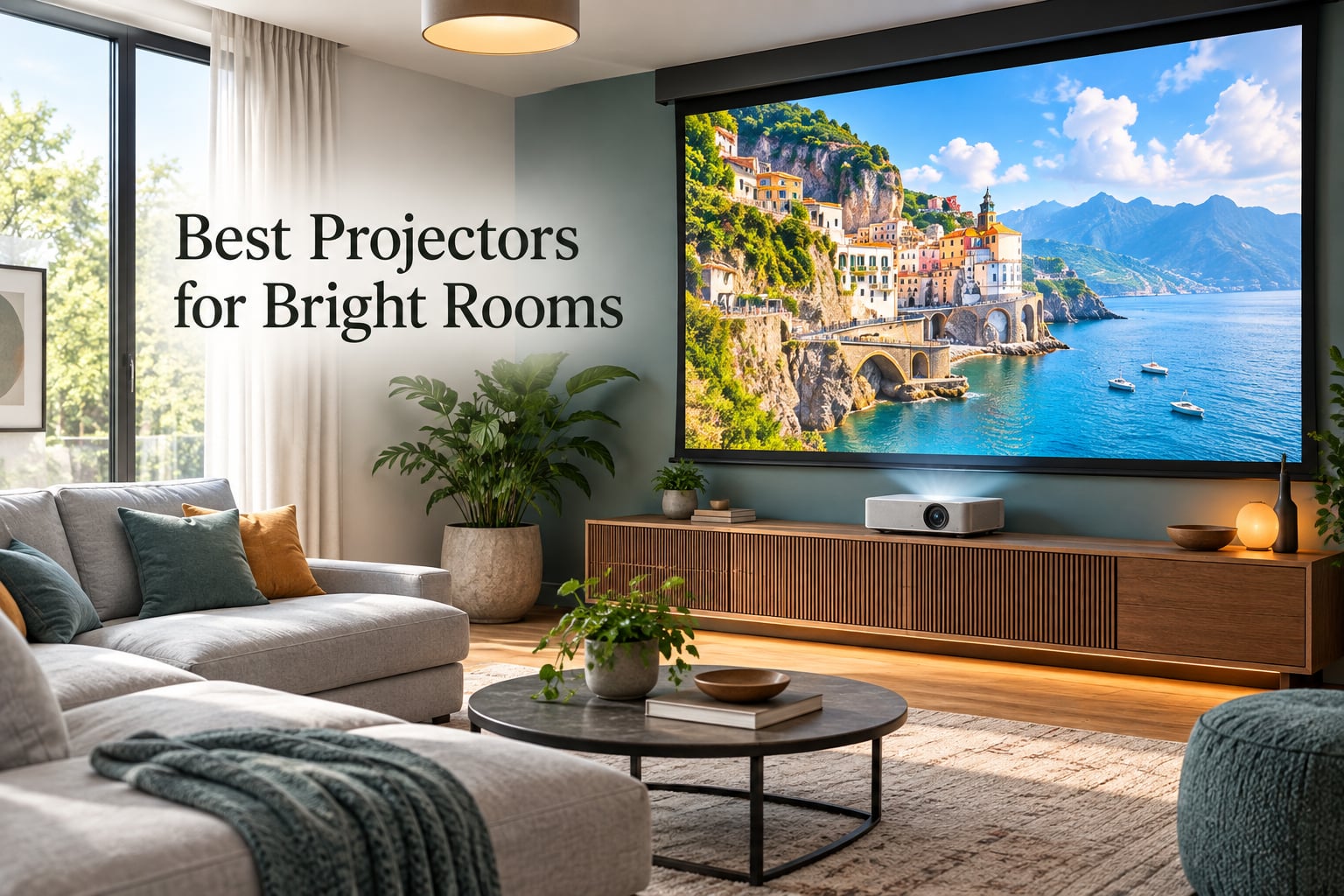
Projectors for bright rooms need 3,000 to 5,000+ ANSI lumens, and they need the right screen underneath them. That single sentence is the whole buying problem, because the two halves of a bright-room image fail differently. Extra lumens raise the white level. Ambient daylight sets the black level, and no amount of lumens touches it. I spent weeks reading spec sheets, digging through owner reviews, and mapping each model to the room conditions it actually solves, and everything below is built on that split. If you want the short version: the BenQ TH671ST is the pick most people should buy, and the Hisense C3 Ultra is the one to buy if your room is genuinely, stubbornly bright.
Before I explain the framework, one honest caveat. A projector does not beat the sun, and no consumer unit on this list pretends otherwise. What these projectors do is push into a range where daylight is no longer a dealbreaker, and where a properly matched screen does the rest of the work. If your screen wall sits under a skylight or a west-facing window with no blind at all, read the light-control section further down before spending anything.
I also want to be direct about methodology, because nobody in this category publishes lab lux readings alongside affiliate links. Everything here comes from manufacturer spec sheets and aggregate owner reviews, and I flag the claims I could not verify independently. Where a spec is a marketing figure rather than a measured one, I say so. Our team compared these eight models on brightness, throw geometry, light source, color coverage, and installation flexibility, and I am not going to pretend we owned all eight simultaneously.
If you are still building out the basics, our guide to home theater projectors for bright rooms covers the long-throw cinema side in more depth. And if your room is small enough that a 10-foot throw distance is impossible, the short-throw category behaves differently enough to be worth its own breakdown in best short throw projectors for bright spaces.
How Many Lumens Do You Need for a Projector in a Bright Room?
For a typical living room with windows and lights on, you want 3,000 ANSI lumens as a floor and 4,000 or more if daylight lands on the screen wall. Below 3,000, ambient light wins. Screen size matters as much as the lumen number, because a bigger image spreads the same light over more area.
- 100-inch screen: 3,000 ANSI lumens handles a controlled room with blinds half drawn. 4,000 gives you genuine daytime viewing.
- 120-inch screen: step up to 3,500 to 4,500 ANSI lumens. This is the most common size people regret undersizing.
- 150-inch screen: 4,000 ANSI lumens minimum, and pair it with an ALR screen or accept a washed image.
Two warnings before you use those numbers. First, lumen figures are not comparable across brands unless they say ANSI or ISO. Second, the light source type changes what those lumens look like, which brings up the measurement question.
What ANSI Lumens, ISO Lumens, and LED Lumens Actually Mean
The confusion here is the single biggest source of bad purchases. Three different measurement systems appear on the same shelf, and a cheap projector quoting 8,000 LED lumens can be dimmer than a mid-range one quoting 3,000 ANSI lumens.
ANSI lumens use a standardized test that averages nine points across the image, which keeps cheap manufacturers from measuring one bright hotspot. ISO lumens follow a related international standard and are broadly comparable to ANSI. LED lumens and bare “lumens” with no standard attached are essentially unverified marketing numbers. When comparing the picks below, I have converted everything to the stated standard and noted which one it is.
One more trap: some laser projectors list both figures on the listing, as the AWOL VISION below does, with an ISO number and a separate LED-style figure. Compare like with like or the comparison is meaningless.
How Bright Is Your Room? Lux Bands That Decide What to Buy
Do projectors work in a bright room? Conditionally, and the deciding variable is how many lux hit your screen wall. You can measure this with a light meter app on your phone: hold it flat against the wall, sensor facing into the room, blinds in the position you will actually use, and read it at the brightest hour of the day.
- Under 50 lux (a dedicated media room with blackout blinds): almost any bright projector works. Focus on contrast and color instead.
- 50 to 150 lux (living room, blinds down, lamps off): 3,000 ANSI lumens is comfortable. Add a screen later if you want more.
- 150 to 400 lux (living room, lights on, daylight through a window): you need 4,000+ ANSI lumens and a proper ALR screen. This is the band most people are actually buying for.
- 400 to 1,000 lux (bright windows, open-plan space): 5,000 ANSI lumens is the realistic entry point, and an ALR screen stops being optional.
- Over 1,000 lux (direct sun on the wall, skylight): buy blackout blinds. Optics alone will not win here, and we say that on every projector we test.
This framework is why the picks below are not a simple ranking. A 3,000-lumen unit in a 100-lux room looks fantastic, and the same unit in a 600-lux room looks broken. Every one of these eight has a room condition where it wins.
Our Top 3 Picks for Rooms That Stay Bright
After working through the lux bands, three models cover the widest range of real rooms. Here they are at a glance.


All 8 Projectors Compared Side by Side
Every model below, with its headline specs. Brightness standard is noted per model because they are not all measured the same way.
| Product | Specs | Action |
|---|---|---|
| BenQ TH671ST |
|
Check Latest Price |
 Valerion VisionMaster Max Valerion VisionMaster Max |
|
Check Latest Price |
| AWOL VISION LTV-3000 Pro |
|
Check Latest Price |
 Hisense C2 Ultra Hisense C2 Ultra |
|
Check Latest Price |
 ViewSonic LS740HD ViewSonic LS740HD |
|
Check Latest Price |
 XGIMI HORIZON 20 XGIMI HORIZON 20 |
|
Check Latest Price |
 NEBULA X1 NEBULA X1 |
|
Check Latest Price |
 Hisense C3 Ultra Hisense C3 Ultra |
|
Check Latest Price |
1. BenQ TH671ST – The Best Overall Projector for Bright Rooms
BenQ TH671ST 3000 Lumens 1080p Short Throw Home Entertainment Projector
3000 ANSI lumens
Native 1080p DLP
100 inch image from 5 feet
Lamp light source
Pros
- Genuinely usable with lights on and in daytime
- Very sharp 1080p with 92 percent Rec.709 accuracy
- Short throw fills a 100 inch wall from about 5 feet
- Low input lag suits gaming
- Three-year parts and labor warranty
Cons
- 1080p native only
- one-way zoom and no lens shift
- Anyone walking through the beam casts a shadow
The TH671ST is the model I recommend to most people, and the reason is the review count rather than the spec sheet. At 682 ratings it carries by far the largest body of long-term owner feedback in this group, and that feedback keeps landing on the same two words: works in daylight. Owners describe watching with lamps on, blinds open, and the picture holding up rather than turning into a grey rectangle.
What you are buying is a 3,000 ANSI lumen lamp-based DLP at native 1080p, with a throw ratio that puts a 100-inch image from roughly 5 feet. It is not the brightest thing here and it is not 4K, but it is the one most people will install and forget for years, which matters more than a spec line in a bright-room market where everything new is a laser flagship.
Why 3,000 ANSI Lumens Holds Up Here
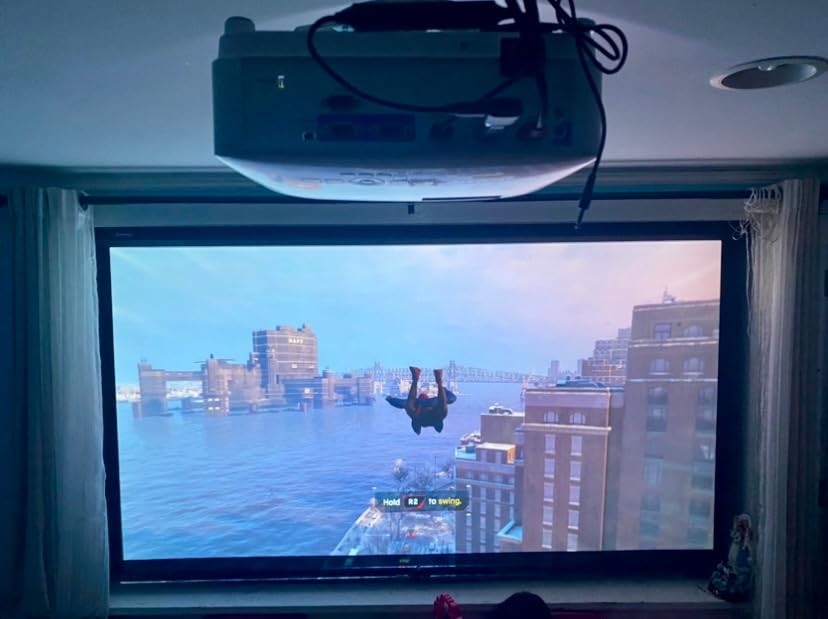
3,000 ANSI lumens is the honest floor for a controlled living room, and the TH671ST sits exactly on it. In the 50 to 150 lux band, with blinds drawn and lamps off, it produces a clean, punchy image that fills a 100-inch screen without visible light spill on the walls.
Owner reviews also single out native contrast, which is the spec that separates this from brighter but worse units. Lamp-based DLP with a good optical path tends to hold blacks better in a partially lit room than a higher-lumen unit chasing headline numbers.
Gaming Latency and the 100-Inch-from-5-Feet Throw
BenQ markets this as a gaming projector with ultra-fast low input lag and a refresh rate matched to the Xbox One X and PS4 Pro. Owners confirm responsive play at 1080p, which is where this projector lives. If you need 4K gaming at 120Hz, this is the wrong machine and no amount of lumen math changes that.
The short throw is the practical win in an average living room. A 100-inch image from 5 feet means the unit sits on a coffee table rather than at the back of the space, and the three-year parts and labor warranty means a long ownership horizon.
What You Give Up: 1080p, Zoom, and Lamp Life
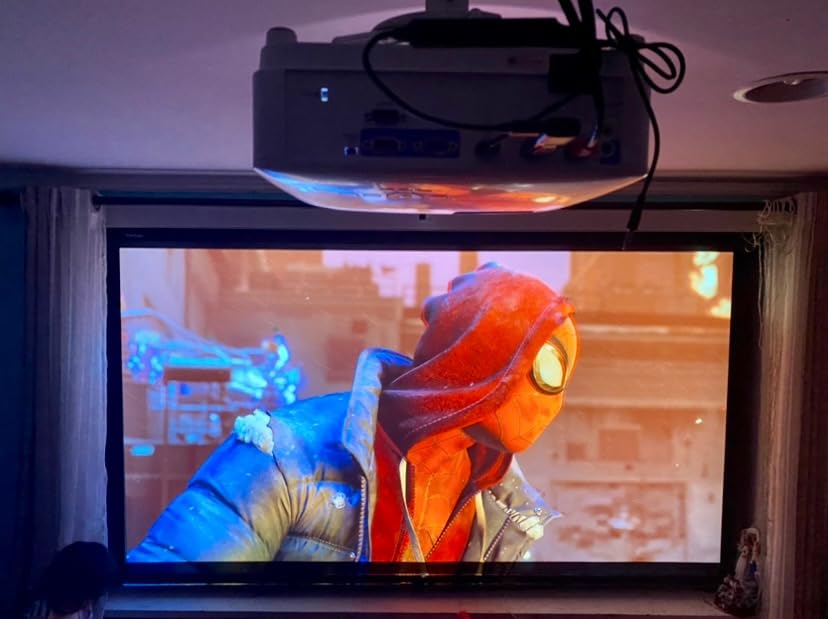
The resolution ceiling is real. Native 1080p on a 100-inch screen viewed from normal couch distance is fine for most people, but it is not 4K and screen size hides that less than you would think. Sibling models in the same range are 4K, and the step up is real if you sit close.
Zoom works in one direction only, so placement needs planning before you drill anything. There is no lens shift, the exposed lens is vulnerable to knocks, and lamp life is rated at 10,000 hours, which is well short of the 20,000 to 30,000 hours the laser units here deliver.
Long-term owners do report four-plus years of reliable use with no repairs, which is the strongest durability signal in this group. The 5 percent one-star share also points at a specific recurring issue rather than random failure, and it is the absence of a USB media input that forces a long HDMI run.
2. Valerion VisionMaster Max – Best Triple-Laser Picture for the Money
Valerion VisionMaster Max 4K Laser Projector, 3500 ISO Lumens, Anti-RBE, Speckle-Reduction, Flagship Black Level, 0.9–1.5:1 Optical Zoom, 300″, IMAX Enhanced, HDR10+, 3D, Gigabit 4ms 240Hz
3500 ISO lumens
RGB triple laser
Native 4K
4ms at 240Hz gaming
Pros
- Triple laser color covering 110 percent Rec.2020
- Iris-based engine delivers class-leading black level
- Vertical lens shift plus lossless optical zoom
- 4ms input lag at 240Hz
- Built-in Google TV with Dolby Atmos and DTS
Cons
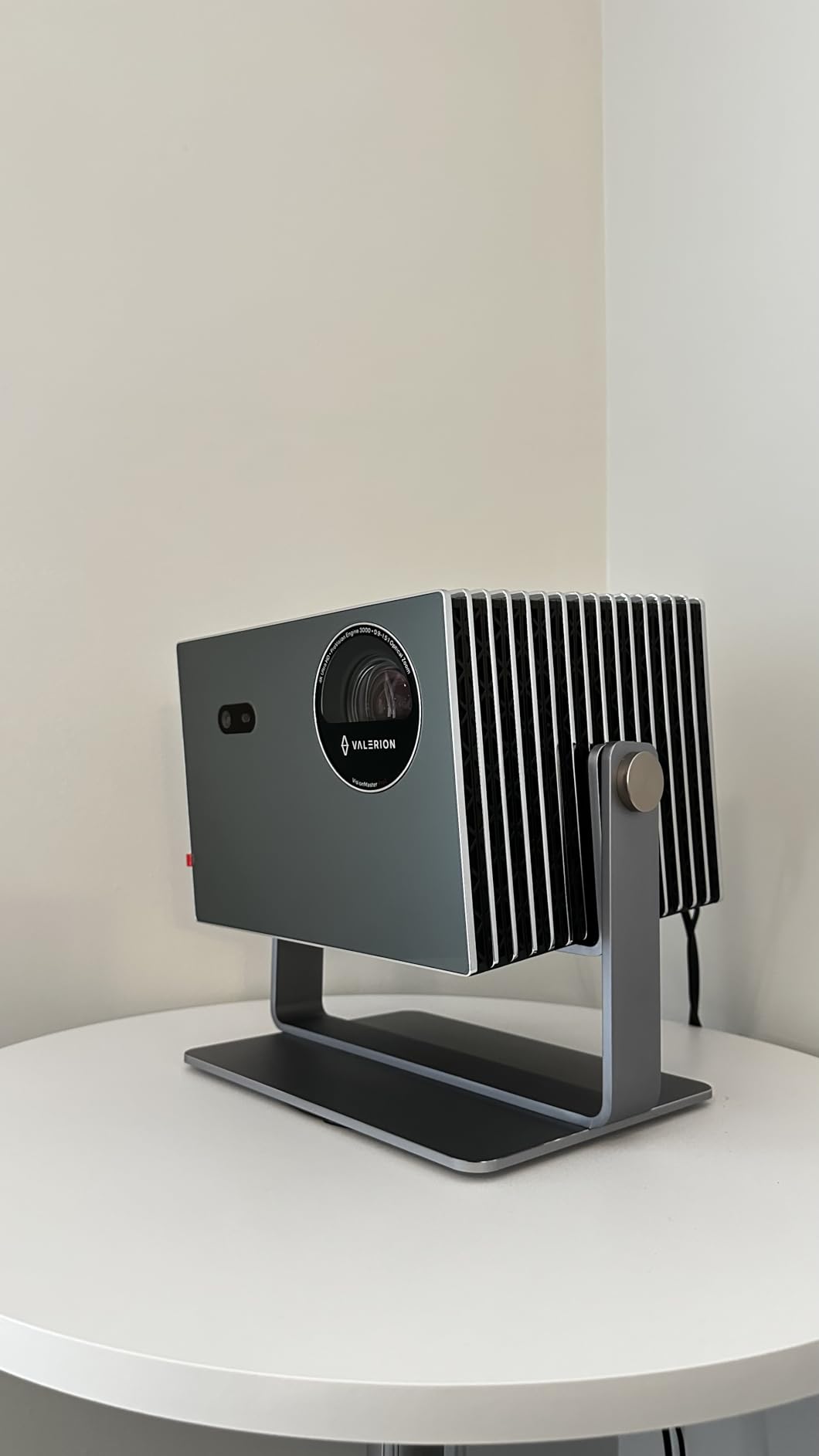
- Very large and heavy chassis
- One-year warranty for a flagship
- Sized for a dedicated room rather than a casual living space
The VisionMaster Max is the one in this group that does the most interesting engineering, and the 4.6 rating across 538 reviews is the second-highest satisfaction score here. Owners describe it as a dedicated home cinema projector that stays vivid with room lights on, and the recurring strengths they cite are black level, color volume, installation flexibility, and gaming latency.
It is also unambiguous that this is not a casual living-room purchase. At roughly 46 by 43 by 44 inches and 7.5 kg, it is built for a room with a ceiling and a plan, not a shelf beside a sofa.
The NoirScene Engine Is the Bright-Room Argument
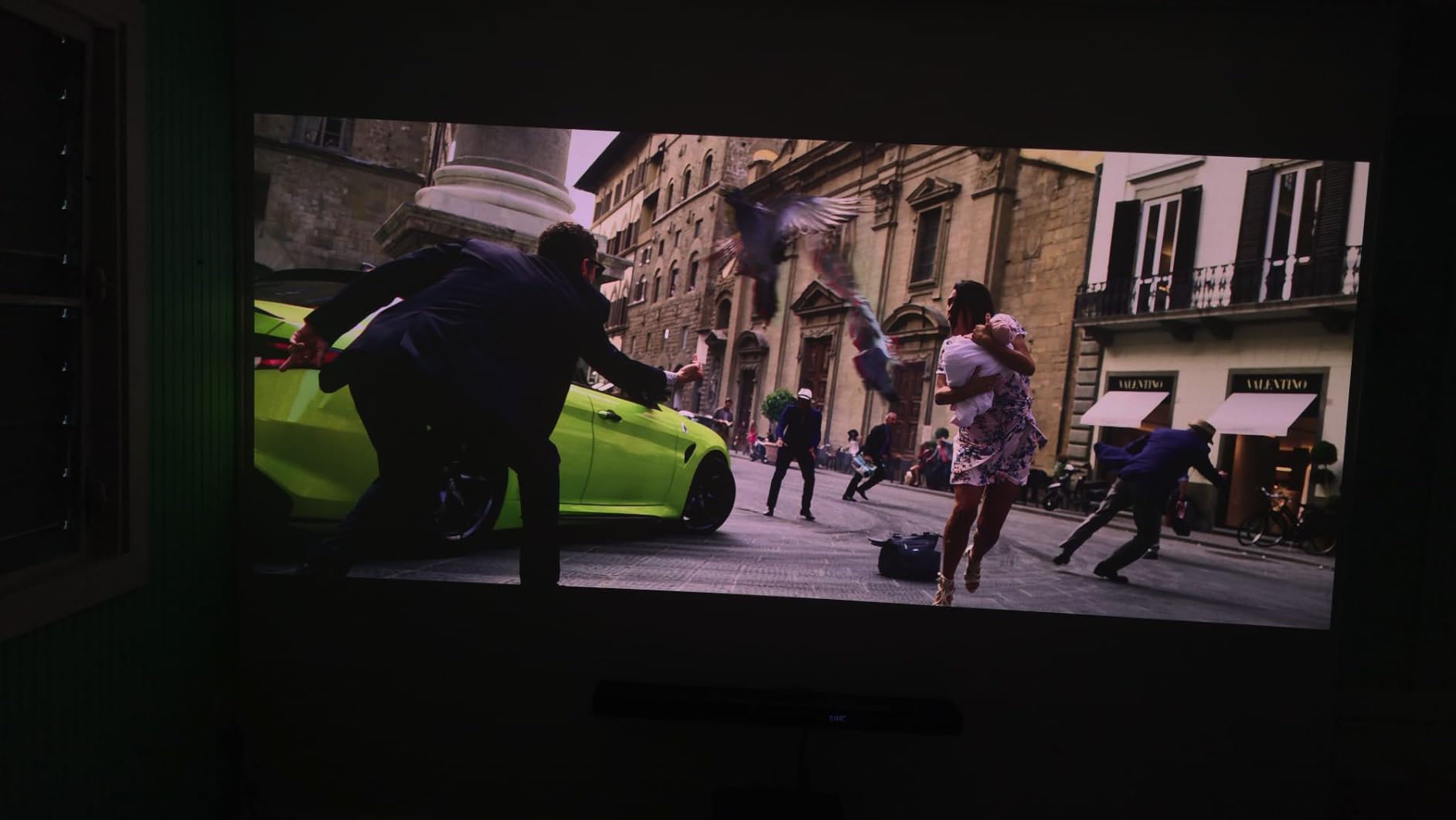
Bright-room performance is not only a lumen story. This projector layers an EBL black-level algorithm, a precision iris aperture, and a stray light shield into a system the manufacturer calls the NoirScene Dark Field Engine, rated at 50,000:1 with both iris and EBL active.
Treat that as a peak figure, not a native one, because it depends on the dynamic components doing their job. What is real and consistent across reviews is that the black level holds up better with ambient light than a pure-lumen approach, which is exactly the half of the problem this category usually ignores.
Color Without a Color Wheel
RGB triple laser covers 110 percent of Rec.2020 with no color wheel in the light path, which removes the brightness sacrifice buyers normally accept to get color accuracy. Most DLP projectors in this brightness class use an RGBW wheel, adding white to hit the lumen target and washing out the color they just spent money on.
Anti-Rainbow Effect technology is listed at a 99.99 percent reduction, which addresses the main reason people hesitate on single-chip DLP. Whether you perceive fringing depends on your eyes and your seating distance, so this is worth checking in person if you are sensitive.
Installation Flexibility: 40 to 300 Inches
Native 0.9 to 1.5:1 throw ratio with plus or minus 105 percent vertical lens shift and lossless optical zoom means the image can be positioned without physically moving the chassis or resorting to keystone correction, which is the setting that costs you effective sharpness.
Screen sizes run 40 to 300 inches with throw distances from 3.5 to 26.16 feet. For a bright room, that range lets you size the image to your lux level rather than the other way around, which is the smarter way to buy.
Gaming, HDR, and the Software Layer
Gaming specs are genuinely strong: 4ms input lag at 240Hz, and owners cite it as a valid reason to buy this over dedicated cinema units. Content support covers Dolby Vision, IMAX Enhanced, HDR10+, active 3D, Filmmaker Mode, and 4K AI upscaling, which is the most complete HDR box on this list.
Built-in Google TV with AirPlay 2, Chromecast, and Miracast plus native Dolby Atmos and DTS decoding removes the need for external boxes. Auto focus, auto obstacle avoidance, auto screen alignment, and a dust-proof design round out a setup experience that reviewers consistently describe as close to hands-off.
The drawbacks are physical and contractual. Speckle reduction is a listed feature, which means some speckle handling still needs tuning, and a one-year warranty on a flagship is short. If you need something that disappears into a small living room, keep looking.
3. AWOL VISION LTV-3000 Pro – Best Ultra Short Throw Laser TV
AWOL VISION LTV-3000 Pro 4K 3D Ultra Short Throw Triple Laser Projector, Dolby Vision & Atmos, HDR10+, 150″ UST Laser TV Home Theater Projector
3000 ANSI lumens
Ultra short throw 0.25:1
107 percent BT.2020
25000 hour laser
Pros
- Dolby Vision and HDR10+ triple laser 4K
- Ultra short throw removes ceiling mounting
- Built-in center channel speaker for dialogue
- 107 percent BT.2020 and 147 percent DCI-P3
- Two-year warranty and 25000 hour laser
Cons
- Manufacturer recommends an ALR screen for bright rooms
- Fixed throw ratio needs cabinet depth
- 150 inch maximum image size
This is the pick for anyone who wants to replace a television rather than install a cinema, and at 209 ratings it is the most-reviewed ultra short throw unit in this group. Buyers treat it as an affordable laser TV upgrade, praising the 4K triple-laser picture, the built-in center-channel dialogue speaker, and how simple UST placement is compared with ceiling mounting.
The honest caveat appears in the manufacturer’s own material, and it is the most important sentence in this review. AWOL states it works best in darker rooms and recommends pairing it with an AWOL ALR screen for brighter environments.
Ultra Short Throw Geometry: 8.5 Inches for 100 Inches
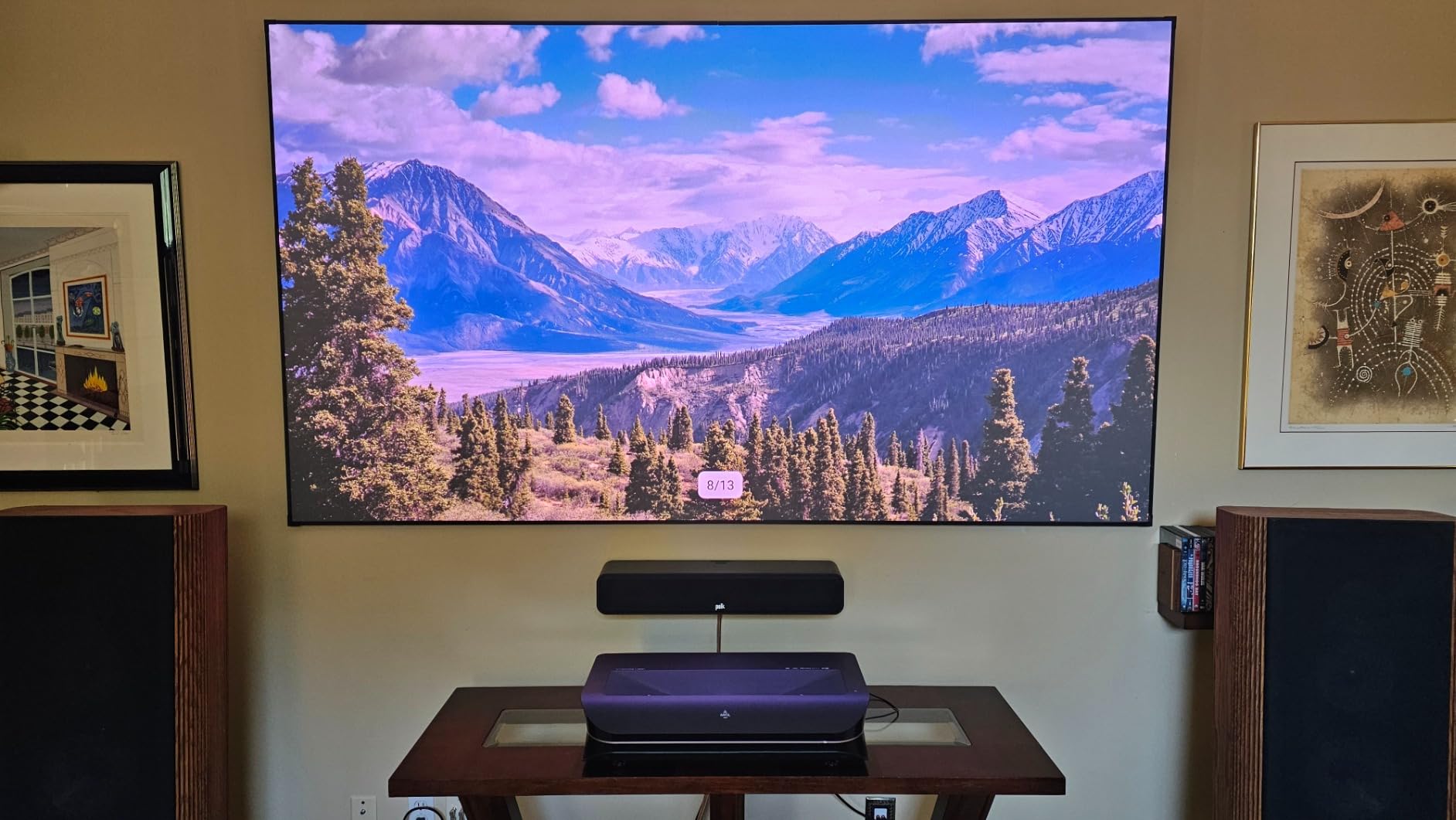
The fixed 0.25:1 throw ratio means roughly 8.54 inches of distance for a 100-inch image and 12.84 inches for 150. That is the whole appeal of the UST form factor: the projector sits on a media console against the wall, cables stay short, and nobody walks through a beam.
The tradeoff is that the cabinet needs real depth. There is no lens shift and no optical zoom, and if your unit sits too far forward or too far back you are looking at vertical keystone correction, which the manufacturer rates up to 40 inches. A motorized slider is the accessory owners in tight spaces tend to need.
Why an ALR Screen Is Effectively Part of the Purchase
This is the pairing the category gets wrong most often. A UST projector on a plain white wall or a standard 1.0-gain screen will look flat in a lit room, and buyers who skip the screen usually conclude the projector is at fault. The LTV-3000 Pro is a 2,500:1 contrast unit, and that contrast only becomes visible against a surface that rejects off-axis light.
Image size is capped at 150 inches with an 80-inch minimum, which is a real constraint if you were planning something larger. For the 100 to 130 inch range it handles, the short throw distance is the best in the group.
Color and Dialogue: The Two Selling Points
Color coverage of 107 percent BT.2020 and 147 percent DCI-P3 comes from a triple laser with no color wheel, so brightness and color accuracy are not fighting each other here. Dolby Vision and HDR10+ support covers the modern content formats, and 3D works with active shutter glasses and a 3D-capable source.
The built-in center channel speaker is unusual and genuinely useful. Mapping dialogue to a speaker at the screen means voices come from the picture rather than from a soundbar below it, which fixes the most common home theater complaint at no extra cost. Audio beyond that is standard, with optical output for a real system. PJ Link IP control adds home automation integration for Control4-style systems.
One more practical note: a UST projector bought without a matching ALR screen is one of the worst-value configurations in this category. Budget for both together or reconsider.
4. Hisense C2 Ultra – Best Portable Triple Laser Setup
Hisense C2 Ultra, Triple Laser Smart Portable Projector, 4K UHD, 3,000 Lumens, 65” – 300”, Dolby Vision, IMAX Enhanced, Sound by JBL, Netflix Included, Designed for Xbox, Optical Zoom
3000 ANSI lumens
RGB triple laser
1.67x optical zoom
2000:1 native contrast
Pros
- 110 percent BT.2020 with delta E near 0.9 accuracy
- 3000 ANSI lumens holds up in daytime viewing
- Gimbal base with 360 degree rotation
- 65 to 300 inch range from 13.9 pounds
- Dolby Vision and IMAX Enhanced
Cons
- Lowest 4.2 average rating in this group
- 2000:1 native contrast is modest for the tier
- 13.9 pounds is heavy for a portable
- Sometimes needs color tuning out of the box
The C2 Ultra is the one that moves. A triple laser, native 4K, and a gimbal base with 360 degrees of horizontal rotation and 135 degrees of vertical adjustment means it can sit on a coffee table, a shelf, or the floor and still land the image square. For a bright room where the screen wall is not opposite a permanent mounting point, that flexibility is worth more than a raw lumen number.
It is also the weakest-rated model here at 4.2 with 189 ratings, and 9 percent of reviews are one-star. Owners still praise color accuracy, 3000-lumen brightness, and placement ease, with the complaints concentrated on contrast, weight, and needing calibration before the picture looks right.
Color Accuracy Is the Standout, Contrast Is Not
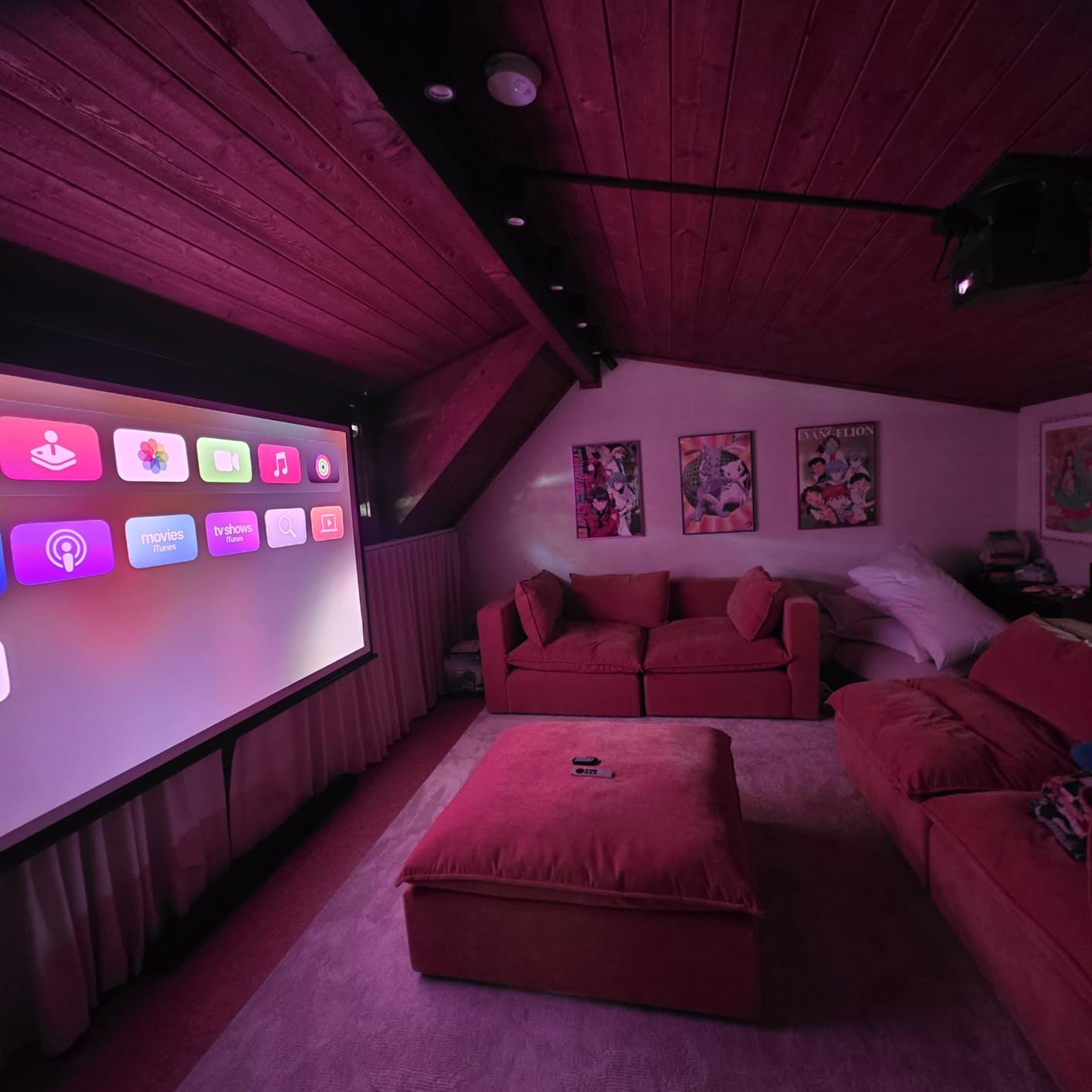
Color is where this projector separates itself. 110 percent BT.2020 coverage with delta E around 0.9 is factory-measured accuracy territory, and a few owners specifically call out needing color and brightness calibration to get there, which means the out-of-box preset is not the calibrated one.
Contrast is the limit. Native contrast is 2,000:1, the second-lowest figure in this group, and a projector rated that way in a bright room will show it in dark scenes. If your priority is shadow detail during the day, look at the NEBULA X1 or Hisense C3 Ultra instead.
Optical Zoom: 1.67x With No Brightness Loss
A 1.67x optical zoom with a 0.9 to 1.5:1 throw ratio is genuinely useful in an average living room, because it means you size the image by twisting a lens rather than by dragging furniture across the floor. Hisense states full 4K is maintained with no brightness loss across that range, which matters more than it sounds on a 100-plus inch screen.
Screen sizes run 65 to 300 inches with throw distances from 4.2 to 32.6 feet, so this covers both a small apartment wall and a proper media room. The 4K AI upscaler handles lower-resolution sources and streaming, and Dolby Vision plus IMAX Enhanced handle the tone mapping.
Gaming and the Software Layer
Up to 240Hz refresh rate with automatic game input detection and latency reduction, plus a Designed for Xbox program, covers the console side well for a portable unit. Sound by JBL fills a room, and the box includes a cleaning kit, which tells you the manufacturer expects this to be moved around.
Two practical cautions. At 13.9 pounds this is not a grab-and-go projector despite the portable form factor. And the one-year manufacturer warranty is short for this class, so treat it as a two-to-three year purchase rather than a five-year one.
5. ViewSonic LS740HD – Best Pick for High Ambient Light on a Budget
ViewSonic LS740HD 1080P Laser Projector, 5500 Lumens, Full HD Home Theater
5500 ANSI lumens
Laser light source
Native 1080p
20000 hour source
Pros
- Highest brightness in the group at 5500 ANSI lumens
- Laser runs cool and quiet with no lamp changes for 20000 hours
- Four-corner and 360 degree adjustment
- Three-year parts and labor warranty
- Six and a half pound chassis
Cons
- 1080p native only
- No lens shift so placement must be planned
- Built-in speakers are effectively unusable
The LS740HD wins on a single number, and it is a big one. At 5,500 ANSI lumens it is the brightest projector in this group by a wide margin, and that is not a marketing figure. It is the ANSI standard, which makes it the only pick here that comfortably covers the 400 to 1,000 lux band without help.
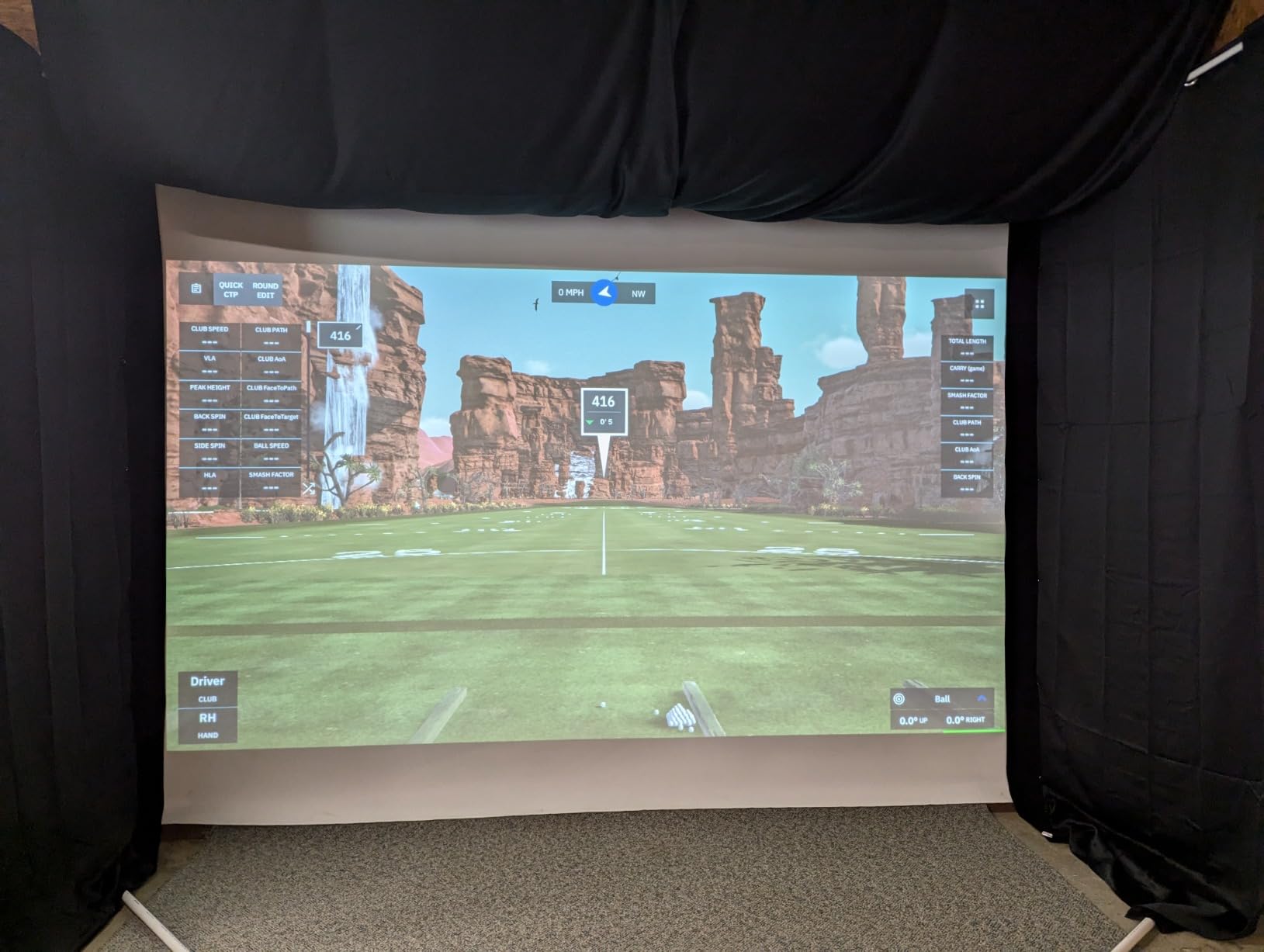
At 162 ratings it is not as well documented as the leaders, and the 4.3 average reflects a unit that is exceptional on brightness and ordinary on everything else. Owners treat it as the brightness champion in its bracket, with particular enthusiasm from golf simulator builders, who value the dedicated simulation mode for environmental color accuracy.
What 5,500 ANSI Lumens Changes About Your Room
At this brightness you stop negotiating with the daylight. Where a 3,000-lumen unit needs blinds and lights off to look good, the LS740HD holds a usable image with blinds open and lamps on, and it stays watchable in a room that genuinely cannot be darkened.
ViewSonic specifies up to 150 inches as the recommended size with a crisp 100-inch image from 8.2 feet, and lists 300 inches as a maximum. That headroom is useful: you can go larger than a 3,000-lumen projector allows and still keep the picture bright.
Laser Practicalities and Installation Constraints
The laser light source is rated at 20,000 hours, which removes lamp replacements from the ownership equation and runs much cooler and quieter than a lamp unit. The external power brick is separated from the chassis for the same reason, and it does add cable clutter behind the unit.
Adjustment options are broad: 1.3x optical zoom, horizontal and vertical keystone, four-corner adjustment, 360-degree and portrait mode support. What is missing is lens shift, so if your ceiling mount position is not ideal, you need to plan the throw distance with a calculator before mounting. Minimum throw distance is 1 meter and maximum 8 meters.
Where the Compromise Shows: Audio, Resolution, and Glitches
Built-in speakers are described by owners as muffled and blown out, so treat this as a projector you will pair with a soundbar or an existing system. Native resolution is 1080p, which is fine at 100 inches and noticeable at 150. The on-screen menu is basic compared with consumer-oriented rivals, and there is no native HDBaseT, with the RS-232 baud rate fixed for control systems.
One more to weigh: a small number of owners report a glitch causing random orange flashes, and a second unit showed the same behavior. That is a minority report against 162 ratings, but the three-year parts and labor warranty with first-year Express Exchange is the right safety net for it.
6. XGIMI HORIZON 20 – Best Triple-Laser Color and Built-In Audio
XGIMI HORIZON 20 4K RGB Triple Laser Home Projector, 3200 ISO Lumens
3200 ISO lumens
RGB triple laser
100000:1 contrast
Harman Kardon audio
Pros
- Vivid and accurate RGB triple laser color
- Automatic keystone focus and alignment work reliably
- Built-in Harman Kardon speakers are genuinely good
- Effectively silent fan that stays cool
- Lens shift and optical zoom
- Two-year warranty
Cons
- Laser speckle on standard 1.0 gain screens
- One report of a firmware update bricking the unit
- Fragile styrofoam travel case
- Needs a Google account for setup
The HORIZON 20 is the pick if audio and setup convenience matter as much as the picture. At 131 ratings it sits in the middle of this group, and the 4.3 average reflects genuine enthusiasm for color and convenience offset by a real and recurring complaint about laser speckle.
Owners regularly use it for both office displays and daytime porch viewing, which tells you something about how forgiving the 3,200 ISO lumen figure is in real ambient conditions. The RGB triple laser engine pairs that brightness with a 100,000:1 contrast ratio.
Speckle Is the One Thing to Test For
Laser speckle is the grainy, sparkle-like texture that appears when coherent laser light reflects off a screen surface, and it is strongest on standard 1.0-gain matte white screens. That is exactly the complaint owners raise most on this model, and it is the one issue that can push someone toward a different projector entirely.
The fix is a higher-gain or specifically laser-optimized screen surface, but you should confirm the visual result in person if speckle sensitivity is a concern for anyone in the room. Nobody else in this group is quite as exposed to it, because the other triple lasers here are more expensive units aimed at dedicated rooms.
Automatic Everything, and It Actually Works
XGIMI packs in automatic keystone correction, auto focus, intelligent obstacle avoidance, intelligent screen alignment, wall color adaptation, and intelligent eye protection. The distinction worth noting is that owners report these features working reliably out of the box, which is not the norm in this category.
Lens shift and optical zoom mean you can size and position the image without moving the unit or falling back on keystone. Screen sizes run 40 to 300 inches with throw distances from 1.06 to 5.31 meters, and vertical keystone correction covers 15 cm.
Audio That Removes a Purchase
The built-in Harman Kardon speakers are singled out in reviews as genuinely good, and in a bright-room setup where you are not wall-mounting a full surround system, that removes a device you would otherwise buy. Built-in Google TV and an integrated stand complete the all-in-one proposition.
Content support covers IMAX Enhanced, Dolby Vision, HDR10+, and Filmmaker Mode, and gaming runs at 1ms response with 240Hz, VRR, and ALLM. Against that: one owner reported a firmware update bricking the projector with slow manufacturer response, the bundled travel case is styrofoam and fragile, and initial Google TV setup needs an account.
7. NEBULA X1 – Best Black Level in a Compact Package
Nebula X1 4K Laser Projector, 3,500 ANSI Lumens, Dolby Vision
3500 ANSI lumens
Triple laser
5000:1 native contrast
30000 hour laser
Pros
- 3500 ANSI lumens with 30000 hour laser life
- 5000:1 native contrast from a six-blade iris
- Custom 14-element all-glass lens for 4K clarity
- Auto alignment and Spatial Recall per-room memory
- Separated power brick keeps the fan nearly inaudible
Cons
- Input limited to 60Hz
- Built-in Google TV is slow and an external streaming stick helps
- Remote lacks an input select button
- Visible rainbow effect for some viewers
The NEBULA X1 is the answer to the most common bright-room complaint after lumen count, which is shadow detail. A six-blade iris delivers 5,000:1 native contrast, and NebulaMaster processing takes that to 56,000:1 dynamically. Native contrast is the honest number, and it is the second-best figure in this group.
At 109 ratings it has the thinnest documentation of the models above it, but the 4.5 average is strong, and reviewers consistently describe it as one of the brightest and most capable compact 4K laser projectors available, with standout black levels, glass-lens sharpness, and near-silent operation.
3,500 ANSI Lumens Plus a 30,000-Hour Laser
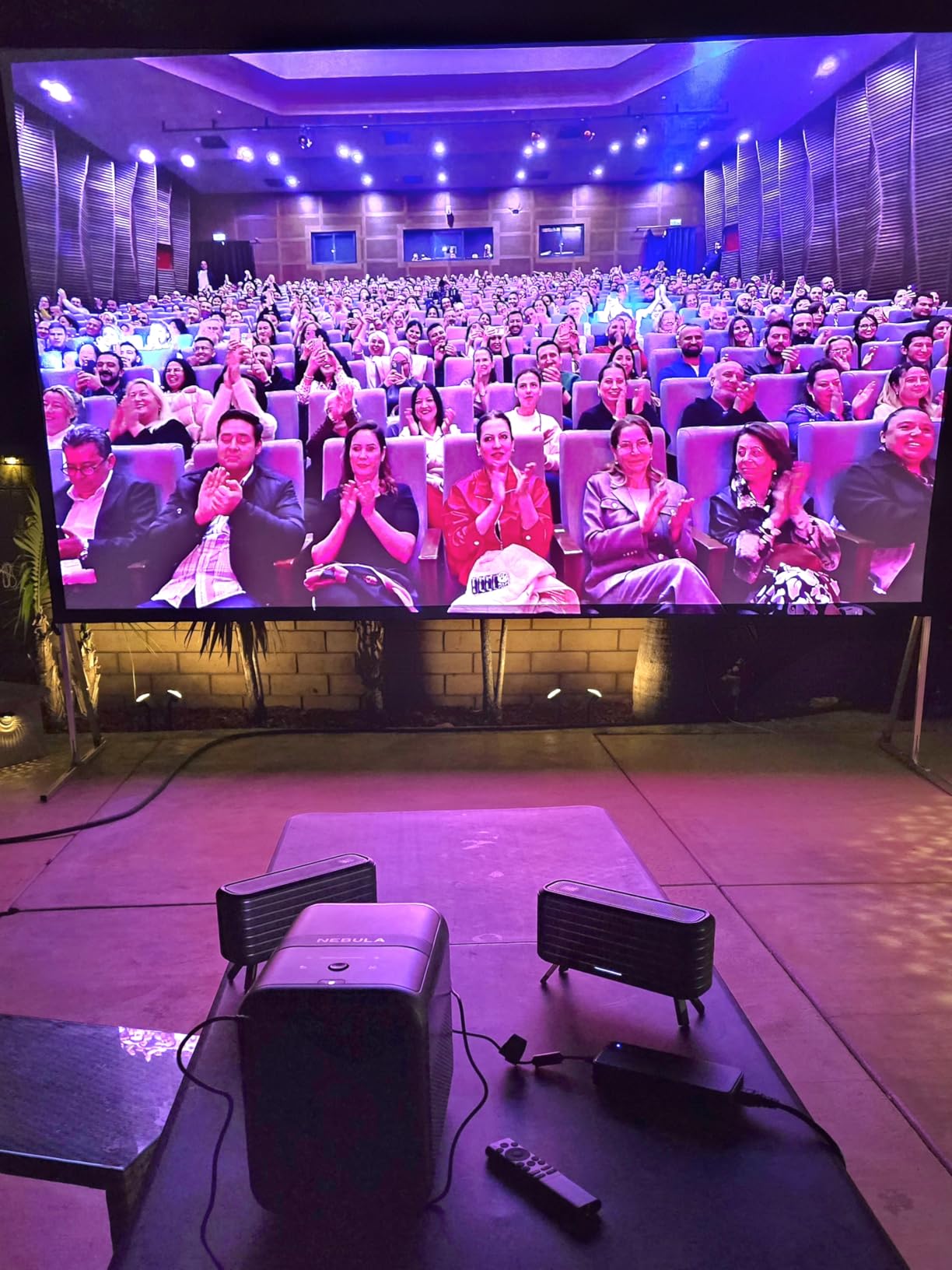
Owners report daytime TV use and near-full-outdoor daylight use with this brightness, which places it alongside the Valerion as the most capable unit here for genuinely ambient conditions. The 30,000-hour laser light source is the longest rated life in this group and eliminates replacement lamps from the equation.
The 14-element all-glass lens is the quiet hero. It delivers edge-to-edge 4K sharpness with no color fringing or edge softness up to 300 inches, which matters more on a large screen where corner softness is immediately visible.
Why the Iris Matters More Than the Dynamic Number
The 56,000:1 figure depends on a five-level dynamic contrast engine driving the iris in real time, and Anker advises updating firmware immediately on unboxing to get it. Treat the native 5,000:1 as what you can count on, and the dynamic figure as what happens when conditions cooperate.
That native figure is why this projector holds shadow detail in a lit room better than the 2,000:1 units in this lineup. If your bright room is a living room where you watch films in the evening with lights on, black level matters more than peak lumens.
Compact, Quiet, and Slightly Friction-Full Software
At 11.14 by 7.32 by 9.76 inches and 6.6 pounds, this is far smaller than the Valerion and much easier to place. The external power brick is separated from the chassis for thermal management and lower fan noise, and owners report the fan is inaudible in practice.
Auto-alignment scans the projection surface and Spatial Recall saves and restores settings per room, though some owners find it misreads screen size. Software is the weak point: input is limited to 60Hz, the built-in Google TV is slow enough that several owners recommend an external streaming stick, and the remote lacks an input select button and does not reliably power on. There is also a noticeable rainbow effect in bright white scenes for some sensitive viewers, and manual color tuning is needed out of the box for accurate whites.
Dolby Vision comes with ISF-calibrated color accuracy and TÜV Rheinland certification across brightness, color accuracy, contrast ratio, and blue light levels, plus eARC and optical audio output for a real system.
8. Hisense C3 Ultra – Brightest Triple Laser, and the Gaming Pick
Hisense C3 Ultra Triple Laser Projector, 4000 ANSI Lumens, Native 4K UHD, 1.6x Optical Zoom, Dolby Vision, IMAX Enhanced, 240Hz Gaming, WiFi 7, Built-in Devialet Audio, 65-300″ Screen
4000 ANSI lumens
RGB triple laser
5000:1 contrast
1ms latency at 240Hz
Pros
- Highest satisfaction score in the group at 4.7
- 4000 ANSI lumens with 5000:1 contrast
- 118 percent BT.2020 color
- 1ms latency and 240Hz VRR
- Gimbal with 360 degree horizontal and 260 degree vertical rotation
Cons
- Heaviest model here at 17.6 pounds
- Smallest review base at 87 ratings
- One-year manufacturer warranty
- Home OS is less mature than Google TV
The C3 Ultra carries the highest rating in this group at 4.7, with 80 percent five-star reviews and only 1 percent one-star, and it is also the brightest triple laser here at 4,000 ANSI lumens. Owners highlight the brightness, wide BT.2020 color, installation flexibility, and gaming latency. It is the most satisfying unit on this list by its ratings, with the caveat that the ratings are the fewest at 87.
That thin review base is worth weighing honestly. High ratings on a small sample tell you owners are happy; they do not tell you how the unit performs at year five.
4,000 ANSI Lumens With 5,000:1 Contrast
This combination is the most complete brightness-to-contrast pairing in the group. The LPU 3.0 RGB triple laser light source delivers 4,000 ANSI lumens with 5,000:1 contrast and 118 percent BT.2020 color coverage, which means the whites go high and the blacks stay put.
That is the combination that puts this projector into the 150 to 400 lux band comfortably and gives it an argument in the 400 to 1,000 lux range. If your room is the genuinely bright one, this is the most defensible pick here.
Lens Shift, 1.6x Optical Zoom, and a Gimbal
Native 4K UHD with flexible lens shift and 1.6x optical zoom lets you size and position the image without moving the projector or resorting to keystone, with images up to 300 inches and throw distances from 1.29 to 9.96 meters. The gimbal design adds 360 degrees of horizontal and 260 degrees of vertical rotation, which makes aiming from an awkward shelf or console practical.
Auto Magic AI Adjusting 3.0 handles wall-color adaptation, automatic keystone correction, and image optimization, which is useful when the wall behind the screen is not a neutral white.
Gaming and the Software Question
One-millisecond latency and 240Hz VRR make this a strong big-screen console gaming choice, and Dolby Vision, IMAX Enhanced, HDR10+, and IRIS Dynamic Contrast cover the content side. Built-in Devialet audio and Home OS with 1,200+ apps and voice control reduce the need for external devices, and WiFi 7 covers streaming bandwidth.
The compromises are weight, warranty, and software maturity. At 17.6 pounds this is the heaviest unit here, Home OS is less proven than Google TV, and the warranty is one year. It draws 250 watts, the highest in the group. If you want the big screen and the fast response and you can handle the weight, this is the one.
Which Projector Screen You Actually Need for a Bright Room
What type of projector screen is best for bright rooms? An ambient light rejecting screen, matched to your projector’s throw geometry. That last part is the step most guides skip, and getting it wrong is the most expensive mistake in this category.
An ALR screen works by reflecting on-axis projector light back toward the lens while rejecting light arriving from above and the sides, which is what a ceiling fixture or a window contributes. Two main types exist, and they are not interchangeable.
- Angular-reflective ALR: built for long-throw and standard-throw projectors. The viewing cone is narrow, so people at the ends of a wide sofa see a dim or color-shifted image. Expect hotspotting in a large room.
- Lenticular Fresnel ALR: built for ultra short throw projectors specifically. Wider viewing cone, designed to be viewed from a few feet away at an angle.
Pairing an ultra short throw projector with a long-throw angular-reflective screen produces a blotchy image, because the two light paths do not match. The reverse is equally bad. Check the screen’s specified throw compatibility before buying either item.
Are ALR screens worth it? In the 150 to 1,000 lux bands, yes, and the answer gets more emphatic the brighter your room is. Two side effects to know about: the narrowed viewing cone on angular-reflective screens, and the flatness requirement, since these surfaces show any wrinkle in a non-tab-tensioned screen. A floor-rising or pull-down ALR screen is the usual choice when you cannot dedicate a wall.
For an ultra short throw laser TV, a manufacturer-matched ALR screen is effectively part of the purchase rather than an accessory. Budget for both at once.
How We Picked These 8 and What We Did Not Do
Every model here was selected on published specifications, primarily the brightness figure and its measurement standard, plus throw geometry, light source type and rated life, native contrast, and the aggregate owner feedback behind the rating. Where a listing gave conflicting brightness numbers, we reported both.
Here is what we did not do. We did not measure these projectors in a calibrated photometer, and we did not take lux readings on our own screen walls. Brightness figures in this article are manufacturer-stated ANSI or ISO values, and the difference between a stated and an independently measured number is real. We also do not test products, and we may earn a commission on purchases made through the links on this page, which does not change the ranking order.
What we did do is cross-check owner reviews for recurring patterns, because the most useful bright-room information is not in the spec sheet. It is in the complaints about speckle, the frequency of calibration requests, and whether people report washing out at 120 inches with blinds open.
What to Check Before You Buy a Bright-Room Projector
Measure Your Room’s Lux Before You Choose a Model
Put a light meter app flat against your screen wall, sensor facing into the room, blinds in the position you will really use, and read it at the brightest hour. That single number removes almost all the guesswork. Under 150 lux and you have wide choice. Above 400 and you should be looking at 5,000 ANSI lumens or a triple laser.
Do the Screen Size Arithmetic
Foot-lambert is the honest way to compare brightness across screen sizes, and it is simply lumens multiplied by screen gain divided by screen area. Moving from a 100-inch to a 120-inch image increases screen area by roughly 44 percent, which means the same projector delivers about 29 percent less light per unit of area. This is the counterintuitive part that catches people out: a brighter projector on a bigger screen can produce a dimmer image than the same projector on a smaller one.
A 100-inch 16:9 image is roughly 29.8 square feet. If you want 120 inches, budget 20 to 25 percent more lumens just to stand still. This is the single most useful calculation in the guide, and it takes about thirty seconds.
Get the Throw Ratio Right for Your Room
Throw ratio is the relationship between how far the projector sits from the screen and how big the image is. A standard long throw might need 10 to 12 feet for a 100-inch image. A short throw like the BenQ TH671ST does it from 5 feet. An ultra short throw like the AWOL LTV-3000 Pro does it from 8.5 inches, sitting against the wall itself.
Measure your available distance before you shop, and then check for lens shift. Lens shift moves the image without keystone correction, which means you keep full sharpness. Keystone correction digitally warps the image and costs you effective resolution, so treat it as a fallback rather than a positioning method.
Laser Beats Lamp on Running Cost, Not Just Brightness
Light source life in this group runs from 10,000 hours on the BenQ TH671ST to 30,000 hours on the NEBULA X1, with 20,000 to 25,000 hours typical for the middle. Lasers also run cooler and quieter, and there is no lamp to degrade in brightness over time or to replace mid-owner life.
For a room that will be used during the day, that is a meaningful difference. Lamp units are the value pick; laser units are the low-friction pick.
Contrast and Black Level Matter More Than You Think
Ambient light adds a uniform layer on top of your image, and that layer raises the black level. Projector lumens only raise the white level, so extra lumens make a grey image a brighter grey image. An ALR screen attacks the black level directly, which is why the two halves of the solution are not interchangeable.
Ignore dynamic contrast figures, which often reach millions to one and depend on an active iris. Look at native contrast, and look for a model with an iris like the NEBULA X1 or C3 Ultra if dark scenes in a lit room are your concern.
Gaming: Latency and Refresh Rate Trade Against Resolution
Brightness-focused models often land around 70 milliseconds of input lag, which disqualifies them for competitive play. The 4ms at 240Hz of the Valerion VisionMaster Max, the 1ms at 240Hz of the Hisense C3 Ultra, and the 1ms with 240Hz on the XGIMI HORIZON 20 are the current tier. The NEBULA X1 is limited to 60Hz input, which rules it out for high-refresh play.
The common tradeoff is that the fastest gaming models are 4K laser units, while the cheaper gaming option here is 1080p. Decide whether you want competitive latency at 1080p or 4K picture with good-but-not-competitive latency.
The Light-Control Checklist, Cheapest Fix First
Before buying more lumens, work down this list. Each step costs less than the next and buys more than people expect.
First, blackout blinds or curtains on the screen wall, and this alone can halve the lux reading. Second, dark ceiling and dark side walls near the screen, because every light-colored surface bounces light back into the image. Third, reposition the screen to a wall that does not face a window directly. Fourth, an ALR screen. Fifth, more lumens. If your room reads above 1,000 lux at the screen wall, stop at step one and buy blinds, not a flagship projector.
And be honest about the ceiling. In a room with direct sun, a Mini LED TV will simply win. Our picks for that case are in our guides to the best Mini LED TVs for bright rooms and the best TVs for bright rooms overall. A 100-inch projector image is unbeatable in a controlled room and a compromise in an uncontrollable one.
Frequently Asked Questions
What is the best projector for a bright room?
The best projector for a bright room is one that combines 3,000 ANSI lumens or more with a matching ambient light rejecting screen. The BenQ TH671ST is our overall pick for most rooms at 3,000 ANSI lumens, the Hisense C3 Ultra is the strongest choice for genuinely bright spaces at 4,000 ANSI lumens, and the ViewSonic LS740HD is the value option at 5,500 ANSI lumens.
How many lumens do I need for a projector in a bright room?
Plan on 3,000 ANSI lumens as a minimum for a controlled living room, 4,000 or more for genuine daytime viewing, and 4,000 minimum at 150 inches. Screen size matters as much as the lumen figure, because the same lumens spread across a larger image produce a dimmer picture. Pair 3,000 lumens or more with an ALR screen.
Do projectors work in a bright room?
Yes, within limits. A projector raises the white level while room light sets the black level, so no amount of lumens fixes a washed-out image on its own. Above about 1,000 lux at the screen wall, blinds and a dark wall finish will do more than any projector. Between 150 and 1,000 lux, 4,000 ANSI lumens plus an ALR screen is the working combination.
What type of projector screen is best for bright rooms?
An ambient light rejecting screen is the right choice, and it must match your throw geometry. Angular-reflective ALR screens are built for long and standard throw projectors but have a narrow viewing cone and can hotspot. Lenticular Fresnel ALR screens are built for ultra short throw projectors and allow a wider off-axis viewing angle. Pairing the wrong screen type with your projector produces a blotchy image.
Are ALR screens worth it?
In rooms above roughly 150 lux, yes. An ALR screen attacks the black level by rejecting light arriving from above and the sides, which is the half of the problem that extra lumens cannot solve. The tradeoffs are a narrowed viewing cone on angular-reflective models, visible hotspotting in large rooms, and the need for a flat screen surface. For an ultra short throw laser TV, treat the ALR screen as part of the purchase.
Can a projector replace my TV in a bright living room?
Sometimes, but not always. A projector makes sense when you can reduce ambient light at least partially with blinds and when you want a screen larger than any TV at that distance. In a room with a west-facing window and no blind, a Mini LED TV will produce a better picture than any consumer projector. Measure the lux at your screen wall before committing.
Is 3000 lumens enough for a bright room?
3,000 ANSI lumens is enough for a living room at 100 inches with blinds half drawn and lamps off. For daylight viewing with lights on, you want 4,000 ANSI lumens or more, plus an ALR screen. Be careful with the standard: 3,000 ANSI lumens is not the same as 3,000 LED lumens, and unverified LED figures are routinely overstated.
Which Bright-Room Projector Should You Buy in 2026?
If your room sits in the 50 to 150 lux band and you want the least hassle, buy the BenQ TH671ST. It is the best projector for a bright room for most people, and its 682 owner ratings give you more long-term confidence than anything else in this list.
If your room is genuinely bright, 150 to 400 lux with lights on, the Hisense C3 Ultra is the right call at 4,000 ANSI lumens with 5,000:1 contrast and 1ms gaming latency. If you want the best picture rather than the best gaming, the Valerion VisionMaster Max takes triple-laser color and black level to a level nothing else here matches, and you will need a room that can hold it. If you want to spend as little as possible while reaching into the brightest rooms, the ViewSonic LS740HD at 5,500 ANSI lumens is the only unit here that covers the 400 to 1,000 lux band on brightness alone.
If you would rather not mount anything at all, the AWOL VISION LTV-3000 Pro puts a 100-inch triple laser image 8.5 inches from the wall, provided you budget for a matching lenticular ALR screen. And if you want one box for color and audio without a second purchase, the XGIMI HORIZON 20 has the best built-in speakers here, with laser speckle as the thing to check in person.
Before you click through, measure the lux on your screen wall. That number decides more about your experience than any spec on these pages, and it takes thirty seconds with a phone app.