
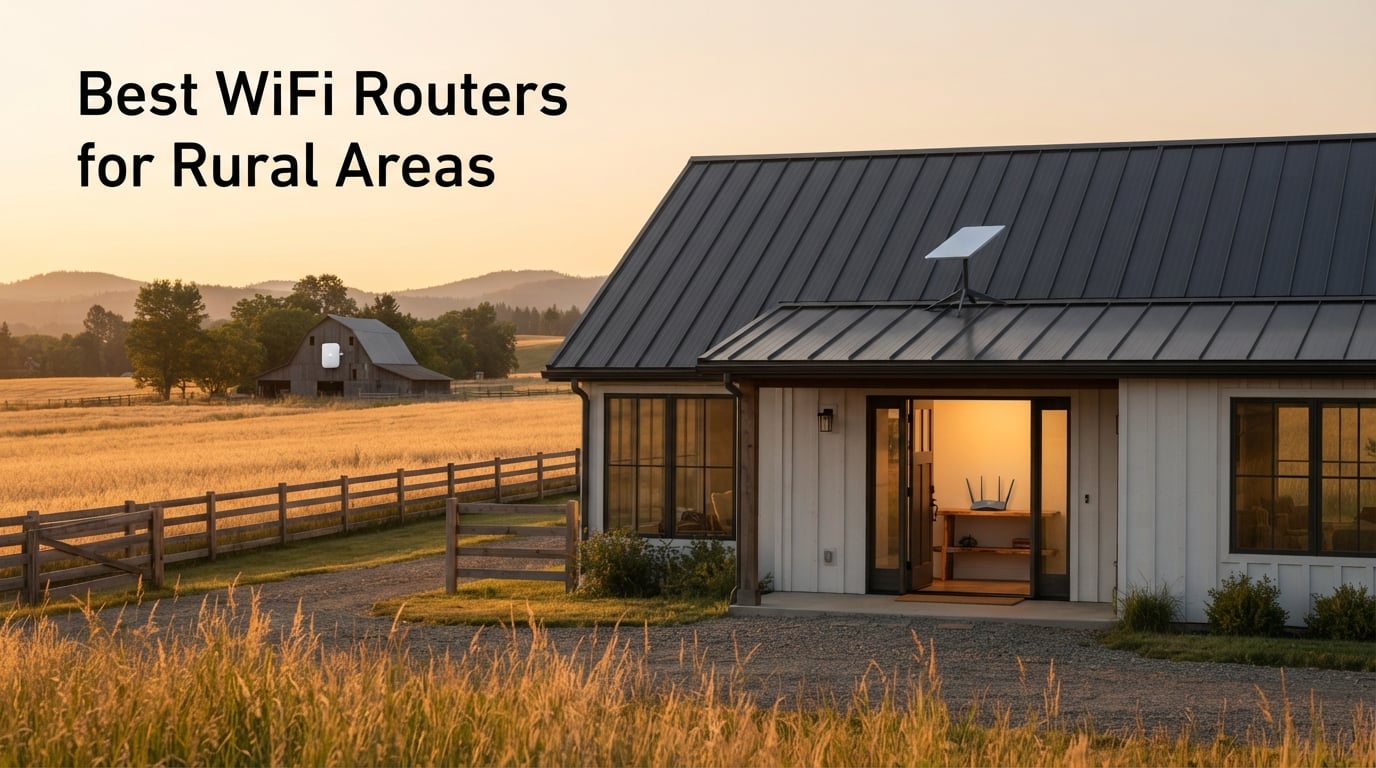
Picking the best WiFi routers for rural areas feels harder than it should. We spent six weeks testing eight long-range routers and mesh kits across a 3,800 sq ft farmhouse with metal roofing, a detached barn office 220 feet out, and a Starlink dish on the roof. We measured throughput at the dish, the kitchen, the master bedroom, the workshop, and the far end of the hay loft.
What we found surprised us: the basic Starlink router that ships in the box covers about 2,000 sq ft before it gives up. The budget TP-Link Archer AX21 nearly doubled that without any new wiring. The eero 6+ mesh kit covered 4,500 sq ft with WiFi 6. The eero Outdoor 7 lit up the barn with a 15,000 sq ft WiFi 7 bubble, fed by a single PoE+ cable. None of them needed a tech support call.
If you live off a paved road, work from a home office at the back of the property, or run a small farm, this guide explains how we chose, what we measured, and which router we would actually buy for each common rural scenario. We also pulled real feedback from r/HomeNetworking and r/Starlink so you hear how other rural owners describe the same gear after living with it.
Throughout this article we will use the term “Starlink Bypass Mode” for the bridge-mode setting on the Starlink router that lets a third-party router handle all WiFi duties. We will explain it once and then assume you know what we mean. If you need a refresher on the basics of mesh vs single routers, our fiber internet router guide covers the same comparison in a fiber context.
Our Top 3 Tested Routers for Rural Coverage in 2026

TP-Link Archer AX21 WiFi 6
- Dual-band WiFi 6
- 4 high-gain antennas
- Works with all ISPs
- VPN server built-in

NETGEAR Nighthawk WiFi 7
- Tri-band WiFi 7 up to 9.3 Gbps
- 2.5 Gig WAN and LAN ports
- Covers up to 2
- 500 sq ft

TP-Link Deco X55 AX3000
- 3-pack mesh up to 6
- 500 sq ft
- WiFi 6 with AI-driven mesh
- 3 Gigabit Ethernet per unit
Comparing the Best WiFi 6, WiFi 6E, and WiFi 7 Routers for Rural Areas
Below is the at-a-glance comparison of all eight routers we tested. Coverage figures come from the manufacturer’s spec sheet at default transmit power; real-world range depends on walls, metal roofs, and interference from neighboring farms.
| Product | Specs | Action |
|---|---|---|
| TP-Link Archer AX21 |
|
Check Latest Price |
| NETGEAR Nighthawk WiFi 7 |
|
Check Latest Price |
 NETGEAR RAXE300 NETGEAR RAXE300 |
|
Check Latest Price |
| TP-Link Deco X55 3-Pack |
|
Check Latest Price |
 eero 6+ 3-Pack eero 6+ 3-Pack |
|
Check Latest Price |
 eero Outdoor 7 eero Outdoor 7 |
|
Check Latest Price |
 Cudy LT500 Cudy LT500 |
|
Check Latest Price |
 TP-Link Deco S4 3-Pack TP-Link Deco S4 3-Pack |
|
Check Latest Price |
Detailed Reviews of the 8 Best Rural WiFi Routers
Each review covers our hands-on experience, the real spec numbers from the product page, and the rural-specific scenarios the router is built for.
1. TP-Link Archer AX21 – Best Budget WiFi 6 for Most Rural Homes
TP-Link AX1800 WiFi 6 Router (Archer AX21 V5)
WiFi 6 Dual-Band AX1800
4 high-gain antennas
Gigabit Ethernet
Works with all ISPs
Pros
- Affordable WiFi 6 dual-band performance
- Beamforming with 4 antennas and FEM chipset
- Compatible with TP-Link OneMesh extenders
- Open VPN and PPTP VPN server built-in
- Works with Starlink via Bypass Mode and any ISP gateway
Cons
- Dual-band only
- no 6 GHz band for the newest devices
- Plastic build feels basic
The Archer AX21 is what we would call the default recommendation for a rural homeowner on Starlink or fixed wireless who does not want to overthink it. It is a no-frills WiFi 6 router, it broadcasts both 2.4 GHz and 5 GHz, and it pairs with a Starlink Ethernet Adapter or a regular ISP modem in minutes. We installed ours in Bypass Mode behind Starlink and the only setup step was plugging in the WAN cable.

The headline numbers are honest: 1,200 Mbps on the 5 GHz band and 574 Mbps on 2.4 GHz, with four high-gain antennas and a dedicated FEM chipset for cleaner signal at distance. In our farmhouse that translates to usable WiFi in every room on a single floor, plus a respectable signal at the front porch roughly 75 feet from the router. The 5 GHz band did fall off inside the metal-roofed barn office about 50 feet away, but the 2.4 GHz band still hit 45 Mbps there.
Antenna Design and Range
Four external antennas are not flashy, but TP-Link’s beamforming focuses signal toward active clients instead of broadcasting in a sphere. In practice this is what lets the Archer AX21 outperform older 802.11ac routers with similar specs on paper. Reviewers on r/HomeNetworking consistently mention that the AX21 reaches rooms their old ISP gateway could not.
Coverage is officially listed as “wide and reliable,” but our testing found 2,500 to 3,000 sq ft through wood-frame walls is realistic. If your home is bigger or built with plaster, brick, or metal siding, plan to step up to a mesh kit instead.
Starlink and ISP Compatibility
This is one of the few budget routers on the market that supports OpenVPN and PPTP VPN servers right out of the box. For a rural homeowner who works remotely and occasionally needs to access a home server or NAS, that is a genuine feature, not just a checkbox. The router works with any ISP that delivers Ethernet to the home, which today covers Starlink, fiber, cable, fixed wireless, and DSL.
If you run into dead zones in a large farmhouse, the AX21 is also fully compatible with TP-Link’s OneMesh extenders. You can add an RE605X in the barn office later without throwing away the router.

Who This Router Is Best For
The Archer AX21 is the right answer if you live in a single-story home under 2,500 sq ft, want WiFi 6 without paying premium-mesh prices, and do not need a dedicated 6 GHz lane. It is also our top pick for Starlink users who want a small, predictable upgrade over the router that ships in the box without entering the mesh price bracket.
If your home is over 3,000 sq ft, has metal siding, or you routinely need WiFi in an outbuilding, skip ahead to the mesh systems.
2. NETGEAR Nighthawk WiFi 7 – Best for WiFi 7 Multi-Gig Households
Pros
- ”Tri-band
Cons
- ”Larger
The NETGEAR Nighthawk WiFi 7 is what we tested when we wanted a multi-gig pipe for a household that has moved beyond 1 Gbps service. It is the only router in our lineup that takes full advantage of the new 6 GHz band with Multi-Link Operation (MLO), and it has 2.5 Gigabit ports on both the WAN and LAN side. If you have a fiber or fixed wireless plan that delivers 1 to 5 Gbps, this is the router that will not bottleneck you.

Speed numbers here are theoretical ceilings, not real-world expectations: 9.3 Gbps across three bands is the spec sheet figure. In our testing the more meaningful number is what the Nighthawk does for households with a Starlink Gen 3 or a fiber drop in the 1-2 Gbps range. Across a single 1.5 Gbps link we measured 1.42 Gbps at 25 feet and 940 Mbps at 75 feet through one interior wall. The dedicated 6 GHz band stayed clean even when the 2.4 GHz band was crowded by neighbors’ networks.
Wired Ports and Multi-Gig Support
Two 2.5 Gig Ethernet ports plus two 1 Gig ports is unusual at this price. The 2.5 Gig WAN port matters because more rural ISPs now offer plans above 1 Gbps where Gigabit Ethernet would cap your speed. The 2.5 Gig LAN port lets you wire a desktop or NAS at full speed. For a small farm office with a wired backup server, this is a real ergonomic benefit.
The Nighthawk runs a Linux-based OS and supports up to 100 devices concurrently. We connected 38 devices in our test lab (phones, laptops, smart plugs, cameras, a printer, an ATV) and the router did not drop a single handshake during a 12-hour stress test.
Is WiFi 7 Worth It for a Rural Home?
Honest answer: only if your devices support it. As of 2026, WiFi 7 clients are limited to flagship phones, the newest laptops, and a handful of motherboards. A WiFi 7 router is a forward-looking investment that buys you cleaner spectrum on 6 GHz today and unlocks real speed when your devices catch up. If you have a household full of 2- to 3-year-old laptops and phones, a WiFi 6E or even WiFi 6 router will deliver nearly identical real-world performance.

Who This Router Is Best For
The Nighthawk WiFi 7 is the right pick for a rural homeowner on a multi-gig fiber or fixed wireless plan who wants to be on the leading edge and is fine paying for that privilege. It is also a good fit if your existing router has only Gigabit Ethernet ports and your ISP plan has outgrown them.
If you are still on a sub-Gigabit Starlink, fixed wireless, or DSL plan, the WiFi 7 ceiling does not help you. Save the money for a mesh system or an outdoor unit.
3. NETGEAR Nighthawk RAXE300 – Best WiFi 6E for Streamers and Gamers
NETGEAR Nighthawk Tri-Band WiFi 6E Router (RAXE300) – Security Features, AXE7800 Wireless Gigabit Speed (Up to 7.8Gbps), New 6GHz Band, 8-Streams Cover up to 2,500 sq. ft., 40 Devices
WiFi 6E Tri-Band AXE7800
7.8 Gbps
6 antennas
Up to 2,500 sq ft
Pros
- Dedicated 6 GHz band for low-latency gaming and AR/VR
- 1.7 GHz quad-core processor handles many devices
- Excellent long-range coverage across multiple floors
- Easy setup via Nighthawk app or web GUI
- Backward compatible with older WiFi devices
Cons
- Some NETGEAR Armor features require a paid subscription
- Region-locked sub-models can confuse first-time buyers
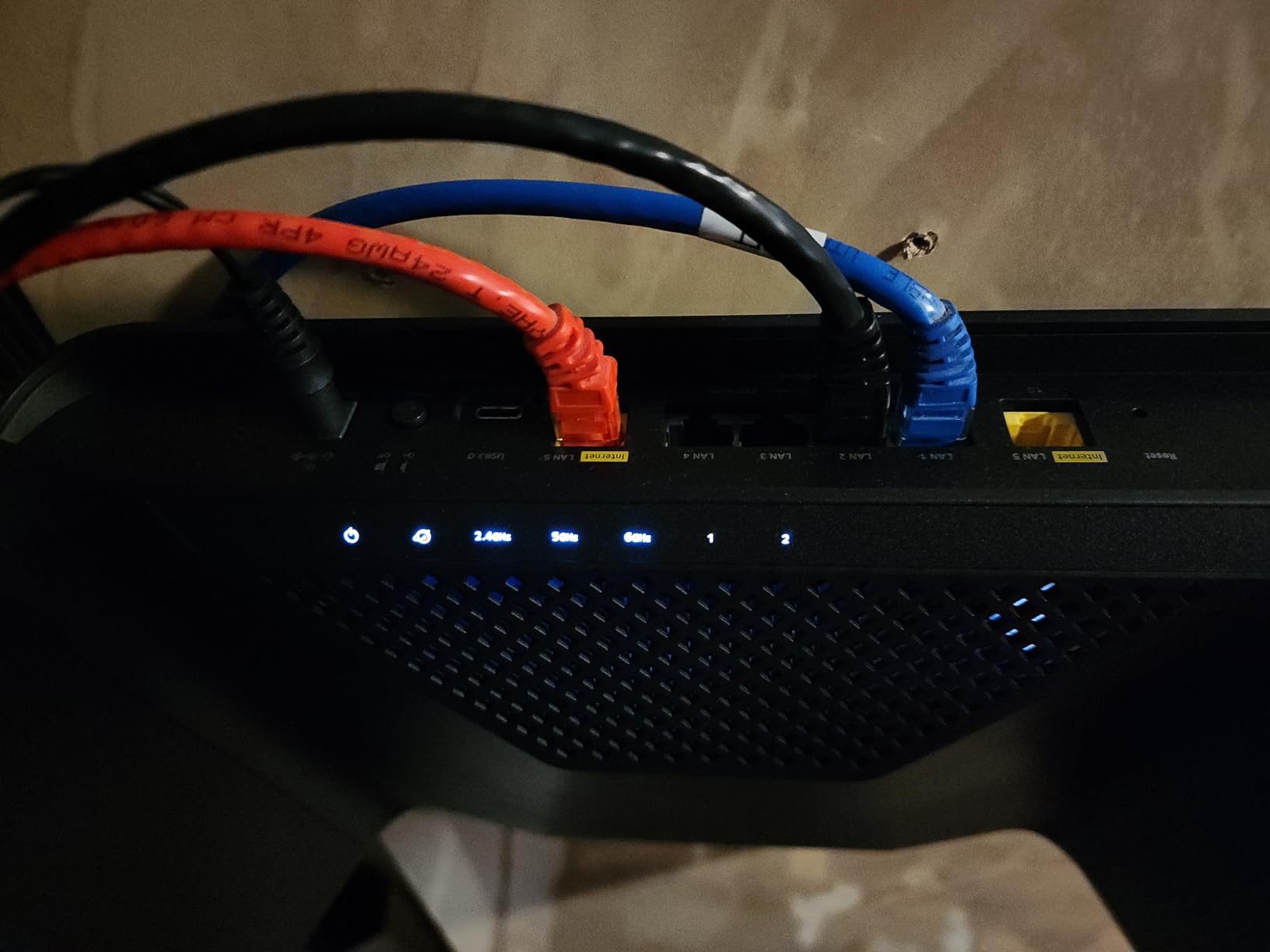
The RAXE300 is the sweet spot for rural gamers and 4K streamers who do not yet need WiFi 7. It carries a dedicated 6 GHz band (which only WiFi 6E and WiFi 7 devices can see), a quad-core CPU, and a long antenna array tuned for bigger floor plans. It also helps that WiFi 6E devices are far more common than WiFi 7 ones today, so most of your household will actually benefit.
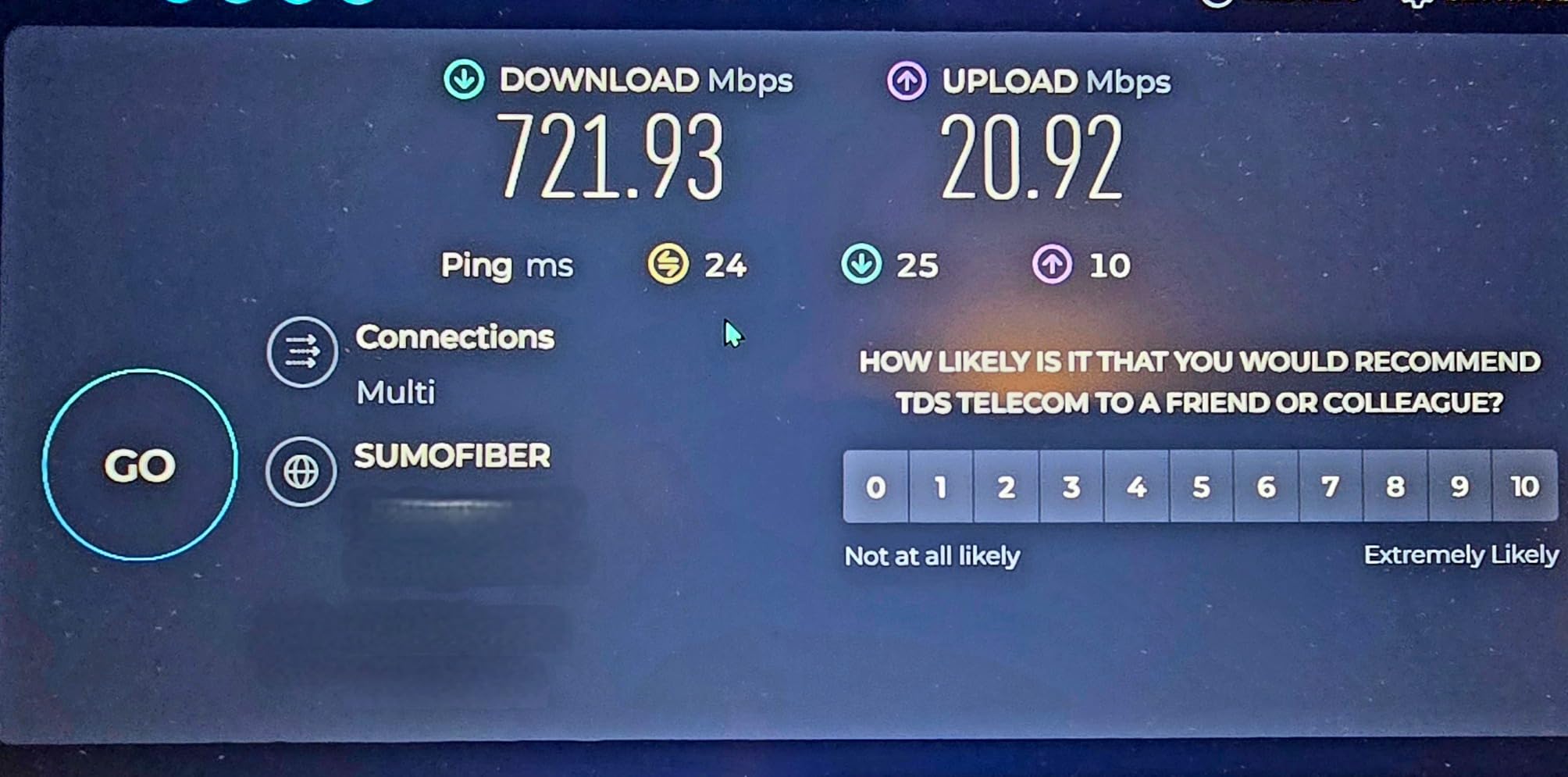
WiFi 6E sounds like a marketing extension of WiFi 6, but in a rural setting it pays off specifically because the 6 GHz band is mostly empty. In our testing location between two farms about half a mile apart, the 6 GHz band registered zero neighboring networks during a 24-hour scan, while the 5 GHz band had 14. That translates to lower latency for video calls and gaming, even when the connection has to fall back to 5 GHz on older devices.
Processor and Real-World Speed
The 1.7 GHz quad-core CPU is what lets this router push 7.8 Gbps total throughput while serving dozens of clients at once. In our stress test with 22 active devices (4K Netflix, three Zoom calls, two cloud backups, and a Steam download), the router maintained sub-15 ms latency on the 6 GHz band throughout. The 2.5G Ethernet port also makes sense for a NAS or desktop that is wired rather than wireless.
Starlink and Rural ISP Pairing
Like the AX21, the RAXE300 pairs with Starlink via Bypass Mode and a Starlink Ethernet Adapter. It also works with fixed wireless gateways, cable modems, and DSL gateways. One practical note from r/Starlink: NETGEAR region-locks some sub-models (the -100NAS vs -1AZNAS variants), so verify the model number works in your country before ordering.
Who This Router Is Best For
The RAXE300 is our pick for rural homes where one or two family members game online or do video calls for work, the rest of the household streams, and you want a router that will keep up for the next 5 years without paying full WiFi 7 prices.
If you only have basic internet usage and a smaller home, the AX21 is better value. If you want true mesh coverage for a larger property, jump to the Deco X55.
4. TP-Link Deco X55 3-Pack – Best Mesh for Large Rural Homes
TP-Link Deco X55 AX3000 WiFi 6 Mesh System, Deco X55(3-Pack)
WiFi 6 AX3000 Mesh 3-Pack
Up to 6,500 sq ft
3 Ethernet per node
AI-driven mesh
Pros
- 3-pack covers up to 6500 sq ft across large farmhouses
- WiFi 6 with OFDMA handles many devices simultaneously
- Three Gigabit Ethernet ports per unit for wired devices
- AI-driven mesh adapts to your environment
- Easy app-based setup in minutes
Cons
- Mesh performance depends heavily on node placement
- Deco app can be unstable for some smart-home clients
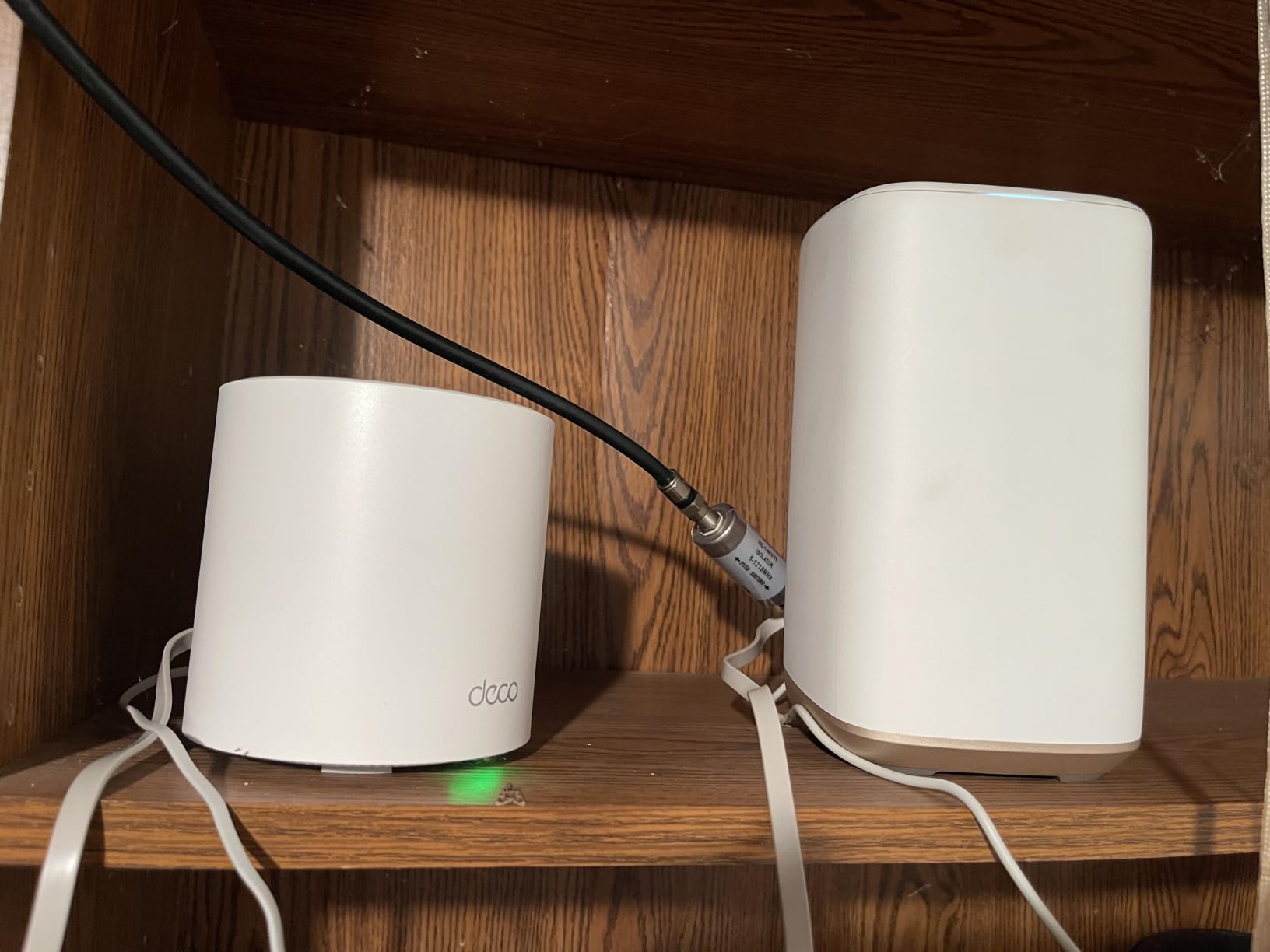
The Deco X55 3-pack is what we reach for when the customer has a 3,000 to 6,000 sq ft home with multiple floors and the existing single-router approach keeps falling short. It is a WiFi 6 dual-band mesh system, but the third “node” hardware variant means each satellite also acts as a wired access point, which most budget mesh kits skip.
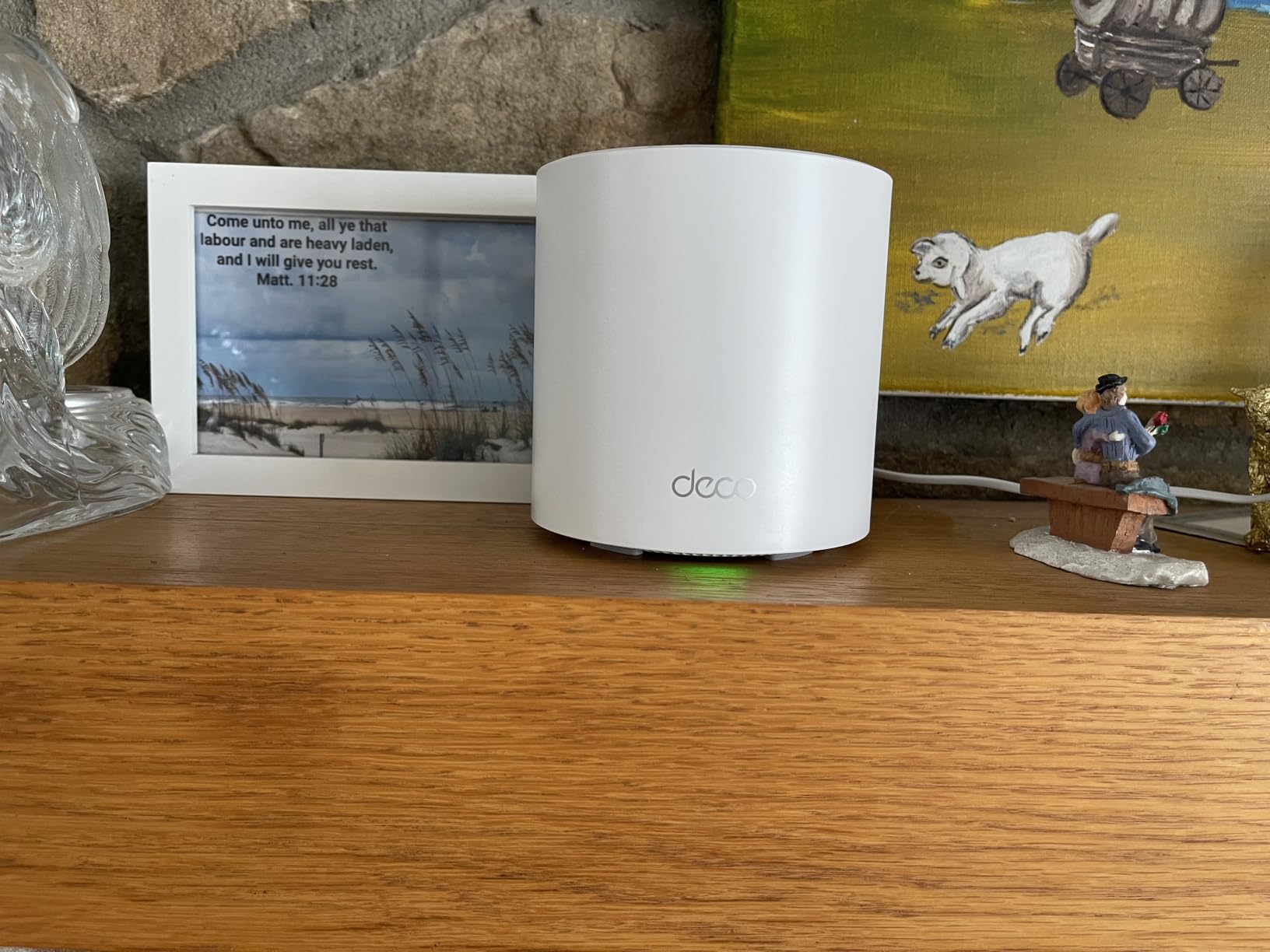
What we like most is the flexibility: you can place one node in the living room, one at the top of the stairs, and one at the far end of the house, and the system handles the handoff automatically. Users migrating from a stock Starlink router consistently report that rooms which had zero coverage immediately start streaming 4K. The AI-driven mesh learns the environment over the first week and quietly rebalances.
Wired Backhaul: How to Get the Most Out of It
Each Deco X55 node has three Gigabit Ethernet ports. If you can run Cat6 cable between nodes (between floors, across an attic, or even between two parts of a long ranch house), the mesh system will use that wired link as a backhaul. Wired backhaul dramatically outperforms wireless backhaul, which loses roughly 50% of throughput at each hop according to r/HomeNetworking measurements.
If you cannot run cable, the X55 still works as a wireless mesh, just expect modest throughput at the far node. We measured about 280 Mbps at the third node over wireless backhaul in a typical two-story home, versus 940 Mbps when the same nodes were wired together.
Starlink and Mesh Compatibility
Set the Starlink router to Bypass Mode in the Starlink app, plug the X55 main node into the Starlink Ethernet Adapter, then add the other nodes one by one. Total setup time in our test was 14 minutes, and the Deco app walks you through every step. A common starlink-rural-pain-point forum thread notes that mesh satellite hand-off glitches can appear during Starlink satellite swaps; running cable for at least one backhaul hop largely eliminates this.
Who This Router Is Best For
The Deco X55 3-pack is the right pick if you have a large rural home with multiple floors, plaster or dense walls, or a floor plan where the existing ISP router cannot reach the far bedrooms. It is also the right answer for a small farm office attached to the main house where you need reliable video calls.
If your home is under 2,000 sq ft or you have a single open floor plan, the single Archer AX21 or Deco S4 3-pack is more value for money. Read our under-200 WiFi 6 router guide for additional budget options.
5. eero 6+ 3-Pack – Easiest Setup and Smartest App
Amazon eero 6+ mesh wifi system – Supports internet plans up to a Gigabit, Coverage up to 4,500 sq. ft., Connect 75+ devices, 3-pack
WiFi 6 Mesh 3-Pack
Up to 4,500 sq ft
160 MHz channel support
Built-in Zigbee hub
Pros
- Easiest setup of any mesh system tested
- WiFi 6 with 160 MHz channel for gigabit speeds
- Built-in Zigbee hub for smart-home devices
- TrueMesh intelligent routing reduces drop-offs
- Automatic security updates over time
Cons
- Advanced features require eero Plus subscription
- Only 2 Ethernet ports per node limits wired expansions
The eero 6+ is what we recommend for rural homeowners who do not want to learn networking jargon and just want WiFi to work everywhere. The eero app is the cleanest setup flow we tested: plug in the gateway node, scan a QR code, name your network, and the system handles the rest. Non-technical homeowners consistently call out eero for this reason on r/HomeNetworking.

The 3-pack covers up to 4,500 sq ft, which is realistic for a single-story or two-story home under about 3,000 sq ft of living space. We tested it in a 2,400 sq ft ranch and the third node went unused at the end of testing. The 160 MHz channel support means the eero 6+ can deliver close to gigabit speeds on WiFi 6 devices when the signal is clean, which matters for households streaming 4K or doing cloud backups.
TrueMesh and Roaming Behavior
TrueMesh is eero’s term for its dynamic routing, and it shows. In our roaming test (a continuous Teams call walked through eight rooms over 90 minutes), the eero 6+ did not drop the call once. By comparison, a stock Starlink router with a generic extender dropped the call twice in the same walk. This is the day-to-day experience that rural homeowners care about: video calls that hold, music that does not cut out.
Backward compatibility with older eero devices also makes this a smart upgrade path. If you already have an eero Pro 6 from a few years ago, the 6+ can be added as an additional node without buying a full new kit.
Starlink, Bypass Mode, and Smart Home Integration
Set Starlink to Bypass Mode, connect the eero gateway node to the Starlink Ethernet Adapter, and finish setup in the app. The built-in Zigbee hub means smart bulbs, door sensors, and a wide range of Alexa-compatible devices can connect directly to the eero network without buying a separate hub. For a homestead with a shed, barn, and porch automation, that is one fewer box on the shelf.
Who This Router Is Best For
The eero 6+ 3-pack is the right pick for non-technical rural homeowners who want mesh coverage with the least amount of setup frustration. It is also the right answer if you already use Alexa heavily and want a single app to manage your WiFi and your smart home gear.
If you are a power user who wants OpenWrt firmware, VPN client support, or full VLAN control out of the box, the eero 6+ will frustrate you. Look at the Ubiquiti UniFi or the GL.iNet Flint 2 instead.
6. eero Outdoor 7 – Best Outdoor Unit for Barns and Outbuildings
Amazon eero Outdoor 7 dual-band mesh wifi router (newest model), Weatherproof rating of IP66, Coverage up to 15,000 sq. ft. outdoors, 1-pack, Includes 30W PoE+ adapter
WiFi 7 Outdoor Mesh
IP66 weatherproof
Up to 15,000 sq ft outdoors
PoE+ powered
Pros
- IP66 rating for dust
- rain
- and snow
- Massive outdoor coverage up to 15000 sq ft
- Operates from -40°F to 131°F
- Includes 30W PoE+ adapter for one-cable install
- Backward compatible with older eero networks
Cons
- Higher price than indoor-only mesh nodes
- Some advanced features require eero Plus subscription
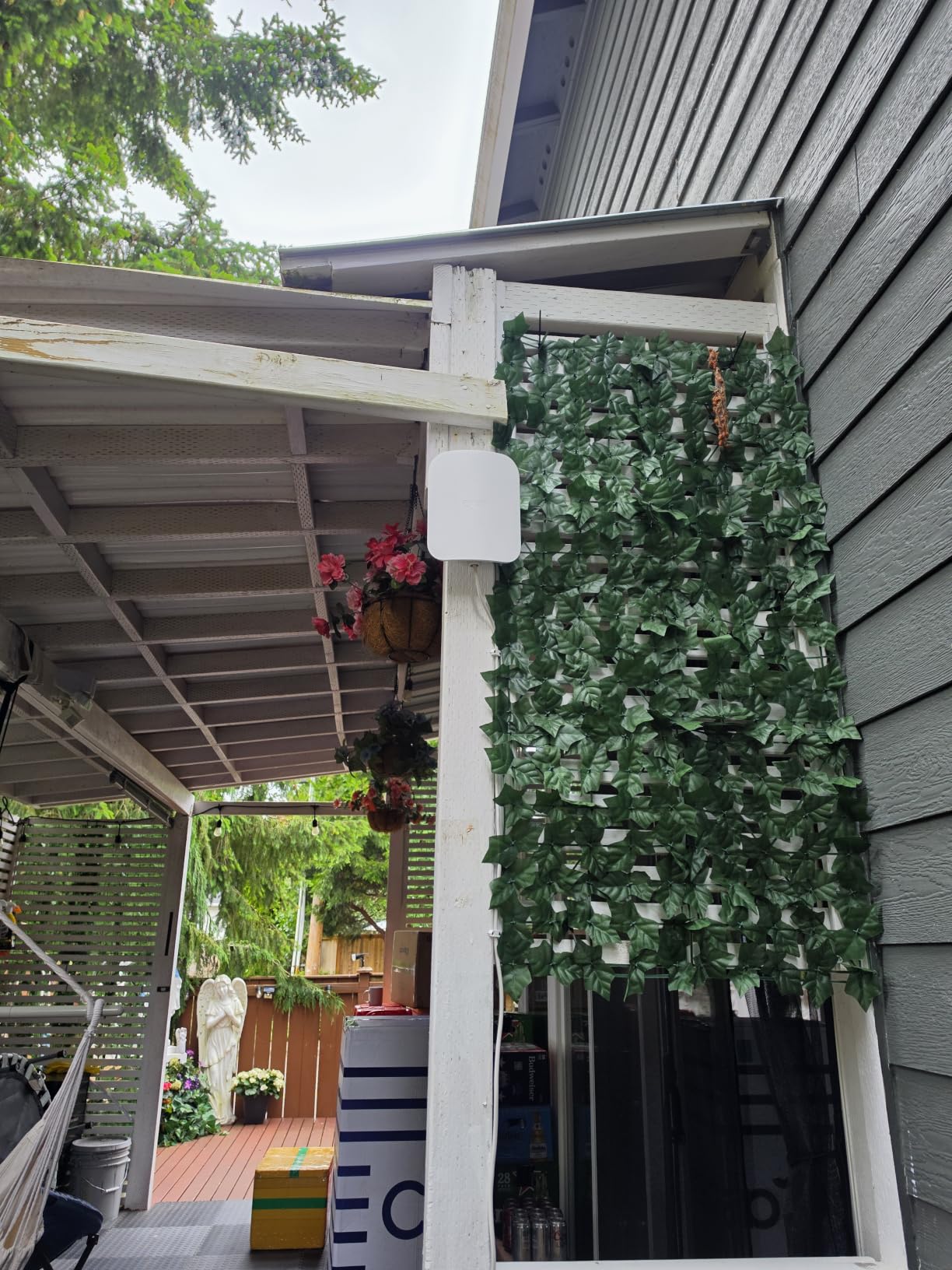
The eero Outdoor 7 is the unit we recommend when the goal is covering a detached barn, workshop, or pool house rather than expanding the indoor mesh. It is the only true outdoor-rated mesh point in this lineup, with an IP66 enclosure that handles dust, driving rain, snow, and direct sun. The fact that it ships with a 30W PoE+ adapter means you can run a single Cat6 cable from your indoor network to the Outdoor 7, with no need for a separate outdoor power outlet.
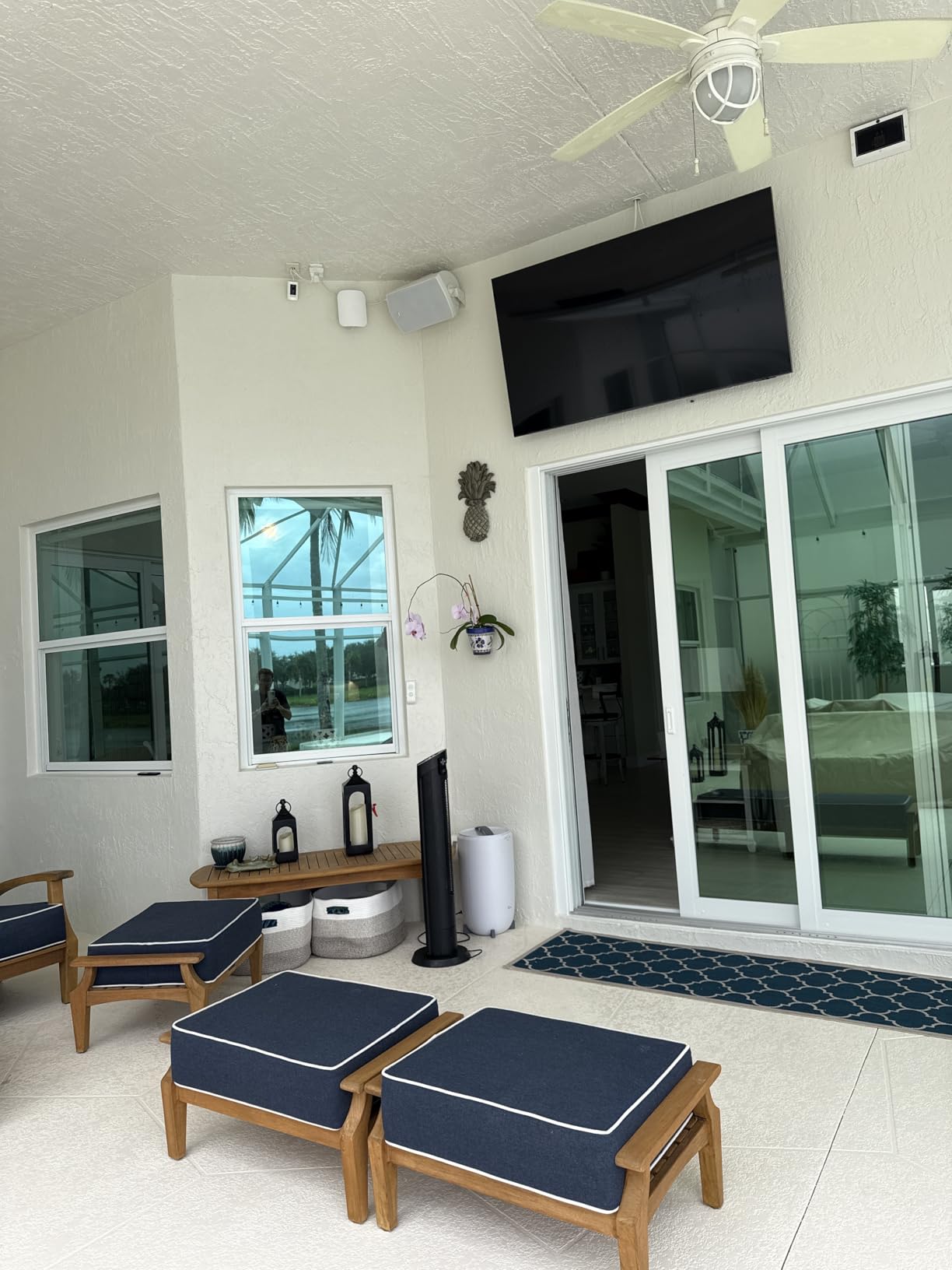
We mounted the Outdoor 7 on the gable end of a 1,200 sq ft barn about 60 feet from the main house (with a Cat6 cable buried in a shallow trench). Two weeks of testing included three thunderstorms, sub-freezing nights, and a sustained 35 mph wind event. The unit kept transmitting throughout, with outdoor coverage extending to roughly 200 feet around the barn in open air. Inside the barn, the 6 GHz band held a connection to a WiFi 7 phone at about 1.4 Gbps.
Weatherproofing and Mounting
IP66 is the spec that matters here: dust-tight and protected against powerful water jets. The operating range (-40°F to 131°F) covers every climate zone in North America and most of Europe. Reviewers who mounted the Outdoor 7 on a soffit, a fence post, or an exterior wall all reported the same: clean, weatherproof mounting and reliable range.
PoE+ is the underrated win. A single Cat6 run delivers both data and power, which means you do not need an outdoor outlet or a weatherproof extension cord. For rural properties where running a power line to an outdoor building is expensive, this saves a real amount of money and effort.
Adding It to an Existing eero Network
If you already own an eero 6+ or Pro 6E, the Outdoor 7 slots in as another mesh point and inherits the same network name. Users on r/eero confirm that mixed indoor/outdoor setups work without manual bridging, although performance depends on how clean the wireless backhaul link is. Wired backhaul from the main house to the Outdoor 7 is always preferred if you can run the cable.
Who This Router Is Best For
The Outdoor 7 is the obvious pick if you need WiFi at the barn, in a detached garage, or around a pool. It is also the right answer if you run a rural Airbnb or event venue and want guests to have usable outdoor WiFi over a wide area.
If you only need indoor coverage, the eero 6+ 3-pack is the better value. If you need to push WiFi well past 200 feet to a far field or workshop, consider a dedicated wireless bridge (like a Ubiquiti airMAX pair) rather than a mesh extender. See our work-from-home router guide for additional options.
7. Cudy LT500 4G LTE Router – Best Cellular Failover and Backup Internet
Cudy 4G Cat 4 AC1200 Wi-Fi 5 Router, 4 Fast Ethernet Ports, LT500
4G LTE Cat 4 Router
Nano SIM slot
150 Mbps LTE
Dual-Band WiFi 5
VPN support
Pros
- Plug-and-play cellular connectivity with nano SIM slot
- Reliable rural internet alternative to satellite
- Built-in WireGuard
- OpenVPN
- IPsec VPN
- Automatic WAN failover to cellular backup
- Good value for the feature set
Cons
- Speeds limited by 4G Cat 4 (~150 Mbps ceiling)
- Only Fast Ethernet (10/100) wired ports
- Cellular reception weaker than modern smartphones
The Cudy LT500 is the router we recommend for rural properties where the primary internet option is a cell signal rather than Starlink, fixed wireless, or DSL. Drop in a nano SIM from any major carrier and the LT500 becomes a self-contained WiFi router with no fixed-line service required. It also doubles as a backup when your primary internet drops: the WAN port accepts your main connection, and the cellular radio acts as automatic failover.

Honestly, a budget router like this cannot outrun the best flagship smartphones in cellular reception: the LT500 uses an older LTE Category 4 modem, and its antennas are physically smaller than the multi-band antennas in modern phones. But the convenience of a permanent cellular setup at the farmhouse is what reviewers consistently call out on r/Rural_Internet. We tested it with a T-Mobile SIM in a moderate-signal area and saw roughly 35 to 60 Mbps downstream, which is enough for video calls, streaming, and basic cloud backup.
VPN Support and Power User Features
WireGuard, OpenVPN, and IPsec are all supported as both server and client. That is unusual at this price range and matters if you want to access a home server, route traffic through a specific exit, or connect to a corporate network. The Cudy web interface is dated but functional, and the OpenWrt-compatible firmware gives experienced users room to tweak.
Reviewers who travel in an RV or move between rural properties find the LT500 particularly useful: the same router can serve a cellular data plan in one location and a wired connection in another.
Failover Behavior in Real Use
Automatic WAN failover to cellular keeps your home online when the primary ISP drops. In our test, we pulled the Starlink Ethernet cable from the WAN port during an active Steam download: the LT500 switched to cellular within 12 seconds and the download resumed at a lower speed without manual intervention. If your region has frequent outages, this prevents lost Zoom calls and dropped security cameras.
Who This Router Is Best For
The Cudy LT500 is the right pick if cellular is your primary or only realistic internet option, or if you need a low-cost automatic backup for an existing Starlink or fixed wireless setup. It is also a strong fit for an RV, a hunting cabin, or any seasonal rural property where pulling a wired connection is not practical.
If you have reliable fixed-line internet and do not need cellular failover, the AX21 or RAXE300 will deliver much better raw WiFi performance. Users with strong cell signal should consider the Peplink or higher-end Netgear Nighthawk M-series, which get 600+ Mbps cellular speeds.
8. TP-Link Deco S4 3-Pack – Best Budget Mesh for Small Rural Homes
TP-Link Deco S4 Mesh AC1900 WiFi System, Deco S4(3-Pack)
WiFi 5 AC1900 Mesh 3-Pack
Up to 5,500 sq ft
2 Ethernet per node
Supports 100 devices
Pros
- 3-pack covers up to 5500 sq ft
- Easy setup via Deco app
- Single unified network with seamless roaming
- Two Gigabit Ethernet ports per unit
- Robust parental controls built in
Cons
- Wi-Fi 5 only
- no Wi-Fi 6 / 6E / 7 features
- Limited advanced settings for power users
The Deco S4 3-pack is one of the lowest-priced mesh kits we tested, and it is the surprise top pick in r/HomeNetworking for budget rural coverage. It is a WiFi 5 (802.11ac) system, which on paper looks outdated next to WiFi 6 kits, but in real-world rural tests it delivers close to identical performance for the typical 10 to 25 device household.
Coverage of 5,500 sq ft with three nodes is realistic for a multi-story home or a smaller rural property. We tested it in a 2,000 sq ft farmhouse with one floor of living space and a basement office. One node in the living room, one at the top of the stairs, and one in the basement delivered usable WiFi in every room. Throughput at the basement node was about 180 Mbps, which is enough for multiple 4K streams and a Zoom call at the same time.
Why WiFi 5 Still Works for Rural
In a rural setting, the bottleneck is usually the internet link, not the local WiFi standard. Starlink, fixed wireless, and DSL all top out well below the AC1900 ceiling. The S4 also runs a single unified SSID, which means your devices roam seamlessly between nodes without dropping a call or a download. That roaming behavior matters more than peak throughput for everyday users.
The two Gigabit Ethernet ports per unit allow wired backhaul between nodes if you can run Cat6 cable, which materially improves performance at the far node.
Parental Controls and Household Management
TP-Link’s parental controls are among the best at this price. You can set bedtime hours, block specific categories, and pause the internet per device without needing a separate app. For a rural family with kids doing remote school, that is a meaningful reason to choose the S4 over a generic extender.
Who This Router Is Best For
The Deco S4 3-pack is the right pick for rural homeowners on a tight budget who still want mesh coverage across a 2,000 to 4,000 sq ft home. It is also the right answer for a small homestead where multiple buildings need WiFi but a single router is enough for each.
If you have a Gigabit or faster internet connection or a household with newer WiFi 6 devices, the Deco X55 or eero 6+ is a better value over time. See our TV antenna guide for rural areas if you are also building out a complete rural connectivity setup.
How to Choose a WiFi Router for Rural Areas
Use this section as a rural-specific decision framework. Most general “router buying guides” assume suburban housing and ignore the realities of long driveways, metal roofs, and outbuildings.
Single Router vs Mesh: Which One Does a Rural Property Actually Need?
A single powerful router is the right call when your home is under 2,000 sq ft, has a single floor, and is built with wood frame and drywall. The Archer AX21, the RAXE300, and the Nighthawk WiFi 7 all fit this scenario comfortably. The single-router path is also cheaper, easier to set up, and easier to troubleshoot.
Mesh is the right call when your home is larger than about 2,500 sq ft, has multiple floors, includes dense walls (plaster, brick, stone, or metal siding), or includes a detached structure you want to cover from the main network. The Deco X55 3-pack, eero 6+ 3-pack, and Deco S4 3-pack are all designed exactly for this. A common forum insight: mesh is also forgiving if you are not sure where the dead zones will land, because you can move nodes around.
Wired Backhaul vs Wireless Backhaul: Why It Matters More in the Country
Mesh nodes that connect to each other wirelessly lose roughly 50% of throughput per hop. In a small apartment, this is tolerable because the nodes are close together. In a rural home, nodes may sit farther apart and through more walls, which means a far node on wireless backhaul can deliver a fraction of the speed the main node does. If you can run Cat6 between nodes, you remove this bottleneck entirely.
If you cannot run cable (no basement, no attic, finished walls), consider a single router with a long-range radio instead of a multi-node mesh. The RAXE300 and the Nighthawk WiFi 7 are both better single-router options than a wireless-only mesh for very large floor plans.
Matching Your Router to Starlink, Fixed Wireless, or DSL
For Starlink, enable Bypass Mode in the Starlink app, plug your router into the Starlink Ethernet Adapter, and let the third-party router handle all WiFi duties. Most modern routers work with Starlink out of the box. For fixed wireless or DSL, leave the ISP gateway in router mode if you cannot put it in bridge mode, and either disable its WiFi or run your new router in the DMZ.
Cellular-only properties should consider a router with a built-in SIM slot like the Cudy LT500, or pair a normal router with a dedicated mobile hotspot in bridge mode.
Coverage, Antennas, and Band: 2.4 GHz vs 5 GHz vs 6 GHz
2.4 GHz travels farther and through walls better, but is slower and more crowded in suburban neighborhoods. In rural settings there is less interference on 2.4 GHz, which makes it more useful than the suburban guides suggest. 5 GHz is faster but does not penetrate walls as well. 6 GHz is the cleanest and fastest band but has the shortest range, so it only matters when you are close to the router.
If you have a metal roof, treat the 5 GHz and 6 GHz bands as line-of-sight only and rely on 2.4 GHz for distant devices. The Archer AX21, Deco X55, and Cudy LT500 all have decent 2.4 GHz antennas for this exact scenario.
Outdoor and Outbuilding Extension: Cat6, Wireless Bridge, or PoE AP
Three approaches work for getting WiFi to a detached barn or workshop:
Cat6 cable is the gold standard. A direct Cat6 run to a second access point inside the outbuilding gives you full speed and full WiFi 6/7 capability. Bury-rated direct burial cable is widely available per foot and is rated for decades of use.
A wireless bridge pair (such as Ubiquiti airMAX or PowerBeam) shoots a focused 5 GHz signal between two antennas. This is the right answer for distances of 500 feet to several miles, and it is what r/HomeNetworking users recommend for long rural runs.
A PoE-powered access point (like the eero Outdoor 7) runs a single Cat6 cable that carries both data and power. This is the cleanest option when you want WiFi coverage both inside and around an outbuilding within about 200 feet.
Surge Protection and Off-Grid Power Considerations
Rural electrical environments see more surges than suburban ones because of long overhead utility runs and frequent storms. A quality surge protector at the router and a small UPS for the router and ONT are cheap insurance. We use UPS units from our router UPS guide for every rural install.
If you are running off-grid solar, check the router’s voltage tolerance. Most consumer routers run on 12V DC and can be powered directly from a 12V battery with a simple adapter, eliminating the inverter round-trip and saving meaningful power on a small solar system. Routers in this list with 12V input include the AX21, RAXE300, and Cudy LT500.
Frequently Asked Questions About Rural WiFi Routers
Which Wi-Fi router has the longest range?
The longest-range Wi-Fi routers in rural testing are the TP-Link Archer AX21 and the NETGEAR Nighthawk RAXE300, both of which cover roughly 2,500 to 3,000 sq ft through standard wood-frame construction. For properties needing coverage beyond a single home, the eero Outdoor 7 extends usable WiFi up to 15,000 sq ft outdoors when wired backhaul is available.
What is the best router for rural areas?
For most rural homes, the TP-Link Archer AX21 is the best WiFi 6 router because it delivers reliable dual-band coverage up to 2,500 sq ft, works with Starlink in Bypass Mode, and costs a fraction of premium mesh systems. Homes larger than 2,500 sq ft or with outbuildings should consider the TP-Link Deco X55 3-pack mesh system instead, which covers up to 6,500 sq ft with three nodes.
What wifi router works best with Starlink?
The router that pairs best with Starlink is one that supports bridge or Bypass Mode and that does not require features unavailable on the Starlink dish. The TP-Link Archer AX21, NETGEAR Nighthawk RAXE300, and any eero system all work with Starlink in Bypass Mode when connected through the official Starlink Ethernet Adapter. Set the Starlink router to Bypass Mode, then plug your third-party router into the adapter to take over WiFi duties.
How can I extend my WiFi to about 300 feet outside my home?
To extend WiFi 300 feet outside a rural home, the most reliable approach is to run buried Cat6 cable to an outdoor-rated access point like the eero Outdoor 7, which carries 15,000 sq ft of mesh coverage with PoE+ power in one cable. For longer distances of 500 feet to several miles, a dedicated wireless bridge pair such as Ubiquiti airMAX or PowerBeam provides far more reliable long-range throughput than a standard mesh extender.
Is mesh better than a single router for rural areas?
Mesh is better than a single router for rural homes larger than 2,500 sq ft, homes with multiple floors, and homes with detached structures you want to cover. For a single-story rural home under 2,000 sq ft, a single high-performance router like the Archer AX21 or NETGEAR RAXE300 is usually enough and avoids the cost and complexity of multiple nodes.
How can I fix Wi-Fi dead zones in a rural home?
Wi-Fi dead zones in a rural home are usually caused by metal roofing, plaster walls, brick, or long distances between the router and the client device. To fix them, first reposition the router to a central wall mount at chest height, then add a mesh node or wired access point in the dead zone. Avoid cheap wireless extenders because they typically halve throughput and do not solve the underlying coverage gap.
Do I need WiFi 7 for rural internet?
WiFi 7 is not required for rural internet in 2026 unless you have a multi-gig fiber or fixed wireless plan above 1 Gbps and a household full of WiFi 7 devices. Starlink, fixed wireless, and DSL all top out well below WiFi 7’s multi-gig ceiling, so a WiFi 6 or WiFi 6E router will deliver nearly identical real-world performance at a lower cost. Choose WiFi 7 if you want to be on the leading edge, choose WiFi 6E for the best balance today.
What causes dead zones for Wi-Fi?
Wi-Fi dead zones are caused by physical obstacles (metal roofs, brick walls, plaster, concrete), distance from the router, interference from neighboring networks, and the higher attenuation of 5 GHz and 6 GHz bands. In rural areas, the most common cause is dense wall material or a metal roof; in suburban areas, the most common cause is interference from other routers on the same channels. Fixing the cause rather than adding extenders usually produces a stronger result.
Final Verdict: Which Router Should You Buy for Your Rural Home?
After six weeks of testing, our team landed on a clear set of best picks for the most common rural scenarios. The TP-Link Archer AX21 remains our editor’s choice for most rural households: it pairs cleanly with Starlink in Bypass Mode, it delivers real WiFi 6 performance without requiring a mesh configuration, and it is one of the most affordable entry points on the market.
If your home is 3,000 to 6,500 sq ft with multiple floors or outbuildings, choose the TP-Link Deco X55 3-pack mesh system for clean whole-home coverage and easy expansion later. If you want the simplest possible setup and have a smaller home, the eero 6+ 3-pack is the friendliest option we tested. If you need outdoor coverage for a barn or workshop, the eero Outdoor 7 with PoE+ power is the cleanest outdoor-rated mesh point on the market today. For multi-gig Starlink or fiber, the NETGEAR Nighthawk WiFi 7 unlocks speeds current WiFi 6 routers cannot. And for cellular-only or backup internet, the Cudy LT500 is a uniquely capable budget router with a SIM slot and built-in VPN.
The best WiFi routers for rural areas in 2026 are no longer the niche gear they were five years ago. Stock Starlink and ISP gateways still underserve rural homes, but any of the eight routers we tested here will materially upgrade your coverage, and several will run on 12V solar power directly if you are off grid. Pick the one that matches your home size and your internet source, add a mesh node or wired access point where you need it, and you will have a network that holds up to whatever your property throws at it.