
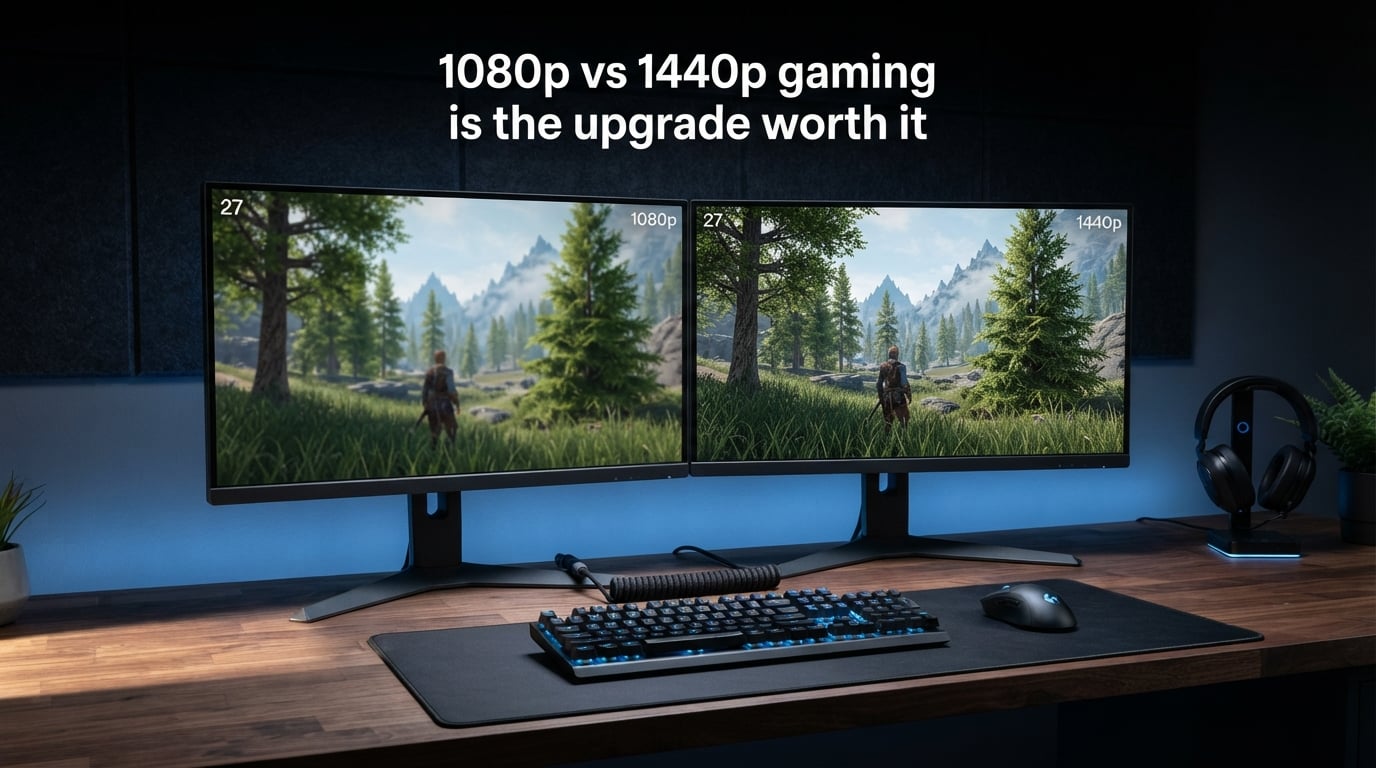
If you are staring at your 1080p monitor wondering whether a 1440p upgrade will transform your gaming experience, you are not alone. This is one of the most debated topics in PC gaming communities, and the answer depends on more factors than most guides admit. The 1080p vs 1440p gaming conversation touches your GPU power, your monitor size, the types of games you play, and even your desk setup.
Here is the short answer: upgrading from 1080p to 1440p is worth it for most gamers in 2026, especially if you play visually rich single-player games and have at least a mid-range GPU. The image is noticeably sharper, text is crisper, and the extra screen real estate helps with productivity. However, competitive gamers who prioritize maximum frame rates over visual fidelity may want to stick with 1080p.
In this guide, we break down the exact visual differences, the performance trade-offs, what GPU you need, and a clear framework for deciding whether to make the jump. We have pulled insights from community forums, benchmark data, and real upgrade experiences to give you an honest answer.
What Is the Difference Between 1080p and 1440p?
The difference comes down to pixel count. A 1080p display has a resolution of 1920 x 1080 pixels, which equals about 2.07 million pixels on screen. A 1440p display runs at 2560 x 1440 pixels, totaling roughly 3.69 million pixels.
That means 1440p packs 78% more pixels into the same physical screen area. This is why 1440p is also called QHD (Quad HD) or WQHD (Wide Quad HD). The “quad” refers to the fact that it has four times the pixel count of 720p HD.
More pixels means the GPU has to work significantly harder to render each frame. This is the core trade-off that defines the entire 1080p vs 1440p gaming debate. You get a sharper image, but your frame rates will drop unless you upgrade your GPU along with your monitor.
1080p vs 1440p Gaming: The Visual Difference
Yes, the visual difference between 1080p and 1440p is noticeable, especially on a 27 inch or larger monitor. The jump is not as dramatic as going from 720p to 1080p, but the improvement in clarity and detail is clearly visible once you sit down and play.
The key metric here is pixel density, measured in pixels per inch (PPI). A 24 inch 1080p monitor has about 92 PPI. A 27 inch 1440p monitor sits at roughly 109 PPI. That higher pixel density means individual pixels are smaller and harder to see, resulting in smoother edges, sharper textures, and cleaner text.
Where you really notice the difference depends on the game. Open-world titles like Cyberpunk 2077 or Red Dead Redemption 2 show finer environmental detail at 1440p. Texture detail, foliage, and distant objects all look more defined. In fast-paced shooters, the difference is subtler because your eyes are tracking movement rather than scrutinizing static detail.
That said, some users on buildapc and hardware forums report feeling underwhelmed at first. This usually happens when they upgrade from a 24 inch 1080p monitor to a 27 inch 1440p one and sit at the same distance. The pixel density gain is real but moderate, not night-and-day. Your viewing distance matters too. At normal desktop distances of about 24 to 30 inches, the improvement is visible. Sit further back and the difference shrinks.
One area where 1440p wins decisively is productivity. If you use your monitor for work, browsing, or content creation alongside gaming, the extra screen space at 1440p is a genuine quality-of-life upgrade. Windows, tabs, and documents are easier to manage with the additional pixel real estate.
Performance Impact: How Much FPS Do You Lose?
This is where the decision gets real. Because 1440p has 78% more pixels than 1080p, your GPU has to render 78% more data per frame. That translates directly to lower frame rates if you keep the same graphics card.
In practice, the FPS drop when moving from 1080p to 1440p is typically around 25% to 40%, depending on the game and GPU. This is less than the full 78% because not all GPU workload scales linearly with resolution. Some processing overhead stays constant regardless of pixel count.
Here is what that looks like with real numbers. If you are getting 120 FPS at 1080p in a given game, expect roughly 75 to 90 FPS at 1440p with the same settings and GPU. In a demanding title where you get 80 FPS at 1080p, you might see 50 to 60 FPS at 1440p.
For competitive gamers, this matters a lot. If you play Valorant, CS2, or Apex Legends and want 240 FPS for a 240Hz monitor, dropping to 1440p could cost you that target. The performance hit pushes many competitive players to stay at 1080p where they can maximize frame rates.
For casual and single-player gamers, the trade-off is usually worth it. Going from 120 FPS to 85 FPS in a story-driven game is barely noticeable for most people, and the visual upgrade more than compensates. As long as you stay above 60 FPS, the experience remains smooth and enjoyable.
This is also why forum users frequently ask about specific GPU pairings. Someone running an RX 6600 XT at 1080p might get excellent frame rates, but pushing that same card to 1440p could drop them below the 60 FPS comfort zone in demanding titles. The performance impact is the single biggest factor in the upgrade decision.
GPU Requirements for 1080p vs 1440p Gaming
Your GPU is the gatekeeper for whether 1440p gaming is viable. Here is a practical breakdown by GPU tier to help you understand where you stand.
Entry-Level GPUs (RTX 4060, RX 7600, Arc B580)
These cards are built for 1080p gaming. They can run some games at 1440p, but you will need to lower settings in demanding titles. Esports and older games will run fine at 1440p. Newer AAA games may struggle to maintain 60 FPS at high settings. If you own one of these cards, staying at 1080p makes the most sense unless you are willing to use upscaling.
Mid-Range GPUs (RTX 4070, RX 7700 XT, RTX 5060 Ti)
This is the sweet spot for 1440p gaming. Cards in this tier handle most modern games at 1440p with high settings and stay above 60 FPS. Some demanding titles may require medium settings or DLSS/FSR to hit consistent frame rates. If you have a card in this range, a 1440p upgrade is a great match.
High-End GPUs (RTX 4080, RX 7900 XT, RTX 5070 and Above)
These cards are practically built for 1440p. They will max out most games at 1440p and still deliver well above 60 FPS. Many can push 100-plus FPS at 1440p, making them suitable for high refresh rate 1440p monitors. If you own a high-end GPU, staying at 1080p means you are leaving performance and visual quality on the table.
A common question on forums is whether specific cards like the RTX 4060 or RX 6600 XT are enough for 1440p. The honest answer is that these cards were designed primarily for 1080p. They can do 1440p in lighter games or with settings turned down, but they will not deliver the full 1440p experience in demanding AAA titles without compromises.
Reddit users consistently recommend having at least an RTX 4070 or RX 7700 XT class GPU before making the 1440p jump. This ensures you get the visual benefits without frame rates dropping into uncomfortable territory.
Monitor Size: 24 Inch 1080p vs 27 Inch 1440p
Monitor size is the missing piece that many gamers overlook when debating resolution. The 1080p vs 1440p gaming comparison only makes sense when you factor in the physical size of the display.
The standard pairing is a 24 inch monitor at 1080p versus a 27 inch monitor at 1440p. This is not a coincidence. These sizes represent the sweet spot for each resolution in terms of pixel density.
A 24 inch 1080p monitor gives you about 92 PPI, which looks sharp at typical desktop viewing distances. A 27 inch 1440p monitor gives you about 109 PPI, which looks even sharper. If you put 1080p on a 27 inch screen, the pixel density drops to about 81 PPI, and individual pixels become more visible, leading to a slightly softer image.
This is why forum users constantly debate the 24 inch 1080p versus 27 inch 1440p question. The answer is that 1440p on a 27 inch panel is the ideal pairing. You get a bigger screen and better pixel density at the same time.
Can you go bigger? Yes, but with caveats. A 32 inch 1440p monitor drops to about 92 PPI, which is the same as a 24 inch 1080p display. At that point, you are gaining screen size but not sharpness. For 1440p, 27 inches remains the sweet spot.
For 1080p, going above 24 inches is not recommended. The image starts to look pixelated, and text loses its crispness. If you want a larger screen, that is another reason to consider the 1440p upgrade.
Upscaling Technology: DLSS, FSR, and XeSS
One factor that has changed the 1080p vs 1440p gaming equation dramatically in 2026 is upscaling technology. NVIDIA DLSS, AMD FSR, and Intel XeSS allow your GPU to render a game at a lower internal resolution and then upscale it to your monitor’s native resolution using AI or spatial algorithms.
This matters because it significantly reduces the performance penalty of 1440p. With DLSS set to Quality mode, your GPU renders at roughly 960p internally and upscales to 1440p. The result looks very close to native 1440p in most games but runs at frame rates much closer to 1080p performance.
If you have an RTX card with DLSS, the performance gap between 1080p and 1440p shrinks considerably. A game that drops from 120 FPS at 1080p to 75 FPS at native 1440p might run at 95 to 100 FPS with DLSS Quality at 1440p. That is a huge difference.
This is why we strongly recommend factoring upscaling into your decision. If your GPU supports DLSS or FSR and the games you play support it, the 1440p upgrade becomes much more attractive. The performance cost that used to make 1440p prohibitive for mid-range GPUs is now partially offset by upscaling.
The caveat is that not every game supports upscaling, and the quality varies. Competitive multiplayer games often lack DLSS or FSR support. For single-player titles, though, upscaling is widely available and makes 1440p far more accessible.
Who Should Upgrade to 1440p
You should upgrade to 1440p if you fall into any of these categories.
If you primarily play single-player, visually rich games like Cyberpunk 2077, Alan Wake 2, or Baldur’s Gate 3, the visual upgrade at 1440p is absolutely worth it. These games are designed to be immersive, and the extra sharpness and detail enhance that immersion significantly.
If you have a mid-range or high-end GPU (RTX 4070 or better, RX 7700 XT or better), your hardware can handle 1440p comfortably. Staying at 1080p with a powerful GPU means you are not getting the full value from your investment.
If you use your monitor for productivity alongside gaming, the extra screen real estate at 1440p is a daily quality-of-life improvement. More space for windows, better text clarity, and easier multitasking make the upgrade worthwhile even outside of gaming.
If you are buying a new monitor anyway and deciding between 1080p and 1440p, 1440p is the better long-term investment. Monitor technology improves and prices come down, but you will likely keep your next monitor for several years. Choosing 1440p gives you more headroom for future GPU upgrades.
Who Should Stay With 1080p
Staying at 1080p is the right call in several scenarios.
If you are a competitive gamer who plays Valorant, CS2, Rocket League, or similar titles at a high level, frame rate is king. These games are not visually demanding, and running them at 1080p lets you push 240 FPS or higher for competitive advantage. The visual difference at 1440p in these games is minimal, and the performance cost is not worth it.
If you have an entry-level GPU like an RTX 4060 or RX 7600, 1440p will force you to lower settings or rely heavily on upscaling. Your gaming experience may actually get worse, not better. Stay at 1080p where these cards perform their best.
If you are on a tight budget and need to choose between upgrading your GPU or your monitor, prioritize the GPU. A powerful GPU at 1080p will always feel better than a weak GPU struggling at 1440p.
If you have a 24 inch monitor and sit close to it, the visual upgrade to 1440p will be modest rather than dramatic. You might not notice enough of a difference to justify the cost of a new monitor plus potentially a new GPU.
Competitive Gaming vs Casual Gaming Considerations
The type of gaming you do should heavily influence your resolution choice. This is a point that many guides gloss over, but it matters enormously.
Competitive gamers overwhelmingly prefer 1080p. The reason is simple: lower resolution means higher frame rates, and higher frame rates mean lower input latency and smoother motion. In games where milliseconds matter, every FPS counts. This is why most professional eSports tournaments run at 1080p, and most pro players use 240Hz or 360Hz 1080p monitors.
At 1080p, a high-end GPU can push 300-plus FPS in competitive titles, which a 360Hz monitor can fully display. At 1440p, that same GPU might drop to 200 FPS, which is still fast but leaves competitive performance on the table.
Casual gamers get the better deal at 1440p. If you play single-player campaigns, RPGs, simulation games, or open-world titles, the visual quality improvement is the point. You are not trying to win a tournament. You are trying to immerse yourself in a world, and 1440p helps with that.
Strategy and simulation gamers also benefit from 1440p. Games like Civilization, Cities: Skylines, and Crusader Kings involve reading small text and managing detailed interfaces. The sharper image at 1440p makes these games more comfortable to play for long sessions.
Racing and flight simulator fans should strongly consider 1440p as well. These games benefit from visual clarity at distance, and 1440p delivers that without the extreme GPU demands of 4K.
Console Gaming Considerations
If you game on PS5 or Xbox Series X, 1440p is fully supported and well-optimized. Both consoles target 1440p in many performance modes and can output to 1440p monitors natively.
The PS5 received native 1440p output support in a system update, making 1440p monitors a viable choice for console gamers. Many games offer a 1440p 60 FPS or 1440p 120 FPS mode that strikes a great balance between visual quality and performance.
If you play on both console and PC, a 1440p monitor serves both platforms well. Console games will look great, and your PC can take full advantage of the resolution. This makes the upgrade more versatile than going with a dedicated 1080p monitor.
FAQs
Is 1080p to 1440p noticeable in gaming?
Yes, the difference is noticeable, especially on monitors 27 inches and larger. 1440p offers 78% more pixels than 1080p, resulting in sharper textures, smoother edges, and clearer text. The improvement is most visible in visually detailed games and less obvious in fast-paced competitive titles.
Do pro gamers use 1080p or 1440p?
Most professional gamers use 1080p because it allows for higher frame rates and lower input latency. Competitive titles like Valorant, CS2, and Overwatch are typically played on 240Hz or 360Hz 1080p monitors to maximize responsiveness. Some pros use 1440p for casual or practice sessions.
Is it better to upgrade from 1080p to 1440p or 4K?
For most gamers, 1440p is the better upgrade path. 4K requires a significantly more powerful GPU, costs more, and demands a larger monitor to be worthwhile. 1440p hits the sweet spot between visual improvement and performance, offering most of the clarity benefits of 4K without the extreme hardware demands.
Is an RTX 5090 overkill for 1440p gaming?
Yes, an RTX 5090 is overkill for 1440p gaming in most scenarios. It is designed for 4K gaming at high frame rates and will easily max out any 1440p game. If you play exclusively at 1440p, a mid-range or upper-mid-range GPU like the RTX 5070 or RX 9070 XT provides excellent performance at a much lower cost.
Conclusion: Making the 1080p vs 1440p Gaming Decision
The 1080p vs 1440p gaming upgrade is worth it for most players in 2026, but it is not a universal yes. If you have a mid-range or better GPU, play visually rich games, and want a sharper image with better productivity benefits, 1440p is a clear win. If you are a competitive gamer on a budget GPU chasing maximum frame rates, 1080p remains the smarter choice.
Use this simple framework: check your GPU tier first, consider your game types second, and factor in monitor size third. If all three point toward 1440p, you will not regret the upgrade. If even one points toward staying at 1080p, you are better off waiting until your next GPU upgrade to make the jump.