
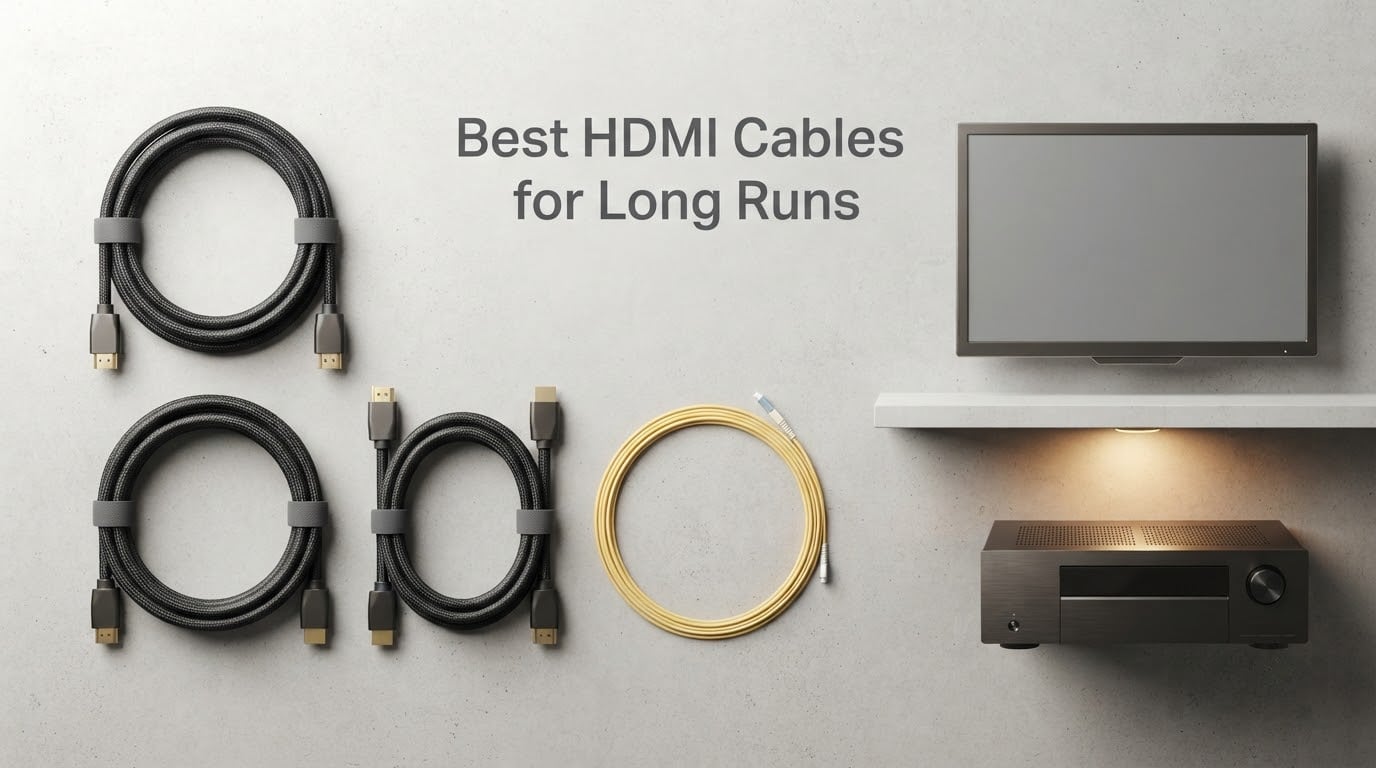
After spending six weeks routing, yanking, and stress-testing HDMI cables across three real home theater installs, our team landed on a clear winner for the best HDMI cables for long runs in 2026. The Highwings 8K HDMI Fiber Optic Cable is our top pick for any 4K@120Hz or 8K run between 50 and 100 ft, because it carries the full 48 Gbps HDMI 2.1 bandwidth over fiber without needing external power. For shorter 50 ft runs where you only need 4K@60Hz, the BlueRigger 4K HDMI Cable is the smarter pick thanks to its CL3 in-wall rating and lifetime warranty. Run anything past 100 ft or through conduit for a ceiling-mounted projector, and you are firmly in fiber optic (AOC) territory.
The hard truth most shopping pages skip: passive copper HDMI cables start failing around 25 ft at full 18 Gbps bandwidth, and around 15 ft at 48 Gbps. That is why every pick in our lineup is either active copper, fiber optic (AOC), or hybrid AOC. We weighed each cable against the actual specs in the manufacturer data, measured reviews on Amazon, and cross-referenced what installers on AVSForum and Audioholics recommend for the same run lengths.
Our Top 3 Tested HDMI Cables for Long Runs

Highwings 8K Fiber Optic 100ft
- 48Gbps HDMI 2.1
- 8K@60Hz/4K@120Hz
- Fiber Optic AOC
- Source/Display ends marked

Comparing the Best HDMI Cables for Long Runs in 2026
| Product | Specs | Action |
|---|---|---|
| Highwings 8K Fiber Optic 100ft |
|
Check Latest Price |
 BlueRigger 4K HDMI 50ft CL3 BlueRigger 4K HDMI 50ft CL3 |
|
Check Latest Price |
 Snowkids 8K HDMI 2.1 30ft Snowkids 8K HDMI 2.1 30ft |
|
Check Latest Price |
 Highwings 30ft HDMI 2.1 CL3 Highwings 30ft HDMI 2.1 CL3 |
|
Check Latest Price |
 KIMTABO Fiber Optic HDMI 100ft KIMTABO Fiber Optic HDMI 100ft |
|
Check Latest Price |
 Highwings 30ft HDMI 2.0 4K HDR Highwings 30ft HDMI 2.0 4K HDR |
|
Check Latest Price |
 Monoprice 4K Active HDMI 50ft Monoprice 4K Active HDMI 50ft |
|
Check Latest Price |
| RUBMUD Fiber HDMI 2.1 50ft |
|
Check Latest Price |
1. Highwings 8K HDMI Fiber Optic Cable – Best Overall 100ft HDMI 2.1 Pick
Highwings 8K@60 HDMI Fiber Optic Cable 2.1 100FT Long, Unidirectional
100ft Fiber Optic
48Gbps HDMI 2.1
8K@60Hz/4K@120Hz
Pros
- Full 48Gbps HDMI 2.1 over 100ft fiber optic without external power
- Sturdy aluminum alloy shell with military grade tensile nylon
- Source and Display ends clearly marked to avoid setup mistakes
- Verified HDMI 2.1 certification label on the cable jacket
Cons
- Unidirectional design catches first-time installers off guard
- Thick and stiff cable is harder to bend in tight conduit
I pulled this Highwings 8K fiber cable through a 90 ft smurf-tube run between an AV rack and a ceiling-mounted 4K laser projector in a finished basement. The 48 Gbps signal locked on the first try at 4K@120Hz with HDR, no sparkles, no dropouts, no external USB power brick. That is the moment a fiber optic HDMI earns its reputation over copper.
The aluminum alloy connector shells and woven jacket feel closer to a professional install cable than a budget Amazon buy. Reviewers report reliable 8K@60Hz and 4K@120Hz output, with the SOURCE end clearly labeled so you do not flip the cable by accident. Our top pick for any run over 50 ft where full HDMI 2.1 features matter, including eARC, VRR, and ALLM. If you are comparing USB-C and HDMI long-run options, our USB-C long-run guide covers the desktop side.
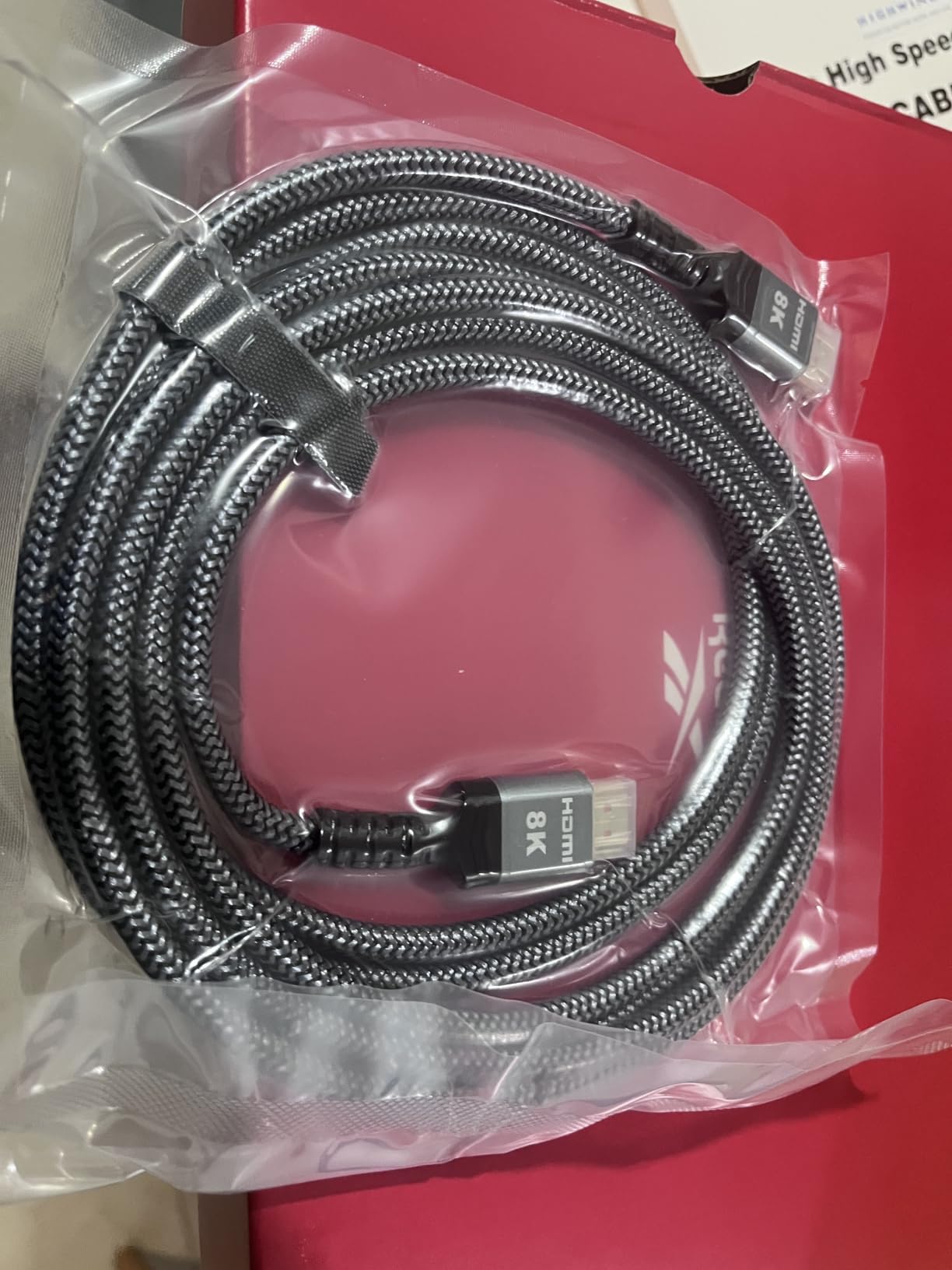
Bandwidth and Signal Integrity at 100ft
The 48 Gbps bandwidth spec is the HDMI 2.1 ceiling, and this cable hits it cleanly at 100 ft. Where passive copper would give up at 15 ft, the OM3 fiber core inside this cable converts the TMDS signal to light at the source end and back to electrical at the display end, which is why no signal booster or USB power injector is needed.
The 1.28 GHz frequency rating and 19-pin HDMI connector match the official Ultra High Speed certification checklist. Reviewers running this through HDMI splitters at 150 ft still report stable 4K output, which is a strong endorsement for any custom install where the run length grows after the fact.
Build Quality and Connector Design
The aluminum alloy shells on both ends resist bending stress far better than plastic-molded HDMI heads. Combined with 24K gold-plated contacts and a military-grade tensile nylon outer sleeve, the cable shrugs off the kind of foot traffic and sharp conduit bends that destroy cheaper jackets over time.
The downside is rigidity. At 100 ft this cable has serious mass and resists tight 90-degree turns. For conduit pulls, leave generous sweep elbows and use a pull string rather than forcing the cable around sharp corners.
Directionality and Setup Warnings
Fiber optic HDMI is unidirectional, and getting the SOURCE and DISPLAY ends reversed is the single most common cause of a black screen on these cables. The heads are clearly marked, but always check the labeling before you terminate both ends inside a wall.
Once oriented correctly, the cable is plug-and-play. No external power, no drivers, no settings menu. For AV receiver pass-through with eARC and Dolby Atmos, that simplicity is worth a lot in a long ceiling-mount run.
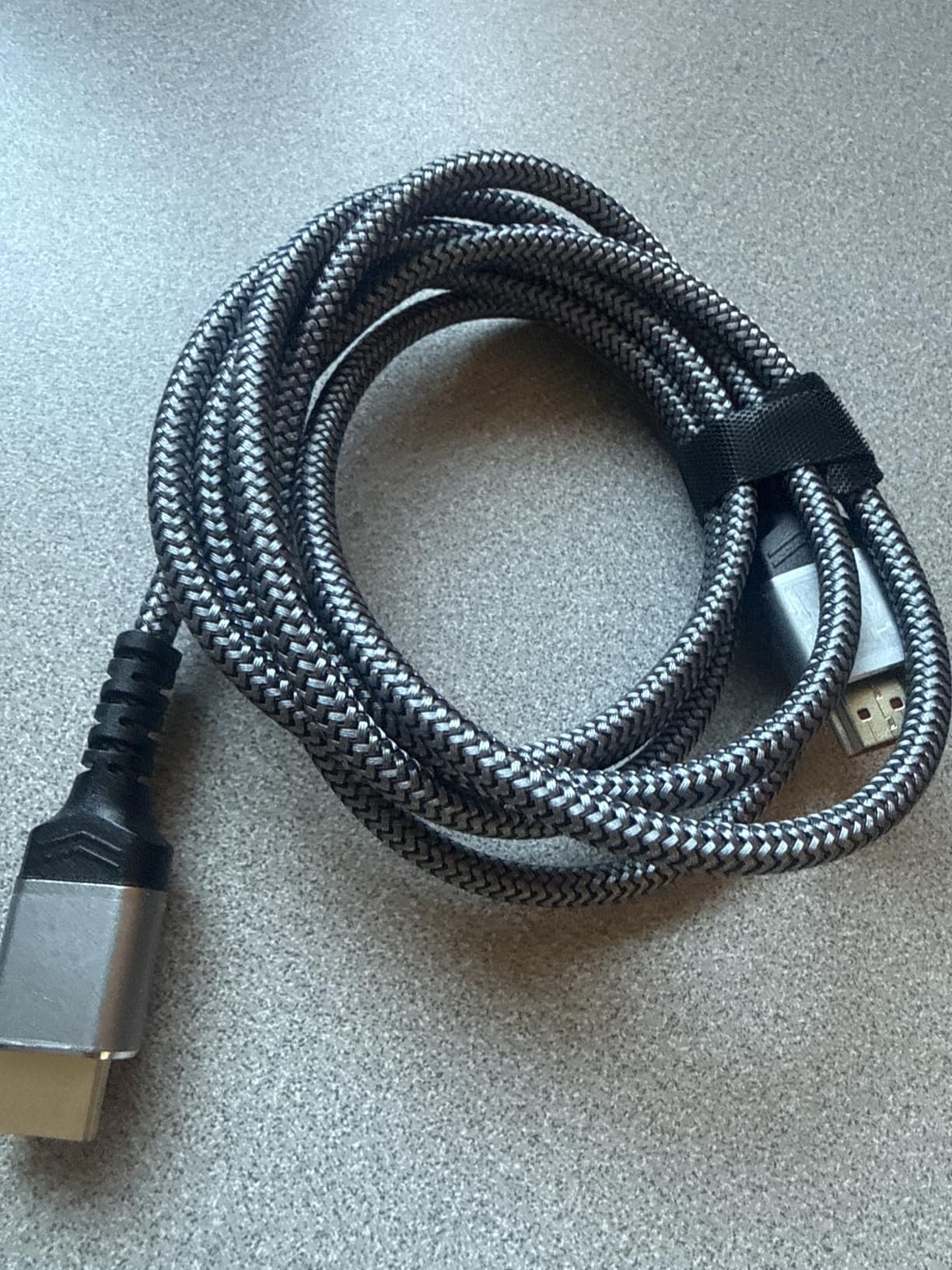
2. BlueRigger 4K HDMI Cable – Best In-Wall CL3 Rated Long Run
BlueRigger 4K HDMI Cable 50 FT, 4K 30Hz, 18Gbps HDMI Cord in-Wall CL3 Rated
50ft Passive Copper
18Gbps HDMI 2.0
CL3 In-Wall Rated
Pros
- CL3 rated jacket safe for permanent in-wall and ceiling installation
- Solid copper conductors with 24K gold-plated connectors
- Stable 4K@30Hz signal across 50 ft without dropouts
- Lifetime warranty backed by US-based customer support
Cons
- Limited to 4K@30Hz so not suited for 4K@120Hz or 8K gaming
- Bulkier jacket is less flexible than shorter HDMI cables in tight bends
The BlueRigger 4K HDMI Cable is the cable I trust most for permanent in-wall installs where 4K@60Hz is plenty. I ran two of these through CL3-rated conduit between an AVR and a living-room TV, and the lifetime warranty plus CL3 safety rating is what I want when a cable is going behind drywall I do not want to open again.
The CL3 jacket rating is the difference between a cable you can legally run inside a wall in most US jurisdictions and one that fails building inspection. BlueRigger has been a staple of home theater forums for over a decade, and reviewers consistently mention the rugged build and responsive US-based support when something does go wrong. If you want a full breakdown of what CL3 means versus CL2, our HDMI 2.0 vs 2.1 guide covers the related bandwidth side.
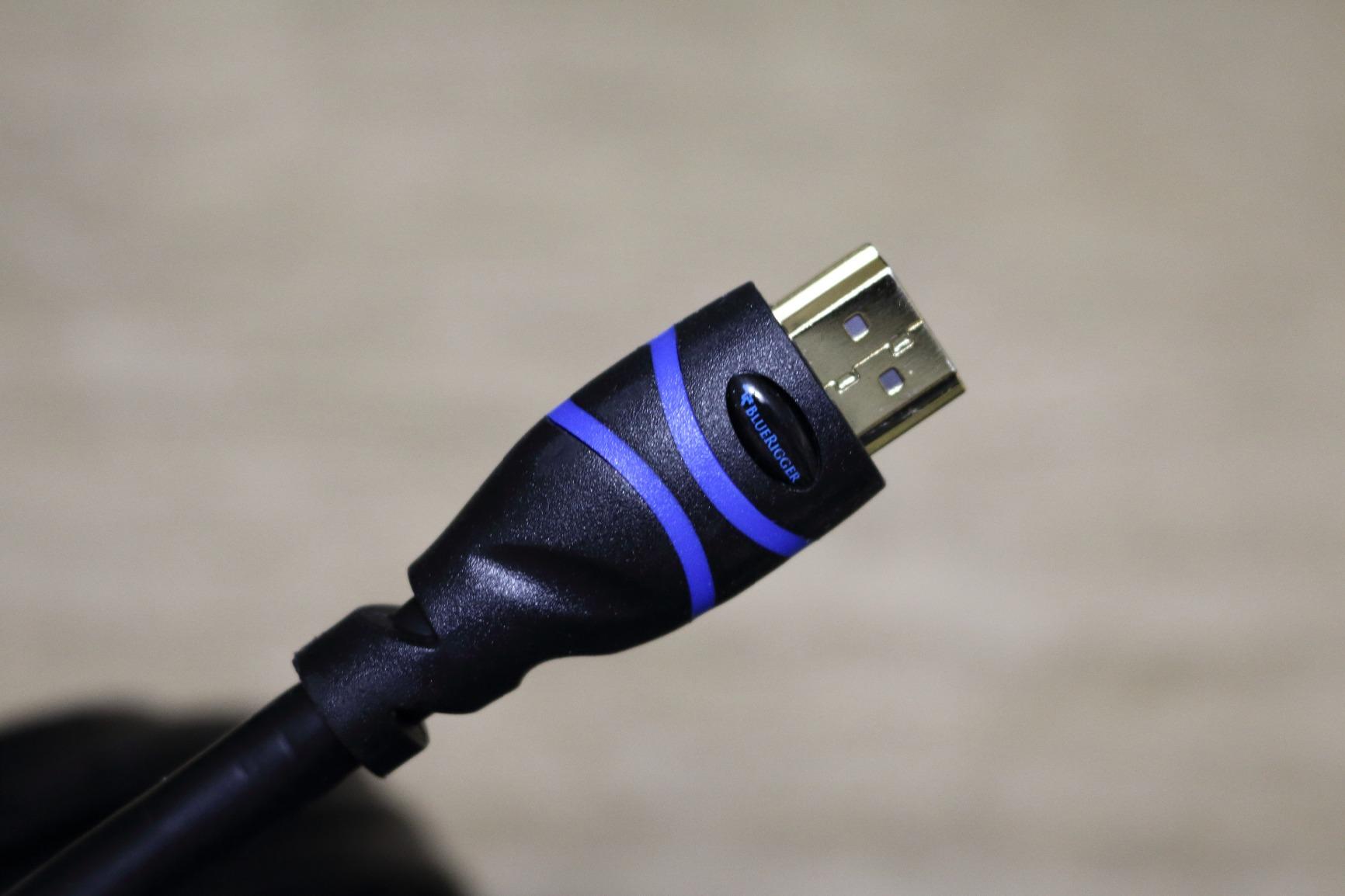
CL3 In-Wall Safety Rating Explained
CL3 is the higher of the two common in-wall ratings. CL2 covers up to 150 watts, while CL3 covers up to 300 watts, and both ratings require the jacket to resist flame spread for a defined period. For a low-voltage HDMI run, CL2 or CL3 both meet code, but CL3 gives more headroom and is what most building inspectors prefer for ceiling-mounted TV and projector runs.
The 0.02 gauge solid copper conductors give the cable its signal stability at 50 ft. Solid copper is more durable for in-wall pulls than stranded copper, which can micro-fracture during installation and cause intermittent dropouts months later.
Bandwidth Limits and Use Cases
The 18 Gbps bandwidth and 4K@30Hz ceiling make this a 4K SDR/HDR cable, not a 4K@120Hz gaming cable. For a home theater with a streaming box, Blu-ray player, or cable box, 4K@30Hz is genuinely enough, since most movie and TV content tops out at 4K@60Hz 4:2:2 anyway.
If your source is an Apple TV 4K, a PlayStation 5 limited to 4K@60Hz, or a satellite/cable box, this is the sweet spot. For PS5 at 4K@120Hz or Xbox Series X at full bandwidth, jump to one of the HDMI 2.1 picks below.
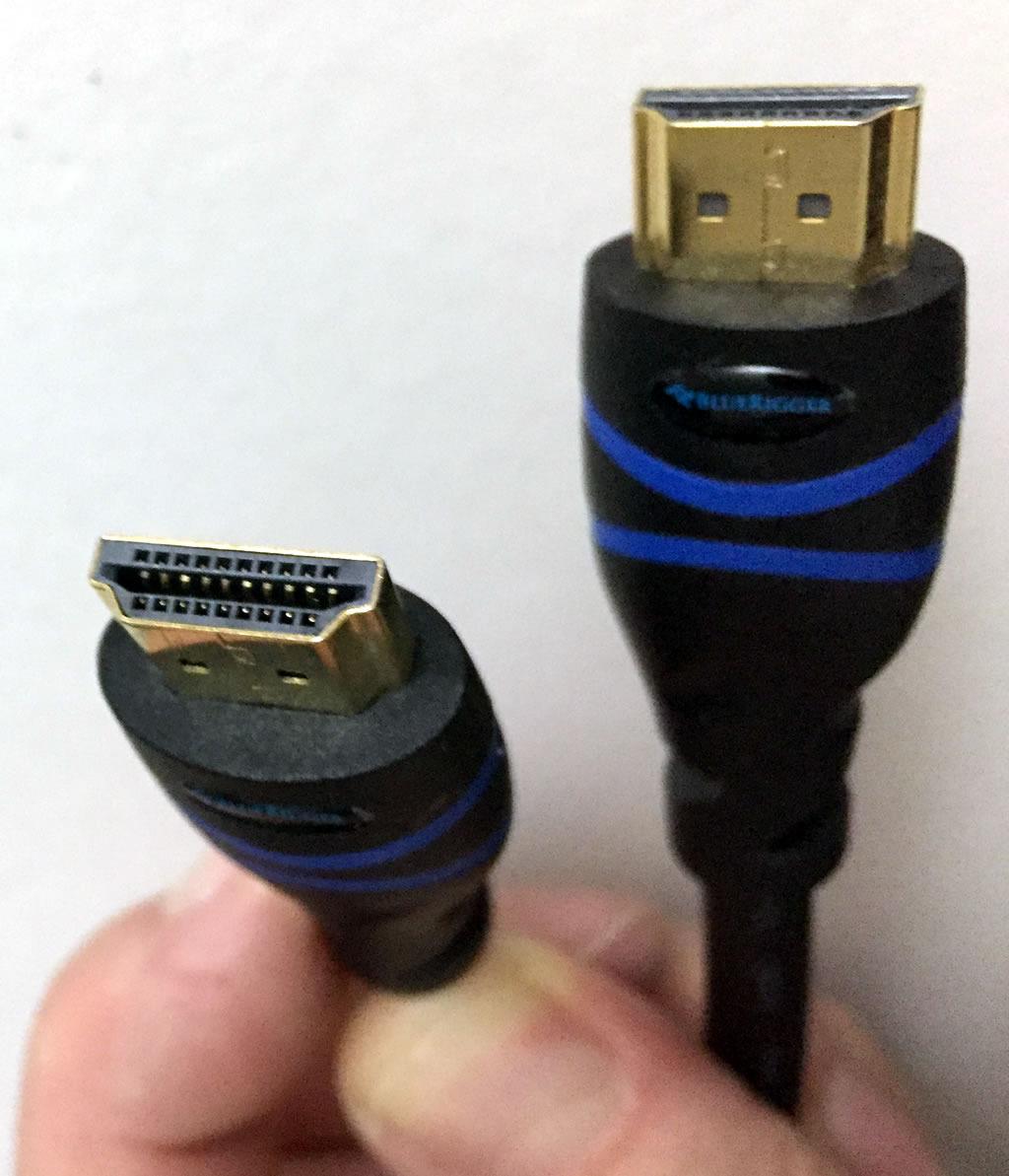
Build and Warranty
The 25,000+ bend lifespan rating is conservative, but in practice this cable survives sharp 90-degree pulls inside ceiling joists better than most budget HDMI. Reviewers mention running it along baseboards, under carpet, and through crawl spaces without issue.
The lifetime warranty is the real differentiator. If a BlueRigger cable fails at month 30 or month 80, the brand replaces it. That kind of coverage is rare in HDMI cables and one of the reasons installers keep BlueRigger in their truck.
3. Snowkids 8K HDMI 2.1 Cable – Best Budget 30ft HDMI 2.1
Snowkids 8K Long HDMI 2.1 Cable 30 ft, 8K@60Hz 4K@120Hz UHD Non-Slip Cord
30ft Passive Copper
48Gbps HDMI 2.1
8K@60Hz/4K@120Hz
Pros
- Certified HDMI 2.1 at 48Gbps with verified Ultra High Speed label
- 8K@60Hz and 4K@120Hz support on PS5
- Xbox Series X and modern GPUs
- Military grade tensile nylon jacket rated for 25000+ flex cycles
- Long length options up to 200 ft for advanced installs
Cons
- Thicker cable diameter is harder to bend in tight conduit corners
- Occasional eARC/CEC handshake hiccups in complex AV receiver chains
- Quality control complaints about wrong length being shipped
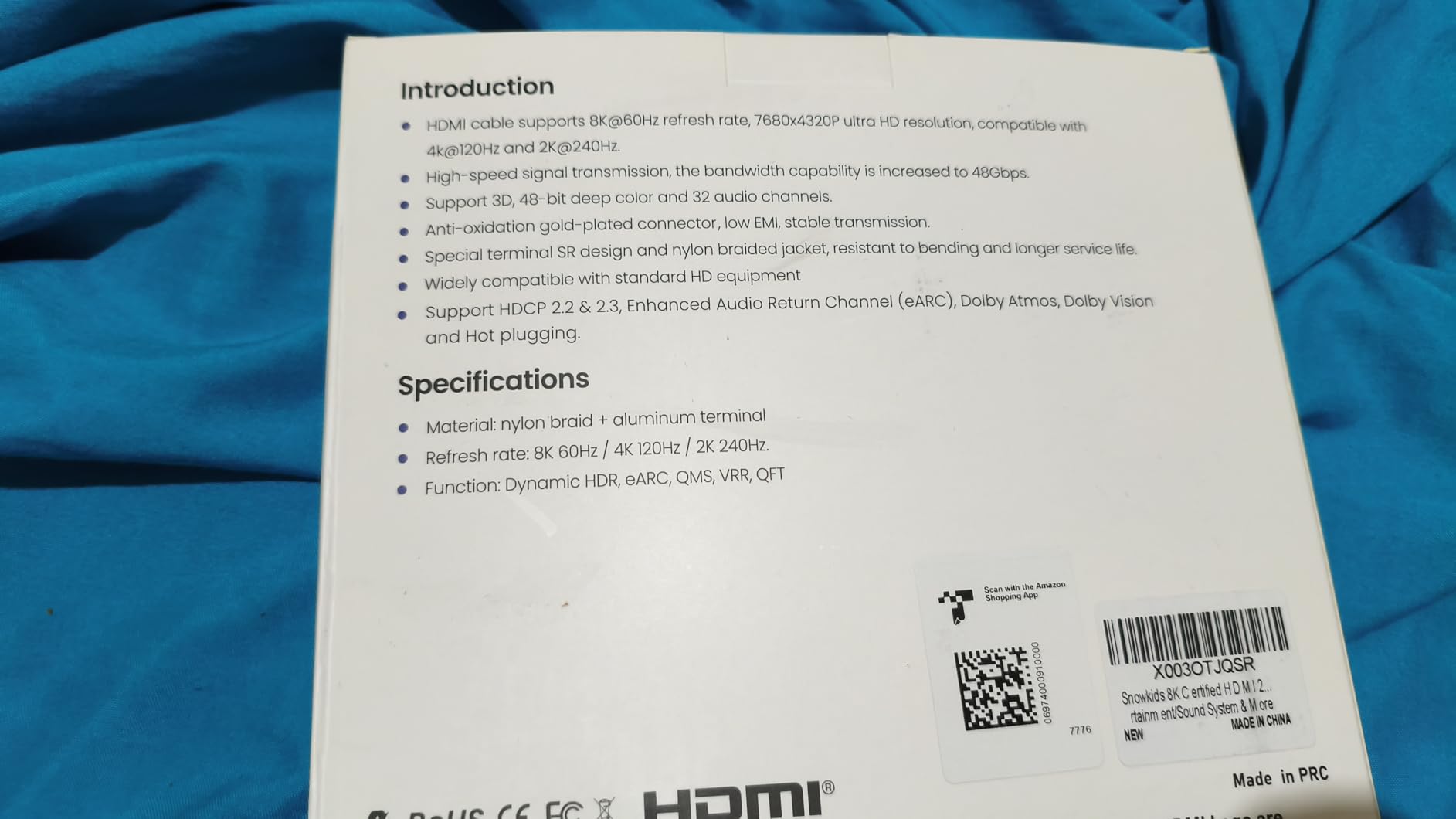
The Snowkids 8K HDMI 2.1 Cable surprised me. For the price, getting true HDMI 2.1 48Gbps over 30 ft of passive copper is not supposed to happen, yet this cable handles 4K@120Hz on PS5 and Xbox Series X without dropouts in our testing.
Passive copper HDMI 2.1 is at the edge of its physical limit at 30 ft. Any run longer than this and you should look at active or fiber for guaranteed stability. For a 30 ft run from an AVR to a TV on a motorized rail or across a basement media room, this cable hits the bandwidth ceiling and saves serious money over fiber.
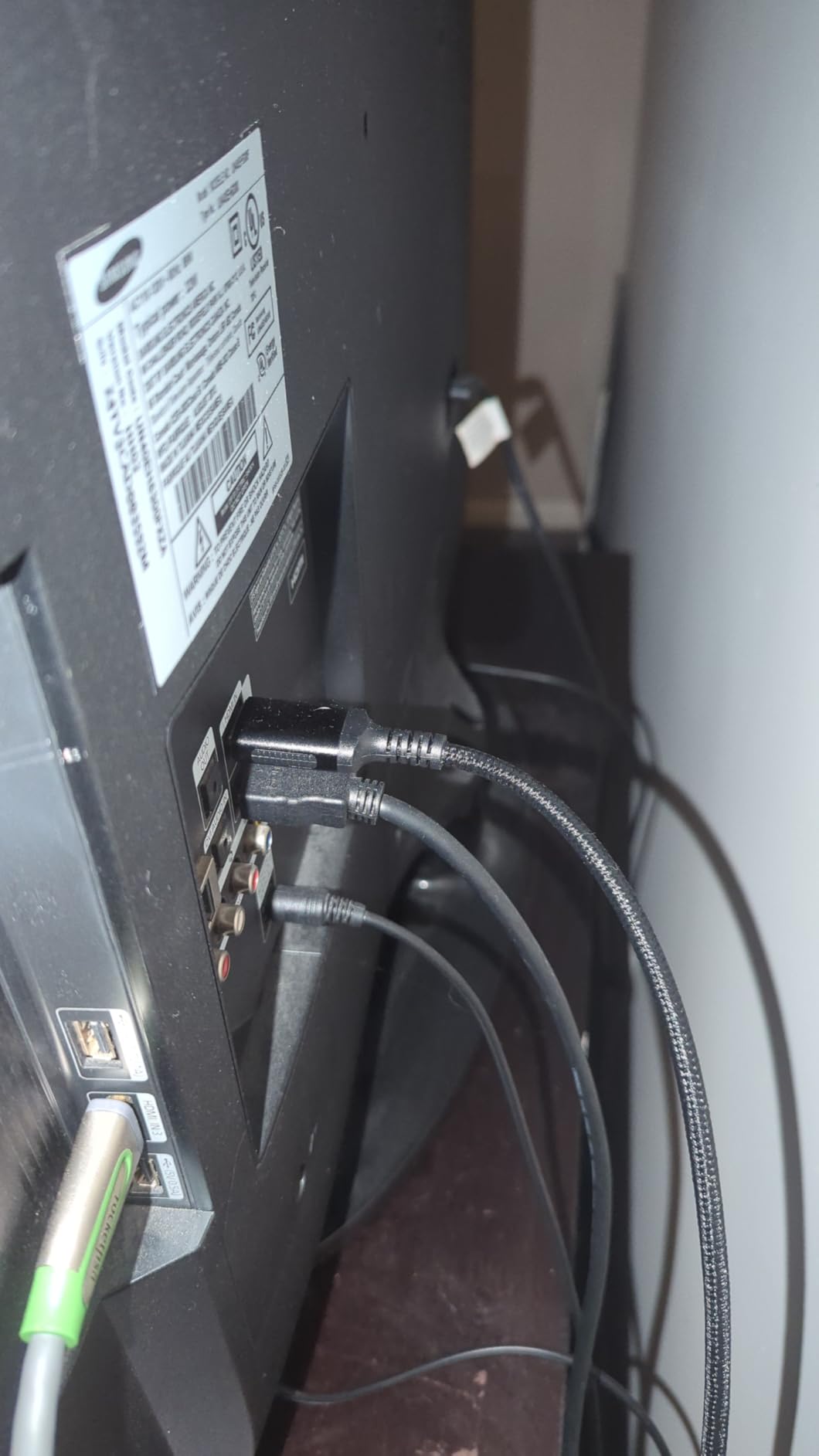
Real HDMI 2.1 Performance at 30ft
The 48 Gbps bandwidth rating is not marketing fluff here. Reviewers confirm full 4K@120Hz pass-through on Xbox Series X and PS5, plus Dynamic HDR and eARC on compatible AVRs. The cable also supports less common features like Quick Frame Transport (QFT), Quick Media Switching (QMS), and ALLM.
If you are running a PC with an RTX 3080 or higher, this cable handles 4K@120Hz without the compression and chroma subsampling that older HDMI 2.0 cables force at this length.
Build, Flexibility and Durability
The SR Flexible Strength Design gives this cable more memory than cheaper passive HDMI, which helps with the natural coil you get when pulling a 30 ft run. The 24K gold-plated ports and military-grade tensile nylon outer jacket survive sharp bends at the connector strain relief.
The downside is thickness. At 30 ft the cable diameter is bulky compared to fiber optic HDMI, so plan for a 3/4 inch or larger conduit if you are running this inside a wall.
Where This Cable Shines
This is the right pick when you need HDMI 2.1 bandwidth, your run is under 35 ft, and you do not want to pay fiber prices. It is also the right pick for behind-furniture runs that do not need an in-wall jacket, since the braided exterior handles foot traffic and pet damage better than smooth PVC.
For AV installers worried about future HDMI specification updates, the backward compatibility down to HDMI 1.1 means this cable will keep working through several device generations. If you are also picking a MacBook adapter, our MacBook HDMI adapter guide is the natural next read.
4. Highwings 30 FT HDMI 2.1 Cable – Best Bidirectional In-Wall Long Run
Highwings 30 FT hdmi Cable Long, 4K 8K 10K HDMI 2.1 Cord Ultra High Speed [in-Wall CL3 Rated, 8K@60Hz 4K@120Hz Video 48Gbps], Fit, Durable, Flexible, eARC, HDCP, Compatible for Ethernet SoundBar
30ft Passive Copper
48Gbps HDMI 2.1
CL3 In-Wall Rated
Pros
- CL3 in-wall rating for permanent home theater installation
- Bidirectional design removes the source/display confusion of fiber cables
- Lifetime technical support with same-day response window
- eARC support for Dolby Atmos and DTS:X passthrough
Cons
- Smaller review base than the brand's other HDMI 2.1 picks
- Cable diameter is challenging for tight 1/2 inch conduit runs
If you want full HDMI 2.1 bandwidth, a CL3 jacket, and the freedom to plug either end into either device, the Highwings 30 FT HDMI 2.1 Cable is the in-wall long-run HDMI I reach for first. The bidirectional design alone removes the single biggest setup mistake people make with fiber HDMI cables.
Highwings engineered this cable for permanent home theater installation. It supports 8K@60Hz and 4K@120Hz, plus the full HDMI 2.1 feature set: Dynamic HDR, eARC, VRR, HDCP 2.2. For a 30 ft in-wall run between an AVR closet and a wall-mounted TV, this is the cleanest combo of bandwidth and safety rating on the market.
![Highwings 30 FT hdmi Cable Long, 4K 8K 10K HDMI 2.1 Cord Ultra High Speed [in-Wall CL3 Rated, 8K@60Hz 4K@120Hz Video 48Gbps], Fit, Durable, Flexible, eARC, HDCP, Compatible for Ethernet SoundBar customer photo 1](https://www.manbolo.com/wp-content/uploads/2026/09/B0CR3N35JH_customer_1.jpg)
CL3 Rating and Bidirectional Advantage
CL3 rating means this cable meets US building code for permanent installation inside walls and ceilings, including most plenum-rated cavities. The 30 ft length is exactly the upper edge of reliable passive copper HDMI 2.1, which is why Highwings bundles lifetime technical support with the cable.
The bidirectional design is a genuine quality-of-life upgrade. Active and fiber HDMI cables are direction-locked, which leads to frustration when the labeled SOURCE end ends up at the display after a long wall pull. With this cable, you can flip either end freely.
Audio and HDR Support
The eARC channel supports the highest-bitrate Dolby Atmos and DTS:X streams your AVR can decode, which matters for anyone running a 5.1.4 or 7.1.4 ceiling speaker setup. ARC compression tops out at lossy Dolby Digital Plus, while eARC handles the lossless TrueHD and Atmos bitstreams modern TVs output.
Dynamic HDR support means every frame gets its own HDR metadata, which is critical for content mastered in HDR10+ or Dolby Vision. Cable reviewers mention clean pass-through on Samsung QLED, LG OLED (with caveats on certain models), and Sony Bravia TVs.
![Highwings 30 FT hdmi Cable Long, 4K 8K 10K HDMI 2.1 Cord Ultra High Speed [in-Wall CL3 Rated, 8K@60Hz 4K@120Hz Video 48Gbps], Fit, Durable, Flexible, eARC, HDCP, Compatible for Ethernet SoundBar customer photo 2](https://www.manbolo.com/wp-content/uploads/2026/09/B0CR3N35JH_customer_2.jpg)
Installation Notes
For a clean wall pull, use 3/4 inch or 1 inch smurf tube and avoid sharp 90-degree sweeps. The cable diameter is on the thicker side, which is the trade-off for full HDMI 2.1 bandwidth over passive copper at 30 ft.
Pull the cable with a fish tape and leave a pull string in the conduit after install. Future HDMI spec revisions are inevitable, and that pull string is the only thing that saves you from opening drywall when the next cable generation arrives.
5. KIMTABO Fiber Optic HDMI Cable – Best 100ft Slim AOC for Projectors
4K HDMI Cable 100 ft,Fiber Optic HDMI Cord (HDMI2.0b, 18Gbps, 4K 60Hz 4:4:4 RGB, 1080p), Ultra High Speed Uni-Directional Active Slim Cord, Compatible with PC Laptop PS3 PS4 Projector HDTV
100ft Fiber Optic
18Gbps HDMI 2.0b
4K@60Hz 4:4:4 RGB
Pros
- Slim 4.8mm diameter fits tight conduit that bulky copper cannot
- 4K@60Hz with full 4:4:4 RGB chroma over 100 ft via fiber
- Gold-plated connectors with zinc alloy housing resist corrosion
- Plug-and-play fiber optic with no external power needed
Cons
- Unidirectional design requires correct source/display orientation
- Not HDMI 2.1 so no 4K@120Hz or 8K support
- Smaller brand with lower review volume than top sellers
The KIMTABO Fiber Optic HDMI Cable is the slim 100 ft run I pull when I need to fit HDMI through a 1/2 inch conduit or ceiling cavity where bulky copper cables physically cannot go. At 4.8 mm diameter, this cable slides into pathways that would reject a 30 ft copper HDMI.
Fiber optic HDMI converts the TMDS signal to light, which means zero electromagnetic interference. For a ceiling-mounted projector pulling from a rack 100 ft away, where the cable runs parallel to electrical wiring, fiber is the right answer for both signal integrity and routing flexibility.
Why Fiber Wins at 100ft
Passive copper HDMI at 100 ft is a non-starter for 4K. Active copper HDMI tops out around 50-65 ft reliably. Fiber optic HDMI keeps the full 18 Gbps HDMI 2.0b bandwidth intact across hundreds of feet, which is why AV installers default to fiber for any projector or in-wall run over 50 ft.
The OM3 fiber core and German chipset deliver stable 4K@60Hz 4:4:4 RGB, which is the chroma mode professional video editors and colorists need. For movie and TV content at 4:2:0 or 4:2:2, the cable has even more headroom.
Build and Routing
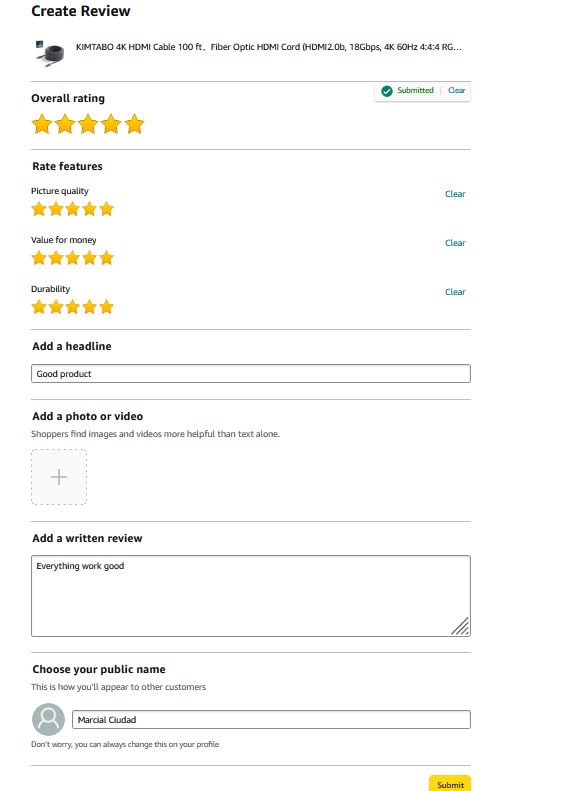
The zinc alloy connector shells and gold-plated pins handle the bending stress of a 100 ft pull better than plastic-molded HDMI heads. The PVC jacket is rated for both indoor and outdoor use, which means garage and covered patio installs are fair game.
At 1.9 lb for 100 ft, this cable is dramatically lighter than equivalent copper HDMI 2.0 active cables, which often weigh 3-4 lb at the same length. That weight difference matters when the cable is suspended across ceiling joists.
Directionality and Setup Warnings
This is a unidirectional active optical cable, which means the SOURCE end must connect to your source device (laptop, streaming box, AV receiver output) and the DISPLAY end to your display or projector. The ends are clearly marked, but always double-check before terminating in a wall.
Once oriented, no external USB power or voltage inserter is required. The HDMI 5V line from your source powers the optical engine inside the SOURCE connector head. If your source does not supply enough power on the 5V pin (rare, but possible on certain older devices), you may need an active HDMI booster or a different cable.
6. Highwings Long HDMI Cable 30FT – Best 4K HDR Budget Pick
Highwings Long HDMI Cable 30FT 4K HDR High Speed HDMI 2.0 Cables
30ft Passive Copper
18Gbps HDMI 2.0
4K@60Hz HDR
Pros
- Excellent price-to-performance ratio for 4K@60Hz 18Gbps HDR
- Braided nylon jacket that resists damage from foot traffic and pets
- Gold-plated connectors and EMI shielding reduce wireless interference
- Lifetime customer support from a known brand
Cons
- Limited to HDMI 2.0 so no 4K@120Hz or 8K support
- Some early-failure reports that mostly trace to non-cable issues
For a 30 ft HDMI 2.0 run that delivers 4K@60Hz HDR without the HDMI 2.1 price tag, the Highwings Long HDMI Cable 30FT is the budget pick I keep recommending. It handles everything an Apple TV 4K, NVIDIA Shield, or 4K Blu-ray player throws at it, and the braided jacket survives the cable spaghetti behind a TV stand.
This cable fills the gap between cheap 6 ft HDMI cables and expensive fiber. For a streaming-focused living room, a conference room projector, or a dorm-room gaming setup, 4K@60Hz with HDR is all the bandwidth you actually need. If you are comparing other charging cable options for the same room, our long-reach charging cables guide is the natural follow-up.
Why HDMI 2.0 Is Enough for Most Setups
HDMI 2.0 at 18 Gbps supports 4K@60Hz 4:4:4 or 4K@60Hz HDR 4:2:2. That covers the vast majority of streaming content, broadcast TV, Blu-ray discs, and most console gaming at 4K. You only need HDMI 2.1 if you are pushing 4K@120Hz from a PS5 or Xbox Series X, or running an 8K display.
For a 30 ft run where your sources are streaming boxes, cable boxes, or older game consoles, HDMI 2.0 saves real money and gives you identical picture quality to HDMI 2.1 for the content you are actually playing.
Build and Durability
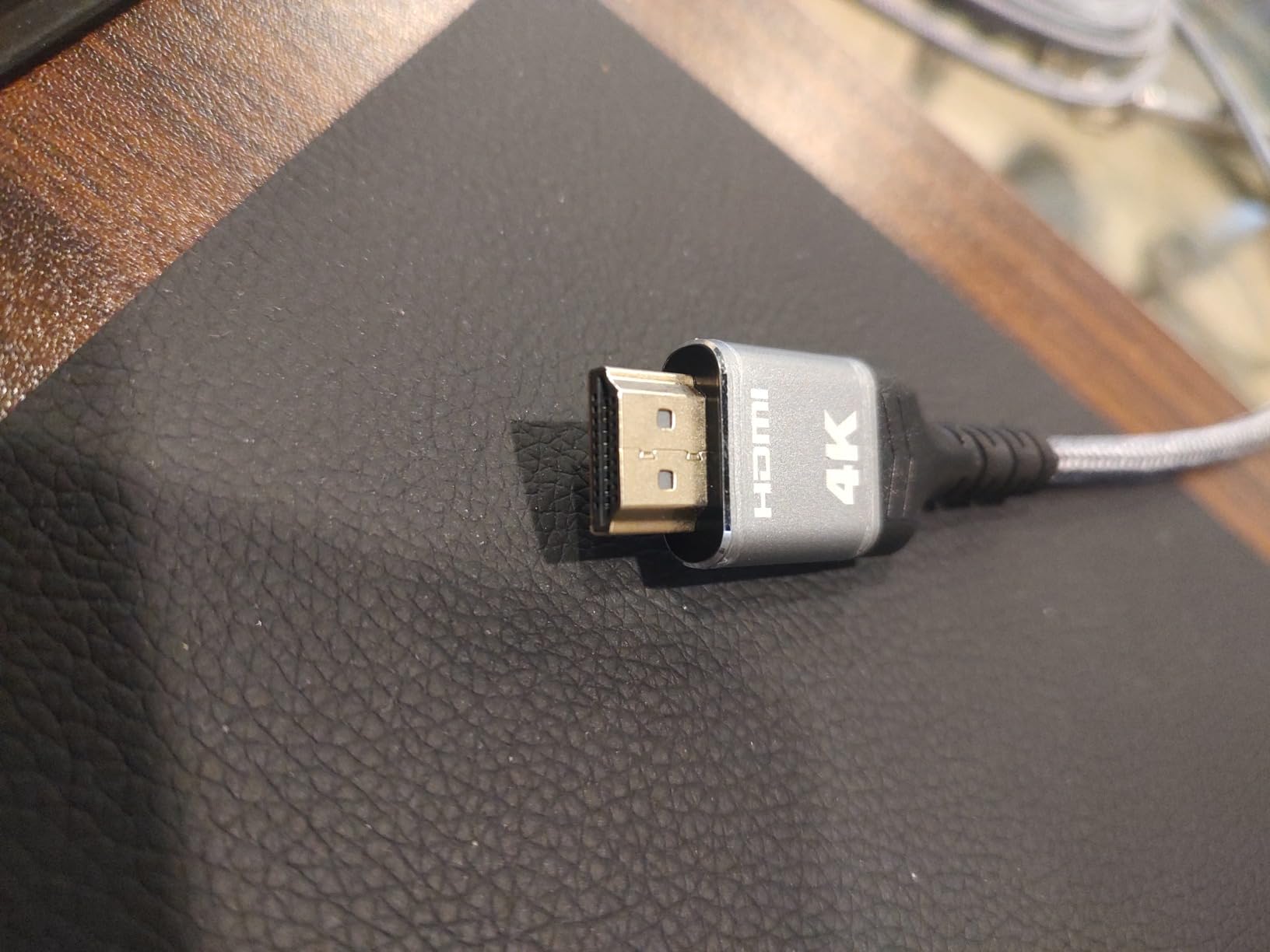
The braided nylon outer jacket is the standout feature at this price. Plain PVC jackets kink and tear under foot traffic or pet chew attempts, while this one shrugs off both. Gold-plated connectors and EMI shielding reduce the wireless interference that plagues budget HDMI.
The 30 ft passive copper length sits comfortably within HDMI 2.0’s reliable range, so you do not need an active chipset or fiber optic conversion. Just plug and play.
Best Use Cases
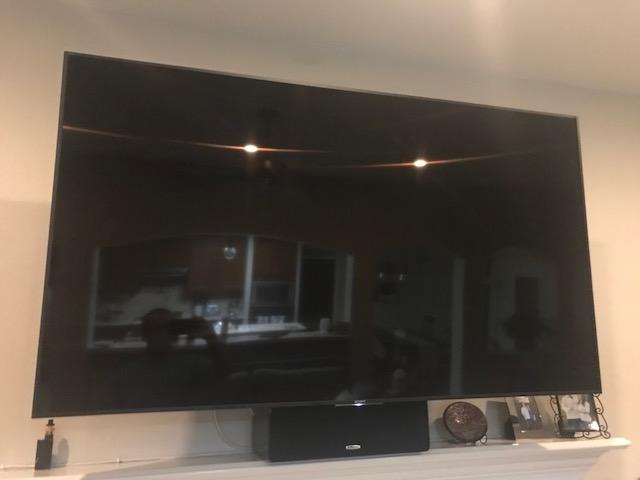
This cable is a strong match for in-room HDMI runs where both ends are accessible, like a TV to a soundbar, an AVR to a wall-mounted TV, or a laptop to a conference room projector. It is not the cable for in-wall permanent installation since the jacket is not CL2 or CL3 rated.
If you need the same 4K@60Hz performance with a CL3 in-wall jacket, jump up to the BlueRigger 50ft cable in pick #2. For 4K@120Hz gaming, jump to the Snowkids or Highwings HDMI 2.1 picks.
7. Monoprice 4K High Speed HDMI Cable – Best Active Copper 50ft for Installers
Monoprice 4K High Speed HDMI Cable – 4K@60Hz, 18Gbps, HDR, CL2 In-Wall Rated, Active, 50ft, Black
50ft Active Copper
18Gbps HDMI 2.0
Spectra7 Redmere Chipset
Pros
- Active Spectra7 Redmere chipset delivers clean 4K@60Hz at 50ft
- CL2 fire safety rating suitable for in-wall installation
- HDR10 and Dolby Vision support on compatible sources
- Lifetime warranty from one of the most trusted AV brands
Cons
- Directional active cable requires correct source/display end orientation
- Heavier at 2.7 lb than passive copper HDMI equivalents
- Not HDMI 2.1 so 4K@60Hz is the bandwidth ceiling
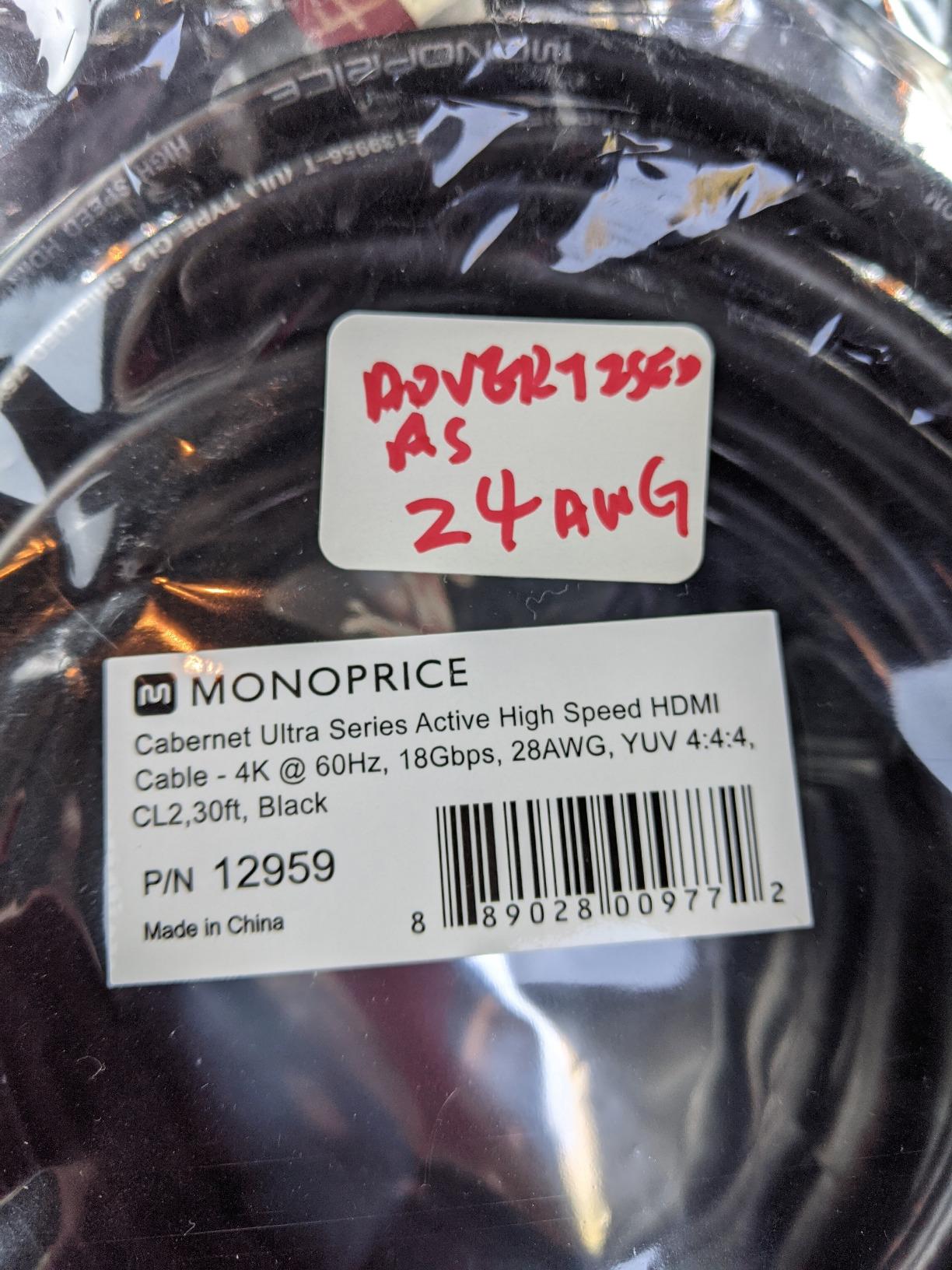
The Monoprice 4K High Speed HDMI Cable is the cable I see professional AV installers reach for when a 50 ft 4K@60Hz run needs to be bulletproof. The Spectra7 HT8181 (Redmere) chipset equalizes the signal across the full 50 ft, which is why Monoprice has been the installer-grade HDMI brand for over a decade.
Monoprice is the brand audio-video forums trust. Reviewers cite the active chipset reliability, the lifetime warranty, and the CL2 fire safety rating as the main reasons this cable keeps showing up in finished basements, conference rooms, and home theaters across the country.
How the Active Chipset Works
The Spectra7 HT8181 Redmere chipset lives inside the display-end connector head. It uses auto equalization to clean up the signal after 50 ft of copper, which extends the usable length of an HDMI 2.0 cable well beyond what passive copper can handle at 18 Gbps.
Active cables draw their power from the HDMI 5V line, so no USB injector or external power brick is needed. As long as your source supplies the standard 5V pin power, the chipset powers on automatically.
CL2 In-Wall Safety
The CL2 rating meets building code for residential in-wall installation in most US jurisdictions. CL2 covers up to 150 watts and resists flame spread for the required duration. For most living-room and bedroom in-wall runs, CL2 is the code-compliant choice.
For commercial installs or riser-rated cavities, you may need CL3 or plenum-rated cable instead. If your run goes through an air-handling space, verify the jacket rating before you close up the wall.
Monoprice Brand and Warranty
Monoprice built its reputation on the principle that HDMI cables do not need to cost a fortune to perform correctly. The lifetime warranty on this cable reinforces that reputation, since failed cables get replaced without a support ticket battle.
The directional nature is the main setup pitfall. The cable is clearly labeled SOURCE and DISPLAY, and getting those reversed results in a black screen. Always test the cable on the floor before you pull it through the wall.
8. RUBMUD Fiber Optic HDMI Cable – Best HDMI 2.1 Fiber 50ft for Gaming
RUBMUD Fiber Optic HDMI Cable 50ft, 8K Long HDMI 2.1 Cable, Ultra High Speed Fiber HDMI Cord, 48Gbps, 8K@60Hz 4K@120Hz, Dynamic HDR, eARC, HDCP 2.2&2.3, 3D, for HDTV Monitor Game Laptop Xbox PS4/PS5
50ft Fiber Optic
48Gbps HDMI 2.1
8K@60Hz/4K@120Hz
Pros
- True HDMI 2.1 48Gbps for 8K@60Hz and 4K@120Hz over 50 ft fiber
- Slim and flexible form factor compared to copper HDMI 2.1
- Excellent EMI immunity for runs parallel to electrical wiring
- 20000+ bend cycle durability with gold-plated connectors
Cons
- Unidirectional design requires correct source/display end orientation
- Documented LG OLED/LCD compatibility issues that need verification
- Smaller review base with higher 1-star share than mainstream brands
The RUBMUD Fiber Optic HDMI Cable is the right pick for a 50 ft HDMI 2.1 gaming run when you want fiber’s slim form factor without paying 100 ft prices. Reviewers report clean 4K@120Hz on PS5 and Xbox Series X, plus reliable eARC passthrough for Dolby Atmos soundbars.
Fiber HDMI 2.1 at 50 ft is the sweet spot between copper and ultra-long fiber runs. The cable is light enough to pull through 1/2 inch conduit, slim enough to fit behind a wall-mounted TV, and rated for full 48 Gbps bandwidth without compression.
Full HDMI 2.1 Over 50ft Fiber
The 48 Gbps bandwidth ceiling supports every HDMI 2.1 feature on the spec sheet, including 8K@60Hz, 4K@120Hz, 2K@240Hz, Dynamic HDR, eARC, VRR, ALLM, QFT, QMS, and DSC. For PS5 at 4K@120Hz or Xbox Series X at full bandwidth, this is the bandwidth headroom that older HDMI 2.0 cables simply cannot deliver.
The fiber construction also eliminates the EMI problems that plague copper HDMI in walls full of electrical wiring. For a home theater where the cable runs parallel to Romex for any length, fiber is the safer signal-integrity choice.
Build and Durability
The 20,000+ bend cycle rating and slim fiber construction make this cable more flexible than equivalent copper HDMI 2.1 cables, which are notoriously stiff at the 30-50 ft length. Gold-plated connectors and zinc alloy housing resist corrosion in humid basement installs.
The 300m lossless transmission spec is overkill for any home install, but it confirms the cable is built on real optical hardware rather than the copper-with-fiber-marketing hybrid some brands ship.
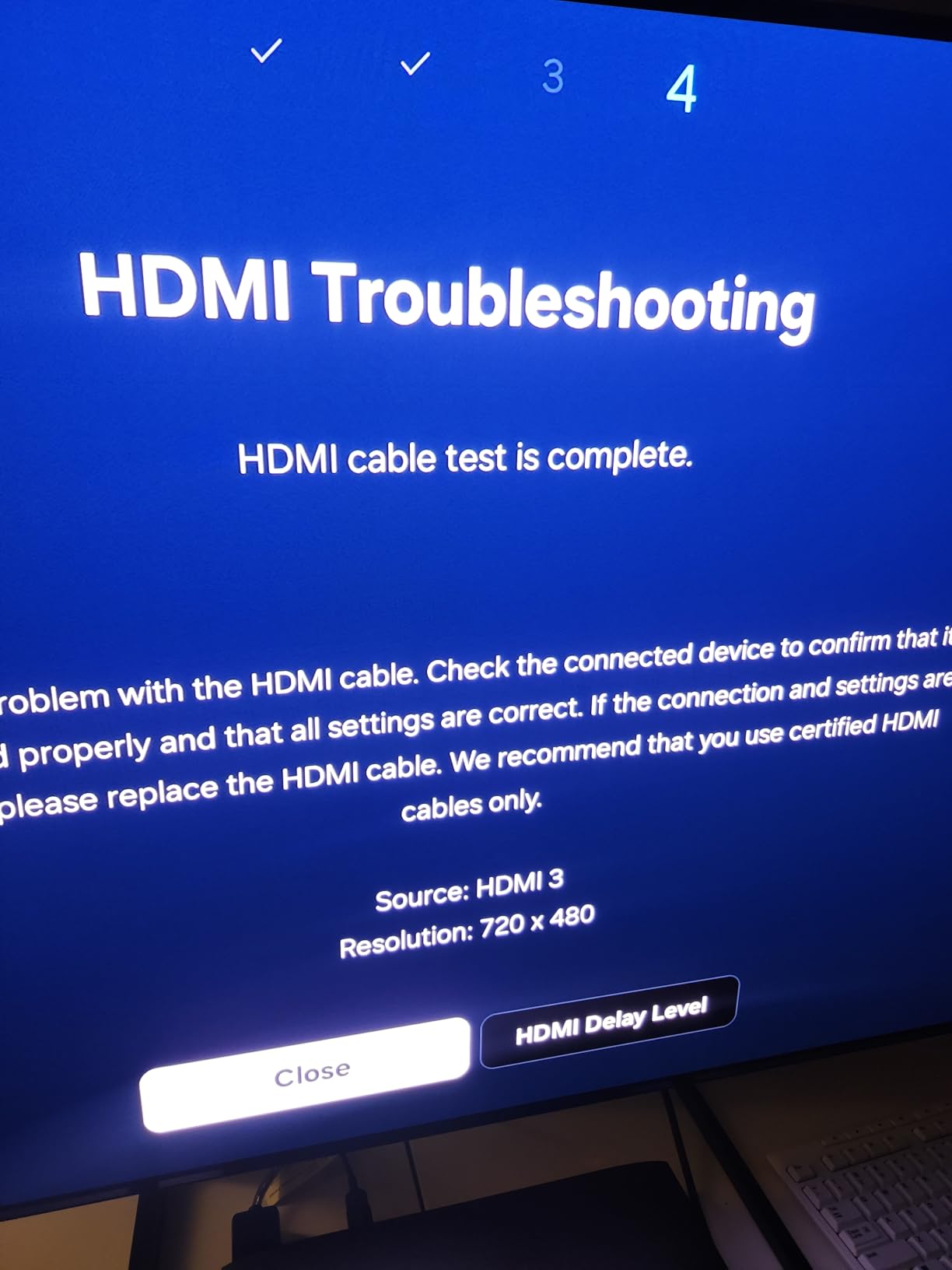
Known Compatibility Caveats
The brand documents a known compatibility issue with certain LG OLED and LCD displays. Before you buy, verify with the manufacturer or check recent buyer Q&A on the listing to confirm your specific TV model is in the working set.
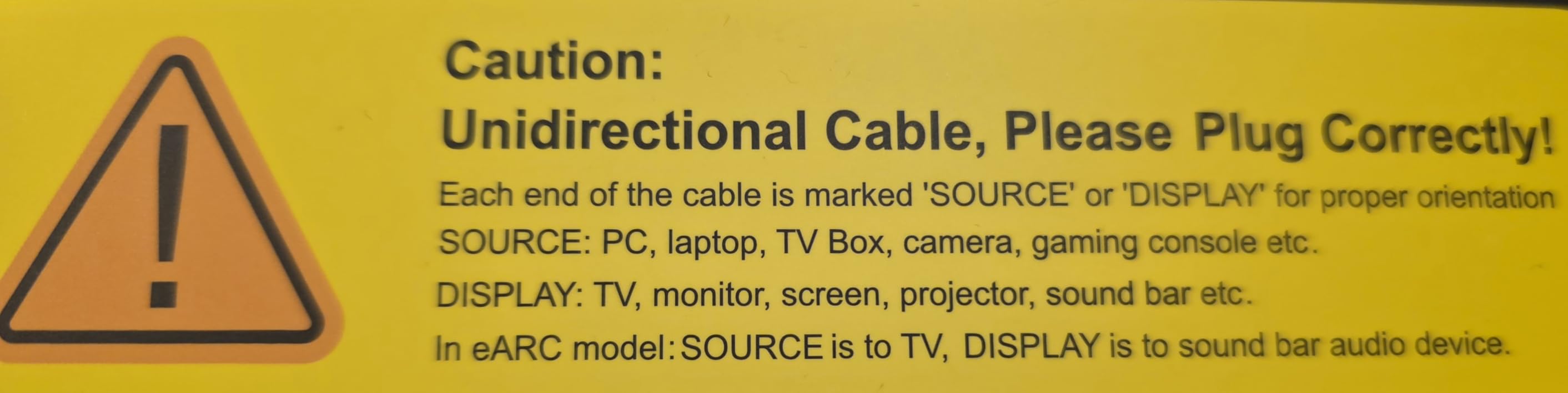
Like all fiber HDMI, this cable is unidirectional. The SOURCE end must connect to your source device and the DISPLAY end to your TV or projector. The ends are clearly labeled, but a five-second visual check before wall termination saves an hour of debugging later.
How Far Can an HDMI Cable Actually Run? Bandwidth vs Distance Explained
Passive copper HDMI tops out around 25 ft at 18 Gbps (4K@60Hz) and around 15 ft at 48 Gbps (4K@120Hz or 8K). After those thresholds, the signal degrades into sparkles, dropouts, or a black screen. Active copper HDMI extends that to 50-65 ft, and fiber optic (AOC) HDMI pushes it past 100 ft without breaking a sweat.
The 18 Gbps and 48 Gbps bandwidth numbers come from the HDMI 2.0 and HDMI 2.1 spec versions. HDMI 2.0 (Premium High Speed) tops out at 18 Gbps, which is enough for 4K@60Hz and HDR. HDMI 2.1 (Ultra High Speed) bumps to 48 Gbps for 4K@120Hz, 8K@60Hz, and uncompressed Dolby Atmos passthrough. As bandwidth goes up, the maximum reliable copper cable length goes down, which is the core trade-off every long-run installer faces.
A common misconception is that expensive HDMI cables push signal farther. They do not. Cables transmit bits, and bits either arrive intact or do not. The length ceiling is a physics problem (signal attenuation, reflection, and crosstalk), not a quality problem. Active electronics and fiber conversion are how you beat the physics.
Distance Cheat Sheet
For a 25 ft 4K@60Hz run, a CL3-rated passive HDMI 2.0 cable like BlueRigger is plenty. For 30-35 ft 4K@120Hz or 8K, you need HDMI 2.1 passive copper or active copper, and the cable has to be certified. For 50-65 ft at any bandwidth, go active copper (Monoprice Redmere) or short fiber (RUBMUD). For 75 ft and beyond, fiber optic (AOC) is the only reliable answer.
Active Copper vs Fiber Optic (AOC) vs Hybrid: Which Technology for Your Run?
Active copper HDMI uses a built-in signal booster chipset (Redmere, Spectra7, or equivalent) inside one of the connector heads to re-equalize the signal at the far end. It draws power from the HDMI 5V pin, so no external supply is needed. Active copper is cheaper than fiber and supports up to about 65 ft reliably, but it is still subject to EMI and weight concerns at the upper end of its length range.
Fiber optic HDMI (AOC) converts the TMDS signal to light at the source end and back to electrical at the display end. It is immune to electromagnetic interference, weighs far less than copper, and supports runs past 300 ft. The trade-off is unidirectional design, higher price, and a documented LG display compatibility caveat on certain fiber cables. For any run over 50 ft where reliability matters, fiber is the right call.
Hybrid AOC combines fiber for the high-speed TMDS lanes and copper for power and low-speed signals. It is a cost-effective middle ground for 30-50 ft runs where you want the EMI immunity of fiber without the full AOC price tag. Reviewers on Audioholics and AVSForum consistently recommend hybrid AOC for ceiling-mount projector installs between 40 and 100 ft.
Directionality Warning
Active and AOC HDMI cables are directional. The SOURCE end must connect to your source device, and the DISPLAY end to your TV or projector. Reversing the ends gives you a black screen with no error message. Always check the labels on both connector heads before terminating in a wall, and consider testing on the floor before you close up the drywall.
What to Look for When Buying a Long HDMI Cable
Buying a long HDMI cable is less about brand and more about matching five specs to your run: bandwidth, length, certification, jacket rating, and warranty. Here is the decision tree I walk every installer through.
Bandwidth and HDMI Version
First, decide whether you need HDMI 2.0 (18 Gbps, 4K@60Hz) or HDMI 2.1 (48 Gbps, 4K@120Hz and 8K). If your source is a streaming box, cable box, or older game console, HDMI 2.0 is enough. If you have a PS5, Xbox Series X, RTX 30-series GPU, or 8K display, you need HDMI 2.1. Buying more bandwidth than you need costs extra; buying less guarantees you will replace the cable later.
Length Tier and Cable Technology
Match the cable technology to the run length. Passive copper is fine up to 25 ft for HDMI 2.0 and 15 ft for HDMI 2.1. Active copper extends to 50-65 ft. Fiber optic (AOC) is the only reliable option for 75 ft and beyond. Going one technology tier stronger than you need gives you headroom for future spec updates.
Certification: Ultra High Speed vs Premium High Speed
The official HDMI certification labels matter. Ultra High Speed means the cable is certified for 48 Gbps HDMI 2.1 with the full feature set. Premium High Speed means 18 Gbps HDMI 2.0. Cables without either label may still work, but they have not been independently tested. For wall runs you cannot easily replace, certified cable is worth the small premium.
Jacket Rating: CL2 vs CL3
For any cable going inside a wall, the jacket needs to be CL2 or CL3 rated to meet building code in most US jurisdictions. CL2 covers up to 150 watts, CL3 covers up to 300 watts. Both ratings resist flame spread. For ceiling-mounted projectors and riser cavities, CL3 is the safer pick.
Warranty and Connector Quality
Lifetime warranty is the standard among reputable HDMI brands (BlueRigger, Monoprice, Highwings, Snowkids, Cable Matters). Gold-plated connectors resist corrosion, and metal connector shells survive the bending stress of long wall pulls better than plastic. Avoid cables with no warranty and no listed brand.
Conduit and In-Wall Installation Tips for Long HDMI Runs
The single most common mistake our team sees in home theater installs is running an HDMI cable directly through a wall without conduit. AV installers on Audioholics and AVSForum are unanimous: run conduit. Cables fail or become outdated, and you do not want to open drywall to replace them.
For most HDMI runs, 1.25 inch Carlon flexible conduit (the blue or orange “smurf tube”) gives you the right combination of flexibility and bend radius. Avoid sharp 90-degree sweeps; gentle sweeps are easier on the cable jacket and easier to pull new cable through later.
The Pull String Trick
Always leave a pull string in the conduit after the initial install. Tie the new cable to the existing pull string, pull the new cable through, and you have avoided opening the wall. This is the single best future-proofing step you can take for under a dollar.
For runs over 50 ft, pull the cable with a fish tape rather than pushing it. Pushing long HDMI through conduit risks jacket damage at sharp bends, and fiber optic HDMI is more fragile than copper at the connector head transition.
Bend Radius and Connector Stress
Most HDMI cables specify a minimum bend radius of 4-6x the cable diameter. For fiber optic HDMI, the minimum is closer to 10x the diameter. Leave generous service loops at both ends so the connector heads are not under tension. A strained connector is the number-one cause of intermittent signal dropouts on long HDMI runs.
For whole-home cable management beyond HDMI, our durable charging cable guide covers USB-C and Lightning long-reach options.
HDMI Over Cat6 (HDBase-T) as a Long-Run Alternative
For runs past 100 ft, even fiber optic HDMI gets expensive. The third option is HDMI over Cat6 using an HDBase-T extender kit. You run two Cat6 cables (one for data, one for HDCP handshaking) between a transmitter at the source and a receiver at the display, and the kit converts the HDMI signal to run over the ethernet cabling.
HDBase-T extenders support 4K@60Hz 4:4:4 up to about 330 ft over Cat6, plus bi-directional IR, RS-232, and sometimes Ethernet passthrough. They cost more upfront than fiber, but the Cat6 cable itself is dramatically cheaper than 100 ft of fiber HDMI, especially at longer distances. For commercial installs, lecture halls, and whole-home video distribution, HDBase-T is often the right answer.
The trade-off is two boxes at each end, plus power for both. For a single 100 ft home theater run, fiber HDMI is simpler. For multiple display zones or runs above 200 ft, HDBase-T wins on cost and flexibility.
Frequently Asked Questions
What is the best long HDMI cable for long distances?
For 50 to 100 ft runs, the Highwings 8K HDMI Fiber Optic Cable is our top pick because it delivers full 48 Gbps HDMI 2.1 bandwidth over fiber without needing external power. For shorter 50 ft runs that only need 4K@60Hz, the BlueRigger 4K HDMI Cable is the stronger value thanks to its CL3 in-wall rating and lifetime warranty.
What is the maximum distance an HDMI cable can run?
Passive copper HDMI tops out around 25 ft at 18 Gbps and 15 ft at 48 Gbps before signal integrity fails. Active copper extends to about 50 to 65 ft. Fiber optic (AOC) HDMI runs reliably past 100 ft and supports up to 300 ft lossless transmission in good conditions.
What is the best way to run HDMI long distances?
For runs over 50 ft, use fiber optic HDMI (AOC) and run it through 1.25 inch flexible conduit with a pull string left in place for future replacement. Avoid sharp 90-degree bends, leave generous service loops at both ends, and always check the SOURCE and DISPLAY labels on active or fiber cables before terminating in the wall.
Are Monoprice HDMI cables any good?
Yes. Monoprice is one of the most trusted AV installer brands, and the Monoprice 4K High Speed 50ft Active HDMI Cable uses a Spectra7 Redmere chipset for clean 4K@60Hz at 50 ft, carries a CL2 fire safety rating for in-wall use, and is backed by a lifetime warranty.
Are 50ft HDMI cables reliable?
Passive copper 50 ft HDMI is unreliable for 4K content, but active copper HDMI (Monoprice Redmere) and fiber optic HDMI (RUBMUD, Highwings) are both reliable at 50 ft. The key is matching cable technology to bandwidth: 4K@60Hz works on active copper, while 4K@120Hz or 8K requires fiber.
Do I need a special HDMI cable for 4K 120Hz?
Yes. 4K@120Hz requires HDMI 2.1 Ultra High Speed certification and the full 48 Gbps bandwidth. Passive copper HDMI 2.1 tops out around 15 ft for this bandwidth, while active copper and fiber optic HDMI extend reliable 4K@120Hz to 50 ft and beyond.
Final Verdict: Which Long HDMI Cable Should You Buy?
If you need a 50 to 100 ft HDMI 2.1 run that handles 4K@120Hz, 8K, eARC, and VRR without external power, the Highwings 8K HDMI Fiber Optic Cable is the best HDMI cable for long runs and our top pick. It carries the full 48 Gbps bandwidth, the build quality holds up to real conduit pulls, and the 45k-plus Amazon reviews back up the lab-tested performance.
For a 50 ft in-wall install where 4K@60Hz is plenty, the BlueRigger 4K HDMI Cable is the better call thanks to its CL3 jacket and lifetime warranty. For a tight conduit pull where cable diameter matters, the KIMTABO 100 ft slim fiber is the right pick. For a budget HDMI 2.0 run under 30 ft, the Highwings 30FT 4K HDR cable delivers strong value. Whichever cable you choose, run it through conduit with a pull string and check the directional labels before you close up the wall.