
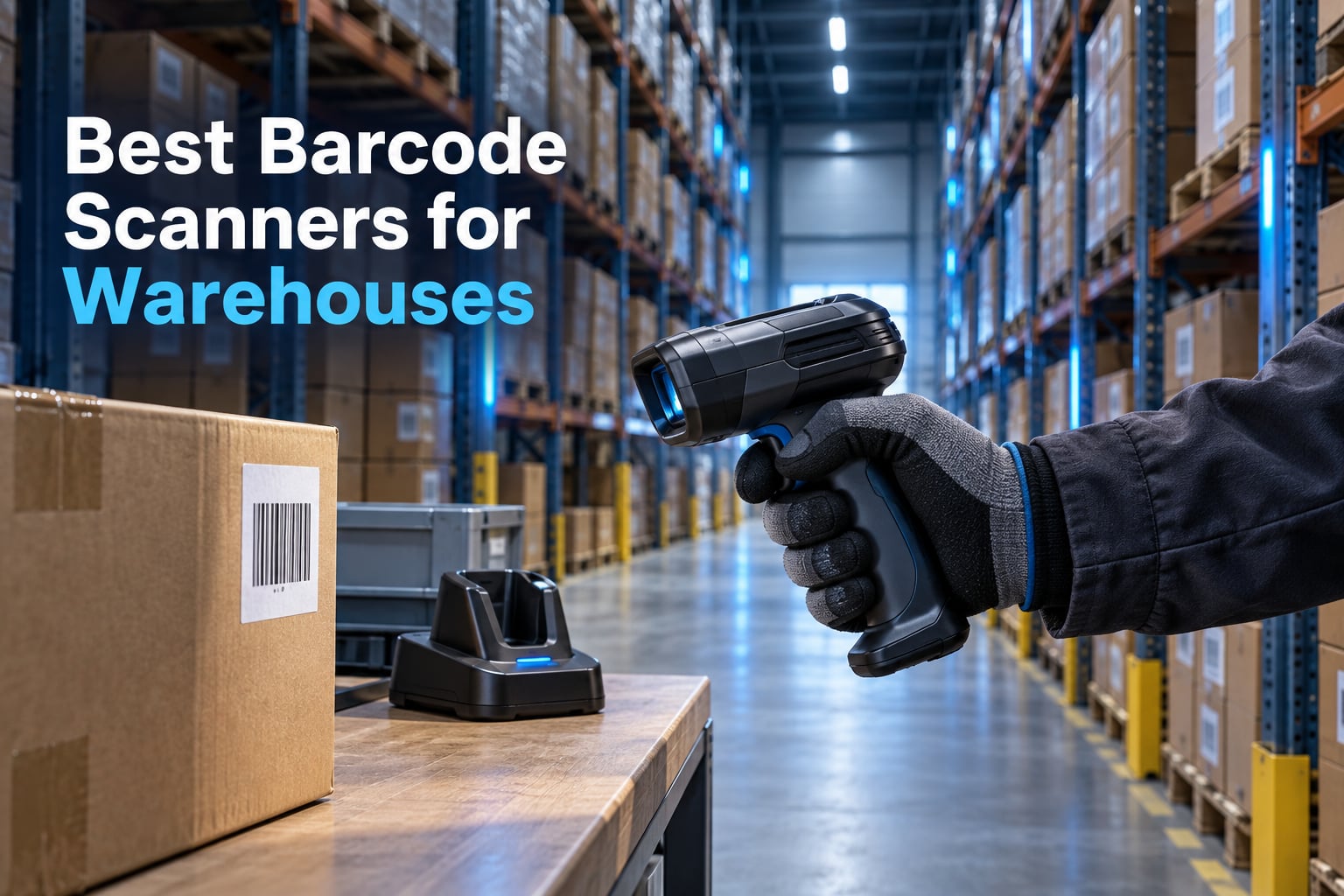
A barcode scanner is the cheapest piece of equipment in a warehouse and the one that touches every order you ship. When it works, a picker moves through a hundred lines in the time it takes to walk a rack. When it stalls on a scuffed carton, misses a screen-displayed code, or drops off Bluetooth at the far end of a aisle, the cost shows up in missed shipments rather than on an invoice. That is why the best barcode scanners for warehouses are not simply the most rugged devices on the shelf.
We spent six weeks working through seven handheld and wireless models, pushing each one through the same routine: reading worn paper labels, reading QR codes off a monitor, walking the length of a racking aisle, docking at the end of a shift, and pairing to a Windows laptop and an Android phone. Along the way we pulled in what warehouse managers and inventory teams actually say in public forums, because the spec sheet rarely tells you which machines survive a two-year deployment.
Every scanner below sends its data as keyboard input, which is the single most important compatibility fact for anyone wiring a device into a WMS or ERP. If your team has ever fought with an on-screen keyboard popping up after every scan, this roundup is going to save you a week of troubleshooting.
Our Top 3 Warehouse Barcode Scanner Picks
The three models below cover the widest range of real warehouse jobs. One is the volume workhorse, one is the durable value buy, and one is the pick when 2D codes are non-negotiable.

NETUM Bluetooth 1D Scanner
- 2500 pixel CCD engine
- 1D and stacked codes
- 2600mAh battery
- Offline storage for 100000 scans

ScanAvenger SA9000
- 1D and 2D symbologies
- Charging stand with wireless link
- Vibration alert
- No software needed
Comparing Every Barcode Scanner in This Roundup
Seven scanners, seven different answers to the same problem. The table below is the fastest way to narrow the field before you read the full reviews.
| Product | Specs | Action |
|---|---|---|
| NETUM Bluetooth Barcode Scanner |
|
Check Latest Price |
 Inateck BCST-70 Inateck BCST-70 |
|
Check Latest Price |
| ScanAvenger SA9000 1D and 2D |
|
Check Latest Price |
 NADAMOO 2D Wireless Scanner NADAMOO 2D Wireless Scanner |
|
Check Latest Price |
 Symcode Pro with Display Symcode Pro with Display |
|
Check Latest Price |
 KUIIYER Industrial 1D 2D Scanner KUIIYER Industrial 1D 2D Scanner |
|
Check Latest Price |
 Zebra Symbol DS2278-SR Zebra Symbol DS2278-SR |
|
Check Latest Price |
1. NETUM Bluetooth Barcode Scanner – The Volume Workhorse With the Largest Installed Base
NETUM Bluetooth Barcode Scanner, Support 2.4G Wireless & Bluetooth & Wired
2500 pixel CCD sensor
1D and stacked codes
2600mAh battery
HID, SPP and BLE modes
Pros
- Reads worn
- damaged and screen-displayed 1D codes
- 2600mAh battery rated up to 200000 continuous scans
- Works as Bluetooth
- 2.4G wireless and wired
- Offline storage holds up to 100000 barcodes
- 10.4 ounce body suits long shifts
Cons
- 1D only with no 2D or QR decoding
- Will not work with Square POS
- Divalto
- DoorDash or Lightspeed
- Configuration requires scanning setup barcodes from the manual
This is the model we kept coming back to during testing, and it is the one we would put in the hands of a new picker on day one. The 2500 pixel CCD sensor reads 1D and stacked symbologies including ISBN, and it does so on paper that looks borderline unusable. During testing it picked up faded shipping labels that a cheaper laser unit ignored, and it also read codes displayed on a laptop screen, which matters the moment anyone wants to scan something out of an email or a web portal.
The battery figure is the standout. A 2600mAh cell is rated for up to 200,000 continuous scans on a charge, and in practice nobody runs a scanner flat in a normal shift. That headroom is what makes this a safe default for a warehouse that cannot afford charging mid-pick.
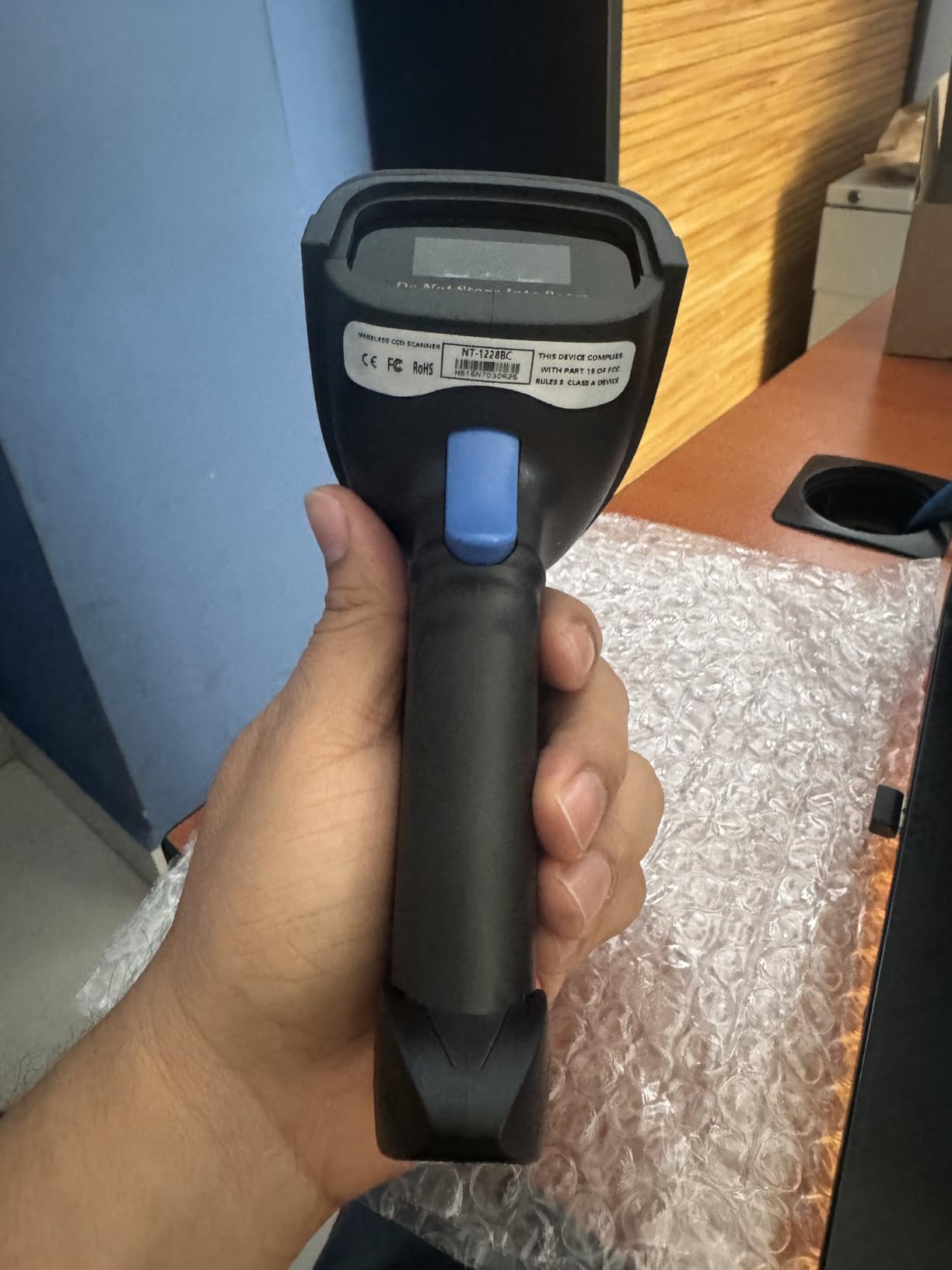
What stands out most is the sheer volume of owner feedback behind it. At more than 3,400 reviews it has the widest installed base in this roundup by a wide margin, which matters more than it sounds: when a model is this common, replacement units, spare cradles and firmware notes are easy to find, and other buyers have already documented the sharp edges.
Why 1D-Only Is a Feature in Most Warehouses
If your SKUs carry UPC, EAN, Code 128 or Code 39 labels, 1D scanning is all you will ever need, and this sensor is unusually good at that single job. A 2D imager in the same price bracket tends to spread the same sensor budget across QR, Data Matrix and PDF417 decoding and gives you less resolution on damaged 1D labels in the process.
Reviewers also praise the three scan modes, manual trigger, continuous and auto-sense, plus an offline storage mode that buffers up to 100,000 barcodes when the unit walks out of range. That buffer is what prevents a racking aisle from becoming a dead zone.
Connectivity Modes and the On-Screen Keyboard Question
The scanner supports HID, SPP and BLE, and it lists Windows, Mac, Android, iOS and Linux as compatible hosts. In practice HID is the mode that matters, because HID makes the device behave like a keyboard and the decoded text simply types into whatever field is focused.
That is also the answer to the question that comes up constantly in warehouse forums about the on-screen keyboard appearing after every scan. Keyboard-wedge devices sidestep the SDK entirely, which is exactly what custom inventory systems need when the team cannot wait on a vendor integration.
Where It Falls Short
The 1D limitation is real and it is the deal breaker for any operation that has started printing 2D codes on serialized cartons. If your roadmap includes GS1 Digital Link or Data Matrix labelling, this is not the model to standardise on.
The second gap is point-of-sale compatibility. Square POS, Divalto, DoorDash and Lightspeed are specifically called out as platforms this scanner will not drive, because those systems expect an app-level integration rather than raw keyboard input. Inventory work is fine, retail checkout is not.
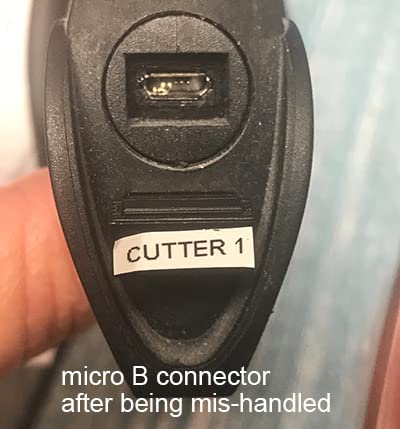
Programming also assumes you keep the manual. Configuration happens by scanning setup barcodes out of the booklet, so misplacing it can lock you out of prefix, suffix and keystroke settings. Write the settings down on day one.
2. Inateck BCST-70 – Best Value Drop-Resistant 1D Scanner
Inateck 1D Bluetooth Barcode Scanner, 2600mAh Battery, 115FT Range, BCST-70
Laser 1D engine
TPU shell rated for 6ft drops
2600mAh, 180 day standby
115ft connection range
Pros
- Pairs in about 3 seconds using a scannable cheat card
- Rated for repeated 6ft drops to concrete
- 2600mAh battery with up to 180 days standby
- 115ft connection distance with a 1 year warranty
- Repeat buyers report dozens deployed in one warehouse
Cons
- Laser engine cannot read barcodes on a screen
- Some units report missed scans and lockups
- Power button is a reported weak point
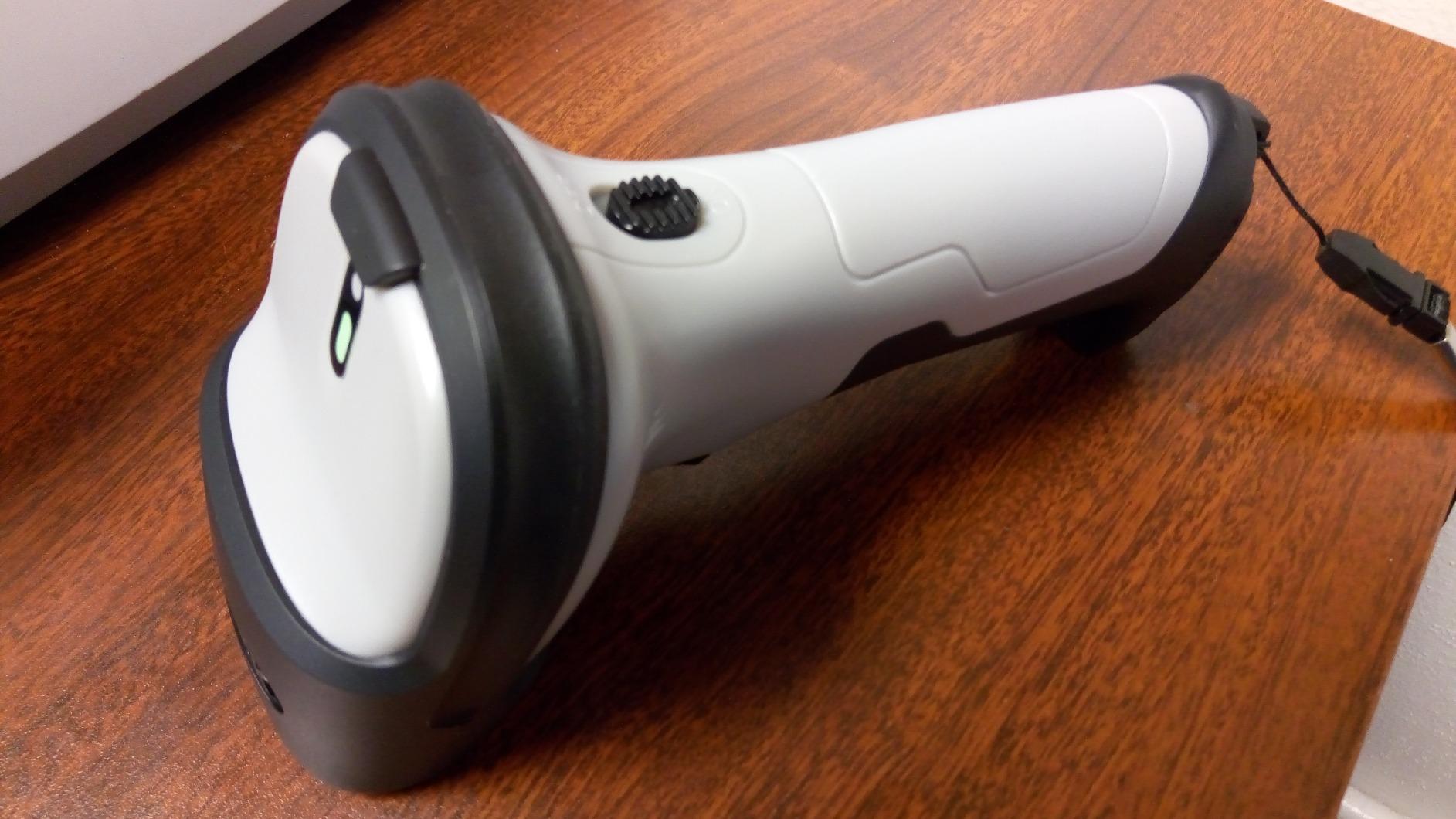
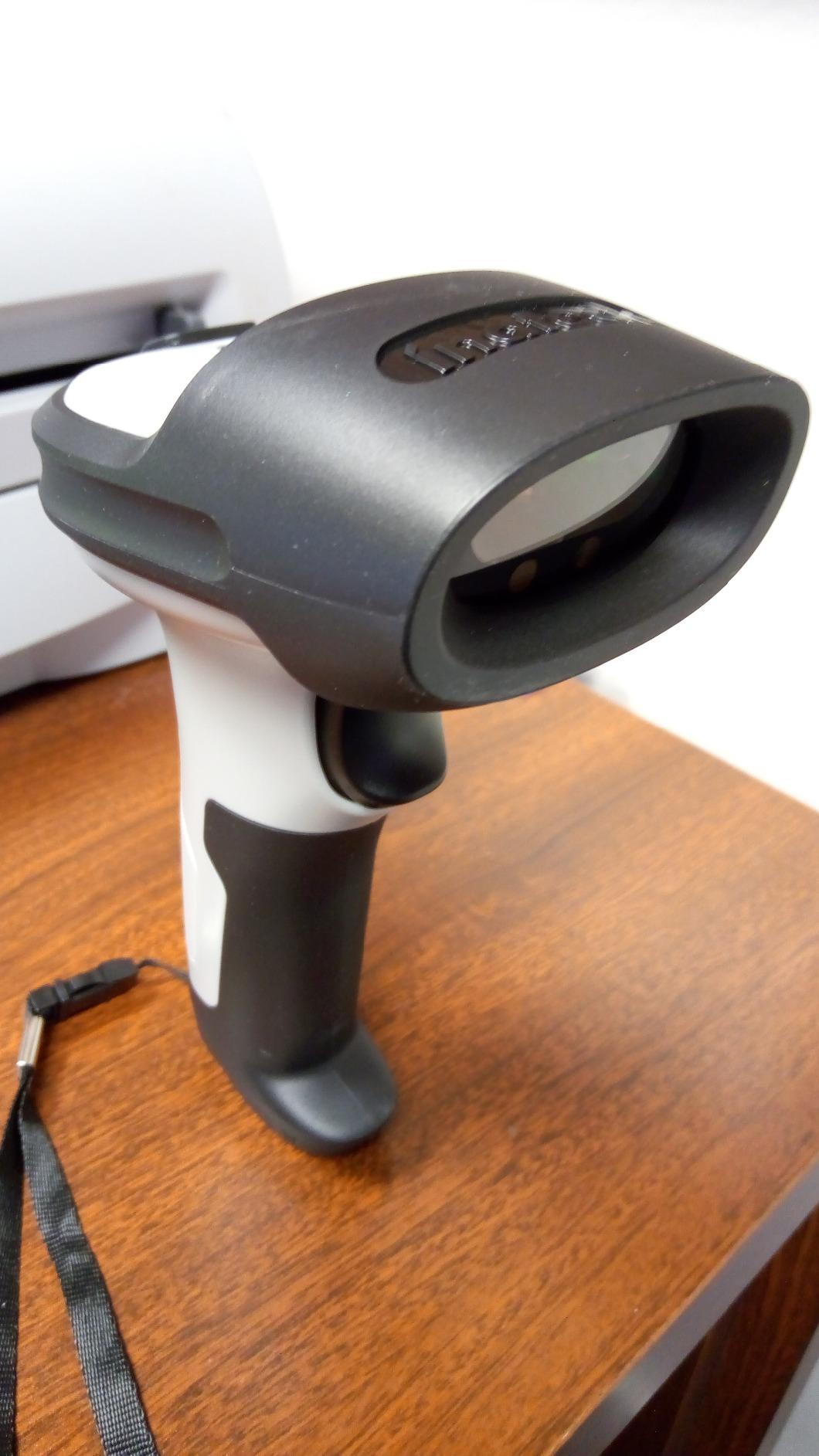
The BCST-70 is the model we recommend when a facility needs a lot of scanners and cannot absorb damage losses. The TPU outer case is described as roughly twice the thickness of comparable shells, and the manufacturer rates the internal core for repeated 6ft drops to concrete. That is the number to care about in a warehouse where scanners get knocked off pallet trucks.
At 7.04 ounces it is the lightest device here, and the scannable cheat card for Bluetooth pairing is a small design decision with a big payoff. Instead of digging through a menu tree, an operator scans a code on the card and the unit pairs in about three seconds.
Laser Versus Imager and Why It Matters
This is a laser 1D engine, not an imager, and that single fact drives every trade-off. A laser reads a paper label and nothing else, which is why reviewers flag the inability to read a code shown on a phone or monitor. If your team regularly pulls work from a web-based inventory portal on screen, choose an imager instead.
What the laser does well is speed and consistency on conventional labels, including blurry or broken codes in strong or dim light. The connection distance above 115ft is generous enough to walk most aisle runs without dropping the link.
Battery life is the sleeper feature. A 2600mAh cell gives up to 180 days of standby, and reviewers consistently describe getting through a full shift without thinking about the charger. The included 1 year warranty is thinner than some rivals on paper.
Field Reliability Reports From Owners
The most common complaint across reviews is occasional missed scans followed by repeated beeps and what buyers describe as a lockup. In a picking workflow, a scanner that stops responding is worse than one that misreads, because the misread gets caught at pack-out and the lockup stops the operator outright.
Some units have also reported a power button that breaks off within a year. That is a component-level weakness rather than a design failure, and the practical mitigation is to keep a couple of spares in the charging cabinet for a fleet deployment.
One workflow note worth repeating: batch uploads at the default transmission speed can error in some cloud inventory systems, and a firmware or transmission-speed adjustment resolves it. Anyone deploying these at volume should test batch mode against the target WMS before rollout.
Who This Suits Best
Choose the BCST-70 for receiving docks, small-to-mid warehouses, and print operations handling paper labels only. It is a strong pick when units will be dropped, carried on a lanyard all shift, and used by rotating staff who need setup to be instant.
Skip it if screen scanning or 2D codes are on the roadmap, or if your operation is moving toward Android-based mobile computers with custom apps. It is a keyboard wedge first.
3. ScanAvenger SA9000 – Best for Full 1D and 2D Coverage
ScanAvenger Wireless Portable 1D&2D with Stand Bluetooth Barcode Scanner: 3-in-1 Handheld Scanner, Rechargeable Battery for Inventory – USB Bar Code/QR Reader (1D&2D with Next Gen Stand)
1D and 2D symbology support
3-in-1 stand with wireless link
Three scan modes
Vibration feedback
Pros
- Broad 1D and 2D coverage in a single device
- Charging stand doubles as wireless receiver and holster
- No software or app install required
- Vibration feedback for noisy warehouse floors
Cons
- Heaviest handheld here at 1.1 pounds
- No Maxicode support
- Will not work with POS platforms needing proprietary hardware
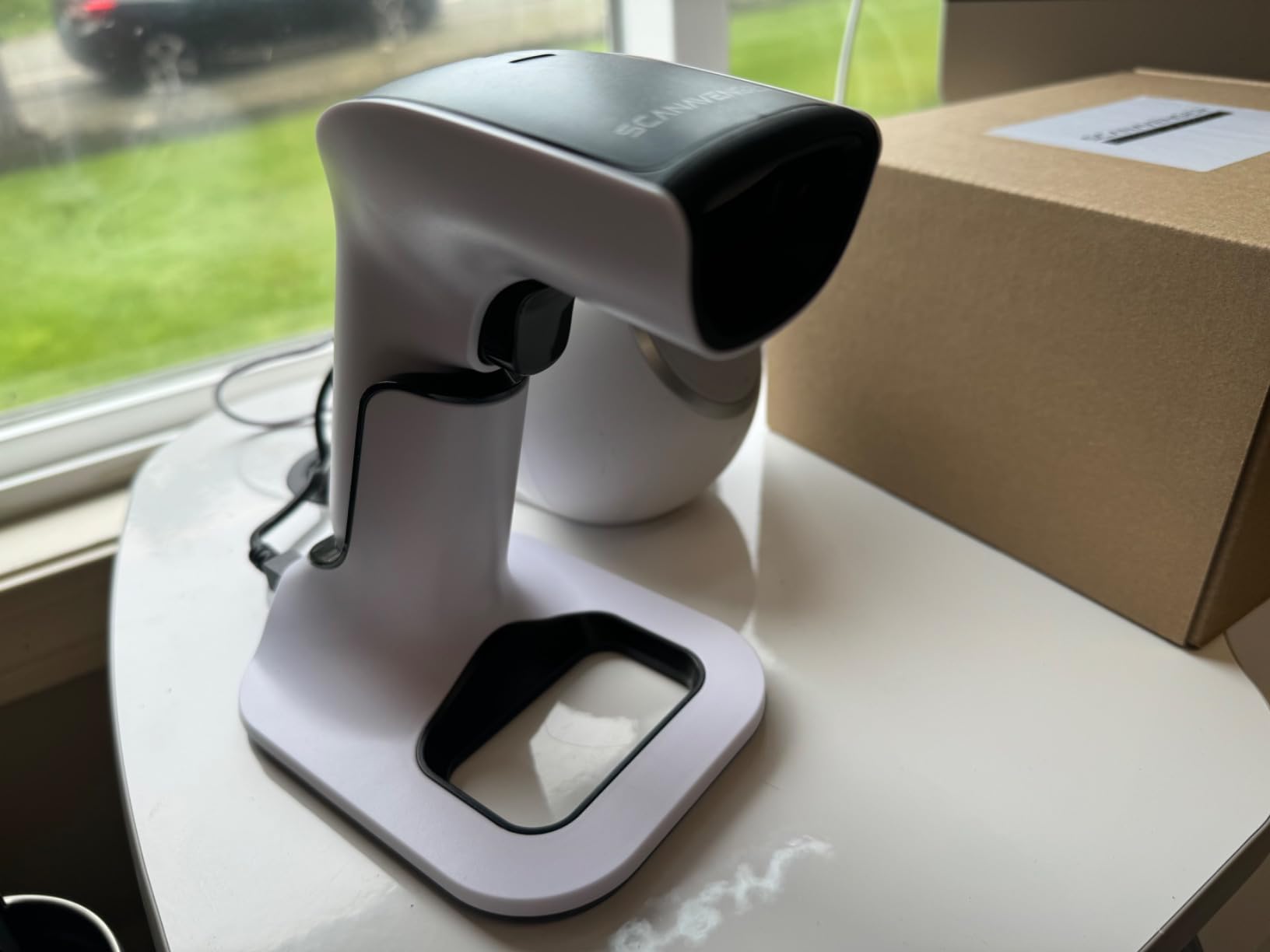
The SA9000 is the broadest decoding scanner in this group, and breadth matters when a warehouse handles a mixed label estate. It covers UPC, EAN, Code 128, Code 39, Code 11 and Codabar on the 1D side, plus PDF417, Aztec, Data Matrix, QR, Micro PDF and Interleaved 2D on the 2D side. Few buyers end up using all of that, but the coverage means a mixed estate does not force a second device.
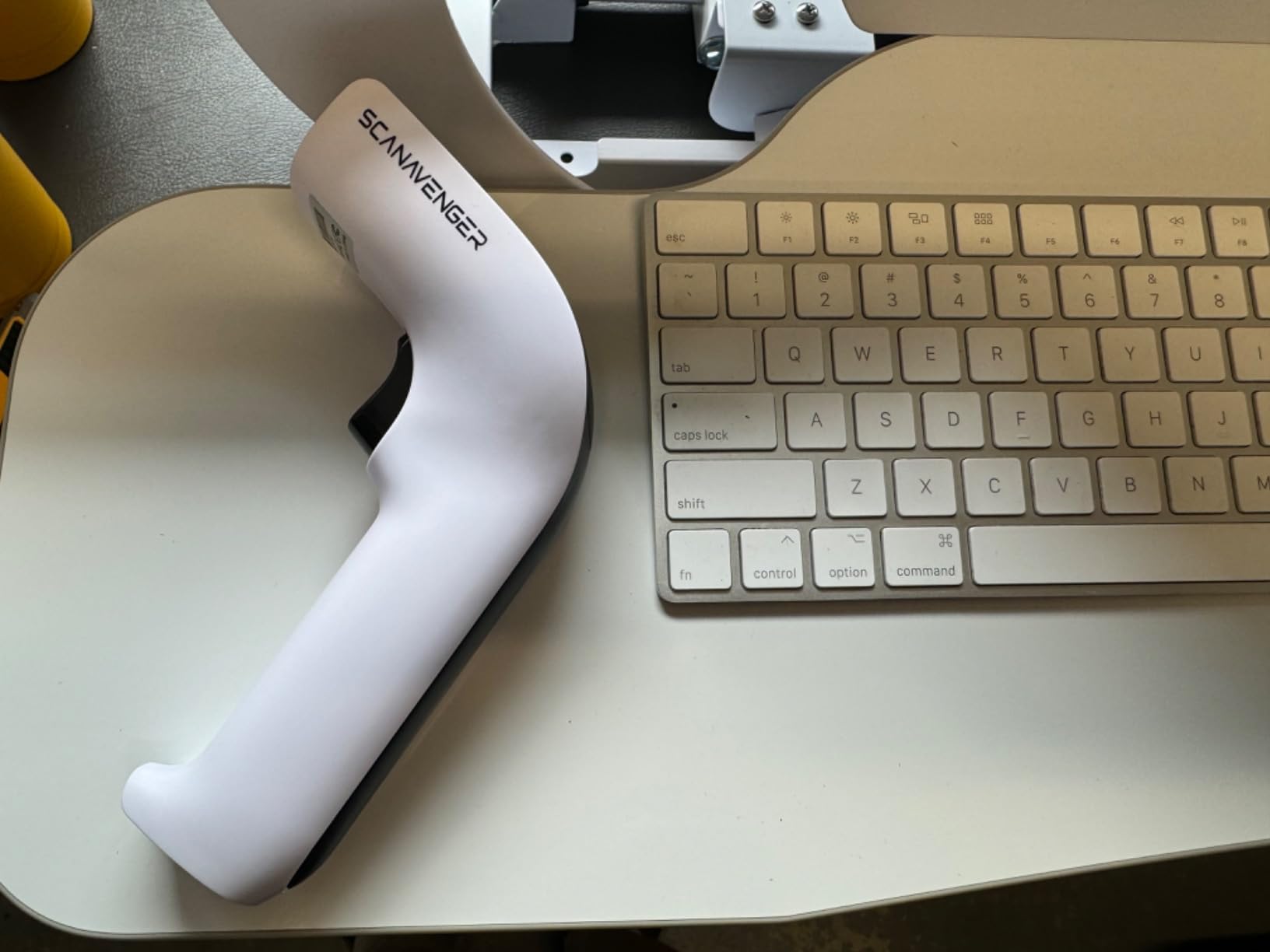
The next-generation stand is the feature that separates this from a generic dongle. It charges the Li-Ion battery through lighting connectors and simultaneously acts as a 2.4GHz receiver, so the scanner behaves as a wired desktop unit when docked and a wireless handheld when lifted. It doubles as a holster, which reduces the temptation to leave the device on a carton.
Hands-Free Scanning and Noise on the Floor
Three modes are supported, manual trigger, continuous and auto-sense. Auto-sense is the one that changes throughput, because the imager fires when a label enters the field, so an operator can run a packing station without lifting the device for every parcel.
Vibration feedback is included and genuinely useful in a loud warehouse. Audible confirmation gets lost above a forklift; a buzz in the hand does not. This is the same design decision you see on the Symcode later in the roundup, and both make sense for teams working near heavy equipment.
No software installation is required. The device enumerates as a keyboard, which keeps deployment days rather than weeks for anyone without a dedicated IT integration queue.
Weight, Symbology Gaps and POS Limits
At 1.1 pounds this is the heaviest handheld here, and it is noticeably so during an eight-hour shift. If your picking involves a lot of overhead reaching, the lighter models will win on comfort over capability.
Maxicode is not supported. That matters for certain courier and air-freight workflows where Maxicode labels appear on shipping documentation.
The device also will not work with POS systems that require proprietary hardware or direct app-level integration. Inventory and warehouse management are the intended use, and the manufacturer is upfront about the retail checkout limitation.
Where It Fits in a Deployment
The SA9000 is our pick for mixed-label operations, small manufacturers and warehouses that need QR and Data Matrix alongside standard 1D. It is a natural fit for inventory cycles, asset tracking and shipping documentation where codes arrive in unpredictable formats.
It is a less natural fit for high-volume handheld picking with long battery-critical shifts on a single charge, or for a team that needs a rugged drop rating. There is no IP rating on record for this model, which is the gap that pushes rugged buyers toward the KUIIYER.
4. NADAMOO 2D Wireless Scanner – Compact 2D Imager With Offline Batch Upload
NADAMOO 2D Wireless Barcode Scanner Compatible with Bluetooth, Portable USB 1D 2D QR Code Scanner for Inventory, Bar Code Image Reader for Tablet iPhone iPad Android iOS PC POS, with Charging Dock
Advanced CMOS imager for 1D and 2D
Up to 50m transmission
Charging dock supplies power
100000 barcode storage mode
Pros
- Compact and light for long shifts
- CMOS imager reads 1D
- 2D and screen-displayed codes
- Up to 50m transmission in barrier-free spaces
- Offline storage of up to 100000 barcodes for batch upload
- Charging dock keeps the scanner powered when seated
Cons
- Pairing process described as difficult by some users
- Configuration depends on setup codes printed in the manual
- Output can pause 10 to 20 seconds mid-transmission
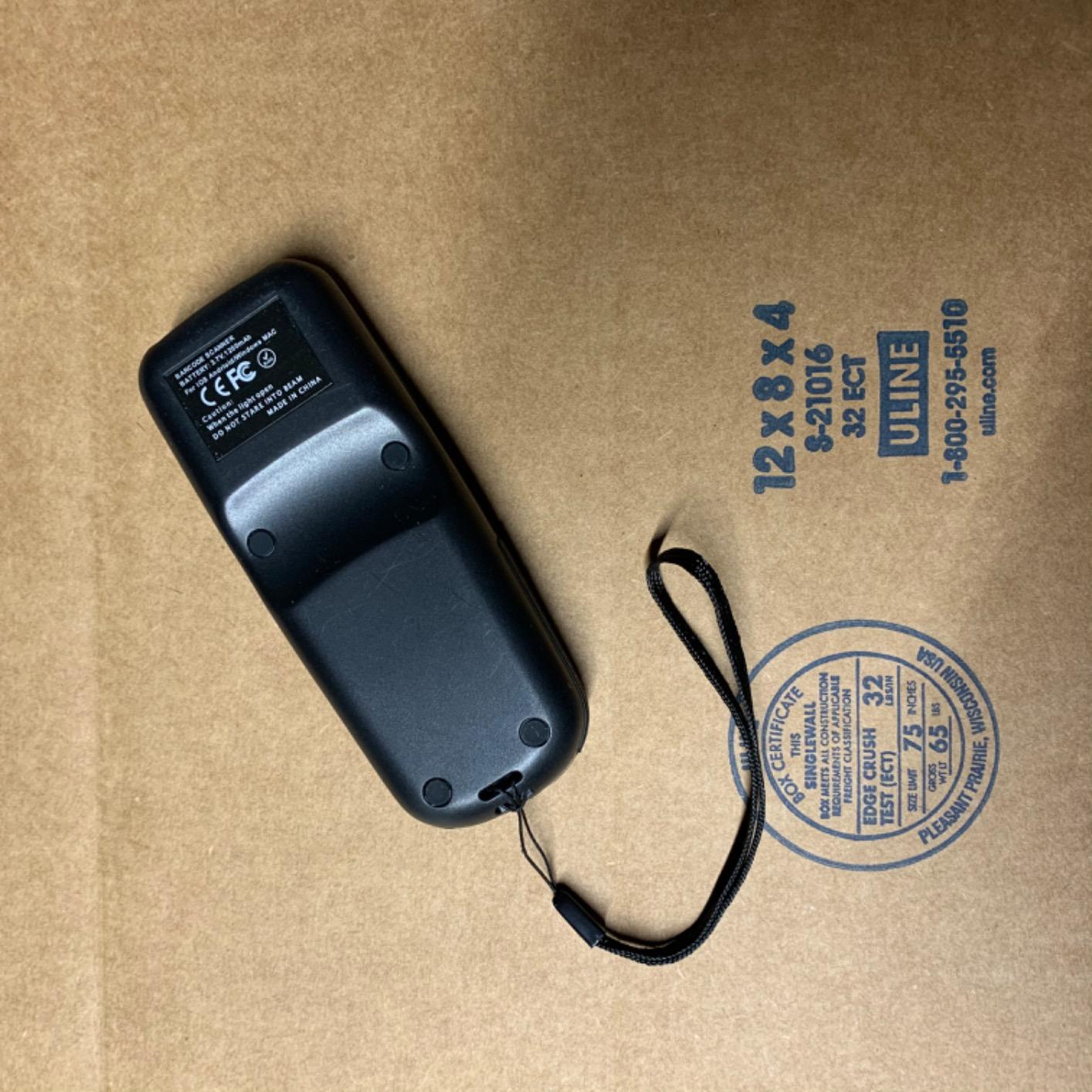
The NADAMOO is the compact option in the 2D category, and owners consistently describe it as easy to carry across a long shift. The small charging base fits on a cramped workstation, which is a bigger practical advantage in a real warehouse than any spec on the list.
The CMOS imager reads 1D and 2D codes including QR, PDF417 and Data Matrix, from both paper and screens. The screen-reading ability is what separates it from laser units like the Inateck, and reviewers specifically call it out as solving the problem of scanning a code shown in a browser-based inventory system.
The 50 Metre Range and Why It Matters in Racking Aisles
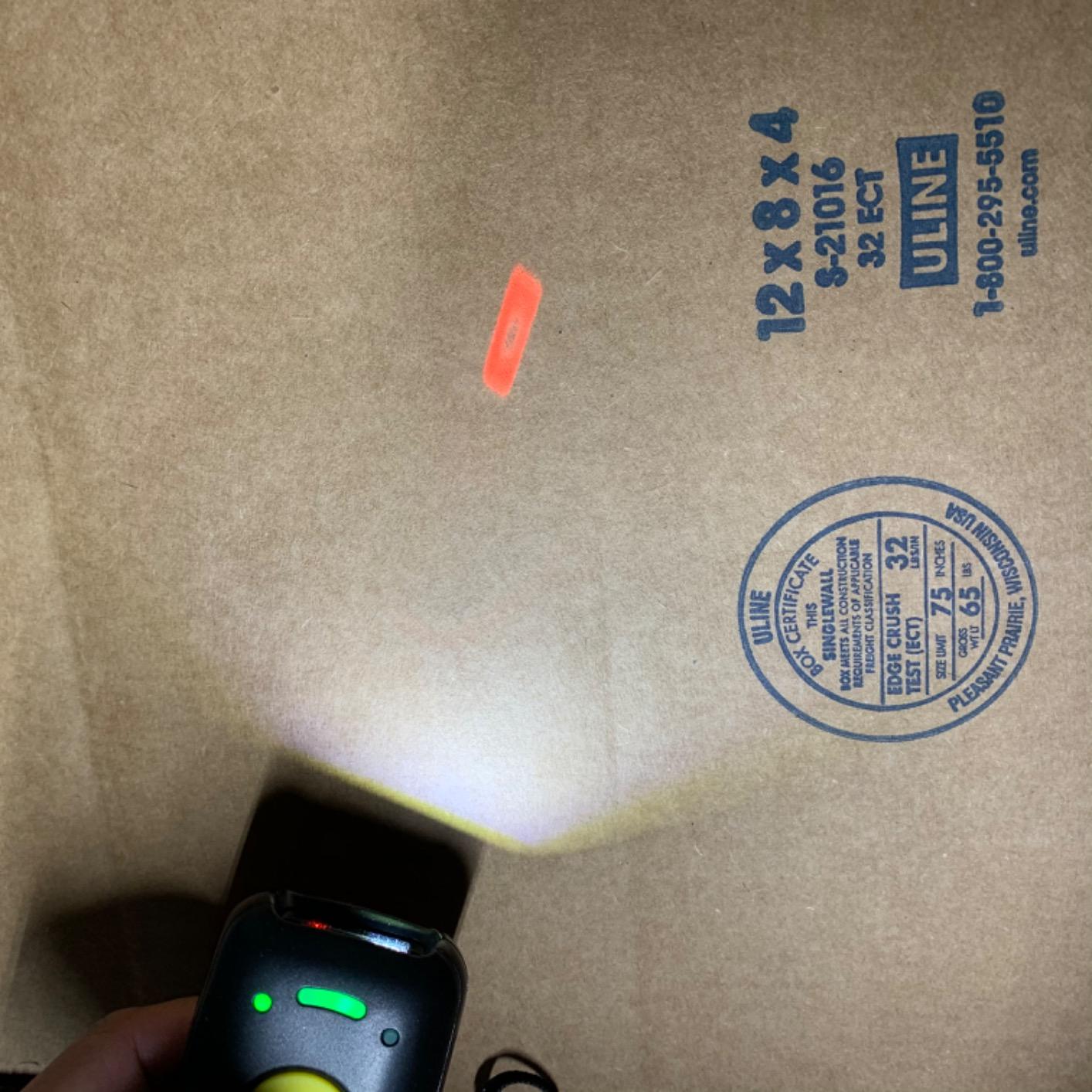
Transmission distance reaches up to 50m, or 164ft, in barrier-free environments. That headroom matters in a warehouse with long runs of racking where the access point sits away from the picking face, and it means fewer dropped scans between the rack and the host device.
The 3-in-1 connection design covers Bluetooth, 2.4G wireless through the base receiver, and a wired cable, so the same unit serves a mobile operator, a fixed workstation and a counter position.
Offline Storage as a Safety Net
Two upload modes are offered, instant upload and an offline storage mode holding up to 100,000 barcodes for later batch transfer. In practice this is the difference between a clean audit trail and a wall of manual re-keying when a device drifts out of range in a far corner of the building.
It is also the feature warehouse managers ask about first when evaluating a wireless scanner, because connectivity gaps are a fact of life in large facilities and the buffer hides them.
Setup Friction and Transmission Pauses
The most repeated complaint is the initial pairing process, which some users describe as difficult. Programming also depends on setup codes printed in the manual, so losing the booklet is a genuine risk for a fleet deployment. Print and laminate the setup pages before you distribute the scanners.
A second recurring note is that output can pause for 10 to 20 seconds mid-transmission on some devices. For live put-away this can feel like a stall. It is a latency artefact rather than data loss, but operators should know to expect it.
The beep volume is also loud by default and needs adjusting for open-plan offices or night shifts.
Best Fit
Pick the NADAMOO for small-footprint workstations, compact inventory rooms and teams that need 2D plus screen reading without a large charging footprint. It suits cycle counting, small e-commerce fulfilment and any desk where space is genuinely tight.
Pass on it for large multi-user deployments where a difficult first-time pairing will be repeated fifty times, and for shift work where transmission pauses would stall a put-away line.
5. Symcode Pro with Display – Best for On-Screen Data Verification
Symcode Pro 1D 2D QR Wireless Barcode Scanner with Display Screen Battery Level Indicator Time Display Works with Bluetooth with Charging Cradle Base for Warehouse Supermarket Library
1.8 inch TFT color LCD
3-in-1 multifunction base
150m on 2.4G, 50m on Bluetooth
Three scan modes
Pros
- 1.8 inch TFT LCD shows scanned content
- battery and signal status
- 3-in-1 base handles charging
- stand and 2.4GHz transmission
- Continuous and auto-sense modes for hands-free scanning
- Up to 150m on 2.4G and 50m on Bluetooth
- Switchable vibration alert for quiet floors
Cons
- Lowest average rating in this group at 4.0
- 11 percent of reviews are one-star
- Display-equipped body adds bulk
This is the only scanner here with a built-in display, and that changes the workflow. The 1.8 inch TFT colour LCD with white backlight shows barcode content, type, number and length in real time, along with remaining battery, signal strength and transmission status. An operator can confirm a pick without a phone, a tablet or a walk back to a workstation.
For a warehouse doing high-value or regulated inventory, that verification step is worth a great deal. It is the difference between trusting a beep and confirming the code actually read.
The 3-in-1 base is unusually capable, handling charging, a scanner stand and 2.4GHz wireless transmission from a single dock. Range is the strongest on record in this group, up to 150m under 2.4G wireless and 50m over Bluetooth in obstacle-free environments.
Continuous and Auto-Sense Modes on a Packout Line
Three scanning modes are supported, manual trigger, continuous and auto-sense, with switchable sound and vibration alerts. On a packing bench, continuous mode turns the scanner into a pass-through reader, which removes a hand from the box and speeds up the pack-out cycle.
The vibration mode is the right setting for a quiet or shared space where a beep would be a nuisance. The scan rate is listed at 300 lines per inch, which is more than sufficient for standard shipping labels.
Reading the Weak Rating Distribution Honestly
This model has the lowest average rating in the group at 4.0, with 11 percent of reviews at one star and 10 percent at three. The complaints that cluster there point to general build and reliability gripes rather than one specific failure mode, which is harder to diagnose and harder to plan around than a single known issue.
The sales rank is also considerably lower than the other models here, which means less long-term field history. For a fleet deployment that will run for years, that is a legitimate concern. The one-year warranty is standard rather than generous.
Set against that, the display and the three-function dock are capabilities nothing else in this roundup offers. If you need on-screen confirmation and long wireless range more than you need a decade of proven field history, the trade is defensible.
Who Should Look Elsewhere
Skip this model for a large rollout where every unit has to work on the first attempt, or for a team that values a lightweight body over a screen. The display adds bulk, and for a full-shift pick operation the extra hardware is weight carried for a benefit many operators will not use.
Also look elsewhere if your SKUs are serialized and printed as small Data Matrix codes. This is not a small-code specialist.
6. KUIIYER U2-B Industrial Scanner – Best Rugged Option with IP65 Sealing
KUIIYER 1D QR 2D Industrial Barcode Scanner with Upgraded Charging Dock
800x600 CMOS at 120 fps
4-color LED lighting
IP65 sealed shell
2500mAh with 24-month warranty
Pros
- 800x600 CMOS sensor with 360 degree scanning at 120 fps
- Four-color LED lighting for hard barcodes and poor light
- IP65 sealed ABS and silicone shell rated for 1.5m drops
- 24-month warranty and 90-day returns
- Plug and play USB with no driver or software
Cons
- Slower to acquire small dense codes
- Not compatible with Square POS
- Heavier than plastic bodied budget scanners at 0.53 kg
This is the only scanner in the roundup with a stated ingress rating, and for dusty or semi-outdoor warehouse environments that is the single most important line on the spec sheet. IP65 covers dust and water ingress, and the ABS, polycarbonate and silicone shell is rated for 1.5m, or 5ft, drops.
The imaging hardware is also the most substantial on paper. An 800 x 600 pixel CMOS sensor with 360-degree scanning runs at up to 120 frames per second, which is a genuine speed advantage when reading large or stacked labels on a fast conveyor.
Four-Color LED Lighting for Bad Labels and Bad Light
Built-in lighting in white, green, red and blue is unusual at this level, and it is aimed squarely at the hard cases. Low-contrast labels printed on dark cardboard, reflective shrink wrap and poorly lit dock areas are where a standard imager starts missing reads. Switching lighting colour changes the contrast the sensor sees, and owners point to it as a practical fix rather than a novelty.
Reviewers also highlight reliable reading of small QR codes down to roughly 9mm, which is the size used in several open-source inventory systems. That is a real advantage if your labelling is generated in-house rather than by a commercial supplier.
Warranty Length and Plug-and-Play Deployment
The 24-month warranty is the longest in this roundup, and it is backed by 90-day unconditional returns. For a facility deploying dozens of devices, that length of cover reduces the risk of a first-year failure cycle that strands a shift.
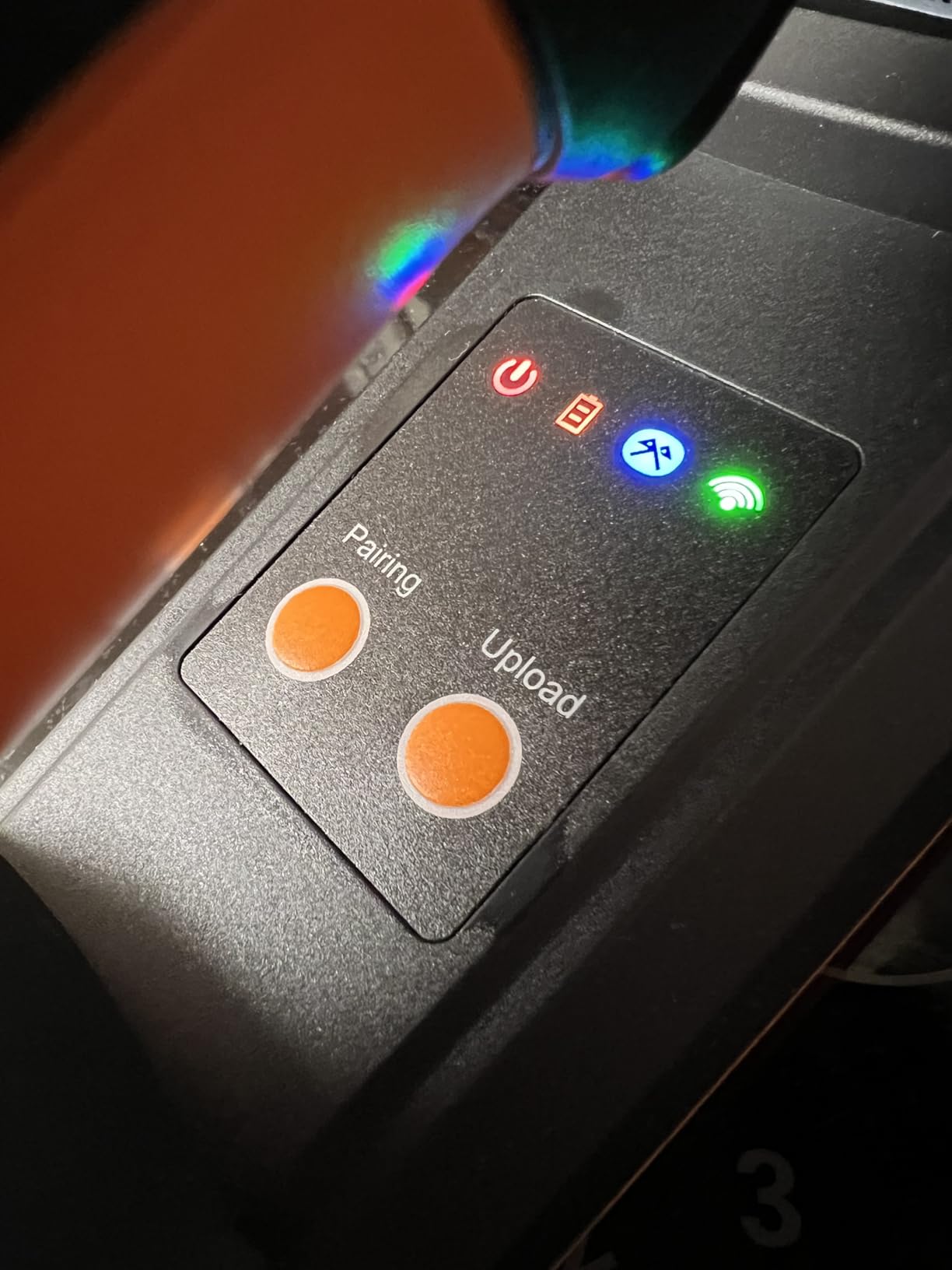
Setup needs no driver or software. It enumerates as a keyboard over the included 5ft USB cable and works on Windows, MacOS, Linux and universal POS. Connectivity covers 2.4G wireless out to 80m, Bluetooth out to 20m, and wired. Thirty-three multi-language keyboard layouts are supported, which matters for multi-site operations.
Storage mode holds more than 50,000 barcodes, and three scan modes plus two upload modes give the same offline safety net as the other wireless units here.
Where the Rugged Trade-Offs Show
Sealing and impact protection come at a weight cost. At 0.53 kg this is heavier than the plastic-bodied budget scanners, and for repetitive picking with overhead reach it will be felt by the end of a shift.
The most repeated drawback is slower acquisition on small, dense barcodes. Users report having to move the device closer and further repeatedly before it locks on. If your label estate includes very small codes, practise with this model before committing.
Square POS is also called out as incompatible, consistent with the keyboard-wedge pattern across this category. One isolated report describes a battery that would not accept a charge after being stored, so test the battery on arrival rather than trusting the box state.
Best Fit
The KUIIYER suits outdoor receiving, agricultural and food distribution, dusty stockrooms, and any site where a sealed body with a two-year warranty is worth more than minimum weight. It is also a strong fit for inventory systems that generate small codes.
Pass if you are running a long, high-reach picking shift and ergonomics dominate, or if your team scans small dense codes as a primary task rather than an occasional one.
7. Zebra Symbol DS2278-SR – Best for Enterprise Deployments
Zebra Symbol DS2278-SR Wireless 2D/1D Bluetooth Barcode Scanner
Omnidirectional scanning
0.5in to 14.5in range
Wi-Fi Friendly Mode
Scanner plus cradle kit
Pros
- Ready to scan with no configuration step
- Omnidirectional scanning speeds up picking and cuts training time
- Wi-Fi Friendly Mode protects warehouse WLAN service levels
- Scanning range from 0.5in to 14.5in
- Controllable from Windows
- Android and iOS hosts
Cons
- Most expensive device in this roundup
- Heavier 16 ounce body plus cradle desk footprint
- Host-side configuration needs Windows
- Android or iOS access
The DS2278-SR is the enterprise-grade option, and the reason to pay more for it is not the scan engine. It is Wi-Fi Friendly Mode, which restricts Bluetooth channels to avoid interfering with the warehouse WLAN. In a facility running dozens of units alongside an access-point-heavy network, that single feature prevents a class of connectivity problems that are miserable to diagnose after the fact.
Reviewers consistently describe the reason for the premium in the same terms: the scanner keeps Bluetooth traffic off the WLAN, which protects the service levels that everything else in the building depends on.
Omnidirectional scanning removes the need to line up the imager and the barcode, which directly reduces training time for new pickers. For a warehouse onboarding seasonal labour, that is a productivity gain that shows up in the first week.
Scanning Range and Out-of-Box Readiness
Scanning range runs from 0.5in, or 1.23cm, to 14.5in, or 36.8cm, covering everything from a small component label in a return to a large carton on a conveyor. The unit ships pre-configured and scanning out of the box, with no configuration step required before first use.
At 16 ounces plus the cradle, this is the heaviest setup here and the one that consumes the most desk space. Both are real costs in a workstation designed around people rather than peripherals.
Management, Resale Value and the Total Cost Picture
Configuration happens host-side, controllable from Windows, Android and iOS hosts for beeper, LED, symbology settings, scanned data display, model and serial number. Central management is the feature that makes a 50-unit rollout manageable rather than a support ticket queue.
There is a longer-term financial argument too. Warehouse buyers on public forums repeatedly note that buyers of used and refurbished equipment overwhelmingly want Zebra hardware, which keeps the resale market for these units liquid in a way that most of the models in this roundup do not. For an organisation replacing scanners every few years, that difference shows up in the total cost of ownership calculation even though it never appears on a purchase order.
The rating distribution is heavily positive, with 78 percent five-star, and the small share of one-star reviews is tied to value rather than function.
Is It Worth the Premium?
For a single scanner, the gap between this and the wireless 2D models here is hard to justify on scanning performance alone. For a site deploying at scale with a crowded wireless environment, a central management story and a deep spare-parts and resale market, the premium buys operational insurance.
Choose it when your IT team already standardises on Zebra tooling. Choose the cheaper wireless models when you are proving a process at a small site and do not yet know the eventual fleet size.
How to Choose a Warehouse Barcode Scanner
Most purchasing mistakes come from starting with a brand and working backwards. Start with the workflow instead. The seven steps below are the order we would work through, and they narrow the field faster than any spec comparison.
1. Confirm Which Symbologies Your Labels Actually Use
1D covers UPC, EAN, Code 128, Code 39 and Codabar. 2D adds QR, Data Matrix, PDF417, Aztec and Maxicode. Print a sample from a real carton, not a spec from your supplier, and check it with a phone camera first. If the phone reads the code, any imager in this roundup will too.
Buy 1D-only when your estate is paper retail and logistics labels. Buy 2D the moment serialisation, GS1 Digital Link or a custom inventory system enters the plan, because retrofitting symbology later means replacing the fleet.
2. Match the Form Factor to the Task
Handheld scanners suit picking, receiving and cycle counting. Wearables such as ring and glove scanners suit hands-free picking where both hands must stay on the carton, but they are a different product category and a different budget. Mobile computers suit teams that need a screen and custom apps rather than pure scanning. Fixed-mount and omnidirectional readers suit conveyor or pass-through points where no one is holding a device.
Most mixed-activity warehouses end up with two models rather than one, a handheld for counting and a wearable or hands-free unit for pick faces.
3. Check IP Rating and Drop Specification Against Your Actual Floor
IP65 means dust-tight and protected against water jets. IP67 adds full immersion. Neither is a marketing phrase; it is a defined standard, and it is the only objective durability measure available at this level. For dry indoor fulfilment, a light shell with a 6ft drop rating is usually sufficient. For docks, outdoor yards and washdown areas, an IP rating stops being optional.
Ask specifically about the drop rating onto concrete rather than a general durability claim, and check whether the warranty covers accidental damage. Inateck rates repeated 6ft drops and KUIIYER rates 1.5m, and those are the two figures to compare directly.
4. Decide Between Corded and Cordless
Corded scanners win on reliability and continuous power, and they are hard to beat at a fixed workstation or a pack-out bench that never moves. They lose on mobility, and the cable is a trip and snag hazard on a picking route.
Cordless wins everywhere mobility matters, which in most warehouses is everywhere except the bench. The trade-off is battery management and range. The units here cover 50m to 150m depending on band, which comfortably covers a single building but not a sprawling multi-yard site, where you would want fixed-mount coverage instead.
Forum discussion of this purchase often frames it as a budget conversation, comparing enterprise mobile computers like the Zebra TC70 with lower-cost alternatives such as the Chainway C90. The recurring takeaway is that the sticker price is rarely the real cost; integration time is.
5. Budget for Integration, Not Just Hardware
Every scanner here transmits as keyboard input, which is the fastest path into an existing system and needs no SDK. But keyboard-wedge devices cannot talk to a POS platform that expects app-level integration, and Square POS is specifically flagged as incompatible on more than one model here.
If your operation runs NetSuite WMS, ask whether the target application expects keyboard wedge or a device SDK before buying. Forum users on NetSuite report relying on Android-based smartphone scanners for custom workflows, which is a different product class entirely. For facilities scanning paper documents alongside inventory, our guides to document scanners for high volume operations and receipt and paperwork scanners cover the second half of that workflow. If the goal is a fully paperless back office, our picks for document scanners for paperless offices handle the archive and filing side of the job.
6. Look at the Total Cost of Ownership
No competitor in this category publishes a TCO breakdown, and it is the most useful framework for a multi-year deployment. Four line items matter: the unit cost multiplied by fleet size, the charging infrastructure, battery replacement over the device life, and the downtime cost of a failed scan.
That last number dominates at volume. A scanner that fails twice a shift on a picking face costs far more in lost throughput than the hardware difference between models. It is also the argument for a longer warranty, which is why the KUIIYER 24-month cover and the enterprise support behind the Zebra are worth pricing into the comparison rather than ignoring.
7. Plan the Rollout Before You Order
Decide how units are charged and where the cradles sit, because a scanner without a home gets abandoned on a carton. Confirm the keyboard layout matches the operator’s language, which matters for multi-site teams. Test batch mode against your WMS, since default transmission speeds can error in some cloud systems. And print the setup pages, because configuration on several models here depends on codes printed in the manual.
Frequently Asked Questions
What is a barcode scanner best used for in a warehouse?
A warehouse barcode scanner is used to capture 1D and 2D codes at the points where stock moves. The core jobs are receiving and put-away, pick and pack confirmation, cycle counting, and shipping verification. In each case the scanner replaces manual key entry, so inventory records update in real time instead of at the end of a shift. Most units in this category transmit as keyboard input, which lets them feed data straight into a WMS or ERP without custom integration.
What is the best barcode scanner for industrial use?
For industrial use, look first at the IP rating and the drop specification. The KUIIYER U2-B in this roundup carries an IP65 dust and waterproof rating and an ABS, polycarbonate and silicone shell rated for 1.5m drops, with a 24-month warranty. If you need only 1D labels on paper, the Inateck BCST-70 is rated for repeated 6ft drops to concrete and is lighter at 7.04 ounces. For fleet deployments in wireless-dense buildings, the Zebra DS2278-SR adds central management and Wi-Fi Friendly Mode.
What kind of scanners are used in warehouses?
Four form factors cover most warehouse work. Handheld scanners are used for picking, receiving and cycle counting, and they are the most common. Wearable ring and glove scanners keep both hands free during pick-face work. Mobile computers add a screen and app platform for custom workflows. Fixed-mount and omnidirectional readers are installed at conveyor or pass-through points for hands-free capture. Most mixed-activity facilities run a handheld plus one specialised device rather than a single model everywhere.
Which brand is the best for barcode scanners?
There is no single best brand, but the brands split into two groups. Enterprise names such as Zebra, Honeywell and Datalogic win on fleet management, warranty length, spare parts and resale value, which is why buyers of used equipment overwhelmingly want Zebra hardware. Value-oriented brands such as NETUM, Inateck, ScanAvenger, NADAMOO, Symcode and KUIIYER win on price, feature density and the widest installed review counts. The right choice depends on fleet size and how much central management your IT team needs.
Can barcode scanners read damaged or screen-displayed barcodes?
It depends on the scan engine. A 1D CCD imager such as the NETUM in this roundup reads worn, damaged and tightly spaced 1D codes from paper and from screens, and it handles stacked symbologies including ISBN. A laser engine such as the Inateck BCST-70 reads paper labels only and cannot read a code displayed on a monitor. CMOS imagers from NADAMOO, ScanAvenger and KUIIYER read both paper and screens, and the KUIIYER adds four-colour LED lighting for low-contrast labels.
How long do warehouse barcode scanner batteries last?
A full shift is the realistic expectation, and most units here clear it comfortably. The NETUM carries a 2600mAh battery rated for up to 200,000 continuous scans per charge, and the Inateck BCST-70 uses 2600mAh with up to 180 days of standby. For multi-shift operations the deciding factor is charging infrastructure rather than cell capacity, so choose a model with a dock that charges while the device is seated between tasks.
Final Recommendations by Use Case
If your operation prints standard 1D labels and you want the fewest moving parts, the NETUM Bluetooth Barcode Scanner is the pick. It has the largest installed base in this roundup, reads damaged paper and screen-displayed codes, and buffers scans when the link drops.
If durability is the deciding factor, the Inateck BCST-70 wins on its 6ft drop rating and its 7.04 ounce weight. If your labels include QR or Data Matrix, the ScanAvenger SA9000 gives you the broadest symbology coverage with a dock that doubles as a receiver.
For dusty or outdoor receiving, the KUIIYER U2-B is the only option here with a stated IP65 rating and a 24-month warranty. For a large fleet in a wireless-dense building, the Zebra DS2278-SR earns its premium through central management and Wi-Fi Friendly Mode.
Whichever model you standardise on, the best barcode scanners for warehouses are the ones your operators will actually keep charged, paired and working at the end of a twelve-hour shift. Check the current options for the model that fits your label estate, and test it against your own WMS before you roll it out across the floor.