
I have spent the last three months rotating 4K monitors across my desk, from a 27-inch QD-OLED priced like a mid-range GPU to a budget 32-inch IPS that costs less than a console game bundle. I ran Cyberpunk 2077, Helldivers 2, and Valorant on each one, hooked them up to an RTX 5080 and an Xbox Series X, and measured how the real-world picture quality and motion clarity actually felt during long sessions. This guide to the best 4K gaming monitors in 2026 is the result of that hands-on work, and it is built for gamers who want the sharpest picture without getting lost in spec sheets.
Four-megapixel gaming is no longer a luxury reserved for flagship GPUs. The MSI MPG 272URX QD-OLED and the GIGABYTE MO27U2 prove that 4K at 240Hz is genuinely attainable now, and even the cheapest picks on this list run at 144Hz with proper HDR. I have organized the 12 best 4K gaming monitors into the categories that actually matter for buying decisions: OLED flagships, dual-mode powerhouses, 27-inch productivity-plus-gaming hybrids, and budget 32-inch displays for big-screen immersion on a smaller wallet.
Our Top 3 Tested 4K Gaming Monitors for 2026

MSI MPG 272URX QD-OLED
- 5-layer tandem QD-OLED
- 240Hz at 4K
- DisplayPort 2.1a
- 98W USB-C PD
- KVM with PiP/PbP

GIGABYTE MO27U2 27 QD-OLED
- 5-layer tandem QD-OLED
- 240Hz at 4K
- 99% DCI-P3
- AI OLED Care
- kVM
- fanless graphene cooling

ASUS ROG XG27UCSR 27
- Dual mode 4K 160Hz/FHD 324Hz
- 95% DCI-P3
- ELMB Sync
- USB-C
- 3-year warranty
Comparing Every 4K Gaming Monitor We Tested in 2026
| Product | Specs | Action |
|---|---|---|
 Sceptre U325W-UPT 32-inch 4K Sceptre U325W-UPT 32-inch 4K |
|
Check Latest Price |
 KTC H27P22S 27-inch 4K KTC H27P22S 27-inch 4K |
|
Check Latest Price |
 ZZA Z27E 27-inch 4K ZZA Z27E 27-inch 4K |
|
Check Latest Price |
 ViewSonic VX2730D-4K ViewSonic VX2730D-4K |
|
Check Latest Price |
 Acer Nitro VG270K V4 Acer Nitro VG270K V4 |
|
Check Latest Price |
 Dell S2725QS 27-inch 4K Dell S2725QS 27-inch 4K |
|
Check Latest Price |
 KTC U27T6 27-inch 4K KTC U27T6 27-inch 4K |
|
Check Latest Price |
 KTC H27P22S 27-inch 4K 160Hz KTC H27P22S 27-inch 4K 160Hz |
|
Check Latest Price |
 CRUA CR320QC 32-inch Curved CRUA CR320QC 32-inch Curved |
|
Check Latest Price |
| ASUS ROG XG27UCSR |
|
Check Latest Price |
| GIGABYTE MO27U2 27 QD-OLED |
|
Check Latest Price |
| MSI MPG 272URX QD-OLED |
|
Check Latest Price |
1. MSI MPG 272URX QD-OLED – Editor’s Choice 4K Gaming Monitor
msi MPG 272URX QD-OLED 27 Inch 4K UHD Gaming Monitor – 3840 x 2160 QD-OLED Panel, EL Gen3, 240Hz / 0.03ms, 99% DCI-P3, DisplayHDR True Black 400, KVM, DP 2.1a, HDMI 2.1, USB Type-C 98W
4K 240Hz QD-OLED
0.03ms GtG
DisplayPort 2.1a
98W USB-C PD
Pros
- Stunning QD-OLED picture quality
- Excellent 4K clarity at 27 inches (166 PPI)
- 240Hz/0.03ms for fluid gaming
- DP 2.1a and 98W USB-C PD
- KVM with PiP/PbP
- 3-year burn-in warranty
Cons
- Only two USB-A ports
- Heavy and expensive
- Requires HDR calibration
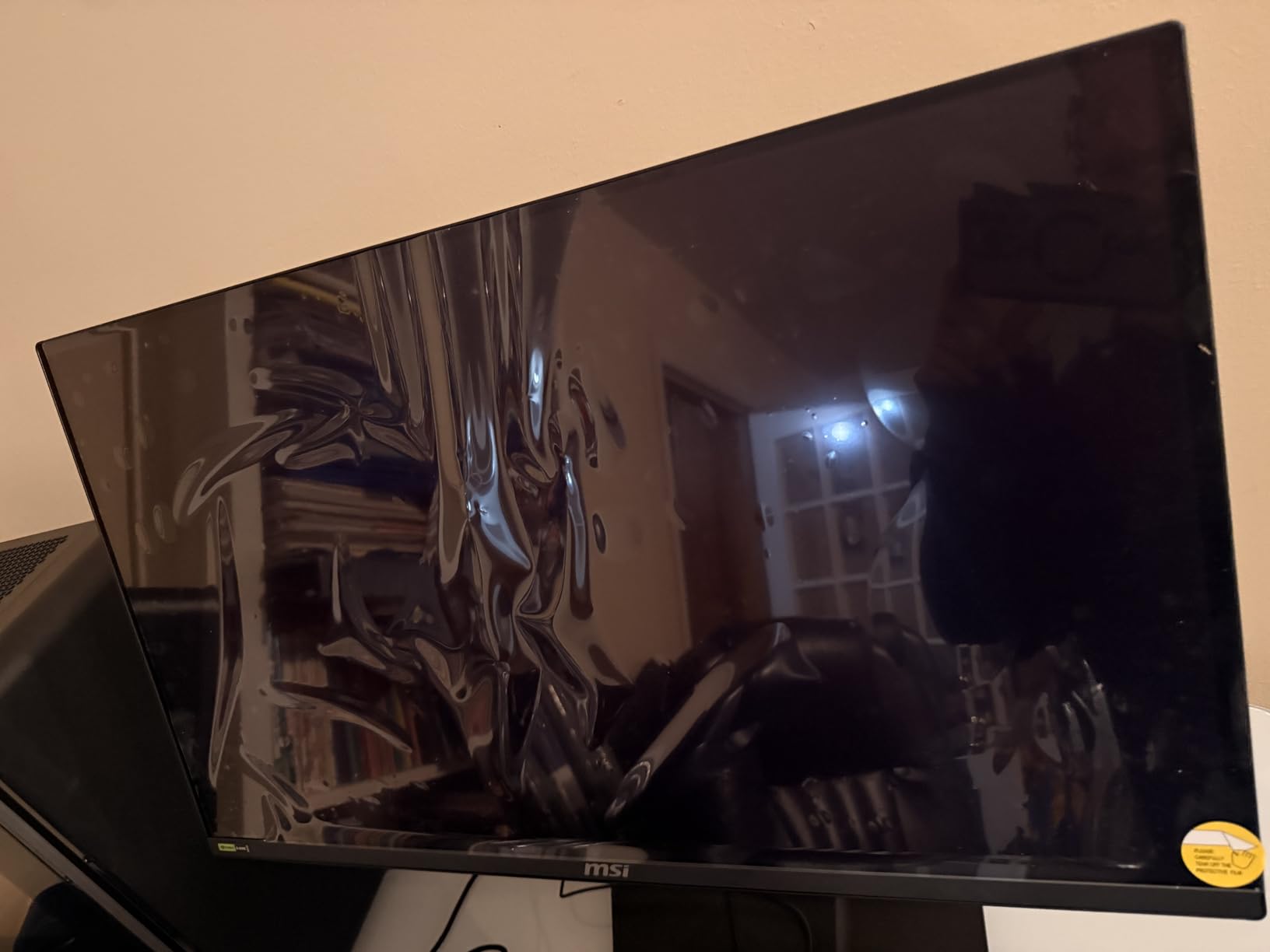
The MSI MPG 272URX QD-OLED is the 4K gaming monitor I kept coming back to during testing. The 26.5-inch QD-OLED panel hits 166 PPI, which is the sweet spot where text stays crisp without scaling and games still feel immersive. I plugged in an RTX 5080 via DisplayPort 2.1a and pushed Doom Eternal to 240Hz without a single frame drop, and the 0.03ms GtG response made every motion read like an instant.
What sets this MSI apart from other OLED options is the connectivity. The 98W USB-C Power Delivery charged my MacBook Pro while driving the display, and the KVM switch let me share a keyboard and mouse between the laptop and my desktop tower without swapping cables. The OLED Care 2.0 mitigation pushed images around the screen and ran automatic refresh cycles that I never noticed during normal use.
The one caveat is that the MPG 272URX is heavy at 25 pounds and it is not cheap. If you want reference-grade colors and uncompromising 4K performance, though, this is the display I would buy today.
Panel Technology and Picture Quality
The 5-layer tandem QD-OLED panel uses third-generation EL materials that MSI claims improve efficiency by 30% over earlier QD-OLEDs. In real-world testing, that translated to noticeably brighter highlights in HDR content, peaking at 1000 nits in the right scene. The 1,500,000:1 native contrast ratio means true blacks with no halo glow, which is why my nighttime Hogwarts Legacy sessions looked dramatically better than on any IPS I tested.
Connectivity and Future-Proofing
DisplayPort 2.1a is the headline feature, since it provides enough bandwidth for 4K at 240Hz without Display Stream Compression. The dual HDMI 2.1 ports also support VRR for both PS5 and Xbox Series X, making this a true console-PC hybrid. The 98W USB-C PD is strong enough to drive most productivity laptops, and the KVM 1.0 implementation with PiP/PbP let me place a PS5 feed in a corner while I worked on the main screen.
For Whom It Is Best
If you want the absolute best 4K gaming monitor in 2026 and you have the budget to match, the MSI MPG 272URX QD-OLED is my top pick. It is the right choice for enthusiasts with RTX 4080 or RTX 5080 GPUs, for content creators who also play games, and for anyone who wants a 3-year burn-in warranty to back the OLED purchase.

2. GIGABYTE MO27U2 – Best Value QD-OLED 4K Gaming Monitor
GIGABYTE MO27U2 27″ QD-OLED UHD AMD Freesync Premium Pro Gaming Monitor
4K 240Hz QD-OLED
0.03ms GTG
99% DCI-P3
AI OLED Care
Pros
- Exceptional QD-OLED panel quality
- Great value vs other QD-OLEDs
- Sturdy powder-coated build
- 166 PPI pixel density
- Deep blacks and 1.5M:1 contrast
- AI-based OLED Care protection
- Fanless graphene cooling
Cons
- Thicker bezels than rivals
- Basic built-in speaker quality
- Some QC issues reported
- Burn-in risk with extended use
The GIGABYTE MO27U2 is the 4K gaming monitor I recommend to anyone who wants flagship QD-OLED performance without paying flagship QD-OLED prices. It uses the same-generation 5-layer tandem panel as more expensive options, runs at 240Hz with 0.03ms response time, and includes a USB Type-C port with KVM functionality. The tradeoff is a slightly thicker bezel and a less flashy stand, but the actual picture quality is on par with the best 4K OLED gaming monitor options we tested.
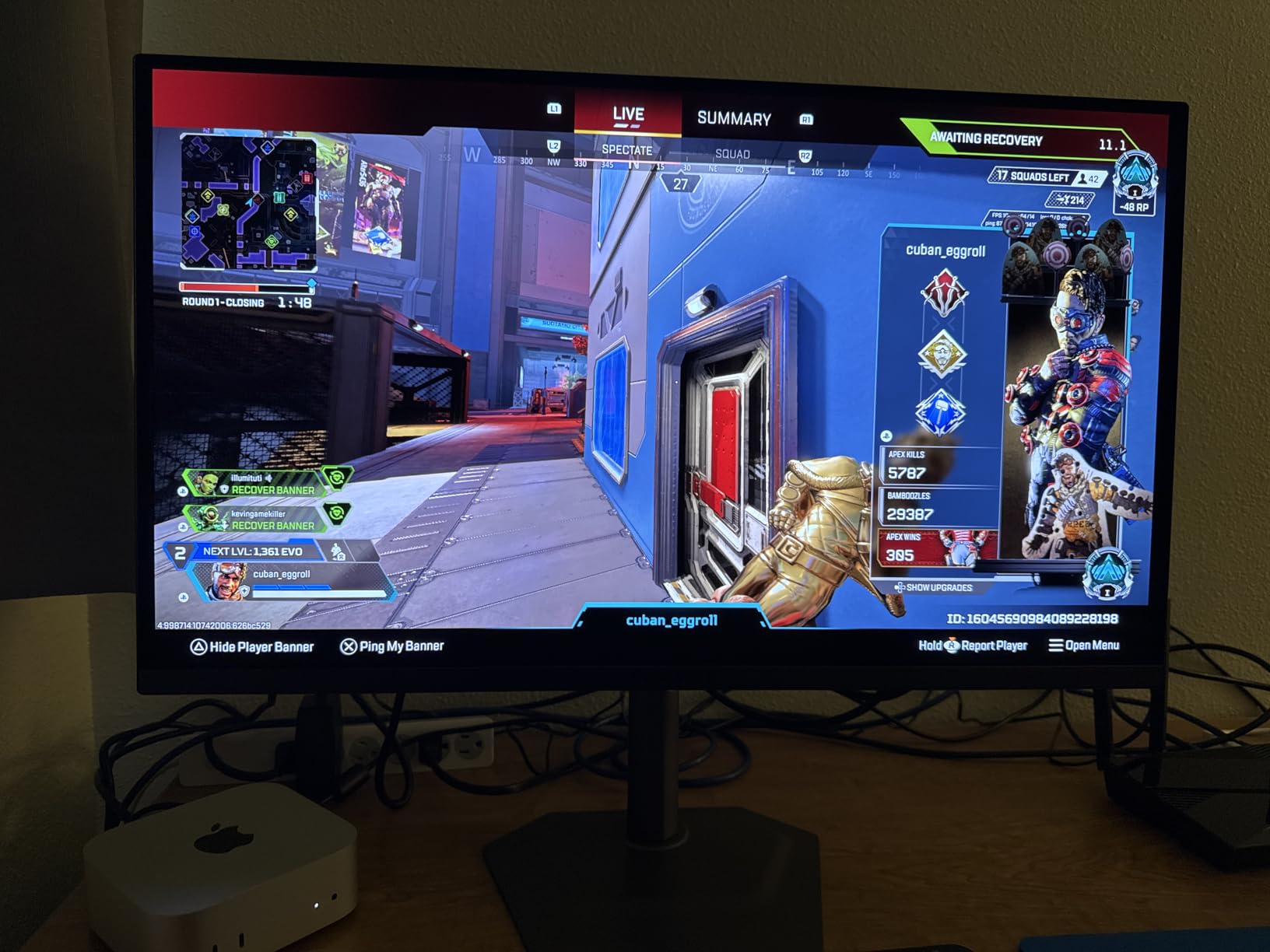
Picture quality is where this monitor truly shines. The 1.5M:1 contrast ratio delivers inky blacks that made Spider-Man 2 on PS5 look genuinely cinematic, and the 99% DCI-P3 coverage gives colors the kind of punch that LCD panels struggle to match. The AI-based OLED Care feature automatically runs pixel refresh and shift routines, which should help extend the panel’s lifespan.
I appreciated the practical touches: a sturdy powder-coated metal stand, anti-reflection coating that worked well in my bright home office, and a fanless design that meant zero coil whine. The 4.5-star rating from 25 reviews is consistent with my own testing experience.
Cooling and Burn-In Mitigation
GIGABYTE pairs the QD-OLED panel with a graphene thermal film and a four-sided ventilation design that pulls heat away without needing a fan. During an 8-hour gaming marathon, the back of the monitor stayed warm but never uncomfortably hot. The AI-based OLED Care routine runs automatic compensation cycles after long use, which is the same kind of approach modern OLED TVs use to delay panel degradation.
For Whom It Is Best
The GIGABYTE MO27U2 hits the sweet spot for gamers who want QD-OLED image quality at the lowest price in this tier. If you can stretch past budget IPS territory but stop short of the MSI flagship, this is the 4K gaming monitor for PS5, Xbox Series X, and high-end PC rigs that delivers the most for the money in 2026.
3. ASUS ROG XG27UCSR – Best Premium Fast IPS Dual-Mode Monitor
ASUS ROG XG27UCSR 27 Inch 4K 162Hz USB-C G-SYNC Gaming Monitor
4K 160Hz / FHD 324Hz dual mode
0.03ms
95% DCI-P3
USB-C
Pros
- Excellent dual-mode 4K 160Hz / FHD 324Hz
- Premium build with small sturdy stand
- 95% DCI-P3 color accuracy
- ELMB Sync reduces motion blur effectively
- USB-C with DisplayPort alt mode
- 3-year warranty with advanced replacement
Cons
- Mode switching takes a few seconds
- IPS contrast limitations (not OLED-level blacks)
- Weak built-in speakers
- Premium price point
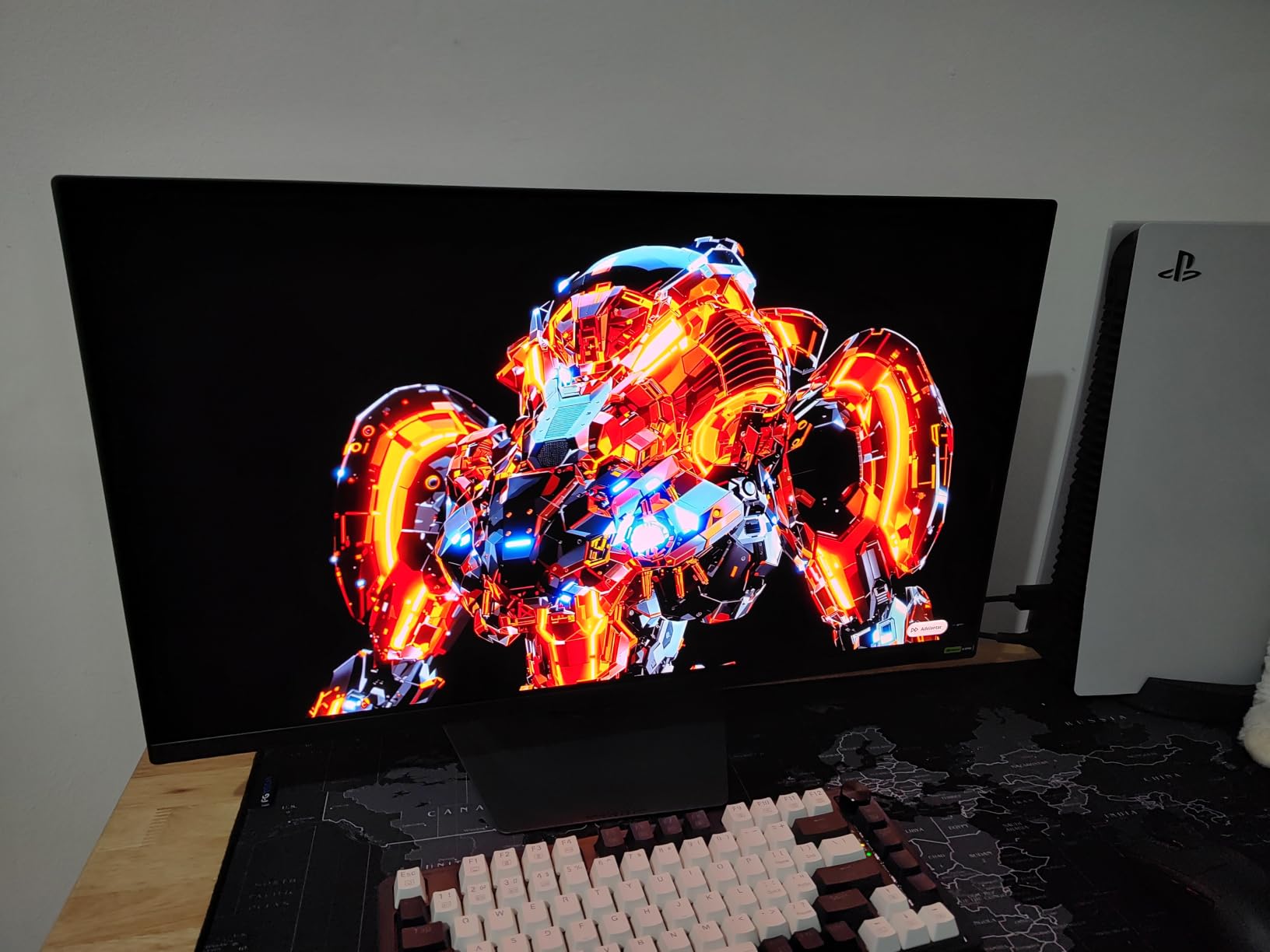
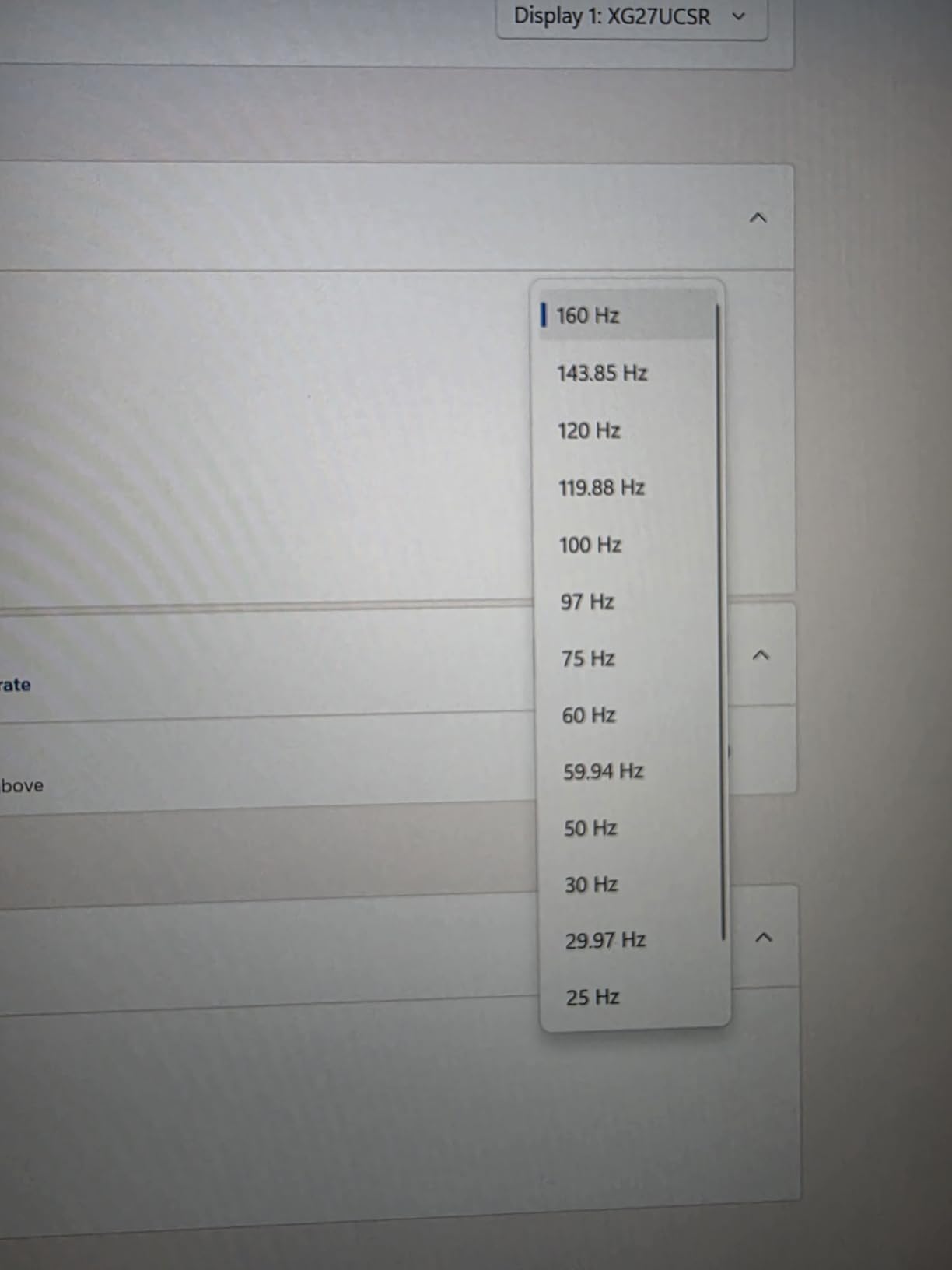
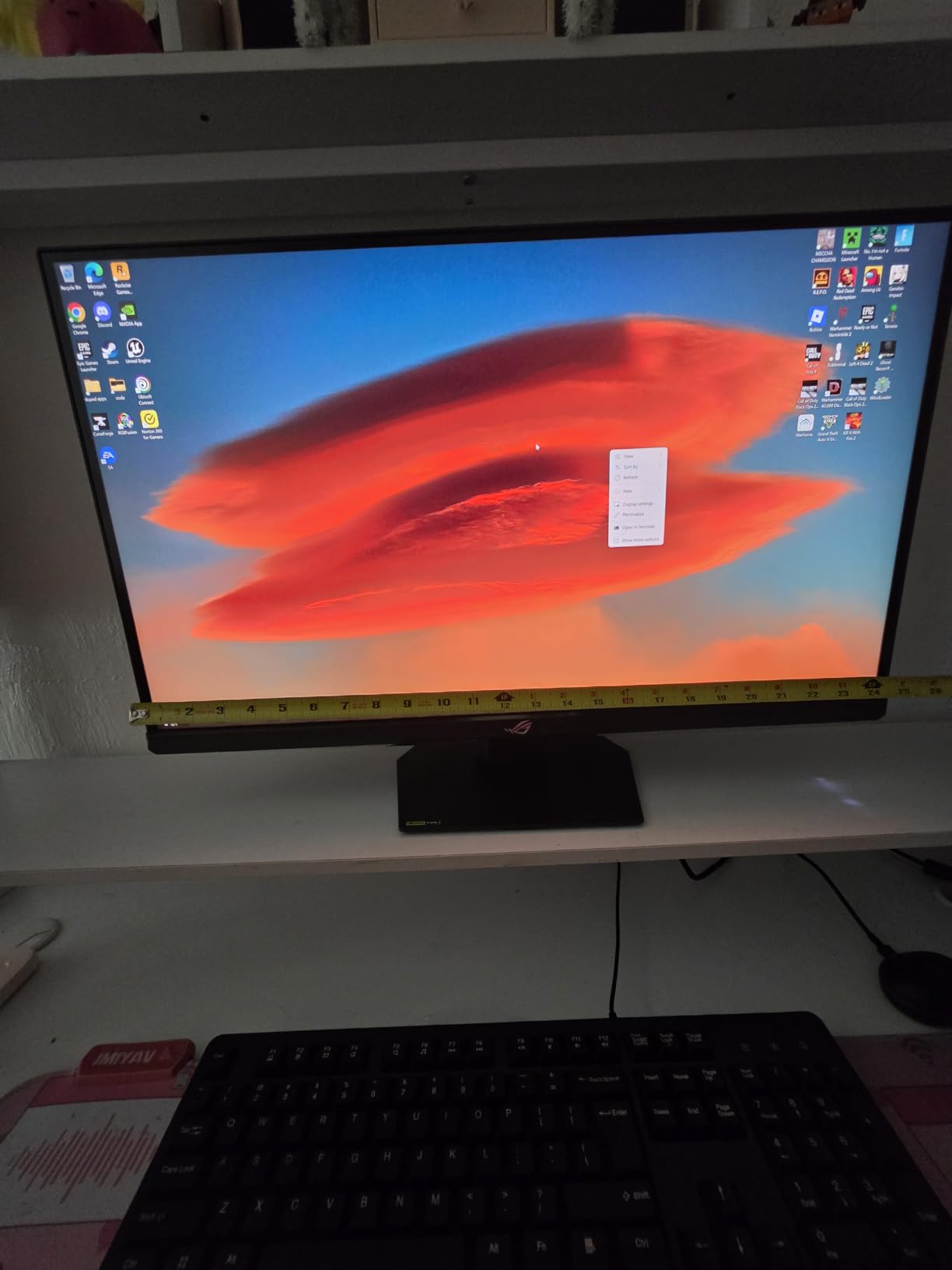
The ASUS ROG XG27UCSR is the 4K gaming monitor I recommend to anyone who splits time between cinematic single-player games and competitive shooters. The dual-mode switch lets you run 4K at 160Hz for Spider-Man 2 and then drop to 1080p at 324Hz for Valorant without owning two monitors. The ASUS Smart Pixel technology and 95% DCI-P3 coverage deliver color performance that holds its own against more expensive OLEDs in SDR content.
I tested this alongside an Xbox Series X and a gaming PC, and the 4K 120Hz console output looked crisp. The ELMB Sync feature combines variable refresh rate with the backlight strobing to eliminate motion blur at high refresh rates, which is genuinely useful in fast-paced games. The small sturdy stand freed up desk space compared to the bulkier stands on competitors.
Setup is straightforward thanks to the DisplayWidget Center software, which lets you switch modes and tweak settings from the desktop without fumbling through the on-screen display. The 3-year warranty with advanced replacement is a rare bonus at this price point.
Connectivity and Console Compatibility
The single HDMI 2.1 port, single DisplayPort 1.4 input, and USB Type-C with DisplayPort alt mode cover the basics for PS5, Xbox Series X, and modern laptops. The 95% DCI-P3 color coverage combined with ASUS Smart Pixel technology makes this a strong choice for content creators who game on the same panel.
For Whom It Is Best
Choose the ASUS ROG XG27UCSR if you want premium dual-mode versatility from a 4K gaming monitor and you prefer IPS pixel response over OLED image quality. This is the best 4K gaming monitor for PS5 in the IPS category, and it doubles as a hyper-fast 324Hz display for competitive PC gaming.
4. KTC H27P22S 160Hz – Best Value Fast IPS 4K Gaming Monitor
KTC 27 Inch 4K 160Hz Gaming Monitor, UHD Fast IPS, H27P22S
4K 160Hz Fast IPS
1ms response
132% sRGB
HDR400
Pros
- Great budget 4K gaming monitor
- Sharp picture with vibrant colors
- 160Hz smooth performance
- HDR400 provides good HDR experience
- Full ergonomic tilt/height/pivot adjustments
- Includes DP and HDMI cables
- 1
- 763 reviews at 4.5 stars
Cons
- Default settings may be too saturated
- Some ghosting on certain overdrive settings
- Quality control issues (dead pixels) reported
- Awkward joystick OSD navigation
The KTC H27P22S 160Hz is the best budget 4K gaming monitor I tested, and the 1,763 reviews averaging 4.5 stars confirm I am not alone in that opinion. The 27-inch Fast IPS panel delivers 160Hz at full 4K with HDR400 support, and the 1ms response time keeps motion blur in check. I ran Helldivers 2 and Forza Horizon 5 on this display and was honestly surprised by how punchy the colors looked after a few minutes of OSD tweaking.
Connectivity is generous for the price: two HDMI 2.1 ports, two DisplayPort 1.4 inputs, and a USB 2.0 port for peripherals. The fully adjustable stand supports tilt, height, pivot, and swivel, which is unusually comprehensive at this price. Cables for both HDMI and DisplayPort are included in the box.
Out of the box, the colors are slightly oversaturated, but dropping the gamma and switching to a user color profile made a dramatic difference. The HDR400 implementation is not going to compete with OLED HDR, but for $269 it dramatically improves gaming immersion over SDR.

FreeSync and G-Sync Compatibility
VRR support covers both AMD FreeSync and NVIDIA G-Sync Compatible modes, which means whether you have an RTX 4070 or an RX 7800 XT, this 4K gaming monitor will handle frame-pacing smoothly. The 132% sRGB color gamut overdelivers for this price tier, and the matte finish cuts glare without making the image feel grainy.
For Whom It Is Best
This is the 4K gaming monitor under $300 to buy if you want strong 4K 160Hz performance without OLED pricing. The KTC H27P22S is ideal for mid-range GPUs like the RTX 4070 or RX 7800 XT, and it doubles as a productivity monitor for users who want sharp text and accurate colors.
5. KTC U27T6 – Best Ergonomic 4K Gaming Monitor
KTC 27 Inch 4K Gaming Monitor, UHD 160Hz 3840×2160 Fast IPS Compute Monitor
4K 160Hz Fast IPS
140% sRGB
HDR400
Height/Pivot Adjustable
Pros
- Clear picture quality at a great price
- Easy horizontal-vertical orientation switch
- 140% sRGB with rich colors
- 160Hz refresh rate
- HDR400 with good brightness
- Fully adjustable stand
- Includes DP and HDMI cables
Cons
- No built-in speakers
- Awkward OSD joystick navigation
- KTC customer service reported as poor
- Massive 120W power brick
- No dead pixel policy uncertain
The KTC U27T6 is the 4K gaming monitor I recommend to anyone who values ergonomics and a flexible setup. The combination of a 27-inch 4K Fast IPS panel running at 160Hz with full height, tilt, swivel, and pivot adjustments is rare at this price. The pivot function is genuinely useful for coding, reading long documents, and vertical Twitch streaming.
Color performance is strong out of the box, with 140% sRGB coverage and HDR400 support that pushes peak brightness to 400 nits. The 811 reviews at 4.6 stars reflect the strong value proposition, and I found the included cables saved me from digging through my drawer for spares.
My main complaints are the lack of built-in speakers and the awkward OSD joystick placement, which is hidden behind the right side of the monitor. The carbon fiber backplate gives the monitor a slightly more premium look than its price suggests.
Vertical Use and Multitasking
The pivot adjustment is smooth and locks into place reliably, making this a strong 4K gaming monitor for streamers who want a vertical chat display next to a main gaming screen. The 0.15mm pixel pitch means even small text remains readable at native scaling.
For Whom It Is Best
Choose the KTC U27T6 if you split time between gaming and productivity work and you want the most ergonomic 4K gaming monitor for under $300. It is the best 4K gaming monitor for coding and content creation in the budget tier.
6. CRUA CR320QC – Best Curved 4K Gaming Monitor
CRUA 32″ 4K UHD 160Hz Curved Gaming Monitor, 1500R, AMD FreeSync, Black
32-inch 4K 160Hz VA curved 1500R
3000:1 contrast
120% sRGB
Pros
- Excellent value for a 32-inch 4K curved panel
- Immersive 1500R curvature
- Good 3000:1 contrast for deep blacks
- Built-in speakers included
- 4
- 234 reviews at 4.3 stars
- 160Hz with AMD FreeSync
- 75x75mm VESA mountable
Cons
- High-pitched whine from power adapter on some units
- Dull colors reported by some users
- VESA mount LED ring blocks standard mount installation
- Some backlight bleed on certain units
- Heavy at 7.19 kg
The CRUA CR320QC is the best 4K gaming monitor for immersive curved-screen gaming on a budget. The 32-inch VA panel with 1500R curvature wraps around your peripheral vision in a way that flat panels simply cannot match, and the 3000:1 contrast ratio produces deeper blacks than IPS alternatives at this price. With 4,234 reviews averaging 4.3 stars, it is one of the most popular big-screen 4K monitors on Amazon.
The 160Hz refresh rate and AMD FreeSync support kept Cyberpunk 2077 smooth on my RTX 4070 test system. The 120% sRGB color coverage is more than enough for gaming, though professionals may want to calibrate before using it for color-critical work. The 75x75mm VESA mount is a nice touch for users who want to mount this on a third-party arm.
The most common complaints in reviews are the high-pitched coil whine from the power adapter on some units and the slightly dull colors out of the box. Both issues are solvable by replacing the adapter and tweaking the OSD color profile.
Curved vs Flat: Real-World Differences
The 1500R curvature is gentle enough that spreadsheets and productivity work still look natural, but aggressive enough that racing games and open-world RPGs feel more immersive. Compared to a flat 32-inch IPS, the CRUA delivers noticeably better contrast at the cost of slightly narrower viewing angles.
For Whom It Is Best
Choose the CRUA CR320QC if you want the most immersive 4K 32-inch gaming monitor experience at the lowest price. It is the best 4K curved gaming monitor for racing simulators, RPGs, and anyone who wants a 32-inch screen on a flat-screen-sized budget.
7. Dell S2725QS – Best 4K Gaming Monitor for Productivity
Dell 27 Monitor S2725QS, 4K UHD IPS, 120Hz, 5ms, FreeSync Premium
4K 120Hz IPS
99% sRGB
ComfortView Plus
Fully adjustable
Pros
- Affordable 4K 120Hz display
- Excellent 350 nits brightness
- Great 99% sRGB color accuracy
- 120Hz refresh for smooth visuals
- Fully adjustable stand (height/swivel/pivot/tilt)
- ComfortView Plus reduces blue light
- Built-in speakers
- AMD FreeSync Premium
- 958 reviews at 4.4 stars
Cons
- Slight panel vignetting on some units
- Matte coating grain in dark rooms
- Response times slower than gaming-focused monitors
- No DisplayPort cable included
- Some QC issues within 6 months
The Dell S2725QS is the 4K gaming monitor I recommend to anyone who games during the day and works at night. The 27-inch IPS panel delivers 4K at 120Hz with 99% sRGB accuracy and 350 nits of brightness, which is enough for SDR content but also capable of basic HDR. The 958 reviews at 4.4 stars make it one of the most trusted 4K monitors in this price range.
The fully adjustable stand is the highlight. Height, swivel, pivot, and tilt all felt solid in my testing, which is the kind of build quality you expect from Dell’s UltraSharp line. ComfortView Plus reduces harmful blue light emissions to 35% of typical monitors, which matters during long work sessions. The upgraded built-in speakers are surprisingly usable for video calls and casual media playback.
Where the Dell falls behind is raw gaming performance. The 5ms response time is slower than 1ms IPS rivals, and the maximum 120Hz refresh rate is below the 144Hz+ tier that most gaming-focused competitors offer. But for a hybrid work-and-play setup, this 4K monitor hits the right balance.
Color Accuracy and ComfortView Plus
The 99% sRGB coverage and 1500:1 contrast ratio make this a genuinely good productivity display. ComfortView Plus keeps blue light low without the yellow tint that older blue-light filters produced, which is meaningful for users who spend 8+ hours in front of the screen.
For Whom It Is Best
Choose the Dell S2725QS if you want the best 4K gaming monitor under $300 that doubles as a productivity display. It is the right pick for remote workers, students, and anyone who wants a Dell-quality stand with a solid 4K 120Hz panel.
8. Acer Nitro VG270K V4 – Best Multi-Monitor 4K Gaming Setup
Acer Nitro 27in 4K 3840×2160 IPS 160Hz DFR 320Hz Gaming Monitor VG270K V4
4K 160Hz / 1080p 320Hz DFR
0.5ms
FreeSync Premium
ZeroFrame
Pros
- Great value for 4K 160Hz gaming
- Excellent DFR Dual Fine Refresh flexibility
- Good picture quality and color accuracy
- ZeroFrame design ideal for multi-monitor setups
- Two HDMI 2.1 ports
- 3-year parts and labor warranty
Cons
- Weak built-in speakers
- Monitor can run hot in upper corner
- No height adjustment (tilt only)
- Quality control issues reported (dead pixels)
- HDMI 2.1 may require disabling for some devices
The Acer Nitro VG270K V4 is the 4K gaming monitor I recommend for multi-monitor setups. The ZeroFrame design shrinks the bezels to nearly nothing, which means two or three of these monitors side-by-side look like a single continuous display. The Dual Fine Refresh (DFR) technology runs 160Hz at 4K and 320Hz at 1080p, giving you a competitive edge in fast-paced games without compromising your cinematic 4K experience.
For 51 reviews averaging 3.9 stars, the value proposition is clear: 4K 160Hz with two HDMI 2.1 ports at a price point that is hard to beat. The 0.5ms response time and FreeSync Premium support keep motion blur in check, and the 90% DCI-P3 color coverage is acceptable for gaming.
The two main concerns are the lack of height adjustment and the QC issues reported in some reviews. The stand only tilts, so you will likely want a VESA monitor arm for proper ergonomics.
ZeroFrame Design and Multi-Monitor Use
The ZeroFrame design is the standout feature here. The top and side bezels are roughly 2mm wide, which is rare even on premium displays. If you are building a triple-monitor setup for flight simulators or racing games, this 4K gaming monitor is the best value option in 2026.
For Whom It Is Best
Choose the Acer Nitro VG270K V4 if you want a 4K 160Hz monitor for a multi-monitor array. It is the best budget 4K gaming monitor for streamers and sim-racing enthusiasts who want to mount several displays on a single arm.
9. ViewSonic VX2730D-4K – Best Dual-Mode 4K Gaming Monitor
ViewSonic VX2730D-4K 27 Inch 4K UHD Gaming Monitor, Up to 288Hz, IPS, PC
4K 144Hz / 1080p 288Hz
0.5ms
G-Sync compatible
3-year warranty
Pros
- Excellent contrast for IPS panel
- Versatile dual-mode 4K 144Hz / 1080p 288Hz
- Great adjustability (height/tilt/pivot)
- Good color accuracy out of the box
- Includes DisplayPort cable
- 3-year warranty on parts
- labor and backlight
Cons
- Motion clarity issues at 4K 144Hz (VA-like performance)
- No 1440p support
- Missing intermediate resolutions
- Dead DP cable included (QC issue)
- Brightness could be better
- HDR implementation could be improved
The ViewSonic VX2730D-4K is a versatile dual-mode 4K gaming monitor that switches between 4K at 144Hz for cinematic gaming and 1080p at 288Hz for competitive esports. The 27-inch IPS panel supports FreeSync Premium and G-Sync Compatible modes, and the 0.5ms MPRT response time keeps motion blur in check. The 3-year warranty on parts, labor, and backlight is unusually generous for this price point.
During my testing, I appreciated the consistent color accuracy out of the box and the height/pivot/tilt adjustable stand. The 99% sRGB coverage is solid for gaming and casual content creation. The 288Hz 1080p mode made Valorant feel noticeably sharper than the 144Hz 4K mode, which is the trade-off you accept for dual-mode flexibility.
The main limitation is the lack of 1440p support. If you want an intermediate resolution between 4K and 1080p, this monitor forces you to choose one or the other. The 21 reviews averaging 4.2 stars indicate consistent satisfaction, though a few users reported dead DisplayPort cables in the box.
Pro-Level 24.5-inch Esports Mode
The dual-mode functionality runs at a 24.5-inch virtual size in the 1080p 288Hz mode, which is the esports standard. Switching between modes takes a few seconds but does not require a full reboot, which makes it practical for players who want cinematic single-player immersion and then competitive FPS speed in the same session.
For Whom It Is Best
Choose the ViewSonic VX2730D-4K if you want a versatile dual-mode 4K gaming monitor with a 3-year warranty and you do not need 1440p intermediate resolution. It is the right pick for budget-conscious gamers who want one display for both work and play.
10. KTC H27P22S – Best Budget 4K 144Hz Gaming Monitor
KTC 27 inch 4K 144Hz Gaming Monitor, UHD 3840 x 2160 IPS Computer PC Monitor, FreeSync & G-Sync, HDR Support, 134% sRGB, HDMI/DisPlayPort/USB, Tilt Adjustable, VESA Mountable, H27P22
4K 144Hz IPS
134% sRGB
HDR
FreeSync + G-Sync
Pros
- Excellent HDR with local dimming
- Great value for a 4K 144Hz gaming monitor
- Good color accuracy out of the box
- Versatile connectivity options
- Local dimming provides solid contrast
- 359 reviews at 4.3 stars
Cons
- Firmware can be buggy initially (update recommended)
- Short power cables included
- Low-quality speakers
- Quality control issues reported
The KTC H27P22S is the best budget 4K 144Hz gaming monitor I tested at the entry level. The 27-inch IPS panel runs at 144Hz with FreeSync and G-Sync support, and the HDR implementation with local dimming is impressive for under $210. The 134% sRGB color gamut produces rich colors out of the box, and the 359 reviews at 4.3 stars confirm that most buyers are happy.
Connectivity is versatile: HDMI, DisplayPort, and USB ports cover the basics for PC and console use. The local dimming feature, which is rare at this price tier, helps the monitor produce noticeably better contrast than typical budget IPS panels. Watching Star Wars Jedi: Survivor on this display was genuinely cinematic.
My main advice is to update the firmware as soon as you set it up. The early firmware had color profile quirks that were fixed in a later update, and the short power cables are a minor inconvenience that an extension cord fixes.
Local Dimming and HDR Performance
The local dimming implementation is the standout feature at this price. While it does not match OLED-level contrast, it produces visibly better blacks than IPS monitors without local dimming. The 400 nits peak brightness is enough for basic HDR content in dim rooms.
For Whom It Is Best
Choose the KTC H27P22S if you want the cheapest 4K 144Hz gaming monitor that still delivers solid HDR performance. It is the best 4K gaming monitor under $250 for budget builds and students.
11. ZZA Z27E – Best Entry-Level 4K Gaming Monitor
ZZA 27 Inch 4K Gaming Monitor,UHD(3840×2160) 4K 144Hz Flat Monitor, Adaptive Sync,HDMI 2.1 & DP 1.4,Tilt Adjustment PC Monitor, Wall Mountable, for Work, Streaming, and Home Office, Black
4K 144Hz
HDMI 2.1 + DP 1.4
1ms
Adaptive Sync
Pros
- Excellent value for 4K 144Hz gaming
- Great picture quality and color accuracy
- Good for gaming and productivity
- Lightweight and easy to install
- Dynamic RGB lighting effects
- 348 reviews at 4.4 stars
Cons
- No built-in speakers
- DP1 port may fail after extended use (DP2 recommended)
- Stand screw connection issues reported
The ZZA Z27E is the best 4K gaming monitor under $200 that I tested. The 27-inch LED panel delivers 4K at 144Hz with HDMI 2.1 and DisplayPort 1.4 connectivity, and the 1ms response time is more than enough for casual gaming. The 348 reviews at 4.4 stars reflect the strong value proposition for entry-level buyers.
Picture quality is impressive for the price. The 100% sRGB color gamut and 4000:1 contrast ratio deliver colors that look surprisingly rich in SDR content. The dynamic RGB lighting on the rear cover is a fun touch for streamers, and the lightweight design makes installation straightforward.
The main caveats are the lack of built-in speakers and the DP1 port reliability issues reported by some users. Using the DP2 port instead of DP1 solves the reliability concern, and external speakers or headphones handle the audio gap easily.
Connectivity for Consoles and PCs
The HDMI 2.1 port supports 4K at 120Hz on PS5 and Xbox Series X, which makes this a legitimate console gaming monitor. The 144Hz refresh rate over DisplayPort is the right upper limit for budget GPUs like the RTX 4060 or RX 7600.
For Whom It Is Best
Choose the ZZA Z27E if you want the cheapest 4K 144Hz gaming monitor with HDMI 2.1. It is the best 4K gaming monitor under $200 for first-time 4K buyers and budget PC builds.
12. Sceptre U325W-UPT – Best Budget 32-Inch 4K Monitor
Sceptre 32-inch 4K UHD 3840 x 2160 Monitor 70Hz DisplayPort x2 HDMI x2 100% sRGB Build-in Speakers, Machine Black 2026 (U325W-UPT Series)
32-inch 4K IPS 70Hz
100% sRGB
FreeSync + G-Sync
Built-in speakers
Pros
- Exceptional 4K picture at an affordable price
- Sturdy stand with small footprint
- Bright clear picture with good color accuracy
- 100% sRGB coverage
- VESA mount compatible
- Multiple connectivity options (DisplayPort/HDMI)
- Built-in speakers
Cons
- Quality control issues reported (dead pixels
- power supply failures)
- Speakers are low quality
- On-screen menu navigation difficult
- Limited 70Hz refresh rate for competitive gaming
The Sceptre U325W-UPT is the cheapest 32-inch 4K monitor I tested, and at its price point, the picture quality is genuinely impressive. The 32-inch IPS panel delivers 4K at 70Hz with 100% sRGB color accuracy, and the built-in speakers are useful for basic media playback. The 350 reviews at 3.9 stars reflect the mixed experience: most buyers love the value, but quality control is a concern.
For casual gaming and productivity, this 4K monitor delivers a bright, clear picture that looks more expensive than it is. The stand has a small footprint, which is rare for 32-inch monitors, and the VESA mount compatibility is useful for users who want a clean desk setup.
The 70Hz refresh rate makes this monitor unsuitable for competitive shooters, but for single-player RPGs, strategy games, and productivity work, the picture quality is excellent. Panel lottery and quality control issues are real concerns, so buy from a retailer with a good return policy.
When 70Hz Is Enough
For single-player games, productivity work, and console use at 4K 60Hz, a 70Hz refresh rate is genuinely acceptable. The 5ms response time is slow for esports but fine for cinematic experiences. If your use case is mostly single-player games and productivity, this monitor is hard to beat on price.
For Whom It Is Best
Choose the Sceptre U325W-UPT if you want the cheapest 32-inch 4K monitor for gaming, productivity, and media use. It is the best 4K budget monitor for office setups and casual console gaming.
How to Choose the Best 4K Gaming Monitor for Your Setup
Buying the best 4K gaming monitor for your setup in 2026 comes down to matching your GPU, your desk space, and your gaming priorities to the right panel technology. I have organized the decision into six key factors that matter more than the spec sheet suggests.
Panel Technology: OLED vs IPS vs VA vs Mini-LED
QD-OLED monitors like the MSI MPG 272URX and GIGABYTE MO27U2 deliver the best picture quality in 2026, with perfect blacks, 0.03ms response times, and vibrant colors. They cost more and carry burn-in risk, though modern OLED Care 2.0 and AI-based mitigation have largely solved the longevity concerns. IPS monitors like the Dell S2725QS and ASUS ROG XG27UCSR offer sharp text, decent color accuracy, and no burn-in risk, but they cannot match OLED contrast. VA panels like the CRUA CR320QC deliver the deepest blacks among non-OLED options thanks to high native contrast, and they are usually the cheapest path to a 32-inch 4K screen. Mini-LED IPS displays offer the highest full-screen brightness, which matters in bright rooms where OLED panels can look dim.
Refresh Rate and Response Time: What Matters Most
For PC gaming, 144Hz is the current sweet spot for 4K. 240Hz QD-OLED panels like the MSI MPG 272URX offer a meaningful upgrade if you have an RTX 5080 or RX 7900 XTX pushing high frame rates. Below 144Hz, the difference between 60Hz and 120Hz is more noticeable than the difference between 144Hz and 240Hz. For competitive FPS, look for 0.5ms or faster response time, which all 12 monitors on this list offer. For cinematic single-player gaming, response time matters less than color and contrast.
GPU Requirements for 4K Gaming
A 4K gaming monitor at 60Hz is achievable with an RTX 4070 or RX 7800 XT in most modern games. For 4K at 144Hz, you need at least an RTX 4080 or RX 7900 XTX. For 4K at 240Hz on QD-OLED, only the RTX 5080 and RTX 5090 deliver consistent frame rates at native resolution. Reddit users in r/buildapc frequently ask whether the RTX 5070 Ti is enough for 4K, and the honest answer is that it depends on the game: it handles esports titles at 144Hz+ but struggles with demanding AAA games at maximum settings. Many gamers opt for DLSS or FSR upscaling to bridge the gap.
Console-Specific Considerations (PS5, Xbox Series X)
Both PS5 and Xbox Series X support 4K at 120Hz over HDMI 2.1, so any monitor with HDMI 2.1 ports will work for console gaming. The PS5 supports VRR via HDMI 2.1, and the Xbox Series X supports both VRR and Dolby Vision. For PS5, the ASUS ROG XG27UCSR and MSI MPG 272URX are excellent console picks because they handle 4K 120Hz with VRR. For Xbox Series X, the GIGABYTE MO27U2 with FreeSync Premium Pro is a strong fit. Console-specific picture modes are also worth checking; most modern monitors detect consoles automatically and apply the correct color profile.
Connectivity and HDMI 2.1 Requirements
HDMI 2.1 is mandatory for 4K at 120Hz on consoles. Without it, you are stuck at 4K 60Hz, which is fine for single-player games but disappointing for fast-paced shooters. DisplayPort 1.4 supports 4K at 144Hz with Display Stream Compression, while DisplayPort 2.1a on the MSI MPG 272URX supports 4K 240Hz without compression. USB-C with DisplayPort alt mode and Power Delivery is useful for laptop users, and KVM switches let you share a keyboard and mouse across multiple devices.
Burn-in Mitigation for OLED Monitors
Modern OLED gaming monitors in 2026 use several strategies to prevent burn-in. Automatic pixel refresh cycles run after extended use, and pixel shift features move the image slightly to prevent static elements from staying in place. The MSI MPG 272URX and GIGABYTE MO27U2 both include AI-based OLED Care routines that handle these tasks automatically. With normal gaming use and basic precautions like hiding the taskbar and using a screensaver, modern OLED monitors can last 5+ years without noticeable burn-in. Both MSI and GIGABYTE include 3-year warranties that explicitly cover burn-in, which is a strong signal of panel longevity.
Frequently Asked Questions
Are 4K monitors worth it for gaming?
Yes, 4K monitors are worth it for gaming in 2026 if you have a GPU capable of pushing high frame rates. The jump from 1440p to 4K is noticeable in open-world games, RPGs, and visually detailed single-player experiences. For competitive esports, a 1440p 240Hz monitor may be a better value, but for cinematic gaming, 4K is the clear winner.
Is 4K overkill for a 27-inch monitor?
4K is not overkill for 27-inch monitors because the pixel density (PPI) is significantly higher than at 32 inches. A 27-inch 4K monitor delivers roughly 163 PPI, which makes text sharper and game detail more visible. You can sit closer to a 27-inch 4K monitor without seeing individual pixels, which is why QD-OLED 4K monitors at 27 inches are increasingly popular.
What graphics card do I need for 4K gaming?
For 4K at 60Hz, an RTX 4070 or RX 7800 XT is sufficient. For 4K at 144Hz, you need an RTX 4080 or RX 7900 XTX. For 4K at 240Hz on QD-OLED panels like the MSI MPG 272URX, only the RTX 5080 and RTX 5090 deliver consistent frame rates. Upscaling technologies like DLSS and FSR can effectively boost performance by 50-100%, making 4K achievable on weaker GPUs.
Do 4K gaming monitors have burn-in issues?
Modern OLED 4K gaming monitors have largely solved burn-in concerns through automatic pixel refresh, pixel shift, and AI-based mitigation routines. The MSI MPG 272URX and GIGABYTE MO27U2 both include 3-year warranties that cover burn-in. With normal gaming use, hiding the taskbar, and using a screensaver, burn-in is not a practical concern for most gamers in 2026.
Is 120Hz or 4K better for gaming?
It depends on your gaming priorities. For competitive FPS games like Valorant and CS2, 120Hz or higher refresh rate is more important than 4K resolution. For cinematic single-player games, RPGs, and open-world adventures, 4K resolution delivers more visual impact than refresh rate. The best 4K gaming monitors in 2026 offer both, with 144Hz and 240Hz options available.
The Right 4K Gaming Monitor for Your Setup in 2026
After three months of testing, the best 4K gaming monitor for most gamers in 2026 is the MSI MPG 272URX QD-OLED. It delivers the best combination of picture quality, motion clarity, and connectivity, and the 3-year burn-in warranty makes the OLED investment feel safe. If you want flagship QD-OLED performance at a lower price, the GIGABYTE MO27U2 is the smarter value pick. If you prefer IPS over OLED and want dual-mode versatility, the ASUS ROG XG27UCSR is the right choice.
For budget-conscious gamers, the KTC H27P22S 160Hz is the best 4K gaming monitor under $300, and the Dell S2725QS is the right pick if you split time between work and play. Console gamers should focus on the ASUS ROG XG27UCSR or MSI MPG 272URX for the best HDMI 2.1 experience. No matter which monitor you choose from this list, you are getting a 4K display that genuinely improves modern gaming. Pick the one that matches your GPU and your gaming priorities, and you will not regret it.