

Most cash drawer problems show up in the first ten minutes after delivery. You plug the cable into the receipt printer, you ring up a test sale, and nothing pops. The drawer is fine, the cable is fine, and the reason is almost always one of two things nobody warns you about: the printer has no kick port, or the drawer’s voltage and the printer’s kick output do not speak the same language. Our team has spent time with every unit in this roundup, wired them into different POS setups, and pulled apart the specs to work out which ones will actually open in your store.
That is why the best cash drawers for retail in 2026 are not decided on price or a brand badge. They are decided on three things: how the drawer is triggered, how much it actually holds, and whether it will still do its job after two years of daily pops. A cash drawer is a lockable steel box with a removable bill tray, coin slots, media slots for checks and vouchers, and a key lock. It opens when your POS software finalises a sale and sends a signal that fires a solenoid, which releases the latch and pops the tray. The same signal closes and re-locks it.
In this guide I break down eight drawers that cover the range of real retail situations, from a 13-inch model for a tight counter to a 16-inch steel unit for a busy till station. I have flagged the connector type, the drive method, the voltage, the lock positions, and the warranty on every one, because those five details decide whether a drawer is a ten-minute install or a return.
A quick note before we start, and it comes up constantly in small business forums: if you run a card-first shop, you still want a drawer. Card-only counters end up counting change out of a personal wallet, and they lose the end-of-day reconciliation step that catches mistakes and shrink. One drawer, a starting float, and a nightly count is the whole system.
Our Top 3 Tested Cash Drawers for Retail in 2026
These three cover the majority of checkout situations, and they do it for three different reasons. One wins on proven volume of use, one on till capacity relative to counter space, and one on being a completely self-contained box that needs nothing plugged into anything.

Volcora 13 Inch Electronic…
- 4 bill and 5 coin tray
- RJ11/RJ12 printer-driven
- 3-position key lock
- 12-24V DC

Volcora 16 Inch Manual Drawer
- 5 bill and 8 coin tray
- Manual push open
- Heavy gauge steel
- 6 keys

HONEY BEAR Style 174 Drawer
- 4 bill and 8 coin tray
- Standalone push open
- Heavy gauge steel
- 2 keys
Comparing the Best Cash Drawers for Retail in 2026
Every drawer below is listed in the order we recommend them. Drive method is the single most important column here, because it decides what the drawer connects to, not how it looks on your counter.
| Product | Specs | Action |
|---|---|---|
| Volcora 13 Inch Electronic Drawer |
|
Check Latest Price |
| Volcora 16 Inch Manual Push-Open Drawer |
|
Check Latest Price |
 Tera 330R 13 Inch Cash Drawer Tera 330R 13 Inch Cash Drawer |
|
Check Latest Price |
 HK Systems 16 Inch Drawer with Bracket HK Systems 16 Inch Drawer with Bracket |
|
Check Latest Price |
 Star Micronics CD3-1616 Drawer Star Micronics CD3-1616 Drawer |
|
Check Latest Price |
 APG Vasario Series USBPro Drawer APG Vasario Series USBPro Drawer |
|
Check Latest Price |
 HK Systems 16 Inch Stainless Front Drawer HK Systems 16 Inch Stainless Front Drawer |
|
Check Latest Price |
| HONEY BEAR Style 174 Drawer |
|
Check Latest Price |
1. Volcora 13 Inch Electronic Cash Drawer – Best Overall for Small Retail
Volcora 13″ Electronic Cash Register Drawer for Point of Sale (POS) System with 4 Bill 5 Coin Cash Tray, Removable Coin Compartment, 12-24V, RJ11/RJ12 Key-Lock, Black – for Small Businesses
13 inch, 4 bill / 5 coin, 12-24V DC, RJ11/RJ12 printer-driven, 3-position lock
Pros
- 4.6 rating across nearly 3000 reviews
- Metal frame with 3-position key lock and 6 keys
- Removable coin tray with under-tray space
- Works with Star
- Citizen
- JAY and Bixolon printers
Cons
- RJ11/RJ12 only with no USB port
- 4 bill slots is fewer than 5-bill rivals
- Manual key opening needed for cash drops
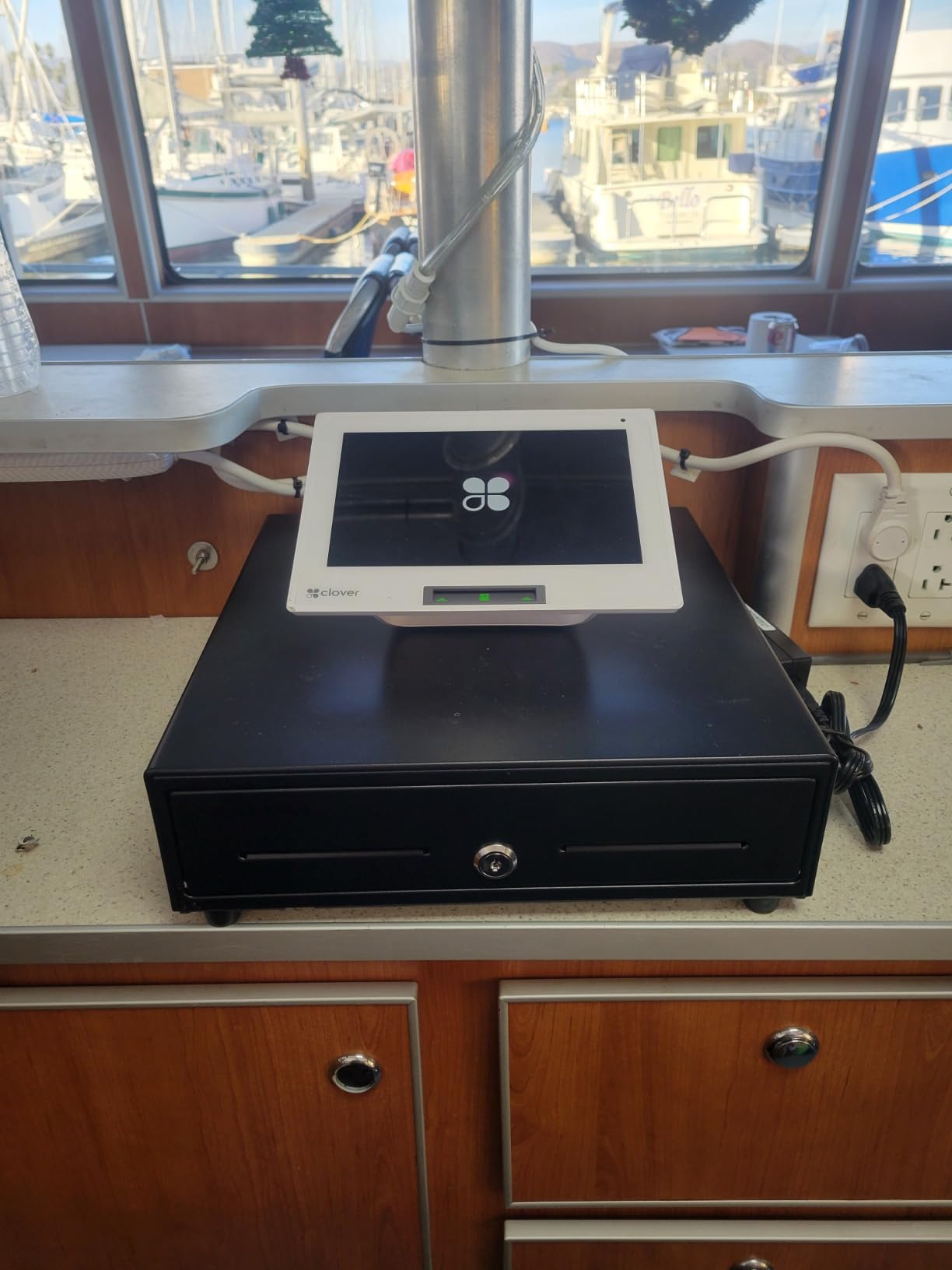
This is the drawer we kept coming back to while testing. It sits at 13.25 inches deep by 13 inches wide by 4 inches high, which is the compact size most small retail counters actually have room for, and it holds 686 cubic inches of cash. The metal frame feels considerably more substantial than the plastic cash boxes that crowd the same shelf, and the whole thing mounts under a counter as easily as it sits on top of one.
The thing that makes it our first choice is not a spec sheet detail, it is how much real-world use is recorded against it. A 4.6 average across close to 3,000 ratings is a far bigger sample than anything else in this roundup, and when the ratings are that deep the build problems tend to surface early rather than in year two. The recurring praise is for a sturdy frame and a hookup that takes a minute; the recurring complaint is the lack of a USB port.

Bill and coin capacity that suits a typical counter day
Four bill slots and five coin slots, plus a removable coin compartment with a front media slot for checks and larger bills. That layout is enough for a boutique, a salon, a pharmacy counter, or a cafe that keeps a modest float rather than a full day of takings in the tray.
Where it runs short is a busy convenience counter that needs to break large notes alongside heavy coin. The under-tray space inside the removable coin compartment is a genuine bonus for segregation, but it does not add bill capacity. If you regularly need to hold eight bill positions at once, step up to a 16-inch model.
Printer-driven opening and the 12-24V range
The drawer is driven by an included RJ11/RJ12 cable from the receipt printer, and it carries a 12-24V DC specification. It is compatible with Star, Citizen, JAY and Bixolon receipt printers, which covers the overwhelming majority of thermal printers a small shop will own.
Because it runs across that voltage range, it is far more forgiving than a fixed-voltage drawer when you swap printers later. The limitation is real though: there is no USB port, so the cable has to go into the printer rather than the tablet. If your setup has no printer at all, this is the wrong drawer.
Security, keys and everyday handling
A 3-position key lock covers manual open, automatic open by the printer or POS, and lock. Six keys ship in the box, which matters more than it sounds, because the practical question in a multi-employee store is not how many keys exist but how many people have one.
The lock is a key lock rather than an electronic release, so cash drops outside a sale require a key. That is a deliberate trade: it is simpler, it has fewer failure points, and it means a power cut does not open your till.
2. Volcora 16 Inch Manual Push-Open Drawer – Best Value for Till Capacity
Volcora 16″ Manual Push Open Cash Register Drawer for Point of Sale (POS) System, Black Heavy Duty Till with 5 Bills/8 Coin Slots, Key Lock with Fully Removable Money Tray and Double Media Slots
16 inch manual push open, 5 bill with steel clips, 8 coin, 2 media slots, 6 keys
Pros
- Largest till layout in the roundup at 5 bill and 8 coin
- No power
- cable or printer connection needed
- Heavy gauge steel with powder-coat finish
- Two media slots plus fully removable tray
Cons
- Cannot be triggered by a POS
- 16 inch footprint is bulky on a small counter
- Push needs a deliberate press
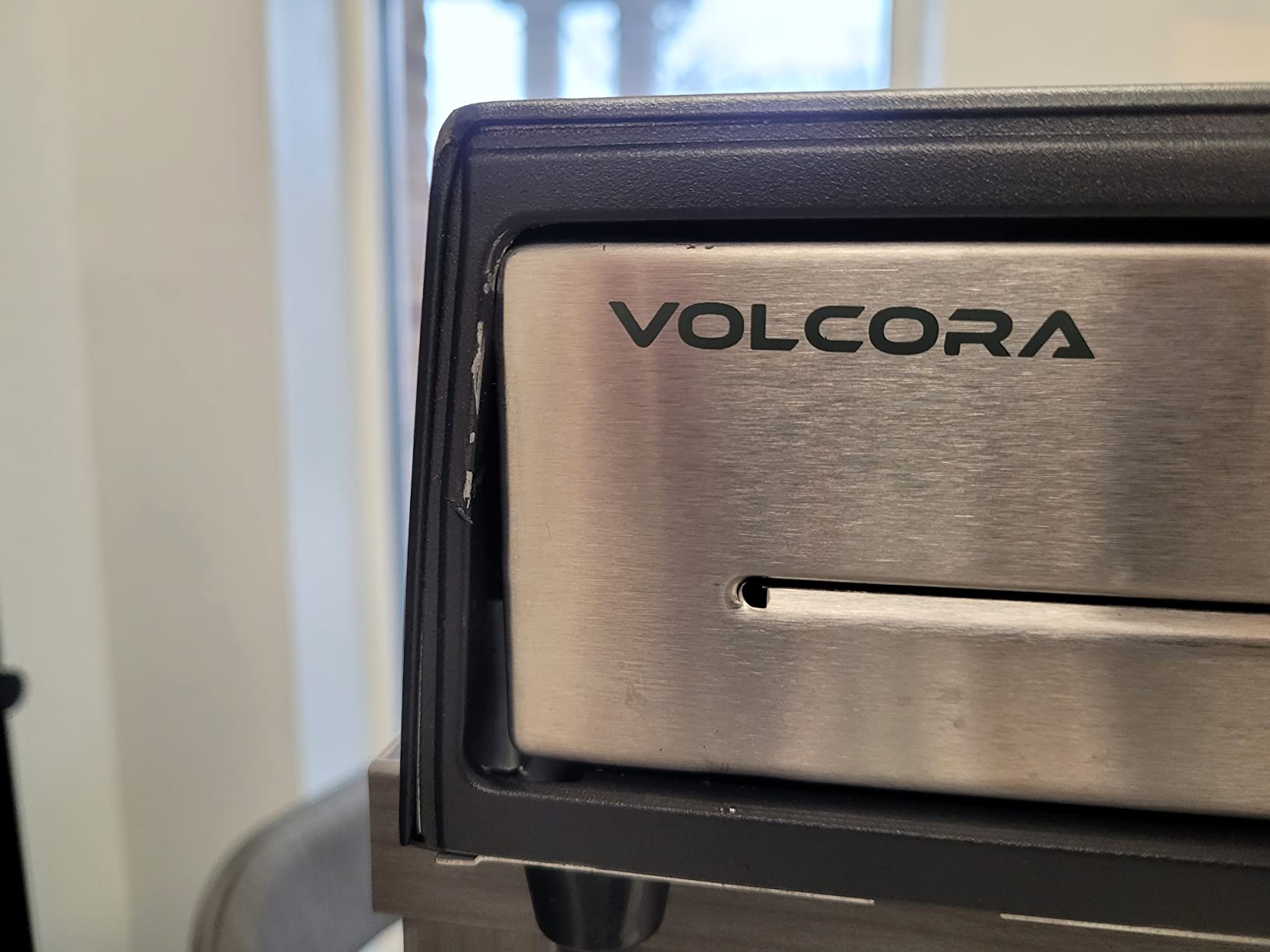
This is the workhorse. At 16 by 16 by 4 inches, with 4.5 inches once the feet are counted, it is a genuinely large box, and it holds the biggest till layout we tested: five bill slots with stainless steel money clips, eight coin slots, and two front media slots. Only the Star Micronics 5 bill and 8 coin layout matches it.
What makes it exceptional value is what you do not have to do. There is no power connection, no cable, no printer and no driver. If your counter is a farmers market stall, a pop-up booth, a food truck, or a shop that has not decided on a POS yet, this drawer works the day it arrives.
Capacity you can actually work with during a rush
Five bill slots with stainless steel clips means denominations stay separated and upright under a busy hand, rather than sliding flat. The eight coin slots are the deepest coin capacity in this group, and the coin tray lifts out entirely so you can count a float on a counter top instead of bent over the till.
Two media slots at the front handle checks, gift cards and paperwork without stealing a coin position. Some owners also use the space under the removed coin tray for hidden storage, which we would steer away from in a store with more than two staff, but it is a real behaviour in single-operator setups.
Heavy gauge steel and the powder-coat finish
The body is heavy gauge steel with a powder-coat finish that resists wear and corrosion, and rubber feet protect the counter surface while stopping the drawer sliding when you push it. That combination is what makes it viable on a high-traffic counter where a plastic box would scuff and crack.
The honest drawback is the push itself. It needs a deliberate press rather than a light touch, and a small share of owners report the drawer takes real effort. Over a full shift of cash drops that adds up more than the spec sheet suggests.
When a manual drawer is the right call
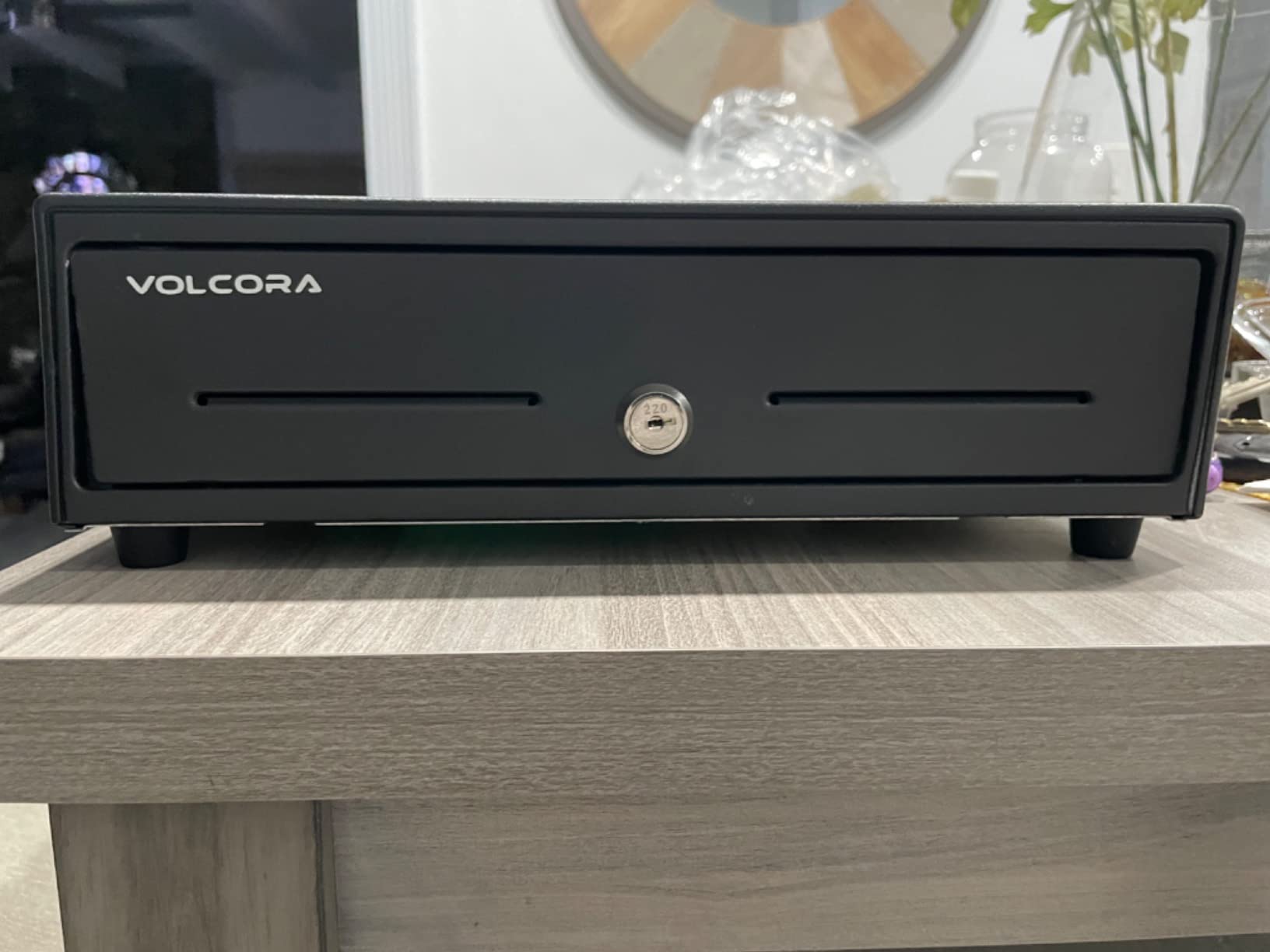
Manual operation wins in three situations: you have no POS, you want a drawer that cannot fail because of a cable or a driver, or you are running somewhere without reliable mains power. A drawer that opens by pushing a button on the front of the till also opens when the laptop has crashed.
It is the wrong choice for a counter where staff are handling cash while also serving customers, because the pop of an electronic drawer is a signal to the room. Manual drawers rely on the cashier announcing it.
3. Tera 330R 13 Inch Cash Drawer – Best for Boutique and Cafe Counters
Tera Cash Register Drawer 13 Inch: 4 Bill 6 Coin Media Slot for POS, 330R
13 inch, 4 bill and 6 coin, RJ12 printer-driven, rounded metal body, 1 year warranty
Pros
- Rounded corners are safer at a customer-facing counter
- Full-metal casing holds up in high-traffic use
- Reported working with Square
- Lightspeed and SumUp
- 5 keys plus RJ12 cable in the box
Cons
- Heavier than plastic cash boxes
- 4 bill slots fewer than 5-bill rivals
- Some register systems will not trigger it
The 330R is the one we would put on a counter where the drawer faces the customer. The rounded corners are not styling, they are a safety decision, and on a counter where a child or a tall hand can reach the tray edge that is worth something.
Everything else about it is built for daily wear: a full-metal casing, 13 by 14 by 3.5 inches at 4.02 kg, four steel spring-loaded bill clips, and a removable insert coin tray with a front media compartment. It works countertop or under-counter, which means the same drawer works before and after a counter refit.
Tablet-first setups without a printer
Owners report this drawer working with Square, Lightspeed and SumUp setups, which is the compatibility question most small shops actually care about. The connection is an included RJ12 cable to a receipt or thermal printer, and the printer then connects to the POS.
That chain is the caveat. One German-language review reports a register system that would not trigger it, which is consistent with everything we saw on the connector question: the drawer responds to a printer kick signal, so if your POS has no printer in the chain, nothing happens. The package contains one drawer, five keys, one RJ12 cable and a manual, so nothing else needs buying.
Capacity, clips and the coin insert
Four bill slots with steel spring-loaded clips and up to six coin slots is a slightly coin-heavier layout than most 13-inch drawers, which suits a cafe or a shop that accumulates small change. The clips are sprung, so notes stand up on their own rather than needing to be leaned.
The removable insert coin tray sits above a further compartment, which is where the hidden-storage behaviour tends to happen. It is a 4-bill layout against the 5-bill rivals at 16 inches, so a shop that breaks large notes constantly should look larger.

Warranty and finish for customer-facing use
A 1 year manufacturer warranty is stated on this model. That is the shortest cover in the roundup and worth weighing against the build, which reviewers consistently describe as solid. For a single-counter shop the risk is low; for a multi-location operation, cover length matters more than finish.
Visually it is a clean 13-inch unit, with a rounded, uniform black finish that suits a boutique or craft-show counter where the drawer is part of the display. It also opens somewhat aggressively once triggered, so the till wants to sit somewhere it cannot walk off the counter.
4. HK Systems 16 Inch Push-Open Drawer with Mounting Bracket – Best for a Fixed Counter
HK SYSTEMS 16″ Heavy Duty Black Push Open Cash Drawer, 5B5C with Under Counter Mounting Metal Bracket
16.25 x 16.75 x 4.25 inch, 5 bill 5 coin till, stainless steel front, bracket included
Pros
- Under-counter mounting bracket is included in the box
- Stainless steel front panel
- Movable till for flexible cash organisation
- 6 keys and rubber feet included
Cons
- 5 coin slots is fewer than the 8-coin rivals
- 16.75 inch length is larger than most 16-inch models
- Single front media position only
Most 16-inch drawers are sold as a loose box you put on a counter. This one ships with an under-counter mounting metal bracket, and that single inclusion changes the install. It slides into a fixed checkout station and stops the drawer becoming an object staff kick or lean on.
Buyers point to the stainless steel front, the movable till and the included bracket as the reasons it suits a permanent counter. It is manual push open, so it needs no power and no printer, and it is built around a 5 bill and 5 coin configuration.
What the mounting bracket actually solves
An under-counter bracket anchors the drawer so the push-open force goes into the cabinet frame instead of into a worktop. On a soft or particleboard counter that matters, because repeated push-open cycles are exactly the kind of cyclical load that works screws loose.
It also clears the counter surface completely, which matters where a monitor, a card reader and a printer already own the top. The same manufacturer sells replacement trays, extra keys and unique keyed locks separately, which is worth knowing if you run several of these.
Capacity trade-off against the other 16-inch models
Five bill and five coin is a balanced layout, and the movable till lets you reconfigure the coin positions for your own mix. Where it trails is coin count: five coin positions against the eight offered by the Volcora manual drawer and the Star Micronics unit.
At 16.25 by 16.75 by 4.25 inches it is the longest footprint here, so measure your cabinet before committing to a fixed mount. The single front media position is narrower than the dual slots on some rivals, though the stainless front is the more durable choice for a fixed station.
Rubber feet and surface protection on a fixed install
Rubber feet safeguard the surface and prevent slippage, which matters for a manual drawer you push with force. On a fixed under-counter install they are less critical, but they are what lets the same drawer sit freestanding when you move it.
Six keys ship with it. As with the other key-locked models in this roundup, the practical question is key distribution, not key count, and a multi-employee shop should be thinking about a staff key policy before the drawer goes in.
5. Star Micronics CD3-1616 Cash Drawer – Best for High Cash Volume
Star Micronics CD3-1616 5 Bill / 8 Coin Value Series Cash Drawer with 2 Media Slots and Included Cable (16″ x 16″) – Black
16 inch steel, 5 bill and 8 coin, 2 media slots, printer-driven with cable
Pros
- Durable steel construction with a well-built interior
- Reliable with Square
- Clover and USB printer setups
- Dual media slots for checks and large bills
- Suitable for high-volume cafe and retail counters
Cons
- Supplied cable is sometimes the cause of a failure
- Bill slots are narrow for oversized notes
- Occasional fit and jamming reports
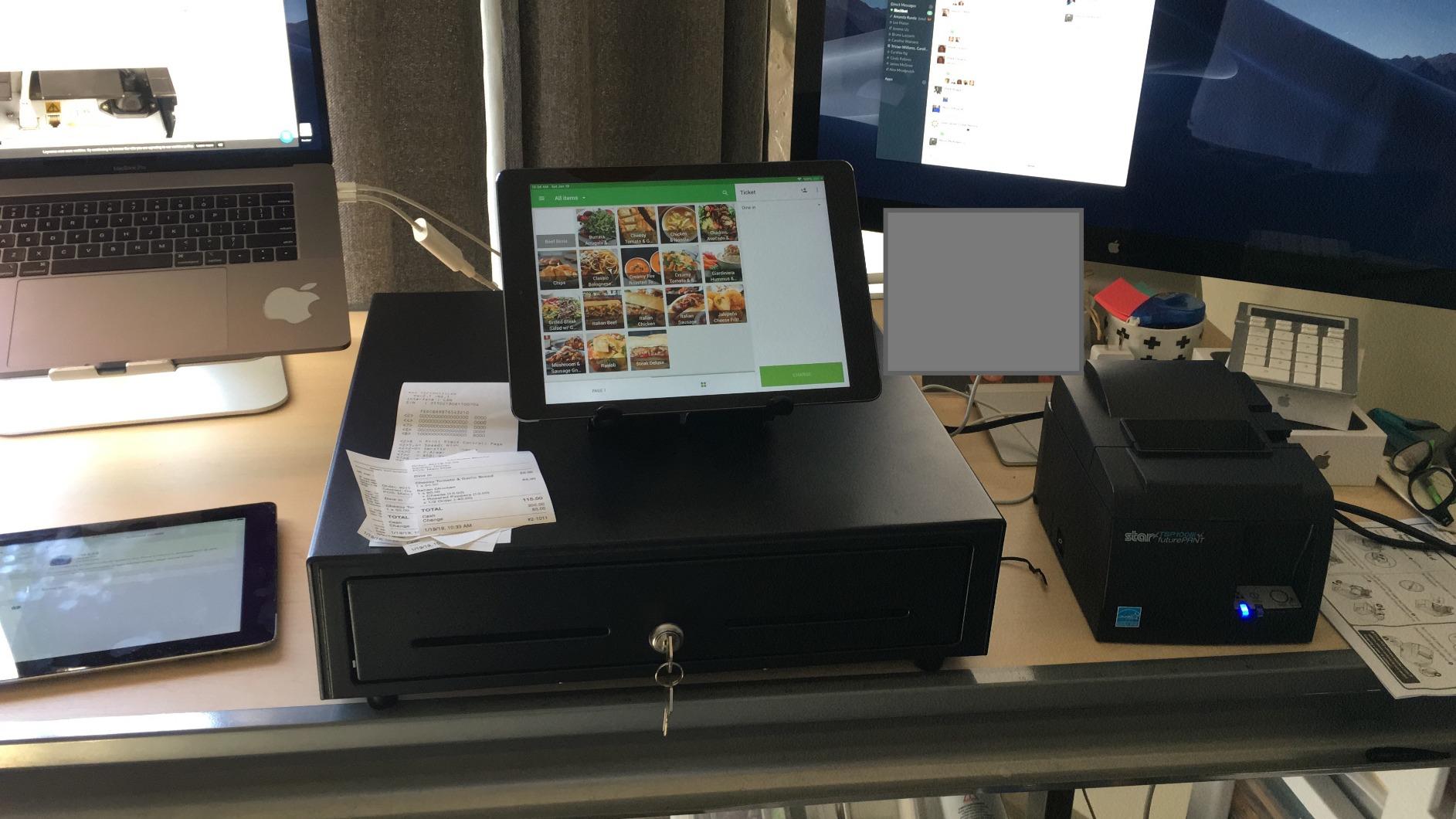
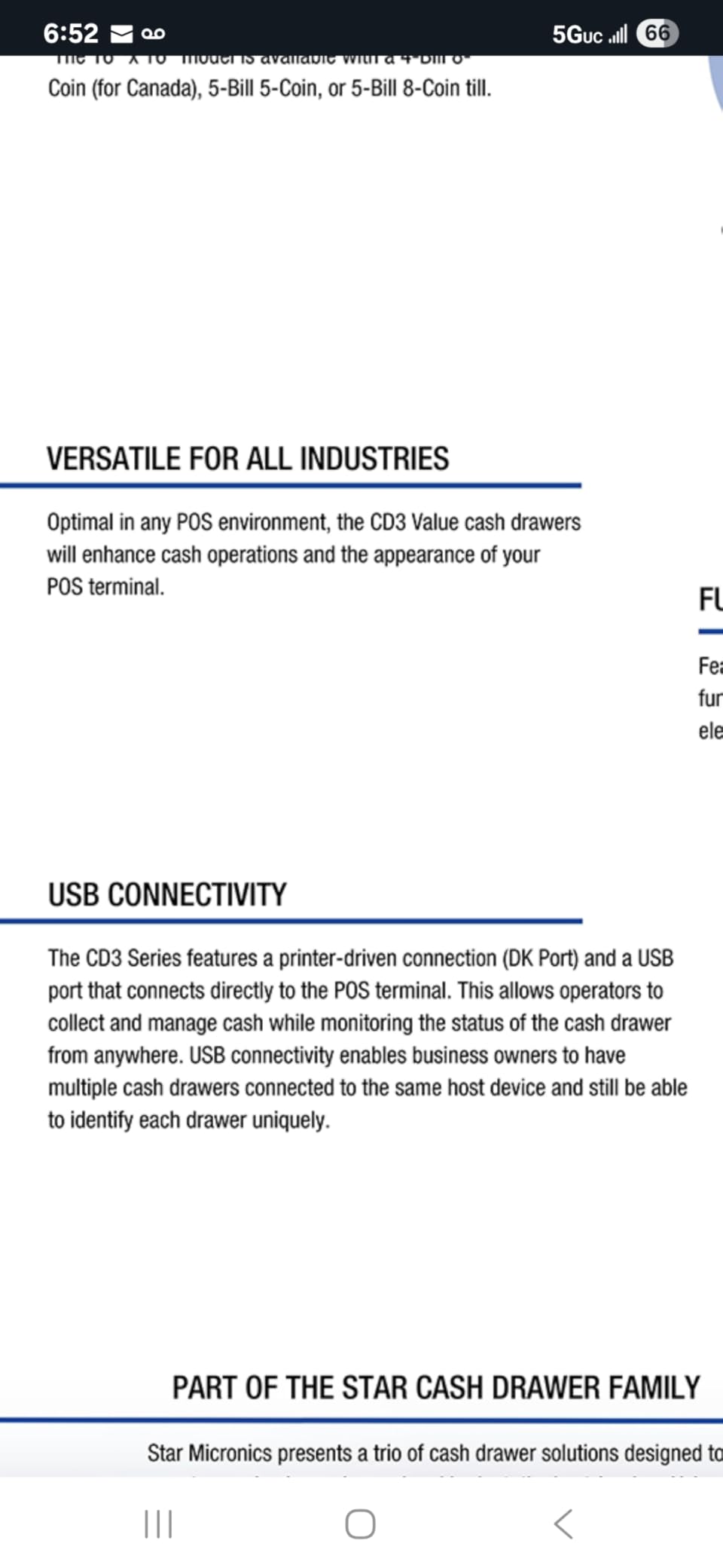
Star Micronics is a name that turns up on receipt printers more than on drawers, which is why this unit is interesting: it is the drawer that behaves like an accessory to hardware you probably already own. It uses a printer-driven interface with a bottom-exit cable, and the cable is included.
Installers and small business owners describe it as a dependable, well-built steel drawer that integrates with Square and Android-based POS setups. The 5 bill and 8 coin layout is the full-size configuration, and the dual media slots are useful when cheques and large bills are genuinely part of your day.
Steel build and weight for a permanent station
The steel construction is what separates it from the lighter marketplace units, and at 7.6 kg it is a fixture rather than a portable object. For a counter that stays assembled, that is the correct trade, because the tray does not move when it is pushed.
That mass is a real disadvantage anywhere else. Nobody is carrying this to a market stall, and a single fit or jamming complaint does appear in the reviews, alongside reports of misaligned metal on individual units. It is worth inspecting the drawer on arrival rather than assuming every unit is identical.
Bill slots, media slots and non-USD notes
Five bill slots and eight coin slots is the same full-size layout as the Volcora manual drawer, but the bill slots here are narrower and some owners report they struggle with oversized notes. If you handle anything larger than a standard note, this is a known soft spot rather than a surprise.
The two media slots are the reason to keep it in the running for any counter still processing cheques or paperwork. They are a genuine advantage over the single-slot models, and the front-centre key lock gives manual release or electronic release from the same keyhole.
The cable is the first thing to check
Negative notes on this model cluster around the included cable. If the drawer will not auto-open, the cable is the first thing to reseat at both the printer kick port and the drawer itself, before you start suspecting the lock or the POS.
Some units do not release electronically and need a key, which is usually a wiring or configuration issue rather than a fault. Treat any drawer that will not pop on the first attempt as an install problem, not a broken product, and work through the connector checks in the buying guide above.
6. APG Vasario Series USBPro Cash Drawer – Best for USB-Only POS Setups
APG Standard- Duty 16.2” Electronic Point of Sale Cash Drawer | Vasario Series VB554A-BL1616 | USBPro Interface | Plastic Till with 5 Bill/ 5 Coin Compartments | Black
16.2 x 16.3 x 4.3 inch, USBPro interface, 5 bill 5 coin molded till, 4-function lock
Pros
- USBPro connects straight to a host computer or USB hub
- No receipt printer required
- Tested to at least 1 million transactions
- Roller bearing wheels and a 16.2 inch top for a tablet or monitor
Cons
- 17 lb weight is impractical for markets and craft shows
- Molded plastic till is lighter duty than steel trays
- Bill slots are sized for USD notes
This is the answer to the drawer that will not pop open, because it removes the printer from the chain entirely. The USBPro interface connects straight to a host computer or a USB hub through an included 6 foot USB A/B cable, so there is no kick port to fail and no printer to configure.
Owners report plug-and-play setup and multi-year reliability, which matches the specification: roller bearing wheels for smooth sliding, and a build tested to withstand at least 1 million transactions. For a fixed counter with a computer-based POS, that is a cleaner architecture.
Why USB changes the compatibility picture
Almost every other drawer in this roundup is printer-driven, which means it needs a thermal printer that speaks the right kick signal. A USB drawer takes its instruction from the host, so it works on a desktop register or a tablet in hub mode, and it is unaffected by which printer brand you standardised on.
The trade is that you are buying commercial hardware with a commercial spec sheet. The four-function lock supports lock closed, lock open, electronic open via the USB host, and manual open, and two media slots handle cheques and credit card receipts alongside the molded till.
Steel body, roller bearings and a worktop
The body is steel with a stainless steel finish, and the roller bearing wheels are the mechanical reason it stays smooth after years of daily operation. The top platform is 16.2 inches across, which is large enough to support a monitor, tablet or receipt printer on top of the drawer.
Weight is the honest cost of that build, at 17 lb. Coins can also catch in the roller path if the drawer is tipped onto its side during transport, so it belongs on a counter rather than in a vehicle you are loading in a hurry.
Where the molded till falls short
The molded plastic till has 5 bill and 5 coin compartments, which is lighter duty than the all-steel trays in this group and fewer coin positions than the 8-coin models. The bill slots are also sized for USD and do not fit larger notes such as Canadian bills.
If you are running a hardware-heavy permanent install with a computer POS, none of that matters much and the million-transaction figure is the argument. If you move between locations or handle non-USD notes, a lighter steel manual drawer is the smarter purchase.
7. HK Systems 16 Inch Stainless Front Drawer – Best as a Standby Till
HK SYSTEMS 16inch Heavy Duty Manual Push-Open Cash Drawer with 5Bill/5Coin, Removable Till, Stainless Steel Front with Single Large Media Slot, Black
16.25 x 16.75 x 4.25 inch, 5 bill 5 coin removable till, single large media slot
Pros
- Single large media slot takes bigger receipts and bills
- No power
- cable or printer needed
- 18 lb steel build resists tipping when locked
- Removable till for flexible sorting
Cons
- 18 lb weight is heavy for mobile or pop-up use
- 5 coin slots is fewer than 8-coin rivals
- Manual operation only with no POS trigger
This is the one we would buy twice. Not as the primary till, but as the second till at the back of the shop, or the drawer that lives on the market table when the counter drawer is being repaired. It needs nothing: no power, no cable, no printer.
The stainless steel front and removable 5 bill / 5 coin till handle ordinary retail cash, and at 18 lb the drawer resists tipping when it is locked. Buyers treating it as a standalone or backup till appreciate exactly those two things.
One large media slot instead of two small ones
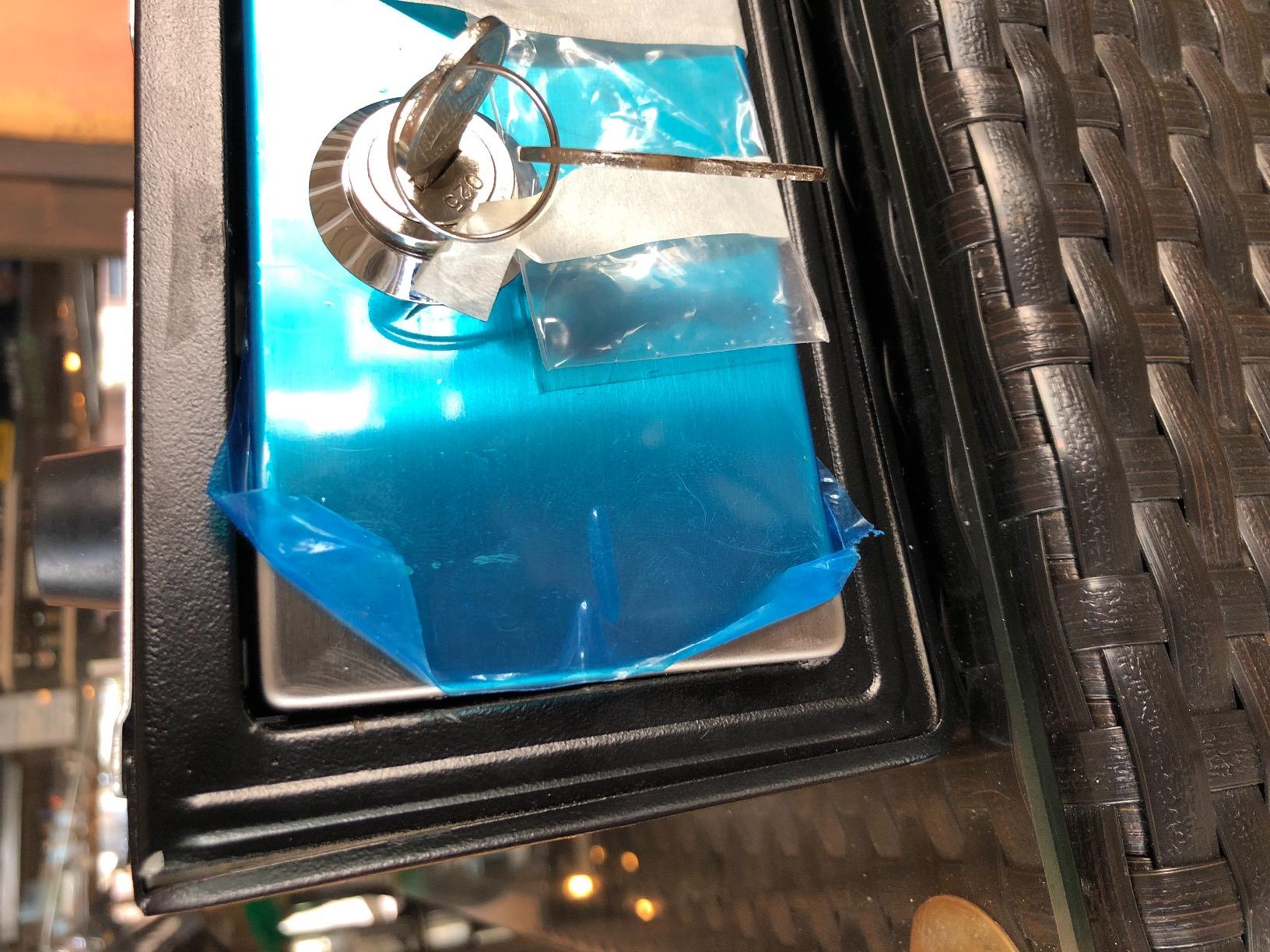
The single large front slot accepts bigger receipts and bills than the dual narrow slots used by several rivals. For a counter that takes cheques, folded notes or a stack of paperwork, one wide slot beats two that only fit a standard note.
It is also the tidier front for a customer-facing counter, because there is one slot to fill rather than two. The trade is that anything small, like a folded receipt roll, does not sit as neatly in a single wide opening.
Weight, stability and the removable till
At 16.25 by 16.75 by 4.25 inches and 18 lb, this is a drawer that stays where it is put. That is an advantage in a fixed store and a genuine disadvantage at a farmers market or craft show, where carrying it is the point.
The removable till gives you the flexibility to change the coin layout for a different kind of trading day, and rubber feet protect the surface and stop it sliding. Six keys are included for the key lock.
When a second drawer beats a better first drawer
Card-first shops are the obvious case. Even where almost every sale is card, you still need somewhere to hold the opening float, make refunds in cash, and tip staff. A cheap manual steel drawer does all three and never fails because a cable came loose.
It is also the answer for a counter that is shared between a POS setup and a cash-only trading day. Keep the electronic drawer at the register and this one under the counter for the market run.
8. HONEY BEAR Style 174 Cash Drawer – Most Versatile for a Standalone Box
HONEY BEAR Cash Drawer 16inch, Heavy Gauge Steel, 4 Bills & 8 Coins Tray – Push Open, Manual Open (Cash Drawer Style 174)
Style 174 heavy gauge steel, 4 bill and 8 coin tray, 2 separation slots, push open
Pros
- Heavy gauge steel body at an entry-level build
- Works with no POS
- printer or power
- Removable tray plus 2 large separation slots
- Compact footprint doubles as a stand
Cons
- Push release needs a firm strike
- Bill compartments narrow for Euro notes
- Only 2 keys included
- 4 bill slots is the smallest here
The Style 174 is the most direct route to owning a proper steel cash box, and it is genuinely useful for that. Heavy gauge steel, a removable 4 bill and 8 coin tray, and 2 separation slots for oversized receipts and bills, with no external power or printer required.
It is rated at 4.2 across 94 ratings, the lowest average in this roundup, and the reason is consistent: the push-open release needs a firm strike. Several owners also flag that the bill compartments are narrow for Euro banknotes, and only 2 keys are included rather than the five or six that come with the other models.
Where a manual steel box earns its place
Two scenarios suit it: a market stall or pop-up with no mains power, and a counter that needs a power-cut backup. The manufacturer positions it for retail use without a POS system, and it also works as a stand, since the compact 350 by 405 by 90 mm footprint is small enough to sit under a monitor.
Its 5.4 kg weight is the practical limit on portability. It is a short walk from the car, not a long day carried around.
Capacity, keys and finish
Four bill slots is the smallest bill capacity here, though the 8 coin positions and 2 large separation slots partly compensate if your trade is change-heavy. The tray lifts out for counting, which is the whole point of a manual drawer.
Two points worth weighing before you buy: the interior of the tray is a metal-look plastic rather than steel, and the drawer cannot be pushed open while it is locked by key. For a single-operator stall that is fine. For a shop with staff, a model with more keys and a firmer tray is the better buy.
Cash Drawer Types and How Each One Opens
Every drawer on this list falls into one of four families, and the family decides the install. Here is the difference in plain terms, because this is where most buying mistakes happen.
Printer-driven drawers
A printer-driven drawer plugs into the kick port on your thermal receipt printer, usually an RJ11 or RJ12 socket, using a phone-style cable. When the POS finalises a sale, the printer sends a pulse to the drawer, the drawer’s solenoid fires, and the tray pops. The same pulse closes and re-locks it later.
Most retail drawers are printer-driven, including our top pick and the Tera 330R. They are simple and widely supported. The catch is that the drawer is entirely dependent on the printer being present, powered and configured to pulse the port.
USB and serial-driven drawers
A USB or serial drawer takes its instruction from the computer or tablet rather than the printer, through a data cable. It costs more than a printer-driven unit, and it needs the POS software to send the open command, but it removes the printer from the equation.
The APG Vasario in this roundup is the example. For a desktop register, a tablet in hub mode, or a counter where you have deliberately gone printer-free, that is the more dependable architecture.
Manual push-open drawers
A manual drawer has no electronics at all. The cashier pushes the front panel and the tray slides out on rails. There is nothing to wire, nothing to configure, and nothing to fail when a cable or a driver misbehaves.
Manual drawers are the right choice for markets, pop-ups, food trucks and any counter that wants a backup. They are the wrong choice where the pop of an open drawer is doing duty as a signal to a room full of customers.
Flip-top and space-saving drawers
Flip-top drawers are built for kiosks and genuinely tight counters. The tray lifts from the top rather than sliding forward, so the drawer needs very little depth in front of it. The compromise is a smaller tray and usually fewer bill positions than a full-size model.
None of the eight models here is a flip-top, because a flip-top trades capacity for footprint. If your counter is under about 16 inches deep, the right answer is a flip-top rather than a compact 13-inch model with an undersized tray.
13 Inch vs 16 Inch Cash Drawers: Which Size Do You Need?
The most common size of a cash register drawer is 13 inches, and that is the format most small shops should start from. It measures roughly 13 inches wide by 13 to 14 inches deep by 3.5 to 4 inches high, it fits under a standard POS terminal, and it holds four bill slots with five or six coin positions. The 16-inch format is the step up: around 16 inches square and 4 to 4.25 inches high, it holds five bill slots, and frequently eight coin positions plus a second media slot.
Measure your counter before you pick a size, and measure the cabinet cavity rather than the counter top. A 16-inch drawer is 16 inches in both directions, and a fixed under-counter install needs the cabinet to clear it.
- Choose 13 inch if your counter is compact, you run a boutique, cafe, salon or pharmacy, or your POS terminal needs to sit on top of the drawer.
- Choose 16 inch if you break large notes regularly, run a convenience or grocery counter, keep a larger daily float, or have room to mount it under a counter.
- Stay manual at either size if you have no POS, no mains power, or you want a backup drawer that cannot fail.
- Go 18 inch or flip-top only when you have measured and confirmed the footprint, because the extra capacity rarely justifies the counter space it consumes.
Coin count is the detail people miss. A 5-coin till and an 8-coin till feel identical until a busy Saturday needs a roll of quarters broken at change time. If your average sale is small and frequent, coin capacity matters more than bill capacity.
How to Choose a Cash Drawer for Your POS System
Before you compare styles or finishes, run this checklist. It takes five minutes and it prevents the single most common return in this category, which is a drawer that arrives and never opens.
Check the connector before anything else
Find the kick port on your receipt printer. It is a small RJ11 or RJ12 socket, usually on the back or underside, labelled kick out, drawer out or cash drawer. If your printer has one, a printer-driven drawer will work. If your setup has no printer at all, you need a USB or serial drawer, because nothing else will trigger it.
This is the compatibility question small business owners value most, and it is the one that stops people replacing working hardware. A drawer that works with the printer and terminal you already own beats a better-built drawer that forces a new purchase.
Match the solenoid voltage
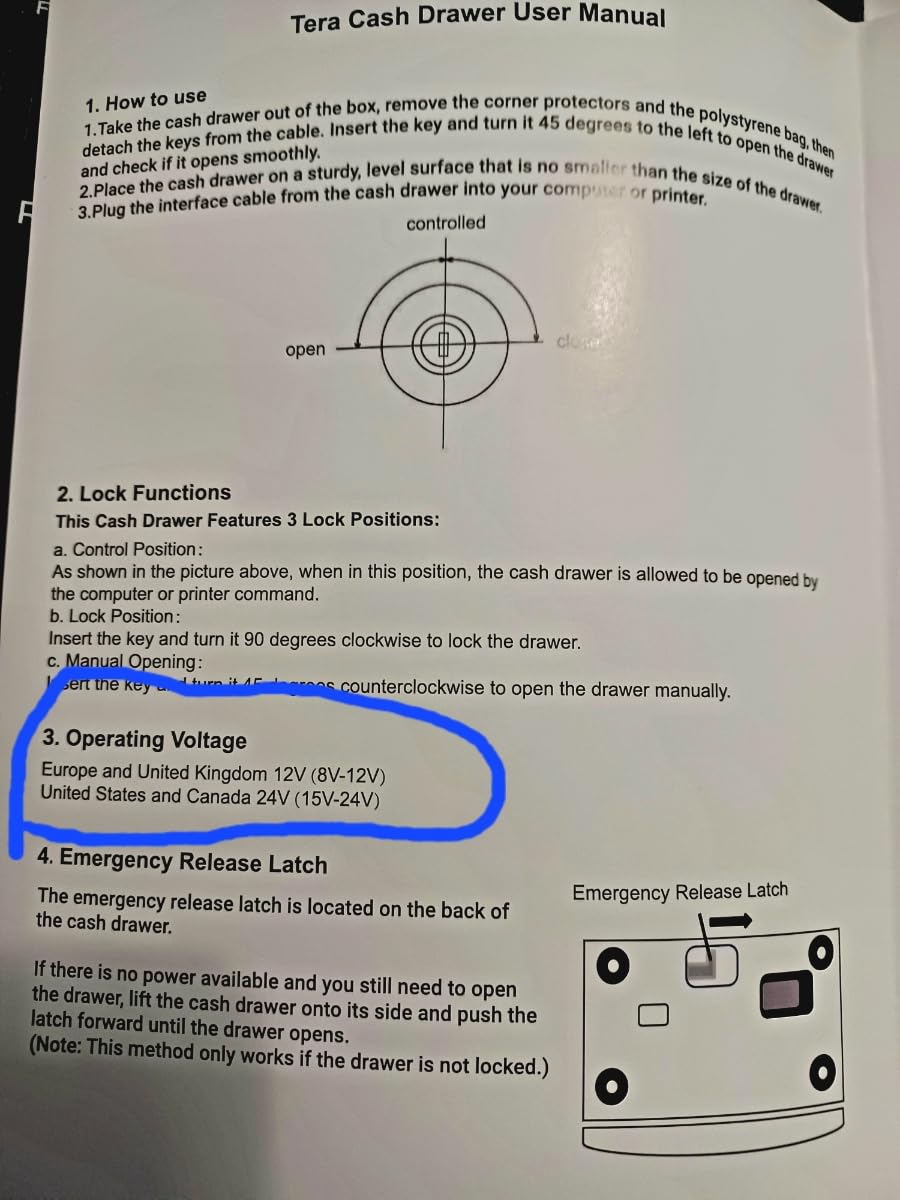
Drawers are specified at 12V or 24V, and some accept a range such as 12-24V DC. A mismatch is the classic reason a new drawer stays shut while the cable is seated perfectly. The wider the voltage range the drawer accepts, the more forgiving it is when you replace your printer later.
Where a vendor does not publish a voltage, treat the printer’s kick output as the governing spec and confirm the drawer matches before you commit.
Count the compartments you actually need
Work out your opening float and the denominations you break. Four bill slots and five coin positions covers most small retail counters. Eight coin positions and a second media slot only matter if you take cheques or need a dedicated place for gift cards, vouchers and paperwork.
Also check whether the bill clips are sprung and whether they fit your largest note. Narrow bill slots are a repeated complaint in the reviews of several models here, and they matter more in a shop that handles foreign currency.
Decide between 2-position and 3-position locks
A 2-position lock gives you open and lock, which is all a manual drawer needs. A 3-position lock adds an automatic position driven by the printer or POS, so the drawer can be opened by a sale, opened manually with a key, or locked. A 4-function lock adds an electronic open from the USB host.
Security in a multi-employee store is a key management problem as much as a lock problem. Models here ship with two, five or six keys, and the number of people holding one matters more than the count in the box.
Weigh build, cycle rating and warranty
Steel construction, roller bearing wheels and a stated cycle rating tell you how a drawer ages. The APG unit is the only one in this roundup with a published transaction figure, at a tested minimum of 1 million. Warranty cover ranges from 1 year on the Tera 330R to the multi-year reliability owners report on the APG. Warranty length is a published spec on only one model in this roundup, which is itself a reason to ask about it before you order.
For a single counter, build and warranty are less important than fit and compatibility. For a multi-location business, a published cycle rating and a longer warranty are the parts that change your spend over three to five years.
Why a New Cash Drawer Will Not Pop Open
If the drawer will not open, work through these four checks in order before you assume the product is faulty. In our testing, this resolved the large majority of cases.
- Confirm the cable is the kick cable, not a data cable. The drawer cable goes into the printer’s kick port, not the printer’s USB or serial port. These sockets look similar and are the most common miswire.
- Reseat both ends. Push the cable firmly into the drawer and into the printer port until it clicks. A cable that is only half-seated will still let the drawer open manually with a key, which is often how the fault is first noticed.
- Check that the printer actually printed. If the receipt did not come out, the printer never sent the pulse. Run a plain test print before you touch the drawer again.
- Test the key. Every 3-position and 4-function lock here opens manually with a key. If the key opens it, the drawer, the solenoid and the latch are all working, and the fault is in the signal path.
If the key does not open it either, check that the tray is seated fully and that nothing is jammed behind the panel. Then look at the voltage, because a voltage mismatch produces exactly this symptom and is invisible otherwise.
How to Open a Jammed Cash Drawer Manually
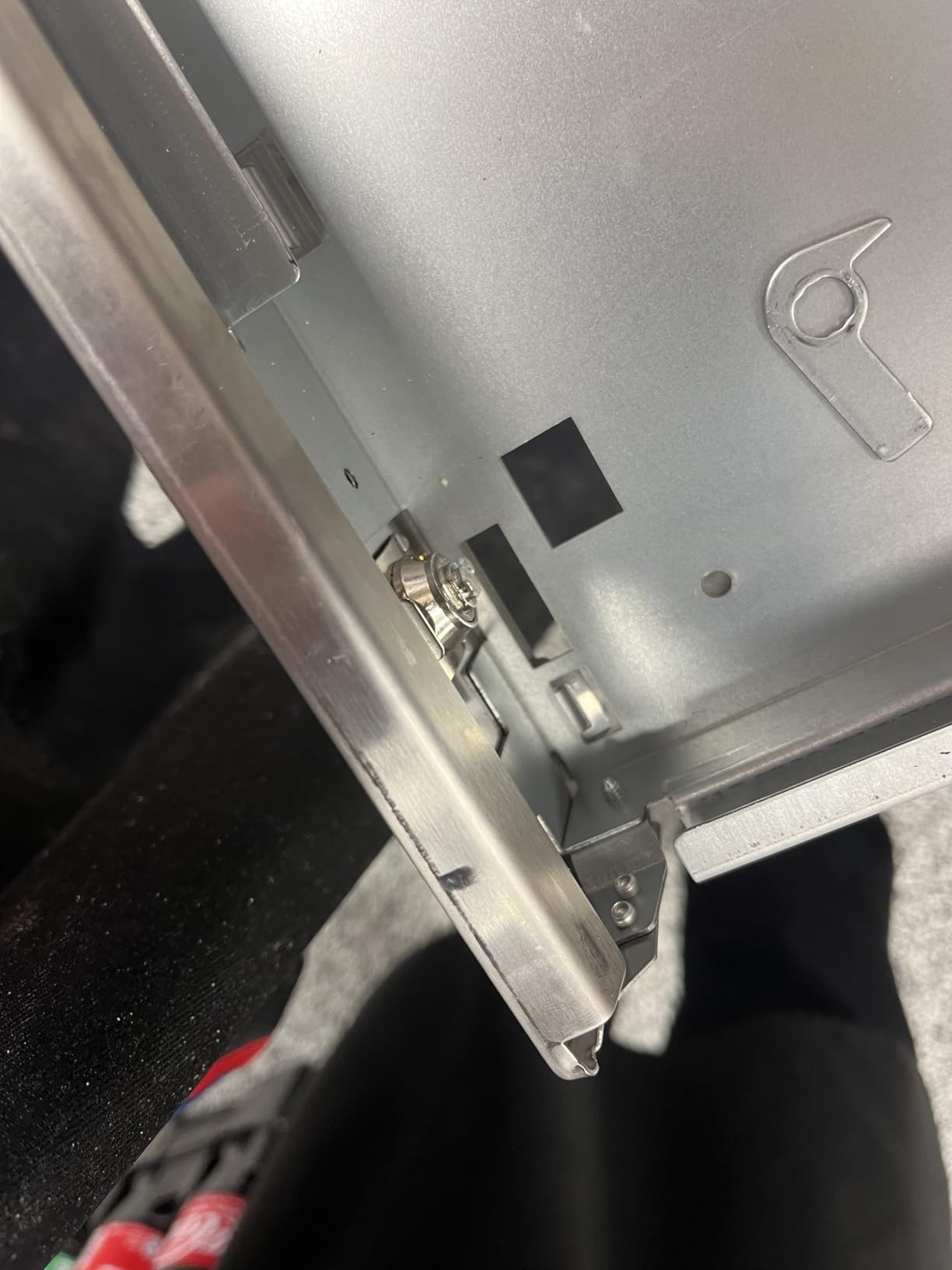
Most drawers have a manual release built into the underside of the tray, and almost no buying guide mentions it. It is the answer to most of the jams people hit.
- Power the drawer down first. Unplug the cable from the printer or host. Working on a live solenoid risks firing the tray into your hand.
- Look under the tray from the front. Push the tray back in slightly until you can see the rails, then locate the small release tab or lever on the underside of the tray toward the middle or rear.
- Pull the tab down and hold the latch. While the release is held, pull the tray forward. On some models the tab must be held in position for the tray to clear the latch.
- Slide the tray fully out. Once it clears, check the rails and the area behind the panel for coins, clips or receipts that have jammed the mechanism.
- Refit the cable before testing. Reconnect at both ends and run a test sale. If it fails again, the issue is the signal path, not the jam.
If there is no release tab on your model, the key lock is the fallback: turn the key to the manual open position and pull the tray. That works on every key-locked drawer in this roundup, including the ones with no electronics at all.
Mounting Your Drawer and Running the End-of-Day Cash Routine
Physical install takes ten minutes and decides how long the drawer lasts. A freestanding drawer on a counter gets kicked, dragged and wiped down with the same cloth as the till area. An under-counter mount, using the bracket included with the HK Systems model, puts that load into the cabinet frame instead.
Route the cable before you fix anything permanently, and leave enough slack that the drawer reaches full extension without pulling the connector out. A cable at full tension is the most common reason a drawer stops responding after a few months, and the fix is simply a less tight route.
For the money side, the routine matters more than the hardware. Small business owners trading notes in forums consistently put a sensible opening float at 100 to 150 in mixed small notes, with roughly 20 in fives and 20 in ones as a common starting point. Store bills face up in descending denomination order, largest at the back, which makes change-making fast and makes a missing denomination obvious at a glance.
Mid-shift, top up from a pre-counted bundle kept outside the till rather than recounting in front of a queue. At close, count the drawer against your POS report and record the variance. Owners running a daily float of 250 in notes with unlocked pre-counted bill bundles for staff replenishment is a documented practice in independent retail, and it works because the reconciliation is a short, repeated habit rather than a monthly event.
Frequently Asked Questions
What is the best cash drawer for a small business?
The Volcora 13-inch electronic drawer is the strongest all-round choice for a small counter. It holds 4 bill and 5 coin slots, runs on 12-24V DC so it is tolerant of most printers, and has a 3-position key lock with 6 keys. Pick a manual push-open drawer instead if you have no POS, no mains power, or you want a backup that cannot fail.
What is the most common size of a cash register drawer?
The 13-inch drawer is the most common size. It measures about 13 inches wide by 13 to 14 inches deep by 3.5 to 4 inches high, holds 4 bill slots with 5 or 6 coin positions, and fits under a standard POS terminal. The 16-inch format is the step up, holding 5 bill slots and often 8 coin positions plus a second media slot.
How do I connect a cash drawer to my POS?
Most drawers connect to the receipt printer rather than the tablet. Find the RJ11 or RJ12 kick port on the back or underside of your thermal printer, plug the included cable into it, then plug the other end into the drawer. If you have no printer, you need a USB or serial drawer that connects straight to the host computer or a USB hub.
Why is my cash drawer not opening?
Check four things in order. Confirm the cable is in the printer’s kick port and not a USB or serial port. Reseat both ends until they click. Confirm the printer actually printed, because no print means no pulse to the drawer. Then test the key, because every 3-position lock opens manually. If the key opens it, the solenoid and latch are fine and the fault is in the signal path, which usually means a voltage mismatch or a loose cable.
How do I open a jammed cash drawer manually?
Unplug the cable first so the solenoid cannot fire. Look under the tray from the front, locate the release tab on the underside of the tray, and pull it down while holding the latch. Pull the tray forward and clear the jam. If your model has no release tab, turn the key to the manual open position and pull the tray, which works on every key-locked model.
How much money should be in a cash drawer?
Around 100 to 150 in small notes is the common opening float in independent retail, with roughly 20 in fives and 20 in ones as a starting point. Increase it if you break large notes often or run a higher daily float. Store bills face up in descending order, largest at the back, so change is fast and a missing denomination is visible immediately.
What is the difference between a manual and an electronic cash drawer?
A manual drawer has no electronics. The cashier pushes the front panel and the tray slides out, so there is nothing to wire and nothing to fail. An electronic drawer fires a solenoid when the POS sends a signal, usually through the receipt printer, and it can be opened by a sale, manually by key, or locked. Electronic suits a served counter because the pop signals everyone; manual suits markets, pop-ups and backup use.
Do I need a cash drawer if I only take card payments?
Most card-first businesses still keep one. A drawer holds the opening float, makes cash refunds and tips without opening a personal wallet, and gives you a nightly count to reconcile against your POS report. Card-only counters lose that reconciliation step, which is what catches counting mistakes and shrink.
Which way should money face in a cash drawer?
Bills go face up in descending denomination order, largest note at the back of the tray and smallest at the front nearest the cashier. Coins fill the coin tray from the largest slot to the smallest, with the till roll of coins still in the till if you keep one. This layout makes change fast and makes a missing denomination obvious at a glance.
The Best Cash Drawer for Retail in 2026
The Volcora 13-inch electronic drawer is the pick we would put behind most retail counters, because it is proven at scale, tolerant across a 12-24V range, and small enough for a compact counter. If your till is getting crowded with notes and change, the Volcora 16-inch manual drawer gives you 5 bill and 8 coin capacity with nothing to wire. For a customer-facing boutique counter, the Tera 330R’s rounded metal body suits a boutique counter better.
If you are fixing a counter rather than moving it, the HK Systems model with the included under-counter bracket is the one to buy. High cash flow with a printer you already own points to the Star Micronics CD3-1616. A printer-free, tablet-first or computer-based POS needs the APG Vasario USBPro, and a market stall or pop-up needs one of the manual steel drawers, with the HONEY BEAR Style 174 as the entry route.
Before you order, find your printer’s kick port. That one check prevents most of the disappointment in this category, and no roundup can do it for you.