
The best inkjet printer for home office use is the Epson EcoTank ET-2800. It is the only model here that combines refillable ink, a genuinely small footprint and a flat 100-sheet tray, and its tanks cover up to 4,500 black or 7,500 color pages per set, which makes the cost per page the lowest in this group. If you print two-sided paperwork every week, choose the Canon PIXMA TR8620a instead, because the ET-2800 is simplex only.
That split is the whole story with inkjets. A home office printer is not judged on the sticker price, because ink is most of the lifetime bill. It is judged on what a page costs, whether it can feed a stack of paper without you standing there, and whether it still connects to your phone six months after setup.
Our team spent weeks putting nine of the strongest current inkjet all-in-ones through the same routine: a mixed workload of invoices, contracts, meeting handouts and the occasional photo print, plus a monthly scan batch to see how the flatbed and feeders hold up. We tracked print speed, paper handling, ink economics and the small annoyances that only show up after a few weeks of real use.
Inkjet or laser still matters before model shopping. If you print a few hundred mostly-black pages a month, a laser in our laser printer picks for home offices guide will beat any inkjet on speed and text crispness. Inkjet wins on color, photo quality and the ability to print a single page without a warm-up cycle, which is the reality of most home offices. We cover more general hardware in our home printer picks for small offices guide.
Below is every model we tested in 2026, ranked in the order we would actually buy them.
Our Top 3 Inkjet Printers for Home Offices in 2026
These three cover the three distinct home office profiles: the all-round office machine, the highest-capacity office machine, and the lowest running cost per page. The full list of nine follows underneath, with the spec detail.

Epson EcoTank ET-2800
- Refillable tanks
- 4500 black / 7500 color pages per ink set
- Flatbed scan and copy
- Wi-Fi and USB

Canon PIXMA TR8620a
- Automatic duplex printing
- 20-sheet ADF
- 200 sheets across two trays
- Tilting touchscreen

Canon MegaTank G3270
- 6000 black / 7700 color pages per ink set
- Wireless print copy scan
- 1.35 inch LCD
- Borderless and square formats
All 9 Inkjet Printers Compared Side by Side
Every printer here prints, scans and copies over Wi-Fi. The differences that matter day to day are the ink system, whether duplex printing is automatic, whether there is a document feeder, and how much paper fits in the tray.
| Product | Specs | Action |
|---|---|---|
| Epson EcoTank ET-2800 |
|
Check Latest Price |
| Canon PIXMA TR8620a |
|
Check Latest Price |
| Canon MegaTank G3270 |
|
Check Latest Price |
 Epson EcoTank ET-2400 Epson EcoTank ET-2400 |
|
Check Latest Price |
 HP OfficeJet Pro 8135e HP OfficeJet Pro 8135e |
|
Check Latest Price |
 Canon PIXMA TS4320 Canon PIXMA TS4320 |
|
Check Latest Price |
 HP Envy 6555e HP Envy 6555e |
|
Check Latest Price |
 HP Envy 6155 HP Envy 6155 |
|
Check Latest Price |
 Brother Work Smart 1410 Brother Work Smart 1410 |
|
Check Latest Price |
1. Epson EcoTank ET-2800 – The Cheapest Pages and a Genuinely Small Footprint
Epson EcoTank ET-2800 Wireless Color All-in-One Supertank Printer – Black
Refillable ink tanks
4500 black and 7500 color pages per set
10 ppm black, 5 ppm color
Pros
- Refillable tanks that last for months of normal home office printing
- Compact 14.8 by 22.8 inch body at 11.4 pounds
- Guided setup in about ten minutes
- Sharp color photos with no smudging
- Scanning and copying work reliably
Cons
- Simplex printing only so duplex jobs need manual flipping
- Epson app connection errors reported by some owners
- Small LCD with a fiddly on-device menu
The ET-2800 is the printer we keep coming back to because the ink math changes the whole conversation. A full set of the bottle-based inks covers up to 4,500 black pages or 7,500 color pages, and Epson describes one set as roughly equivalent to 90 individual cartridges. In a home office printing a couple of hundred pages a month, that means refills become a twice-a-year event rather than a monthly bill.
Setup was the smoothest in this group. The guided flow takes about ten minutes, the tanks fill directly from the bottles without any priming cartridges, and the fill stops when each tank is full so you cannot overpour. The 1.35-inch class LCD gives you the basics, and everything else lives in the Epson app.
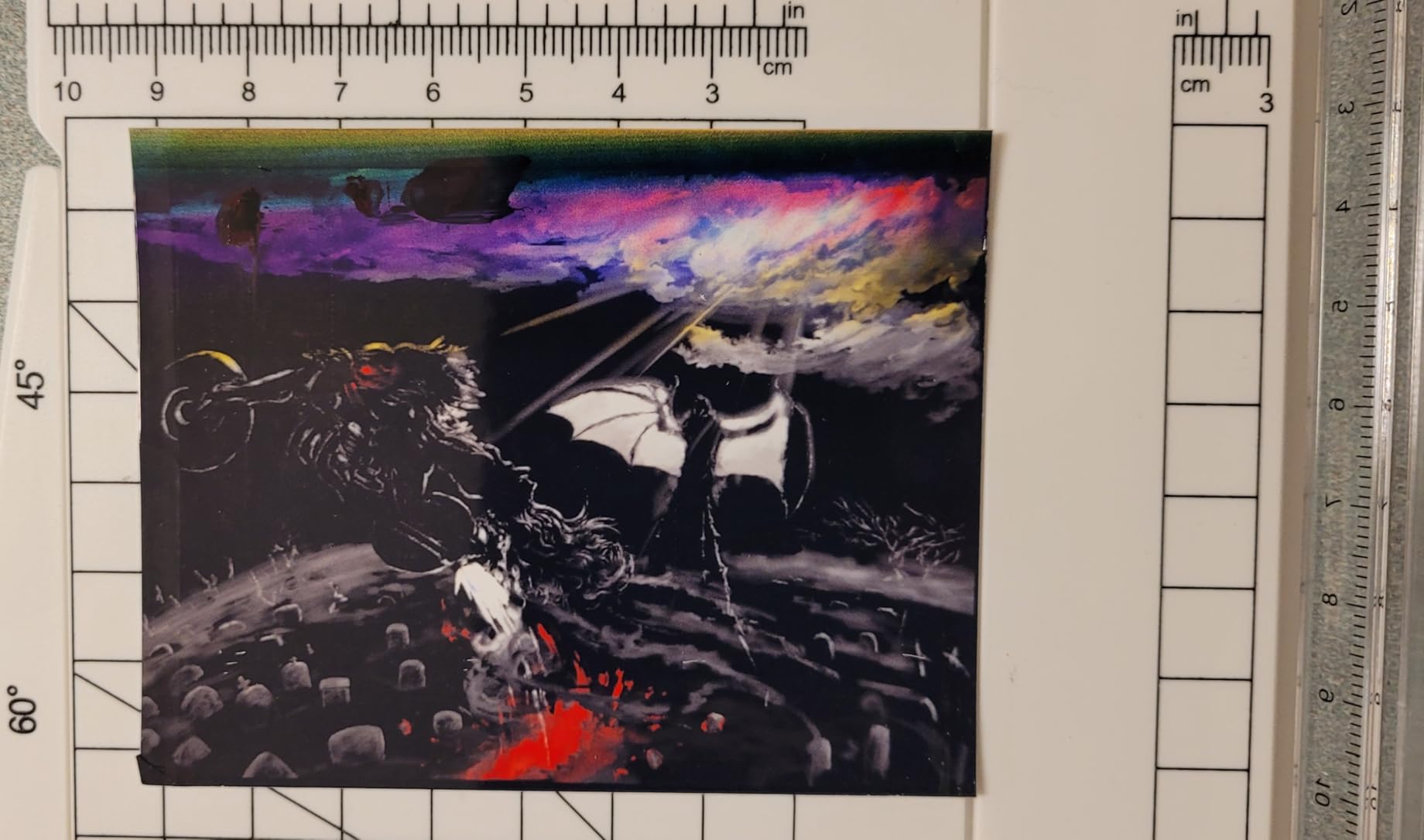
Print quality is where the micro piezo heat-free printhead shows. It resolves 5760 x 1440 dpi, and owners regularly call out vivid color with no smudges, which matters when you are printing charts or a client deck rather than plain text. Black text has a slight dye-style edge at small sizes, so for dense contracts a laser is still cleaner.
Ink Economics: The Main Reason This Model Wins
Because the tanks are refillable, the cost per page is set by the bottle cost divided by the page yield, not by cartridge shelf pricing. Over a typical home office year of a few hundred pages a month, the ink outlay is a rounding error compared with cartridge models in this list. Epson puts the saving against cartridge ink in the thousands over the life of a tank set, which is the number we would use when comparing systems.
There is no cartridge waste either, since there are no cartridges. That removes one of the more common home office irritations, the chip error that stops a printer until you buy a genuine cartridge.
Where It Falls Short: No Automatic Duplex
The ET-2800 prints simplex only. Two-sided documents mean flipping the stack and reinserting it, which on a 40-page report is tedious and easy to do wrong. If you print contracts or anything multi-page regularly, that single missing feature is worth weighing against a cartridge machine that has automatic duplex.
Reliability and the Low-Volume Clog Question
The printhead uses heat-free micro piezo technology, so there is no ink burning on the nozzle area during idle periods, which reduces the clog risk that low-volume users worry about. Even so, some owners report needing repeated nozzle cleaning cycles after very light use. Running a test page every few weeks when the machine has been idle is the simple habit that prevents streaks.
Paper, Size and Connectivity
It takes 100 sheets in the main tray, handles media up to 8.5 by 14 inch, and supports common photo sizes including 4 by 6 and 5 by 7 inch. At 11.4 pounds and 14.8 by 22.8 by 10 inches it is one of the lighter bodies here, and it draws 12 watts. Connectivity is Wi-Fi plus one USB port, and there is no Ethernet, so a weak signal is the usual cause of the connection errors owners report.
We also note that the scanner on some units only worked reliably with the USB cable connected, which is an easy fix to miss if you set it up entirely over Wi-Fi. And the machine is noticeably noisy during a print run, something to consider if your desk sits in a shared room.
2. Canon PIXMA TR8620a – The Best All-Rounder for Documents, Forms and Scans
Canon PIXMA TR8620a – All-in-One Printer Home Office|Copier|Scanner|Fax|Auto Document Feeder | Photo, Document | Airprint (R), Android, Black, Works with Alexa
Automatic duplex
20 sheet ADF
200 sheets across two trays
15 ppm black, 10 ppm color
Pros
- Handles hundreds of pages without trouble
- Excellent print clarity including laminated stock
- Intuitive tilting touchscreen
- Two paper loading options for heavier or odd stock
- Individual tanks that are cheap to refill
Cons
- Canon mobile app is slow and often reports no printer available
- ADF feeds single-sided only
- Paper loading can be finicky with correctly aligned sheets
The TR8620a is the machine we would hand to a hybrid employee who prints real work. It is the only model here that pairs automatic duplex printing, a 20-sheet document feeder, two paper trays and a color touchscreen in a body that still fits a small office. Print speed of 15 pages per minute black and 10 color puts it well ahead of the tank printers on document throughput.
Owners report it handling high page volumes without trouble, and that quality holds up on everything from invoices to laminated reference sheets. The 1,000 page duty cycle is the highest rated monthly figure in this group, which is the spec to watch if you print a few hundred pages a month rather than a few dozen.
Duplex Printing and the Document Feeder
Automatic two-sided printing means you never touch the paper for duplex jobs, and at 15 pages per minute a 20-page document moves quickly. The document feeder takes 20 sheets for scanning and copying, but it is single-sided, so two-sided originals are a two-pass process. That is a real limitation for anyone digitizing double-sided paperwork, and it is the main reason the Brother below sits higher for scanning workflows.
Auto duplex printing and auto duplex scanning are different features and this printer is a good example of the difference. Printing flips the paper for you. Scanning does not.
Paper Handling: Two Trays, 200 Sheets Total
There is a 100-sheet bottom cassette plus a 100-sheet rear feed tray, which is the practical total of 200 sheets. The rear tray is where heavier card or odd-size stock goes, so you can keep plain paper in the cassette and switch media without pulling everything out. Maximum media size is 8.5 by 14 inch, so legal paper works.
Some owners find loading finicky, with the printer occasionally rejecting correctly aligned sheets. Feeding straight and squaring the guides is the fix, but it is worth knowing before you rely on it for unattended jobs.
Ink: Five Individual Tanks with No Subscription
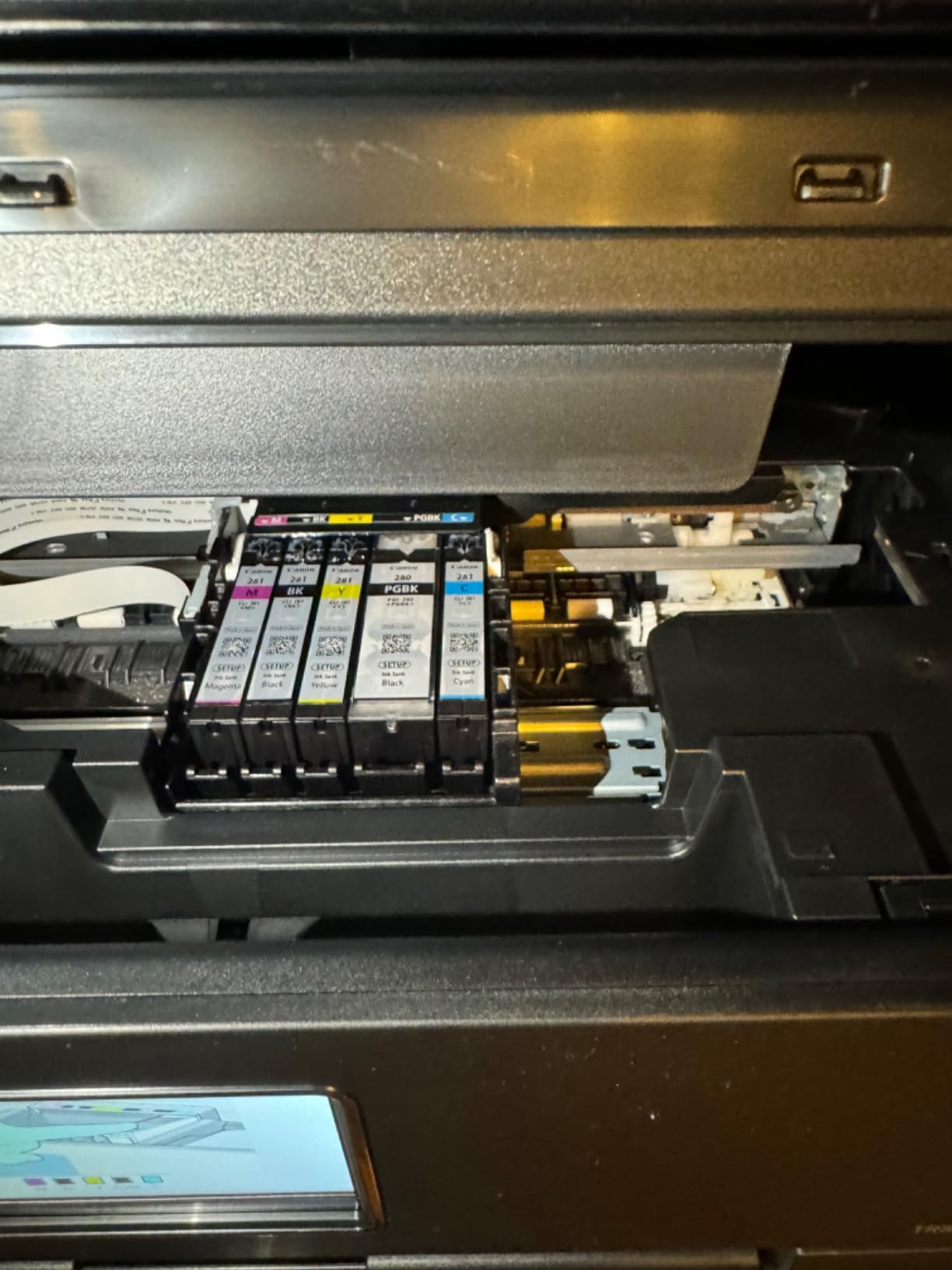
The PIXMA TR8620a uses five separate tanks, so a magenta-heavy project does not drain your cyan. Canon positions this as cartridge-free refilling with low-ink alerts and smart reorders through Alexa, and no subscription is required to use it. That is the arrangement most home offices want: you own the ink and pay for what you use.
Screen, App and Connectivity Trade-offs
The tilting LCD touchscreen is genuinely intuitive, and it tilts up for direct photo printing before folding flat. Connectivity is wireless with a USB port, plus AirPrint support, a micro SD slot, ENERGY STAR and EPEAT Silver certification. The recurring complaint is software, not hardware: Canon’s mobile app is slow and frequently reports that no printer is available, so AirPrint is the more dependable route from a phone or laptop.
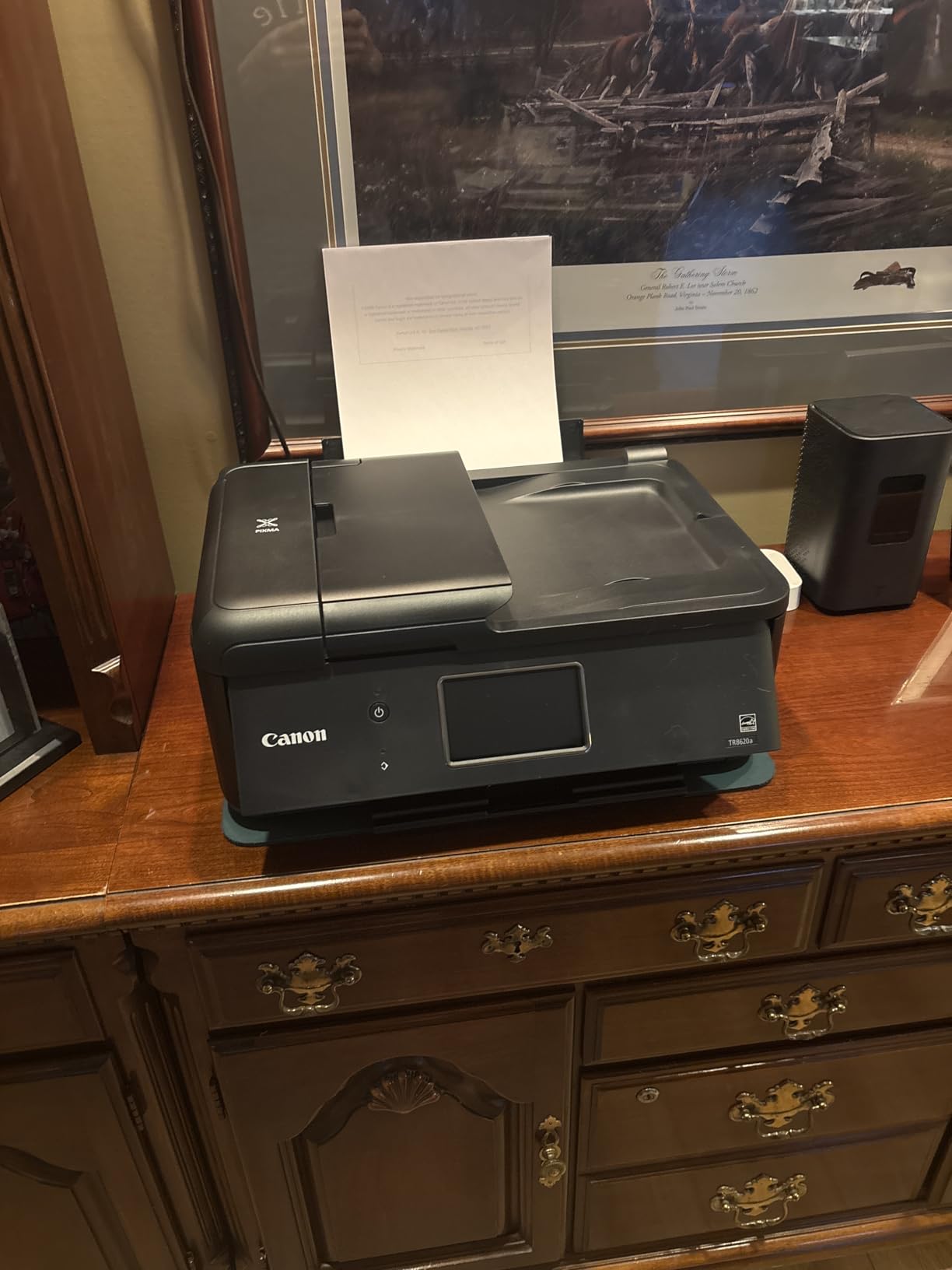
At 17.4 pounds and 13.8 by 17.3 by 7.5 inches this is not the smallest unit here, and it draws 15 watts. Setup takes patience compared with simpler models, and the construction feels cheaper than older PIXMA bodies. Some owners also report early copies of black text looking grayish. Overall it remains the most complete office machine in this lineup.
3. Canon MegaTank G3270 – The Lowest Ink Cost for Color-Heavy Work
Canon MegaTank G3270 All-in-One Wireless Color Printer
Refillable MegaTank ink
6000 black and 7700 color pages per set
11 ppm black, 6 ppm color
Pros
- Ink that lasts years for a typical home office
- Strong clean black and white output with no jams
- Easy Windows app setup that self-calibrates alignment
- Wide media support including envelopes and square formats
- Reliable paper feed
Cons
- Flaky Wi-Fi that drops offline and struggles to reconnect
- No Ethernet port so you depend on USB or wireless
- Dull color on some papers and mediocre scan contrast
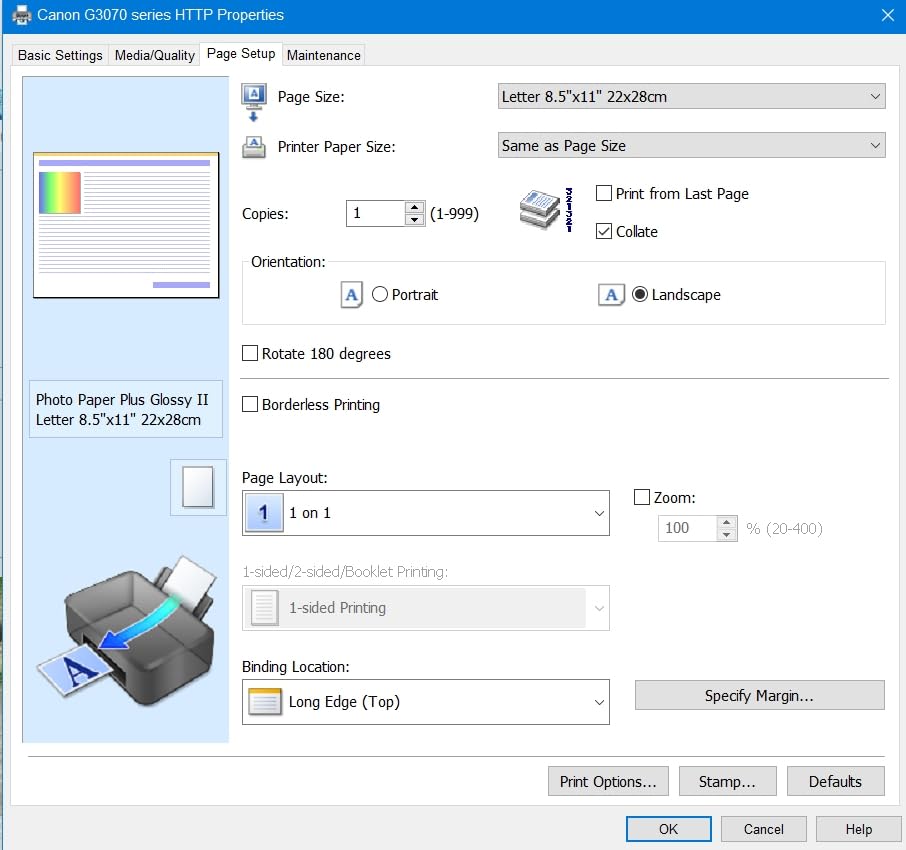
The G3270 is the ink economics champion of this group and the reason is simple volume. Canon rates a single set of MegaTank inks at up to 6,000 black and white pages or 7,700 color pages, with up to two years of ink in the box depending on use. Several owners report still working from the original bottles after close to two years, and Canon advertises ink savings in the thousands against cartridge ink.
It is also a deep body at 21.9 by 16.4 by 10.6 inches, so plan the shelf before you buy. In exchange you get a paper feed owners describe as essentially jam-free, which is not something we can say for every tank printer here.
Print Speed and the Print Quality Gap
Speed is 11 pages per minute black and 6 color, with resolution up to 600 by 1200 dpi. That resolution figure is lower than the Epson EcoTank models, and it shows in fine detail on photos. For documents it is entirely adequate, and the black output is consistently described as clean and sharp.
The more common quality complaint is color rather than resolution. Some owners report results looking dull or washed out on certain papers compared with the Epson equivalents. If you are matching brand colors for marketing material, print a test page on your actual paper stock before committing.
Borderless and Square-Format Printing
This is a genuine advantage for anyone doing photo or craft work. Borderless printing and square format support, along with envelope and photo paper handling, mean you can print a full-bleed 4 by 6 or a square card without white edges. Up to 99 copies per run is useful for a batch of labels or identical inserts.
Wireless Reliability Is the Weak Point
Several owners report the Wi-Fi dropping offline and struggling to reconnect, and there is no Ethernet port to fall back on, so a wired option means USB. It is the single most repeated complaint on this model. Place the printer within range of your router rather than at the far end of the office, and keep the driver updated.
Scanning, Documentation and Setup
The flatbed scanner works, but brightness and contrast quality is described as mediocre, which matters if you are digitizing faded paper. The display is a 1.35-inch square LCD, and control is through the app rather than buttons, so there is no panel menu to learn. Setup documentation is thin, with no printed guide, so budget extra time for the app-driven onboarding. Power draw is 16 watts and the unit weighs 13.2 pounds.
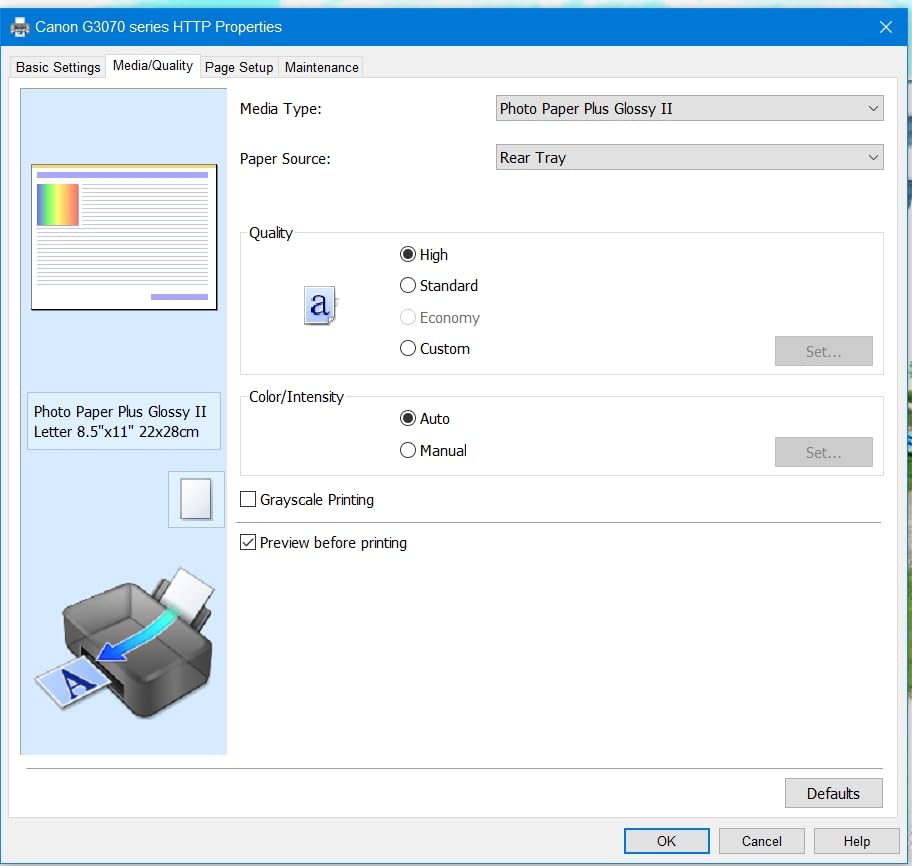
There is no automatic duplex on this model either, so two-sided printing is manual. For a home office that mostly prints single-sided color work and photos, that trade is worth making. For contract-heavy work, look at the automatic duplex models further down this list.
4. Epson EcoTank ET-2400 – The Lightest Body and the Smallest Energy Draw
Epson EcoTank ET-2400 Wireless Color All-in-One Supertank Printer
Cartridge-free ink tanks
8.6 pounds
10 ppm black, 5 ppm color
5760 x 1440 dpi
Pros
- Ink cost drops dramatically against cartridge printers
- Bright vibrant color with deep blacks
- Sharp detailed flatbed scans
- Lightweight body for dorms and small desks
- Recognized immediately on Windows over USB
Cons
- No automatic duplex and no display screen at all
- Paper jams more often than comparable Canon tank printers
- Awkward envelope handling that requires reloading paper
The ET-2400 is the desk-space answer. At 8.6 pounds and 22.8 by 14.8 by 10 inches it is the lightest body in this lineup, and it draws 12 watts, so it is a comfortable machine for a small room or a shared study. The ink tanks deliver up to 4,500 black and white pages and 7,200 color pages per set, with up to two years of ink in the box depending on volume.
Print quality is the surprise. Reviewers describe bright, vibrant color with deep blacks and crisp, clean images, and flatbed scans come out sharp and detailed. The micro piezo heat-free printhead resolves 5760 by 1440 dpi, matching the ET-2800 and exceeding every Canon in this list on paper specification.

Why the Missing Screen and Duplex Matter
There is no display at all, only four status LEDs, and control is entirely through the app. That makes troubleshooting genuinely difficult, because there is no on-device menu to confirm settings. Combined with manual duplex only, this printer is built for a simple job: single-sided documents, scanning and occasional color.
For a home office that prints a contract every few weeks, the flipping is a minor annoyance. For one that prints a monthly report pack of 60 pages, it adds up quickly.
Paper Jams and Envelope Handling
The most common mechanical complaint is that this model jams more often than comparable Canon tank printers, and the jams are awkward to clear. Envelope loading also requires removing loaded paper and repositioning the guides, which is a small thing that recurs constantly if you mail bills from the same desk.
None of that cancels the value. Owners consistently report a dramatic drop in ink cost once they move from cartridges to these refill bottles, and the first page prints in about seven seconds, which matters on a slow wireless wake.
Connectivity and Wireless Setup Gotchas
Connectivity is Wi-Fi plus one USB port, and the printer was recognized immediately on Windows and in photo software over USB during our testing. The wireless instructions do not mention dual-band routers, and some owners had to disable the 5 GHz band to connect. If your router broadcasts both bands, that is the first thing to try before resetting the printer.
Two Long-Term Weaknesses to Know About
The waste ink pad is not user-replaceable, so a very high-volume owner eventually faces a service visit or a unit that reports end of life. Owners also report slow print speed and slow wireless wake and print times, which is a known tank-printer trait. If you print rarely and want instant output, factor that into your choice.
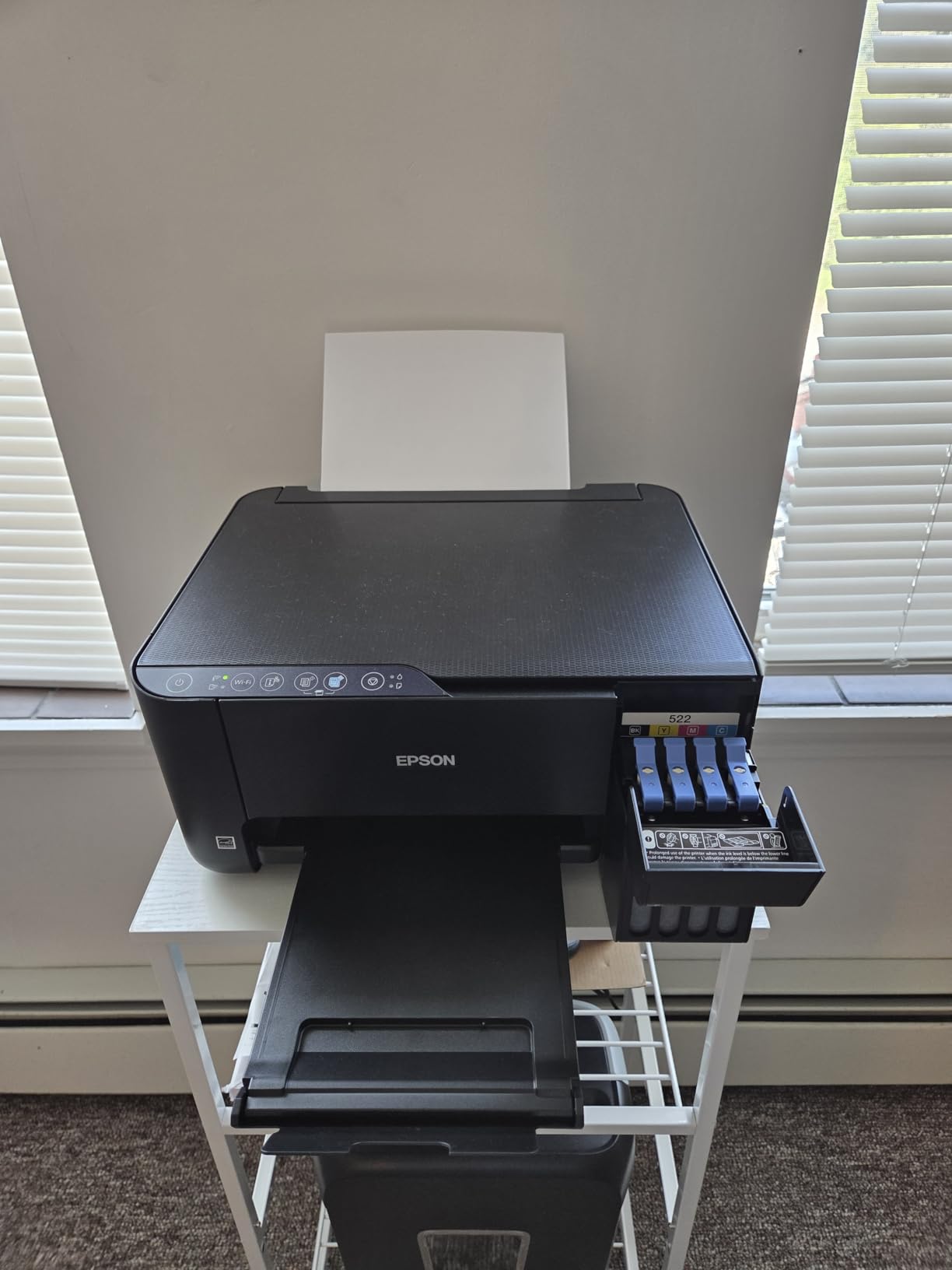
It supports A4, A6, Executive, Half Letter, Legal and Letter paper, takes 100 sheets, and holds 30 sheets in the output tray. It is ENERGY STAR certified, comes with a one-year limited warranty, and is marketed explicitly for home and small office use.
5. HP OfficeJet Pro 8135e – The Most Paper and the Fastest Black Printing
HP OfficeJet Pro 8135e Wireless All-in-One Color Inkjet Printer, Print, scan, Copy, fax, ADF, Duplex Printing Best-for-Home Office, 3 Month Instant Ink Trial Included, AI-Enabled (40Q35A)
20 ppm black, 10 ppm color
225 sheet tray
Automatic duplex and 20 sheet ADF
Ethernet port
Pros
- Fastest black and white throughput in this group
- Largest paper capacity with a 225 sheet tray
- Automatic duplex plus a document feeder
- Only built-in Ethernet port here
- Large phone-like touchscreen with HP AI formatting
Cons
- Locked to HP chipped cartridges with third-party ink blocked
- Cartridge running cost is high without a subscription
- Heaviest unit here at 19 pounds
Choose this printer when your workload is documents, not photos. It prints 20 pages per minute in black and 10 in color, the fastest black throughput in this group, and it takes 225 sheets in the input tray with 60 sheets in the output tray. Nobody else here combines that speed, that paper capacity, automatic duplex and a document feeder in one body.
The OfficeJet Pro name is accurate: this is office hardware. There is a 2.7-inch color touchscreen with a phone-like interface, HP AI print formatting that strips web page furniture from your printouts, HP Wolf Essential Security, and a quiet mode for shared rooms. It is also the only model here with a built-in Ethernet port, alongside dual-band Wi-Fi and two USB ports.
Ink Economics: The Reason Its Rating Sits Lower
This printer works only with HP chipped cartridges and blocks third-party options, and owners report it consumes ink quickly. The cartridge running cost is high if you ignore the Instant Ink subscription, which is the design: three months of Instant Ink are included with HP+ activation, and the trial is the reason this model is often promoted this way.
That model suits a household that prints at a steady, predictable rate every month and wants ink included. It is a poor fit for someone who prints a burst of 200 pages in a week and then nothing for four months, because the trial clock runs regardless.
Scanning and Duplex Limits
The scanner is a flatbed with a 20-sheet, one-sided document feeder. Automatic duplex printing is handled for you, but duplex scanning is not, so a two-sided original has to go through twice. HP also includes scan-to features through the app, and printing over VPN is available with HP+.
First page prints in about 18 seconds, and maximum media size is 8.5 by 11.7 inch, so this is a letter-and-A4 machine rather than a legal-capable one.
Build, Footprint and Sustainability
At 19 pounds and 13.29 by 18.12 by 9.17 inches, it is the heaviest unit in this lineup, so moving it between a desk and a shelf is a two-person job. In exchange it draws only 4.45 watts, one of the lowest figures here, and the chassis uses 45 percent post-consumer recycled plastic with FSC certified packaging.
Warranty is one year limited, extendable to two years with HP+. Some owners report ink delivery issues and support difficulty after enrolling in Instant Ink, which is the single most common complaint on subscription-based models in this category.
Resolution is 4800 by 1200 dpi, up to 99 copies per run, and print quality is described as professional for home office documents. It is the pick here for anyone printing several hundred pages a month who does not mind cartridge ink.
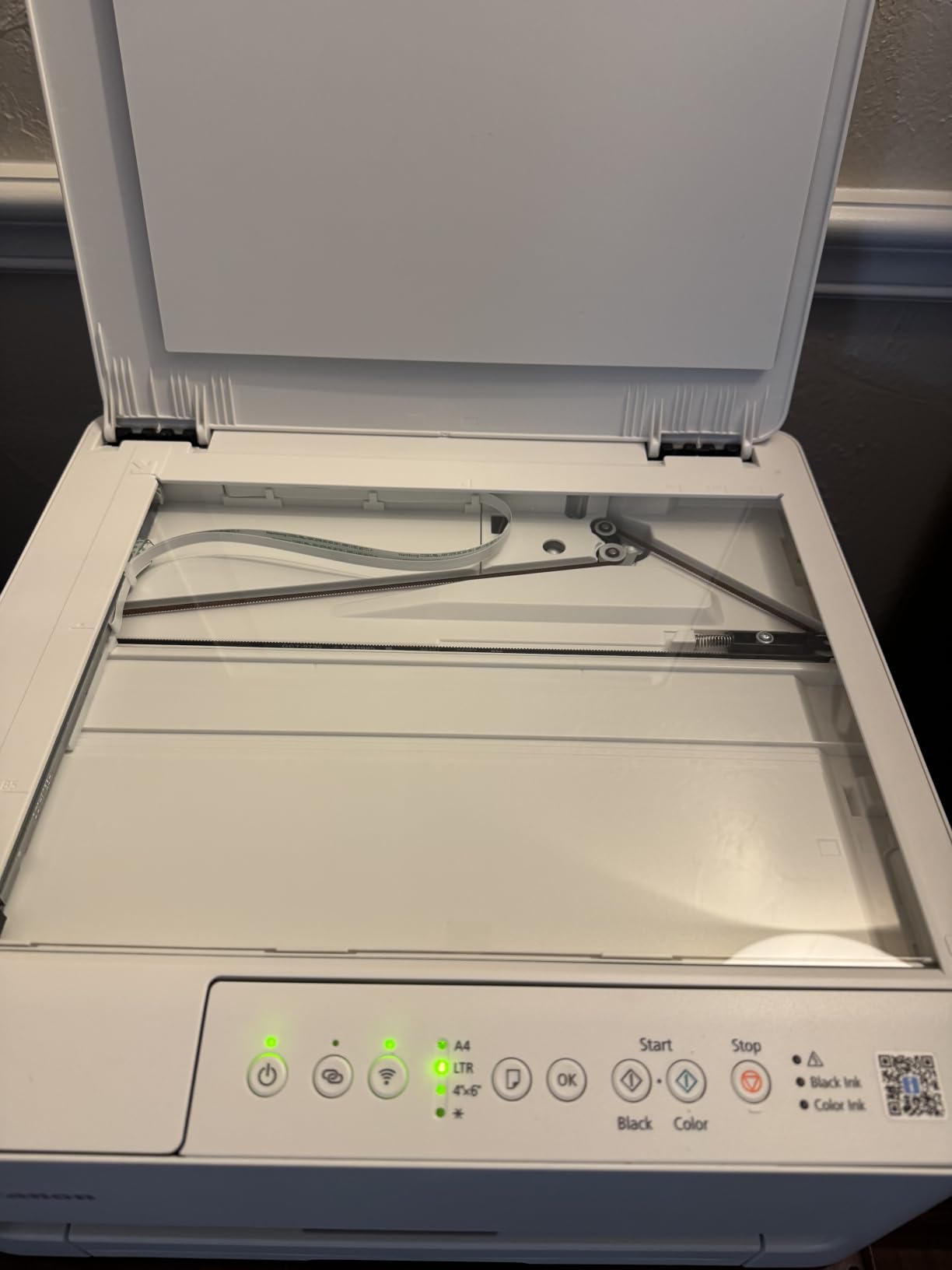
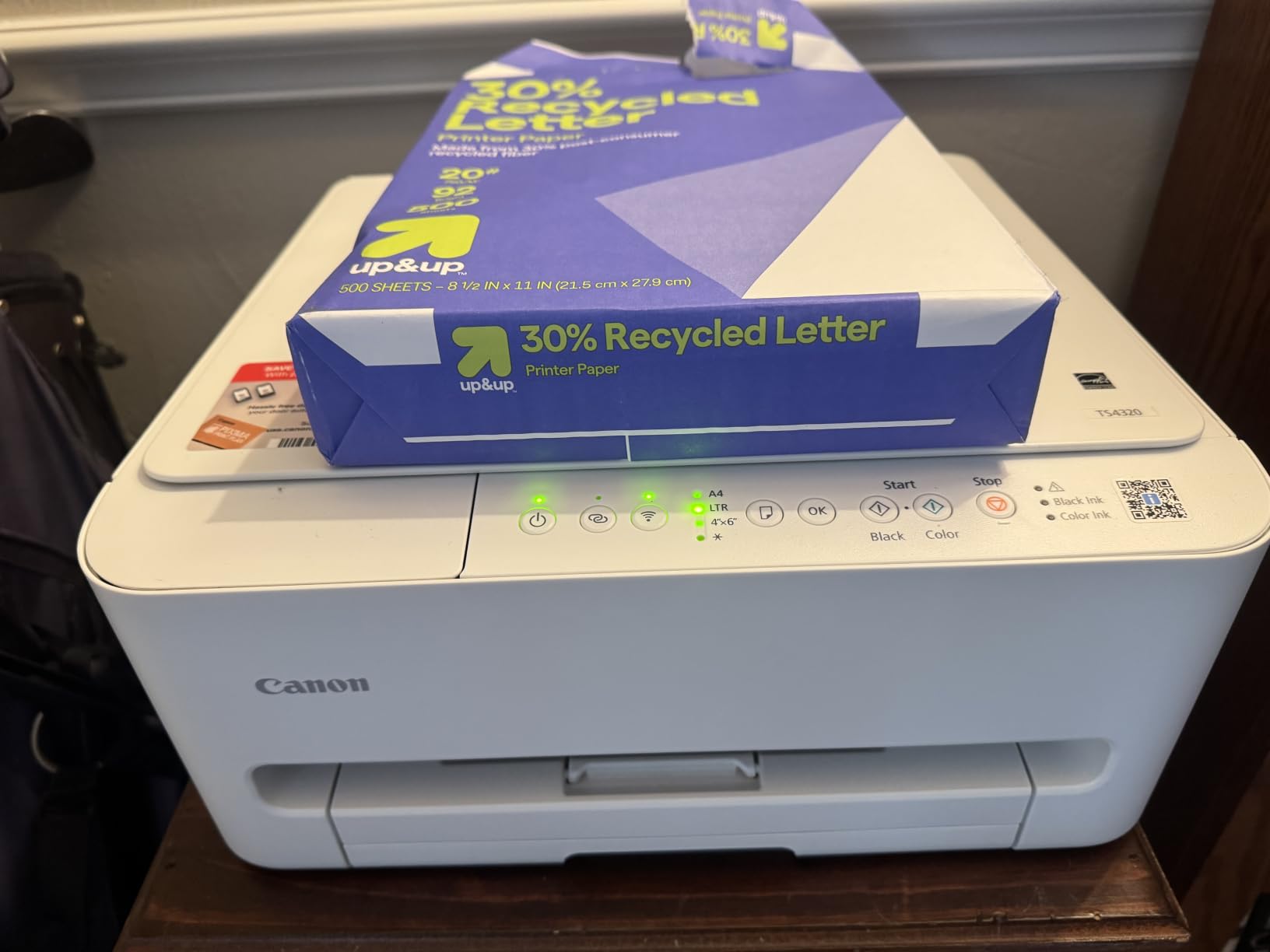
6. Canon PIXMA TS4320 – Automatic Duplex at the Entry Tier
Canon PIXMA TS4320 – Wireless Color Inkjet Printer with Print, Copy, Scan
Automatic duplex
14 ppm black, 9 ppm color
Dual-band Wi-Fi
1.44 inch OLED display
Pros
- Automatic duplex printing at the lowest price point in this group
- Crisp text and vivid color output
- Stable dual-band Wi-Fi
- Compact footprint for small desks
- Setup through the Canon PRINT app plus AirPrint and Mopria
Cons
- Two cartridges only so one color run uses all three colors
- Entry-level print and scan resolution of 600 by 600 dpi
- No automatic document feeder
The TS4320 does one thing well that most cheap inkjets skip: automatic two-sided printing. At 14 pages per minute black and 9 color it is also quicker on paper than every tank printer in this list. For a home office that prints reports and handouts on letter paper, that combination is unusually good.
Setup is genuinely quick, with the Canon PRINT app, Apple AirPrint and Mopria Print Service all supported, and dual-band Wi-Fi that works on either 2.4 GHz or 5 GHz. At 14.8 by 14 by 6.7 inches it is one of the smallest footprints here, which suits a desk where every inch counts.
The Two-Cartridge Compromise
Instead of four separate inks, this printer uses a hybrid system: one black cartridge and one tri-color cartridge. That halves the number of things to replace, but it means printing a single page with a little red uses blue, green and yellow together. For a home office printing charts and invoices rather than photo projects, most people accept that trade without noticing.
Running cost is typical cartridge economics, so this is not the model to choose if you want the lowest cost per page over three years.
Resolution, Scanning and What You Give Up
Print and scan resolution is 600 by 600 dpi, the lowest in this lineup, and reviewers describe output as crisp and vivid for everyday documents and photos but entry-level against more expensive models. Small text and fine photo detail are where the difference shows.
There is no automatic document feeder, so multi-page scanning means standing at the flatbed. That is fine for the occasional page and painful for the 200-plus scans a month some home offices do. Maximum media size is letter at 8.5 by 11 inches, so legal paper is not supported.
Warranty and Efficiency Standouts
The three-year manufacturer warranty is the longest in this group, and it covers a category where inkjet warranties are often only one year. It is EPEAT Silver and ENERGY STAR certified, first page prints in about 9.5 seconds, and the 1.44-inch OLED display is unusually crisp for an entry model. Power draw is 21 watts, the highest figure in this lineup.
The paper tray holds 100 sheets and media up to 8.5 by 11 inches, with or without borders. Overall it is the pick for a first home office printer where duplex matters more than ink cost or an ADF.
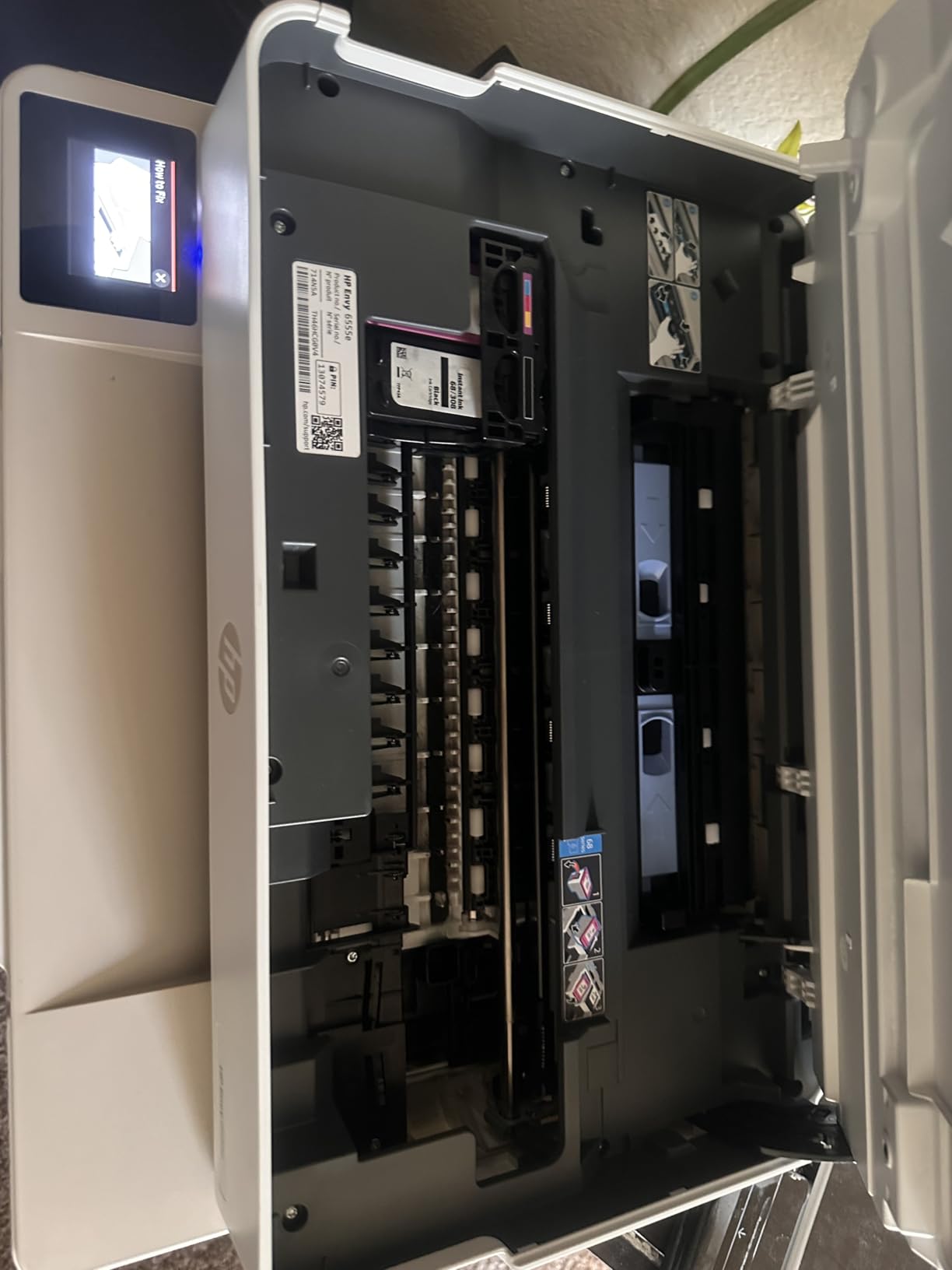
7. HP Envy 6555e – The Best Photo and Color Output With an ADF
HP Envy 6555e Wireless All-in-One Color Inkjet Printer, Portobello, Print, scan, Copy, Duplex Printing Best-for-Home, 3 Month Instant Ink Trial Included, AI-Enabled (714N5A)
True-to-screen P3 color
35 sheet ADF, 100 sheet tray
Automatic duplex
2.4 inch touchscreen
Pros
- Print and photo quality rated far above cheaper previous printers
- Simple setup with clear packaging and a readable app
- Compact desktop footprint
- Easy to read 2.4 inch touchscreen menu
- Quiet operation with automatic duplex
Cons
- Small cartridges run out quickly and cost a lot per page
- Instant Ink subscription pressure after the three month trial
- Tiny touchscreen and connection drops after outages
Color fidelity is the reason to look at this printer. It uses HP P3 true-to-screen technology, which widens the color gamut toward what a modern display can show, and it adds 5 by 5 inch and 4 by 12 inch panoramic photo formats plus borderless photo printing. Owners with cheaper previous printers describe the jump in photo and color document quality as dramatic.
It is also one of the more practical bodies: a 35-sheet document feeder, a 100-sheet input tray, automatic duplex printing, and a compact 14.21 by 17.05 by 6.73 inch footprint at 16.3 pounds. Output speed is 10 pages per minute black and 7 color, and first page takes about 22 seconds.
The Touchscreen and Wireless Experience
HP calls the 2.4-inch display its most intuitive color touchscreen, and the menu layout is easy to read. Owners are less enthusiastic about the hardware itself, describing a small surface with small text that sometimes needs several taps to register. It is usable, not premium.
Connectivity is dual-band Wi-Fi, and the app handles print, scan, copy, scan to email and scan to HP Cloud. The recurring problem is stability rather than setup: owners report connection drops after power outages and Windows updates. A printer restart fixes it, but plan on it.
Running Costs: The Weak Side
Ink cartridges are small, run out quickly and are expensive per page, which is the main reason this model carries the lowest average rating in our group. Three months of Instant Ink are included with HP+ activation, and the subscription pressure that follows is a common source of frustration. If you print irregularly, the cartridges will dry out before you use them.
It draws 4.25 watts, one of the lowest power figures here, and the chassis uses at least 60 percent post-consumer recycled plastic. Warranty is one year limited and extends to two years with HP+.
Who Should Buy This Instead
Buy this printer if color and photo output is the priority and you print in a steady monthly rhythm. If documents dominate, the Canon PIXMA TR8620a above has more paper capacity, a faster duplex engine and a bigger screen. If cost per page dominates, the tank models win outright.
Maximum media size is 8.5 by 11.7 inch, and resolution is listed at 1200 by 1200 dpi. The 25-sheet output tray is the smallest in this lineup, so a 40-page duplex job means emptying it once.
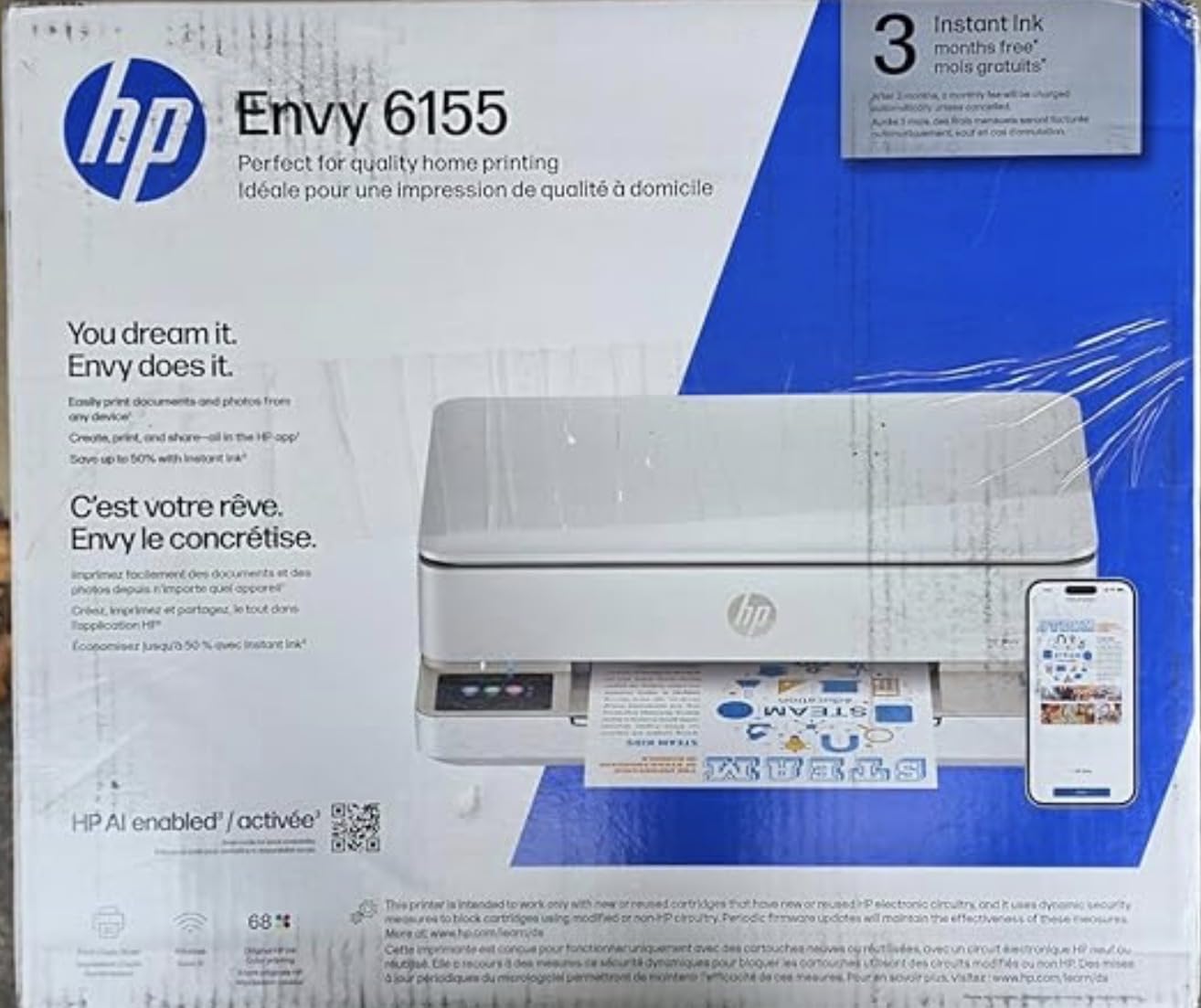
8. HP Envy 6155 – The Lightest Body With a Touchscreen and Duplex
HP Envy 6155 Wireless All-in-One Color Inkjet Printer, Print, Scan, Copy, Duplex Printing Best-for-Home, 3 Month Trial of Instant Ink Included, AI-Capable (C2WR7A) Portobello
Automatic duplex
2.4 inch touchscreen
100 sheet input tray
4800 x 1200 dpi
Pros
- Automatic duplex at an entry price point
- Easy to use 2.4 inch color touchscreen
- Dual-band Wi-Fi with automatic connection resolution
- One of the lightest bodies in this group at 11.2 pounds
- HP P3 true-to-screen color for photos
Cons
- No automatic document feeder
- Locked to HP 68 chipped cartridges
- Instant Ink subscription applies after the three month trial
The Envy 6155 combines three things that rarely appear together at the entry tier: automatic duplex printing, a 2.4-inch color touchscreen and dual-band Wi-Fi that auto-detects and resolves connection issues. That is why it carries the highest average rating in our group, even with a much shorter owner history than the established models.
Output is 10 pages per minute black and 7 color, with 4800 by 1200 dpi resolution and a 100-sheet input tray. It is also one of the lightest bodies in the lineup at 11.2 pounds, and the flat half-height front profile suits a low shelf or a desk with limited depth.
What You Give Up: No Document Feeder
There is no automatic document feeder on this model, unlike most other all-in-ones in this group. Every multi-page scan is a flatbed job with the lid open and you turning pages. For someone who scans an occasional receipt, that is a non-issue. For anyone digitizing paperwork routinely, it is the deal-breaker that sends you to the Brother or the HP OfficeJet Pro instead.
Cartridge Lock-in and the Instant Ink Trial
It runs on HP 68 ink cartridges with HP chips and blocks non-HP cartridges. Three months of Instant Ink are included, with savings advertised for subscribers, and the subscription terms apply after the trial. Media support is broad, running from 3 by 5 inch up to 8.5 by 12 inch, and maximum media size is letter.
Power draw is 12.2 watts and the chassis uses at least 60 percent post-consumer recycled plastic. HP AI print formatting strips web page elements before printing, and HP P3 technology handles the color side.
Consider the Track Record Before Committing
The review count on this model is far smaller than the rest of this lineup, so long-term owner feedback is limited. That is the honest caveat: the feature set is strong for the money and the early ratings are the best here, but you are buying a newer platform. Choose the Envy 6555e if you want the same feature set with a much longer history behind it.
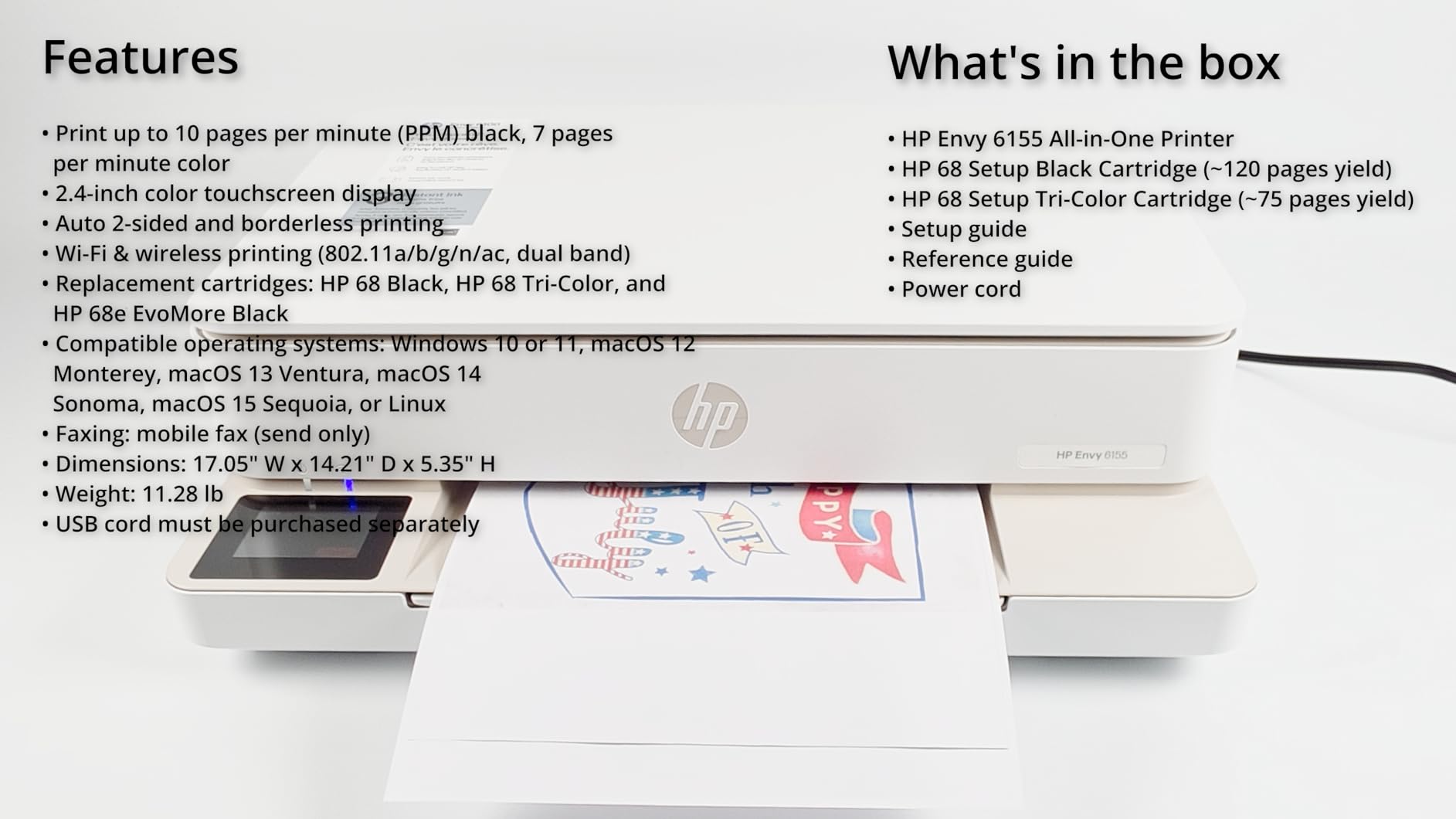
Output capacity is 100 sheets, and the output tray rating of 100 sheets is unusually generous for this class. Print, scan and copy are all present, with control through both the touchscreen and the HP app.
9. Brother Work Smart 1410 – The Most Document-Oriented Design With Cloud Scanning
Brother Work Smart 1410 Wireless Color Inkjet All-in-One Printer with 2.7” Touchscreen and Automatic Duplex Printing | Includes Refresh Subscription Trial(1) (MFC-J1410DW)
Automatic duplex and 20 sheet ADF
150 sheet paper tray
16 ppm black, 9 ppm color
Pros
- Largest paper tray among the mid-priced models at 150 sheets
- Automatic duplex plus a 20 sheet document feeder
- 2.7 inch touchscreen with direct cloud app access
- Fastest first page time in the group at about 6.2 seconds
- Brother Mobile Connect app with ink monitoring
Cons
- Cartridge based ink rather than a tank system
- No Ethernet port so wireless or USB only
- Lowest review count in the group so long-term feedback is thin
The Brother Work Smart 1410 is the most document-focused machine here. It prints 16 pages per minute black and 9 color, takes 150 sheets in the tray, has automatic duplex printing and a 20-sheet single-sided document feeder, and puts a 2.7-inch color touchscreen on the front. It is the only printer in this lineup whose screen opens cloud storage directly.
That screen is the differentiator. You can print from and scan to Google Drive, Dropbox, Box and OneDrive without opening a laptop, which is genuinely useful for a home office that has moved filing to the cloud. Brother Mobile Connect app handles onscreen menu control, printing, copying, scanning, device management and ink level monitoring.
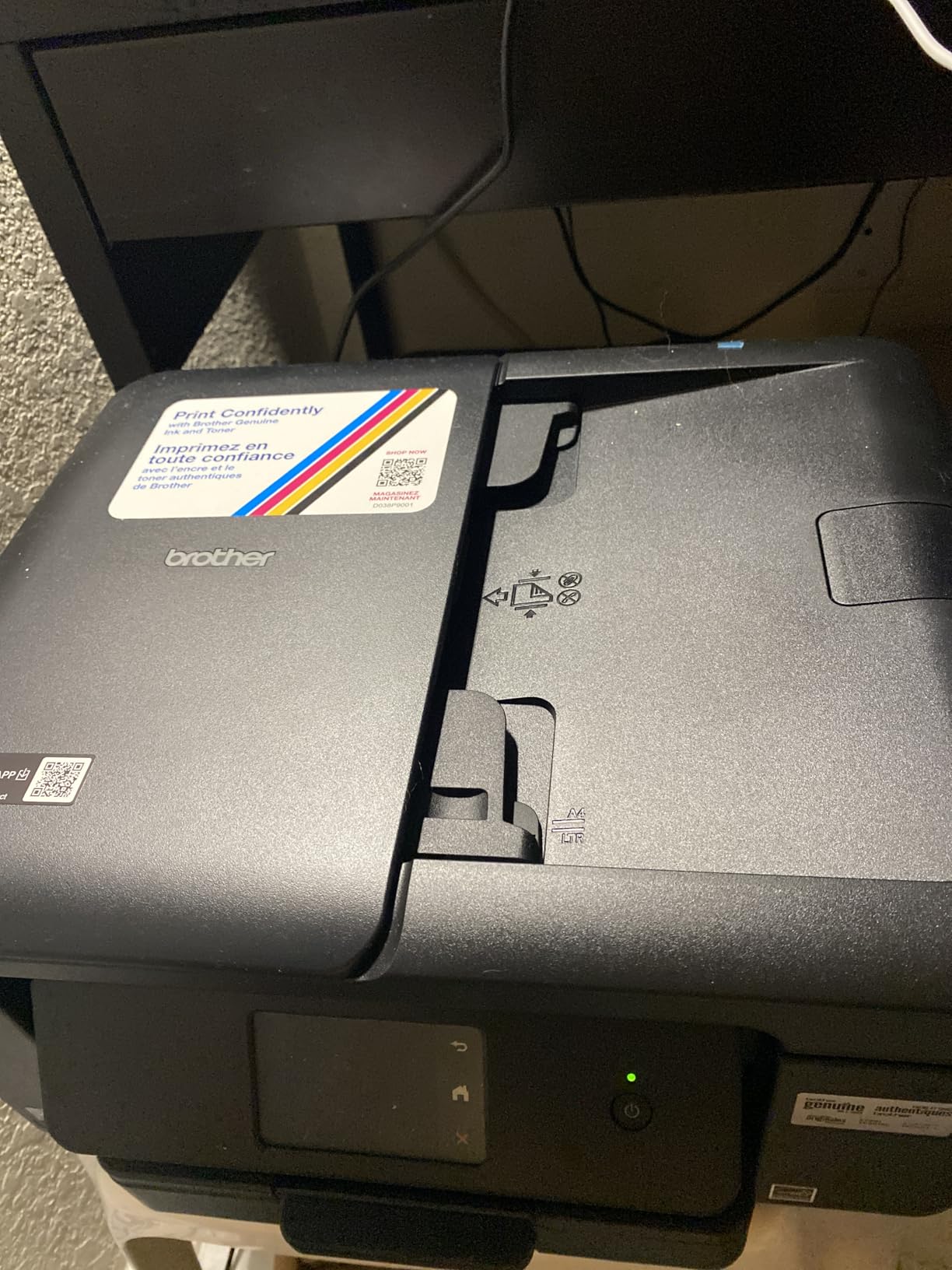
Speed and First-Page Time
First page prints in roughly 6.2 seconds for black and 9.6 seconds for color, the fastest first-page figure in this group. That matters more than raw pages per minute in a home office, because the common job is a single page, not a 100-page run. At 16.8 pounds and 13.5 by 15.4 by 7.2 inches it is compact for its capability, and it is ENERGY STAR certified.
Resolution runs to 1200 by 6000 dpi, maximum media size is 8.5 by 14 inch so legal paper works, and it handles up to 99 copies per run. Connectivity is wireless network or USB 2.0, with no Ethernet port.
The Ink Compromise
Unlike the Epson and Canon tank models, this printer uses Brother LC501 cartridges, so running costs sit in cartridge territory. It also ships with starter black, cyan, magenta and yellow cartridges. If you print several hundred pages a month, do the running-cost math against a tank printer before you commit, because that is where the long-term difference lands.
What We Would Want to See in More Owners
The review count on this model is the lowest in the group, so there is less long-term owner evidence than for the other eight. Warranty is one year limited. For anyone willing to be an early adopter, the hardware mix of a 150-sheet tray, duplex, an ADF and a cloud-connected touchscreen is hard to find elsewhere in this class.
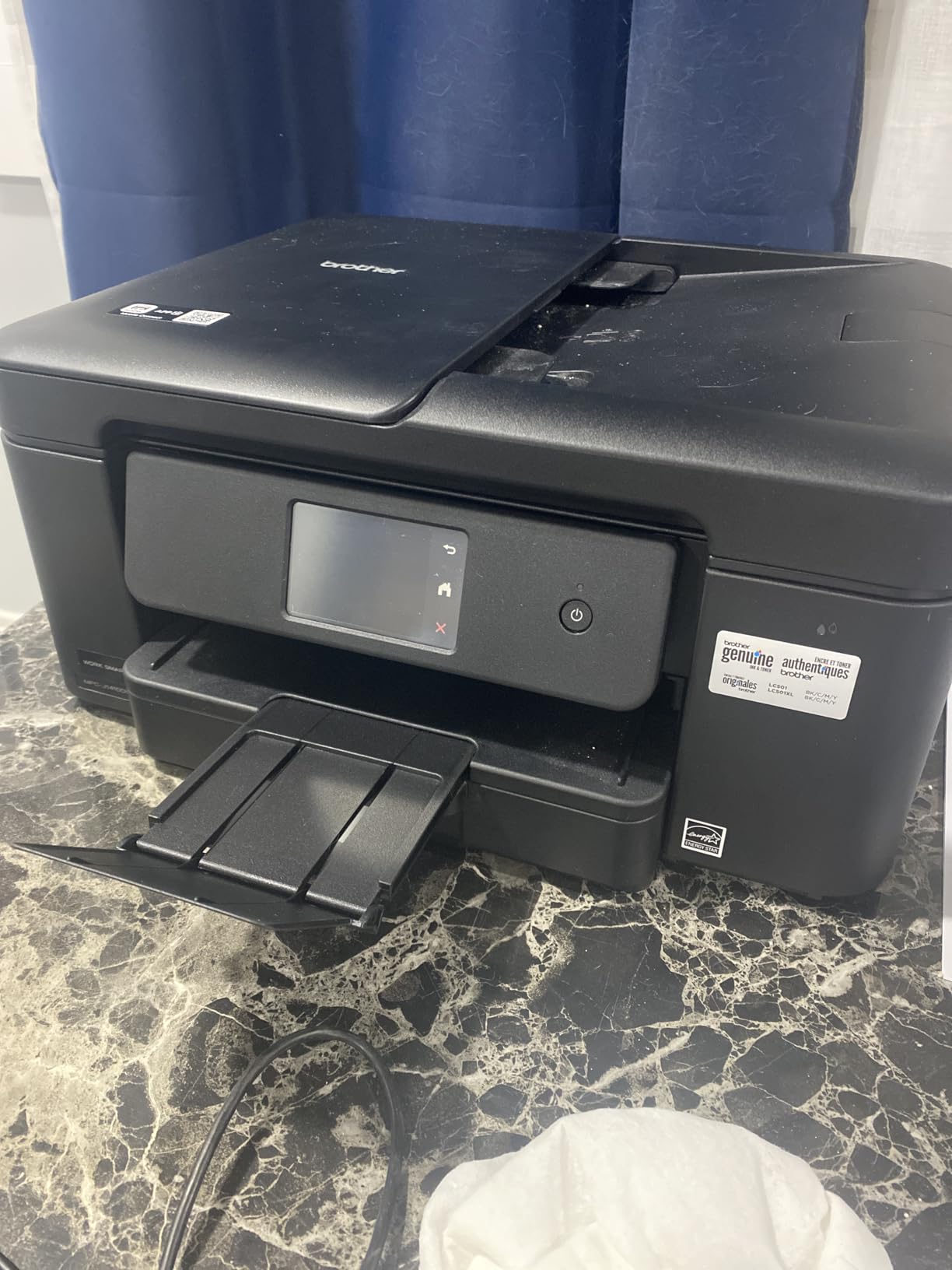
The document feeder is single-sided, so two-sided originals need two passes, the same limitation as the Canon PIXMA TR8620a. Everything else on the scanning side, including the flatbed and the direct cloud destinations, is built for a real document workflow.
How to Choose an Inkjet Printer for a Home Office
The best inkjet printer for office use is the Epson EcoTank ET-2800 for most home offices, because refillable tanks give the lowest cost per page and the body fits a small desk. Choosing correctly means matching three things: the ink system to your monthly volume, the paper handling to your document types, and the scanner to how much you digitize.
Tank vs Cartridge: What a Page Actually Costs
EcoTank, MegaTank and Smart Tank are brand names for the same idea: refillable ink tanks you top up from bottles. Cartridge models use sealed cartridges with chips that lock the printer to genuine ink. The tank models in this list deliver up to 4,500 to 6,000 black pages per ink set, while cartridge models replace far more often at a much higher price per page.
The break-even is straightforward. If you print under roughly 200 pages a month, a cartridge printer costs less up front and may never recover the difference. Above that, a tank printer usually wins within two to three years. To work out your own figure, multiply your monthly page count by 12, then by the cartridge cost per page, and compare it with the ink set cost divided by its rated yield.
One more thing to check: waste ink pads. On some budget tank models the pad is not user-replaceable, so a heavy user eventually meets an end-of-life message. If you expect to pass several thousand pages a year through one machine, verify the pad before buying.
ADF and Duplex Scanning: Single-Pass vs Reversing
An automatic document feeder pulls a stack of pages in for scanning or copying. A duplex ADF does it in one pass, taking both sides of each sheet as it moves through. A reversing feeder, sometimes called a RADF, reads one side, flips the stack back around, and reads the other, so it takes twice as long and can misalign slightly. None of the printers here has a single-pass duplex ADF; the ones with a document feeder are single-sided, and the others have a flatbed only.
Automatic duplex printing is a different feature from duplex scanning, and printers frequently have one without the other. The Canon PIXMA TR8620a, the HP OfficeJet Pro 8135e, the HP Envy models, the Brother Work Smart 1410 and the PIXMA TS4320 all print two-sided automatically. The Epson EcoTank ET-2800 and ET-2400 and the Canon MegaTank G3270 do not, so two-sided jobs mean flipping paper by hand.
Do I need duplex scanning for a home office? Only if you regularly digitize double-sided paperwork. If you scan mostly single-sided forms and receipts, any flatbed or single-sided ADF is enough. If you file contracts and reports, budget for the extra pass and keep pages in order with a physical stack.
Print Volume, Paper Size and Duty Cycle
Start with your honest monthly page count. Under 100 pages a month, almost any of these works. Between 100 and 500, prioritize a 100-sheet or larger tray and automatic duplex so you are not refilling mid-job. Above 500, look at the rated monthly duty cycle; the Canon PIXMA TR8620a is rated at 1,000 pages, the highest figure in this group.
Paper size is the spec people miss. Maximum media size here ranges from letter only on the Canon PIXMA TS4320 and HP Envy 6155, up to 8.5 by 14 inch legal on the Epson EcoTank ET-2800, ET-2400, Canon PIXMA TR8620a, Canon MegaTank G3270 and Brother Work Smart 1410. If you file tax forms or print legal contracts, cross-check that line before buying, and remember where the originals end up afterwards, since our filing cabinet picks for home offices cover that side of the workflow.
Print speed is quoted in pages per minute, and 10 to 20 ppm black covers almost every home office. The number that actually changes your experience is first-page time, which ranges from about 6.2 seconds on the Brother to 22 seconds on the HP Envy 6555e. On single-page jobs, that gap is the whole wait. If you mostly produce labels and small cards rather than full pages, our label printer guide covers a different class of machine.
Wireless Setup, AirPrint and Mobile Printing
Every printer here connects over Wi-Fi, and most handle both 2.4 GHz and 5 GHz bands. Setting up wireless printing from a phone or laptop takes five steps:
- Place the printer within range of the router and power it on.
- On your phone or laptop, join the printer’s own Wi-Fi network from its control panel.
- Open the vendor app, or your system print settings, and choose the wireless setup option.
- Enter the network password so the printer joins your home Wi-Fi.
- Print a test page, then use AirPrint, Mopria or the vendor app from every device on the network.
AirPrint and Mopria matter more than the vendor app in our testing, because the Canon mobile app is repeatedly described as slow and unreliable on the PIXMA TR8620a. If a printer seems to connect but never prints, move it closer to the router first, then check for a firmware update.
Reliability and Printhead Clogging in Low-Volume Homes
Printhead clogging is the most common home office complaint, and it happens because ink sits in stationary nozzles during long idle periods. Five habits keep it in check: print a single color test page every two weeks when the machine has been idle, keep the printer plugged in so it runs its periodic nozzle check, avoid leaving paper in the tray where it collects dust, use genuine ink where the manufacturer specifies it, and run the head cleaning cycle the moment you see streaks rather than waiting.
For longevity, owners on the Epson EcoTank models report units lasting years with regular use. The pattern across forums is clear: printers that print weekly tend to last, and printers that sit untouched for months and then run a big job are the ones that need cleaning. If your office prints in bursts, budget for one cleaning cycle a year.
Which printer has the least amount of problems? Among these nine, the models with the longest owner histories and the fewest repeated mechanical complaints are the Canon PIXMA TR8620a and the Canon MegaTank G3270. Their most reported issue is software-related, which is fixable, rather than mechanical, which is not.
Ink Subscription Programs Compared
Are ink subscription services worth it? They are worth it when you print a predictable number of pages every month and you dislike thinking about ink. They are a poor fit if you print irregularly, because the plan bills by page used and a low-volume month still draws a fee.
- HP Instant Ink is included as a trial on the OfficeJet Pro 8135e, Envy 6555e and Envy 6155, with a subscription after the trial. It is the most common offer in this category and also the most complained about in forums, largely over lock-in.
- Brother Refresh EZ Print arrives as a trial on the Work Smart 1410. Brother also sells genuine LC501 cartridges directly, so you can leave the plan and keep buying ink outright.
- Canon PIXMA Print Plan is Canon’s subscription tier. The PIXMA TR8620a in this lineup does not require it, and Canon supports low-ink alerts and smart reorders through Alexa without a plan.
- Epson ReadyPrint is Epson’s tiered plan. The EcoTank ET-2800 and ET-2400 are built around bottle refills, so a subscription is optional rather than expected.
Our advice is simple. If you do not want a subscription in your life, buy a tank printer and own the ink outright. There is no lock-in, no per-page fee and no account to cancel.
Frequently Asked Questions
What is the best inkjet printer for office use?
The best inkjet printer for office use depends on your workload. For most home offices, the Epson EcoTank ET-2800 is the best inkjet printer for home office use because refillable tanks make the cost per page the lowest in this group and the body is compact. If you need automatic two-sided printing with a document feeder, choose the Canon PIXMA TR8620a, and if you print several hundred pages a month, the HP OfficeJet Pro 8135e has the largest tray.
What type of printer is best for office use?
The type depends on volume and color needs. A color laser printer is best for several hundred mostly black pages a month, because it is faster with sharper text and cheaper toner. An inkjet is best for mixed text and color work, photos and low to moderate volume, because it prints color without a warm-up cycle. A tank inkjet is the best compromise for most home offices.
Is inkjet or laser better for a home office?
Inkjet is better for most home offices. It handles color, graphics and photos in one machine, prints a single page without waiting for a fuser to heat, and costs far less up front. Laser is better if you print several hundred mostly black pages every month and never print photos. A laser also gives crisper small text and never clogs.
Should I buy an ink tank printer or a cartridge printer?
Buy an ink tank printer if you print more than roughly 200 pages a month or want to stop thinking about ink. Tank models here deliver up to 4,500 to 6,000 black pages per ink set, so refills are rare. Buy a cartridge printer if your volume is low and irregular, because the upfront cost is lower and you may never recover the difference.
How long should a home office printer last?
A well-maintained home office inkjet typically lasts four to six years. The biggest factor is how often it prints. Machines used weekly with occasional nozzle cleaning tend to outlast machines that sit for months and then run a large job. Tank models extend this because ink does not dry out in an exposed cartridge during long gaps.
How do I keep my inkjet printer from clogging?
Print a single color test page every two weeks when the printer has been idle, keep it plugged in so it can run its periodic nozzle check, and run a head cleaning cycle the moment streaks appear. Using genuine ink where the manufacturer specifies it also helps, because third-party fluid can leave residue on the nozzles.
Do I need duplex scanning for a home office printer?
Only if you regularly digitize double-sided paperwork. A duplex ADF scans both sides in one pass, while a single-sided feeder needs two passes. None of the printers in this roundup has a single-pass duplex ADF, so if you file double-sided contracts often, plan for the extra pass or move to a higher tier.
Can I print from my phone or laptop without cables?
Yes. Every printer here connects over Wi-Fi and supports AirPrint or Mopria, so you can print from an iPhone, Android phone, Mac or Windows laptop once the printer is on your home network. Set it up by joining the printer’s own Wi-Fi network, opening the vendor app or your system print settings, choosing wireless setup and entering your network password.
Which Inkjet Printer Should You Buy?
If your home office prints a mixed workload of contracts, invoices and occasional color, the Epson EcoTank ET-2800 is the buy and our editor’s choice. Refills become a rare event instead of a monthly bill, and the body is small enough for a home desk. When two-sided printing is non-negotiable, move up to the Canon PIXMA TR8620a, which adds automatic duplex, a document feeder, two trays and a tilting touchscreen.
If cost per page is the priority and you print a few hundred pages a month, take the Epson EcoTank ET-2800. Its tanks cover up to 4,500 black and 7,500 color pages per set, the body is small and light for a home desk, and refills take a minute. For pure color volume and borderless or square photo formats, the Canon MegaTank G3270 goes further on ink yield and holds the lowest color cost in the group.
If documents outnumber photos and you print several hundred pages a month, the HP OfficeJet Pro 8135e wins on paper capacity, black speed and the only built-in Ethernet port here, provided you accept cartridge economics. The Brother Work Smart 1410 is the pick when scanning to Google Drive, Dropbox, Box and OneDrive from the touchscreen is a daily task.
If you want automatic duplex and a touchscreen without a large outlay, the Canon PIXMA TS4320 does both, and the HP Envy 6155 adds the lightest body here with the highest average rating in the group, at the cost of having no document feeder. For photo and color fidelity with an ADF, the HP Envy 6555e is the option, keeping in mind its cartridge running cost.
Whichever you choose, print a test page with your own paper before a big job, keep it plugged in, and run a color check every couple of weeks. That habit alone prevents most of the problems we heard about. These are the models we would put on a home desk in 2026 without hesitation.