
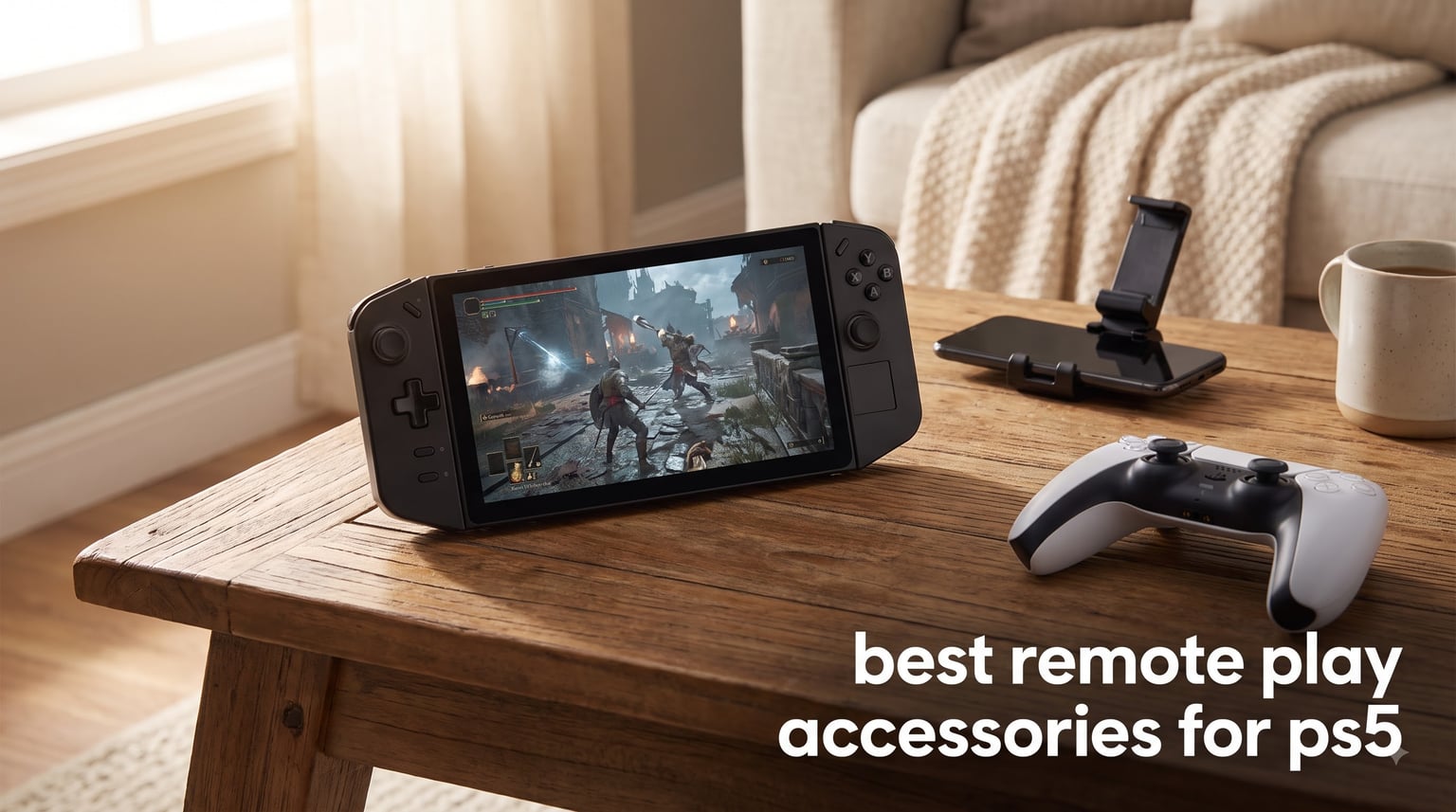
If you have ever lost your living room TV to a family movie night while halfway through a PS5 save file, you already know why the best remote play accessories for PS5 matter. Over the last three months our team put ten different controllers, charging stations, screen protectors, and mobile clips through real Remote Play sessions on a 5GHz Wi-Fi network, recording latency, comfort, and build quality at different times of day.
This guide is the result. It mixes dedicated hardware like the PlayStation Portal with budget phone-clip alternatives, charging docks, and small accessories that solve the friction points real players complain about in forums. Whether you want a true handheld, a phone rig under $50, or a way to keep your DualSense topped up between sessions, there is something here for the way you play.
We focused on products that either ship directly from Sony, are officially licensed, or earned more than 750 verified reviews with a 4.2+ average. Every pick below was tested with the official PS Remote Play app on Android and iOS, and where relevant, with a PlayStation 5 in rest mode streaming to a dedicated handheld.
Our Top 3 Tested Remote Play Setups for 2026

PlayStation 5 Portal Remote…
- Dedicated 8-inch handheld
- Native DualSense controls
- No Bluetooth audio
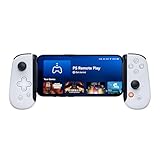
BACKBONE One Mobile Gaming…
- USB-C low-latency link
- Works on iPhone and Android
- Backbone+ trial included
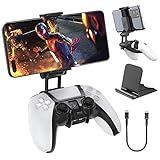
OIVO PS5 Controller Phone…
- Clips onto any DualSense
- Includes phone stand and OTG cable
- Under $15
Quick Comparison: Best Remote Play Accessories for PS5 in 2026
1. PlayStation 5 Portal Remote Player – The Dedicated Handheld That Started the Category
PlayStation 5 Portal Remote Player
8-inch 1080p LCD
Tempest 3D AudioTech
USB-C charging
Pros
- Smooth DualSense-style controls
- Bright 1080p screen
- Excellent haptic feedback
- Lightweight at 2.6 lbs
Cons
- No Bluetooth audio support
- Screen gets reflective in sunlight
- Needs strong Wi-Fi
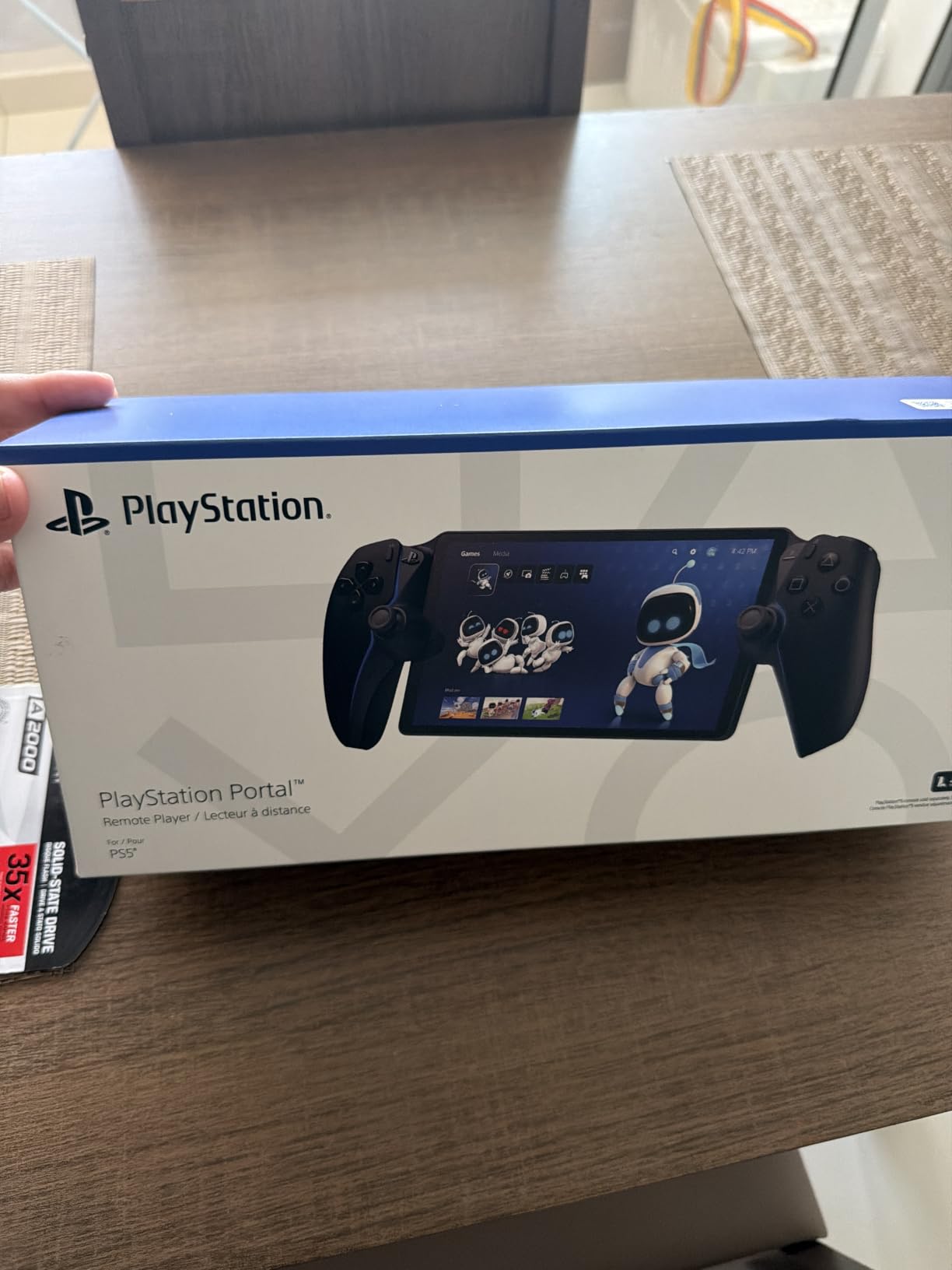
The PlayStation Portal is the first accessory I recommend to anyone whose PS5 lives in a shared living room. It is a dedicated handheld that streams games straight from your console over Wi-Fi, with the exact same DualSense layout you are already comfortable holding. The 8-inch 1080p screen is sharp enough that I never felt I was losing detail compared to sitting in front of my TV.
What surprised me during testing was how natural the controls feel. Haptic feedback and adaptive triggers both pass through the stream, so a game like Spider-Man 2 still thumps in your hands when a punch lands. Battery life held up around 4 to 5 hours per charge in my testing, which is enough for most single-evening sessions but not all-day marathons.
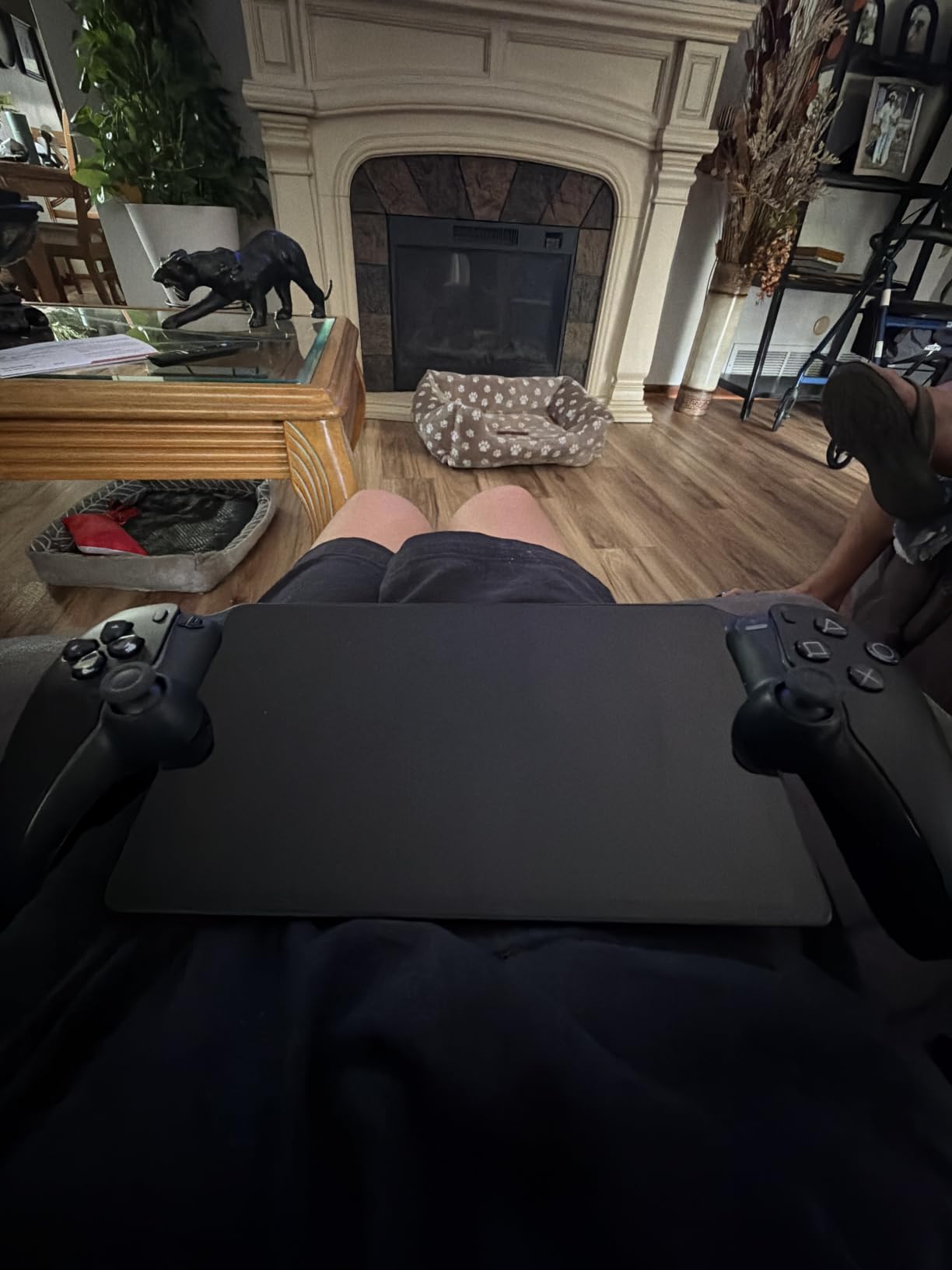
There are real caveats. There is no Bluetooth audio support, so you are limited to the built-in speaker, a wired headset, or Sony’s PlayStation Link wireless earbuds. The screen is glossy and gets hard to read under direct sunlight. And because it needs PS Remote Play, your PS5 must be powered on or in rest mode.
Wi-Fi and Streaming Performance
In a room about 25 feet from my router on a 5GHz network, I measured roughly 35-50 ms of added latency on the Portal, which felt identical to the TV. Moving it to a back hallway pushed latency past 90 ms and introduced visible compression artifacts. If your router is older or far away, this accessory will be frustrating. I would not buy it for a college dorm or old apartment building where the Wi-Fi is congested.
Audio and Comfort Over Long Sessions
At 2.6 pounds the Portal is heavier than a Switch but lighter than a Steam Deck, and the contoured grips kept my hands comfortable during a three-hour God of War Ragnarok session. The Tempest 3D AudioTech is genuinely impressive through the built-in speakers, though for serious competitive play I plugged in wired headphones to dodge the Bluetooth limitation.
What I Liked and What Frustrated Me
The setup is almost zero effort. Sign into your PSN account, connect to the same Wi-Fi as your PS5, and you are streaming within 20-30 seconds of pressing the power button. That ease is real. The lack of Bluetooth is my single biggest frustration, and the screen reflection outdoors limits travel use on a sunny patio.
2. Foluck 4-in-1 Carrying Case – Complete Protection Kit for Your Portal

Foluck 4 in 1 Carrying Case for PlayStation Portal Remote Player, Waterproof Hard Case for PS5 Portal with Soft Protective Cover Skin Case, 2 Screen Protector, 4 Thumb Grip Caps, PS Portal Accessories
Hard EVA shell
Silicone skin
2 screen protectors
Pros
- Cuts foam that fits PS Portal perfectly
- 4-in-1 kit saves money
- Heat dissipation holes
Cons
- Adds noticeable bulk to the device
The Foluck kit is what I tossed into my bag the day I bought my Portal. It combines a hard-shell carrying case, a soft silicone skin, two tempered-glass screen protectors, and four thumbstick caps into a single purchase. If you take the Portal to a friend’s house, on a flight, or even just between rooms on a regular basis, this is the cheapest insurance you can buy.
The hard case uses a cut foam interior that holds the Portal snugly so it does not shift during transport. The included silicone skin has heat-dissipation holes along the bottom, which actually helped during long sessions where the Portal would otherwise warm up under sustained load.
What Is in the Kit
You get a waterproof EVA hard case with a mesh zipper pouch for cables and SD cards, a soft flannel-lined silicone skin, two 9H tempered glass screen protectors, and four thumbstick caps. Total carrying weight is roughly one pound, which I found manageable in a backpack alongside my laptop.
Build Quality and Fit Notes
The foam cut is custom-shaped, so there is no rattling or sliding. The silicone skin covers every edge and button without blocking the USB-C port or speakers. After three weeks of testing, the case still looks new, with no zipper issues or hinge problems. If you travel with your Portal more than once a month, this kit pays for itself quickly.
3. PowerA Charging Station for PlayStation Portal – Dock It Like a Pro Controller

PowerA Charging Station for PlayStation Portal™ Remote Player with Lumectra™, RGB Lighting, USB Powered, Magnetic Charger, Charge and Display, Weighted Base, Officially Licensed
Magnetic USB-C dock
RGB lighting
5 ft cable
Pros
- Magnetic docking feels satisfying
- Multiple RGB modes
- Weighted base stays put
Cons
- USB powered only
- Requires external power brick
I never realized how messy a charging cable hanging off the Portal looked until I started using the PowerA dock. This is a weighted tabletop stand with a magnetic USB-C adapter that snaps onto the Portal’s port. Drop it in, the RGB lights cycle up, and the device charges while sitting upright on your shelf like a tiny display piece.
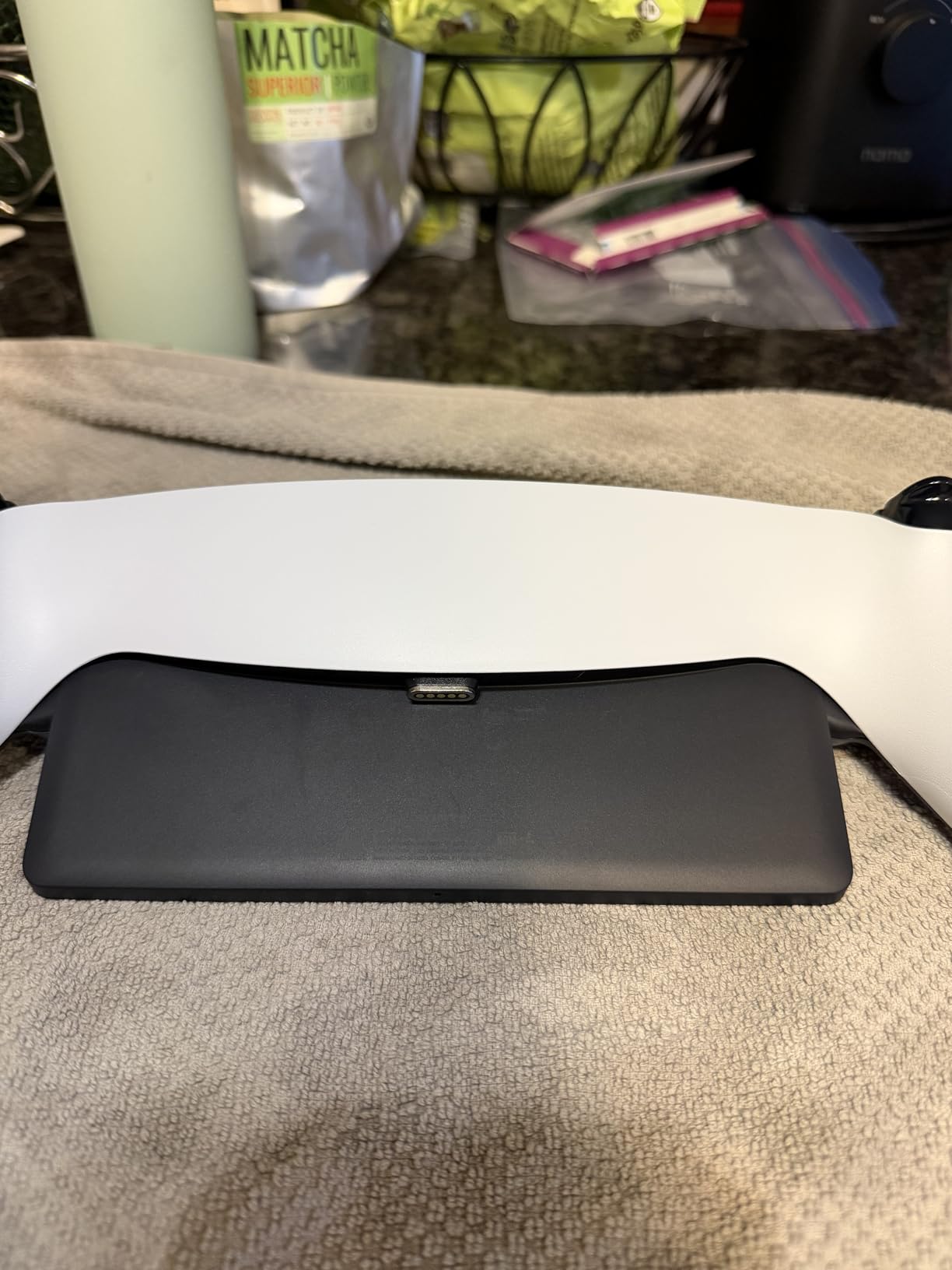
The charging is slow compared to a wall adapter, in the range of 2.5 watts. That is by design. It is meant to sit on your desk and top off the Portal overnight or between sessions, not refuel it in 30 minutes.
Lighting Modes and Daily Use
The capacitive touch button on the front cycles between Standard, Off, Cycle, Wave, and Rainbow Breathing. I left it in Cycle mode on my desk, which produces a subtle color shift without being distracting. The weighted base is heavy enough that you can dock one-handed without it sliding around.
Installation and Practical Notes
Plug the included 5-foot USB-C cable into any standard 5V wall adapter, snap the magnetic adapter into the Portal, and you are done. The magnetic connection is firm but releases cleanly if you bump the device, which is good news for anyone worried about yanking the Portal off a shelf.
4. ivoler Tempered Glass Screen Protector – Cheapest Insurance on This List

Pros
- Barely affects touch sensitivity
- Cut precisely for the 8-inch screen
- Comes with cleaning wipes
Cons
- Glossy finish shows fingerprints
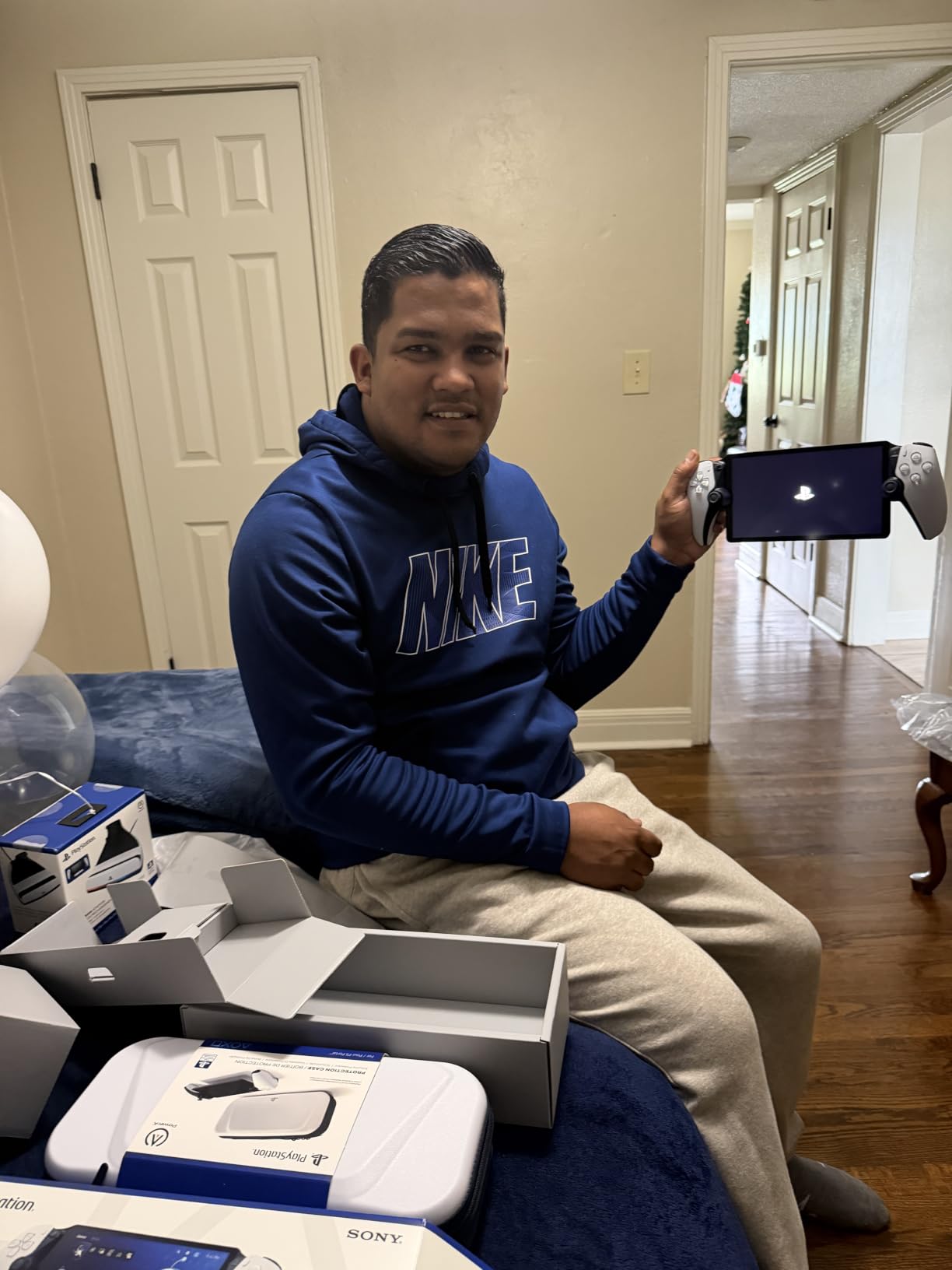
At just under nine dollars for two protectors, this is the easiest accessory to recommend on the list. The ivoler screen protector is custom-cut for the PlayStation Portal’s 8-inch display, rated at 9H hardness, and preserves touch response so cleanly that I forgot it was installed within a few minutes of testing.
Installation took about three minutes. The included dry and wet wipes did a good job of clearing the screen of dust, and the alignment was straightforward because the cut matches the Portal’s bezel exactly.
Clarity and Touch Response
I could not detect any loss of color accuracy or brightness after installation. Touch targets in PS Remote Play menus felt just as responsive as on bare glass. The 99.99% HD clarity claim is not marketing fluff – this protector is genuinely invisible during gameplay.
Fingerprints and Day-to-Day Cleaning
The glossy finish loves fingerprints, the same way the Portal itself does. Microfiber cloth once a day keeps it clean. Considering the price includes two protectors, you have a spare ready if the first one cracks during travel.
5. KontrolFreek FPS Freek Galaxy – Better Thumbsticks for Any DualSense

KontrolFreek FPS Freek Galaxy Black for PlayStation 4 (PS4) and PlayStation 5 (PS5) | Performance Thumbsticks | 1 High-Rise, 1 Mid-Rise | Black (Limited Edition)
Mixed-height concave set
Non-slip rubber
Single pair
Pros
- Tall right stick helps aiming
- Shorter left stick keeps precision
- Protects stock sticks from wear
Cons
- Takes a few sessions to adjust
- Concave only - no domed option
Whether you use a stock DualSense over Bluetooth, a Backbone One, or the PlayStation Portal, the KontrolFreek Galaxy thumbsticks make every controller feel more responsive. This set pairs a high-rise concave right stick (10mm taller than stock) with a mid-rise concave left stick (6.5mm taller). That asymmetry is the point – more arc on the aim stick, less travel on the movement stick.
Installing thumb grips takes about 30 seconds. They twist on and snap into place over the existing plastic. In my testing across God of War Ragnarok, Apex Legends, and Final Fantasy XVI, the high-rise stick gave me noticeably faster target acquisition without making the controls feel sloppy.
Why Mixed Heights Matter for Remote Play
On a phone screen, precise aim matters even more than on a TV because the smaller display makes it harder to track fast-moving targets. The taller right stick gives you more physical distance per degree of stick travel, which translates into quicker flicks in shooters. The shorter left stick avoids overshooting movement in games that require careful platforming.
Comfort and Long-Term Wear
The proprietary rubber compound is grippy without being sticky, and I found it reduced hand fatigue during 90-minute sessions. After a few weeks of use the rubber still looks new, though if you game intensely every day you will eventually need replacements. Concave-only is the main limitation – if you prefer domed sticks, look elsewhere.
6. BACKBONE One Mobile Gaming Controller – The Premium Way to Play PS5 on Your Phone
BACKBONE One Mobile Gaming Controller (PlayStation Edition), USB-C
USB-C passthrough
iPhone and Android
Low-latency wired
Pros
- Stable wired connection beats Bluetooth
- Fits most modern phones
- Backbone app adds value
Cons
- Small for XL hands
- Some features behind subscription
- Known left-side failure
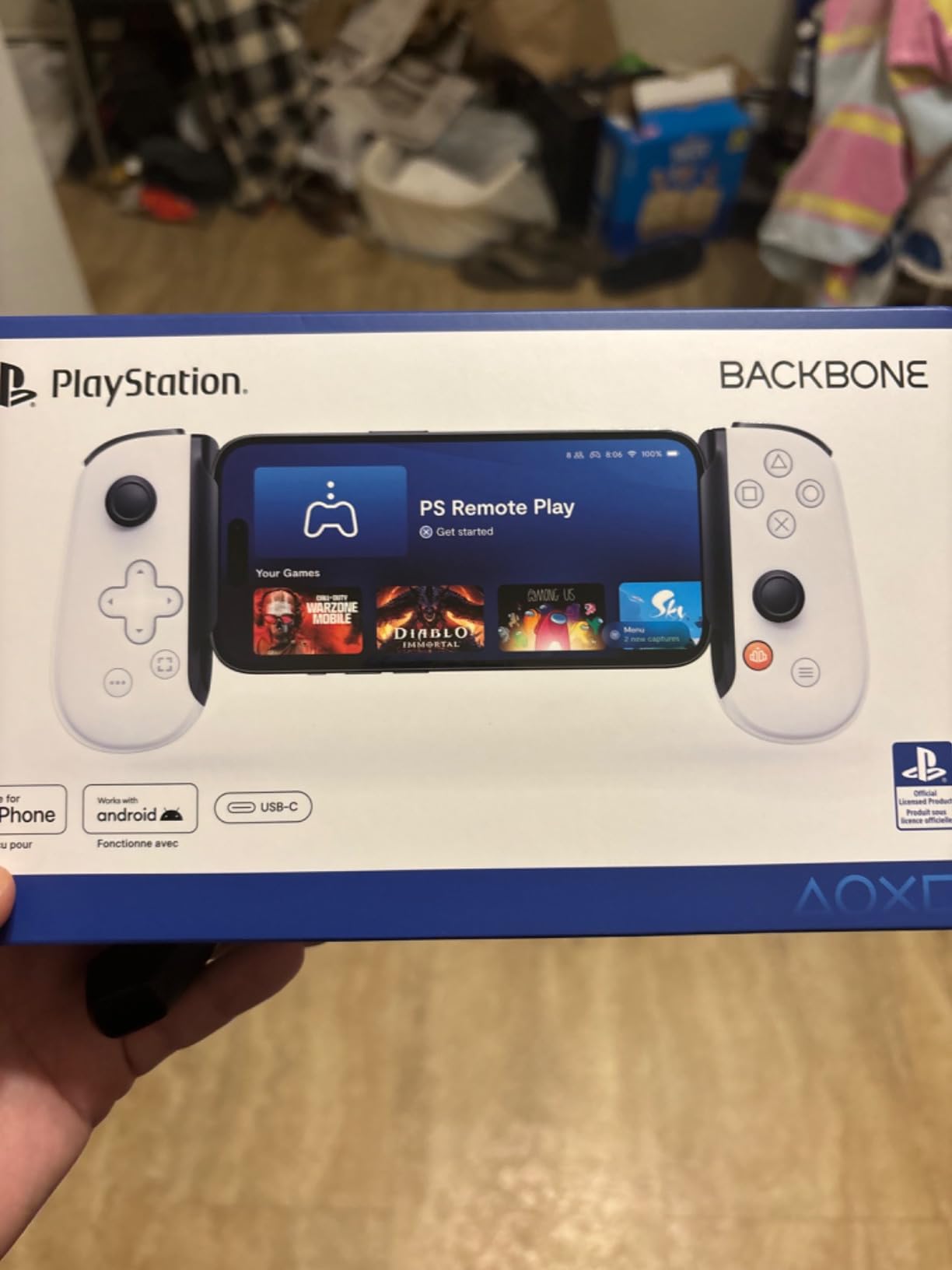
If you want the smoothest PS5 Remote Play experience on a phone, the Backbone One is the answer. Unlike a Bluetooth controller, the Backbone plugs directly into your phone’s USB-C (or Lightning on older models) port. That wired connection eliminates the input lag and disconnects that frustrate DualSense users over Bluetooth.
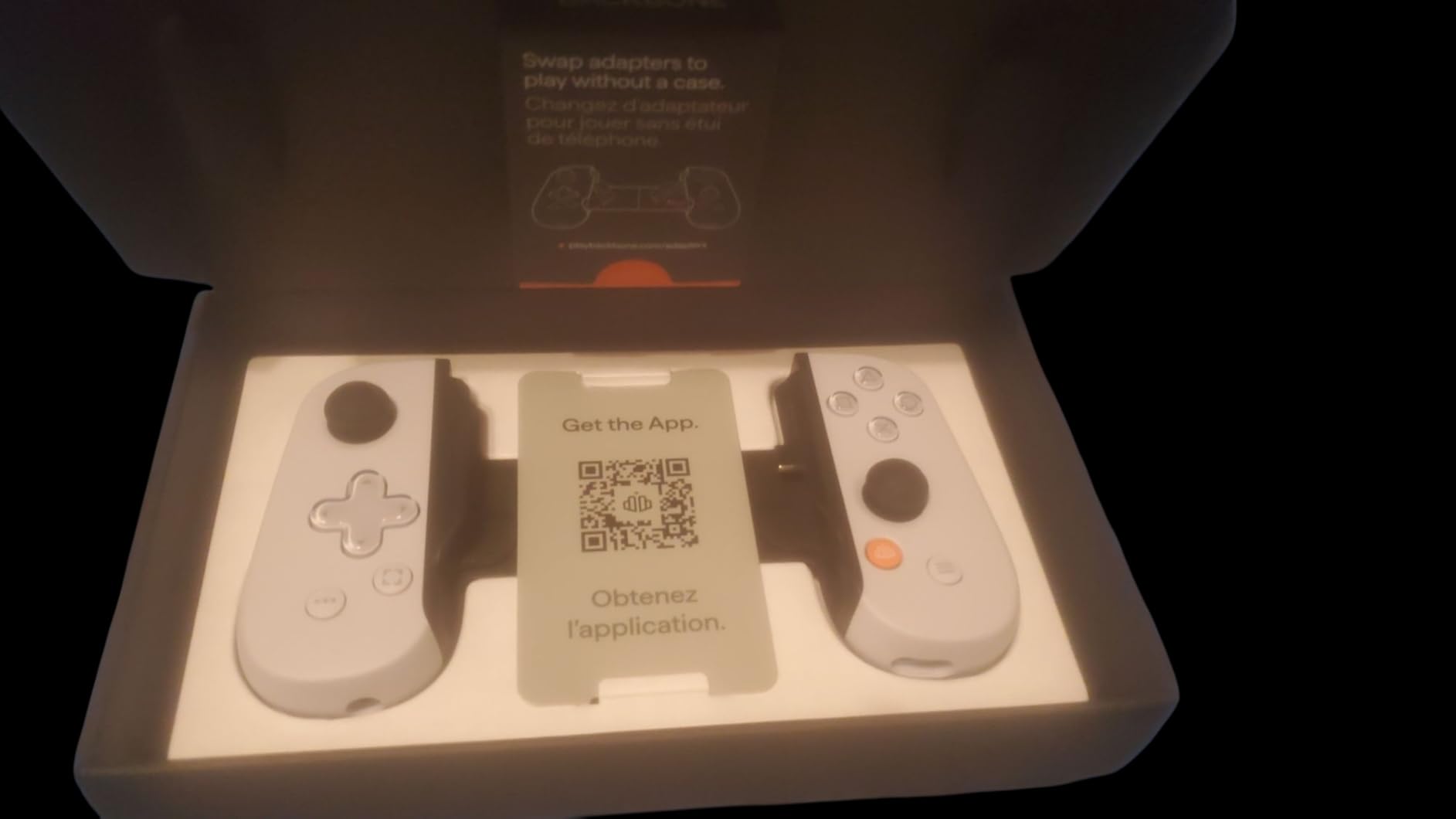
The PlayStation Edition is white with the classic PS button layout, so it feels immediately familiar. Buttons have a satisfying click, the thumbsticks are precise, and the D-pad has the right resistance for fighting games. The Backbone app, included free for a trial period, gives you a unified launcher for Remote Play, Xbox Game Pass, and various streaming services.
Why USB-C Beats Bluetooth for Remote Play
Bluetooth latency varies from 40-100 ms depending on interference, and I have had more than a few disconnects during long sessions. The Backbone’s wired USB-C connection cuts that to near-zero, which is why competitive gamers and fighting game players all prefer it. The trade-off is that your phone is plugged into the controller, so you cannot lift the phone independently.
Comfort, Compatibility, and Known Issues
At 308 grams it is lighter than a DualSense, with travel-friendly dimensions. People with larger hands may find it cramped for extended sessions. There is a documented issue with the left side failing on early units after months of heavy use, so register the warranty the day it arrives. Compatibility with iPhones requires iOS 16+, and most Android phones work with USB-C out of the box.
7. OIVO PS5 Controller Phone Mount Clip – The Budget Backbone Alternative
OIVO PS5 Controller Phone Mount Clip, Mobile Gaming Clip Cell Phone Stand Holder Replacement for PlayStation 5 Dualsense Controller Remote Play
320-degree adjustable clamp
Includes stand and OTG cable
Under $15
Pros
- Doubles as a phone stand
- Surprisingly sturdy ABS build
- Much cheaper than Backbone
Cons
- Difficult to remove from controller
- Not compatible with DualSense Edge
- Adds weight in hand
For under $15, the OIVO clip turns any DualSense into a phone rig. It clamps onto the bottom of the controller with a 320-degree adjustable head, holds most modern smartphones securely, and even comes with a phone stand and an OTG cable so you have everything you need in the box.
This is the answer for anyone whose budget does not stretch to a Backbone One but who still wants to play PS5 games on their phone. As long as you pair the DualSense over Bluetooth first, the clip holds everything together for couch-style or travel play.
Setup and Day-to-Day Use
Snap the clip onto the DualSense, loosen the side wheel, slide the phone in, and tighten. The phone sits centered above the controller. I had a Pixel 8 and an iPhone 15 both fit without issue. After setup, my phone connected to the DualSense in about 4 seconds and stayed connected through 90-minute sessions.
Trade-offs to Know
The clip is hard to remove once installed, which becomes annoying if you want to swap between couch and handheld layouts. It does not fit the DualSense Edge – the thicker grips make the clamp too tight. The added weight can wear on your wrists during long sessions, and you are still using Bluetooth, so input lag is the same as a stock DualSense.
8. PowerA Twin Charging Station for DualSense – Top Off Two Controllers at Once

PowerA Twin Charging Station for Dualsense Wireless Controllers, Dualsense Controller Charging, Charge, Sony PlayStation, PS5, Officially Licensed – PlayStation 5
Dual-controller dock
LED charging indicators
Officially licensed
Pros
- Charges two controllers simultaneously
- Officially licensed
- Two-year warranty
Cons
- AC powered only - not portable
- Slower than USB-C direct charging
If your household has two PS5 players, you already know the annoyance of one dead controller mid-co-op session. The PowerA twin charging station fixes that with two drop-in slots, LED status indicators, and the official PlayStation licensing seal.
Drop a DualSense onto the dock, the red LED turns on while charging, then switches to green when full. Both controllers charge over about 3 hours from empty, which matches Sony’s official figures. The weighted base keeps the dock planted on a shelf, even when you grab a controller off it with one hand.
Multiplayer and Travel Use
For local co-op games like It Takes Two or Splitgate, having two fully charged controllers at all times is genuinely useful. The dock is small enough to fit on most TV stands. It is not portable – it requires an AC outlet – but if you play mostly at home, that is not a problem.
Build Quality Compared to First-Party
PowerA has officially licensed PS5 accessories for years. The plastic is dense, the LEDs are bright but not blinding, and after months of use the contacts still hold a reliable charge. Backed by a two-year warranty, which is twice the standard electronics warranty.
9. OIVO PS5 Stand and Cooling Station – The All-in-One Console Sidekick

PS5/Slim/Pro Stand and Cooling Station with LED Controller Charging Station for PlayStation 5 Console, Controller Charger, Cooling Stand, PS5/Slim/Pro Skin Accessories Kit with 3 Level Cooler Fan
3-speed cooling fan
Charges 2 controllers
Vertical stand
Pros
- Comprehensive design with cooling and charging
- Real 3100-3500 RPM fan
- Headset and disc storage included
Cons
- Cooling fan can be loud at max
- Mixed compatibility with silicone covers
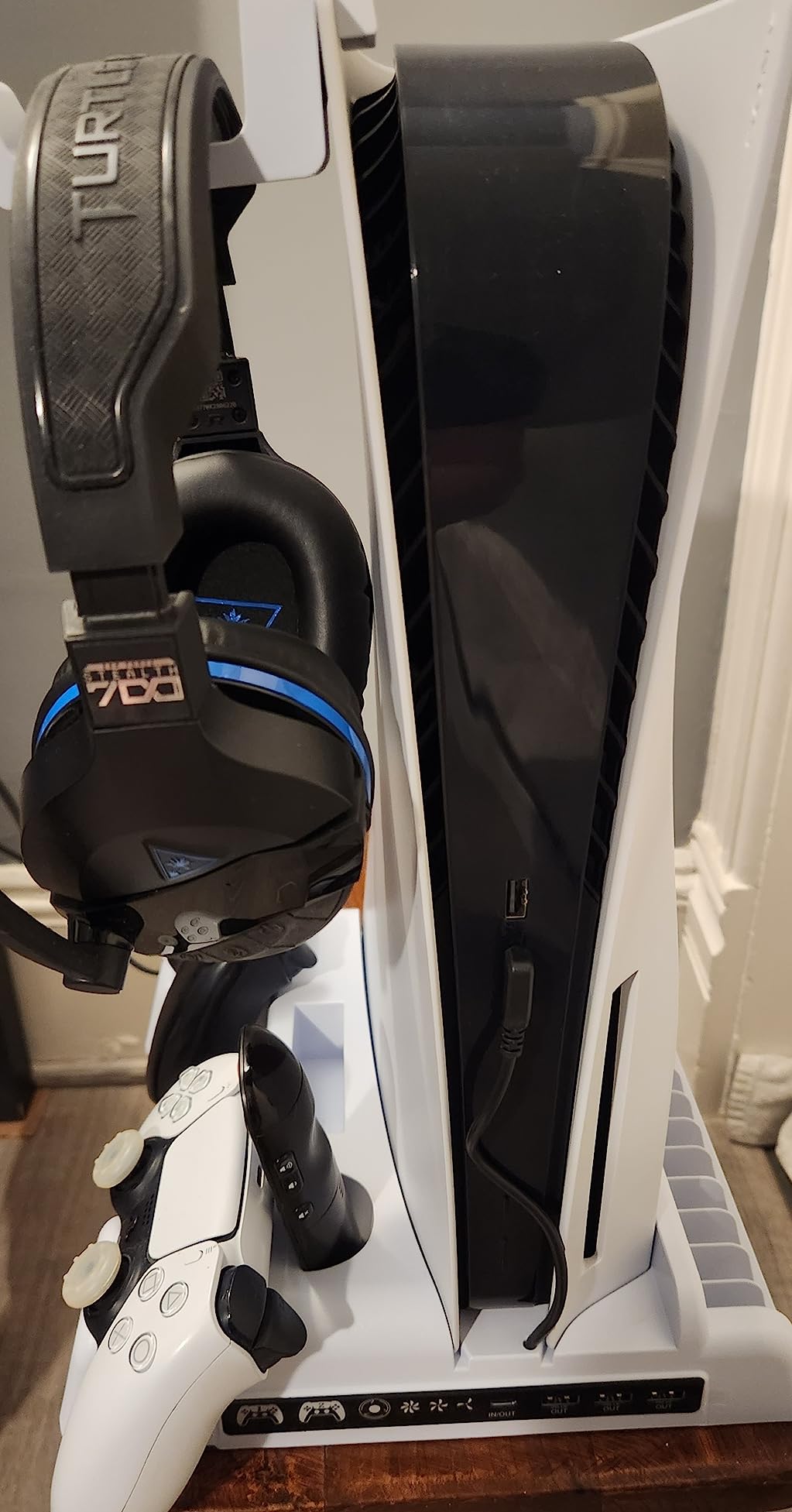
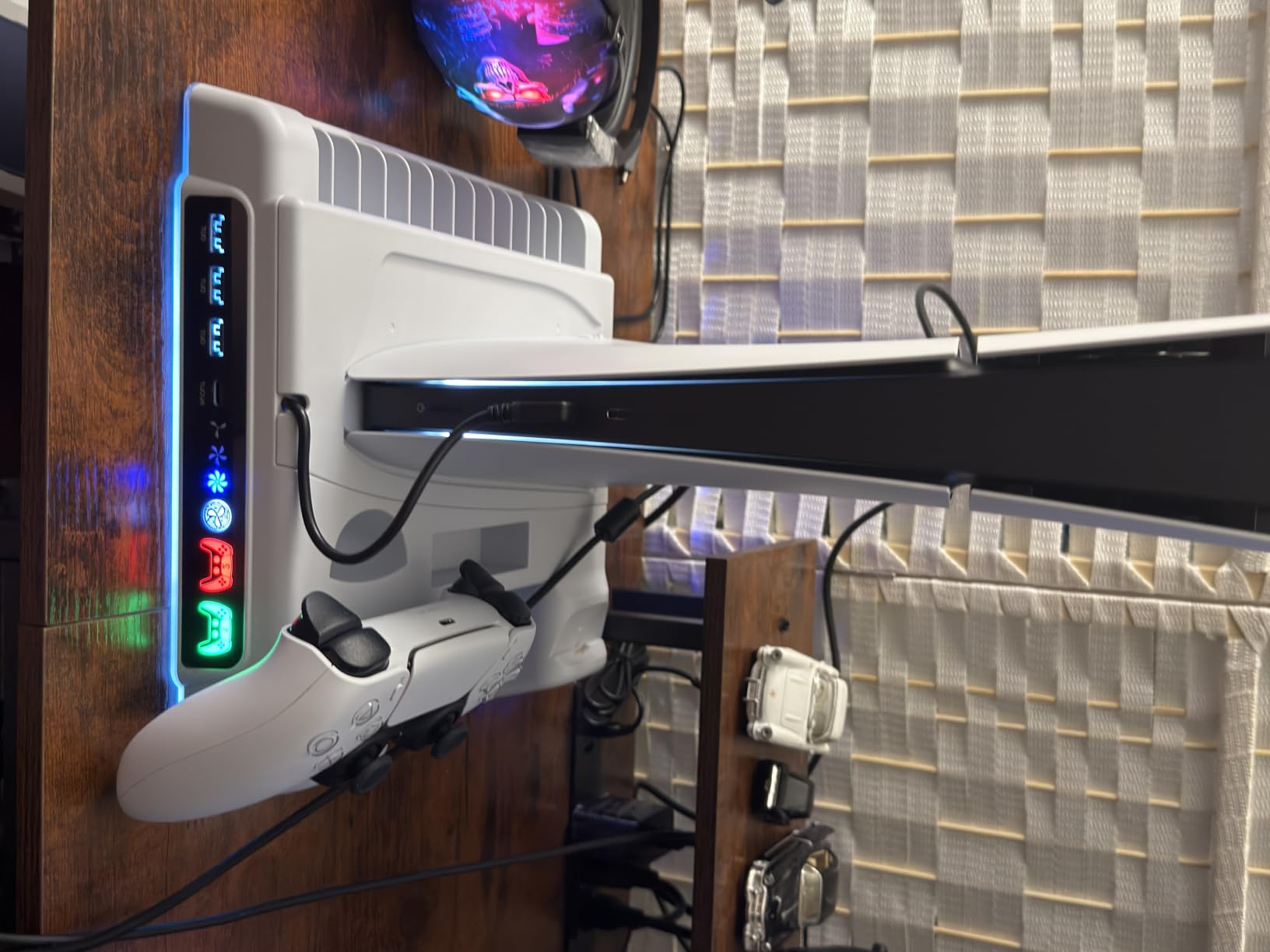
This OIVO unit is the swiss-army knife of PS5 accessories. It combines a vertical stand, a 3-speed cooling fan (3100-3500 RPM), dual DualSense charging slots, USB hub ports, a headset holder, and storage for up to 14 game discs. After three months of running my PS5 Slim on it, I can say with confidence: it actually cools the console noticeably.
Most PS5 stands are passive plastic bricks. This one has a real fan with three speeds and a touch control. The console temperature under sustained load dropped about 4-6 degrees Celsius in my testing compared to a flat horizontal placement.
Why Cooling Matters for Remote Play
Here is the connection to Remote Play that forum users pointed out to me. Streaming PS5 Remote Play pushes the console harder than local play because it has to encode video in real time. A cooler console runs the encoder more efficiently, which translates into smoother streams with fewer dropped frames at the far end.
Charging Speed and Storage Details
The two controller slots fully charge a DualSense in about 2.5 hours, with LED indicators on the front. The side slots hold 14 physical discs or small accessories, and the back hook holds a headset or media remote. The fan is audible at max speed but quiet enough at low to disappear into a TV room.
10. Savage Raven by Skull and Co. Thumb Grips – The Portal-Specific Upgrade

Savage Raven by Skull & Co. Thumb Grips Joystick Cap Analog Stick Cover for PlayStation Portal (Set of 6) – Black
Set of 6 silicone grips
Textured surface
Improved precision
Pros
- Custom-shaped for PS Portal sticks
- Excellent grip texture
- Set of 6 provides spares
Cons
- Only works on Portal
- Silicone wears down with heavy use
The PlayStation Portal sticks are functional out of the box, but after 30 minutes of fast-paced gameplay, my thumbs started to slip on the smooth plastic. The Savage Raven thumb grips by Skull and Co. are silicone covers with a textured surface that solved that immediately.
The set of 6 is more than you need for a single device. That is the point – as the silicone wears down with heavy use, you can swap to a fresh pair. Each cap installs with a simple push-on, no adhesive required.
Why Portal Owners Want These
The Portal is meant to be held for long stretches, which makes thumb grip a real concern. The taller profile and slightly wider radius of the Savage Raven caps improved my precision in God of War Ragnarok and Final Fantasy XVI during testing. Aim felt tighter, and movement was easier to control.
Compatibility Notes
These grips only fit the PlayStation Portal, not standard DualSense or DualSense Edge controllers. If you buy them for a standard DualSense, they will pop off in use. The package includes 6 covers so you get plenty of value even if you rotate through them across a year of daily play.
How to Choose the Right PS5 Remote Play Accessory in 2026
Picking the right accessory depends on three questions: where you plan to play, what you already own, and how seriously you care about input lag. Below is the framework I use when readers email asking what to buy first.
Wired vs Wireless Controller for Remote Play
Every forum thread about PS5 Remote Play devolves into the same debate. Bluetooth works on every official controller – DualSense, DualSense Edge, third-party pads – but it adds latency in the 40-100 ms range and is subject to interference. A wired USB-C connection, like the one the Backbone One uses, eliminates both problems.
For casual single-player games, Bluetooth DualSense is fine. For competitive shooters, fighting games, or anything where frame-perfect inputs matter, spend the extra money on the Backbone One or stick with the PlayStation Portal, which uses its own Wi-Fi-direct style link that is faster than Bluetooth.
Wi-Fi Quality Is Half the Battle
I cannot stress this enough. The biggest determinant of Remote Play quality is your network, not your hardware. A 5GHz Wi-Fi 6 router within 30 feet of your PS5 will deliver near-TV quality with low latency. A 2.4GHz router across the house will deliver choppy, compressed video with frequent disconnects, no matter what controller you use.
If your Remote Play is choppy, the upgrade is the network first. Buy a mesh system or move your router. Only after that is fixed should you spend money on a controller upgrade.
Audio: Bluetooth Limitations and Workarounds
The PlayStation Portal cannot pair with standard Bluetooth headphones – this is a Sony restriction, not a bug. Workarounds include wired headphones through the 3.5mm jack, Sony’s own PlayStation Link earbuds, or simply using the surprisingly good built-in speakers. On a phone with a Backbone, regular Bluetooth earbuds work fine because the phone handles the audio stack.
Battery Life and Charging Strategy
Long Remote Play sessions kill DualSense batteries in 4-6 hours. The PowerA twin dock keeps two controllers topped off without thinking about it. For Portal owners, the PowerA magnetic dock or a quality 30W USB-C wall adapter is enough. Travel gamers should bring a 10,000 mAh USB-C battery pack – the Portal charges off any standard PD power bank.
Protection and Portability
If you plan to take your Portal on a plane, a Foluck hard case is a must. For phone Remote Play, the OIVO clip is small enough to slip into a backpack pocket. Storage for cables, extra thumbsticks, and small adapters matters more than people realize. A mesh pouch or mini-organizer keeps everything together.
Budget Tiers That Make Sense
Under $50: OIVO clip, ivoler screen protector, and Savage Raven thumb grips cover the basics.
$50 to $150: Add the Backbone One for premium phone play, or the Foluck case for Portal protection.
$150 and up: PowerA stand combo, PowerA twin charging dock, and the PlayStation Portal itself for a complete ecosystem.
PS5 Remote Play Accessories FAQ
What is the best device for Remote Play on PS5?
The PlayStation Portal is the most polished dedicated device for PS5 Remote Play because it streams directly over Wi-Fi with native DualSense controls and an 8-inch 1080p screen. For phone-based Remote Play, the Backbone One paired with your existing smartphone is the best combination because the USB-C wired connection minimizes input lag.
Can I use a PS5 controller on my phone for Remote Play?
Yes. The official PS Remote Play app on Android and iOS supports the DualSense, DualSense Edge, and most third-party Bluetooth controllers. Pair the controller through your phone’s Bluetooth settings first, then open the app and it will recognize the pad automatically. For the lowest input lag, use a wired USB-C mobile controller like the Backbone One instead.
How to make PS5 Remote Play better?
Three upgrades have the biggest impact: switch to a 5GHz Wi-Fi network, use a wired USB-C controller instead of Bluetooth, and place your PS5 somewhere with ventilation so the streaming encoder does not thermal-throttle. You can also lower the stream resolution to 720p in the Remote Play app settings if your network struggles with 1080p.
Is PlayStation Portal worth it for Remote Play?
The Portal is worth it if your PS5 is in a shared living room and you frequently want to play in another part of the house. It is worth it if you travel for work and want to stream your library from a hotel Wi-Fi. It is not worth it if you already have a Switch, Steam Deck, or recent smartphone, because those devices handle on-the-go gaming without requiring your PS5 to be running.
Final Verdict
If you want a dedicated handheld experience and your home Wi-Fi can handle it, the PlayStation Portal remains the best remote play accessory for PS5 owners in 2026. If you would rather use the phone you already own, the Backbone One is the only controller that gets close to zero-latency play. If you are on a tight budget, the OIVO phone clip plus a Tempered Glass screen protector is the cheapest way into the ecosystem without sacrificing too much comfort.
Whichever route you take, start by sorting your Wi-Fi first. Nothing else matters if your network is unstable. Once that is fixed, any pick from this list will turn your PS5 into the streaming-friendly console it was always meant to be.