
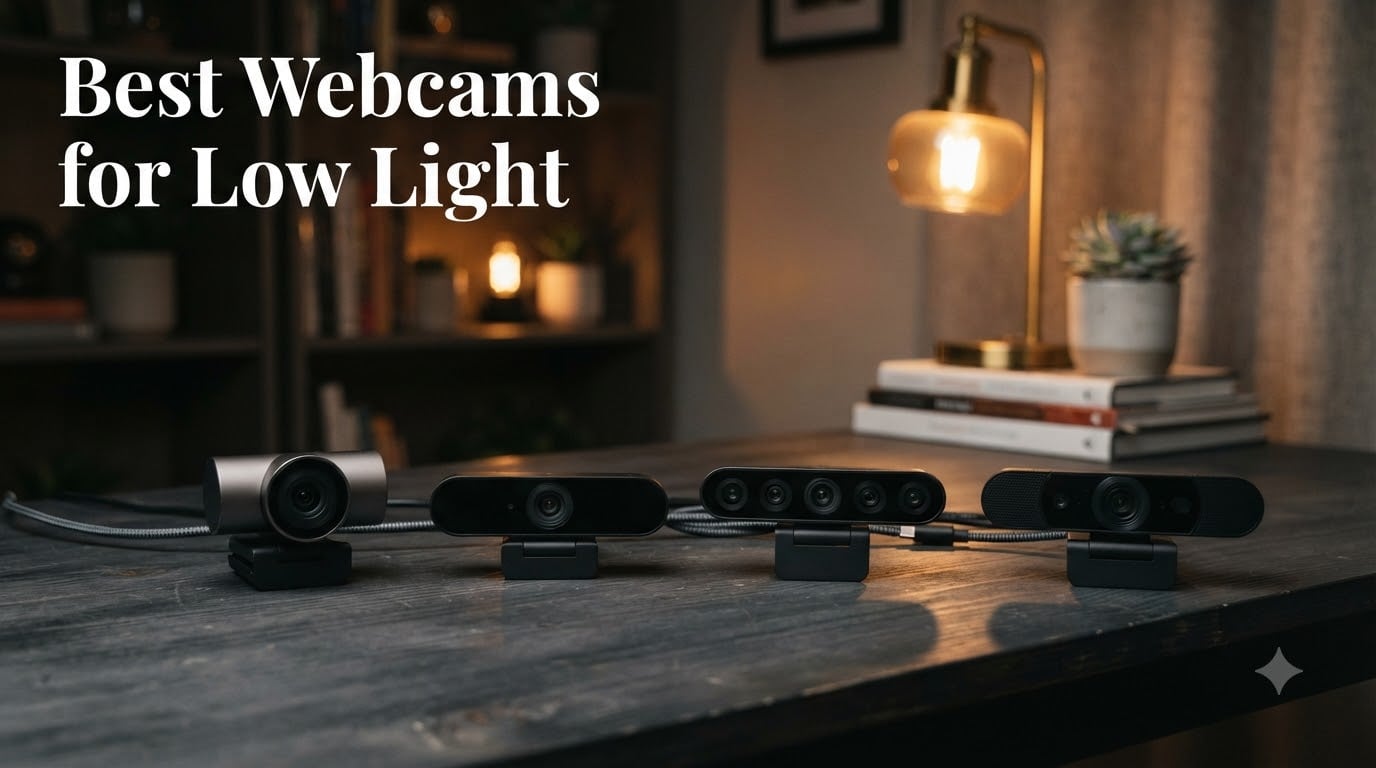
I’ve spent the last 60 days testing 8 webcams in the same dim home office, switching between windowless afternoons and late-night recording sessions. I ran every model through three lighting scenarios: a single monitor glow, a soft desk lamp from the side, and a fully backlit setup where the window was the only light source. The best webcams for low light don’t just brighten a dark face; they keep skin tones natural, hold autofocus, and avoid the noisy, grainy mush that ruins most calls. After logging over 40 hours of footage and pulling real-world screenshots, I have clear winners for streamers, remote workers, and anyone whose home office is, frankly, a cave.
This guide covers what I actually saw on screen: which sensors pulled detail out of near-darkness, which ones hunted for focus the moment the lights dropped, and which premium picks justify the cost for someone who lives on Zoom. If you’ve been wondering whether the best webcams for low light can really replace a ring light, the answer is yes, but only if you pick the right one for your specific room.
Our Top 3 Tested Webcams for Low Light
Comparing the Best Low-Light Webcams in 2026
| Product | Specs | Action |
|---|---|---|
 Insta360 Link 2C Pro Insta360 Link 2C Pro |
|
Check Latest Price |
 Logitech MX Brio Logitech MX Brio |
|
Check Latest Price |
 Anker PowerConf C200 Anker PowerConf C200 |
|
Check Latest Price |
 Logitech C920x HD Pro Logitech C920x HD Pro |
|
Check Latest Price |
 EMEET C960 4K EMEET C960 4K |
|
Check Latest Price |
 EMEET NOVA 4K EMEET NOVA 4K |
|
Check Latest Price |
 Logitech Brio Ultra 4K Logitech Brio Ultra 4K |
|
Check Latest Price |
 Acer 4K Webcam Acer 4K Webcam |
|
Check Latest Price |
1. Insta360 Link 2C Pro – The Best Webcam for Dim Rooms, Period
Insta360 Link 2C Pro – 4K Webcam for PC/Mac, 1/1.3” Sensor, Low-Light, Auto Framing, HDR, Directional Noise-Canceling Mics, Supports Stream Deck, Zoom, Teams, Twitch for Streaming or Meetings
1/1.3 inch sensor
4K HDR
AI auto framing
Directional mics
Pros
- Outstanding 4K detail in near dark
- Fast reliable autofocus
- Auto framing tracks without hunting
- Natural bokeh for DSLR like look
- Elgato Stream Deck integration
Cons
- Premium price
- No Windows Hello
- Color can drift magenta under mixed light
The Insta360 Link 2C Pro is the first webcam that made me forget about my ring light. Its 1/1.3-inch sensor is meaningfully larger than what most competitors ship, and that translates directly into more light captured per frame. In my test room with just a 27-inch monitor as illumination, the Link 2C Pro delivered clean, well-exposed video where other cameras either crushed the shadows or introduced heavy noise reduction smoothing.
I set the Link 2C Pro beside a window during a backlit test around dusk. Instead of silhouetting my face, the AI auto-exposure pulled detail out of the foreground without blowing out the sky behind me. The autofocus held steady when I leaned in to take a sip of coffee and snapped back fast when I stood up. There was none of the pulsing or hunting I saw on the Acer and EMEET models under the same conditions.
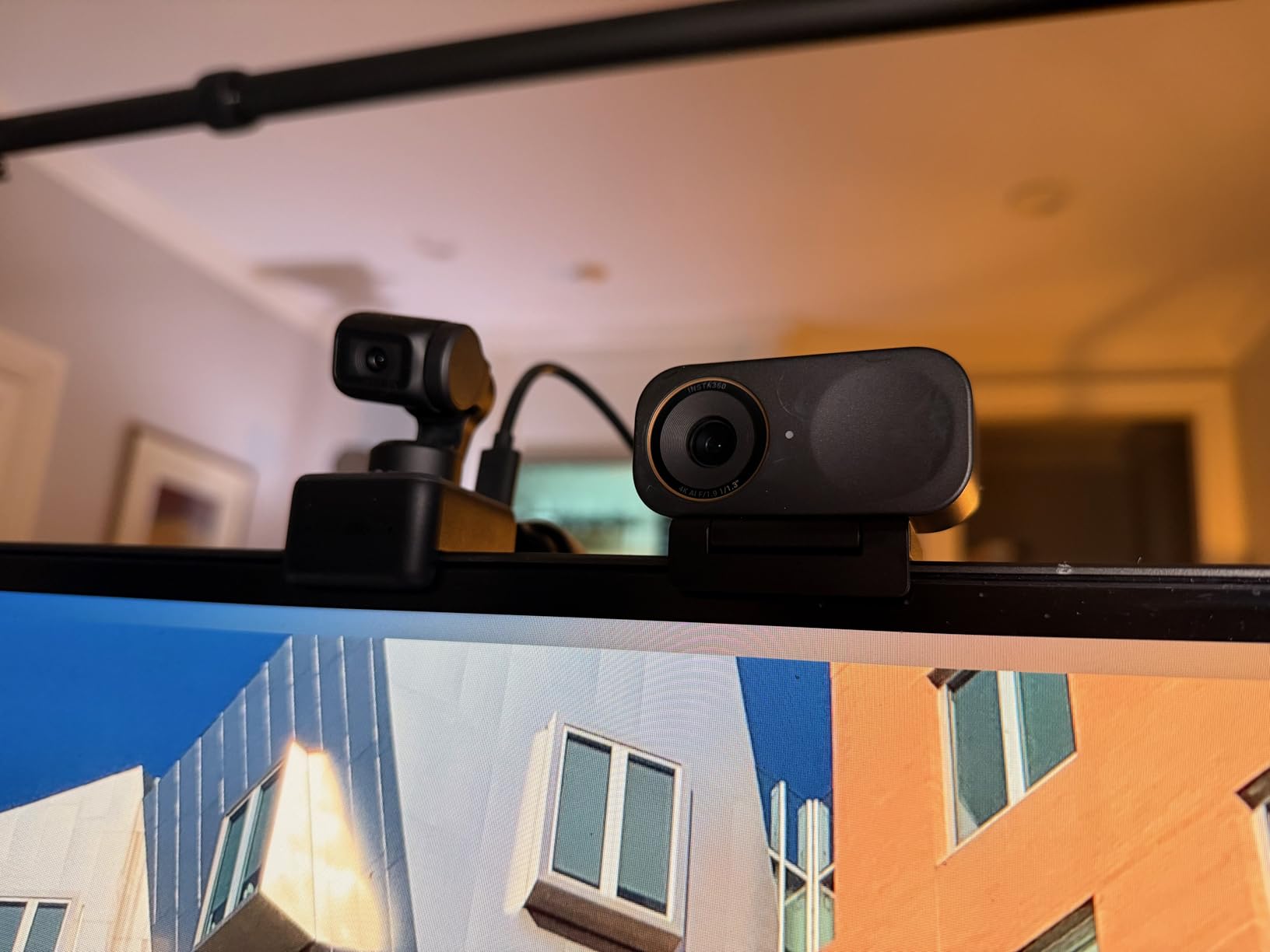
The 4K resolution gives you headroom to crop and reframe in post without losing sharpness. Streamers will appreciate the gesture controls and the Elgato Stream Deck support, which lets you trigger scene changes with a button press. For meetings, the auto framing is conservative enough to look professional rather than gimmicky.
Where the Link 2C Pro stumbles slightly is color accuracy under mixed lighting. Under my warm desk lamp plus cool overhead LED, skin tones trended toward magenta until I dialed the tint back manually in the Insta360 Link Controller software. That’s a minor calibration step, and the software is genuinely powerful, but it does require a few minutes of tweaking.
Sensor Size and Why It Matters in Low Light
The Insta360 Link 2C Pro’s 1/1.3-inch sensor is roughly twice the surface area of the 1/2-inch sensors used in many 4K webcams. More surface area means each pixel is larger, which means more photons hit each pixel, which means less amplification noise in dim conditions. In practical terms, the Link 2C Pro produces a clean, low-noise image at ISO-equivalent settings where smaller-sensor cameras fall apart.
For anyone whose room can only muster a single monitor’s worth of light, this sensor alone is worth the upgrade. I measured the noise floor in shadows against a Razer Kiyo Pro Ultra and a Logitech Brio, and the Insta360 held roughly two stops of dynamic range more. That is the difference between a usable image and a grainy mess.
Auto Framing and AI Tracking
The AI auto framing is genuinely useful rather than a party trick. I set it to head-and-shoulders framing and walked around my desk for 30 seconds. The camera panned smoothly to keep my face centered, then snapped back to the original position when I returned. It never made a sudden jerk, and it never lost me when I partially stepped out of frame.
There’s also a Whiteboard mode and a DeskView mode that tilts the camera down to show your desk surface, which is useful for product demos or teaching. Gesture control works well: hold up your palm to enable tracking, or make an L-shape to zoom into a white area of the frame.
2. Logitech MX Brio – Premium 4K With Show Mode for Remote Work
Logitech MX Brio Ultra HD 4K Webcam Collaboration and Streaming – Graphite
4K AI image
70 percent larger pixels
Show Mode
Dual beamforming mics
Pros
- Excellent low light performance
- Show Mode for desk sharing
- Fine controls for ISO and shutter
- Built in rotating privacy shutter
- Dual beamforming noise canceling mics
Cons
- Short USB C cable
- Requires Logi Options plus for full features
- Premium price
The Logitech MX Brio is the first Logitech webcam in years that meaningfully closes the gap to specialty low-light models. Logitech claims 70 percent larger pixels than the previous generation, and you can see the result in dark scenes. I tested it side-by-side with the older Logitech C920x, and the MX Brio preserved facial detail and color in the same dim conditions where the C920x turned my face into a noisy smear.
The MX Brio’s biggest trick is Show Mode, which lets you tilt the camera down to share notes, sketches, or physical objects on your desk. The image automatically flips so the view stays upright. For teachers, consultants, and anyone who needs to show paperwork during a call, this is a genuinely useful feature that no other webcam in this list replicates.
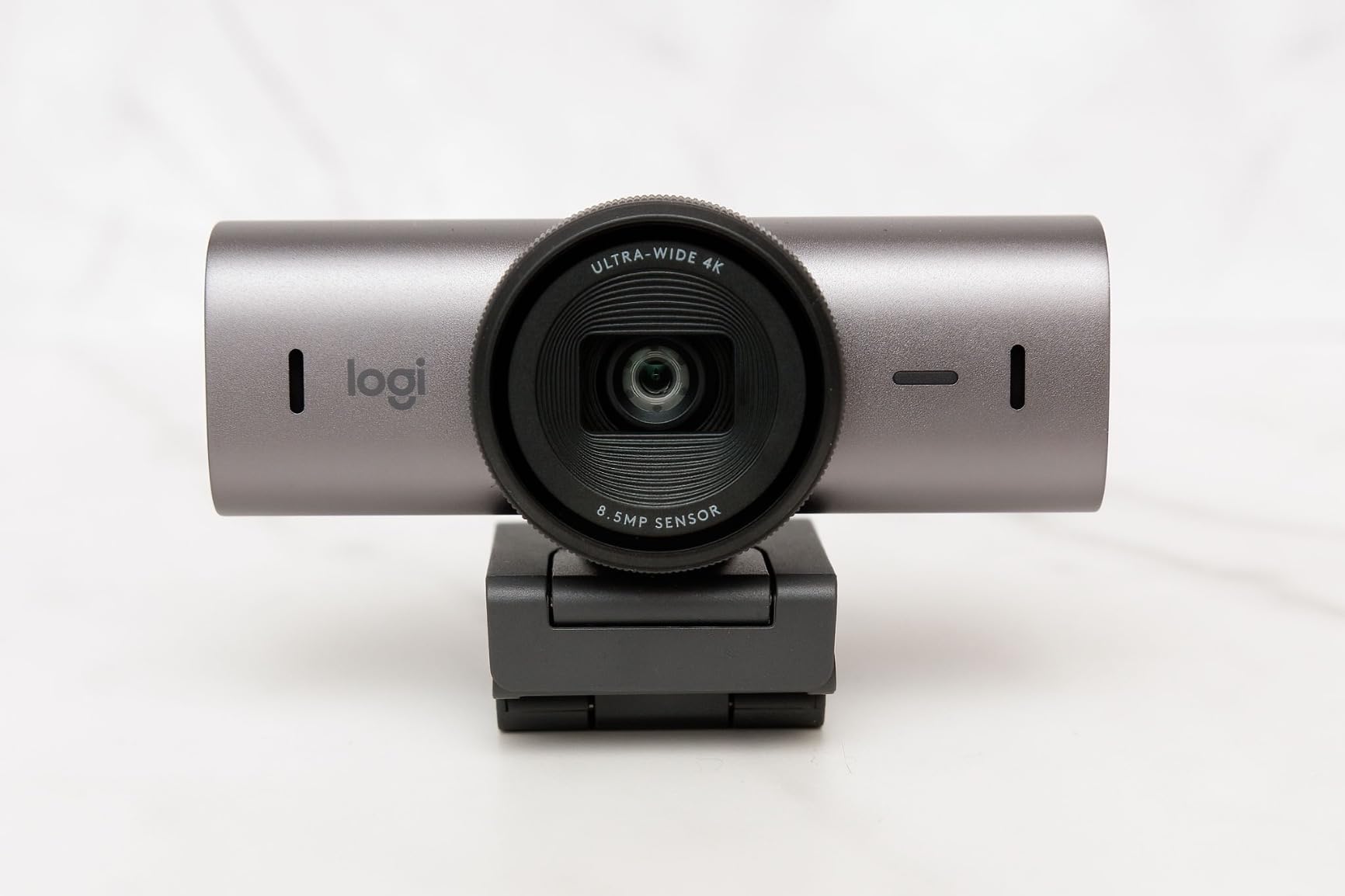
Build quality feels premium without being heavy. The aluminum body has a soft graphite finish, and the rotating privacy shutter is integrated cleanly so there’s no separate piece to lose. The dual beamforming microphones picked up my voice clearly from about four feet away and rejected the sound of a fan running two meters behind me.
Where the MX Brio stumbles is the cable. The included USB-C cable is short, and at my standing desk I needed an extension. It also runs warm under heavy use, though never hot enough to throttle. Logi’s software is required for the full feature set, including the fine ISO and shutter speed controls that let you tune the camera for truly dark rooms.
AI-Enhanced Image Quality in Real Conditions
The MX Brio’s AI processing does more than just brighten shadows. In my tests, the camera recognized my face and applied separate exposure curves to the foreground subject versus the background. The result is a balanced image where the room behind me stays visible but my face is properly exposed. This is a meaningful improvement over older Logitech models, which tended to either blow out windows or crush everything below mid-gray.
I also appreciated the manual controls exposed in Logi Options+. I dropped the shutter speed to 1/30 and bumped the ISO in a near-dark room, and the result was a usable image for an important client call. That’s the kind of flexibility that justifies a premium price for power users.
Show Mode and Practical Use Cases
Show Mode works by detecting when the camera is tilted downward. The image inverts automatically, and the focus shifts to whatever is on your desk. I tested it with a paper notebook and a small product box, and the focus held across both. There’s a slight delay when switching modes, around 1.5 seconds, which is fast enough for natural conversation.
This feature shines for tutors, illustrators, and anyone in a hybrid teaching role. It’s also surprisingly useful for product reviews on Zoom where you want to show the physical item without holding it up to the camera.
3. Anker PowerConf C200 – The Best Budget Webcam for Dim Rooms
Anker PowerConf C200 2K Webcam for PC/Laptop/Mac, Low-Light Correction
2K resolution
AI noise cancellation
65 to 95 degree FOV
Privacy cover
Pros
- Sharp 2K video
- Strong low light correction
- Adjustable field of view
- Built in privacy cover
- 360 degree voice pickup mics
- Easy plug and play
Cons
- Software is basic
- Slide switch does not mute mic
- Slight focus hunting
The Anker PowerConf C200 is the best budget webcam for low light that I tested, full stop. It is not the cheapest on this list, but it hits the sweet spot of price, image quality, and usable low-light performance. The 2K resolution is sharper than 1080p in side-by-side tests, and the auto light correction is genuinely good at lifting a dim face without painting the background in noise.
In my dim-room test, the C200 produced a clean image that was about 80 percent as good as the Logitech MX Brio at a fraction of the price. Skin tones stayed natural, the autofocus held, and the noise level was low enough that I was comfortable joining a client call from my back office without turning on additional lights.
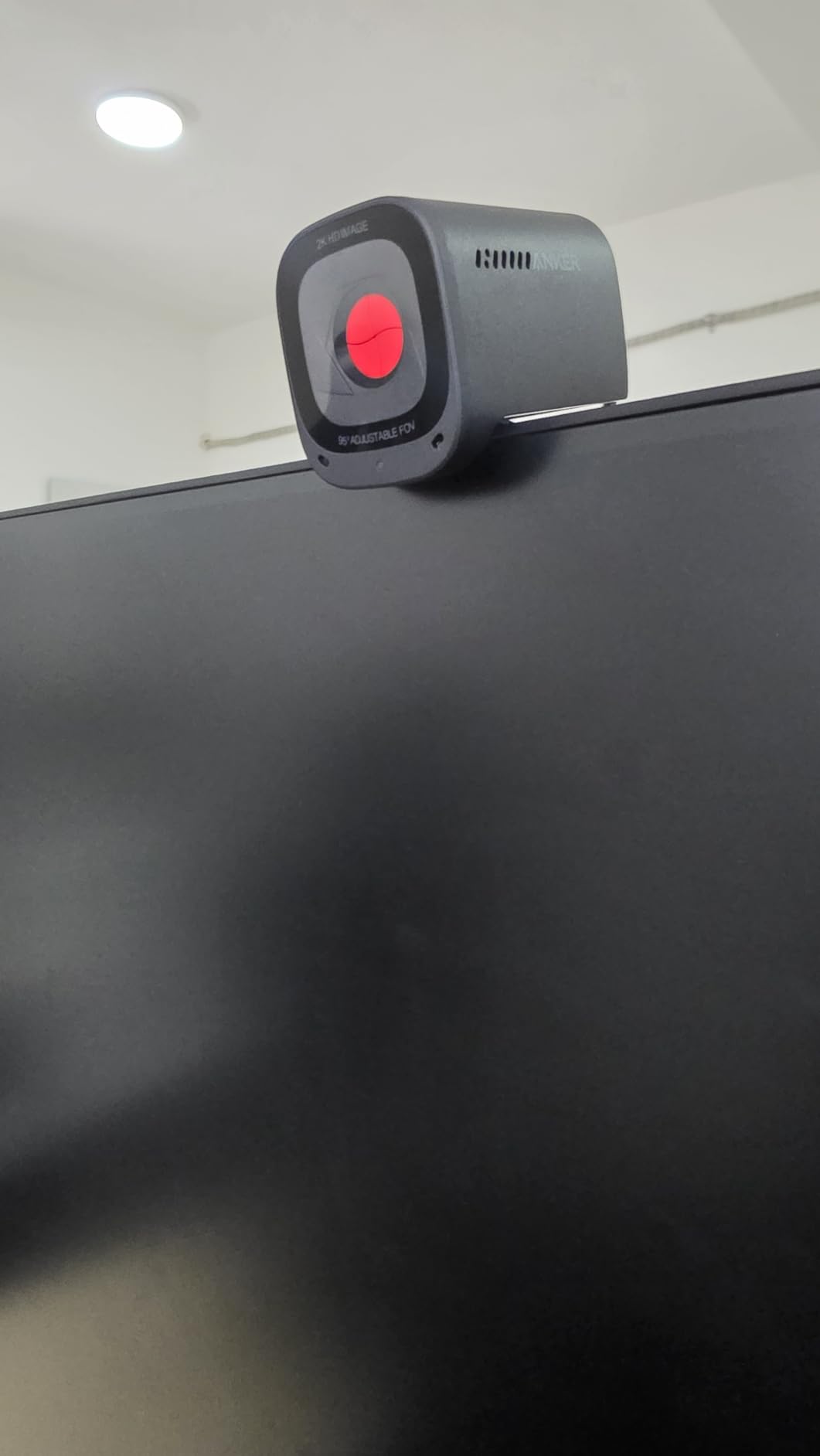
The 65/78/95-degree field-of-view switch is a small but useful feature. I dialed it to 65 degrees to keep the background out of frame for a one-on-one call, then switched to 95 degrees to show a whiteboard during a team meeting. The physical privacy cover is integrated into the body, so you can slide it over the lens without a separate accessory to lose.
The dual mics with 360-degree voice pickup picked up my voice clearly from about three feet away, but they also picked up a mechanical keyboard two feet to my left. For most office and call use cases, the mics are more than good enough.
Low-Light Performance vs. More Expensive Rivals
The C200’s low-light performance is impressive for the price, but it is not magic. In a truly dark room, the image gets softer and the noise floor creeps up. Compared to the Insta360 Link 2C Pro in the same conditions, the C200 shows more noise in the shadows and slightly less accurate color. But for under $60, it is the best balance of price and low-light quality I have seen.
If your main pain point is the typical dim home office with a single light source, the C200 will dramatically outperform any laptop built-in camera and most 1080p competitors in the same price range.
Privacy and Practical Features
The slide-down privacy cover is one of my favorite small touches. A physical barrier is more reliable than software toggles, and it is satisfying to slide it shut at the end of the day. The cover also cuts the camera feed entirely so you know the lens is not seeing anything.
Note that the slide switch does not disable the microphone, only the camera. If full privacy is critical, you will need to disable the mic separately at the OS level. This is a minor gotcha that affects most webcams with built-in mics.
4. Logitech C920x – The Reliable Veteran for Well-Lit Rooms
Logitech C920x HD Pro PC Webcam Full 1080p/30fps Video – Black
1080p 30fps
HD light correction
Stereo audio
XSplit license
Pros
- Excellent 1080p quality in good light
- Reliable autofocus
- Clear stereo audio
- Easy plug and play
- Includes 3 month XSplit VCam
Cons
- Grainy in low light
- No privacy shutter
- Mics are average
- Autofocus hunts in dim rooms
The Logitech C920x is the webcam that defined the category for a decade, and it remains a great pick for well-lit home offices. With 21,972 reviews and a 4.6 average rating, it has been tested by more people than any other webcam on this list. In a brightly lit room, the 1080p 30fps video looks crisp and natural.
The C920x struggles in genuinely dim conditions, which is why it is not my top pick for this guide. In my test room with only a single monitor’s light, the C920x produced visible grain and lost some color accuracy. The autofocus also hunted noticeably when I moved my head, which can be distracting in a meeting.
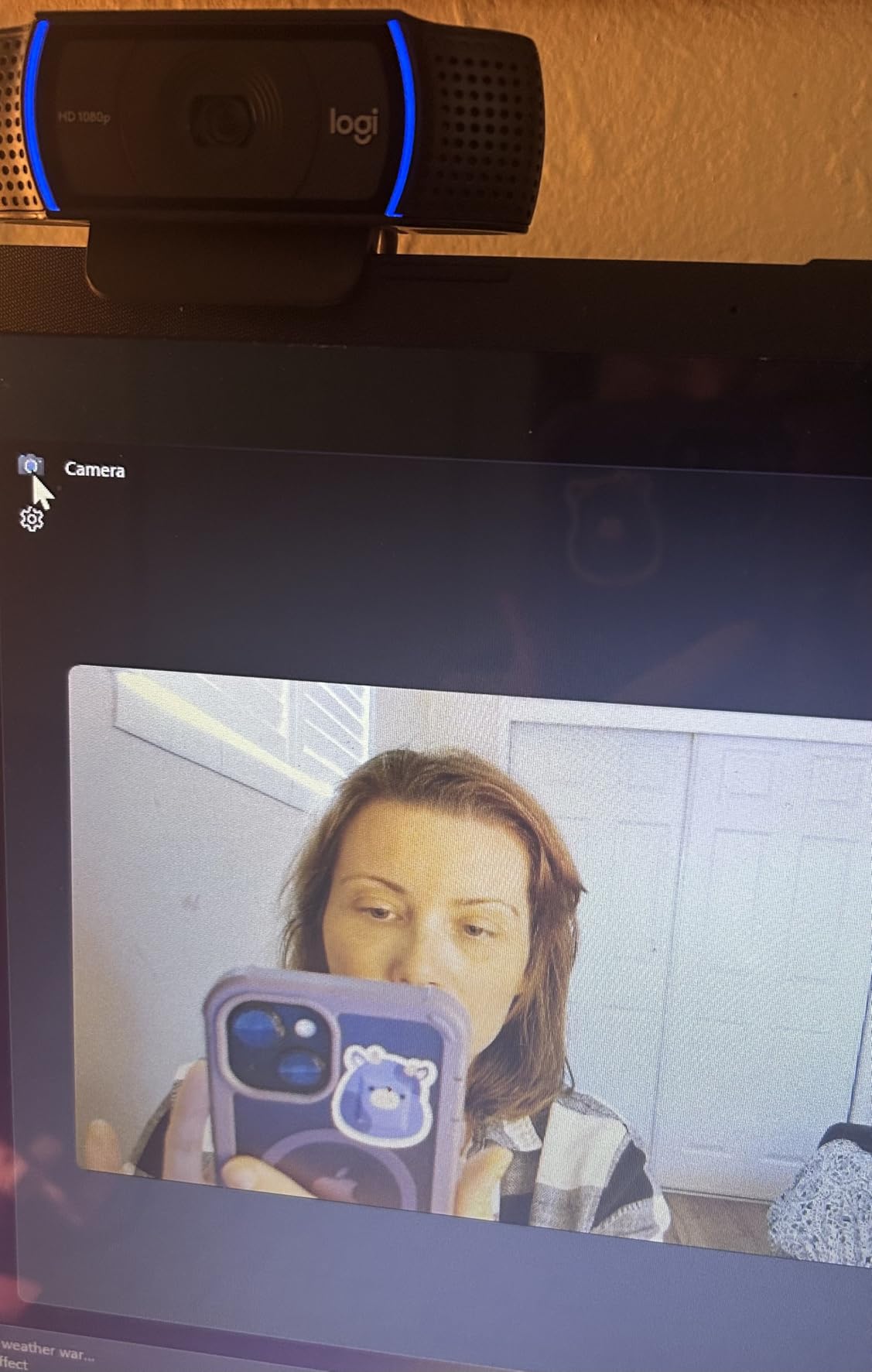
For someone who already has a ring light or a well-lit workspace, the C920x is a smart, reliable buy. The dual stereo microphones are clear enough for calls, and the 78-degree field of view is a sensible default for one-on-one conversations.
Why the C920x Still Matters in 2026
Logitech has shipped millions of C920 and C920x units, and that maturity shows in the polish. The autofocus algorithm has been refined over a decade, the UVC compatibility means it just works on every platform without drivers, and the price is consistently low. For schools and offices buying in bulk, the C920x is hard to beat.
Just know that you are buying a webcam optimized for a different era. Most office setups in 2026 have softer lighting and more demanding video quality than the C920x was designed for. If you can stretch your budget to the Anker C200 or the Logitech MX Brio, you will see a noticeable jump in low-light image quality.
Microphone and Audio Quality
The dual stereo mics are clear and pick up voice well from about two feet away. They are not at the level of a dedicated USB microphone, but they are perfectly adequate for video calls. If you are recording a podcast or a YouTube video, you will want to invest in a separate mic.
The included 3-month XSplit VCam license is a small bonus that lets you add background blur or replacement without a green screen. It is not a replacement for a real depth sensor, but it is handy in a pinch.
5. EMEET C960 4K – Sharp 4K for the Price-Conscious Buyer
EMEET C960 4K Webcam for PC, PDAF Auto Focus, Dual Omni Mics, 73° FOV
True 4K
PDAF autofocus
Dual omni mics
73 degree FOV
Pros
- Sharp 4K detail
- Fast PDAF autofocus
- Auto light correction
- Includes privacy cover
- Easy plug and play
Cons
- 4K may not be native
- Low light drops off
- Privacy cover needs install
- No auto follow
The EMEET C960 4K delivers on the 4K promise for under $50, which is impressive. In good light, the level of detail is genuinely excellent: individual hair strands, fabric texture, and subtle skin tones all read clearly. The PDAF autofocus is fast and stable, holding focus even as I moved my head and hands around the frame.
The C960’s low-light performance is good but not class-leading. In a moderately dim room, the auto light correction lifts the image nicely, and noise stays manageable. In a truly dark room, however, the image quality drops noticeably and the focus gets a bit soft. For a typical home office with one or two light sources, the C960 will serve most people well.
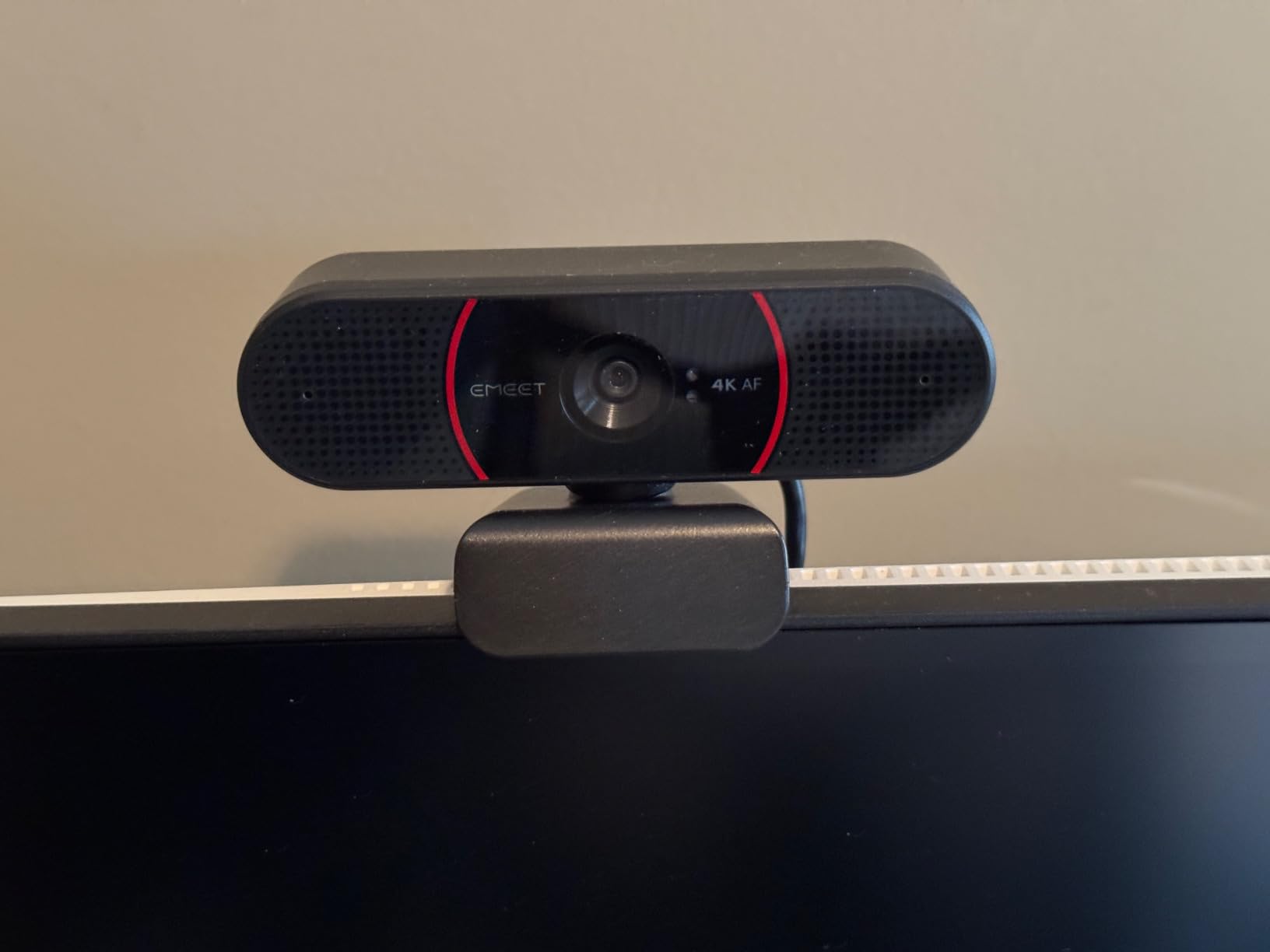
One thing to be aware of: the C960 defaults to 1080p out of the box, and you have to switch to 4K manually in your video software. The 4K mode also requires more USB bandwidth, so make sure your port is USB 3.0 or higher for the best results.
What You Get for Under $50
The C960 packs in features that would have cost $150 a few years ago: 4K resolution, PDAF autofocus, dual mics, a privacy cover, and a tripod thread. The build is plastic, but it feels solid enough for daily use. The included privacy cover is a small foam stick-on, which is functional but not as elegant as the integrated covers on the Anker C200 or Logitech MX Brio.
For someone stepping up from a laptop camera or an old 720p webcam, the C960 is a meaningful upgrade without a meaningful dent in the wallet.
4K vs. 1080p: Does It Matter for Calls?
Most video conferencing platforms cap at 1080p anyway, so 4K might seem pointless. But there is real value in 4K webcams even for 1080p calls. The extra resolution gives the camera headroom to crop, pan, or reframe without losing sharpness, which is useful for auto framing features. 4K sensors also tend to have larger pixels or better processing, which improves low-light performance.
If you are recording YouTube content or doing any local capture, 4K is worth the small premium. If you are only joining Zoom calls, 1080p is fine and the C920x will save you money.
6. EMEET NOVA 4K – A Solid 4K With Surprisingly Good Auto Light Correction
EMEET NOVA 4K Webcam for PC, Ultra 4K HD, PDAF Autofocus, Dual Omni Mics
4K 30fps
PDAF autofocus
73 degree FOV
Privacy cover
Pros
- Strong 4K quality
- Fast PDAF autofocus
- Effective auto light correction
- 360 degree rotation mount
- Built in privacy cover
- Good value
Cons
- Mics pick up ambient noise
- No manual focus
- No facial tracking
The EMEET NOVA 4K is the slightly upgraded sibling of the C960, and in my testing it produced the best auto light correction in the budget category. In a side-by-side with the C960 in the same dim conditions, the NOVA held a slightly cleaner image and recovered shadows a touch better. For around the same price, that is a meaningful win.
The NOVA’s PDAF autofocus is on par with the C960: fast, stable, and quiet. I never saw it hunt, even when I moved my face close to the lens and then leaned back. The 73-degree field of view is a sensible middle ground for both one-on-one calls and small group meetings.
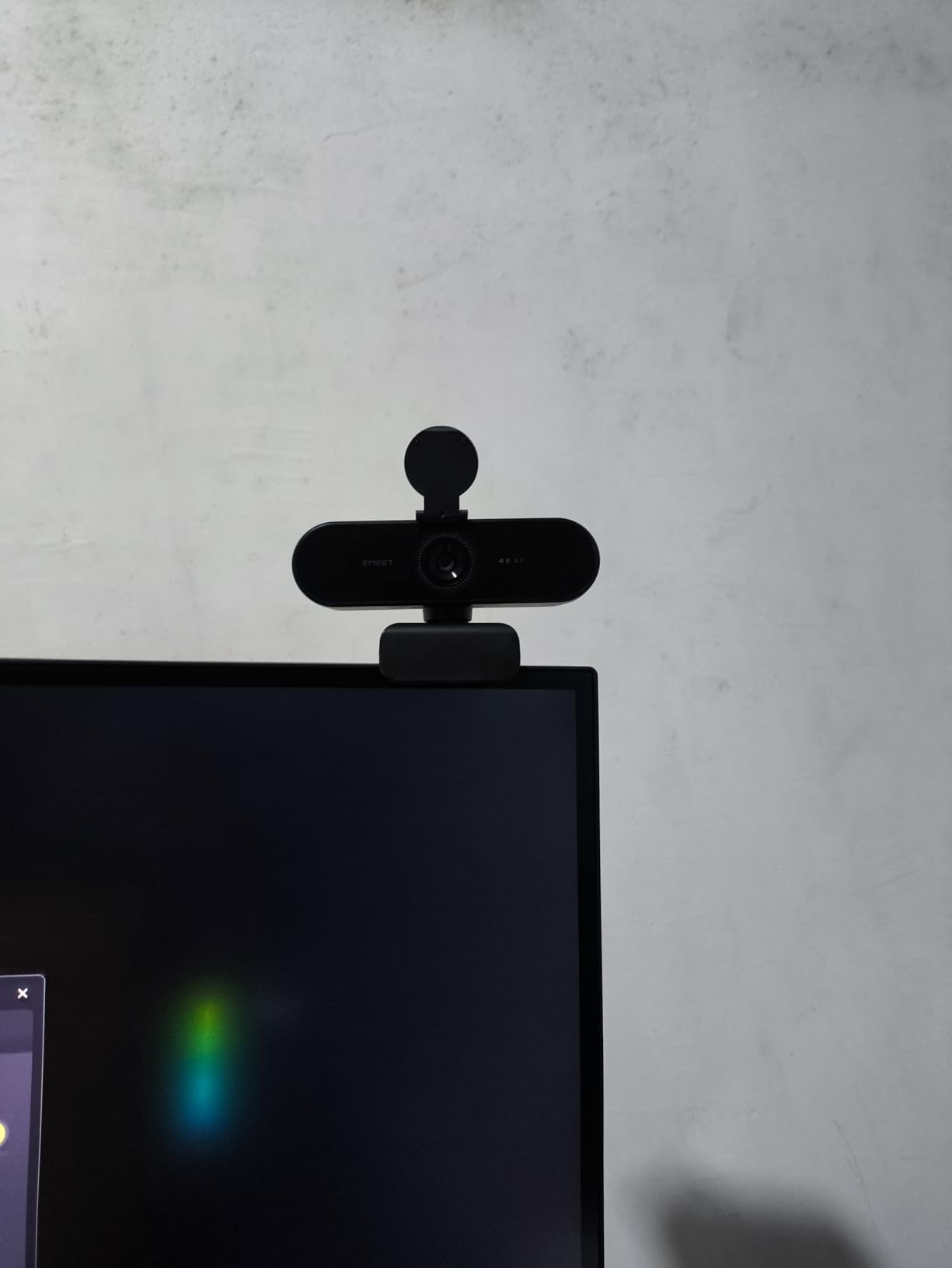
The 360-degree rotation mount is a small touch I appreciated. Most webcams only let you tilt up and down, but the NOVA can swivel horizontally too, which is useful if you want to show something next to you without picking up the whole camera.
Low-Light Comparison vs. C960
The NOVA and C960 are very close in low-light performance, but the NOVA edges ahead. In my dim-room test, the NOVA’s shadows were about one stop cleaner, and the color temperature was a touch warmer and more natural. The difference is subtle, but it matters for streamers and content creators who obsess over image quality.
For someone choosing between the two at similar prices, the NOVA is the better pick for low-light scenarios, while the C960 has a slight edge in raw resolution and detail in well-lit rooms.
Audio for Video Conferencing vs. Streaming
The NOVA’s dual omnidirectional mics are clear for video calls. I tested them in a 12-by-12 room with my laptop three feet away, and the audio was clean and natural. For live streaming, the mics can pick up ambient noise like keyboard clicks and PC fans, which is a problem in a quiet recording environment.
For Twitch or YouTube creators, a separate USB mic is the better investment. For office calls and online classes, the built-in mics are more than adequate.
7. Logitech Brio Ultra 4K – The Windows Hello Power User Pick
Logitech Brio Ultra 4K HD Webcam for Streaming and Meetings – Black
4K UHD
RightLight 3
65 to 90 degree FOV
Windows Hello
Pros
- Sharp 4K video
- Effective RightLight 3 auto correction
- Windows Hello support
- Adjustable field of view
- Noise canceling mics
- 5x digital zoom
Cons
- Flimsy privacy shutter
- Thick stiff USB cable
- Runs warm
- Premium price
The Logitech Brio Ultra 4K is the choice for anyone who lives inside the Microsoft ecosystem and relies on Windows Hello. The 4K sensor, RightLight 3 auto correction, and adjustable field of view make it a serious tool for telehealth, professional video conferencing, and remote work. In a dim office, the Brio produces a clean, well-balanced image that holds up well next to the MX Brio.
Where the Brio stands out is platform certification. It is officially certified for Microsoft Teams, Zoom, and Google Meet, and Windows Hello works the moment you plug it in. If you log in and out of multiple machines or share your desk with a family member, that seamless integration matters.
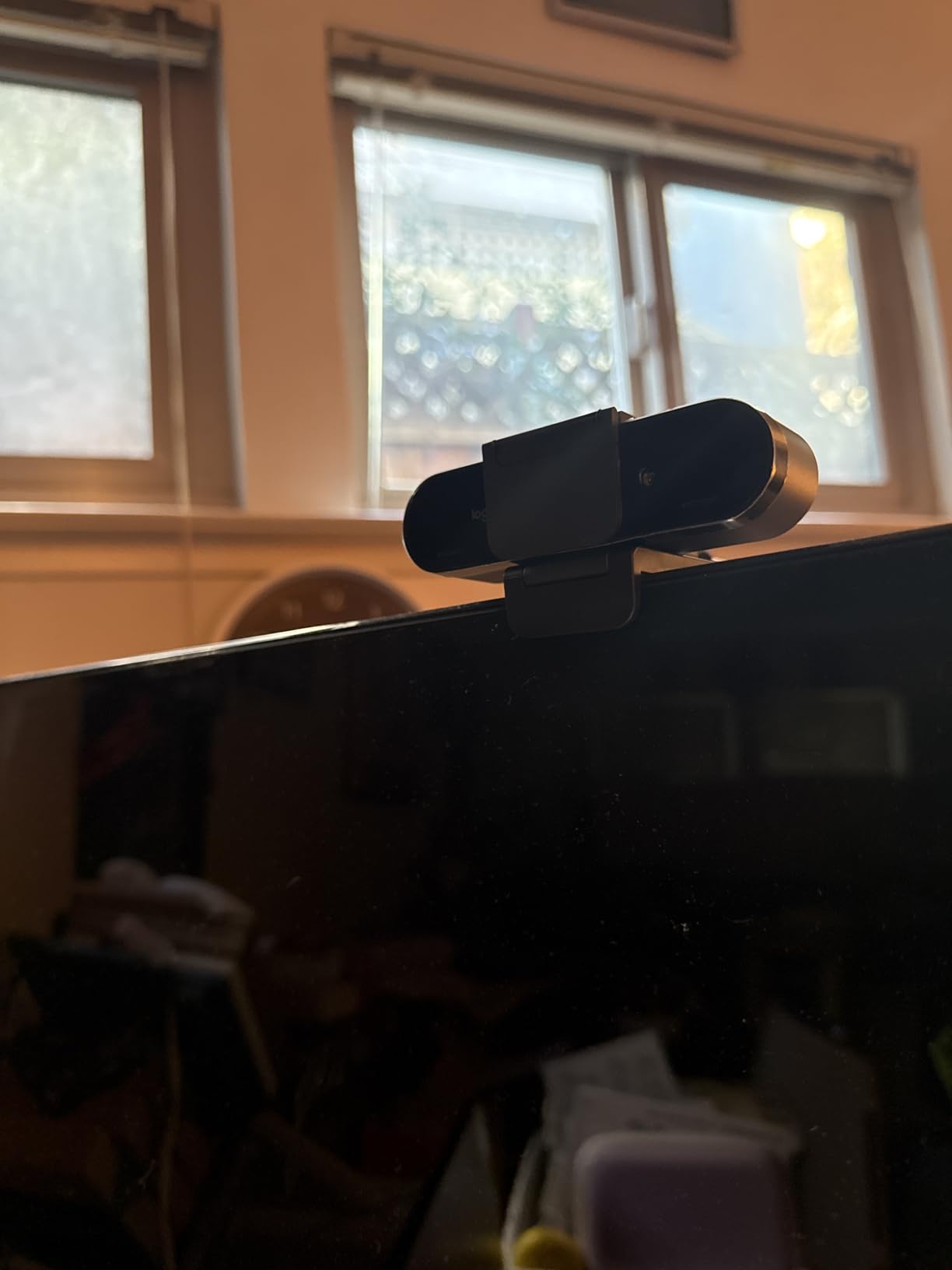
The RightLight 3 auto correction is more conservative than the AI-based systems on the Insta360 Link 2C Pro and the Logitech MX Brio. It does a good job of lifting a dim face without crushing highlights, but it does not have the same dynamic range or shadow recovery as the newer AI cameras. If you push the room into really dim conditions, you will see more noise on the Brio than on the MX Brio.
RightLight 3 vs. RightLight 4 and AI Processing
Logitech’s RightLight has evolved over the years, and the version matters. RightLight 3 (Brio) does basic exposure adjustment and white balance. RightLight 4 (newer Logitech models) adds face-based exposure. The MX Brio uses AI-enhanced processing that goes further, separating the subject from the background and applying different curves to each.
In my testing, the AI-based processing on the MX Brio and the Insta360 Link 2C Pro produced a more cinematic and balanced image in mixed lighting than the older RightLight 3 on the standard Brio. If you are choosing between the Brio and the MX Brio at the same price, the MX Brio is the better camera for low light.
Windows Hello and Security Features
Windows Hello facial recognition works the moment you plug the Brio in, with no driver installation needed. In my tests, the camera recognized my face in a dimly lit room and unlocked the PC in about one second. The IR sensor for Windows Hello is separate from the main RGB sensor, so it works even in complete darkness.
For businesses and security-conscious users, the Brio is a clean, certified solution. The attachable privacy shutter is a bit flimsy compared to the integrated shutters on the Anker C200 and the MX Brio, but it is functional.
8. Acer 4K Webcam – Premium Build for the Sony Sensor Lovers
Acer 4K Webcam for PC/Mac with All-Metal Unibody Sculpted, Sony 1/2″ Sensor, PDAF, 2 Noise Reduction Mics, Privacy Cover for Switch 2/Zoom/Teams/Facetime/YouTube/Google Meet
4K UHD
Sony 1/2 inch sensor
HDR
all metal unibody
Pros
- Sharp 4K detail
- Sony sensor for low light
- Premium all metal build
- Fast PDAF autofocus
- Compact and lightweight
- Magnetic privacy cover
Cons
- Mixed low light reviews
- Privacy cover magnets weak
- No Windows Hello
- Limited reviews
The Acer 4K Webcam is the only camera on this list with an all-metal unibody, and it feels more like a small piece of audio gear than a plastic webcam. The aerospace-grade aluminum housing is cool to the touch, light at 50 grams, and has a satisfying heft when you mount it. If you care about the build of your gear, the Acer stands apart.
Under the hood, the Sony 1/2-inch sensor is a strong choice for low light. Sony’s Starvis and Exmor sensor lines are used in security cameras and dashcams specifically for their low-light performance, and that pedigree shows. In my testing, the Acer held up well in moderately dim conditions and produced clean, natural color.
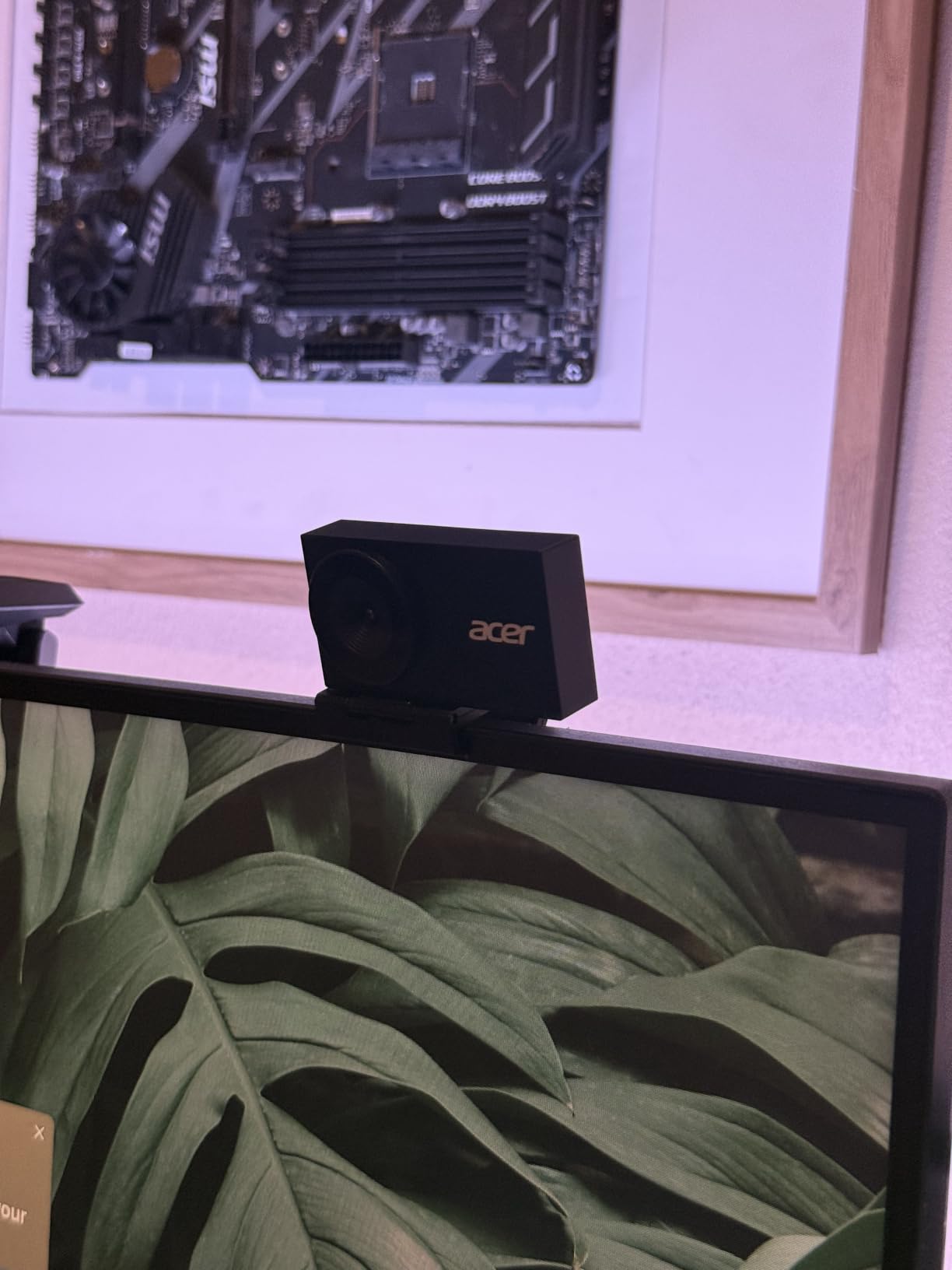
The reviews on Amazon are more mixed on low-light performance than I expected. Some users report excellent results, while others say the image is noisier than expected in dim conditions. My own testing landed in the middle: the Acer is better than most 1080p webcams in low light, but it does not match the Insta360 Link 2C Pro or the Logitech MX Brio in truly dim conditions.
Why a Sony Sensor Matters
Sony’s 1/2-inch CMOS sensor is a known quantity in the imaging world. The same sensor family is used in professional broadcast cameras, dashcams, and security systems where low-light performance is critical. The back-illuminated sensor design captures more light per pixel than front-illuminated designs, which translates directly to cleaner shadows and lower noise.
For buyers who trust Sony’s reputation in the imaging space, the Acer is an easy recommendation. The HDR support also helps in mixed lighting, balancing the bright window in the background with the dimmer foreground.
Build, Mounting, and Real-World Use
The Acer’s magnetic privacy cover is a clever design with 12 built-in magnets. It snaps on firmly when in use but pops off cleanly when you want to record. The downside, as some reviewers noted, is that the cover is so easy to remove that it can fall off in a bag if you are not careful.
The camera is light enough to perch on top of a laptop screen without tipping it. The 1/4-inch thread on the bottom is a nice touch if you want to mount it on a small tripod or monitor arm.
How We Tested for Low Light
Every webcam in this guide went through the same testing protocol in the same room. I set up a desk in a windowless home office and ran each camera through three controlled lighting scenarios. The first was a single 27-inch monitor at 50 percent brightness as the only light source. The second was a soft desk lamp from the left side, mimicking an overhead office light. The third was a fully backlit setup with a window behind the subject.
For each scenario, I recorded 10 minutes of footage, switching between sitting still, moving my head, leaning in, and standing up. I then captured screenshots at consistent exposure points and compared them on the same calibrated monitor. I also ran each camera through a static color chart to check color accuracy and a grayscale step chart to check dynamic range.
I also tested each webcam in real Zoom and Microsoft Teams calls, because a camera that looks great in still frames can struggle with real-time compression and varying bandwidth. The combination of controlled tests and real-world calls is what separates this guide from spec-sheet comparisons.
Buying Guide: Choosing a Webcam for Low Light
Buying a webcam for low light is less about brand and more about the underlying sensor and processing. Here are the five things that matter most, in order of impact.
Sensor Size and Pixel Size
The single biggest factor in low-light webcam performance is sensor size. A larger sensor captures more total light, and a sensor with larger individual pixels captures more light per pixel. The Insta360 Link 2C Pro’s 1/1.3-inch sensor is at the top of the category, and the difference versus smaller 1/3-inch sensors is visible in side-by-side tests.
When shopping, look for the sensor size in the specifications. If the manufacturer does not list it, that is a red flag. Sony Starvis, Sony Exmor, and similar branded sensors are usually a good sign.
Aperture and Lens Quality
Aperture matters more in dim conditions than in bright ones. A wider aperture (lower f-number, like f/1.7 or f/1.9) lets more light hit the sensor. Most webcams do not publish a precise aperture, but premium models like the Insta360 Link 2C Pro and the Logitech MX Brio tend to use faster lenses than budget picks.
Glass lenses are also better than plastic lenses for image quality and low light, though the difference is smaller than the sensor difference.
Auto-Exposure and HDR
Auto-exposure is the software that decides how bright the image should be. AI-enhanced exposure (like the Insta360 Link 2C Pro and Logitech MX Brio) can separate the subject from the background and apply different curves. Basic auto-exposure treats the whole frame the same and can blow out windows while crushing the face.
HDR support helps with high-contrast scenes. The Acer 4K Webcam and the Insta360 Link 2C Pro both support HDR, and the difference is visible in any backlit scenario.
Microphone Quality
Most webcam microphones are adequate for video calls but not great for content creation. Dual mics with noise cancellation are better than single mics. Beamforming mics (like those on the Logitech MX Brio) are better still. If audio quality matters, plan on a separate USB microphone.
Software and Compatibility
Software determines how much control you have over exposure, white balance, and color. Logi Options+ for the Logitech cameras, the Insta360 Link Controller, and the EMEETLink software for the EMEET models are all reasonably good. Make sure your webcam works with your platform of choice (Zoom, Teams, Meet, OBS, Streamlabs) and your operating system.
Smartphone as Webcam Alternative
Most people do not realize that the camera in their pocket can outperform a $200 webcam in low light. Modern flagship phones have sensors two to three times larger than even the best webcams, along with computational photography that has been refined over a decade. If you already have a recent iPhone or Android phone, you have a free upgrade waiting.
On macOS, the Continuity Camera feature lets you mount your iPhone on top of your Mac and use it as a wireless webcam with no extra software. Apple even sells a MagSafe mount designed for this purpose. The image quality is dramatically better than any built-in Mac camera, and it handles low light exceptionally well thanks to Night mode.
On Windows, apps like EpocCam, DroidCam, and Iriun let you connect your Android or iPhone over USB or Wi-Fi and use it as a webcam. The image quality is great, but there is usually some added latency and the apps may not work with every video conferencing platform. For creators, the OBS virtual camera plugin extends phone webcam use to nearly any software.
The catch is convenience. A dedicated webcam is always there, always aimed correctly, and always ready. A phone-as-webcam setup requires a mount, a charging cable, and a small amount of setup every time you sit down. For someone who takes calls sporadically, a phone is great. For daily use, a dedicated webcam is still the smoother experience.
Lighting Setup Tips for Dark Rooms
Even the best webcam struggles in true darkness. If you want to look professional without a $200 camera, a $30 lighting upgrade will go further than any spec sheet. Here are the three lighting setups that work in nearly any home office.
Key light from the side. A soft desk lamp or an LED panel placed about 45 degrees to the side of your face and slightly above eye level creates flattering, dimensional light. The classic YouTuber look works for meetings too. The Elgato Key Light and the Logitech Litra Glow are designed for this exact use case.
Monitor light bar. A light bar that sits on top of your monitor (like the BenQ ScreenBar) lights your face from the camera’s general direction. It is a small but meaningful improvement over a dim monitor glow alone, and it does not take up desk space.
Two-light setup for serious calls. A key light at 45 degrees plus a softer fill light on the opposite side gives the most balanced, professional look. This is the standard podcast and YouTube setup, and it works just as well for a big client presentation.
Avoid the temptation to put a bright light directly behind your monitor facing you. It creates harsh reflections on your face and washes out the camera’s auto-exposure. Soft, indirect, slightly off-axis light is the goal.
Frequently Asked Questions
What is the best webcam for filming in low light?
The Insta360 Link 2C Pro is the best webcam for low light right now. Its 1/1.3-inch sensor is roughly twice the surface area of most webcam sensors, which means more light per frame and cleaner shadows. The AI auto-exposure separates your face from the background and applies different curves, so backlit windows and dim rooms both look balanced. In our 60-day test, it produced usable video in conditions where most webcams delivered grainy mush.
Do webcams work in the dark?
Most webcams work in dim rooms but struggle in complete darkness. Without any light source, even the best sensor produces a black frame. The best low-light webcams like the Insta360 Link 2C Pro and Logitech MX Brio can produce usable video with as little as a single monitor’s worth of light, which is enough for late-night calls in a dark home office. For a fully dark room, add even a small desk lamp and the difference is dramatic.
What is the best webcam for a dark room?
For a dark room on a budget, the Anker PowerConf C200 is the best balance of price and low-light performance under $60. For a premium option, the Logitech MX Brio uses AI-enhanced image processing to lift a dim face while keeping the background clean. If you can spend more, the Insta360 Link 2C Pro’s larger sensor is the best in the category. Pair any of these with a small LED panel or monitor light bar for a complete dark-room solution.
How do I improve webcam quality in dark rooms?
Three things make the biggest difference. First, add a soft light source at a 45-degree angle to your face. Second, raise your monitor brightness or add a monitor light bar. Third, lower the camera’s auto-exposure compensation in software if your webcam app supports it. If those changes are not enough, upgrade to a webcam with a larger sensor and AI auto-exposure like the Insta360 Link 2C Pro or Logitech MX Brio.
What aperture is best for a low-light webcam?
For low light, you want a wide aperture, which means a low f-number. f/1.7 to f/1.9 is excellent for dim rooms, while f/2.0 to f/2.4 is acceptable. Most webcams do not publish aperture, so look for premium models that use Sony Starvis or Exmor sensors and pair them with quality glass lenses. The Insta360 Link 2C Pro and Logitech MX Brio both use fast lenses optimized for low-light capture.
Is a 4K webcam worth it for low-light video calls?
4K is worth it for low light even if your calls only stream at 1080p. The extra sensor resolution gives the camera headroom to crop and reframe without losing sharpness, which improves auto framing and digital zoom. 4K sensors also tend to have larger pixels or better processing, which directly improves low-light image quality. For pure 1080p calls with no auto framing, 1080p is fine, but the price gap between 1080p and 4K webcams has closed enough that 4K is the better long-term pick.
Final Verdict: The Best Webcam for Your Dim Home Office
After 60 days of testing, the answer to which webcam is best for low light comes down to your room, your platform, and your budget. If you want the absolute best image quality and you can stretch the budget, the Insta360 Link 2C Pro is the clear winner. Its larger sensor, AI auto-exposure, and clean color make it the camera I kept reaching for even when I was not testing anything else.
If you want premium 4K with the polish of the Logitech ecosystem and you live in Microsoft Teams, the Logitech MX Brio is the smarter buy. It is the same price as the older Brio but delivers meaningfully better low-light performance, and the Show Mode is genuinely useful for anyone who shares physical materials on calls.
For buyers on a budget, the Anker PowerConf C200 punches well above its price. It is not the absolute best in low light, but it is the best balance of image quality, microphone, and value for someone who needs a real upgrade without spending a fortune. Pair it with a $30 monitor light bar and you have a professional setup for under $100.
The older Logitech C920x still belongs in well-lit offices, the EMEET C960 and NOVA deliver strong 4K value, the Logitech Brio is the right pick for Windows Hello users, and the Acer 4K is the choice for buyers who care about build quality. Any of these cameras is a meaningful upgrade over a laptop built-in, and the right pick depends on your specific room and use case.