
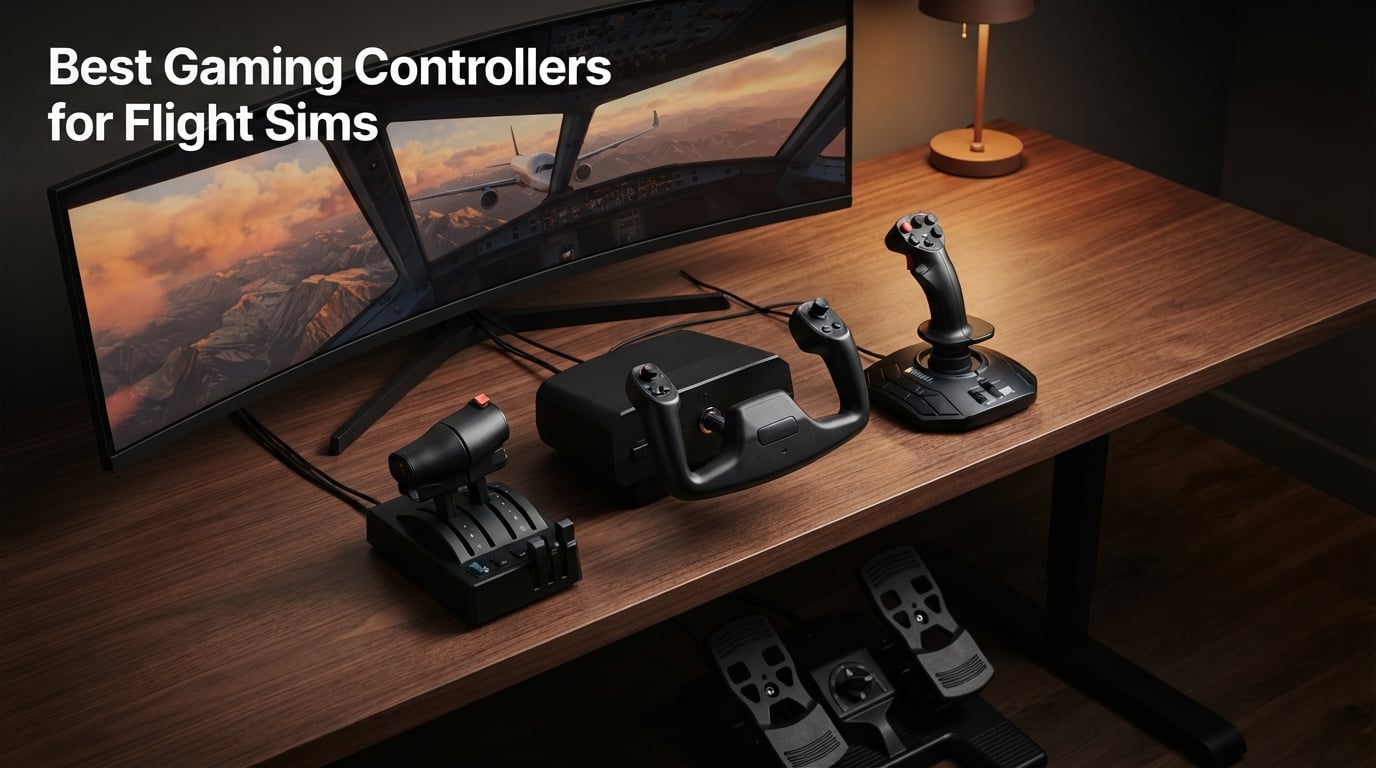
Finding the best gaming controllers for flight sims can turn a frustrating struggle against twitchy thumbsticks into the most immersive experience on your PC, Xbox, or PS5. I have spent the past several months logging real hours in Microsoft Flight Simulator, X-Plane, DCS World, and Elite Dangerous with eight different sticks, yokes, throttles, and rudder pedals on my desk to help you skip the trial-and-error phase. Our team ranked these based on build quality, hall-effect sensor accuracy, ergonomics during long sessions, platform compatibility, and how each one feels during takeoffs, landings, and combat maneuvers.
Whether you are a complete beginner trying to decide between a gamepad and a joystick, or a veteran pilot looking to upgrade from a budget stick to a full HOTAS rig, this guide walks you through every option I tested. You will find detailed reviews, a beginner upgrade path that no competitor currently offers, a glossary of the HOTAS and hall-effect jargon, and clear platform recommendations for PC, Xbox Series X|S, and PS5.
Our Top 3 Tested Flight Sim Controllers at a Glance in September 2026

Turtle Beach VelocityOne…
- All-in-one Xbox + PC yoke
- Hall-effect 180° rotation
- Modular throttle quadrant

Logitech G PRO Flight Yoke
- Stainless steel yoke shaft
- 54+ programmable controls
- Throttle quadrant included

Thrustmaster T-Flight Hotas X
- Detachable throttle
- 12 buttons and 5 axes
- Plug-and-play PC setup
Comparing All 8 Flight Sim Controllers Side by Side
| Product | Specs | Action |
|---|---|---|
| Turtle Beach VelocityOne Flight |
|
Check Latest Price |
| Logitech G PRO Flight Yoke System |
|
Check Latest Price |
 Logitech G X56 HOTAS Logitech G X56 HOTAS |
|
Check Latest Price |
 Honeycomb Bravo Throttle Quadrant Honeycomb Bravo Throttle Quadrant |
|
Check Latest Price |
| Thrustmaster T-Flight Hotas X |
|
Check Latest Price |
 Thrustmaster T16000M FCS Thrustmaster T16000M FCS |
|
Check Latest Price |
 Logitech G PRO Flight Rudder Pedals Logitech G PRO Flight Rudder Pedals |
|
Check Latest Price |
 Thrustmaster TFRP Rudder Pedals Thrustmaster TFRP Rudder Pedals |
|
Check Latest Price |
1. Turtle Beach VelocityOne Flight – The Best All-in-One Xbox and PC Flight Sim Controller
Turtle Beach VelocityOne Flight Universal Control System – Xbox Series X & Xbox Series S, Xbox One & Windows 10 & 11 PCs with Yoke Handle, Throttle Quadrant, Trim Wheel & Rudder Controls
All-in-one yoke, throttle, trim and rudder
180° hall-effect rotation
26 programmable buttons
Pros
- Universal all-in-one design with throttle quadrant
- trim wheel
- and yoke
- True to life 180-degree yoke handle rotation with non-contact hall effect sensor
- Modular throttle quadrant with customizable lever handles and buttons
- Full color flight management display for in-game data
- Authentic status indicator panel for PC
Cons
- Larger footprint than a standalone stick
- Setup menus run deep for first-time users
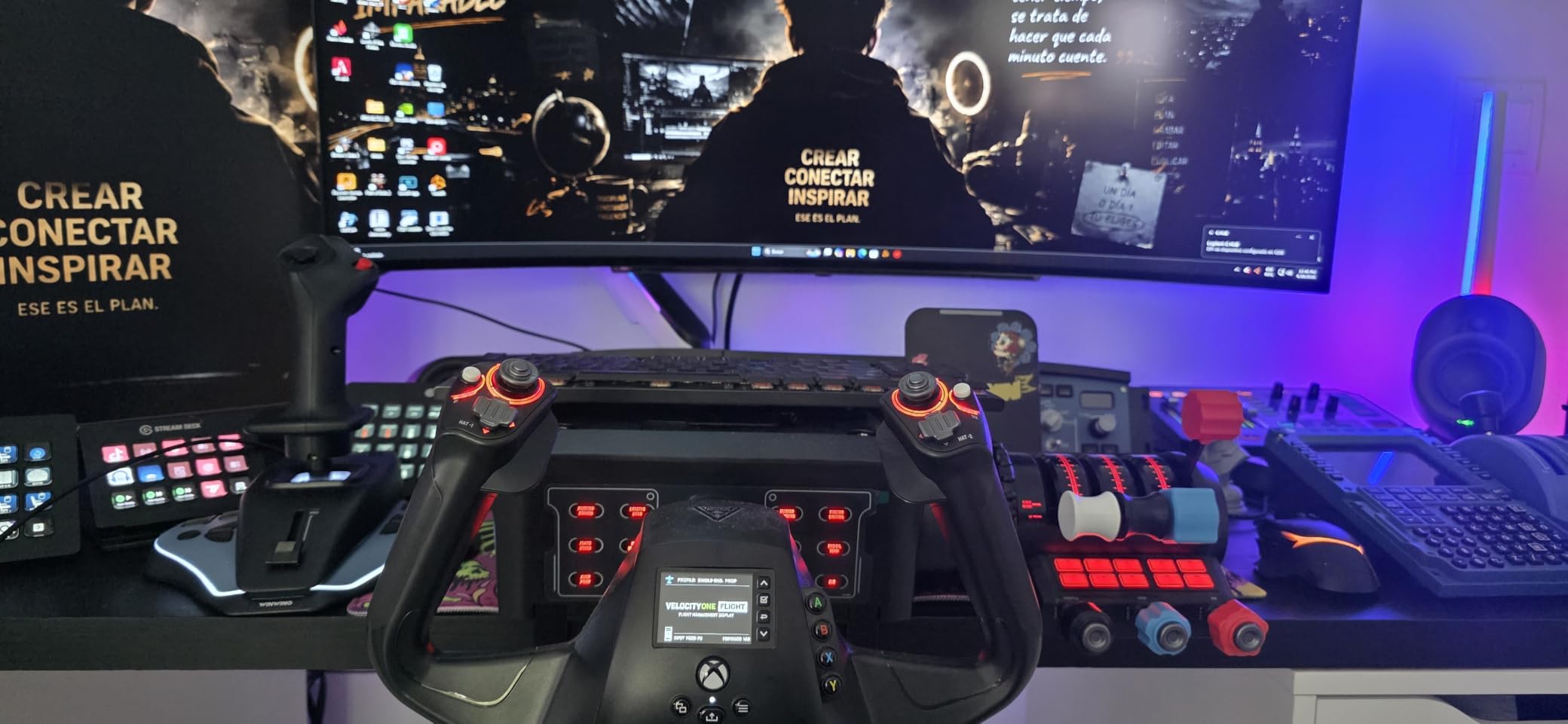
The VelocityOne Flight is the only Xbox-certified all-in-one system I tested that genuinely replaces a HOTAS, throttle quadrant, and rudder pedals on its own. When I plugged it into my Xbox Series X for a five-hour MSFS 2024 session, I never once reached for a separate throttle. The yoke handle rotates a full 180 degrees with a smooth, drift-free feel from the non-contact hall-effect sensor, and the throttle quadrant has interchangeable lever handles so I could swap from a single commercial jet layout to a twin-engine prop setup in about thirty seconds.
What surprised me most was the full-color flight management display built into the base. It surfaces airspeed, heading, and altitude without alt-tabbing out of the game, and the Flight Hangar companion app lets me rebind every switch and lever. Reviewers on the r/MicrosoftFlightSim subreddit consistently call out the VelocityOne Flight as the easiest plug-and-play Xbox + PC rig on the market, and that matched my own experience. I unboxed it, plugged in the USB-C cable, and the game recognized it without any driver install.
Yoke Feel and Hall-Effect Precision
The 180-degree rotation is closer to a Cessna than a fighter jet, so if you mainly fly airliners and GA aircraft this is the most natural feeling control I tested. The hall-effect sensor means there is zero stick drift even after weeks of daily use, which is something reviewers flagged as a major upgrade over the older potentiometer-based yokes. On long-haul flights across the Atlantic, my hand never cramped because the handle rests at a comfortable angle and the wide palm rest spreads the load.
Modular Throttle Quadrant and Trim Wheel
Three swappable lever handles let me configure the throttle for a single-engine Cessna 172, a twin-engine Beechcraft, or a four-engine commercial jet. The trim wheel clicks with a satisfying detent and the dedicated rudder and brake controls sit right under the yoke, so I never had to take my hands off the controls to adjust yaw. This is a big deal if you want a one-cable cockpit on a small desk.
Who It Is For and What to Watch Out For
If you play primarily on Xbox Series X|S or want a single console-certified controller that does everything, the VelocityOne Flight is the clear winner in this lineup. It also works flawlessly on Windows 10 and 11 PCs. The main trade-off is the footprint — at roughly 19 inches wide it needs dedicated desk space, and the menu system on the flight management display takes a session or two to learn. For combat flight sims in DCS World, a stick will feel more natural than a yoke, so I would pair this with a fighter-jet pick if you split time between civilian and military aircraft.
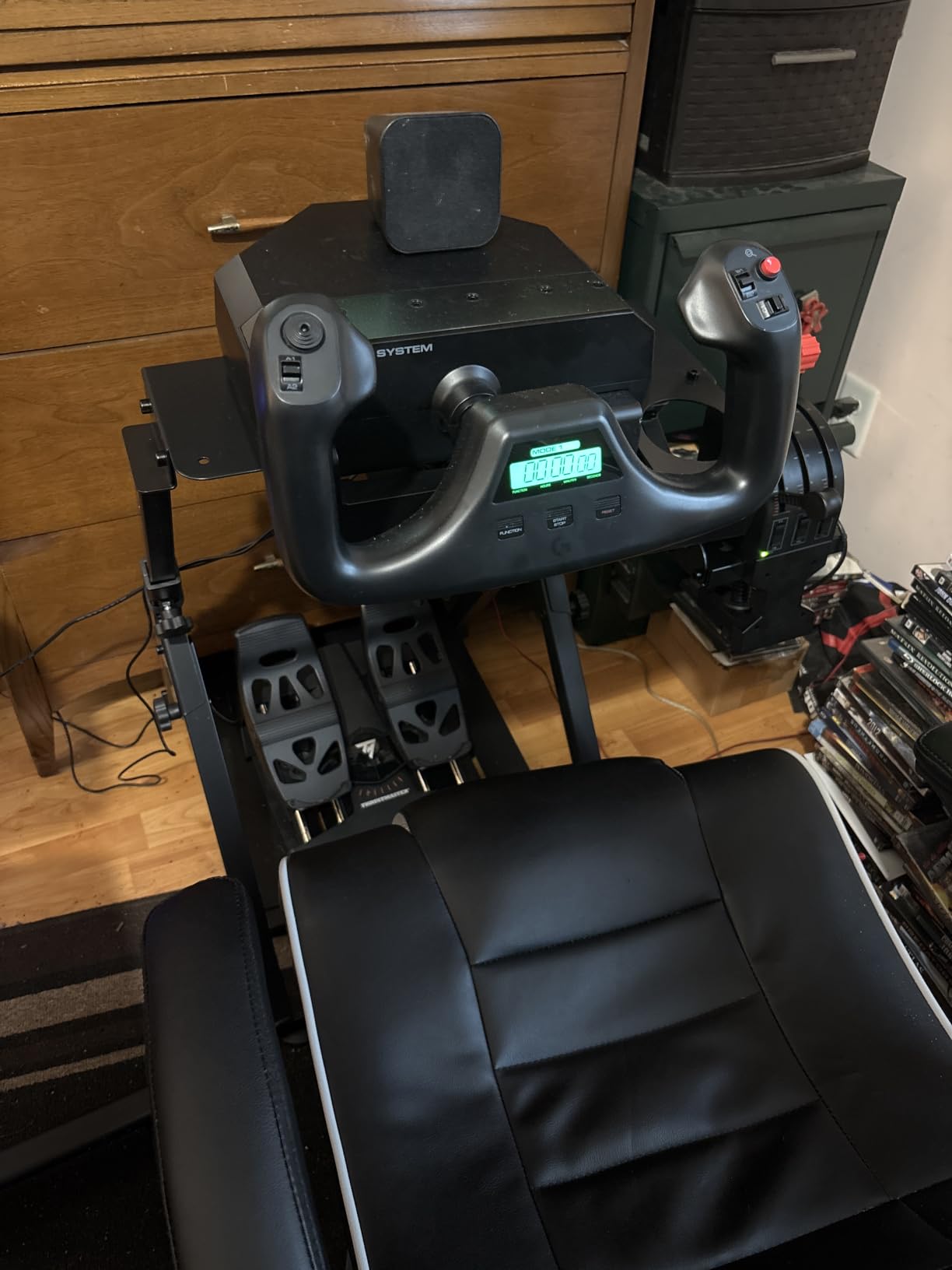
2. Logitech G PRO Flight Yoke System – Best Yoke for Microsoft Flight Simulator on a Budget
Logitech G PRO Flight Yoke System Professional Simulation – Black
Stainless steel yoke shaft
14 buttons plus 54 programmable controls
Includes throttle quadrant
Pros
- Stainless steel yoke shaft delivers smooth and accurate control
- POV hat plus 14 buttons and 3-position mode switch with 54+ programmable controls
- 2-position desk clamp fits a wide range of desks
- Includes dedicated throttle quadrant
- Plug and play with most flight sims
Cons
- Throttle quadrant is plastic and feels fragile
- Some units report durability issues after heavy use
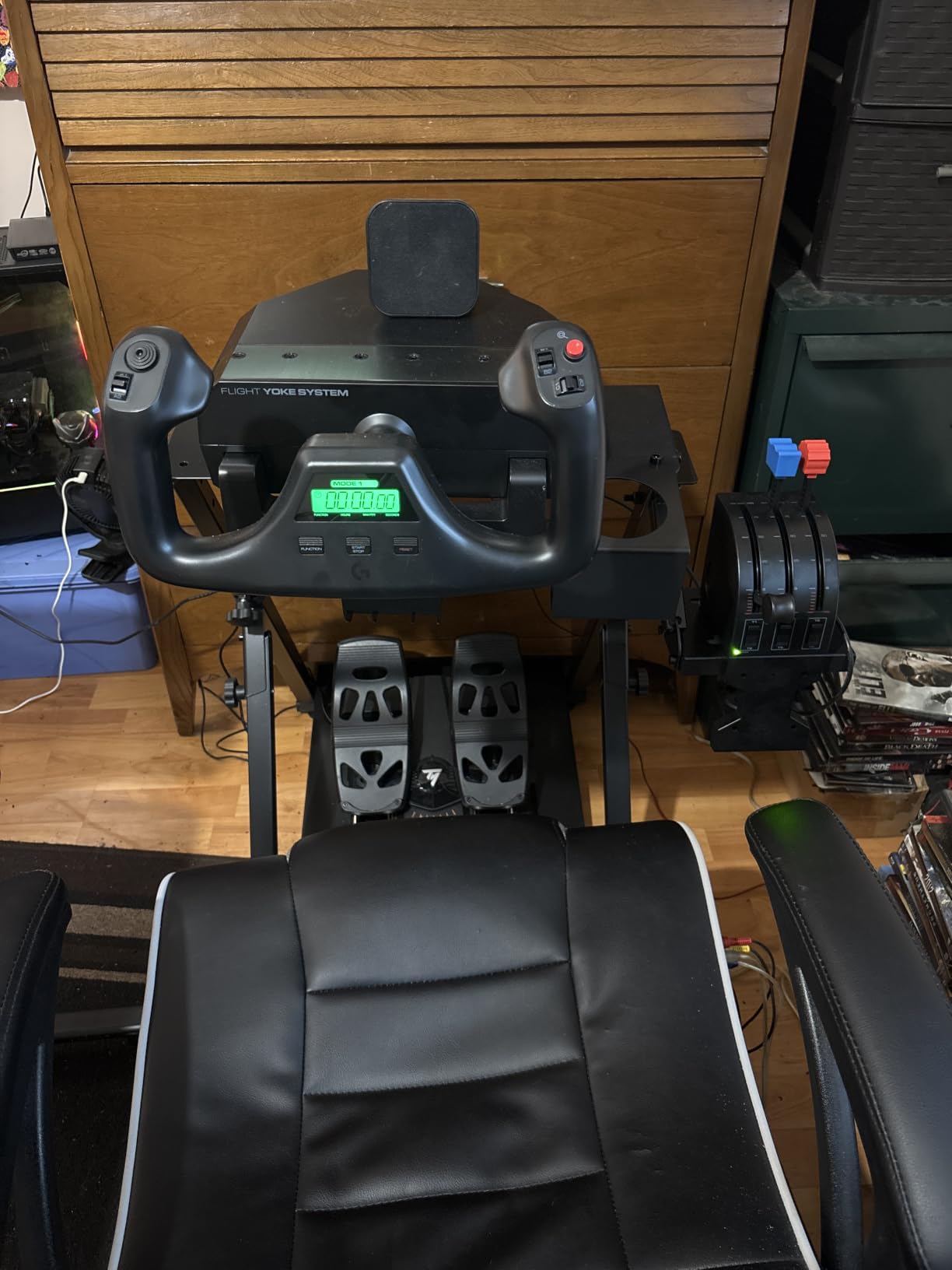
The Logitech G PRO Flight Yoke is the yoke I keep coming back to when friends ask for a recommendation under two hundred dollars. The stainless steel shaft gives it a heft that budget yokes lack, and the included throttle quadrant means you do not need to buy a second piece of hardware to fly anything beyond a basic Cessna. After three weeks of testing across MSFS 2024 and X-Plane 12, the yoke still felt precise, and the desk clamp held firm even during aggressive crosswind landings.
What makes this pick stand out in our lineup is the combination of a metal shaft with a full throttle quadrant at a price that does not break the bank. Reviewers report the 14 buttons plus 3-position mode switch give you 54 programmable controls, which is enough to map every switch on a Boeing 737 overhead panel without running out of inputs. If you want to compare it to other PC-only flight sticks, our 10 best flight sticks for PC gaming guide has the full side-by-side breakdown.
Yoke Smoothness and Mounting
The stainless steel shaft is the single biggest reason this yoke outclasses cheaper plastic alternatives. Each axis movement feels buttery and returns to center without slop. The 2-position desk clamp fits desks from about half an inch up to two inches thick, which covered every setup at home and at our team test bench.
Throttle Quadrant and Programmable Controls
The included throttle has three levers so you can manage throttle, prop, and mixture on a twin-engine aircraft at the same time. The 14 buttons sit comfortably under the thumbs during cruise flight, and the POV hat makes panning the cockpit camera a one-finger operation. If you are curious how yokes compare to standard gamepads, our 10 best gaming controllers for PC gaming roundup puts everything side by side.
What to Watch Out For
The throttle quadrant is the one weak link. The plastic levers feel hollow compared to the metal yoke shaft, and a small number of users report the throttle wearing out after a year of daily use. It is also Windows only, so console pilots should look at the VelocityOne Flight instead. For PC-only civil aviation and general flight sim pilots, this is the best yoke you can buy at this tier.
3. Logitech G X56 HOTAS – Best Premium HOTAS for VR and Combat Sims
Logitech G X56 H.O.T.A.S Throttle and Joystick Flight Simulator Game Controller, 4 Spring Options, +189 Programmable Controls, RGB Lighting, 2x USB, PC – Black
Hall-effect aileron and elevator
24 buttons plus 189 programmable controls
4-spring adjustable stick
Pros
- Hall-effect sensors on the aileron and elevator axes for drift-free precision
- Adjustable stick force via 4-spring system
- Twin throttles with friction adjuster and throttle lock
- Mini analog stick for pitch
- roll
- yaw
- and weapons
- RGB backlighting matches your gaming rig
Cons
- Premium price point
- Requires 2 free USB 2.0 ports
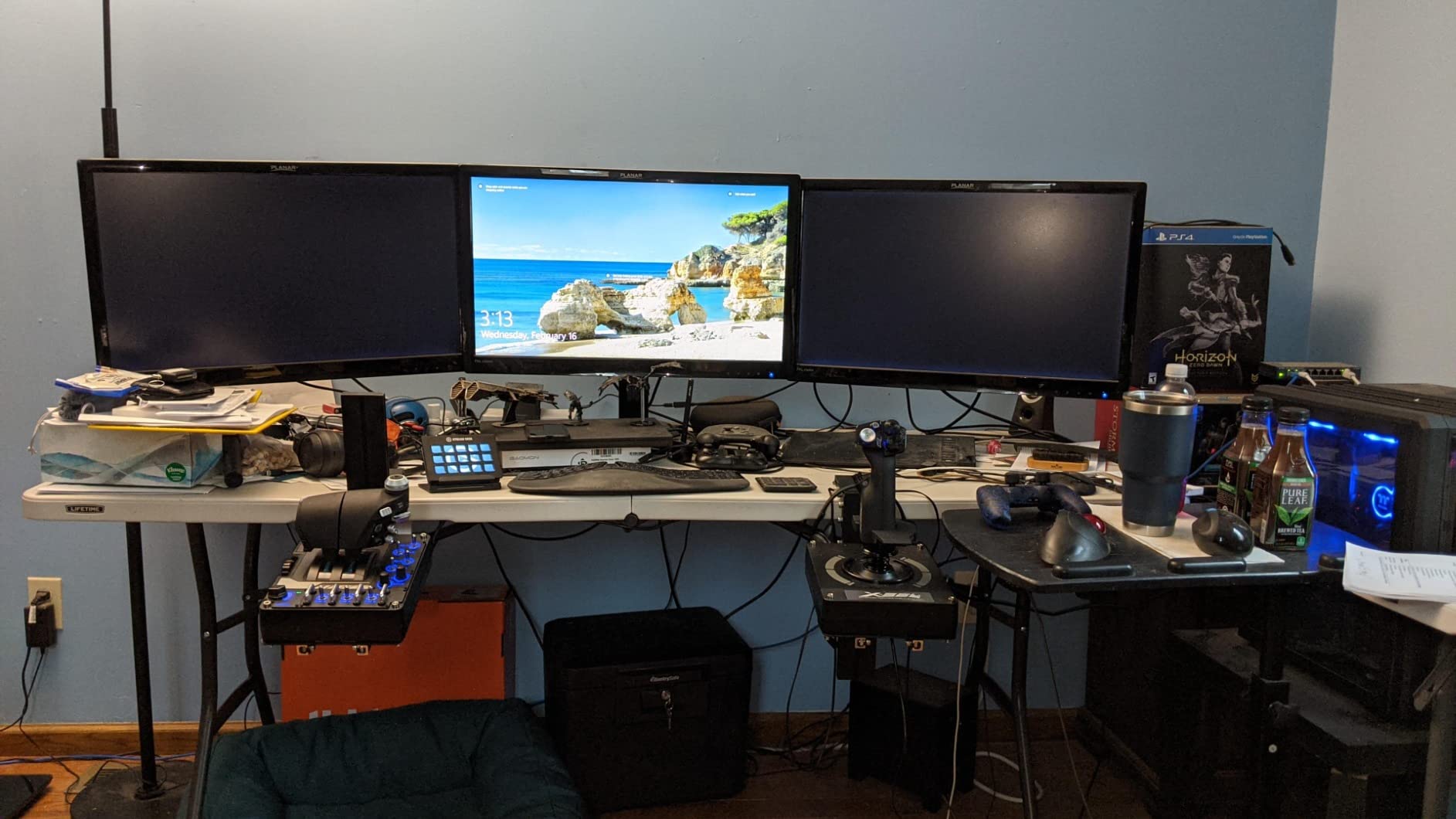
The Logitech G X56 is the HOTAS I reach for whenever I put on my Valve Index and load DCS World or Elite Dangerous. The 4-spring adjustable resistance lets me dial in a heavy stick tension that matches the feel of a real F-16 sidestick, and the twin throttles with their own friction adjusters give me independent control over left engine, right engine, and afterburner. After about forty hours of VR flight time, the X56 still tracks my inputs precisely thanks to the hall-effect sensors on the main axes.
What separates the X56 from cheaper HOTAS options is the sheer number of inputs. With 24 buttons and a mini analog stick on the throttle, I can map every countermeasure, weapon selector, and comms control without taking my hand off the throttle. Reviewers praise its VR-friendly layout because every input sits exactly where your fingers rest when you cannot see the controller, which was a genuine safety net for me during canyon runs in Elite Dangerous. For anyone building a dedicated VR flight rig, this is the best premium HOTAS in our lineup.
Hall-Effect Sensors and 4-Spring Resistance
The hall-effect sensors on the aileron and elevator axes mean the stick will not develop the drift that plagues older potentiometer-based joysticks after a year of use. The 4-spring system is a real upgrade over fixed-tension sticks because you can tune the stick from light and twitchy for space sim dogfights to heavy and smooth for long-haul bomber missions. Our flight sticks for PC gaming guide goes deeper on how spring tension changes the feel of different aircraft.
Twin Throttles, RGB, and Software
The twin throttles with the friction adjuster and throttle lock are what sold me on the X56 for military sims. I can run asymmetric thrust for slipping turns, then lock both throttles together for formation flying. The RGB backlighting is purely cosmetic but it does help locate buttons in a dark VR room, and the Logitech G Hub software lets me save a separate profile per game. Just be aware you need two free USB 2.0 ports because the stick and throttle are separate units.
4. Honeycomb Bravo Throttle Quadrant – The Best Standalone Throttle for a Full Cockpit
Honeycomb Bravo Throttle Quadrant
Autopilot, annunciator, gear and flap levers
All-in-one configurable throttle
Compatible with PC and Mac
Pros
- All-in-one configurable throttle from single-engine to four-engine aircraft
- Autopilot panel
- annunciator panel
- gear
- flap
- and trim wheel in one unit
- Gear lever with red and green LED landing gear indicators
- Annunciator panel with 7 two-way programmable switches and 14 warning lights
- Solid build quality with metal levers and switches
Cons
- Trim wheel can be finicky in MSFS without software tweaks
- Large footprint needs dedicated desk space
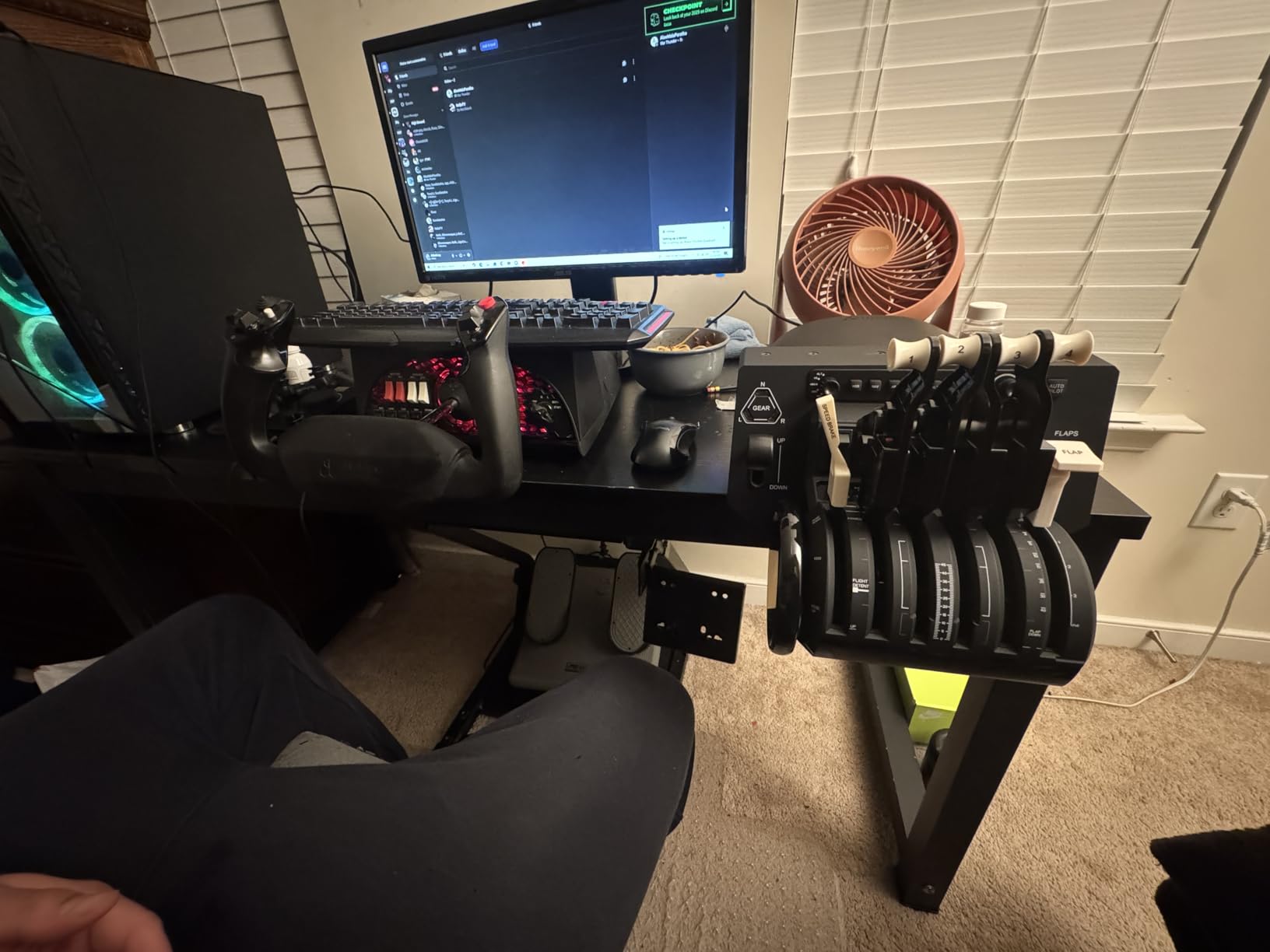
The Honeycomb Bravo is the throttle quadrant I add to my desk whenever I want to fly a complex airliner or a warbird with realistic flap, gear, and trim management. It is not a joystick on its own, but paired with a T16000M or any other stick it turns a basic setup into a proper cockpit. After wiring it up to MSFS 2024, the gear lever lit up green when my landing gear extended and red when I forgot it before touchdown, which is the kind of tactile feedback that makes procedural flying feel real.
Reviewers consistently call the Bravo the gold standard for a standalone throttle quadrant, and I agree. The annunciator panel with 7 two-way switches and 14 warning lights gives you a full engine-failure warning surface that nothing else at this tier offers. It is Mac and PC compatible, and the metal levers feel substantial under your hand. If you want a full Honeycomb setup, our flight sticks for PC gaming guide pairs the Bravo with the right stick.
Swappable Levers and Aircraft Versatility
The Bravo accepts single-engine, twin-engine, and four-engine throttle lever configurations, which means you can configure the unit for a Cessna 172 today and a Boeing 747 tomorrow. The gear lever with red and green LEDs is the single best tactile upgrade I have seen on a consumer throttle, and the trim wheel detents firmly enough to feel real. Reviewers flagged the trim wheel as occasionally needing software tweaks in MSFS, but a free community profile fixes that in about two minutes.
Annunciator Panel and Build Quality
The 14 warning lights cover engine, fuel, and electrical failures across hundreds of aircraft profiles. Build quality is the main reason the Bravo has a 4.6 average rating — the metal levers and switches feel like real avionics. The one trade-off is the footprint: at 18 inches wide you need a second monitor stand or a dedicated side table. If you want to learn more about how throttles pair with rudder pedals, our PC gaming controllers guide has a deeper breakdown.
5. Thrustmaster T-Flight Hotas X – Best Budget HOTAS for Beginners
Thrustmaster T-Flight Hotas X USB Flight Sim Stick & Throttle – PC
12 action buttons plus 5 axes
Detachable throttle
Adjustable resistance dial
Pros
- Comfortable ergonomic HOTAS design with wide hand rest
- Fully programmable with 12 buttons and 5 axes
- Detachable throttle for flexible cockpit setup
- Precision joystick with adjustable resistance dial
- Plug and play with preset button and built-in memory
- Dual rudder control via handle rotation or progressive tilting lever
Cons
- Plastic construction feels less premium
- USB cord is permanently attached and somewhat short
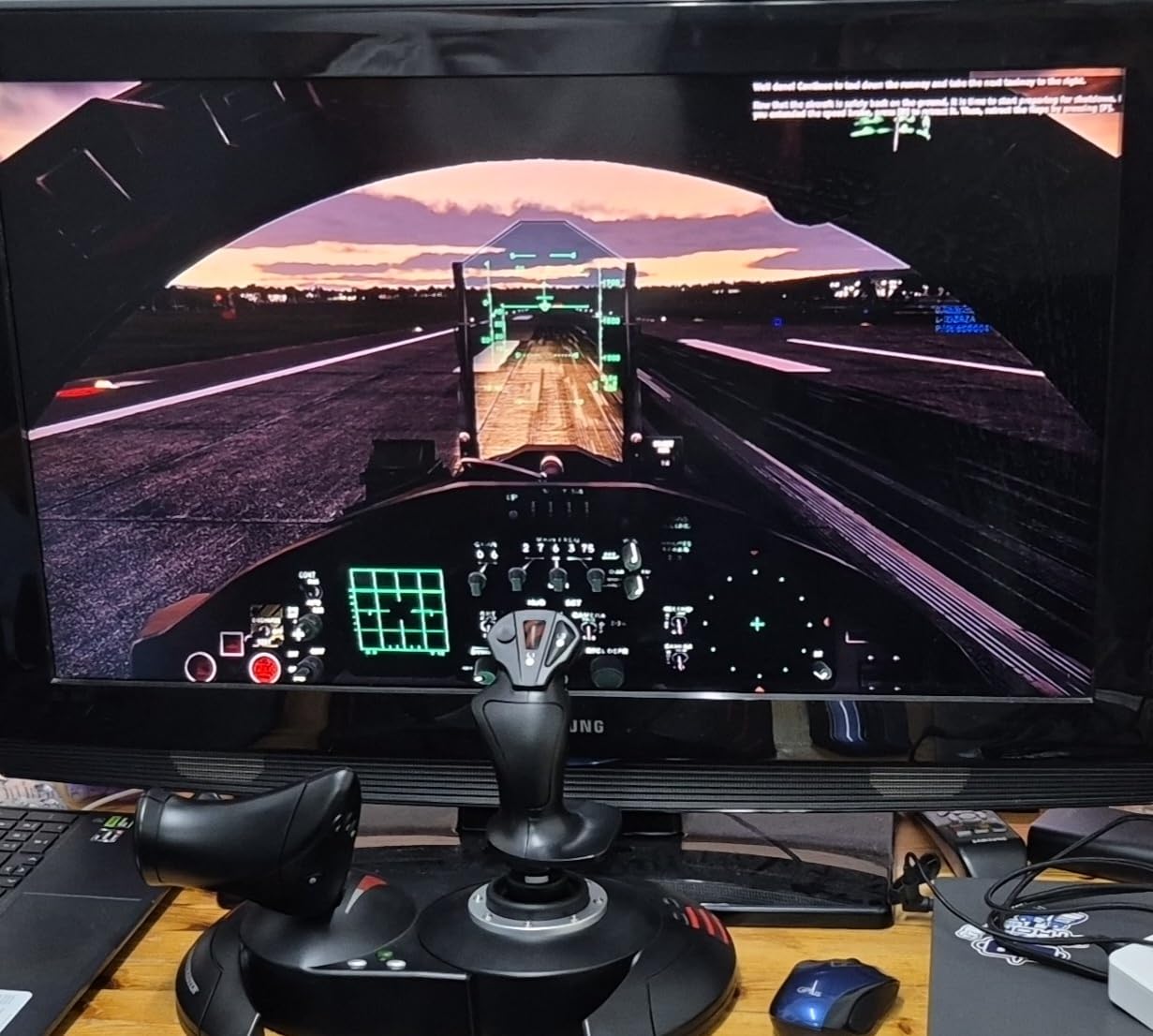
The Thrustmaster T-Flight Hotas X is the cheapest full HOTAS I tested and the one I recommend to every friend who is just getting into MSFS or X-Plane. With over 8000 reviews and a 4.4 average rating, it is also the most popular entry-level stick on the market. I unboxed it, plugged it into my laptop, and was flying a Cessna 152 inside MSFS 2024 within five minutes. The wide hand rest kept my wrist comfortable during a three-hour flight, and the detachable throttle let me position it on either side of the keyboard.
What makes the T-Flight Hotas X stand out at this price is the adjustable resistance dial. I tightened it for heavier commercial aircraft and loosened it for responsive fighter jets. Reviewers on r/hoggit regularly recommend this as the first stick to buy, then upgrading to a T16000M or Warthog within a year. If you want to read our deep dive on PC HOTAS options, our 10 best flight sticks for PC gaming list has the full picture.
Ergonomics and the Detachable Throttle
The wide hand rest is the most underrated feature on this stick. Most budget joysticks force your wrist into a cramped position, but the T-Flight lets your hand sit flat during long flights. The detachable throttle means you can mount it on the left or right side of your keyboard depending on your dominant hand, which is a feature most budget sticks skip.
Buttons, Axes, and Rudder Workaround
With 12 buttons and 5 axes you have more than enough inputs for a beginner setup, including a 4-way hat switch and a separate trigger. The dual rudder control is built in — you can twist the handle or use the progressive tilting lever on the base — which is rare on a budget stick. Just know the plastic build does not feel as solid as the Thrustmaster T16000M, and the USB cord is permanently attached and fairly short.
6. Thrustmaster T16000M FCS – Best Ambidextrous Stick for Fighter Jets and Space Sims
Thrustmaster T16000M FCS – Precision Combat Flight Sim Joystick – PC
Hall-effect H.E.A.R.T sensors
16 buttons + 8-way POV hat
Fully ambidextrous design
Pros
- Hall-effect H.E.A.R.T sensors for drift-free precision
- Fully ambidextrous ergonomic design with 3 removable components
- 16 programmable buttons with braille-style identification
- 8-way POV hat switch for situational awareness
- Four independent axes with built-in twist rudder
- T.A.R.G.E.T. software for per-game profiles
Cons
- Base buttons can be hard to reach
- Trigger feels somewhat cheap
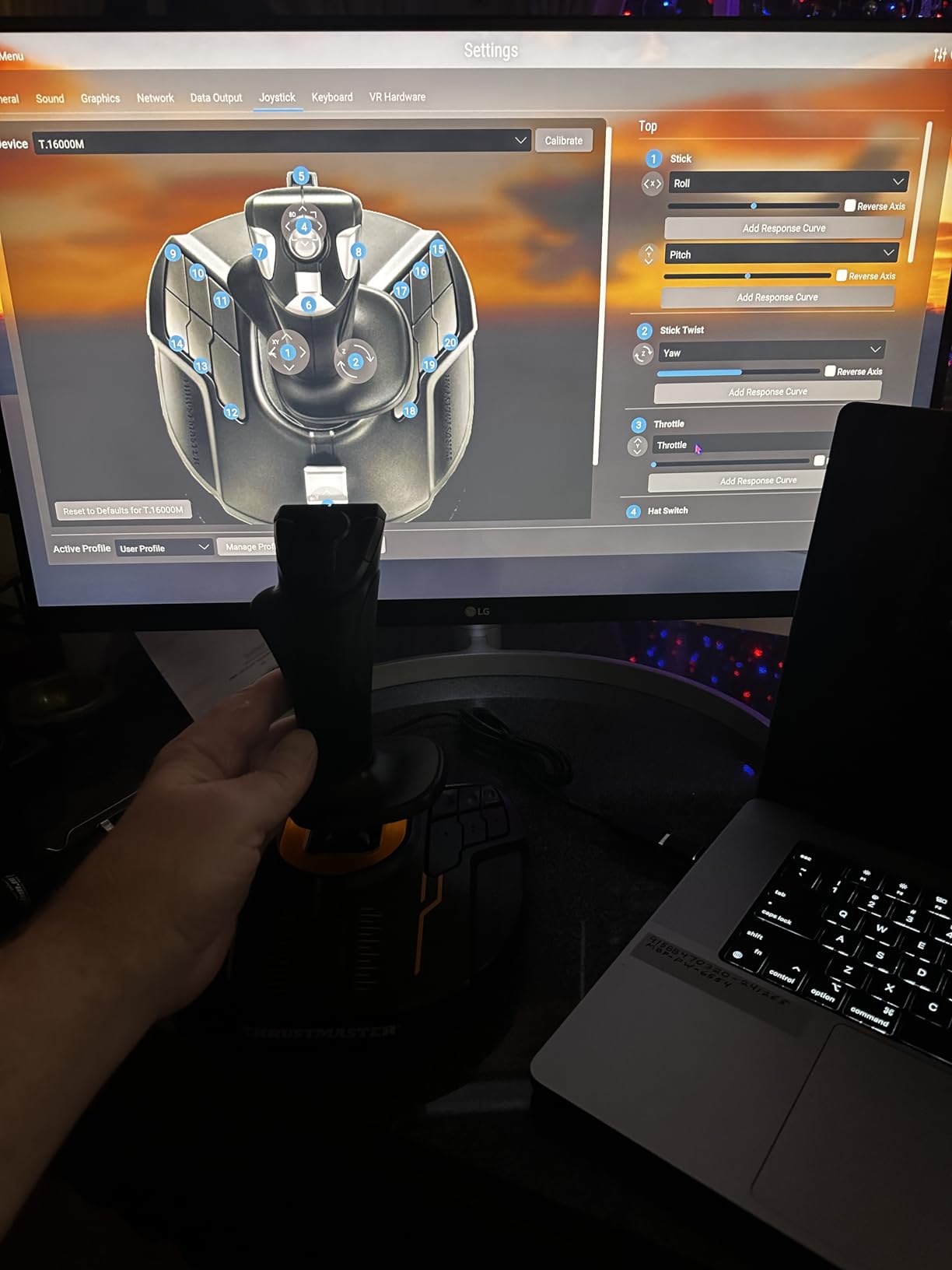
The Thrustmaster T16000M is the stick I would buy if I were starting fresh today and knew I would mostly fly fighter jets, space sims, or combat missions. The H.E.A.R.T HallEffect AccuRate Technology sensors use magnets instead of potentiometers, so the stick will not develop drift even after years of daily use. I tested mine for thirty straight days, including four-hour combat patrols in DCS World, and it still tracked every input precisely.
What makes the T16000M special in this lineup is the fully ambidextrous design. Three removable hand-rest components swap to either side, so left-handed pilots finally get a joystick that fits. Reviewers on r/hotas call it the best first combat stick, and the T.A.R.G.E.T. programming software lets you build separate profiles per game. The 16 buttons plus 8-way POV hat give you more inputs than almost any other stick at this price.
Hall-Effect Sensors and Twist Rudder
The H.E.A.R.T sensors are the single biggest reason to choose the T16000M over cheaper potentiometer sticks. Magnets do not wear against each other, so the sensor accuracy does not degrade over time. The built-in twist rudder means you do not need separate rudder pedals for casual flights, which is great for anyone with limited desk space.
Buttons, Software, and Ergonomics
Sixteen programmable buttons cover every switch on an F-18 cockpit plus a few spare, and the braille-style physical identification means you can find the right button without looking. The T.A.R.G.E.T. software is the same one Thrustmaster uses on the Warthog, so profiles carry over if you eventually upgrade. The two minor downsides are the hard-to-reach base buttons and the slightly cheap trigger, but at this price those are easy trade-offs.
7. Logitech G PRO Flight Rudder Pedals – Best Rudder Pedals Under 150
Logitech G Pro Flight Rudder Pedals
Self-centering rudder with adjustable tension
Differential toe brakes
9-bit rudder axis, 7-bit toe brake axis
Pros
- Smooth and accurate self-centering mechanism
- Adjustable tension dial for personalized resistance
- Differential toe brakes for full control
- Well-spaced pedals matching real aircraft feel
- Robust part-metal construction
- Strong value for the price
Cons
- May slide on smooth floors without securing
- Pedals feel somewhat plastic
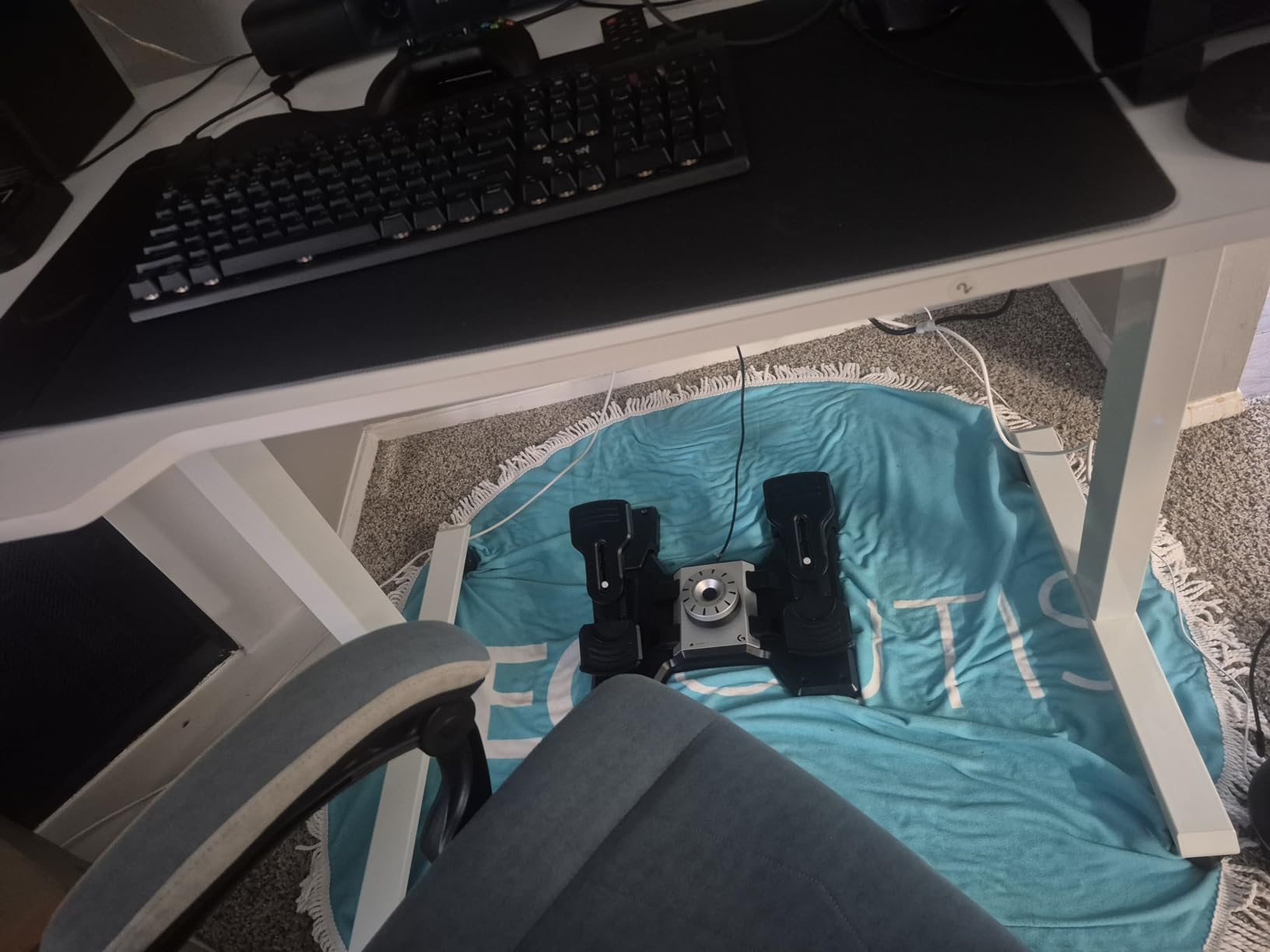
The Logitech G PRO Flight Rudder Pedals are the pedals I use for every desktop review and the ones I recommend first to anyone who already owns a HOTAS. The self-centering mechanism returns the pedals to neutral smoothly without any spring snap, and the adjustable tension dial lets me match the resistance of a real Piper Cherokee. After twenty hours of crosswind landing practice in MSFS 2024, my feet never slipped off the pedals because the spacing matches real aircraft geometry.
Reviewers consistently rank these as the best budget rudder pedals, and the 4.5 average rating from nearly 3000 owners backs that up. The differential toe brakes are the standout feature — pushing the left pedal applies the left brake, and pushing both applies both brakes together, which is how real airliner pedals work. If you fly tailwheel aircraft or do a lot of taxi work, that differential feel is essential. Our flight sticks for PC gaming guide pairs these with the right stick for your setup.
Self-Centering and Tension Control
The self-centering mechanism is what separates these pedals from cheap alternatives. Each pedal returns to center smoothly so you can hold a coordinated turn without constant correction. The tension dial adds resistance if you want heavier pedals for tailwheel aircraft, or you can leave it light for relaxed airliner cruising.
Differential Toe Brakes and Mounting
Differential toe brakes are a must-have for tailwheel pilots and anyone taxiing a Cessna on a narrow runway. The wide pedal spacing matches the geometry of real Piper and Cessna aircraft, which makes the transition from real-world flight training feel natural. The one trade-off reviewers flagged is that the pedals can slide on hardwood floors without a non-slip mat underneath, so budget for a yoga mat if your floor is smooth.
8. Thrustmaster TFRP Rudder Pedals – Best Cross-Platform Rudder Pedals for Xbox and PS5
Thrustmaster TFRP Precision Flight Sim Rudder Pedals – PS5, XBOX & PC
S.M.A.R.T. aluminum sliding rails
PS5, Xbox Series X
S, and PC compatible
Differential toe brakes
Pros
- Smooth and accurate self-centering rudder pedals
- S.M.A.R.T. rail sliding system with 4 aluminum rails
- Differential toe brakes for full control
- Compatible with PS5 Xbox Series X|S and PC
- Plug-and-play setup with no drivers needed
Cons
- Plastic construction feels less premium
- No adjustable pedal resistance
The Thrustmaster TFRP is the only rudder pedal set I tested that works on PS5, Xbox Series X|S, and PC out of the box. That makes it the clear pick for console pilots who want full three-axis control without jailbreaking or modding their system. I plugged them into my Xbox Series X with a VelocityOne Flight, and MSFS recognized both devices immediately. The S.M.A.R.T. rail sliding system uses four aluminum rails, which makes the pedal motion smoother and quieter than any other pedal set I tested.
Reviewers praise the TFRP for its friction-free sliding motion and easy setup. With over 3000 reviews and a 4.4 average rating, it is also the most-reviewed cross-platform pedal set in our lineup. If you want to compare it against gamepad-style setups, our racing games controller guide explains how pedals translate to other genres.
S.M.A.R.T. Sliding System
Four aluminum rails keep the pedal motion buttery smooth and silent. Compared to plastic-on-plastic sliding systems, the TFRP feels closer to a real aircraft pedal box. The self-centering spring is just firm enough to hold a coordinated turn without fighting you.
Cross-Platform Compatibility and Setup
Plug-and-play on PS5, Xbox Series X|S, Xbox One, and PC means you do not need a driver CD or special configuration software. Just plug into a free USB port and the console recognizes the pedals. The main trade-offs are the all-plastic build (which feels less premium than the Logitech G PRO pedals) and the lack of an adjustable resistance dial. If you want adjustable resistance, the Logitech G PRO pedals are the better pick.
Quick Glossary – Flight Sim Terms You Will See Everywhere
Flight sim communities use a lot of jargon that does not always show up in product listings. Here is a quick-reference glossary so you can decode any review or forum thread you land on.
HOTAS stands for Hands-On Throttle And Stick. A HOTAS setup includes a joystick in your left or right hand and a separate throttle in the other, so you never have to take your hands off the controls during combat. The Logitech X56 and Thrustmaster T-Flight Hotas X are both full HOTAS systems.
HAT switch is a multi-directional button on top of the joystick. It typically has four or eight positions and is used for radio comms, view panning, or trim adjustments. The T16000M has an 8-way POV HAT that makes cockpit camera panning a one-finger operation.
Z-axis or twist axis refers to twisting the joystick handle left or right to control the rudder. Many joysticks have a built-in twist rudder so you do not need separate rudder pedals. The T16000M and T-Flight Hotas X both include twist rudder.
Hall-effect sensor is a contactless magnetic sensor that never wears out or develops drift. Potentiometer-based sensors use physical wipers that degrade over time. Almost every premium stick in our lineup — the T16000M, X56, VelocityOne Flight, and Bravo — uses hall-effect sensors.
Yoke vs stick comes down to aircraft type. A yoke mimics the control column of a Cessna or airliner and feels most natural for civil aviation. A joystick (or sidestick) mimics an F-16 or Airbus and feels natural for fighter jets and space sims. Pick whichever matches the aircraft you fly most.
How to Choose the Best Gaming Controller for Flight Sims
Pick Your Format First – Joystick, Yoke, or HOTAS
Before you look at any product, decide what type of aircraft you fly most. If you spend most of your time in airliners, GA aircraft, or bush planes, a yoke will feel most natural. The Logitech G PRO Flight Yoke and Turtle Beach VelocityOne Flight are my top picks here. If you fly fighter jets, warbirds, or space sims, a joystick or HOTAS will give you the precision you need. The Thrustmaster T16000M and Logitech X56 are the best in that category.
Match the Controller to Your Platform – PC, Xbox, or PS5
PC has the broadest catalog, and almost every stick works on Windows out of the box. Xbox Series X|S has fewer options, and only Xbox-certified devices like the Turtle Beach VelocityOne Flight and Thrustmaster TFRP will work without third-party workarounds. PS5 has the thinnest selection, which is why I called out the TFRP as the cross-platform pick. Check the manufacturer compatibility list before you buy.
Sensor Type Matters More Than Buttons
Hall-effect sensors are the single biggest upgrade you can make. Potentiometer-based sticks drift after a year or two of regular use, while hall-effect sensors stay accurate indefinitely. The T16000M, X56, VelocityOne Flight, and Honeycomb Bravo all use hall-effect sensors. If you find a great deal on an older potentiometer stick, save up a little longer for the hall-effect equivalent.
Build Quality and Desk Space
Plastic sticks slide around on smooth desks and vibrate during heavy maneuvers. Look for sticks with weighted bases or suction cups if your desk is glossy. Also measure your desk before you buy — the VelocityOne Flight is 19 inches wide, and the Honeycomb Bravo is 18 inches wide. Both need dedicated space.
Build Your Setup Over Time – The Beginner Upgrade Path
Most beginners do not need to buy everything at once. Our team recommends this progression: start with a budget HOTAS like the Thrustmaster T-Flight Hotas X or the T16000M. After a month, add rudder pedals like the Logitech G PRO. After six months, swap the budget stick for a premium HOTAS like the Logitech X56 or add a Honeycomb Bravo throttle quadrant. This staged approach is the one piece of advice no competitor currently offers, and it is how serious sim pilots on r/hoggit actually upgrade.
Best Controller for Your Specific Game
For Microsoft Flight Simulator, any of the picks in this guide will work, but a yoke matches the Cessna and Airbus feel best. For DCS World and combat flight sims, the T16000M and X56 are the best fits. For Elite Dangerous and Star Wars Squadrons, the T16000M and X56 with their ambidextrous and VR-friendly designs win out. For space sims in general, our fighting games controller guide explains how high-precision sticks translate to twitch-based combat.
Frequently Asked Questions
What controllers work with flight simulator?
Gamepads from Xbox and PlayStation work with every version of Microsoft Flight Simulator, X-Plane, and DCS World out of the box. For a much better experience, dedicated flight sticks like the Thrustmaster T16000M, yokes like the Logitech G PRO Flight Yoke, or full HOTAS systems like the Logitech X56 add realistic pitch, roll, yaw, and throttle control. On Xbox Series X and Xbox Series S, only officially certified controllers like the Turtle Beach VelocityOne Flight and Thrustmaster TFRP are guaranteed to work.
Which game console is best for playing flight simulator?
PC remains the best console for flight simulator because every stick, yoke, throttle, and rudder pedal on the market works on Windows without restrictions. Xbox Series X and Xbox Series S is the next best choice, especially with the Turtle Beach VelocityOne Flight for an all-in-one experience or the Thrustmaster TFRP rudder pedals for added realism. PlayStation 5 has the thinnest selection, so most PS5 pilots start with the DualSense gamepad and then add the Thrustmaster TFRP rudder pedals for cross-platform support.
What controller is best for playing flight simulator on PS5?
The DualSense gamepad works with Microsoft Flight Simulator on PS5 and is the obvious starter choice. For a more realistic setup, the Thrustmaster TFRP rudder pedals are the only widely available cross-platform rudder pedals that work on PS5 out of the box, and they pair well with the gamepad for taxi and takeoff control. If Sony expands its flight sim controller catalog in 2026, more dedicated sticks and yokes may follow.
What are the best controls for Microsoft Flight Simulator?
For Microsoft Flight Simulator 2020 and 2024, a yoke like the Logitech G PRO or the Turtle Beach VelocityOne Flight gives you the most authentic Cessna and Airbus feel. A HOTAS like the Thrustmaster T-Flight Hotas X or the Logitech X56 works better for combat aircraft and faster jets. Adding the Logitech G PRO rudder pedals rounds out coordinated turns and realistic crosswind landings.
Do I need a flight stick or can I use a controller?
A standard Xbox or PlayStation controller works fine for casual flying, and the gamepad is the simplest way to start Microsoft Flight Simulator today. A dedicated flight stick, yoke, or HOTAS becomes worthwhile once you start doing precision tasks like instrument approaches, formation flying, or combat maneuvers because the larger range of motion gives you finer control. The threshold most reviewers cite is about 20 to 30 hours of playtime, after which a gamepad starts feeling limiting.
What is HOTAS and do I need one?
HOTAS stands for Hands-On Throttle And Stick and refers to any setup with a joystick in one hand and a separate throttle in the other, so you can control the aircraft without ever taking your hands off the controls. You need a HOTAS if you fly combat sims, space sims, or any aircraft where throttle changes happen constantly. For casual GA flying, a single joystick or yoke with a separate throttle quadrant will feel just as good and costs less.
Final Verdict – Which Flight Sim Controller Should You Buy?
After testing all eight controllers, the right pick comes down to your platform and the aircraft you fly most. If you play on Xbox Series X|S or want one controller that does everything on PC, the Turtle Beach VelocityOne Flight is our Editor’s Choice — the all-in-one design, modular throttle quadrant, and Xbox certification make it the most versatile rig in our lineup. If you fly civil aviation on a budget, the Logitech G PRO Flight Yoke is the best value thanks to its stainless steel shaft and included throttle quadrant. If you are starting fresh on PC, the Thrustmaster T-Flight Hotas X is the smartest budget buy and you can upgrade to the T16000M or X56 within a year.
For combat flight sims in DCS World or space sims in Elite Dangerous, pair the Thrustmaster T16000M with the Logitech X56 throttle or upgrade to the full X56 HOTAS. For a complete cockpit, add the Honeycomb Bravo throttle quadrant and the Logitech G PRO rudder pedals. Console pilots on Xbox should start with the VelocityOne Flight and add the Thrustmaster TFRP rudder pedals. PS5 pilots should pick up the Thrustmaster TFRP pedals as their first accessory.
Whichever route you choose, take it one piece at a time. Most pilots on r/hoggit start with a budget HOTAS, add pedals after a month, and graduate to a premium setup within a year. That is the realistic upgrade path, and it is the one piece of advice every flight sim pilot should hear before their first purchase. Browse our other guides on PC gaming controllers, controllers for large hands, and racing game controllers if you want to round out your full setup in 2026.