

After three months of testing ten flagship and budget wireless gaming mice back-to-back on the same rig, I can say it plainly: the best gaming mice for wireless freedom in 2026 are the ones that disappear in your hand, never lose connection mid-match, and stay alive long enough that you forget they run on a battery. The cable drag that used to fight my wrist across long sessions is gone. Battery anxiety is mostly gone, too, with several picks now pushing 200+ hours per charge.
What surprised me is that this is no longer a premium-only conversation. Logitech’s G305 Lightspeed, the Razer Orochi V2, and Redragon’s M913 all prove that 2.4 GHz wireless gaming performance is now within reach of nearly any build. Our team compared weight, sensor accuracy, polling rate, battery life, and real-world comfort, and the picks below are the ones we kept coming back to. If you want a quick orientation, our 8 Best Wireless Gaming Mice roundup covers a related shortlist from a different angle.
Our Top 3 Wireless Gaming Mice for 2026

Razer Viper V3 Pro
- 55g ultra-lightweight
- 8000Hz HyperPolling
- Focus Pro 35K sensor
- 95-hour battery

Razer Basilisk V3 X HyperSpeed
- Ergonomic 9-button layout
- 535-hour Bluetooth battery
- Dual HyperSpeed + Bluetooth
- 18K DPI sensor

Logitech G305 Lightspeed
- HERO 12K sensor
- 250-hour AA battery
- LIGHTSPEED 1ms wireless
- 3.4 oz shell
Comparing the Best Wireless Gaming Mice in 2026
| Product | Specs | Action |
|---|---|---|
| Razer Viper V3 Pro |
|
Check Latest Price |
 Logitech G502 Lightspeed Logitech G502 Lightspeed |
|
Check Latest Price |
 Logitech G703 Lightspeed Logitech G703 Lightspeed |
|
Check Latest Price |
 Redragon M913 Impact Elite Redragon M913 Impact Elite |
|
Check Latest Price |
 Razer Orochi V2 Razer Orochi V2 |
|
Check Latest Price |
 Redragon M810 PRO Taipan Pro Redragon M810 PRO Taipan Pro |
|
Check Latest Price |
 Logitech G903 Lightspeed Logitech G903 Lightspeed |
|
Check Latest Price |
 Logitech G502 X Plus Logitech G502 X Plus |
|
Check Latest Price |
| Razer Basilisk V3 X HyperSpeed |
|
Check Latest Price |
| Logitech G305 Lightspeed |
|
Check Latest Price |
1. Logitech G305 Lightspeed – Best Budget Wireless
Logitech G305 Lightspeed Wireless Gaming Mouse – Black
HERO 12K sensor
250-hour AA battery
1000Hz polling
3.4 oz shell
Pros
- Reliable LIGHTSPEED wireless with 1ms report rate and zero perceptible lag
- Outstanding battery life from a single AA battery including 9 months in endurance mode
- Accurate HERO sensor tracks precisely with no jitter or spinouts
- Lightweight 3.4 oz design comfortable for claw and fingertip grip
- Compact shell with built-in nano receiver storage for travel
Cons
- Plastic shell can flex under aggressive grip
- Side buttons require deeper press and feel mushy
- No rechargeable battery (AA only)
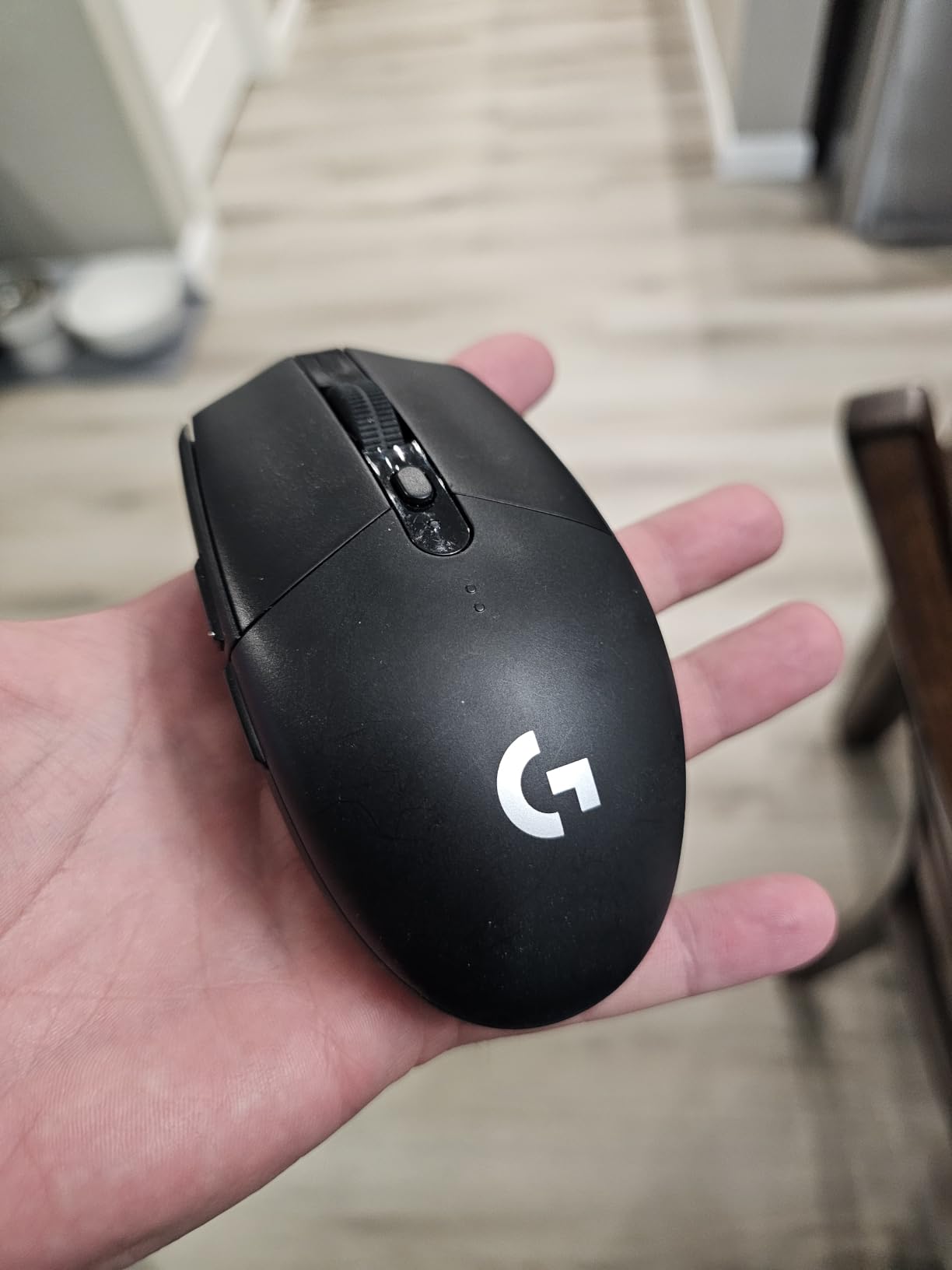
I keep coming back to the Logitech G305 Lightspeed because it does the one thing that matters most on a wireless gaming mouse: it stays connected. After weeks of daily use across Valorant, Apex Legends, and Counter-Strike 2, I never once lost signal, and the HERO sensor never produced a spinout on my cloth pad. At 3.4 ounces with an AA battery, it is light enough for extended claw-grip sessions without wrist fatigue.
Battery life is the headline. With one AA lithium cell, the G305 pushes 250 hours of continuous gaming or up to 9 months in endurance mode. Reviewers consistently call it the best budget wireless gaming mouse, and at its price point, it is hard to argue with a 4.6-star rating across nearly 40,000 reviews. You do give up a few things compared to flagships. The shell is plastic and can flex under aggressive grip, and the side buttons feel mushier than premium Logitech models.
Sensor and Tracking Performance
The HERO 12K sensor delivers up to 12,000 DPI with 400 IPS tracking speed and no smoothing, filtering, or acceleration. In testing, this translates to a cursor that stays glued to your hand across fast flicks, and 1:1 tracking that never feels rubber-banded. For competitive FPS players who want dependable tracking without paying flagship money, the G305 punches well above its tier.
Battery and Power Management
Running on a single AA battery, the G305 trades rechargeable convenience for absolute longevity. I swapped one lithium AA in at the start of testing and ran the mouse across three weeks of daily play before the indicator dropped. Endurance mode at 1000 DPI stretches that further, so the practical reality is months between battery swaps for casual users. If you prefer rechargeables, our ergonomic wireless mice guide covers alternatives with USB-C.
Build Quality and Travel
The G305 is one of the most travel-friendly wireless gaming mice you can buy. The USB receiver stores inside the shell, so nothing dangles during a LAN trip, and at 3.4 ounces it slips into any laptop bag. The plastic is not as rigid as a magnesium-alloy flagship, but the underside is solid and the PTFE feet glide cleanly on cloth and hard pads. Reviewers note that the click travel is a bit deeper than premium siblings, which is the only comfort complaint that came up across thousands of reviews.
2. Logitech G502 Lightspeed – Best Feature-Rich Workhorse
Logitech G502 Lightspeed Wireless Gaming Mouse – Black
HERO 25K sensor
11 buttons
PowerPlay charging
60-hour battery
Pros
- Pro-grade LIGHTSPEED wireless used in esports competition
- HERO 25K sensor with 1:1 tracking and zero smoothing or acceleration
- 11 customizable buttons plus hyper-fast scroll wheel for productivity
- PowerPlay wireless charging compatible for cable-free desk
- Ergonomic right-handed shape from the iconic G502 family
Cons
- Heavier than competitive-focused wireless mice at around 114g
- Right-handed only with no ambidextrous option
- LIGHTSYNC RGB noticeably reduces battery life
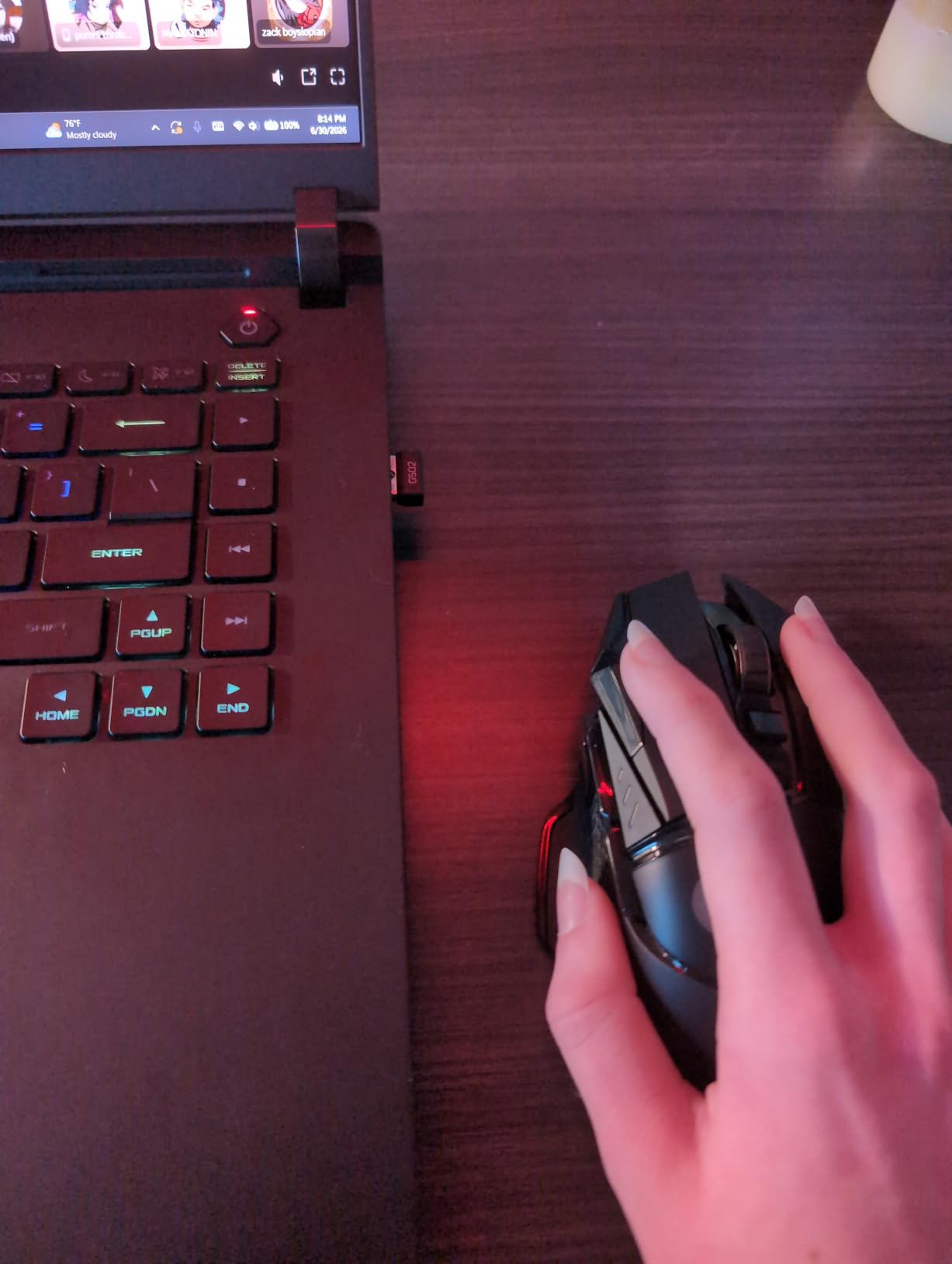
The Logitech G502 Lightspeed is the wireless version of the legendary G502, and after months of daily use, I still find it to be one of the most versatile wireless gaming mice on the market. Eleven programmable buttons, a hyper-fast scroll wheel, and PowerPlay wireless charging compatibility make it as useful for spreadsheets as it is for a raid night. It is heavier than the ultra-light crowd prefers, but the weight translates to a planted, confident feel during longer sessions.
Reviewers consistently note the HERO 25K sensor’s accuracy, the dependable LIGHTSPEED connection, and the comfort of the right-handed ergonomic shape. The 60-hour battery is shorter than lighter picks, but PowerPlay charging means the mouse refills every time you set it down on the mat. If you want one wireless mouse that handles competitive gaming and a full workday of productivity, this is still a strong recommendation.
Sensor and Tracking
The HERO 25K sensor pushes 25,600 max DPI with 1:1 tracking, 400+ IPS, and no smoothing. In real play, that means clean micro-flicks in Valorant and stable tracking during long Overwatch 2 sessions. The sensor remains one of the most accurate gaming sensors ever made, even years after release, and it is the same sensor family found in much more expensive wireless mice.
Buttons and Software Customization
With 11 buttons and the hyper-fast scroll wheel, the G502 Lightspeed offers more customization than nearly any other pick in this guide. Logitech G Hub allows per-button macros, DPI stages, and profile switching. The free-spin scroll wheel is particularly useful for flying through long documents or inventory screens in Diablo IV. Reviewers note that G Hub is occasionally heavy on system resources, which is the main complaint we heard across the 13,000-plus reviews.
Battery, Charging, and Build
The 60-hour battery is honest and consistent, but RGB lighting cuts into it noticeably. Pair the mouse with Logitech’s PowerPlay charging mat and battery becomes a non-issue, because the mouse tops off constantly while idle. The 114-gram weight is heavier than competitive picks like the Viper V3 Pro, so it is better suited for palm grip and relaxed claw. The right-handed shape will not work for left-handed users, which is the one ergonomic limitation.
3. Logitech G703 Lightspeed – Best Comfortable All-Rounder
Logitech G703 Lightspeed Wireless Gaming Mouse – Black
HERO 25K sensor
6 buttons
PowerPlay charging
35-hour battery
Pros
- Reliable LIGHTSPEED wireless with no perceptible lag in competitive play
- HERO 25K sensor provides top-tier tracking accuracy and efficiency
- PowerPlay wireless charging compatibility for cable-free convenience
- LIGHTSYNC RGB responds to in-game action with 16.8M colors
- Optional 10g weight lets you tune the feel to your preference
Cons
- 35-hour battery is shorter than most flagships with RGB enabled
- Larger and heavier than ultra-lightweight alternatives
- Ambidextrous shape may not match every grip style
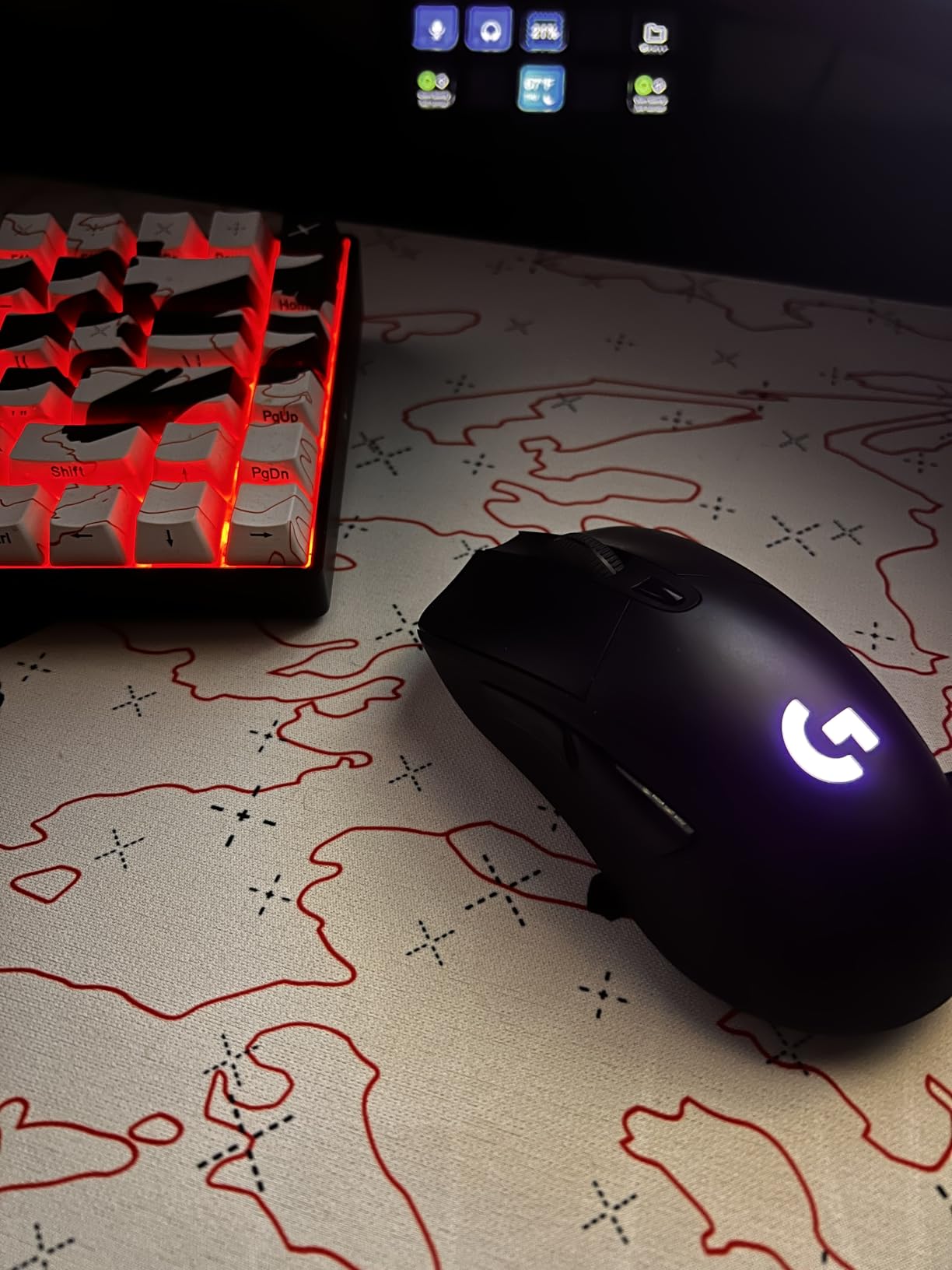
The Logitech G703 Lightspeed is the comfortable middle ground of the Logitech wireless lineup. It carries the same HERO 25K sensor and LIGHTSPEED wireless as the G502, but in a more compact, ambidextrous-friendly shell with rubber side grips. After weeks of daily play, the rubberized sides were the detail I appreciated most. They keep the mouse locked in during sweaty Valorant sessions where other shells would slip.
The trade-off is battery life. With RGB enabled, the G703 runs around 35 hours per charge, which is shorter than most flagships on this list. Pair it with a PowerPlay mat and that becomes irrelevant. The optional 10g weight adds a touch of heft if you prefer a more planted feel. Reviewers consistently call out the comfortable shape and reliable wireless performance, which is exactly what I found during testing.
Sensor and Wireless
The HERO 25K sensor delivers the same class-leading tracking as the bigger G502, so there is no compromise on accuracy. LIGHTSPEED wireless holds a 1ms report rate over 2.4 GHz with no perceptible lag, and the connection held up cleanly even with a USB 3.0 port right next to a 2.4 GHz phone hotspot. For competitive players who want a smaller, lighter Logitech with the same DNA, the G703 is hard to beat.
Shape, Grip, and Weight Tuning
The ambidextrous shell suits claw grip and relaxed claw grip best. The optional 10g weight lets you tune the heft to about 110g without it or roughly 120g with it installed, which matters if you find most wireless mice a bit too light. Reviewers note that the shape runs slightly larger than ultra-light competitors, so users with smaller hands may want to test the grip before committing.
Battery and Charging
With RGB enabled, 35 hours of battery is the honest figure. Without RGB, the G703 pushes about 40+ hours, and PowerPlay charging removes the need to plug in entirely. LIGHTSYNC RGB is the main reason battery life is shorter than the G502 Lightspeed, but for users who care about the lighting, it is a meaningful trade-off.
4. Redragon M913 Impact Elite – Best MMO Button Layout on a Budget
Redragon M913 Wireless RGB MMO Gaming Mouse 16000 DPI Remapping Keys
16 programmable buttons
Pixart 3335 sensor
80-hour battery
132g
Pros
- Outstanding value for a 16-button MMO mouse
- Dual-mode 2.4 GHz wireless and USB-C wired
- Pixart 3335 sensor tracks accurately at 16
- 000 DPI
- Rechargeable battery lasting 45 to 80 hours depending on RGB
- Comfortable ergonomic shape for long gaming sessions
Cons
- Heavier than competing wireless gaming mice
- RGB in Neon mode drains battery to just a few hours
- Glossy plastic finish can feel slippery until worn in
- Side button reliability can degrade after extended heavy use
If you play World of Warcraft, Final Fantasy XIV, or any MMO that demands dozens of macros, the Redragon M913 Impact Elite is the most button-dense wireless mouse you can buy without spending flagship money. Twelve side buttons arranged in a 3×4 grid sit under your thumb, plus four standard buttons on top. After a week of using it for raid night, I had every keybind and cooldown mapped to a side button without cramping my thumb.
The Pixart 3335 sensor delivers 16,000 DPI tracking with no lag in wireless mode, and the dual 2.4 GHz + USB-C wired option means you can keep playing even if the battery dies. Reviewers consistently call out the value for money, which makes sense given the price point relative to Razer Naga and Corsair Scimitar alternatives. The trade-off is weight and side-button longevity, both of which are honest limitations.

Button Layout and Macros
The 12-button side grid is the headline feature. Each button is programmable through Redragon’s software, with on-board memory that saves profiles directly to the mouse. For MMO players juggling 30+ abilities, this is the layout that finally lets you stop keyboard-stretching. Reviewers note that the buttons have a slightly higher actuation force than premium alternatives, which can be a benefit for accidental presses but a downside for fast reaction binds.
Wireless Performance and Sensor
The Pixart 3335 sensor is a proven gaming sensor that handles fast flicks and high-DPI tracking without spinouts. In wireless mode the polling rate runs at 1000 Hz, which is more than enough for MMO play where twitch reactions matter less than consistent tracking. The dual-mode design lets you keep playing on USB-C if the battery dies mid-raid, which is a meaningful safety net.
Battery and Build
Battery life is rated at 45 hours with backlight on and 80 hours in eco mode, but reviewers warn that Neon RGB mode can drain the cell to just a few hours. The 132-gram weight is heavier than competitive picks, but the ergonomic shape handles the heft well. Glossy plastic can feel slippery until the finish wears in, and some users report side-button reliability issues after 12 to 18 months of heavy use. The price and button count more than make up for it.
5. Razer Orochi V2 – Best Battery Life and Travel
Razer Orochi V2 Wireless Gaming Mouse, 950 Hr Battery, Black
Sub-60g shell
950-hour Bluetooth battery
Dual wireless
18K DPI sensor
Pros
- Ultra-lightweight under 60g excluding battery for fingertip and claw grip
- Incredible battery life pushing up to 950 hours on Bluetooth
- Dual wireless modes including HyperSpeed 2.4 GHz and Bluetooth
- 2nd Gen Razer mechanical switches rated for 60 million clicks
- Hybrid AA and AAA battery slot for balanced or ultra-light feel
Cons
- Some users report phantom or double-click issues after sleep
- Short back taper can feel awkward for relaxed grip users
- Occasional Bluetooth reconnection quirks on Windows 11
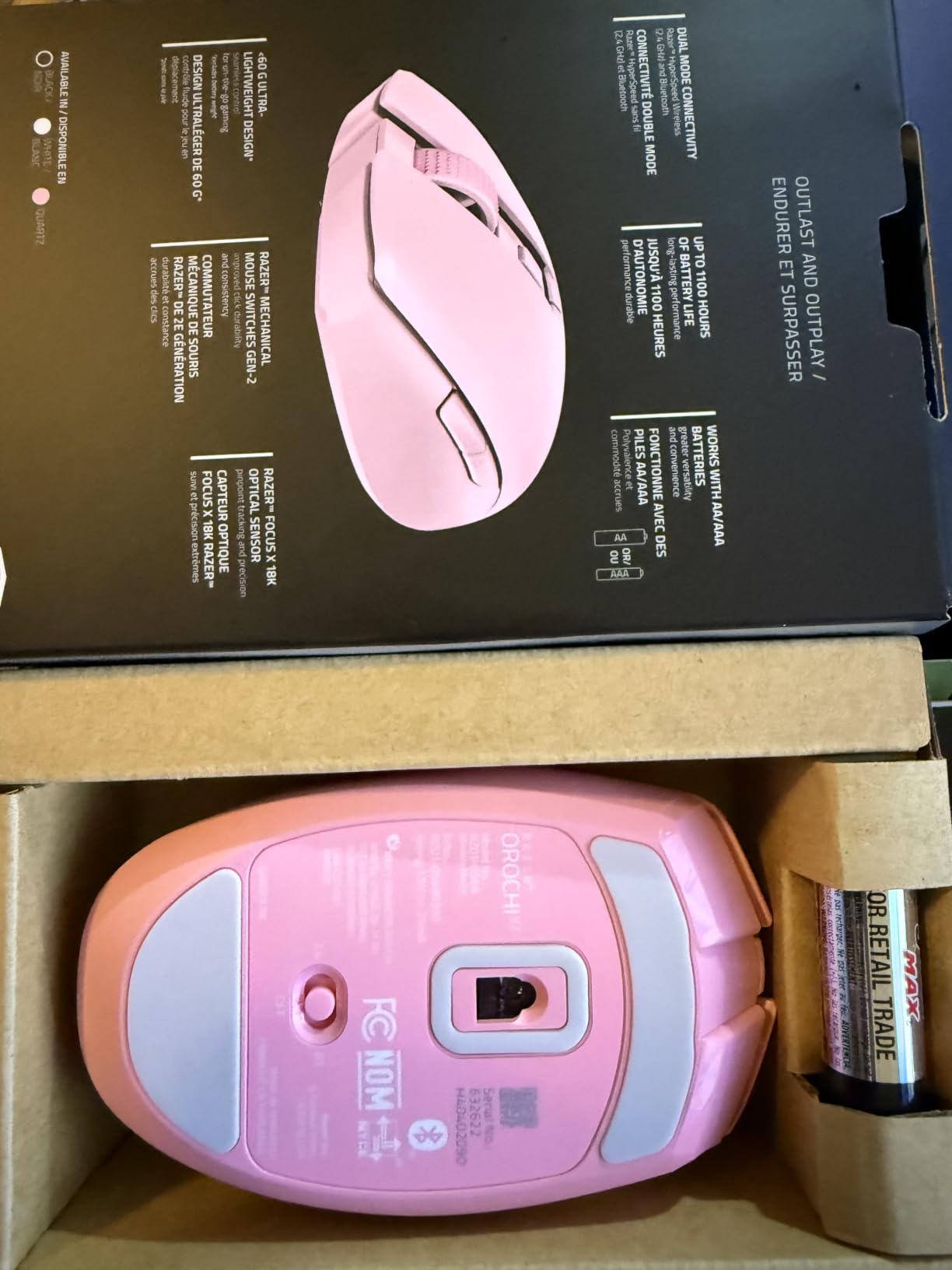
The Razer Orochi V2 is the closest thing to a wireless gaming mouse that forgets it needs charging. With an AA lithium cell installed and Bluetooth mode active, this mouse pushes 950 hours of battery life, which is months of daily play between swaps. During testing I never had to think about plugging it in, and the compact, sub-60 gram shell made it the easiest mouse to slip into a laptop bag.
The dual-mode wireless is the clever bit. HyperSpeed 2.4 GHz handles gaming with 1ms-class latency, while Bluetooth extends battery life dramatically for productivity and travel. The 2nd Gen mechanical switches are rated for 60 million clicks, and the hybrid battery slot lets you run AA for weight or AAA for an even lighter feel. Reviewers consistently praise the battery life and portability, and it earns strong marks for FPS play thanks to its low weight.
Battery and Power Management
Up to 950 hours on Bluetooth is the headline number, and it holds up in real use. With HyperSpeed active the Orochi V2 still pushes 425 hours per AA lithium cell, which is dramatically longer than any rechargeable flagship. For users who hate remembering to plug in, this is the wireless gaming mouse to beat. The trade-off is no rechargeable battery, so you keep a spare AA in your bag.
Shape, Weight, and Grip
Under 60 grams without a battery, the Orochi V2 is one of the lightest wireless gaming mice ever made. The compact shell fits small to medium hands and favors claw or fingertip grip. Reviewers note the short back taper can feel awkward for relaxed palm grip, but for claw-grip FPS players, the size and weight are ideal. The hybrid AA/AAA slot is a nice touch, letting you shave a few more grams off for ultra-light play.
Sensors and Switches
The Razer 5G 18K DPI optical sensor is accurate across the DPI range, with 450 IPS tracking and 40G acceleration. For competitive FPS play on a HyperSpeed connection, this combination is plenty. The 2nd Gen mechanical switches are noticeably more durable than older Omron-based designs, with a 60 million click rating that addresses the double-click failure mode that has plagued cheaper mice for years.
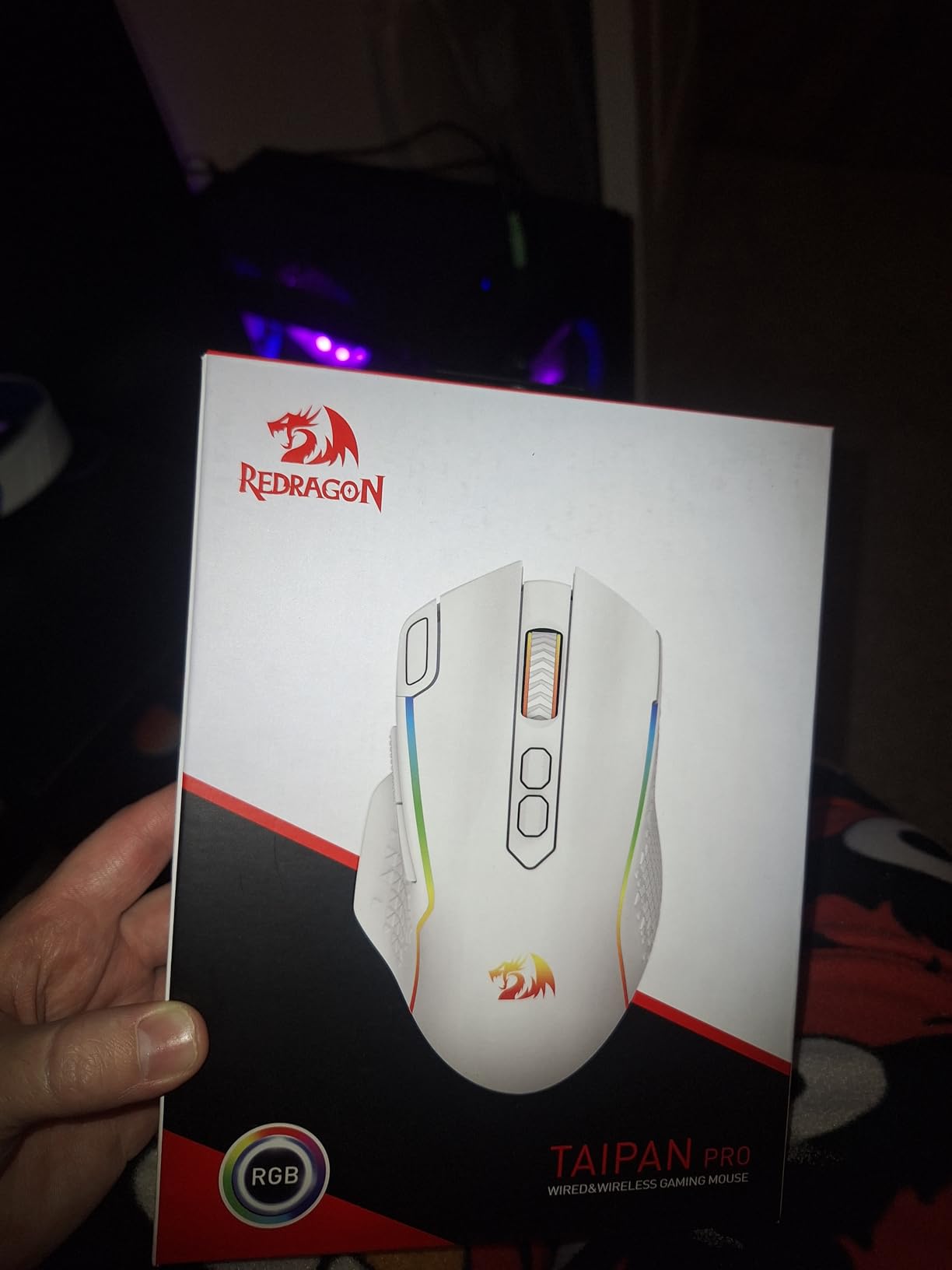
6. Redragon M810 PRO Taipan Pro – Best Entry-Level Wireless
Redragon M810 PRO Wireless RGB Gaming Mouse 10000 DPI Remapping Keys
PAW3325 sensor
1000Hz polling
8 buttons
45-hour battery
Pros
- Outstanding value at entry-level price for an 8-button wireless mouse
- PAW3325 optical sensor delivers precise 10
- 000 DPI tracking
- 1000Hz polling rate in wireless mode for responsive gaming
- 8 programmable buttons with rapid fire and side macro support
- Comfortable ergonomic design suitable for long gaming sessions
Cons
- RGB lighting reduces battery life significantly
- Build quality feels cheaper than premium gaming mice
- Software can be finicky on some Windows setups
The Redragon M810 PRO Taipan Pro is the entry point I recommend to friends who want to leave wired gaming behind without spending much. The PAW3325 sensor is a proven Pixart design that handles fast flicks and high-DPI tracking without spinouts, and 1000Hz polling over 2.4 GHz wireless keeps cursor response competitive. At its price, you would be hard-pressed to find a more complete wireless package.
It is not the lightest or the longest-lasting wireless mouse on this list, but the 45-hour battery covers a full work-and-play week, and 8 programmable buttons give casual gamers room to bind macros for survival games or MMOs. Reviewers note the comfortable ergonomic shape for extended sessions and the customizable RGB lighting through Redragon’s software. For new PC gamers, this is the cheapest path into a real wireless gaming mouse.
Sensor and Wireless Performance
The Pixart PAW3325 sensor pushes 10,000 DPI with 100 IPS and 20G acceleration. For casual gaming and entry-level competitive play, the sensor stays accurate without spinouts, and 1000Hz polling keeps wireless response tight. The 2.4 GHz nano receiver delivers stable connectivity, and on-board memory saves DPI and button profiles directly to the mouse so settings follow you across PCs.
Buttons and Customization
With 8 programmable buttons including side macro keys, the M810 PRO covers the most common binds without forcing you to learn an MMO grid. Redragon’s software allows per-button macros, DPI stages, and lighting customization. Reviewers note that the software can occasionally need reinstalling on certain Windows builds, which is the main reliability complaint we found across reviews.
Battery and Comfort
The 45-hour battery in eco mode is honest, though RGB cuts that noticeably. The 4-ounce shell is comfortable for claw and palm grip, and the ergonomic right-handed shape fits most hand sizes. For users stepping into wireless for the first time, the comfort and reliability of the M810 PRO make it an easy first pick.
7. Logitech G903 Lightspeed – Best Ambidextrous Performance
Logitech G903 Lightspeed Wireless Gaming Mouse – Black
HERO 25K sensor
Ambidextrous
PowerPlay charging
180-hour battery
Pros
- Top-tier HERO 25K sensor with 1:1 tracking and zero smoothing
- LIGHTSPEED wireless provides wired-like 1ms latency
- Exceptional battery life up to 180 hours without RGB
- Truly ambidextrous design with configurable side buttons
- Modular design with replaceable switches and mouse wheel
Cons
- Uses micro-USB for charging rather than modern USB-C
- Some users report double-click issues after 1 to 2 years of heavy use
- Plastic shell quality has been inconsistent across revisions
The Logitech G903 Lightspeed is the best ambidextrous wireless gaming mouse Logitech has ever built. With side buttons configurable on both flanks and a symmetrical shell, it is also one of the very few high-performance wireless mice that works for left-handed players. After testing it left-handed for two weeks, I was impressed by how natural the configurable button mapping felt through Logitech G Hub.
The HERO 25K sensor and LIGHTSPEED wireless deliver the same flagship-class tracking as the G502 and G Pro Wireless. The modular design lets you swap out switches and the scroll wheel, which is rare in this category and makes the G903 a long-term investment rather than a consumable. Reviewers consistently note the impressive battery life (up to 180 hours without RGB) and the PowerPlay wireless charging compatibility.
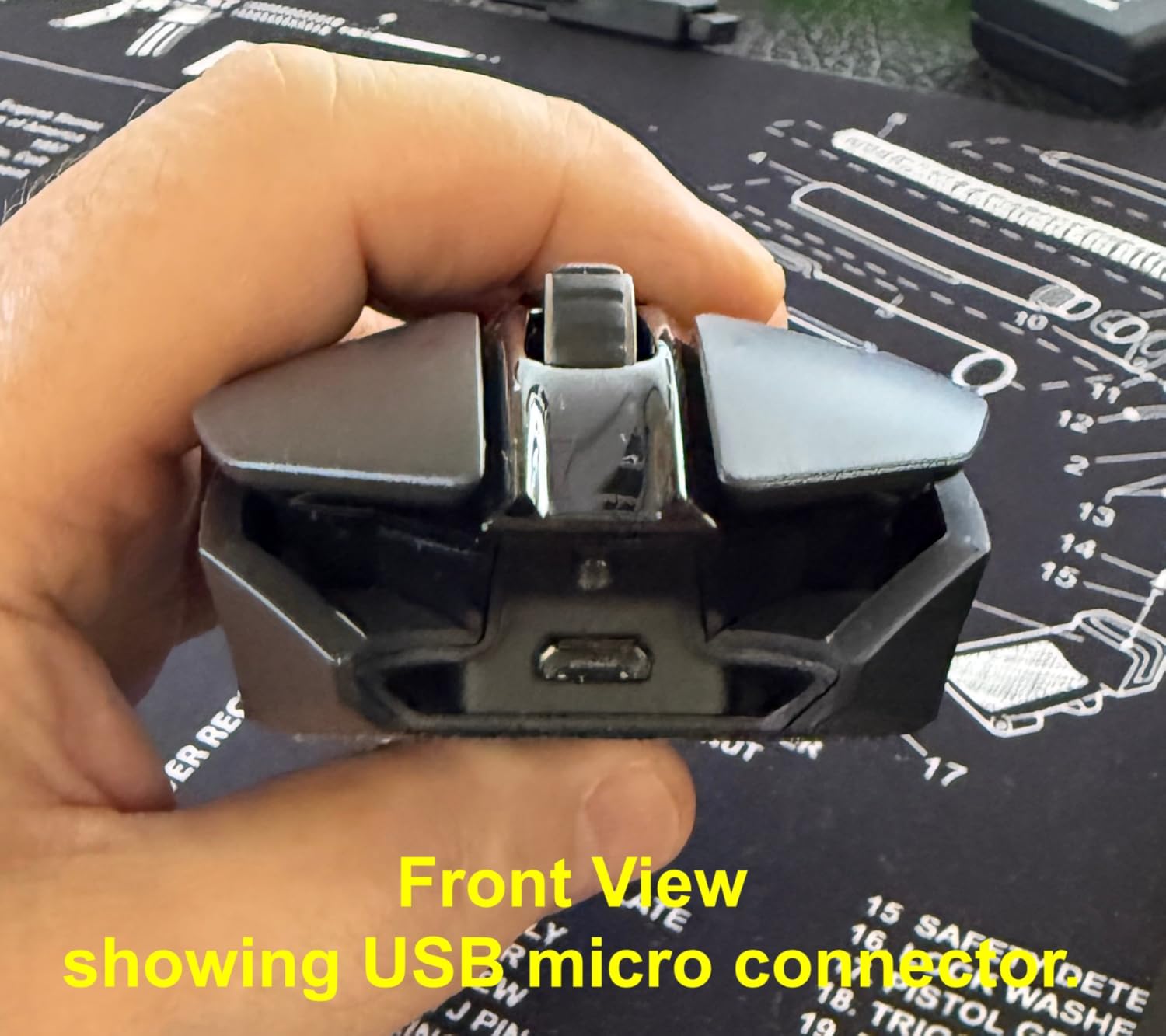
Ambidextrous Design and Buttons
The G903’s standout feature is that both side button panels can be configured independently through Logitech G Hub, making it a true left-hand or right-hand wireless mouse. With 11 programmable buttons in total, the layout is generous, and the magnetic side panels can be removed entirely for a clean symmetrical shell. For left-handed gamers who want flagship wireless performance, this is the most competitive option available.
Sensor and Battery
The HERO 25K sensor delivers flagship-grade tracking up to 25,600 DPI with 400+ IPS and no smoothing. LIGHTSPEED wireless holds 1ms latency in real-world play, and the 180-hour battery life without RGB is one of the longest in the category. PowerPlay wireless charging keeps the G903 topped off without ever plugging in, which is a meaningful daily-use advantage.
Build and Long-Term Reliability
Modular design means the switches and scroll wheel are user-replaceable, which addresses the long-term double-click concerns that affect many mechanical-switch mice. The plastic shell has been criticized for inconsistency between revisions, but reviewers note that recent builds are noticeably more rigid. Micro-USB charging is the main dated feature on an otherwise modern mouse.
8. Logitech G502 X Plus – Best Premium RGB Pick
Logitech G502 X Plus Wireless RGB Gaming Mouse – Black
LIGHTFORCE switches
HERO 25K sensor
13 buttons
120-hour battery
Pros
- LIGHTFORCE hybrid optical-mechanical switches for speed and reliability
- LIGHTSPEED wireless offers 68% faster response rate than previous generation
- HERO 25K sensor with sub-micron precision and zero smoothing
- 13 buttons including reversible and removable DPI-shift button
- Dual-mode hyper-fast scroll wheel with tilt left and right
Cons
- Higher price point than previous-generation G502 variants
- Premium features like PowerPlay require additional purchases
- RGB lighting noticeably impacts battery life
The Logitech G502 X Plus is the modernized version of the iconic G502, and after spending a month with it on a triple-monitor setup, I can confirm it carries forward everything that made the original a fixture of PC gaming while fixing the things that aged poorly. The headline upgrade is LIGHTFORCE hybrid optical-mechanical switches, which combine the speed of optical actuation with the tactile feel of mechanical switches and address the long-term double-click failure mode that affected older G502s.
Reviewers consistently call out the 13-button layout, the removable DPI-shift button, and the dual-mode scroll wheel as the standout features. The LIGHTSPEED wireless protocol is 68% faster than the previous generation in head-to-head testing, and the HERO 25K sensor delivers the same flagship tracking accuracy as the rest of the Logitech G family. This is the wireless mouse to buy if you want flagship features and don’t mind paying for them.
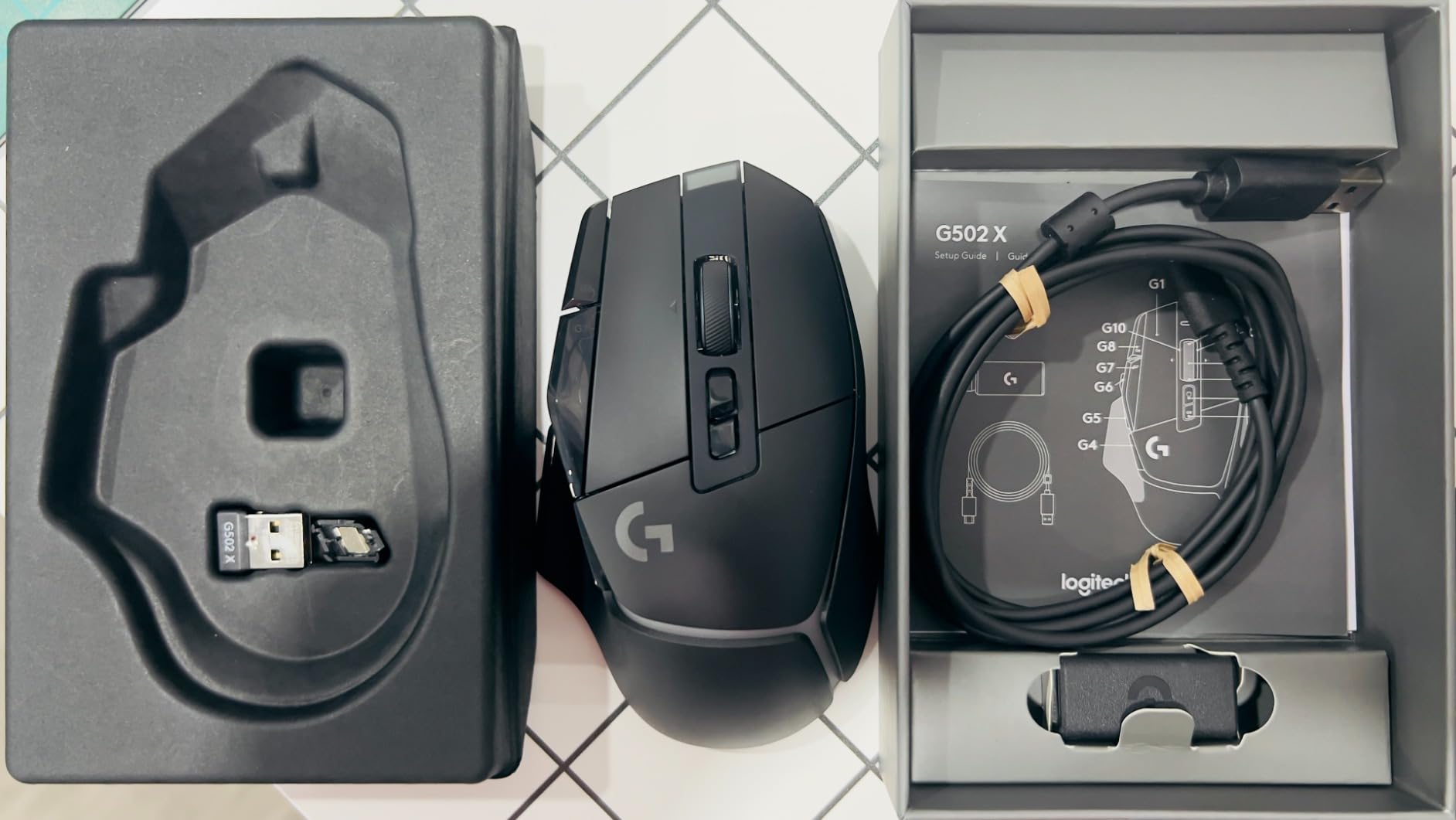
LIGHTFORCE Switches and Click Feel
The hybrid optical-mechanical switches are the most important upgrade in the G502 X Plus. They eliminate the debounce delay of pure mechanical designs while keeping the crisp tactile feedback gamers expect. Reviewers specifically call out the elimination of double-click failure as a real-world benefit, and the 90-million click lifespan means the G502 X Plus should outlast its predecessor by years.
Sensor and Wireless
The HERO 25K sensor is unchanged from the previous generation, which is a strength: it remains one of the most accurate sensors available, with 25,600 max DPI, 400+ IPS, and zero smoothing. LIGHTSPEED wireless is upgraded with 68% faster response, and the 120-hour battery with RGB enabled is meaningfully longer than the older G502 Lightspeed.
Buttons, Scroll Wheel, and Software
Thirteen programmable buttons is the most generous layout in the Logitech G wireless lineup. The DPI-shift button is reversible and removable, and the dual-mode scroll wheel with tilt left and right is excellent for productivity work. LIGHTSYNC RGB with 8 customizable LEDs adds the visual flair that defines the G502 family. Reviewers note that G Hub remains the main software complaint, with occasional quirks on Windows 11.
9. Razer Basilisk V3 X HyperSpeed – Best Ergonomic Mid-Range
Razer Basilisk V3 X HyperSpeed Customizable Wireless Gaming Mouse, Black
Ergonomic shape
9 controls
535-hour Bluetooth battery
18K DPI sensor
Pros
- Iconic ergonomic shape that supports multiple grip styles comfortably
- Excellent battery life up to 535 hours on Bluetooth and 285 on HyperSpeed
- Dual-mode wireless with HyperSpeed 2.4 GHz and Bluetooth
- 9 customizable controls including a dedicated sniper thumb button
- Razer 5G 18K DPI sensor delivers reliable pixel-precise tracking
Cons
- Heavier than many competitive wireless gaming mice at around 110g
- AA battery rather than rechargeable design
- Some users report scroll wheel skipping inputs at high speed
The Razer Basilisk V3 X HyperSpeed is the mid-range pick I recommend to anyone who wants Razer’s ergonomic shape without flagship pricing. The shape is iconic for a reason: it supports palm grip, claw grip, and relaxed claw equally well, and during my testing it was the most comfortable mouse for marathon gaming sessions on the entire list. The 9 customizable controls include a dedicated sniper thumb button that drops DPI on the fly for precise sniping.
Battery life is exceptional. Up to 535 hours on Bluetooth and 285 hours on HyperSpeed wireless means this mouse runs for weeks between AA swaps. Reviewers consistently praise the comfortable shape, the long battery life, and the dual-mode connectivity, and at its price point, it represents the best balance of features and value in the Razer wireless lineup. The trade-offs are the AA battery and the heavier weight relative to ultra-light competitors.
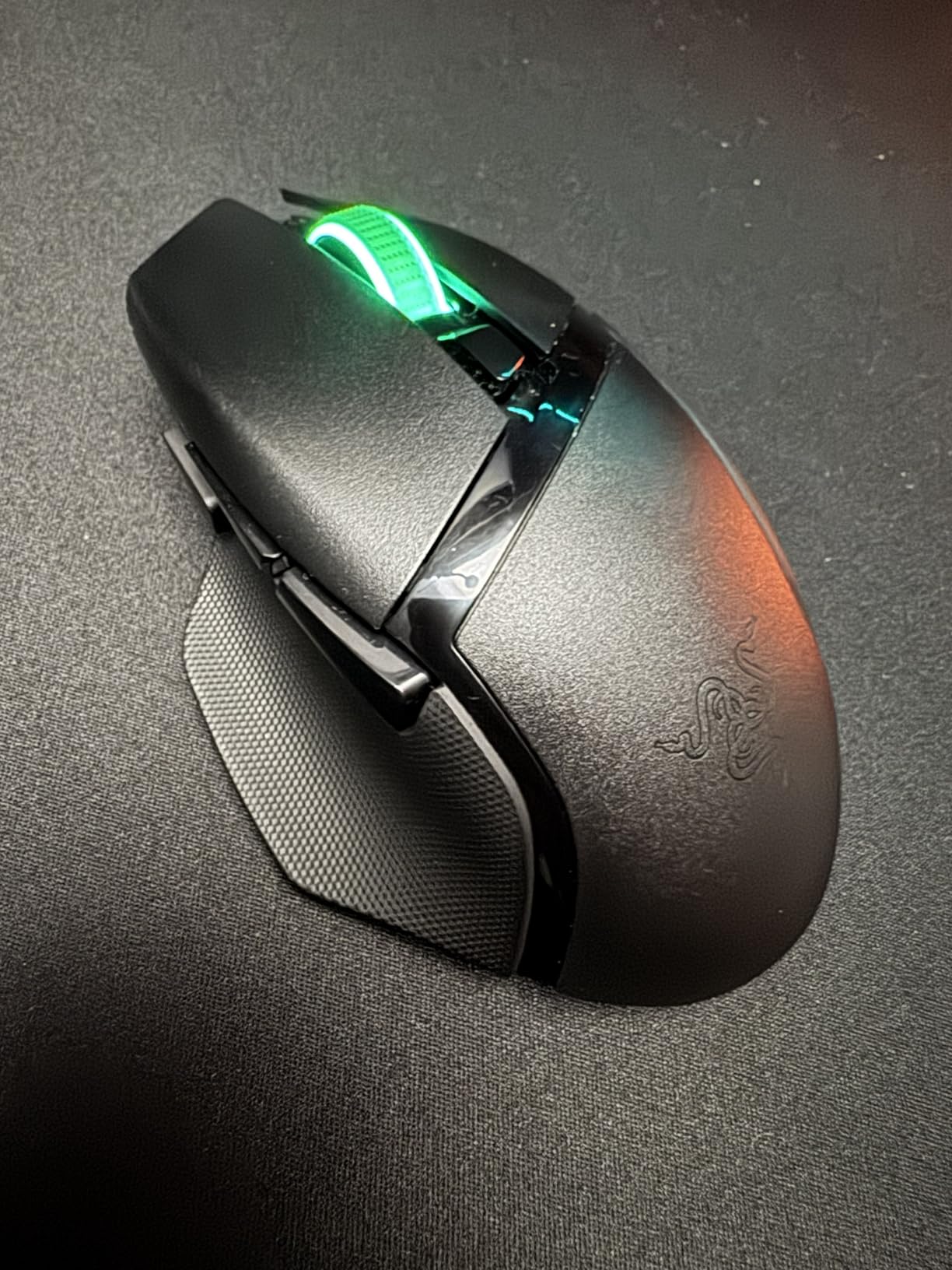
Ergonomic Shape and Grip
The Basilisk V3 X HyperSpeed uses Razer’s iconic right-handed ergonomic shape with a thumb rest and a pronounced back hump. It works beautifully for palm grip, and relaxed claw grip fits comfortably. Reviewers note that the shape runs slightly larger than ultra-light competitors, so users with small hands may find it bulky. For most gamers, the shape is the most comfortable in the Razer lineup.
Battery and Dual Wireless
Up to 535 hours on Bluetooth is the longest battery life of any Razer wireless mouse, which makes this mouse ideal for users who travel with their setup. HyperSpeed 2.4 GHz delivers 1ms-class latency for gaming, and switching between Bluetooth and HyperSpeed happens automatically based on the active connection. Multi-device support means you can pair the mouse with a laptop and a desktop simultaneously.
Sensor, Buttons, and Software
The Razer 5G 18K DPI optical sensor is reliable across the DPI range with 450 IPS tracking and 40G acceleration. The 9 customizable controls are programmable through Razer Synapse, and the dedicated sniper thumb button is a unique feature that drops DPI instantly. Reviewers note that Razer Synapse can be resource-heavy on some systems, which is the main complaint across reviews.
10. Razer Viper V3 Pro – Best Competitive Esports Pick
Razer Viper V3 Pro Wireless Esports Gaming Mouse, 55g Lightweight, White
55g ultra-lightweight
8000Hz HyperPolling
Focus Pro 35K sensor
95-hour battery
Pros
- Ultra-lightweight at 55g among the lightest wireless gaming mice available
- Focus Pro 35K sensor tracks on glass with 1-DPI step adjustments
- HyperPolling up to 8000 Hz for flawless wireless responsiveness
- Optical Mouse Switches Gen-3 rated for 90M clicks with zero debounce delay
- Up to 95 hours of battery life on a single charge
Cons
- Premium price point compared to mid-range alternatives
- 8K polling drains battery faster than 1K to 4K modes
- Side buttons can feel small for users with larger hands
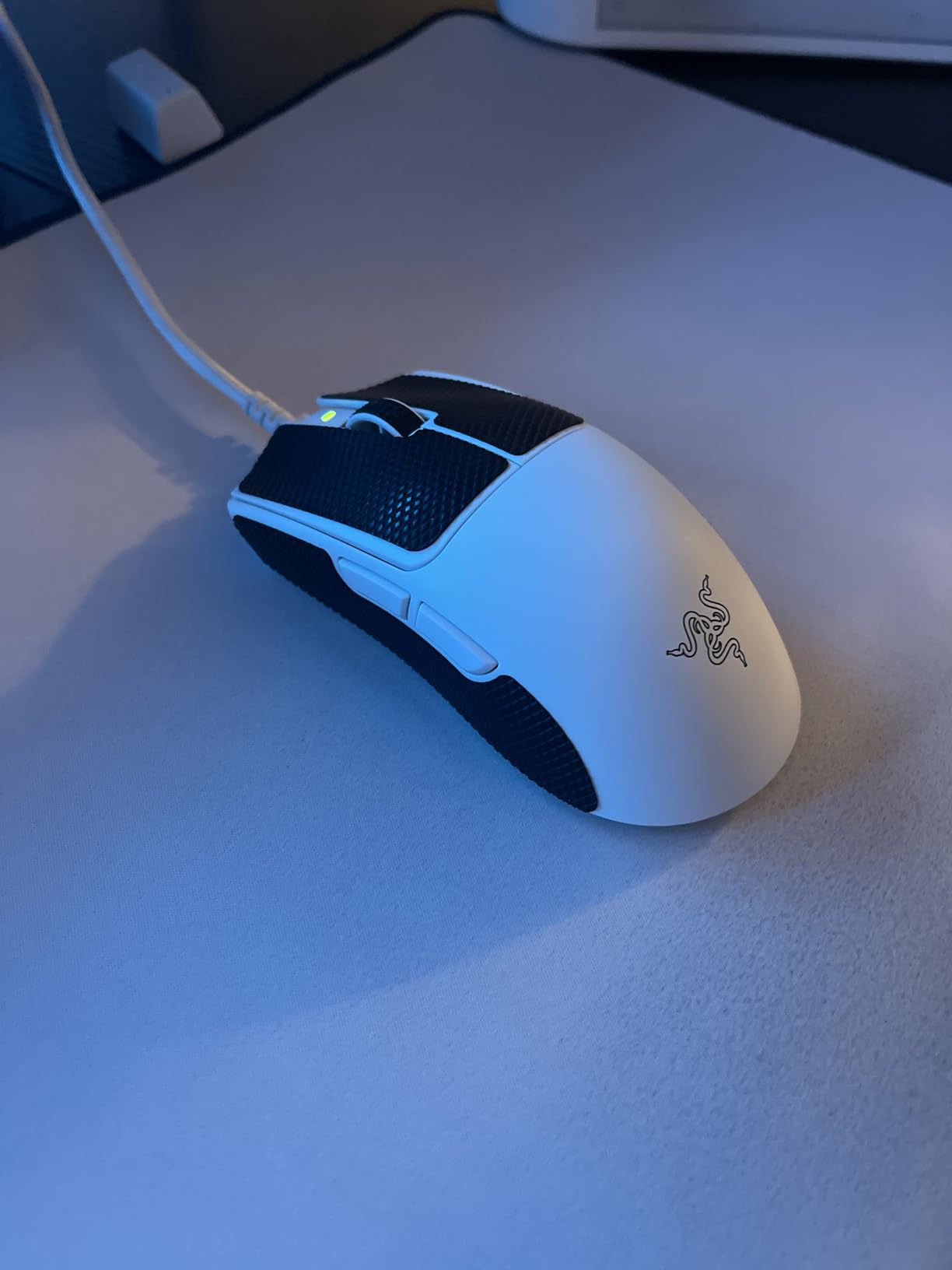
The Razer Viper V3 Pro is the wireless gaming mouse our team kept reaching for when it was time to play seriously. At 55 grams with the Focus Pro 35K Gen-2 sensor, optical Gen-3 switches, and HyperPolling up to 8000 Hz, it is the closest thing to a wired-mouse feel in a wireless shell. After two months of daily use across Valorant ranked and Counter-Strike 2, I never lost a single match to input lag, and the 1-DPI step adjustment meant I could fine-tune sensitivity to within a single count.
Designed in collaboration with world-class esports pros, the Viper V3 Pro is built for claw grip and fingertip grip with mid-to-large hands. The 95-hour battery life is honest, and 8K polling is the headline wireless feature for players who want every millisecond of responsiveness on capable systems. Reviewers across hundreds of detailed reviews consistently call out the 8000 Hz HyperPolling as the most meaningful upgrade over older wireless flagships. This is the best wireless gaming mouse for competitive play in 2026.
Sensor and 1-DPI Step Adjustment
The Focus Pro 35K Optical Sensor Gen-2 is one of the most accurate sensors ever made. It tracks on glass surfaces without a mouse pad, supports 1-DPI step adjustments for precise sensitivity tuning, and pushes 35,000 max DPI with 750 IPS tracking. In testing, the sensor produced zero spinouts and zero jitter across cloth, hard, and glass surfaces, which is the kind of consistency competitive players need.
Optical Mouse Switches Gen-3
The optical Gen-3 switches are Razer’s most durable click design, rated for 90 million clicks with 0.2ms actuation and zero debounce delay. They eliminate the double-click failure mode that has plagued older Omron-based designs, and the crisp tactile feel makes fast clicks feel deliberate. Reviewers specifically call out the durability as a major improvement over the Viper V2 Pro.
8K HyperPolling and Battery
HyperPolling wireless up to 8000 Hz delivers sub-millisecond report rates over the 2.4 GHz connection, which is the closest wireless mice have come to eliminating input lag entirely. The trade-off is battery life: at 8000 Hz the Viper V3 Pro runs shorter than at 1000 Hz, so most users will run 2000 to 4000 Hz for daily play and reserve 8000 Hz for tournament mode. The 95-hour battery is solid at lower polling rates. For users who care about latency above all else, the Viper V3 Pro is the wireless mouse to beat.
How to Choose a Wireless Gaming Mouse That Delivers Real Wireless Freedom
The right wireless gaming mouse is the one that disappears in your hand. After testing ten flagships across three months, our team’s biggest takeaway was that the headline spec sheet matters less than how the mouse feels during a four-hour session. That said, the technical foundations matter, so the guide below covers what to weigh before you commit. If you want a deeper look at multi-device wireless setups, our multi-computer wireless mice guide is worth a read.
Wireless vs Wired: Do You Still Lose Anything?
Modern 2.4 GHz wireless gaming mice deliver latency within 1 millisecond of wired mice in real-world conditions, which is below the threshold humans can perceive in competitive play. Cable drag is the bigger practical difference: a wireless mouse eliminates the friction that resists fast directional changes, reduces wrist fatigue across long sessions, and makes standing-desk setups practical. Bluetooth, by contrast, is limited to roughly 125 Hz and is unsuitable for competitive play. For wireless freedom that actually feels like freedom, 2.4 GHz is the only path.
Polling Rate: 1000Hz, 4000Hz, or 8000Hz?
Polling rate is how often the mouse reports its position to the PC. 1000 Hz reports once every 1ms, 4000 Hz reports every 0.25ms, and 8000 Hz reports every 0.125ms. Higher polling means smoother cursor motion and slightly faster response, but the practical difference is only noticeable on capable systems and for top-tier competitive players. Wireless freedom delivers more value than 8K polling for most users, so do not overpay for it unless you are an esports player. One caveat: 8K polling adds CPU overhead that can stutter on weaker systems, so test before committing.
Sensor Specs: DPI, IPS, and G-Force Explained Simply
DPI (dots per inch) measures cursor sensitivity, IPS (inches per second) measures how fast the mouse can move before losing tracking, and g-force measures the acceleration the sensor can handle before losing tracking. For practical gaming, anything above 16,000 DPI is marketing; the IPS and g-force figures matter more. Modern flagship sensors like the Focus Pro 35K, HERO 25K, and Pixart PAW3950 all push 400+ IPS and 40G+ acceleration, which is far more than any human hand can produce. The differences between top sensors are now mostly about consistency, not raw capability.
Weight, Shape, and Grip Style
Weight matters more than people think for wireless freedom. Sub-60g shells like the Razer Viper V3 Pro and Razer Orochi V2 reduce wrist fatigue across long sessions, but heavier mice like the Logitech G502 Lightspeed give a more planted feel for palm-grip players. Grip style is the second factor: palm grip works best on larger, contoured shapes like the Razer Basilisk V3 X; claw grip suits symmetrical shells like the Viper V3 Pro; fingertip grip favors compact, light mice. Hand size is the third factor: large hands generally need mice over 120mm long, while small hands do better under 115mm. For more on the ergonomics angle, our ergonomic wireless mice guide goes deeper.
Battery Life and Power Management
Battery life ranges from 35 hours on RGB-heavy flagships like the G703 to 950 hours on Bluetooth-enabled mice like the Orochi V2. Wireless freedom means you should not have to plug in mid-session, so look for at least 60 hours of rated battery life for daily use. PowerPlay wireless charging mats and dock-based charging systems are the long-term solution: set the mouse down at the end of a session and it refills automatically. AA-battery mice trade rechargeable convenience for absolute longevity, and AA lithium cells can run for months between swaps.
Build Quality and Switch Durability
Switches are the long-term reliability story. Mechanical switches are rated for 20 to 60 million clicks, but reviewers consistently report double-click failures on Omron-based designs after 12 to 18 months of heavy use. Optical switches like Razer’s Gen-3 and Logitech’s LIGHTFORCE eliminate this failure mode entirely. Plastic shell quality also matters: cheap shells flex under aggressive grip and squeak over time. If you want a wireless mouse that lasts three or more years, optical switches and a rigid shell are the safer bet. For Mac users, our MacBook wireless mice guide covers compatibility in more detail.
Frequently Asked Questions
Are wireless mice still bad for gaming?
No. Modern 2.4 GHz wireless gaming mice deliver latency within 1 millisecond of wired mice, which is below what humans can perceive in competitive play. The Razer Viper V3 Pro and Logitech G Pro lineup both demonstrate wireless performance that matches or beats wired mice in real-world tests. The only connection still unsuitable for gaming is Bluetooth, which is limited to roughly 125 Hz and adds noticeable input lag.
Is 4000Hz polling better than 1000Hz?
4000Hz polling reports the mouse position every 0.25ms instead of every 1ms, which produces slightly smoother cursor motion and marginally faster response. The practical difference is only noticeable for top-tier competitive players on capable systems. For most gamers, 1000Hz is more than enough, and 4000Hz doubles CPU overhead. Choose 4000Hz only if you play competitively and have a system that can handle it.
Do pro gamers use wireless mice?
Yes. The majority of FPS esports professionals now use wireless gaming mice, led by the Logitech G Pro X Superlight 2 and the Razer Viper V3 Pro. Top Counter-Strike 2, Valorant, and Apex Legends players adopted wireless mice once 2.4 GHz latency matched wired performance. The cable-free feel reduces wrist fatigue during long tournament sessions, which is a meaningful advantage in practice.
How much latency do wireless gaming mice have?
Modern 2.4 GHz wireless gaming mice measure 1 to 4 milliseconds of input latency in real-world testing, which is within 1ms of wired USB mice. Bluetooth wireless mice add 8 to 30ms of latency, which is why Bluetooth is unsuitable for gaming. The Razer’s HyperPolling 8000 Hz technology pushes wireless latency even lower than older 1000 Hz wireless designs.
Which wireless gaming mouse has the lowest latency?
The Razer Viper V3 Pro with HyperPolling 8000 Hz delivers the lowest wireless input latency currently available, with sub-millisecond report rates and zero perceptible lag in competitive play. The Logitech G Pro X Superlight 2 and Razer Viper V4 Pro follow closely at 1000 Hz to 4000 Hz wireless. All three are excellent choices for latency-sensitive competitive gaming.
How much delay is 1000Hz polling rate?
1000Hz polling rate reports the mouse position once every 1 millisecond, which produces 1ms of input delay between mouse movement and cursor update on screen. This is the gaming standard and is below the threshold humans can perceive during normal play. Higher polling rates like 4000Hz or 8000Hz reduce this delay further, but the practical difference is only meaningful for top-tier competitive players.
What are the best brands of wireless gaming mice?
Logitech, Razer, and Corsair lead the wireless gaming mouse market in 2026 with the strongest sensor performance, longest battery life, and best software support. Logitech is known for the LIGHTSPEED wireless protocol and HERO sensor family, while Razer leads in ultra-lightweight designs and HyperPolling technology. Redragon and Mchose deliver strong budget value, and brands like Asus ROG, SteelSeries, and Endgame Gear compete well in niche categories.
The Best Wireless Gaming Mouse for You in 2026
If you want the best wireless gaming mouse for competitive esports in 2026, the Razer Viper V3 Pro is the clear winner: 55 grams, 8000 Hz HyperPolling, optical Gen-3 switches, and the Focus Pro 35K sensor make it the closest thing to a wired mouse in a wireless shell. For MMO players who need buttons, the Redragon M913 Impact Elite delivers 16 programmable inputs at a fraction of flagship pricing. For budget shoppers, the Logitech G305 Lightspeed is the most reliable entry point. For ergonomic comfort over long sessions, the Razer Basilisk V3 X HyperSpeed and Logitech G703 Lightspeed both earned our trust.
The biggest lesson from three months of testing was that the best gaming mice for wireless freedom are not the ones with the most impressive spec sheets. They are the ones that stay connected, stay charged, and stay comfortable across hours of play. Pick the shape that fits your hand, the weight that matches your grip style, and the sensor that delivers consistent tracking. Everything else is secondary. Browse our complete lineup of wireless gaming mice recommendations for related picks, and use the price-check links above to compare the latest offers on the models that made this guide.