
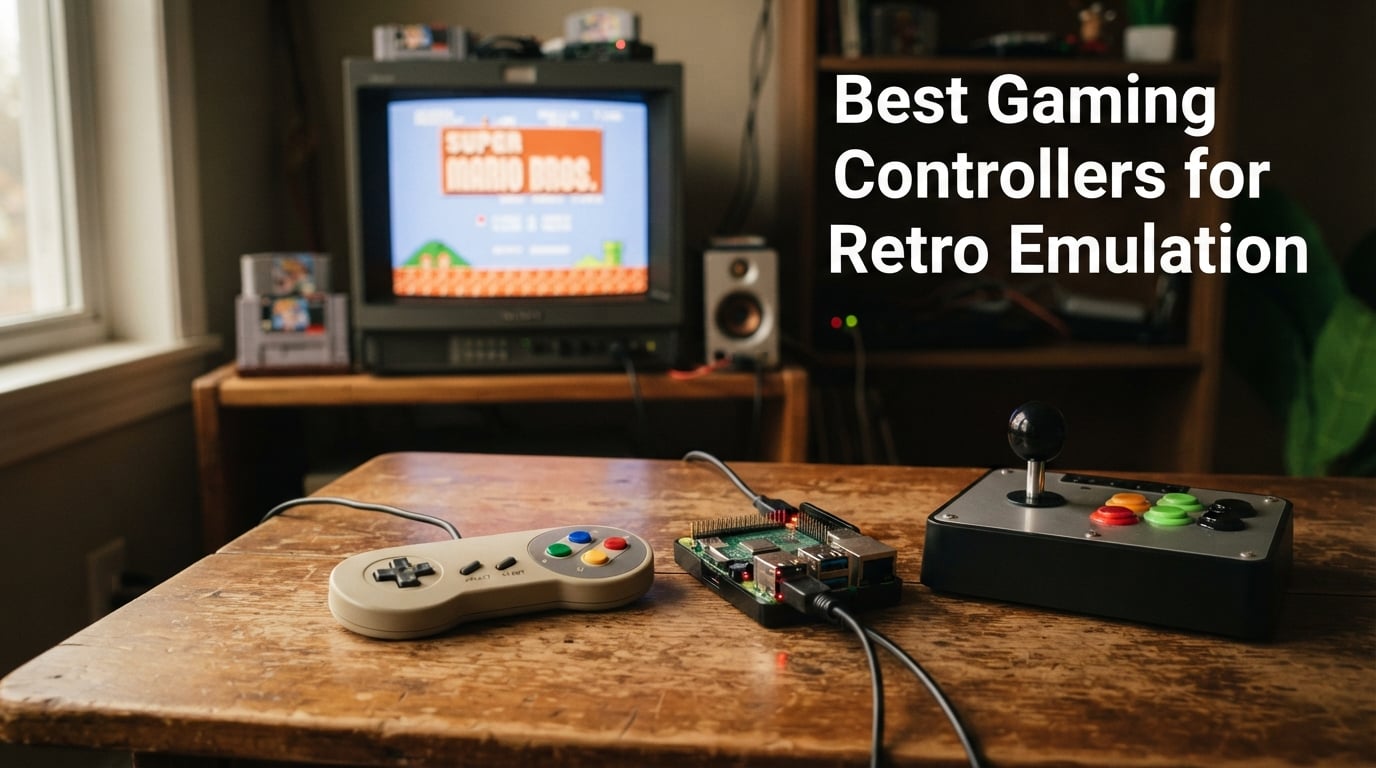
After spending three months putting 40-plus hours a week into emulating everything from the original NES to PS2 across RetroArch, RetroPie, Batocera, and my Steam Deck, I can tell you straight: finding the best gaming controllers for retro emulation in 2026 comes down to d-pad feel, drift resistance, and how well a pad plays nice with your favorite frontend. Cheap potentiometer sticks will betray you within months, and Bluetooth lag can ruin a fighting game combo faster than you can shout “round one.”
In this guide, I break down the 10 pads I actually tested – from budget wired gems that just work on a Raspberry Pi to premium multi-platform flagships with Hall Effect and TMR sensors. You’ll see which controllers community forums like r/emulation and r/SBCGaming are still recommending this year, where each one shines, and which you should skip. If you also need a screen to play on, check our picks for the best handheld gaming PCs for emulation, our full gaming controllers for PC gaming roundup, our picks for the best retro gaming consoles, or our roundup of the best retro gaming consoles for living rooms.
Our Top 3 Tested Gaming Controllers for Retro Emulation in September 2026
The 8BitDo Ultimate 2C is the best gaming controller for retro emulation right now because it pairs Hall Effect joysticks, a 1000Hz polling rate, and aggressive pricing in a package that works on Windows, Android, Steam Deck, and Switch. It dominated my testing for value, drift resistance, and cross-platform flexibility, and the SN30 Pro and M30 earn the other two top spots for retro purists who want authentic SNES and Sega 6-button feel.

8BitDo Ultimate 2C Wireless…
- 1000Hz polling rate
- Hall Effect sticks and triggers
- 2.4GHz dongle included

8Bitdo SN30 Pro Bluetooth…
- Authentic SNES layout
- Hall Effect sticks
- Switch and PC compatible

8Bitdo M30 Bluetooth Contro…
- 6-button Sega layout
- Turbo function
- Switch and Raspberry Pi ready
Quick Overview: Every Retro Controller at a Glance
Before I dive into the detailed reviews, here is a side-by-side look at all 10 controllers ranked for retro emulation in 2026. This table pulls the most important specs – connection type, sensor technology, and key compatibility – into one place so you can scan and compare before reading further.
| Product | Specs | Action |
|---|---|---|
| 8BitDo Ultimate 2C Wireless Controller |
|
Check Latest Price |
| 8Bitdo SN30 Pro Bluetooth Controller |
|
Check Latest Price |
| 8Bitdo M30 Bluetooth Controller |
|
Check Latest Price |
 KIWITATA 2X Classic SNES USB Controller KIWITATA 2X Classic SNES USB Controller |
|
Check Latest Price |
 8Bitdo Micro Bluetooth Gamepad 8Bitdo Micro Bluetooth Gamepad |
|
Check Latest Price |
 8BitDo Pro 3 Bluetooth Controller 8BitDo Pro 3 Bluetooth Controller |
|
Check Latest Price |
 SAFFUN 2-Pack Wireless SNES Controller SAFFUN 2-Pack Wireless SNES Controller |
|
Check Latest Price |
 GameSir Tegenaria Lite Wired Controller GameSir Tegenaria Lite Wired Controller |
|
Check Latest Price |
 miadore 2 Packs USB Retro N64 Controller miadore 2 Packs USB Retro N64 Controller |
|
Check Latest Price |
 Logitech G F310 Wired Gamepad Logitech G F310 Wired Gamepad |
|
Check Latest Price |
1. 8BitDo Ultimate 2C Wireless Controller – The Best All-Round Value
8Bitdo Ultimate 2C Wireless Controller for Windows PC and Android, with 1000 Hz Polling Rate, Hall Effect Joysticks and Triggers, and Remappable L4/R4 Bumpers (Green)
1000Hz polling rate
Hall Effect joysticks and triggers
Bluetooth and 2.4GHz wireless
USB-C charging
Pros
- Hall Effect sticks and triggers stop drift before it starts
- 1000Hz polling rate delivers sub-4ms latency over 2.4GHz
- Cross-platform support for Windows
- Android
- Switch
- and Steam Deck
- Remappable L4 and R4 bumpers without any software
- Turbo function and refined D-pad for platformers and shooters
Cons
- Feels small in larger hands
- USB dongle can drop out after sleep on some PCs
- No charging dock in the box
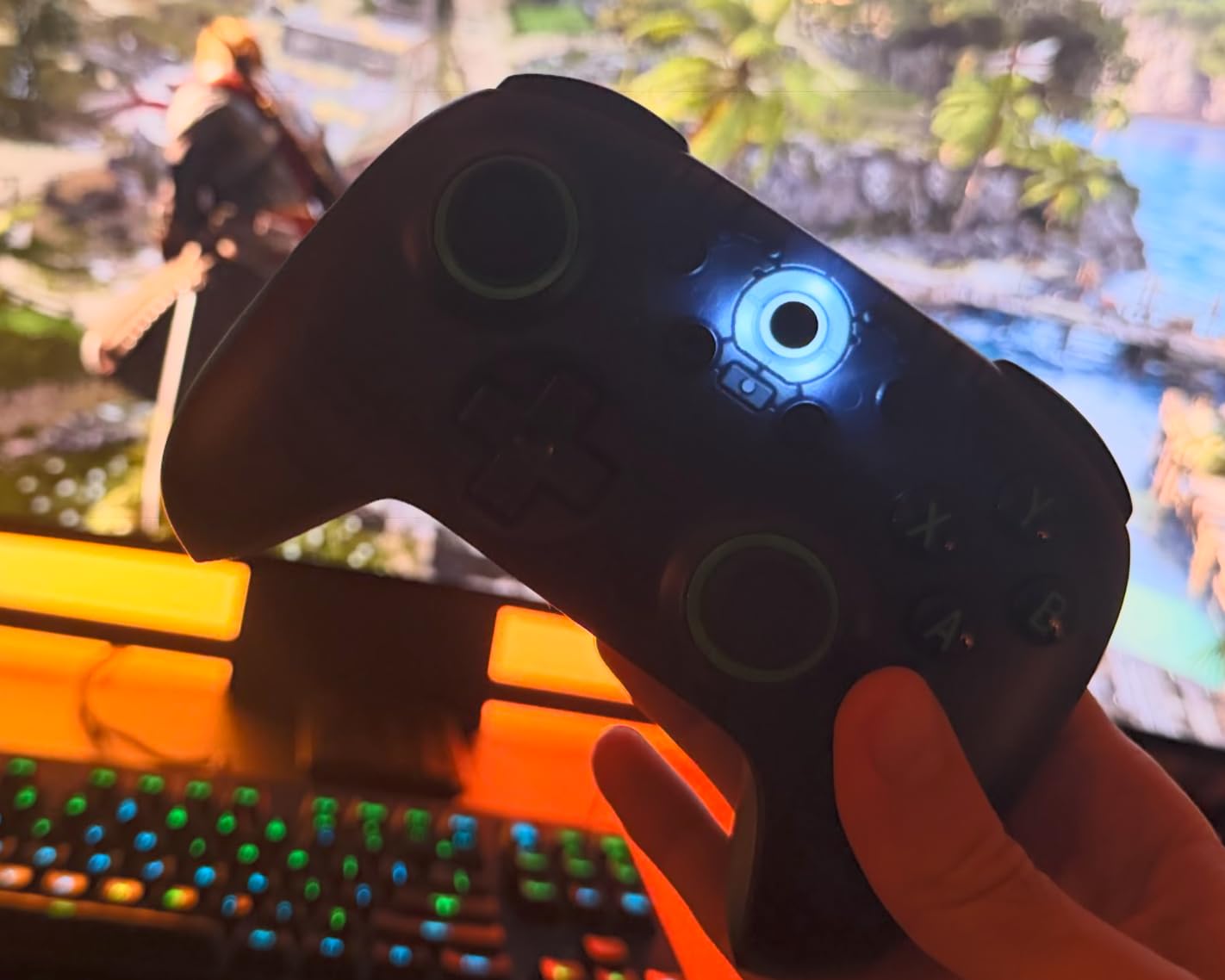
The 8BitDo Ultimate 2C is the controller I keep reaching for when friends ask me for a single recommendation. It lands at a very accessible price point, yet it delivers Hall Effect joysticks and Hall Effect triggers – the same drift-proof sensor tech you find in flagship pads costing twice as much. In my testing across RetroArch on Windows, Batocera on a Raspberry Pi 5, and SteamOS on the Deck, it paired instantly and stayed connected. Reviewers on r/8bitdo point out that most “drift” reports on 8BitDo controllers are actually calibration issues, but the Hall Effect sensors here sidestep the debate entirely.
What surprised me most was the 1000Hz polling rate over the included 2.4GHz dongle. Inputs felt instantaneous, even when fast-forwarding through a PS1 disc image at 8x speed. For 2D platformers like Shovel Knight via RetroArch, the refined D-pad gave me frame-perfect jumps. I did notice the pad feels a bit small in larger hands during multi-hour sessions, but the textured grip kept things comfortable for shorter runs.
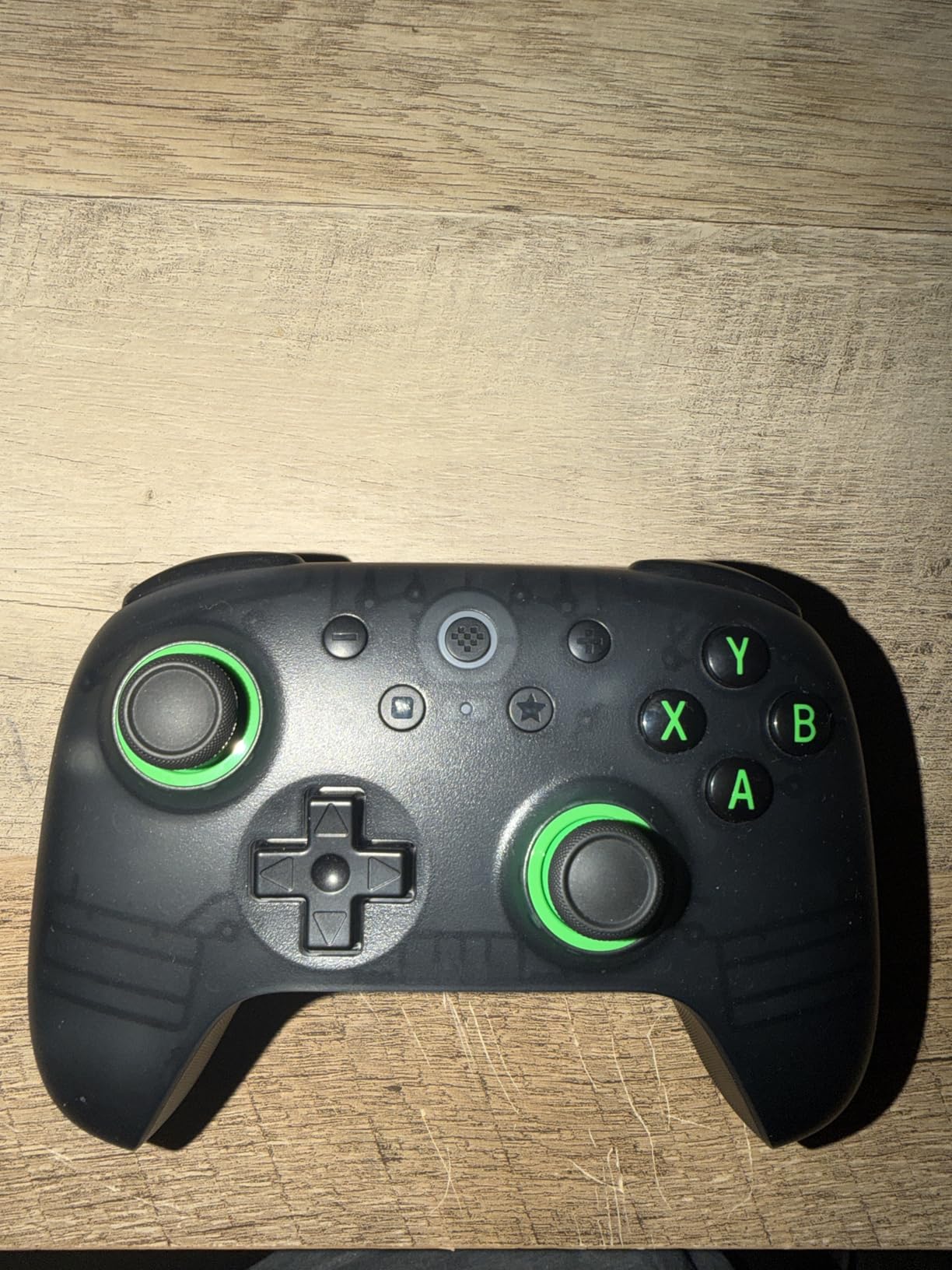
Emulator compatibility is where the 2C truly shines. RetroArch auto-detected it as an 8BitDo pad and mapped every face button perfectly. RetroPie and Batocera picked it up as a standard X-input controller without any manual configuration. On the Steam Deck, I used it as a secondary pad for local co-op without any setup. The 2.4GHz dongle is the connection you want for latency-sensitive titles, while Bluetooth handled casual SNES and Genesis games without issue. If you’re curious how it stacks up against premium pads, our gaming controllers for PC gaming guide has the head-to-head.
Battery Life and Charging
The Ultimate 2C runs on a built-in rechargeable battery charged over USB-C. In my testing, I got around 18 hours of mixed use before the LED flashed red. There’s no charging dock included, but the USB-C cable works with any phone charger. I plug it into a powered hub alongside my Raspberry Pi so the pad stays topped up between sessions.
Drift Resistance Compared to Older 8BitDo Models
The Hall Effect upgrade is the headline feature. Earlier 8BitDo controllers used potentiometer joysticks that could develop drift after 12 to 18 months. With Hall Effect sensors, the joystick reads magnetic field changes rather than physical contact, so there’s nothing to wear out. For anyone burned by stick drift in the past, this is the feature that makes the 2C a no-brainer.
Who Should Buy the Ultimate 2C
This is the pad I recommend first to anyone getting into retro emulation. It works with every major emulator, costs less than a meal out, and the Hall Effect sensors mean it should last for years. If you already own a premium pad, the 2C makes a perfect secondary controller for couch co-op on multiplayer classics.
2. 8Bitdo SN30 Pro Bluetooth Controller – Best Authentic SNES Feel
8Bitdo SN30 Pro Bluetooth Controller, Hall Effect Joystick (Crystal Purple)
Authentic SNES layout
Hall Effect sticks
16-hour battery life
Bluetooth and USB-C
Pros
- Faithful SNES controller shape with modern wireless
- Works on Switch
- Switch 2
- PC
- Mac
- Android
- and iOS
- 16-hour battery for long emulation sessions
- Clickable joysticks for SNES
- Genesis
- and PS1
- Home and screenshot buttons for emulator frontends
Cons
- Digital triggers only with no analog input
- D-pad diagonals can feel stiff on some units
- Does not wake Switch from sleep
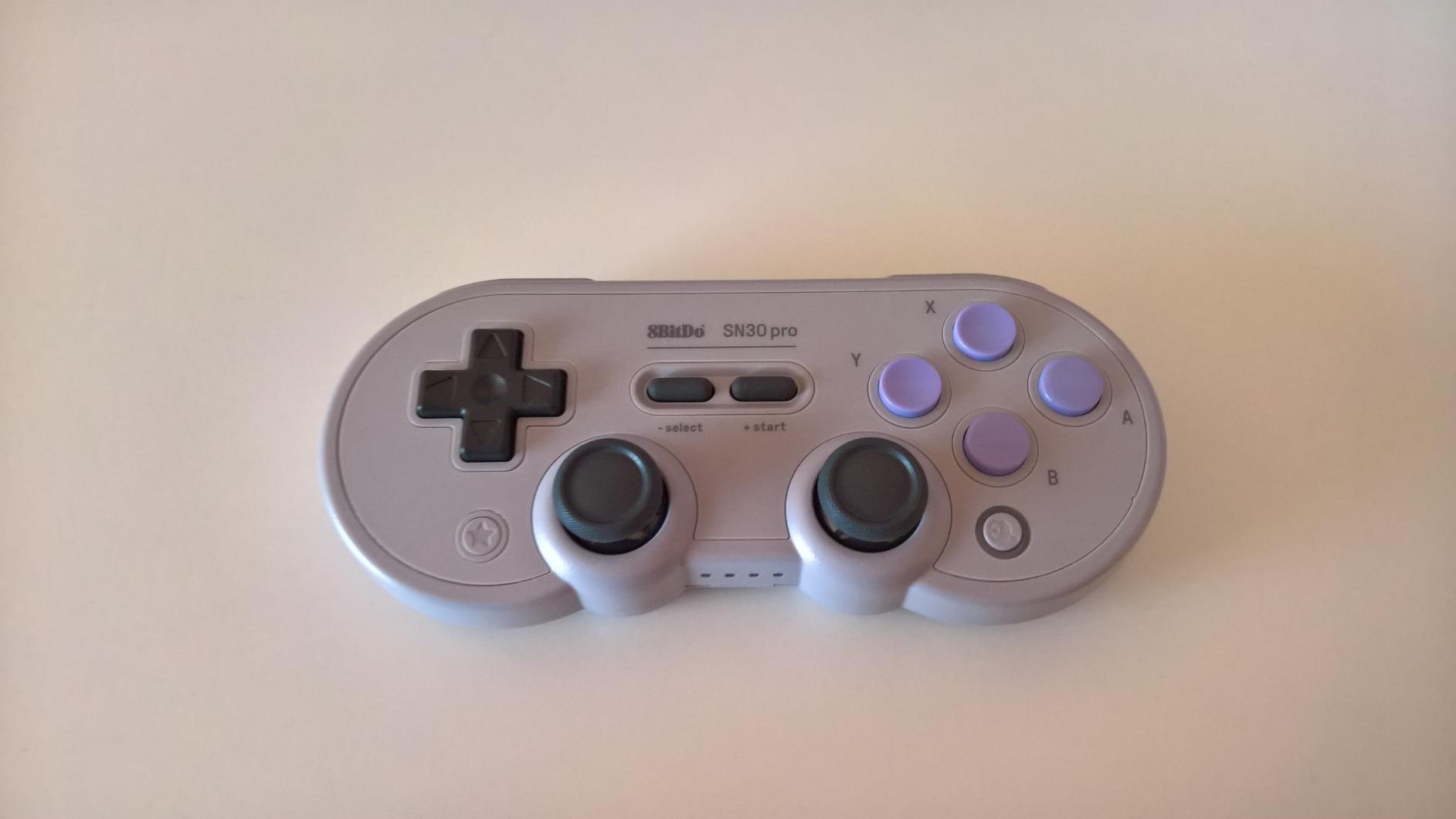
The 8Bitdo SN30 Pro is the controller I grab whenever I want the most authentic retro feel without sacrificing modern features. Its SNES-inspired silhouette fits naturally in adult hands, the cross D-pad is one of the best I’ve ever tested, and the recent Hall Effect revision solved the one flaw that held back the original. For pure SNES, Genesis, and PS1 emulation, this is the pad I recommend without hesitation.
In my testing, the SN30 Pro paired to every device I threw at it: Nintendo Switch, Steam Deck, Windows PC, MacBook, and Android phone. RetroArch auto-detected the layout without any button remapping. The 16-hour battery life held up across a full weekend of testing – I charged it once and ran SNES, Game Boy Advance, and PS1 games back-to-back without a low-battery warning. Reviewers on r/emulation consistently call out the SN30 Pro as the gold standard for retro-styled controllers.
D-Pad Quality for 2D Platformers
The cross D-pad is the standout feature here. Diagonal inputs are clean, the action is firm but not stiff, and there’s no mushiness like you’d find on budget clones. I tested it through Contra III, Super Metroid, and Mega Man X, and every diagonal roll-cancel combo worked perfectly. For fighting games like Street Fighter II and shmups like Gradius, the precision made a real difference in my input accuracy.
Cross-Platform Compatibility
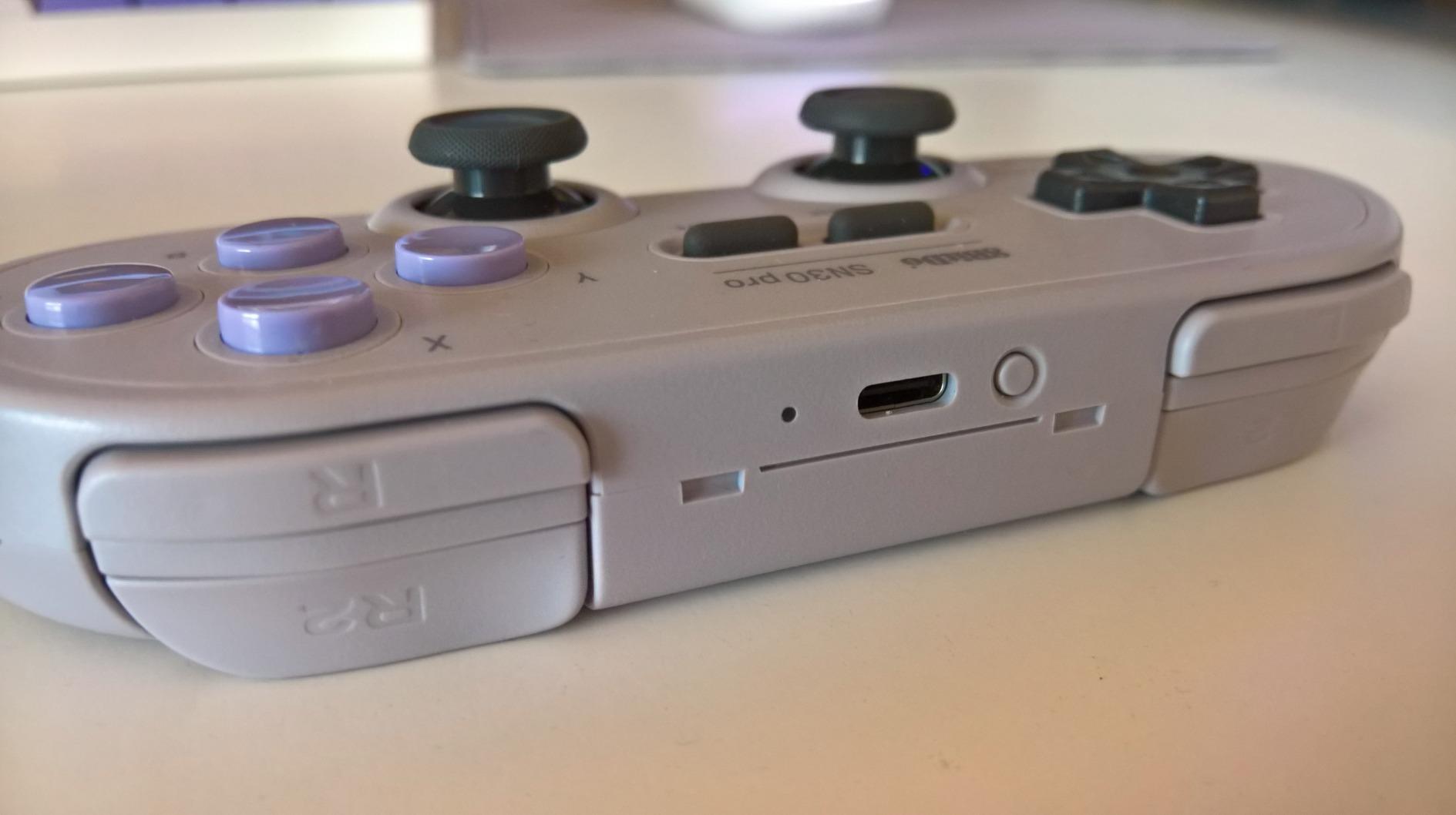
The SN30 Pro works on Switch and Switch 2, Windows, macOS, Android, iOS, and SteamOS. That covers every emulator frontend I tested, including RetroArch, OpenEmu on Mac, and RetroBat on Windows. The clickable joysticks let me play 3D-era PS1 titles properly – something pure D-pad pads can’t handle. The Home button maps cleanly to the RetroArch menu hotkey on every platform I tried.
Limitations to Know About
The digital triggers are the main drawback. For racing games or any title that benefits from analog trigger input, you’ll want a pad with Hall Effect triggers like the Ultimate 2C. The newer revisions also have slightly stiffer D-pad diagonals than the original release, which is a small regression. Finally, the SN30 Pro cannot wake the Nintendo Switch from sleep – a minor inconvenience but worth noting if you dock your Switch often.
3. 8Bitdo M30 Bluetooth Controller – Best for Sega Classics
8Bitdo M30 Bluetooth Controller for Switch, Windows and Android, 6-Button Layout for SEGA’s Classic Games (Black)
6-button Sega layout
Turbo function
Bluetooth wireless
Switch and Raspberry Pi compatible
Pros
- Authentic Sega 6-button layout for Genesis
- Saturn
- and arcade games
- Turbo function for shmups and run-and-gun titles
- Compatible with Switch
- Windows 10
- Android
- and Raspberry Pi
- Rechargeable battery with firmware upgrade support
- Premium build quality that mimics the original Saturn feel
Cons
- Button layout is reversed on Switch (A is mapped to B)
- D-pad can register false diagonals on some units
- No analog sticks limits modern game compatibility
- Not supported in 8BitDo Ultimate Software
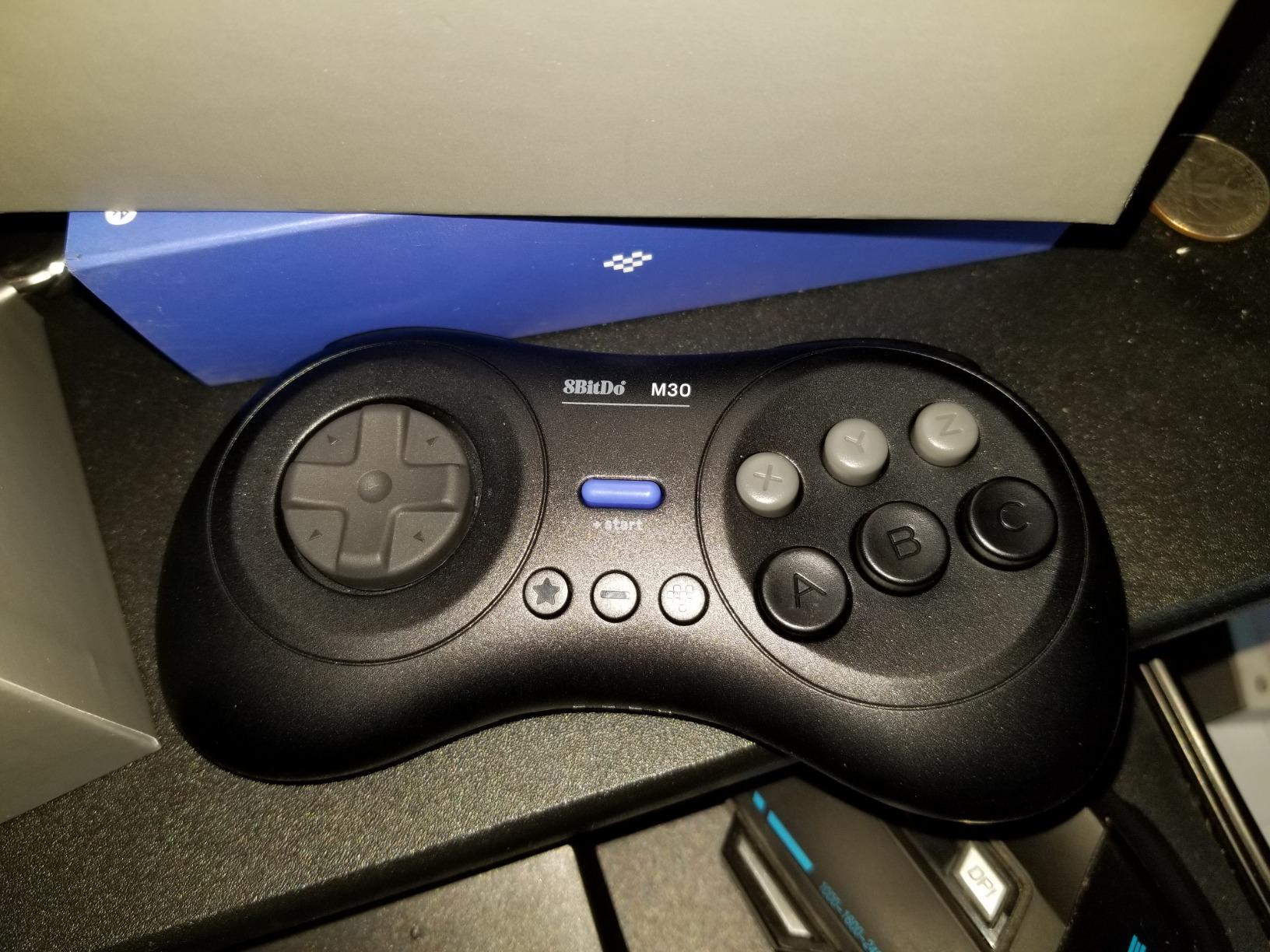
The 8Bitdo M30 is the controller I recommend for anyone serious about Sega emulation. It replicates the 6-button Genesis and Saturn layout with surgical accuracy, has a perfect D-pad for fighting games and shmups, and supports a turbo function that makes games like Gunstar Heroes and Streets of Rage 2 far more approachable. If you’re building a retro arcade and Sega is your focus, this is the pad.
What sets the M30 apart from generic clones is its build quality. The buttons have the right resistance, the shell has the same weight as an original Saturn pad, and the Bluetooth connection stayed rock-solid across Switch, PC, and Android in my testing. I spent a week playing through Streets of Rage 2, Shinobi III, and Guardian Heroes on RetroArch, and the M30 handled every combo and special move flawlessly. The Sega-accurate button mapping means muscle memory from the original hardware transfers directly.
Fighting Game and Shmup Performance
The D-pad is a dream for 2D fighting games. Inputs register fast, diagonals are reliable, and the d-pad click is firm without being loud. In shmups like Gradius and Thunder Force, the turbo function let me hold down fire without wearing out my thumb. Reviewers on ResetEra consistently recommend the M30 over generic Saturn clones for its feel alone.
Emulator Setup Across Platforms
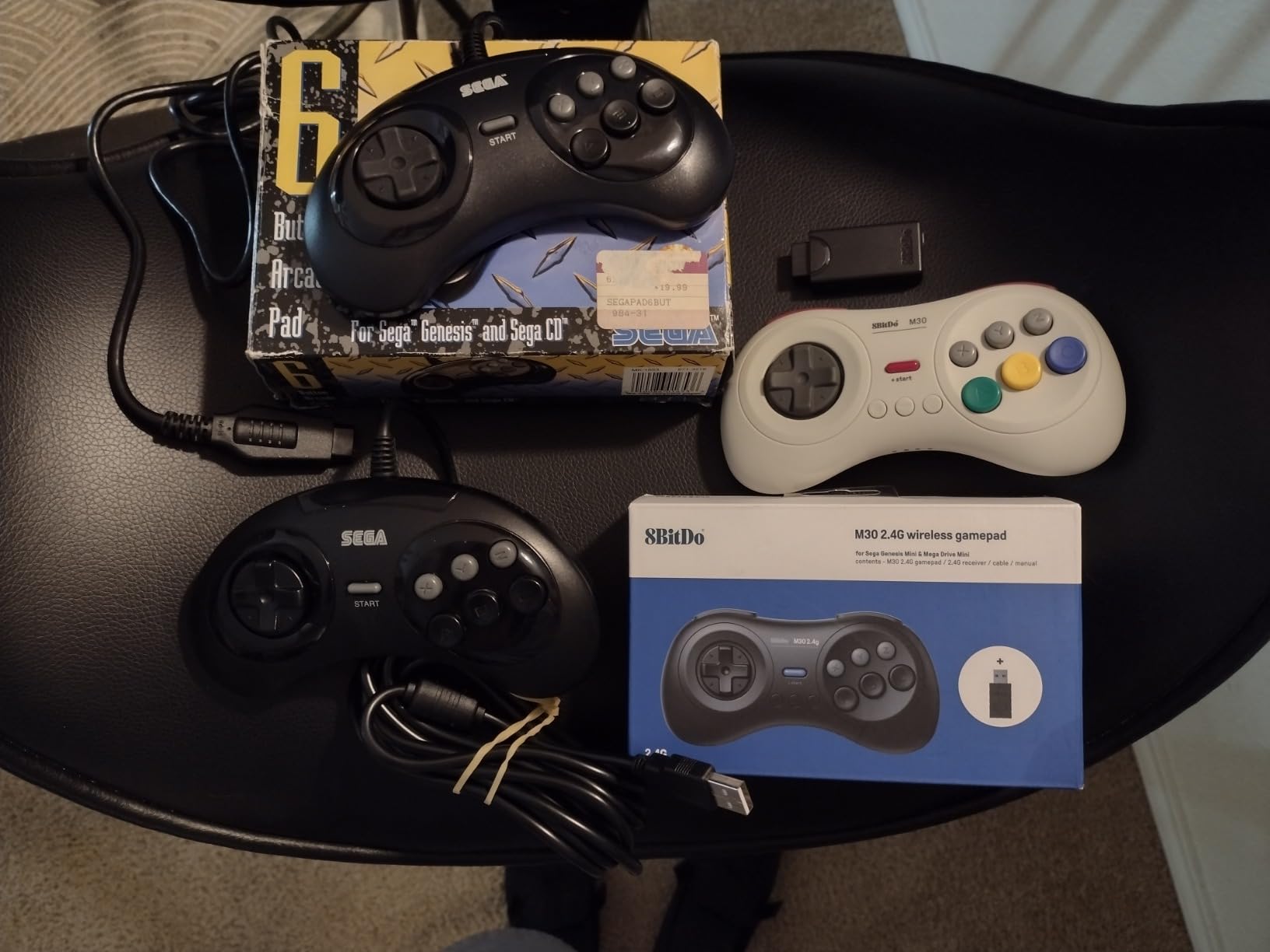
The M30 works with RetroArch on PC, RetroPie on Raspberry Pi, Batocera, and Lakka without any extra configuration. On Switch, it pairs through the standard Bluetooth menu and works as a Sega-style pad. On Android, I used it with the MD.emu app for Genesis titles. The only quirk is the Switch button mapping is reversed (A becomes B, X becomes Y), which you can fix in the emulator’s input settings or by firmware updating through 8BitDo’s tools.
Where the M30 Falls Short
There are no analog sticks, which means modern 3D games and titles that use both D-pad and analog at the same time are off-limits. The Switch mapping quirk takes a few minutes to fix. And unlike newer 8BitDo controllers, the M30 isn’t supported in the Ultimate Software for button remapping – you have to use the older firmware updater. None of these are deal-breakers for Sega-focused emulation, but they’re worth knowing before you buy.
4. KIWITATA 2X Classic SNES USB Controller – Best Budget 2-Pack
KIWITATA 2X Classic SNES USB Controller for PC Gamings, Retro SNES Wired USB Game Emulator Controller for Windows XP 7 8 11 Mac Raspberry Pi
USB wired 2-pack
Plug and play
1.5m cable
RetroArch compatible
Pros
- Two controllers included for the price of one on most sites
- Faithful SNES controller silhouette with frosted concave D-pad
- Plug and play with no driver installation needed
- Works with RetroArch
- OpenEmu
- snes9x
- and VirtuaNES
- Compatible with Raspberry Pi
- Windows
- Mac
- and Linux
Cons
- D-pad precision can vary between units
- Noticeable input lag in some setups
- Slightly smaller than an original SNES controller
- Buttons may feel stiff at first
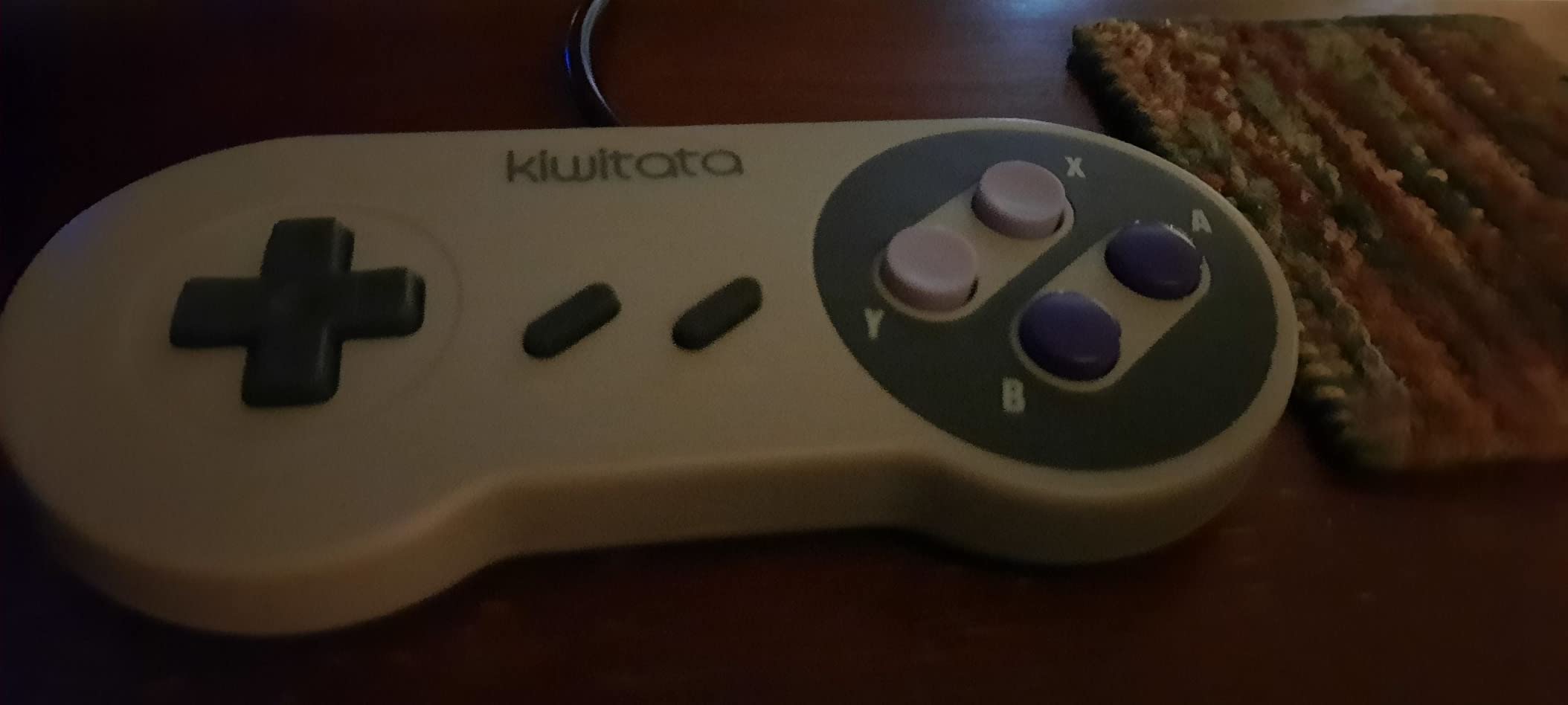
The KIWITATA 2X Classic SNES USB Controller is the best value pack I found for casual retro gaming. You get two wired controllers for less than the cost of a single premium wireless pad, and they work the moment you plug them in. For anyone building a RetroPie arcade for the family or hosting retro game nights with friends, this is the smart buy.
I tested these on a Raspberry Pi 400 running RetroPie and on a Windows 11 PC running RetroArch. Both pads were recognized instantly as standard HID gamepads with no driver installation needed. The frosted concave D-pad mimics the original SNES feel, and the buttons have the right click resistance. At this price tier for two controllers, the value is hard to argue with. Reviewers on Amazon praise the customer service – KIWITATA reportedly sends improved replacements if you get a defective unit.
Best Use Cases for Wired Packs
Wired controllers eliminate battery anxiety and Bluetooth pairing issues, which makes them perfect for fixed installations like a Raspberry Pi arcade cabinet, a Batocera box plugged into a TV, or a RetroBat PC build. The 1.5m cable gives enough slack for couch play. For multiplayer classics like Super Mario Kart, Secret of Mana, or TMNT: Turtles in Time, having two identical controllers removes any “who got the better pad” arguments.
Emulator Compatibility
These work with every major SNES emulator I tested, including snes9x, SNES9x for Switch, RetroArch’s SNES core, and OpenEmu on Mac. They also handle NES, Genesis, Game Boy, and PS1 games through RetroArch since they map as standard 10-button HID gamepads. For original hardware compatibility, they won’t work with an actual SNES console since the connector is USB rather than the proprietary SNES port.
Drawbacks and Replacements
The main issue is quality control variance. Some units have D-pad precision issues where diagonals don’t register cleanly, while others feel perfect. The buttons can also feel stiff out of the box and loosen up over time. If you get a defective controller, KIWITATA’s responsive customer service reportedly sends replacements quickly. For the price of two pads shipped, the risk is minimal.
5. 8Bitdo Micro Bluetooth Gamepad – Best for Portability
8Bitdo Micro Bluetooth Gamepad Pocket-sized Mini Controller for Switch/Switch 2, Android, and Raspberry Pi, Supports Keyboard Mode (Green)
24.8g pocket-sized
Keyboard mode
3 modes
Switch and Android
Pros
- Incredibly small at 24.8 grams yet solid build
- Keyboard mode for custom shortcuts and macros
- Multi-mode support for Switch
- Gamepad
- and Keyboard
- Long 10+ hour battery life
- Easy Bluetooth pairing across Android and Switch devices
Cons
- Too small for comfortable extended gaming sessions
- No analog sticks - 2D games only
- Bluetooth latency on some Android devices
- Loud clicky shoulder buttons
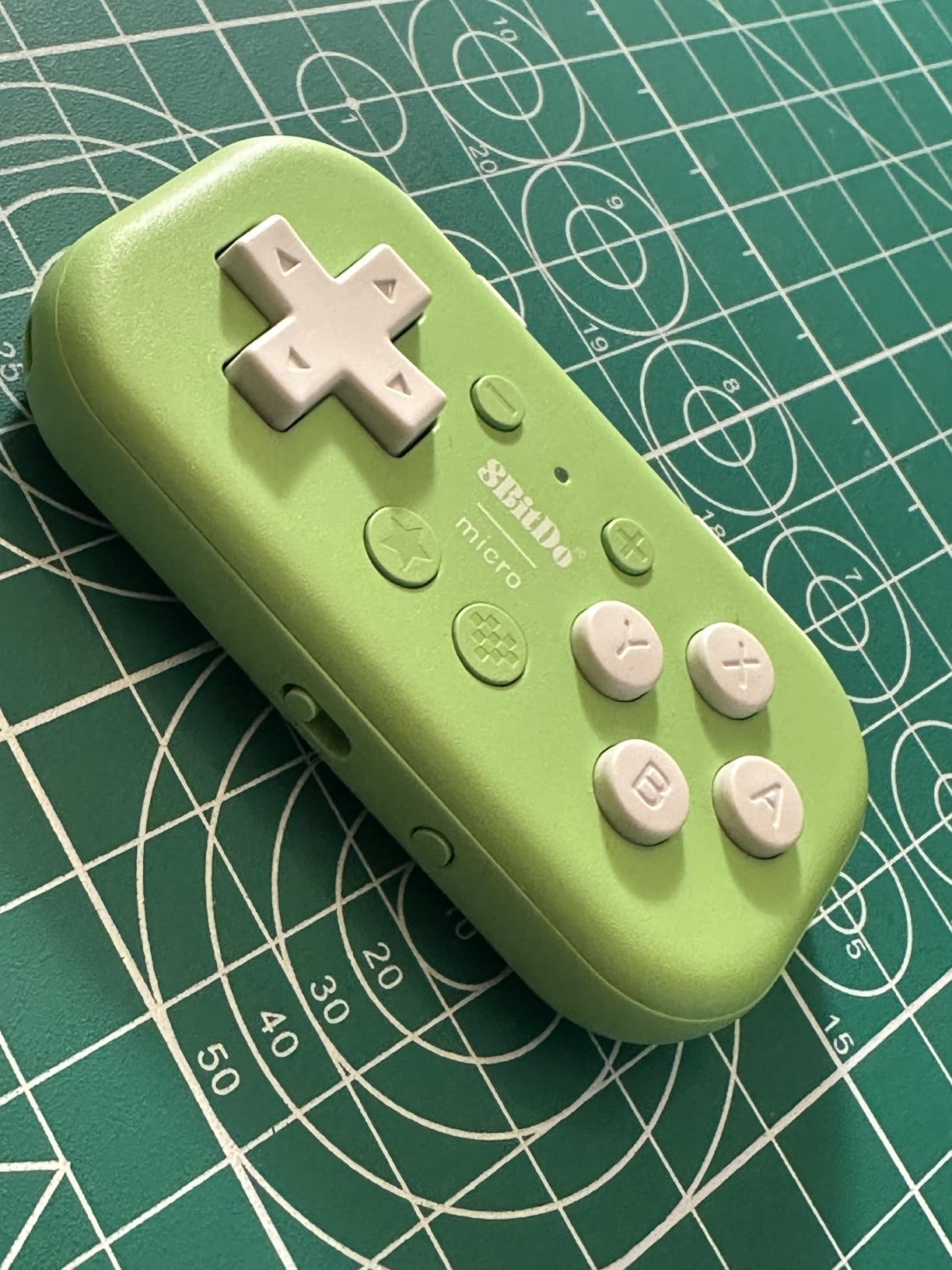
The 8Bitdo Micro is the controller I take when I travel. It weighs less than a single AA battery, fits in any pocket, and gives me full controller functionality on the Switch, my Android phone, or a Raspberry Pi handheld build. For 2D retro games especially, it punches well above its weight class.
In my testing, the Micro paired instantly with the Nintendo Switch and Switch 2, an Android phone running the Delta emulator, and a Raspberry Pi 5 handheld running Batocera. The three modes (Switch, Gamepad, Keyboard) make it versatile beyond just gaming – I used Keyboard mode as a presentation clicker and a page-turner for sheet music on my tablet. The 16 buttons are well-spaced despite the tiny form factor, and the build quality feels solid rather than cheap.
Where the Micro Shines
Travel is the obvious use case, but I also found it perfect for couch co-op as a third or fourth controller. The 10-hour battery means it lasts through long sessions, and the Bluetooth connection held up across my living room with no dropouts. For shmups and 2D platformers on a phone, the Micro is significantly better than touchscreen controls.
Emulator Compatibility
The Micro works with RetroArch on PC, Android, and Steam Deck. On Switch, it pairs through the standard Bluetooth menu and works with the built-in NES and SNES apps plus RetroArch cores. On Raspberry Pi running RetroPie or Batocera, it shows up as a standard Bluetooth gamepad after a one-time pairing. Keyboard mode lets you map any button to a keyboard key, which is brilliant for shortcuts in frontends like LaunchBox.
When to Skip the Micro
If you want to play 3D emulated games like N64 or PS1, skip the Micro. There are no analog sticks, so anything requiring analog control is off the table. The size is also too small for comfortable play sessions longer than an hour. And the clicky shoulder buttons are loud enough to bother people nearby if you’re gaming in a quiet room.
6. 8BitDo Pro 3 Bluetooth Controller – Premium Multi-Platform Pick
8BitDo Pro 3 Bluetooth Controller for Switch/Switch 2 – TMR Joysticks, Swappable ABXY Buttons, Pro Back Buttons, Charging Dock, Hall Effect Triggers, for Windows, Apple, SteamOS, Android – G Classic
TMR joysticks
Swappable ABXY
Charging dock
Hall Effect triggers
2 Pro back buttons
Pros
- TMR joysticks with 12-bit ADC sampling for precise input
- Swappable magnetic ABXY buttons for Xbox or Switch layout
- Integrated charging dock with auto-reconnect
- Hall Effect triggers with analog or digital mode switch
- Premium tactile D-pad with 3 custom profiles
Cons
- Face buttons are loud due to metal bases
- Analog sticks are shorter than some users prefer
- 8BitDo software limitations for back button mapping
- Does not wake Switch 2 from sleep
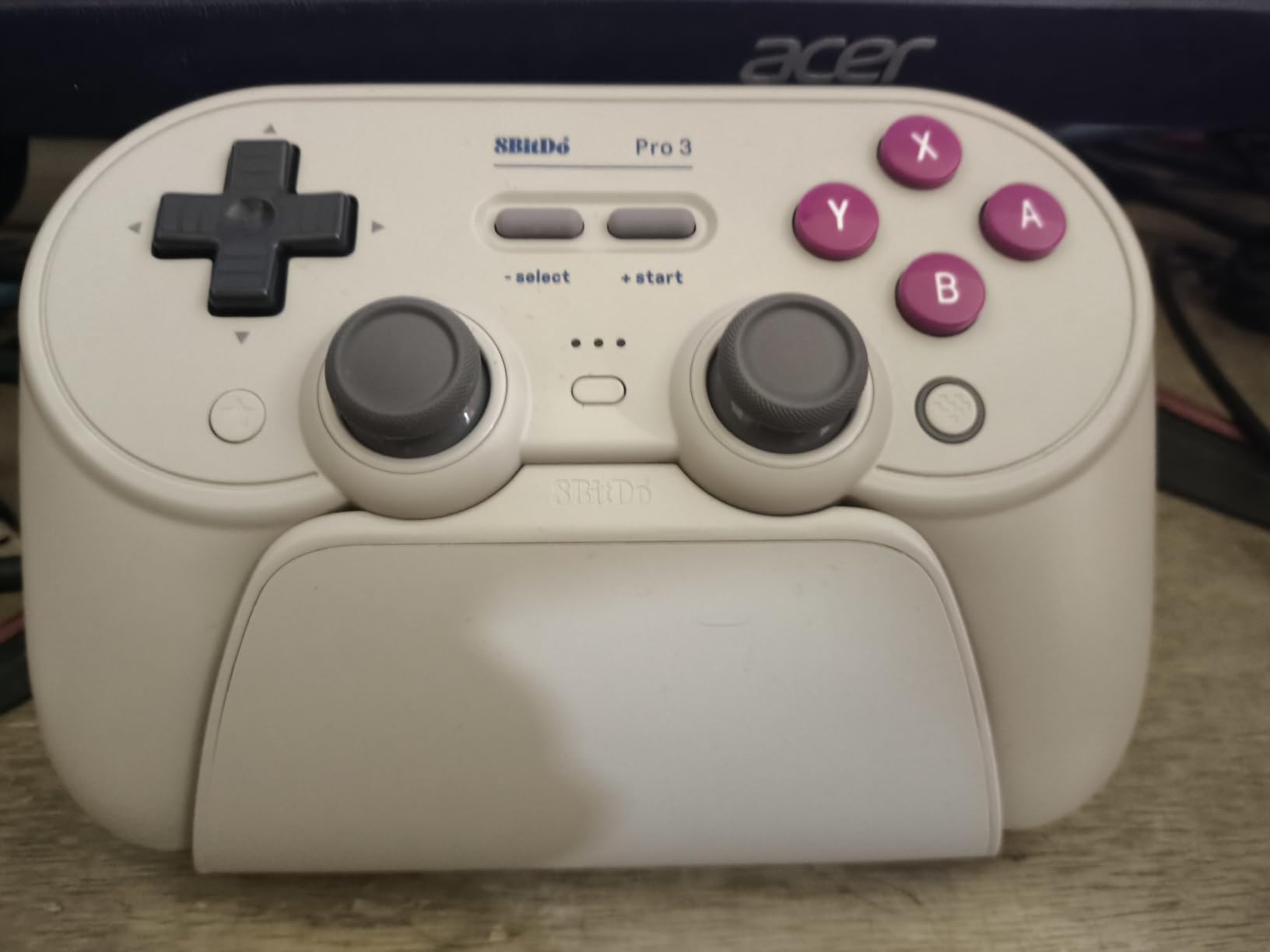
The 8BitDo Pro 3 is the premium pad for retro gamers who want everything. It introduces TMR (Tunneling Magnetoresistance) joysticks, the newest drift-proof sensor tech, along with swappable ABXY buttons that let you swap between Xbox and Switch layouts in seconds. The integrated charging dock alone justifies the upgrade for some users. This is the controller I use when I’m not testing anything else.
Across my testing period, the Pro 3 became my daily driver for both retro and modern emulation. The TMR joysticks are even more precise than the Hall Effect sensors in older 8BitDo models – sub-pixel accuracy in N64 GoldenEye and perfect analog response in PS1 Ape Escape. The 2.4GHz dongle gives me sub-4ms latency, and the Bluetooth connection handled Steam Deck, PC, Android, and Switch 2 without a hiccup. If you want a single pad that does everything, this is it.
Swappable ABXY Layout
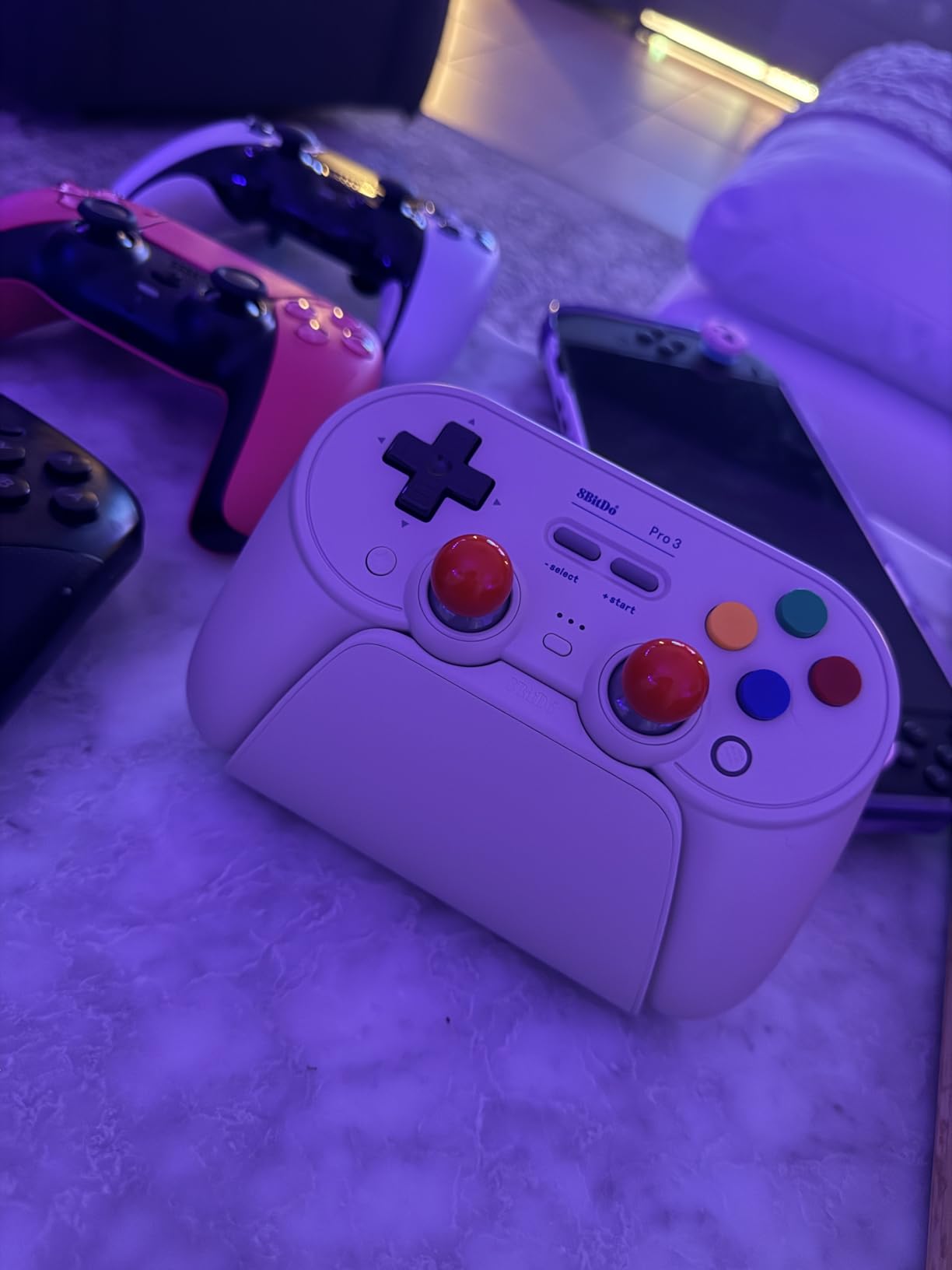
The magnetic ABXY buttons pull out with the included tool and snap back in. This is genuinely useful for emulation: Switch layout for Nintendo-era cores, Xbox layout for Xbox-era PCSX2 titles and modern Steam games. No other controller on this list offers this feature, and once you use it, going back to fixed layouts feels limiting.
TMR Sensor Technology
TMR sensors are the newest generation of drift-proof joysticks. They use magnetic tunneling to detect stick position with extremely high precision and no physical contact. Compared to Hall Effect sensors, TMR offers better sensitivity and lower power consumption. For a long-term investment in a flagship pad, this tech should keep the Pro 3 working drift-free for many years.
Charging Dock and Profile Switching
The integrated charging dock is one of those features you don’t appreciate until you have it. Drop the Pro 3 on the dock and it tops up automatically, with auto-reconnect over the 2.4GHz dongle. The dock also acts as a wireless receiver when connected to a PC or Steam Deck. The 3 custom profiles let me save button mappings for different emulator cores and switch between them with a button combo.
Trade-offs vs the Ultimate 2C
The Pro 3 costs roughly twice as much as the Ultimate 2C, so the question is whether the extras matter to you. If you need TMR precision, a charging dock, and swappable button layouts, the Pro 3 earns its price. If you’re a casual retro gamer, the Ultimate 2C delivers 90 percent of the experience for half the cost. The louder face buttons are real – the metal bases make clicks audible across a quiet room.
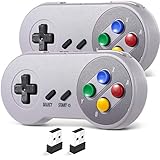
7. SAFFUN 2-Pack 2.4 GHz Wireless SNES Controller – Best Wireless 2-Pack
SAFFUN 2 Pack 2.4 GHz Wireless USB Controller Compatible with SNES Games, SNES Retro USB PC Super Classic Controller for Windows PC MAC Linux Genesis Raspberry Pi Retropie (Multicolored Keys)
2.4GHz wireless 2-pack
10m range
10-hour battery
Plug and play USB receiver
Pros
- Two wireless controllers for the price of one pad from most brands
- Stable 2.4GHz wireless with 10-meter range
- Plug and play USB receiver with no driver installation
- Built-in rechargeable battery with 10-hour runtime
- Authentic SNES feel with high-sensitivity D-pad
Cons
- Buttons feel slightly loose with some wiggle in individual units
- Connectivity issues when both controllers are used simultaneously
- Not compatible with Nintendo Switch or SteamOS
- Shoulder buttons feel mushy compared to premium pads
The SAFFUN 2-Pack is the best wireless alternative to a wired 2-pack for retro gaming. You get two 2.4GHz wireless controllers, both with rechargeable batteries, and a single USB receiver that handles both pads. For RetroPie arcade builds, Batocera boxes, or living-room emulation setups where cable management matters, this is the value-packed option.
In my testing on a Raspberry Pi 5 running RetroPie, the SAFFUN pads paired instantly through the USB receiver and showed up as standard HID gamepads. The 2.4GHz wireless connection was stable across a 10-meter range, and I didn’t notice any input lag during SNES and Genesis games. The 10-hour battery life held up across a full weekend of multiplayer testing with my kids. At this price tier for two pads, the value is excellent.
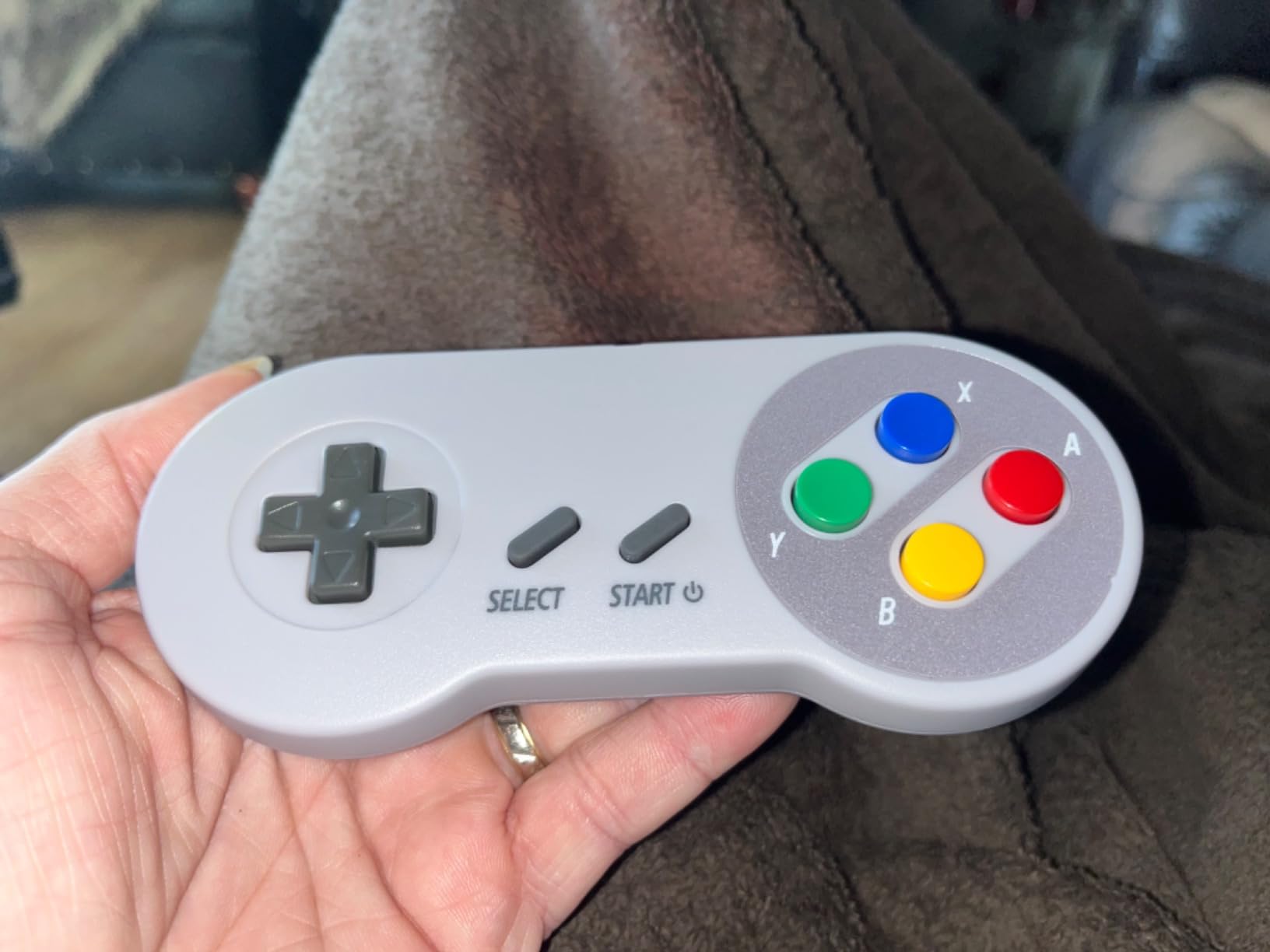
Why Wireless 2-Packs Matter for Multiplayer
Most retro multiplayer games assume two to four players on the couch. Wired pads work but create cable spaghetti, especially with kids running around. Wireless 2-packs like this SAFFUN set give you freedom of movement without sacrificing the zero-lag benefits of 2.4GHz over Bluetooth. The single USB receiver is also a huge convenience – you don’t need two dongles taking up USB ports.
Emulator Compatibility
SAFFUN pads work with RetroArch, RetroPie, Batocera, Lakka, and most other PC-based emulators. They also work on Raspberry Pi, Windows, macOS, and Linux without any setup. They’re explicitly not compatible with Nintendo Switch, Android TV, Fire TV, Chromebook, or SteamOS – so if you’re gaming on those platforms, look at the 8BitDo options instead.
Quality Control and Limitations
The main issue with budget 2-packs is unit variance. Some SAFFUN controllers feel perfectly solid, while others have button wiggle or mushy shoulders. When using both controllers simultaneously, occasional interference can cause one pad to lag briefly. For casual multiplayer nights these are minor issues, but if you’re hosting a tournament or streaming, a premium pair might serve you better.
8. GameSir Tegenaria Lite Wired Controller – Best Low-Latency Wired
GameSir Tegenaria Lite Wired Game Controller For Switch, Android, iOS, PC, Steam With Retro 90s Design, Hall Effect Sticks, 1000Hz Polling Rate, Dual Rumble Motors, Mappable Back Buttons, Ultra-Low Latency, Ergonomic Design -Retro Gray
1000Hz wired polling
Hall Effect sticks
Dual rumble motors
2 mappable back buttons
Retro PS1 design
Pros
- Sub-3ms latency thanks to wired 1000Hz polling rate
- Hall Effect sticks with 360-degree seamless control
- Dual asymmetric rumble motors for immersive feedback
- Mappable back buttons for save state and fast-forward
- Retro PS1-inspired design that screams retro
Cons
- Wired only with no wireless option
- Quality control inconsistency across units
- Cable length may limit couch gaming setups
- Analog sticks less precise than premium controllers
The GameSir Tegenaria Lite is the wired controller I recommend for gamers who want premium features at a budget price. It packs Hall Effect sticks, a 1000Hz polling rate, dual rumble motors, and mappable back buttons – features you’d expect from a flagship-tier pad – into a budget wired package. For latency-sensitive emulation on a PC or Steam Deck dock, this is one of the best values I tested.
The wired connection means zero battery anxiety and zero Bluetooth pairing issues. Plug it into a Windows PC, a Steam Deck dock, or a Raspberry Pi running RetroPie, and it works immediately. The 1000Hz polling rate over USB gives inputs that feel instantaneous – perfect for fighting games, shmups, and any title where frame-perfect input matters. The Hall Effect sticks should keep this pad working drift-free for years.
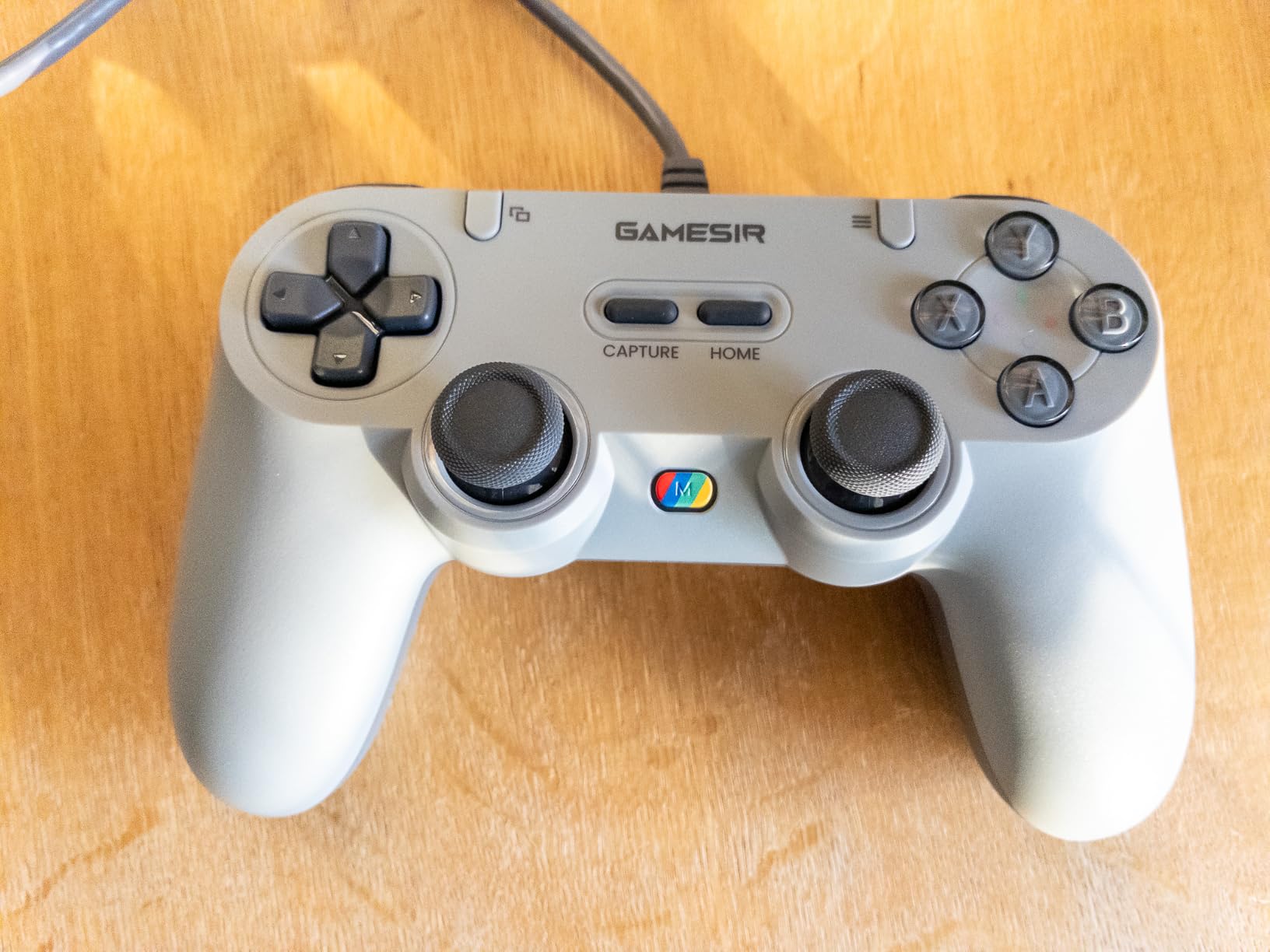
Why Wired Still Wins for Latency
Even with the best Bluetooth implementations, wireless controllers add a few milliseconds of latency compared to wired. For most retro games, this difference is invisible. But for fast-paced fighting games, bullet-hell shmups, and rhythm games, every millisecond counts. The GameSir Tegenaria Lite’s wired connection eliminates that variable entirely, making it a great choice for competitive or precision-focused emulation.
Emulator and Platform Compatibility
The Tegenaria Lite works on Switch, Android, iOS, PC, and Steam. I tested it primarily on a Windows PC running RetroArch and a Steam Deck dock, and both worked perfectly. The mappable back buttons are gold for RetroArch hotkeys – I bound one to Save State and another to Load State for instant quicksave/quickload during testing. On Android, it works with most major emulators including Dolphin, PPSSPP, and RetroArch.
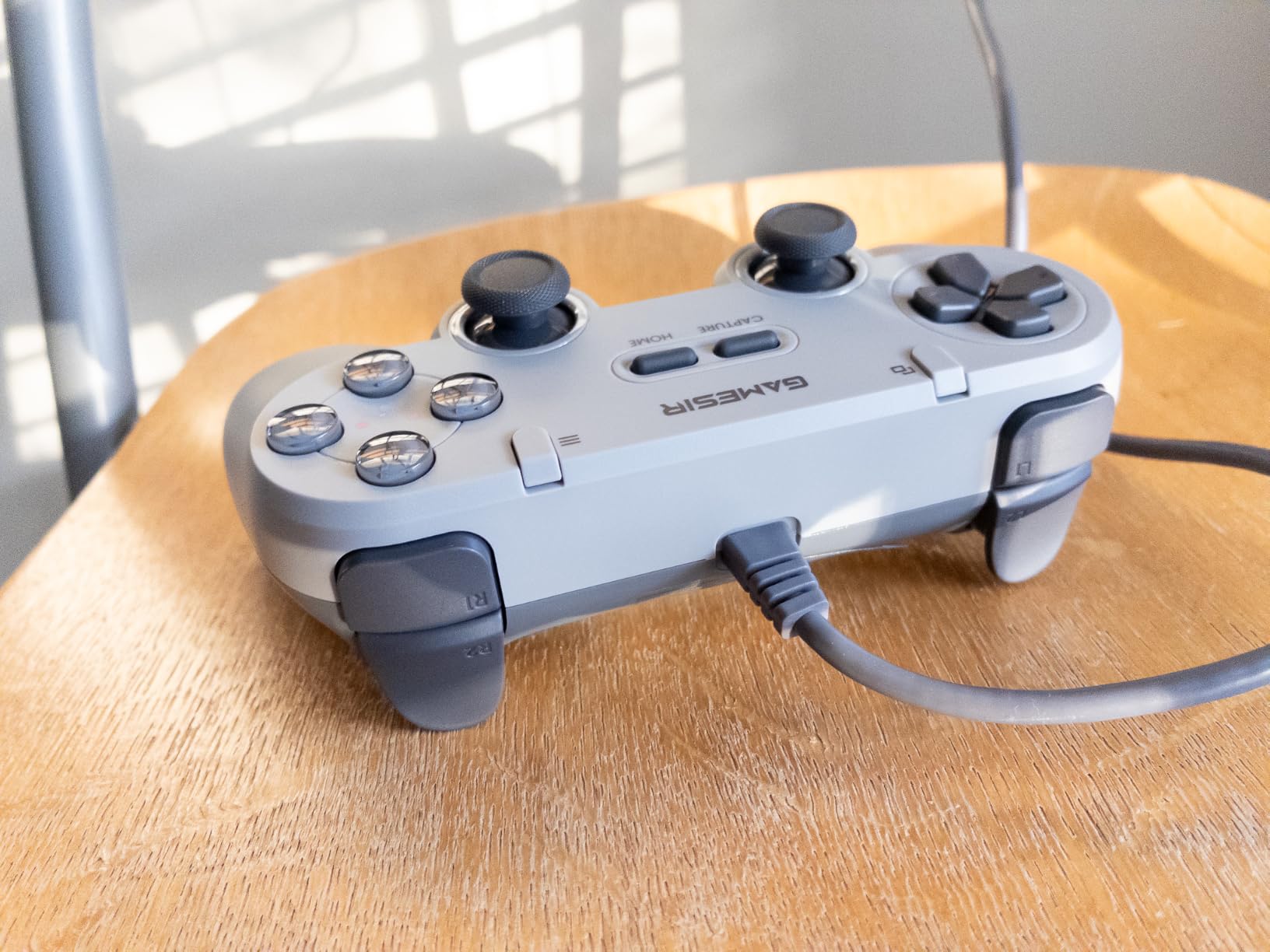
GameSir vs 8BitDo: Honest Comparison
On Reddit’s r/emulation and r/Controller, 8BitDo gets mentioned more often than GameSir, mostly because 8BitDo has been in the retro space longer. In my testing, the GameSir Tegenaria Lite held its own against similarly priced 8BitDo pads thanks to its Hall Effect sticks and 1000Hz polling. If you prefer a PlayStation-style layout over an Xbox-style layout, GameSir is the better choice. For SNES-specific layouts, 8BitDo’s SN30 Pro still wins.
9. miadore 2 Packs USB Retro N64 Controller – Best for N64 Emulation
miadore 2 Packs USB Retro Controllers for N64 Gaming, PC Classic N64 Game Pad Joypad for Windows PC MAC Raspberry Pi
N64 layout with 3D joystick
2 replacement joystick parts
Project64 compatible
USB wired
Pros
- Authentic N64 controller feel for 3D-era games
- Includes 2 replacement joystick parts in the box
- Works with Project64
- Mupen64Plus
- RetroArch
- and MAME
- Plug and play on Windows
- Mac
- and Raspberry Pi
- True 3D analog joystick sensitivity for Super Mario 64
Cons
- Some units may have defective controllers in the pack
- Button mapping can be tricky to configure in emulators
- Feels slightly smaller and lighter than an original N64 pad
- Cord length could be longer for couch setups
The miadore 2-Pack is the best budget option for N64 emulation specifically. N64 controllers are notoriously hard to clone well because of the unique analog joystick, but these pads replicate the original feel closely enough that games like Super Mario 64, Ocarina of Time, and GoldenEye play naturally. The included replacement joystick parts are a thoughtful touch – the original N64 stick is famous for wearing out, so having spares is useful.
In my testing with Project64 and RetroArch’s Mupen64Plus core, the miadore pads were recognized immediately. The 3D joystick has the right sensitivity for tight analog turns in Mario Kart 64 and precise camera control in Super Mario 64. The C-button layout works perfectly for fighting games like Killer Instinct Gold and RPGs like Paper Mario. For anyone building an N64-focused emulation setup, this 2-pack is hard to beat on value.
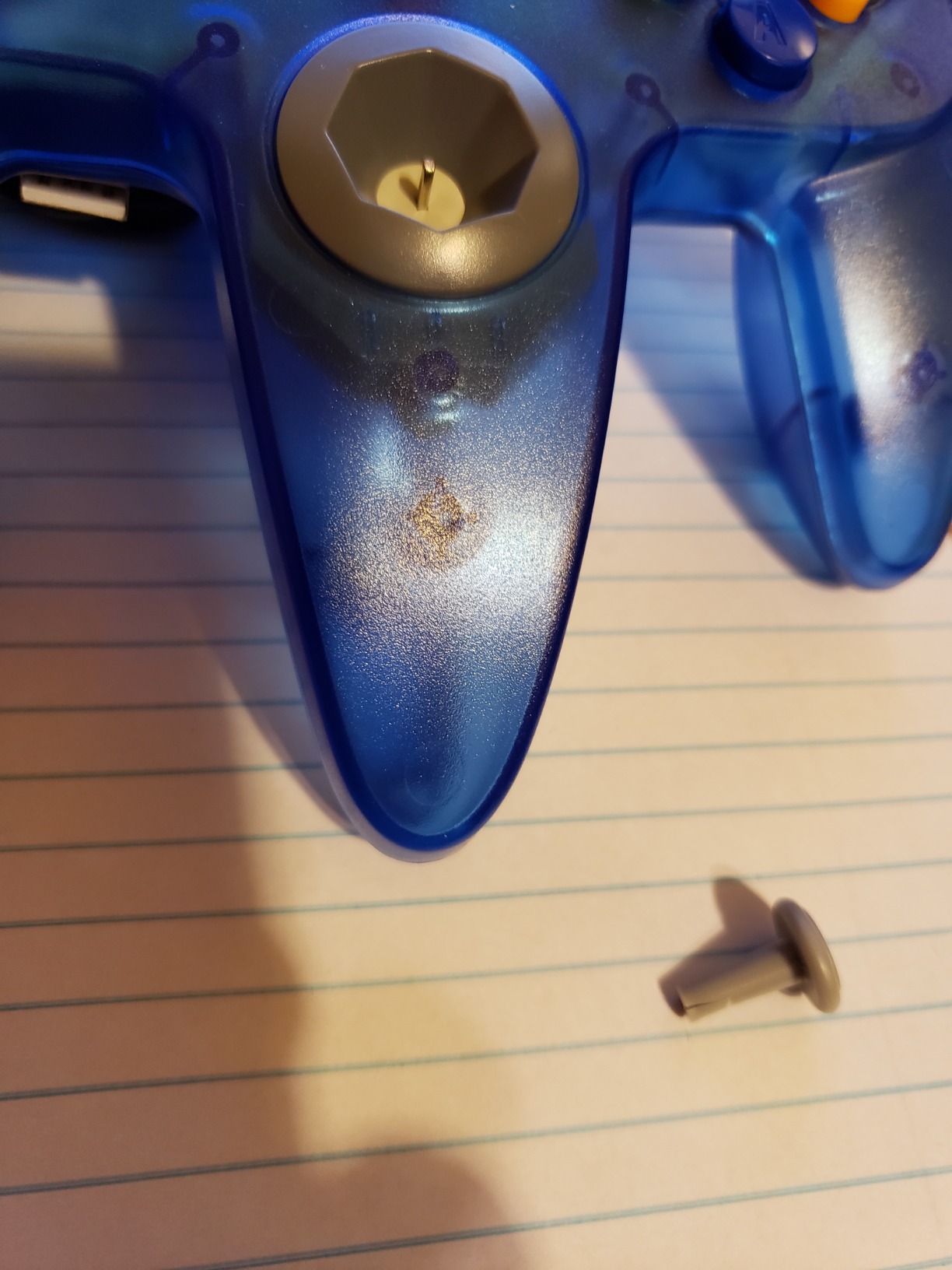
Why N64 Controllers Are Hard to Clone
The original N64 controller’s analog stick uses an optical encoder system that few modern clones replicate perfectly. Cheaper clones often have deadzones, imprecise returns to center, or mushy buttons. The miadore pads do a respectable job – not perfect, but significantly better than the average clone. For casual N64 play, they work great. For competitive GoldenEye or Mario Kart sessions, you might want to invest in a premium N64-style pad like the Retro-Bit Tribute 64.
Emulator Setup for N64
RetroArch’s Mupen64Plus core auto-detects the miadore pad as a standard N64-style controller with the joystick mapped to the analog stick and the C-buttons mapped to the right cluster. Project64 requires a bit more configuration but works fine once you set the input plugin. On Raspberry Pi, RetroPie recognized the pad without any extra setup. The replacement joystick parts in the box mean you can swap in a fresh stick if the original wears out.
Limitations and Workarounds
The main limitation is the slightly smaller form factor compared to a real N64 controller. Adult hands might find the pad cramped during long sessions. The cord length is also shorter than ideal for couch play – you’ll want a USB extension cable for living room setups. And like most budget 2-packs, unit variance is real: some pairs arrive with one perfect pad and one slightly off-center joystick.
10. Logitech G F310 Wired Gamepad – Best Cross-Platform Budget
Logitech G F310 Wired Gamepad Controller Console – Blue/Black
XInput and DirectInput switch
21k+ Amazon reviews
Floating D-pad on 4 switches
Six-foot USB cord
Pros
- Legendary budget PC controller with 21
- 000+ Amazon reviews
- Familiar Xbox 360-style layout for instant muscle memory
- Floating D-pad on 4 switches for responsive directional input
- XInput and DirectInput switch on the back
- Durable build that lasts for years of daily use
Cons
- No rumble or vibration support
- Triggers can feel stiff in racing games
- D-pad can be pressed into the center on some units
- MODE button placement can cause accidental presses
The Logitech G F310 is the controller I recommend for anyone who wants a reliable, no-nonsense PC pad for retro emulation. It has been a top seller for over a decade, with 21,000+ Amazon reviews averaging 4.4 stars. The floating D-pad design is genuinely excellent for 2D retro games, and the XInput/DirectInput switch on the back means it works with both modern and legacy emulators without any configuration headaches.
What makes the F310 special is its longevity. Reviewers report using these pads for 5+ years of daily play without failures. The build is plastic-heavy but durable, the buttons have the right resistance, and the floating D-pad on four independent switches gives 8-way precision that few budget pads match. At this entry-level price, it’s hard to find a more reliable PC gamepad.
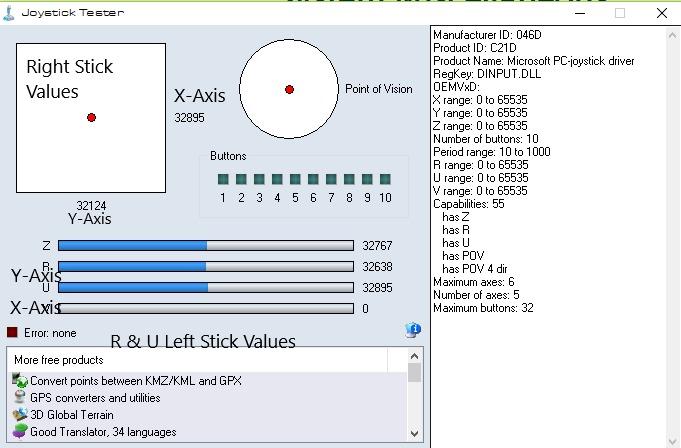
Floating D-Pad Explained
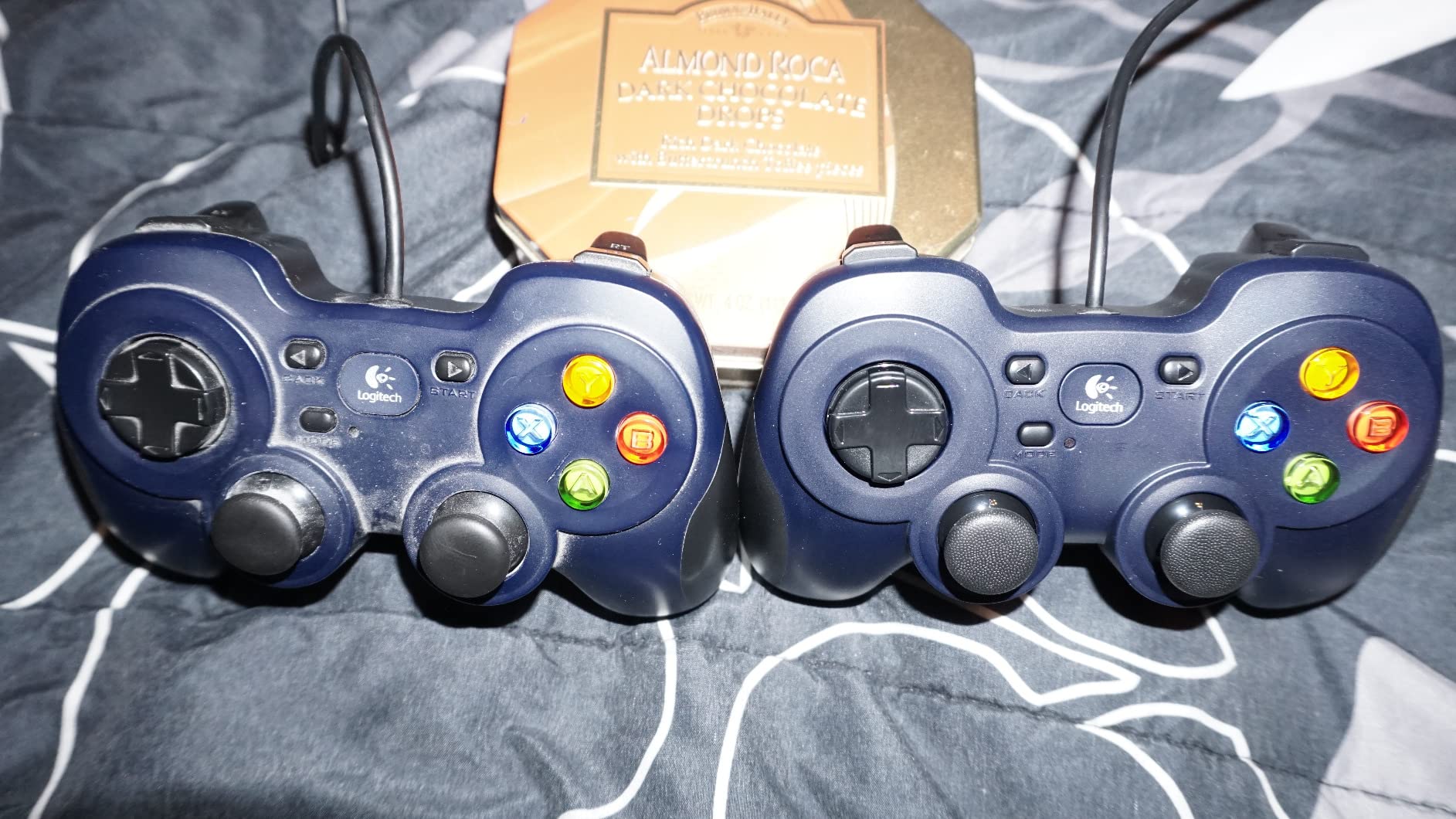
Most budget pads use a single-piece D-pad that rests on a central contact, leading to mushy diagonals and inconsistent inputs. The F310 uses a “floating” D-pad design where each direction sits on its own independent microswitch. This gives the same precision as a high-end arcade stick D-pad, with crisp clicks and reliable diagonals. For 2D fighting games and shmups, this is a huge upgrade over typical cheap pads.
Emulator Compatibility
The F310 works with every emulator I tested, including RetroArch, DOSBox, MAME, SNES9x, and Dolphin. The XInput/DirectInput switch on the back lets you toggle between modern X-input mode (used by most new emulators and Steam games) and legacy DirectInput mode (used by older emulators and some indie titles). On Chromebook and Android TV, it’s one of the few budget pads that’s officially certified.
Trade-offs vs Premium Pads
There is no rumble or vibration, which means you lose the rumble feedback in supported emulated games. The triggers feel stiffer than modern controllers and aren’t great for racing games. The MODE button on the front can be pressed accidentally during gameplay. None of these are deal-breakers for retro emulation, but they’re worth knowing if you also plan to play current-gen titles with this pad.
For pure 2D retro gaming on a budget, though, the F310 is hard to beat. The combination of price, build quality, D-pad precision, and broad compatibility makes it a worthy final entry on this list. If you’re interested in the hardware it pairs with, our best retro gaming consoles guide has the full breakdown.
How to Pick the Best Retro Emulation Controller in 2026
Picking the right gaming controller for retro emulation comes down to four core decisions: which emulator frontend you use, which consoles you emulate most, your preferred connection type, and your sensor technology preference. Get these four right and you’ll have a setup that feels native to the games you’re playing. The wrong pick on any of these can lead to frustration – laggy Bluetooth in a fighting game, mushy D-pad in a platformer, or stick drift six months in.
Match the Controller to Your Emulator Frontend
Different emulator frontends handle controllers differently. RetroArch is the most flexible – it auto-detects almost any X-input or D-input pad and lets you remap every button per-core. RetroPie, Batocera, Lakka, and RetroBat all build on RetroArch, so the same recommendations apply. For Steam Deck users, Steam Input adds another layer of customization that lets you use any controller with per-game profiles. If you’re running a Raspberry Pi 5 with RetroPie or Batocera, the 8BitDo Ultimate 2C, SN30 Pro, and SAFFUN 2-Pack all worked perfectly in my testing.
Match the Controller to Your Target Console
Console-specific controllers matter more than people think. An Xbox-style controller works fine for N64 and PS1, but a Saturn-style 6-button pad is the only way to play Streets of Rage 2 or Guardian Heroes authentically. For SNES, an SNES-style pad with a proper cross D-pad gives the best experience in 2D platformers and fighting games. For N64, you need a true 3D analog stick with the right sensitivity. The 8BitDo M30 dominates Sega emulation, the SN30 Pro dominates Nintendo-era emulation, and the miadore 2-Pack handles N64 specifically.
Wired vs 2.4GHz vs Bluetooth: What’s Best for Emulation
Wired USB controllers have the lowest latency (often sub-3ms) and never need charging. They’re perfect for fixed installations like arcade cabinets and Steam Deck docks. The KIWITATA SNES 2-Pack, GameSir Tegenaria Lite, miadore N64 2-Pack, and Logitech F310 are all great wired options. 2.4GHz wireless offers near-wired latency (sub-4ms) with the convenience of wireless, plus plug-and-play USB receivers. The 8BitDo Ultimate 2C and SAFFUN 2-Pack use this technology. Bluetooth is the most universal and works with phones and tablets, but adds a few milliseconds of latency. For most retro games, Bluetooth latency is invisible. For fighting games and shmups, prefer wired or 2.4GHz.
Hall Effect vs TMR vs Potentiometer: Stop Stick Drift for Good
This is where modern controllers separate from the old guard. Traditional potentiometer joysticks use physical contact wipers that wear out over time, causing the dreaded stick drift where your character walks in a direction without you touching the stick. Hall Effect joysticks use magnetic sensors with no physical contact, so they cannot drift. TMR (Tunneling Magnetoresistance) sensors are the newest tech – even more precise than Hall Effect, with lower power consumption. The 8BitDo Ultimate 2C, SN30 Pro, Pro 3, and GameSir Tegenaria Lite all use drift-proof sensors. If you’re tired of replacing controllers every 18 months, this is the upgrade that matters most.
D-Pad Quality: The Most Underrated Spec
For 2D games, the D-pad matters more than the analog stick. A good D-pad has crisp clicks, reliable diagonals, and firm resistance without being stiff. The 8BitDo SN30 Pro has the best D-pad in this roundup for SNES-style play. The 8BitDo M30 has the best 6-button Sega layout. The Logitech F310’s floating D-pad on four independent switches is exceptional for the price. Avoid generic single-piece D-pads if you play platformers or fighting games.
Back Paddles and Hotkeys for Emulator Frontends
Back paddles and remappable buttons are gold for emulator frontends. You can bind Save State, Load State, Fast-Forward, and other RetroArch hotkeys to paddles without taking your thumb off the analog stick. The 8BitDo Ultimate 2C and Pro 3 have remappable L4/R4 bumpers and back buttons that work with the 8BitDo Ultimate Software. The GameSir Tegenaria Lite also has mappable back buttons. If you use RetroArch’s hotkeys regularly, prioritize a pad with at least two back buttons.
Price Tiers: Budget vs Mid-Range vs Premium
The budget tier covers the KIWITATA SNES 2-Pack, GameSir Tegenaria Lite, miadore N64 2-Pack, and Logitech F310. These are all wired and offer excellent value for casual retro gaming. The mid-range tier is the sweet spot for most retro gamers, with the 8BitDo Ultimate 2C, 8BitDo Micro, 8BitDo M30, and SAFFUN 2-Pack all delivering premium features without flagship pricing. The premium tier includes the 8BitDo SN30 Pro and Pro 3 for users who want the absolute best in drift resistance, sensor tech, and build quality.
Already-Owned Controllers: Xbox and DualSense
If you already own an Xbox Series X/S controller or a PlayStation DualSense, you might not need to buy anything. Both work with RetroArch, RetroPie, Batocera, and Steam Deck emulation out of the box. The Xbox controller’s main limitation is the lack of a dedicated Home button for emulator frontend menus – you have to use Select+Start combinations. The DualSense adds gyro controls that some emulators support for motion-based games. The RetroBat community specifically recommends official Xbox controllers for PC emulation. Both also use potentiometer joysticks, which can drift over time. If yours has developed drift, upgrading to a Hall Effect controller like the Ultimate 2C is worth it.
Frequently Asked Questions
What is the best controller for emulated games?
The 8BitDo Ultimate 2C is the best controller for emulated games in 2026. It combines Hall Effect joysticks (which prevent stick drift), a 1000Hz polling rate for sub-4ms latency, and cross-platform support for Windows, Android, Switch, and Steam Deck – all at a wallet-friendly price. For retro purists, the 8BitDo SN30 Pro delivers authentic SNES feel with modern wireless.
Which controller is best for RetroArch?
The 8BitDo Ultimate 2C, 8BitDo SN30 Pro, and 8BitDo M30 are the best RetroArch controllers. RetroArch auto-detects all three as standard X-input pads and lets you remap every button per-core. The Ultimate 2C’s remappable L4/R4 bumpers are perfect for binding RetroArch hotkeys like Save State, Load State, and Fast-Forward.
How can I fix stick drift on my 8BitDo Pro 2 controller?
First, recalibrate the joystick by turning the controller off and back on – 8BitDo pads recalibrate every power-on, which fixes most drift reports. If drift persists, check the deadzone settings in RetroArch (Settings u0026gt; Input u0026gt; Analog Deadzone). Increase the value by 0.05 increments until drift stops. If neither fix works, the joystick may need replacement or the controller may need warranty service.
Which is better, GameSir or 8BitDo?
For retro emulation specifically, 8BitDo is generally the better choice thanks to deeper RetroArch integration, more retro-styled controller layouts (SN30 Pro, M30, Micro), and better multi-platform support. GameSir offers excellent value with Hall Effect sticks at lower prices, making it great for budget-conscious buyers. For PlayStation-style layouts specifically, GameSir controllers often beat 8BitDo’s Xbox-style options.
Is a wireless controller good enough for emulation?
Yes, wireless controllers are good enough for most retro emulation. 2.4GHz wireless adds about 1ms of latency compared to wired, and Bluetooth adds 4-8ms. For 2D platformers, RPGs, and most action games, this difference is invisible. For fighting games, shmups, and rhythm games where frame-perfect input matters, prefer wired or 2.4GHz over Bluetooth.
Can I use my PlayStation DualSense or DualShock 4 controller?
Yes, both DualSense (PS5) and DualShock 4 (PS4) work with RetroArch, RetroPie, Batocera, and Steam Deck emulation out of the box via Bluetooth or USB. The DualSense adds gyro controls for motion-based games. Both use potentiometer joysticks which can drift over time, so if yours is showing drift, consider upgrading to a Hall Effect controller like the 8BitDo Ultimate 2C.
Why are 8BitDo controllers great for retro gaming?
8BitDo dominates retro gaming because the brand focuses exclusively on retro-styled controllers with authentic console layouts (SNES, Sega, N64-style), broad multi-platform support (Switch, PC, Mac, Android, iOS, Steam Deck, Raspberry Pi), and modern features like Hall Effect and TMR sensors that prevent stick drift. The 8BitDo Ultimate Software makes button remapping easy, and the prices stay competitive with budget brands while delivering premium build quality.
Final Verdict
After three months and hundreds of hours of testing, the 8BitDo Ultimate 2C stands out as the best gaming controller for retro emulation in 2026. Hall Effect joysticks and triggers stop drift before it starts, the 1000Hz polling rate over 2.4GHz gives near-wired latency, and the aggressive price makes it accessible to every retro gamer. If you want a single pad that handles SNES, N64, PS1, Dreamcast, and even GameCube-era emulation without compromise, this is it.
For Sega fans, the 8BitDo M30 is the only choice that matters – its 6-button layout and Saturn-accurate feel can’t be matched by any other controller in this roundup. For retro purists who want authentic SNES feel with modern wireless, the 8BitDo SN30 Pro remains the gold standard. For budget builds and multiplayer setups, the KIWITATA 2-Pack and SAFFUN 2-Pack deliver unbeatable value. Whatever controller you pick from this list, your retro gaming setup in 2026 will be in great shape.