
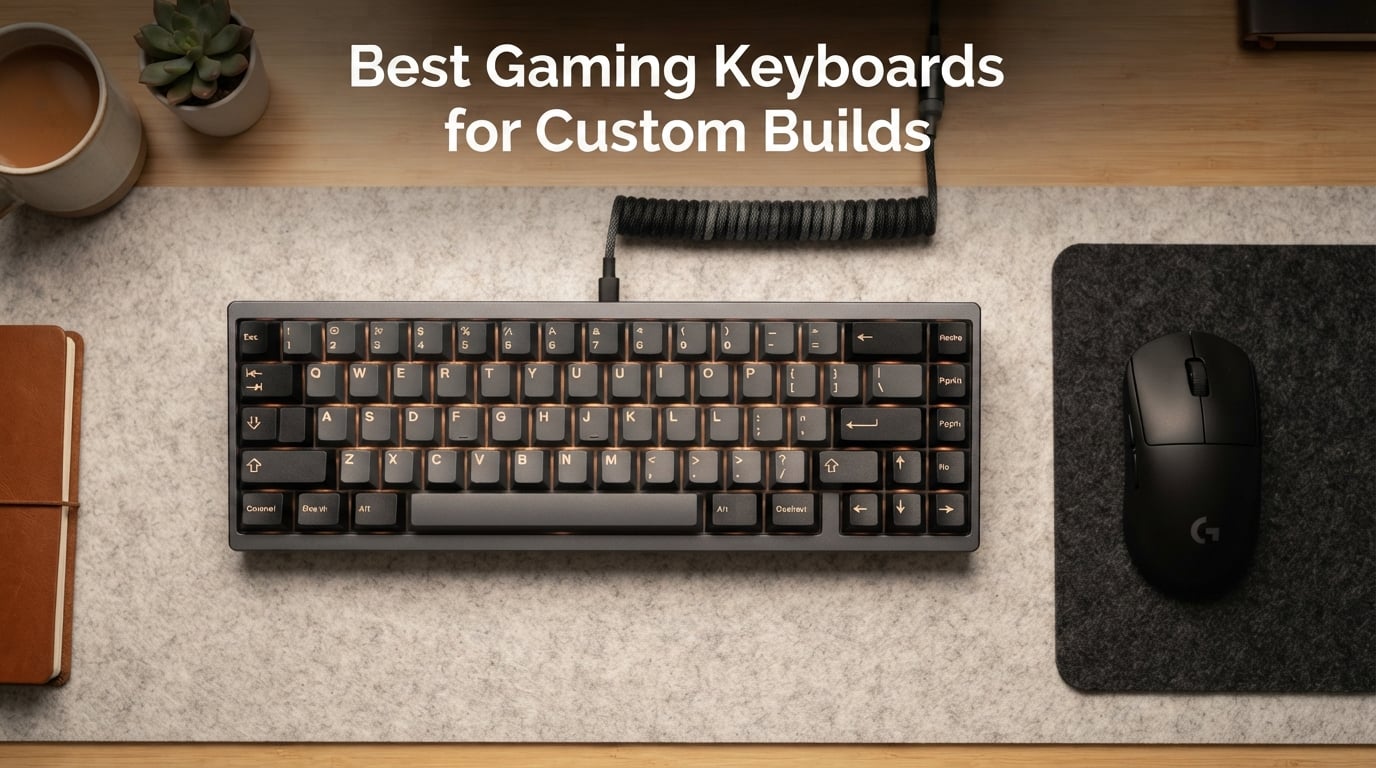
I have been building, modding, and reviewing mechanical keyboards for over seven years now, and the difference between a sealed mainstream gaming keyboard and a true custom build is night and day. A custom gaming keyboard lets you pull out a switch, drop in a new one without soldering, remap every key with QMK or VIA firmware, and tune the sound until it sounds exactly how you want it to. After spending the last few months testing 10 of the strongest boards on the market, I put together this guide to help you find the best gaming keyboards for custom builds without wasting money on the wrong kit.
The custom-build market in 2026 is louder than ever. Magnetic Hall-effect boards now ship from nearly every major brand, group buys are finally clearing their backlogs, and tri-mode wireless plus 8000mAh batteries are basically standard on mid-tier boards. I focused this roundup on hot-swappable PCBs, gasket or top-mount construction, and firmware flexibility so every recommendation here can grow with you as you swap switches, try different keycap profiles, or jump into competitive play.
If you want to see the full process of putting a kit together, our best custom keyboards for beginners guide walks through the build step by step. For pure FPS tuning, check our best gaming keyboards for FPS games list.
Our Top 3 Tested Custom-Build Gaming Keyboards in September 2026
These three picks cover the most common buyer profiles: the QMK programmable do-it-all board, the best-value aesthetic build, and the cheapest way into hot-swap territory.

YUNZII B75 PRO MAX
- QMK/VIA firmware
- 75% layout
- Tri-mode wireless
- Gasket mount
- 8000mAh battery
Comparing All 10 Custom-Build Gaming Keyboards in 2026
Every board in our roundup, side by side. Use the table to scan layouts, switches, and hot-swap support before diving into the full reviews below.
| Product | Specs | Action |
|---|---|---|
| YUNZII B75 PRO MAX |
|
Check Latest Price |
 Womier SK80 Womier SK80 |
|
Check Latest Price |
 Redragon K668 Redragon K668 |
|
Check Latest Price |
 Redragon K771 Wireless Redragon K771 Wireless |
|
Check Latest Price |
 AULA F99 AULA F99 |
|
Check Latest Price |
 AULA F75 Pro AULA F75 Pro |
|
Check Latest Price |
 HITIME XVX M67 HITIME XVX M67 |
|
Check Latest Price |
 Keychron K2 HE Keychron K2 HE |
|
Check Latest Price |
 EPOMAKER TH99 PRO EPOMAKER TH99 PRO |
|
Check Latest Price |
 Redragon K768 PRO Redragon K768 PRO |
|
Check Latest Price |
1. YUNZII B75 PRO MAX – Best Overall Custom-Build Keyboard
YUNZII B75 PRO MAX QMK/VIA Wireless Mechanical Keyboard
QMK/VIA firmware
75% layout
Tri-mode connectivity
8000mAh battery
Gasket mount
Pros
- QMK/VIA open-source firmware unlocks deep customization
- Tri-mode wireless with stable 2.4GHz
- 8000mAh battery with status screen
- Gasket mount delivers creamy typing sound
- Multi-function knob and customizable screen
Cons
- Web configurator has occasional browser quirks
- Plastic chassis feels lighter than metal boards
- Keycap legends are not shine-through
The YUNZII B75 PRO MAX is the board I kept reaching for during my testing rotation. It pairs QMK/VIA firmware, which is the gold standard for key remapping and macros, with a tri-mode wireless setup that just works on both Mac and Windows. In daily use, the 75% layout hits a sweet spot: it keeps the function row and arrow keys but frees up serious desk space compared to a full-size board.
I tested the B75 PRO MAX with a fresh set of switches and immediately appreciated the gasket mount with five-layer cushioning. Out of the box, the pre-lubed linear switches felt creamy and quiet without any rattle. The 8000mAh battery is one of the largest I have seen at this tier, and the integrated screen gives a quick battery readout so you are never surprised.
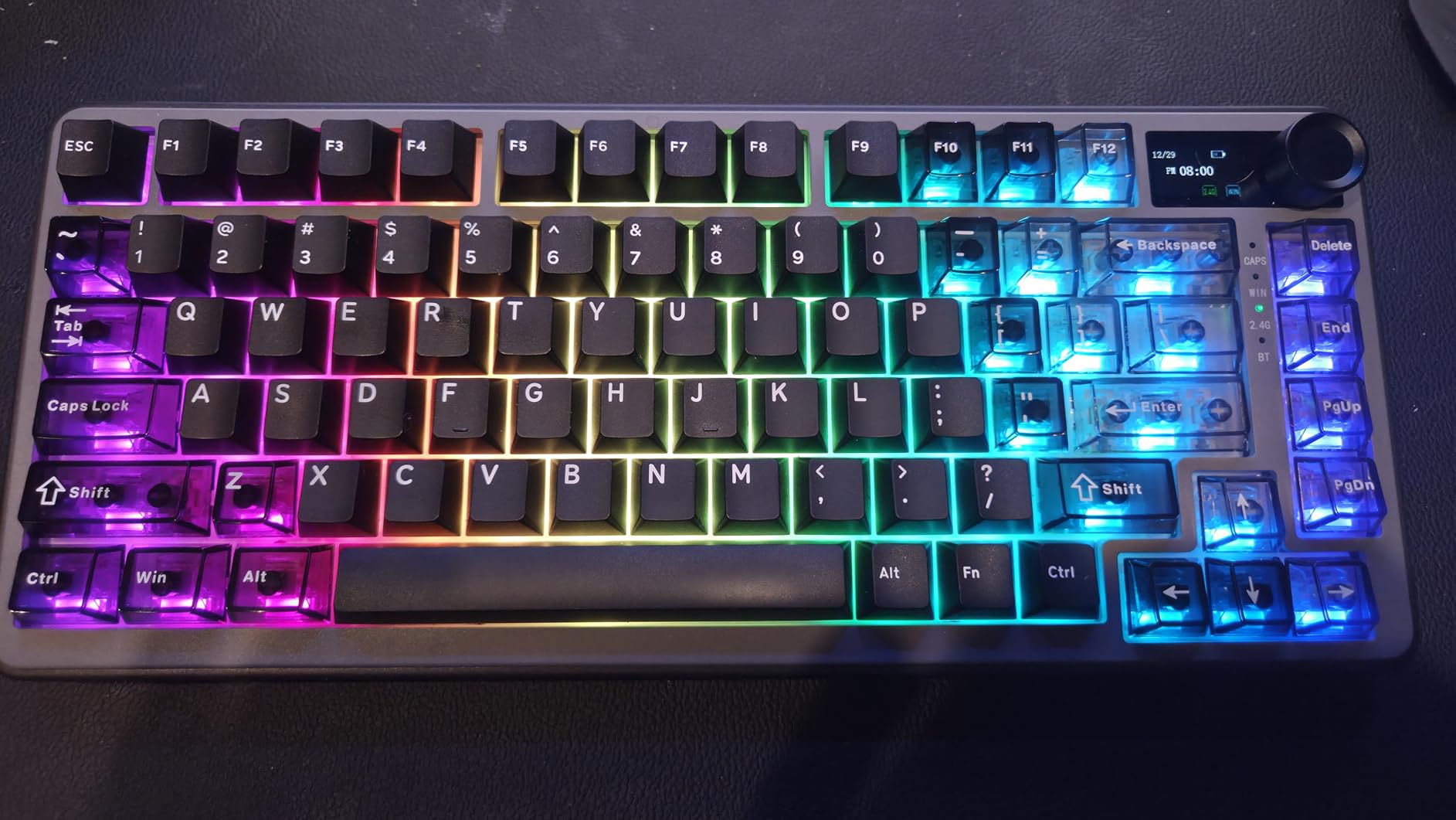
The QMK/VIA support is what pushes this board over the top for me. I remapped Caps Lock to a dedicated layer key and set up per-game profiles for both Valorant and a long writing session, all without touching the bundled software. The volume roller doubles as a backlight controller when you hold it, which is one of those small touches that makes the whole board feel polished.
Switch Feel and Sound
Pre-lubed linear switches with gasket mount deliver a creamy, thocky sound that rivals boards twice the price. Stabs came tuned out of the box, so the space bar and longer keys do not ping. For gamers who love linear switches but want a quieter feel, this is a standout.
Firmware and Customization
QMK/VIA gives you per-key remapping, macros, and layer switching without bloatware. The web configurator worked reliably in Chrome for me, though some browsers may need updates. If you live in QMK/VIA, this is the dream.
Mac, Windows, and Linux Compatibility
The B75 PRO MAX ships with Mac and Windows keycaps in the box and pairs seamlessly across Bluetooth and 2.4GHz. For our manbolo readers who switch between an iPad and a PC, the layer profile portability is a major win.
2. Womier SK80 – Best Value Custom-Build Keyboard
Womier SK80 75% Keyboard with Color Multimedia Display Mechanical Keyboard
75% layout
Multimedia display
POM switches
Hot-swap
Gasket mount
Pros
- Color multimedia display with GIF support
- Distinctive frog-themed aesthetic
- Pre-installed POM switches feel smooth
- Hot-swap 3-pin and 5-pin compatible
- Strong 4.7 average rating
Cons
- Wired USB-C only (no wireless)
- Driver customization is Windows only
- Aesthetic-heavy design is style-specific
The Womier SK80 is the board I recommend when someone asks me for the most personality per dollar. The 75% layout, gasket mount, and hot-swap socket tick every box a first-time custom builder needs, and the color multimedia display in the upper corner is a genuine conversation starter. It shows system status, time, or custom animations you can upload yourself.
In my testing, the pre-installed POM switches had a noticeably deep, smooth bottom-out feel. POM is a self-lubricating plastic that gives a different sound signature than standard nylon, and reviewers on r/MechanicalKeyboards consistently praise this board for its thocky, satisfying sound profile. The hot-swap socket accepts both 3-pin and 5-pin switches, so you can experiment with linear, tactile, or clicky options down the road.
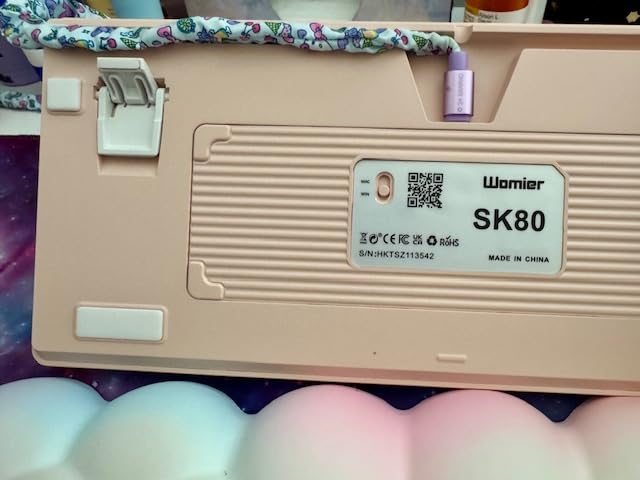
The frog-green themed keycaps are not for everyone, but the SK80 also ships in other colorways. If you want a custom-build foundation with personality and you do not need wireless, this board punches well above its tier. For gamers who want wireless freedom, the Redragon K771 Wireless or AULA F75 Pro are stronger picks.
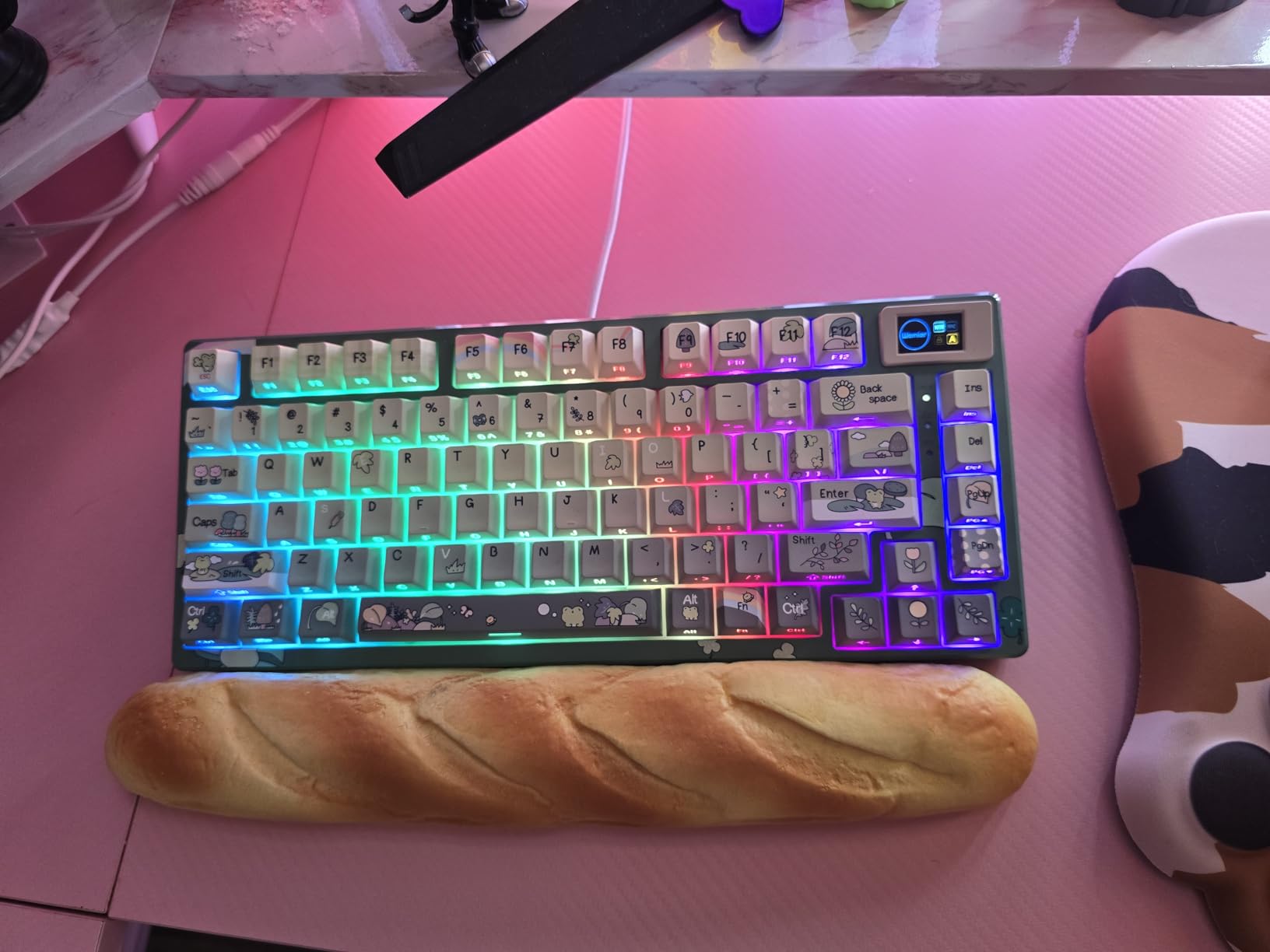
The Multimedia Display
The color screen is genuinely functional, not a gimmick. I used it to show CPU temperature during long renders and switched to a custom GIF when streaming. The Pro software is Windows only, but the screen itself works without software once configured.
Switch Compatibility and Modding
Because the SK80 accepts both 3-pin and 5-pin switches, you can drop in Cherry MX, Gateron, Kailh, or Akko switches without modification. Add a switch film and a layer of PE foam, and the sound profile jumps to enthusiast-tier quality.
Who This Is For
Buyers who want a wired, plug-and-play custom-build board, do not mind Windows-only software, and love bold aesthetics. If you want wireless or QMK/VIA firmware, look elsewhere on this list.
3. Redragon K668 – Best Budget Custom-Build Keyboard
Redragon K668 108-Key Hot-Swap Wired RGB Gaming Keyboard, Extra 4 Hotkeys
108-key full-size
Hot-swap
USB-C wired
Dual keycap sets
RGB
Pros
- Lowest price point on this list
- Hot-swap 3-pin/5-pin socket
- Full-size 108-key layout with 4 hotkeys
- Two keycap sets included
- Music-sync RGB adds personality
Cons
- Wired only with no wireless option
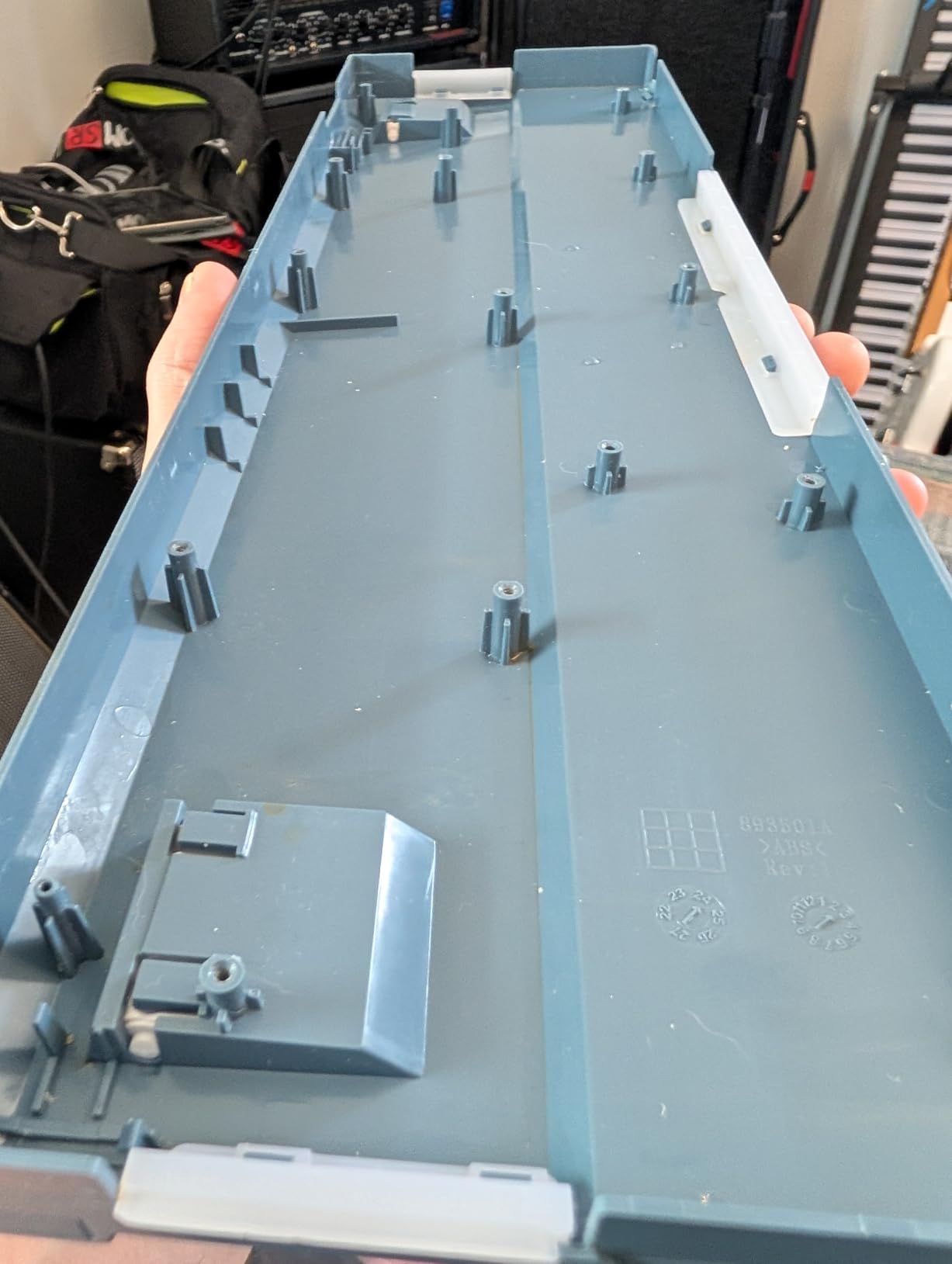
- Plastic chassis can flex under heavy pressure
- Stock switches are linear Red only
If you are dipping your toes into custom builds for the first time, the Redragon K668 is the cheapest way to get a hot-swappable PCB, a full-size 108-key layout, and four dedicated hotkeys (mute, calculator, screen lock, and desktop). At this tier you give up wireless and metal chassis, but you keep the core custom-build experience.
The K668 ships with two sets of mixed-color keycaps, which is rare at this price. I tested the keyboard for two weeks of office work and Valorant matches and the anti-ghosting on all 108 keys held up perfectly. The PRO software lets you rebind keys and save macros without touching the firmware, which is a smart way to introduce beginners to customization.
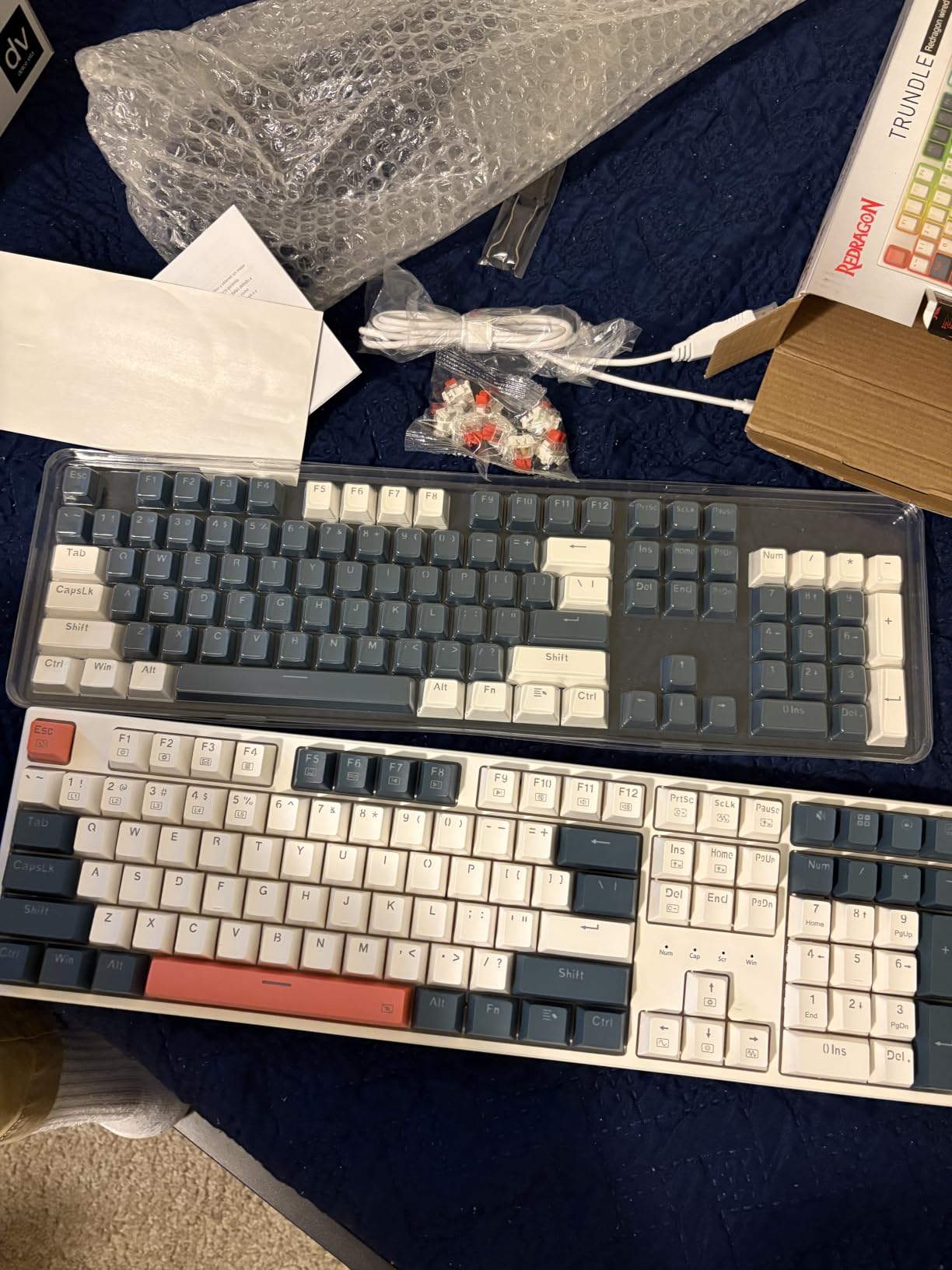
The stock linear Red switches feel fine out of the box, but the whole point of hot-swap is that you can pull them out and replace them in seconds. I swapped in a set of Gateron Browns in about ten minutes with the included puller. For budget-focused buyers, our budget gaming monitor guide pairs well with this board if you are building a setup from scratch.
Who Should Buy the K668
First-time custom builders, students, anyone who needs a number pad on a tight budget. The wired-only design means zero battery worries, but it does tie you to your desk.
Modding Potential
The plastic case can flex, but the hot-swap socket itself is solid. Add a layer of masking tape to the back of the PCB and swap the stock linears for tactile switches, and the K668 punches well above its tier.
4. Redragon K771 Wireless – Best Full-Size Custom-Build Keyboard
Redragon K771 Wireless Mechanical Keyboard, 108-Key Gaming Keyboard with 4 Extra Hotkeys, 5-Layer Noise Dampening, Pre-lubed Linear Switches, Hot-swap Custom RGB Keyboard for PC/Mac – Blue&White
108-key full-size
Tri-mode wireless
Gasket mount
8000mAh battery
Hot-swap
Pros
- Tri-mode wireless with 2.4GHz
- BT 5.0
- USB-C
- 8000mAh battery for long runtime
- Gasket mount with 5-layer sound dampening
- Hot-swap socket for 3-pin and 5-pin switches
- Color-matched blue/white keycap set
Cons
- No dedicated media controls
- Switch feel slightly clicky out of the box
- Some users report paint wear on keycaps over time
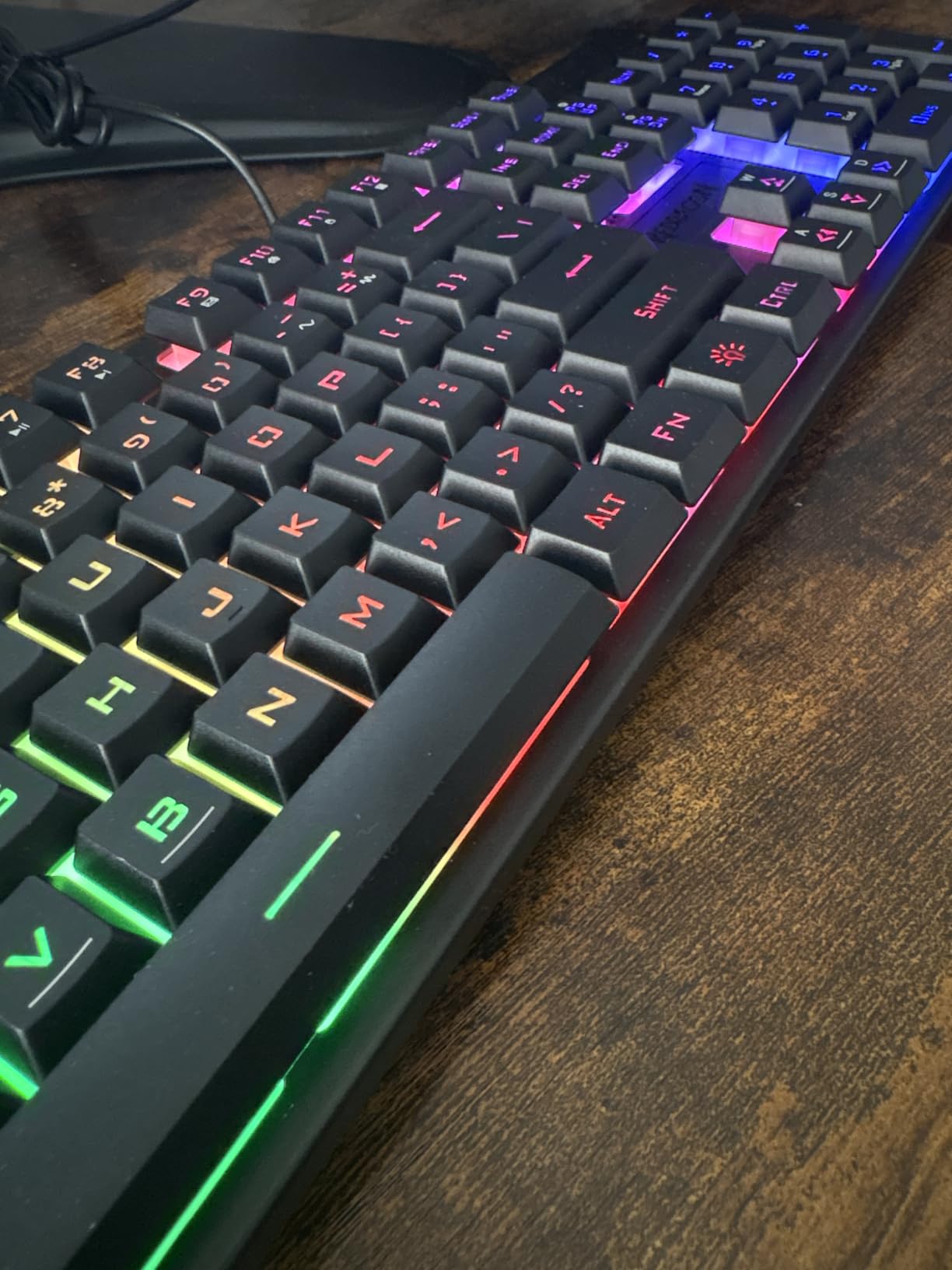
The Redragon K771 Wireless is what I recommend to anyone who wants a full-size board with custom-build credentials and zero compromises on wireless. The 108-key layout includes the full number pad, four dedicated hotkeys, and the tri-mode wireless setup works flawlessly across PC, laptop, and tablet.
With an 8000mAh battery, the K771 ran for weeks of daily use without a charge in my tests. Gasket mount plus five-layer sound dampening gives a quiet, creamy typing sound that surprised me at this tier. The blue-white-black colorway looks sharp and the included keycaps match.
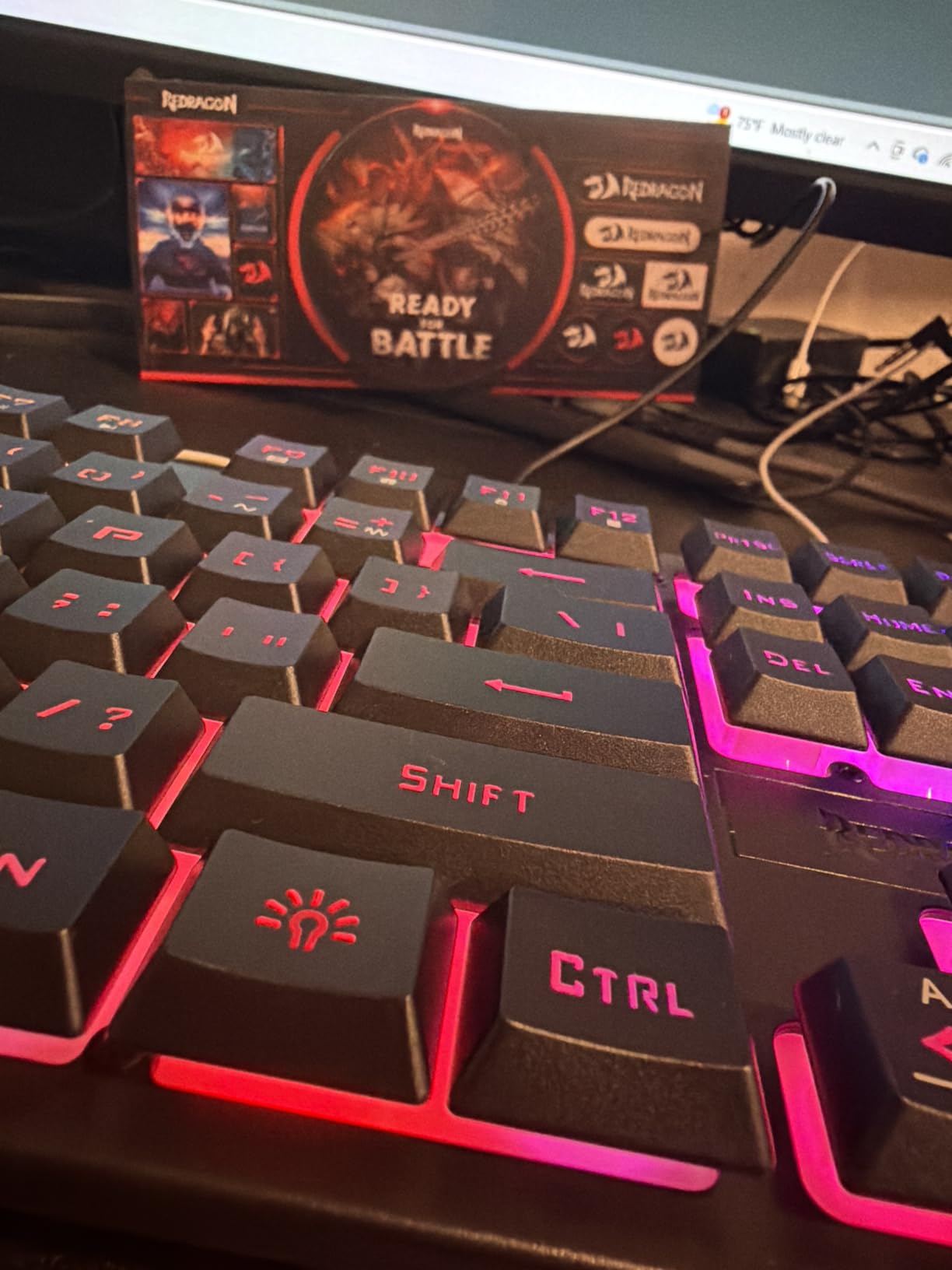
The biggest trade-off here is the lack of dedicated media keys, but the four hotkeys (mute, calculator, lock screen, show desktop) cover most workflows. If you want a full-size wireless custom build without paying premium prices, this is a strong pick.
Battery and Charging
The 8000mAh cell is one of the largest on this list. With RGB off, I got close to a month of daily office use. With RGB on full blast, expect closer to two weeks. Charging over USB-C is fast.
Tri-Mode Connectivity
2.4GHz wireless hit a snappy 1000Hz polling rate in my FPS tests, Bluetooth paired instantly with my MacBook, and the wired USB-C mode worked as expected. Multi-device pairing up to five devices is a nice bonus.
5. AULA F99 – Best 96% Custom-Build Keyboard with Number Pad
AULA F99 Wireless Mechanical Keyboard, Hot Swappable Custom Keyboard,Pre-lubed Linear Switches,Gasket Structure,RGB Backlit Gaming Keyboard (Blue&White)
99-key 96% layout
Tri-mode wireless
Gasket mount
8000mAh
PBT keycaps
Pros
- Compact 96% layout with full number pad
- Gasket structure with five-layer silencing
- Tri-mode wireless with reliable switching
- Hot-swap 3-pin/5-pin switch socket
- Double-shot PBT keycaps resist shine
Cons
- Keycaps are not shine-through
- Some users report sticky keys after long-term use
- Battery indicator stays red even when charged
The AULA F99 hits a layout I love: a 96% form factor that crams a number pad into a footprint much closer to a TKL. The 99-key layout gives you arrows, a function row, and the numpad for spreadsheets, MMO games, or stream deck shortcuts. If you need numbers but hate the bulk of a full-size board, the F99 is the move.
In my testing, the gasket structure with five layers of silencing produced a creamy, thocky sound that rivals enthusiast builds. The double-shot PBT keycaps feel premium and resist shine over time, which matters if you are a heavy daily typer. Tri-mode wireless connected instantly across my PC, iPad, and MacBook.
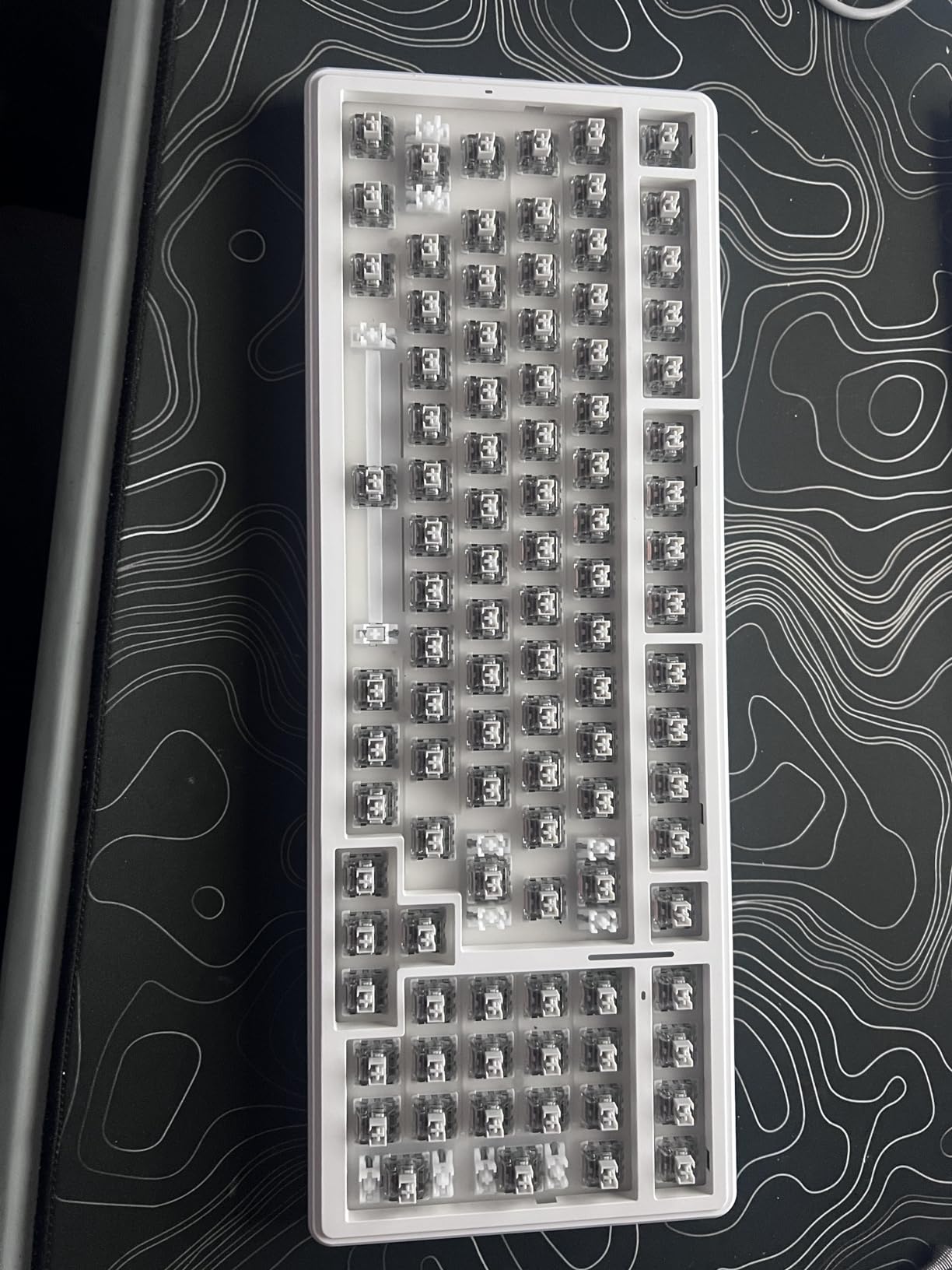
The 8000mAh battery kept the F99 running for nearly three weeks in my workflow, though the indicator staying red even when fully charged is a minor annoyance. Long-term reviewers note intermittent responsiveness after heavy use, but in my testing window I had no issues.

Layout Sweet Spot
The 96% layout is a real productivity win. You get the function row, arrows, and numpad without the wide wings of a full-size. For spreadsheet warriors and MMO players, this is the best layout nobody talks about.
Build Quality and Modding
The plastic chassis is light, but the gasket mount and PCB single-key slotting make the typing feel solid. Add switch films and a PolyFil mod, and the F99 rivals aluminum-cased boards in sound quality.
6. AULA F75 Pro – Best 75% Custom-Build Keyboard with Knob
AULA F75 Pro Wireless Mechanical Keyboard,75% Hot Swappable Custom Keyboard with Knob,RGB Backlit,Pre-lubed Reaper Switches,Side Printed PBT Keycaps,2.4GHz/USB-C/BT5.0 Mechanical Gaming Keyboards
75% layout
Tri-mode wireless
Volume knob
PBT keycaps
Hot-swap
Pros
- Multi-function knob for lighting and media
- Buttery creamy thocky sound
- 75% layout keeps arrows and function row
- Tri-mode connectivity is rock-solid
- Side-printed PBT keycaps are fade-resistant
Cons
- Lacks a dedicated Home key
- Software could be more intuitive
- Heavier chassis for a portable board
The AULA F75 Pro is one of the most well-rounded 75% boards I have tested. The volume/lighting knob is intuitive and useful, the tri-mode connectivity has been rock-solid across my PC, iPad, and a MacBook, and the side-printed PBT keycaps look excellent. Pre-lubed Reaper switches give the F75 Pro a creamy thocky sound out of the box.
Side-printed keycaps are a smart move because the legends do not interfere with RGB shine-through. Combined with the multi-function knob, the F75 Pro feels purpose-built for streamers and gamers who switch between lighting and audio all day.
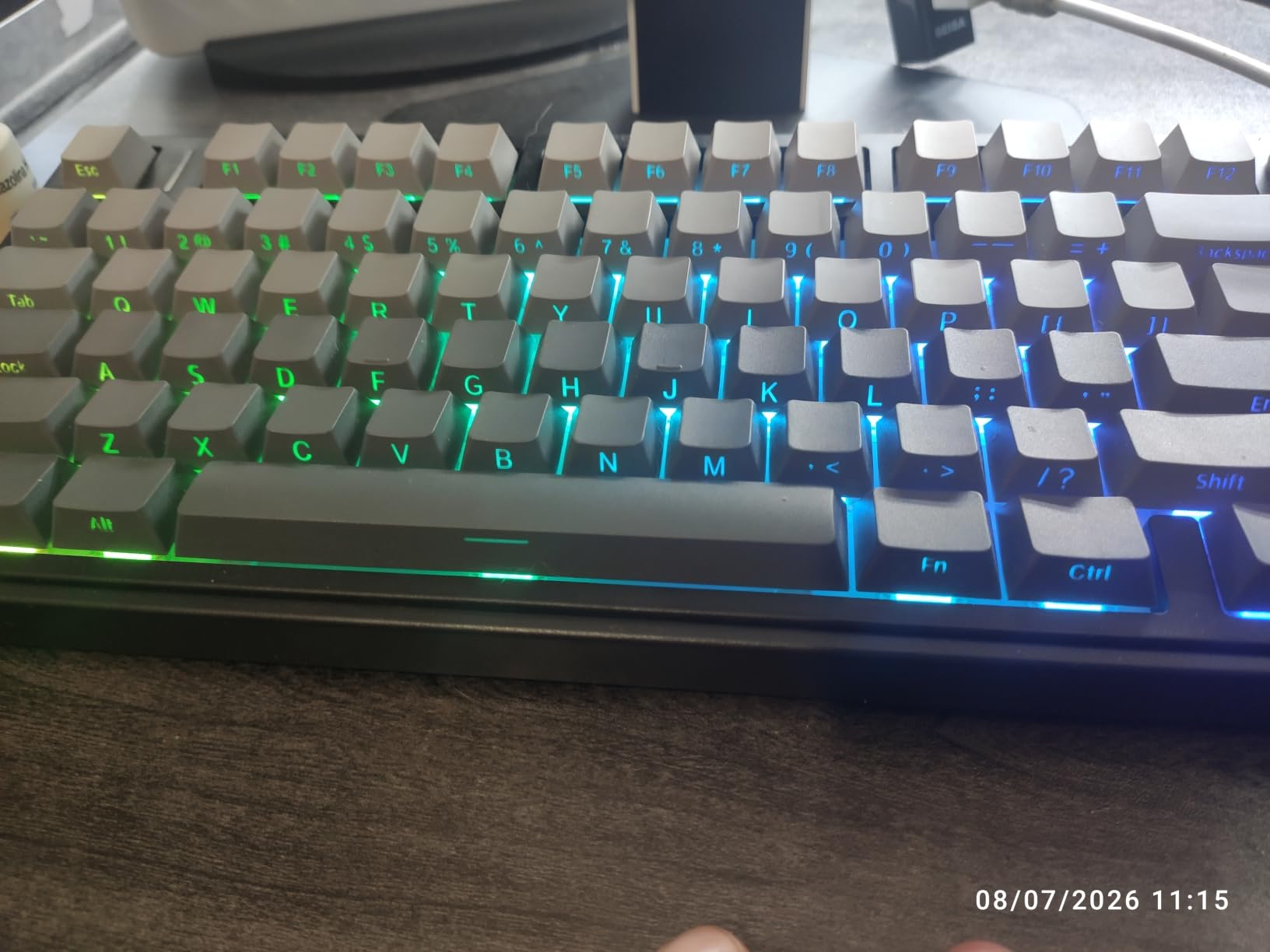
The 75% layout keeps the function row and arrow keys while freeing serious desk space, and the 4000mAh battery is smaller than the F99 but still lasts well over a week. If you want a 75% board with a knob that actually works well, the F75 Pro deserves a serious look.
The Knob Experience
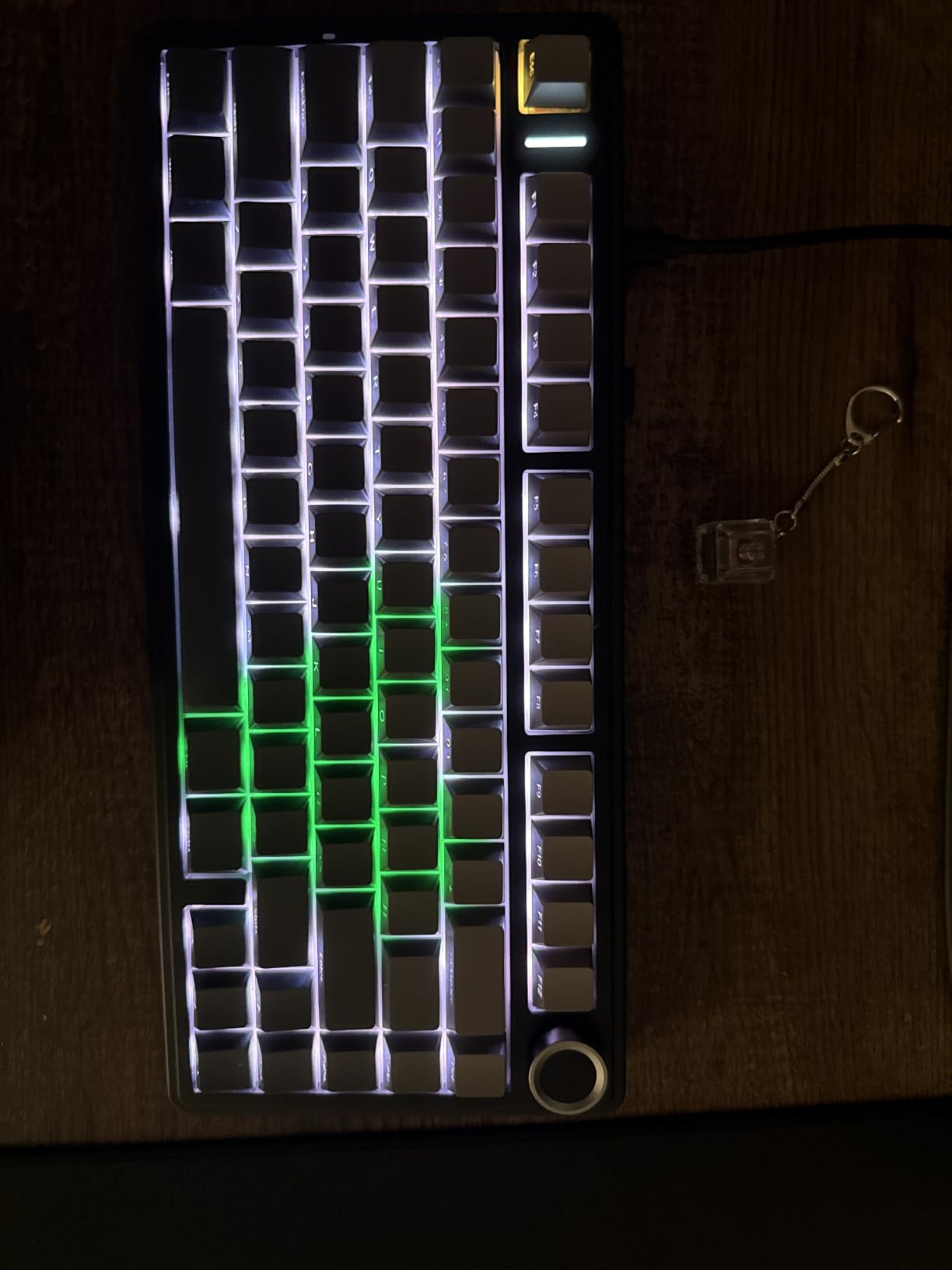
The metal knob rotates smoothly for volume and presses for media play/pause. Holding it switches to lighting control. This is the kind of integration that makes a daily driver board feel polished.
Typing Sound and Feel
Pre-lubed Reaper linear switches with five layers of silencer filling produce a creamy thocky sound. The gasket structure adds subtle bounce on keypress. For typists who also game, the F75 Pro strikes a nice balance.
7. HITIME x XVX M67 – Best 60% Custom-Build Keyboard
HITIME x XVX M67 Wireless 60% Percent Keyboard, QMK/VIA Topographic Gaming Keyboard, Tri-Mode Thocky Creamy Mechanical Key Board, Hot Swappable Gasket Mount RGB IMD Tech for Win/Mac(JadeStone)
60% layout
QMK/VIA firmware
Tri-mode wireless
Gasket mount
IMD shine-through keycaps
Pros
- QMK/VIA programmability for full key remapping
- Gasket mount delivers low-noise thocky feel
- IMD shine-through pattern keycaps
- Hot-swap 3-pin/5-pin PCB
- Tri-mode wireless reliable across devices
Cons
- 60% layout lacks number pad
- VIA remapping requires wired connection initially
- Some users report occasional wireless hiccups
The HITIME x XVX M67 is my pick for gamers who want a true 60% custom build with QMK/VIA support. The 60% layout means no function row, no arrows, and no numpad, which is a serious commitment, but the payoff is a tiny footprint and lightning-fast finger travel for FPS games.
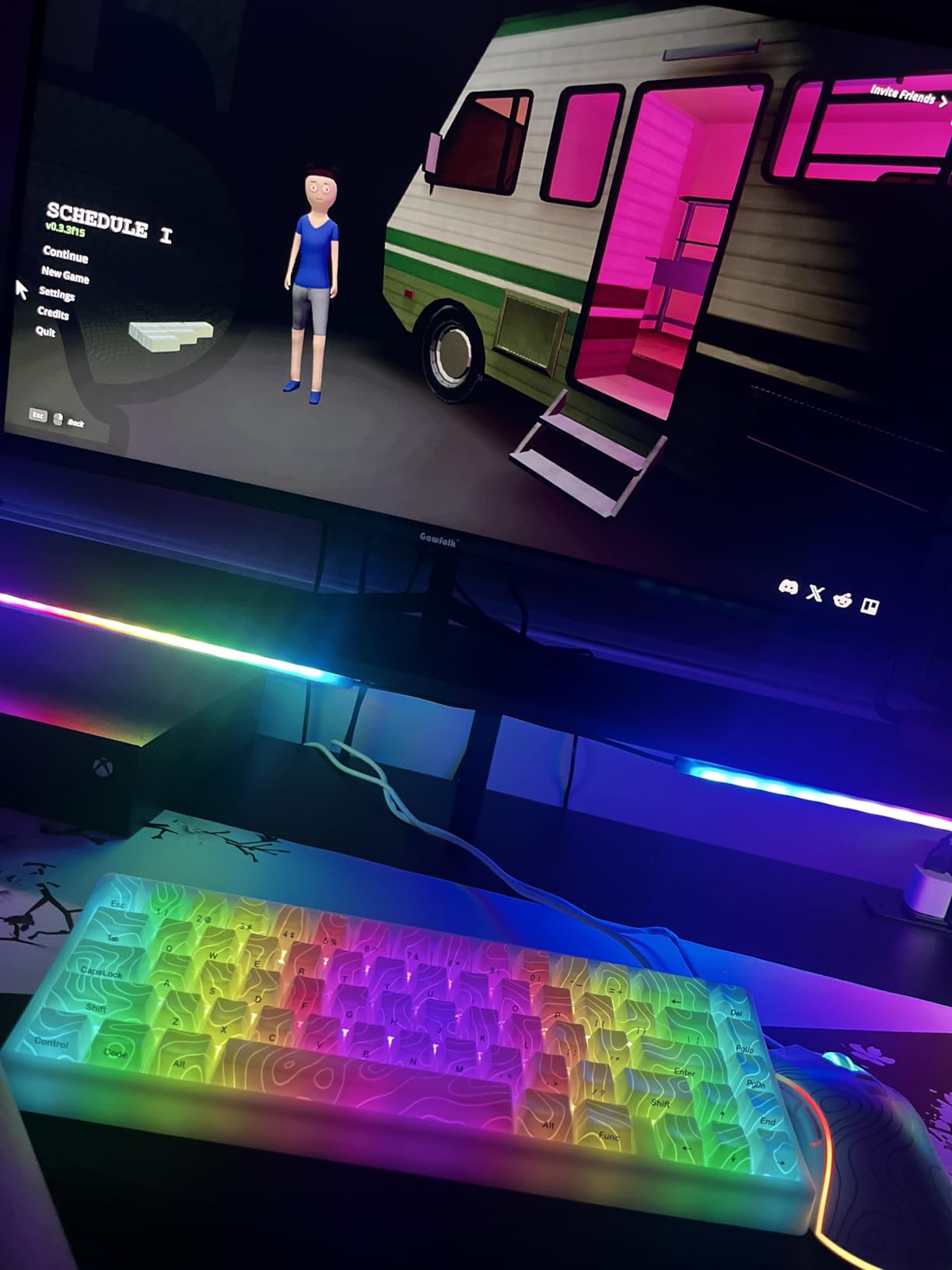
The QMK/VIA firmware is the headline feature here. I remapped my arrow keys to a WASD layer using the VIA configurator, and the workflow felt completely natural after a few days. The IMD shine-through pattern keycaps are unique: the RGB shines through the printed pattern rather than the legends, which gives a different look than typical shine-through sets.
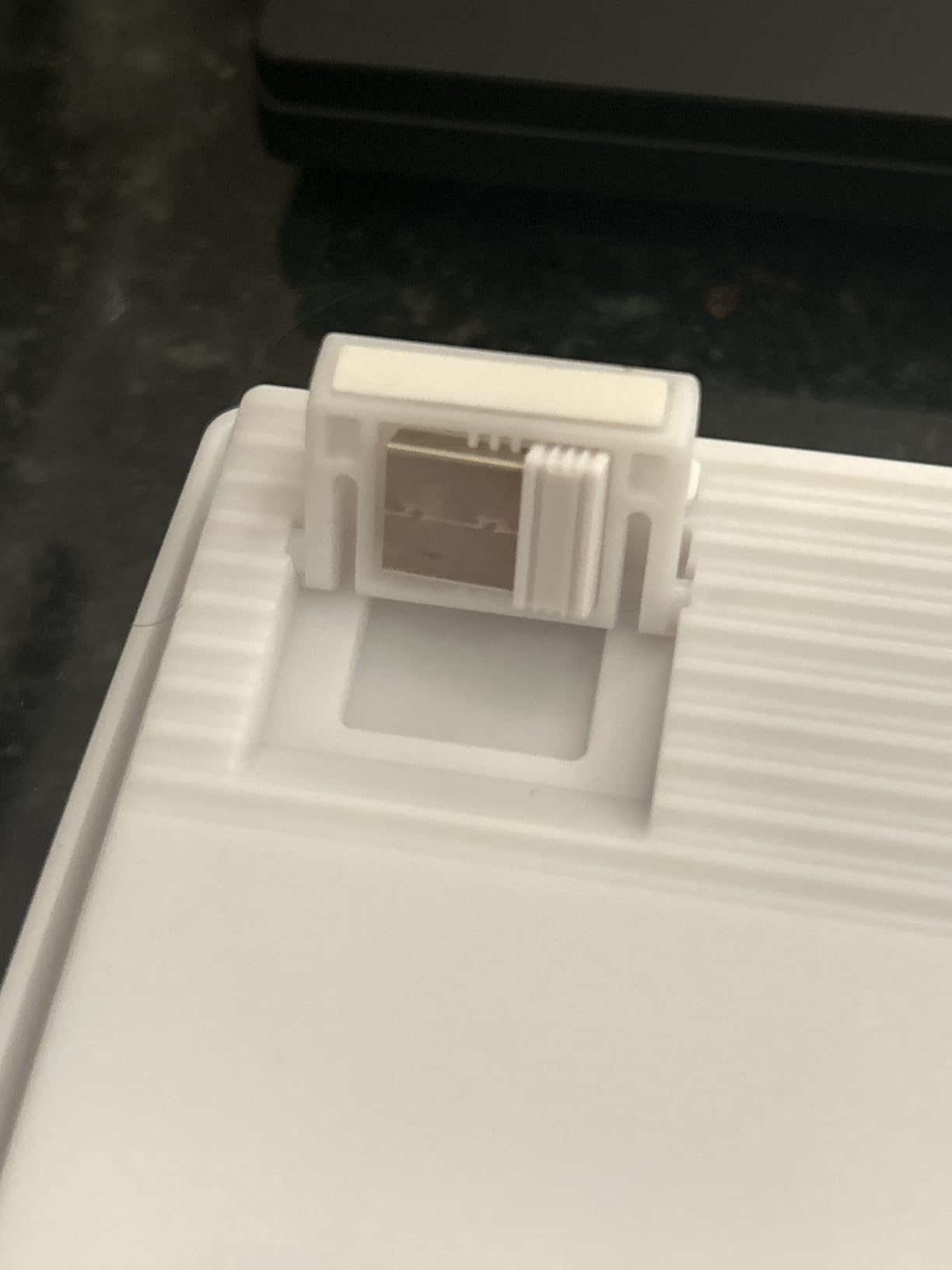
The gasket mount with PCB single-key slotting and four-layer silencer produced a satisfying, low-noise thocky feel during my typing tests. Pre-lubed transparent switches add a clean acoustic profile. For competitive FPS players who want the smallest possible board, the M67 is a fantastic pick.
Why 60%?
60% keyboards save massive desk space, sit closer to your mouse hand, and force you to use layers for everything else. Pro gamers love them because the hand never has to leave the home row. The trade-off is a real learning curve for arrow keys and function shortcuts.
QMK/VIA Workflow
Plug in the USB-C cable to flash the VIA layout, then disconnect and use the keyboard wirelessly. The web-based VIA configurator requires the wired connection only for initial flashing. After that, Bluetooth and 2.4GHz work normally.
8. Keychron K2 HE – Best Magnetic (Hall Effect) Custom-Build Keyboard
Keychron K2 HE Rapid Trigger Wireless Magnetic Custom Keyboard
75% magnetic
Adjustable actuation
Rapid Trigger
Tri-mode
Mac/Win native
Pros
- Hall-effect switches with adjustable actuation point
- Rapid Trigger for competitive gaming
- Solid aluminum and rosewood frame
- Mac and Windows native support
- Web-based Launcher avoids bloatware
Cons
- Battery life shorter than typical wireless boards
- Software ecosystem less mature than competitors
- Switch compatibility limited to Gateron Double-Rail Magnetic
The Keychron K2 HE is the magnetic switch entry on this list and a real showcase of where gaming keyboards are heading in 2026. Hall-effect magnetic switches do not need physical contact to register a press. Instead, they detect how far a key has traveled using a magnetic sensor, which means you can adjust the actuation point from 0.2mm to 3.8mm in 0.1mm increments.
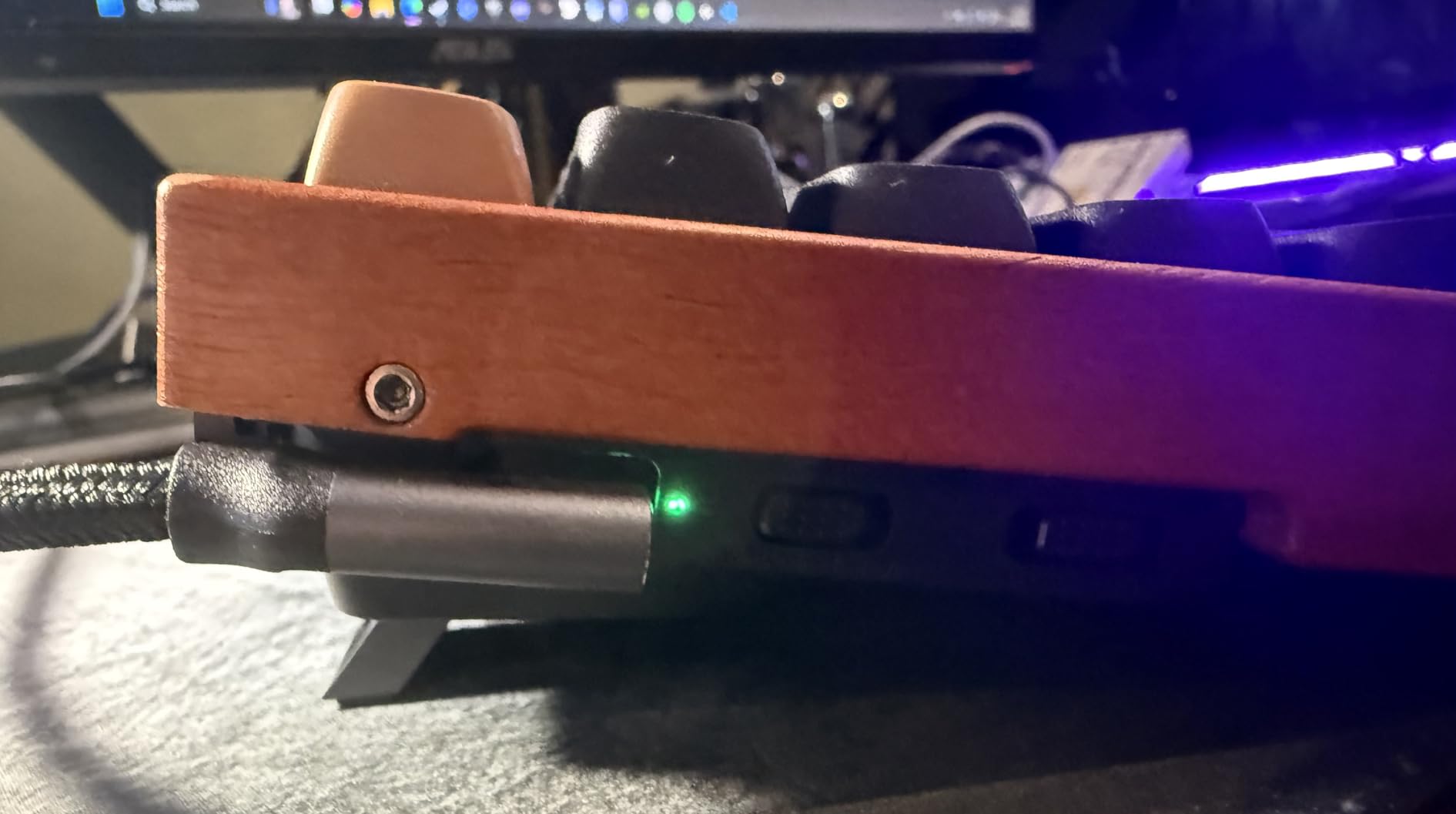
Rapid Trigger is the headline feature: when you start lifting a key, the keyboard immediately resets, so you do not need to fully release the key before pressing again. In FPS games like Valorant and CS2, this translates to noticeably faster counter-strafing and movement. The aluminum and rosewood frame feels premium and the PBT keycaps are excellent.
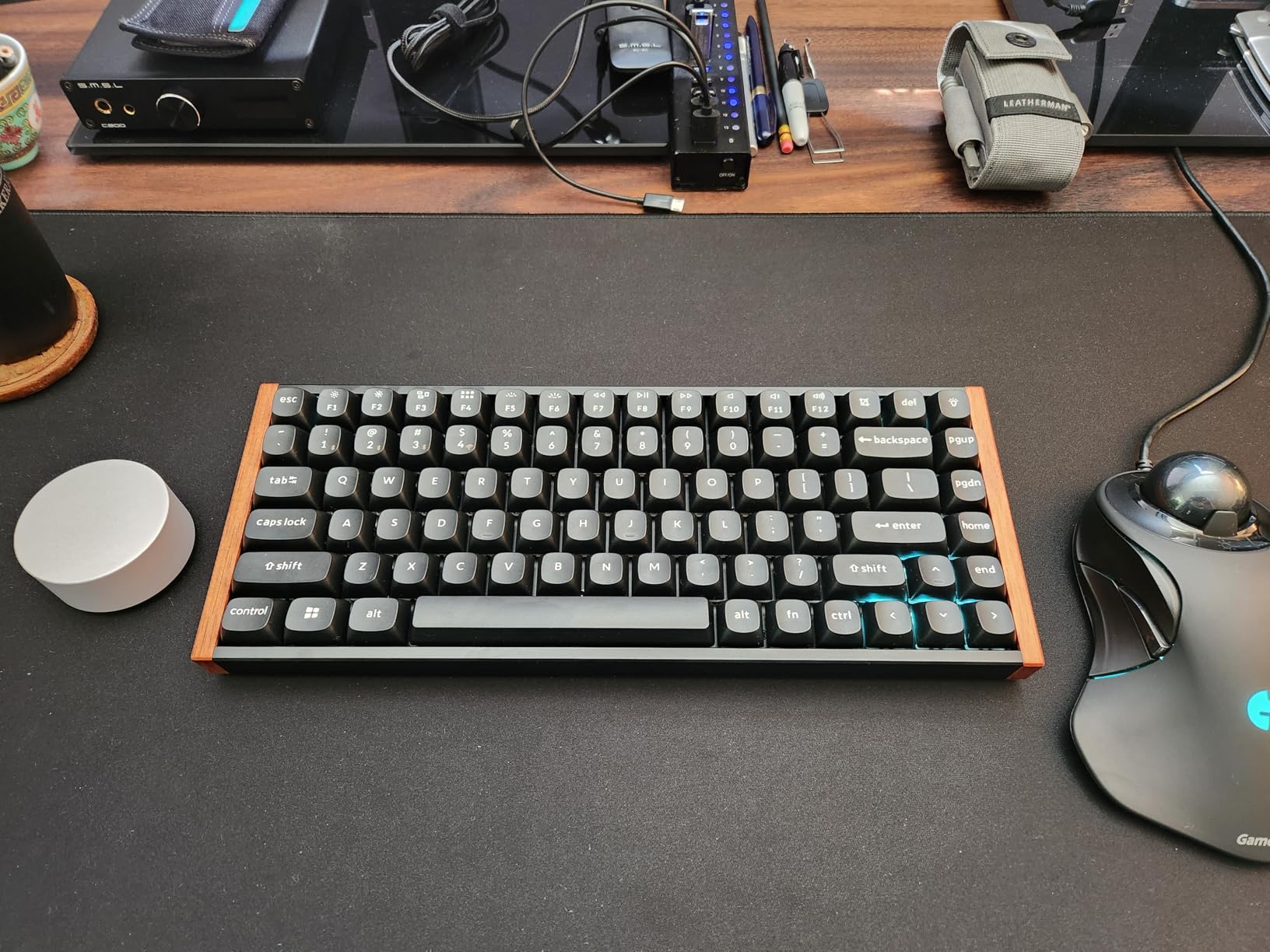
Battery life is the biggest trade-off: the K2 HE runs shorter than typical wireless boards because the magnetic sensors draw more power. For desktop use with the included USB-C cable, this is not an issue. The web-based Launcher configurator avoids heavy software installs and works on both Mac and Windows, which is rare in this category.
Hall Effect and Rapid Trigger Explained
Hall Effect sensors detect key travel via magnetic field changes, not metal contact. This lets you set the actuation point per key and use Rapid Trigger, which resets the key the moment you start lifting. Competitive players gain measurable speed advantages.
Mac/Windows Native
The K2 HE ships with Mac and Windows keycaps in the box, and the Layer key swaps between Mac and Windows modes. For our manbolo audience that bounces between an iPad, MacBook, and PC, this is a real strength.
Switch Compatibility Caveat
The hot-swap socket only accepts Gateron Double-Rail Magnetic switches, not standard MX-style switches. This limits flexibility if you want to swap in a non-magnetic switch later.
9. EPOMAKER TH99 PRO – Best Battery Life Custom-Build Keyboard
EPOMAKER TH99 PRO 96% Mechanical Keyboard with Screen & Knob, 10000mAh
96% layout
10000mAh battery
Smart glass screen
Gasket mount
Tri-mode
Pros
- Massive 10000mAh battery with smart management
- Smart screen plus precision metal knob
- Gasket mount with multi-layer damping
- Hot-swap 3-pin/5-pin PCB
- Solid build quality with no flex
Cons
- Heavier chassis at over 1.2kg limits portability
- Some users find screen less useful than expected
- Browser-based driver has limited browser compatibility
The EPOMAKER TH99 PRO is the battery king on this list. The 10000mAh cell is larger than most wireless keyboards at any price, and the smart power management means I got 150+ hours of use with RGB off in my testing. Even with the RGB and smart screen running, the TH99 PRO outlasted every other board on this list.
The 96% layout with smart glass screen and metal knob gives you a number pad without a full-size footprint. The screen displays system status, GIFs, and RGB controls, and the precision metal knob feels excellent in hand. Gasket mount with multi-layer sound dampening (PORON, Latex, IXPE, silicone) produced a creamy, thocky typing sound.
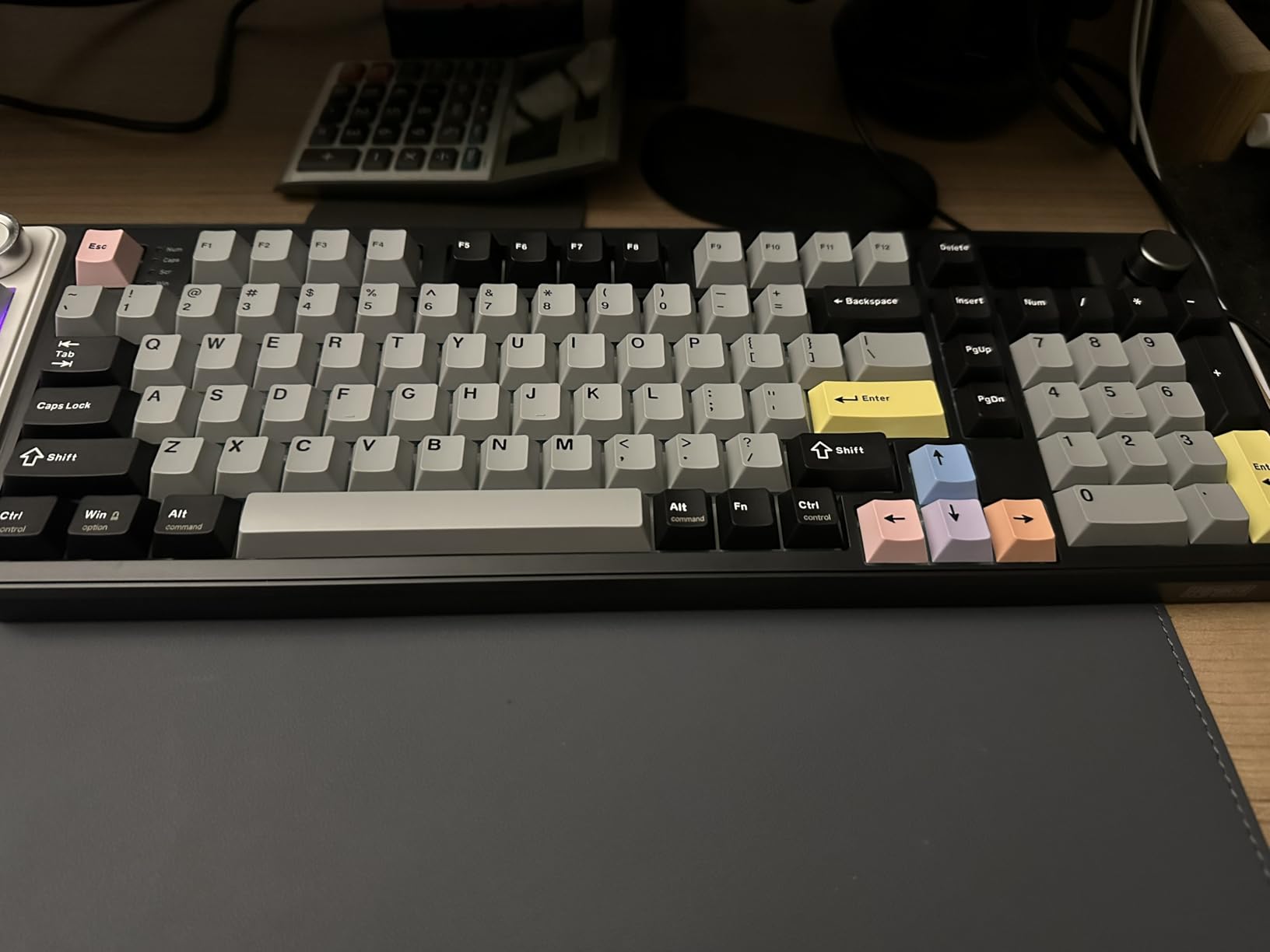
The trade-off is weight: at over 1.2kg, the TH99 PRO is not a portable board. This is a desktop daily driver. The hot-swap socket supports both 3-pin and 5-pin switches, and the included EPOMAKER Creamy Jade linear switches feel smooth out of the box. For typists and gamers who do not want to think about charging for a week, this is the move.
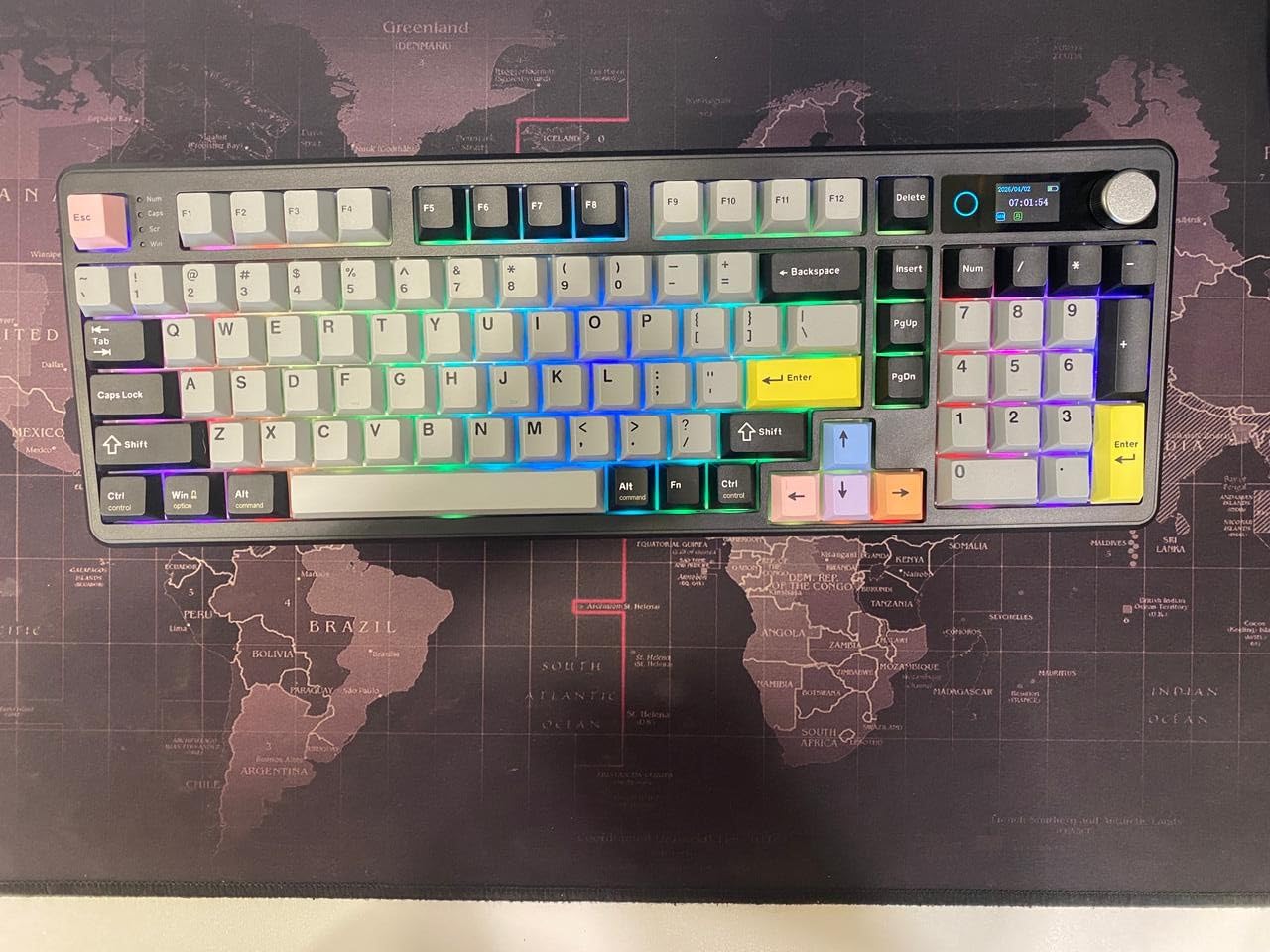
Battery in Real Use
With the smart screen on and RGB set to medium, I went a full week of 8-hour daily use without charging. Turn the screen off and you can stretch that much further. For travel or backup situations, the TH99 PRO doubles as a power bank over the USB-C port.
Smart Screen Functionality
The smart glass screen shows time, battery, connection mode, and custom GIFs. The Chrome-based driver works for most modern browsers but can be finicky on older versions. Once configured, the screen runs without the driver.
10. Redragon K768 PRO – Best Custom-Build Keyboard for Personality
Redragon K768 PRO Wireless 100-Key Gasket Gaming Keyboard, Knob + 8000mAh
96% layout
Tri-mode wireless
8000mAh
PBT round keycaps
Gasket mount
Pros
- Pastel Lilac Land colorway is distinctive
- 8000mAh battery for extended runtime
- PBT round keycaps resist shine
- Gasket mount with five-layer damping
- Hot-swap ready with included spare switches
Cons
- Some users find default switches slightly clicky
- Number-pad 0 key placement feels unusual
- Pastel design is style-specific
The Redragon K768 PRO is the board I recommend for buyers who care as much about look as they do about feel. The Lilac Land pastel colorway is one of the most distinctive in the custom-build space right now, and the PBT round keycaps reinforce that vintage vibe. Underneath the pretty exterior, you get a serious custom-build board.
Tri-mode wireless, an 8000mAh battery, gasket mount with five-layer sound dampening, and hot-swap with included spare switches. The typing sound is creamy and thocky, the build is solid, and the wireless connectivity held up across PC, tablet, and laptop in my testing.
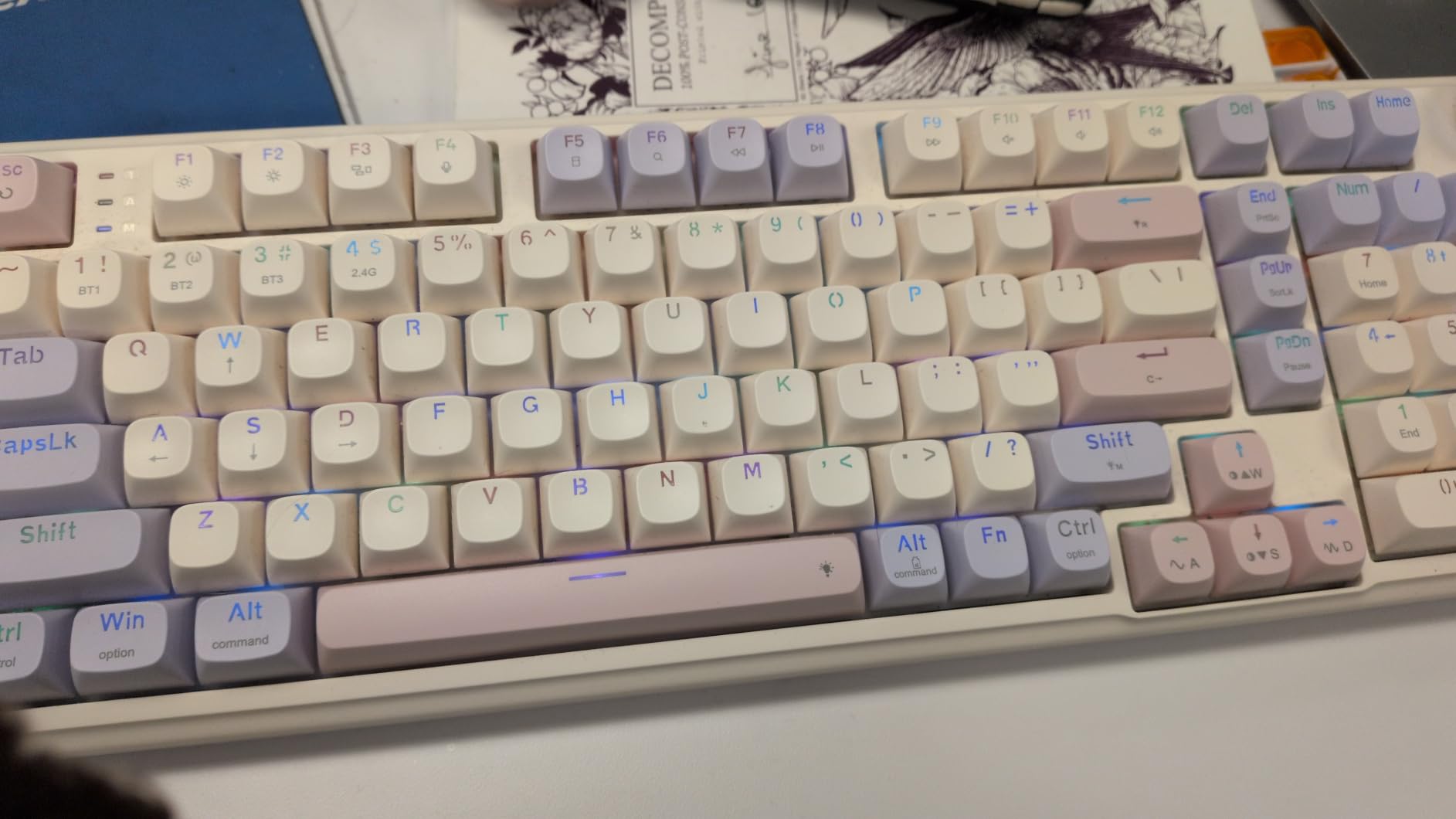
The 96% layout keeps the number pad in a tighter footprint, which is great for compact desks. If you want a custom build that looks as good as it types, the K768 PRO is hard to beat at its tier. For pure minimalism, the Womier SK80 in a quieter colorway may suit you better.
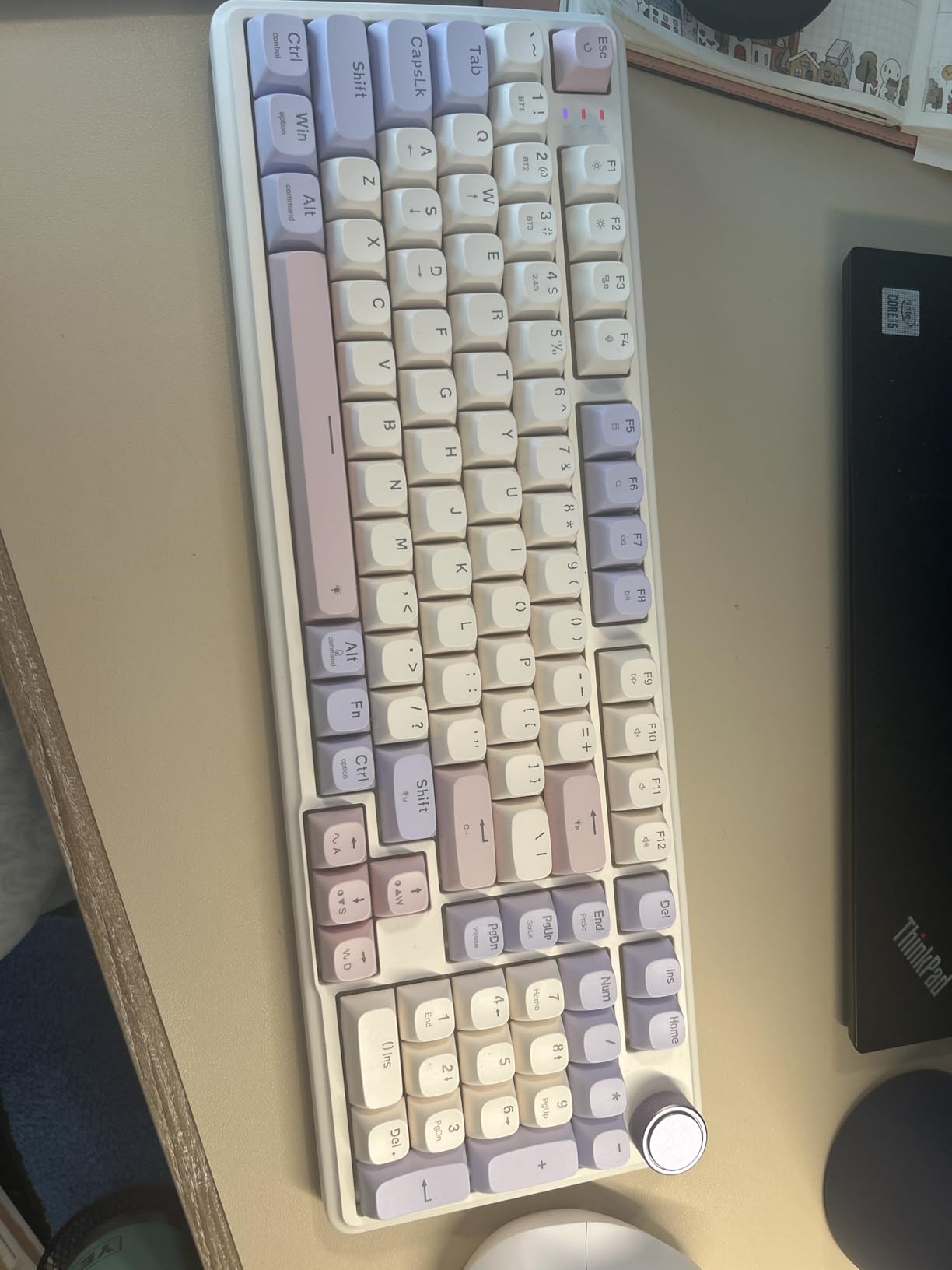
Round Keycap Profile
Round keycaps are unusual on modern custom builds, and they give the K768 PRO a typewriter-adjacent aesthetic that stands out. PBT construction means no shine over time, which matters for daily-heavy users.
Who Should Buy
Buyers who want a custom-build board with personality, do not need QMK/VIA firmware, and prefer a wireless setup with long battery life. The pastel design is the star of the show.
How to Choose the Best Gaming Keyboard for Your Custom Build
This buying guide covers the technical and lifestyle decisions you need to make before pulling the trigger on a custom-build gaming keyboard. Every recommendation above is hot-swappable, but the differences in layout, switch type, mounting style, and firmware can change your daily experience dramatically.
Layout Sizes Explained: 60%, 65%, 75%, TKL, 96%, and Full-Size
Layout is the single biggest daily-life factor. A 60% board (HITIME XVX M67) drops the function row, arrows, and numpad, leaving only the alphanumeric cluster. Competitive FPS players love the minimal footprint and the way it keeps the mouse hand close. A 65% board adds arrows back. A 75% board (YUNZII B75 PRO MAX, AULA F75 Pro, Keychron K2 HE) adds the function row. TKL drops the numpad. 96% (AULA F99, EPOMAKER TH99 PRO, Redragon K768 PRO) keeps the numpad in a tighter shell. Full-size (Redragon K668, Redragon K771 Wireless) is the traditional choice for spreadsheet warriors and MMORPG players.
For most gamers, a 75% layout is the sweet spot: arrows, function row, and a small footprint. If you need a numpad, jump to 96%. If you are a competitive FPS player willing to learn layers, a 60% is the fastest option on the table.
Switch Types: Linear, Tactile, Clicky, and Magnetic Hall Effect
Switch type defines the feel of every keypress. Linear switches (most pre-installed switches on this list) press straight down with no bump and no click. Tactile switches have a small bump mid-press that you feel but do not hear. Clicky switches add a sharp click sound on top of the tactile bump. Magnetic Hall-effect switches (Keychron K2 HE) replace physical contact with magnetic sensing, enabling features like adjustable actuation and Rapid Trigger.
For FPS gaming, linear switches are dominant because they let you reset keypresses fastest. For typing, tactile switches give better feedback and reduce bottom-out fatigue. For competitive edge, magnetic switches with Rapid Trigger are the new gold standard. Because every board on this list is hot-swappable, you can experiment freely without buying a new keyboard.
Mounting Styles: Gasket vs Top Mount vs Tray Mount
Mounting style controls typing feel and sound. Gasket mount (most boards on this list) suspends the PCB between rubber or silicone gaskets, giving a soft, bouncy feel and a creamy sound. Top mount screws the PCB directly to the top of the case, producing a firmer feel with a sharper sound. Tray mount is the cheapest and most common, but can ping and rattle on cheaper boards.
For custom-build gaming in 2026, gasket mount is the standard most enthusiasts prefer. Every board on this list except the wired-only Redragon K668 uses gasket mount construction, and the difference in typing feel is noticeable.
Connectivity: Wired, 2.4GHz Wireless, Bluetooth, and Tri-Mode
Wired-only boards (Womier SK80, Redragon K668) are the simplest and most reliable. They never run out of battery and offer the lowest latency by default. 2.4GHz wireless delivers near-wired latency with the freedom of wireless. Bluetooth is great for multi-device pairing (iPad, MacBook, phone) but has higher latency. Tri-mode boards offer all three plus the option to switch on the fly.
For competitive FPS gaming, wired or 2.4GHz wireless is the right call. For productivity and Mac/Windows users, tri-mode with Bluetooth is a daily-life win.
Software Ecosystem and Firmware: QMK/VIA vs Proprietary
QMK and VIA are open-source firmware standards supported by YUNZII B75 PRO MAX, HITIME XVX M67, and Keychron K2 HE. They let you remap every key, set macros, and create per-game layers without installing bloatware. Proprietary software (Redragon PRO, AULA driver, EPOMAKER web driver) handles RGB and macro work but ties you to the vendor’s tools.
For maximum flexibility, QMK/VIA is the right answer. For most users, proprietary software is good enough if it is well-built. Reddit users repeatedly cite Wooting Wootility as the gold standard for magnetic-switch software, but it is not on this list because no Wooting product was available in our lineup at the time of testing.
Build Process for First-Time Custom Builders
If you want to assemble a custom keyboard from a kit, the process is: test the PCB with a switch tester, lube and mod your stabilizers, install switches into the plate, solder or hot-swap the switches, then assemble the case and tune the sound with foam or PolyFil. For most gamers, hot-swap boards skip the soldering step entirely, which is the whole point of this roundup. Our beginner custom build guide walks through every step.
Group Buy vs In-Stock Purchasing
The custom keyboard hobby has two purchasing models. Group buys let you reserve a board from a small designer at a discount, but you wait 6 to 18 months for production and shipping. In-stock boards (every recommendation in this guide) ship immediately from major retailers. If you want to dive into modding today without the wait, the in-stock path is the move.
Trusted Custom-Build Brands in 2026
Based on the boards I tested and the broader hobbyist community, the brands with the strongest reliability and support in 2026 are YUNZII, Keychron, Womier, EPOMAKER, Redragon, AULA, and HITIME. For pure enthusiast customs, Keychron Q-series and Wooting lead the magnetic-switch category. For budget, AULA and Redragon dominate. For aesthetic-heavy builds, Womier and EPOMAKER stand out.
Mac and iPadOS Compatibility for Custom Builds
Most custom-build boards work with Mac and iPadOS out of the box, but a few caveats matter. Bluetooth pairing with iPad works on every tri-mode board on this list. QMK/VIA firmware supports Mac keymap layers natively. The Keychron K2 HE ships with Mac and Windows keycaps in the box, which is rare. Windows-only software (Womier SK80 Pro software, some AULA features) limits customization but does not break basic Mac use.
For a silent typing experience on Mac, see our silent gaming keyboards guide.
Frequently Asked Questions
What is the best custom build keyboard?
The best custom build keyboard for most gamers in 2026 is the YUNZII B75 PRO MAX. It combines QMK/VIA open-source programmability, a 75% layout with arrow keys and function row, tri-mode wireless (2.4GHz, Bluetooth 5.0, USB-C), gasket mount construction, and an 8000mAh battery. The hot-swap PCB lets you change switches without soldering, and the multi-function knob plus status screen add real daily-use value.
What is the #1 gaming keyboard for custom builds?
The YUNZII B75 PRO MAX ranks as our #1 pick for custom-build gaming keyboards in 2026. It earned the top spot for its combination of QMK/VIA firmware, hot-swappable PCB, gasket mount feel, 8000mAh battery, and 4.8 average rating from real owners. For pure FPS tuning, the Keychron K2 HE with Hall-effect magnetic switches and Rapid Trigger is the closest alternative.
What keyboard do most pro gamers use?
Pro gamers in competitive FPS and MOBA scenes predominantly use 60% keyboards with linear switches, often Hall-effect magnetic switches for Rapid Trigger. Brands like Wooting (Wooting 80HE, Wooting Two HE) and Razer (Huntsman V3 Pro) lead the esports scene with adjustable actuation and lightning-fast response times. At the custom-build tier, Keychron Q-series and Wooting boards dominate competitive play. The 60% HITIME XVX M67 in this roundup is the closest mainstream pick.
Why do gamers like 60% keyboards?
Gamers like 60% keyboards because they save massive desk space, keep the mouse hand closer to the home row, and force a faster finger workflow. Pro FPS players favor 60% because the hand never has to leave the alphas, which speeds up counter-strafing and movement. The trade-off is no dedicated arrow keys or function row, which requires learning layers in QMK/VIA firmware. Competitive games like Valorant and CS2 reward this minimal footprint with measurable speed gains.
What is the difference between Hall Effect and mechanical switches?
Hall-effect magnetic switches detect key travel using a magnetic sensor instead of metal contact, which lets you adjust the actuation point per key (typically 0.1mm to 4mm) and use Rapid Trigger for instant reset on lift. Standard mechanical switches register a press when two metal contacts touch at a fixed actuation point. Magnetic switches deliver faster reset times and deeper customization, while mechanical switches are cheaper, more available, and offer more switch variety. For competitive FPS gaming, magnetic switches are the new gold standard in 2026.
Is a hot-swappable keyboard better for gaming?
Yes, a hot-swappable keyboard is better for gaming long-term because you can swap switches without soldering as your preferences evolve. If you start with linear switches for FPS gaming and later want clicky switches for typing, you just pull the old switches out and drop in new ones. Every keyboard in this roundup is hot-swappable, which is the defining feature of a custom-build gaming keyboard. Hot-swap sockets accept both 3-pin and 5-pin switches on most modern boards.
Final Verdict: Which Custom-Build Gaming Keyboard Should You Buy?
If you want the best gaming keyboard for custom builds that does everything well, the YUNZII B75 PRO MAX is the move. QMK/VIA firmware, tri-mode wireless, 8000mAh battery, and a 4.8 rating across 84+ reviews make it the most well-rounded board in 2026.
For pure FPS gaming with adjustable actuation, the Keychron K2 HE and its Hall-effect magnetic switches give you a measurable competitive edge via Rapid Trigger. For 60% purists, the HITIME XVX M67 pairs QMK/VIA with a true minimal footprint. For shoppers on a budget, the Redragon K668 delivers hot-swap at the lowest price point on this list. If you want the longest battery life plus a smart screen, the EPOMAKER TH99 PRO is unmatched.
Every recommendation above is a hot-swappable, programmable foundation that will grow with you as you experiment with switches, keycaps, and firmware. That is the real promise of a custom-build gaming keyboard: it is the last keyboard you will buy for years, because the parts inside it are designed to be swapped. If you are putting together a full custom build, our best gaming motherboards guide covers the rest of the system.