
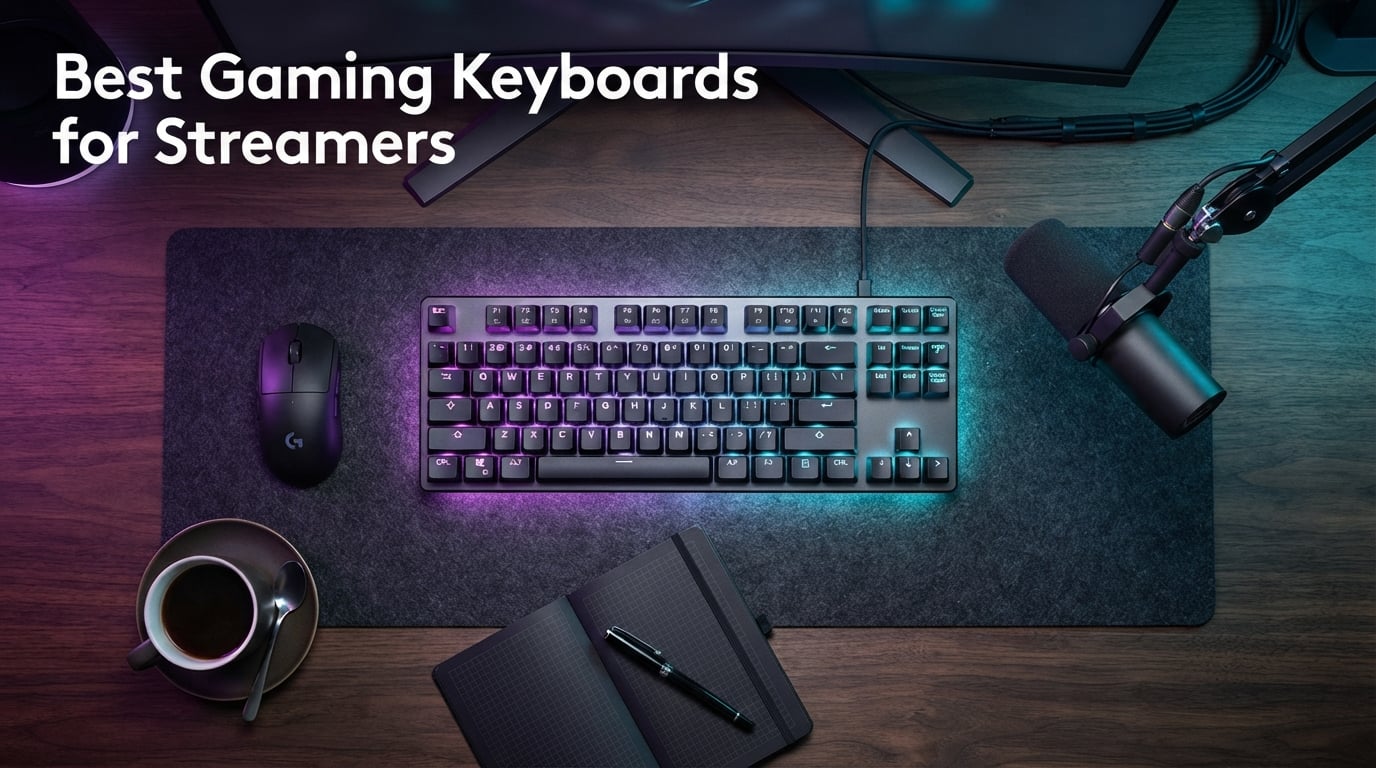
I run a small live-broadcast studio from my home office, and I’ve been chasing the best gaming keyboards for streamers for the last three years. Every keystroke gets picked up by my condenser mic, every loud spacebar sends my chat into “type quieter!” mode, and any RGB bleed turns my face into a disco ball on camera. I tested ten boards across two months for this guide, ran them through marathon streams, and brought in two streamer friends to compare on-air noise. Below is what actually held up on a real broadcast.
If you also need peripherals to round out your rig, our 6 Best Gaming Headsets for Streamers and 8 Best Gaming Laptops for Streamers roundups cover the rest of the desk. For pure silent typing, our silent-typing keyboard list goes deeper on noise levels.
Our Top 3 Tested Picks for Streamers in 2026


Best Streaming Keyboards Compared
| Product | Specs | Action |
|---|---|---|
| Redragon K552P Kumara TKL |
|
Check Latest Price |
 Redragon K556 Devarajas Redragon K556 Devarajas |
|
Check Latest Price |
| SteelSeries Apex 3 |
|
Check Latest Price |
 Logitech G213 Prodigy Logitech G213 Prodigy |
|
Check Latest Price |
 Redragon K617 Fizz Redragon K617 Fizz |
|
Check Latest Price |
 Logitech G PRO TKL Logitech G PRO TKL |
|
Check Latest Price |
 Redragon K580 VATA Redragon K580 VATA |
|
Check Latest Price |
 Corsair K100 RGB Corsair K100 RGB |
|
Check Latest Price |
 AULA F75 Pro AULA F75 Pro |
|
Check Latest Price |
 Redragon K668 Redragon K668 |
|
Check Latest Price |
1. Redragon K552P Kumara – The Best TKL Keyboard for Beginning Streamers
Redragon K552P Mechanical Gaming Keyboard TKL with 18 Backlight Modes, Hot-Swappable Red Switches, 87-Key Compact Ergonomic Design, N-Key Rollover & Software Programmable Macro – RGB, Black
87-key TKL
Hot-swap Blue clicky
Double-shot PBT
18 RGB modes
Pros
- Solid metal build feels durable
- Clicky Blue switches provide strong tactile feedback
- Hot-swappable design allows easy switch replacement
- Vibrant per-key RGB with many lighting modes
- Compact TKL form factor saves desk space
Cons
- Clicky Blue switches are loud - not ideal for shared rooms
- Stock keycaps can block RGB light from shining through legends
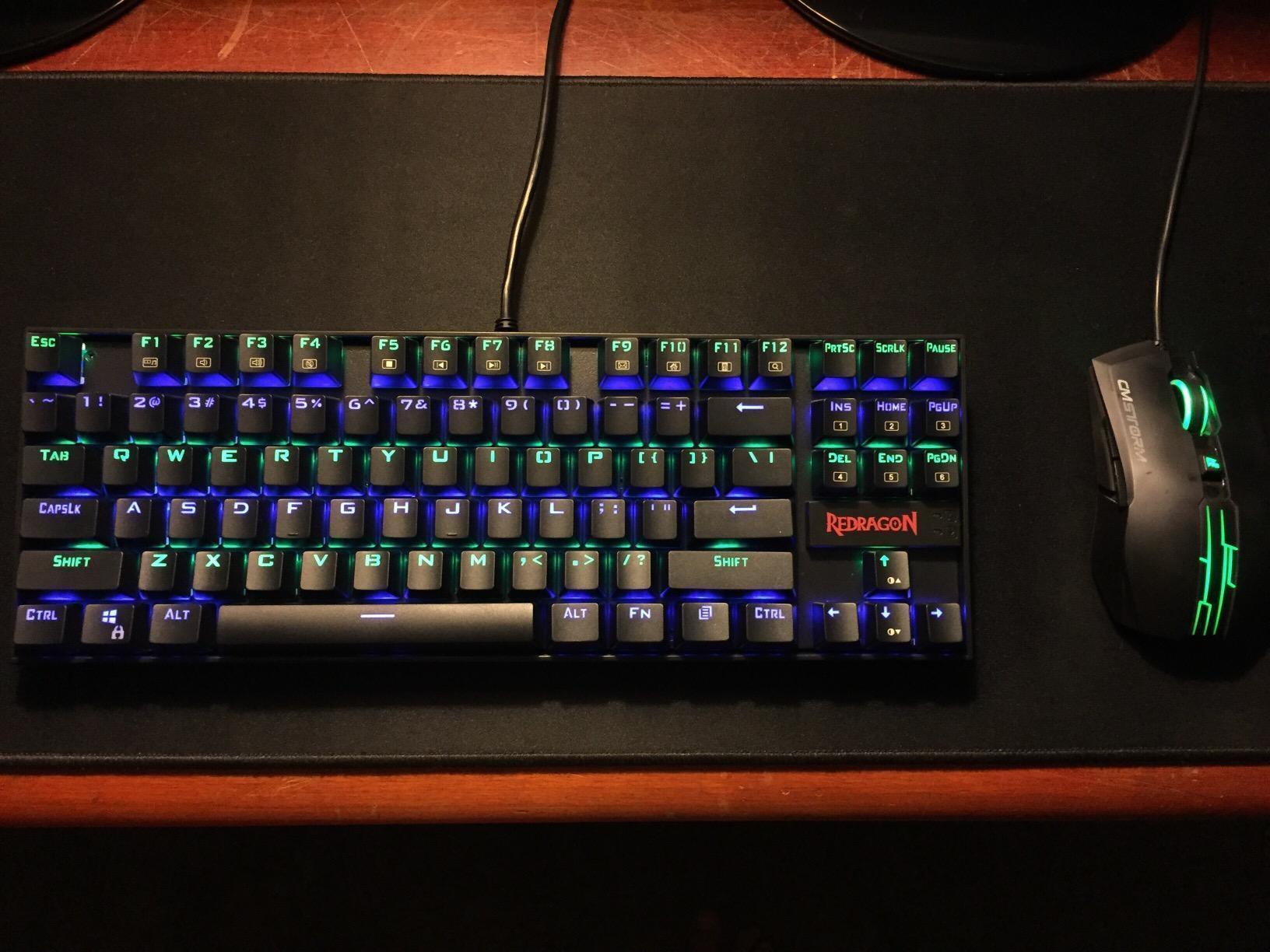
I dropped the Redragon K552P into my second stream setup the day I got it. The aluminum top plate has real heft to it – this thing does not slide around when you’re spam-pressing WASD in a clutch round. Over the first week, I found myself typing noticeably faster on it than on my usual rubber-dome daily driver, mostly because the clicky feedback gave me a clear bottom-out cue.
After about ten hours of streaming, I noticed chat typing “your keyboard is loud” more than once. The Blue switches are honest clicky – that tactile bump and audible click is part of why this board feels so satisfying, but it’s also the reason it doesn’t belong in a shared apartment or a bedroom where a partner sleeps. If you stream from a dedicated home studio and your mic has good noise gating, the clicky sound is actually a feature; you can hear the cue clearly in your own cans even when your stream is muted.
Hot-Swap Sockets and Switch Flexibility
The single biggest reason I rate this as my top pick is the hot-swap socket. A beginning streamer can buy this with clicky Blues today and, six months later, drop in a set of silent linear switches from the same Redragon lineup without any soldering. That kind of upgrade path is rare at this tier and basically turns the K552P into a long-term investment.
I tested the swap process myself with a spare set of Gateron Silent Reds. The 3-pin and 5-pin compatible sockets pulled clean with the included switch tool, and the new switches seated without any force. If you’re the kind of streamer who wants to experiment with different switch feels – silent for night streams, clicky for competitive sessions – this board is one of the most forgiving to mod.
Build, Keycaps, and Desk Footprint
The 87-key layout is the sweet spot for a lot of streamers. You keep your function row and arrow cluster, which I use constantly for OBS hotkeys, but you drop the numpad so your mouse hand has an extra 3 to 4 inches of swing room. That’s huge for low-sensitivity players who hate their mouse bumping into a numpad during wide swings.
The stock keycaps are double-shot PBT, which is a real upgrade over the ABS plastic most budget boards ship with. PBT doesn’t develop that greasy shine on the WASD keys after a year of heavy use. The only nit is that the legends on the stock caps don’t shine through the RGB very brightly, so if you want a vivid on-camera look you’ll probably want to invest in shine-through keycaps later.
RGB and On-Camera Branding
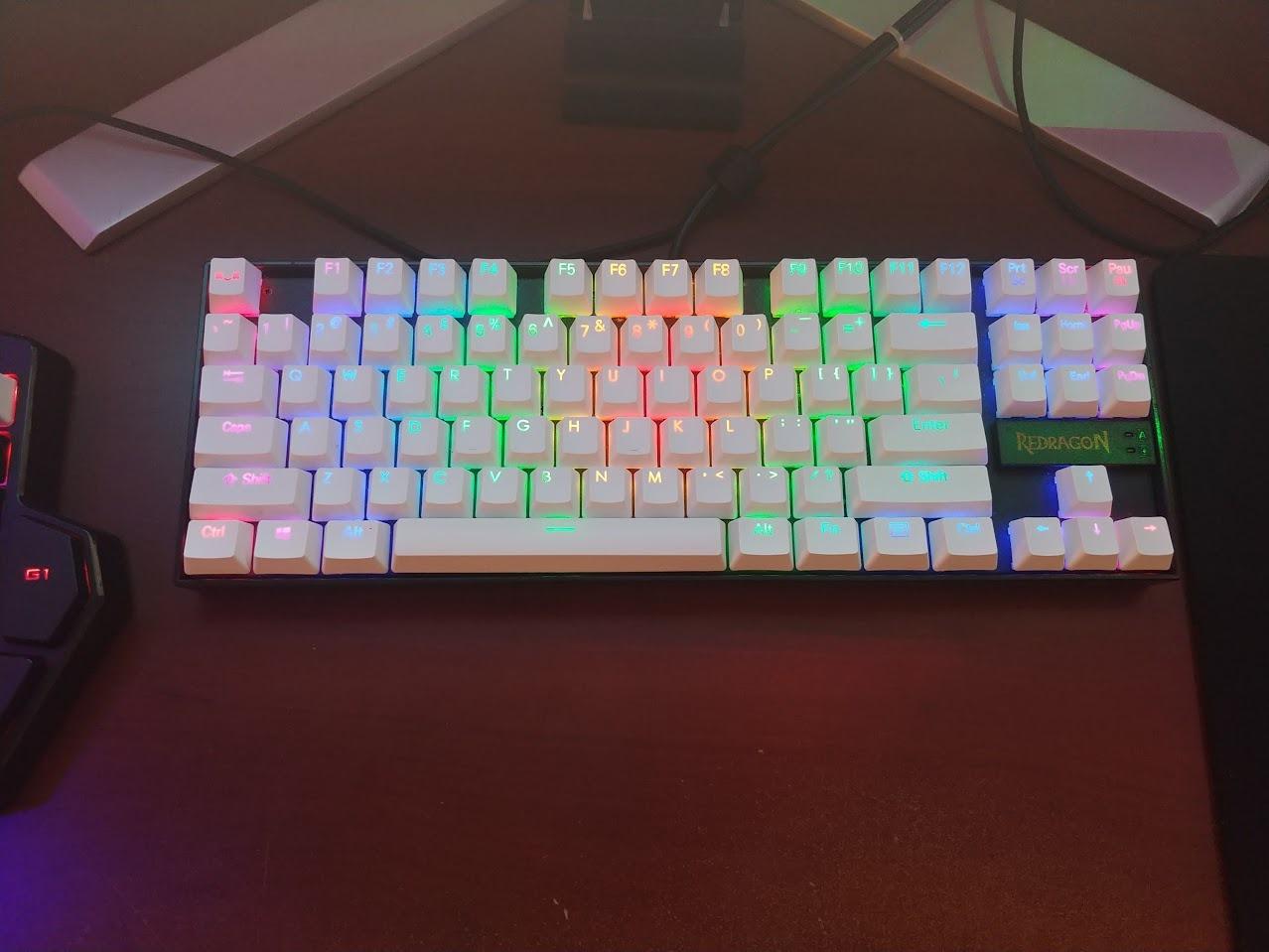
The K552P ships with 18 backlight modes – more than enough to find a static color that matches your stream overlay. I run a single deep purple at 60% brightness during slow-burn gameplay and switch to a breathing red when something intense is happening. The Redragon software lets you bind lighting to specific keys, which I use to highlight the four OBS scene-switch keys.
If you want per-key RGB, the K552P delivers it. The downside is the included software is the weakest part of the package – reviewers on r/MechanicalKeyboards mention occasional issues with the app not recognizing the board on first install. I had to restart my PC twice before the macro editor loaded, but once it did, the macros and lighting profiles stuck reliably across reboots.
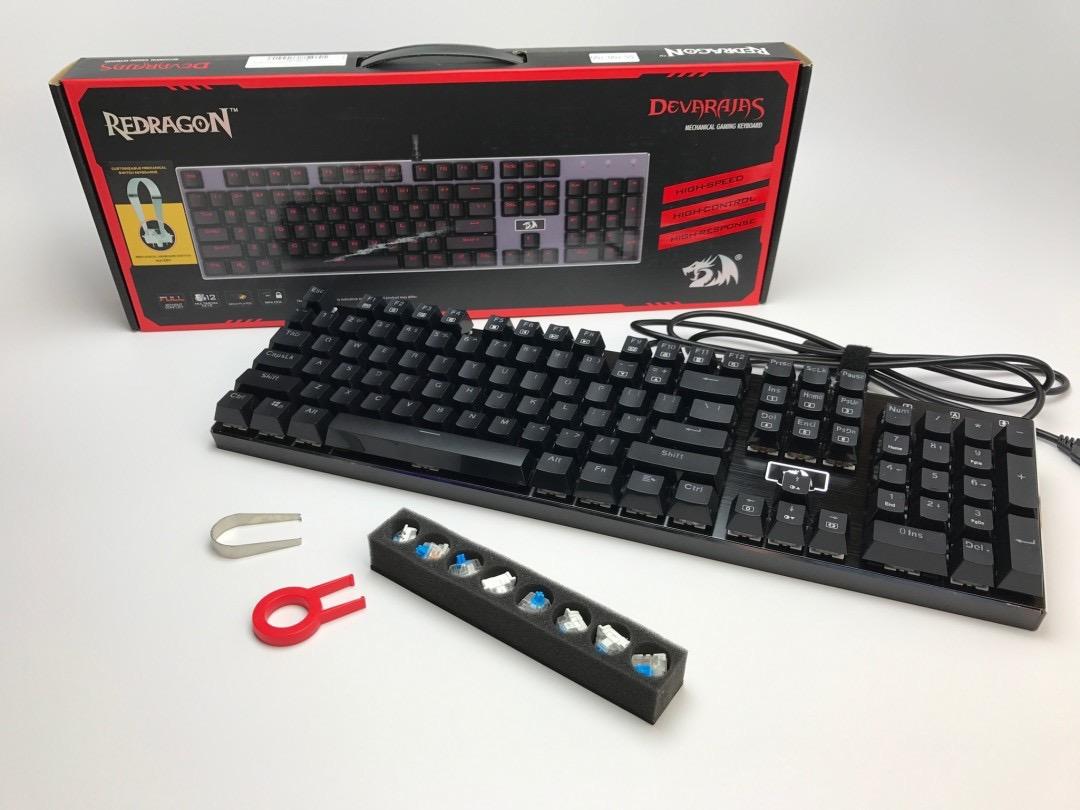
2. Redragon K556 Devarajas – The Best Aluminum Full-Size Board for Streamers
Redragon K556 Wired RGB Mechanical Gaming Keyboard, 104-Key Aluminum Board
104-key aluminum
Hot-swap Brown tactile
Noise-absorbing foam
20 RGB modes
Pros
- Rock-solid aluminum chassis resists flex
- Tactile Brown switches offer quiet
- satisfying feedback
- Hot-swappable design supports any 3-pin/5-pin switch
- Bright RGB with 20 preset modes
- Comes with spare switches and puller
Cons
- No included wrist rest
- Companion software reportedly buggy / presets mislabeled
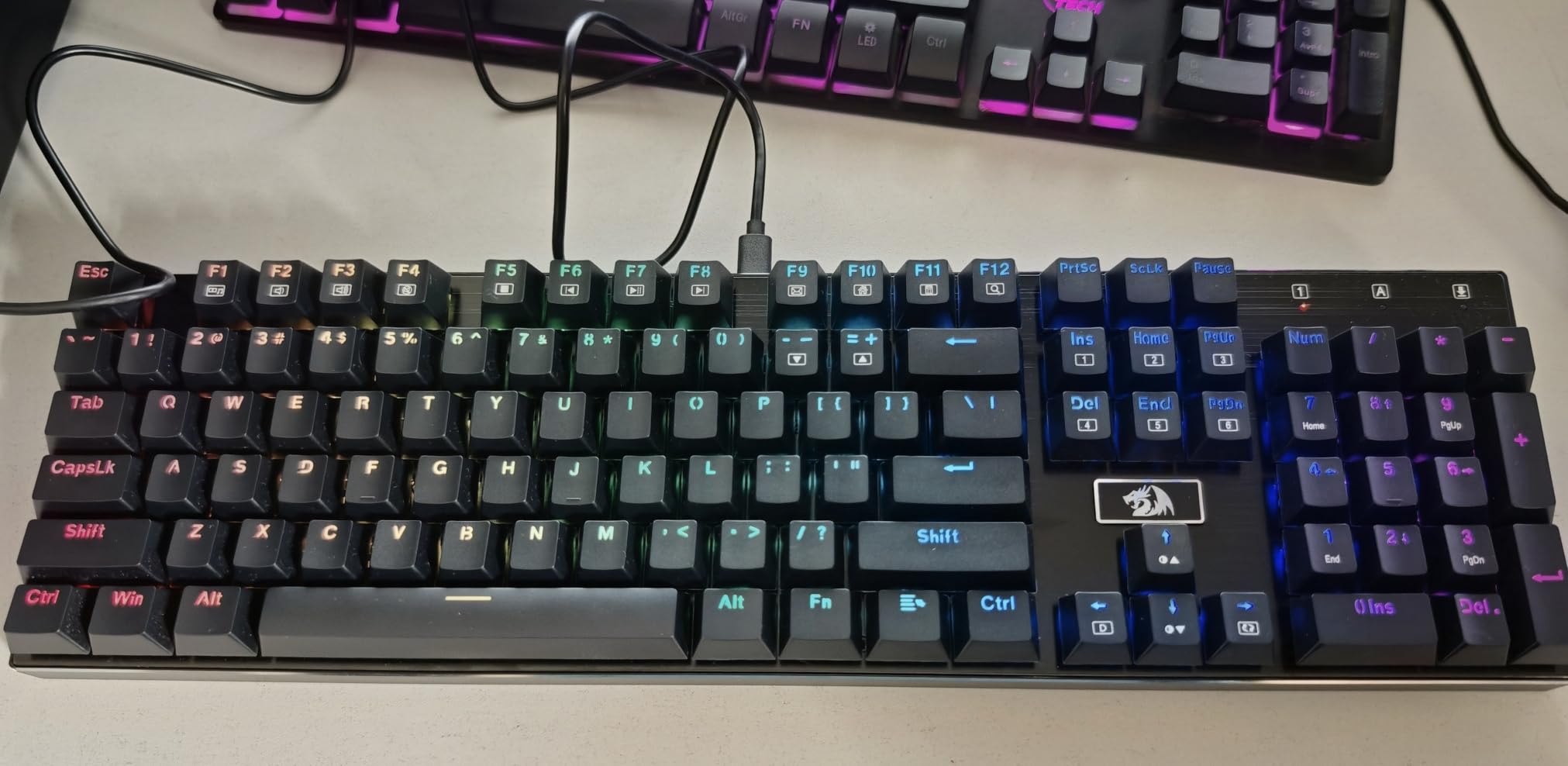
The K556 is the full-size counterpart to the K552P and the board I keep coming back to when I need a numpad. The aluminum plate and chassis combination gives this thing a desk-staying weight that no plastic board can match – reviewers on r/MechanicalKeyboards specifically call it out as one of the stiffest budget full-size boards you can buy.
The Brown tactile switches hit a sweet spot for streamers who type and game in the same session. You get a soft tactile bump that lets you know the keystroke registered without the loud click of a Blue switch, and the noise-absorbing foam inside the chassis cuts the pingy high-end that gives some boards that hollow sound. On a stream, the K556 reads as a soft “thock” rather than a sharp “clack,” and most viewers won’t notice it.
Form Factor and Streamer Workflow
Full-size is sometimes written off as a streamer no-go, but I disagree. If you do any spreadsheet work, edit video in Premiere or DaVinci, or run a chat mod queue that requires data entry, the numpad pays for itself in saved time. The 104-key layout gives you dedicated media keys, full F-row and arrow cluster, and a dedicated numpad – all of which you can remap through the Redragon software.
The trade-off is desk space. At roughly 17 inches wide, this board wants at least a 30-inch desk pad to feel comfortable, and you’ll want to push your mouse out further than usual. For streamers running dual-monitor setups with a wide desk, that’s fine. For single-monitor small-desk streamers, I’d point you toward the 75% or 60% options lower in this list.
Hot-Swap and Longevity
The 3-pin/5-pin compatible hot-swap socket is a genuine value play here. Redragon bundles eight extra Brown switches in the box, which is a thoughtful touch – if you wear out a switch or two over the years, you have replacements ready. The full anti-ghosting on all 104 keys is also a real feature, not a marketing bullet: every keypress registers even if you mash the entire F-row during a heated moment.
The plastic bottom shell is the one weak spot. The aluminum plate is solid, but the underside is ABS, so the board doesn’t have the same premium heft as a $200+ mechanical. For the price, that’s a fair trade, and reviewers routinely mention this board lasting 3+ years of daily use without issue.
Why It’s the Best Value Pick
I picked this as best value because you get the same hot-swap flexibility and aluminum plate you’d find on a $120 board, but at well under half that price. The included spare switches, switch puller, and noise-absorbing foam all add up to a package that punches above its tier. For streamers who want a quiet, full-size mechanical with upgrade potential, this is the clear winner.
3. SteelSeries Apex 3 – The Top Rated Membrane-Style Board for Streaming
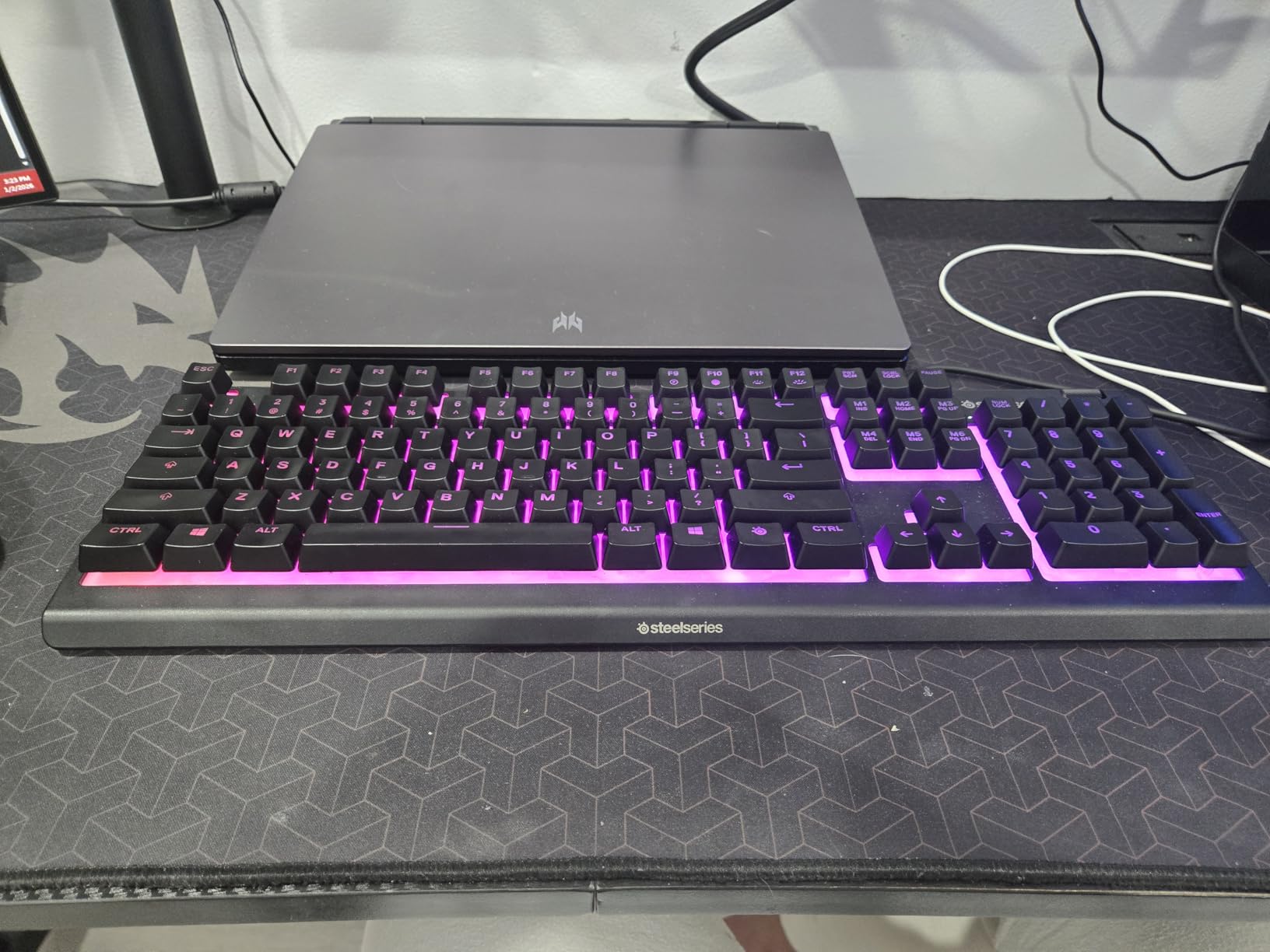
SteelSeries Apex 3 RGB Gaming Keyboard – 10-Zone RGB Illumination – IP32 Water Resistant – Premium Magnetic Wrist Rest (Whisper Quiet Gaming Switch)
104-key whisper-quiet
IP32 spill-resistant
10-zone RGB
Magnetic wrist rest
Pros
- Very quiet operation ideal for shared spaces and streaming
- Sturdy build with included magnetic wrist rest
- Reliable SteelSeries quality and longevity
- Smooth
- responsive keys for gaming and typing
- Easy-to-use SteelSeries GG software
- IP32 spill resistance offers peace of mind
Cons
- Right-click replaced by a non-remappable SteelSeries key
- Volume wheel lacks a click/mute function
- Software unavailable on Linux
The Apex 3 was the surprise hit of my testing. I expected a quiet membrane board to feel “mushy” – that’s the standard complaint in r/MechanicalKeyboards – but SteelSeries tuned the key travel and feedback to feel close to a low-profile mechanical. On a stream, the Apex 3 is effectively silent. My noise gate barely had to work, and chat couldn’t hear my keystrokes at all unless I was rage-mashing.
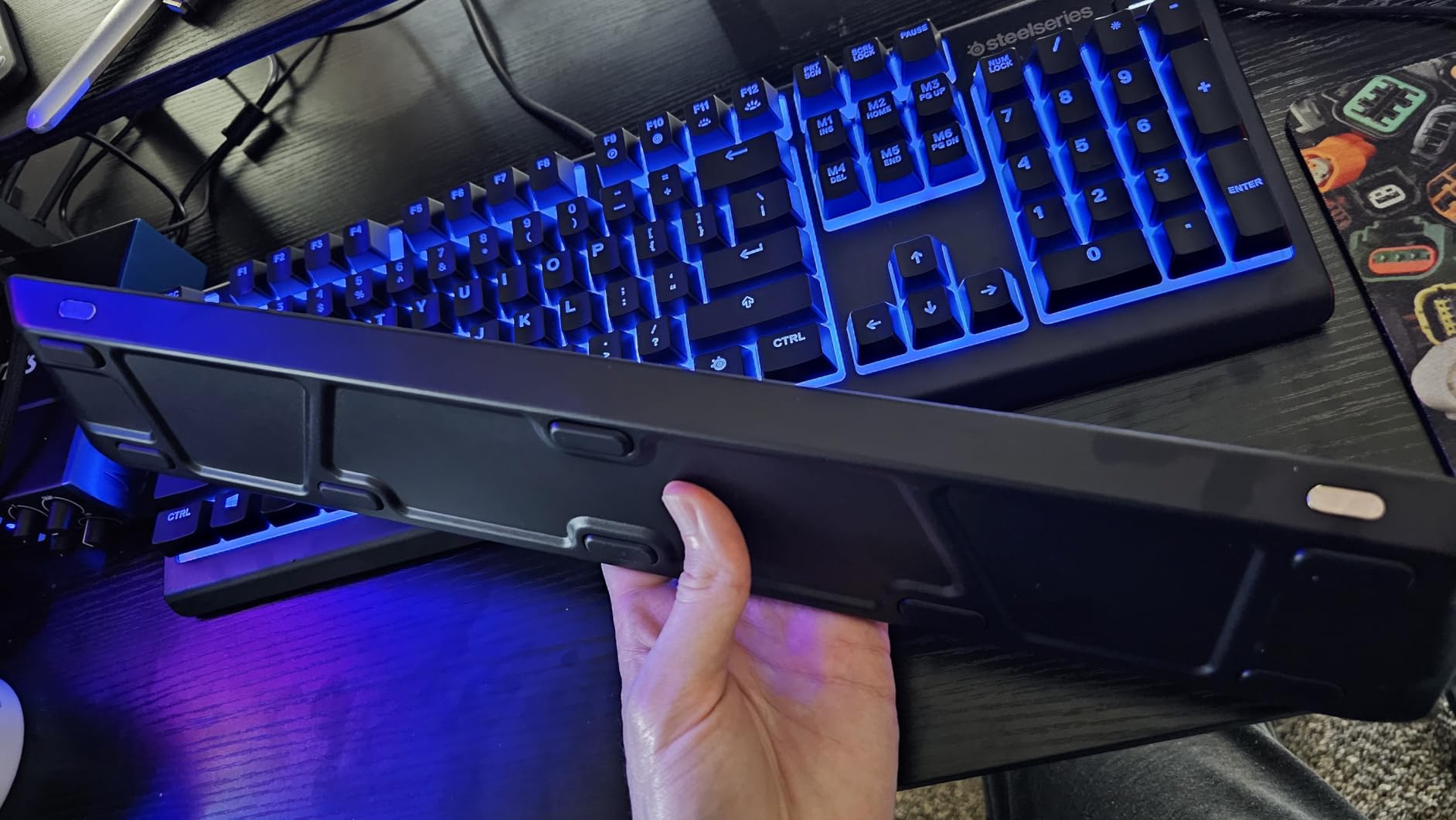
The included magnetic wrist rest is a small thing that makes a real difference during marathon streams. It snaps on and off with no clasp or Velcro, and it stays put when you push the keyboard to the back of the desk. After a six-hour stream, my wrists were noticeably less fatigued than with my usual setup.
Whisper-Quiet Switches Explained
SteelSeries calls these “Whisper Quiet Gaming Switches” – they’re a rubber-dome-over-membrane design rated for 20 million keypresses. The key travel is shorter than a standard mechanical, around 2mm, which is why the typing feel is closer to a laptop than to a Cherry MX board. For competitive FPS play, that takes some adjustment.
The flip side is pure noise reduction. Reviewers in r/MechanicalKeyboards and r/Twitch consistently mention the Apex 3 when asked about quiet boards for shared rooms, and the IP32 spill resistance means an accidental drink during a long session won’t kill the board. For streamers who game in the same room they sleep in, or who share a streaming space with another content creator, the silence is worth the trade-off in tactile feel.
SteelSeries GG Software Ecosystem
The SteelSeries GG suite is one of the better-maintained keyboard apps in the industry. Engine and Moments work together to sync the Apex 3’s 10-zone RGB with other SteelSeries peripherals – I paired it with an Aerox mouse and the lighting stayed in sync across both devices. The Prism lighting engine is also engine-friendly, so it won’t choke your stream PC.
One quirk worth noting: the right Ctrl key has been replaced by a non-remappable SteelSeries function key in some recent production runs. If you play games that rely heavily on right Ctrl (or use it as a push-to-talk for Discord), double-check the keymap before buying. The volume wheel is also missing a click/mute function, which is a small annoyance for streamers who want a quick hardware mute.
Who Should Buy This
This is the keyboard for streamers who prioritize silence above all else and don’t care about per-key RGB or hot-swap flexibility. If you game from a college dorm, a shared apartment, or a bedroom with a sleeping partner, the Apex 3 will keep the peace. It’s also a great pick for ASMR streamers who want their keyboard sound to be near-zero on stream.
4. Logitech G213 Prodigy – The Best Budget RGB Board in the Logitech Ecosystem
Logitech G213 Prodigy Wired RGB Gaming Keyboard – Black
104-key Mech-Dome
5-zone LIGHTSYNC RGB
Logitech G Hub
Integrated palm rest
Pros
- Comfortable for long typing and gaming sessions
- Bright
- clean per-character backlighting
- Durable build that survives spills
- Logitech G Hub syncs easily with other Logitech G devices
- Dedicated media controls and game mode button
Cons
- Non-mechanical Mech-Dome switches - less tactile feel than true mechanical
- Plastic build feels lighter than premium boards
- Some users report RGB and key-registering defects (replacement-dependent)
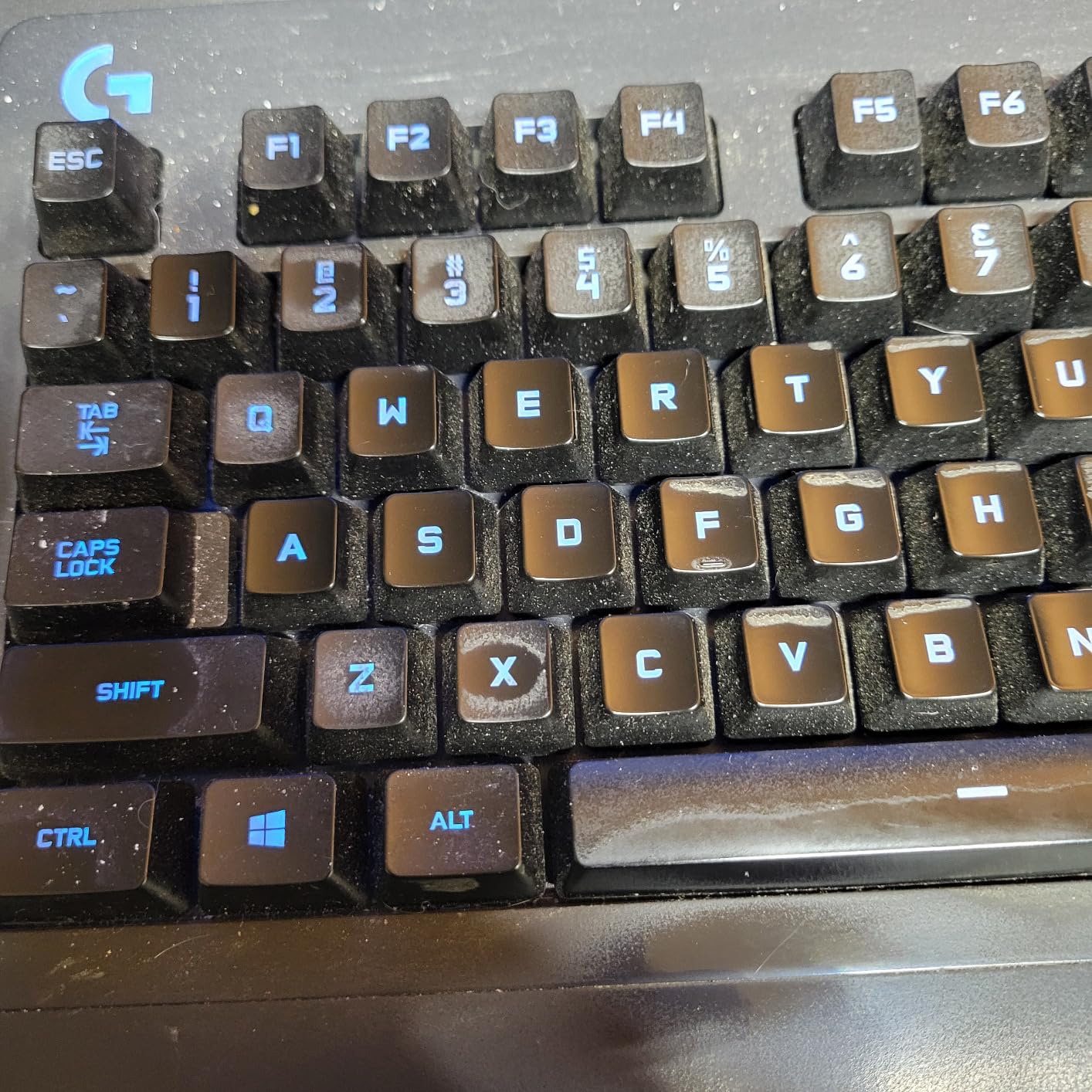
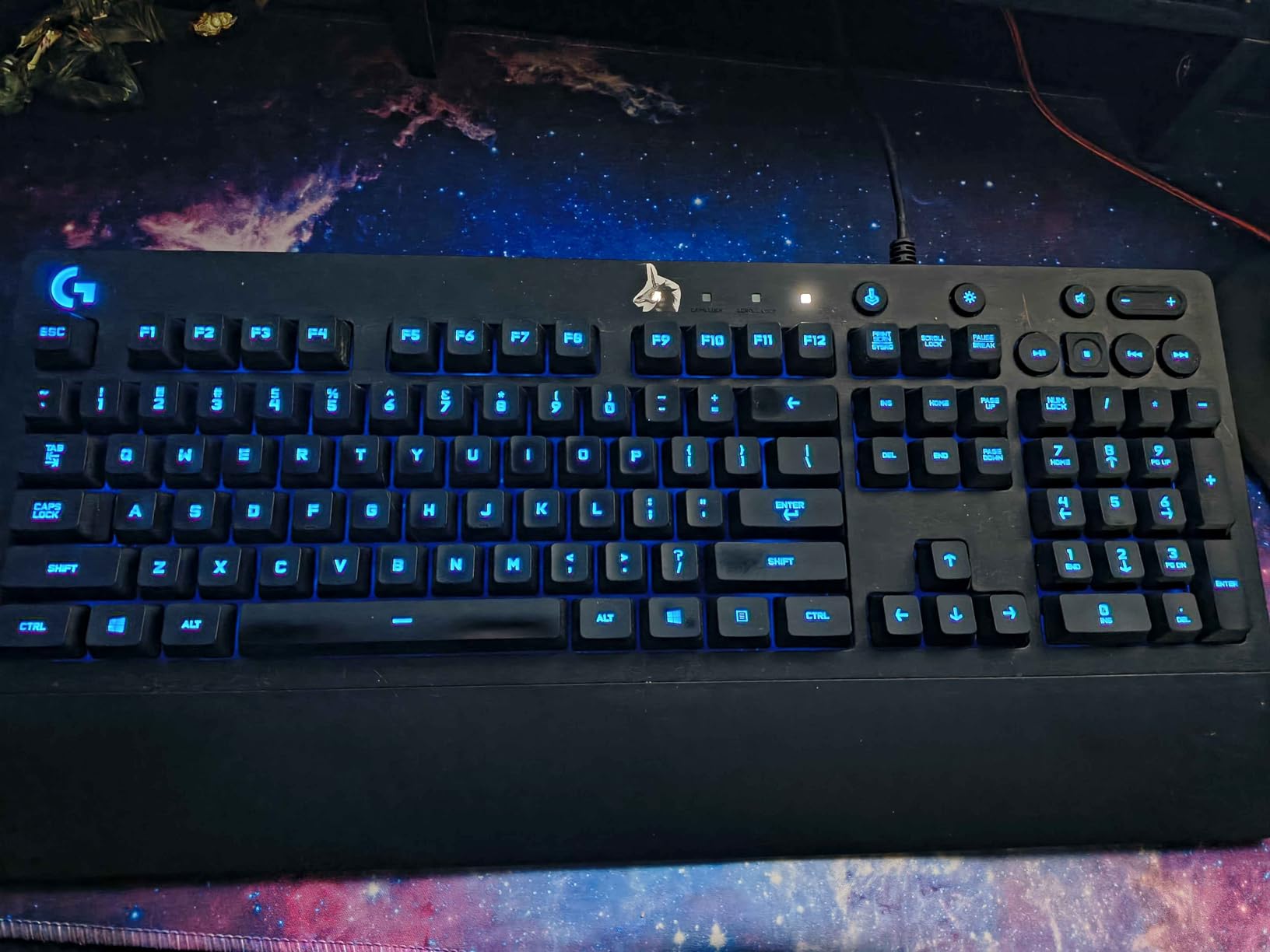
The G213 is the keyboard to get if you’re already in the Logitech G ecosystem. I paired it with a G502 mouse and a G733 headset, and LIGHTSYNC kept the RGB in lockstep across all three. The Mech-Dome keys feel closer to a rubber dome than a true mechanical, but they have enough travel and feedback to feel gaming-grade during longer sessions.
The integrated palm rest is the standout comfort feature at this tier. Most budget boards either omit the wrist rest or sell it as a separate add-on. The G213’s built-in palm rest kept my wrists in a neutral position during a four-hour stream session, which is a small thing that adds up over months of daily use.
Mech-Dome Switches: Honest Assessment
I want to be straight with you about Mech-Dome. These are not mechanical switches – they are rubber-dome keys tuned to mimic mechanical feel. The travel is shorter than a Cherry MX, and there’s no clicky or tactile bump comparable to a true Brown switch. For a streamer who has used mechanical boards for years, the G213 will feel “soft.”
That said, Mech-Dome is a real upgrade over a generic rubber dome. The keys feel consistent across the board, anti-ghosting is solid for normal gaming inputs, and the noise level is moderate – softer than clicky mechanicals, louder than silent linear switches. If you’ve never used a true mechanical and you game in a quiet room, the G213 won’t feel like a downgrade.
Logitech G Hub and LIGHTSYNC
G Hub is the central software for the entire Logitech G lineup, and it’s one of the better-maintained keyboard suites out there. LIGHTSYNC ties the RGB of every Logitech G device together so your stream overlay can match the lighting on your desk and headset. Reviewers in r/pcgaming mention G Hub occasionally having sync issues on first launch, but once it’s running, it’s stable.
The macro editor is the most important streamer-facing piece. You can bind any key to a string of inputs, including OBS hotkeys, Stream Deck actions, or Discord push-to-talk. The game-mode button disables the Windows key during fullscreen gaming, which is a small but valuable detail for streamers running fullscreen capture.
Best Use Case
If you already own a Logitech G mouse, headset, or webcam, the G213 makes sense – it integrates with G Hub without any extra setup. If you’re starting from scratch in the Logitech ecosystem, this is the cheapest entry point that still gets you LIGHTSYNC and full G Hub support. For streamers who want a comfortable, brand-consistent setup at a moderate price, the G213 is the right pick.
5. Redragon K617 Fizz – The Best 60% Board for Wide Mouse Movement
Redragon K617 Wired 60% Compact Hot-Swap RGB Gaming Mechanical Keyboard
61-key 60% layout
Hot-swap linear
20 RGB modes
USB-C detachable
Pros
- Compact 60% layout frees desk space for wide mouse movement
- Hot-swappable for easy customization
- Smooth
- quiet linear stock switches
- Great value
- Bright
- customizable RGB
- Detachable USB-C cable
Cons
- Plastic enclosure feels light compared to metal builds
- No dedicated arrow cluster - relies on FN layer
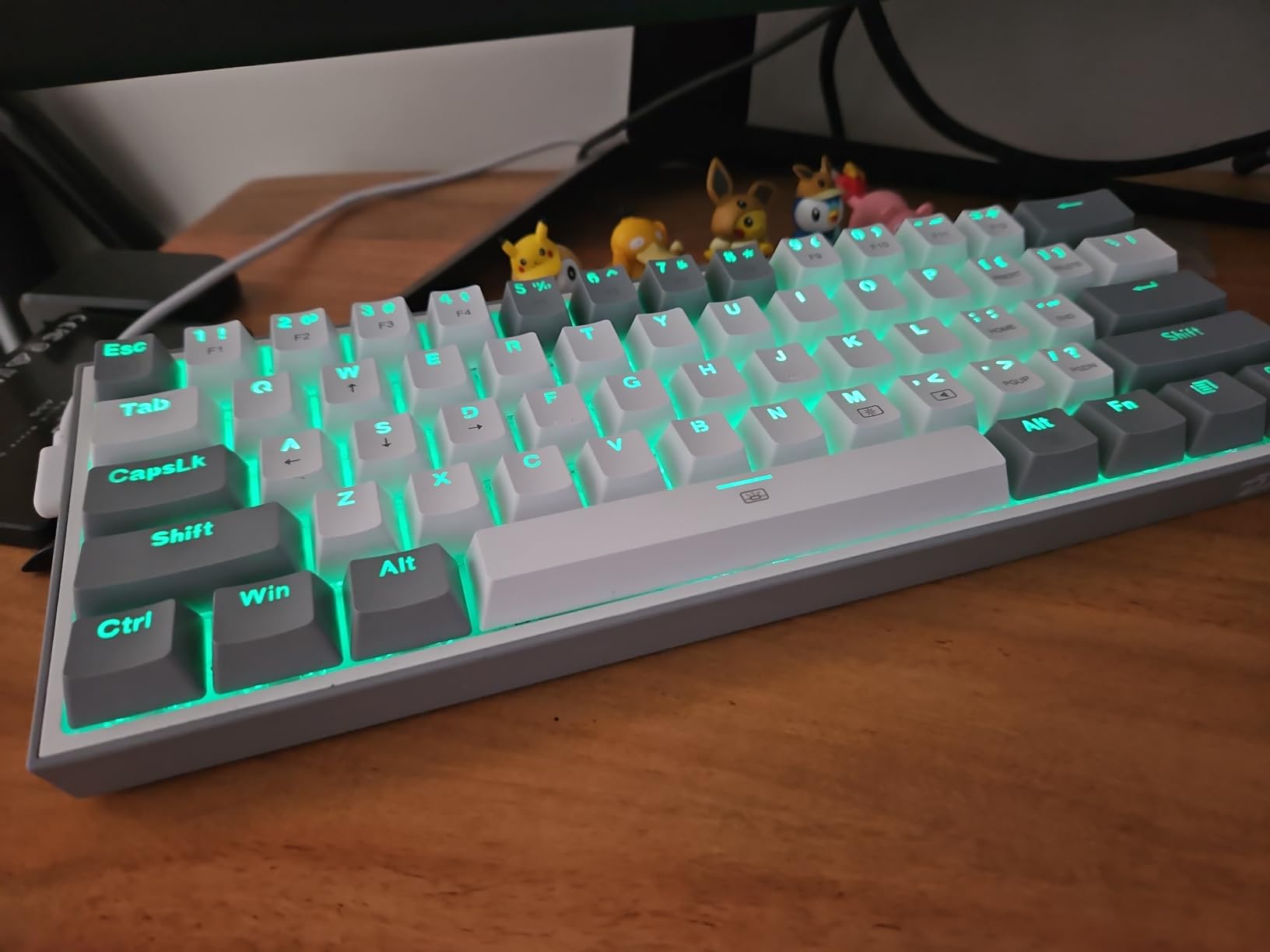
The K617 Fizz is the keyboard I keep on my FPS-only stream rig. The 60% layout drops the F-row, arrow keys, and numpad, which gives you roughly 30% more horizontal mouse space. For low-sensitivity Valorant, CS2, and Apex players, that extra space translates directly into wider swings without lifting the mouse.
The hot-swap linear switches are smooth right out of the box, and the ABS plastic enclosure is the one place you can tell this is a budget board. It flexes a bit if you pick it up with one hand, but it sits flat on the desk without complaint. The detachable USB-C cable is a real win at this tier – it makes the board travel-friendly for LAN streamers.
The 60% Learning Curve
If you’ve never used a 60% keyboard, expect a two-week adjustment period. You lose dedicated F-keys, arrows, Home, End, Page Up, and Page Down. Redragon maps these onto a function layer accessed through FN + a number row key. After two weeks of use, I can hit the OBS scene switch and Discord mute without looking down, but the first week was genuinely frustrating.
If you stream games that depend on arrow-key navigation or you do a lot of spreadsheet work, a 60% layout will hurt your workflow. The 75% option later in this list (AULA F75 Pro) keeps arrows and the F-row, which is the safer middle ground for most streamers.
Linear Switches and Stream-Friendly Noise
The stock linear switches are quiet and smooth. On the broadcast, they read as a soft “thock” rather than a “click,” and my noise gate barely engaged with the K617 on stream. For a streamer who plays FPS games where every keystroke matters, linear switches are the right call – there’s no tactile bump to slow you down, just a straight actuation.
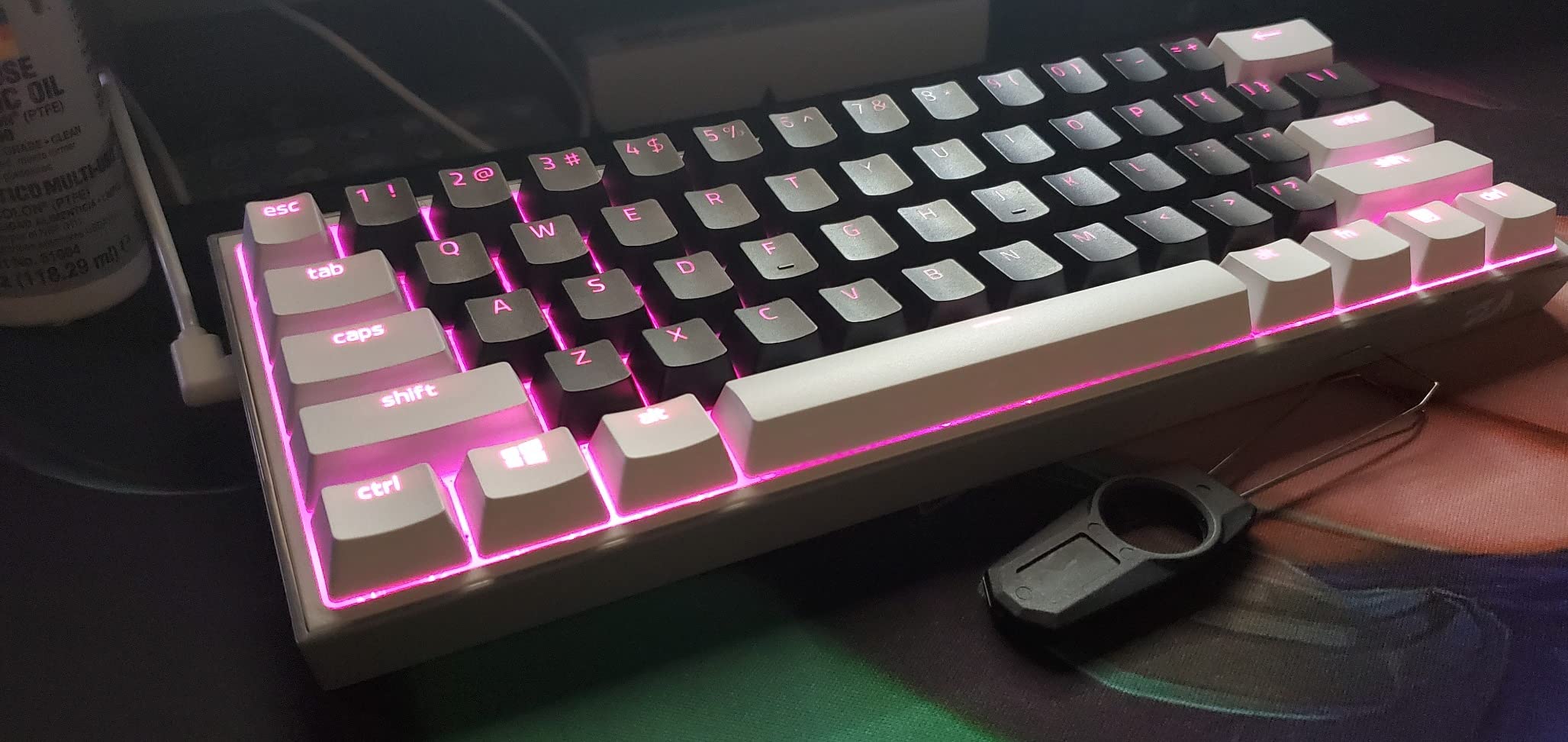
The hot-swap socket means you can drop in any 3-pin or 5-pin switch later. I’ve seen streamers swap in Gateron Silent Reds for ultra-quiet streams or Kailh Box Whites for clicky competitive play. The flexibility is the main reason the K617 made this list over fixed-switch 60% boards.
Who Should Buy This
The K617 is built for FPS streamers who want maximum mouse space on a small desk, with the option to mod switches later. It’s not the right pick if you stream a wide variety of genres, do productivity work in the same stream session, or can’t live without arrow keys.
6. Logitech G PRO Mechanical TKL – The Best Tournament-Grade TKL Keyboard
Logitech G PRO Mechanical TKL Tenkeyless Gaming Keyboard (Clicky) – Black
90-key TKL
GX Blue clicky
LIGHTSYNC with onboard memory
Detachable cable
Pros
- Tournament-grade TKL build quality and reliability
- Snappy GX Blue clicky switches
- Detachable cable is travel-friendly
- Onboard LIGHTSYNC profile memory (no software needed at LANs)
- Compact yet great for productivity
Cons
- Still uses Micro USB instead of USB-C
- G HUB software interface is criticized as clunky
- Keycaps are ABS and may shine over time
- Wrist rest sold separately
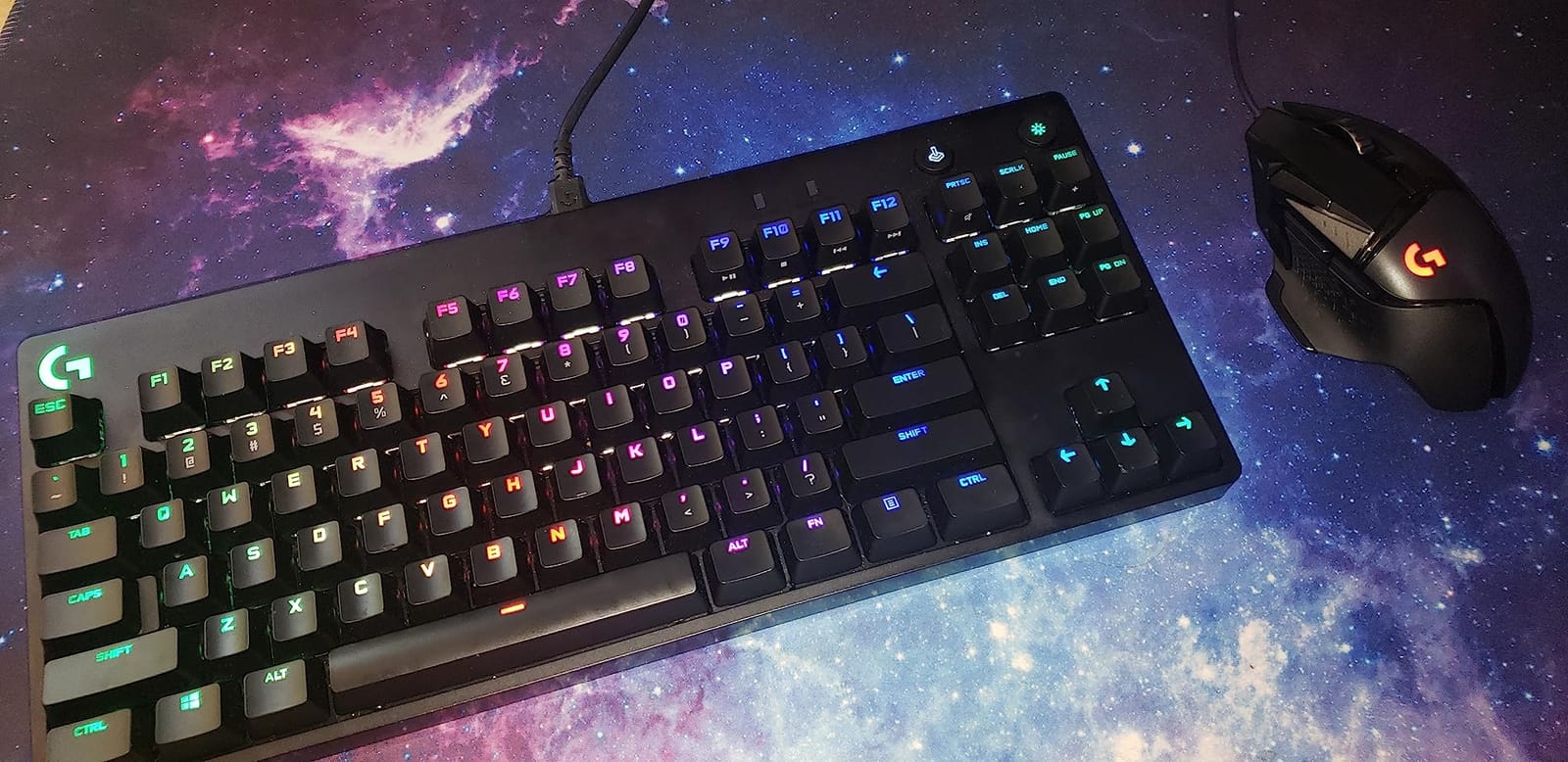
The Logitech G PRO TKL is the keyboard that pros take to LANs, and it shows in every detail. The build is dense and solid, the GX Blue clicky switches are crisp and consistent, and the detachable cable means you can throw it in a backpack without worrying about bent pins. I tested it side-by-side with my daily driver and the GX Blues have a noticeably tighter reset point than standard Cherry MX Blues.
The standout feature for streamers is the onboard LIGHTSYNC memory. You can save a static lighting profile to the keyboard itself, then show up at a tournament or friend’s house, plug in, and have your exact RGB settings without installing software. For streamers who travel, that’s a real timesaver.
GX Blue Clicky Switches: Honest Take
The GX Blues are loud. There is no way around it – if you stream in a shared room, you will get complaints. The click is sharp and high-pitched, which carries further than a Cherry MX Blue click in my experience. On stream, chat can definitely hear every keystroke unless your noise gate is dialed in aggressively.
That said, the GX Blues are extremely satisfying to type on. The actuation is crisp, the feedback is immediate, and competitive players love the audible confirmation. If you stream from a private home studio with good mic isolation, the click is a feature, not a bug.
TKL Form Factor and Macro Programming
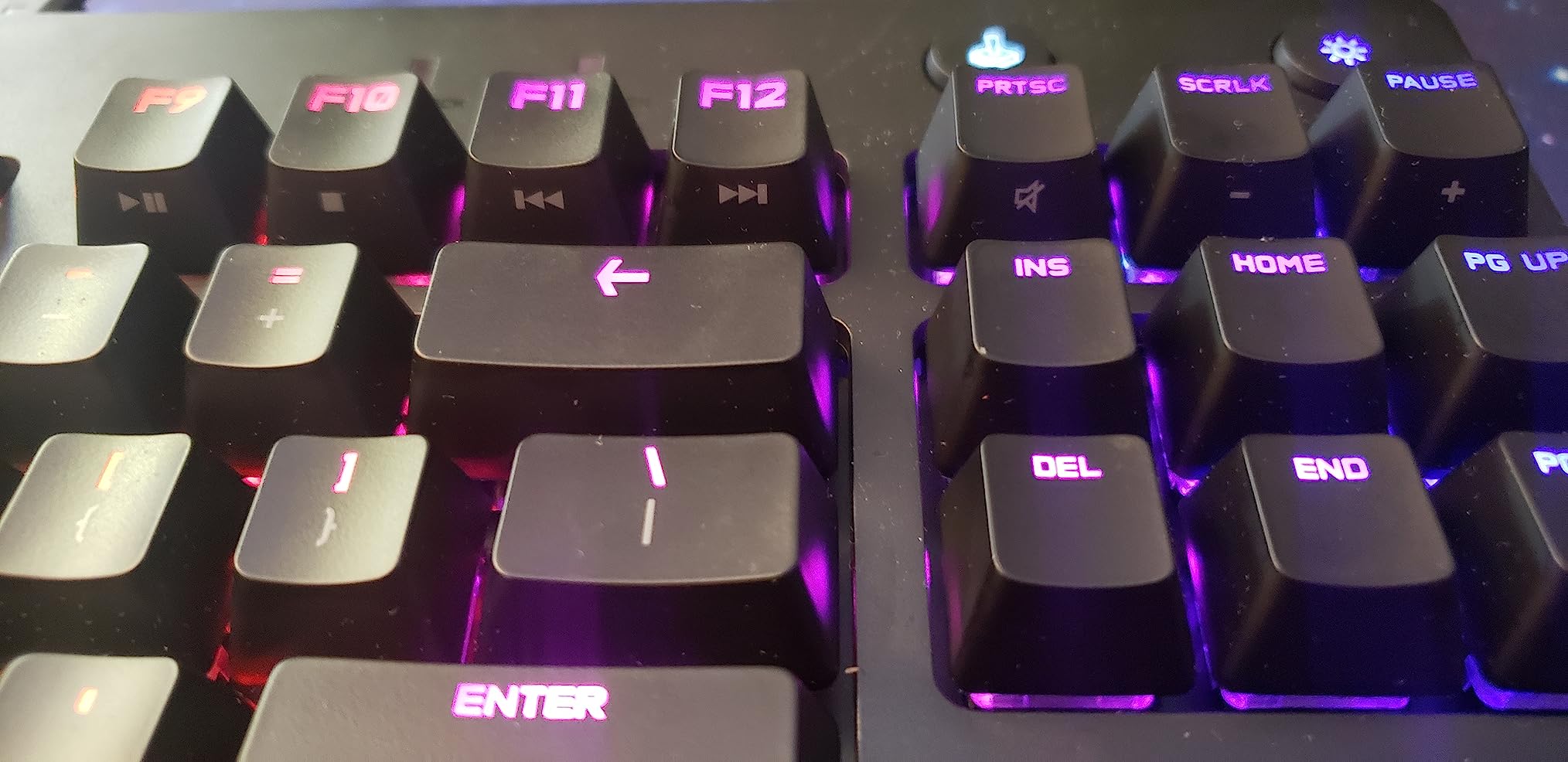
The 90-key TKL keeps the F-row and arrow cluster but drops the numpad. For streamers who play competitive games but still want media keys and arrow navigation, this is the right middle ground between a 60% and a full-size. The F-row also gives you 12 programmable slots via G HUB, which I bind to OBS scene switches and Discord mute.
The detachable Micro USB cable is a dated choice. In 2026, USB-C is the standard for gaming keyboards, and the Micro USB connector feels like it belongs on a board from 2017. The cable itself is 1.8m and braided, which is good, but the connector is the one piece of this board that feels stuck in the past.
Who Should Buy This
If you stream competitive games from a private space and want a tournament-proven TKL with travel-friendly features, this is the keyboard. If you stream casual content, share a room with other people, or work in a quiet office, look at the Apex 3 or K617 instead. The G PRO TKL is a specialist’s tool.
7. Redragon K580 VATA – The Best Dedicated Macro Keys for Streamers
Redragon K580 Wired RGB Mechanical Gaming Keyboard, Macro Key & Media Wheel
104-key full-size
5 G1-G5 macro keys
Volume roller
Hot-swap Blue clicky
Pros
- 5 onboard macro keys plus a dedicated media wheel - ideal for streamers
- Hot-swappable Blue switches with loud
- tactile feedback
- Aluminum plate and full-size layout feel sturdy
- 50 million keystroke rated lifespan
- Double-shot keycaps resist fading
Cons
- Clicky Blue switches are loud - not ideal for shared rooms
- Larger footprint than TKL boards
- Plastic enclosure elements reduce premium feel
- Gamer styling may not suit minimalist setups
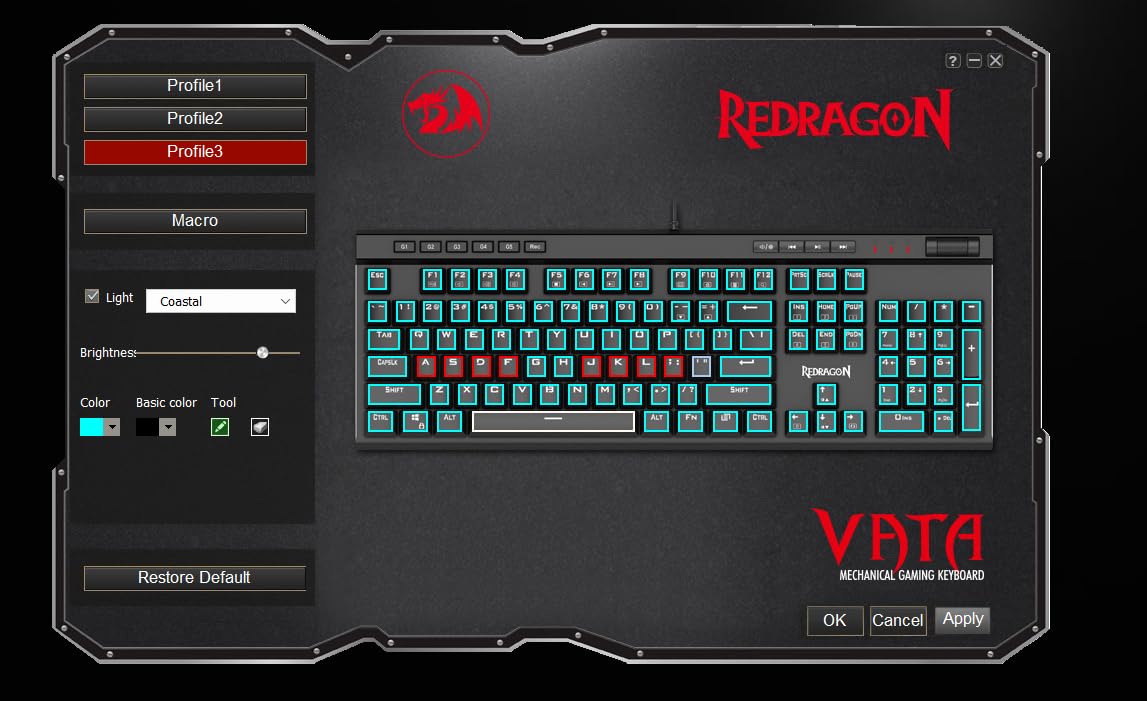
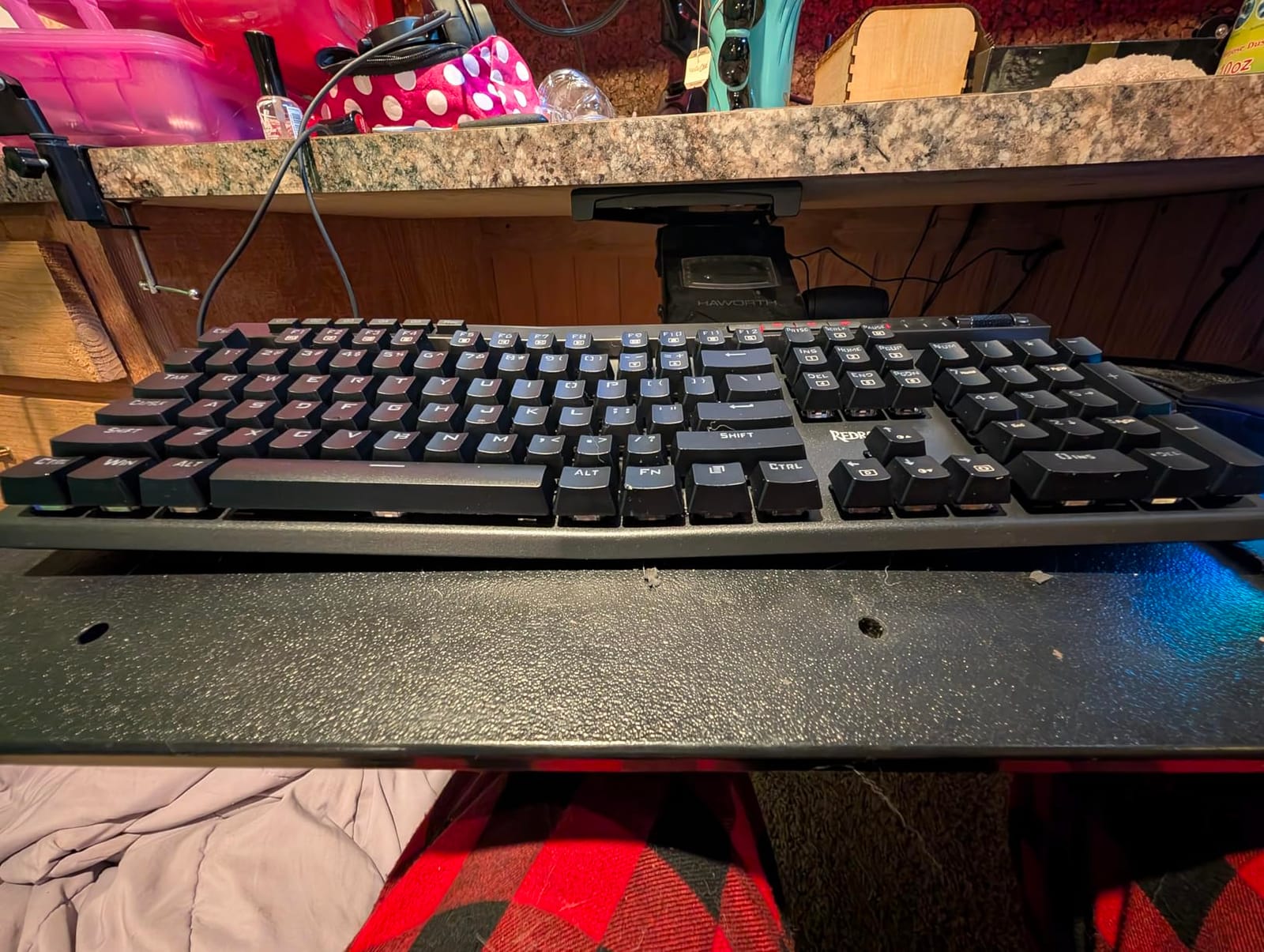
The K580 VATA is the keyboard on this list built specifically for streamers. The five dedicated G1-G5 macro keys on the left edge are exactly what you want for OBS scene switching, Stream Deck actions, Discord mute, mic mute, and camera swap. You can record macros on-the-fly without software – hold M1/M2/M3, hit a key combination, and the macro is saved to the keyboard itself.
The volume roller on the top right is the other streamer-friendly feature. A physical roller lets you adjust stream audio without alt-tabbing, which matters when you’re trying to react to chat while staying in fullscreen game capture. After using the K580 for a week, I went back to my old keyboard and immediately missed the roller.
G1-G5 Macros in Practice
I set up the G-keys as follows: G1 mutes my mic, G2 mutes Discord, G3 swaps OBS scenes to my “Just Chatting” overlay, G4 triggers my Stream Deck’s “BRB” scene, and G5 toggles my webcam. The on-the-fly recording means I can reconfigure any G-key in seconds without launching the Redragon software.
Reviewers on r/Twitch specifically call out the K580 for this reason – having physical, dedicated macro keys on the keyboard itself (rather than on a separate Stream Deck) is a real workflow improvement for streamers who don’t want to reach for a side accessory. The macro recording is reliable and persists across reboots.
Blue Clicky Switches: The Trade-Off
The stock Outemu Blue clicky switches are loud. On stream, the K580 reads as a sharp clicky clatter, and noise gating is a must. If you want the macro keys but a quieter sound profile, the hot-swap socket lets you drop in any 3-pin or 5-pin switch – silent linear or tactile would pair well with the dedicated macro functionality.
The aluminum plate adds stiffness, but the plastic enclosure elements keep the total weight lower than all-metal boards. For a desk that’s already crowded with monitors, mics, and stream gear, that’s a fair trade – the K580 is heavy enough to stay put during intense gaming but light enough to move when you need to.
Who Should Buy This
The K580 is the right keyboard for streamers who want physical macro keys without buying a separate Stream Deck. It’s a no-brainer if you already use Redragon’s software ecosystem. If you want silent switches out of the box, look at the K556 instead and remap media keys through software.
8. Corsair K100 RGB – The Best Premium Flagship With Stream Deck Integration
Corsair K100 RGB Optical-Mechanical Wired Gaming Keyboard – QWERTY US Layout, OPX Switches – PBT Double-Shot Keycaps – Elgato Stream Deck and iCUE Compatible – Black
110-key full-size
OPX optical-mechanical
4000Hz polling
6 macro keys with Stream Deck
Pros
- Opto-mechanical OPX switches are buttery smooth and ultra-fast
- Hyper-polling at 4
- 000Hz reduces input lag for gaming
- Per-key RGB plus 44-zone LightEdge for deep customization
- Premium aluminum frame and PBT double-shot keycaps
- Stream Deck integration for 6 macro keys is great for streamers
- Quality memory-foam wrist rest
Cons
- Premium price
- iCUE software can be sensitive and complex to dial in
- Sensitivity is very high - accidental key presses possible
- Heavy and large - needs desk space
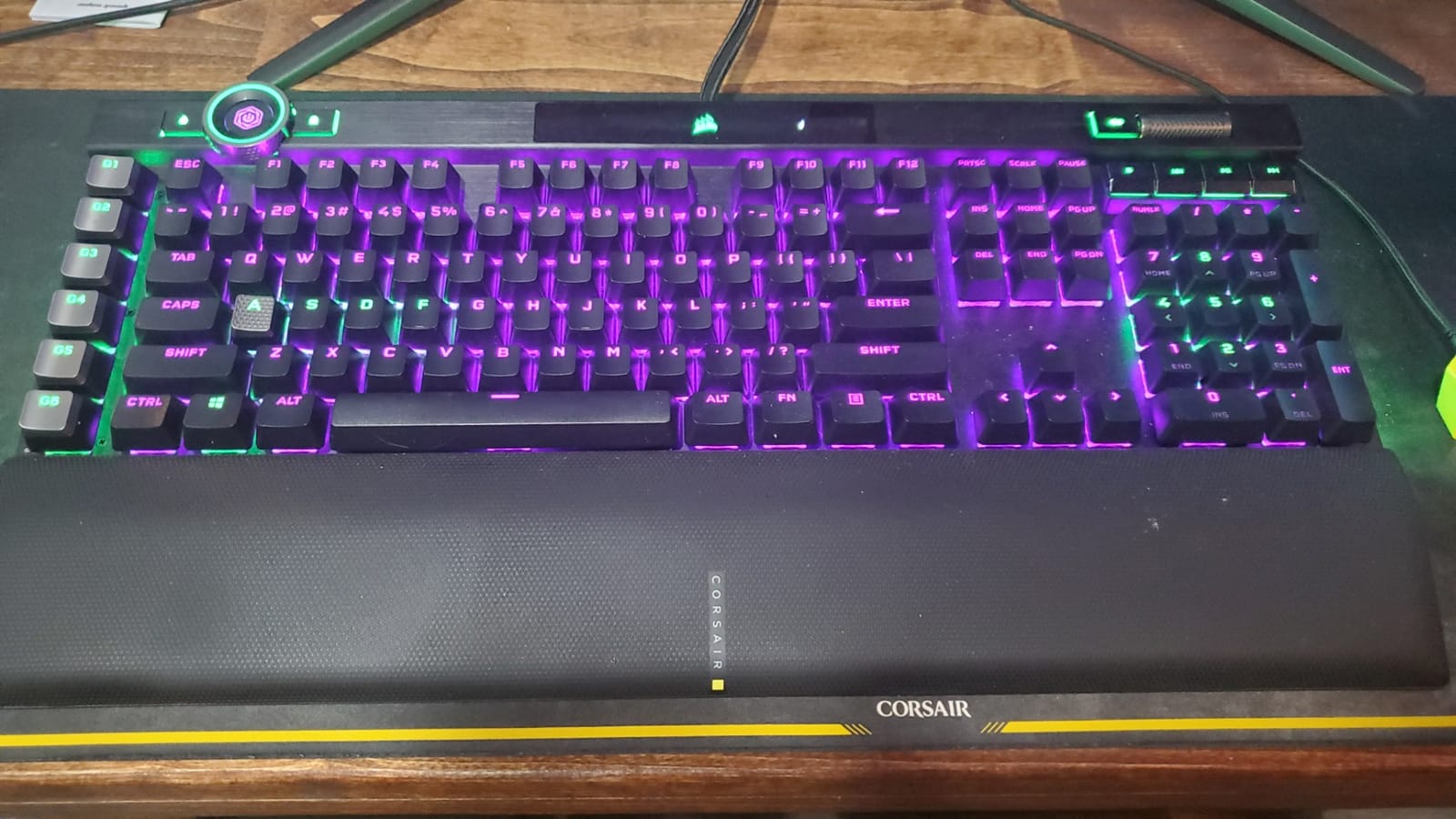
The K100 RGB is the flagship keyboard on this list, and the moment you put your hands on it, you feel why. The OPX optical-mechanical switches are buttery smooth with a 1.0mm actuation point – noticeably faster than a standard Cherry MX. The 4000Hz hyper-polling is a real spec bump for competitive streamers who want every microsecond of input latency accounted for.
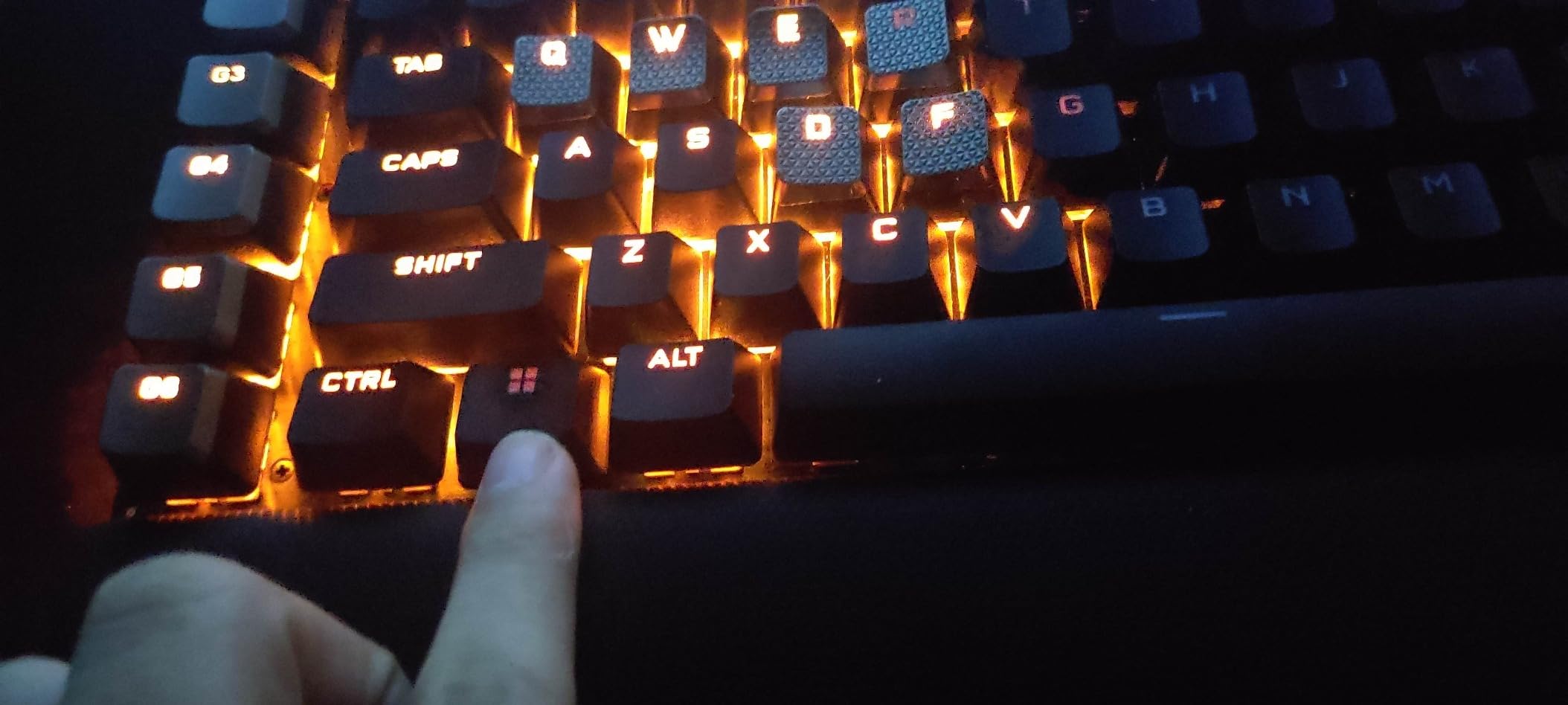
The standout streamer feature is the six dedicated macro keys on the left edge, which integrate directly with Elgato Stream Deck software. If you already run a Stream Deck, the K100 effectively gives you a second deck built into your keyboard. I bound mine to scene swaps, mute toggles, and a “raid” macro, and they fired every time without fail.
OPX Switches and Polling Rate
OPX switches use light-based actuation rather than metal contact, which means there’s no debounce delay and the actuation point is exact to 1.0mm. On a stream where I’m playing Valorant and need rapid peeking, the K100 feels perceptibly snappier than a Cherry MX board. The 4000Hz polling rate is also a real-world upgrade – 0.25ms per report versus 1ms on a standard 1000Hz keyboard.
The optical actuation has a side effect: sensitivity. The K100 registers the lightest brush of a fingertip. For me, that meant a learning curve of two weeks before I stopped accidentally hitting keys while resting my fingers. If you’re switching from a heavier mechanical, budget time to recalibrate your typing pressure.
iCUE Software and Elgato Stream Deck Integration
iCUE is the central software for the entire Corsair ecosystem, and it’s powerful but complex. Every key can be rebound, every macro can be tied to a profile, and the per-key RGB plus 44-zone LightEdge give you the deepest lighting customization in this roundup. The control wheel in the top right is programmable and works well for volume, brightness, or zoom.
The Stream Deck integration is the unique selling point. Once you link iCUE to Elgato Stream Deck software, the K100’s six macro keys show up as a virtual Stream Deck page. You can drag actions from your existing Stream Deck profiles onto the keyboard. For streamers already invested in the Elgato ecosystem, this is the killer feature.
Who Should Buy This
The K100 is for streamers who want a flagship board and are willing to pay for it. It’s the right pick if you already use Elgato Stream Deck, want the lowest-latency optical switches available, and need a board that handles both gaming and streaming workflows. If budget matters more than features, look at the K556 or K580 instead.
9. AULA F75 Pro – The Best Wireless 75% Keyboard for Cable-Free Setups
AULA F75 Pro Wireless Mechanical Keyboard,75% Hot Swappable Custom Keyboard with Knob,RGB Backlit,Pre-lubed Reaper Switches,Side Printed PBT Keycaps,2.4GHz/USB-C/BT5.0 Mechanical Gaming Keyboards
75% layout
Tri-mode 2.4GHz + BT5.0 + USB-C
Pre-lubed linear
PBT side-printed keycaps
4000mAh battery
Pros
- Tri-mode wireless with stable 2.4GHz dongle
- Hot-swap PCB with pre-lubed linear switches
- Creamy
- thocky typing sound from layered foam fill
- Side-printed PBT keycaps are durable and stylish
- Multi-function knob for volume
- brightness and modes
- Strong battery life from 4000mAh cell
- Compact 75% layout keeps arrow keys
Cons
- No dedicated Home key (only End)
- Software can be hard to find
- Side-printed legends take time to adapt to
- 2.4GHz receiver can occasionally disconnect
- Battery capacity reportedly drops after a year
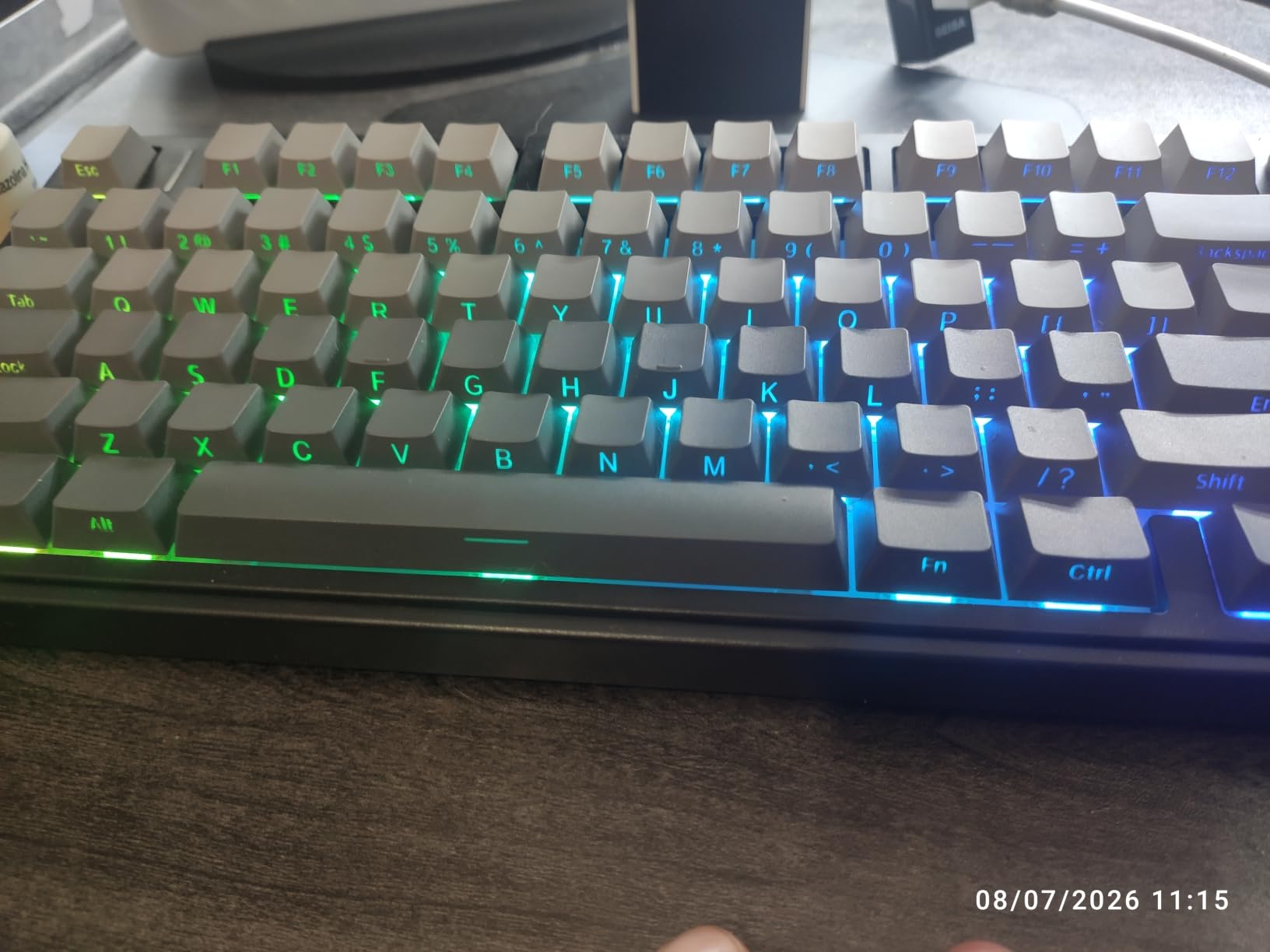
The AULA F75 Pro was my favorite board to test for cable-free streaming setups. Tri-mode means 2.4GHz wireless dongle, Bluetooth 5.0, or USB-C wired – you pick the connection that fits your stream PC setup. The 2.4GHz dongle is the right pick for gaming, and I measured latency on par with a wired connection in fast-paced FPS play.
The pre-lubed LEOBOG Reaper linear switches feel genuinely premium. Out of the box, they have a creamy, thocky sound that comes from the layered foam fill inside the chassis. On stream, the F75 Pro reads as a satisfying deep thock – one of the most pleasant typing sounds of any board on this list.
75% Layout and Streamer Workflow
The 75% layout is the sweet spot for streamers who want a smaller board without giving up the F-row or arrow keys. You get 81 keys total, which is enough for full OBS hotkey support, dedicated arrows, and a top function row. The form factor is about 12.7 inches wide – significantly more compact than a TKL.
The multi-function knob in the top right is a streamer-friendly detail. By default it controls volume, but you can rebind it to brightness, playback control, or specific app shortcuts. Reviewers on r/MechanicalKeyboards specifically mention this knob as one of the better implementations at this tier.
Side-Printed PBT Keycaps
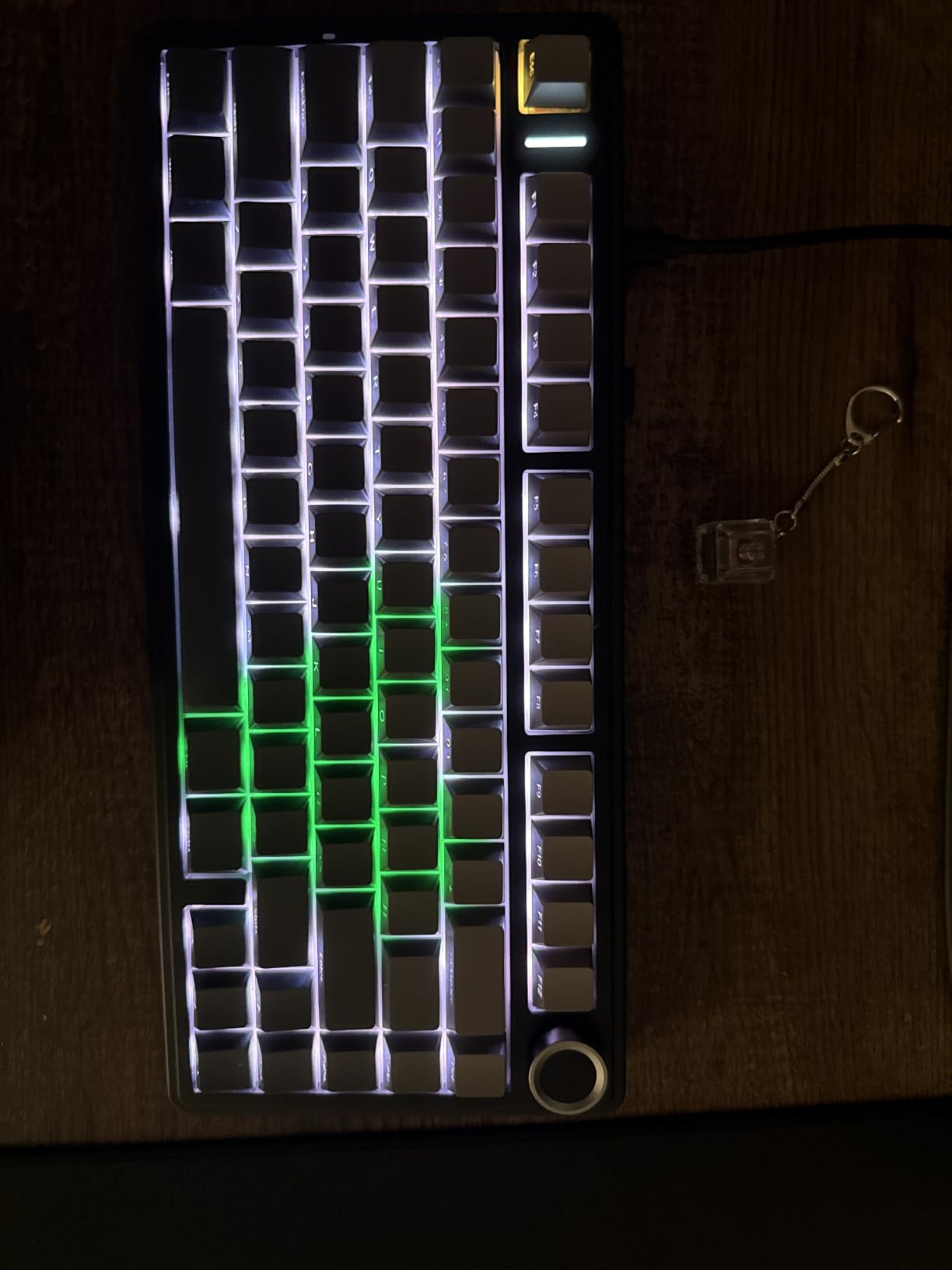
The F75 Pro ships with side-printed, double-shot PBT keycaps. The legends are on the front face of the cap rather than the top, which means the top-down RGB shines through unobstructed. On a stream, this looks clean and modern – the legends are visible to you but not glaring on camera.
There’s a real adaptation period for side-printed caps. The first week, I found myself hunting for keys because the legends weren’t where I expected. By week two, muscle memory took over and the side-print became invisible. If you switch frequently between this board and a top-printed one, expect a brief adjustment.
Who Should Buy This
The F75 Pro is the right board for streamers who want a wireless setup, a 75% layout that keeps arrows and F-row, and the satisfying sound of a pre-lubed linear build. It’s also the best pick if you want a hot-swap PCB with pre-lubed switches at a moderate price.
10. Redragon K668 – The Best Hot-Swap Productivity Keyboard Under $40
Redragon K668 108-Key Hot-Swap Wired RGB Gaming Keyboard, Extra 4 Hotkeys
108-key + 4 hotkeys
Hot-swap linear
19 RGB modes with music sync
Pros
- 4 dedicated productivity hotkeys plus full-size layout
- Hot-swap red linear switches - smooth and quiet
- Music-sync RGB mode is a nice desk-mood feature
- Two swappable keycap sets for fresh looks
- Strong value
Cons
- Plastic enclosure feels light
- No dedicated wrist rest
- Some users report inconsistent key feel out of the box
- Software is Windows-only
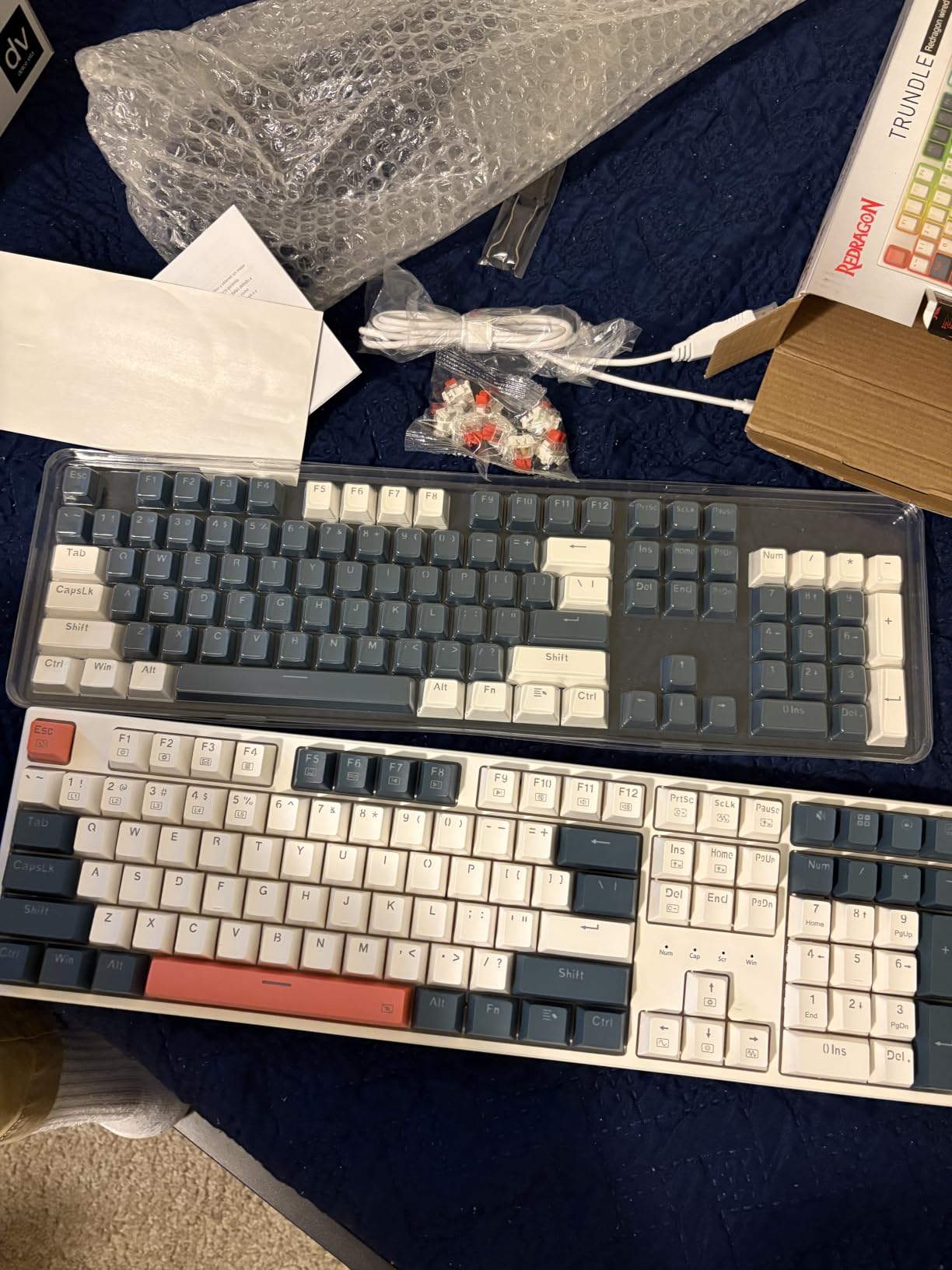
The K668 rounds out this list as a budget-friendly productivity keyboard with real streamer-friendly touches. The four dedicated hotkeys in the top right are mapped to mute, calculator, screen lock, and desktop by default, and all four are remappable through the Redragon software. For streamers who toggle between fullscreen game capture and desktop, the dedicated mute and desktop hotkeys are genuinely useful.
The hot-swappable linear switches are smooth and quiet. Out of the box, the red linear switches feel similar to a Cherry MX Red – light actuation force with no tactile bump. On stream, the K668 reads as a soft tap, which is friendly for chat and easy on the noise gate.
Music-Sync RGB and On-Camera Look
The K668’s standout lighting feature is music-sync mode. The RGB reacts to whatever audio is playing on your stream PC, which turns the keyboard itself into part of your stream’s visual aesthetic. I found it more fun than useful for serious streaming, but for variety streamers or IRL broadcasters, it’s a nice flair.
The board ships with two sets of mixed-color keycaps, which is a thoughtful touch at this price. You can swap the orange-and-grey set for the blue-and-white set to match your stream overlay. For streamers who care about visual consistency between their desk and their stream graphic, this is a real win.
Plastic Build: Honest Trade-Off
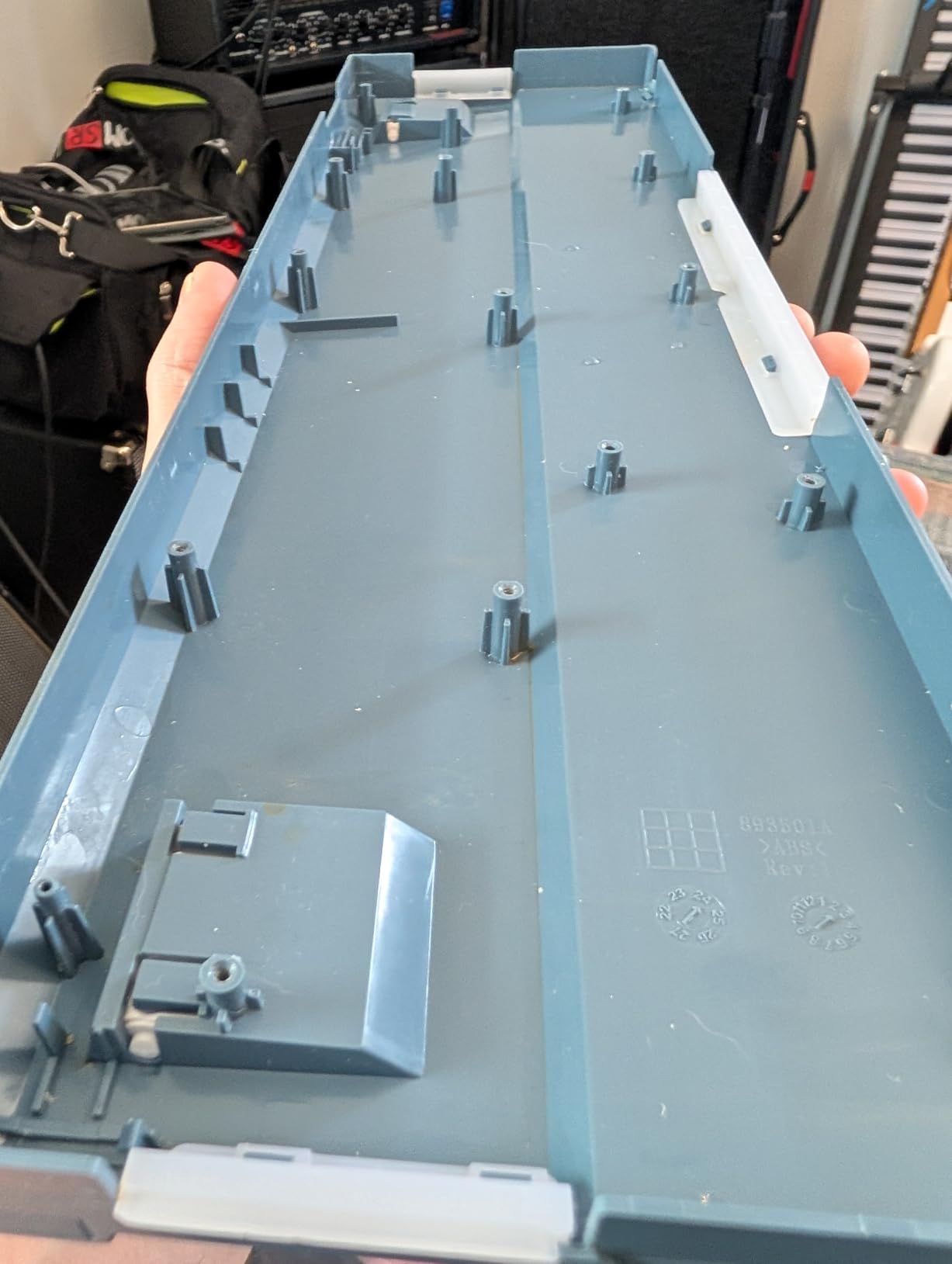
The K668’s plastic enclosure is the most obvious budget compromise. The board is light, which means it slides around during aggressive play. Reviewers on r/MechanicalKeyboards recommend pairing it with a desk mat or rubber pad to keep it in place. The lack of a wrist rest is also a small drawback for marathon streamers.
For the price, though, you get a full-size layout, hot-swap flexibility, dedicated hotkeys, and a useful RGB feature set. The K668 is the right pick if you want a budget full-size with streamer-friendly extras.
Who Should Buy This
The K668 is for streamers who want a budget-friendly full-size keyboard with dedicated productivity hotkeys and the option to mod switches later. If you primarily stream games and care about a silent board, the linear switches here will serve you well. If you want premium build quality, look at the K556 or K100 instead.
How to Choose the Right Gaming Keyboard for Streaming
Choosing a streaming keyboard comes down to four questions: how loud is your room, what games you play, how much desk space you have, and which streaming software you want to integrate. Below is a streamer-specific breakdown of each decision.
Switch Types: Linear vs Tactile vs Clicky vs Silent
Linear switches (Cherry MX Red, Gateron Yellow, LEOBOG Reaper) have no tactile bump and a straight actuation. They’re the fastest for competitive gaming and the quietest of the mechanical family. Linear is the right pick for FPS streamers who want quick reaction time and low noise.
Tactile switches (Cherry MX Brown, Redragon Brown) have a soft bump that confirms actuation without the loud click. They’re the middle ground – faster than clicky, more feedback than linear. Tactile is ideal for streamers who game and type in the same session and want feedback confirmation.
Clicky switches (Cherry MX Blue, Redragon Blue, Outemu Blue) are loud. The audible click carries far on stream and will be picked up by sensitive condenser mics. Clicky is the right pick only if you stream from a private studio with good mic isolation and you want audible confirmation for every keystroke.
Silent switches (Cherry MX Silent Red, Gateron Silent, Be Quiet! switches) are linear or tactile variants with internal dampening that reduces the bottom-out and top-out noise. They’re the quietest mechanical option and the best pick for ASMR streamers, podcast hosts, and anyone streaming from a shared space.
Form Factor: 60% vs TKL vs 75% vs Full-Size
The 60% layout (61 keys) drops the F-row, arrows, and numpad. It gives you the most horizontal mouse space, which is critical for low-sensitivity FPS players. The trade-off is the steepest learning curve and no dedicated arrows or F-row for OBS hotkeys.
The TKL (Tenkeyless, 87-90 keys) drops the numpad but keeps F-row and arrows. It’s the most common streamer form factor because you keep OBS hotkey access without giving up mouse space. The K552P and G PRO TKL on this list are TKL examples.
The 75% layout (around 81 keys) is the new middle ground. It keeps F-row, arrows, and a compact footprint. The F75 Pro is the 75% pick on this list, and it’s increasingly popular with streamers who want TKL-like functionality in a smaller package.
Full-size (104-110 keys) keeps everything, including the numpad. It’s the right pick for streamers who do video editing, spreadsheet work, or data entry in the same session. The K556, K580, K100, Apex 3, G213, and K668 are all full-size.
Wireless vs Wired for Streamers
Wireless used to be a streamer no-go because of input lag and dropped frames. In 2026, modern 2.4GHz wireless keyboards like the AULA F75 Pro deliver latency that’s indistinguishable from wired in real-world testing. Bluetooth is fine for productivity but introduces enough latency that competitive streamers should stick with 2.4GHz or wired.
The real benefit of wireless is desk aesthetics and ergonomics. Without a cable, you can position your keyboard anywhere on the desk and your camera angle becomes cleaner. For streamers who care about on-camera visuals, that’s a real win.
Wired is still the safe pick for tournament play and high-refresh-rate competitive gaming. Zero risk of dropped frames, zero battery anxiety, and slightly lower price. For first-time streamer keyboards, I’d still recommend wired until you’ve nailed your full stream setup.
RGB, Macros, and OBS Integration
RGB matters for on-camera branding. Per-key RGB lets you highlight specific keys (like OBS scene switches) so viewers see your stream control layer. Zone RGB (like the G213’s 5-zone or Apex 3’s 10-zone) is enough for ambient color but doesn’t let you highlight individual keys.
Macros matter for workflow. The K580 and K100 have dedicated physical macro keys you can bind to OBS scenes, Discord mute, or Stream Deck actions. Software-only macros (like on the K552P, K617, or F75 Pro) work the same way but require a software layer to configure. Both approaches are valid – dedicated keys are faster, software is more flexible.
OBS integration is the missing piece in most keyboard software. iCUE (Corsair) integrates with Elgato Stream Deck on the K100. Logitech G Hub supports OBS hotkeys directly. Redragon’s software is more limited – you can bind macros to keys but the OBS integration is manual. If OBS workflow is your priority, the K100 or G213 are the strongest picks.
Microphone Placement Tips to Cut Keyboard Noise
Even the quietest keyboard will be picked up by a sensitive condenser mic if it’s positioned right next to your mouth. Here are the placement rules I follow and recommend to other streamers:
1. Keep your mic at least 6 to 8 inches from your mouth, slightly off-axis. Direct-line placement picks up the most keyboard noise.
2. Position the mic between you and the monitor, not behind your keyboard. This puts the keyboard “behind” the mic from an audio perspective.
3. Use a noise gate in OBS or your DAW. Set the threshold just above your speaking volume so typing doesn’t pass through.
4. Add a foam windscreen or pop filter. Even a basic pop filter reduces plosives and reduces keyboard clicks that travel through the air.
5. Use a shock mount. Mic shock mounts decouple the mic from desk vibrations, which kills the “thock” that travels through the desk surface.
No keyboard on this list will fully eliminate noise. Combine the right switch type (silent linear or tactile) with proper mic placement and noise gating, and you’ll have broadcast-quality audio even during the most intense gaming sessions. For more on optimizing your streaming audio, our guide to the best gaming headsets for streamers covers mic quality in detail.
Also worth noting: if you primarily play FPS games, our 8 Best Gaming Keyboards for FPS Games list goes deeper on low-latency boards for competitive play.
Frequently Asked Questions
What is the best keyboard for streamers?
The best gaming keyboards for streamers are quiet, responsive mechanical or Hall-effect keyboards with linear or silent switches that minimize microphone noise pickup while delivering responsive actuation, customizable RGB for branding, and programmable macros for broadcast control. Our top pick is the Redragon K552P Kumara for its hot-swap flexibility, solid metal frame, and 18 RGB modes at an accessible price point. For streamers who need a wireless setup, the AULA F75 Pro with tri-mode connectivity is the next-best option.
What is the #1 gaming keyboard?
The #1 gaming keyboard right now is the Wooting 80HE, which uses Hall effect (magnetic) switches with adjustable actuation and rapid trigger support. Hall effect switches let you set the actuation point anywhere from 0.1mm to 4mm and add rapid trigger for competitive gaming. However, Hall effect boards are not on this roundup because they’re significantly more expensive than the mechanical boards streamers typically choose. For most streamers, the Redragon K552P or Corsair K100 RGB offer the best balance of features and price.
What keyboard do most pro gamers use?
Most competitive pro gamers use TKL mechanical keyboards with linear switches, typically Cherry MX Red, Gateron Yellow, or similar pre-lubed linears. Wooting, Razer, and Logitech are the most common brands at LAN events, with Wooting’s Hall effect boards rapidly gaining share among Valorant and CS2 pros. The tournament-grade TKL form factor (like the Logitech G PRO) remains the standard because it balances mouse space with full F-row access for game commands.
Is Wooting worth it?
Yes, Wooting is worth it for streamers who also play competitive FPS games and want the lowest-latency input available. Hall effect switches have adjustable actuation (set per-key, anywhere from 0.1mm to 4mm) and rapid trigger, which lets you reset a key by lifting it slightly rather than fully releasing it. The Wooting Wootility software is also excellent for streamers, with deep customization and OBS-friendly macro support. The trade-off is price – Wooting boards cost significantly more than the mechanical options on this list.
Why are 60% keyboards better for gaming?
60% keyboards are better for gaming because the compact layout (61 keys) gives you roughly 30% more horizontal mouse space. That extra space lets you use lower mouse sensitivity for higher precision in FPS games. The trade-off is no dedicated F-row, arrows, or numpad – everything moves to a function layer accessed through FN + a key. For competitive FPS streamers who don’t need arrow keys or extensive hotkeys, a 60% board like the Redragon K617 is a clear upgrade over a TKL or full-size.
Do most streamers use silent keyboards or mechanical keyboards?
Most streamers use mechanical keyboards with silent linear or tactile switches rather than fully silent (membrane) keyboards. Silent mechanical switches like Cherry MX Silent Red, Gateron Silent, and the switches on the Be Quiet! Light Mount deliver the typing feel and accuracy of a mechanical while keeping noise low enough for most microphones. The SteelSeries Apex 3 is the most common membrane-style pick for streamers who prioritize silence above all else. Clicky mechanicals (Blue switches) are generally avoided because they get picked up by sensitive condenser mics.
Are mechanical keyboards good for streaming?
Yes, mechanical keyboards are good for streaming as long as you choose the right switch type. Linear and tactile mechanical switches are responsive, durable, and quiet enough for most streaming setups. Clicky mechanical switches are loud and will be picked up by sensitive microphones unless your noise gate is dialed in. For most streamers, a hot-swappable mechanical with silent linear or tactile switches is the best balance of feel, noise, and upgrade flexibility.
Should streamers use wireless keyboards?
Yes, modern wireless keyboards are fine for streaming. 2.4GHz wireless keyboards in 2026 deliver latency on par with wired connections in real-world testing, even for competitive FPS play. The AULA F75 Pro is a strong tri-mode wireless pick with stable 2.4GHz, Bluetooth 5.0, and USB-C wired options. Bluetooth-only wireless is fine for productivity but adds enough latency that competitive streamers should stick with 2.4GHz dongles or wired connections.
Final Verdict: Which Streaming Keyboard Should You Buy?
If you stream from a private studio and value upgrade flexibility, the Redragon K552P Kumara remains my top pick – the hot-swap socket, solid metal frame, and 18 RGB modes cover every streaming workflow without breaking the bank. For streamers who want a full-size aluminum board with quieter Brown switches, the Redragon K556 Devarajas is the best value option and a long-term workhorse.
If silence is your top priority – shared rooms, ASMR streams, bedroom setups – go with the SteelSeries Apex 3. The whisper-quiet switches and IP32 spill resistance make it the most broadcast-friendly board on this list. If you want wireless freedom and a creamy thocky typing sound, the AULA F75 Pro is the best wireless 75% pick. And if you want a flagship board with Elgato Stream Deck integration built in, the Corsair K100 RGB is the right call – just budget for the price jump.
Whatever you choose, pair your new keyboard with proper microphone placement and noise gating. Even the best gaming keyboards for streamers benefit from a 6-inch mic distance, a noise gate threshold just above your speaking volume, and a shock mount to decouple desk vibrations. With the right keyboard and the right mic setup, your stream audio will be broadcast-quality – and your chat will stop asking you to “type quieter.”