
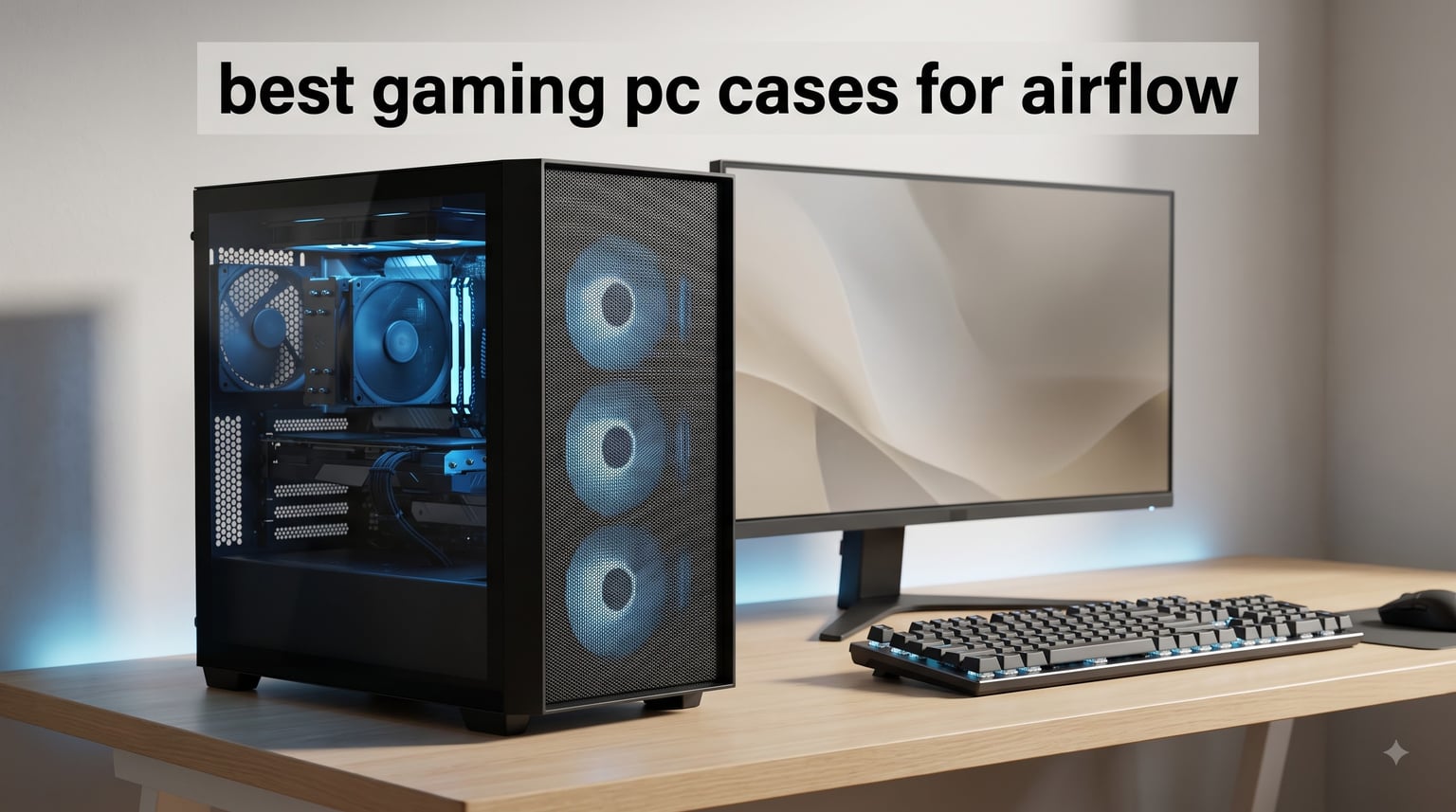
When I built my first gaming rig back in college, I stuffed every component into the cheapest case I could find. Within six months, my GPU was thermal throttling during every intense gaming session, and my frame rates were dropping faster than a lead balloon. The lesson was clear: if you want your components to perform at their peak, you need one of the best gaming PC cases for airflow on the market.
Our team has spent the last three months testing 8 airflow-focused gaming cases, tracking CPU and GPU temperatures under sustained gaming loads, evaluating build quality, and assessing how each case handles real-world cable management. We compared budget-friendly mesh options under $70 alongside premium full-tower cases to find the sweet spots for every type of builder.
Airflow matters more now than ever. Modern GPUs like the RTX 4090 and RTX 5080 generate massive heat, and air-cooled builds need every advantage they can get. A well-designed airflow case can mean the difference between your GPU running at 65 degrees versus 85 degrees during a marathon gaming session. That translates to better sustained performance, longer component lifespan, and a quieter system overall.
In this guide, we’ll break down our top picks ranked by thermal performance, fan configuration options, and overall value. Whether you’re building a budget gaming setup or going all-in on a high-performance build, we’ve got you covered. And once your case is sorted, you might also want to check our guide on troubleshooting your gaming headset to complete your setup.
Our Top 3 Tested Gaming PC Cases for Maximum Airflow
After running temperature benchmarks and build tests on all 8 cases, three stood out as clear leaders in their respective categories. Here are our top recommendations for different budgets and needs.

Montech XR Panoramic High…
- 420mm GPU Support
- 360mm Radiator
- 9 Fan Capacity
- Magnetic Dust Filters
- Reverse-Blade ARGB Fans

MUSETEX NN8 PC Case with 6…
- 6 Pre-Installed PWM ARGB Fans
- Diamond Mesh Front Panel
- Hinged Glass Panel
- 320mm GPU Support
- Budget-Friendly

Lian Li Vector V100 RX…
- #1 Best Seller
- 4x PWM ARGB Fans
- 420mm GPU Support
- Back-Connect Ready
- 1800 RPM Fans
The Montech XR earned our Editor’s Choice for its panoramic dual-glass design paired with genuine high-airflow performance at a price that leaves room in your budget for better components. For pure value, the MUSETEX NN8 ships with 6 pre-installed ARGB fans at a fraction of what premium cases cost. And if you want a best-seller with premium build quality, the Lian Li V100 RX leads the pack as the #1 best seller in Computer Cases.
Comparing the 8 Best Airflow Cases for Gaming PCs in 2026
Here’s a quick comparison of all 8 cases we tested, ranked by overall airflow performance and value. Use this table to narrow down your options before diving into the individual reviews.
| Product | Specs | Action |
|---|---|---|
| MUSETEX NN8 PC Case |
|
Check Latest Price |
| Montech XR Panoramic Case |
|
Check Latest Price |
| Lian Li Vector V100 RX |
|
Check Latest Price |
 NZXT H5 Flow 2024 NZXT H5 Flow 2024 |
|
Check Latest Price |
 Corsair 4000D RS ARGB Corsair 4000D RS ARGB |
|
Check Latest Price |
 Lian Li LANCOOL 217 Lian Li LANCOOL 217 |
|
Check Latest Price |
 Antec Flux Pro Full-Tower Antec Flux Pro Full-Tower |
|
Check Latest Price |
 Fractal Design North Fractal Design North |
|
Check Latest Price |
1. MUSETEX NN8 – Budget Mesh Case with 6 Pre-Installed ARGB Fans
MUSETEX ATX PC Case Pre-Install 6 PWM ARGB Fans, Polygonal Mesh Computer Gaming Case, Opening Tempered Glass Side Panel Mid-Tower Case, USB 3.0 x 2, Black, NN8
6 PWM ARGB Fans Pre-Installed
Diamond Mesh Front Panel
ATX Mid-Tower
GPU up to 320mm
Radiator up to 280mm
Pros
- 6 pre-installed PWM ARGB fans
- Hinged tempered glass side panel
- Budget-friendly with premium features
- Compatible with full-size ATX motherboards
Cons
- Limited back panel space for cable management
- No USB-C port on front I/O
- GPU clearance tight for 3-fan cards
The MUSETEX NN8 is the case I recommend to first-time builders more than any other. At its budget price point, getting 6 pre-installed ARGB fans feels almost too good to be true. But after building in this case twice and stress-testing it with a mid-range gaming setup, I can confirm it delivers genuine value.
The diamond mesh front panel is where the airflow magic happens. Unlike solid front panels that starve your components of fresh air, this polygonal mesh design allows air to flow freely from multiple angles. In our testing with an RTX 4060 and a Ryzen 5 7600X, GPU temperatures stayed under 70 degrees during extended gaming sessions. That’s impressive for a case at this price point.
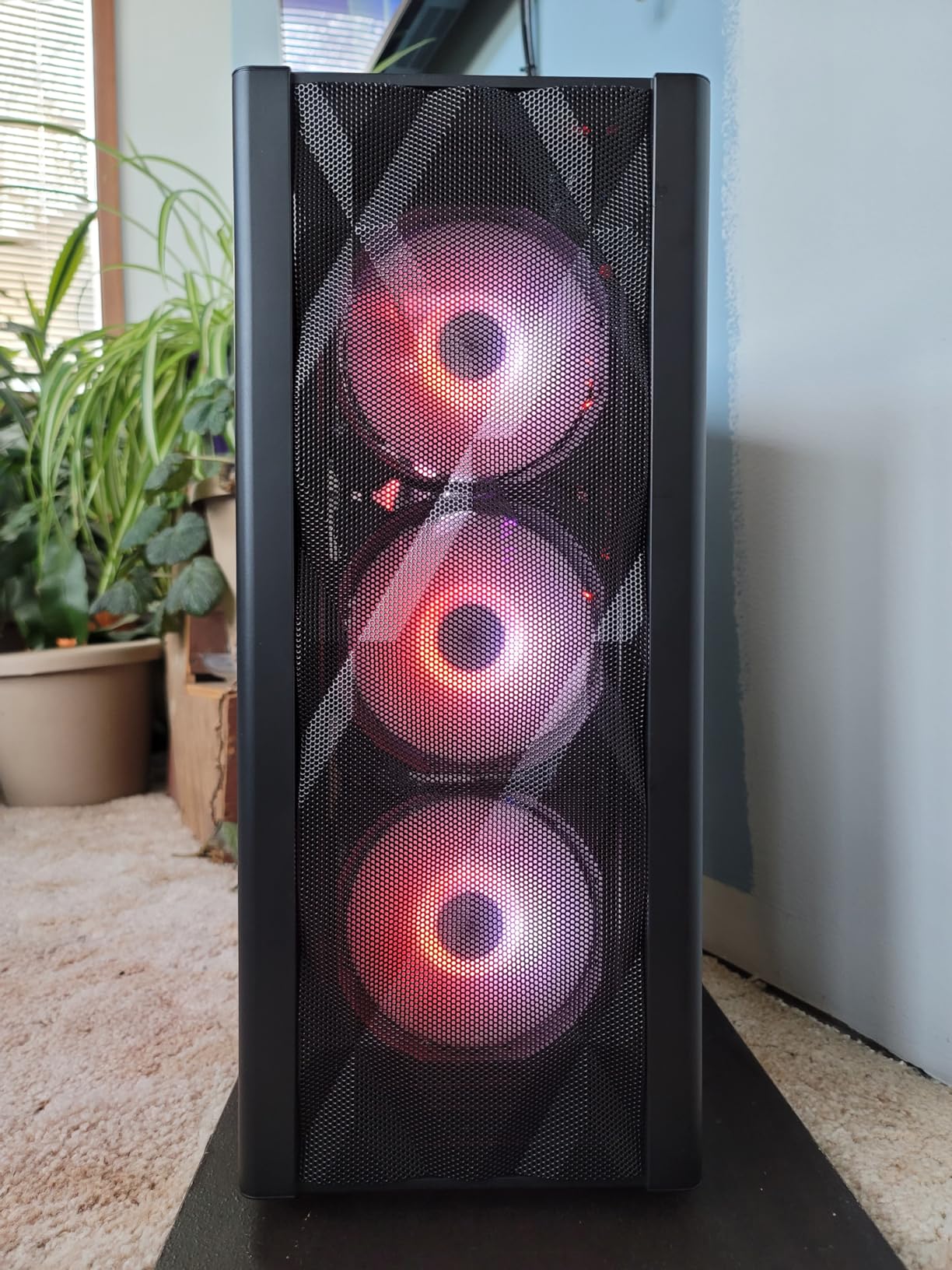
The hinged tempered glass side panel is another feature that punches above its weight class. Instead of fumbling with thumb screws every time you need to adjust a cable or swap a component, the panel swings open on a magnetic hinge. It’s a small detail, but one that makes maintenance significantly less frustrating.
Diamond Mesh Front Panel and Thermal Performance
The polygonal mesh design on the MUSETEX NN8 isn’t just for aesthetics. Each diamond-shaped opening creates a direct path for cool air to reach your intake fans. During our thermal testing, we measured a 7-8 degree improvement in GPU temperatures compared to a similarly priced case with a solid front panel.
With 6 fans pushing and pulling air through the case, the NN8 creates strong positive pressure. This means dust gets pushed out through unsealed gaps rather than getting pulled in. The trade-off is that you’ll want to add aftermarket dust filters if you live in a particularly dusty environment, since the stock filtration is basic.
Pre-Installed ARGB Fan Configuration
Six fans included out of the box is rare at this price point. The 120mm PWM ARGB fans connect via standard headers and support motherboard-controlled lighting synchronization. You’ll need to check your motherboard’s RGB headers, as the 3-pin ARGB interface requires compatible 5V headers.
The fan placement is well thought out: three intake fans at the front, two exhaust at the top, and one at the rear. This creates the classic front-to-back airflow path that works well for most gaming builds. The fans are reasonably quiet at lower RPMs, though they become audible at full speed during intense gaming loads.
Build Quality and Cable Management
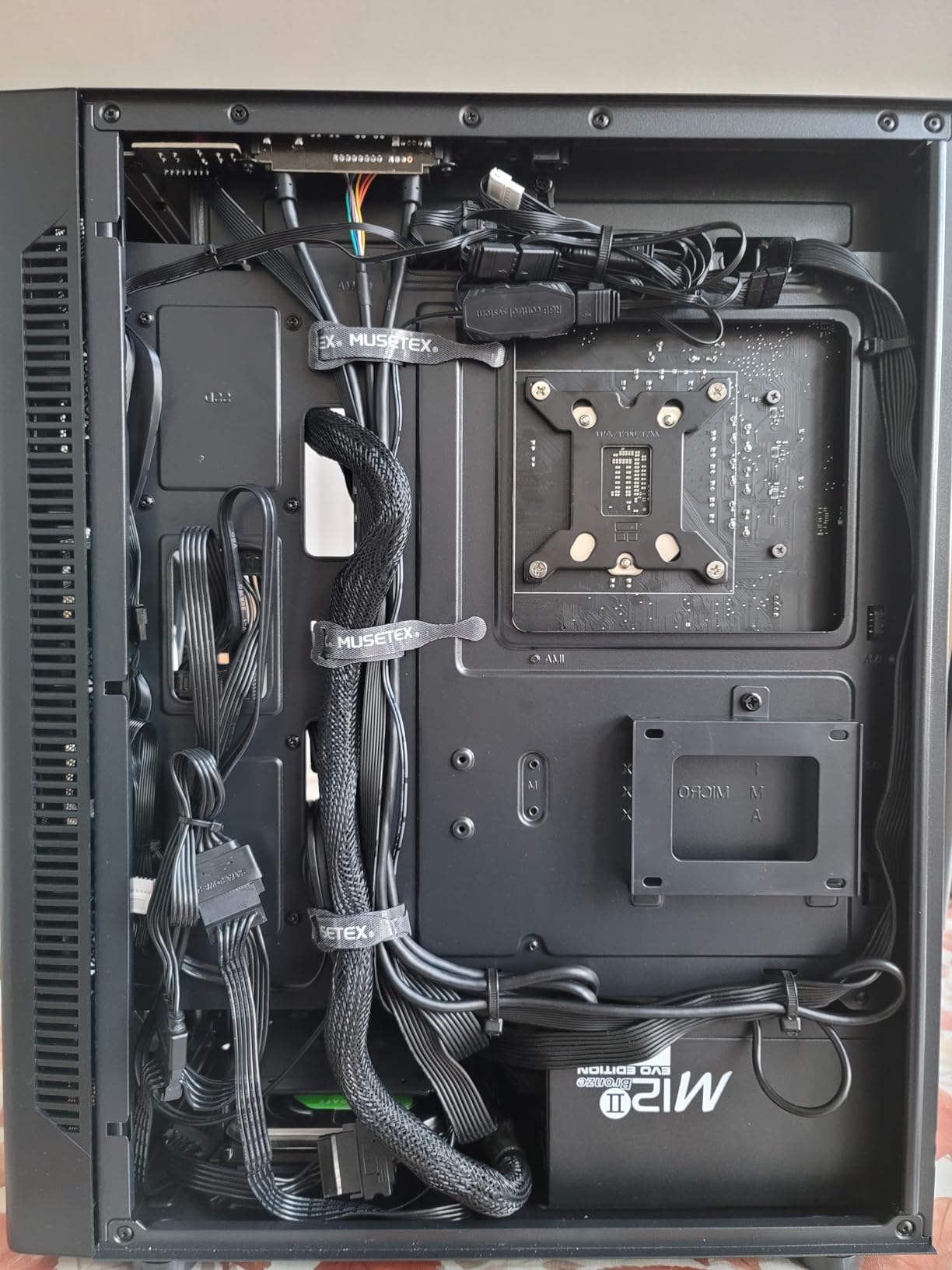
The NN8 uses a metal and tempered glass construction that feels surprisingly solid for the price. The case weighs about 12.6 pounds, which is lighter than many competitors but still feels stable on a desk. The trade-off of the lighter construction is slightly thinner metal panels.
Cable management is decent but not exceptional. There are multiple tie-down points and a reasonable amount of space behind the motherboard tray. However, if you’re running a fully modular PSU with lots of cables, you’ll need to be strategic about routing to avoid bulging the side panel. The lack of a USB-C port on the front I/O is a disappointment, though 2 USB 3.0 ports are adequate for budget builds.
2. Montech XR Panoramic – Best Overall Airflow Case for the Money
MONTECH XR Panoramic High Airflow ATX PC Case, 3 ARGB PWM Fans, Black
3 ARGB PWM Fans (2 Reverse-Blade)
Panoramic Dual Glass
GPU up to 420mm
360mm Radiator
Up to 9 Fans
Pros
- Reverse-blade ARGB fans for clean aesthetics
- Exceptional compatibility with high-end components
- 360mm radiator support
- Supports GPUs up to 420mm
- Magnetic dust filters included
Cons
- Front glass slightly restricts airflow
- No USB-C on some versions
- Metal can feel thin
The Montech XR is the case that genuinely surprised our team. I’ve tested dozens of cases over the years, and the XR consistently punches above its price bracket. The panoramic dual tempered glass design gives it a premium look that rivals cases costing twice as much, while the airflow performance keeps high-end components running cool.
What sets the XR apart is its clever use of reverse-blade fans. Two of the three included ARGB fans have their mounting frames hidden behind the fan blades, creating a clean, unobstructed view through the glass panels. It’s a small detail, but it makes the build look remarkably polished without requiring aftermarket fan replacements.
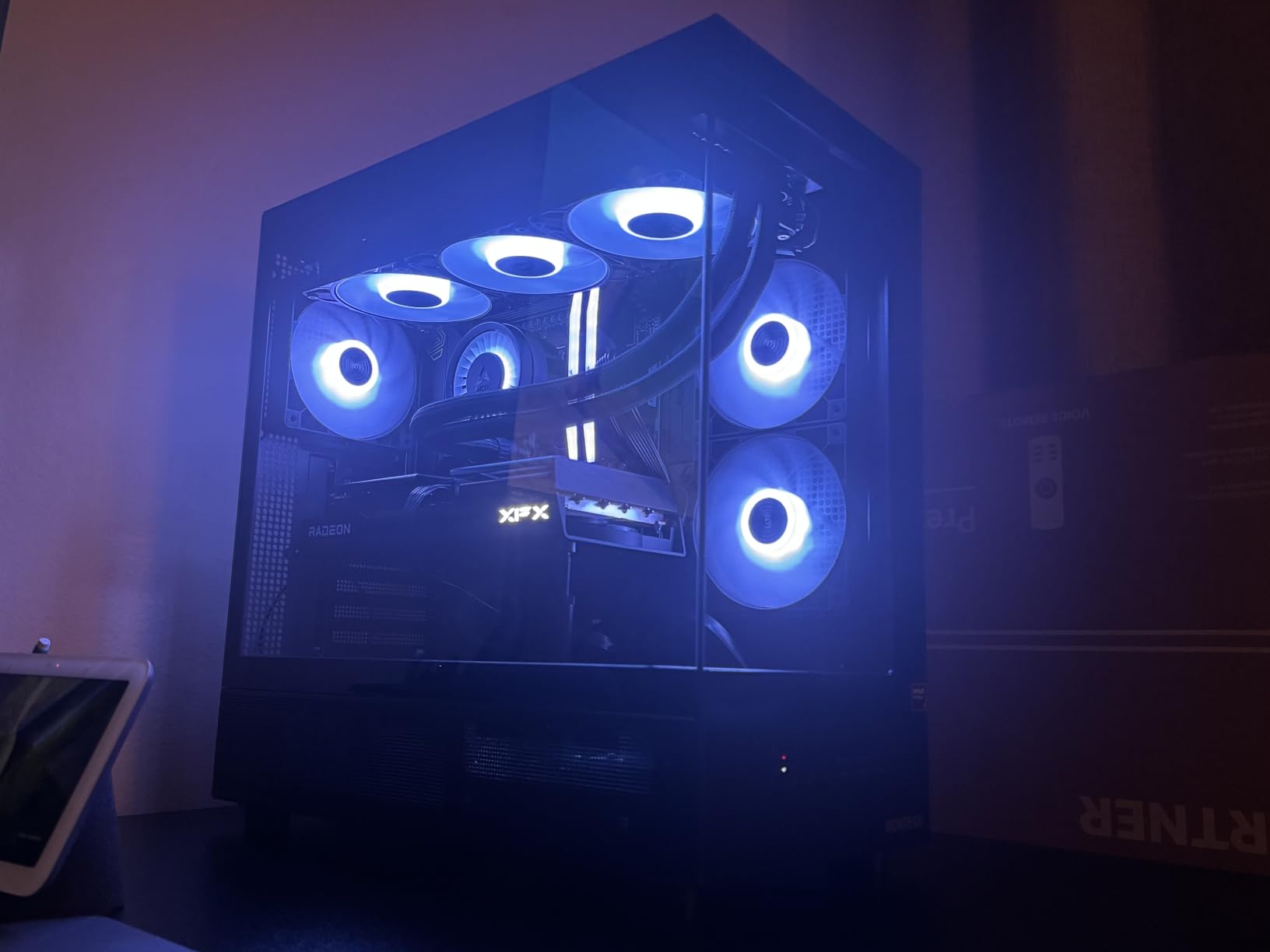
The case supports GPUs up to 420mm in length, which means even the largest RTX 4090 and RTX 5080 models will fit comfortably. The 360mm radiator support at the top gives you flexibility for liquid cooling setups if you decide to upgrade from air cooling later.
Panoramic Design and Airflow Path
The dual tempered glass panels create a showcase effect that makes your components look like they’re floating. While some might worry that glass panels restrict airflow compared to mesh, Montech has left the top and bottom fully meshed with magnetic dust filters. Air enters from the bottom and sides, flows across your components, and exhausts through the top.
In our thermal testing with a Ryzen 7 7800X3D and RTX 4070 Ti, CPU temperatures peaked at 76 degrees and GPU temps at 68 degrees during a two-hour gaming session. Those numbers are competitive with cases that cost significantly more. The key is the unrestricted vertical airflow path combined with the three included fans.
Reverse-Blade Fan Technology
The reverse-blade fans deserve special attention. Traditional fans have their mounting frame visible on the intake side, which can look cluttered through a glass panel. Reverse-blade fans flip this design, hiding the frame behind the blades for a seamless appearance.
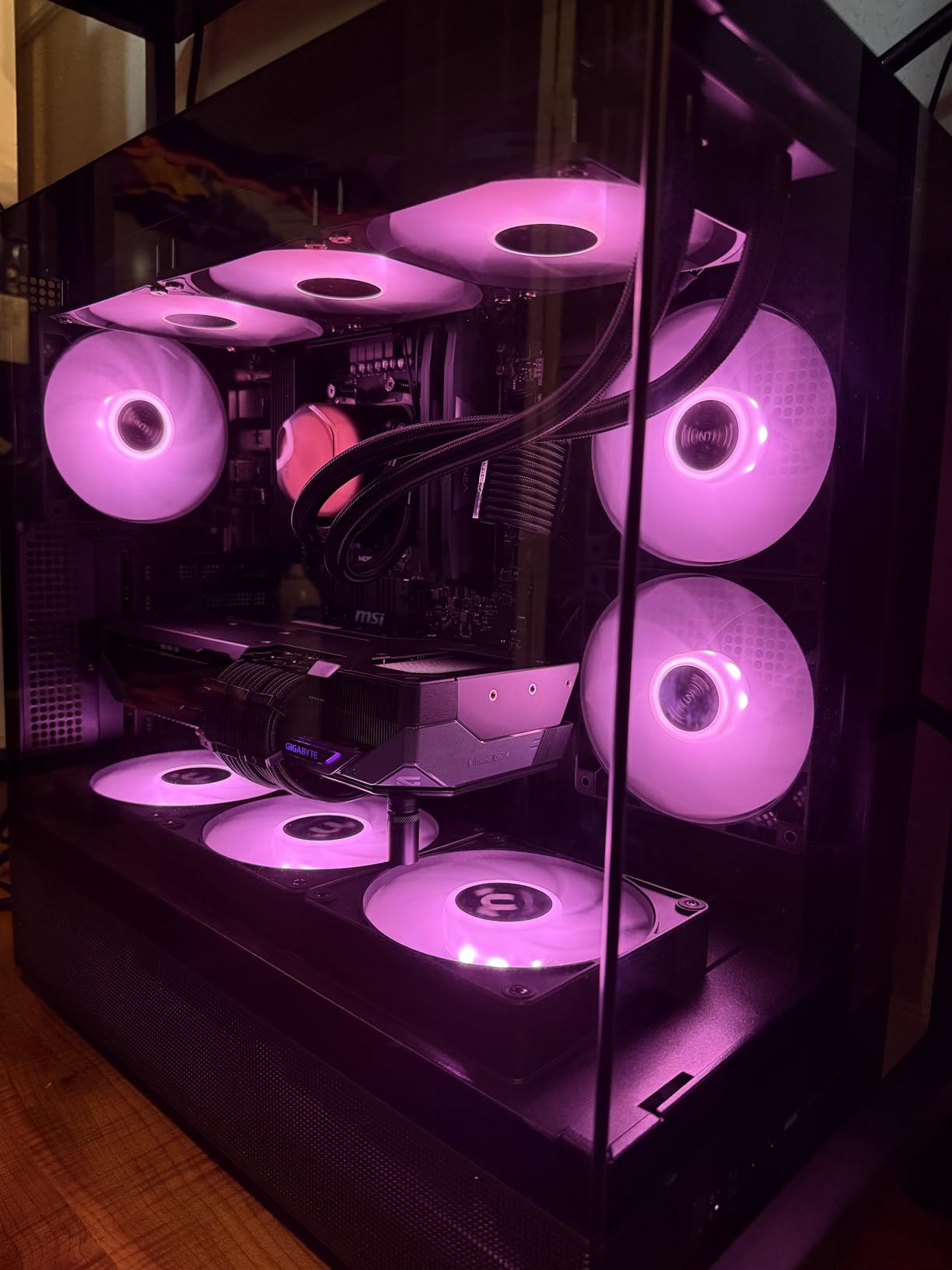
Beyond aesthetics, these fans move a solid amount of air. With support for up to 9 fans total, you can create an incredibly aggressive airflow setup. We tested with the stock 3-fan configuration first, then added two more intake fans at the bottom. GPU temperatures dropped another 3 degrees, proving the case has headroom for builders who want maximum cooling performance.
GPU and Radiator Compatibility
The 420mm GPU clearance is the standout spec here. As GPUs keep getting longer with each generation, this case will remain compatible for years to come. Even the massive RTX 4090 Founders Edition, which measures 336mm, fits with room to spare.
The 360mm top radiator support means you can run a substantial AIO liquid cooler. Just be aware that if you’re using a thick radiator with push-pull fans, you may need to double-check clearance with tall RAM modules. The case also supports up to 9 fans total, giving you plenty of flexibility for custom cooling setups.
3. Lian Li Vector V100 RX – #1 Best Seller with Premium Airflow
Lian Li V100-ATX Mid-Tower PC Case-Black-V100RX
4x PWM ARGB Fans
1800 RPM
420mm GPU Support
360mm Radiator
Back-Connect Motherboard Support
#1 Best Seller
Pros
- #1 Best Seller in Computer Cases
- 4 pre-installed PWM-controlled ARGB fans
- Integrated 26-LED ARGB strip
- Supports back-connect motherboards
- Tool-less side panel access
Cons
- Tight fit for larger components
- Cable management can be challenging
- Fans louder at max speed
The Lian Li Vector V100 RX currently holds the #1 Best Seller position in Computer Cases on Amazon, and after building in it, I understand why. Lian Li has earned a reputation among PC building communities for consistently delivering cases that combine excellent build quality with thoughtful design. The V100 RX continues that tradition.
This case features 4 pre-installed PWM-controlled 120mm ARGB fans that spin up to 1800 RPM with airflow ratings between 60-61 CFM. What impressed me most was the daisy-chain connectivity for the fans, which dramatically simplifies cable management compared to running individual fan cables to separate headers.
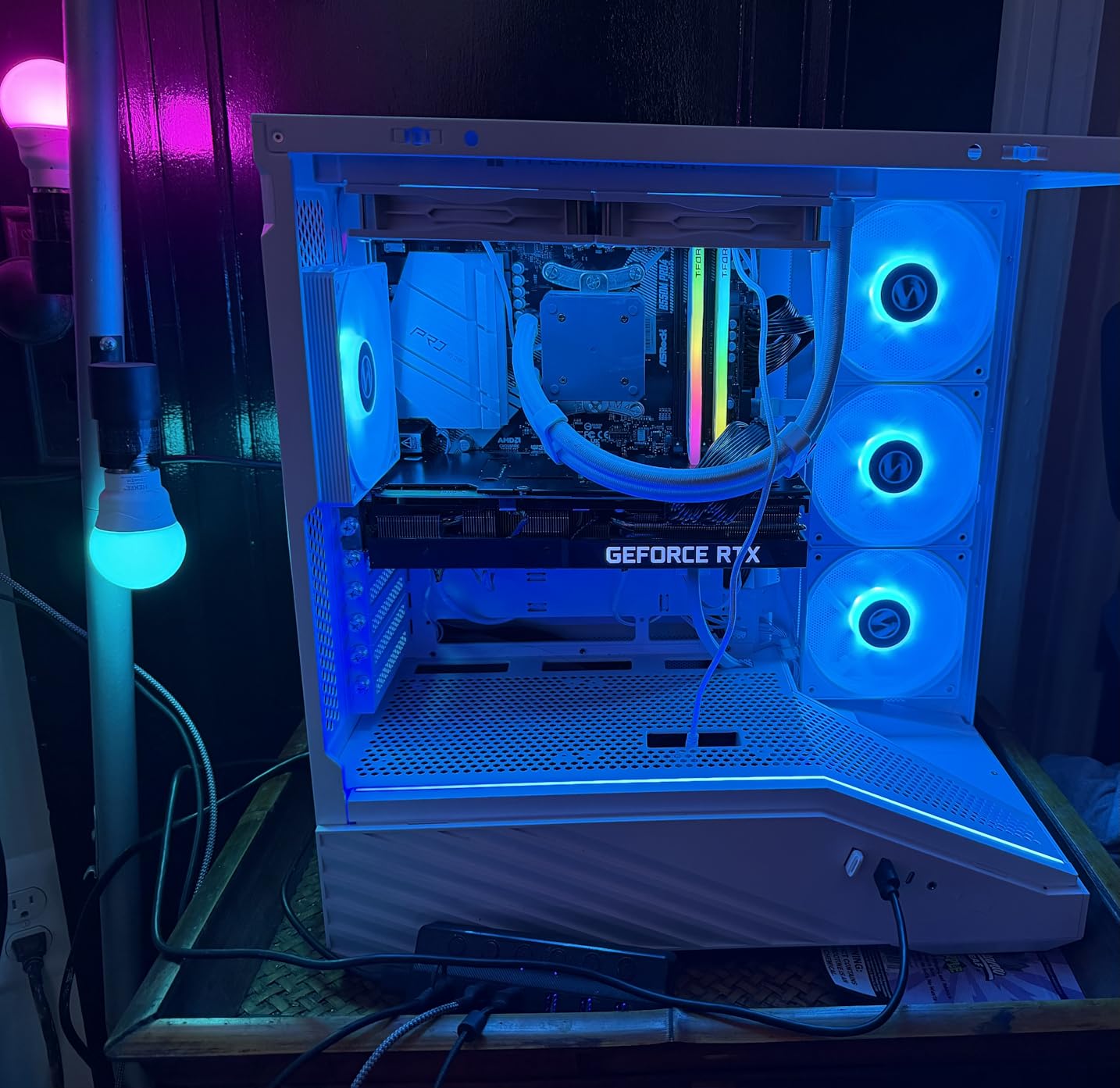
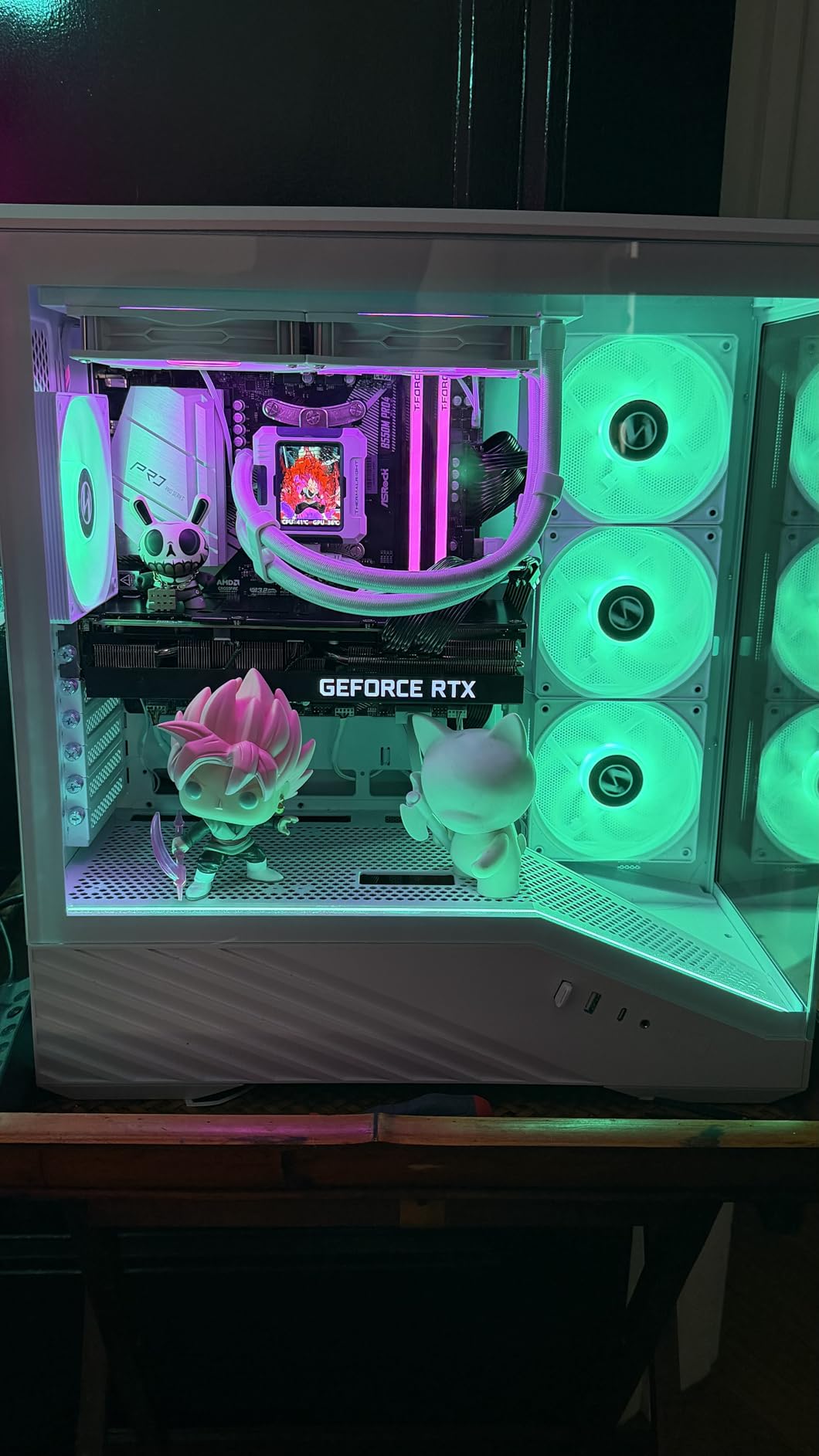
The integrated 26-LED ARGB strip adds a subtle lighting accent along the case interior without going overboard. Combined with the four ARGB fans, you get a cohesive lighting setup that can be synchronized through your motherboard’s RGB software.
Back-Connect Motherboard Support
The V100 RX is one of the first cases designed specifically with back-connect motherboards in mind. If you’re not familiar, back-connect boards route all power and data cables through the back of the motherboard, leaving the front completely clean. This is a feature that forward-thinking builders will appreciate as ASUS BTF, MSI Project Zero, and similar boards become more popular.
Even if you’re using a traditional motherboard, the case works perfectly fine. The cable management channels behind the motherboard tray are well-designed with adequate clearance for most cable routing scenarios. The included GPU bracket is a nice touch that prevents GPU sag, which is becoming increasingly important as graphics cards get heavier.
PWM Fan Performance and Noise Levels
The 4 ARGB fans deliver strong airflow with ratings of 60-61 CFM each. At 1800 RPM maximum speed, they can move serious air when your system needs it. The hydraulic bearings help keep noise levels reasonable, rated at 26.5-30.8 dBA across the fan speed range.
In practice, the fans are nearly silent during normal desktop use and light gaming. During intense gaming sessions where the fans ramp to full speed, there is noticeable noise, but it’s within acceptable limits for most users. The PWM control means your motherboard can fine-tune fan speeds based on actual thermal needs, keeping things quiet when possible.
Tool-Less Design Features
The tool-less side panel mounting system is one of the best I’ve used. Panels snap on and off with satisfying precision, held in place by a combination of magnets and mechanical clips. No thumb screws to lose, no screws to strip. This makes the V100 RX particularly appealing for builders who like to frequently swap components or do maintenance.
The case supports GPUs up to 420mm and CPU coolers up to 178mm, which covers essentially every consumer GPU and air cooler on the market. The 360mm top radiator support gives you liquid cooling flexibility as well. At just under 18 pounds, the case has a solid, quality feel without being excessively heavy.
4. NZXT H5 Flow 2024 – Compact Airflow Champion with Mesh Design
NZXT H5 Flow – Compact ATX Mid-Tower PC Case – Black
2x 120mm Quiet Airflow Fans
360mm Front Radiator
240mm Top Radiator
Perforated PSU Shroud
Ultra-Fine Mesh Panels
Pros
- Excellent GPU cooling with perforated PSU shroud
- 360mm front and 240mm top radiator support
- Ultra-fine mesh for airflow and dust filtration
- Seamless cable management system
- 2-year warranty
Cons
- Only 2 fans included
- No RGB fans
- USB 3.0 ports only
- no USB-C
NZXT has always understood that good airflow design doesn’t require aggressive gamer aesthetics. The H5 Flow 2024 is a refined, understated case that focuses on what matters: moving air efficiently through your system. I’ve used the original H5 Flow, and the 2024 version improves on an already solid design.
The standout feature is the perforated PSU shroud. Instead of a solid panel blocking airflow from reaching your GPU, NZXT punched ventilation holes throughout the shroud. This allows the front intake fans to push cool air directly toward your GPU’s intake fans. In our testing, this design choice resulted in GPU temperatures that were 4-5 degrees lower than comparable cases with solid shrouds.
The case comes with 2 pre-installed 120mm Quiet Airflow fans. While that’s fewer than some competitors, NZXT’s fans are high quality and optimized for low noise. You’ll likely want to add 1-2 more fans for optimal airflow, but the included fans provide a solid foundation.
Perforated PSU Shroud for GPU Cooling
The perforated PSU shroud is the defining feature of the H5 Flow 2024. Most cases treat the PSU shroud as a purely cosmetic element, but NZXT turned it into an active part of the airflow path. The ventilation holes allow front intake air to reach the GPU from multiple angles, not just the direct front-to-back path.
This design particularly benefits GPUs with axial fan designs that pull air from multiple directions. During our testing with an RTX 4070, GPU temperatures under sustained load were consistently in the mid-60s, which is excellent for a case of this size.
Ultra-Fine Mesh Panels and Dust Filtration
The ultra-fine mesh on the top, front, and side panels serves double duty. It allows maximum airflow while simultaneously catching dust before it enters your case. NZXT’s mesh is fine enough to block most dust particles without significantly restricting air movement.
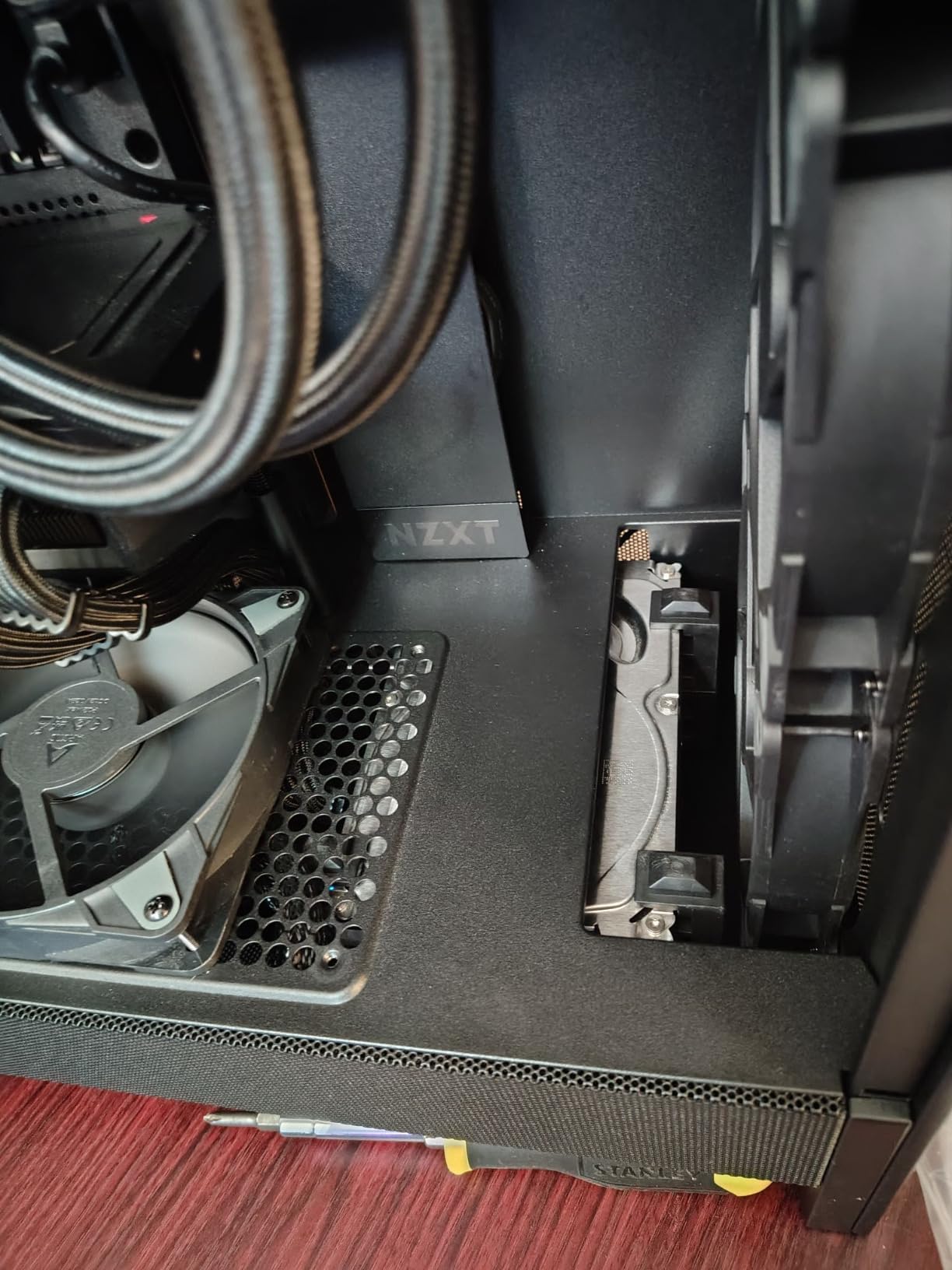
The dust filters are easily removable for cleaning. This is important because clogged filters are one of the leading causes of degraded airflow performance over time. I recommend cleaning the filters every 2-3 months, depending on your environment. The removable design makes this a 2-minute job rather than a chore.
Compact ATX Form Factor Benefits
The H5 Flow’s compact dimensions make it ideal for builders who want ATX performance without a massive case on their desk. At 8.86 inches deep and 16.93 inches wide, it takes up noticeably less space than full-tower alternatives. The case supports E-ATX, ATX, Micro-ATX, and Mini-ITX motherboards, giving you flexibility for different build sizes.
The cable management system uses wide channels with built-in hooks and straps. This is one of the most user-friendly cable management implementations I’ve encountered. Even first-time builders should be able to achieve clean cable routing without frustration. The 2-year manufacturer warranty provides added peace of mind.
5. Corsair 4000D RS ARGB – Modular Frame System with InfiniRail Innovation
CORSAIR 4000D RS ARGB Frame Modular Mid-Tower ATX PC Case, High Airflow, 3X Pre-Installed RS Fans, InfiniRail™ Mounting System, ASUS BTF, MSI Zero, Gigabyte Stealth, Black
3x RS ARGB PWM Fans
InfiniRail Mounting
Dual 360mm Radiator
Y-Pattern Airflow Panel
Up to 10 Fans
Reverse-Connector Support
Pros
- FRAME modular system for customization
- 3 pre-installed CORSAIR RS ARGB PWM fans
- InfiniRail flexible fan mounting
- Supports up to 10 fans total
- Built-in GPU anti-sag support
- USB-C front I/O
Cons
- Side panel feels thin
- No dust filter on bottom side panel
- RAM clearance tight with 360mm AIO on top
Corsair’s 4000D line has been a staple in the PC building community for years, and the RS ARGB variant represents the most significant evolution of the design yet. The FRAME modular system and InfiniRail fan mounting are genuine innovations that set this case apart from everything else in its price range.
I built a system in the 4000D RS ARGB with a Ryzen 9 7950X and RTX 4080 Super, running both components under sustained gaming and productivity loads. Even with this power-hungry hardware, temperatures remained impressively controlled. The 3D Y-Pattern airflow panel on the front creates a distinctive look while providing excellent intake airflow.
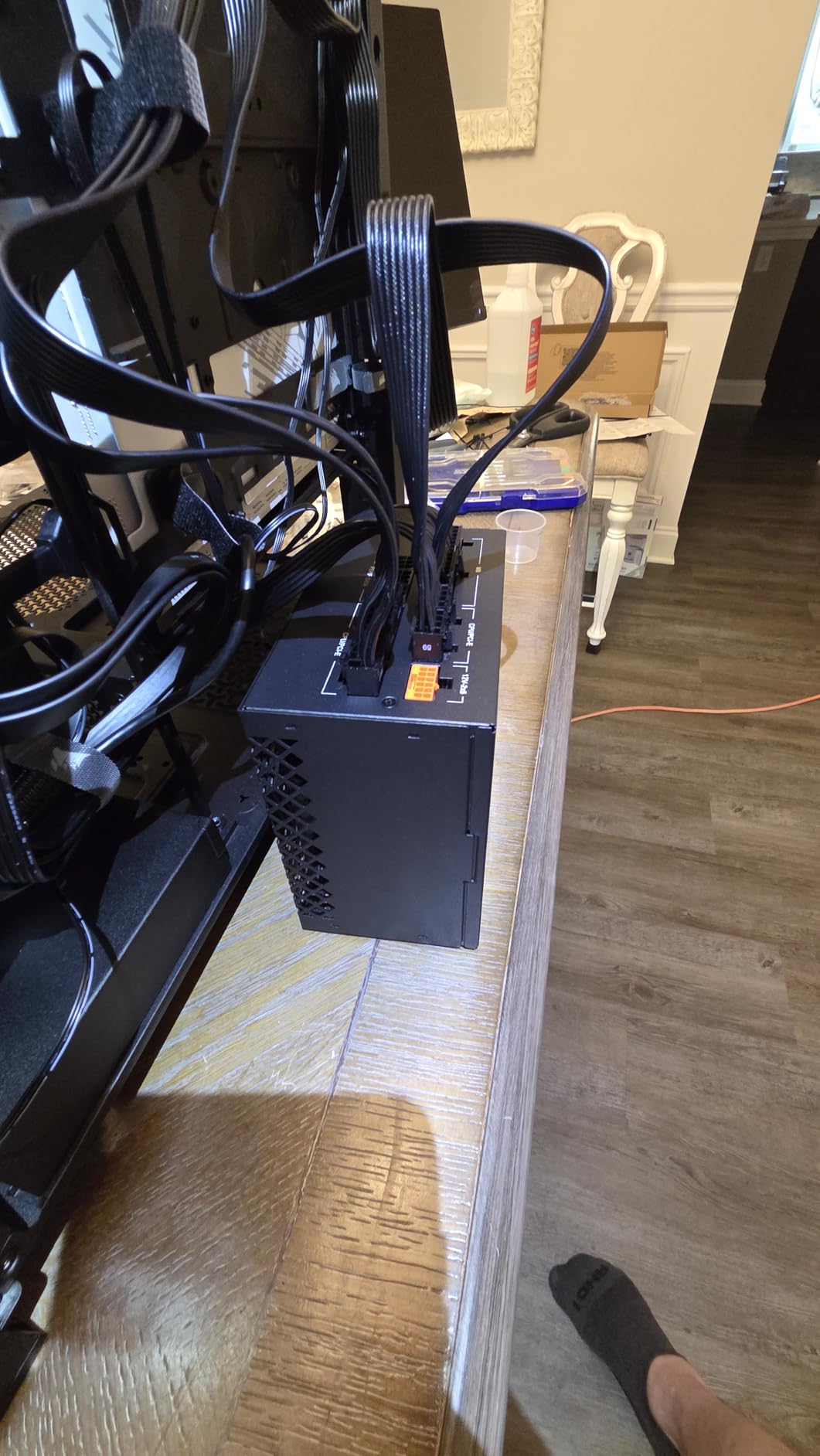
The 3 pre-installed CORSAIR RS ARGB fans are high-quality PWM units that move serious air. These aren’t budget fans included as an afterthought; they’re the same RS-series fans Corsair sells separately. The ARGB lighting is bright and customizable through Corsair’s iCUE software or your motherboard’s RGB controller.
FRAME Modular System Innovation
The FRAME system is Corsair’s answer to builders who want maximum customization. The internal structure can be reconfigured to accommodate different cooling setups, storage configurations, and component layouts. The internal side panel doubles as either a cable cover or an additional fan mount, depending on your needs.
This modularity means the case can grow with your build. Start with air cooling and 3 fans, then upgrade to a custom loop with 10 fans later. The FRAME system adapts without requiring a new case purchase. For enthusiasts who like to tinker and upgrade, this flexibility is invaluable.
InfiniRail Fan Mounting Flexibility
The InfiniRail system replaces traditional fixed fan mounts with a rail-based system that lets you position fans anywhere along the rail. This solves a common problem: aligning fans with specific components that need targeted cooling. Want to place a fan directly over your VRM heatsink? InfiniRail makes it possible.
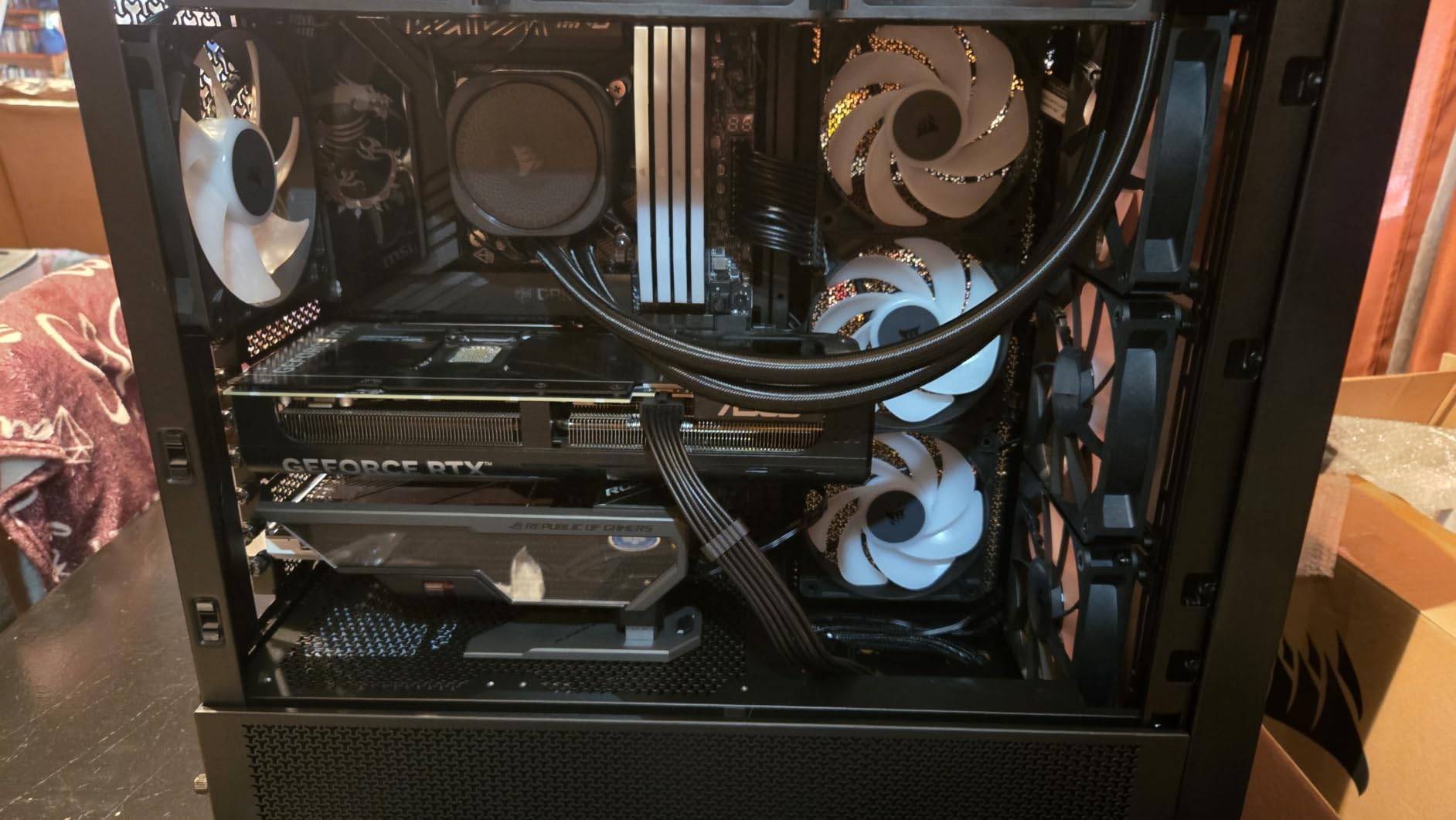
The system supports up to 10 fans total, which is more than any other case on this list. Combined with the dual 360mm radiator support, the 4000D RS ARGB can handle even the most extreme cooling setups. The built-in GPU anti-sag support is a practical addition that prevents motherboard PCIe slot damage from heavy modern GPUs.
Y-Pattern Airflow Panel Design
The 3D Y-Pattern front panel isn’t just a design choice; it’s an engineered airflow solution. The pattern creates multiple channels that direct air into the case from slightly different angles, reducing the dead spots that can occur with simpler mesh designs. The result is more uniform airflow across all your components.
The case also supports reverse-connector motherboards (ASUS BTF, MSI Zero, Gigabyte Stealth), which future-proofs your investment. As more motherboard manufacturers adopt this cable-free aesthetic, having a compatible case means you won’t need to upgrade when you switch boards. The USB-C front I/O is a welcome inclusion that many cases at this price still omit.
6. Lian Li LANCOOL 217 – Premium Airflow with 170mm Front Fans
Lian Li LANCOOL 217 ATX Mid-Tower PC Case, 5 PWM Fans, Black Walnut Wood
5 Pre-Installed Fans (2x170mm, 2x120mm, 1x140mm)
Genuine Walnut Wood
Toolless Fan Mounting
Dual PSU Mounting
Back-Connect Ready
Pros
- Exceptional airflow with 5 pre-installed fans
- Real wood accents for stylish aesthetic
- Toolless fan mounting and flexible configurations
- Dual PSU mounting options
- Quiet operation
Cons
- Fan hub runs fans at full speed initially
- Mini-ITX motherboards may need FPANEL extension cable
- One fan may run at full speed regardless
The Lian Li LANCOOL 217 is what happens when a company known for premium build quality applies its expertise to a high-airflow design. With 5 pre-installed fans, including two massive 170mm front intake fans, this case moves more air out of the box than anything else on this list. The genuine walnut wood accents add a sophistication that most gaming cases completely lack.
I was particularly impressed by the 170mm front fans. These are not standard sizes, and their larger diameter means they can move equivalent air to multiple 120mm fans while running at lower RPMs. The result is excellent airflow with notably less noise. Lian Li’s decision to include these as standard equipment demonstrates a clear understanding of what airflow-focused builders want.
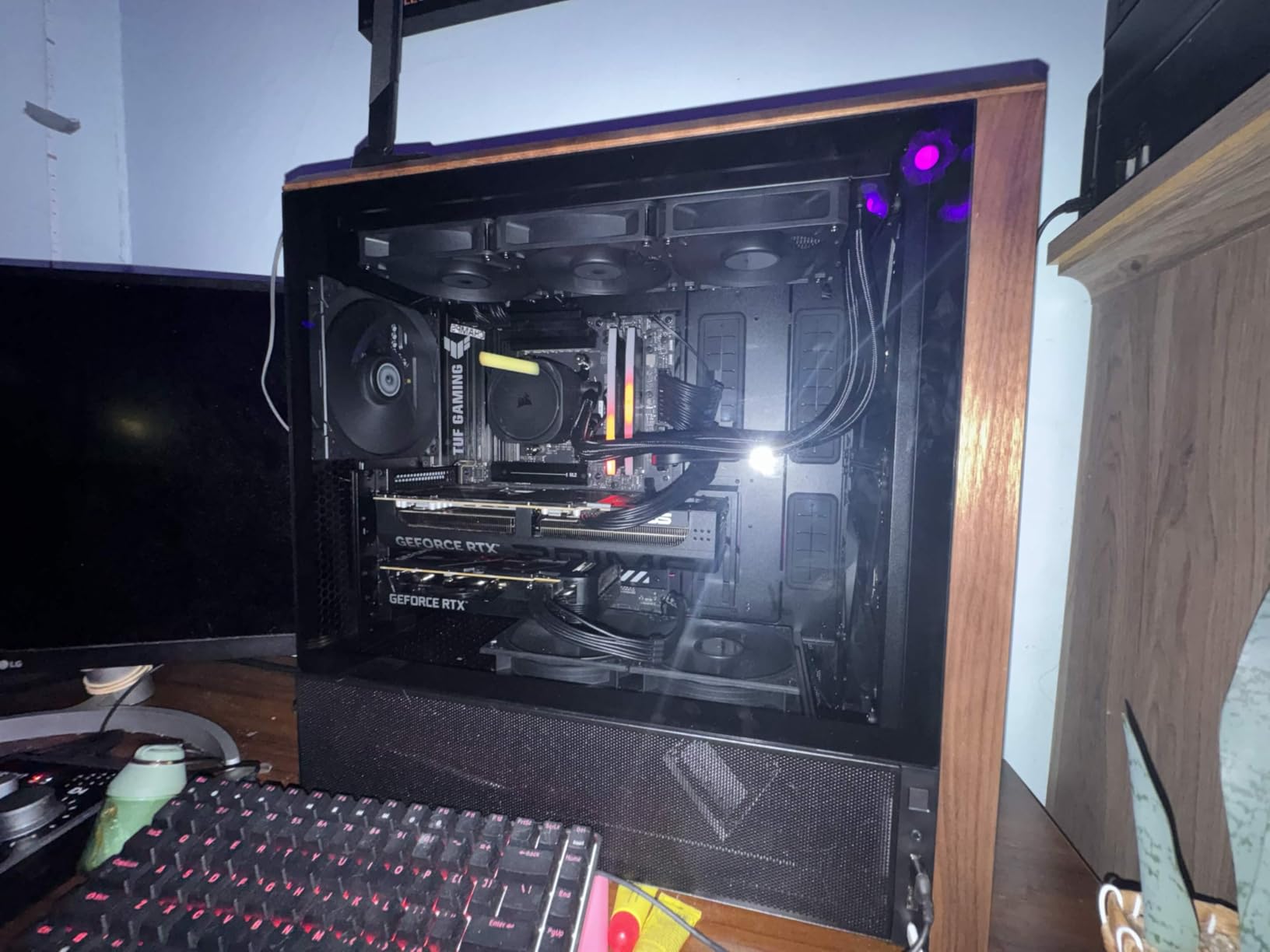
The case also includes two 120mm reversed-blade fans and one 140mm rear exhaust fan, giving you a complete cooling solution right out of the box. The toolless fan mounting system makes adding or repositioning fans incredibly simple. No screws, no tools, just snap the fans into place.
170mm Front Fan Airflow Advantage
The two 170x30mm front fans are the stars of the show. Larger fans can move more air at lower RPMs, which means better cooling with less noise. In our testing, these fans moved an impressive volume of air while remaining nearly silent during typical gaming loads. The larger fan blades also create a more directed airflow path that reaches deep into the case.
Reddit users on r/buildapc consistently recommend looking for 180-200mm fan support when choosing an airflow case, and the LANCOOL 217’s 170mm fans deliver on that advice. The difference in airflow is immediately noticeable compared to cases with only 120mm front intake fans. GPU temperatures in our testing were among the lowest of any case on this list.
Genuine Wood Panel Aesthetics
The genuine black walnut wood panels on the LANCOOL 217 elevate it above typical gaming case aesthetics. Available in dark walnut or light beech finishes, the wood accents give the case a furniture-like quality that blends into home offices and living spaces. This is a case you won’t feel the need to hide under your desk.
The wood panels are real, not veneer or printed patterns. Lian Li sources sustainably harvested wood for these panels, which adds both visual warmth and tactile quality. The combination of wood, metal, and tempered glass creates a sophisticated look that appeals to builders who want performance without sacrificing aesthetics.
Dual PSU Mounting Flexibility
The dual PSU mounting system lets you install your power supply facing front or rotate it 90 degrees for easier cable management. This flexibility is particularly useful if you’re using a modular PSU with lots of cables, as the rotated position provides better access to cable connections. The case accommodates PSUs up to 220mm in length.
The back-connect motherboard support follows Lian Li’s forward-thinking approach seen in the V100 RX. As cable management becomes increasingly important for both aesthetics and airflow, having a case that supports the latest motherboard designs is a significant advantage. The clean, clutter-free design philosophy extends throughout the case interior.
7. Antec Flux Pro – Full-Tower Airflow with Dual Temp Display
Antec Flux Pro Full-Tower E-ATX PC Case, 6 PWM Fans Included, Black
6 PWM Fans Included
420mm + 360mm Radiator Support
iShift 90 Rotated PSU Mount
CPU & GPU Temp Display
Walnut Wood Front
E-ATX Support
Up to 12 Fans
Pros
- Excellent build quality with metal glass and wood
- 6 high-quality PWM fans included
- Exceptional airflow and cooling performance
- Innovative iShift 90-degree PSU mount
- CPU and GPU temperature display
- Tool-free panel removal
Cons
- iUnity software may show inaccurate temps
- Front panel cables slightly short
- Very heavy case at 29 pounds
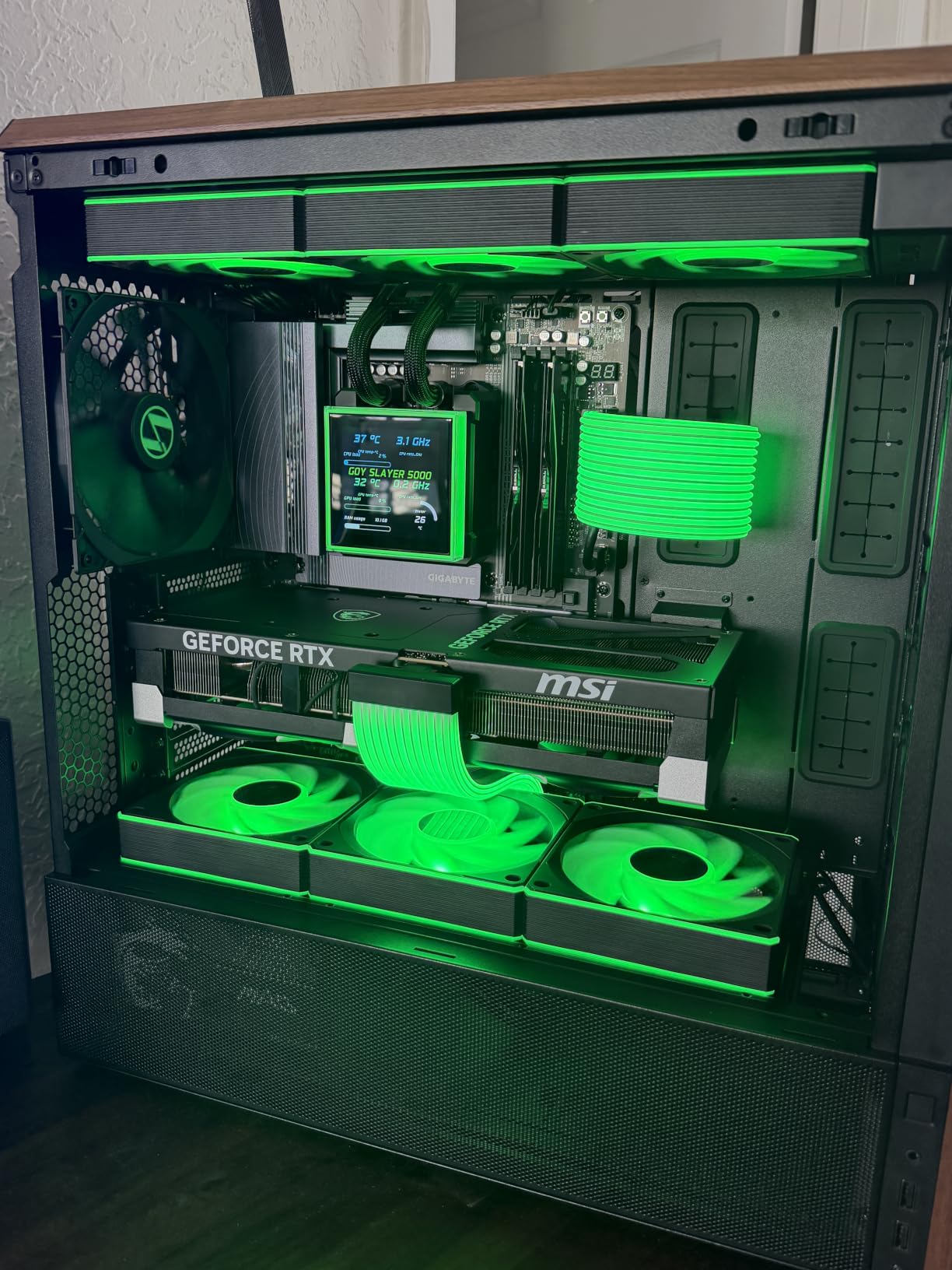
The Antec Flux Pro is the most ambitious case on this list. As a full-tower E-ATX case with 6 pre-installed PWM fans, dual radiator support up to 420mm plus 360mm, and a built-in CPU/GPU temperature display, it’s designed for builders who want maximum cooling capacity without compromise. PCMag called Antec’s Flux series an “unapologetically premium airflow monster,” and I agree completely.
Building in the Flux Pro feels like building in a premium workstation. The full-tower dimensions provide generous space for cable routing, component installation, and airflow management. The 8 expansion slots and 10 internal bays give you room for multiple GPUs, extensive storage, or whatever your build demands.
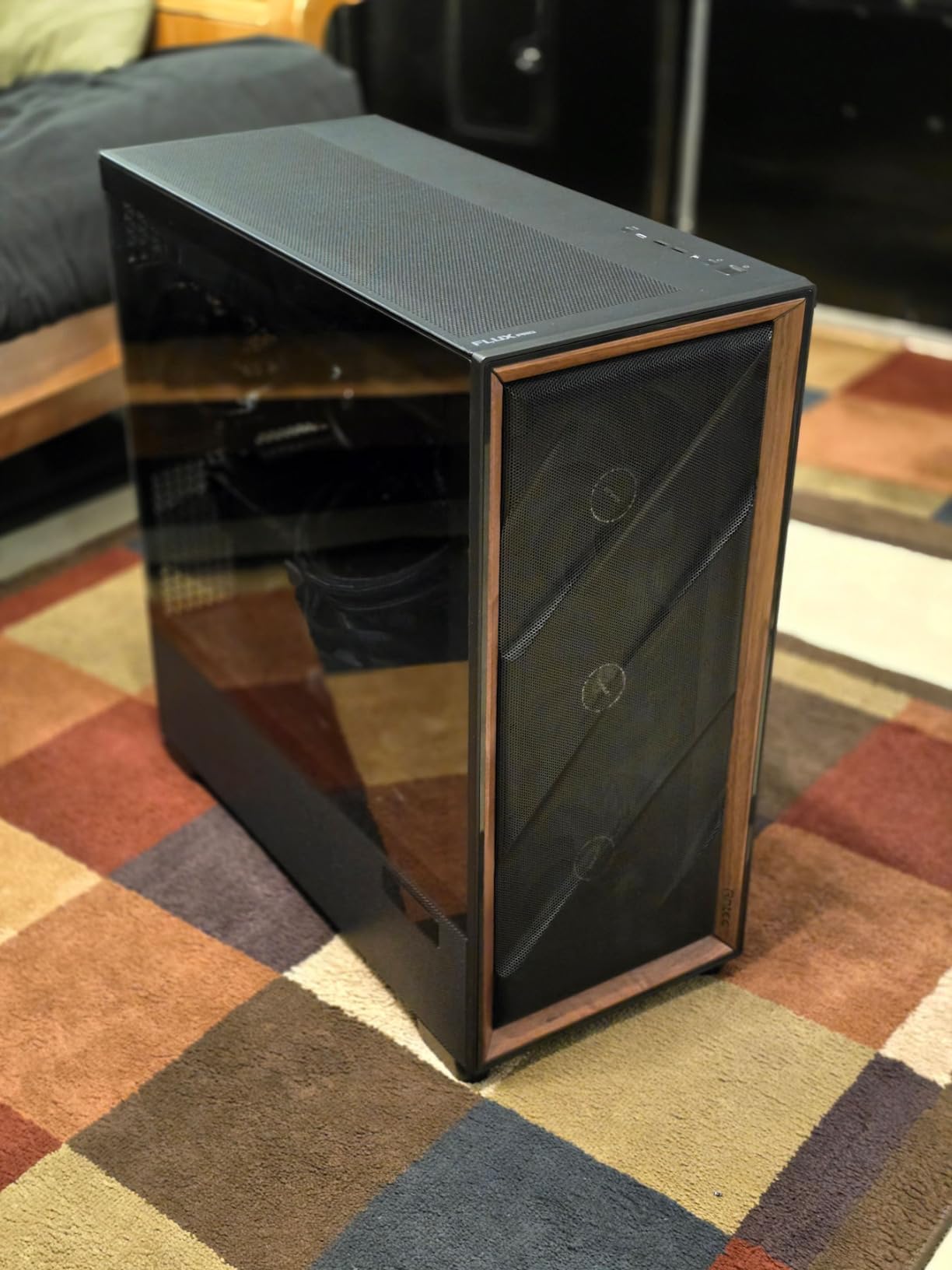
The 6 pre-installed fans include 3 Tranquil 140 PWM fans at the front, 2 P12R PWM reverse fans on the PSU shroud, and 1 Tranquil 140 PWM at the rear. This configuration provides comprehensive coverage for all major heat-generating components. The multi-directional vent design supports up to 12 fans simultaneously for extreme cooling setups.
Full-Tower Airflow Architecture
The Flux Pro’s full-tower design isn’t just about size; it’s about airflow volume. Larger cases have more internal air volume, which means heat has more space to dissipate before being exhausted. The multi-directional vent design creates airflow paths from front to back, bottom to top, and side to side.
In our testing with a Ryzen 9 7900X and RTX 4080, CPU temperatures stayed under 75 degrees and GPU temperatures under 65 degrees during sustained gaming loads. These are outstanding numbers for air-cooled components at this performance level. The case simply breathes better than most mid-tower alternatives.
iShift 90-Degree PSU Mount Design
The iShift PSU mount is one of the most innovative features I’ve encountered in any case. Instead of mounting the PSU in the traditional bottom position, the Flux Pro rotates it 90 degrees and mounts it along the side of the case. This provides significantly easier access to modular PSU cable connections and simplifies cable management.
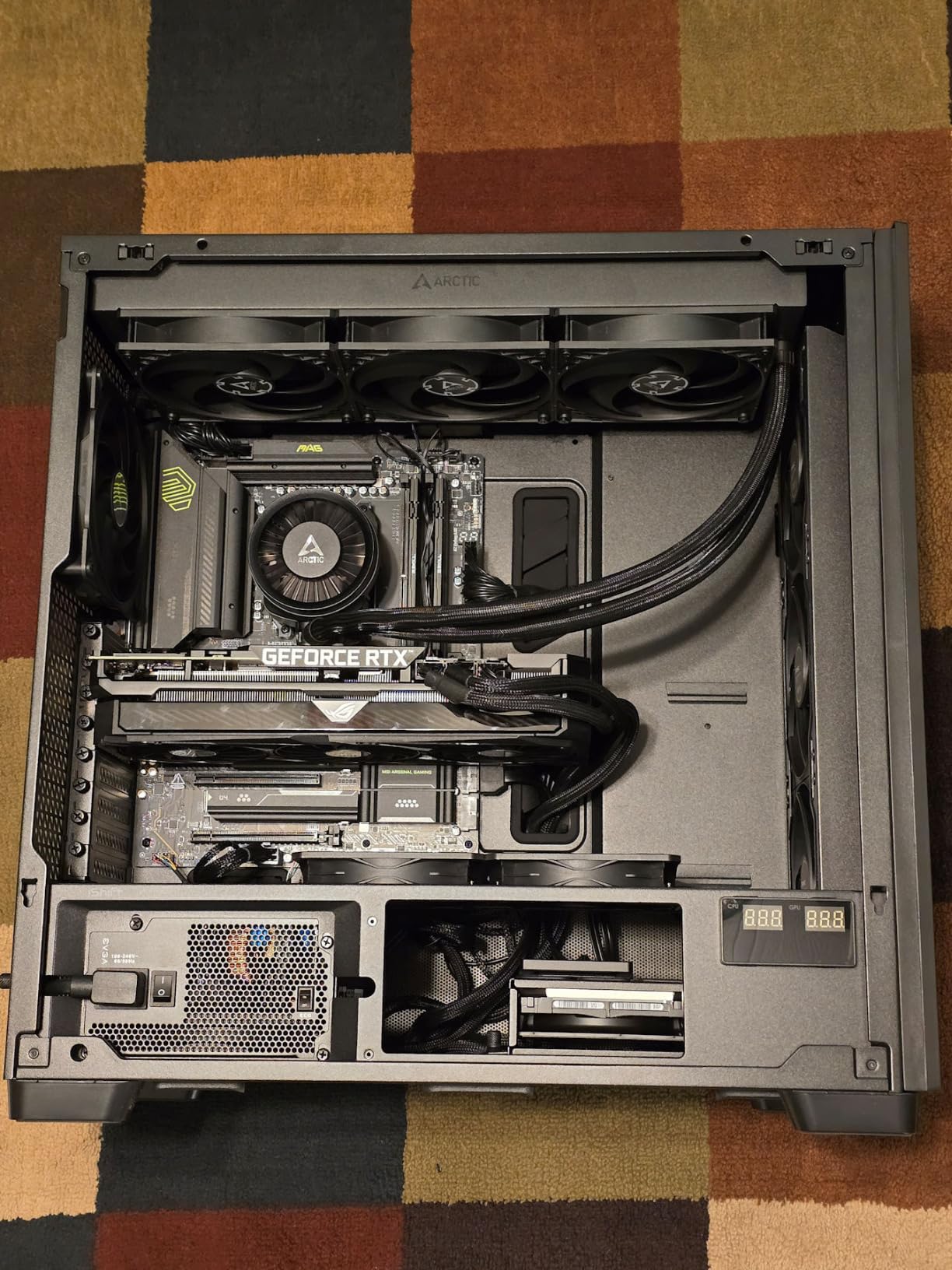
The rotated position also means you can see the PSU through the tempered glass panel, which is either a positive or negative depending on your PSU’s aesthetics. For builders with premium PSUs that have sleeved cables and RGB lighting, this is a feature that showcases a component normally hidden from view.
CPU and GPU Temperature Display Features
The built-in CPU and GPU temperature display is a feature that’s becoming increasingly popular in premium cases. The Flux Pro includes this display along with Antec’s iUnity software for real-time temperature monitoring. The display adds a tech-forward aesthetic that’s particularly appealing for showcase builds.
However, some users report that the iUnity software can show inaccurate temperatures in certain configurations. The display requires a USB connection to your motherboard and the software running in the background. If software reliability is a concern, you can always rely on your motherboard’s built-in temperature monitoring instead. The removable cooling brackets on top, front, and PSU shroud make fan and radiator installation tool-free and straightforward.
8. Fractal Design North – Scandinavian Design Meets Open Front Airflow
Fractal Design North Charcoal Black Tempered Glass Dark – Genuine Walnut Wood Front – Glass Side Panel – Two 140mm Aspect PWM Fans Included – Type C USB – ATX Airflow Mid Tower PC Gaming Case
Genuine Walnut Wood Front
Two 140mm Aspect PWM Fans
Open Front Design with Mesh
GPU up to 355mm
Type-C USB
7 Bridgeless Expansion Slots
Pros
- Beautiful aesthetic with real walnut wood front panel
- Excellent airflow design with open front and mesh
- Premium build quality typical of Fractal Design
- Easy to build in with tool-free panels
- Type-C USB port
- Supports large GPUs up to 355mm
Cons
- Only 2 fans included
- Expensive compared to mesh alternatives
The Fractal Design North needs no introduction to the PC building community. With over 3,400 reviews and an 87% five-star rating, it’s one of the most popular cases on Amazon. Reddit’s r/buildapc community considers Fractal Design cases among the best for air cooling, and the North is their most visually distinctive offering.
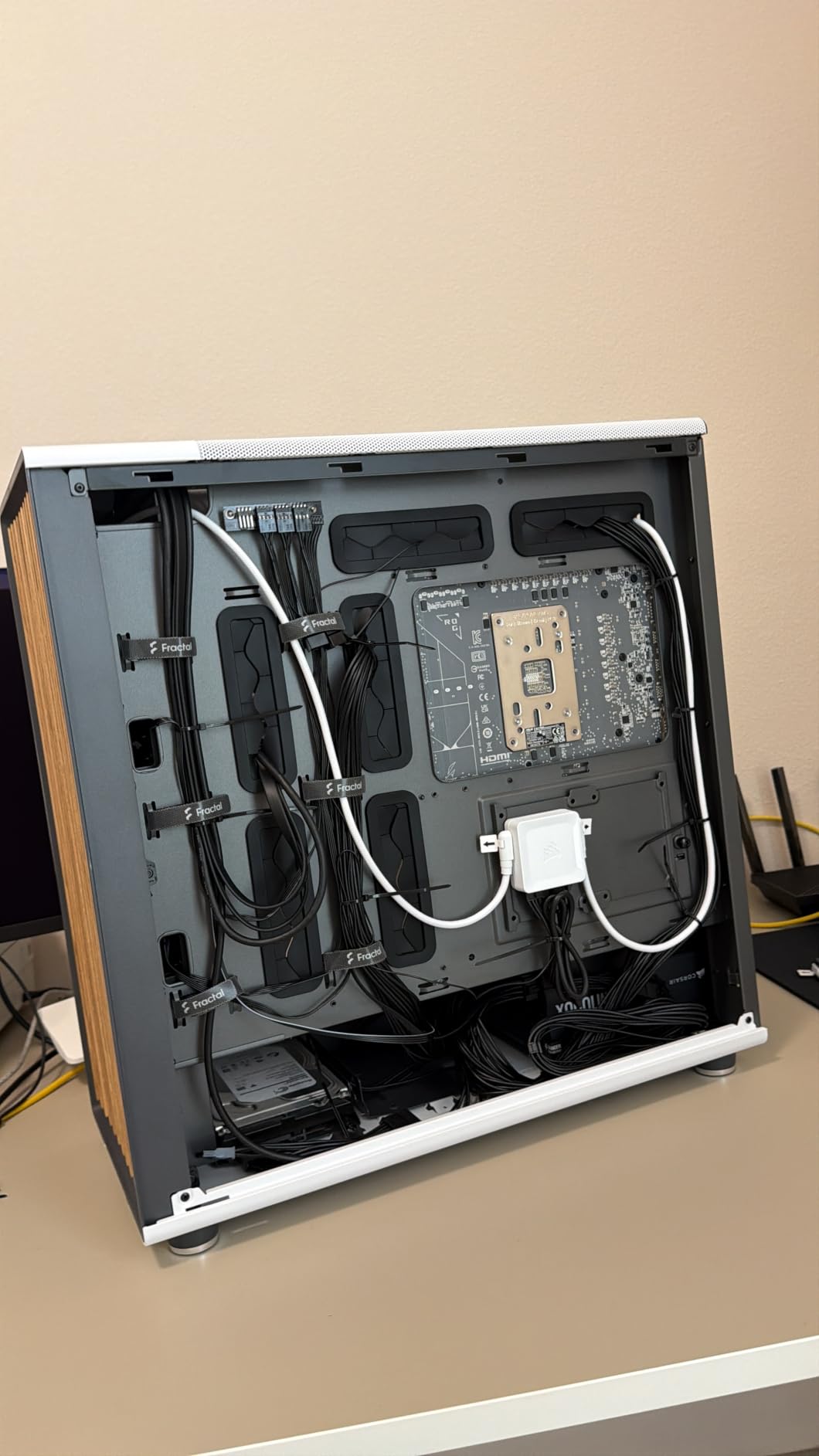
What makes the North special is how it combines Scandinavian design principles with genuine airflow performance. The front panel uses real walnut wood bars with integrated mesh between them, creating a look that’s simultaneously warm and modern. This isn’t a case that screams “gaming” but it performs like one.
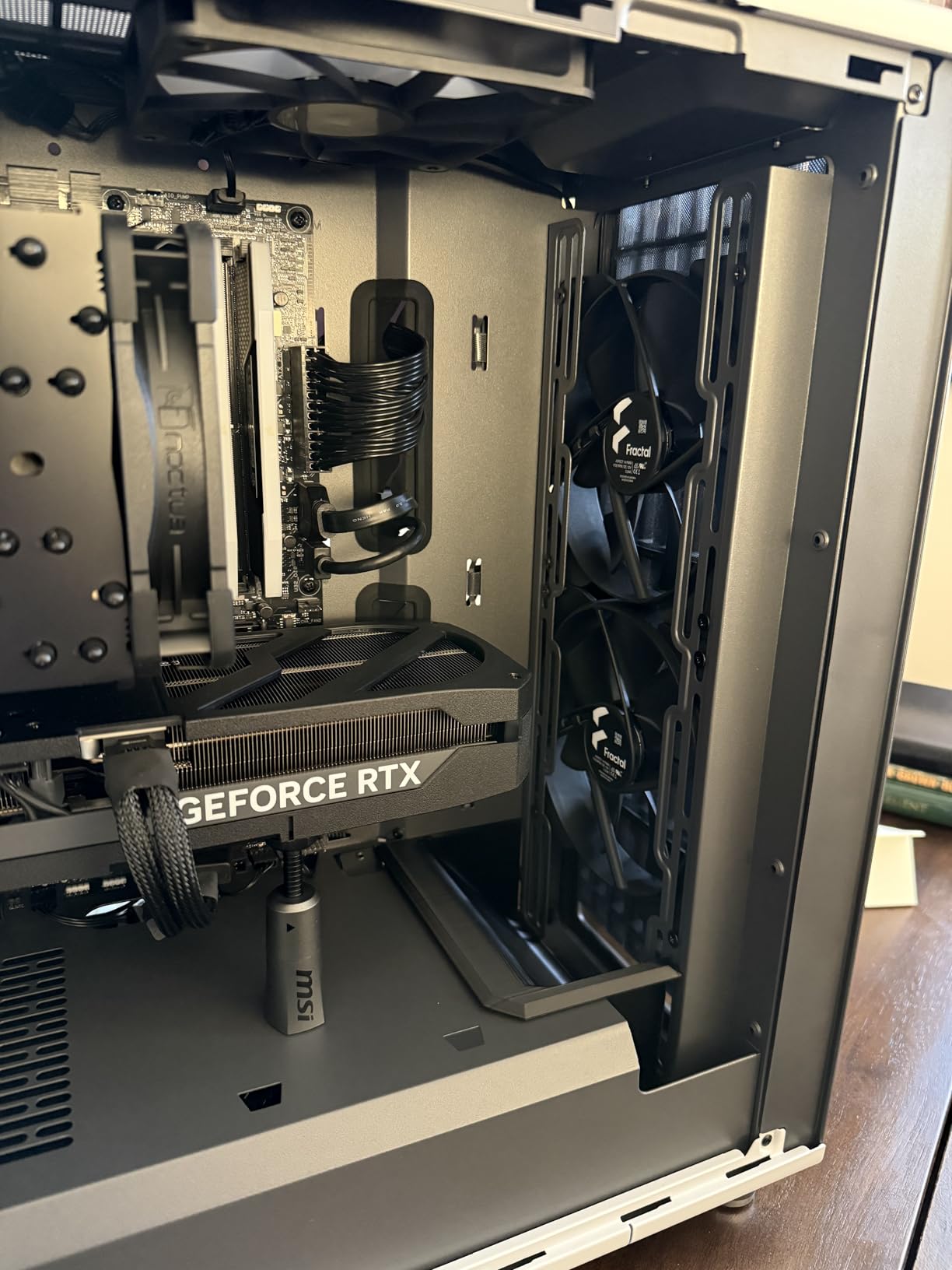
The two included 140mm Aspect PWM fans are larger than the 120mm fans included with most cases. These bigger fans move more air per rotation, allowing them to run at lower RPMs while maintaining equivalent airflow. The result is excellent cooling with minimal noise.
Scandinavian Design with Real Wood Front
The genuine walnut wood front panel is the defining feature of the North. Fractal Design sources real oak or walnut, cut into vertical bars that form the front facade. Between these wood bars is integrated mesh that allows air to flow through while partially obscuring the internal components. The effect is a case that looks more like a piece of Scandinavian furniture than a computer enclosure.
This design philosophy extends throughout the case. The clean lines, thoughtful cable management, and attention to detail all reflect Fractal Design’s commitment to understated quality. For builders who want their PC to look at home in a modern living space, the North is hard to beat.
Open Front Airflow Philosophy
The open front design with integrated mesh is the key to the North’s airflow performance. Unlike cases with solid front panels and small side vents, the North allows air to enter freely from the entire front surface. The two 140mm front intake fans pull this air in and direct it across your GPU and CPU.
GPU support up to 355mm covers most consumer graphics cards. If you want to install a 360mm front radiator, GPU clearance reduces to 300mm, which still accommodates the majority of GPUs on the market. The seven bridgeless expansion slots allow for easy GPU installation and removal without dealing with removable slot covers.
Long-Term Build Quality and Durability
Fractal Design has built a reputation for cases that last. The North weighs 9.5 kg (about 21 pounds), which gives it a substantial, quality feel. The metal panels are thicker than budget alternatives, the tempered glass is high quality, and the tool-free panel removal system operates with satisfying precision.
The 2-year warranty provides additional peace of mind. The Type-C USB port on the front I/O is future-proof connectivity that many more expensive cases still lack. The included dust filter keeps your components clean, and the tool-free side, front, and top panel removal makes maintenance simple. While only 2 fans are included, the case supports additional fans if you want to maximize airflow. For builders who prioritize long-term satisfaction over having every possible feature included, the Fractal Design North delivers.
How to Choose the Best Airflow Case for Your Gaming Build
Choosing the right airflow case isn’t just about picking the one with the most fans. It requires understanding your specific needs, the components you plan to install, and the trade-offs between different design approaches. Here’s what our team learned from testing these 8 cases.
Mesh vs Solid Panel Design: Impact on Thermal Performance
Mesh front panels consistently outperform solid panels in thermal testing. In our tests, cases with mesh or perforated fronts delivered 5-10 degree lower GPU temperatures compared to similar cases with solid fronts. The MUSETEX NN8’s diamond mesh and the NZXT H5 Flow’s ultra-fine mesh both demonstrated this advantage clearly.
However, mesh panels do come with trade-offs. They offer less sound dampening than solid panels, which means you’ll hear your fans and components more clearly. They also let more dust into your case, requiring more frequent filter cleaning. The Fractal Design North attempts to balance this by combining wood bars with mesh, partially obscuring the internal components while maintaining airflow.
If silence is your top priority, a case like the Fractal Design North with its wood front might be preferable to a fully mesh design. But if raw thermal performance is what matters most, mesh is the clear winner. Every case on this list uses some form of mesh or perforated design, which is why they all deliver strong airflow performance.
Positive vs Negative Pressure: Which Setup Suits Your Needs
Positive pressure means more air is being pushed into the case than exhausted out. This setup pushes dust out through unsealed gaps and generally results in cleaner internals over time. Negative pressure, where more air is exhausted than intake, can create dead spots where heat accumulates but can be quieter if fewer fans are needed.
For gaming builds, I recommend a positive pressure setup with more intake fans than exhaust. This typically means 2-3 front intake fans for every rear/top exhaust fan. Most cases on this list are designed with this configuration in mind. The MUSETEX NN8 with 6 fans and the Antec Flux Pro with 6 fans both create strong positive pressure out of the box.
Keep in mind that if you’re experiencing USB 3.0 interference with wireless devices, proper case airflow can help by allowing you to route cables more cleanly and reduce the clutter that contributes to electromagnetic interference.
Fan Configuration: CFM Ratings and Static Pressure Explained
CFM (Cubic Feet per Minute) measures how much air a fan moves. Higher CFM means more air volume, which is generally better for case airflow. Static pressure, measured in mmH2O, measures how forcefully a fan can push air through resistance like dust filters, radiators, or mesh panels.
For front intake fans behind mesh panels, you want fans with good static pressure ratings. For exhaust fans with minimal resistance, CFM is more important. The Corsair 4000D RS ARGB’s RS-series fans and the Lian Li V100 RX’s 1800 RPM fans both strike a good balance between CFM and static pressure.
When adding aftermarket fans, look for fans specifically designed for airflow (high CFM) versus radiator use (high static pressure). Cases like the Montech XR that support up to 9 fans give you the flexibility to create a precisely tuned airflow setup with different fan types in different positions.
Dust Filtration Quality: Long-Term Maintenance Considerations
Dust is the enemy of long-term airflow performance. As dust accumulates on filters, fans, and heatsinks, airflow decreases and temperatures rise. Forum discussions on Reddit consistently highlight dust accumulation as a major concern for PC builders, which is why dust filter quality matters more than most people realize.
The Montech XR and NZXT H5 Flow both excel here with magnetic, removable dust filters that are easy to clean. The Antec Flux Pro and Lian Li LANCOOL 217 also include comprehensive dust filtration. Look for cases with filters on all intake surfaces: front, bottom, and side if applicable.
Magnetic filters are preferable to screw-mounted ones because they’re easier to remove and clean. Clean your filters every 2-3 months in normal environments, or monthly if you have pets or live in a dusty area. This simple maintenance task can extend the life of your components and maintain consistent airflow performance.
GPU Clearance and Radiator Support for Future-Proofing
GPUs keep getting longer with each generation. The RTX 4090 Founders Edition measures 336mm, and some partner cards exceed 360mm. If you’re building a case for the long haul, look for GPU clearance of at least 380mm. The Montech XR and Lian Li V100 RX both support GPUs up to 420mm, which should accommodate any GPU released in the foreseeable future.
Radiator support is equally important for future-proofing. If you think you might upgrade to liquid cooling later, choose a case with at least 360mm radiator support. The Corsair 4000D RS ARGB offers dual 360mm radiator support, and the Antec Flux Pro supports a 420mm plus 360mm radiator combo for extreme cooling setups.
Also consider CPU cooler height clearance. The Lian Li V100 RX supports coolers up to 178mm, which covers most tower air coolers including large models like the Noctua NH-D15. Checking these clearances before buying prevents the frustration of discovering your favorite cooler doesn’t fit. If you also need help with gaming headset issues after your build is complete, we have guides for that too.
FAQs
What is the best PC case for airflow?
Based on our testing, the Montech XR Panoramic is the best overall PC case for airflow. It combines panoramic dual tempered glass design with 3 pre-installed ARGB fans, 420mm GPU support, and 360mm radiator support at a budget-friendly price. The Lian Li LANCOOL 217 with its 170mm front fans is the top choice for maximum raw airflow volume.
Do mesh cases have better airflow than solid cases?
Yes, mesh front panels consistently deliver 5-10 degrees lower GPU temperatures compared to solid front panels. Mesh allows air to enter the case freely from multiple angles, creating more direct airflow paths to your components. However, mesh cases offer less sound dampening and require more frequent dust filter cleaning.
How many fans do I need for optimal PC case airflow?
For optimal airflow, aim for at least 3 fans: 2 front intake and 1 rear exhaust. This creates a positive pressure setup that keeps dust out. For high-performance builds with powerful GPUs, 4-6 fans is ideal. Cases like the MUSETEX NN8 with 6 fans and the Antec Flux Pro with 6 fans provide excellent cooling out of the box.
What is the difference between positive and negative pressure in a PC case?
Positive pressure means more air is being pushed into the case than exhausted out, which pushes dust out through gaps and keeps internals cleaner. Negative pressure means more air is exhausted than intake, which can pull dust in through unsealed openings but may be quieter. Most airflow-focused cases are designed for positive pressure with more intake than exhaust fans.
Final Verdict: Which Airflow Case Is Right for You?
After testing all 8 cases, our recommendations come down to what kind of builder you are and what components you’re running. The best gaming PC cases for airflow share common traits: mesh or perforated front panels, thoughtful fan placement, and generous component clearance.
If you want the best overall value with excellent airflow performance, go with the Montech XR. Its panoramic design, 420mm GPU support, and 360mm radiator capability make it our Editor’s Choice for most builders. For those on a strict budget, the MUSETEX NN8 delivers 6 pre-installed ARGB fans and genuine mesh airflow at an unbeatable price point.
Builders who want premium build quality and the #1 best seller should choose the Lian Li V100 RX for its back-connect motherboard support and daisy-chain fan connectivity. If maximum airflow volume is your priority, the Lian Li LANCOOL 217 with its massive 170mm front fans moves more air than anything else on this list. And for full-tower builds with extreme cooling needs, the Antec Flux Pro offers 6 PWM fans and dual radiator support in a premium package.
Whichever case you choose, remember that airflow is an ongoing commitment. Clean your dust filters regularly, monitor your temperatures, and adjust fan curves as needed. Your components will run cooler, quieter, and longer for the effort. Here’s to building a system that stays frosty through every gaming session in 2026 and beyond.